Have aliens visited Earth? Some argue that aliens have not only visited Earth, but artifacts from them can be found in the ocean. A UFO specialist claims that a circle visible on the ocean floor in Google Earth is irrefutable proof of alien life.
The circle measures 4.2 miles (6.8 kilometers) in diameter and sits 352 miles (566 km) off
Uber has struck a deal that will soon allow folks in New York City to hail yellow cabs through its app. The city’s 14,000 taxi drivers will be able to accept fares from Uber users through apps like Curb and Arro.
This is Uber’s first citywide partnership of this nature in the US. It expects the integrations to be up and running this spring. Passengers will pay around the same as they would for Uber X rides, the company told The Wall Street Journal, with Uber and its partners taking a cut of the fare. Taxi drivers will be able to see their estimated earnings before deciding whether to accept a trip.
The move could help remedy Uber’s shortage of drivers and tackle the surge pricing problem while helping cab drivers find more fares. It could be an uneasy alliance, however, given that the taxi industry has opposed ride-sharing apps in the past. Engadget has contacted the New York Taxi Workers Alliance — which represents 21,000 yellow cab, ride-sharing and other drivers — for comment.
Astronomers have captured an image of an Odd Radio Circle (ORC) in high definition for the first time. In some instances, an ORC can have a diameter of hundreds of kiloparsecs (kps). In comparison, our Milky Way is about 30 kpc across and its center lies about 8 kpc from the Solar System.
Recruitment ad hits social media feeds of mobile phones located outside or inside the diplomatic compound. From a report: The FBI is trying a novel strategy to recruit Russian-speaking individuals upset about the country’s invasion of Ukraine: aiming social media ads at cellphones located inside or just outside the Russian Embassy in Washington. The ads, which appear on Facebook, Twitter and Google, are carefully geographically targeted. A Washington Post reporter standing next to the embassy’s stone walls on Wednesday morning received the ad in their Facebook feed. But the ads did not appear in the feed when the reporter stood on the other side of Wisconsin Avenue NW, in the District’s Glover Park neighborhood.
The ads are designed to capitalize on any dissatisfaction or anger within Russian diplomatic or spy services — or among Russian emigres to the United States — over the invasion of Ukraine, an event that counterintelligence experts call a huge opportunity for the U.S. intelligence community to recruit new sources. The unlikely star of the campaign is Russian President Vladimir Putin, whose own words are used to encourage people working in or visiting the embassy to talk to the FBI. The ad quotes Putin at a meeting last month where he publicly chastised his intelligence chief, Sergey Naryshkin, correcting the spy boss’s position on Russian policy toward the separatist eastern regions of Ukraine. Naryshkin, the director of Russia’s Foreign Intelligence Service, or SVR, stammered at the meeting and seemed unsure of what Putin wanted him to say.
It’s a refresh those with an eye on Dell’s XPS 15 and XPS 17 laptops have waiting to get their hands on for a while, and it’s now available. Starting today, you can configure both computers with Intel’s latest 12th-generation Core H-series CPUs. Announced at the start of this year, the company’s new processors combine performance and low-power efficiency cores onto a single chip.
In theory, the design promises to deliver better performance and battery life thanks to a CPU that can better juggle the demands of modern computing. Among other highlights, Intel’s new H-series processors feature DDR5 support and built-in WiFi 6E connectivity, allowing you to take advantage of the new 6GHz band that comes standard on recent 6E routers.
The XPS 15 starts at $1,449 and features a 12-core i5-12500H with one 8GB DIMM of 4,800MHz DDR5 RAM and 512GB of NVMe storage. You can configure it with up to a GeForce RTX 3050 Ti with 4GB of VRAM and a 40W power draw. The XPS 15 comes standard with a 15.6-inch FHD display that features a panel with 500-nits of brightness. Unique to the XPS 15 is an OLED display option with a 100,000:1 contrast ratio, DisplayHDR 500 certification and 400 nits of brightness.
The XPS 17, meanwhile, starts at $1,849. It comes standard with a 17-inch FHD display, but you can configure it with a 4K panel with 100 percent Adobe RGB coverage, 500 nits of brightness and a 1,600:1 contrast ratio. The roomier chassis also allows for an RTX 3060 with 6GB of VRAM and a 60W power draw. But if you want that model, Dell notes it won’t be available until sometime in April.
After six months of development, GNOME 42 is here and it’s packed with some cool new features and enhancements for fans of the GNOME desktop environment. The biggest change in this major release is the porting of almost all default GNOME apps to the latest GTK4 toolkit and the libadwaita 1.0 library for a more modern look and faster performance.
Earlier this year, I took an in-depth look at some of the new GTK4 apps that will be included in GNOME 42, and I was really impressed by the modern new look of these GTK4 apps. Of course, the new visual UI changes also apply to the Settings app, as well as to all the system dialogs and UI elements for a consistent feeling.
What is the United States anyway? Sure, it’s a nation made up of 50 states that covers a good deal of a continent. But as my fifth grade social studies textbook would have you believe, it’s also made up of a righteous people with a common history and a shared set of beliefs and ideals that include truth, justice, and…
New The Last of Us set pictures give us a glimpse at the game’s stars in the flesh. Netflix confirms its Pacific Rim anime will return for a second and final time next month. Plus, a familiar face returns on The Flash, and a look at The Hardy Boys’ season 2. Spoilers, away!
Have you spent a long time murdering eagles and other assorted avians in Elden Ring, only to walk away with a pouch full of mostly bird feathers—and a flock that’s largely flown away? That’s certainly been my experience trying to get the drops needed to craft Gold Pickled Fowl Foot, the go-to item that boosts rune…
Despite the pandemic shuttering offices and upending commutes across the nation for more than two years, America’s roads and bridges remain critical to its economic and social well being, acting as a circulatory system for goods and people. But like the ticker found in your average American, our transportation system could stand more routine checkups and maybe a few repavings if it wants to still be around in another four decades. The guy whose job it is to make sure that happens, US Secretary of Transportation Pete Buttigeig, took to the SXSW stage at the Austin Convention Center last week to discuss the challenges that his administration faces.
The Secretary’s hour-long town hall presentation touched on a wide range of subjects beginning with the projects his agency plans to focus on thanks to the recent passage of a $1.2 trillion infrastructure package, roughly half of which is earmarked for transportation programs. “There are five things that we’re really focused on,” Secretary Buttigeig said. “Safety, economic development, climate, equity and transformation.
“It’s the reason the department exists,” he continued. “We have a Department of Transportation, first and foremost, to make sure everybody can get to where they need to go safely.”
But despite his agency’s efforts, the Secretary noted that some 38,000 Americans died on the road last year, compared to air travel where, “it’s not unusual to have a year where there are zero deaths in commercial aviation in the United States… I don’t believe it has to be that way.”
These investments will also help position the country to better compete economically. He points to China, which has invested extensively in its infrastructure for decades, “because of how important it is for their economic future,” he said. “This is what countries do. This is what the United States, historically, has done except we sort of skipped about 40 years.”
We need not look further than the collapse of Pittsburgh’s Forbes Avenue bridge in January to see the impacts of nearly half a century of investment austerity upon the nation’s roadways. Hours before President Biden was scheduled to speak in the city, promoting his infrastructure plan no less, when the elevated span fell, sending ten people to the hospital with non-life-threatening injuries and highlighting Pennsylvania’s ongoing struggles to ensure the proper upkeep of its nearly 500 bridges.
Ensuring the safe operation of transportation also promotes economic development, Buttigeig argued, “so we’re going to make sure that we drive economic opportunity through great transportation, both in the installation of electric chargers and the laying of track.”
Tempering the capitalist urges that a functional transportation network seems to rouse are the agency’s climate goals. “Every transportation decision is a climate decision, whether we recognize it or not,” Buttigeig said, noting that the transportation sector is the US economy’s second leading source of greenhouse gas, behind the energy sector. “Not only do we have to cut emissions from transportation on our roads by making it so that you don’t have to drag two tons of metal along to get to where you need to go all the time, we’ve got to prepare for the climate impacts that are already happening.”
Secretary Buttigeig also touched on how to most equitably distribute the benefits from those mitigation efforts and the incoming investment funds. “Infrastructure can and should connect, but sometimes it divides,” Buttigeig said, referencing the nation’s historical red-lining practices and “urban renewal” projects that tore apart black communities for generations.
“We have a responsibility to make sure that doesn’t happen this time around, and to make sure that the jobs that are going to be created, are available to everybody,” he continued. “Including fields that have been traditionally very male, or very white, but could be open to everybody. A lot of great pathways in the middle class, through these kinds of construction and infrastructure jobs that are being created.”
Looking ahead, “I will say that I think the 2020s will probably be one of the most transformative periods we’ve ever seen in transportation,” Buttigeig told the SXSW audience, nodding to recent advances in EVs, automation, UAVs and private space flight. “These things are happening, they’re upon us, and we have an opportunity to prepare the way to make sure that the development of these innovations benefits us in terms of public policy goals.”
But for the Transportation Secretary’s excitement at these future prospects, he had no misconceptions about how long it will likely take to achieve them. “I get a lot of interviews where the first question is, ‘all right, what are we going to see this summer,’” he said. “I will say, you will see more construction starting to happen as early as this summer in some places as a result of this bill.”
This is not a 2009 economic stimulus-style plan where “the idea was to get as much money pumped into our economy as possible to stimulate demand and deal with high unemployment,” he said. “This is a very different economic reality right now. And there’s a very different purpose behind this bill. It’s not about short-term stimulus. This is about getting ready for the long term.”
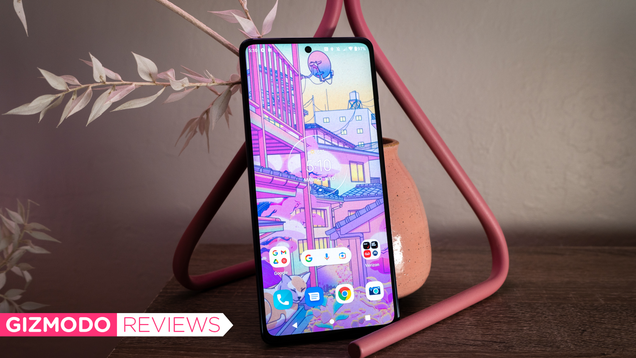
It’s been a while since I’ve suggested a Motorola flagship to folks, and I’m not sure its latest release, the Edge+, will change that. On paper, the Motorola Edge+ has all the specifications and capabilities of its competition, namely the Samsung Galaxy S22. But spend a moment with the phone, and it’s immediately…
Stephen E. Wilhite, creator of the GIF (Graphics Interchange Format) file format, has passed away from complications related to the Covid-19 virus. He as 74 years old when symptoms from the disease came on suddenly. Prior to his passing, Wilhite and his wife Kathaleen had been planning a series of camping trips.
One of the big problems with conferencing tools, both those that focus on smaller groups like Microsoft Teams and for large audiences like On24, is making it so remote attendees are not disadvantaged. Huddle rooms, a new concept, instead of making things better post-pandemic appear to be making things worse because you still have the advantage of on-site attendees being able to have side conversations and grab a social meal or drinks after the meeting to catch up.
The drinks/dinner thing could be addressed via an approved online activity like a team-building game, but the loss of side conversations just has not been taken seriously enough. Well, until now. A service called Shindig, which is used by companies like SAP, Accenture, Salesforce, Blue Cross Blue Shield, and others, provides a unique capability that could help remote employees remain remote and further reduce the need for and related risk of air travel.
Let us talk about that this week.
The problem with video conferencing systems
I have covered this category since I worked on it in the late eighties on joint projects between IBM, AT&T, and Apple. The industry tends to go in cycles in which a bunch of companies jump on technology, people do not use it, the companies dump the product allowing the industry to consolidate around a few vendors who go into decline, and then the pattern repeats. It is quite annoying.
Each generational cycle allows technology to mature, but sadly, the expectations for this technology advance as well, which leaves a near-constant gap between the ideal of never having to travel or feel left out again and what these products can do. One of those recurring problems is side conversations during a presentation. If you are at the event, you can chat with others once the event breaks. If you are remote and want to chat, you will need to pick up the phone or use a conferencing tool, and that only works well once the meeting is over unless you want to try to have multiple services trying to use your microphone and camera at once.
What Shindig has done is create something it calls Watercoolr (I know, weird spelling, but this allows them to brand the name). It allows attendees to, with permission, chat with other attendees. In some ways, this is better than being at an event in person because you can chat with anyone there, including the speakers, privately and personally. Say you just want to comment on the talk or take something that was said and explore it. Shindig lets you do that, and the result could be more collaborative.
For instance, rather than public questions and answers which can take up a massive amount of time with a large audience, assigned spokespeople could queue up or dynamically volunteer to answer questions real-time, only pushing those of general interest (and with the appropriate level of controversy) to the general audience. This would both make the presentation more interesting, because the content could be made more dynamic based on the questions, and prevent the occasional disaster.
Preventing the occasional disaster
I recall a disaster that happened at an event in the late nineties. Novell had analysts and press at a huge event where it introduced a new platform called SuperNOS. An analyst asked a natural question which was, “isn’t what you are going to build the same thing that Microsoft is selling as Windows NT today?” That started a massive move from Novell to Microsoft which eventually killed the company. Had that question been handled privately the reporters might not have immediately picked up the question, giving the then Novell staff time to think of a better answer than the lack of one at the event. While it may not have saved Novell (the company had lost its way), it could have at least prevented the catastrophic outcome that effectively terminated the company.
Wrapping up:
After not traveling for two years, I dread traveling again and having to rebuild my previously decades-old frequent flier status. Thus, any tool that targets making remote attendance as good as or potentially better than attending in person, I am a fan.
Shindig, by nature, is not really a collaboration tool so much as it is one focused on big tent events with large audiences, making travel to those events not only redundant but, unless you want to do something else at the venue, unnecessary. When the company briefed me, it also shared some things on its roadmap which could continue to positively differentiate it in this regard now and into the future.
In a world of mostly copycat, large-scale conferencing products, Shindig stands out by finally addressing one of the most annoying problems historically with video conferencing: building and maintaining relationships.
Not entirely unlike Inside Out a few years back, the new Pixar film Turning Red stars a character confronting her own adolescence and the physical and emotional horrors of puberty. Without going into depressing detail, it has generated controversy for a number of truly dumb reasons.
Don’t worry if you’ve wanted a 12.9-inch iPad Pro but have been put off by the official price —the tablet is considerably closer to Earth. Amazon is selling the M1-based WiFi model with 128GB of storage for a new all-time low price of $950 after you attach an instant coupon at checkout, or $149 less than usual. The 512GB version is back to a best-ever $1,299 price (down from $1,399) if you need more storage, and even the 2TB version is on sale for $2,050 (normally $2,199) if you demand the most capacity possible.
If this largest iPad Pro remains beyond your reach, you’ll be glad to know that Amazon is still running sales for the latest iPad Air and iPad mini models at respective starting prices of $570 and $459. They’re both speedy tablets, and they’re better fits if you want something more compact.
The 12.9-inch iPad Pro continues to serve as Apple’s no-compromise tablet. The M1 gives it performance on par with some well-specced laptops, and the 12.9-inch, 120Hz mini-LED screen is a treat whether you’re creating art or catching up on Netflix. A Thunderbolt port helps with expansion, too. The larger display size makes this the best iPad to turn into a pseudo-laptop using peripherals like the Magic Keyboard — it’s about as big as many portable PCs and gives iPadOS plenty of visual headroom.
That size does make this iPad Pro somewhat unwieldy if you plan to use it purely as a tablet, so you might want to consider the 11-inch Pro or Air if you want something easier to hold in your hands. You’ll also need to be content with iPadOS. While the software has come a long way, it doesn’t offer the window-based multitasking or in-depth file management of desktop platforms like macOS or Windows. If the OS fits your needs, though, few rivals can match this iPad’s prowess.
Follow @EngadgetDeals on Twitter for the latest tech deals and buying advice.
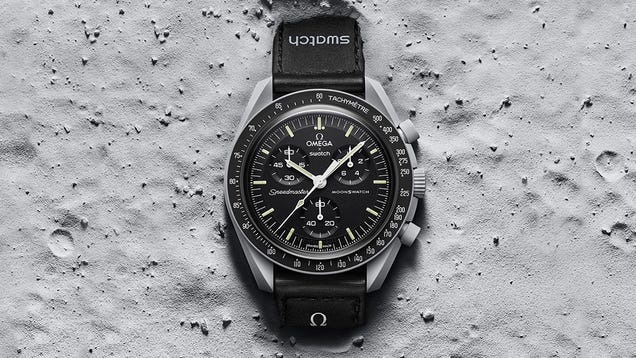
In 1962, Walter Schirra was the first astronaut to wear an Omega chronograph watch in space during the Mercury-Atlas 8 mission. The company’s watches were also worn during the first spacewalks, but most notably, an Omega Speedmaster Professional was worn when astronauts took their first steps on the moon. It’s since…
Lyft users in 60 markets across the US will soon be able to access another transit option in the app: Spin scooters. Folks in Nashville can find and rent a Spin scooter via Lyft starting today.
The option will be available in 13 more cities in April: Phoenix; Detroit; Cleveland; Pittsburgh; Salt Lake City; Providence, RI; Raleigh, Durham and Charlotte, NC; Fort Collins, Colo.; Ann Arbor, Mich.; Kansas City, Mo.; and Memphis, Tenn. The other markets will be announced in the coming months.
Users in those cities may see scooters pop up as an option when they enter their destination. Tap the scooter icon and you’ll see all nearby scooters. You can unlock one in the Lyft app by scanning the QR code or entering the ID number.
You’ll be able to rent and pay for a Spin scooter without downloading that service’s app or having to enter your payment details again. Currently, Lyft has e-bikes and scooters in 14 US cities, so the partnership with Spin will allow it to offer micromobility services in more locations.
Google Maps started showing users nearby Spin scooters and e-bikes last year. Other platforms also display the locations of the scooters, including CityMapper, Moovit, Transit app, Bytemark and Velocia. Earlier this month, Tier Mobility (a micromobility company based in Europe) bought Spin from Ford.
A team of geophysicists recently strung a large wire loop from a helicopter and flew over Yellowstone National Park in order to see its hidden underground networks. They managed to collect a trove of data that highlighted electrical and magnetic properties of the water and earth under the park, as well as how the hot…
In 2020, Motorola’s Edge+ marked a return to form for the company — a renewed focus on flagship phones after years of putting out more affordable devices. And despite skipping an update last year, now the 2022 Edge+ has arrived sporting a new chip and some inspiration Moto cribbed from Samsung’s playbook: built-in stylus support. Unfortunately, even with a slick 144Hz screen and a $1,000 list price that undercuts the Galaxy S22 Ultra, the Edge+ doesn’t live up to its premium ambitions. And at this point I’m wondering if Moto really has the chops to hang with other top-tier phone makers.
Design and display
Available in two colors (blue and white), the Edge+ doesn’t do much to stand out, but I wouldn’t call it ugly either. In some respects, it’s more confused than anything. Packing a 6.7-inch 2,400 x 1,080 OLED display, the Edge+ is a chunky device, and just barely smaller than Samsung’s 6.8-inch Galaxy S22 Ultra. Despite its premium price, the Edge+’s frame is made from plastic, and its lackluster IP52 dust and water resistance won’t repel much more than a splash. So you better keep this thing away from sinks and toilets.
Sam Rutherford/Engadget
Around back, while I like the gradient effect you get from the phone’s Gorilla Glass 5 rear panel, the see-through housing around the Edge+’s triple camera module looks out of place. Actually, I’m not sure why that glass is there at all, aside from possibly making it look a bit more like an iPhone 13. And because the Edge’s cameras aren’t totally flush, you get more of a camera mound than a full camera bump, which seems like a compromise that won’t please anyone.
I’m also sad that Moto axed the previous Edge+’s headphone jack. With so many other Android phones having done the same in recent years, retaining support for 3.5mm audio could have been an easy way for the Edge+ to differentiate itself from the competition. Now it’s just a missed opportunity.
Sam Rutherford/Engadget
Thankfully, when it comes to the display itself, there’s not much to complain about. It’s big, it’s colorful and, although its peak brightness of around 600 nits isn’t nearly as high as what you’d get from a S22+ (1,750 nits), content looks good anywhere without direct sunlight. Moto also included support for a 144Hz refresh rate, which is slightly faster than the 120Hz screens you get from Apple, Samsung and others. But while the screen does make things look very smooth, it’s hard to discern a difference in side-by-side comparisons with an S22+.
Finally, the Edge+ has a side-mounted fingerprint sensor built into its lock button, which is totally serviceable. That said, the phone’s buttons are close to the top of the device so reaching them can be a stretch, particularly for people with smaller hands. I really wish Moto had opted for an in-screen fingerprint reader (which the 2020 Edge+ also had) or a rear-mounted option, both of which I find more accessible.
Cameras
Sam Rutherford/Engadget
While the Edge+’s rear cameras don’t look out of place, they might be the worst part of the phone’s entire kit. To start, one of the phone’s rear “cameras” is merely a 2-megapixel depth sensor, which leaves a 50MP main sensor along with a 50MP ultra-wide sensor that can also take macro shots. Right away, the lack of a dedicated telephoto cam is a serious demerit among premium phones. But it gets worse because the Edge+’s image quality can only be described as depressing.
In well-lit conditions, the phone does fine, taking bright pictures with punchy colors. However, I should mention that with default settings, photos tended to look one or two stops more exposed than I like. You also have to be careful about spotting when Moto’s scene optimizer automatically turns on, lest you risk some funky processing. For example, when I shot a very normal picture of some fruit, the Edge+ activated its food mode, which amped up colors to the point where the oranges looked neon.
But the biggest issue is the phone’s low-light photography. No matter what I did, unless there were multiple street lights right next to me, the Edge+ struggled to snap a sharp pic at night. Things like leaves and branches routinely came out blurry, with Moto’s Night Vision feature consistently capturing grainer photos when compared to the S22’s Night Mode. In even darker conditions, the Edge+ felt lost, producing an image of a stained glass window that looked more like an impressionist painting than an actual photo. And let’s not forget, I’m comparing Moto’s Night Vision setting to Samsung’s Night Mode, which isn’t even as good as Night Sight on the Pixel 6. On a mid-range phone, these results might be more forgivable. But for something listed at four figures, it’s just sad.
Performance and sound
While the Edge+’s cameras don’t impress, thankfully the phone’s performance and sound are strong. You get a Qualcomm Snapdragon Gen 1 chip, 8GB of RAM (or 12GB if you buy an upgraded model direct from Moto), and up to 512GB of storage. Overall, benchmarks were within five percent of what we’ve seen from Samsung’s Galaxy S22 line, and in the real world, I didn’t experience any hitches.
Sam Rutherford/Engadget
The Edge+ also features stereo speakers with Dolby Atmos that deliver relatively rich audio for a device this size. That said, I found that its speakers are better for watching movies than listening to music. For films that support surround sound, the Edge+ was slightly better at delivering layered, directional audio, especially for things like footsteps and explosions.
Accessories and 5G
One of the Edge+’s highlight features is active pen support and Motorola’s optional Smart Stylus. In theory, this should help transform the Edge+ into a slightly cheaper alternative to Samsung’s Galaxy S22 Ultra. Unfortunately, Motorola did not provide one for review alongside the phone, which doesn’t inspire a lot of confidence. On top of that, the phone doesn’t have built-in pen storage, so you’ll also need to use the folio cover that comes bundled with Moto’s stylus to create a more cohesive package that you might actually want to carry around.
As for 5G, support varies greatly depending on your carrier. On Verizon, you get both sub-6GHz and mmWave 5G. On T-Mobile/MetroPCS and unlocked models you only get sub-6GHz 5G, and on AT&T/Cricket, you’re stuck with 4G LTE. This discrepancy when it comes to 5G compatibility is borderline infuriating, and unless you’re on Verizon and have no intentions of switching, it almost makes the Edge+ a complete non-starter.
Software
Sam Rutherford/Engadget
The Edge+ comes pre-installed with a straightforward take on Android 12, though our Verizon-branded review unit was loaded with a fair amount of bloatware. All your beloved Moto gestures are still around, including my longtime favorite, the double-chop to activate the flashlight. And as a bonus for people new to the Moto ecosystem, there’s a handy floating button that guides you through the various gestures, navigation options and more. There’s also Moto’s Ready For mode, which allows the phone to function like a mini desktop when hooked up to an external monitor. And while it works, it’s not nearly as good as Samsung’s Dex mode.
What’s really annoying, though, is that for a premium handset, Motorola’s long-term support is weak. You only get two years of Android updates and three years of bi-monthly security patches. In comparison, Samsung offers four years of both for all of its Galaxy S phones and many of its mid-range devices, while the Pixel 6 gets a whopping five years of OS upgrades and security updates.
Charging and battery life
Thanks to its 4,800 mAh battery, even with a large display sucking up juice, the Edge+ lasted a respectable 15 hours and 24 minutes on our local video rundown test. That’s about half an hour longer than the standard S22, though still a bit short compared to the S22+ and S22 Ultra’s times of 17:33 and 17:16, respectively. And during normal use, the Edge+ fared even better, often finishing the day with more than 30 percent battery left in the tank, due in part to efficient standby power usage that only robbed one or two percent battery an hour while idle.
Sam Rutherford/Engadget
Recharging the Edge+ can be done in two ways: wired charging at up to 30 watts (and yes, a power adapter does come in the box) or Qi wireless charging at up to 15 watts. On top of that, the phone supports reverse wireless charging (aka Power Share) at up to five watts, so you can send excess juice to a friend with a device in need or recharge Moto’s Smart Stylus.
Wrap-up
Back in 2020, I was cautiously optimistic to see Motorola get back into the flagship phone game with the original Edge+, even if that phone ended up being merely fine. Motorola is the third biggest phone maker in the US, so you’d think it might have a decent shot at making a compelling alternative to Google, Apple and Samsung’s high-end devices. But now, having checked out its latest high-end phone, I feel like this whole endeavor might have been a mistake.
Aside from its screen and chipset, the 2022 Edge+ feels more like a mid-range handset than a truly premium phone. It’s lacking the telephoto cam that other flagships (and the previous model) have, and Moto’s low-light photo quality seems like it’s gotten worse, not better. Same goes for some of the Edge+’s other specs like its side-mounted fingerprint reader, which is a step back from the in-screen sensor on its predecessor. Moto even killed the headphone jack, which was one of the 2020 Edge’s defining features, and a real rarity among high-end phones.
Sam Rutherford/Engadget
Sure, this year’s Edge+ got a small boost thanks to a third year of security patches. But when you look at competing Android devices, Motorola’s software support still falls woefully short of what you get from Samsung and Google. With limited or no 5G connectivity on two of the US’s three biggest carriers, the Edge+ is a hard phone to like, let alone recommend. And while you might be tempted by some of the phone’s promo pricing at launch that could lop $100 to $150 off its price tag, even with those discounts, the Edge+ still feels too expensive. At $700, the Pixel 6 is a better (and cheaper) phone, and if you don’t mind only having sub-6GHz 5G, you can get an unlocked model directly from Google for just $600.
Honestly, the Edge+ feels like a trap: It has the build and cameras of a mid-range phone with a couple high-end features to lure you in. But it’s missing a lot of the polish and sophistication you should be getting on a top-tier device. And while I can’t tell how much carrier partnerships or the ongoing chip crunch may have held this device back, regardless of how we got here, it really seems like Motorola is struggling to compete in the premium phone space.