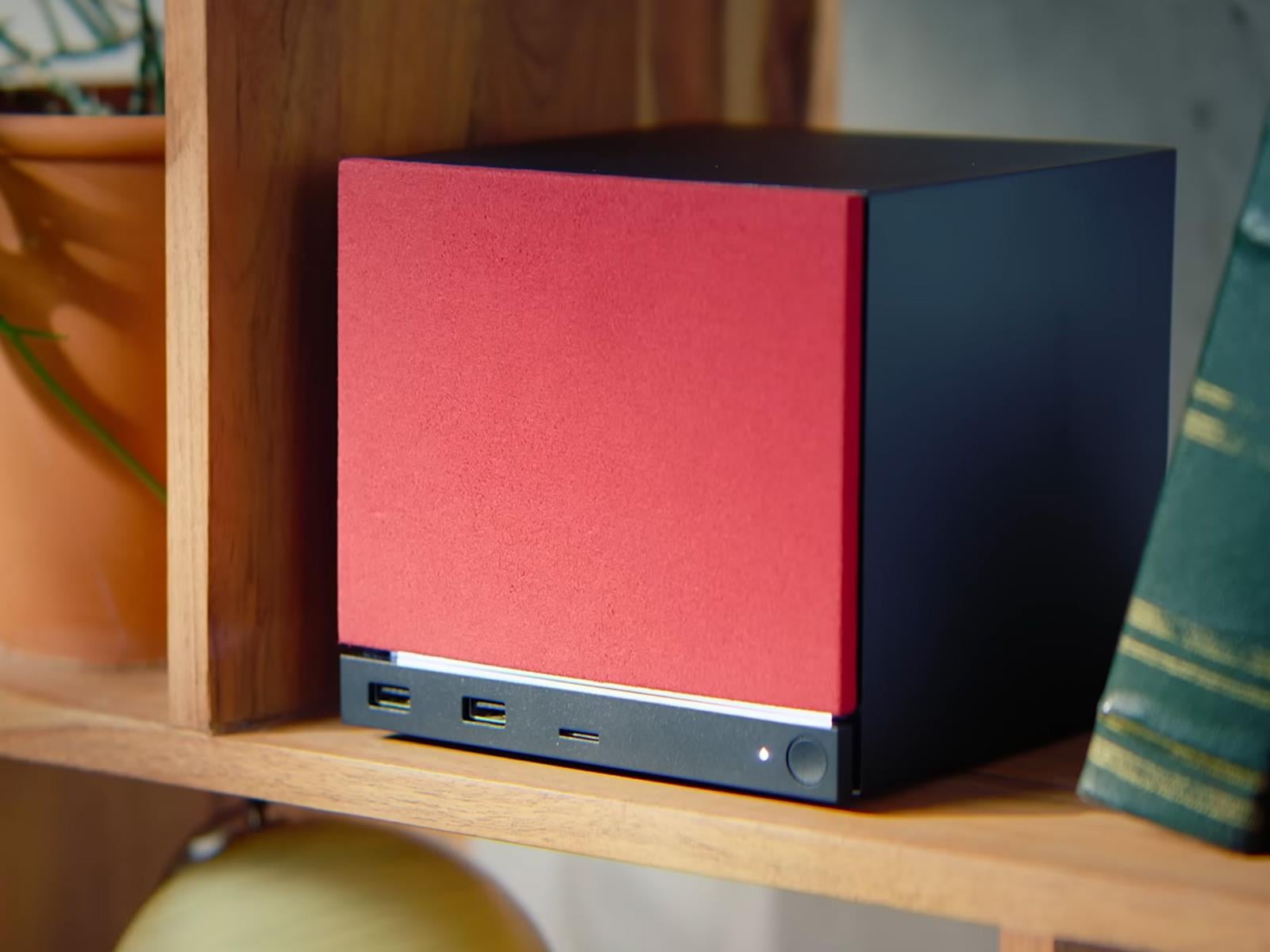
It’s already been four months since Valve announced a series of new hardware products that are coming out this year, including a modern reincarnation of the Steam Machine, the Steam Frame for VR gaming, and a retooled Steam Controller. The Steam Machine is the most interesting product of the bunch, and we now have more details about the validation
Between a certain car company’s antics and the industrial chaos set off by COVID (and then compounded by Russia’s invasion of Ukraine), it’s easy to be cynical about production timelines. But when Rivian showed off a midsize electric vehicle in 2024 and said it would be available in the first half of this year, it meant it. Deliveries of the first R2 SUVs will begin this spring.
As a new automaker, Rivian often does things its own way, but with the R2 launch, it’s following industry practice and starting with the superlative version first. That’s the R2 Performance, which starts at $57,990 with the launch package (excluding a $1,495 delivery charge). You get quite a lot of electric SUV for that, however: up to 330 miles (531 km) from a single charge of the 87.9 kWh battery pack, with 656 hp (489 kW) and 609 lb-ft (825 Nm) from the dual motor powertrain. Fast charging takes 29 minutes from 10 to 80 percent.
AWD first
The Performance features semi-active suspension, a rear window that drops into the tailgate, an interior with birch accents, heating for the front and rear seats and ventilation for the former, a nine-speaker sound system, matrix LED headlights, and some other neat touches like the flashlight that lives in the side of the door, similar to how some cars hide an umbrella there.
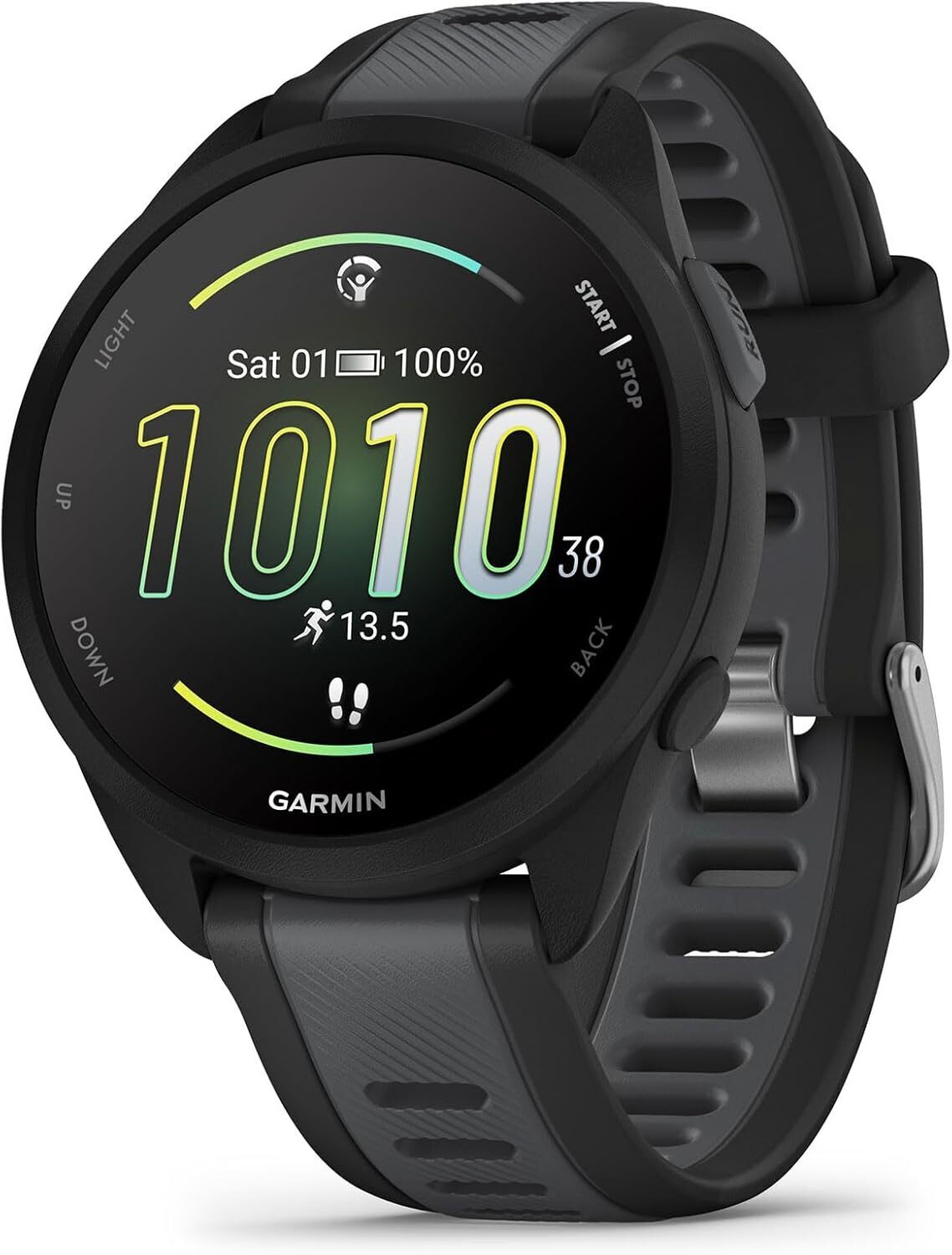
Whether you’ve just unboxed your first running watch or you’ve been logging miles with one for years, there’s a good chance you’re only scratching the surface of what it can do. Beyond simply tracking your run, today’s smartwatches are packed with features that, with a little know-how, can genuinely transform your training. Here are ten hacks to help you get more out of your smartwatch running companion.
Try wearing your fitness watch somewhere other than your wrist
In terms of placement, your wrist isn’t the only option. Upper arm placement can actually improve optical heart rate accuracy by giving the sensor better contact with a meatier part of the body, with less wrist-movement noise. It’s an underused trick that can be especially useful during rowing, strength training, or any activity where wrist movement interferes with readings.
Display lap pace instead of current pace
Current pace—the real-time speed your watch calculates from GPS—sounds like exactly what you’d want to see mid-run. In practice, your “current pace” number can jump around constantly, spiking and dropping in response to GPS signal fluctuations or brief changes in effort.
The general consensus among runners (at least in running subreddits) is that lap pace is the smarter alternative. It shows your average pace for the current lap or interval, smoothing out the noise for a more stable readout. During any kind of workout where consistency is the whole point, glancing down and seeing a steady lap pace tells you far more about how you’re actually performing than a current pace figure that’s bouncing every few seconds. Swap it in through your data field settings (most watches support it across all run profiles) and you’ll wonder why you ever ran without it.
Use your fitness watch’s hot keys and customizable buttons
Most running watches allow you to assign shortcuts to physical buttons or gestures, but not enough runners ever bother to set them up. You can assign shortcuts to bring up the weather or the stopwatch, to save your current location, to turn on a “night shift” mode, and more. If you find yourself repeatedly diving into the same sub-menus before or after a run, assigning them to a button shortcut can save time and frustration.
Let’s use Garmin’s features as an example. By going to the settings menu and selecting System and then Shortcuts (previously “Hot Keys”), you can assign features to long presses or combination button presses. Beth shares that on her watch, she holds the DOWN button to bring up music controls, and the BACK button to turn the touchscreen on or off.
Disable the fitness watch’s touchscreen during activities
Touchscreen running watches are the norm these days, but an accidental mid-run swipe can pause your activity, skip to the next screen or—worst of all—end your session entirely. If your watch allows it, disable the touchscreen during activities. This is especially important in wet weather or when you’re wearing a long sleeve top that brushes the display. This setting might be buried in the activity settings or accessibility options. Find it, switch it on, and never accidentally stop your watch at mile three of a rainy long run again.
Do a factory reset of your fitness watch if it’s feeling stale
This one sounds drastic, but it’s a legitimate trick that many serious runners swear by. Your watch builds its fitness models (VO2 max, training load, recovery time) from accumulated data over time. But if you’ve recently lost significant weight, recovered from a long injury, gone through a period of illness, or simply noticed that your HRV and sleep stats have been stubbornly poor for weeks with no explanation, that historical data can actually anchor your watch to an outdated version of you.
The fix: Log into your watch platform from a computer, export or note any data you want to keep, then factory reset the device. In Garmin, you select “Delete Data and Reset Settings” option to clear all performance metrics. You’ll also need to delete the data within your companion app, since it’s usually saved there as a back-up. The point of this is a running watch equivalent of rebooting a computer that’s been running too long. You can wipe the slate clean and let your watch rebuild a fresh, accurate baseline from where you actually are right now, rather than where you were months or years ago.
ASUS says the MacBook Neo is a “shock” to the Windows PC ecosystem. “In the past, Apple’s pricing situation has always been high, so for them to release a very budget-friendly product, this is obviously a shock to the entire industry,” said ASUS co-CEO S.Y. Hsu in a Tuesday earnings call. While he expects PC makers to respond, rising AI-driven memory shortages could push hardware prices higher across the industry. PCMag reports: Hsu said he believes all the PC players — including Microsoft, Intel, and AMD — take the MacBook Neo threat seriously. “In fact, in the entire PC ecosystem, there have been a lot of discussions about how to compete with this product,” he added, given that rumors about the MacBook Neo have been making the rounds for at least a year. Despite the competitive threat, Hsu argued that the MacBook Neo could have limited appeal. He pointed to the laptop’s 8GB of “unified memory,” or what amounts to its RAM, and how customers can’t upgrade it.
He also described the MacBook Neo as a “content consumption” device, similar to an iPad. “This is different from the use case of a mainstream notebook,” which can handle more compute-intensive tasks, Hsu said. “How big of an impact [the MacBook Neo] will have on the PC industry will still require some time for us to observe,” Hsu said while suggesting it might not gain traction among Windows PC users due to software differences. “Of course, the entire Windows PC ecosystem will push out products to compete against Apple,” he added.
Phil Spencer leaving his long-held role at Xbox might have made all the headlines last month, but a few years ago the big story was company veteran Larry “Major Nelson” Hryb’s departure from Microsoft. Hryb recently seemingly hinted at a return to the company at which he spent more than two decades, but he’s now landed at Commodore instead.
The ex-Xbox icon joins the recently revived 80s computer brand as a Community Development Advisor, where his job will be to “help support and expand the global community,” Commodore said in a press release. Hryb, who was the public face of Xbox during the brand’s heyday, is now tasked with helping to modernize Commodore by introducing it to “a new generation of creators, developers, and enthusiasts.”
“I’ve always believed the best thing a company can do is partner with its community – and with a passionate fan base carrying the torch for 31 years, Commodore’s situation is truly unique when it comes to community engagement,” said Hryb. “The community didn’t wait around – instead they built something remarkable. Players, hardware hobbyists, developers, content creators, and publishers are all a part of the Commodore community, and now we get to build what’s next together.”
Hryb’s most recent role was at game engine maker Unity, where he served as Director of Community and Advocacy for less than two years before being laid off in January. As for Commodore, the company might be entering a new era, but its comeback product launch is a firmly nostalgic play, with the recently released Commodore 64 Ultimate being an authentic recreation of its most famous 8-bit computer.
This article originally appeared on Engadget at https://www.engadget.com/gaming/larry-major-nelson-hryb-joins-commodore-to-help-build-its-community-145908119.html?src=rss
Sony isn’t just having to deal with the headwinds of higher component costs and an increasingly competitive gaming landscape where a game can get shut down if it isn’t an immediate hit, it’s now also having to contend with a hefty lawsuit filed in the UK. The case against the company has been brought to London’s Competition Appeal Tribunal,
First, in the plainest language, before we get to anything else, Project Hail Mary is a fantastic film. It does right by its source material, and it also easily stands on its own for folks who haven’t read the book. It comes out on March 20, and if you’re a regular Ars Technica reader, you will almost certainly enjoy the crap out of it. Go see it as soon as you can, and see it in a theater where the big visuals will have the most impact.
Next, a word about what “spoiler-free” means here: In this short review, I’ll talk about stuff that happens in the movie’s many, manytrailers. If you’re an ultra-purist who is both interested in this film and who has also somehow avoided reading the book and also seeing any of the trailers, bail out now.
We may earn a commission from links on this page. Deal pricing and availability subject to change after time of publication.
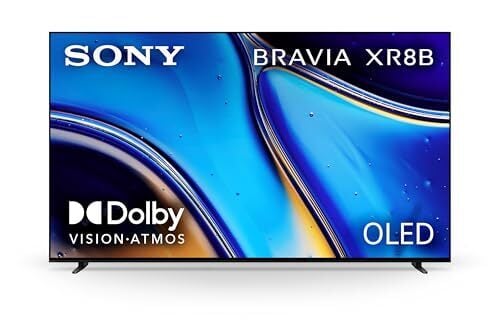
OLED TVs have become the standard for people who want deep contrast and cinematic picture quality at home, but they often come with prices that stretch well beyond most budgets. That’s why discounts on models from major brands tend to draw attention, and the 65-inch Sony Bravia 8 OLED (2025) is currently $1,198 on Amazon, down from $1,398. Price trackers show this is the lowest price it has reached so far. The other sizes are discounted as well, with the 55-inch model at $998 and the 77-inch version at $1,798. The Bravia 8 gives you the deep blacks and strong contrast people usually buy OLED for, but it is not Sony’s brightest or most color-accurate model. Higher-end options like the company’s A95L OLED push those aspects further, but they cost significantly more.
The Bravia 8 has a nearly bezel-free display, and around its back, you’ll find four HDMI ports, including two that support 4K at 120Hz and one with eARC for audio systems, plus USB 2.0 and USB 3.0 ports, Ethernet, optical audio, and an antenna connection. Sony uses Google TV as the operating system, so apps like Netflix, Disney+, Apple TV, and YouTube come preinstalled, and you can cast from phones or laptops using Google Cast or Apple AirPlay. It also has built-in Google Assistant support, meaning you can search for shows or control compatible smart home devices using voice commands.
Picture performance reflects both the strengths and limitations of this model. Like most OLED TVs, it produces perfect black levels with no light bloom, and the infinite contrast ratio makes movies and darker scenes look rich and detailed. Plus, the panel has 4K resolution and a 120Hz refresh rate, along with support for Dolby Vision, HDR10, HDR10+, and HLG. That said, brightness tops out around 587 nits, which is decent for OLED but not as high as many premium LED TVs, and PCMag notes that colors lean a little cool by default and that very dark scenes can lose some detail in deep shadows. Gaming performance is solid, though. In Game mode, the TV shows about 4.6 milliseconds of input lag, well below the threshold most players look for, and it supports variable refresh rate for smoother gameplay.
Apple is poised to disrupt the lower-cost laptop market with the launch of its MacBook Neo, a $599 notebook that is the cheapest MacBook ever released. It will take some time to gauge the full impact of Apple’s foray into more budget laptop territory, but here in the early going, the aggressive price point is drawing attention by Apple’s competitors
Meta will begin charging advertisers a 2-5% “location fee” to offset digital services taxes imposed by several European countries, including the UK, France, Italy, Spain, Austria, and Turkey. Reuters reports: The fee, for image or video ads delivered on Meta platforms including WhatsApp click-to-message campaigns and marketing messages together with ads, will apply from July 1 and will also cover other government-imposed levies. “Until now, Meta has covered these additional costs. These changes are part of Meta’s ongoing effort to respond to the evolving regulatory landscape and align with industry standards,” the company said in the blog.
The location fees are determined by where the audience is located and not the advertisers’ business location. Meta listed six countries where the fees will apply, ranging from 2% in the United Kingdom to 3% in France, Italy and Spain and 5% in Austria and Turkey.
The open-source D7VK project began to implement Direct3D 7 over Vulkan similar to DXVK and VKD3D-Proton providing support for newer Direct3D APIs atop Vulkan. With succeeding releases D7VK was extended to Direct3D 6 too and then Direct3D 5 support. Now with today’s D7VK 1.5 release, Direct3D 3 is implemented for faster acceleration using Vulkan…
We may earn a commission from links on this page. Deal pricing and availability subject to change after time of publication.
The new Blink Outdoor 2K+ (5-Camera System) is currently $226.99 on Amazon, down from $349.99, and price trackers show this is the lowest price it has reached so far. Spread across five cameras, that works out to about $45 per camera, which is cheaper than buying them individually. A five-camera kit like this generally makes the most sense for a typical single-family home or townhouse, where you might want coverage at the front door, backyard, garage, and a couple of side entrances. In a small apartment, it may be more cameras than you need, but for a house with multiple outdoor entry points, the bundle saves you from piecing together a system one device at a time.
The cameras themselves are small and easy to place almost anywhere. Each measures approximately 2.8 x 2.8 x 1.6 inches and features an IP65 weather-resistant design that is dust- and water-resistant. Setup is straightforward because the cameras run on two AA lithium batteries that Blink says can last up to two years, depending on how often motion is detected. The bundle comes with the required batteries, mounting hardware, and a Sync Module Core that connects everything to your home wifi. Once installed, the cameras record 2K video (2,560 × 1,440) with a 135-degree field of view, which is wide enough to capture most entryways or driveways without much repositioning. In real use, footage tends to look sharp, with enough detail to pick out faces or license plates at reasonable distances.
The cameras also offer two-way audio, motion alerts, night vision, and a temperature sensor that can send notifications if conditions cross a set threshold, according to this PCMag review. Plus, the Outdoor 2K+ adds new software features, including AI-generated descriptions of recorded events that summarize what the camera sees. Those tools are helpful, but they highlight the system’s main trade-off: many advanced features require a Blink subscription plan, starting at $3.99 per month for one camera or $11.99 per month for unlimited cameras (to include AI features, the basic plan starts at $6.99 for a single camera). Without a subscription, you lose access to cloud-stored video clips. Another limitation is ecosystem support. The cameras work with Amazon Alexa and IFTTT, but they do not support Apple HomeKit or Google Home, which may matter if your smart home runs on those platforms.
Valve has finally revealed a few key requirements games should aim for if they plan on running on the upcoming Steam Frame headset—at least if they want the coveted ‘Steam Frame Verified’ badge.
The News
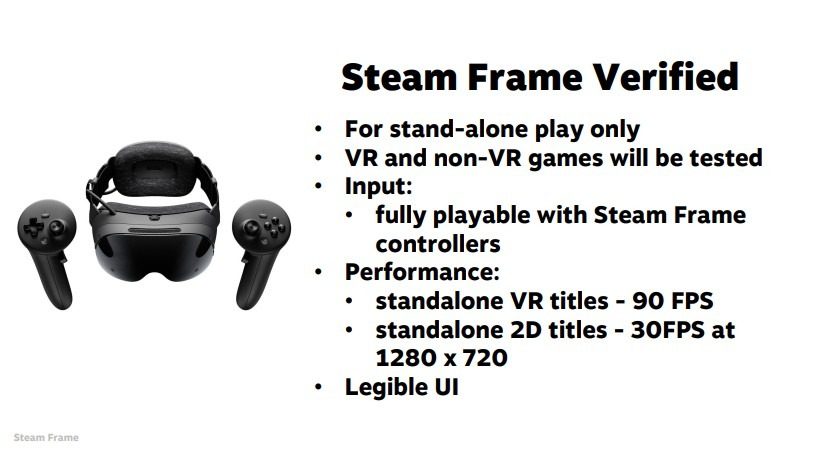
In Valve’s ‘Steam Hardware’ talk at this year’s Game Developers Conference (GDC), the company showed off two specific stats that games should hit in standalone mode, noting that games will be tested in order to achieve the Steam Frame Verified badge.
For games running natively on the headset, Valve says VR games need to hit a minimum of 90 fps, which is notably higher than Frame’s minimum variable 72Hz refresh rate. Information was provided by XR analyst Brad Lynch.
Image courtesy Valve
Steam Frame can also download and natively play non-VR content too, although performance minimums are much more lax here, requiring a minimum of 30 fps at a resolution of 1,280 x 720.
For contrast, on the Horizon Store VR games must hit at very least 72 fps to match Quest’s minimum 72Hz refresh, while general media can hit a minimum of 60 fps.
Additionally, Valve says games must offer a “legible UI” in addition to full playability with Steam Frame controllers.
Image courtesy Valve
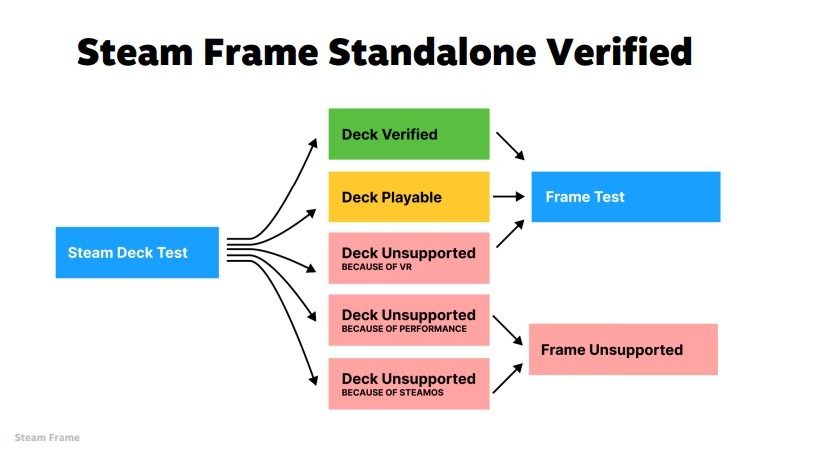
The company says games that are ‘Verified’ or ‘Playable’ on Steam Deck are automatically tested for the Frame Verified badge, as seen in the flow chart above. Games that aren’t supported on Deck due to performance or lack of compatibility with SteamOS won’t be considered.
As for PC VR gameplay, Frame’s direct WiFi 6 connection and Foveated Streaming protocol are said to run without requiring any sort of test or verification program.
“If it runs well on your host PC, it will run well on Steam Frame,” Valve says, noting that streaming requires no special integration, VR titles included. You can check out the slides for Valve’s Steam Hardware presentation here.
My Take
The jump from 72 fps to 90 fps may not sound like a lot, but it represents a roughly 25% increase in rendering workload, meaning developers hoping to directly port their games from Quest may need to optimize a fair bit to maintain Frame’s higher target.
Quest 3 and Steam Frame aren’t 1:1 when it comes to specs, but they do seem to be broadly comparable in native rendering capabilities. On day one (who knows when that will be), I’d imagine we’ll see a lot more non-VR games claim the Frame Certified than native VR games, as devs will need to either optimize existing SteamVR titles for standalone mode or otherwise port (and likely optimize) Quest games for Frame.
That said, like on Steam Deck, Valve isn’t stopping you from downloading and playing anything on Steam—it’s just providing guidelines to make sure consumers known when games fully work or not.
Whatever the case, Valve still has us in a holding pattern, as the global RAM and storage shortage seems to have wrinkled the company’s release plans for Steam Frame, Steam Machine, and Steam Controller.
For over a decade, Hino Motors Ltd. imported and sold more than 105,000 vehicles and engines with misleading or fabricated emissions data, until testing by the Environmental Protection Agency revealed the emissions-fraud scheme.
The case would lead the Toyota subsidiary to plead guilty and agree to pay over $1.6 billion in fines over five years and forfeit an additional $1 billion in profits made from the illicit sales.
Posted today were new Intel kernel graphics driver patches for Linux to enable Adaptive Sync SDP (Secondary Data Packet) handling for Panel Replay and Auxless Adaptive Link Power Management (ALPM) modes…
If you don’t have an Intel Arrow Lake Core Ultra desktop system, it may be because you opted to skip that generation due to Arrow Lake not showing a big enough gaming performance lift compared to Intel’s previous generation chips. Well, fair enough, but Intel’s new Core Ultra 200S Plus series processors have just arrived, and they may indeed