Uber has launched a new invite-only luxury ride experience called Uber Elite. Aimed at “executives, frequent travelers, and riders looking for a more elevated experience,” it sounds like an upgraded version of Uber Black for the, well, uber-rich.
A ride booked through Uber Elite will be operated by a professional chauffeur driving a new-model luxury vehicle less than three years old. An Elite-only “Meet and Greet” feature allows riders to pre-arrange to be picked up in the airport terminal they arrive at from a flight, with their chauffeur dutifully awaiting them at baggage claim.
Uber says all Elite rides include chargers, bottled water, mints and premium hand wipes. If those perks are deemed too basic by the customer, they can also request sparkling water or champagne in the app ahead of their ride, and Uber says it’ll work with its partners to accommodate them “where feasible.” Once an Uber Elite trip is booked, the rider can also take advantage of round-the-clock phone support.
The new luxury service is available through the Uber app, as well as via Uber Reserve and Uber for Business. Rides can be booked one hour in advance or up to 90 days ahead.
Uber Elite is launching first in Los Angeles and San Francisco, with New York to follow soon, and then other cities in the US and internationally. Invitations will first be extended to frequent Uber Black and Uber for Business users, before the service is eventually made available to all riders. If you think you’re important enough, you can join a waitlist right now.
This article originally appeared on Engadget at https://www.engadget.com/transportation/uber-is-shooting-for-even-more-upscale-clientele-with-uber-elite-150620441.html?src=rss
Between the antics particular to a certain car company and the industrial chaos that was set off by COVID (then compounded by the invasion of Ukraine) it’s easy to have become cynical about things like timelines. And yet, when Rivian showed off a midsize electric vehicle in 2024 and said it would go on sale during the first half of 2026, it meant it: deliveries of the first R2 SUVs will begin this spring.
As a new automaker Rivian often does things its own way, but with the R2 launch it’s following industry practice and starting with the more superlative version first. That’s the R2 Performance, which starts at $57,990 with the launch package (but not including a $1,495 delivery charge). You get quite a lot of electric SUV for that, however: up to 330 miles (531 km) from a single charge of the 87.9 kWh battery pack, with 656 hp (489 kW) and 609 lb-ft (825 Nm) from the dual motor powertrain. Fast charging takes 29 minutes from 10-80 percent.
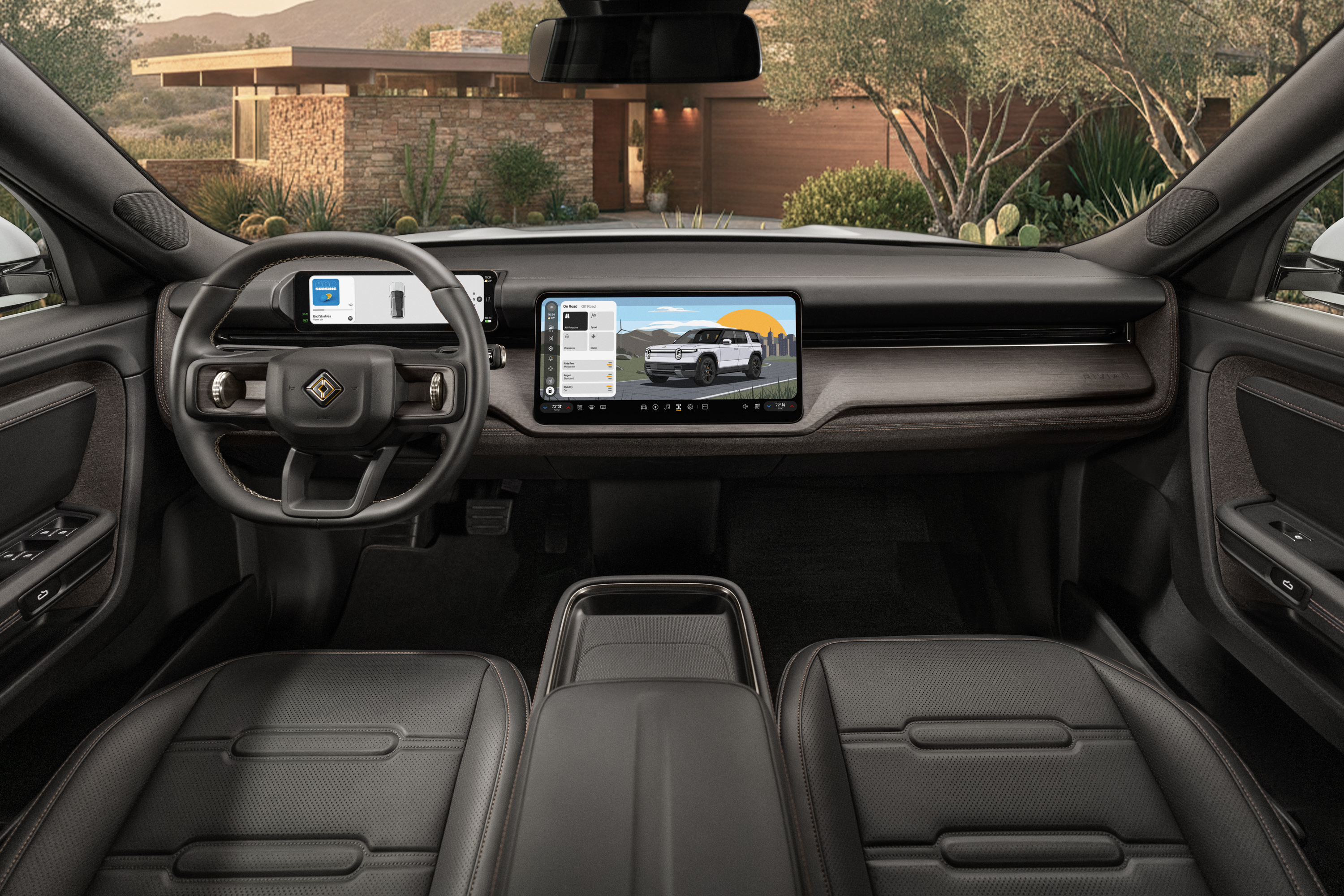
The Performance features semi-active suspension, a rear window that drops into the tailgate, an interior with birch accents, heating for the front and rear seats with ventilation for the former as well, a nine-speaker sound system, matrix LED headlights, and some other neat touches like the flashlight that lives in the side of the door, similar to the way some cars hide an umbrella there.
Ahead of its official release later this spring, today Rivan is announcing full pricing and trim levels for its long-awaited R2 electric SUV.
The rollout for the company’s first mid-size (two-row) offering will be similar to its previous vehicles, with more expensive premium models hitting the road first this spring, followed by more affordable configurations becoming available later this year and into 2027. This timeline is especially important for anyone hoping to snag the $45,000 base model of the R2, which isn’t expected to go on sale until sometime in late 2027. The R2 Performance with Launch Package and R2 Premium trims will arrive initially as model year 2027 vehicles, followed by the R2 Standard (MY 2028) next year.
The new R2 with Rivian’s Black Crater interior
Rivian
Some features that will be standard on every R2 are a native NACS charging port and Autonomy+ hardware. However, for the latter, while new vehicles will come with a free 60-day trial of Autonomy+, once that expires, owners will need to choose between a one-time fee or a monthly subscription to continue using Rivian’s enhanced hands-free driving tech.
Regardless of which trim or performance package you prefer, the arrival of the R2 is a huge deal for Rivian as it represents the company’s first true mass-market vehicle that looks to bring a lot of the tech and engineering used in the R1T and R1S to a more affordable price point.
For a closer look at the R2’s trim levels and pricing, see the breakdown below.
R2 Performance with Launch Package
Available Spring 2026 starting at $57,990
Features a dual-motor AWD setup with 656 horsepower and 609 lb-ft of torque
EPA-estimated range of up to 330 miles
0 to 60 time of up to 3.6 seconds
Notably, the Launch Package will include a free lifetime subscription to Autonomy+, along with 20-inch Black Sand all-terrain wheels, a limited Rivian Green anodized key fob, exclusive Launch Green exterior paint option (which will be a paid upgrade) and a tow package that supports up to 4,440 pounds of towing capacity.
Other inclusions on the Performance trim include an Esker Silver exterior, semi-active suspension, Compass Yellow brake calipers and rear drop glass. This config also features Rivian’s Matrix LED headlights with adaptive high beams, integrated tow hooks, a flashlight that can be stowed inside the driver door and 21-inch tungsten all-season wheels.
The interior features birch wood accents with a Black Crater color scheme along with heated and ventilated front readers, heated steering wheel, heated rear outboard seats and 12-way adjustment with lumbar support for the driver and front passenger.
R2 Premium
Available late 2026 starting at $53,990
Features a dual-motor AWD setup with 450 horsepower and 537 lb-ft of torque
EPA-estimated range of up to 330 miles
0 to 60 time of up to 4.6 seconds
The premium trim includes many of the same features as the Performance model, but with smaller 20-inch bicolor carbon all-season wheels and fewer drive modes (there’s no option for rally, soft sand and launch).
R2 Standard (aka the RWD Long Range configuration)
Available first half of 2027 starting at $48,490
Features a single motor RWD setup with 350 horsepower and 355 lb-ft of torque
Rivian-estimated range of up to 345 miles
0 to 60 time of 5.9 seconds
Finally, the R2 Standard variant features a slightly more spartan kit consisting of heated front seats, a heated steering wheel, 12-way seats (but only for the driver) and 19-inch machine graphite wheels.
R2 Standard (aka the base model)
Available late 2027 starting at $45,000
Rivian-estimated range of 265+ miles
More detailed info will be released closer to launch
This article originally appeared on Engadget at https://www.engadget.com/transportation/evs/rivians-r2-ev-arrives-this-spring-with-a-58000-price-tag-150000363.html?src=rss
The latest episode of Nowhere Fast rolls out of the virtual garage and straight into the strange new world of Zwift influencers. The crew takes a deep dive into the growing ecosystem of Zone-2 TikToks, questionable training advice, and the possibility that the next big cycling influencer might just be a guy filming himself pedaling slowly while pointing at text bubbles.
Along the way, the hosts discuss rumors of a revamped version of the Zwift Games, revisit one of the show’s classic bits, and even attempt something rarely heard on this podcast: saying something nice about Zwift. Whether that moment survives editing is another story.
As usual, the conversation drifts somewhere between thoughtful commentary on the evolving world of virtual racing and the kind of chaotic banter that only happens when three people who spend too much time on indoor trainers start talking.
If you’ve ever wondered whether social media cycling fame is just a ring light away, or if you simply want a dose of humor while sweating through your next trainer ride, this episode delivers the usual Nowhere Fast blend of real insights, fake bike racing, and questionable life advice.
About the Podcast
Nowhere Fast is a member of the Wide Angle Podium network. To support this podcast, head to wideanglepodium.com to become a member of the network and help Mike buy the gear he needs to start his Zwift influencing career.
To keep up to date on all our real coverage of fake bike racing, subscribe via Apple Podcasts or Spotify.
Asian governments are implementing emergency measures like four-day workweeks and work-from-home mandates to cope with a fuel shortage triggered by the Iran conflict and the closure of the Strait of Hormuz. “Asia is particularly dependent on oil exports from the Middle East; Japan and South Korea respectively source 90% and 70% of their oil from the region,” notes Fortune. From the report: On March 10, Thailand ordered civil servants to take the stairs rather than the elevator, and to work-from-home for the duration of the crisis. It increased the air-conditioning temperature to 27 degrees Celsius, and will tell government employees to wear short-sleeved shirts over suits. (Thailand has about 95 days of energy reserves left, according to Reuters).
Vietnam also called on businesses to let people work-from-home to “reduce the need for travel and transportation.” The Philippines is pushing for a four-day work week, and has ordered officials to limit travel “to essential functions only.”
South Asia is getting hit hard too. Bangladesh brought forward the Eid-al-fitr holiday, allowing universities to close early in a bid to save fuel. Pakistan also instituted a four-day week for government offices and closed schools. India suspended shipments of liquefied petroleum gas to commercial operators to prioritize supplies for households, leading to worries from hotels and restaurants that they may be forced to close without fuel supplies. Countries across the region are also considering price caps, subsidies, and tapping strategic oil reserves. On Wednesday, the International Energy Agency “unanimously” agreed to release 400 million barrels of oil and refined products from its reserves.
The Associated Press offers a look at the energy supplies that countries hold and when they tap them.
One of the first changes merged for the upcoming 7.0 release was nullfs,
an empty filesystem that cannot actually contain any files. One might
logically wonder why the kernel would need such a thing. It turns out,
though, that there are places where a null filesystem can come in handy.
For 7.0, nullfs will be used to make life a bit easier for init
programs; future releases will likely use nullfs to increase the isolation
of kernel threads from the init process.
Valve has taken exception to the New York Attorney General’s lawsuit alleging that its mystery boxes run afoul of New York’s gambling laws. In a lengthy, public response, Valve voiced its disappointment in the Attorney General’s decision to file the lawsuit, and defended loot boxes as being similar in concept to opening up a pack of baseball
In the three decades between 1993 and 2024, measles in the US was relatively rare—a few hundred cases each year, at most. But suddenly, the disease has become so entrenched in American life that it sometimes fails to make headlines when a new outbreak erupts.
As of March 2026, measles has been continuously circulating around the US for more than a year, starting with an outbreak in Texas that lasted from January to August 2025. Before that outbreak was declared over, an outbreak on the Utah and Arizona border began in August and is ongoing. An outbreak in South Carolina began in September, drastically increased in January 2026, and continues.
If you have children under the age of 13, they will soon be able to have their own WhatsApp account for messaging and calling—but with heavy parent supervision. Users with parent-managed accounts can only message with saved contacts, and while preteens’ communication will still be end-to-end encrypted and private from parents, supervising adults will be notified about certain account activity and have the ability to approve or decline requests. According to Meta, this account type is rolling out gradually and globally.
How parent-managed accounts work for preteens
Managed accounts for WhatsApp users under 13 are limited to calling and texting with saved contacts and groups approved by parents. The built-in parental controls prevent access to many features of a regular WhatsApp account:
Meta AI
Channels
Status
Chat Lock
App Lock
Linked devices
Location sharing
View once messages
Disappearing messages in individual chats
Ads
Only saved contacts are able to see preteens’ profile pictures and when they were last online. Parents have to approve changes to privacy settings as well as message and group invite requests from unknown contacts, which will go to a separate folder locked with a parent PIN. Managed accounts cannot create groups on their own.
Parents can also opt into notifications about account activity, such as when a contact is added, blocked, or reported; when a chat or contact is deleted; when a group is created, joined, or exited; and if disappearing messages are enabled in group chats. Notification options are under Settings > Parental controls in your WhatsApp account—select your child’s account and tap More options > Manage notifications.
How to set up a supervised WhatsApp account
To get your preteen started on WhatsApp, you’ll need to download the latest version of the app on your child’s device. After selecting your language, tap More options > Create a parent-managed account. You’ll then be prompted to register and verify your child’s phone number and birthday to confirm their age and tap Continue. Scan the QR code with your phone and follow the steps to set up a six-digit parent PIN. Then, go back to your child’s device, enter your parent PIN, and select Continue to finish their account setup.
When users turn 13, they’ll gain full access to WhatsApp features like Channels, Status, and Meta AI and be able to manage their own privacy settings. Parents will no longer get account activity notifications, and parental controls will be removed.
Introduced with Linux 6.19 was the long in development DRM Color Pipeline API while it’s not the end of the road yet on enhancing the Linux desktop for modern high dynamic range (HDR) displays and color pipeline handling. AMD engineer Harry Wentland has more improvements pending for the AMDGPU driver as well as example compositor/desktop-side integration with KDE’s KWin…
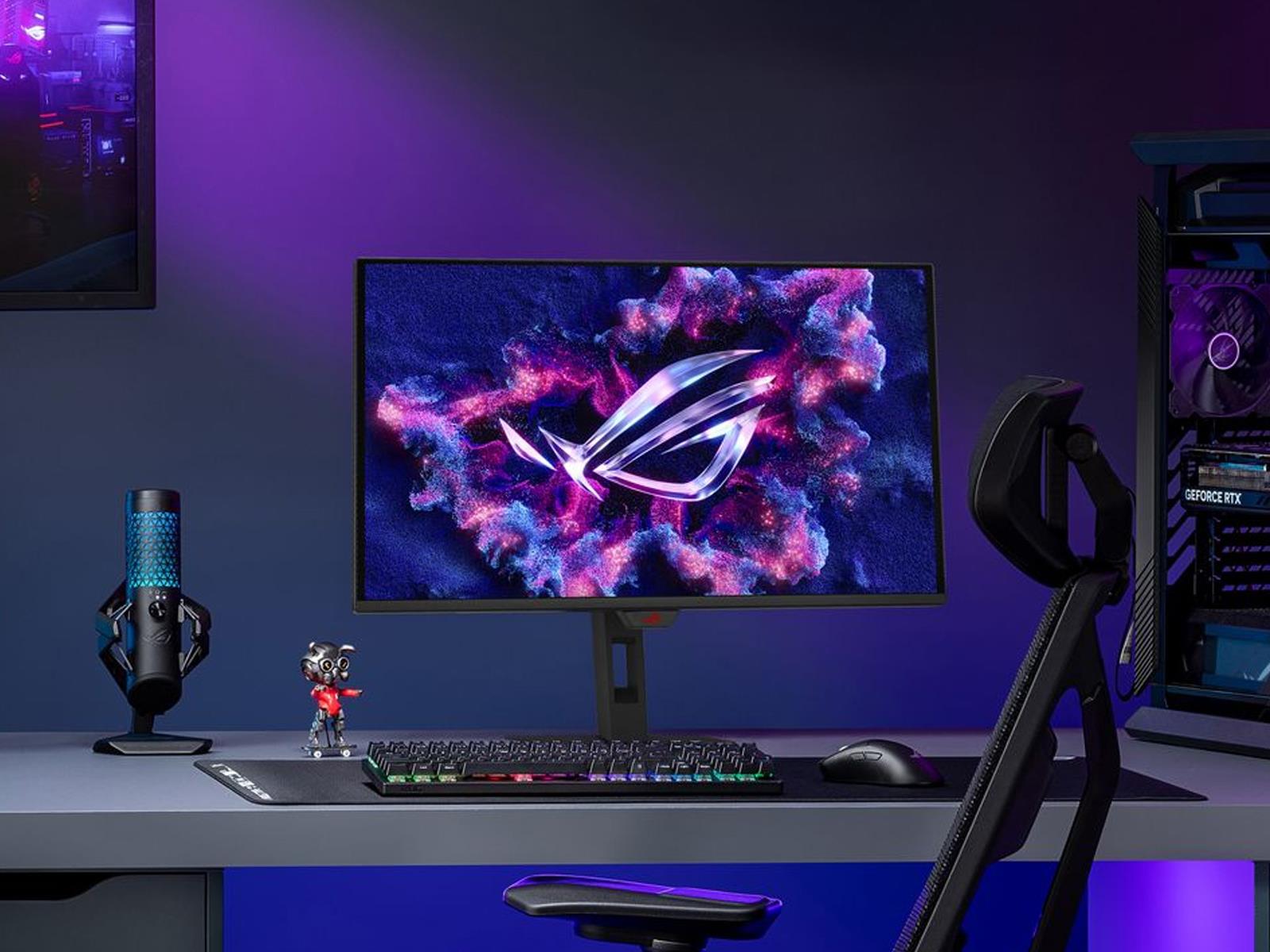
ASUS is rolling out a trio of “premium value” gaming monitors with OLED panels, all three of which are 27-inch models built for 1440p gaming. All three fall under the Republic of Gamers banner and include the ROG Strix OLED XG27AQDMG Gen 2 ($649 MSRP), ROG Strix OLED XG27ACDMS ($699 MSRP), and ROG Strix OLED XG27AQDMES ($599 MSRP).
We may earn a commission from links on this page. Deal pricing and availability subject to change after time of publication.
Amazon’s color e-reader, the Kindle Colorsoft Signature Edition, is currently available for $206.99 in refurbished condition, which price trackers show is the lowest it has reached so far. A brand-new unit sells for about $279, so the discount is fairly noticeable if you are comfortable buying refurbished. This deal comes through Amazon’s refurbished program, meaning the device has already been inspected and cleared for functionality. Storage is 32GB, which is more than enough space for thousands of ebooks and a good number of audiobooks.
In terms of design, the Colorsoft Signature Edition feels similar to the Kindle Paperwhite Signature Edition. It measures about 7 by 5 by 0.3 inches and weighs 7.7 ounces, so it still has that familiar lightweight Kindle feel. The main difference is the seven-inch Kaleido 3 color display. Black-and-white text renders at 300 pixels per inch, while color content displays at 150ppi.
That color layer is what sets this Kindle apart. Comics, graphic novels, magazines, and illustrated books look noticeably better than they do on a standard grayscale Kindle. The colors are closer to newspaper print than a bright tablet screen, but they still make panels and illustrations easier to follow. There’s also a guided comic feature that automatically zooms into individual panels so dialogue and artwork are easier to read without constantly adjusting the page, says Michelle Ehrhardt in her review of the device.
Aside from the color screen, the rest of the hardware matches what people expect from Amazon’s higher-end Kindles. The auto-adjusting front light changes brightness based on the room, the IPX8 waterproofing makes it safe for reading around water, and wireless charging is supported alongside USB-C. That said, there are a few trade-offs to keep in mind. The color display can introduce slightly uneven lighting in some situations, and battery life is shorter than on the Paperwhite. Amazon estimates up to eight weeks per charge, compared with roughly 12 weeks on the Paperwhite. It also lacks physical page-turn buttons (as is typical of Kindles), so navigation happens entirely through the touchscreen.
An anonymous reader quotes a report from Reuters: Reducing Europe’s nuclear energy sector was a “strategic mistake,” European Commission chief Ursula von der Leyen said on Tuesday, as governments grapple with an energy crunch from the Iran war. Europe produced around a third of electricity from nuclear power in 1990 but that has fallen to 15%, she told an event in Paris, leaving it reliant on oil and gas imports whose prices have surged in recent days. Being “completely dependent on expensive and volatile imports” of fossil fuels puts Europe at a disadvantage to other regions, von der Leyen said in a speech. “This reduction in the share of nuclear was a choice. I believe that it was a strategic mistake for Europe to turn its back on a reliable, affordable source of low-emissions power.” The report notes that the EU does not directly fund nuclear energy projects because all 27 member states have not unanimously supported the technology. However, von der Leyen said the Commission plans to provide a 200-million-euro guarantee from the EU’s carbon market to help attract private investment in innovative nuclear technologies.
It’s not just the major social platforms that know how effective an endless scroll of short videos is at hijacking your dopamine system. Disney+ is adding Verts, a selection of short vertical clips you can scroll through to keep your brain chemistry happy when you are in the bathroom so inclined. The company says it’s a “dynamic feed” to help users “quickly find their next favorite watch,” letting you jump straight in to see the full movie or TV show the clip hails from. Not to mention the side benefit of elbowing out those social platforms, many of which use cut-down clips of Disney-owned content anyway.
Disney said it would be adding vertical video to its premiere streaming platform back in January, and it also launched Verts on the ESPN app last year. Today, it said the addition of vertical clips drove “additional engagement,” but neglected to mention by how much. It’s worth noting Disney’s not an outlier here — Netflix announced a similar pivot back in January as well.
The company does say, however, that its recommendation engine has an “advanced algorithm” to ensure the clips are relevant to each user. Naturally, Disney is happy to lean on the century or more of content in its library, but also said Verts could broaden out to include “content from creators that reflects our fandoms.” Which you could (and should) take as a plan to at least try to put a tank or two on YouTube’s front lawn.
This article originally appeared on Engadget at https://www.engadget.com/entertainment/streaming/disney-gets-its-own-time-sucking-vertical-video-section-133308487.html?src=rss
We may earn a commission from links on this page. Deal pricing and availability subject to change after time of publication.
The Hisense U65QF in a massive 100-inch size is currently selling for $1,497.99 on Amazon, down from $1,997, and price trackers show this is the lowest it has reached so far. That price is notable for a screen this large, since 100-inch TVs often cost well over $2,000 even from budget brands. Reviews have also been encouraging. PCMag gave the TV an “outstanding” rating and named it the best budget TV of 2025. The U65QF replaces the earlier U6N, a model many buyers liked because it delivered solid picture quality without a premium price. This newer version builds on that reputation with a brighter panel and a faster refresh rate, which makes it more flexible whether you mainly watch movies, sports, or spend time gaming.
The U65QF is a mini-LED QLED TV with 4K resolution and reaches roughly 1,024 nits of brightness, which is higher than many TVs in this price range. That extra brightness helps HDR formats like Dolby Vision, HDR10, HDR10+, and HLG show stronger highlights and more depth in scenes with bright lights or sunlight. Colors look rich but generally stay natural instead of being overly saturated. That said, as with many mini-LED TVs, some blooming can appear around bright objects against dark backgrounds, but that trade-off is common at this price. Gaming performance is also stronger than you might expect for a budget model, with support for a 144Hz refresh rate, variable refresh rate, and AMD FreeSync Premium Pro. Plus, the measured input lag sits around 13.1 milliseconds at 4K60 and 4.6 milliseconds at 1080p120 (meaning it’s responsive enough for most console or PC gaming), notes this PCMag review. For connections, you get four HDMI ports, including two that support 4K at 144Hz, along with an eARC port for a soundbar or receiver.
One change people may notice immediately is the software. Instead of Google TV, this model runs Amazon’s Fire TV platform. The upside is access to nearly every major streaming service, including Netflix, Disney+, YouTube, Apple TV, and Prime Video, along with Apple AirPlay for streaming from iPhones or Macs. The downside is that while the interface works well, it tends to show a lot of recommendations and ads on the home screen. Alexa voice commands are available, but the TV does not include hands-free microphones, so you have to press the voice button on the remote to speak. None of that affects the picture quality, but it does slightly change the overall experience compared with earlier Hisense models.
The first season of a TV show is a tricky thing. It has to convince people to watch it and justify the show’s existence to the network (or streaming service) execs. It has to deal with actors and writers who may not have fully dialed into the characters and world yet. There are some shows with absolutely stellar first seasons — Stranger Things, Veronica Mars and Ted Lasso are a few — but many other hit shows stumbled out of the gate, like The Office and Supernatural.
Star Trek is not immune to this phenomenon. The Original Series had a decent first season, with classic episodes like “The City on the Edge of Forever.” But the next four shows all have rather weak beginnings, with even fan-favorite The Next Generation stumbling badly with episodes like “Code of Honor.” That show picked up in season three, beginning a trend called “Growing the Beard,” in reference to how Commander Riker’s new beard coincided with the uptick in quality.
This trend unfortunately continued into the current era, with 2017’s Star Trek: Discovery delivering a first season with an overwhelmingly dour tone and a lot of franchise changes that didn’t sit well with fans. The show made some tweaks in season two (including a change in setting that involved traveling 900 years into the future), and showed a lot of improvement with season three. Picard also floundered horribly, with an uneven first season that killed off some fan-favorite characters and also turned the title character into an android.
Things started looking up after that, with shows like Strange New Worlds all posting strong outings with their first go-arounds. While episodes like “A Quality of Mercy” and “Lift Us Where Suffering Cannot Reach” may not make the list of all-time classics, there are no outright stinkers. It seemed like the franchise as a whole was finally finding its footing in this new streaming era.
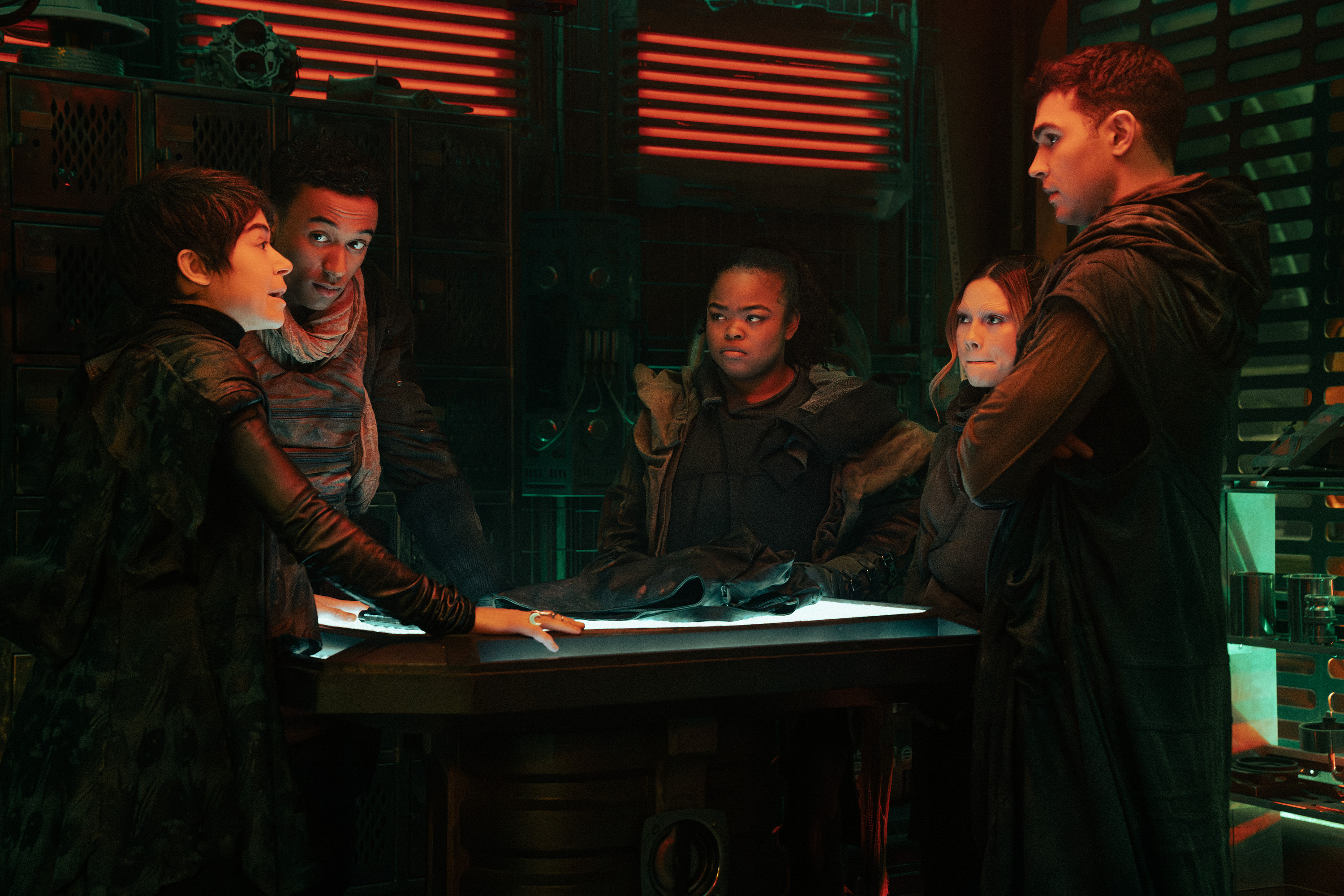
L-R: Tatiana Maslany as Anisha, Sandro Rosta as Caleb, Kerrice Brooks as SAM, Bella Shepard as Genesis, and George Hawkins as Darem in season 1, episode 9, of Star Trek: Starfleet Academy streaming on Paramount+.
Michael Gibson/Paramount+
That leads us to Starfleet Academy, which debuted in January on Paramount+. Prior to its premiere, the internet was full of people deriding it as “CW Trek” and declaring that they don’t want to watch a show about “teenyboppers” that wasn’t “real” Star Trek. Now that the show has finished its first season… the internet is still full of people complaining. But many folks who were wary of it at the beginning have been pleasantly surprised — every day there seems to be multiple posts on various Star Trek subreddits along the lines of “Starfleet Academy is actually good?!?” I personally didn’t enjoy the first episode, but episode two turned me around rather quickly, and it seemed that every week brought new converts.
Granted, 10 episodes is a short amount of time to make an impact, but Starfleet Academy did a lot with that number. Four of the episodes are dedicated to the ongoing villainy of Nus Braka, a murderous pirate played with scene-chewing delight by Paul Giamatti. These have all been pretty straightforward adventure stories, which also did a good job of fleshing out not only Braka, but cadet Caleb Mir, whose mother went to prison because of Braka.
The emphasis on Caleb in the first episode made it seem like the show would focus on him, much in the way Discovery focused on Michael Burnham, but he took a back seat as the show explored the other characters as well as its setting. Episode two, “Beta Test,” focused on diplomacy, a long-standing theme of Star Trek, and even shook up the status quo by moving the Federation headquarters from Earth to Betazed.
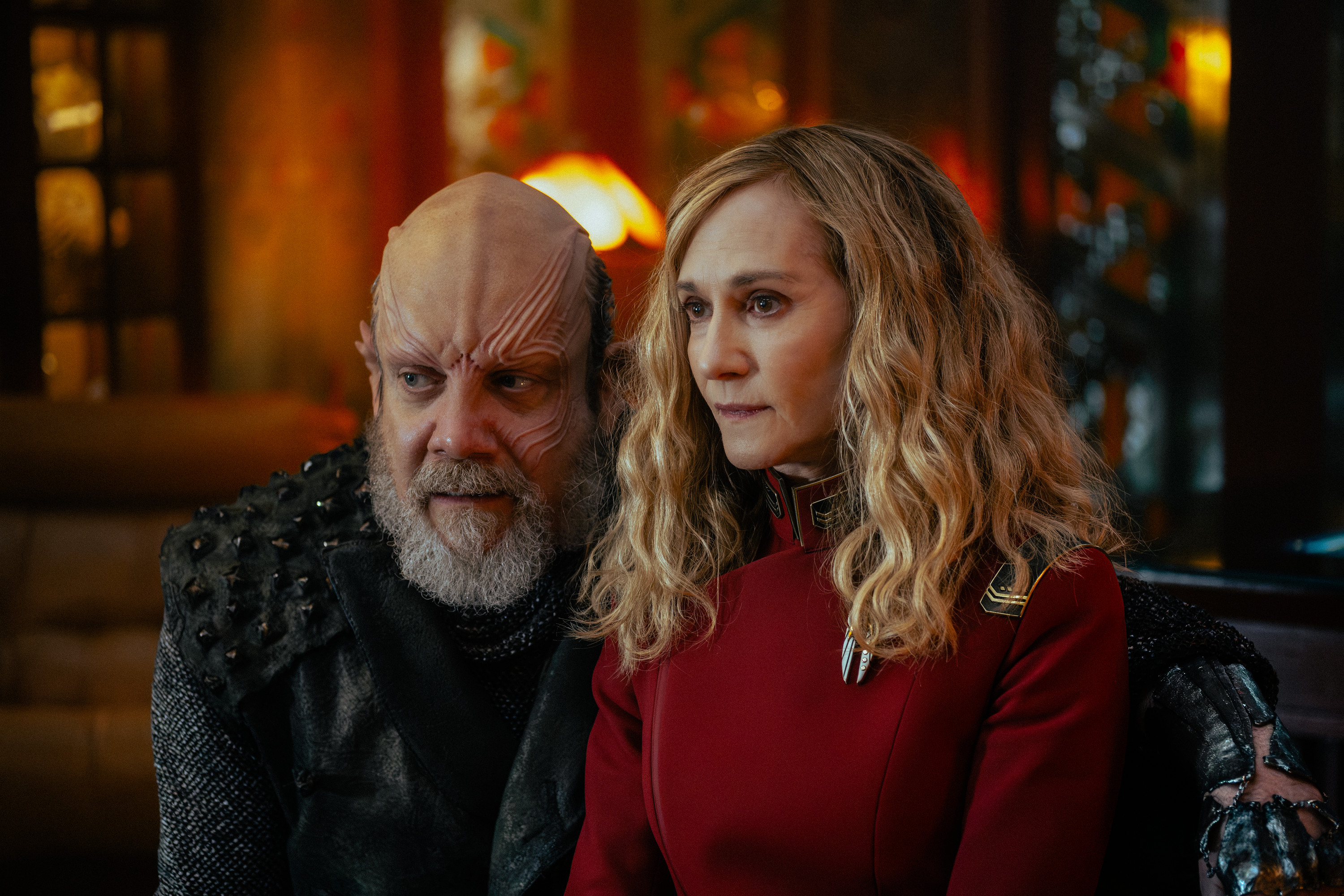
Paul Giamatti as Nus Braka and Holly Hunter as Captain Nahla Ake in season 1, episode 6, of Star Trek: Starfleet Academy streaming on Paramount+.
Brooke Palmer/Paramount+
Episodes four and five were more personal stories, with “Vox in Excelso” focusing on soft boy Klingon character Jay-Den as well as the fate of his race in general after hundreds of years, while “Series Acclimation Mil” also gave us characterization of photonic being Sam along with some heartfelt fan service for the Deep Space Nine fandom. Sam would also shine once more in “The Life of the Stars,” an episode that dealt with trauma, but also (again) delivered fan service in a way that didn’t feel like pandering because of how it was used to develop not just Sam, but also the Doctor, a legacy character from Voyager.
It’s not that every episode in season one of Starfleet Academy is a masterpiece – “Vitus Reflux” and “Ko’Zeine” are somewhat weak – but none of them are outright bad, making the batting average of the season rather high. That bodes well for word-of-mouth, as it’s easier to recommend a show when you don’t have to couch it with excuses about how it gets good “eventually.”
It will need that word-of-mouth if it wants to get through a complete four seasons of schooling; season two just finished filming so we’re guaranteed at least that, but there’s a lot up in the air for not just the show, but the entire franchise. Strange New Worlds season four will debut later this year, and then we have an abbreviated season five to look forward to. But past that, nothing firm is on the horizon: Starfleet Academy hasn’t been renewed yet, and projects like the Tawny Newsome-helmed comedy show are still in development with nothing tangible revealed yet.
Newsome played Beckett Mariner on Lower Decks and worked in the writers room for Starfleet Academy — she’s an example of how Paramount has been building up a roster of talent behind the scenes for the franchise who, even when a show is new, understand the universe and, more importantly, how to work together to make good TV. And that’s going to be important in the next year or so, as Paramount makes decisions about the future of the franchise in the shadow of the recent Skydance merger and the upcoming Warner Bros. purchase. Star Trek has an uphill battle ahead of it, but at least Starfleet Academy’s first season has made it an easier climb.
This article originally appeared on Engadget at https://www.engadget.com/entertainment/starfleet-academy-is-the-best-first-season-of-as-star-trek-show-ever-133000267.html?src=rss
Google has announced that GFiber is merging with Astound Broadband, in an agreement that sees Astound’s parent company Stonepeak become the majority owner, with Alphabet retaining a minority stake.
No financial specifics were detailed in a press release, but the new combined business will be an independent provider led by GFiber’s executive team, who Google says will use its “expertise in high-speed fiber innovation to manage the combined network footprint.” Astound already serves over one million customers across the US, and by joining forces Google says the two providers will be able to grant better internet access to more communities.
GFiber, formerly known as Google Fiber, has been around for nearly 15 years, and currently offers speeds of up to 8Gbps on its $150/month Edge 8 Gig plan. A 20 Gig service was expected to leave early access later in 2026.
The fiber broadband service is part of Alphabet’s “Other Bets” portfolio, which also includes Waymo, Verily, and Wing, a combined segment that recorded an operating loss of $16.8 billion in 2025, CNBCreports. The company’s deal with Stonepeak is subject to regulatory approval and is expected to close in Q4 of this year.
This article originally appeared on Engadget at https://www.engadget.com/big-tech/googles-gfiber-internet-business-is-merging-with-astound-broadband-132832086.html?src=rss
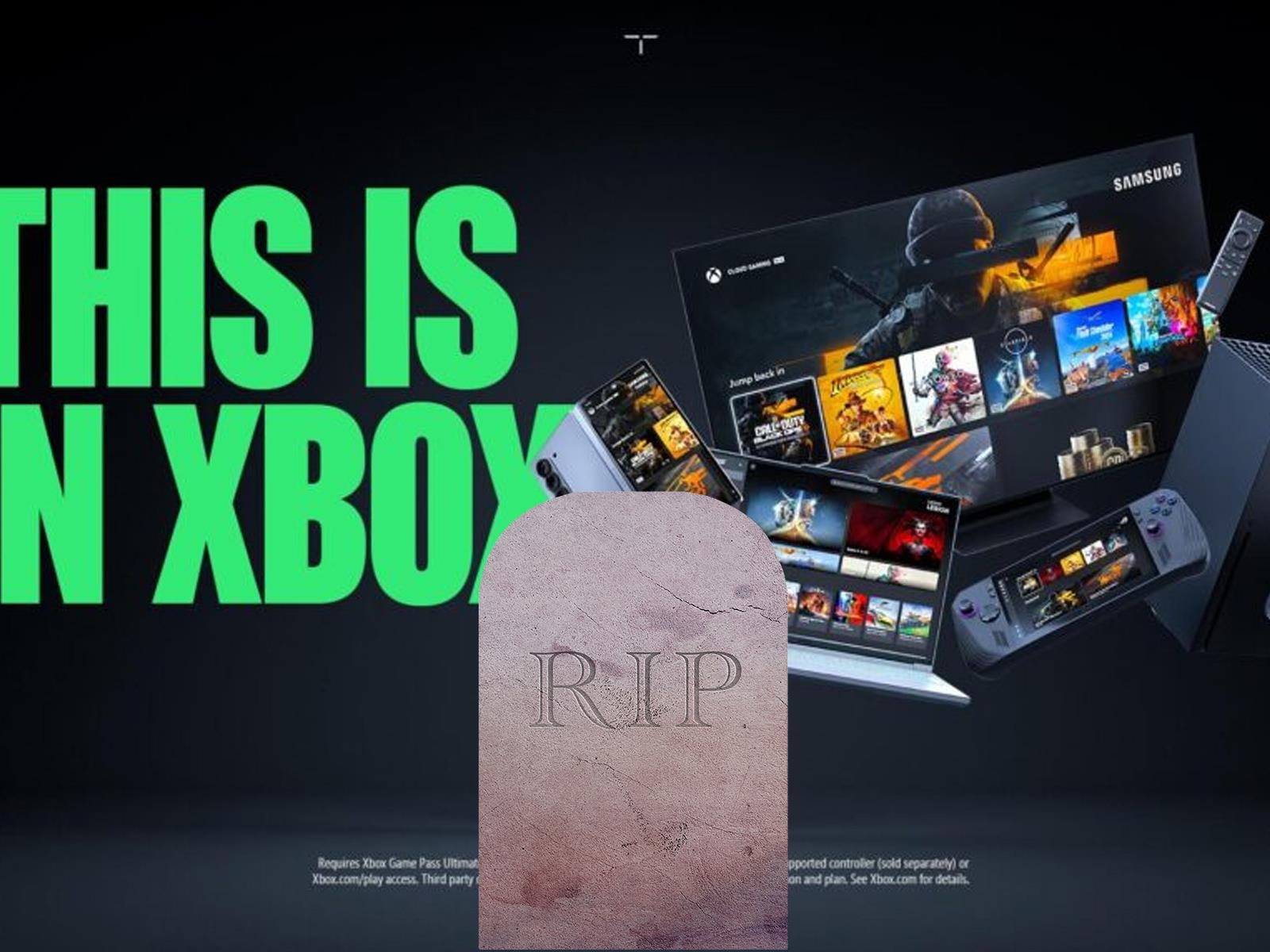
In yet another sign that Microsoft is going all-in with its renewed focus on Xbox and the brand’s transformation back to its console roots, the controversial ‘This is an Xbox’ marketing campaign is being scrubbed from its website. It hasn’t entirely disappeared, but a visit to the blog post announcing the controversial campaign just 16 months