
Archinstall 4.0 introduces a modern textual UI, replacing the curses interface to enhance usability and accessibility in the Arch Linux installer.
Intel Announces The “Optimization Zone”
Intel today formally announced the Optimization Zone as a new initiative at the company that began last October and is building up a centralized repository for maximizing performance and software optimizations around Intel hardware…
You Can Get This 2025 11-Inch iPad With Cellular on Sale for Just $360 Right Now
We may earn a commission from links on this page. Deal pricing and availability subject to change after time of publication.
Apple’s 11-inch iPad (2025) usually sells for around $499, but StackSocial currently has refurbished 11-inch iPads with wifi and cellular on sale for just $359.97 right now. This listing carries a Grade-A refurbishment rating, which means the tablet should show little to no cosmetic wear and has been cleared to function like new. At this price, you’re getting the tablet, a charger, and a charging cable, but accessories like the Apple Pencil or Magic Keyboard aren’t included, so anyone planning to use the tablet for drawing or heavy typing would need to budget for those separately. Even so, refurbished listings like this can make newer Apple hardware easier to justify, especially when the core performance components are still recent.
Inside, the tablet runs on Apple’s A16 chip with 6GB of RAM. In everyday use, that combination keeps the tablet responsive during common tasks. Switching between Safari, a note-taking app, or a video stream tends to stay smooth, and apps rarely reload when you move between them. Plus, its 11-inch Liquid Retina display pushes a 1640×2360 resolution with True Tone support, so text remains crisp, and colors adapt slightly to ambient lighting. The tablet includes 128GB of storage, which is plenty for apps, documents, and downloaded shows, though people who store large video projects or game libraries may hit the limit sooner. As for its cameras, there’s a rear 12-megapixel lens that works well for scanning documents or taking quick photos, and a 12-megapixel front camera that supports Apple’s Center Stage feature, which automatically keeps you framed during video calls.
Cellular connectivity sets this model apart from the standard wifi-only iPads. Since it supports an eSIM, you can activate a mobile data plan and stay online even when you’re away from home networks, which can make a difference if you travel frequently, work from cafés, or simply want a reliable connection on the go without being dependent on public wifi. Apple estimates up to 10 hours of battery life when browsing over wifi and slightly less (around nine hours) when using cellular data. The tablet also supports Wi-Fi 6, Bluetooth 5.3, USB-C charging, and Touch ID for unlocking. Overall, this 2025 11-inch iPad is a great buy at this price for reading, streaming, note-taking, and everyday productivity.
Our Best Editor-Vetted Tech Deals Right Now
Deals are selected by our commerce team
You Can Get These Beats Powerbeats Fit Earbuds on Sale for 37% Off Right Now
We may earn a commission from links on this page. Deal pricing and availability subject to change after time of publication.
Workout earbuds often promise a secure fit and big sound, but not all deliver both. The Beats Powerbeats Fit earbuds are currently on sale for $124.97 on StackSocial as open-box units, and they balance those priorities. These are the newer versions replacing the older Fit Pro in Beats’ lineup, and the biggest change is how they stay in your ears. Instead of the traditional ear-hook design, Beats switched to a fit wing that gently presses against the inside of the ear for stability. In practice, that means the buds stay in place during runs, workouts, or quick movements without the clamp-like feel that some hook designs create. Each earbud also includes physical controls, so you can press to play or pause music, adjust volume, or hold the button to toggle features like noise canceling or Siri. The earbuds also carry an IPX4 water-resistance rating, meaning they can withstand sweat and light rain.
The sound leans toward the kind of tuning Beats is known for. The 9.5mm drivers push a strong low end that works well for workout playlists or bass-heavy music. The bass has impact but does not completely overpower everything else. Vocals and instruments remain clear enough to follow along with podcasts or pop tracks, though the midrange sits slightly behind the bass. These earbuds also support active noise canceling, which helps reduce background noise like traffic rumble or gym equipment. It won’t create total silence, but it can make music easier to hear without turning the volume up too high.
Battery life is also solid for daily use: You can expect about six hours of listening with ANC on, and up to 24 hours total with the charging case. The Apple H1 chip inside the earbuds makes them particularly convenient for iPhone users. Pairing happens quickly, switching between Apple devices is seamless, and you can use hands-free Siri to control playback or send messages. The earbuds also work with Android devices through a companion app that gives access to most of the same controls. That said, as with most workout earbuds, the focus here is stability and energy in the sound rather than studio-level accuracy.
Our Best Editor-Vetted Tech Deals Right Now
Deals are selected by our commerce team
Linux Ham Radio KISS Serial Driver Being Modernized In 2026
Here’s something that wasn’t on my bingo card for this year of the “MKISS” driver for ham radio being modernized in 2026 as opposed to just being dropped. The MKISS code hasn’t seen much driver activity since the original Git import of the Linux kernel more than twenty years ago…
Microsoft Plans To Build 100% Native Apps For Windows 11
Microsoft is reportedly shifting Windows 11 app development back toward fully native apps. Rudy Huyn, a Partner Architect at Microsoft working on the Store and File Explorer, said in a post on X that he is building a new team to work on Windows apps. “You don’t need prior experience with the platform.. what matters most is strong product thinking and a deep focus on the customer,” he wrote. “If you’ve built great apps on any platform and care about crafting meaningful user experiences, I’d love to hear from you.” Huyn later said in a reply on X that the new Windows 11 apps will be “100% native.” TechSpot reports: The description stands out at a time when many of Microsoft’s built-in tools, including Clipchamp and Copilot, rely on web technologies and Progressive Web App architectures. The company’s commitment to native performance suggests that some long-standing frustrations around responsiveness, memory use, and interface consistency could finally be addressed.
For Windows developers, Huyn’s comments hint at a change in direction. Microsoft’s recent development priorities have leaned heavily on web-based approaches, with Progressive Web Apps (PWAs) replacing or supplementing many native programs. […] Exactly which applications will be rebuilt, or how strictly “100% native” will be enforced, remains unclear. Some current Microsoft apps classified as native still depend on WebView for specific features. But the renewed emphasis already has developers paying attention.


Read more of this story at Slashdot.
Archinstall 4.0 Released For Improved Arch Linux Installer Using Textual UI
Archinstall 4.0 is out today and just in time for the April 1 monthly refresh to the Arch Linux installer. With Archinstall 4.0, this Arch Linux OS installer is now using the Textual TUI library rather than the Curses library…
Water utility announces it’s ditching fluoride—then reveals it did so years ago
Residents of Birmingham, Alabama, were abruptly informed earlier this month that their water utility had decided to stop adding fluoride to city water. Then, days later, they learned that the utility had actually stopped adding fluoride years ago.
On March 20, Central Alabama Water (CAW) made an announcement that it had discontinued water fluoridation. The announcement cited “aging equipment” and “increasing maintenance and component replacement” as justifications for the removal of fluoride, which it indicated had already occurred. But the water utility also highlighted unsubstantiated health concerns and noted that people can buy toothpaste and mouthwash that contain fluoride to protect their teeth.
Emphasizing that there are “questions about the long‑term health effects,” CAW said, “ending drinking water fluoridation allows customers and their health care providers to make more individualized decisions about fluoride use.”
This Keychron K8 QMK Keyboard With Hot-Swappable Switches Is on Sale for Under $85 Right Now
We may earn a commission from links on this page. Deal pricing and availability subject to change after time of publication.
Mechanical keyboard fans tend to know exactly what they want. Some want a compact layout that still keeps the arrow keys, while others want lag-free wireless support or the ability to swap switches without a soldering iron. The Keychron K8 QMK Wireless Mechanical Keyboard checks most of those boxes, and it’s currently on sale on StackSocial. The ABS-frame version with RGB backlighting and hot-swappable Banana switches is $79.99, while the aluminum-frame models with Banana or Brown switches are $82.99. All three use the same 80% layout (which means you get 87 keys with arrow keys included, but no number pad), an ANSI configuration, and double-shot PBT plastic keycaps, so the letters won’t rub off easily and the surface resists shine over time.
In daily use, the K8 feels built for people who move between devices. It connects over Bluetooth 5.2 to up to three devices and switches between them with a shortcut, so you can jump from a laptop to a tablet without re-pairing. There is also a wired USB-C mode with a 1,000Hz polling rate, compared to 90Hz over Bluetooth (which is fine for typing and general work). Gamers will likely prefer wired mode for faster response times. You also get 22 RGB presets if you like colorful setups, but you can turn them off entirely. Its 4,000mAh battery is rated for up to 190 hours with the backlight off, or about 100 hours with the RGB lights on low.
The real appeal here is customization. The keyboard supports QMK, which is an open-source software that lets you remap keys and create shortcuts. You can also use Keychron’s web app to make changes without digging into code. The switches are hot-swappable, so if you later decide you prefer a different feel, you can pull them out and replace them without soldering. The included Keychron Super switches are rated for 50 million presses, so they’re built to last. The aluminum version feels sturdier and adds some internal foam for a deeper typing sound, while the ABS version keeps the price lower. This is a great option for someone who wants a reliable wireless mechanical keyboard with room to experiment.
Our Best Editor-Vetted Tech Deals Right Now
Deals are selected by our commerce team
OpenAI’s Video Plagiarism App Sora Was Reportedly Losing $1 Million A Day

Ripping off anime was costing the company a ton
Baseball Players Are Using A New Robo-Judge To Instantly Humiliate Umpires And Crowds Love It

Pitchers, batters, and catchers can now challenge strikes and balls in seconds and it’s changing the game overnight
What to Buy During Amazon’s Big Spring Sale If You’ve Always Wanted to Start Podcasting
We may earn a commission from links on this page. Deal pricing and availability subject to change after time of publication.
I’ve produced a number of podcasts over the years, both professionally and just for fun, and I’ve watched it get progressively cheaper and easier to get started, so if you’ve always wanted to get that podcast up and running, now is the time. Amazon’s Big Spring Sale includes a ton of gear for podcasting, so you can get an at least adequate-sounding setup for less than $150—but if you have a little more to spend, there’s some higher-end tech on sale, too. Here’s a guide to what you need, depending on how much you’re willing to spend.
All-in-one podcast solutions
Getting a podcast recorded is nearly effortless with one of the below all-in-one options. These are bundles with an audio unit and mic (or mics), ready to plug into your computer or phone, so you can get started instantly.
The cheapest option
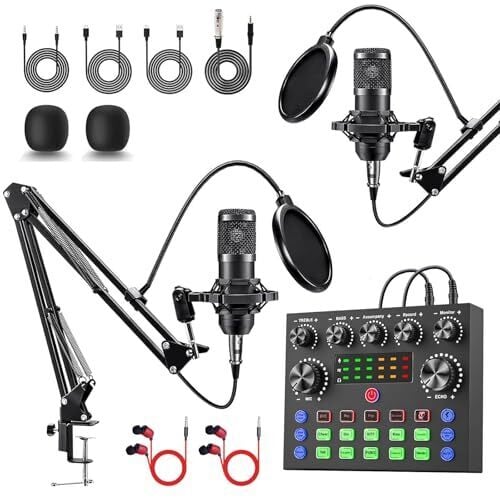
The ALSO GO Upgraded Podcast Equipment Bundle for 2 comes with an audio mixer, a couple of microphones, and earbuds for monitoring. This and a PC or phone is all you need to get started, and it’s on sale for $49.29. It will produce a serviceable podcast that will be better than the built-in mic on your phone, and it comes bundled with push-button sound effects and voice changing. If you’re just dipping your toe in, this is a great starter, but gear this cheap has downsides. If you’re ready to step up, read on.
A mid-range podcasting bundle
MAONO AU-AM200-S1 bundle: This is a significant jump in quality from the option above, but it still comes in at under $100 during Amazon’s sale. It’s $94.98, down from $128.53. Unlike ultra-budget kits, this mixer features a two-level noise reduction chip for killing hum, and it’s Bluetooth compatible so you can pipe in music or a guest without plugging cables in.
A higher-end podcasting option
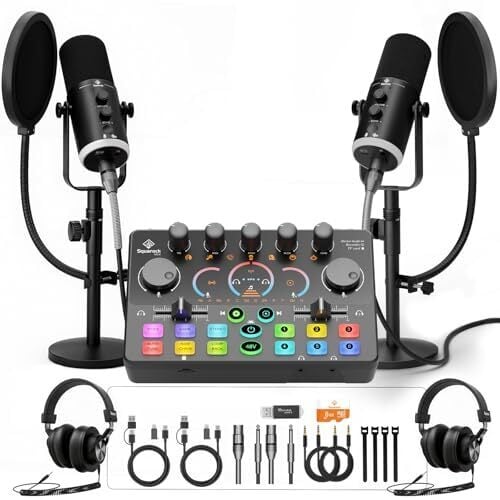
SquarockTek Podcast Bundle for 2: If you want to sound professional right from the jump, this higher-end choice is on sale for $254.99 (originally $299.99) and features XLR/USB hybrid condenser mics. There’s even a port to plug in your guitar.
Extra podcasting microphones
The all-in-one kits come with mics, but if you want to add another co-host, try the Logitech G Yeti Orb. This streamer-friendly USB-C mic is a no-hassle choice for $49.99, 30% off the $70 retail price.
Monitoring headphones
No matter how good your microphones are, it won’t mean anything if you can’t hear the mix, so you need some headphones for monitoring. These OneOdio Wired Over-Ear Headphones are a perfect solution. On sale for $27.99, they are more than adequate for hearing if the levels are peaking, and they come with a cord that connects to both the 3.5mm jack on your laptop and the 6.35mm jack on your mixer.
Mobile podcasting microphones
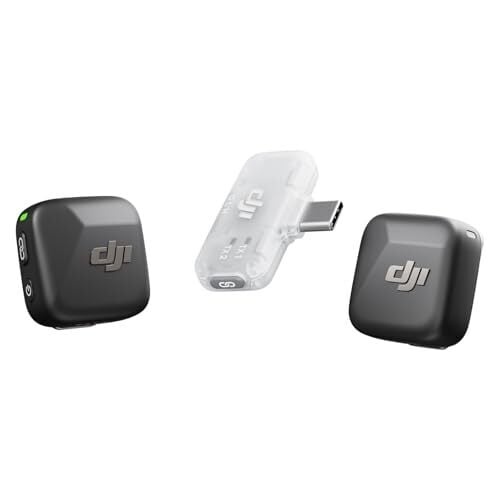
If you’re thinking of taking your show on the road, you’ll need some microphones. These DJI Mic Mini lavalier mics are wireless with a 300m transmission range, and have built-in noise cancelling. They plug directly into your phone and are on sale for $45. But if you want to go even lower, check out these Mini Mic Pros; they’re two for $18.28, 39% off from the list price.
A laptop that can handle audio and video editing
The PC (or Mac) you already own is probably sufficient for handling a basic podcast, so I’m not including it in the price breakdowns, but in case, this on-sale computer can all easily handle all your podcasting needs.
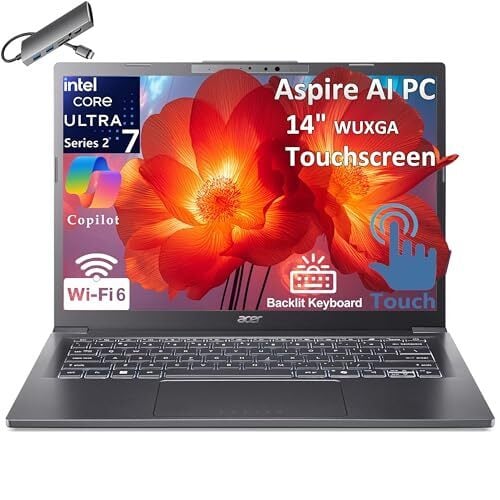
Acer Aspire 14 AI Laptop: On sale for $899.98, down 34% from the list of $1,359, this PC features 32GB of RAM, plenty for audio and video editing. The processor is powerful enough to handle on-the-fly noise reduction so your living room can sound like a studio. It comes with a USB hub with HDMI, USB-A, USB-C, SD card, and Ethernet ports so you can plug anything in, and it weighs only 3.09 lbs, so you can record remote episodes without hassle.
Other podcasting gear you’ll need, but might not think of
Acoustic treatment
The classic solution to “wow, the living room is really echo-y” is to hang a bunch of blankets and record in your closet, but you might be able to get away with a less janky solution, like this microphone stand with isolation shield for $33.99.
USB Hub
You’re going to need more ports. Something like this Powered USB Hub 3.0 on sale for $22.09. The key is the “powered” part to make sure the juice flows steadily and isn’t sucking your laptop’s battery.
Backup storage
This might be overkill, but if you’re recording on-the-fly, the audio files can be large enough that you might want to make sure you can store them outside of your phone. Here’s a terabyte of external storage for $127.49.
Cables and cable management
You’ll need cables. If you’re sticking with a 3.5mm setup (like with the ALSO GO or MAONO kits) you might want to upgrade the cables that come with them to something gold-plated to avoid corrosion. These 3.5mm cords are a little more than 5 bucks. Don’t forget the cable management, either. These velcro cable ties might be the best $13.59 you’ll ever spend.
The bottom line: How much does it cost to start your podcast?
You could record a (very amateur sounding) podcast on your phone for free, but we’re not animals, so here are the cost breakdowns for three levels of podcasting.
The “we’re not animals” starter: ~$145
This is the absolute floor for a setup that doesn’t sound like you’re recording inside a trash can.
-
The kit: ALSO GO Upgraded Podcast Equipment Bundle for 2 ($49.29)
-
The accessories: OneOdio Wired Over-Ear Headphones ($27.99), mic stand with isolation shield ($33.99), powered USB hub ($22.09), and velcro cable ties ($13.59).
-
Total: $146.95
The “guest ready” mid-range: ~$193
This is the sweet spot. You get a much better mixer and a cleaner signal for under $200.
-
The kit: MAONO AU-AM200-S1 bundle ($94.98)
-
The accessories: The headphones, hub, isolation shield, and velcro ties listed above.
-
Total: $192.64
The “nearly radio-ready” prosumer: ~$350
This is for the creator who wants the most versatile setup. It includes the SquarockTek Bundle with higher quality hybrid XLR/USB mics, and it includes its own monitoring headsets.
-
The Kit: SquarockTek Podcast Bundle for 2 ($254.99)
-
The Rest: Headphones, hub, isolation shield, and velcro ties.
-
Total: $$324.66 (Even if you add the 1TB backup drive for $127, you’re still well under $500).
Our Best Editor-Vetted Amazon Big Spring Sale Deals Right Now
Deals are selected by our commerce team
GNOME 51 “A Coruña” Desktop Environment Scheduled for September 16th, 2026
Yes, it’s that time of the year when the GNOME developers are planning for the next major release of this popular desktop environment for Linux-based OSes, GNOME 51, due out on September 16th, 2026.
Project Hail Mary Writer Apologizes For Calling Star Trek Shows ‘Shit’

Andy Weir made an ass of himself on a podcast and is trying to backpedal
AMD Improves GPU Support Under WSL With Production Open-Source ROCDXG
For those wanting to make use of Linux GPU compute software under Windows 11 by way of Windows Subsystem for Linux (WSL2), AMD’s ROCDXG “librocdxg” library is now deemed production-ready for delivering open-source ROCm compatibility with WSL…
This Frankenstein PlayStation PCB reads games from microSD and outputs video over HDMI
We’re living in the golden age of retro console modding. If you have an old Game Boy Advance lying around, it’s possible to give it a new lease on life with aftermarket parts like an IPS display and USB-C charging. But as amazing as those mods are, most still require an original GBA motherboard with a working processor and RAM. That’s what makes the PlayStation Hybrid from YouTuber Secret Hobbyist so cool. Over the past couple of months, they’ve been working to design, prototype and build the ultimate PlayStation PCB, one that incorporates the best parts of different model revisions while adding a couple of modern conveniences.
The specific motherboards Secret Hobbyist’s PCB pulls parts from are the PM-41 v2 and the PU18, with the former being a PSOne board while the latter was sourced from a “phat” model. The decision to incorporate parts from different PlayStation variants makes a lot of sense if you know something about the history of the console. Between the release of the PlayStation in 1994 and the smaller PSOne in 2000, Sony made multiple revisions to the original design to address hardware issues and eke out cost savings.
One component that you can find on older models, but not the PSOne, is an Asahi Kasei-made digital-to-analog audio converter (DAC). Over the years, this DAC has gained something of a cult following among audiophiles, with some of the earliest models like the SCPH-1000 and SCPH-3000 being particularly sought after as CD players because they also came with RCA outputs, a feature Sony later cut from subsequent revisions. As for the PU18, it has a part that makes it compatible with the X Station, a CD replacement that allows a modded PlayStation to read games from a microSD card.
From the PSOne, Secret Hobbyist sourced the console’s GPU and CPU, which are more power efficient than the ones found on its older siblings. Lastly, they incorporated an FPGA chip from a Hispeedido mod kit to make their hybrid PlayStation capable of outputting video over HDMI.
The final result is a custom PCB that is even smaller than the PSOne’s PM-41 v2, draws less than two watts of power and works with modern displays. That power draw means the Hybrid PlayStation could be engineered to be a handheld. Secret Hobbyist still has yet to design an enclosure for their new Frankenstein console, but judging from the comments on their video, people are excited to see the final result. In the meantime, be sure to watch the full video to learn more about the project and see some incredible soldering work.
This article originally appeared on Engadget at https://www.engadget.com/gaming/playstation/this-frankenstein-playstation-pcb-reads-games-from-microsd-and-outputs-video-over-hdmi-211002114.html?src=rss
The Best Tech Deals Under $100 During Amazon’s Big Spring Sale
We may earn a commission from links on this page. Deal pricing and availability subject to change after time of publication.
The Amazon Big Spring Sale is still underway, and you can find impressive deals on tech products like headphones, e-readers, and speakers all week long. If you’re looking to shop on a budget, I’ve already shared tech deals for under $25 and even more under $50. If your budget is a bit higher, here are the best tech deals under $100.
Amazon Kindle 16GB 6″ Built-in Light eReader (2024, Black)
$94.99
at Amazon
$109.99
Save $15.00
Save $15.00

$94.99
at Amazon
$109.99
Save $15.00
Save $15.00
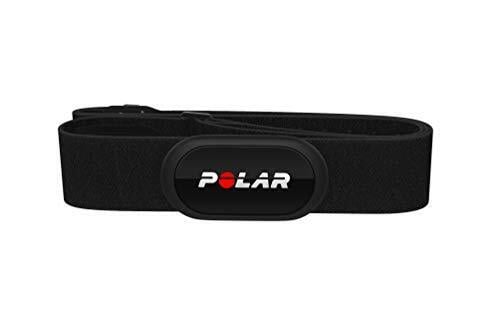
Polar H10 Heart Rate Sensor
$76.99
at Amazon
$104.95
Save $27.96
Save $27.96
$76.99
at Amazon
$104.95
Save $27.96
Save $27.96
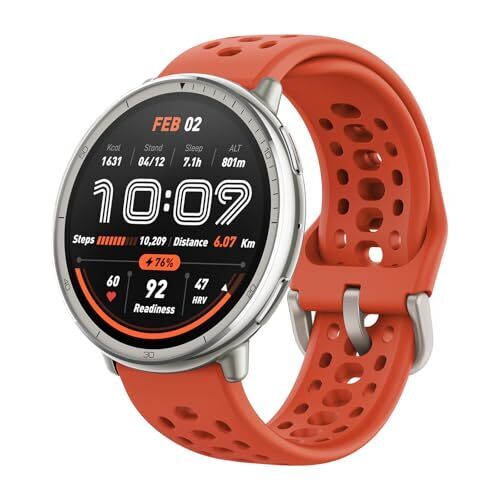
Amazfit Active 2 Sport Smart Watch Fitness
$79.99
at Amazon
$99.99
Save $20.00
Save $20.00
$79.99
at Amazon
$99.99
Save $20.00
Save $20.00
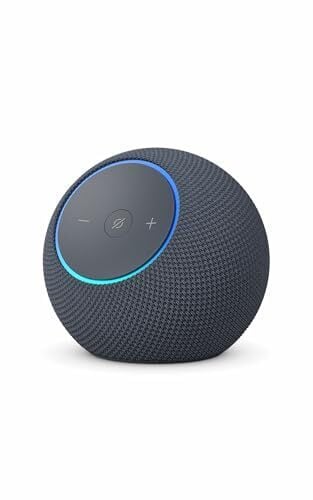
Echo Dot Max Speaker With Built-in Home Hub (Graphite)
$74.99
at Amazon
$99.99
Save $25.00
Save $25.00
$74.99
at Amazon
$99.99
Save $25.00
Save $25.00
OnePlus Buds 4 Bluetooth Wireless Earbuds
$79.99
at Amazon
$129.99
Save $50.00
Save $50.00

$79.99
at Amazon
$129.99
Save $50.00
Save $50.00
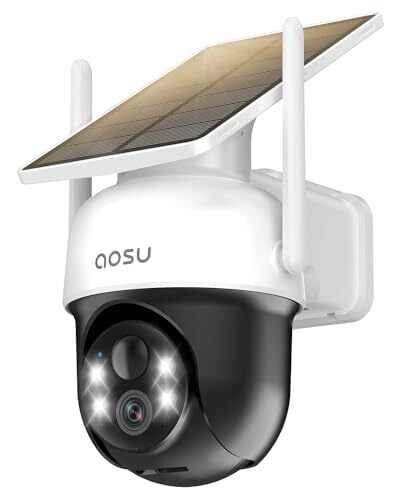
AOSU Solar Camera Security Outdoor
$59.96
at Amazon
$79.99
Save $20.03
Save $20.03
$59.96
at Amazon
$79.99
Save $20.03
Save $20.03
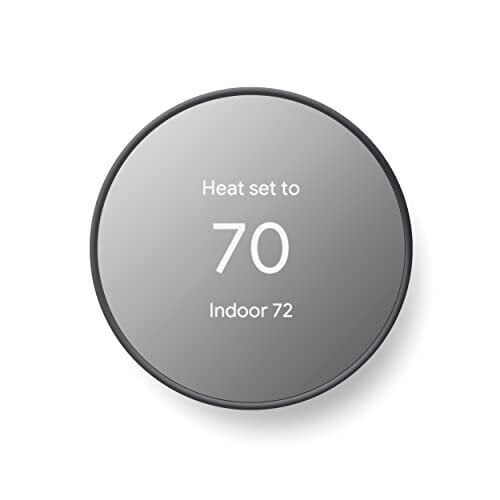
Google Nest Smart Home Thermostat (2020 Model, Charcoal)
$89.99
at Amazon
$129.99
Save $40.00
Save $40.00
$89.99
at Amazon
$129.99
Save $40.00
Save $40.00
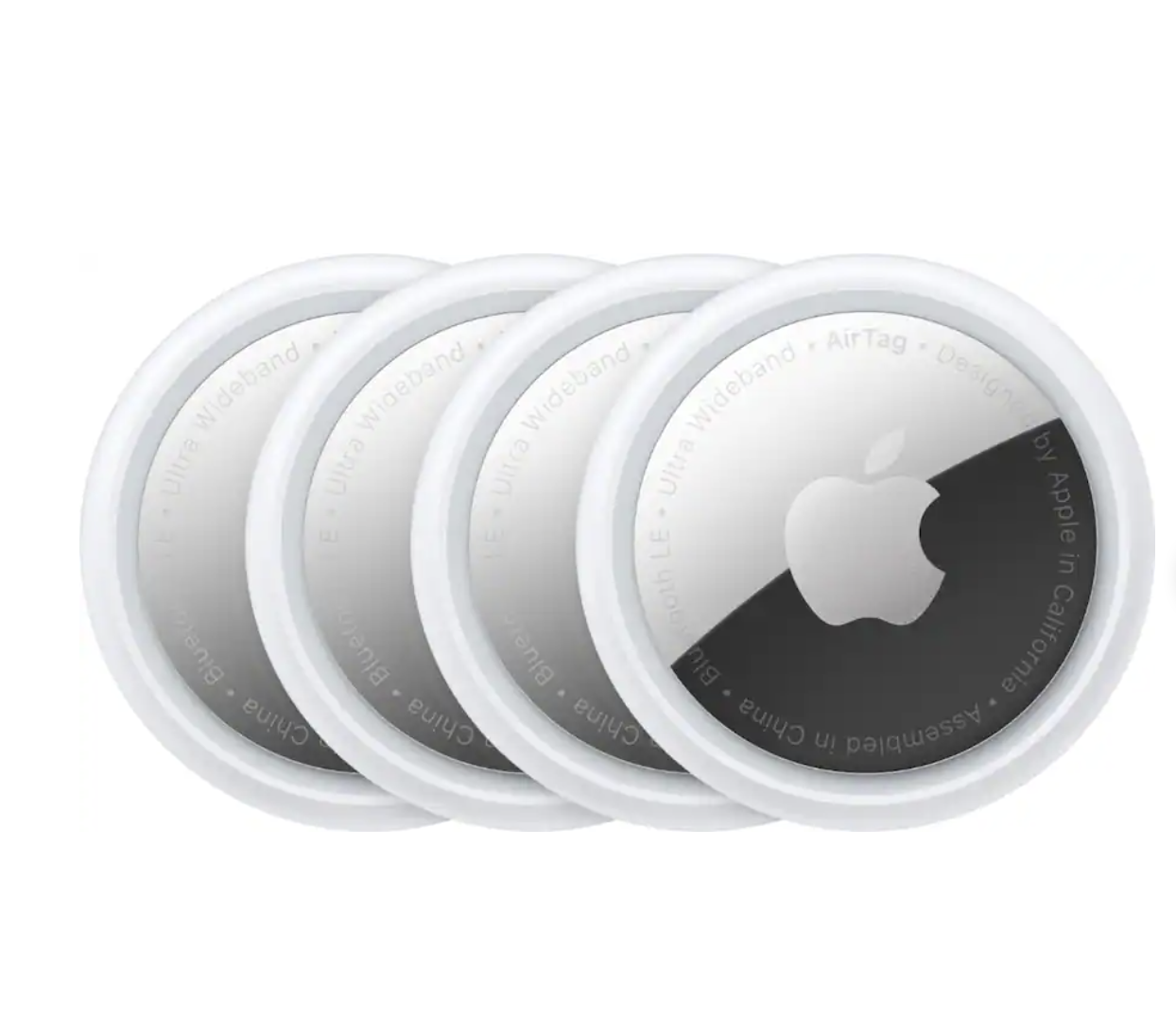
Apple – AirTag (4-Pack) (1st Generation) – 2021 – Silver
$59.99
at Best Buy
$99.99
Save $40.00
Save $40.00
$59.99
at Best Buy
$99.99
Save $40.00
Save $40.00
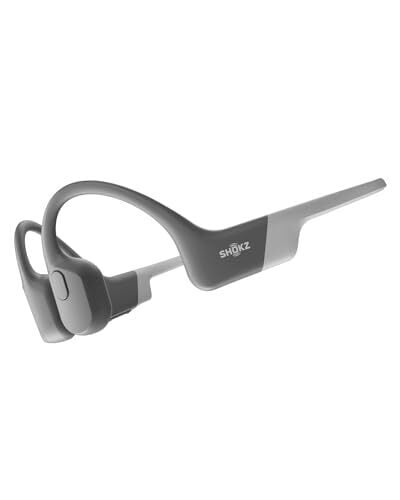
SHOKZ OpenRun
$89.94
at Amazon
$129.95
Save $40.01
Save $40.01
$89.94
at Amazon
$129.95
Save $40.01
Save $40.01
Kindle e-reader for $95
The 2024 base Amazon Kindle is one of the cheapest e-readers that you can buy right now. Currently, you can get the 16GB model with lockscreen ads for $94.99 (originally $109.99).
The best heart rate monitor for $77
A chest strap is the most accurate way to measure your heart rate during workouts, and today some of the best ones are discounted. That includes the popular and highly rated Polar H10, currently going for $76.99, down from $104.99. This is widely regarded as the best heart rate monitor out there.
The Amazfit Active 2 smartwatch for $80
One of the best budget smartwatches on sale right now is the Amazfit Active 2 Sport, down to $79.99. It’s a fitness watch with a solid feature set, and it will cost you half the price of other brands’ entry-level watches.
The Echo Dot Max for $75
The Echo Dot Max is Amazon’s “Pro” tier smart speaker, designed for people who want better sound quality in a relatively small package at an affordable price. The Echo Dot Max was released last October and is currently at its lowest price ever. You can get one for $74.99 instead of the usual $99.99.
The OnePlus Buds 4 earbuds are $80
The OnePlus Buds 4, the latest earbuds from OnePlus, are down to $79.99 (from $129.99)—that’s their lowest price so far. The Buds 4 are positioned as a step up from the Buds 3, borrowing a few ideas from the more expensive Pro series, particularly in how they handle noise cancellation and overall tuning.
Aosu security camera
After my home was broken into, I was on the hunt for a great solar-powered camera that didn’t require a subscription. The best one I’ve found is the Aosu Solar Camera, and I highly recommend it to anyone looking for an easy-to-set-up, reliable solar camera with a 360-degree view. You can get it for $59.96 (originally $79.99), an impressive value for the money.
Google Nest thermostats
In my home, I use the Google Nest Thermostat, which looks great and works reliably. You can control your HVAC remotely with the Google app and set automated routines. Right now it’s discounted to $89.99 (originally $129.99).
Apple AirTags
Never lose a purse or a suitcase again. If you’re an Apple user and don’t have any AirTags yet, this is the best time to pull the trigger, with a four-pack currently going for $59.99 (originally $99).
The Shokz OpenRun are $90
Bone conduction headphones are ideal for activities where it is vital to your safety to hear your surroundings, such as when you’re running outdoors near a busy road. The original OpenRun headphones are discounted to $89.94 (originally $129.95). If you’ve never used bone conduction headphones, they’re worth a try, and the Shokz Open are a great budget-friendly introduction.
Our Best Editor-Vetted Amazon Big Spring Sale Deals Right Now
Deals are selected by our commerce team
Samsung Is Bringing AirDrop-Style Sharing to Older Galaxy Devices
Samsung is reportedly planning to roll out AirDrop-style file sharing for older Galaxy phones via a Quick Share update. Early reports suggest the feature is appearing on devices from the Galaxy S22 through the S25, though it is not actually working yet. Android Central reports: As spotted by Reddit users (via Tarun Vats on X), a Quick Share app update is rolling out via the Galaxy Store on older Samsung devices that appears to add support for AirDrop file sharing with Apple devices. Users report seeing the same new “Share with Apple devices” section we first saw on Galaxy S26 devices in the Settings app after updating Quick Share.
The update is reportedly showing up on Galaxy models ranging from the Galaxy S22 to last year’s Galaxy S25 series. The catch, however, is that the feature doesn’t seem to be working yet. It’s appearing on devices running One UI 8 as well as the One UI 8.5 beta, but enabling the toggle doesn’t activate the functionality for now.
Users say that turning on the feature doesn’t make their device visible to Apple devices, and no Apple devices show up in Quick Share either. It’s possible Samsung or Google still needs to enable it server-side, but it does confirm that broader rollout to older Galaxy devices is coming. The feature could arrive fully with the One UI 8.5 update.


Read more of this story at Slashdot.
Deus Ex game studio Eidos Montreal cuts 124 jobs
Another day, another announcement of game industry job cuts. The latest restructuring is happening at Eidos Montreal, which stated that 124 people are being laid off. As with so many similar cuts, the studio’s LinkedIn post credited the downsizing to “a result of changing project needs and impacts across production and support teams.” The company is also parting ways with its studio head, David Anfossi.
Eidos Montreal has worked on titles within the Deus Ex and Tomb Raider franchises, as well as Marvel’s Guardians of the Galaxy and Marvel’s Avengers games. It is one of the many companies owned by Embracer Group, which snapped up a bunch of studios but has been stuck in a downsizing in a loop following an expensive restructuring of its own gaming empire during 2023 and 2024. That activity reportedly included axing a planned new Deus Ex game that Eidos Montreal was working on.
The post from Eidos Montreal didn’t specify what projects it is currently active on, although it has said it is involved with the upcoming Grounded 2 from Obsidian Entertainment and the reimagined Fable from Playground Games.
This article originally appeared on Engadget at https://www.engadget.com/gaming/deus-ex-game-studio-eidos-montreal-cuts-124-jobs-205057796.html?src=rss
You Can Equip a Complete Home Gym for $1,300 During the Amazon Spring Sale
We may earn a commission from links on this page. Deal pricing and availability subject to change after time of publication.
Building my garage gym is one of the best investments I’ve ever made. No matter the weather, or the traffic, or how much time I have available on a given day, I know I can always get to the gym (my gym) and get a workout in. If you’ve been thinking of setting up your own home gym, the Amazon Big Spring Sale is a good time to start buying the essential pieces. Here are my picks for what I’d get if I were just starting out.
Some notes before I dive in: Everybody’s needs will be different, so feel free to skip any items that don’t fit the way you like to work out. Still, I’m going to assume that you’ll want the equipment to do barbell lifts, work out with dumbbells and/or kettlebells, and to do some kind of cardio. I’ll start with small, versatile items, move on to bigger purchases, and finish up the list with a few optional little nice-to-haves.
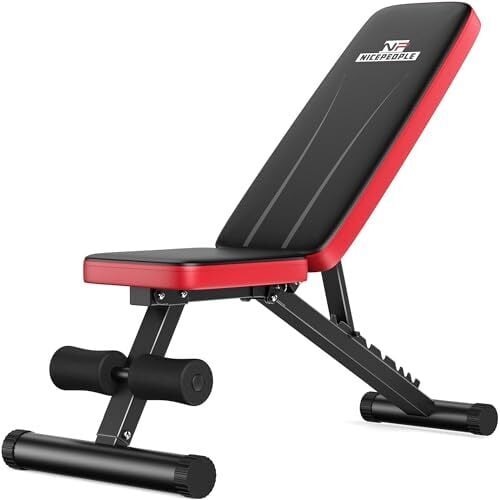
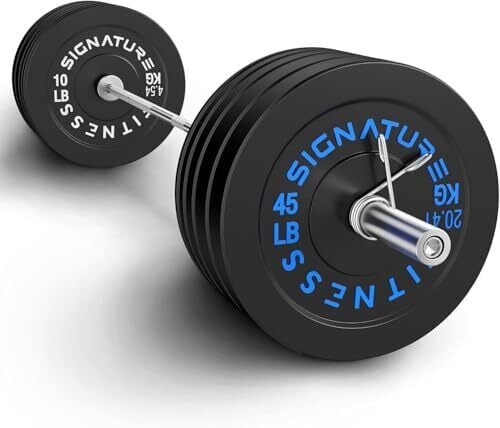
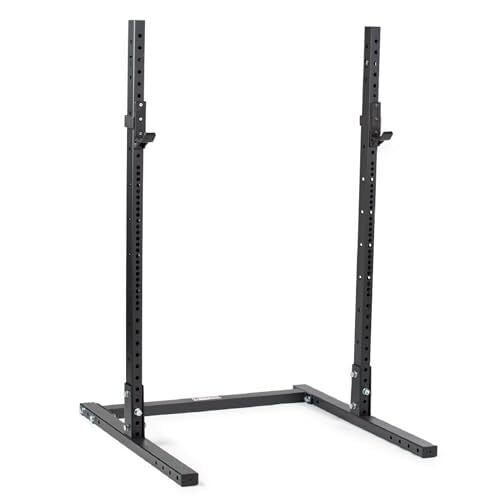
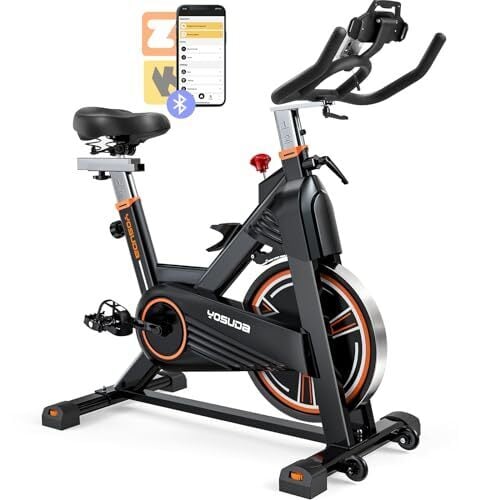
In total, the core items add up to $1,301. That’s $210 for a set of adjustable dumbbells, $65 for a weight bench, $312 for a starter barbell set with bumper plates, $300 for a Titan squat rack (plus $114 for safeties), and $300 for an entry-level spin bike. You can even add another pair of 45-pound bumpers and a few accessories and still stay under $1,500 for the whole shebang.
The best Big Spring Sale deals on dumbbells
Every home gym can use dumbbells, so let’s start there. You’ll have to decide whether you want to go with adjustable dumbbells or buy the regular (“fixed”) type. Fixed dumbbells can be a bigger investment over time, but you can easily get started with a few pairs and add to your collection as your budget allows. Fixed dumbbells are also more durable since they don’t have moving parts, and they’re more convenient if you have the space. This $160 set has dumbbells from 5 to 25 pounds, and comes with a rack to hold them. Add heavier pairs to your collection as you’re able.
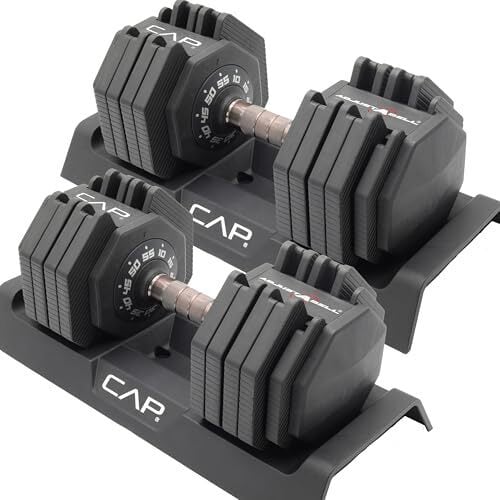
But if I can only pick one thing, I’ll go with adjustable dumbbells. Adjustables can be pricier than buying a few starter pairs of dumbbells, but are generally cheaper than buying an entire set of the fixed dumbbells that they replace. The Powerblock Elite EXP are a popular option on sale right now for $339.15, and they go up to 50 pounds. You can also get expansion sets to take them up to 70 or even 90 pounds. For a budget pick, these CAP adjustables are only $209 for a pair, and they also go from 10 to 55 pounds.
The best Big Spring Sale deal on a weight bench
If you like to do bench press or incline presses, a good bench is going to be one of your core home gym purchases. Look for one with a large weight limit (remember, it has to support you and whatever you’re lifting) that can adjust between flat and inclined positions. This bench from NICEPEOPLE fits the description.
The best Big Spring Sale deal on a barbell and plates
If you’re happy only lifting dumbbells, skip this section and just fill out your dumbbell collection. But if you want to deadlift, power clean, or do other barbell exercises, it’s worth getting a bar and plates. (For squats and bench presses, you’ll want a rack, which I’ll cover in the next section.)
You have a decision here: iron plates or bumpers? Bumper plates are made of (and/or coated in) rubber, the better to harmlessly bounce when they hit the ground. They’re a little quieter for deadlifts, and are essential if you’ll be doing Olympic lifts. They also allow you to bail from squats without needing safety bars on your rack, so long as you’re familiar with how to do that without risking injury.
This set includes a barbell (standard, Olympic-sized, with 2-inch sleeves) plus enough bumper plates to get you up to a 260-pound total—all for $312. Fill out your collection with more 45-pound plates like these for $53 each.
The best Big Spring Sale deals on squat stands or a rack
To do squats or bench presses, you’ll want something to rest the bar on. A sturdy squat rack is the centerpiece of most serious home gyms, but you still have plenty of options as to what kind to get.
I would avoid most cheap squat racks you find on places like Amazon, since you can’t install safety bars (to lower the weight onto if you fail a lift). A safety-less squat stand is fine if you’re bailing squats with bumper plates and always doing your bench presses with a spotter (that is, a person who stands by to help if you fail). If you’re fine with those precautions, you can skip the safety bars.
That said, many of those cheap racks will advertise some kind of “spotter arm” that turns out to be basically useless for that purpose, and these racks don’t generally take standard sizes of spotter arms, so I would make sure to buy a type of rack or squat stand that can take a real set of safeties or spotter arms. Among the items on sale right now, my budget pick would be the Titan T-3 squat stand, which is $300 for the 72-inch version (great for garages with low ceilings). The spotter arms are also on sale right now, for $114 a pair.
The best Big Spring Sale deal on a cardio machine
Now that the main strength training equipment is taken care of, we need to make sure we’re doing something for our cardiovascular system. You can always put on a pair of running shoes and go for a jog, but the whole point of a home gym is to be able to get your workout in without leaving the house—so let’s add a machine.
The best type of machine is going to depend on your preferences. Some people love a rower but can’t stand a treadmill, or vice versa. Pick what works for you, but I’m going to recommend a spin bike. A good bike is cheaper than a good treadmill, and takes up less space. It’s more convenient than a rower, not least because you can more easily scroll your phone or watch videos during a workout—which means you’re more likely to actually get on the bike rather than skipping that part of the workout. (Just me?)
My pick here is this $300 Yosuda Pro spin bike with a 35-pound flywheel and 350-pound weight limit. It’s sturdier and more adjustable than the cheaper bikes out there, but still a good value for the money.
The best Big Spring Sale deals on mats and other extras
With all the items listed above, you’ll have the essential items for a home gym, at a cost of just about $1,300. I’d add some horse stall mats to add some cusion to and protect your floors (buy them in person from your local Tractor Supply) and a selection of smaller accessory items, according to your needs. Here are some good deals on the latter:
-
Kettlebells: Try this 35-pound cast iron bell for $32
-
Yoga mats: Here’s a one-inch-thick mat for $29.99
-
Pull-up bar: Here’s a doorway model (no screws) for $27.98
-
Ab roller: This set has a roller, knee pads, push-up handles, and a set of resistance bands for $22.98
Our Best Editor-Vetted Amazon Big Spring Sale Deals Right Now
Deals are selected by our commerce team