A single point of failure triggered the Amazon outage affecting millions

The outage that hit Amazon Web Services and took out vital services worldwide was the result of a single failure that cascaded from system to system within Amazon’s sprawling network, according to a post-mortem from company engineers.

The series of failures lasted for 15 hours and 32 minutes, Amazon said. Network intelligence company Ookla said its DownDetector service received more than 17 million reports of disrupted services offered by 3,500 organizations. The three biggest countries where reports originated were the US, the UK, and Germany. Snapchat, AWS, and Roblox were the most reported services affected. Ookla said the event was “among the largest internet outages on record for Downdetector.”

It’s always DNS

Amazon said the root cause of the outage was a software bug in software running the DynamoDB DNS management system. The system monitors the stability of load balancers by, among other things, periodically creating new DNS configurations for endpoints within the AWS network. A race condition is an error that makes a process dependent on the timing or sequence events that are variable and outside the developers’ control. The result can be unexpected behavior and potentially harmful failures.

Read full article

Comments

How I Used Smart Glasses to Trick a Bartender Into Giving Me a Free Drink

I recently reviewed Even Realities G1 smart glasses (they’re very cool) and the first real-world thing I used them for was scamming someone. I told a local bartender I had an encyclopedic knowledge of film, and I would answer the hardest movie trivia question he could come up with in exchange for a drink. After a short consultation with Google, dude came back with “Who directed 1922’s Cabinet of Dr. Caligari?”

I tilted my head thoughtfully and repeated the question as if verifying I heard him right. The AI agent silently did its thing, and in about three seconds, the answer was floating before my eyes, totally invisible to everyone around me.

Even Reality G1 glasses

Credit: Stephen Johnson

“Robert Wiene?” I asked, feigning uncertainty. Boom! Free drink. It’s not the hardest trivia question, but I could have answered literally anything: the date Dr. Caligari was released, the day of the week it was, or the weather that day—all short work.

Bartenders know to be wary of bar bets, so this one was watching me like a hawk to make sure I wasn’t looking up the answer on my phone or something. He didn’t seem to suspect my glasses, and even if he had, it wouldn’t have mattered. Even inspected up close, G1s offer no indication of electronics of any kind: No USB port, no flashing light, no visible controls.

The AI agent is activated with a subtle tap behind the ear. Repeating the question sends the AI off for the answer, presented in a display that’s invisible to everyone but the wearer. You could do the same trick with a pair of Meta Ray-Ban Display glasses or audio-only smart glasses with AI.

I don’t like deceiving people, so I ended up telling the bartender what was up to and not accepting the drink, but it got me thinking about what more nefarious people than I could do (and probably already are) with AI smart glasses.

Just imagine what I did on a bigger level: a team of hustlers at bar trivia silently tapping their temples whenever “which actor played…?” was asked would never lose. It’s pretty small stakes, but not hard to imagine. Hypothetically, a hacked pair of smart glasses could be programmed to read the cards in your poker hand and give you the probability of winning in real time, either through the display or whispered in your ear. They could, hypothetically, make counting cards in blackjack effortless and undetectable. Stretching it out further, hypothetically, glasses could scan others players for “tells” that they’re bluffing, or read micro-expressions to give a constantly updated read on opponents.

Along the same lines, imagine attending a self-help meeting, and the leader, who you have never met, says, “I’ve had a vision about you” and begins to describe something that happened in your life exactly. All it would take would be glasses that recognize your face (supposedly coming to Meta Displays) connecting to a social media feed, which is then displayed in real time to the leader. Or you could go more subtle and engineer small “serendipities” like mentioning a movie someone recently saw and having exactly their opinion. It would only take a few of these and maybe some mystical patter to convince people you are divine being they should definitely donate to.

How to spot tricky smart glasses

I could go on, but you get the idea. Luckily, there are some indications when someone is using tech hidden in their eyeglasses. The most important is a general understanding of the possibilities of this technology. If someone seems to know something they shouldn’t, ask yourself if their glasses could be the source of their power. Here are some more specific giveaways.

Look for identifiable kinds of smart glasses

Meta Ray Ban Display

Credit: Meta

The most popular display style glasses, Meta Ray-Ban Displays, are distinctive looking, with a fairly obvious camera in one of the corners and a specific look and branding. But other kinds of smart glasses, like the Even Realities G1s mentioned above, are obscure enough that most won’t recognize them, and so “normal” looking that most people wouldn’t pick them out of lineup.

Look for where the tech is hidden

Most smart glasses are still fairly bulky, so look for thick arms or frames where the wires are hidden. But again, that’s only most smart glasses; some are totally sleek, with imperceptible tech.

Look for a small glint

In most situations, the display in display glasses is not visible to anyone but the glasses wearer, but there’s still light being projected. In a dark room, you can see a green glow, and even if it’s not dark, the display windows are visible if the light hits it just right, as you can see here:

Even Reality G1

Credit: Stephen Johnson

But honestly, it’s subtle and hard to spot.

Listen for the sounds

Older styles of audio-only smart glasses can feed information to wearers, but the open-air speakers mean some sound is bleeding into the atmosphere. You can definitely hear smart glasses if you’re in a quiet room and you’re trying to. If it’s loud, operating glasses becomes problematic for the wearer.

Look for the source of control

Smart glasses have to be controlled somehow. Meta Display glasses are operated with a wrist band. G1 glasses’ AI agent is powered on by tapping on the frames behind your ear. Anyone who practices for a few hours could make these movements seem natural, but they’re there if you know what to look for.

Odd movements and speech

It doesn’t take advanced stagecraft to operate these kinds of glasses imperceptibly, but it does take something. Tells might include small glances upward to see the display, tapping on glasses, stilted speech while waiting for information to come in, and a reading-a-teleprompter style of talking. Watch for people repeating questions back. But understand, it’s hard to spot. When I was conning my bartender, I thought how I repeated the question back was obvious, but my wife said I just seemed a little odd, which suits the personality of a trivia whizz anyway.

Smart glasses are powerful tools, like a hammer or a calculator. Like any innocent tool, they can be used for nefarious things, so until manufacturers or regulators require obvious indicators, like flashing lights or visible controls, we have to protect ourselves by paying attention to these small cues and staying skeptical when someone seems to know more than they reasonably should.

Man takes herbal pain quackery, nearly dies, spends months in hospital

A 61-year-old man in California is lucky to be alive after a combination of herbal supplements he was taking for joint pain ended up utterly wrecking his body, landing him in intensive care and in a delirious state for months. His case is reported in the Annals of Internal Medicine: Clinical Cases.

The man turned up at a hospital in San Francisco in bad shape, but with nonspecific problems that had begun just two days earlier. His back hurt, he was feverish, nauseous, bloated, and he hadn’t been eating much. He was so weak he couldn’t walk or get out of bed without help. His heart rate and breathing rate were high. His blood pressure was low. There were multiple wounds on his lower body in various stages of healing.

Initial exams and lab work revealed Staphylococcus aureus bacteria in his blood. There was also an abscess on his shoulder and an infection in and around his spine, which was worsening. Doctors wanted to perform a surgical procedure to relieve the pressure building up on his spinal cord and nerves, but his blood pressure was too low—and then he went into hemorrhagic shock from bleeding in his gastrointestinal tract. Doctors transferred him to the intensive care unit.

Read full article

Comments

Study Reveals How Hard It Is To Avoid Pesticide Exposure

A study involving 641 participants across 10 European countries found pesticides in every silicone wristband worn for one week. Researchers at Radboud University tested for 193 pesticides and detected 173 substances. The average participant was exposed to 20 different pesticides through non-dietary sources. Non-organic farmers had the highest exposure at a median of 36 pesticides. Organic farmers and people living near farms recorded lower numbers.

Consumers living far from agricultural areas had a median of 17 pesticides. The wristbands captured banned substances including breakdown products of DDT, which was prohibited decades ago, and insecticides dieldrin and propoxur. Paul Scheepers, the molecular epidemiologist who co-authored the study, said people cannot avoid exposure to pesticides in their direct environment.


Read more of this story at Slashdot.

Google Pixels Are Still Having Problems Calling 911

For the past few years, Google’s Pixel phones have had recurring problems with calling 911, and the issue has once again reared its ugly head. Over the past 24 hours, multiple users on Reddit have complained about being unable to call 911, while the Bell carrier in Canada issued a warning that the Pixel 6 and up was also having problems contacting emergency services on its network.

According to user Fabulous_Disaster730, who posted yesterday about difficulties contacting emergency services during a gas leak, her Pixel 9 Pro repeatedly prompted her to turn on wifi calling or turn off airplane mode before she could call 911, despite her having full signal on both 5G and wifi. The phone would then freeze and restart. After multiple attempts, she resorted to asking a friend to place the call for her instead.

Multiple replies mentioned facing similar problems yesterday as well, across multiple networks and models of Pixel. Bell, however, was the only carrier to issue an official notice.

Aside from the obvious danger, the problem with this bug is that it’s not consistent. Despite seemingly having had a surge yesterday, it’s been a known issue as far back as 2021. However, it doesn’t affect all users, nor is it entirely predictable when or how it will pop up. While recent reports are of calls simply not going through, one user posted two months ago that their call did go through, but they only heard screeching and static on the other end of the line. These recent reports are only the latest in an ever-evolving concern.

It’s also not clear what’s causing the problem. In 2021, the problem was attributed to Microsoft Teams, but even with that error patched up, users are still facing problems. To Google’s credit, Bell said it reached out to the company shortly after it learned about yesterday’s uptick in cases, and afterwards said that a fix had been issued. However, no other carriers have issued similar notices, and I wouldn’t be surprised to see other users making their own complaints in the future.

It’s worth noting that Bell mentioned that Pixel 6 users and up were the ones affected this time around, and that the Pixel 6 also happened to release in 2021, which is when the bug first started making news. Whatever is at the core of the problem here, I wouldn’t be surprised if it worked its way in on the Pixel 6 and just hasn’t yet been addressed.

However, given the severity of the issue, it’s something that needs looking at sooner rather than later. I’ve reached out to Google for comment on this issue, and will update if I hear back. In the meantime, it’s best to be prepared in case the worst happens. If you’re on a Pixel phone, here’s what you can do to contact 911 in an emergency:

First, try to place a 911 call

If you have time and the danger is not immediate, it’s worth trying to call 911 on your Pixel despite the issues. While users reporting problems have increased as of late, it’s still not an everyone or every time problem. It’s possible your call will still go through without issue.

You can also text 911

If, however, you are unable to call 911, it’s worth remembering that in certain jurisdictions (check this regularly updated list to see if where you live is supported), you can also contact 911 via text. This is a slower method of reaching out for help, but is still better than nothing. To text 911, open your texting app, put in 911 as the recipient, and write a concise message with your issue, your location, and any necessary specifics, like cross streets, landmarks, a specific hiding location, or whether you’re able to talk.

Use a backup phone

While I don’t expect someone who isn’t constantly reviewing tech to have multiple phones on hand, the surest method to ensure you’ll be able to call 911 if you’re on a Pixel is to keep a backup phone that isn’t a Pixel handy. This could be a landline or another cell phone. Crucially, it can be an old cell phone, even one that isn’t actively attached to a phone plan. So long as your phone is able to connect to a network, it’s legally required to be able to call 911, so if you have an old phone you’ve upgraded from and haven’t traded in laying around, it may be smart to keep it charged up in case you need it in an emergency.

DNA and jolts of electricity get people to make optimal antibodies

One of the things that emerging diseases, including the COVID and Zika pandemics, have taught us is that it’s tough to keep up with infectious diseases in the modern world. Things like air travel can allow a virus to spread faster than our ability to develop therapies. But that doesn’t mean biotech has stood still; companies have been developing technologies that could allow us to rapidly respond to future threats.

There are a lot of ideas out there. But this week saw some early clinical trial results of one technique that could be useful for a range of infectious diseases. We’ll go over the results as a way to illustrate the sort of thinking that’s going on, along with the technologies we have available to pursue the resulting ideas.

The best antibodies

Any emerging disease leaves a mass of antibodies in its wake—those made by people in response to infections and vaccines, those made by lab animals we use to study the infectious agent, and so on. Some of these only have a weak affinity for the disease-causing agent, but some of them turn out to be what are called “broadly neutralizing.” These stick with high affinity not only to the original pathogen, but most or all of its variants, and possibly some related viruses.

Read full article

Comments

US Expands Facial Recognition at Borders To Track Non-Citizens

The U.S. will expand the use of facial recognition technology to track non-citizens entering and leaving the country in order to combat visa overstays and passport fraud, according to a government document published on Friday. Reuters: A new regulation will allow U.S. border authorities to require non-citizens to be photographed at airports, seaports, land crossings and any other point of departure, expanding on an earlier pilot program.

Under the regulation, set to take effect on December 26, U.S. authorities could require the submission of other biometrics, such as fingerprints or DNA, it said. It also allows border authorities to use facial recognition for children under age 14 and elderly people over age 79, groups that are currently exempted. The tighter border rules reflect a broader effort by U.S. President Donald Trump to crack down on illegal immigration. While the Republican president has surged resources to secure the U.S.-Mexico border, he has also taken steps to reduce the number of people overstaying their visas.


Read more of this story at Slashdot.

Halo: Campaign Evolved is a remake of the original story, coming to Xbox, PC and PS5 in 2026

Before there’s a new Halo game, Halo Studios is revisiting the past. Xbox has announced Halo: Campaign Evolved, a remake of the first game in the storied shooter series, Halo: Combat Evolved, developed by Halo Studios and coming to Xbox, PC and PS5 in 2026.

Halo: Campaign Evolved is described as “a faithful yet modernized remake” of the first game’s campaign, with updated visuals and cinematics, “refined controls” and “three brand-new prequel missions featuring the Master Chief and Sgt. Johnson.”

The game will feature new weapons, vehicles and enemies, along with the all-important option for two-player splitscreen co-op on console. The game will also support cross-platform play with PS5 for the first time, and four-player online co-op between consoles and PC.

Halo: Campaign Evolved will be available in 2026 for Xbox Series X / S, PS5 and PC.

This article originally appeared on Engadget at https://www.engadget.com/gaming/xbox/halo-campaign-evolved-is-a-remake-of-the-original-story-coming-to-xbox-pc-and-ps5-in-2026-203913552.html?src=rss

ChatGPT’s AI Browser Has a Nasty Security Vulnerability

This week, OpenAI released ChatGPT Atlas, the company’s first AI web browser. Atlas lets you surf the web like any other browser, but, as you might expect, comes with ChatGPT integration. You can log into your account and tap into the assistant via the sidebar menu, which will remember not only past conversations, but your browsing history as well. Like other AI browsers—namely Perplexity Comet—the browser has an “agent mode,” which can take actions on your behalf. You can ask it to order you food through DoorDash or buy you plane tickets on Kayak instead of doing those things yourself.

While that might sound useful to ChatGPT fans, I had trouble recommending the browser to people, considering the security vulnerabilities AI browsers are currently facing. Any browser that has agentic features is vulnerable to prompt injection attacks: Bad actors can lace websites with hidden malicious prompts that the AI accepts as if they were written by the user. It might therefore take actions on behalf of the hacker, like opening a financial site or rooting through your email. Seems like a large risk just to outsource some basic internet tasks to an AI bot.

But prompt injections aren’t the only vulnerability Atlas currently faces. According to a new discovery, the browser may put the user’s clipboard at risk as well.

How Atlas’s clipboard injection vulnerability works

Android Authority spotted a post on X by the ethical hacker known as Pliny the Liberator. According to Pliny, ChatGPT Atlas is vulnerable to clipboard injection, a type of attack that allows a bad actor to access your computer’s clipboard. The idea is this: A bad actor can add a “copy to clipboard” feature to a button on their website. When you click the button, a malicious script runs in the background, which allows the bad actor to access your clipboard and add whatever they want to it. Maybe it’s a URL to a website designed to install malware on your devices; maybe it’s a URL to a site impersonating a financial site. Whatever the case, you don’t know your clipboard has been hacked, so you might open a new tab and paste what you think was the last thing you copied, falling into the trap.

The particular risk with ChatGPT Atlas is its agentic features: When in agent mode, Atlas might click a malicious button like this on its own, without you even knowing it. One moment, you’ve asked Atlas to order you lunch; the next moment, the browser accidentally set you up to be hacked.

Pliny says that OpenAI has evidently trained Atlas to recognize prompt injections, but the core “copy clipboard” function is hidden away from the AI’s sights. It’s a clever trick: The bot can hover over the button without knowing anything is wrong with it, so it “clicks” it without triggering any red flags.

For anyone that copies and pastes items frequently throughout the day, this could be quite dangerous. You might copy something in one app, then ask ChatGPT Atlas to do something on your behalf. But without knowing it, the browser clicks a malicious link that adds something to your clipboard. You then paste in your browser window, thinking you still have the original item copied, but you’re taken instead to a website that claims your banking session has expired, and you need to log in. If you’re multitasking quickly, you might “sign in” without thinking, handing over your bank credentials and 2FA codes without realizing it.

These are hypotheticals. At this time, there haven’t been documented cases of this type of malicious activity affecting ChatGPT Atlas. At the same time, ChatGPT Atlas is two days old. To me, the risk here doesn’t seem worth the execution—especially since I have no issue using the internet on my own.


Razer Raiju V3 Pro PS5 Controller Is Coming To Dominate Esports With Flagship Features

Razer Raiju V3 Pro PS5 Controller Is Coming To Dominate Esports With Flagship Features
It took a while, but Razer has finally introduced a pro controller for the PS5, dubbed the the Raiju V3 Pro, that keeps the PlayStation layout. The signature symmetrical analog stick design is here, and so too are the other Razer controller signatures we’ve come to expect from Razer gamepads. This includes magnetic TMR analog sticks, which

Official LEGO The Goonies Set Is One-Eyed Willy’s Pirate Ship

Hey you guuuuys, in their unending quest to snatch up all my Christmas money before my grandma even sends it, LEGO has announced an official The Goonies build set in the form of One-Eyed Willy’s pirate ship as seen at the end of the movie (plus some of the booby traps below for good measure). The set contains 2,912 pieces, costs $330 *spit-takes pieces of protein bar* and will release November 4th. It also contains 12 minifigs, including all the Goonies, Brand, the Fratellis, Andy and Stef, and two of the best minifigs of all time: Sloth and One-Eyed Willy. I’d almost buy the set for those two alone. Almost. Actually, can I just buy them? The pirate ship is cool and all, but grandma’s $20 only goes so far. Usually just to the nearest gas station for a lotto scratcher trying to double it.

The Android-powered Boox Palma 2 Pro fits in your pocket, but it’s not a phone

Digital reading devices like the Kindle have existed for almost 20 years, and the standard eReader form factor has hardly changed at all. Amazon, Boox, and a few other companies have offered larger E Ink screens, but how about something smaller? Boox has unveiled its second-generation Palma e-reader, which still fits in your pocket but adds a color screen and mobile data connectivity.

The first-gen Palma launched last year, earning fans who saw it as a way to read and access some apps without the full spate of distracting smartphone experiences. Boox e-readers are essentially Android tablets with E Ink screens and a few software quirks that arise from their unofficial Google Play implementation. The second-gen Palma might offer more opportunities for distraction because it’s almost a smartphone.

The Palma 2 Pro upgrades the 6.1-inch monochrome display from the original to a 6.13-inch color E Ink Kaleido display. That’s the same technology used in Amazon’s Kindle Colorsoft. The Amazon reader is a bit larger with its 7-inch display and chunkier bezels. Of course, the Kindle isn’t trying to fit in your pocket like the Palma 2 Pro, which is roughly the size and shape of a phone.

Read full article

Comments

Amazon’s AWS Shows Signs of Weakness as Competitors Charge Ahead

Amazon Web Services basically invented the cloud computing business and once held nearly half the market. That dominance is slipping. AWS captured 38% of corporate spending on cloud infrastructure services last year, down from almost 50% in 2018, according to Gartner. Microsoft now grows its backlog of corporate sales faster than Amazon. The company that brushed aside incumbents and transformed an internal startup into Amazon’s profit engine now faces internal bureaucracy that has slowed it down.

Bloomberg interviewed 23 current and former AWS employees who described management layers that proliferated after a pandemic hiring binge. One sales engineer who was six managers from Jeff Bezos before the pandemic found himself fifteen rungs from CEO Andy Jassy earlier this year. AWS hesitated to invest in Anthropic when the AI startup was spending most of its cash on Amazon servers.

Executives doubted the Anthropic AI could be monetized and were culturally reluctant to pay for external technology they believed could be built in-house. Google invested in early 2023. Amazon followed that September with $4 billion in commitments. On Thursday, Google said it will supply up to 1 million AI chips to Anthropic.


Read more of this story at Slashdot.

What the Science Says About Red Light Therapy for Athletic Recovery (so Far)

Red light therapy devices are everywhere—from lamps, to full-body mats, to those glowing face masks flooding my social media feed. I usually see red light therapy advertised for “younger-looking skin,” but I’m not interested in these devices as a means to slow down aging—I’m interested in them as a recovery-obsessed athlete with very sore muscles.

These gadgets promise to boost athletic performance, speed muscle recovery, and reduce inflammation, all by bathing your body in specific wavelengths of red and near-infrared light. But do these trendy tools live up to the hype, especially for muscle recovery?

What red light therapy advocates claim

Red light therapy devices typically emit light in the red (620-670 nanometers) and near-infrared (800-850 nanometers) spectrum. Manufacturers claim these wavelengths penetrate the skin to stimulate cellular activity, specifically targeting the mitochondria (the energy-producing powerhouses inside our cells). The purported benefits include enhanced muscle recovery, reduced inflammation, improved circulation, decreased muscle soreness, and even performance gains.

It all sounds scientific enough: the light supposedly helps mitochondria produce more ATP (cellular energy) and triggers the release of beneficial compounds like nitric oxide, which improves blood flow and activates repair processes throughout the body. But let’s dig into what these gadgets can actually do.

What the science actually says

Surprise, surprise: The science is more nuanced than marketing materials suggest. According to Dr. Wesley Buckle, a licensed naturopathic doctor, “the data on red light therapy is not definitive. Some studies show that it can help with delayed onset muscle soreness and muscle recovery. However, the evidence is mixed. Most of the studies that have found a positive benefit are small, short-term ones.”

While the research shows potential, there’s a significant gap between what manufacturers claim and what the evidence actually supports, Buckle says he’s seen “claims of enhanced performance, improved circulation, and muscle recovery” that are ultimately overblown. “The evidence supports mild improvements in muscle fatigue. It doesn’t support dramatic claims of large gains and strength or performance boosts.”

This is a crucial distinction. If you’re expecting red light therapy to transform your performance or replace proper training, you’ll be disappointed. The benefits appear to be modest and supportive rather than revolutionary.

Another critical factor is device quality. McCall McPherson, a physician associate and founder at Modern Thyroid Clinic and Modern Weight Loss, says that “not all devices are created equal. The effectiveness depends heavily on the wavelengths used, power output, and build quality of the device.” It’s important to distinguish between medical-grade panels built with specific, researched wavelengths and all the cheaper consumer devices that may not deliver the necessary light intensity or correct wavelengths to produce biological effects.

There’s certainly promising research, but this research is based on specific wavelengths (typically 620-670 nm for red light and 800-850 nm for near-infrared) and specific energy doses. Many budget-friendly devices don’t meet these parameters, which means they’re unlikely to produce the results seen in clinical studies.

Should you consider red light therapy?

For the average athlete, red light therapy could be a useful addition to a recovery routine—but with important caveats. Buckle advises prioritizing the fundamentals: “Sleep, nutrition, and proper training are all extremely important. Without these things, red light therapy won’t help. It can’t replace these practices…Red light therapy could be a good supportive recovery tool for most people. However, it’s best to focus on the basics first, such as proper training.”

McPherson is more enthusiastic, saying, “I really do think red light therapy can be a great recovery tool for casual athletes when used correctly.” She notes that for best results, athletes should look for quality medical-grade devices and use them consistently right before or after workouts on the specific muscles trained. “It’s not magic,” says McPherson, “but it’s one of the most well-researched, noninvasive tools we have for reducing soreness and speeding up recovery between workouts.”

The bottom line

Red light therapy for muscle recovery isn’t pure snake oil; there’s legitimate science supporting its use as a supportive recovery tool. However, the benefits appear to be modest improvements in muscle soreness and recovery rather than dramatic performance enhancements. The evidence is still evolving, with many studies being small and short-term.

If you’re considering adding red light therapy to your recovery arsenal, remember these key points: First, nail the basics. No amount of red light will compensate for poor sleep, inadequate nutrition, or improper training. Second, invest in quality. If you decide to try red light therapy, choose a medical-grade device with the correct wavelengths and power output rather than the cheapest option on Amazon. Third, be consistent. The research shows benefits with regular use, not occasional experimentation.

Finally, manage your expectations. Think of red light therapy as a potentially helpful tool for reducing soreness and supporting recovery—not a miracle device that will dramatically transform your athletic performance.

Mouse: P.I. for Hire arrives in March 2026

We finally have a release date for Mouse: P.I. for Hire. The delightfully animated game, which marks Troy Baker’s first time playing a rodent private eye, is slated for March 19, 2026.

Based on its trailers, you’d be forgiven for viewing Mouse: P.I. for Hire as Cuphead meets Doom. Although it does include FPS action, Engadget’s Jessica Conditt discovered surprising depth behind its whimsical brutality. The game “has more to offer than shock-value cartoon violence,” she wrote. “This is a clue-gathering, photo-snapping, girlfriend-avenging, noir detective simulator that happens to star a bunch of slick-talking mice and rats, and I’m fully into it.”

Baker plays Private Investigator Jack Pepper, the game’s protagonist. When he isn’t hunting clues or sneaking around during the game’s quieter moments, he’ll have a delightful arsenal on hand. This includes wacky ones like a turpentine gun that melts the inked “skin” of your foes. Fun stuff.

Like Cuphead, Mouse‘s most obvious point of comparison, it uses hand-drawn frames to recreate that old-school style. It also deploys an original jazz soundtrack recorded by an orchestral ensemble. It’s all presented in a gritty, film noir aesthetic.

You can check out the release date trailer below. Mouse: P.I. for Hire will launch next March on PC, Switch 2, Switch, PS5/4, Xbox Series X/S and Xbox One.

This article originally appeared on Engadget at https://www.engadget.com/gaming/mouse-pi-for-hire-arrives-in-march-2026-195454228.html?src=rss

YouTube Has a New Look on Mobile

Last week, YouTube started rolling out a new look across both the web and its various apps, promising a “more expressive and intuitive interface.” In reality, the reaction has been mixed. The TV app, for instance, no longer automatically rewinds or fast forwards when you press back or forward, instead navigating between buttons including “like” or “subscribe.” More than once while on TV, I’ve accidentally subscribed to a channel without meaning to, before realizing that I now need to press up first to get to the progress bar.

Now, the changes have reached the YouTube mobile app, as first spotted by 9to5Google. While they’re a bit more mild than you’ll see on TV, there’s still a few changes to get used to.

Bigger, chunkier icons

New icons in YouTube mobile app

Credit: Michelle Ehrhardt

By far, the most noticeable new change is YouTube’s new suite of icons, which all look like they’ve been hit with a “Ctrl + B.” Compared to the old look, the play, fast forward, and other buttons all look larger and bolder, with the idea being to make them more prominent.

Some of the buttons have also been consolidated. When watching a video in landscape, buttons that don’t affect playback (like, dislike, comment, etc.) all now appear together in a pill in the bottom-left corner, rather than as separate elements.

New animations

New buttons aren’t the only change YouTube has in store for you. Seeking videos also has a new animation now, and on some videos, liking now comes with a bit of extra personality.

New seek animation on YouTube

Credit: Michelle Ehrhardt

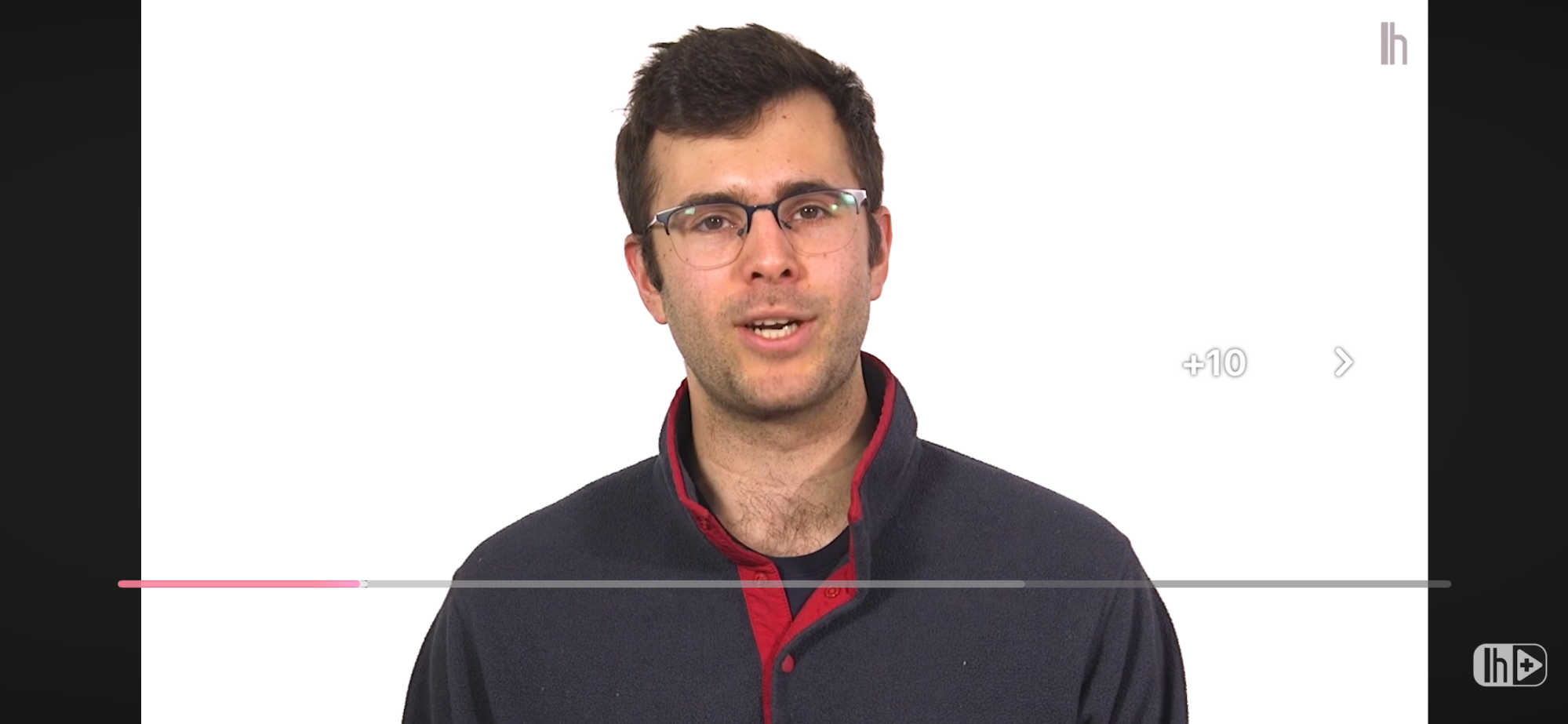
The first is a pretty minor change. Now, when you double tap the screen to either go forward or back 10 seconds, the video will just automatically jump to the new spot and display a big “-10” or “+10,” rather than showing a quick animation of three arrows disappearing into each other with a smaller “-10 seconds” or “+10 seconds” below them.

New like interaction on YouTube

Credit: Michelle Ehrhardt

The second is a bit cuter. On certain videos, tapping the “like” button will now play a custom animation, rather than simply putting some sparkles around a thumbs up. For instance, on a music video, you’ll now briefly see a musical note replacing the thumbs up.

Pausing no longer darkens your background

It used to be that pausing a video would darken the background until you unpaused it, kind of like lights being lowered on a stage. That’s no longer the case. While you’ll still see the lights go slightly down while you have controls open, a paused video will now display as normal if you tap again to dismiss the controls. It’s a small tweak, but could prove useful for taking screenshots. At the same time, though, I do worry that it might make it easy to think a video has frozen, if you’re not paying attention.

Nested comments and easier bookmarks

Finally, Google has removed a few steps to saving and commenting on videos.

Now, hitting the bookmark icon to save a video to a playlist has fewer steps, no longer requiring you to navigate multiple pages. Instead, it’ll just pause the video and open a list of your playlists for you, where you can quickly tap the playlist you want to save your video to.

YouTube nested comments

Credit: Michelle Ehrhardt

Additionally, comments are threaded now, easily showing who is replying to which comment. It’s a great way to keep track of the flow of the conversation, although it does make each comment take up a bit of extra space.

Can you get rid of the new YouTube UI?

Ultimately, I’m a little torn on the new YouTube app. Certain new features, like threaded comments, just make sense to me. But the chunkier buttons do feel like they get in the way a bit to me, and I can’t help but think of Fisher-Price when I see them.

Unfortunately, there’s not a lot you can do if you don’t like the new YouTube mobile interface. It’s still rolling out, so it’s possible you might not see every change yet. But because it’s server-side, once it hits you, that’s it. Even the web player is getting these changes, so leaving the app behind isn’t a viable option.

That said, if you’re on desktop, users on both Reddit and YouTube itself are putting together extension lists that you can mix and match to customize your experience. Technically, there are browsers for mobile that will allow you to play with these as well, with Firefox being the big one these days. However, I found that most of the suggested extensions no longer worked for me or weren’t available for mobile.

In that case, if you’re sick of how YouTube looks now, you might want to consider an alternate player app instead, like Play. It still relies on embedded videos, so it won’t save you from every change, but its overall minimalist style could offer welcome relief from YouTube’s increasingly busy design language.

Hackers Used Thousands of YouTube Videos To Spread Malware

Hackers have been spreading malware through more than 3,000 YouTube videos advertising cracked software and game hacks, cybersecurity firm Check Point warned this week. The campaign, active since at least 2021, tripled its video production in 2025. The videos promoted free versions of Adobe Photoshop, FL Studio, Microsoft Office, and game cheats for titles like Roblox. Fake comments created the appearance of legitimacy, the researchers found.

Users who downloaded archives from Dropbox, Google Drive, or MediaFire were instructed to disable Windows Defender before opening files. The downloads contained malware including Lumma and Rhadamanthys, which steal passwords and cryptocurrency wallet information. The hackers hijacked existing accounts and created new ones. One compromised channel with 129,000 subscribers posted a cracked Photoshop video that reached 291,000 views. Another video for FL Studio received over 147,000 views.


Read more of this story at Slashdot.