Did you miss this week’s top articles? Here are the five most read article on FOSS Force for the week that just ended.
The post FOSS Force’s Top Five Articles — For the Week Ending October 24, 2025 appeared first on FOSS Force.

Did you miss this week’s top articles? Here are the five most read article on FOSS Force for the week that just ended.
The post FOSS Force’s Top Five Articles — For the Week Ending October 24, 2025 appeared first on FOSS Force.
Spotify recently came under fire for running recruitment ads for ICE, which ask users to “join the mission to protect America” and to “fulfill [their] mission,” in the US. Despite music labels calling on the streaming service to stop serving ICE recruitment ads, Spotify doubled down. A spokesperson for the company told The Independent that the ads are “part of a broad campaign” by the US government running across different channels and that they do not violate its policies. The spokesperson advised users to just mark ads with a thumbs up or down so that the app can learn their preferences.
In addition, several artists have pulled their music from Spotify recently over its CEO’s, Daniel EK’s, investments in European defense tech firm Helsing. The defense company builds drones, aircraft and submarines, and it also sells AI software that can analyze sensor and weapons data from battlefields. Spotify has been facing backlash for its payout rates, which artists argue are unfair and lower than what other services pay, over the past few years as well.
So if you want to cancel Spotify, whether for any those reasons or another one altogether, you can follow the instructions below.
1. Log into your Spotify account in your browser.
2. Go to Account in the dropdown menu that shows up when you click on your Profile.
3. Find Cancel Subscription under the Subscription section.
4. Spotify will tell you that you’ll hear ads every 15 minutes on a free account, along with the date when your premium access will end. Click “Continue to cancel” at the bottom of the screen.
If you’re on mobile, make sure to request the desktop site after you log into your account on your mobile browser. Take note that if you’re part of a Spotify Family or Duo plan, only the plan manager will be able to cancel your subscription altogether. If you follow the same steps above as a member, you’ll only remove your account from the plan, but the manager will continue paying for it.
If you pay for your subscription through third-party providers, you can follow these instructions instead.
1. Fire up the Google Play app and tap on the icon for the account you use.
2. Go to Payments & subscriptions.
3. Tap on Subscriptions.
4. Find Spotify among your subscriptions and tap on it.
5. Tap on Cancel Subscription at the bottom of the screen, select a reason for cancellation and confirm it.
1. Go to Settings in your iPhone or iPad.
2. Tap on your name and go to Subscriptions.
3. Find Spotify and go through the cancellation process.
Instructions for this may vary, depending on your carrier. Generally, however, you can follow these steps.
1. Log into your carrier account on its website.
2. Find the option to manage your subscriptions under your account.
3. Find Spotify and go through the cancellation process.
You’ll still have access to Spotify’s premium features until your next billing cycle begins. That means you still won’t encounter ads and will have access to offline downloads, as well as unlimited skips and higher audio quality. You’ll be able to access your Spotify library even with a free account, but if you want to find another streaming service to pay for, you can check Engadget’s list of best music streaming services in 2025.
This article originally appeared on Engadget at https://www.engadget.com/apps/how-to-cancel-your-spotify-subscription-133022215.html?src=rss
Learn all about Linux load average, and how you can use it to monitor your system and optimize your system to run smoothly.
Resources is the open-source app aligned with GNOME/GTK for system resource monitoring. Resources has proven to be quite versatile with a nice UI and able to display CPU, GPU, NPU, disk, and other metrics. Out today is Resources 1.9 with the latest capabilities for this app…
If you’re moving on to a new Apple Watch, selling your current one or fixing some software hiccups, you’ll probably need to disconnect it from your iPhone. Apple calls this unpairing; it’s the step that wipes your watch, breaks the connection to your phone and removes Activation Lock so the next person can use it. The good news is that unpairing is straightforward whether you have your iPhone nearby or not. Here’s how it works, along with why you might want to disconnect your watch in the first place.
The simplest way to unpair your Apple Watch is through your iPhone.
Keep your iPhone and Apple Watch close together.
Open the Apple Watch app on your iPhone.
Navigate to the My Watch tab, then All Watches at the top.
Tap the info button next to the watch you want to disconnect.
Select Unpair Apple Watch, then select Unpair [your Apple Watch name].
If you have a cellular model, choose whether to keep or remove your cellular plan. Remove it if you’re selling or giving away the watch. Keep it if you plan to pair it again later
Enter your Apple Account password when asked to turn off Activation Lock, then select Unpair.
Your iPhone will create a backup before erasing the watch. When you set up a new Apple Watch, you can choose to restore from that backup and carry on with your data and settings intact.
If you don’t have your paired iPhone with you, you can still reset your Apple Watch directly. This will wipe your data, but won’t create a backup and Activation Lock will remain, so keep that in mind if you want to save your information.
On your Apple Watch, open Settings.
Select General, then scroll down and select Reset.
Select Erase All Content and Settings.
Enter your passcode if prompted.
For cellular models, choose whether to keep or remove your plan.
Your watch will erase itself and restart as if it were brand new.
There are a few reasons you might want to unpair your Apple Watch. Maybe you’re upgrading to a new model and need to start fresh. Maybe you’re trading it in, selling it or handing it down to someone else. You might also need to disconnect your watch if you’re troubleshooting. Sometimes a clean reset is the easiest way to fix syncing issues, missed notifications or fitness data that isn’t updating.
Whatever the reason, unpairing keeps your data safe, makes sure a backup is stored and disables Activation Lock. That last step is important because if you skip it, the next owner won’t be able to use the watch.
When you unpair your Apple Watch using your iPhone, the watch creates a backup that includes app data, settings and most health and fitness information. This backup is stored on your iPhone and will transfer to iCloud if you have backups turned on. That makes it easy to restore everything on a new watch.
If you reset from the watch without your iPhone, a backup is not created. Your data will be erased and the watch will be wiped clean, but Activation Lock remains.
Activation Lock is tied to your Apple Account and helps keep your watch secure if it’s lost or stolen. It turns on automatically when you pair your watch with your iPhone. That’s why unpairing isn’t the same as a simple reset. You need the Apple Account and password associated with the watch to turn off Activation Lock.
This article originally appeared on Engadget at https://www.engadget.com/wearables/how-to-unpair-your-apple-watch-from-your-iphone-120052222.html?src=rss
For millennia, some of the world’s largest filter-feeding whales, including humpbacks, fin whales, and blue whales, have undertaken some of the longest migrations on earth to travel between their warm breeding grounds in the tropics to nutrient-rich feeding destinations in the poles each year.
“Nature has finely tuned these journeys, guided by memory and environmental cues that tell whales when to move and where to go,” said Trisha Atwood, an ecologist and associate professor at Utah State University’s Quinney College of Agriculture and Natural Resources. But, she said, climate change is “scrambling these signals,” forcing the marine mammals to veer off course. And they’re not alone.
Earlier this year, Atwood joined more than 70 other scientists to discuss the global impacts of climate change on migratory species in a workshop convened by the United Nations Convention on the Conservation of Migratory Species of Wild Animals. The organization monitors and protects more than 1,000 species that cross borders in search of food, mates, and favorable conditions to nurture their offspring.
NVIDIA is taking the open-source and upstream “Nova” kernel graphics driver quite seriously for their hardware. Hitting the mailing lists on Friday night were initial patches in beginning to make preparations toward “next-gen GPU” support. Digging into the comments, it’s indeed for post-Blackwell GPUs…
The Servo open-source browser engine is out with their September 2025 development highlights. This Rust-based browser engine originally started by Mozilla continues making steady progress as well as to the “servoshell” demo/example browser implementation…
One way AI can improve on human workComputer scientists at UC Berkeley say that AI models show promise as a way to discover and optimize algorithms.…
Plasma 6.5 debuted this week that KDE developers and users have been celebrating. But it’s already on to working out fixes for Plasma 6.5.1 as well as new feature activity toward Plasma 6.6…
Electronic Arts (EA) has partnered with Stability AI, creator of Stable Diffusion, to co-develop generative AI tools aimed at accelerating game development. “I use the term smarter paintbrushes,” Steve Kestell, Head of Technical Art for EA SPORTS said in the announcement. “We are giving our creatives the tools to express what they want.” Engadget reports: To start, the “smarter paintbrushes” EA and Stability AI are building are concentrated on generating textures and in-game assets. EA hopes to create “Physically Based Rendering materials” with new tools “that generate 2D textures that maintain exact color and light accuracy across any environment.” The company also describes using AI to “pre-visualize entire 3D environments from a series of intentional prompts, allowing artists to creatively direct the generation of game content.”


Read more of this story at Slashdot.
The newest weekly test release of the FreeBSD 15.0 is now available for evaluation ahead of the planned December official release…
Electric mountain bikes are ruining mountain biking by impacting our personal relationships with effort and reward.
Traditional arguments against eMTBs centre on jeopardising trail and land access rights, abuses of in-built, country-specific speed limits and tearing up the trails with excessive erosion, among plenty of other legitimate concerns.
I agree with those frequently aired arguments – anything that puts our sport, and anyone’s right to go out and make the most of the countryside at risk, isn’t positive.
But I think the real reason eMTBs are ruining mountain biking is a deeply personal one.
It’s a reason any long-standing cyclist – who’s been around way before ebikes zipped up and down our hills and mountains – can surely identify with.
Heck, even those new to our sport can understand and appreciate how there’s no such thing as a free lunch.

Type one fun – the descents, a jump line, freewheeling to the bottom of the hill – was, in the past, only made possible by copious amounts of type two fun.
The long, slow, grinding, sweat-inducing winch to the descent’s start makes that very fling with gravity even better, even more fun and rewarding.
But here’s the kicker, that type two fun with its grimace-making effort of burying yourself is, in retrospect, also highly rewarding and enjoyable.
Electric mountain bikes are disrupting our relationships with these two core ingredients of mountain biking like never before, and we’re much worse off for it.

Before I go on, there needs to be an acknowledgement that eMTBs – and what they enable people to do – are excellent.
For people with a disability, people looking to start their fitness journey, people who don’t have much free time to ride, those coming back from an injury, or anyone else for that matter, they’re such a great tool, facilitator and enabler.
Even as an able-bodied, relatively fit guy who tests bikes as a job, I love riding mine, and there are plenty of people like me who love riding theirs.
Whether that’s for a lunchtime blast, an all-day epic or just a regular ride, ebikes are wicked.
I’m not singling anyone out, I’m not judging you for your choices or what you ride, but I still believe my point stands.

When eating out, or even at home, have you ever finished a dish that’s supposed to be a main meal and thought, ‘that was a nice starter, I wonder what’s for dinner’?
You leave unsatiated, hungry for more, dissatisfied with the quantity – cheated even – regardless of whether the food ticked all your other boxes.
In my eyes, ebiking is cycling’s equivalent of a lacklustre lunch.
More frequently than not, at the end of an eMTB ride, I’ve been left feeling slightly hollow, disappointed and unfulfilled.
Those rides have been long enough, they’ve had enough elevation gain and descent, and were tremendous fun, but the relationship between how much effort I’ve been putting in and the amount of sweet downhill reward isn’t in balance.
That same feeling of mild disappointment you get when you’ve not been given enough food lingers after an eMTB ride.
But it wasn’t while riding ebikes that this occurred to me.

The penny dropped when experiencing the balance of effort versus reward at its most stark while riding chairlifts and bike parks in the Alps earlier this year.
After casually racking up more than 6,000m of ascent and descent in one afternoon riding laps on what can only be described as some of the best trails in the world, I expected to have an afterglow; a buzzing, elated feeling I could relive and ride through the evening’s lull until the next morning’s fix.
But the feeling didn’t come.
I was flat, unfulfilled, my appetite unquenched by the repeated laps.
The next day, rather than buying another lift pass, I decided to pedal to the chairlift’s summit instead of slouching on the soft, padded and comfortable lift.
One lap was only 600 metres of elevation change, and the pedal – while not taking that long – set the tone for the ride.
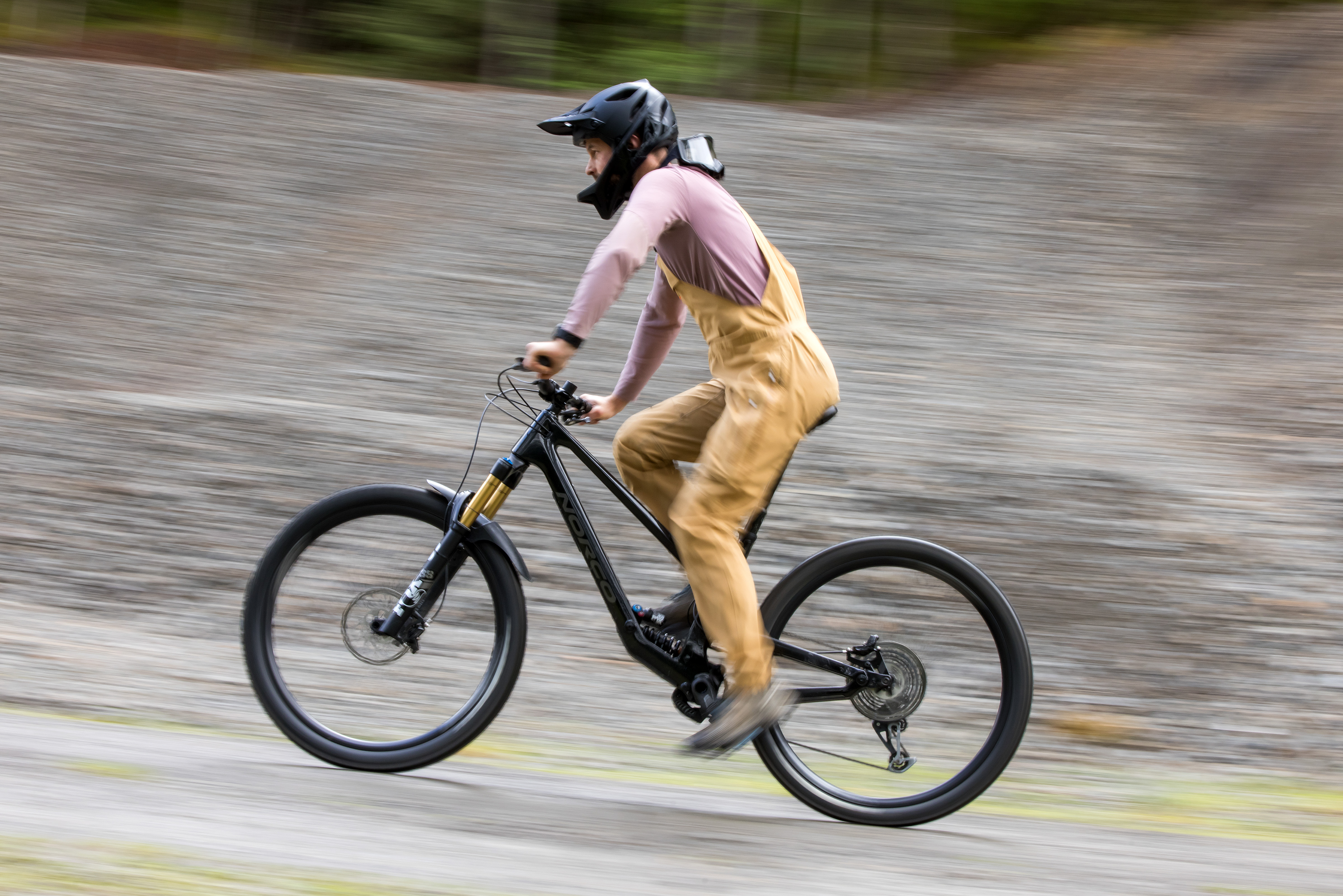
On the way up, I decided to see how long I could hold certain power outputs for, I drifted off and thought about the mountains, I enjoyed the cowbells, I appreciated the morning sun and dew on the grass, and I pondered the lines I was going to take on the descent.
I got to the top of the mountain sweaty, energised and ready to savour every last turn, braking bump, root and rock on my way back down.
Earning something precious – created by the relationship between the climb and descent – added so much value to my lowly, single downhill run.
Pedalling to the top of the track made that run infinitely better than the 10 I did the afternoon before.

While I’ll admit chairlifts and ebikes don’t have a great deal in common, taking the example of effort versus reward to its extremes helped me grasp what was going on.
On the chairlift, you’re sat fully stationary, free to snack, scroll or do whatever you please, while on the ebike you’ve got to be engaged, pedal, steer, brake and exercise.
But I realised that same hollow feeling I’d been experiencing at the end of ebike rides was the same I got from lapping the chairlift all day.
It was a eureka moment – the disruption between my effort input and my reward output was messing with my head and causing a disconnect.
Electric mountain bikes are preventing me from accessing the pleasure only the purest all-out efforts seem to be able to unlock.

I’ve said it before, but I’ll reiterate it again.
You can still bury yourself on an ebike.
You can max out your heart rate, you can burn as many calories as you want, and you can certainly get stronger, fitter and become a way better rider with one.
You can also put in the same amount of effort as you would on your pedal bike, but go twice as fast or twice as far.
But don’t be angry if I call you out – how many people are using their ebikes like this?
How many of you are going as hard as you can – in the same way you would on your non-assisted bike – on your eMTB?

From personal experience, I’m going to bet confidently that very few are, me included.
Hitting the bike’s speed limiter feels like ramming headlong into a brick wall while maxing out the motor’s cadence window, so when support drops off it’s also demoralising.
There’s no incentive to push just that bit extra, to lift yourself truly out of your comfort zone as you would on your regular bike because your ebike doesn’t give you that instant, torquey, powerful dopamine hit when you do.

The next time you head out on your regular bike, it takes a while to recalibrate – I frequently asked myself, ‘why isn’t this climb easier, or worse yet, already over?’. That is, until I came to terms with the impending slog.
Our perceptions of the amount of effort needed to get to the top of a favourite trail versus how much effort is required are totally out of whack.
It’s easy to see how people get stuck riding only ebikes.
They begin doubting whether they can make it up the climb on their non-electric bike and they question whether they’d be able to do more than one or two climbs and descents in a day.
Along with the other – very good – reasons for riding only ebikes, people get stuck, hooked on that gentle glide to the trail’s top.

There’s no substitute for your regular bike, for pushing yourself, for going that little bit harder, for longer.
And, most importantly, for earning that sweet reward on the way back down after hours of hard, all-out effort.
The dichotomous relationship between time spent going up and down, and the amount of fun they both bring to the equation isn’t mathematically sound, but it’s the reason I and many others love this sport.
The effort makes the reward – no matter how small – that bit more worth it.
My advice: don’t ruin it by only riding eMTBs.
Discover CLI and GUI methods to convert that Choppy-running TS video file in VLC Media Player with the step-by-step guide mentioned in this article.
China’s private space company LandSpace has completed a key static fire test of its Zhuque-3 (ZQ-3) reusable rocket — a stainless-steel, methane-fueled launcher modeled after SpaceX’s Starship. Universe Today reports: The latest milestone took place on Monday, Oct. 22nd at the Dongfeng commercial space innovation pilot zone (where the JSLC is located). It involved another static fire test, where the rocket was fully-fueled but remained fixed to the launch pad while the engines were fired. This kind of testing is a crucial prelaunch trial (what NASA refers to as a “wet dress rehearsal”), and places the company and China another step closer to making an inaugural flight test, which is expected to happen by the fourth quarter of 2025.
In traditional Chinese, Zhuque is the name of the Vermillion Bird that represents fire, the south, and summer, and is one of the four Symbols of the Chinese constellations. Like the Starship, the Zhuque-3 is composed of stainless steel and relies on a combination of liquid methane (LCH4) and liquid oxygen (LOX) propellant. The rocket will be powered by nine Tianque-12A (TQ-12A) engines and will measure 65.9 m (216 ft) tall and weigh 550,000 kg (1,210,000 lb). It’s payload capacity will be significantly less than the Starship: 11,800 kg (26,000 lbs) in its expendable mode, and 8,000 kg (18,000 lbs) for the recoverable version. This is closer in payload capacity to the Falcon 9, which is capable of delivering 22,800 kg (50,265 lbs) to Low Earth Orbit (LEO).
In time, the company hopes to transition to the larger Zhuque-3E, which will be 76.2 m (250 ft) tall and powered by nine TQ-12B engines, and will be capable of delivering to 21,000 kg (46,000 lb) in its expandable mode and 18,300 kg (40,300 lb) recoverable. The long term goal is to create a reusable system that can rival the Falcon rocket family, bringing the country closer to its goal of achieving parity with NASA.


Read more of this story at Slashdot.
An anonymous reader quotes a report from CNN: Iceland’s frozen, inhospitable winters have long protected it from mosquitoes, but that may be changing. This week, scientists announced the discovery of three mosquitoes — marking the country’s first confirmed finding of these insects in the wild. Mosquitoes are found almost everywhere in the world, with the exception of Antarctica and, until very recently, Iceland, due to their extreme cold.
The mosquitoes were discovered by Bjorn Hjaltason in Kioafell, Kjos, in western Iceland about 20 miles north of the capital Reykjavik. “At dusk on October 16, I caught sight of a strange fly,” Hjaltason posted in a Facebook group about insects, according to reports in the Icelandic media. “I immediately suspected what was going on and quickly collected the fly,” he added.
He contacted Matthias Alfreosson, an entomologist at the Natural Science Institute of Iceland, who drove out to Hjaltason’s house the next day. They captured three in total, two females and a male. Alfreosson identified them as mosquitoes from the Culiseta annulata species. A single mosquito from a different species was discovered many years ago on an airplane at the country’s Keflavik International Airport, Alfreosson told CNN, but this “is the first record of mosquitoes occurring in the natural environment in Iceland.” Further monitoring will be needed in the spring to see whether the species can survive the winter and “truly become established in Iceland,” Alfreosson said. He said he’s not sure climate change played a role in the discovery but “warming temperatures are likely to enhance the potential for other mosquito species to establish in Iceland, if they arrive.”


Read more of this story at Slashdot.
KDE Plasma 6.5 has officially landed in Arch Linux’s stable repositories, making it the first distribution to ship the new desktop.
Texas’s electricity demand has surged to record highs in 2025 but renewable energy is meeting the challenge. According to new data from the Energy Information Administration, solar output has quadrupled since 2021, wind continues steady growth, and battery storage is increasingly stabilizing the grid during evening peaks. Electrek reports: ERCOT, which supplies power to about 90% of the state, saw demand jump 5% year-over-year to 372 terawatt hours (TWh) — a 23% increase since 2021. No other major US grid has grown faster over the past year. […] The biggest growth story in Texas power generation is solar. Utility-scale solar plants produced 45 TWh from January through September, up 50% from 2024 and nearly four times what they generated in 2021 (11 TWh). Wind power also continued to climb, producing 87 TWh through September — a 4% increase from last year and 36% more than in 2021.
Together, wind and solar supplied 36% of ERCOT’s total electricity over those nine months. Solar, in particular, has transformed Texas’s daytime energy mix. From June to September, ERCOT solar farms generated an average of 24 gigawatts (GW) between noon and 1 pm — double the midday output from 2023. That growth has pushed down natural gas use at midday from 50% of the mix in 2023 to 37% this year. The report notes that while natural gas is still Texas’s dominant power source, it isn’t growing like it used to. “Gas comprised 43% of ERCOT’s generation mix during the first nine months of 2025, down from 47% in the first nine months of 2023 and 2024,” reports Electrek.


Read more of this story at Slashdot.
alternative_right shares a report from France 24: [Sweden’s] latest contribution to the war effort is Glimt, an innovative project launched by the Swedish Defence Research Agency (FOI) earlier this year. Glimt is an open platform that relies on the theory of “crowd forecasting”: a method of making predictions based on surveying a large and diverse group of people and taking an average. “Glimt” is a Swedish word for “a glimpse” or “a sudden insight.” The theory posits that the average of all collected predictions produces correct results with “uncanny accuracy,” according to the Glimt website. Such “collective intelligence” is used today for everything from election results to extreme weather events, Glimt said. […]
Group forecasting allows for a broad collection of information while avoiding the cognitive bias that often characterizes intelligence services. Each forecaster collects and analyses the available information differently to reach the most probable scenario and can add a short comment to explain their reasoning. The platform also encourages discussion between members so they can compare arguments and alter their positions. Available in Swedish, French and English, the platform currently has 20,000 registered users; each question attracts an average of 500 forecasters. Their predictions are later sent to statistical algorithms that cross-reference data, particularly the relevance of the answers they provided. The most reliable users will have a stronger influence on the results; this reinforces the reliability of collective intelligence. “We used this method and research, and we suggested to the Ukrainians that it could improve their understanding of the world and its evolution,” said Ivar Ekman, an analyst for the Swedish Defence Research Agency and program director for Glimt. “If you have a large group of people, you can achieve great accuracy in assessing future events. Research has shown that professional analysts don’t necessarily have a better capacity in this domain than other people.”


Read more of this story at Slashdot.
Vimeo now supports regular 180° video, and will support Apple Immersive Video by the end of the year.
YouTube has supported regular 180° video for over eight years now, but Vimeo is set to be the first major user-uploaded video platform to support Apple Immersive Video. Currently, Apple Immersive Video is mostly distributed through Apple TV or custom per-creator apps.
0:00
Apple depiction of Apple Immersive Video.
The Apple Immersive Video format is 180° stereoscopic 3D video with 4K×4K per-eye resolution, 90FPS, high dynamic range (HDR), and spatial audio.
We highly praised Apple Immersive Video in our Vision Pro review. It’s not possible to cast or record Apple Immersive Video though, so you’ll have to take our word for it unless you have access to a Vision Pro.
 UploadVRDavid Heaney
With its visionOS app released almost exactly a year ago, Vimeo also remains the only major video platform to natively support spatial video, Apple’s term for rectangular stereoscopic 3D video using the Apple HEVC Stereo Video Profile format of MV-HEVC, including uploads from iPhone or a Vision Pro headset.
Vimeo says it expects to ship Apple Immersive Video support by the end of this year.