Nvidia became the world’s first $5 trillion company on Wednesday after its stock climbed 5% in early Wall Street trading to push its market capitalization to $5.13 trillion. The Silicon Valley chipmaker reached the milestone three months after hitting $4 trillion and three years after it was valued at roughly $400 billion before the debut of ChatGPT.
Nvidia chief executive Jensen Huang said Tuesday that Nvidia had secured half a trillion dollars in orders for its AI chips over the next five quarters. The stock had already gained 5% on Tuesday and added more than $200 billion to its market value. President Donald Trump said Wednesday he planned to discuss Nvidia’s Blackwell chip with China’s President Xi Jinping when the two leaders meet later this week. Nvidia’s latest generation of graphics processing units is not currently available in China because of US export controls. The company’s shares have risen more than 85% in the past six months.
For Google loyalists, the first purported look at the Pixel 10a could ring a familiar tune rather than drastically advance the bar. Not expected to debut until early 2026, the well-regarded mid-budget handset has been revealed in CAD renders and the consensus is clear: Google is playing it safe, delivering a device that is essentially a Pixel
Debian’s ftpmaster
team has been responsible for allowing new packages to enter Debian,
removing old packages, and otherwise maintaining Debian’s package
archive for more than two decades. As of October 26, the team is
no more and its duties are being split between two new teams. The Archive
Operations Team will focus on the infrastructure required to
support the Debian
archives, and the DFSG, Licensing & New
Packages Team, which is responsible for reviewing packages
entering the new
queue. In time, this move could speed up processing of new
packages, as well as making the teams more sustainable, but only after
new members are recruited and trained. For now, the same folks are
doing the work but spread across two teams.
A delegation from Giant met with the US Customs and Border Protection (CBP) in Washington, DC for a meeting to discuss the company’s labour practices, following allegations of forced labour and the barring of certain Giant goods from the USA, the bike brand revealed today.
Giant said there was a “positive and constructive” atmosphere, where the delegation team and CBP engaged in “extensive discussions on the company’s current status and ongoing improvement actions”.
The meeting follows the issuance of a Withhold Release Order in September that barred the import of Giant bicycles, bicycle parts and accessories made in Taiwan, following an investigation that found evidence of forced labour.
Following the embargo, Giant said it is “firmly committed to upholding human rights and labor protections”. On 29 September, it formally engaged with the CBP through its US legal counsel to arrange the official meeting.
Giant said in a statement released today that: “CBP acknowledged Giant Group’s proactive attitude and actions following the issuance of the Withhold Release Order (WRO), as well as the company’s immediate engagement in constructive communication and meeting with CBP. CBP also recognized the company’s incorporation of labor rights into its corporate sustainability governance goals and active implementation.”
Giant added that the CBP emphasised that it was “penalising Giant” but that it “aims to promote corporate improvement in labor and human rights governance through collaboration with enterprises”.
One of the forced labour indicators the CBP claims to have identified was debt bondage, where a person is forced to work to pay off a debt.
Last year, investigative journalist Peter Bengtsen found migrant employees at Giant had paid high recruitment fees. “[W]orkers borrow significantly from banks and money lenders, often at excessive interest rates, and thereby risk debt bondage while working in Taiwan to pay off loans,” Bengtsen told BikeRadar.
Giant says it has implemented a zero recruitment fee policy since the start of 2025, and in October, it said it would reimburse migrant workers hired before 2025. The company also revealed it was moving migrant workers into new dormitories and that it had hired an international third-party advisor “to identify, assess, and develop a comprehensive compensation plan to reimburse current migrant workers hired before January 1, 2025, for their previous recruitment expenses”.
Giant said in the statement released today that this audit “is an important component of CBP’s relevant procedures”.
The CBP did not immediately respond to BikeRadar’s request for comment on the meeting or its procedures.
The CBP’s Withhold Release Order, which is the first of its kind on a Taiwanese manufacturer, sent shockwaves through the Taiwanese bicycle industry.
The Taiwan Bicycle Association also announced an initiative for industry suppliers to observe human rights.
“To meet growing global expectations for Human Rights Due Diligence (HRDD) and sustainable supply chain governance, the Taiwan Bicycle Association (TBA) has announced an industry initiative encouraging suppliers across the value chain to undertake supply chain due diligence, with a particular focus on human rights and forced labor,” the trade association said in October.
Greg Kroah-Hartman has announced the release of the 6.17.6, 6.12.56, 6.6.115, 6.1.158, 5.15.196, 5.10.246, and 5.4.301 stable kernels. As always, each
contains important fixes throughout the tree. Users of these kernels
are advised to upgrade.
A depressing byproduct of global climate change is more powerful hurricanes—four of the six strongest hurricanes on record have occurred since 2005, and Hurricane Melissa, which tore through Jamaica yesterday as category 5 storm, may become number five.
Everyone living near either U.S. coast is potentially in danger from these types of vicious storms, whether from debris made deadly from high winds, accidental electrocutions from downed power lines, and especially from storm surge and fresh-water flooding, the main cause of hurricane-related deaths. But you can keep yourself safer if you follow a few simple steps.
Where are the safest places to be during a hurricane?
First, get out of the hurricane’s path. The safest place to be when a hurricane approaches is somewhere else; so you should definitely evacuate when you are told to. Hurricanes are not entirely predictable but they’re slow enough that evacuation is usually possible. Don’t be prideful; track storms early and get out of Dodge if you’re in danger. (Information on how to track hurricanes is below.)
Go to a designated shelter: Sometimes residents are ordered to shelters as hurricanes approach. If the civic authorities tell you to go to one, do it. An “official” shelter will almost definitely be safer than your house.
Stay inside your home. If you haven’t evacuated (whether because you’re stubborn or “shelter in place” orders have been given), stay inside. Hurricanes are powerful, fascinating storms, but resist the urge to go outside and experience them or to try to batten down the hatches once the storm is upon you. It’s too late. Save yourself, not your lawn furniture.
Stay away from windows. Don’t look out the windows during a hurricane. The storm’s winds can turn the glass in your windows to flying shards of death in an instant.
Go to a small, interior room: The safest part of your house is the middle. You’re trying to avoid the shards of flying glass when your windows are blown in, so an interior room with no windows is your best bet. It could be a hallway, a bathroom, a pantry, etc. Wherever you hunker down, make sure there are no heavy objects above you that could fall.
Stay on the lowest floor that isn’t the basement: You might think higher ground is the move, but it is not. Avoid the upper floors of your home because the wind is stronger the higher you go, and in severe hurricanes, roofs can be blown off or destroyed by blown debris. Stay on the lowest interior floor that is not likely to flood; but not the basement. Basements can fill quickly during storm surge and are not always safe.
Stay in your house even longer: Be patient, and do not be fooled if there is a lull in the storm. You could be in the eye of the hurricane, and the high winds might pick up again. Listen to your radio and wait for local officials to indicate it’s OK to go outside.
While there are ways to mitigate risk, being trapped in your house during a hurricane is a potentially deadly situation, and can almost always be avoided if you take some precautions and evacuate when ordered to.
Know how emergency alerts for hurricanes work
Make sure your phone and backup burner phone are set up to receive Wireless Emergency Alerts (WEA) from FEMA through the Integrated Public Alert Warning System (IPAWS). These are free 90-character texts that local authorities can send to mobile devices within range of any cell towers in an affected area. There’s no need to sign up; just make sure your phones are updated and charged.
For more hurricane information, opt in to local public alert systems
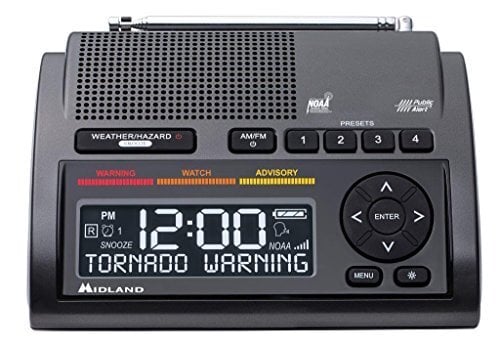
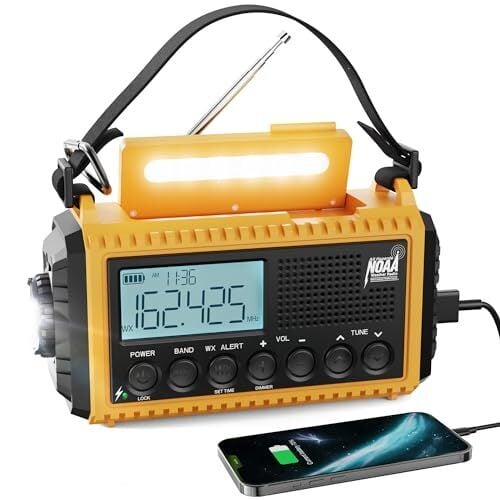
Next, do a search for your jurisdiction’s opt-in public alert system. Click here and enter your town, city, or county name + “emergency alerts” to see how you can sign up. It’s not a bad idea to check with your local emergency management or public safety office either. You can also receive alerts and warnings directly from the National Weather Service with a NOAA Weather Radio. Do your best to make sure everyone in the family is able to get warnings and alerts—not just you.
Midland WR400 Deluxe Noaa Emergency Weather Alert Radio
$74.99 at Amazon
$74.99 at Amazon
Emgykit MD319 NOAA Weather Alert Radio with S.A.M.E Localized Programming, 23 County Codes & 80+ Emergency Alerts, Battery Backup, Alarm Clock, External Antenna and Warning Light for Home & Emergency
$37.71 at Amazon
$49.99 Save $12.28
$37.71 at Amazon
$49.99 Save $12.28
Raynic Emergency Radio, 5000mAh/18500mWh Weather Radio, Solar Hand Crank Radio with AM/FM/SW/NOAA Alert, Cell Phone Charger, Headphone Jack, Flashlight and SOS Siren
$35.99 at Amazon
$39.99 Save $4.00
$35.99 at Amazon
$39.99 Save $4.00
What is the difference between a hurricane “advisory,” “watch,” and “warning?”
Warnings aren’t much help if you don’t know what they mean. Here’s a quick breakdown of hurricane and tropical storm warnings, via FEMA:
Hurricane advisory: The National Weather Service (NWS) issues this when they expect a storm to cause significant inconveniences that may be hazardous, but not life-threatening.
Hurricane watch: NWS issues this when there is a possible hurricane within the next 48 hours. If you see a watch issued, turn on your NOAA Weather Radio, local radio, TV, or other news source to stay informed. Double check your emergency supplies and go-bag in case you need to hunker down or evacuate.
Hurricane warning: The NWS issues this when it expects a hurricane within the next 36 hours. Do everything listed in the “Watch” section, then prepare to evacuate if told to do so.
How to prepare for hurricane evacuation
It’s possible local authorities will tell you to evacuate the area, so you need to be prepared to leave at a moment’s notice. Here’s what you need to do to be ready:
Have an evacuation plan: Either learn your community’s evacuation plan or develop one of your own using suggested routes via your state’s Department of Transportation or Office of Emergency Management websites.
Have a place to go: Inform family or friends who you might be staying with, or locate a nearby emergency shelter location using the FEMA mobile app. Designate a meet-up place for everyone in case you get separated.
Prepare your vehicle: Fill up your gas tank, load up your car with basic emergency supplies, and make sure it’s ready to roll out.
Grab your go-bag: Everyone in your household should have a go-bag (aka “bug-out bag”) packed and ready. It should include water, non-perishable food, a flashlight, backup power for your phone, a first-aid kit and prescriptions, copies of important documents, a change of clothes, hygiene basics, and anything your kids, seniors, or pets need to get through a few days away from home. Here are more details on what to put in a go-bag.
Leave no one behind: Make sure your evacuation plan accounts for everyone in your household, including pets.
DO NOT tape your windows in hopes of protecting them. It isn’t very effective and this method can actually create larger, more dangerous shards of glass if they break.
How to prepare your yard for a hurricane
Once you’ve got all openings covered, bring in all loose objects from your yard: patio furniture, garbage cans, bicycles, toys, lawn tools, etc. If something is too big to bring inside, anchor it as best you can outside. Make sure your trees are trimmed to avoid branches smashing into your home. Unplug electronics and be sure to shut off all propane tanks.
Last, get your home and property ready for potential flooding. Clean debris out of your gutters and drains, elevate your heating system, water heater, and electric panel, and don’t keep any easily-damaged valuables in the basement or in low areas.
What to do after a hurricane
The danger isn’t over when the winds stop blowing. Here are some things to remember after a hurricane ends.
Stay out of floodwater: Don’t walk or drive on a flooded street. Never enter floodwaters—even shallow water can hide electrical hazards and could be rife with dangerous chemicals, human and animal waste, and possibly deadly pathogens.
Do not go near damaged buildings: Storm-damaged structures can collapse.
Beware of downed power lines: Powerful winds can knock over power lines and power lines can electrocute you.
Use generators safely: If you’ve lost power but you have a generator, make sure you know how to use it safely.
Make sure your food and water are not contaminated: Throw away food and beverages that have had any contact with floodwater, or smells or looks suspicious.
Follow directions of civic authorities: Listen to emergency broadcast radio and be ready to follow the directives of authorities.
Do you have one streaming service too many? While you’re far from alone in that, sometimes it’s worth saying goodbye to one and saving some cash. Take Paramount+, which starts at $8 per month for its ad-supported Essential plan. Then there’s its ad-free Premium plan, coming in at $13 a month.
In the meantime, here’s everything you need to know about canceling your subscription through Paramount+ or third-party providers like Apple or Google.
How to cancel via web:
If your subscription is directly through Paramount+ then canceling it takes only a few clicks.
Sign in to your Paramount+ account on your browser.
Go to the Paramount+ Account page.
Tap on Cancel Subscription.
How to cancel via third-party provider:
It’s still relatively simple to cancel your Paramount+ subscription even if you bought it through a third-party. Here’s what you need to know based on where you purchased it.
Cancel via Apple iPhone or iPad
Go to Settings in your iPhone or iPad.
Choose your name.
Tap Subscriptions.
Click Paramount+ and then select Cancel Subscription.
Tap Confirm.
Cancel via Apple TV
Go to Settings in your Apple TV.
Tap Users & Accounts.
Select your Apple TV account.
Choose Subscriptions.
Click Paramount+ and select Cancel Subscription.
Cancel via Google Play Store on a web browser
Go to the Google Play Store through a web browser.
Sign in to your Google Play Store account.
Click Bills & Accounts on the left side of the screen.
Choose Paramount+ and tap Cancel Subscription.
Cancel via your Android smartphone or tablet
Go to the Google Play Store app.
Click on your profile icon.
Choose Payment & Subscriptions.
Tap on Subscriptions.
Click Paramount+ and then select Cancel Subscription.
Follow the prompts to confirm your cancelation.
Cancel via your Android TV
Open the Google Play Store app.
Go to Menu.
Choose My Apps.
Tap on Subscription.
Click Paramount+ and then select Cancel.
Choose Yes to confirm your cancelation.
Cancel via Amazon
Go to Amazon App Store Subscriptions.
Sign in to your Amazon account.
Find your Paramount+ subscription and choose Actions.
Tap Turn Off Auto-Renewal.
Click Turn Off Auto-Renewal again to confirm your cancelation.
Can I pause my subscription?
No, there’s no option as of yet to pause your Paramount+ subscription. If you want to cancel it then just do so and rejoin when the time is right — or a better deal is available.
What happens after you cancel
The good news is that your subscription won’t end immediately. If you’re in a free trial then your access to Paramount+ will remain until the trial period ends. Similarly, paid subscribers will lose the ability to use Paramount+ at the end of the current billing period. Notably, if you’ve used a multi-month promotion, your subscription will still stop at the end of your current billing period.
This article originally appeared on Engadget at https://www.engadget.com/entertainment/streaming/how-to-cancel-your-paramount-subscription-140053714.html?src=rss
I vividly remember testing the first Echo Studio. Even though that was nearly six years ago, I can clearly recall my surprise that Amazon had finally built a smart speaker that actually sounded good. It certainly helped that Amazon created a device that appropriately broadcasted spatial audio, and one that offered a boost to movies in the living room (if you bought a pair of them).
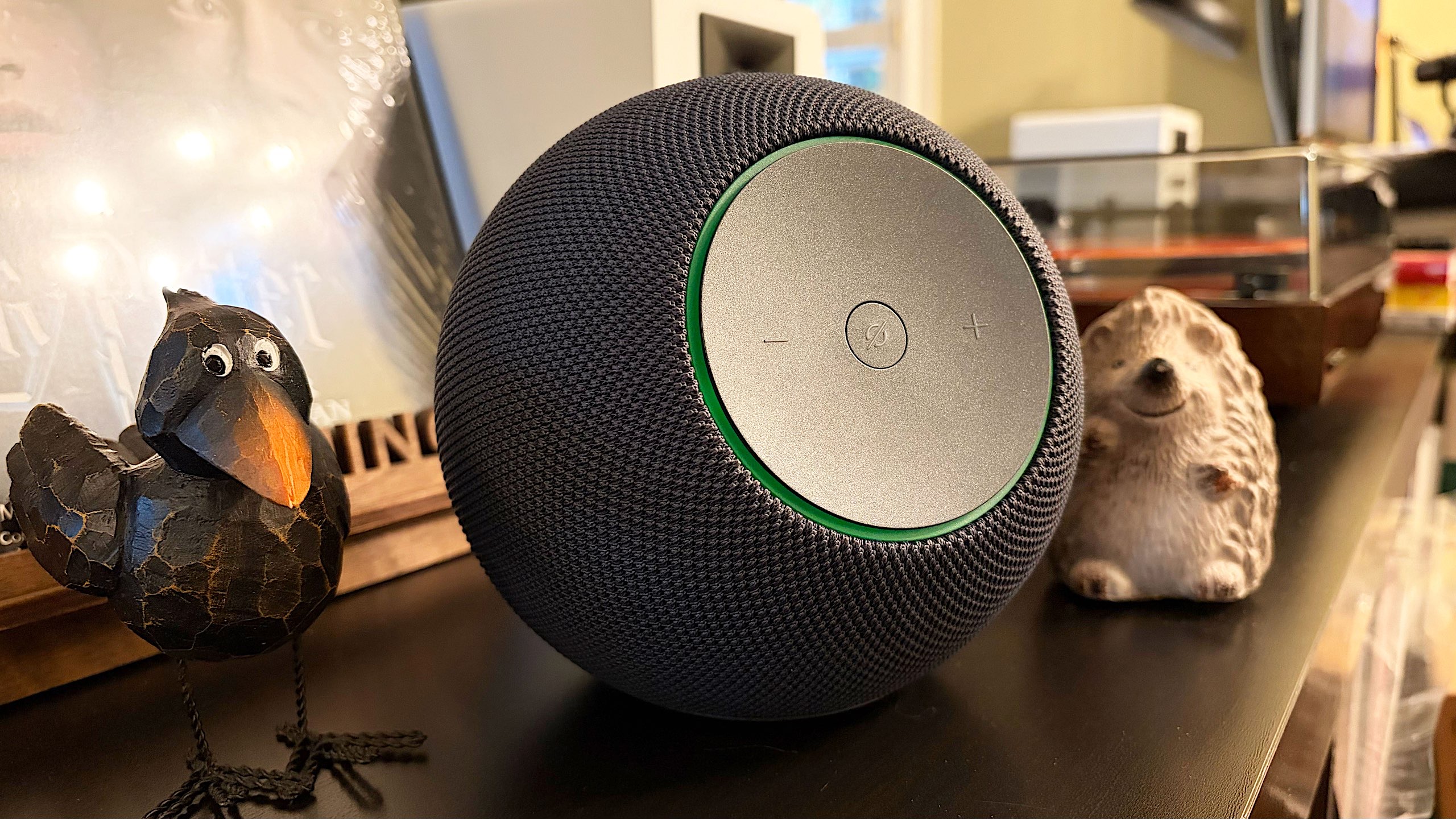
I was similarly surprised to see the overhauled Echo Studio when Amazon revealed it a few weeks ago. Could the company offer the same audio performance in a speaker that was 40 percent smaller? The 2025 Echo Studio ($220) combines three 1.5-inch full-range drivers with a 3.75-inch woofer in a very confined space, all powered by the company’s new AI-ready processor. There’s certainly a lot to like about the comprehensive reboot of the Studio after such a long time, but for now, there are also several caveats.
What’s good about the Echo Studio?
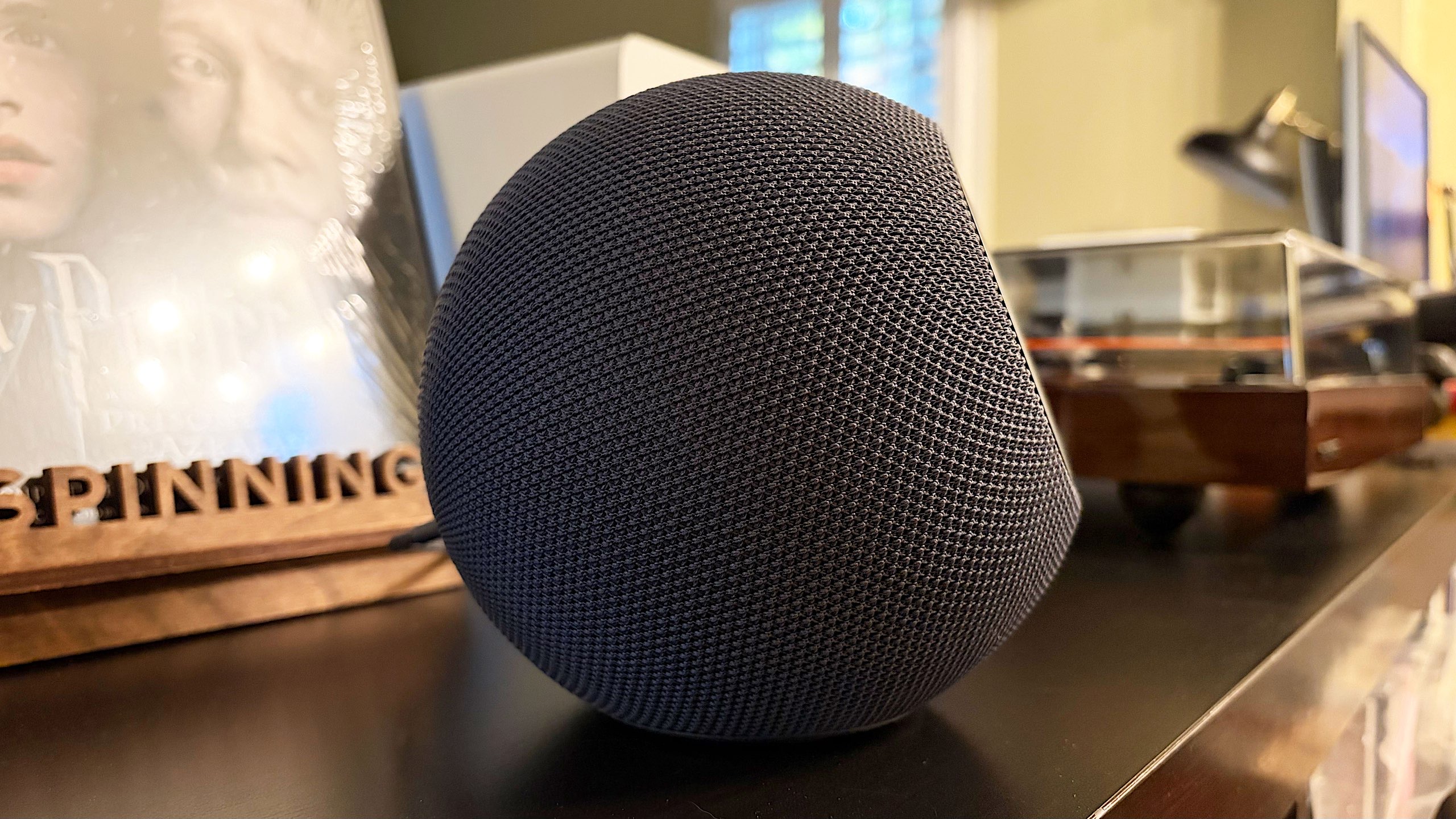
Amazon completely redesigned the Echo Studio, opting for a much more compact, spherical look compared to the previous large cylinder. To me, this is an upgrade; it looks less like a speaker and more like a piece of home decor. Amazon also moved the trademark light ring to the front, the element that illuminates when you’re talking to Alexa, so it’s easier to see when you’re directly facing the speaker. The lights will also display volume level in white when you make an adjustment, flash red if you mute the microphones and show blue for Bluetooth pairing mode. If you employ the Drop In feature, the Echo’s intercom of sorts, the ring glows green while you check in on what’s happening in the room from somewhere else.
The company also relocated all of the controls. The volume and mute buttons that used to be on top are now on an angled panel on the front, offering satisfying travel when you press them. And those are the only three buttons you get on the Echo Studio, as Amazon wants you to use noice commands for everything else when playing music or podcasts. Or, you know, you could reach for your phone.
There are optional tap controls that can be used to snooze alarms, stop timers and end both calls and Drop Ins. You simply tap the top of the Echo Studio for this. What’s more, you can enable “advanced” tap control that allows you to play/pause media with the same action.
Amazon promises “powerful bass and crystal-clear vocals” on the new Echo Studio, and I’d say the latter holds true. There is great clarity in the sound here, and the tuning definitely favors highs and mids across nearly every genre. For example, the synths and vocals on the TRON: Ares soundtrack by Nine Inch Nails are more prominent than the drum machines or bass line. Still, I heard an immersive quality to these songs, but not as much as I’ve noticed using headphones or earbuds. There’s more low-end tone on Thrice’s Horizons/West, and overall, the instruments offer a more enveloping quality than most other albums I tested. Just know there’s quite a bit of variation from album to album and genre to genre.
Like the original Echo Studio, this model supports spatial audio, Dolby Atmos and Sony 360 Reality Audio content. Those are available from various streaming platforms, including Amazon Music Unlimited. Amazon only sent me one of the new speakers, so it’s tough to evaluate immersive Atmos sound here, but I gave it my best shot. The Echo Studio performs slightly better with Dolby Atmos tunes from Amazon Music as those songs have more depth and a wider soundstage. However, the bass is still quite muted, so even the spatial audio and Ultra HD quality boost don’t rescue the sluggish low-end tone and prominent vocals.
A word about Alexa+
Amazon’s Echo Studio is a cozy home for Alexa+.
Billy Steele for Engadget
The new Echo Studio comes with early access to Alexa+, Amazon’s next-gen virtual assistant. The company has spent the last few years overhauling its companion, and my colleague Cherlynn Low has an in-depth preview of what you can expect when you’re able to use it. I’ve been chatting with the new Alexa for about a week during the course of testing this speaker, and to my surprise, this AI-powered assistant is indeed much improved.
The biggest change I’ve noticed is in on-going conversations with multiple follow-up questions or comments. The new AZ3 Pro chip inside the Echo Studio certainly helps keep things snappy, so there are no awkward pauses. I asked Alexa+ to remind me to make pizza dough one afternoon, and it confirmed the request without hesitation. Taking a cue from Cherlynn, I then asked about my mood right after, to which Alexa replied that I seemed to be chill based on my voice — a good “Monday vibe.”
Except it wasn’t Monday, it was Tuesday. When I corrected Alexa, the assistant played it cool, thanking me for helping and apologizing for the mistake. It then recalled the initial pizza request, commenting that it seemed like I was on top of things that day, including my dough recipe and the task at hand. It was the most human-to-human interaction I’ve ever had with a virtual assistant, and it felt like the promise of casual conversations with technology like this was finally fulfilled. And, I have to say, it kind of freaked me out.
My week–long fling hasn’t been without a few bumps though. Despite the Echo Studio having a built-in temperature sensor, Alexa+ can’t pull data from it. When you ask about the temperature in your house, the assistant checks for a connected thermostat, which I don’t have synced with the Alexa app. There are still times like this where you’ll run into some head-scratching limitations, but overall, the new Alexa is more human-like than ever when you interact with it. And again, at times, it’s pretty unsettling.
When the early access period is over, you’ll need a Prime membership to continue using Alexa+ for free. If you don’t have one, the next-gen assistant will cost you a whopping $20/month. And right now, the preview is only available in the US and in US English.
What’s not so good about the Echo Studio?
The new design features three drivers and a single woofer for sound.
Billy Steele for Engadget
While the clarity and somewhat immersive audio performance on the Echo Studio is a highlight, the lack of detail in the bass tuning is a hindrance most of the time. There is noticeable bass when a song calls for it, but the low-end tone has a muted, almost muffled quality that’s missing nuance. This makes songs like Water From Your Eyes’ “Born 2” sound much flatter and constrained than I’ve heard on the second-gen Bose QuietComfort Ultra Headphones and AirPods Pro 3.
Amazon spent time during its recent launch event talking about Alexa Home Theater, a feature that will allow you to combine up to five Echo Studio speakers (or Echo Dot Max) with a compatible Fire TV stick. The company promises that all you have to do is plug in your gear and Alexa will handle the setup and tuning for you automatically. Unfortunately, Alexa Home Theater isn’t available yet; the company says it will be released “in the coming weeks.” Of course, this means I wasn’t able to test it, which leaves one of the Echo Studio’s best features — at least on paper — for future evaluation.
The company also nixed the 3.5mm input from the original Echo Studio. While I can appreciate that it was a much larger speaker, and 2019 was an entirely different time, I did like that Amazon gave us the option for wired connectivity on that device. With this new model, you’re left with Wi-Fi and Bluetooth.
Despite enabling tap controls in the Echo Studio settings in the Alexa app, I could only get a few of them to work (snooze alarms, dismiss timers, end calls and stop Drop In). I even made sure to stand right in front of the speaker so its proximity sensors would know I was there, tapping awkwardly on the 3D knit fabric. Obviously, this doesn’t block any of the speaker’s functions as you can just use your voice for all of it. However, the ability to at least play/pause directly on the speaker would be handy.
Wrap-up
The second iteration of the Echo Studio is a refined smart speaker that’s purpose-built for Amazon’s next-gen AI voice assistant. The device is a nice home for Alexa+ and the new design is certainly an improvement over the 2019 aesthetic of the original. While there’s some aspects of the sound on the Echo Studio that I admire, the tuning doesn’t offer the comprehensive oomph of that first speaker. That’s mostly due to the lack of detail in the bass, despite a pleasingly immersive soundstage overall. One of the speaker’s main features is still on the way, and the tap controls need fine-tuning, so for now, the new Echo Studio has a considerable amount of unfulfilled potential.
This article originally appeared on Engadget at https://www.engadget.com/audio/speakers/amazon-echo-studio-2025-review-a-comprehensive-redesign-for-alexa-140000191.html?src=rss
Bill Gates is retreating from his earlier warnings about climate change. The Microsoft co-founder now argues that what he called the “doomsday view of climate change” has caused the climate community to focus too heavily on near-term emissions goals and divert resources from addressing poverty and disease in the world’s poorest countries.
In a blog post, Gates wrote that climate change will have serious consequences but will not lead to humanity’s demise. He acknowledges that some climate advocates will call him a hypocrite given his own carbon footprint and his 2021 book warning that climate change could be as deadly as COVID-19 by mid-century and five times as deadly by 2100.
The poorest countries receive less than 1% of rich countries’ budgets at their highest level and that this share is shrinking as wealthy nations cut aid and low-income countries struggle with debt, he wrote. Rising temperatures are now inevitable and that the current consensus suggests Earth’s average temperature will be between two and three degrees Celsius higher than 1850 levels by 2100.
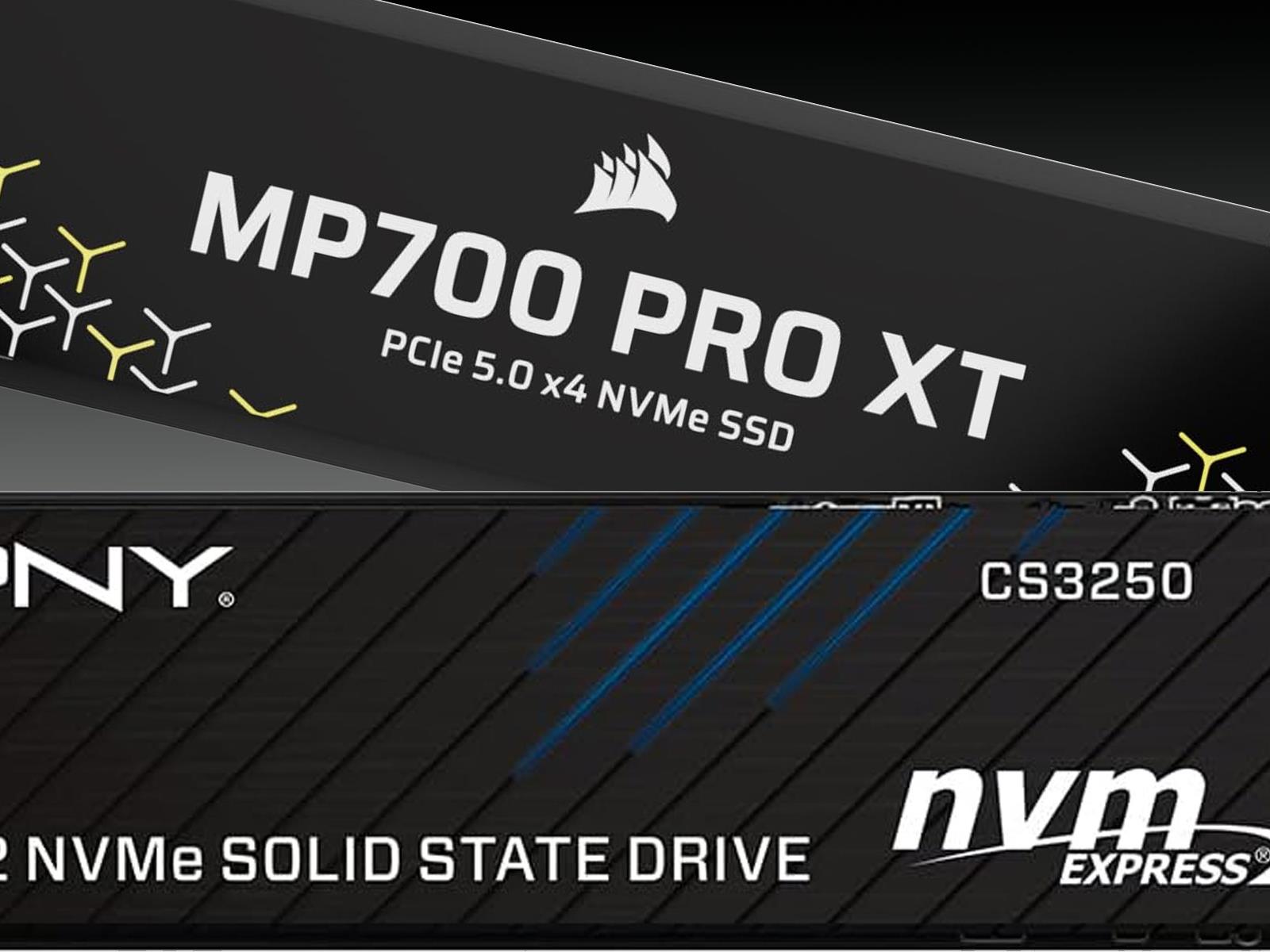
A new wave of flagship solid state drives (SSDs) that nearly saturate the available PCI Express 5.0 bandwidth available to x4 NVMe storage drives is starting to be appear. In back-to-back announcements, both PNY and Corsair unveiled new lightning-fast Gen 5 models—CS3250 and MP700 Pro XT, respectively—that are rated to deliver sequential read
In addition to talking up the openSFI firmware collaboration between AMD and Intel at the OCP Global Summit 2025, AMD engineer Raj Kapoor provided a status update on the company’s much anticipated openSIL effort for working to ultimately replace AGESA with a new open-source CPU silicon initialization codebase…
Trusted execution environments, or TEEs, are everywhere—in blockchain architectures, virtually every cloud service, and computing involving AI, finance, and defense contractors. It’s hard to overstate the reliance that entire industries have on three TEEs in particular: Confidential Compute from Nvidia, SEV-SNP from AMD, and SGX and TDX from Intel. All three come with assurances that confidential data and sensitive computing can’t be viewed or altered, even if a server has suffered a complete compromise of the operating kernel.
A trio of novel physical attacks raises new questions about the true security offered by these TEES and the exaggerated promises and misconceptions coming from the big and small players using them.
The most recent attack, released Tuesday, is known as TEE.fail. It defeats the latest TEE protections from all three chipmakers. The low-cost, low-complexity attack works by placing a small piece of hardware between a single physical memory chip and the motherboard slot it plugs into. It also requires the attacker to compromise the operating system kernel. Once this three-minute attack is completed, Confidential Compute, SEV-SNP, and TDX/SDX can no longer be trusted. Unlike the Battering RAM and Wiretap attacks from last month—which worked only against CPUs using DDR4 memory—TEE.fail works against DDR5, allowing them to work against the latest TEEs.
We may earn a commission from links on this page. Deal pricing and availability subject to change after time of publication.
The Beats Studio Buds are currently $79.95 at Walmart, down from $149.95, making them one of the more affordable pairs of noise-canceling earbuds backed by Apple’s ecosystem. They’re designed to work just as well with Android as they do with iOS, which isn’t always the case for Apple-owned products. The sound profile leans more toward bass (classic Beats tuning), but you still get decent clarity in the mids and highs. They’re not balanced or studio-accurate, but if you listen to pop, hip-hop, or electronic music, that low-end punch can be fun.
The active noise cancellation (ANC) and Transparency mode are a nice surprise at this price. And while the ANC doesn’t match the precision or adaptability of higher-end models from Sony or Bose, it handles steady low-frequency sounds well enough for commutes or travel (according to this PCMag review, voices and higher frequencies still slip through). Physically, these earbuds are small and light, though the glossy finish can make them tricky to grip when inserting them. Once in place, though, they sit securely and comfortably, helped by three included eartip sizes.
Controls are simple: You can play or pause music, take calls, and switch between ANC modes directly from the buds. The only omission is volume control, which still requires reaching for your phone. The Studio Buds are also IPX4 water-resistant, meaning they’ll handle sweat or light rain without issue. Battery life is modest, around five hours with ANC on or eight without, and the charging case adds another 10 to 16 hours depending on usage. That said, there’s no wireless charging, and it comes with a USB-C cable but no adapter, so you’ll need one handy. If you’re not expecting top-tier noise cancellation or audiophile balance, the Studio Buds still cover the basics well. They’re easy to use, small enough to carry anywhere, and deliver strong bass with a decent ANC experience at under $80.