The Beginner’s Guide to Upgrading Your Home With Smart Lights

We may earn a commission from links on this page.

In Lifehacker’s series, “A Guide to Automating Your Entire Home,” we’re highlighting all the ways you can power your home with autonomous technology, room by room. Whether you want to build a smart security system, turn a “dumb” device smart, or simply control your lights from your phone, this guide will help walk you through it.


We might not live in a future where your home can cook your meals, do your dishes, and walk your pets—yet. But there’s one area where the smart home of the future became a normal reality while we were barely paying attention: your lights. I’ve been using smart lights for the better part of a decade and I can’t go back to typical lights.

There are several brands of smart lights from companies like Philips, GE, Wyze, and more that can turn any lamp or light fixture into smart home-controlled lighting. You can use your phone, smart speakers like Amazon’s Echo line, or Google’s Nest speakers.

The best smart light brands right now

Several major brands manufacture smart lights and, while it is technically possible to mix and match bulbs from different companies, it’s easier if you stick to one ecosystem. With that in mind, here are a few of the most established companies and the benefits of each:

  • The reigning champion: Philips Hue. These are the lights I personally use. Philips Hue is the most established competitor, with a massive array of bulbs, light strips, lamps and other lighting gear. Its software suite is also one of the most developed, with robust automation tools and colorful scene libraries. Historically, it’s also been the most expensive system, but the company recently announced a line of cheaper bulbs.

  • An inexpensive entry point: Wiz. If you don’t want to spend $50 per light bulb in your home—and who can blame you?—Wiz is an affordable alternative to Hue. The company offers full-color bulbs that start as low as around $12 per bulb, in a variety of form factors.

  • For stylistic flair: LIFX. Similar to Philips Hue, LIFX is a bit more expensive, but the company offers a wide variety of unique, stylish lights, like colorful tube bulbs, or flexible LED strips

  • For customizable lighting arrays: Nanoleaf. While Nanoleaf technically makes its own series of typical smart light bulbs, the company is best known for its modular lighting kits. These kits come in shapes like hexagons, lines, blocks, and more. Each piece can be individually controlled, and you can combine them to make your own designs for wall lighting. They’re not subtle, but they’re fun as heck.

These are just a few of the many companies out there producing smart lights. While a few like Philips Hue require dedicated hubs to make their lights work, most companies are now focused on making standalone bulbs that can connect directly to wifi.

The growing Matter standard is also (slowly) making it easier to integrate lights from multiple companies. While you’ll still likely need to refer to a company’s own app or hub to make some changes, Matter-compatible smart lights can usually replace the need to look for “Works With Google Home” or similar labels for your specific setup.

What you need to set up smart lights

In most cases, the only thing you’ll technically need to set up smart lights is the lights themselves. Most smart light manufacturers at least make bulbs compatible with A19 sockets (the kind in most of your lighting fixtures and lamps), and ecosystems like Wiz, LIFX, and GE’s Cync don’t require a dedicated hub. Philips Hue, notably, does. And if you’re getting into Hue now, you’re probably best off getting the Hue Bridge Pro, which supports syncing lights to your media, using your bulbs as motion sensors, and more new features.

While that’s technically all you need to set up smart lights, there are a few things you can get to make even better use of your new system:

  • A smart speaker. I cannot emphasize enough how great it feels to turn your bedroom lights off while tucked snugly under the covers. Voice-controlled speakers like Google Nest and Amazon Echo devices are excellent for this.

  • A smart display. The one downside to smart lights is that you can’t use switches on the walls the same way anymore (more on that later). But a smart display can be a huge improvement. Google Nest Hubs or Amazon Echo Show devices can put an array of controls for your smart lights in a prominent place so anyone in your home can not only turn lights on and off with a tap, but change lighting levels or color scenes.

  • Some smartphone widgets. While all of the above are convenient, more often than not, you’ll probably have your phone on you. Some smart light manufacturers build robust widgets for iPhone and Android devices, so you can tap a button on your home screen to turn your lights on and off. It’s worth checking to see which features a company supports before committing to an ecosystem.

The last things you’ll need to set up your smart lights are time and patience. While the process has gotten a lot simpler than it was even a few years ago, you might need to spend a bit of time fiddling with room names, syncing services, and testing out a few commands. Fortunately, you usually only need to do this once. I’ve even moved to a new home and kept my old setup largely intact.

What you can do with smart lights

“Okay, sure, smart lights are getting cheaper, but are they really worth the extra money over simple bulbs and a wall switch that’s worked for decades?” I hear you cry. And I’m here to tell you, absolutely, yes. I’ve used a lot of new tech over the years that’s fun at first, but annoying once the novelty wears off. But smart lights are one of the few areas where I never want to go back.

Here are a few of the ways I make use of smart lights on a regular basis:

  • Change lights with the sun. During the day, the bright, cool light coming in from your windows has a different quality than the warm, dimmer lights you’re used to from lamps. With smart lights, you can set your bulbs to automatically adjust based on a set schedule (or your local sunrise/sunset) to ease the lighting conditions in your home.

  • Set the mood for date night… Sometimes, all it takes to turn a regular Tuesday night into a romantic evening is a simple shift in mood lighting. I have a few scenes in my Philips Hue app saved for when I want to create some nice ambiance for my partner when we’re having a chill evening in.

  • …or for self-care. Similar to the above, one of my favorite Hue scenes is an animation that mimics the flickering of candlelight. Set the lights in your bathroom to this scene, draw a warm bath, toss in a bath bomb, and have the most relaxing night in.

  • Simulate activity while you’re away. One of the best ways to make a local burglar think twice about trying to enter your home is to convince them someone is there. With lighting schedules, you can set your home to turn lights on and off even while you’re away.

  • Turn lights on automatically for you. Ever trip over things in the dark while you’re bringing in groceries? No more. Most smart light ecosystems allow you to automatically turn on certain lights when you enter a geofenced area (like your home). Alternatively, some suites like Philips Hue have motion-sensing features so you can turn lights on when you enter a room, without relying on tools like GPS.

With automation services like IFTTT, you can even set up more complex controls—e.g., flashing lights when your doorbell rings, or blinking a light in your office when you get an email from your boss.

Smart light switches make it all even easier

When I first set up smart lights in my home, my loved ones were mostly on board, but there was one point of contention: the light switch. People are still generally used to flipping switches when they enter a room. With smart lights, they generally need to stay on all the time, and you even need to retrain your muscle memory a bit to not forget and accidentally turn them off manually.

There are two main ways to fix this in the smart home world, and which one you need can depend on how much effort you want to put in (and, frankly, whether you rent or own your home):

  • In-wall smart light switches. Some smart light switches, like this one from LIFX can be installed directly in place of your existing light switches. This one lets you turn a light on or off from the wall switch, without cutting off the ability to turn it back on from a voice command or smart phone app. Since it also replaces the old switch, there’s less need to adjust your muscle memory.

  • Remote control switches. If you don’t want to (or can’t) replace your in-wall light switches, companies like Philips Hue offer a handy alternative in the form of remote switches. These provide buttons you can use to turn on/off or dim lights from a battery-powered remote. This model in particular comes with a plate you can stick on your wall next to your regular switch, while the remote is removable so you can take it with you around the room. It uses sticky pads and magnets for mounting, so you can safely put it up in an apartment and take it with you when you move.

Strictly speaking, smart light switches are optional. That’s part of the appeal of smart lights, after all. But if you live in a home with multiple people, and if you have guests over who might not have access to your lighting controls, a physical switch can be a handy addition.

The Beginner’s Guide to Upgrading Your Home With Smart Lights

We may earn a commission from links on this page.

In Lifehacker’s series, “A Guide to Automating Your Entire Home,” we’re highlighting all the ways you can power your home with autonomous technology, room by room. Whether you want to build a smart security system, turn a “dumb” device smart, or simply control your lights from your phone, this guide will help walk you through it.


We might not live in a future where your home can cook your meals, do your dishes, and walk your pets—yet. But there’s one area where the smart home of the future became a normal reality while we were barely paying attention: your lights. I’ve been using smart lights for the better part of a decade and I can’t go back to typical lights.

There are several brands of smart lights from companies like Philips, GE, Wyze, and more that can turn any lamp or light fixture into smart home-controlled lighting. You can use your phone, smart speakers like Amazon’s Echo line, or Google’s Nest speakers.

The best smart light brands right now

Several major brands manufacture smart lights and, while it is technically possible to mix and match bulbs from different companies, it’s easier if you stick to one ecosystem. With that in mind, here are a few of the most established companies and the benefits of each:

  • The reigning champion: Philips Hue. These are the lights I personally use. Philips Hue is the most established competitor, with a massive array of bulbs, light strips, lamps and other lighting gear. Its software suite is also one of the most developed, with robust automation tools and colorful scene libraries. Historically, it’s also been the most expensive system, but the company recently announced a line of cheaper bulbs.

  • An inexpensive entry point: Wiz. If you don’t want to spend $50 per light bulb in your home—and who can blame you?—Wiz is an affordable alternative to Hue. The company offers full-color bulbs that start as low as around $12 per bulb, in a variety of form factors.

  • For stylistic flair: LIFX. Similar to Philips Hue, LIFX is a bit more expensive, but the company offers a wide variety of unique, stylish lights, like colorful tube bulbs, or flexible LED strips

  • For customizable lighting arrays: Nanoleaf. While Nanoleaf technically makes its own series of typical smart light bulbs, the company is best known for its modular lighting kits. These kits come in shapes like hexagons, lines, blocks, and more. Each piece can be individually controlled, and you can combine them to make your own designs for wall lighting. They’re not subtle, but they’re fun as heck.

These are just a few of the many companies out there producing smart lights. While a few like Philips Hue require dedicated hubs to make their lights work, most companies are now focused on making standalone bulbs that can connect directly to wifi.

The growing Matter standard is also (slowly) making it easier to integrate lights from multiple companies. While you’ll still likely need to refer to a company’s own app or hub to make some changes, Matter-compatible smart lights can usually replace the need to look for “Works With Google Home” or similar labels for your specific setup.

What you need to set up smart lights

In most cases, the only thing you’ll technically need to set up smart lights is the lights themselves. Most smart light manufacturers at least make bulbs compatible with A19 sockets (the kind in most of your lighting fixtures and lamps), and ecosystems like Wiz, LIFX, and GE’s Cync don’t require a dedicated hub. Philips Hue, notably, does. And if you’re getting into Hue now, you’re probably best off getting the Hue Bridge Pro, which supports syncing lights to your media, using your bulbs as motion sensors, and more new features.

While that’s technically all you need to set up smart lights, there are a few things you can get to make even better use of your new system:

  • A smart speaker. I cannot emphasize enough how great it feels to turn your bedroom lights off while tucked snugly under the covers. Voice-controlled speakers like Google Nest and Amazon Echo devices are excellent for this.

  • A smart display. The one downside to smart lights is that you can’t use switches on the walls the same way anymore (more on that later). But a smart display can be a huge improvement. Google Nest Hubs or Amazon Echo Show devices can put an array of controls for your smart lights in a prominent place so anyone in your home can not only turn lights on and off with a tap, but change lighting levels or color scenes.

  • Some smartphone widgets. While all of the above are convenient, more often than not, you’ll probably have your phone on you. Some smart light manufacturers build robust widgets for iPhone and Android devices, so you can tap a button on your home screen to turn your lights on and off. It’s worth checking to see which features a company supports before committing to an ecosystem.

The last things you’ll need to set up your smart lights are time and patience. While the process has gotten a lot simpler than it was even a few years ago, you might need to spend a bit of time fiddling with room names, syncing services, and testing out a few commands. Fortunately, you usually only need to do this once. I’ve even moved to a new home and kept my old setup largely intact.

What you can do with smart lights

“Okay, sure, smart lights are getting cheaper, but are they really worth the extra money over simple bulbs and a wall switch that’s worked for decades?” I hear you cry. And I’m here to tell you, absolutely, yes. I’ve used a lot of new tech over the years that’s fun at first, but annoying once the novelty wears off. But smart lights are one of the few areas where I never want to go back.

Here are a few of the ways I make use of smart lights on a regular basis:

  • Change lights with the sun. During the day, the bright, cool light coming in from your windows has a different quality than the warm, dimmer lights you’re used to from lamps. With smart lights, you can set your bulbs to automatically adjust based on a set schedule (or your local sunrise/sunset) to ease the lighting conditions in your home.

  • Set the mood for date night… Sometimes, all it takes to turn a regular Tuesday night into a romantic evening is a simple shift in mood lighting. I have a few scenes in my Philips Hue app saved for when I want to create some nice ambiance for my partner when we’re having a chill evening in.

  • …or for self-care. Similar to the above, one of my favorite Hue scenes is an animation that mimics the flickering of candlelight. Set the lights in your bathroom to this scene, draw a warm bath, toss in a bath bomb, and have the most relaxing night in.

  • Simulate activity while you’re away. One of the best ways to make a local burglar think twice about trying to enter your home is to convince them someone is there. With lighting schedules, you can set your home to turn lights on and off even while you’re away.

  • Turn lights on automatically for you. Ever trip over things in the dark while you’re bringing in groceries? No more. Most smart light ecosystems allow you to automatically turn on certain lights when you enter a geofenced area (like your home). Alternatively, some suites like Philips Hue have motion-sensing features so you can turn lights on when you enter a room, without relying on tools like GPS.

With automation services like IFTTT, you can even set up more complex controls—e.g., flashing lights when your doorbell rings, or blinking a light in your office when you get an email from your boss.

Smart light switches make it all even easier

When I first set up smart lights in my home, my loved ones were mostly on board, but there was one point of contention: the light switch. People are still generally used to flipping switches when they enter a room. With smart lights, they generally need to stay on all the time, and you even need to retrain your muscle memory a bit to not forget and accidentally turn them off manually.

There are two main ways to fix this in the smart home world, and which one you need can depend on how much effort you want to put in (and, frankly, whether you rent or own your home):

  • In-wall smart light switches. Some smart light switches, like this one from LIFX can be installed directly in place of your existing light switches. This one lets you turn a light on or off from the wall switch, without cutting off the ability to turn it back on from a voice command or smart phone app. Since it also replaces the old switch, there’s less need to adjust your muscle memory.

  • Remote control switches. If you don’t want to (or can’t) replace your in-wall light switches, companies like Philips Hue offer a handy alternative in the form of remote switches. These provide buttons you can use to turn on/off or dim lights from a battery-powered remote. This model in particular comes with a plate you can stick on your wall next to your regular switch, while the remote is removable so you can take it with you around the room. It uses sticky pads and magnets for mounting, so you can safely put it up in an apartment and take it with you when you move.

Strictly speaking, smart light switches are optional. That’s part of the appeal of smart lights, after all. But if you live in a home with multiple people, and if you have guests over who might not have access to your lighting controls, a physical switch can be a handy addition.

Early October Prime Day 2025 tech deals under $50: Save on gear from Apple, Anker, Ring, JBL and Roku

The event hasn’t officially begun, but we’ve already found some of the best Prime Day deals under $50. The October Prime Day sale, or Prime Big Deal Days as Amazon calls it, is a great time to stock up on smaller tech like bluetooth trackers, mini speakers, earbuds, mice, power banks, wall chargers, and more. Everything here is pulled from our own guides and reviews — products and brands we’ve tried ourselves and currently recommend. If you want to snap up a whole bunch of new tech without spending too much, this list of the best Prime Day deals under $50 is a great place to start.

Best Prime Day deals under $50

Amazon Fire TV Stick 4K Max for $40 ($20 off): Amazon’s most powerful streaming dongle supports 4K HDR content, Dolby Vision and Atmos and Wi-Fi 6E with double the storage of cheaper Fire TV sticks. It earned an honorable mention in our guide to streaming devices and also happens to make a good retro gaming emulator.

Ring Battery Doorbell for $50 ($50 off): At $49.99 this juuust qualifies as an under $50 tech deal. If you don’t have doorbell wires at your front entrance, you can still have a camera to capture all the package deliveries and neighborhood animal sightings with the Ring Battery Doorbell. It records video in HD with more vertical coverage than the last model, so you can see people from head to toe.

Blink Mini 2 security cameras (two-pack) for $35 ($35 off): This is the top budget pick in our guide to the best security cameras. The Mini 2 is a great option for indoor monitoring or you can put it outside with a weatherproof adapter, but since it needs to be plugged in, we like it for keeping an eye on your pets while you’re away and watching over entry ways from the inside.

Anker 622 5K magnetic power bank with stand for $34 ($14 off with Prime): This 0.5-inch thick power bank attaches magnetically to iPhones and won’t get in your way when you’re using your phone. It also has a built-in stand so you can watch videos, make FaceTime calls and more hands-free while your phone is powering up.

Amazon Smart Plug for $13 ($12 off): We named this the best smart plug for Alexa users because it hooks up painlessly and stays connected reliably. Use it to control lamps or your holiday lights using programs and schedules in the Alexa app, or just your voice by talking to your Echo Dot or other Alexa-enabled listener.

Levoit Mini Core-P air purifier for $40 ($10 off with Prime): This is the mini version of the top pick in our guide to air purifiers. It has a three-stage filter (pre, activated carbon and particle filters) though that particle filter is not a true HEPA filter. But it’s rated at 250 square feet and can help clear the air in your office or other small room.

Echo Pop smart speaker for $25 ($15 off): The half sphere Pop is the most affordable Echo speaker in Amazon’s lineup. The sound won’t be as full as its larger siblings, but will do a fine job of bringing Alexa’s help to smaller rooms. Just note that it went as low as $18 for Black Friday and October Prime Day last year.

Roku Streaming Stick Plus 2025 for $29 ($11 off): This is our top pick for the best streaming device for accessing free and live content. The dongle supports 4K video and HDR and doesn’t need to be plugged into the wall for power. It’s a great way to access any streaming service you could ask for: Netflix, Prime Video, Disney+, HBO Max and many more.

Leebein 2025 electric spin scrubber for $40 ($30 off with Prime): This is an updated version of the electric scrubber we love that makes shower cleaning easier than ever before. It comes with seven brush heads so you can use it to clean all kinds of surfaces, and its adjustable arm length makes it easier to clean hard-to-reach spots. It’s IPX7 waterproof and recharges via USB-C.

Jisulife Life7 handheld fan for $25 ($4 off with Prime): This handy little fan is a must-have if you live in a warm climate or have a tropical vacation planned anytime soon. It can be used as a table or handheld fan and even be worn around the neck so you don’t have to hold it at all. Its 5,000 mAh battery allows it to last hours on a single charge, and the small display in the middle of the fan’s blades shows its remaining battery level.

Anker Soundcore Select 4 Go speaker for $26 ($9 off with Prime): This is one of our top picks for Bluetooth speaker. It gets pretty loud for its size and has decent sound quality. You can pair two together for stereo sound as well, and its IP67-rated design will keep it protected against water and dust.

Amazon Echo Spot for $50 ($30 off): Amazon brought the Echo Spot smart alarm clock back from the dead last year with a new design and improved speakers. In addition to being able to control smart home devices and respond to voice commands, the Echo Spot can also act as a Wi-Fi extender for those that have Eero systems. It went as low as $45 for Black Friday last year.

Samsung EVO Select microSD card (256GB) for $23 ($4 off): This Samsung card has been one of our recommended models for a long time. It’s a no-frills microSD card that, while not the fastest, will be perfectly capable in most devices where you’re just looking for simple, expanded storage.

JBL Go 4 portable speaker for $40 (20 percent off): The Go 4 is a handy little Bluetooth speaker that you can take anywhere you go thanks to its small, IP67-rated design and built-in carrying loop. It’ll get seven hours of playtime on a single charge, and you can pair two together for stereo sound. The previous model, JBL Go 3 is on sale for $30.

Anker Soundcore Space A40 for $45 (44 percent off): Our top pick for the best budget wireless earbuds, the Space A40 have surprisingly good ANC, good sound quality, a comfortable fit and multi-device connectivity.

Blink Outdoor 4 security camera for $35 ($45 off): We named this the best choice for Alexa users in our guide to security cameras. It works seamlessly with Alexa devices like the Echo speakers and Show displays. Plus it can run for up to two years on a set of AA batteries and we found the motion detection to be spot on.

This article originally appeared on Engadget at https://www.engadget.com/deals/early-october-prime-day-2025-tech-deals-under-50-save-on-gear-from-apple-anker-ring-jbl-and-roku-120531892.html?src=rss

Early October Prime Day 2025 tech deals under $50: Save on gear from Apple, Anker, Ring, JBL and Roku

The event hasn’t officially begun, but we’ve already found some of the best Prime Day deals under $50. The October Prime Day sale, or Prime Big Deal Days as Amazon calls it, is a great time to stock up on smaller tech like bluetooth trackers, mini speakers, earbuds, mice, power banks, wall chargers, and more. Everything here is pulled from our own guides and reviews — products and brands we’ve tried ourselves and currently recommend. If you want to snap up a whole bunch of new tech without spending too much, this list of the best Prime Day deals under $50 is a great place to start.

Best Prime Day deals under $50

Amazon Fire TV Stick 4K Max for $40 ($20 off): Amazon’s most powerful streaming dongle supports 4K HDR content, Dolby Vision and Atmos and Wi-Fi 6E with double the storage of cheaper Fire TV sticks. It earned an honorable mention in our guide to streaming devices and also happens to make a good retro gaming emulator.

Ring Battery Doorbell for $50 ($50 off): At $49.99 this juuust qualifies as an under $50 tech deal. If you don’t have doorbell wires at your front entrance, you can still have a camera to capture all the package deliveries and neighborhood animal sightings with the Ring Battery Doorbell. It records video in HD with more vertical coverage than the last model, so you can see people from head to toe.

Blink Mini 2 security cameras (two-pack) for $35 ($35 off): This is the top budget pick in our guide to the best security cameras. The Mini 2 is a great option for indoor monitoring or you can put it outside with a weatherproof adapter, but since it needs to be plugged in, we like it for keeping an eye on your pets while you’re away and watching over entry ways from the inside.

Anker 622 5K magnetic power bank with stand for $34 ($14 off with Prime): This 0.5-inch thick power bank attaches magnetically to iPhones and won’t get in your way when you’re using your phone. It also has a built-in stand so you can watch videos, make FaceTime calls and more hands-free while your phone is powering up.

Amazon Smart Plug for $13 ($12 off): We named this the best smart plug for Alexa users because it hooks up painlessly and stays connected reliably. Use it to control lamps or your holiday lights using programs and schedules in the Alexa app, or just your voice by talking to your Echo Dot or other Alexa-enabled listener.

Levoit Mini Core-P air purifier for $40 ($10 off with Prime): This is the mini version of the top pick in our guide to air purifiers. It has a three-stage filter (pre, activated carbon and particle filters) though that particle filter is not a true HEPA filter. But it’s rated at 250 square feet and can help clear the air in your office or other small room.

Echo Pop smart speaker for $25 ($15 off): The half sphere Pop is the most affordable Echo speaker in Amazon’s lineup. The sound won’t be as full as its larger siblings, but will do a fine job of bringing Alexa’s help to smaller rooms. Just note that it went as low as $18 for Black Friday and October Prime Day last year.

Roku Streaming Stick Plus 2025 for $29 ($11 off): This is our top pick for the best streaming device for accessing free and live content. The dongle supports 4K video and HDR and doesn’t need to be plugged into the wall for power. It’s a great way to access any streaming service you could ask for: Netflix, Prime Video, Disney+, HBO Max and many more.

Leebein 2025 electric spin scrubber for $40 ($30 off with Prime): This is an updated version of the electric scrubber we love that makes shower cleaning easier than ever before. It comes with seven brush heads so you can use it to clean all kinds of surfaces, and its adjustable arm length makes it easier to clean hard-to-reach spots. It’s IPX7 waterproof and recharges via USB-C.

Jisulife Life7 handheld fan for $25 ($4 off with Prime): This handy little fan is a must-have if you live in a warm climate or have a tropical vacation planned anytime soon. It can be used as a table or handheld fan and even be worn around the neck so you don’t have to hold it at all. Its 5,000 mAh battery allows it to last hours on a single charge, and the small display in the middle of the fan’s blades shows its remaining battery level.

Anker Soundcore Select 4 Go speaker for $26 ($9 off with Prime): This is one of our top picks for Bluetooth speaker. It gets pretty loud for its size and has decent sound quality. You can pair two together for stereo sound as well, and its IP67-rated design will keep it protected against water and dust.

Amazon Echo Spot for $50 ($30 off): Amazon brought the Echo Spot smart alarm clock back from the dead last year with a new design and improved speakers. In addition to being able to control smart home devices and respond to voice commands, the Echo Spot can also act as a Wi-Fi extender for those that have Eero systems. It went as low as $45 for Black Friday last year.

Samsung EVO Select microSD card (256GB) for $23 ($4 off): This Samsung card has been one of our recommended models for a long time. It’s a no-frills microSD card that, while not the fastest, will be perfectly capable in most devices where you’re just looking for simple, expanded storage.

JBL Go 4 portable speaker for $40 (20 percent off): The Go 4 is a handy little Bluetooth speaker that you can take anywhere you go thanks to its small, IP67-rated design and built-in carrying loop. It’ll get seven hours of playtime on a single charge, and you can pair two together for stereo sound. The previous model, JBL Go 3 is on sale for $30.

Anker Soundcore Space A40 for $45 (44 percent off): Our top pick for the best budget wireless earbuds, the Space A40 have surprisingly good ANC, good sound quality, a comfortable fit and multi-device connectivity.

Blink Outdoor 4 security camera for $35 ($45 off): We named this the best choice for Alexa users in our guide to security cameras. It works seamlessly with Alexa devices like the Echo speakers and Show displays. Plus it can run for up to two years on a set of AA batteries and we found the motion detection to be spot on.

This article originally appeared on Engadget at https://www.engadget.com/deals/early-october-prime-day-2025-tech-deals-under-50-save-on-gear-from-apple-anker-ring-jbl-and-roku-120531892.html?src=rss

The SUV that saved Porsche goes electric, and the tech is interesting

LEIPZIG, Germany—Porsche is synonymous with sports cars in which the engine lives behind the driver. From the company’s first open-top 356/1—which it let us drive a couple of years ago—to the latest stupendously clever 911 variants, these are the machines most of us associate with the Stuttgart-based brand. And indeed, the company has sold more than a million 911s since the model’s introduction in 1963. But here’s the bald truth: It’s the SUVs that keep the lights on. Without their profit, there would be no money to develop the next T-Hybrid or GT3. The first Cayenne was introduced just 23 years ago; since then, Porsche has sold more than 1.5 million of them. And the next one will be electric.

Of course, this won’t be Porsche’s first electric SUV. That honor goes to the electric Macan, which is probably becoming a more common sight on the streets in more well-heeled neighborhoods. Like the Macan, the Cayenne Electric is based on Volkswagen Group’s Premium Platform Electric, but this is no mere scaled-up Macan.

“It’s not just a product update; it’s a complete new chapter in the story,” said Sajjad Khan, a member of Porsche’s management board in charge of car IT.

Read full article

Comments

Nothing spin-off CMF announces $100 Headphone Pro

Smartphone company Nothing now has quite the line of audio accessories and now counts a new adaptive ANC (active noise cancellation) over-the-ear headphone from its sub-brand CMF. The Headphone Pro offers remarkable specs for less than $100, with features like 40dB of noise cancellation, LDAC (Lossless Digital Audio Codec) and Hi-Res certification for both wired and wireless audio, along with an “Energy Slider” to adjust EQ.

The CMF Headphone Pro doesn’t at all resemble Nothing’s boxy over-the-ear Headphone 1 cans. While that design was rather eccentric and austere, CMF’s model has a softer, more conventional look with a rounded headband reminiscent of Sony’s WH-1000XM5s. Another prominent feature is the large, interchangeable ear cups that appear to have generous padding.

CMF’s new cans come with adaptive ANC that reduces outside sounds by 40dB or up to 99 percent and automatically adjust the level according to outside noise. Though battery life is a generous 100 hours with ANC disabled, it gets cut in half to 50 hours with ANC turned on. That’s still more than Sony’s new WH-1000XM6, even without ANC enabled. You can get an additional four hours of service with just a five minute charge, and the Headphone Pro can be directly charged by some smartphones via a USB-C cable. 

Control-wise, the Headphone Pro is nicely analog, with buttons instead of the touch controls found on other headphones. Those include Bluetooth/power button on one side and an action button on the other that’s customizable via Nothing’s X app. There’s a multifunction rocker for volume, playback and control of ANC/ambient sound. Then there’s the Energy Slider that lets you make treble and bass adjustments without the need to dive into the X app’s EQ settings. 

Nothing’s CMF sub-brand will soon spin off into its own budget brand, the company announced recently. That doesn’t seem to have happened yet, but you can now order the CMF Headphone Pro for just $84 in light grey, dark grey and light green, with shipping set for October 6. The company will soon offer interchangeable ear cushions as well in orange or light green for $25 a pair. 

This article originally appeared on Engadget at https://www.engadget.com/audio/headphones/nothing-spin-off-cmf-announces-100-headphone-pro-120002029.html?src=rss

Your Most Important Smart Home Decision Is the Ecosystem You Choose

We may earn a commission from links on this page.

In Lifehacker’s series, “A Guide to Automating Your Entire Home,” we’re highlighting all the ways you can power your home with autonomous technology, room by room. Whether you want to build a smart security system, turn a “dumb” device smart, or simply control your lights from your phone, this guide will help walk you through it.

So, you want to start a smart home, but you don’t know where to begin? Whether you’re starting a smart home from scratch or figuring out how to configure the one you already have, the good news is that it’s much less of a headache now than it used to be. Smart home tech has undergone significant simplification in recent years, partly due to the consolidation of platforms and standardization of connected protocols. You just choose your path based on the ecosystem you want to operate in, and then build out your repertoire of devices—things like video doorbells, security cameras, and smart lights—from there. It’s all fairly straightforward at that point, so the important thing is choosing the right smart home ecosystem before you begin.

The main players here are Google, Apple, and Amazon, which you’ll want to choose by determining which control interface you’d prefer. That’s because the Matter protocol that most modern smart devices work on is compatible with all three, so it’s really the software experience that matters most here. That said, you will also occasionally also run into the Z-Wave and Zigbee protocols when setting up legacy devices, so it’s important to double check your chosen ecosystem’s support for these if you have a lot of old gear sitting around. (Usually, this relies less on your software and more on your hubs—or, in other words, the central devices that anchor your smart home devices together.)

With that explained, let’s run through everything you need to know to pick a smart home ecosystem.

Google Home

a photo of the nest audio
The Google Nest Audio.
Credit: Florence Ion/Lifehacker

Anyone who is already deeply embedded in the Google ecosystem, whether through an Android device, Chromebook, or the Chrome browser, will probably find this ecosystem to be the most comfortable for them. The Google ecosystem is a smart home platform built entirely around the Google Home app and Google Assistant—soon to be Gemini. That means it seamlessly integrates with your Google account and other services, including Gmail, Google Photos, and YouTube, which is a huge plus for people that make heavy use of those apps.

On a hardware/protocol level, devices like the Nest Hub smart display and Nest Wifi Pro mesh router are equipped with Matter, so again, they’ll work with most current smart home devices. Additionally, they also serve as Thread border routers, with Thread being a low-power protocol that helps maintain your devices’ connection throughout your smart home. Additional smart devices with Thread built in help extend that range, but these can help boost it if you notice it’s lacking.

As for the software experience, your Nest Hub smart displays and Google speakers will act as your smart home’s control interface. Or, you could also use an Android device with hands-free “Hey, Google” activated to control your smart devices. iPhone users can tap into this ecosystem natively through iOS, too, although it relies on a combination of the Google app and Google Home apps. Additionally, you’ll need an external Nest device, like a Nest Hub or a Google TV Streamer (4K), to act as an anchor. Android users are fully embedded into the ecosystem, meaning less of a reliance on Google’s smart home apps, but there are ways to set up Shortcuts on iOS that partially replicate this experience.

The best part about the Google smart home ecosystem is that it’s compatible with third-party manufacturers, including some of the more obscure ones on the market, such as Rachio, a smart sprinkler controller, and Wiz, Philips Hue (Signify)’s budget-friendly line. Google also has the strongest track record for contextual voice commands, and the company will continue to build on it even as Gemini starts powering the helm. Google says that Gemini will bring more natural language conversations and deeper intelligence in automations.

Even if you don’t care for voice assistants, the Google Home ecosystem also has a robust smart home routines editor. It’s a newer offering since Matter was rolled out, but it has helped enhance the relative tinkerability of the platform.

Apple HomeKit

a photo of the apple homepod mini in orange
The Apple HomePod mini serves as a hub for HomeKit.
Credit: Florence Ion/Lifehacker

Apple HomeKit, controlled by the Apple Home app, is the preferred smart home ecosystem if you already have an iPhone, iPad, and/or Mac in your life. Apple relies on a combination of wifi, Bluetooth, and Thread for connections, and a specific Apple device is required to act as an anchor for your smart home control. This could be a HomePod (second generation), HomePod mini, or Apple TV 4K (second generation, or third generation with 128GB storage), all of which have the requisite components for acting as Thread routers. It’s also worth noting that the iPhone 16 Pro functions as a Matter controller, but you’ll still need a “core” device, such as a HomePod mini, to enable remote access, shared control within the household, automations, and routines, as well as end-to-end encrypted video.

As is standard inside Apple’s walled garden of highly curated but less-open apps, its smart home ecosystem adheres to the idea that it should be secure and well-managed. Apple is the curator of device compatibility within this ecosystem, so while it supports Matter, it also requires third parties to undergo a strict MFi certification process, which stands for “Made for iPhone/iPad.” Apple maintains a list of devices that have been certified for use with its products. If you’re already accustomed to this lifestyle, it’s not a significant change from the status quo, but it can make building out your smart home with Apple seem limited compared to doing it with Google or Amazon.

However, an upside to Apple’s smart home ecosystem is that it’s particularly privacy-focused, especially compared to Google and Amazon’s ecosystems. HomeKit prioritizes local processing, relying on devices like the HomePod to execute routines and commands rather than pinging external servers. Apple will also allow you to encrypt security footage from HomeKit-compatible cameras, ensuring it is never transmitted to the company’s servers. This contrasts with Google, which still heavily relies on cloud servers for video storage and advanced features, like face detection. The Gemini smarts coming to Google Home will also initially rely on cloud processing.

Amazon Alexa

A photo of the Amazon Echo Dot
The Amazon Echo Dot.
Credit: Florence Ion/Lifehacker

Amazon was the first to introduce consumer-ready smart home products, all the way back in 2014. Since the days of its first smart speaker and early forays into Alexa, the Amazon smart home ecosystem has become the most robust and expansive option compared to those of Google and Apple, even if it doesn’t rely on a familiar interface you might be used to from your Android or iOS phone.

Connection is primarily based on wifi, although some Amazon Echo smart speakers and displays also serve as Zigbee hubs. This low-power protocol has served as a de facto standard for many older smart home devices, but don’t expect support for modern gear to be lacking. To that end, Amazon has fully embraced Matter from the get-go. Most of the Echo devices currently available also serve as Matter controllers and/or Thread border routers. Alexa-compatible devices are also generally more affordable compared to other offerings.

Amazon’s Alexa voice assistant runs the show, and its companion app is what you’ll use to configure commands, set automations, and select services that are connected. However, the digital assistant has seen little consumer-facing action in recent years, with Amazon focusing on foundational improvements to its backend instead. We’re still waiting for Amazon to provide more details about its long-term strategy for ambient computing, dubbed Alexa+, which is currently in early access. The idea is that Alexa will work in the background, turning on lights and adjusting the climate in your home without you having to utter a word. You can sign up to try out the contextual chatbot before it’s live.

When it does launch, Alexa+ will require a monthly subscription of $20 per month unless you’re already an Amazon Prime member. A “classic” version of Alexa will still be available for basic voice commands, such as playing music, setting timers, and executing pre-configured routines.

Matter: The smart home unifier

With the three major smart home ecosystems explained, let’s dive more into their protocols. I’ve mentioned it a few times already, but the most important word to know when putting together a smart home or updating an existing one is Matter. Matter is a unifying protocol that took years of coordination between major companies and trade organizations, such as the Consumer Standards Alliance (CSA), to become the pre-eminent standard connecting the modern smart home. It is not an ecosystem, but rather a language that enables devices from various ecosystems to communicate with one another. Matter was introduced to solve a fragmentation problem that was affecting the adoption of the smart home. If you’re not sure your smart devices will be able to communicate with each other, you might hold off on buying anything at all, which hurts the whole industry.  

Matter operates on top of existing network protocols, such as wifi and Thread. It works with all major smart home ecosystems, as well as some lesser-known ones. Although Matter is still in its nascent era, its existence can help you avoid getting locked into a specific ecosystem. The standard has also helped simplify setup, and it’s more future-proof than the previous generation of smart home devices.

Z-Wave and Zigbee: Old faithfuls

Zigbee and Z-Wave have been around for a long time, dating back to the early days of the smart home. Before wifi became a sufficient enough connector for low-power devices, these two protocols were the primary method of communication between them. If you were shopping for smart devices that required energy efficiency, such as a motion sensor or smart light switch, you would rely on either Zigbee or Z-Wave to connect.

Zigbee and Z-Wave were designed to be energy-efficient, which is why many battery-powered smart gadgets use these protocols. Zigbee and Z-Wave also employ a mesh network architecture, which allows each device logged onto the network to act as a repeater to help extend the signal’s range. This is exceptionally helpful in building out the smart home in large homes and hard-to-reach spots, such as basements and backyards.

These protocols are still highly relevant if you’re planning to build a robust, automated smart home, and they’re often the best connection choice for battery-powered sensors and devices. Matter is merely the bridge that allows you to bring all your Zigbee and Z-Wave devices into a single app for control. Most recently released smart home hubs, such as this one from Aeotec, support both Zigbee and Z-Wave, in addition to Matter and wifi.

Automations: The best part of having a smart home

The allure of the smart home is that you could have everything, from your lights to your air conditioning, scheduled and programmed without having to command it beforehand. For each ecosystem, the fundamental logic of automations and routines is generally the same: They follow the “if this happens, then trigger this action” principle. In many cases, you don’t need voice input to have these kinds of “ambient” actions working throughout your home. Each ecosystem has its own name for these. Amazon refers to them as “routines,” while Apple and Google call them “automations.” (Google used to call them routines, but it’s transitioning away from that moniker.) The concept remains the same across the board.

Google Home’s automations are relatively straightforward. They can be triggered by a specific time of day or based on a combination of conditions. For instance, you can set up a “leaving home” automation that’s based on your location. When your phone is detected outside a preset geofence, your Nest cameras can automatically turn on and start recording. At the same time, your lights could dim to a minimal level, and any doors with smart locks could be set to lock automatically. All of these settings can be easily configured right in the Google Home app. For users who need more sophisticated, conditional logic, Google also offers an online script editor to build custom routines.

Apple HomeKit’s Automations are more privacy-focused, as they occur on-device and rely on a hub, such as the HomePod mini or Apple TV 4K, for remote execution. You can easily set automations through the Apple Home app on iOS or iPadOS. Automations involve triggers such as a person arriving or leaving the home, a specific time of day, a HomeKit-compatible sensor being triggered, or a change in accessory status, like when a smart bulb turns on. And like Google’s Routines, Apple’s Automations can adjust scenes, which are preset combinations of device settings and individual accessories across the home.

Amazon’s Routines work similarly. They need a key trigger, whether it’s a voice command, motion detection from a sensor, or a device status, like an open door. Alexa is great for controlling lights and smart plugs, playing music and podcasts on specific devices, and even sending messages to another Alexa-enabled device, whether it’s an Echo smart speaker or the Alexa app on someone’s phone. Amazon’s Alexa routine builder has long been regarded as one of the most user-friendly options on the market. We’ll see if it maintains that status when Alexa+ comes into the fold.

Before the introduction of Matter, you had to be careful about which devices you brought into your smart home, as different ecosystems and brands often didn’t work together. Matter’s entire reason for existence was to unify the fragmented market, where an Apple HomeKit accessory would not work with a Google Home speaker. While Matter, as a protocol, doesn’t handle automations, it does allow devices to communicate with a hub that works across various ecosystems. The hub can, for instance, enable a motion sensor from a different manufacturer to be used as a trigger for a smart light from a different ecosystem, with Matter acting as the bridge.  

How to choose the right smart home ecosystem

Ultimately, I can’t tell you which is the best smart home ecosystem for you, because it’s entirely up to your needs and preferences. If you are particularly privacy-focused, the Apple HomeKit ecosystem may be precisely what you want, even with its higher cost and fewer offerings. If you’re a diehard iPhone and Mac user, it’s also the way to go. The same applies to Android users who are already logged into a Google account and embedded into the ecosystem.

If you’re in a mixed-platform smart home, the best way to choose your unifying anchor is to consider which voice assistant you prefer to communicate with. If you’re fine with Siri and prefer the idea of commands being executed on-device, stick with HomeKit. If you’re a big fan of Google and you have existing Nest products, or even a Chromecast, that’s the way to go. And if you’d rather have the simplest experience among the three, Amazon’s Alexa remains the easiest to interface with.

Your Most Important Smart Home Decision Is the Ecosystem You Choose

We may earn a commission from links on this page.

In Lifehacker’s series, “A Guide to Automating Your Entire Home,” we’re highlighting all the ways you can power your home with autonomous technology, room by room. Whether you want to build a smart security system, turn a “dumb” device smart, or simply control your lights from your phone, this guide will help walk you through it.

So, you want to start a smart home, but you don’t know where to begin? Whether you’re starting a smart home from scratch or figuring out how to configure the one you already have, the good news is that it’s much less of a headache now than it used to be. Smart home tech has undergone significant simplification in recent years, partly due to the consolidation of platforms and standardization of connected protocols. You just choose your path based on the ecosystem you want to operate in, and then build out your repertoire of devices—things like video doorbells, security cameras, and smart lights—from there. It’s all fairly straightforward at that point, so the important thing is choosing the right smart home ecosystem before you begin.

The main players here are Google, Apple, and Amazon, which you’ll want to choose by determining which control interface you’d prefer. That’s because the Matter protocol that most modern smart devices work on is compatible with all three, so it’s really the software experience that matters most here. That said, you will also occasionally also run into the Z-Wave and Zigbee protocols when setting up legacy devices, so it’s important to double check your chosen ecosystem’s support for these if you have a lot of old gear sitting around. (Usually, this relies less on your software and more on your hubs—or, in other words, the central devices that anchor your smart home devices together.)

With that explained, let’s run through everything you need to know to pick a smart home ecosystem.

Google Home

a photo of the nest audio
The Google Nest Audio.
Credit: Florence Ion/Lifehacker

Anyone who is already deeply embedded in the Google ecosystem, whether through an Android device, Chromebook, or the Chrome browser, will probably find this ecosystem to be the most comfortable for them. The Google ecosystem is a smart home platform built entirely around the Google Home app and Google Assistant—soon to be Gemini. That means it seamlessly integrates with your Google account and other services, including Gmail, Google Photos, and YouTube, which is a huge plus for people that make heavy use of those apps.

On a hardware/protocol level, devices like the Nest Hub smart display and Nest Wifi Pro mesh router are equipped with Matter, so again, they’ll work with most current smart home devices. Additionally, they also serve as Thread border routers, with Thread being a low-power protocol that helps maintain your devices’ connection throughout your smart home. Additional smart devices with Thread built in help extend that range, but these can help boost it if you notice it’s lacking.

As for the software experience, your Nest Hub smart displays and Google speakers will act as your smart home’s control interface. Or, you could also use an Android device with hands-free “Hey, Google” activated to control your smart devices. iPhone users can tap into this ecosystem natively through iOS, too, although it relies on a combination of the Google app and Google Home apps. Additionally, you’ll need an external Nest device, like a Nest Hub or a Google TV Streamer (4K), to act as an anchor. Android users are fully embedded into the ecosystem, meaning less of a reliance on Google’s smart home apps, but there are ways to set up Shortcuts on iOS that partially replicate this experience.

The best part about the Google smart home ecosystem is that it’s compatible with third-party manufacturers, including some of the more obscure ones on the market, such as Rachio, a smart sprinkler controller, and Wiz, Philips Hue (Signify)’s budget-friendly line. Google also has the strongest track record for contextual voice commands, and the company will continue to build on it even as Gemini starts powering the helm. Google says that Gemini will bring more natural language conversations and deeper intelligence in automations.

Even if you don’t care for voice assistants, the Google Home ecosystem also has a robust smart home routines editor. It’s a newer offering since Matter was rolled out, but it has helped enhance the relative tinkerability of the platform.

Apple HomeKit

a photo of the apple homepod mini in orange
The Apple HomePod mini serves as a hub for HomeKit.
Credit: Florence Ion/Lifehacker

Apple HomeKit, controlled by the Apple Home app, is the preferred smart home ecosystem if you already have an iPhone, iPad, and/or Mac in your life. Apple relies on a combination of wifi, Bluetooth, and Thread for connections, and a specific Apple device is required to act as an anchor for your smart home control. This could be a HomePod (second generation), HomePod mini, or Apple TV 4K (second generation, or third generation with 128GB storage), all of which have the requisite components for acting as Thread routers. It’s also worth noting that the iPhone 16 Pro functions as a Matter controller, but you’ll still need a “core” device, such as a HomePod mini, to enable remote access, shared control within the household, automations, and routines, as well as end-to-end encrypted video.

As is standard inside Apple’s walled garden of highly curated but less-open apps, its smart home ecosystem adheres to the idea that it should be secure and well-managed. Apple is the curator of device compatibility within this ecosystem, so while it supports Matter, it also requires third parties to undergo a strict MFi certification process, which stands for “Made for iPhone/iPad.” Apple maintains a list of devices that have been certified for use with its products. If you’re already accustomed to this lifestyle, it’s not a significant change from the status quo, but it can make building out your smart home with Apple seem limited compared to doing it with Google or Amazon.

However, an upside to Apple’s smart home ecosystem is that it’s particularly privacy-focused, especially compared to Google and Amazon’s ecosystems. HomeKit prioritizes local processing, relying on devices like the HomePod to execute routines and commands rather than pinging external servers. Apple will also allow you to encrypt security footage from HomeKit-compatible cameras, ensuring it is never transmitted to the company’s servers. This contrasts with Google, which still heavily relies on cloud servers for video storage and advanced features, like face detection. The Gemini smarts coming to Google Home will also initially rely on cloud processing.

Amazon Alexa

A photo of the Amazon Echo Dot
The Amazon Echo Dot.
Credit: Florence Ion/Lifehacker

Amazon was the first to introduce consumer-ready smart home products, all the way back in 2014. Since the days of its first smart speaker and early forays into Alexa, the Amazon smart home ecosystem has become the most robust and expansive option compared to those of Google and Apple, even if it doesn’t rely on a familiar interface you might be used to from your Android or iOS phone.

Connection is primarily based on wifi, although some Amazon Echo smart speakers and displays also serve as Zigbee hubs. This low-power protocol has served as a de facto standard for many older smart home devices, but don’t expect support for modern gear to be lacking. To that end, Amazon has fully embraced Matter from the get-go. Most of the Echo devices currently available also serve as Matter controllers and/or Thread border routers. Alexa-compatible devices are also generally more affordable compared to other offerings.

Amazon’s Alexa voice assistant runs the show, and its companion app is what you’ll use to configure commands, set automations, and select services that are connected. However, the digital assistant has seen little consumer-facing action in recent years, with Amazon focusing on foundational improvements to its backend instead. We’re still waiting for Amazon to provide more details about its long-term strategy for ambient computing, dubbed Alexa+, which is currently in early access. The idea is that Alexa will work in the background, turning on lights and adjusting the climate in your home without you having to utter a word. You can sign up to try out the contextual chatbot before it’s live.

When it does launch, Alexa+ will require a monthly subscription of $20 per month unless you’re already an Amazon Prime member. A “classic” version of Alexa will still be available for basic voice commands, such as playing music, setting timers, and executing pre-configured routines.

Matter: The smart home unifier

With the three major smart home ecosystems explained, let’s dive more into their protocols. I’ve mentioned it a few times already, but the most important word to know when putting together a smart home or updating an existing one is Matter. Matter is a unifying protocol that took years of coordination between major companies and trade organizations, such as the Consumer Standards Alliance (CSA), to become the pre-eminent standard connecting the modern smart home. It is not an ecosystem, but rather a language that enables devices from various ecosystems to communicate with one another. Matter was introduced to solve a fragmentation problem that was affecting the adoption of the smart home. If you’re not sure your smart devices will be able to communicate with each other, you might hold off on buying anything at all, which hurts the whole industry.  

Matter operates on top of existing network protocols, such as wifi and Thread. It works with all major smart home ecosystems, as well as some lesser-known ones. Although Matter is still in its nascent era, its existence can help you avoid getting locked into a specific ecosystem. The standard has also helped simplify setup, and it’s more future-proof than the previous generation of smart home devices.

Z-Wave and Zigbee: Old faithfuls

Zigbee and Z-Wave have been around for a long time, dating back to the early days of the smart home. Before wifi became a sufficient enough connector for low-power devices, these two protocols were the primary method of communication between them. If you were shopping for smart devices that required energy efficiency, such as a motion sensor or smart light switch, you would rely on either Zigbee or Z-Wave to connect.

Zigbee and Z-Wave were designed to be energy-efficient, which is why many battery-powered smart gadgets use these protocols. Zigbee and Z-Wave also employ a mesh network architecture, which allows each device logged onto the network to act as a repeater to help extend the signal’s range. This is exceptionally helpful in building out the smart home in large homes and hard-to-reach spots, such as basements and backyards.

These protocols are still highly relevant if you’re planning to build a robust, automated smart home, and they’re often the best connection choice for battery-powered sensors and devices. Matter is merely the bridge that allows you to bring all your Zigbee and Z-Wave devices into a single app for control. Most recently released smart home hubs, such as this one from Aeotec, support both Zigbee and Z-Wave, in addition to Matter and wifi.

Automations: The best part of having a smart home

The allure of the smart home is that you could have everything, from your lights to your air conditioning, scheduled and programmed without having to command it beforehand. For each ecosystem, the fundamental logic of automations and routines is generally the same: They follow the “if this happens, then trigger this action” principle. In many cases, you don’t need voice input to have these kinds of “ambient” actions working throughout your home. Each ecosystem has its own name for these. Amazon refers to them as “routines,” while Apple and Google call them “automations.” (Google used to call them routines, but it’s transitioning away from that moniker.) The concept remains the same across the board.

Google Home’s automations are relatively straightforward. They can be triggered by a specific time of day or based on a combination of conditions. For instance, you can set up a “leaving home” automation that’s based on your location. When your phone is detected outside a preset geofence, your Nest cameras can automatically turn on and start recording. At the same time, your lights could dim to a minimal level, and any doors with smart locks could be set to lock automatically. All of these settings can be easily configured right in the Google Home app. For users who need more sophisticated, conditional logic, Google also offers an online script editor to build custom routines.

Apple HomeKit’s Automations are more privacy-focused, as they occur on-device and rely on a hub, such as the HomePod mini or Apple TV 4K, for remote execution. You can easily set automations through the Apple Home app on iOS or iPadOS. Automations involve triggers such as a person arriving or leaving the home, a specific time of day, a HomeKit-compatible sensor being triggered, or a change in accessory status, like when a smart bulb turns on. And like Google’s Routines, Apple’s Automations can adjust scenes, which are preset combinations of device settings and individual accessories across the home.

Amazon’s Routines work similarly. They need a key trigger, whether it’s a voice command, motion detection from a sensor, or a device status, like an open door. Alexa is great for controlling lights and smart plugs, playing music and podcasts on specific devices, and even sending messages to another Alexa-enabled device, whether it’s an Echo smart speaker or the Alexa app on someone’s phone. Amazon’s Alexa routine builder has long been regarded as one of the most user-friendly options on the market. We’ll see if it maintains that status when Alexa+ comes into the fold.

Before the introduction of Matter, you had to be careful about which devices you brought into your smart home, as different ecosystems and brands often didn’t work together. Matter’s entire reason for existence was to unify the fragmented market, where an Apple HomeKit accessory would not work with a Google Home speaker. While Matter, as a protocol, doesn’t handle automations, it does allow devices to communicate with a hub that works across various ecosystems. The hub can, for instance, enable a motion sensor from a different manufacturer to be used as a trigger for a smart light from a different ecosystem, with Matter acting as the bridge.  

How to choose the right smart home ecosystem

Ultimately, I can’t tell you which is the best smart home ecosystem for you, because it’s entirely up to your needs and preferences. If you are particularly privacy-focused, the Apple HomeKit ecosystem may be precisely what you want, even with its higher cost and fewer offerings. If you’re a diehard iPhone and Mac user, it’s also the way to go. The same applies to Android users who are already logged into a Google account and embedded into the ecosystem.

If you’re in a mixed-platform smart home, the best way to choose your unifying anchor is to consider which voice assistant you prefer to communicate with. If you’re fine with Siri and prefer the idea of commands being executed on-device, stick with HomeKit. If you’re a big fan of Google and you have existing Nest products, or even a Chromecast, that’s the way to go. And if you’d rather have the simplest experience among the three, Amazon’s Alexa remains the easiest to interface with.

All About ERG Mode in Zwift Workouts

If you’re new to indoor bike training, ERG mode can be confusing. What exactly is it, anyway? And when should you use it? Here’s a full explanation…

What Is ERG Mode?
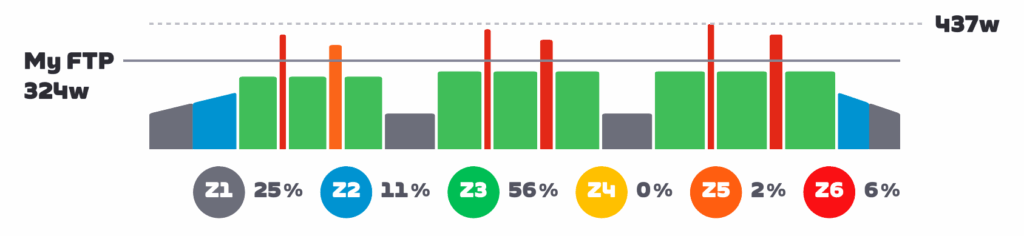
Smart trainers run in different modes which determine how much resistance they apply while you ride. The two most common modes are ERG and Sim.

Sim mode is simulator mode. This is the mode used in all Zwift activities except for structured workouts. In Sim mode, the controlling software (Zwift) sends parameters such as rider weight, air density, Crr, and gradient to your trainer. The smart trainer then tries to replicate the “feel” of that virtual ride environment through its resistance on your drivetrain.

ERG mode is completely different. In ERG mode, your trainer’s job is to help you maintain a specific wattage. “ERG” comes from Greek “Ergasía” which means “work,” becase ERG mode literally forces you to work at a particular level.

Example:

  • Your Zwift workout interval wants you to hold 200 watts for 10 minutes
  • If you are spinning at a cadence of 90 and putting out 200 watts, then slow your cadence to 60, your trainer will increase resistance so you are still holding 200 watts even though you are pedaling slower.
  • If you are spinning at a cadence of 90 and putting out 200 watts, then increase your cadence to 110, your trainer will decrease resistance so you are still holding 200 watts even though you are pedaling faster.

ERG mode simplifies your workout so your only job is to manage your cadence. You don’t need to worry about shifting (although it is certainly allowed), or whether you are hitting your wattage target. You just need to keep your cadence where you want it, and the trainer will make sure you’re hitting the target power.

When Should I Use ERG Mode?

ERG mode is enabled by default if you begin a workout while using a smart trainer in Zwift. And you should leave it that way, for workouts where you want to maintain specific power levels for designated intervals without needing to focus on holding accurate power.

Some riders (and/or coaches) prefer to do structured training with ERG mode disabled so they can learn to hit and hold steady power targets without help from the trainer. This is a valid point, particularly for time trialists.

I’ve been asked if ERG mode should be used in races. First of all: this would be a little challenging to implement given Zwift’s event functionality. But even if you could do it, why would you? Racing requires constantly adjusting your effort to stay with the pack, attack on punchy climbs, ease off on descents, etc. ERG mode was not made for on-the-fly adjustments.

That said: you could use ERG mode in a race by pairing your smart trainer to your head unit and controlling it in ERG mode there. (You wouldn’t pair anything for “resistance” in Zwift.) This may be interesting in a flat TT race, where you want to hold a target wattage for certain amounts of time.

How to Disable and Enable ERG Mode in Zwift

You can disable and enable Erg mode from the workout browser screen by toggling the “Use ERG Mode” button. But you won’t see this option if you simply choose your workout from the workout collections when Zwift starts up.

You can also turn it on or off during your workout via the action bar, which is reachable by clicking the up arrow, or clicking your mouse near the bottom-middle of your screen, or swiping up from the bottom of the screen. This will bring up the action bar which includes a button for turning Erg on and off (see below).

Additionally, the Companion app has the same button to toggle ERG on and off during your workout.

What Gear Should I Use?

Note: if you’re on virtual shifting with the Zwift Cog, this section doesn’t apply to you.

While ERG mode will work in any gear on your bike with no shifting required, riders sometimes wonder which gearing is best. There is no clear “right answer” for everyone, but here are a few things to consider:

  • If you want to work on climbing, train in a climbing gear (small ring on the front). This will reduce your trainer’s flywheel speed, mimicking the feel of a low-speed climbing effort where your muscles aren’t able to “coast” as long at the top and bottom of each pedal stroke.
  • Train what you race. If you’re training for a particular type of outdoor race, use a gear that mimics the pedal inertia you’ll be experiencing during the race. So a flat TT might use the big ring and one of your smaller cogs in back (high inertia), while a hill climb race might use the small ring and a big cog in back (low inertia).
  • If you ride a lot of ERG workouts, you might consider varying your gearing in order to wear your cassette more evenly. If 90% of your riding is in the same gear, you’ll wear out your cassette prematurely.
  • Chain line is always a consideration. Although your trainer and bike may allow it, having a bad chain line will increase drivetrain wear and wattage loss. So if you’re in your big ring in front, try to stay out of your easiest gears in back. And if you’re in your little ring in front, stay out of your hardest gears in back. Try to keep that chain line as straight as possible.
  • The lower your trainer’s inertia, the faster it can change resistance between intervals. If your trainer is slow to respond, and/or you’re doing very short intervals, you might consider shifting to the small ring to help your trainer respond more quickly to resistance changes.
  • Noise may also be an issue with certain trainer setups. An easier gear (small ring in front) should reduce your overall spinning and thus the overall noise level.
  • Shifting is OK: there are times when shifting at the start of certain intervals may make sense. Read this post for more thoughts on this topic >

For more info on the muscle recruitment side of things, check out this video from our favorite Aussie Lama:

The Spiral of Death

If you understand how ERG mode works, you’ll understand what we mean by the “Spiral of Death.” This torturous event happens when you are in ERG mode, attempting to hold a particular wattage, then your legs get tired and your cadence slows. To keep hitting the wattage target, your trainer will then increase the resistance (see examples above).

Your cadence will slow even more due to this increased resistance, which means the trainer will pile on more resistance… until you come to a grinding halt.

Feeling the spiral of death beginning? Ramp up your power a bit while shifting to an easier gear so you can raise your cadence. If you’re out of gears, the only way out of the spiral is to push harder, increasing your cadence so the trainer reduces its resistance.

ERG Mode FAQ

What is ERG mode power smoothing, and should I use it?

This feature is included and enabled by default on some popular smart trainers, including those from Wahoo. It essentially smooths out the power data sent from the trainer to Zwift, so your structured workout graphs look very clean. Some riders like the clean lines of smoothed ERG workouts, while others prefer the more “accurate” and jagged graphs with smoothing turned off. Read more about ERG mode power smoothing >

How is resistance controlled during a “free ride” section in an ERG workout?

Some workouts, including 20-minute FTP tests and certain sprint workouts, include “free ride” sections where you can hold whatever wattage you’d like. In ERG mode, free ride sections feel like you’re on a flat road, with resistance not changing to match in game gradients or have you hit a particular power target. To change resistance in free ride mode, you’ll need to shift gears.

Questions or Comments?

Still confused about ERG mode? Got some insights to share? Comment below!

The Morning After: What to expect from Amazon’s big devices event today

The fall tech events just won’t stop. Today, Amazon has its fall hardware event, which is likely to reveal improvements to voice assistant Alexa and some new Echo homes for it to live inside. It’s been a couple years since the Echo Show got an update, and it’s been even longer for the standard Echo.

The invitation suggests we’re expecting some Kindle upgrades too — the image on the invitation is a Kindle with a color illustration. The Kindle Scribe 2 came out earlier this year as did the Kindle Colorsoft, so maybe there’s something in the works that combines the best features of both.

While Alexa and Kindle will be the main draws, Amazon’s other tech brands, such as Ring and Eero, may also be present. In short, it’s likely to be a busy event.

It all kicks off at 10AM ET in New York City, where we’ll be reporting live. Stay tuned for all the announcements on our Amazon devices liveblog. There’s no video livestream, so we’ll be updating from the event like it’s 2010.

— Mat Smith

Get Engadget’s newsletter delivered direct to your inbox. Subscribe right here!

The news you might have missed


EA confirms it will go private in $55 billion acquisition

Owned by the Saudi Arabia Public Investment Fund (PIF), Silver Lake and Affinity Partners.

Electronic Arts has agreed to a $55 billion acquisition that will take the company private. Saudi Arabia Public Investment Fund (PIF), Silver Lake and Affinity Partners have reached a deal to buy EA and its collection of sports game franchises and, er, other games that have recently struggled. This year, the company canceled an upcoming Black Panther game and closed the studio behind it, and has reportedly “shelved” its Need For Speed Franchise. Then there was Anthem. The deal, the largest-ever leveraged buyout, marks the end of EA’s 35-year run as a publicly traded company.

Continue reading.


FCC accidentally leaked iPhone schematics, potentially giving rivals a peek at company secrets

Whoops.

The Federal Communications Commission (FCC) recently published a 163-page pdf showing the electrical schematics for the iPhone 16e, despite Apple specifically requesting they be confidential. This was most likely a mistake on the part of the FCC, according to a report by AppleInsider.

The files included block diagrams, electrical schematic diagrams, antenna locations and more. Competitors could simply buy a handset and open it up to access this information, as the iPhone 16e was released back in February, but this leak would eliminate any guesswork. The FCC hasn’t addressed how this leak happened.

Continue reading.

A PlayStation photography book is my next coffee-table tome

That no-one else will read.

TMA
Sony

Sony has been marking the 30th anniversary of PlayStation by selling stuff. Things like PS5 consoles and accessories styled after the PS1. (I just got the controller. Brag.) The company is also publishing a photography book showcasing “never-before-seen prototypes, concept sketches and design models that shaped hardware development” from the early days through to the current PS5 era. Sony has also teamed up with Reebok for a collection of 30th anniversary sneakers styled after the PS1.

Continue reading.

This article originally appeared on Engadget at https://www.engadget.com/general/the-morning-after-what-to-expect-from-amazons-big-devices-event-2025-113059183.html?src=rss

My Monsters Hands-On: A Beautiful World, Corrupted By Negative Emotions

For those already experienced with third-person diorama-style games such as Moss or (to a lesser extent) Escaping Wonderland, My Monsters will feel like a familiar descent into a miniature, surreal world filled with light puzzles and platforming. Where My Monsters differs from its genre peers is in its beautiful hand-painted art style, which is paired with striking themes of emotional struggle.

You are The Traveller, a human interloper in the dreamlike lands of Onirium. Your bonded ward, a curious monster named Moti, is quickly cursed by the oppressive God of Void, and your connection is almost severed. The God’s Generals steal three parts of your soul, starting you on a quest to retrieve what you’ve lost and free the land from the God of Void’s corruption.

0:00

/0:48

Your initial introduction to the world of Onirium and its struggles is brisk, delivered by an omnipotent narrator. Many of the world’s key NPCs are voice-acted well, adding additional color to the world and its characters. More can be learned about Onirium and its residents by collecting reminiscences throughout each biome, and these little luminous sprites trigger additional insight from the narrator.

My Monsters leans hard into its theming of emotional concerns, providing manifestations of concepts like fear and loneliness in the God of Void’s Generals, with underground waterfalls described as tears of grief from ancient beings. It’s executed well and respectfully, without feeling too gimmicky, with Anxiety being the first boss you encounter. He goads the player with cutting remarks that play on our own insensitivities around self-worth, resulting in a climax that leaves me with goose bumps as a corrupted Moti looms over me and color drains from the screen. It’s a sense of active participation and immersion I don’t often find in these types of games.

The manifestation of Anxiety above corrupted thornes. Includes the subtitles "you AND that little monster made it this far, impressive..."
The manifestation of Anxiety, one of the God of Void’s Generals

Moving through My Monsters is typical fare for fans of the genre. You progress through interconnected scenes, solving light puzzles as you go. Puzzles range from moving platforms to collecting items to unlock new routes. As you delve deeper into the adventure, Moti’s skillset also evolves, allowing you to face harder challenges or access previously blocked paths. The dodge ability becomes invaluable for providing additional maneuverability to escape any area-of-effect attacks from specific enemies, and the heavy attack combo lets me open new routes and dispatch lower-level enemies much quicker.

Early on in your adventure, the narrator notes how violence is an unfortunate and difficult necessity in a corrupted Onirium. I do hope this concept is explored further later in the game. Although you can navigate some scenes without the need to engage enemies, some areas remain blocked by tainted thorns until the appropriate number of foes have been dispatched. Facing the manifestations of ugly emotions defiantly as a pacifist could have delivered a meaningful foil to the God of Void’s minions and the game’s themes.

Moti and Sophi, a prominent NPC, standing over a gold mirror. Sophi's fish cart is to the left of them.
You’ll meet interesting NPCs throughout your adventure through Onirium.

My time with My Monsters, although enjoyable, is not without some minor frustration. When obtaining my first collectible, it isn’t immediately obvious what I need to do. Moti holds it aloft, but he is immovable. After some small trial and error, I realize I need to take it from Moti and add it to my inventory; however, he’s so deep into the scene I can’t take it without moving in my play space and reorienting my view. The same occurs when removing items from my inventory to pass to NPCs. As a seated experience, you’ll have to ensure enough free space in front of you to really stretch into scenes when required.

Accessibility options are also very limited. There are currently no options for those who are left-hand dominant, with the right hand used for jumping and combat and the left for primary movement and inventory management. My Monsters also only supports English and Portuguese language options. Those with sound sensitivity will be pleased to see the ability to independently adjust the volume sliders for music, sound effects, and voice-overs.

My Monsters evokes all the things I liked about Moss, all while peppering the world with the post-collapse intrigue of Hollow Knight and humanist subject matter I find really intriguing. I look forward to playing more.

My Monsters launches on October 2 for Quest and Steam.

OpenAI will let you buy things from Etsy within ChatGPT

You’ll now be able to buy some items you’re looking for without leaving your ChatGPT conversation. OpenAI has launched a new feature called Instant Checkout, which is powered by Agentic Commerce Protocol, a technology it developed with Stripe. When you search for items to buy through ChatGPT, you’ll be able to see which ones you can buy from within the chatbot among the products it shows you. The feature is available for both free and paid users, but it only supports single-item purchases from Etsy sellers in the US at the moment. 

OpenAI says over a million sellers that use Shopify, including Glossier, SKIMS and Spanx, will support the Instant Checkout “soon.” It’s also adding multi-item cart checkout and is expanding the feature’s reach to more regions in the future. The company is open sourcing Agentic Commerce Protocol to allow more merchants to work on their ChatGPT integrations.

In its post, OpenAI said that it will continue ranking the product results most relevant to your search query based on availability, price and quality. It will not give products that support Instant Checkout a boost and will not rank them higher than other options just because of the feature. Your orders and payments will still be handled by the merchant you’re buying from, and you can either use your card on file with OpenAI or other available payment options. The company also said that it’s the merchants who’ll be paying a “small fee on completed purchases,” and that Instant Checkout will not affect product prices for you.

This article originally appeared on Engadget at https://www.engadget.com/ai/openai-will-let-you-buy-things-from-etsy-within-chatgpt-110032055.html?src=rss

Zero Caliber 2 Locks In PC VR Release Date Next Month

Zero Caliber 2 gets its PC VR remaster next month, though its new changes mean crossplay “isn’t feasible” with Quest.

We’ve known for some time that developer XREAL Games is remastering FPS sequel Zero Caliber 2 on PC VR following last year’s Quest launch. Featuring a campaign that supports both single-player and four-player co-op, PvP modes, and more, this upcoming remaster promises reworked combat scenarios and overhauled graphics. Having initially targeted a Q3 2025 launch, it’s now launching on October 30.

0:00

/0:56

PC VR release date trailer

However, this upcoming PC VR remaster will not support cross-platform multiplayer with Quest. In an email to UploadVR, XREAL Games advised that crossplay “isn’t feasible” due to the Steam version being rebuilt “with a very different scope.” XREAL cites the reworked missions, higher enemy counts, new AI behaviors, new features, and visual overhaul as meaning these two editions “simply aren’t aligned in a way that crossplay would work.”

XREAL Games detailed its planned changes back in July, stating Zero Caliber 2 Remastered overhauls the core gameplay systems with more challenging AI, ragdoll physics, and more enemies. Promised visual upgrades include dynamic shadows, alongside changes to weapon effects, explosions, environments, lighting, and vehicle animations. XREAL hopes to bring some of these gameplay changes to Quest, but only if it’s “technically feasible.”

Elsewhere, XREAL Games advised that the original Zero Caliber has entered certification on PlayStation VR2 and that’s targeting an October launch. Zero Caliber: Reloaded will also join the Meta Horizon+ subscription roster next month. No update was given on Zero Caliber 2 for PS VR2, though the studio previously told UploadVR it’s targeting a holiday release window this year.

Zero Caliber 2 is out now on Quest, and the Steam version is coming on October 30. Pricing on Steam is currently subject to a wishlist campaign.

Zero Caliber 2 Review: A Thrilling VR Action Romp
Zero Caliber 2 is a strong follow-up to the original game, delivering a thrilling action-packed VR romp. Our full review.
UploadVRPete Austin

NASA Backs Lunar Wi-Fi Project To Connect Astronauts and Rovers On the Moon

BrianFagioli shares a report from NERDS.xyz: NASA has awarded Solstar Space a $150,000 SBIR Phase I contract to develop a Lunar Wi-Fi Access Point (LWIFI-AP). The system is designed to provide wireless connectivity for astronauts, rovers, and orbiting spacecraft as part of the Artemis and Commercial Lunar Payload Services programs. Solstar’s goal is to build a space-rated, multi-band, multi-protocol access point that can survive radiation, extreme lunar temperatures, and other harsh conditions. NASA has identified Wi-Fi and 3GPP standards as core communication needs across mission systems ranging from the Human Landing System and Lunar Terrain Vehicle to the Lunar Gateway.

Although this is only an early-stage contract, Solstar’s proposal addresses a clear gap in space-qualified networking hardware. The company says that just as Wi-Fi transformed daily life on Earth, it will be equally important for living and working on the Moon. If the project advances, astronauts could soon be relying on familiar wireless technology that has been adapted for one of the most challenging environments in existence.


Read more of this story at Slashdot.

Introducing AI Quests: A new gamified learning experience within Experience AI

Artificial intelligence (AI) tools are shaping our world in many ways. Helping young people develop AI literacy — in other words, helping them understand how AI tools work and how to use them responsibly — is essential. 

At the Raspberry Pi Foundation, we’re committed to empowering educators around the world with everything they need to teach AI confidently and help young people develop AI literacy. That’s why we developed Experience AI: a set of high-quality AI literacy resources designed in collaboration with Google DeepMind that any educator can use, no matter their level of tech knowledge.  

AI Quests

We’re excited to introduce a new addition to the Experience AI resources: AI Quests.

Enter AI Quests

Developed by Google Research in collaboration with the Stanford Accelerator for Learning, AI Quests is a browser-based learning experience that lets students step into the role of AI researchers. Through interactive, story-driven activities, they’ll explore essential AI topics such as:

  • Data preparation
  • Testing and evaluation
  • Bias in AI systems

Students will use what they learn about these topics to tackle simulated global challenges. The first quest, Market Marshes, introduces them to how AI technology can be used in flood forecasting, while upcoming quests will explore other real-world issues.

Why AI Quests matters

AI technology is frequently used but often poorly understood. AI Quests, like Experience AI more broadly, gives students practical experience of how AI technology works, and shows why it’s so important. 

Market Marshes AI Quest start screen

Here’s what sets AI Quests apart:

  • Gamified learning: Storytelling and role play turn abstract ideas into immersive experiences
  • Real-world relevance: Students see how AI technology addresses challenges like climate resilience and health equity
  • No prior knowledge required: Any teacher, regardless of subject specialism, can bring AI Quests into their classroom
  • Developed by experts: Built with Google Research and the Stanford Accelerator for Learning, content is high-quality and credible

What’s next

AI Quests is launching in English, with future plans for translations and additional quests to reach even more learners globally.

To support educators, we’re also hosting two free webinars on YouTube and LinkedIn:

  • 9 October at 4pm BST
  • 16 October at 4pm BST
AI Quests, search for data mid game screen

These sessions will walk you through AI Quests, offer classroom tips, and give you the chance to ask questions directly.

Register now on LinkedIn or subscribe on YouTube to get notified and join the live session. 

Ready to get started?

AI literacy is one of the most valuable skills young people can develop today. With this new addition to Experience AI, we’re making it even more engaging, practical, and accessible for classrooms everywhere.

Explore AI Quests in lesson 6 of our Experience AI resources.

The post Introducing AI Quests: A new gamified learning experience within Experience AI appeared first on Raspberry Pi Foundation.

Scientists unlock secret to Venus flytrap’s hair-trigger response

To trap its prey, the Venus flytrap sends rapid electrical impulses, which are generated in response to touch or stress. But the molecular identity of the touch sensor has remained unclear. Japanese scientists have identified the molecular mechanism that triggers that response and have published their work in a new paper in the journal Nature Communications.

As previously reported, the Venus flytrap attracts its prey with a pleasing fruity scent. When an insect lands on a leaf, it stimulates the highly sensitive trigger hairs that line the leaf. When the pressure becomes strong enough to bend those hairs, the plant will snap its leaves shut and trap the insect inside. Long cilia grab and hold the insect in place, much like fingers, as the plant begins to secrete digestive juices. The insect is digested slowly over five to 12 days, after which the trap reopens, releasing the dried-out husk of the insect into the wind.

In 2016, Rainer Hedrich, a biophysicist at Julius-Maximilians-Universität Würzburg in Bavaria, Germany, led the team that discovered that the Venus flytrap could actually “count” the number of times something touches its hair-lined leaves—an ability that helps the plant distinguish between the presence of prey and a small nut or stone, or even a dead insect. The plant detects the first “action potential” but doesn’t snap shut right away, waiting until a second zap confirms the presence of actual prey, at which point the trap closes. But the Venus flytrap doesn’t close all the way and produce digestive enzymes to consume the prey until the hairs are triggered three more times (for a total of five stimuli).

Read full article

Comments