FTC and Seven States Sue Ticketmaster Over Alleged Coordination With Scalpers

The Federal Trade Commission and attorneys general from seven states filed an 84-page lawsuit Thursday in federal court in California against Live Nation Entertainment and its Ticketmaster subsidiary. The suit alleges the companies knowingly allow ticket brokers to use multiple accounts to circumvent purchase limits and acquire thousands of tickets per event for resale at higher prices.

The FTC claims this practice violates the Better Online Ticket Sales Act and generates hundreds of millions in revenue through a “triple dip” fee structure — collecting fees on initial broker purchases, then from both brokers and consumers on secondary market sales. FTC Chairman Andrew Ferguson cited President Trump’s March executive order requiring federal protection against ticketing practices. The lawsuit arrives one month after the FTC sued Maryland broker Key Investment Group over Taylor Swift tour price-gouging and follows the Department of Justice’s 2024 monopoly suit against Live Nation.


Read more of this story at Slashdot.

New V4 Apollo A6000 Is The Most Powerful 68K Amiga Ever And It Sold Out Immediately

New V4 Apollo A6000 Is The Most Powerful 68K Amiga Ever And It Sold Out Immediately
The Apollo Team behind the Vampire V4 just launched preorders for a new, all-in-one modern Amiga, dubbed the Apollo V4 A6000, which is built atop the Apollo V4 platform.  The V4 platform, like other standalone boards and Apollo accelerators, offers what the team calls a 68080 processor with AMMX support, which is a 100% code compatible evolution

Meta will let outside developers create AI-powered apps for its smart glasses

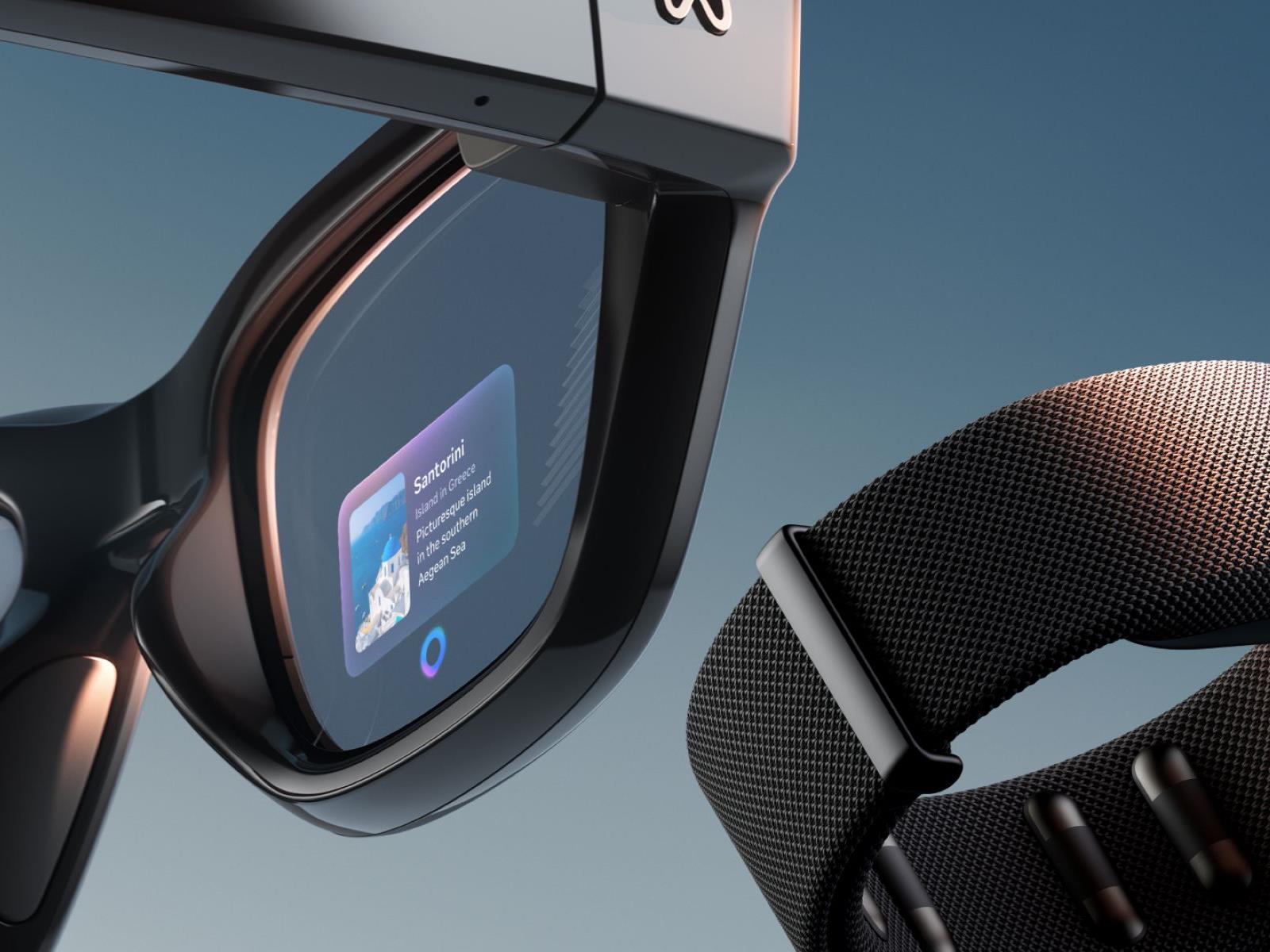
Meta’s lineup of smart glasses could soon get a lot more capabilities. The company will begin allowing outside developers to bring their apps to its RayBan and Oakley smart glasses, Meta announced on the second day of its Connect event.

Up to now, Meta has only had a limited number of third-party integrations for its glasses, with apps like Spotify and Audible. But Meta will now allow developers to start experimenting with apps that can take advantage of the built-in sensors and audio capabilities of its glasses. This means other companies will be able to create their own custom experiences that use Meta’s multimodal AI features.

The company is already working with a set of early partners, like Twitch, which is creating livestreaming capabilities for the glasses, and Disney, which is experimenting with an app for inside its parks. A demo video shows a visitor walking around Disneyland and asking the AI assistant about the rides she’s seeing and other park information. 18Birdies, a golf app, is working on an integration that can give players club recommendations and yardage stats.

Notably, these apps all seem like they work with Meta’s non-display glasses, which means that even people who have first-gen Ray-Ban Meta glasses could see a bunch of added new functionality. It’s not clear if the company will also allow developers to also build experiences that can take advantage of the display on its newest Meta Ray-Ban Display frames, but that could open up even more possibilities.

Meta’s new set of tools, officially called the “Wearables Device Access Toolkit,” will roll out as a limited developer preview ahead of broader availability in 2026.

This article originally appeared on Engadget at https://www.engadget.com/wearables/meta-will-let-outside-developers-create-ai-powered-apps-for-its-smart-glasses-194159233.html?src=rss

Meta’s Wearable Device Access Toolkit Lets Developers Build For Its Smart Glasses

Meta’s Wearable Device Access Toolkit, coming later this year, will let smartphone apps interact with the company’s smart glasses.

With the initial release of the SDK, Meta says developers will be able to access the camera, speakers, and microphone array of its full glasses lineup: Ray-Ban Meta, Oakley Meta HSTN, Oakley Meta Vanguard, and Meta Ray-Ban Display. Users will have to give each app permission to access their glasses.

Developers could, for example, leverage it to add first-person livestreaming or recording features to their apps. Or they could feed the camera imagery to a multimodal AI model to analyze what you’re looking at.

At launch, Meta Wearable Device Access Toolkit won’t support Meta AI. That’s not to say that developers won’t be able to build AI experiences. But they will have to initiate a continuous camera and/or audio stream to and from the glasses to their own AI model of choice, at their own cost, and this will significantly impact battery life. Meta says adding Meta AI integration is a “key area” it’s exploring for future updates to the toolkit.

The SDK also won’t support sending imagery to the Meta Ray-Ban Display HUD, nor accessing gestures from its Meta Neural Band, but Meta says it’s starting to think about how this could eventually work.

Interested developers can sign up for the Meta Wearables Device Access Toolkit preview by filling in this form.

Early Developer Experiments

Meta provided an early version of the Wearable Device Access Toolkit to a handful of developers several months ago, including Twitch, Microsoft, and Logitech Streamlabs.

Twitch and Logitech Streamlabs are using the SDK to let you livestream your first-person view on their platforms, just as you already can on Instagram, while Microsoft is using it for their Seeing AI platform that helps blind people navigate and interact with the world around.

0:00

/0:40

How 18Birdies is using Meta Wearable Device Access Toolkit.

One particularly interesting use case comes from 18Birdies. The golf app is experimenting with using Meta Wearable Device Access Toolkit for real-time yardages and club recommendations, helping golfers without requiring them to take their phone out of their pocket.

An Apple iPhone 17 Camera Glitch Is Wrecking Photos, Fix Inbound

An Apple iPhone 17 Camera Glitch Is Wrecking Photos, Fix Inbound
It’s iPhone season and Apple has delivered some nice upgrades to its entire lineup of phones, alongside iOS 26, while adding a new device to the family with the thinner and lighter iPhone Air. As expected, the bevy of upgrades include a new set of improved cameras across the board, but one early reviewer has spotted a glitch while taking photos,

Google announces massive expansion of AI features in Chrome

Now that it’s looking like Chrome will remain in the Google fold, the browser is undergoing a Gemini-infused rebirth. Google claims the browser will see its most significant upgrade ever in the next few weeks as AI permeates every part of the experience. For people who use AI tools, some of these additions might actually be helpful, and for everyone else, well, Firefox still exists.

The most prominent change, and one that AI subscribers may have already seen, is the addition of a Gemini button on the desktop browser. This button opens a popup where you can ask questions about—and get summaries of—content in your open tabs. Android phones already have Gemini operating at the system level to accomplish similar tasks, but Google says the iOS Gemini app will soon be built into Chrome for Apple devices.

Gemini in Chrome
Credit:
Google

Read full article

Comments

Epic will let Fortnite creators sell in-game items in latest attempt to compete with Roblox

Creators building experiences in Fortnite are getting a new way to earn revenue. Epic says developers will soon have the ability to make and sell in-game items in Fortnite, and earn a cut of the V-Bucks users spend to buy them. Previously, developers only earned money through Fortnite based on the amount of time users spent on their “islands,” the in-game name for third-party experiences creators can offer through Fortnite.

Developers will be able to create their consumable and durable in-game items using soon-to-be-released tools in Unreal Editor for Fortnite and a new “Verse-based API,” according to Epic. The company also plans to be generous with the revenue split its offering, at least at first. Developers “will ordinarily earn 50 percent of the V-Bucks value from sales in their islands,” but from December 2025 through the end of 2026, they’ll get to keep 100 percent.

Epic says its 50 percent cut — notably more than the 30 percent popularized by Apple’s App Store — is to help “contribute to server hosting costs, safety and moderation costs, R&D and other operating expenses” of running Fortnite. It’s also a make-good of sorts, since Epic claims it’s been “investing and operating the business at a loss.”

How much 100 percent or 50 percent of “V-Bucks value” actually equals in real money unfortunately isn’t as simple as converting Fortnite’s digital currency to dollars, though. Epic offers the following explanation for how it calculates V-Bucks value: 

To determine the V-Bucks value in US dollars in a given month, we take all customer real-money spending to purchase V-Bucks (converted to US Dollars), subtract platform and store fees (ranging from 12 percent on Epic Games Store to 30 percent on current consoles), and divide it by the total V-Bucks spent by players. Fortnite’s average platform and store fees are currently 26 percent (with specific fees ranging from 12 percent on the Epic Games Store to 30 percent on console platforms). So, 50 percent of V-Bucks value translates to ~37 percent of retail spending, and 100 percent of V-Bucks value translates to ~74 percent.

A mockup of Fortnite's Sponsored row for developers.
Epic

Alongside the new ability to create in-game items, Epic says Fortnite developers will be able to pay to be featured in a new “Sponsored row” inside Fortnite‘s Discover feed. And to better engage new and returning players, developers are also getting access to new tools for creating community forums and sharing updates on their islands.

All of these changes are in service of further extending Fortnite‘s ability to act as a platform for games and social experiences, rather than just a battle royale game (with racing, rhythm game and LEGO spin-offs). Epic clearly wants Fortnite to be Roblox, and reap the benefits of having an active community of adult and child users creating experiences for its platform. Cultivating that audience has led to all sorts of child safety problems for Roblox, but Epic clearly views the risks to be worth it.

This article originally appeared on Engadget at https://www.engadget.com/gaming/epic-will-let-fortnite-creators-sell-in-game-items-in-latest-attempt-to-compete-with-roblox-192059073.html?src=rss

Borderlands 4 Dev Says Fixing Performance And Improving Stability Is A Top Priority

Borderlands 4 Dev Says Fixing Performance And Improving Stability Is A Top Priority
Yesterday, the official Borderlands X account finally spoke up about the performance issues that gamers have been reporting on console and PC since Borderlands 4 launched, taking a much calmer approach than Gearbox CEO Randy Pitchford. Pitchford was making his own headlines, thanks to how angrily he was replying to users posting about the

The FTC sues Ticketmaster for allegedly colluding with resellers

The FTC and seven states sued Ticketmaster owner Live Nation on Wednesday. The lawsuit accused the company of knowingly allowing brokers to buy tickets in bulk. Ticketmaster allegedly then let them resell the tickets at a significant markup on its own second-hand market.

The FTC claims Ticketmaster was aware that resellers routinely bypassed its security measures for these purchases. The company profits three times from resales. It collects fees at the initial purchase, followed by both buyer and seller fees upon resale. Between 2019 and 2024, Ticketmaster raked in $16.4 billion in fees, according to the FTC.

The agency paints a picture of the company that epitomizes rampant corporate greed. The FTC claims an internal Live Nation review showed that five resellers alone harvested 246,407 tickets to 2,594 events. The agency accused Ticketmaster of admitting in an internal email that it “turn[s] a blind eye as a matter of policy.”

The company is said to even offer tech support to brokers through its TradeDesk app. The software is designed to consolidate and manage tickets purchased through multiple Ticketmaster accounts.

Ticketmaster also allegedly failed to implement third-party identity verification tools that could have prevented the bulk purchases. Why? The FTC quotes the company as saying these tools would have been “too effective.” The company is also said to have admitted to engaging in deceptive pricing. Their alleged reason: Customers were less likely to buy tickets when they saw the actual cost upfront.

The FTC accused Live Nation of violating two laws: the FTC Act’s ban on deceptive practices and the BOTS Act. The latter was signed by President Obama in 2016, just before leaving office. As its name suggests, it banned the use of bots or other software to obtain more tickets than is legally allowed. Earlier this year, President Trump issued an executive order to increase enforcement of the law.

The suit was filed in the US District Court for the Central District of California. Joining the FTC in the suit are Virginia, Utah, Florida, Tennessee, Nebraska, Illinois and Colorado.

This article originally appeared on Engadget at https://www.engadget.com/entertainment/the-ftc-sues-ticketmaster-for-allegedly-colluding-with-resellers-191337586.html?src=rss

Samsung Brings Ads To US Fridges

An anonymous reader shares a report: A software update rolling out to Samsung’s Family Hub refrigerators in the US is putting ads on the fridges for the first time. The “promotions and curated advertisements” are coming despite Samsung insisting to The Verge in April that it had “no plans” to do so. Samsung is calling it a pilot program for now, which — I kid you not — is meant to “strengthen the value” of owning a Samsung smart fridge.


Read more of this story at Slashdot.

The Best Meal-Planning Apps (for When You’re Sick of Doing It Yourself)

We may earn a commission from links on this page.

Did you know you can customize Google to filter out garbage? Take these steps for better search results, including adding Lifehacker as a preferred source for tech news.


For as basic a necessity as it is, feeding yourself is a lot of work. What’s more, feeding a household is even worse. There’s the planning, then the shopping, the unpacking, the cooking, the storing, and finally, the cleaning, all of which has to be done over and over again forever. We all know what it’s like to be faced with this task and just decide to open up Uber Eats and pay a bunch of fees to have someone do (most of) it for us. Apps are the saving grace when meal planning gets too daunting—but you’re using the wrong apps. Forget Door Dash and Grub Hub: These apps can help you plan, shop for, and prepare meals on your own while still offloading some of the hard work on tech.

Here are some meal-planning apps that can suggest recipes based on your dietary preferences, put together shopping lists, and even walk you through the cooking. They can’t box up leftovers or wash the dishes, but maybe one day in the future, we’ll get there, too.

Best app for recipes: BigOven 

BigOven on browser

Credit: Lindsey Ellefson/BigOven

BigOven is a meal-planning app that grants you access over one million recipes—and new recipes are constantly being added. I like a few different things about it: First, you can input some of the ingredients you already have and get recipes based on those, reducing your grocery shopping and limiting how many of those million-plus recipes you need to scroll through. You can scan handwritten recipes in, too, and let the app turn them into recipes you can store there, preserving family traditions. Finally, I appreciate that it has a browser version, since that makes it easier to type, browse, and scroll. A few of the apps on this list also work on the browser. In general, I like to do a lot of my planning and work on the computer, then call in my phone at crunch time, just when I need to refer to a recipe.

The free version is nice, but limited. You get the ability to put together a grocery list and one free recipe scan. For more detailed meal planning, you’ll need to upgrade to its paid version for $2.99 per month or $24.99 for the year. Think of it like this: You’ll save that much by skipping a delivery order or two.

Best app for family meal planning: Cozi 

Cozi in iOS

Credit: Lindsey Ellefson/Cozi

Cozi is a family organizer, so you might not think of food and recipes when you first hear about it—but don’t be fooled. In addition to its daily calendar and to-do lists, Cozi provides space for you to keep a grocery list (which any family member can add to in real time) and even offers up recipes. Not only can you plan your meals’ content, but you can schedule them for when everyone is available.

The basic version is free, but the premium version, which is $39.99 per year, offers more features, most of which have to do with the family management aspect (like birthday tracking and calendar searching). If you’re using it for meal planning, you may not need to upgrade; I was able to build out an entire schedule of recipes without paying.

Best app for fitness and nutrition goals: Eat This Much 

Eat This Much in iOS

Credit: Lindsey Ellefson/Eat This Much

Eat This Much is really ideal for anyone with specific nutrition and fitness goals. It puts together plans based not only on your budget and personal preferences, but your nutritional plans, as well. You’re prompted to enter in how many calories you’d like to eat in a day, as well as how many grams of protein and other nutrients you want to hit. It even doubles as a calorie tracker and comes with a database of nutritional information about restaurant and packaged food. If you’re meal planning and prepping for fitness or health goals, this could be the one for you to really focus in on. (Relatedly, if you’re in the market for a comprehensive calorie and nutrient tracker, I am a huge fan of Lifesum.)

Money comes into play if you want more features. For $8.99 per month, you can create meal plans for a week, used advanced search features, view your past meals, and generate reports on your eating habits, to name a few. A bump up to $59 per month unlocks bulk meal plans for over a week in advance, macro tracking, and a recipe database, among other things. That’s not exactly a small cost, but if you’re serious about meal prepping, give it a look.

Best app for when you’re busy: Mealime 

Mealime in iOS

Credit: Mealime/Lindsey Ellefson

Mealime is widely recommended in forums for meal planners and caters to busier people because it’s full of recipes that can be made in under half an hour. You can filter recipes by dietary restrictions or preferences, generate a grocery list, and get on with your day. It’s a little bare-bones beyond that, but as a picky eater, I appreciate the ability to eliminate recipes that include the things I don’t care for. If you ever catch me eating a single mushroom, call the authorities because I’m sending a distress signal.

You’ll get plenty of recipes in the free version, but you’ll notice some are labeled “Pro.” To get those, as well as other features like the ability to add notes, you’ll have to upgrade to the paid version for $2.99 per month. For its simplicity of use and fairly low cost, this is a favorite of mine.

Best app to relieve decision fatigue: eMeals

eMeals on browser

Credit: Lindsey Ellefson/eMeals

eMeals emphasizes that it’s meal planning “made simple,” and they mean that. You get pre-loaded, dietitian-curated menus that come in “themes.” Themes can be kid-friendly, keto, quick, etc. The apps on this list with thousands of recipes to scroll through are great, but if you just want someone or something else to pick for you, start here.

eMeals also has partnerships with major grocery retailers, which makes creating your grocery list a little easier and more specific. Another on the list that has a robust browser component, this makes things almost too easy.

Best app for more recipe control: Plan to Eat

Plan to Eat in iOS

Credit: Lindsey Ellefson/Plan to Eat

Plan to Eat is for people who have a general sense of what they like or want to eat, but just need a little push on the organization. You can clip recipes from the internet or browse recipes in the app, add them to the built-in calendar, and create grocery lists that are specified by category, making shopping easier. The app’s cooking view even comes with step-by-step instructions that include timers, walking you right through everything you need to do down to the minute.

You get a free two-week trial, then you’ll pay $5 a month or $55 a year to access all the features.

Intel Responds To Questions On Future Of Arc Graphics Following NVIDIA Collaboration Announcement

Intel Responds To Questions On Future Of Arc Graphics Following NVIDIA Collaboration Announcement
Earlier today, Intel and NVIDIA announced the two tech giants are planning to co-develop several generations of data center and PC products, with the latter also investing $5 billion into the former’s common stock. Hours later, Intel CEO Lip-Bu Tan and NVIDiA CEO Jensen Huang hosted a webcast to discuss the announcement followed by a Q&A session,

Microsoft’s Gaming Copilot AI assistant is coming to Windows PCs and the Xbox mobile app

Microsoft’s Gaming Copilot AI assistant is officially coming to Windows PCs and the Xbox mobile app. The company has been testing the tool for PCs with Xbox Insiders, but now it’s getting a broader rollout.

To that end, it’ll be available to players aged 18 and older on the PC Game Bar. The Xbox app version rolls out this October, for both Android and iOS, after a beta test took place earlier this year. Microsoft says that its Gaming Copilot will be available throughout the globe, except in mainland China.

So what exactly is this thing? It’s sort of like an AI version of those old Nintendo help phone lines. The chat box appears as an overlay on the screen and players can use it to ask questions or to get tips about a game. The company says it “knows what you’re playing and understands your Xbox activity,” as it uses in-game screenshots. It can also answer questions about an Xbox account and offer recommendations on stuff to buy.

The official version also offers voice chat, so you can just ask the questions out loud. On PC, there’s a “Push to Talk” hotkey that activates the bot, which is handy. The app includes a microphone button. There’s a widget for the PC build that can be placed anywhere on the screen. This is useful for longer conversations.

With Copilot for Gaming, you can jump back into games faster, get real-time coaching, and stay connected… all on your own terms. Excited for what the team has in store! pic.twitter.com/18Ll2D25i1

— Satya Nadella (@satyanadella) March 13, 2025

Microsoft is still tinkering with this software and urges feedback from users as they “continue to develop Gaming Copilopt and make it even more helpful for players’ needs and preferences.” The company has been testing the system on Windows-based portable consoles, and it did recently announce the pending availability of its own Xbox Ally handheld gaming machines. It’s likely that the software will get an official rollout for those consoles some time after they launch on October 16. 

This article originally appeared on Engadget at https://www.engadget.com/ai/microsofts-gaming-copilot-ai-assistant-is-coming-to-windows-pcs-and-the-xbox-mobile-app-185452965.html?src=rss

Discord Is Coming To Quest Next Year

Discord is coming to Quest’s Horizon OS “as a native app” in 2026.

During the Connect 2025 Developer Keynote, Meta’s VP of Metaverse Content Samantha Ryan announced that the popular communication platform is coming next year as a “native app”.

No specific details beyond that have been revealed yet, but Ryan’s wording suggests that like Zoom, and unlike Spotify, Discord should arrive as an Android app, not just a web app container.

Zoom Is Now Available As A 2D App On Quest
Zoom is now freely available on Quest headsets, through an official 2D Android app on the Meta Horizon Store.
UploadVRDavid Heaney

Discord is set to be the fifth major communication platform available on Quest. As well as Zoom, Meta’s own WhatsApp and Messenger are already available on Horizon OS as native apps, and so is Instagram.

Last year Horizon OS added the ability to share your first person view in communication apps, the equivalent of a phone’s rear camera, and this year the ability to appear as your Meta Avatar, the equivalent of the selfie camera.

As a native app, Discord should be able to take advantage of these features too.

You Can Now Share Your View In WhatsApp & Messenger On Quest
You can now share your first person view during video calls on Quest headsets.
UploadVRDavid Heaney

Quest v76 PTC Lets You Use Your Meta Avatar As A Virtual Webcam
Quest’s Horizon OS v76 PTC lets you use your Meta Avatar as a virtual webcam in video calling apps.
UploadVRDavid Heaney

Discord will launch a native Meta Quest app next year

In addition to new hardware announcements, Meta had software news to share during its Meta Connect 2025 conference today. The company revealed that Discord will be making a native app for the Meta Quest headset. According to Meta, the native window app will be available some time in 2026.

The development makes sense. VR is a platform with a lot of gaming presence, so having Discord for easy social and voice connections while playing is a win for players and a natural match for the two businesses. Having a native app can make a big difference in the ease of use. I’m primarily a member of the PlayStation nation, and I swear I heard an angelic choir singing when the PS5 finally got call support

Meta positioned the upcoming availability of the native app as a boon for the developers of VR experiences to reach new audiences, thanks to Discord’s more than 200 million monthly active players. We’ve reached out to Discord for additional comment and will update with any more details we receive.

This article originally appeared on Engadget at https://www.engadget.com/discord-will-launch-a-native-meta-quest-app-next-year-183939524.html?src=rss

Discord will launch a native Meta Quest app next year

In addition to new hardware announcements, Meta had software news to share during its Meta Connect 2025 conference today. The company revealed that Discord will be making a native app for the Meta Quest headset. According to Meta, the native window app will be available some time in 2026.

The development makes sense. VR is a platform with a lot of gaming presence, so having Discord for easy social and voice connections while playing is a win for players and a natural match for the two businesses. Having a native app can make a big difference in the ease of use. I’m primarily a member of the PlayStation nation, and I swear I heard an angelic choir singing when the PS5 finally got call support

Meta positioned the upcoming availability of the native app as a boon for the developers of VR experiences to reach new audiences, thanks to Discord’s more than 200 million monthly active players. We’ve reached out to Discord for additional comment and will update with any more details we receive.

This article originally appeared on Engadget at https://www.engadget.com/discord-will-launch-a-native-meta-quest-app-next-year-183939524.html?src=rss

Northrop Grumman successfully resupplies ISS after overcoming software glitch

Running a day late, Northrop Grumman’s Cygnus XL cargo freighter pulled alongside the International Space Station on Thursday, delivering more than 5 tons of supplies and experiments to the lab’s seven-person crew.

NASA astronaut Jonny Kim took control of the space station’s robotic arm to capture the Cygnus spacecraft at 7:24 am EDT (11:24 UTC) on Thursday. A short time later, the robot arm positioned the spacecraft over an attachment port on the station’s Unity module, and 16 bolts drove closed to create a firm mechanical connection with the ISS.

The Cygnus XL supply ship will remain at the station for up to six months, during which time astronauts will unpack the spacecraft’s cargo module and refill it with trash. The Cygnus spacecraft will depart the station and head for a destructive reentry over the remote Pacific Ocean to conclude the mission.

Read full article

Comments