Is the “million-year-old” skull from China a Denisovan or something else?

A fossil skull from China that made headlines last week may or may not be a million years old, but it’s probably closely related to Denisovans.

The fossil skull, dubbed Yunxian 2, is one of three unearthed from a terrace alongside the Han River, in central China, in a layer of river sediment somewhere between 600,000 and 1 million years old. Archaeologists originally identified them as Homo erectus, but Hanjiang Normal University paleoanthropologist Xiaobo Feng and his colleagues’ recent digital reconstruction of Yunxian 2 suggests the skulls may actually have belonged to someone a lot more similar to us: a hominin group defined as a species called Homo longi or a Denisovan, depending on who’s doing the naming.

The recent paper adds fuel—and a new twist—to that debate. And the whole thing may hinge on a third skull from the same site, still waiting to be published.

Read full article

Comments

Microsoft 365 Copilot’s Vibe Working Update Adds AI Agents To Word, Excel & PowerPoint

Microsoft 365 Copilot's Vibe Working Update Adds AI Agents To Word, Excel & PowerPoint
The rise of AI has led to new phrases to describe the ways people work with it, including the popular term ‘vibe coding’. Now, Microsoft is looking to add a new phrase to the lexicon with ‘vibe working’ that will be the “the new pattern of work for human-agent collaboration.” To that end, Microsoft is integrating AI agents into various parts

Amazon Prime Day Savings Arrive Early With Echo Show, Pop Dot & Deals Up To 39% Off

Amazon Prime Day Savings Arrive Early With Echo Show, Pop Dot & Deals Up To 39% Off
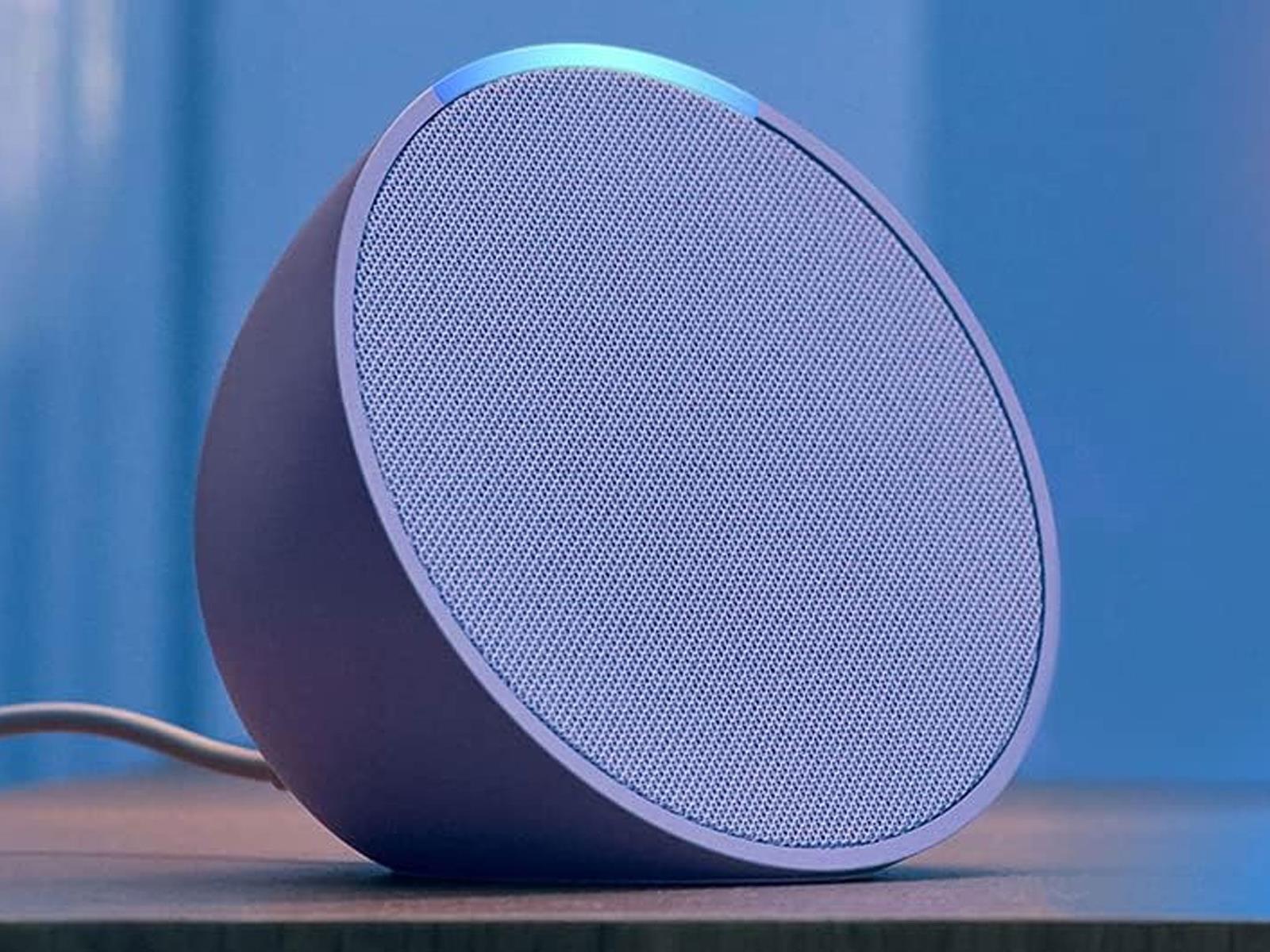
Amazon is getting a jump on its upcoming Prime Big Deal Days sales event with some early discounts on its Echo Pop, Echo Dot, Echo Spot, and Echo Show smart speakers and displays. The event kicks off Tuesday, October 7 at 12:01 a.m. PDT and runs through October 8, but deals on hardware and other products are arriving early, in case you don’t

‘America’s Elite Universities Have Lost Their Way’

Trust in America’s elite universities has declined sharply over the past decade [non-paywalled source]. A Manhattan Institute survey conducted in June 2025 found that only 42% of Americans have significant trust in higher education, down 15 percentage points from a decade earlier. Trust in Ivy League institutions stands at just 15%.

Harvard is considering building trade schools as part of a settlement with the Trump administration. The proposal comes as elite universities face criticism for shifting focus from academic excellence to shaping students’ political and moral values. Princeton changed its informal motto in 2016 to “In the Nation’s Service and the Service of Humanity.” Grade inflation has become prevalent at elite schools. A Bloomberg column argues universities should adopt more objective admissions criteria, reduce grade inflation, and make education their primary mission again rather than attempting to fix societal problems.


Read more of this story at Slashdot.

Beats announces the Powerbeats Fit, a slightly updated successor to the Beats Fit Pro

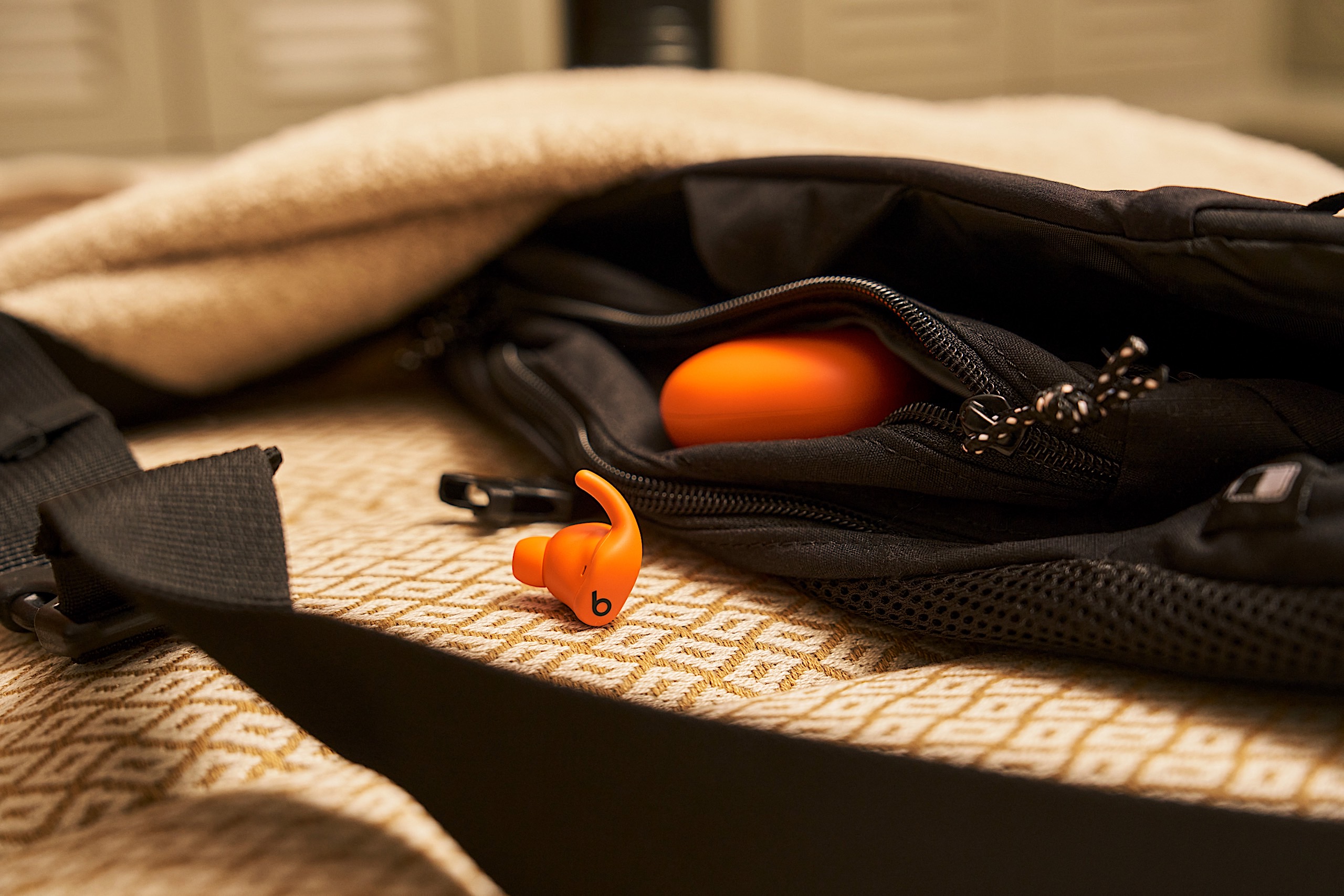
If you’re looking to a new set of Beats earbuds but aren’t a fan of the company’s over-the-ear hook, there’s another fresh option to consider. The Apple-owned company revealed its latest model, the Powerbeats Fit, which looks a lot like the Beats Fit Pro that debuted in 2021. That’s because this new set of earbuds is the direct successor to that four-year-old audio accessory.

Don’t expect a comprehensive overhaul though. In addition to the name change, Beats says it made the Powerbeats Fit more comfortable with a 20 percent more flexible wingtip. The whole package is also more compact thanks to a 17 percent smaller case. The price is staying the same as the previous model though, as the company kept that at $200.

Beats says that the updated wingtip makes the Powerbeats Fit sit as securely in your ears as the Powerbeats Pro’s hook design. The added flex means the earbuds are comfortable enough to be worn all day, according to the company, not just during workouts. The Powerbeats Fit still has an IPX4 rating for water resistance, so sweaty activities shouldn’t be a problem. And to further improve fit, Beats added an extra small ear tip to the three previous sizes (small, medium and large).

Beats' Powerbeats Fit have a familiar design.
Beats’ Powerbeats Fit have a familiar design.
Beats

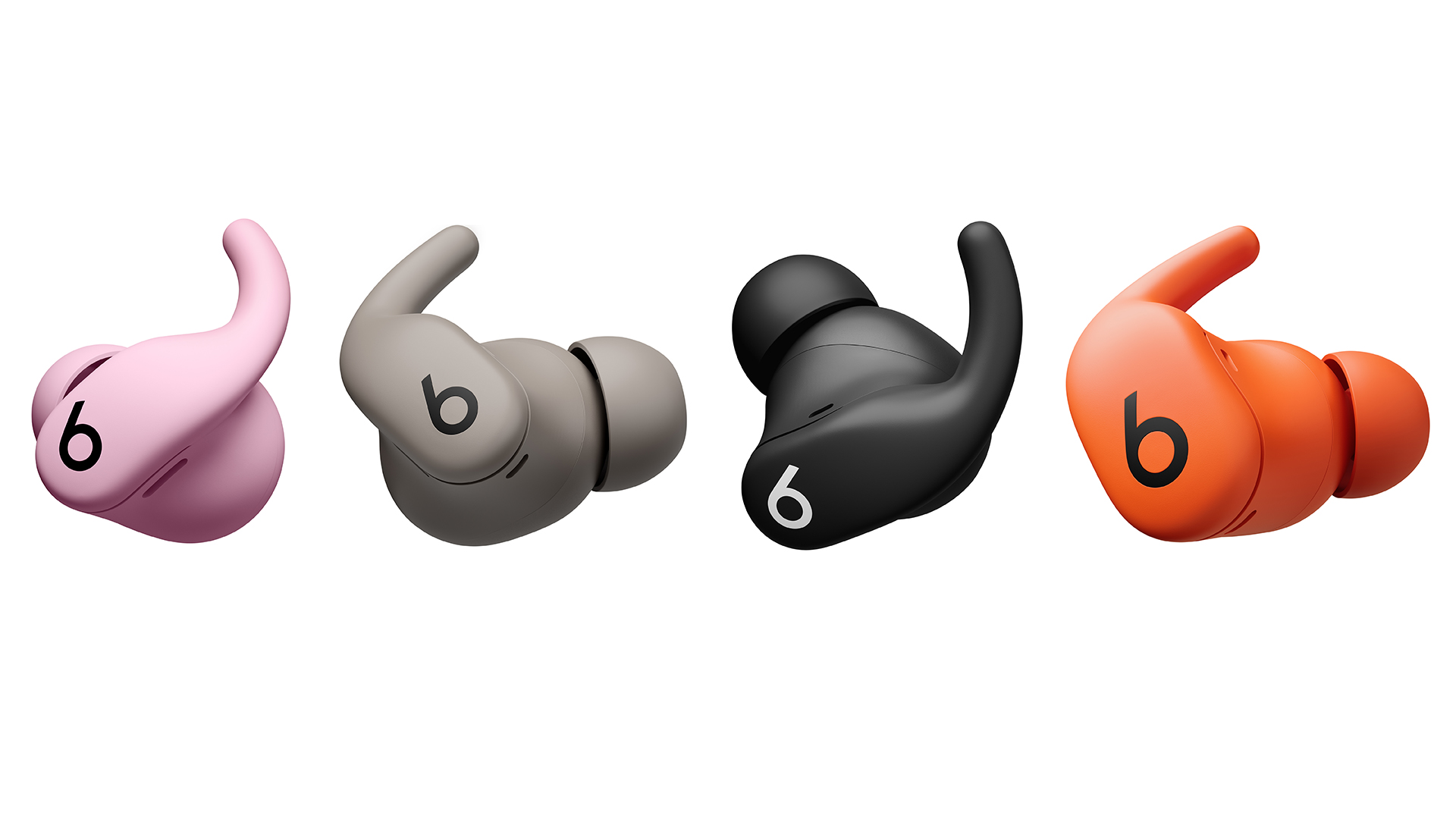
In addition to slightly slimming down the charging case, Beats also added IPX4 moisture protection there. It’s not the most robust coverage, but it’s certainly better than nothing, and it’s enough to withstand water splashes near the pool or in the locker room. There are also new colors for the Powerbeats Fit: orange and pink.

Alongside these modest upgrades, the Powerbeats Fit retains much of what made the Beats Fit Pro a popular choice for ANC (active noise canceling) earbuds. Apple’s H1 chip powers the features once again, including Personalized Spatial Audio with dynamic head tracking, Adaptive EQ, Audio Sharing, hands-free Siri and automatic switching between devices. You’ll also get transparency mode, Find My and FaceTime with Dolby Atmos spatial audio.

The Powerbeats Fit settings are baked into iOS, but Android users will use a dedicated app for customization like other recent Beats devices. Here, you can expect one-touch pairing, customizable controls, battery status, Locate My Beats and an ear tip fit test. All of that is available to iPhone users too, so neither group of OS loyalists will miss out.

New colors for the Powerbeats Fit include pink and orange.
Beats

Onboard controls offer quick access to playback changes, volume adjustments, listening modes, calls and voice assistants. These are still physical buttons, which can be an important consideration over the tappable, touch-based panels that some of the competition employs. Battery life is also consistent with the Beats Fit Pro: up to seven hours on the earbuds and up to 30 hours total with the charging case with ANC off. Turn noise cancellation on and you can expect six hours of use (24 hours with the case).

The Powerbeats Fit is available for preorder today in black, gray, orange and pink color options for $200. The earbuds will hit retail shelves on October 2.

This article originally appeared on Engadget at https://www.engadget.com/audio/headphones/beats-announces-the-powerbeats-fit-a-slightly-updated-successor-to-the-beats-fit-pro-140000905.html?src=rss

How to Build the Right Smart Home Security System From Scratch

We may earn a commission from links on this page.

I’m a shut-in, which makes me the perfect candidate for a smart security system. I want to know exactly what’s going on outside at all times of day, even while I’m still tucked tightly in bed. You don’t have to be a serial introvert to benefit from a few cameras and connected devices in your home. If you’re frequently away, you may also want to keep a record of packages and people who have passed through while you’re out.

Smart security systems are not just about catching a neighborhood cat in the act. They help keep a watchful eye when you can’t, and they can be automated to trigger other devices as needed—such as a motion sensor turning on a smart light and recording a video clip, or a door opening to trigger a deafening alarm. The good news is that smart security systems are fully customizable to meet your specific needs. Some brands offer third-party monitoring as an added security measure, providing extra assistance when you’re away from home.

Setting up a smart security system is just as straightforward as setting up a smart home. You’ll want to choose your smart security ecosystem first, then decide if you want something that’s highly expandable later on. You can also keep it simple with a video doorbell that syncs with a smart display inside the home, especially if you’re renting and don’t have many customization options. Here’s how to get started.

Choosing a method of smart security

Smart security systems range from the expansive to the simplistic, just like the smart home does. You choose the ecosystem you want to live in and then build from there. But before you can select that, you need a device to function as the entry point. It could be a security camera, a video doorbell, or a smart lock. The idea is that whatever you use to enter your home is the first line of defense. Everything after that is an add-on.

Most people start with a security camera, with the most popular option being the video doorbell. The video doorbell offers it all: a window to the world, a clear indication that there’s an eye on the outside, and the ability to deliver instant notifications for sound and movement at your door. It also serves as a button that people can press to let you know they’ve arrived. Installation can vary from easily mountable to more involved, depending on whether you integrate an existing doorbell chime. (I’ve personally eschewed this way because the chime on my old house is broken and I have no intention of ever addressing it.) As long as you have smart displays or speakers inside the home, or a smartphone with connected accessories that blare notifications, you don’t need to connect it to a chime.

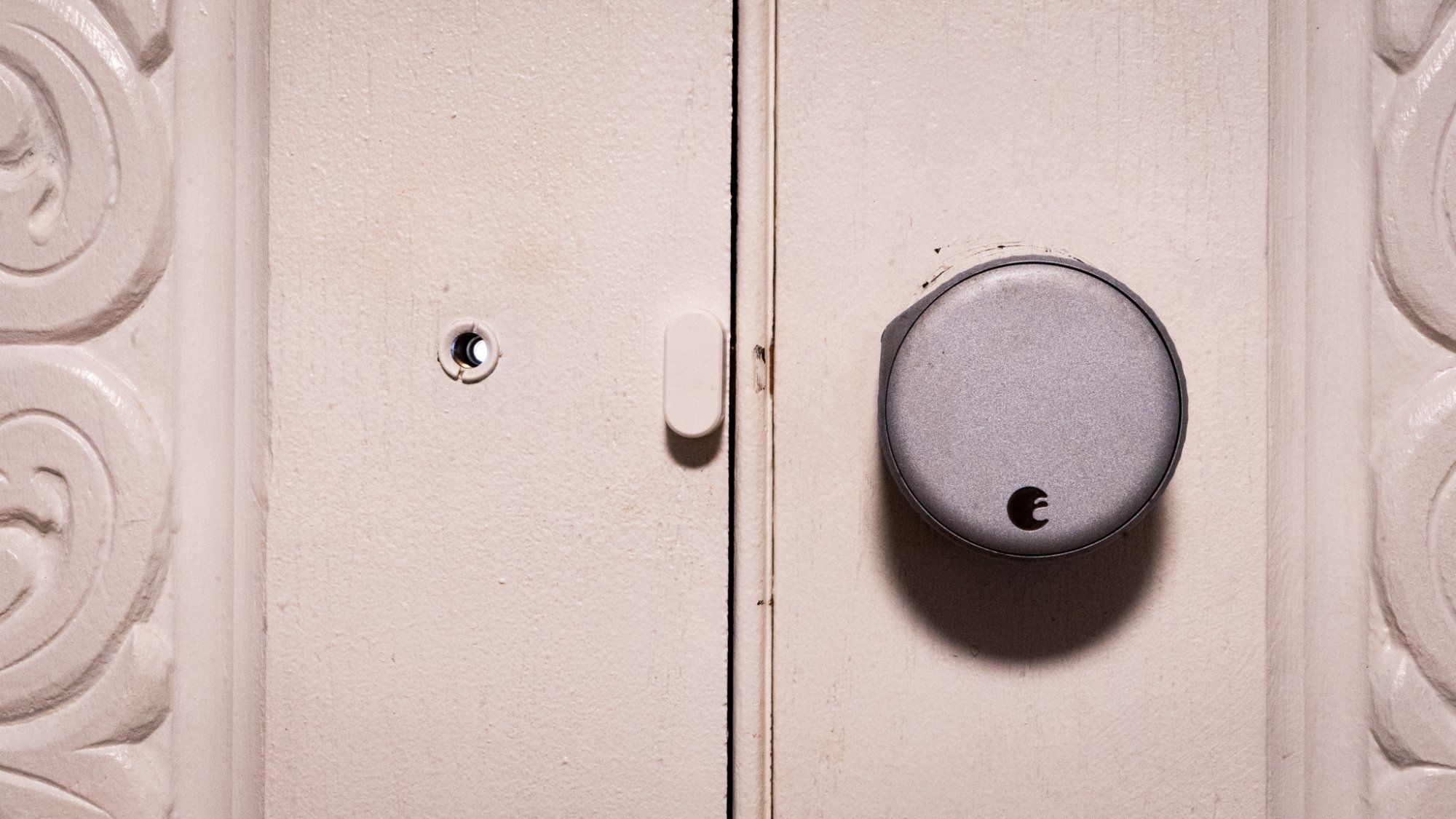
A photo of the August door lock on a door
Not all smart locks take over the door! This August smart lock works over existing door hardware so you don’t have to swap out the deadbolt.
Credit: Florence Ion/Lifehacker

Smart locks are another way to start a smart security system, though they are pricier and a bit more complicated to install, since there’s no one-size-fits-all turn-key solution for every front door. The installation process will vary depending on the type of door you have and whether you can easily swap out the lock. If you’re a renter or love your door, there are “retrofit” smart locks from brands like August that allow you to keep the original keys and hardware intact. Smart locks offer access logs that track who has entered and exited the home. Some also provide tamper alerts, conditional access codes, and lockouts for repeated incorrect access codes. And with most other smart locks, you won’t have to manage physical keys.

There are smart security systems that extend beyond cameras and door locks to include a base station with a siren, a centralized control panel, and motion and door/window sensors. This is the route to take if you need something particularly sophisticated, especially if you want home monitoring included in the package. It requires more setup beforehand, but you can effectively string together a security system without hiring a professional to do it. The security system can also integrate with an existing smart home. If you have smart bulbs, for instance, you can set them up to turn on when a sensor detects movement.

The major players in smart security

Smart security can be more overwhelming to start with than a smart home, due to the breadth of options available. But the only wrong route to take is the one that complicates the eventual goal of having a connected home you can monitor remotely.

Let’s start with the most straightforward entry points through the typical smart home tech players, where you might have already established yourself. Google’s smart security ecosystem, Nest, includes security cameras and smart locks. It offers the benefit of professional monitoring through ADT, and you can integrate third-party cameras and sensors from brands like TP-Link’s Kasa or Tapo accessories. However, brands outside of Nest may not be manageable through the Google Home app, meaning you won’t have access to video clips or previews from the main app feed (though you can still ask Google to stream them to a smart display).

For diehard iPhone users, there’s Apple’s ecosystem of HomeKit-compatible smart security hardware, including devices that have been vetted and approved by the company. You can choose cameras from Eufy, Logitech, Eve, and Aqara, all of which support Apple’s HomeKit Secure Video (HKSV) for encrypted video storage in iCloud. Professional monitoring is typically offered through a handful of third-party solutions that are HomeKit-compatible, such as ADT, Vivint, or Ring.

Amazon also has its own lineup of offerings, which I like to call “platform agnostic,” as they are designed to work on either Android- or iPhone-compatible smart homes. Amazon’s Alexa ecosystem comprises smart speakers and smart displays that deeply integrate with Ring and Blink’s various security cameras, as well as other compatible devices. Ring and Blink are established flagship brands in the Alexa ecosystem, and they work best if you stick to one or the other, with Blink being the “affordable” brand and Ring having more premium options.

If you’re particularly set on going with a brand that has its original bearings in home security, ADT can help you get set up with Google’s hardware and other compatible bits. Vivint also offers professional installation, along with options for building out the smart home beyond cameras and motion sensors. This route can be particularly pricey, since you’re paying a third-party to handle the installation for you, as well as a monthly or annual subscription price.

A more affordable route to take, and one that most people will likely find themselves drawn to, is the do-it-yourself approach with contract-free professional monitoring, allowing you to pay only for what you need, when you need it. Companies like SimpliSafe and Abode make it super easy to concoct your own network of smart security devices that work in tandem with one another. SimpliSafe offers month-to-month monitoring, while Abode offers on-demand, temporary professional monitoring by the day or week. SimpliSafe and Abode feature base stations, which are smart home hubs equipped with all the requisite connectivity hardware for automating devices, including cameras and motion sensors, as well as providing battery and cellular backup, and a loud alarm that blares in the event of an intruder or other emergency. This route can be cheaper, although it may also cost more if you want something particularly expansive.

If you build your own smart security system, you can choose to mix and match as you please. With the advent of Matter, the unifying connection protocol, it has become easier to link ecosystems. However, Matter does not yet fully support the ideal streaming bandwidth required for security cameras and video doorbells, so you won’t be able to trigger automations based on that criterion.

The do-it-yourself route is attainable for anyone who doesn’t mind a weekend of customizing and adjusting a new system. But if you have security cameras in your setup, I recommend sticking with the camera brand as the main “anchor” of the security system and building around that. If you have a Ring video doorbell, for instance, consider adding Abode or SimpliSafe as an option for third-party motion sensors and similar devices, especially if you’re not using the Ring base station. It is easier to manage if you stick with the full Ring security system, as you’ll only have to interface with one main app to check in on the home. But the option is there to mix in another provider.

Picking the right smart security system

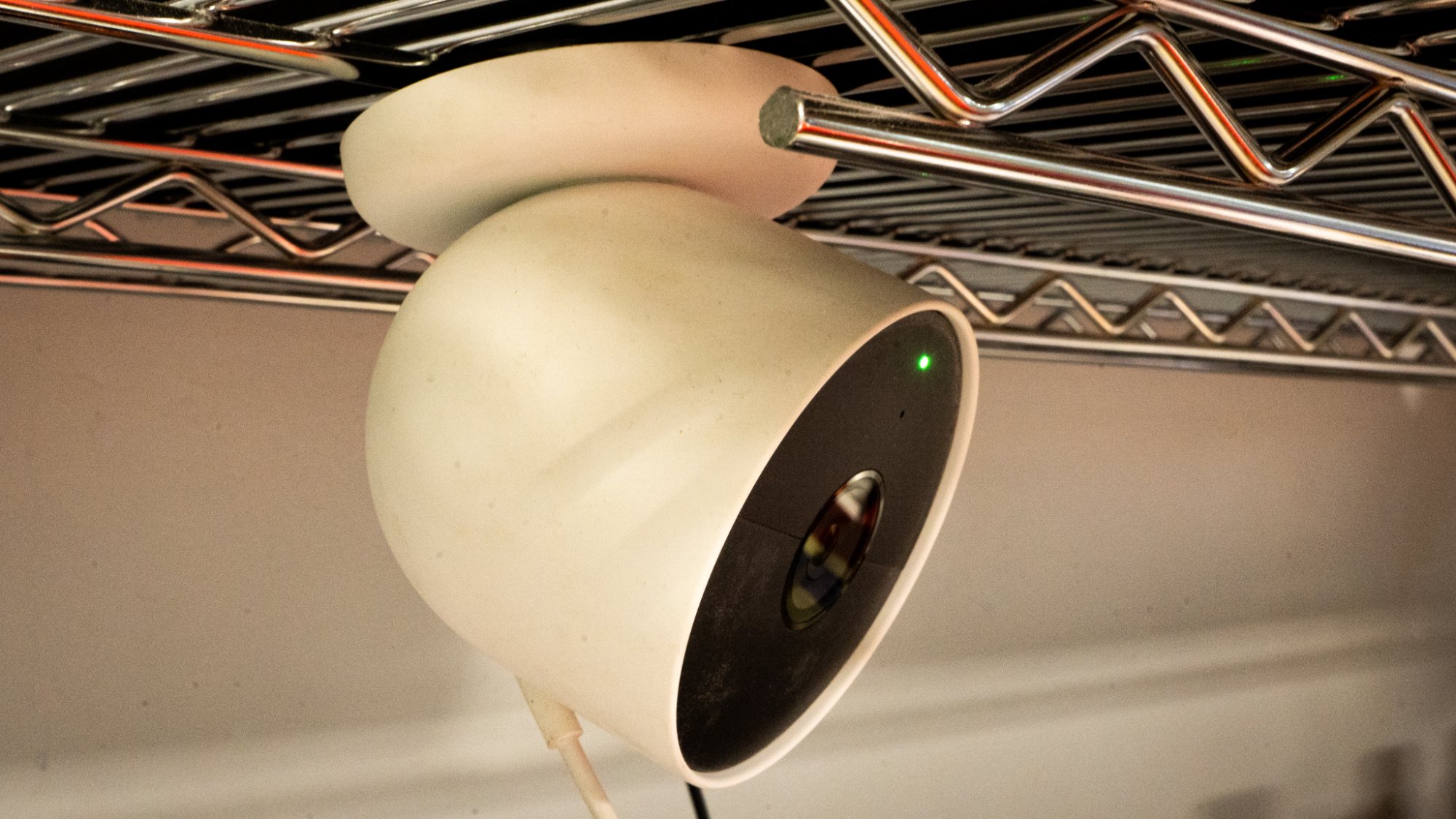
A photo of an indoor Google Nest camera
Some security cameras are so easy to install they magnetize to a metal rack.
Credit: Florence Ion/Lifehacker

The best way to determine which system suits your specific needs is to consider the situation. If you’re already a tech enthusiast, consider one of the DIY routes and integrate a system like Abode with one of the three main digital assistants—Google, Apple, or Alexa—as your main controller. This offers the most combination of mixing and matching brands, plus the added benefit of on-demand professional monitoring as needed.

If you’re a renter, consider the less permanent option. SimpliSafe and Ring’s ecosystems were built around this flexibility, as it’s each brand’s bread and butter. They include everything you need right out of the box, like a base station that connects to a variety of renter-friendly accessories, stick-and-peel motion sensors, and rental-friendly camera mounting. Ring lets you pay for professional monitoring on a month-to-month basis, although it’s not required to use the hardware, whereas SimpliSafe accommodates self-monitored systems. Amazon’s Blink is also a viable option to consider for temporary or non-DIY living situations, especially if you prefer notifications via a smart display or speakers.

For first-time home owners, consider a hybrid approach that works right out of the box, but also allows you to add to it later. Google’s Nest products work particularly well in a household that’s all-in, from Nest security cameras to the Nest Thermostat, which also serves as a motion sensor in the connected home. If you want to add professional monitoring at a later time, you can integrate a SimpliSafe or Abode system into an existing setup without disrupting what you’ve put together, or have ADT take over on a month-to-month basis.

If you don’t have the patience for this kind of smart home maintenance, or you’d rather opt for a professional monitoring company to handle it all, there is no shame in choosing ADT or Vivint. It will cost you more, but both companies have had ample time to establish secure device partnerships. You can get the whole kit and kaboodle through either brand, from motion sensors to security cameras. This is also the route to take if protecting your property while you’re not there is key. Companies like ADT boast a massive network of monitoring centers across the continental U.S., and again, you don’t have to handle everything yourself.

A smart home with sirens

It can be overwhelming to start your journey into smart security. But once you set it up, you won’t be able to live without the constant reminders that everything is in perfect order in your house. Indeed, I use the cameras to check in with my home and make sure it’s still standing there. Sometimes that peace of mind is all it takes to allow yourself hard-earned time off.

Regardless of which route you choose for your smart home, don’t feel like you have to jump in all at once. I started my smart home security system with a doorbell camera and a connected thermostat. They weren’t even from the same ecosystem—the doorbell camera was Ring, and Nest handled the thermostat—but I learned how to use mobile apps to develop routines around each of them. Now I live with mostly Google’s Nest cameras, which take on the bulk of the surveillance work. I’ve incorporated a few budget-friendly brands, such as TP-Link’s Kasa, around the house for a little added extra help when I need it, and a smart lock that can be remotely managed to let me know when I’ve left the front door unlocked.

The Best Smart Home Gear to Level Up Your Entertainment System

We may earn a commission from links on this page.

While tech companies might increasingly seem to think I want media created by AI for no specific purpose other than to fill time, all I really need is tech that automates the tedious parts of entertainment. Collecting and organizing the movies I actually want to watch, streaming music throughout the house, or creating the ambiance I need to immerse myself in a show. For actually useful home entertainment tech, here’s where smart home gear can be helpful for watching TV and movies, listening to music, or playing games.

Whatever your media of choice, the time you spend watching shows, listening to music, or playing games is a deeply human affair. And that means not every piece of tech that tries to automate your habits is necessarily going to be an improvement. Here, I’m less interested in how to shovel as many YouTube videos into your queue as possible, and more in how you can use tech to find and manage the media you want in the way you want it.

With that in mind, here are some of the smart home gadgets that I’ve found genuinely useful for my home entertainment needs.

Streaming boxes and sticks

At this point, it’s hard to find a television that doesn’t have some kind of smart system on it, eager to serve up apps for your favorite streaming services. However, some of these platforms are more helpful than others. Even if your TV already has its own operating system, you can get a streaming stick or standalone box with a better platform.

  • Google TV: This one is a personal favorite of mine. The Google TV Streamer box adds a Google-powered interface that can search for shows and movies across all of your streaming services. You can even add items to your watch list from search results on your phone, which is easily one of the most convenient ways to keep up with that show your friend told you about that you can’t remember the name of. Now, just tap to add it to your watch list and it will show up on your TV at home.

  • Roku: If you’re looking for something more platform-agnostic, Roku’s streaming sticks and boxes offer the widest suite of streaming services in one box. Since it’s not owned by any company that also offers a video streaming platform (like, say, Amazon) you can find almost every streaming service. It lacks some of the more comprehensive search options you’ll find on Google TV, but Roku more than makes up for that with its excellent physical remotes and a range of devices at every price point.

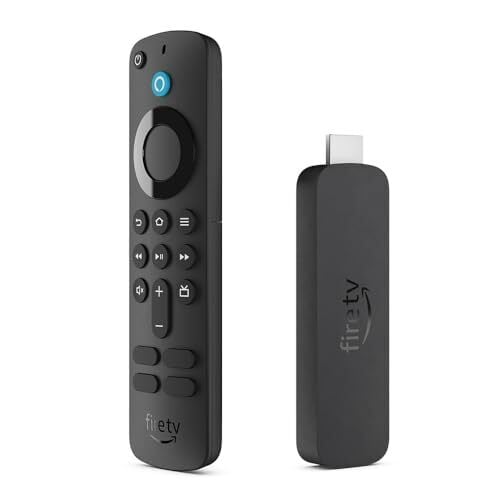
  • Apple TV/Amazon Fire TV: Both Amazon and Apple offer their own streaming boxes that perform reasonably well, but they share a common downside: They both tend to overly privilege their own content stores. If you’re heavily invested in either the Apple or Amazon ecosystem, then these might be the best options for you to buy, rent, and discover movies and shows. However, if you’re a little more platform-agnostic, the other two options on this list might be a better fit.

On a tangential note, one last excellent tool for organizing your watchlists is Letterboxd. This app isn’t a streaming service or platform, but it’s one of the best ways to discover new shows, rate and review the ones you’ve seen, and connect with people who share your tastes.

Build ambience with smart lights

For a while, I thought the idea of putting lights behind my TV—much less syncing those lights to what’s on my screen—seemed like a needless extra. After trying it out, though, it’s a game-changer. Ambient lighting behind your TV can reduce eye strain, particularly when you’re watching in a dark room, making it extra immersive. 

In recent years, it’s gotten easier than ever to sync colorful backlighting to echo the edges of what appears on your screen. It’s great when watching movies, and even better when playing games, where your eyes are constantly trying to refocus as you move through virtual game worlds. Here are a couple of the most accessible systems for setting up lighting like this:

  • Philips Hue Sync: The Philips Hue system has a feature called Hue Sync that lets you connect your smart lights to what’s on your screen. The app can pair with Windows/Mac computers, some models of LG or Samsung TV, or you can use the separate Hue Play box to connect any HDMI source to your lights.

  • Govee: If you want to save a bit of cash, Govee has a more accessible light syncing system. It offers similar features to the Hue Play Box for $260, including the sync box as well as a light strip.

Even if you don’t want to go to the extra effort (and expense) to sync your lighting to your display, any ambient lighting can make your viewing experience a bit better. You can even use smart home automations to automatically turn on your ambient lighting when you turn off the overhead living room lights.

Upgrade your music with smart assistant-powered speakers

For everyday use, smart speakers are fine. They can recite recipes, set timers, or play podcasts and you probably won’t notice the difference much. But for listening to music, it can help to have something a bit higher quality in your home.

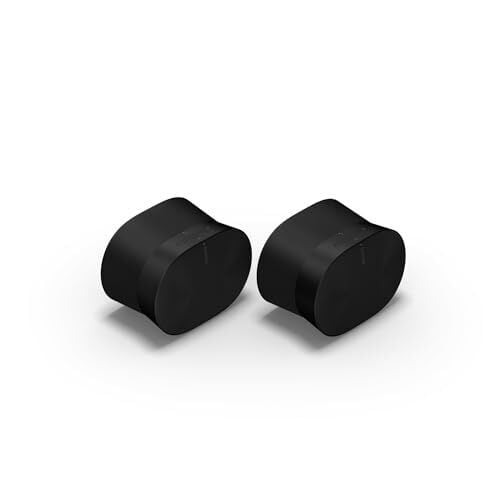
One of my favorites is the Sonos Era 300. This speaker can field wireless streaming from a wide variety of music apps, including Spotify, Apple Music, and Amazon, or you can pair your phone via Bluetooth. It also has a 3.5mm line-in for your more analog music devices.

In the past I’ve also used similar products from Bose, and it’s worth exploring your needs when picking an audio system. Sonos in particular is known for its robust system for enabling multi-room audio. If you want to set up speakers in your living room, kitchen, office, or bedrooms, and easily play music across all of them, or move music from one room to another, Sonos is a great choice.

Bose speakers offer some similar features, though its multi-room capabilities aren’t quite as strong as Sonos. However, Bose soundbars are great at creating room-filling audio, particularly for movies and shows. If you’re more interested in television, and only need to use your speakers solely for listening to music occasionally, the Bose ecosystem might be your better option.

Bring your record collection into the 21st century

The phrase “smart record player” might make analog purists wince, but hear me out. The Victrola Onyx is one of my favorite smart home devices, specifically because it threads the needle of bringing old-school analog collections into the modern smart home environment. 

This model uses a typical RCA output, so if you have an existing analog speaker system, you can connect to it and get that full warm, crunchy audio quality you’re used to from your existing record collection. However, it’s also equipped with Sonos streaming, so you can keep listening to your albums in another room. It gives you the option of streaming your audio, without forcing you to lose the tactile quality of vinyl.

Burnout and Elon Musk’s politics spark exodus from senior xAI, Tesla staff

Elon Musk’s business empire has been hit by a wave of senior departures over the past year, as the billionaire’s relentless demands and political activism accelerate turnover among his top ranks.

Key members of Tesla’s US sales team, battery and power-train operations, public affairs arm, and its chief information officer have all recently departed, as well as core members of the Optimus robot and AI teams on which Musk has bet the future of the company.

Churn has been even more rapid at xAI, Musk’s two-year-old artificial intelligence start-up, which he merged with his social network X in March. Its chief financial officer and general counsel recently departed after short stints, within a week of each other.

Read full article

Comments

Waltz Of The Wizard Gets New Expansion With iPhone Launch Next Month

Waltz of the Wizard will receive the free “Skully’s Fantastic Fails” content update alongside its iPhone launch next month.

Revealed earlier this year, wizarding simulation Waltz of the Wizard is heading to iPhones and iPads alongside a major update that’s also reaching Steam and Meta Quest. Originally announced with a fall release window, today’s new trailer from Aldin Dynamics revealed both will simultaneously launch on October 27. On PS5 and PS VR2, this expansion arrives “later this year.”

The iOS release also comes with a “Reality Mode” using augmented reality that aims to capture the VR experience’s feel. “The game will even recognize your facial input – wink at Skully, play hide-and-seek, and find many other secret interactions,” states Aldin in a press release.

As for Skully’s Fantastic Fails, this new update introduces a rocket launch section in the Courtyard that lets you create wild experiments with our titular companion. This promises “hundreds” of new reactions and additional voice lines, new events across the Tower, and a redesigned menu with a detailed in-game Waltz Codex.

One of VR’s oldest hits, Waltz of the Wizard has continued receiving post-launch updates. Alongside the upcoming expansion and iPhone launch, earlier this year saw it become the first game on PlayStation VR2 to support hand tracking. Aldin Dynamics previously confirmed to UploadVR that an Apple Vision Pro port is in development, though a release window remains unknown.

Waltz of the Wizard is available now on PlayStation VR2Quest, and Steam, while the iOS release follows on October 27.

You Can Make Your Home Smarter Without Buying All New Tech

We may earn a commission from links on this page.

In Lifehacker’s series, “A Guide to Automating Your Entire Home,” we’re highlighting all the ways you can power your home with autonomous technology, room by room. Whether you want to build a smart security system, turn a “dumb” device smart, or simply control your lights from your phone, this guide will help walk you through it.


If you’re starting out with smart home tech, you may feel overwhelmed by all the devices and protocols available to automate every part of your routine. But you don’t need to invest a lot of time and money up front to replace all of your electronics. Instead, consider adding wifi-enabled smart plugs around the house to turn your “dumb” devices smart.

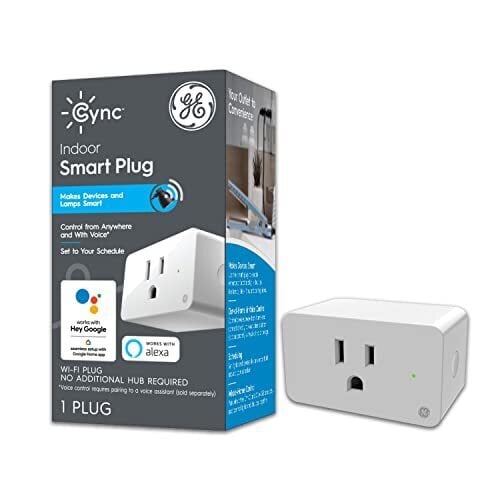
Smart plugs, which are available from well-known brands like Wyze, TP-Link, Amazon, and GE as well as many others, transform your regular outlets into smart alternatives that can be turned on and off remotely, set on schedules, and even controlled with voice commands. All you have to do is plug them in and connect them to an app, and your lights, small appliances, and other electronics become smart.

Some of the best smart plugs have useful features like timers, sunrise and sunset scheduling, energy monitoring, and away modes as well as compatibility with smart home platforms from Google, Amazon, and Apple.

Automate your daily routines

With smart plugs, you can put your morning routine on autoplay by setting various devices to activate at specified times. For example, schedule your bedroom lights to switch on to wake you up and have your coffee maker begin brewing simultaneously (don’t forget to set it up the night before). You could even use a smart plug in your bathroom to heat up your hair tools before you need to use them.

You can set up routines for each individual plug, or you could link them with a voice assistant—using an Alexa-enabled device, for example—to start the whole routine with a single command. The same concept could apply at bedtime, in reverse: Use smart plugs like sleep timers for your lights and your streaming devices or even for preheating an electric blanket or turning on a space heater in your bedroom.

Control indoor and outdoor lights

Smart plugs can be used to automate your lights even if you don’t have smart bulbs. You could set the lamps in your living room to turn off around bedtime and on in the morning—then off again when you leave for work and back on when you return. Or connect your outdoor string lights to a weather-resistant smart plug with a routine to automatically turn on in the evening around sunset and off after an hour or two. Smart plugs are also great for scheduling and automating Christmas lights and indoor grow lights. Aanything you want a timer for, you can do with a smart plug.

Using IFTTT capabilities—or as part of a larger smart home ecosystem if you have one—you could link smart plugs with motion sensors to have lights turn on for a set period of time when motion is detected. This could be useful at night in kitchens or common areas after the lights have been turned off as well as in garages and basements. Outdoor lights could be set to activate when a security camera picks up activity. Other uses of IFTTT include having a fan or heater turn on or off when your thermostat hits a specific temperature.

With smart plugs, there’s no need to flip switches or unplug from outlets, making light control much more convenient. As an added bonus, you can save energy (and reduce your power bill) by tweaking routines so lights aren’t on when they don’t need to be.

Because smart plugs can be automated and controlled remotely, you can also use them for security when you’re away: Set your lights to turn off and on at specified times so it looks like you’re home.

Command your home appliances

If you have devices you want to manage power to, whether you’re away from home or simply across the house, connect them to smart plugs—for example, you can put a water kettle or bottle warmer on a schedule, or at least hometurn them on remotely when you need them. Or set up timers for decorative elements like water fountains, aquarium lights, air fresheners, wax melts, and more.

Smart plugs are also useful for ensuring electronics are turned off, like the aforementioned hair tools and space heaters. If you can’t remember whether you flipped the switch before you left home, check the power consumption of the smart plugs they’re attached to and disable them if needed.

If you run your washer or dryer through a smart plug, you can get alerts to your phone when they finish their cycles.

Access hard-to-reach outlets

With a smart plug, you can control devices connected to outlets in hard-to-reach places—such as high on a wall or behind heavy furniture or in a far corner of your garage—without needing to climb on a ladder or move things out of the way. Plugging the device in initially is the hard part, but after that, you can simply toggle the power on and off via the app or voice command or set up an automation.

This can also be useful for controlling electronics in areas you don’t walk through often, such as water pumps and dehumidifiers in basements and fans in attics and garages.

Monitor energy usage

Smart plugs provide useful data about the energy draw of various appliances and electronics. When a device is plugged in, you can see its real-time energy usage as well as historical data. Use this to reduce standby or “vampire” power, manage battery strain, and identify inefficient, energy-hungry electronics so you can make more informed (and cost-conscious) decisions about your devices.

Prime Day laptop deals: Save on some of our favorite machines from Apple, Dell, Lenovo, HP and others

If your laptop simply isn’t cutting it anymore, October Prime Day might have arrived just in time. As has been the case for the past few years, laptop deals are abundant for Amazon’s Big Deal Days, bringing discounts to MacBooks, Windows laptops, Chromebooks and more. But we wouldn’t blame you if you didn’t know how to figure out if that laptop you’re eyeing actually has a good discount for Prime Day, or if the deal is stale.

That’s where Engadget can help. We’ve poured over the Prime Day laptop deals available this year to pick out the best ones you can get across all kinds of computers. If you’re super picky about the specs you want in a new laptop, we always recommend going straight to the manufacturer so you can configure the machine exactly to your needs. But if you’re willing to work with premade models, October Prime Day deals could help you save some cash on your next laptop.

Best Prime Day laptop deals: MacBooks

Apple’s latest laptops are the MacBook Air M4 and the MacBook Pro M4, and we recommend getting those if you want a device that’s as future-proof as possible at the moment. You’ll find decent MacBook deals on Amazon throughout the year, and most of them will be on the base configurations. In a welcomed update earlier this year, Apple recently made all base models of the MacBook Air M4 have 16GB of RAM by default (which is the same as you’ll find on the base-level Pros).

Best Prime day laptop deals: Windows laptops

You’ve got a lot of variety to choose from when it comes to Windows laptops, and that can be a blessing or a curse. We recommend looking for a laptop from a reputable brand (i.e. Microsoft, Dell, Acer, Lenovo and others like them), and one that can handle daily work or play pressures. That means at least 16GB of RAM and 245GB of SSD storage, plus the latest Intel or AMD CPUs. If you’re looking for a new gaming laptop, you’ll need a bit more power and a dedicated graphics card to boot.

Best Prime Day laptop deals: Chromebooks

Most Chromebooks are already pretty cheap, but that just means you can get them for even less during an event like Prime Day. However, there are a ton of premium Chromebooks available today that didn’t exist even three years ago, so now is a great time to look out for discounts on those models. In general, we recommend looking for at least 4 to 8GB of RAM and at least 128GB of SDD storage in a Chromebook that you plan on using as your daily driver.

This article originally appeared on Engadget at https://www.engadget.com/deals/prime-day-laptop-deals-save-on-some-of-our-favorite-machines-from-apple-dell-lenovo-hp-and-others-130507439.html?src=rss

Amazon’s Smart Plug is cheaper than ever for Prime Day

There are few things as simple yet exceedingly annoying as having to get up and turn off a light. Whether you’re already comfortable in bed or live with mobility limitations, smart plugs can be a great option — especially when they’re on sale.

Right now, you can pick up an Amazon Smart Plug for a record-low price of $13, down from $25. The 48 percent discount comes as part of early Amazon Prime Day sales, ahead of the main event next week. You can also pick up a two-pack of Amazon’s Smart Plugs for $24, down from $50 — a 52 percent discount. 

The Amazon Smart Plug is our pick for best smart plug if you have an Alexa-enabled home. You can tell Alexa to turn off the lights or control it with the Alexa app. It’s compatible with most plugged in devices, from lamps and fans to even kitchen appliances. You can also set it to turn on lights or devices at a certain time each day.

This article originally appeared on Engadget at https://www.engadget.com/deals/amazons-smart-plug-is-cheaper-than-ever-for-prime-day-130446173.html?src=rss