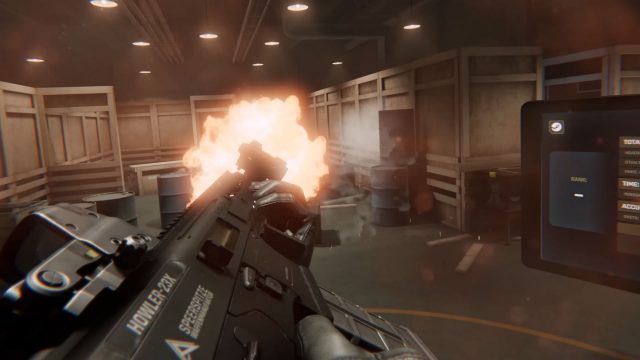
Gunman Contracts – Stand Alone is slated to arrive on PC VR headsets in early access this year, bringing an action movie-inspired shooter adventure that’s definitely aiming high.
Solo dev ANB_Seth and publisher 2080 Games released the game’s tenth devlog, showing off more of the game’s punchy gun mechanics at the newly unveiled home base: ‘The Hive’. We get an eye-full of target shooting, weapon customization, and taking on packs of baddies in training mode.
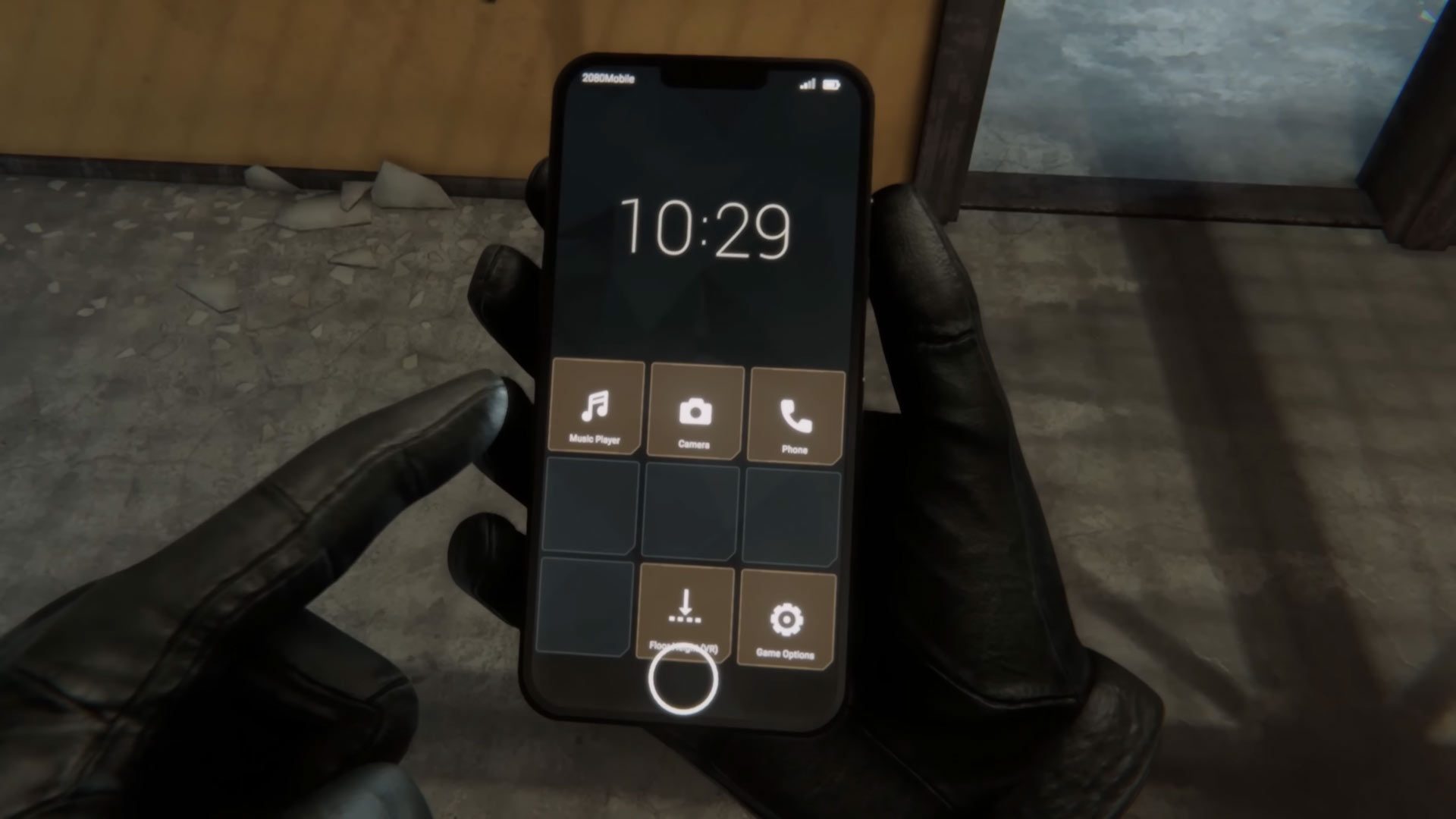
The video also shows off a neat settings menu—a smartphone stored in your left wrist slot—letting you scroll through environmental music, snap a picture, and maybe even make a call.
Image courtesy ANB_Seth, 2080 Games
While Half-Life: Alyx (2020) is an impressively high target when it comes to visual fidelity and gunplay, ANB_Seth has some of the best experience in the field. They’re the very same solo developer behind ‘Gunman Contracts’—one of the best, and most full-featured HLA mods out there.
Although ‘Gunman Contracts’ (the mod) requires HLA, Gunman Contracts – Stand Alone is just that: a standalone game. At its early access launch, ANB_Seth says it should have around 5-6 contracts, including various modes, all of which are built from the ground-up and not repeats of the action seen in the mod series.
Having worked with 2080 Games since late 2024, ANB_Seth says the publisher’s backing has allowed them to invest “even more time into the project, expand its scope, and accelerate time to release,” developer ANB_Seth explains in a Reddit post. “Still, I’m still a one-man dev team and I’m pushing as hard as I can to release this year – fingers crossed!”
That leaves ANB_Seth only around three months left to hit the 2025 early access release window, which could suggest we’re going to see much more of the game as finishing touches are applied, so we’ll be keeping an eye out.
In the meantime, you can wishlist Gunman Contracts – Stand Alone on Steam, which will launch in early access with both PC VR and flatscreen modes. There’s no word yet on whether the game is coming to other platforms, however ANB_Seth said last year ports to Quest or PSVR 2 are “actually realistic.”
My massage guns are precious to me, and I don’t plan on giving them up any time soon. At the same time, the world of sports recovery is so much bigger than a $400 Theragun. Maybe you love your massage gun, but you’re still wondering what other tools are out there to help soothe your sore muscles. I’ve got you covered on this front. After six years of running marathons without any major injury, here are some of my favorite massage gun alternatives that deserve a spot in your recovery arsenal.
Percussive foam rollers
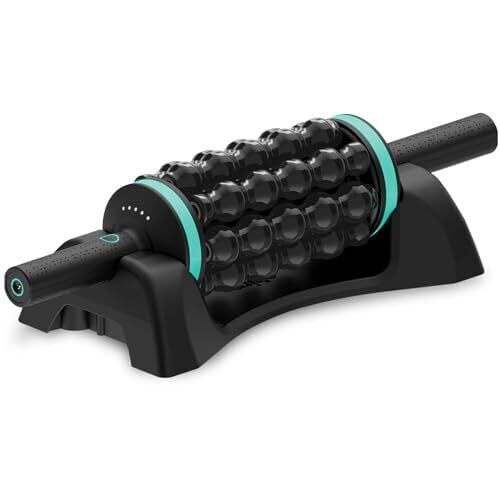
Foam rolling is a recovery staple on its own, but I recently discovered how the Chirp RPM Rolling Percussive Massager (which I review in-depth here) elevates this classic technique with built-in vibration. This hybrid tool combines the familiar benefits of traditional foam rolling with gentle percussion therapy, which seriously reduces the effort required for effective self-massage. Traditional foam rolling can be exhausting, especially when you’re already fatigued from training. The percussive action does much of the work for you, allowing for deeper muscle penetration without the same physical exertion. Anecdotally, I’ve noticed solid improvements in my recovery time when using the Chirp roller, particularly for IT band and calf muscle maintenance.
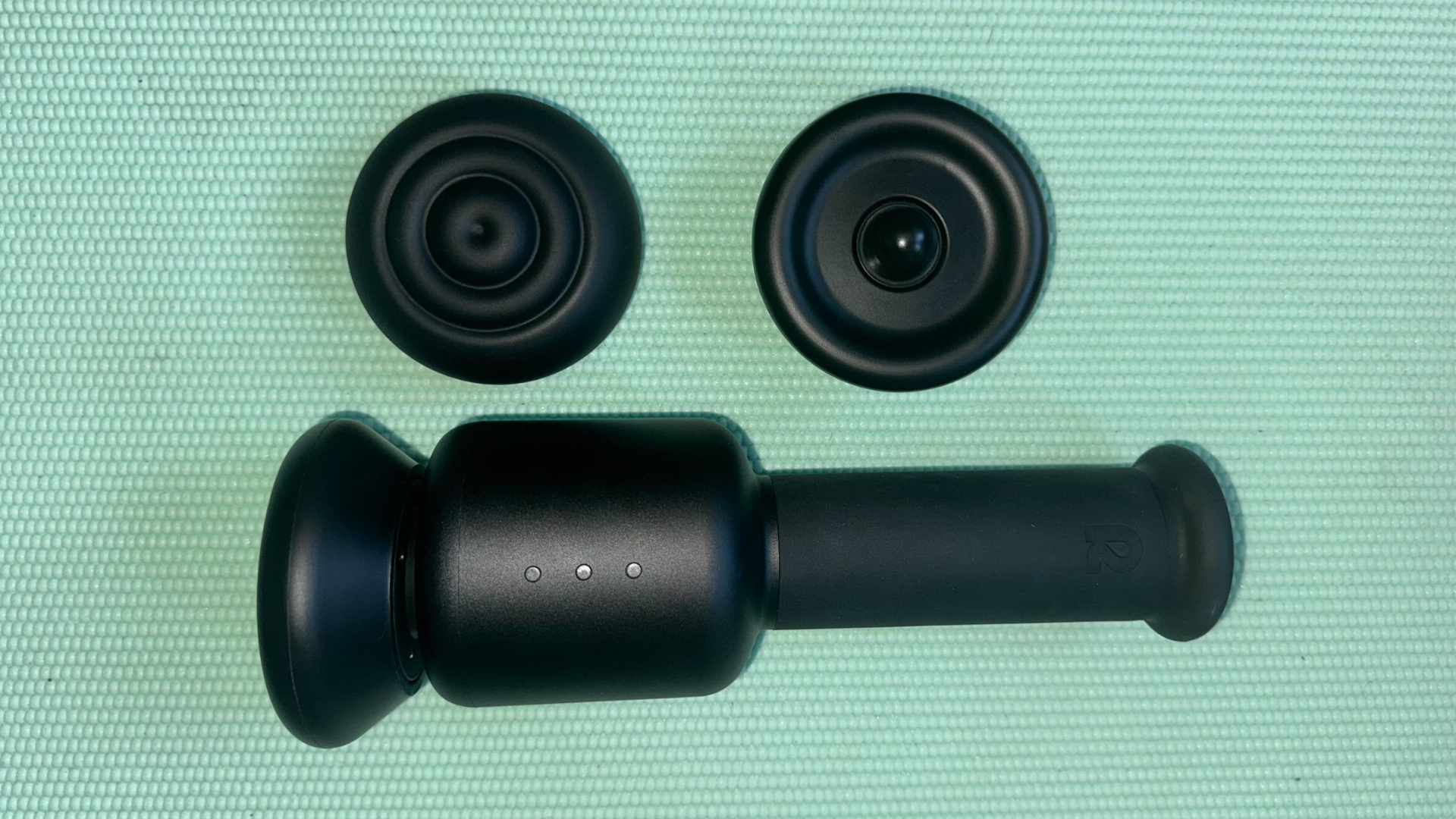
When most people think of massage guns, they picture the typical back-and-forth percussion motion. Lately, I’ve opted for the Rally orbital massage gun to break up the jackhammering with a unique circular motion pattern. It feels less aggressive than traditional percussion therapy, but just as effective. I’ve found it particularly effective for post-workout recovery on large muscle groups like quads and hamstrings, where traditional massage guns can sometimes feel too intense. Plus, if you turn the orbital massager at a slight angle, it works just like a percussive massage gun, too.
The device is also surprisingly quiet compared to most percussion massagers, making it ideal for apartment living or late-night recovery sessions. It’s no small investment, but for me, it’s been worth every cent.
Professional compression therapy systems can cost thousands, but I get a lot out of simple compression socks. While they may not have all the bells and whistles of medical-grade units, there’s a good chance you don’t need a medical-grade unit—just a $20 3-pack of socks.
Tennis or lacrosse balls
Before massage guns existed, athletes relied on simple tools like tennis balls and lacrosse balls for trigger point release. These remain incredibly effective and cost basically nothing. And trust me, a $5 lacrosse ball from a sporting goods store performs identically to a $25 “recovery ball” with fancy packaging.
Pro tip from dealing with plantar fasciitis: You can put your tennis ball in the freezer for a nice cooling effect, especially if you muscles are inflamed.
Recovery techniques that cost nothing
Before you drop hundreds on a fancy massage gun or decompression table, make sure you’re taking care of yourself for free in these ways:
Mobility work. The most overlooked recovery tool is completely free: strategic stretching and mobility work. Spending 15-20 minutes on targeted stretches can be more beneficial than any gadget. Focus on dynamic stretching before workouts and static stretching afterward, paying special attention to areas that feel tight or overworked.
Quality sleep. Quality sleep is the foundation of all recovery, yet it’s often ignored in favor of expensive gadgets. I’ve invested in my sleep with this pair of sleepbuds so that I can actually sleep through my partner’s snoring.
Active recovery sessions. Light movement on rest days can be more effective than complete inactivity. Walking and yoga are great ways to get your blood flowing without adding training stress.
The bottom line
The best recovery protocol is the one you’ll actually follow. Whether that includes high-tech gadgets or a simple tennis ball matters less than your commitment to making recovery a priority in your training regimen. I’ve always made it a priority, and I’ve yet to be sidelined from marathon running in the past six years (knock on wood). My advice is that a combination of one or two quality devices—alongside all those free recovery techniques—used regularly will always deliver better results than a collection of expensive gadgets used sporadically. And remember that the most powerful recovery tool is time itself, so don’t turn to a massage gun when what you really need is a rest day.
I’m currently testing a $599 decompression and massage table, so stay tuned on whether I think that sort of device is worth your money.
Logitech has launched the Signature Slim Solar+ K980, a new solar-powered keyboard that you don’t need to put under the sun whenever it runs low on battery. The company says it can use “light from any light source to stay charged and ready to use” and that you can use it in complete darkness for up to four months once it’s fully charged. As long as the light source reaches 200 lux in brightness, which is considered dim lighting during daytime, it can charge the keyboard. “Even the need to think about charging can be a distraction, so we designed Signature Slim Solar+ to take that off your plate completely,” said Art O’Gnimh, the General Manager of Core Products Group at Logitech.
You don’t have to think about plugging the keyboard in or changing its battery: It’s powered by a rechargeable battery that Logitech says can last up to 10 years. But if it does malfunction, the company told The Verge that you can replace it on your own, because it’s encased in plastic and is sold by iFixit. The keyboard absorbs light through a strip above the keys themselves, which use a scissor-switch mechanism and are in a full-size layout with a separate number pad. It’s compatible with multiple operating systems, and you can link it with up to three multi-OS devices and jump from one to the other with its Easy-Switch keys. If you use the Logi Options+ app, you can program its action key to automate simple tasks and to customize its AI launch key to instantly fire up the AI chatbot of your choice.
This article originally appeared on Engadget at https://www.engadget.com/computing/accessories/logitechs-new-keyboard-can-be-recharged-by-any-kind-of-light-120019932.html?src=rss
This week my team (Coalition Delusion, racing in the B1 Development Lime division), took on 8 others in a points race slugfest in Urukazi. Everyone knew heading in that it would be a tough race. Could we survive in the front to the finish, while grabbing enough sprint points along the way?
Only time would tell. Here’s how our race unfolded…
Planning + Warmup
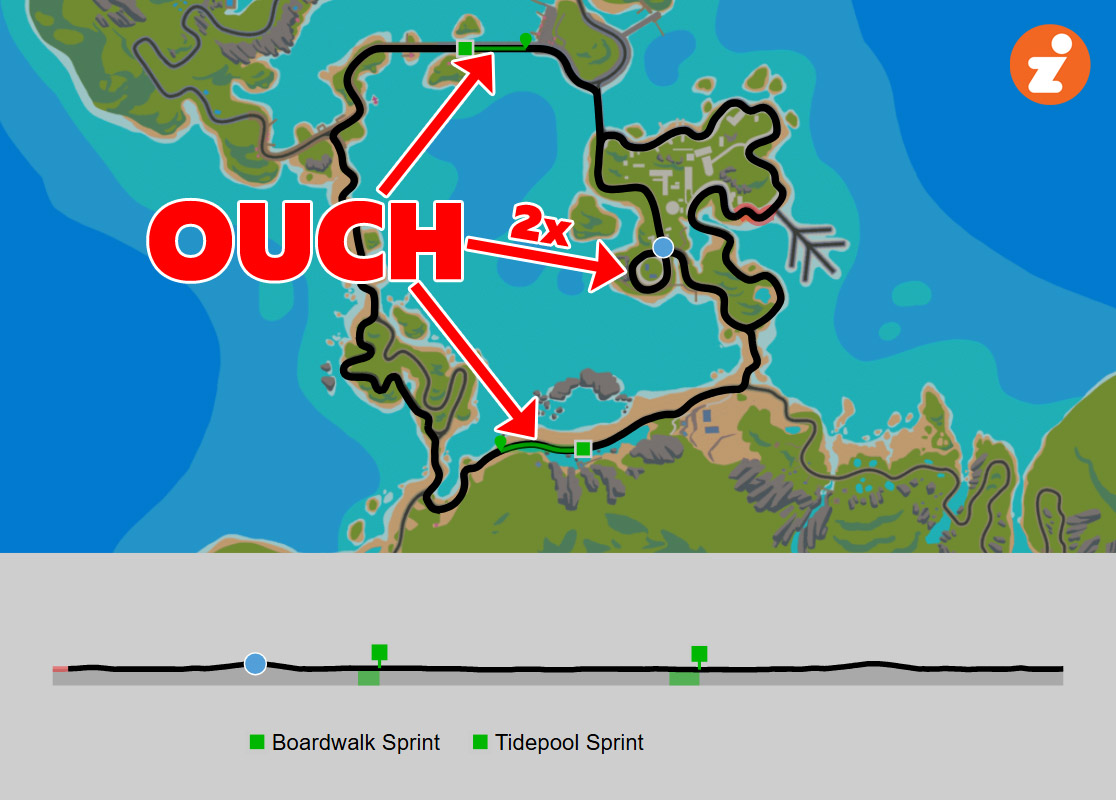
Our team had been chatting on Discord for several days leading up to this race. How could we best attack four laps of Fine and Sandy? Nearly all the race-winning points were in the 8 sprints, but we would also have to survive 8 repeats of the short, dusty Mech Isle climb.
We really didn’t know much about the other teams, either, it being a fresh division and we having only raced a TTT together.
In the end, we decided that the key was to stay in the front group for as long as possible (first priority) while also contesting as many sprints as possible (second priority). It was left to each rider how exactly that would happen.
I was already one dirty chai and a few pieces of Neuro caffeine gum into my day by the time I got on the bike at 9:35am, so I was nicely caffeinated. I’d also applied some PR Lotion to my legs, then I rode a 20-minute warmup, keeping the effort mostly zone 2, with a few spinups to get my heart rate up in zone 4.
After updating my name to include [Coalition] and changing to my chosen race rig (Pinarello Dogma F 2024 + DT Swiss disc), I headed to the pens. Let’s race!
Lap 1 – the Start
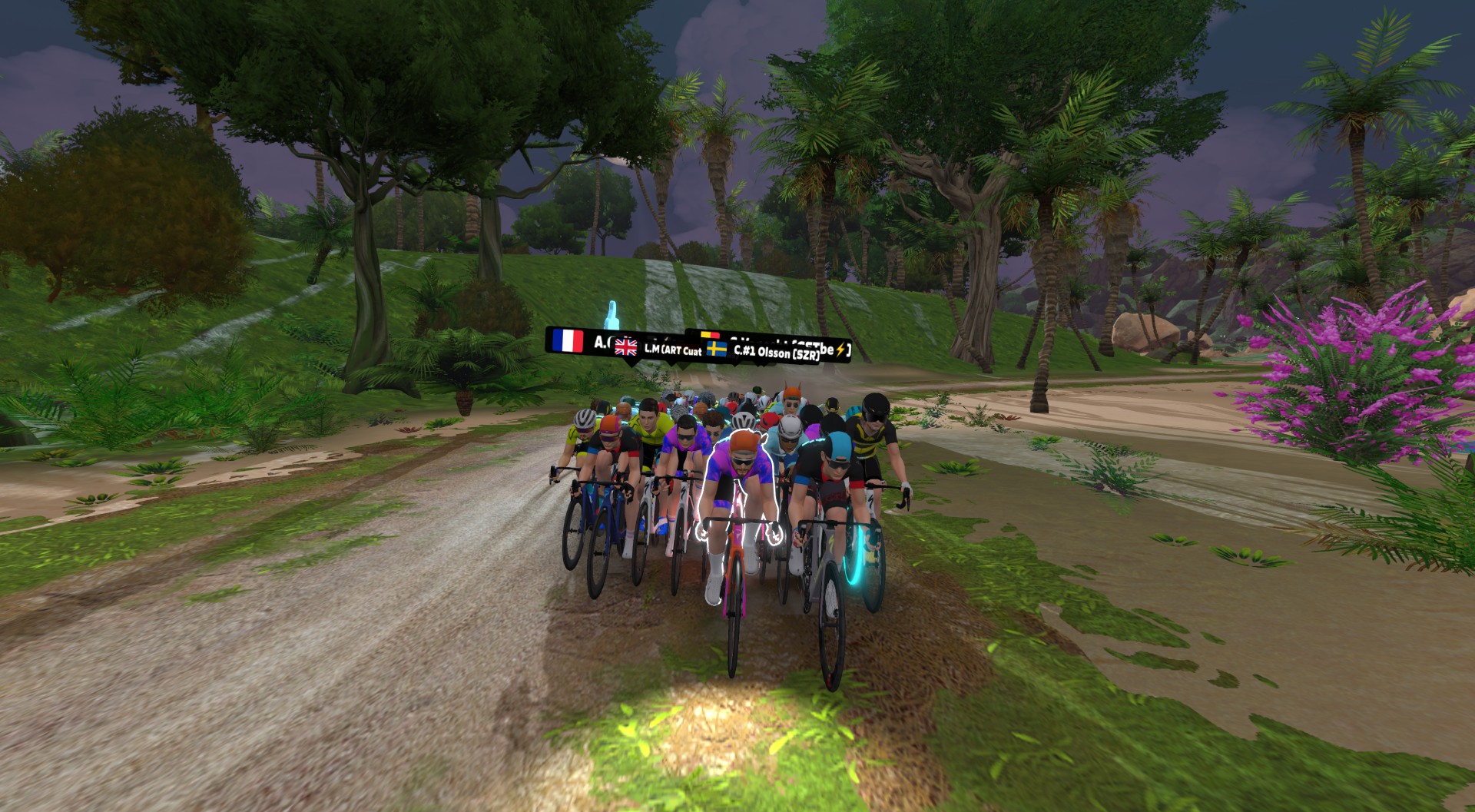
The 50 riders in our race started quite tamely, but that was expected. Everyone knew we would need every bit of power we could muster to hang on over 8x Mech Isle climbs and contest 8x sprint segments.
If you’re wondering what this course looks like conceptually, it’s this:
Captain Neil was on comms, keeping on and carrying on, calmly directing and giving atta boys.
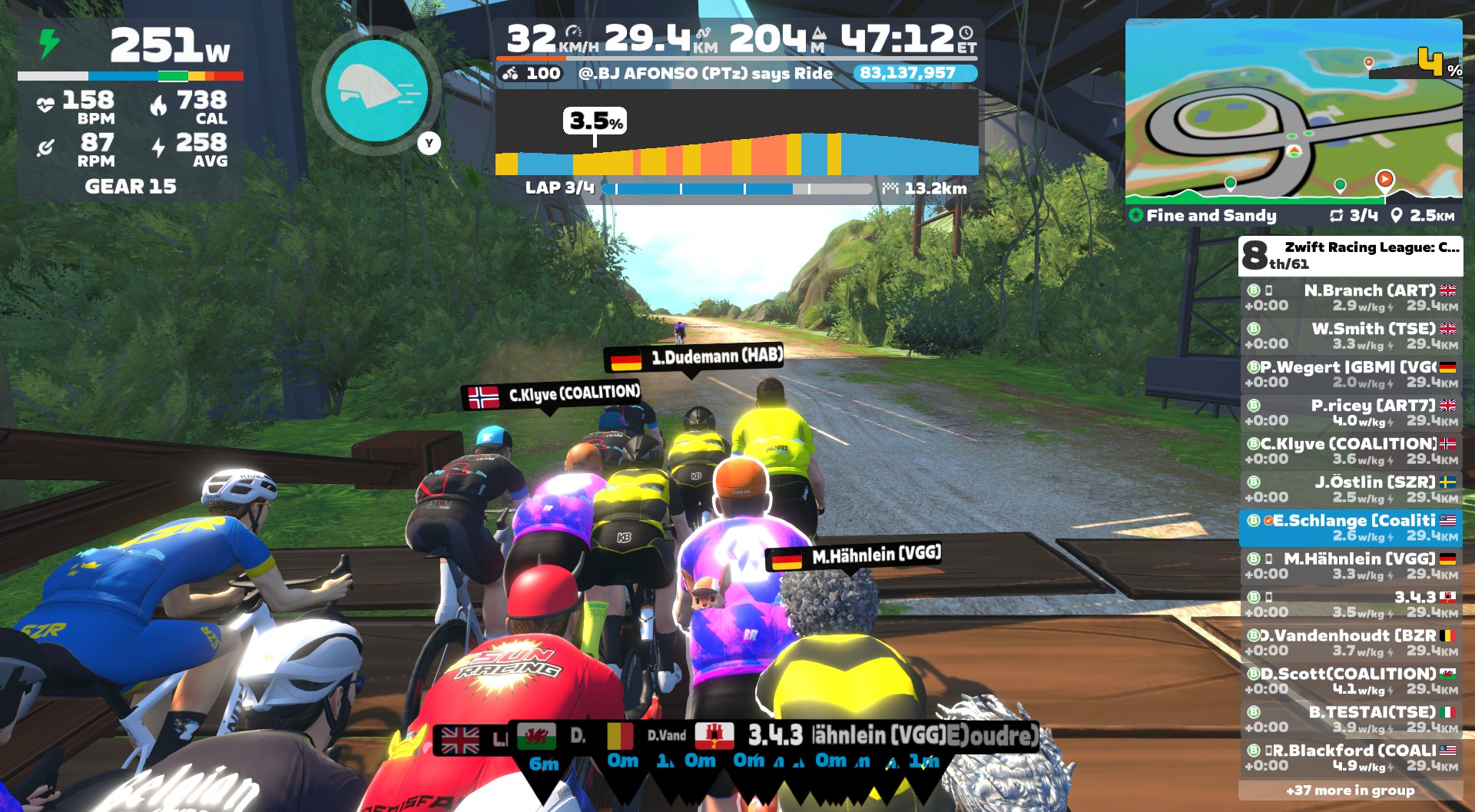
As we crossed the wooden bridge to begin the first Mech Isle climb, I was well-positioned just a bike length from the front, giving me room to “sag” the climb if the group was pushing harder than I could hold.
Vanecht from the Belgian Zwift Riders team through down a huge attack as we began, but I wasn’t going to chase that. Too much action up the road. Apparently others though the same, as he stayed away, taking max FAL points on the Boardwalk Sprint before sitting up and rejoining the peloton.
For my part, I put in a hard sprint, but not a maximal sprint. 11th place.
The group slowed quickly after the sprint point, and I realized I had my first powerup: a steamroller. Should I hold it for the Mech Isle climb up the road, or burn it in hopes of getting an aero at the next arch? I decided to hold onto it.
On Discord, it sounded like teammate Chris M was already feeling the effort. We all told him to hang on as long as he could. In ZRL, every point counts!
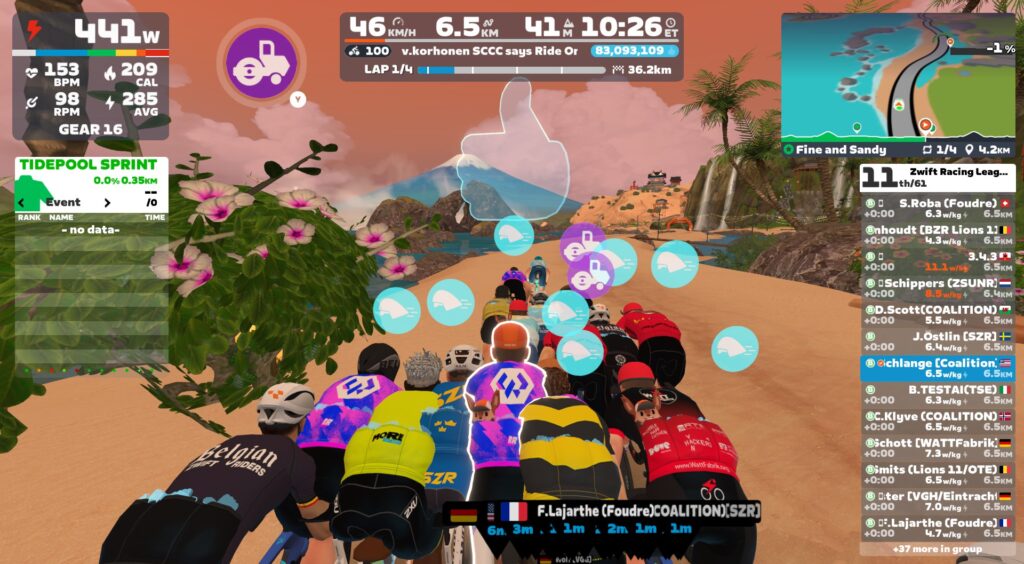
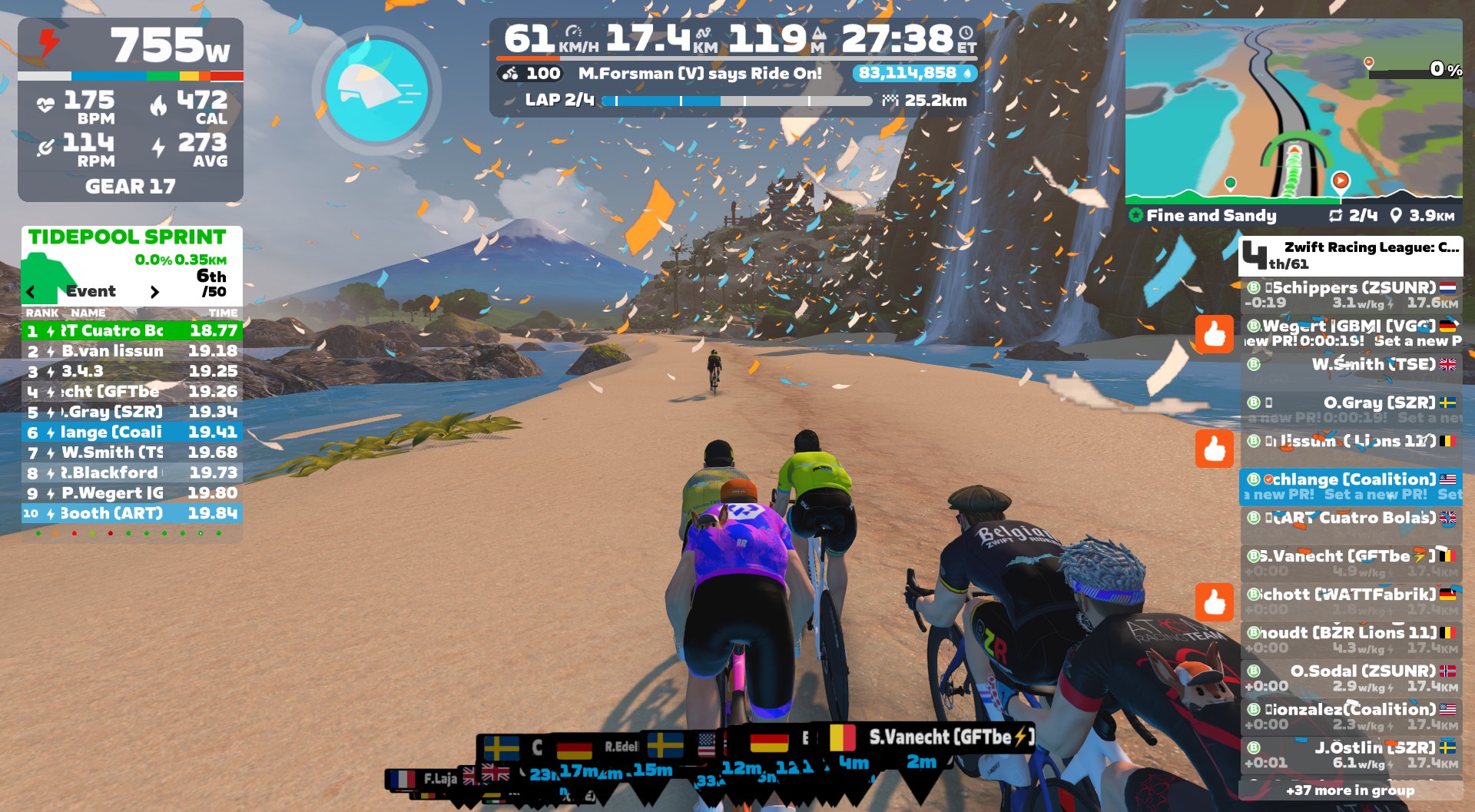
The first Tidepool Sprint is where I realized I’d made a tactical error in holding onto my steamroller. Because it was clear that riders with aero (helmet) powerups had a huge advantage in the sprints, as they rode away from me quite handily and I crossed in 23rd:
I decided then and there not to make that mistake again. My new goal was to have an aero powerup heading into as many of the sprints as possible. If that meant burning a steamroller and suffering more on the Mech Isle climb, so be it.
Because I thought I could hold on up that climb, even though it was a hard effort. And sprint points were all that mattered. 39 riders left in front. On to lap two.
Lap 2: the Winning Move
As the race unfolded, we settled into a rhythm: go hard on the Mech Isle climb and sprint segments. Ride easy in between. Most of that in between riding was really easy, in fact. I kept finding myself poking my nose into the wind, even though I was only holding 150-200 watts!
On the Mech Isle climb at the start of lap 2, ZSUN rider T. Schippers attacked hard, chasing another rider who was even further off the front. I didn’t think much of it, and neither did most of the riders, it seemed.
But this was the winning move.
I came through the Boardwalk Sprint in 11th, without any powerup to assist me. I was starting to believe that I had the legs today to grab some solid sprint points, especially if I could land an aero powerup. And just like that, the Zwift gods gifted me one – my first on the day!
As we wound our way through Mangrove Maze, we noticed T. Schippers was growing his gap off the front, now 15 seconds ahead. Impressive. But still, I don’t think anyone saw it as a move that would last.
The Tidepool Sprint on lap two was my first all-in sprint effort, as I had an aero powerup and thus, I hoped, a shot at a top-5 finish. I crossed the line in 4th. 47 points! And a steamroller, which meant I’d have one easier go up the Mech Isle climb, but another meagure finish on lap 3’s Boardwalk Sprint.
35 riders were left in the front group as we finished our second lap, with 1 additional rider (Schippers) 38 seconds off the front.
Lap 3
As we made our way toward the first sprint of our third lap, we all began to understand the beautiful plan T. Schippers was executing. While we sprinted our guts out 4x each lap, sitting up in between to recover, he was keeping the power steady and slowly growing a gap on the peloton.
I certainly didn’t have the legs to bridge up to him solo. And it seems nobody else did, either. As long as he was riding within himself, he was going to win this race and land a huge points haul. Would that be what his team (ZSUN) needed to win? We weren’t sure, as we really didn’t know who the strongest teams were.
A 14th-place finish on the Boardwalk Sprint earned my team 37 more points, and more importantly, another aero powerup! I used that aero to grab 3rd (and 48 points) on the Tidepool Sprint, where I got another aero powerup.
It meant I would suffer a bit on the two Mech Isle climbs just up the road. But hopefully that meant I could finally put in a fast effort on the Boardwalk Sprint.
The Mech Isle climb at the end of lap 3 proved to be the one that dropped teammate Chris M from the front group. He’d done a remarkable job of holding on, though, and continued to soldier on in the chase group.
The front pack had been whittled down to 29 riders (plus Schippers well off the front) as we headed into our final lap. Five Coalition riders remained in the front group.
Lap 4 – the Finish
Several riders went surprisingly early on the final Boardwalk Sprint, but I wasn’t feeling spicy enough to follow. Still, I had an aero powerup, so I gave it a go, crossing in 8th.
Landing a steamroller powerup put me in a bit of a quandary. Should I hold onto it to ease my final effort up the dirt climb? Or ditch it in hopes of getting an aero powerup?
I decided to burn it – to literally trash it (so other riders wouldn’t see what I did). And it worked! I got 16th on the final Tidepool Sprint, well behind the riders with aero powerups. But I also landed an aero powerup myself, which I knew would be helpful in my finishing sprint, as long as I could hold onto the wheels up and over the final Mech Isle climb.
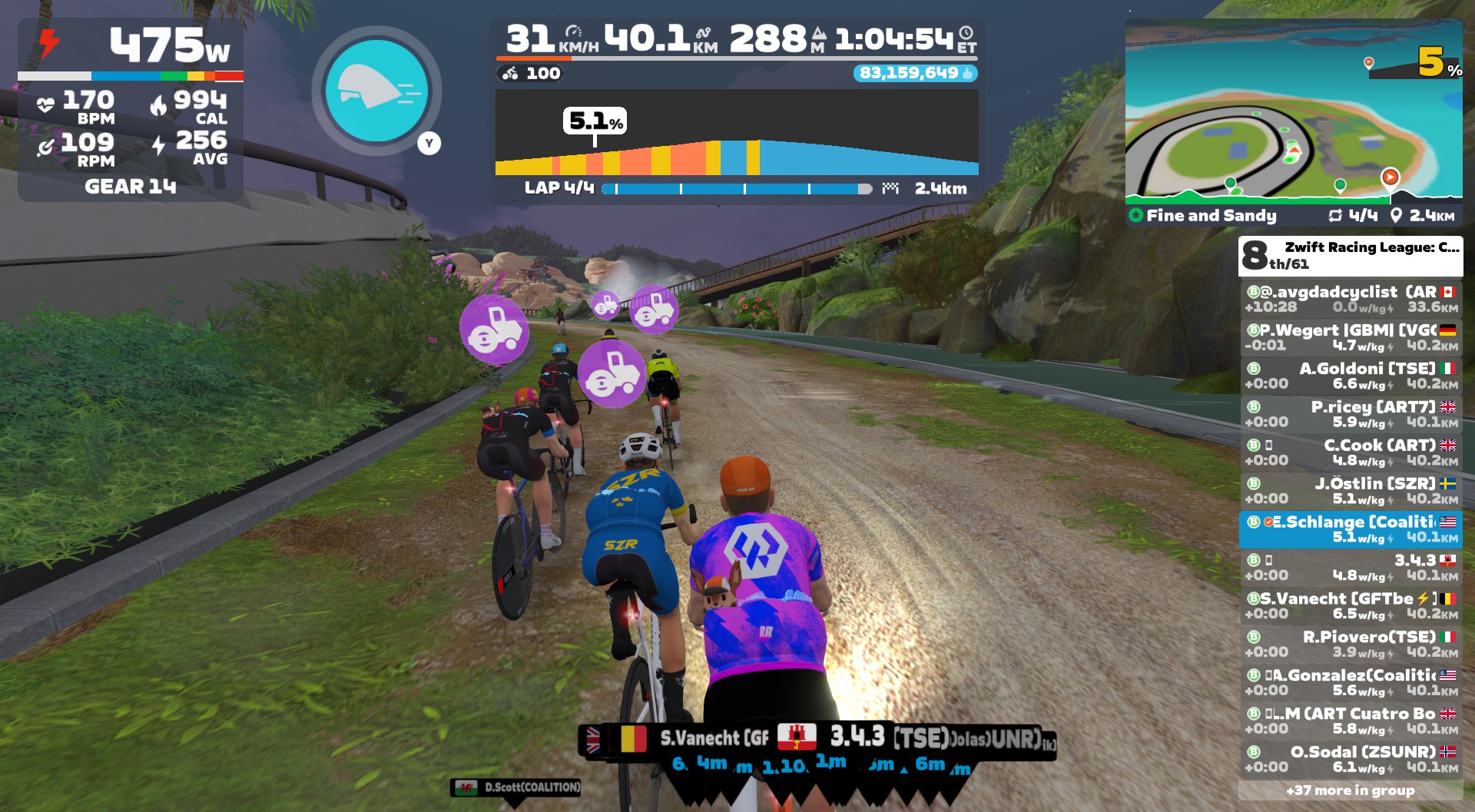
Three riders managed to get away off the front up that final climb, and I just suffered my way over it, making sure I didn’t get gapped off the back. My gamble had worked: I had survived the final climb, and had an aero in my pocket for the finish.
My plan was to surf the wheels until the final few hundred meters, and that’s what I did. I probably left it a bit late, but managed to cut through most of the group and finish 6th.
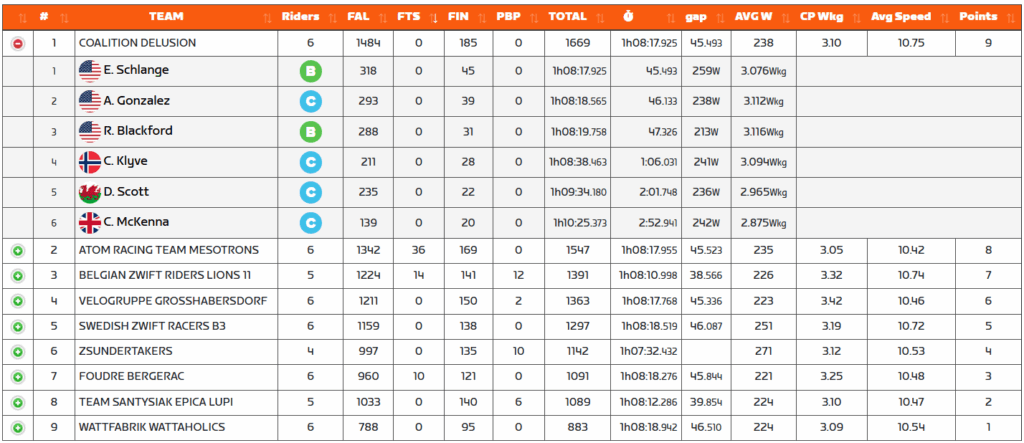
The results from WTRL came in quicker this week, and we were stoked to see Coalition Delusion atop the leaderboard!
Just like we’d told Chris M, every point counts. Without his 159 points we would have lost to Atom Racing. That’s why you never give up in a ZRL race.
Of course, everyone on the team contributed in a big way, as you can see from our points totals above. You can’t win these sorts of races with just one or two outstanding performers. Well done, Coalition Delusion!
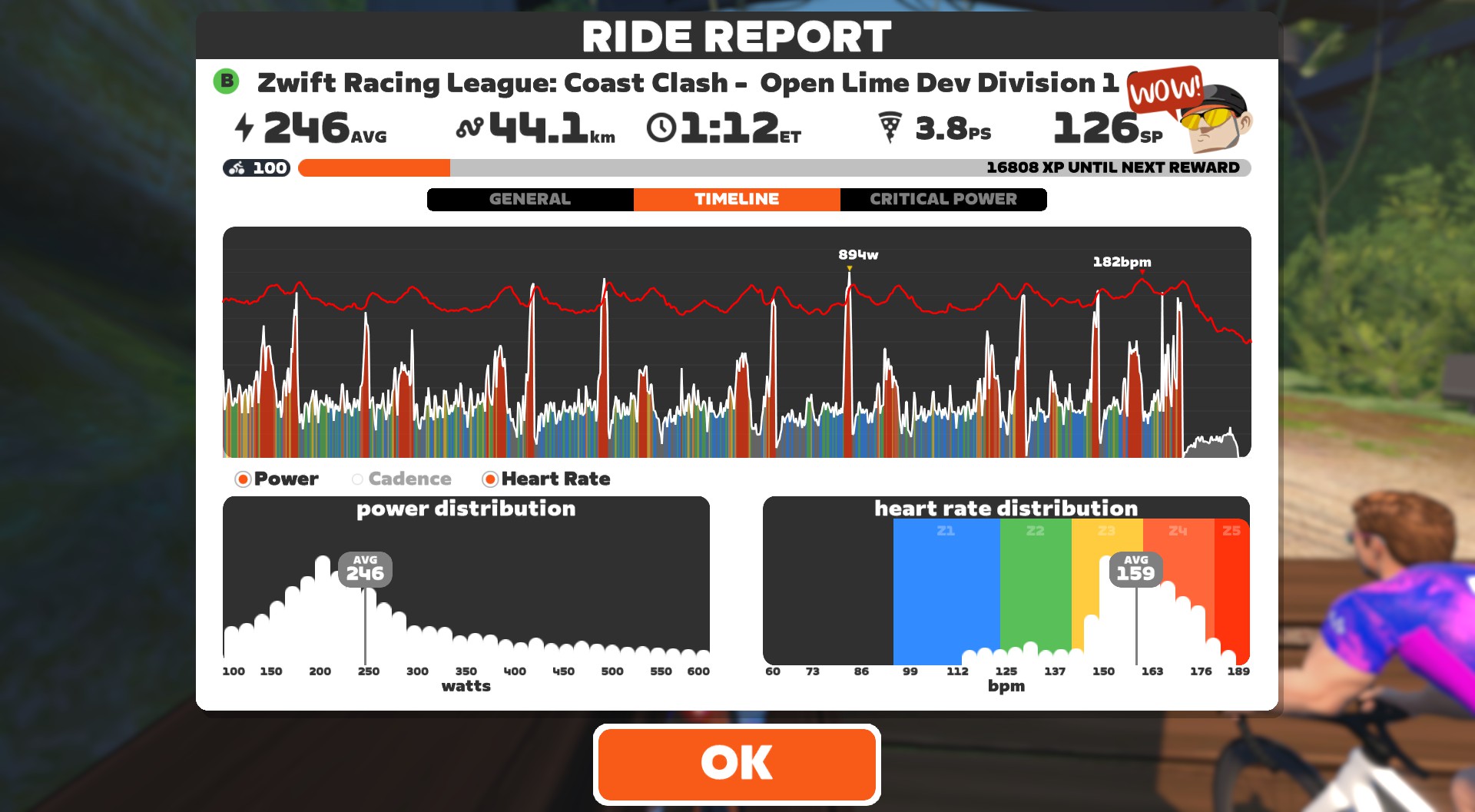
Personally, I was really happy with my result, as I somehow managed to be the leading points scorer for my team this week. While my average power for the race wasn’t anything impressive, 17 sprint efforts across 69 minutes of racing certainly emptied my matchbook!
I’m enjoying my ZRL races so far this year, more than I have in some past seasons. It’s fun to be in the mix, instead of just holding on for dear life until I get shelled off the back.
Lastly, kudos to T. Schippers for nailing the long breakaway, Jensie-style, and taking the overall win. It was a strategically brilliant move, and he managed to do it with a 319W (3.365 W/kg) average. He, not surprisingly, earned more FAL and FIN points than anyone else in the race (434 total).
Request: Realtime Points
This was a fun race. But it would have been so much cooler if we had real-time points results displayed in the HUD. Imagine the strategic elements that would bring into the race.
Please make it happen, Zwift!
Your Thoughts
How did your race on Fine and Sandy go this week? Share below!
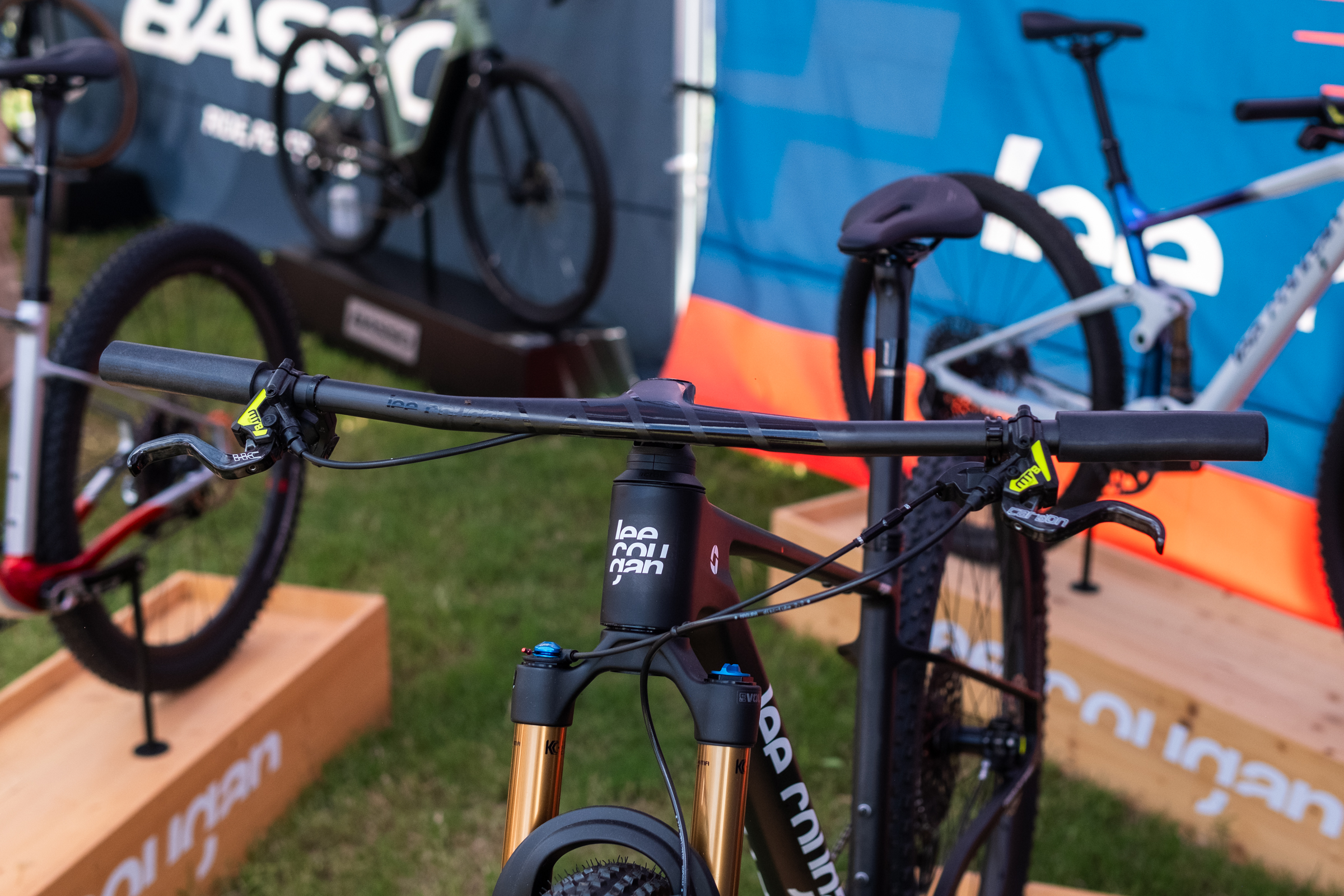
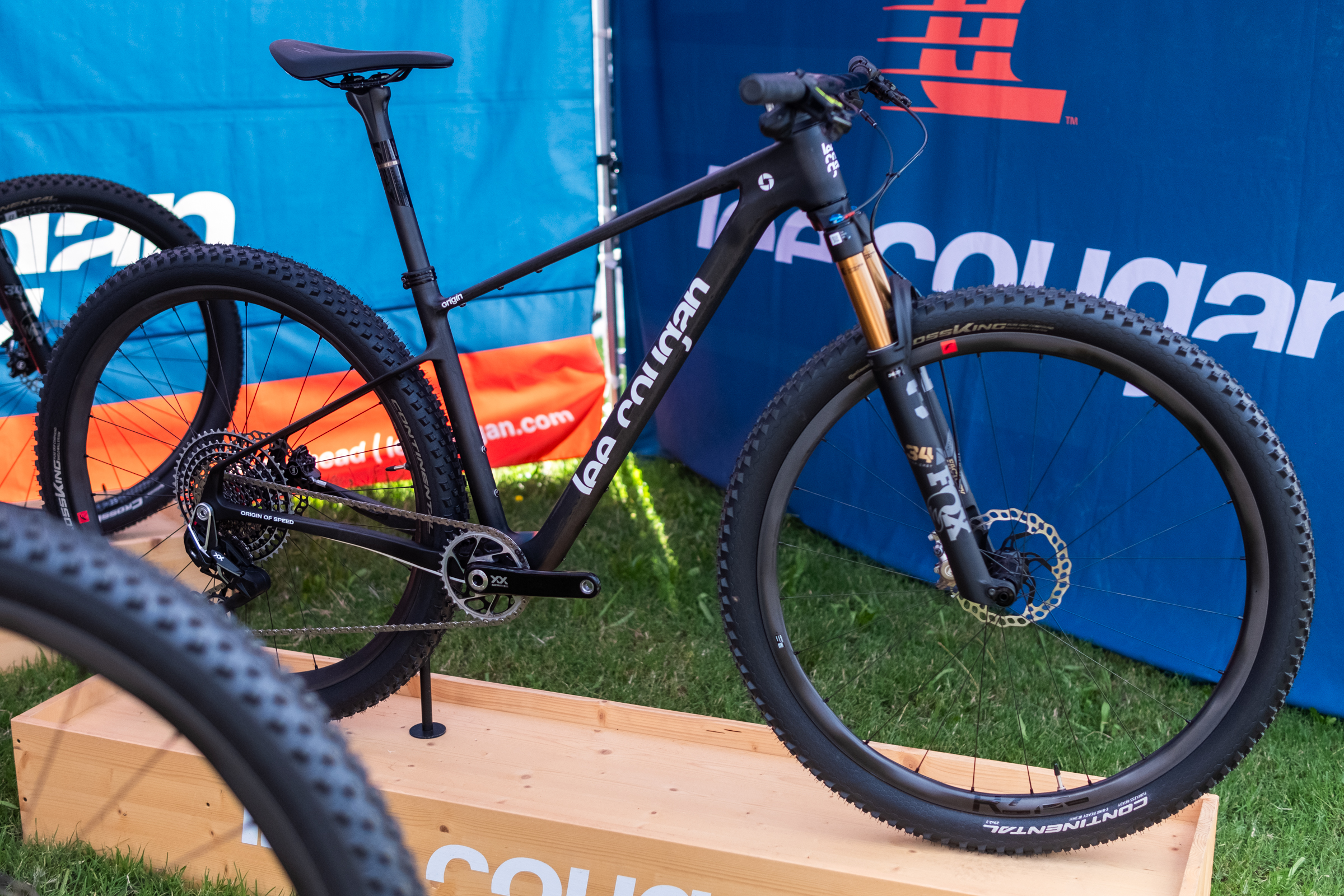
The Lee Cougan Rampage Origin is a proper cross-country race hardtail in the best sense of the word, offering a lot of what I’m looking for in this style of bike.
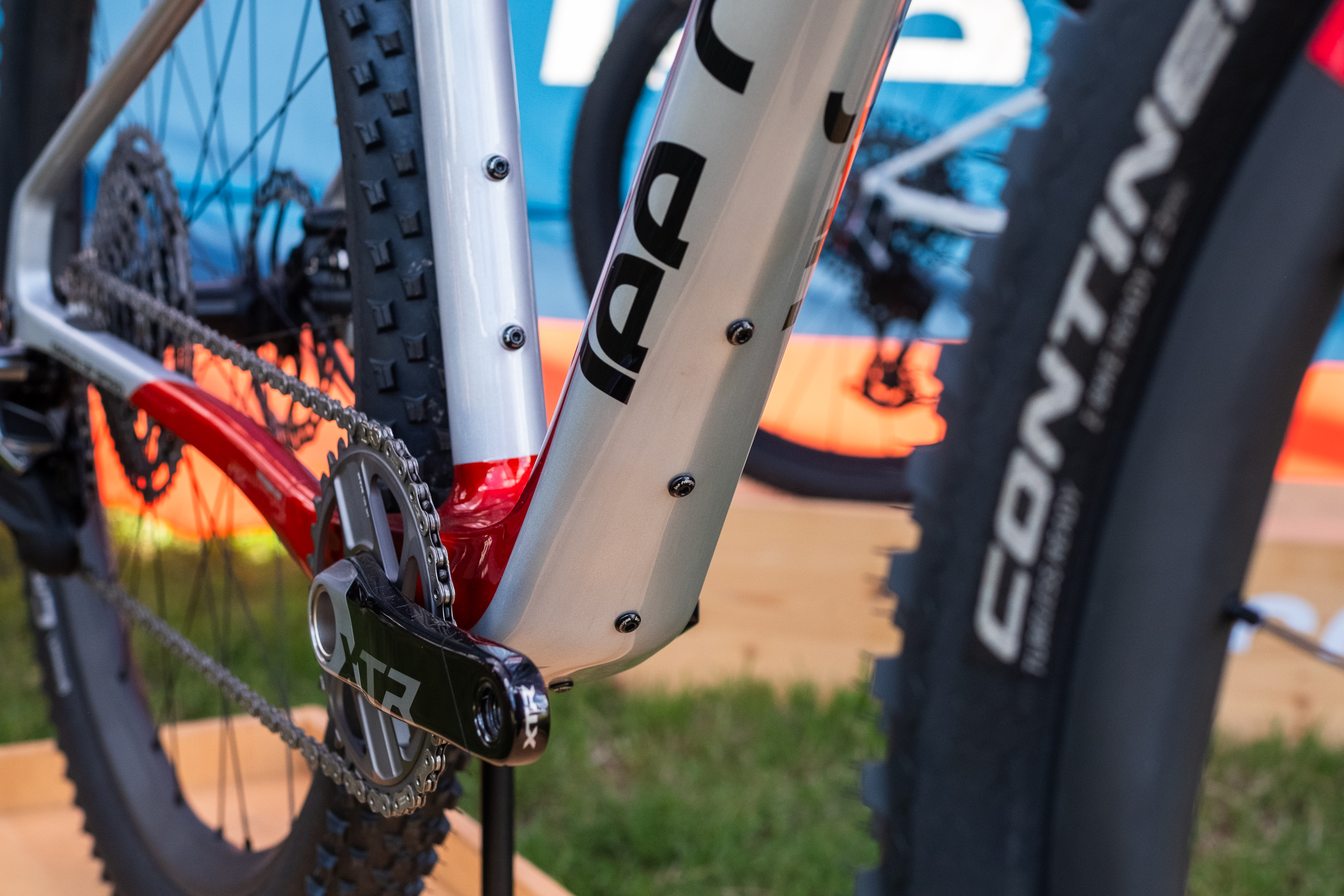
There are slacker, rowdier and even lighter XC hardtails out there. However, on paper, the Rampage Origin strikes an unusually rare balance, combining the – dare I say it – old-school charm of chasing low weight with practical features.
Spotted at Sea Otter Europe and launching officially today, it’s a hardtail MTB designed for XC marathon riding, that prioritises low weight and practical touches, with a claimed frame weight of only 940g for a size small in the raw-carbon finish.
The new frame has a far more contemporary silhouette than the outgoing Rampage, with slimmer, dropped seatstays and a less aggressive version of the distinctive kink where the seatstays and chainstays meet.
Geometry has also been brought up to date. The head angle has been slackened to 68 degrees (down from 70), while the seat tube angle steepens to 75 degrees (up from 73).
Neither number is wildly out there, and they are exactly what you’d expect of a modern XC race bike of this ilk.
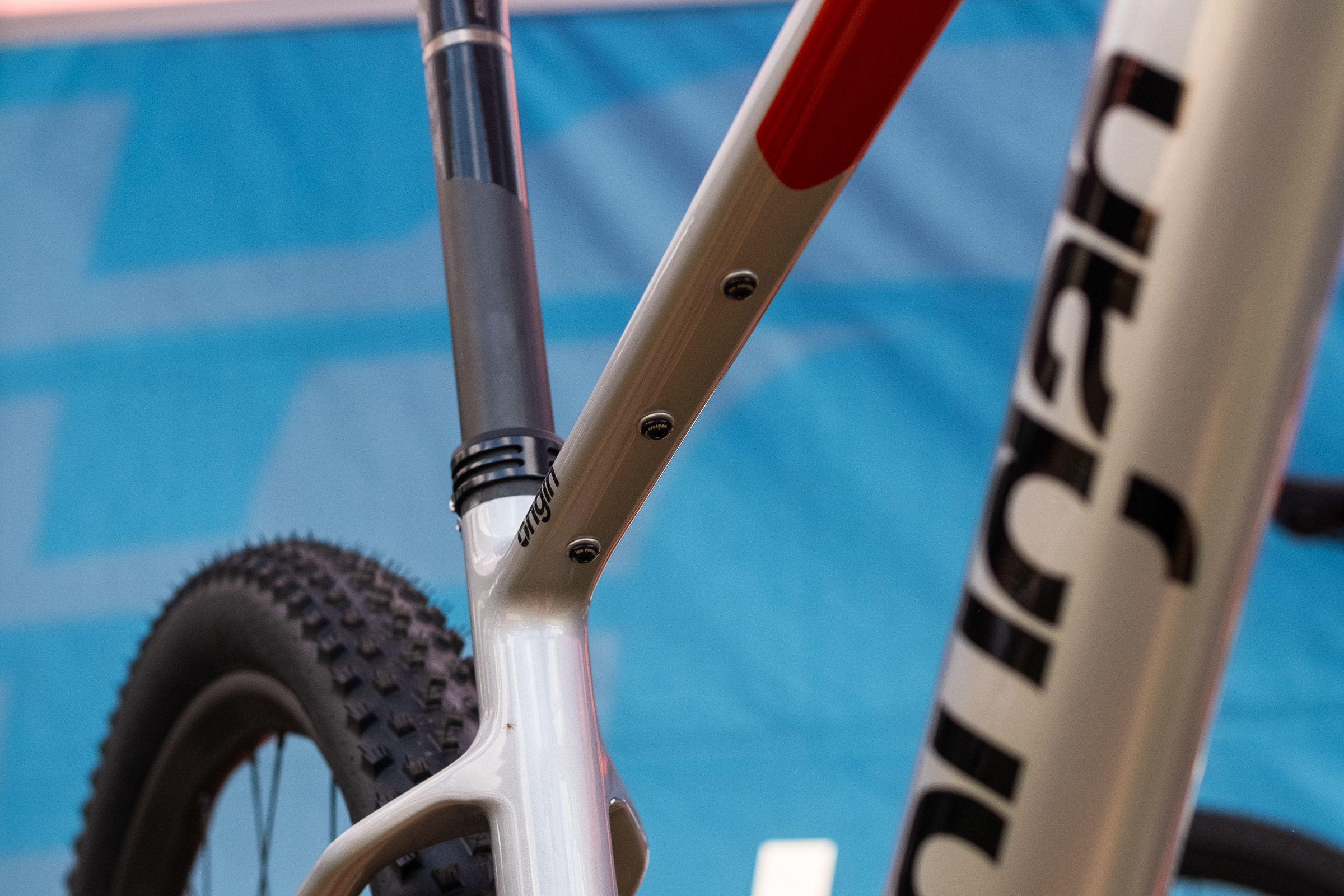
Although not unheard of, it’s relatively unusual to see a proper XC bike with down tube bosses… Jack Luke / Our Media …but it’s even more unusual to see top tube bosses. Jack Luke / Our Media
Despite the focus on weight, practicality hasn’t been ignored.
I’m particularly fond of the triple boss accessory mounts under the top tube and space for an extra bottle cage beneath the down tube. This makes the bike more marathon- and ultra-friendly, but also offers a useful place to stash tools or spares for day-to-day riding.
The Merida Big.Nine springs to mind as a frame offering a similar setup on the underside of its top tube, although the additional boss on the Lee Cougan broadens compatibility with bikepacking accessories. Plus, the Big.Nine misses out on the additional down tube bosses.
Official tyre clearance is 2.4in. That’s around standard for a contemporary XC hardtail, particularly one focused on XC marathon racing. As expected, the frame now uses SRAM’s UDH standard.
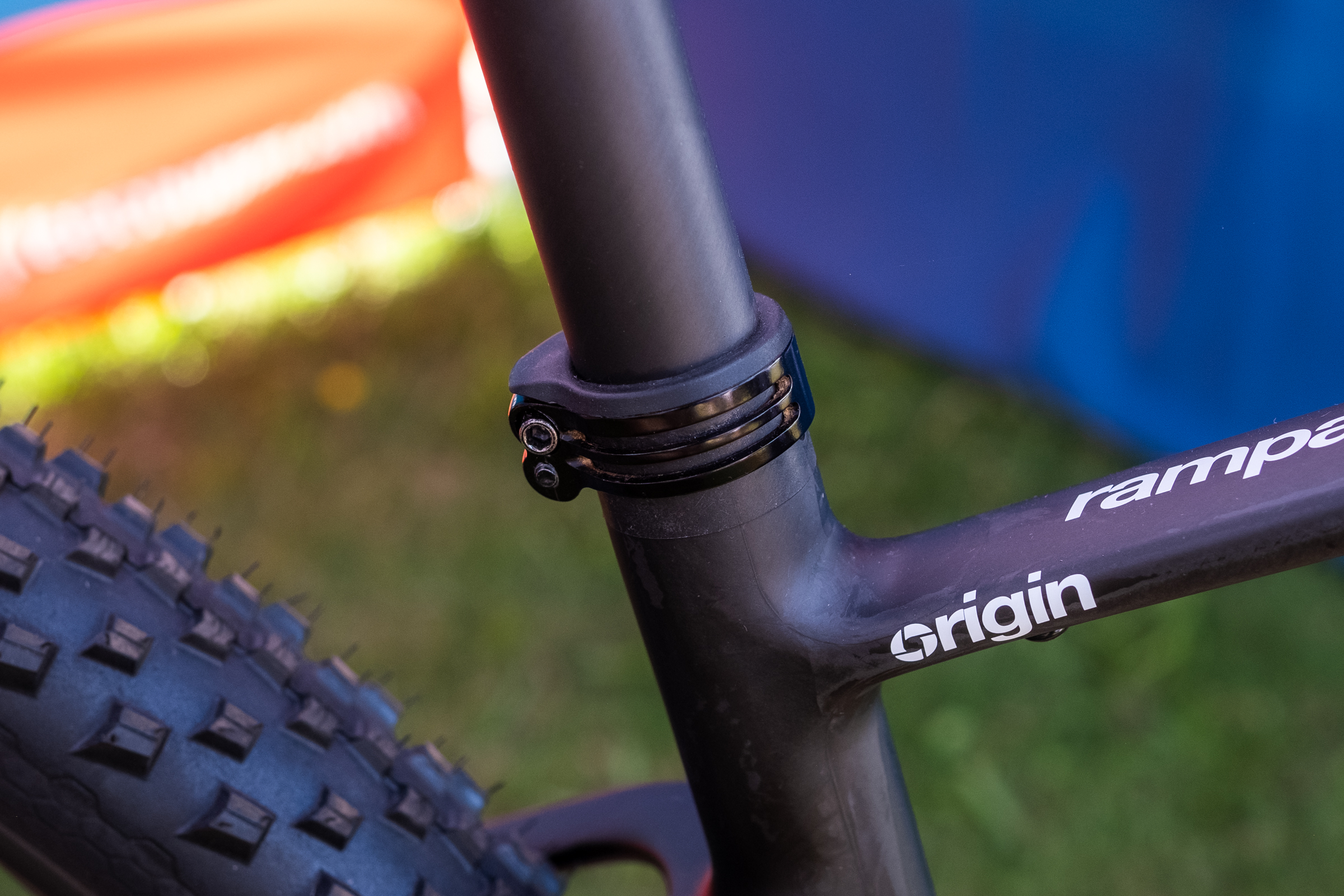
If nothing else, I like the look of the twin-bolt seat clamp. Jack Luke / Our Media
Other nice touches include a chunky double-bolt seat clamp – slipping seatposts are rare on quality frames, but it’s reassuring to see, and a nice touch beyond a generic rebranded single-bolt clamp.
One-piece cockpits are par for the course on modern hardtails. Jack Luke / Our Media
Lee Cougan’s own integrated one-piece cockpit is a handsome visual match for the frame. While adjustability is, of course, impacted compared to a two-piece cockpit, these are an increasingly common sight on high-end XC builds, so it doesn’t feel out of place.
In a slightly unusual move, at least from the perspective of someone based in the UK, the two complete builds come specced with rigid posts.
Fixed posts remain popular in ‘traditional’ marathon racing, but dropper posts are approaching a point of anecdotal near-ubiquity and, to a lesser degree, as spec on complete XC bikes.
The bike is offered in two finishes, and the stealthy black option looks wicked. Jack Luke / Our Media
That said, the frame is, of course, fully compatible with internally routed droppers.
The bike was designed with input from two-time marathon world champion Leo Páez, who rode a custom build with a DT Swiss dropper, pedals and tyre inserts to a bronze medal at the 2025 XCM World Championships. That build tipped the scales at only 9.4kg.
The Rampage Origin will be offered in three complete builds, with either SRAM XX SL Eagle AXS, Shimano XTR Di2 or XT Di2. Pricing starts at €4,599 and runs to €6,799, depending on spec. No frame-only option is available at present.
The bike is available in the two finishes pictured. Some will argue that black bikes are boring, and I’m usually in agreement, but I will make an exception for the purposeful stealthiness of the matt carbon option, which looks fetching with its flash of Kashima-coated stanchion.
Servers running on motherboards sold by Supermicro contain high-severity vulnerabilities that can allow hackers to remotely install malicious firmware that runs even before the operating system, making infections impossible to detect or remove without unusual protections in place.
One of the two vulnerabilities is the result of an incomplete patch Supermicro released in January, said Alex Matrosov, founder and CEO of Binarly, the security firm that discovered it. He said that the insufficient fix was meant to patch CVE-2024-10237, a high-severity vulnerability that enabled attackers to reflash firmware that runs while a machine is booting. Binarly discovered a second critical vulnerability that allows the same sort of attack.
“Unprecedented persistence”
Such vulnerabilities can be exploited to install firmware similar to ILObleed, an implant discovered in 2021 that infected HP Enterprise servers with wiper firmware that permanently destroyed data stored on hard drives. Even after administrators reinstalled the operating system, swapped out hard drives, or took other common disinfection steps, ILObleed would remain intact and reactivate the disk-wiping attack. The exploit the attackers used in that campaign had been patched by HP four years earlier but wasn’t installed in the compromised devices.
Function Multi-Versioning (FMV) is the compiler feature that allows developers to specify multiple versions of the same function that can be used for optimizing execution for specific target features. For example, FMV can allow optimized functions to be called if the CPU supports AVX, AVX-512, SSE4.2, or other differing ISA capabilities. With the GCC 16 compiler release, AArch64/ARM64 now considers its FMV support to be stable and complete…
Israel–Premier Tech’s main sponsor, Premier Tech, has demanded publicly that the team drops ‘Israel’ from its name and adopts a new identity and brand image.
In a press release published yesterday, the Canadian multinational company said: “We are sensitive and attentive to the situation on the international scene, which has evolved considerably since our arrival on the World Tour in 2017”.
Premier Tech has been involved in cycling for more than 30 years and said it “always placed the development of the sport and Quebec and Canadian cyclists at the heart of its involvement”.
Israel–Premier Tech has supported Canadian cyclists since its inception, including Michael Woods and Derek Gee, who recently terminated his contract with the team.
“However, the current situation regarding the team name is no longer sustainable to achieve our goal, which is the very reason for our involvement in cycling,” the press release said.
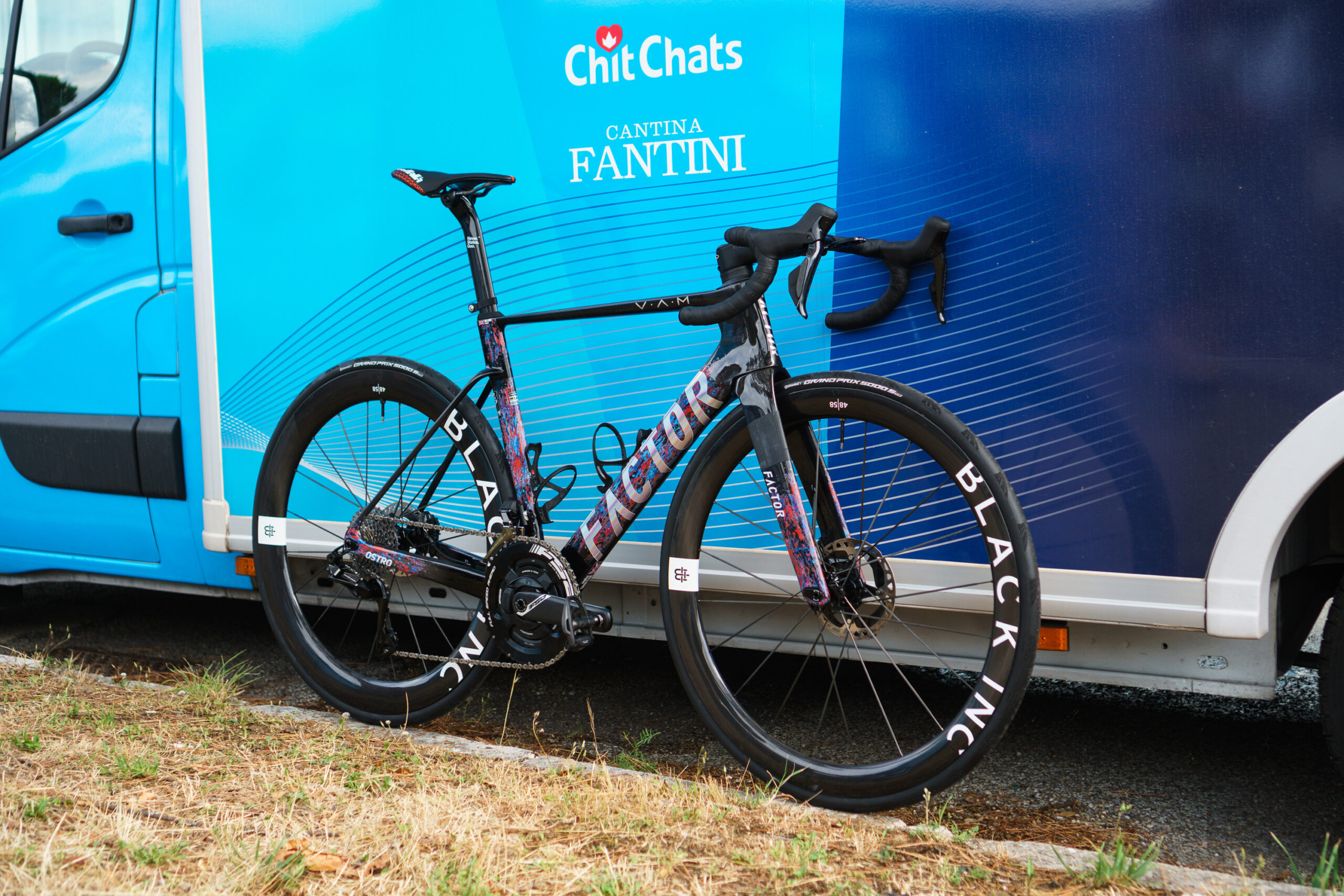
Factor has said its sponsorship of Israel–Premier Tech is untenable without a change of name and flag. Simon von Bromley / Our Media
On Monday, Cyclingnews revealed that Factor Bikes had informed the team’s co-founder, Sylvan Adams, that its sponsorship of the team was “untenable” unless it changed its name and nationality.
“I’ve already told the team: Without a name change, without a flag change, we won’t continue,” said Factor Bikes founder Rob Gitelis.
“It’s not a matter of right or wrong anymore. It’s become too controversial around our brand, and my responsibility is to my employees and my shareholders, to give them maximum space with which to grow this company and make it profitable,” Gitelis explained.
Israel–Premier Tech told BikeRadar: “The team is currently in the planning phase for 2026 team branding and will communicate any potential changes in due course.”
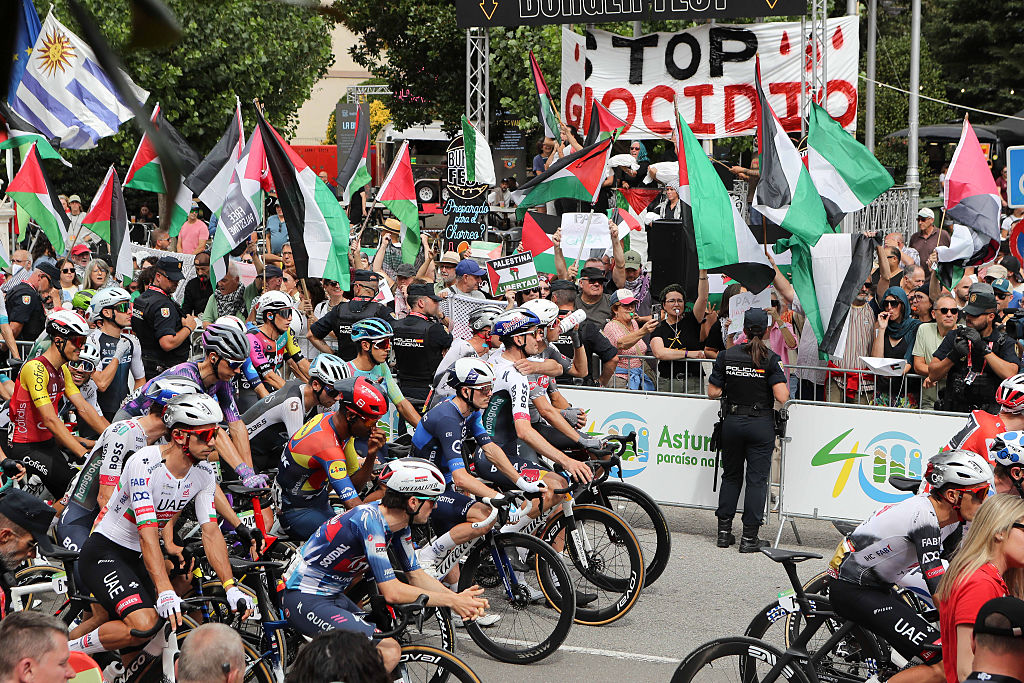
The pressure on Israel–Premier Tech to change its name follows protests at the Vuelta a España against the participation of Israel–Premier Tech, due to its claimed sportswashing of the state of Israel.
However, Jean Christophe Rattel, the founder of Ekoi, which supplies cycling clothing, sunglasses and helmets to Israel–Premier Tech, told BikeRadar that the company remains committed to the team.
“At Ekoi, we are driven by passion for the teams we sponsor. Abandoning them in such a moment would feel like an act of cowardice,” said Rattel.
Rattel explained that when Israel–Premier Tech changed kits at La Vuelta to remove ‘Israel’ due to safety concerns, Ekoi produced the new jerseys in three days “to show our support for the team during this difficult context”.
A Protest In Ribadeo against Israel’s participation La Vuelta a España. Carlos Castro / Getty Images
Rattel explained that cycling is facing tough times, with the Arkéa B&B–Hotel team, which also uses Ekoi equipment, losing its sponsors at the end of this season.
“In this environment, both Ekoi and myself remain committed and stand in solidarity with the teams and people who count on us,” said Rattel.
“This is an international team, with riders from many different countries, led by a manager I have known for years. I also have personal ties with several of the riders, and walking away now – simply because of the geopolitical situation – would feel like betraying them,” Ekoi’s founder explained.
Commenting on Factor Bikes’ decision to distance itself from Israel–Premier Tech, Stephanie Adam, an organiser with the Palestinian Campaign for the Academic and Cultural Boycott of Israel, which called for the protests at La Vuelta, told BikeRadar: “This step would clearly weaken the team’s underlying goal of providing propaganda for Israeli apartheid and is a tribute to the many protests against the team at major races, including most recently at La Vuelta.
“This also sends a strong signal to UCI and other sporting bodies that teams sportswashing genocide and apartheid will never be accepted in world sports.”
InterceptSuite is an open-source, cross-platform network traffic interception tool designed for TLS/SSL inspection, analysis, and manipulation at the network level.
The tool features a cross-platform C# GUI and supports Python extensions for protocol dissection. Notably, it allows TLS upgrades, such as STARTTLS and custom upgrades, enabling interception of plaintext protocols that transition to TLS. capabilities not found in any proxy solutions. Additionally, it supports specific IoT protocols like MQTT.
WhatsApp is a hugely popular, free, proprietary messaging, social media, and voice-over-IP (VoIP) service that lets users send text, voice messages, and video messages, as well as make voice and video calls over an internet connection. WhatsApp’s client application runs on mobile devices, and can be accessed from computers
HandBrake 1.10.2, an open-source video transcoder, brings fixes for Windows and macOS, including better driver handling, Apple Silicon crash workaround, and more.
Asciinema is an open-source terminal recording tool that makes it super easy to share your command-line work with others. Unlike traditional screen recorders that capture heavy video files, Asciinema records your terminal activity in a lightweight, text-based format, which means the recordings are tiny in size, perfectly reproducible, and can be shared or embedded it into your website or blog with just a small snippet of code.
Spotify just announced integration with popular DJ software platforms like rekordbox, Serato and djay. This will make it much easier to build out sets from playlists and to do cool stuff like blend tracks.
The company says that users “will be able to access their entire library and playlists directly within desktop DJ software,” with just one caveat. This is only for Premium subscribers. The integration is available in 51 global markets.
It looks pretty easy to get started. Just log into a Premium account directly inside of the preferred DJ software. That’s pretty much it.
This article originally appeared on Engadget at https://www.engadget.com/entertainment/music/spotify-now-directly-integrates-with-dj-software-090055300.html?src=rss
Foundations say billions of downloads rely on registries running on fumes – and someone’s gotta pay the billsThe Open Source Security Foundation (OpenSSF) has had enough of being the unpaid janitor of the world’s software supply chain.…
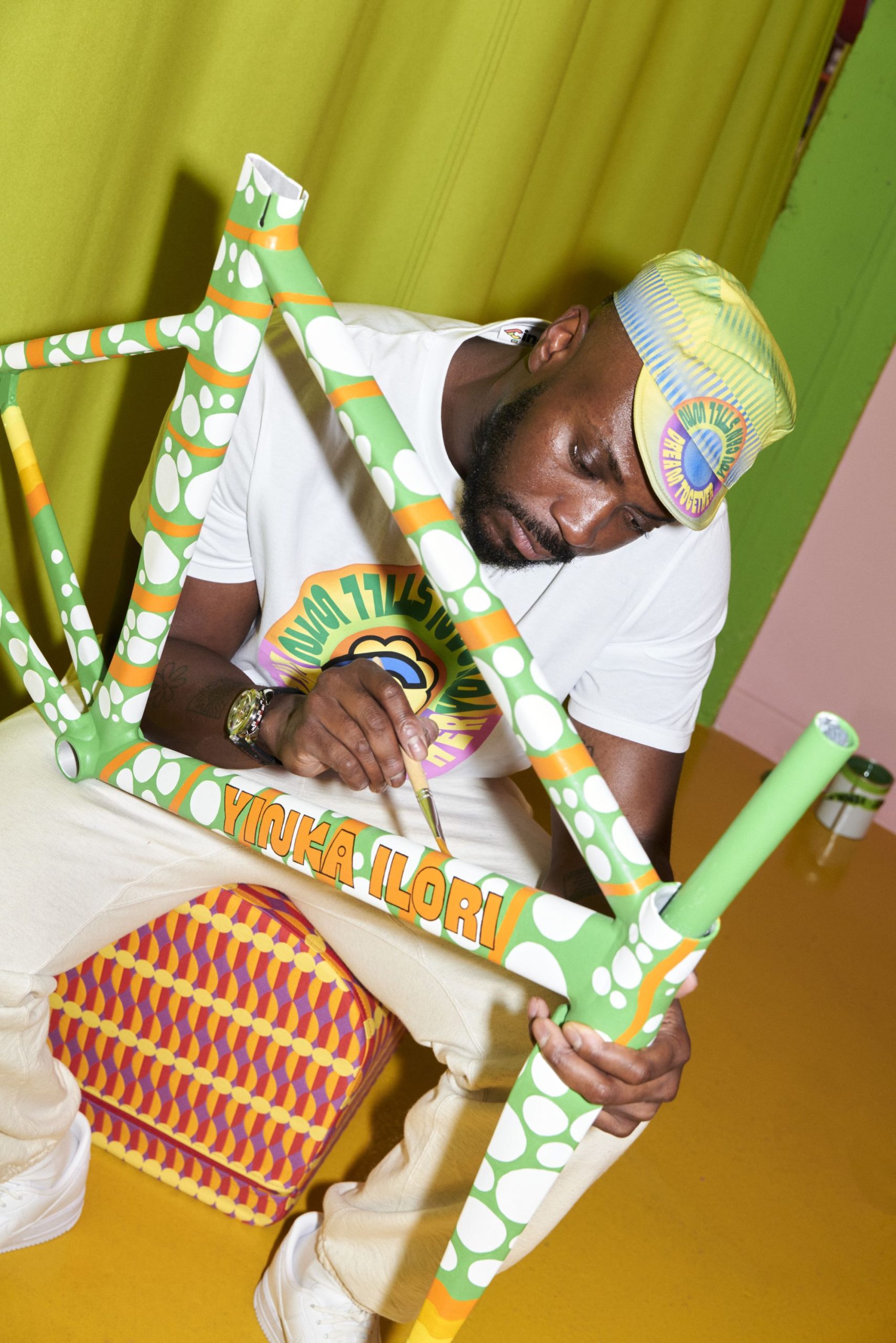
Cinelli has worked with British-Nigerian artist and designer Yinka Ilori on a limited-edition collaboration – called Dream Together, You Can Still Win – which will be launched officially on 29 September.
It’s the second artist collaboration by Cinelli in 2025, part of an ongoing series, with Cinelli previously working with Brooklyn, New York based artist Futura’s Futura Laboratories design studio.
Cinelli has also recently worked with Oakley to release limited-edition retro sunglasses, with Italian streetwear brand Iuter, and with Kask to offer limited-edition Protone Icon and Utpoia Y helmets. Back in 2022, it worked on a collab with the Italian football club Inter, including custom Cinelli bikes and cycling kit.
There’s a one-off track bike frame painted by Ilori.
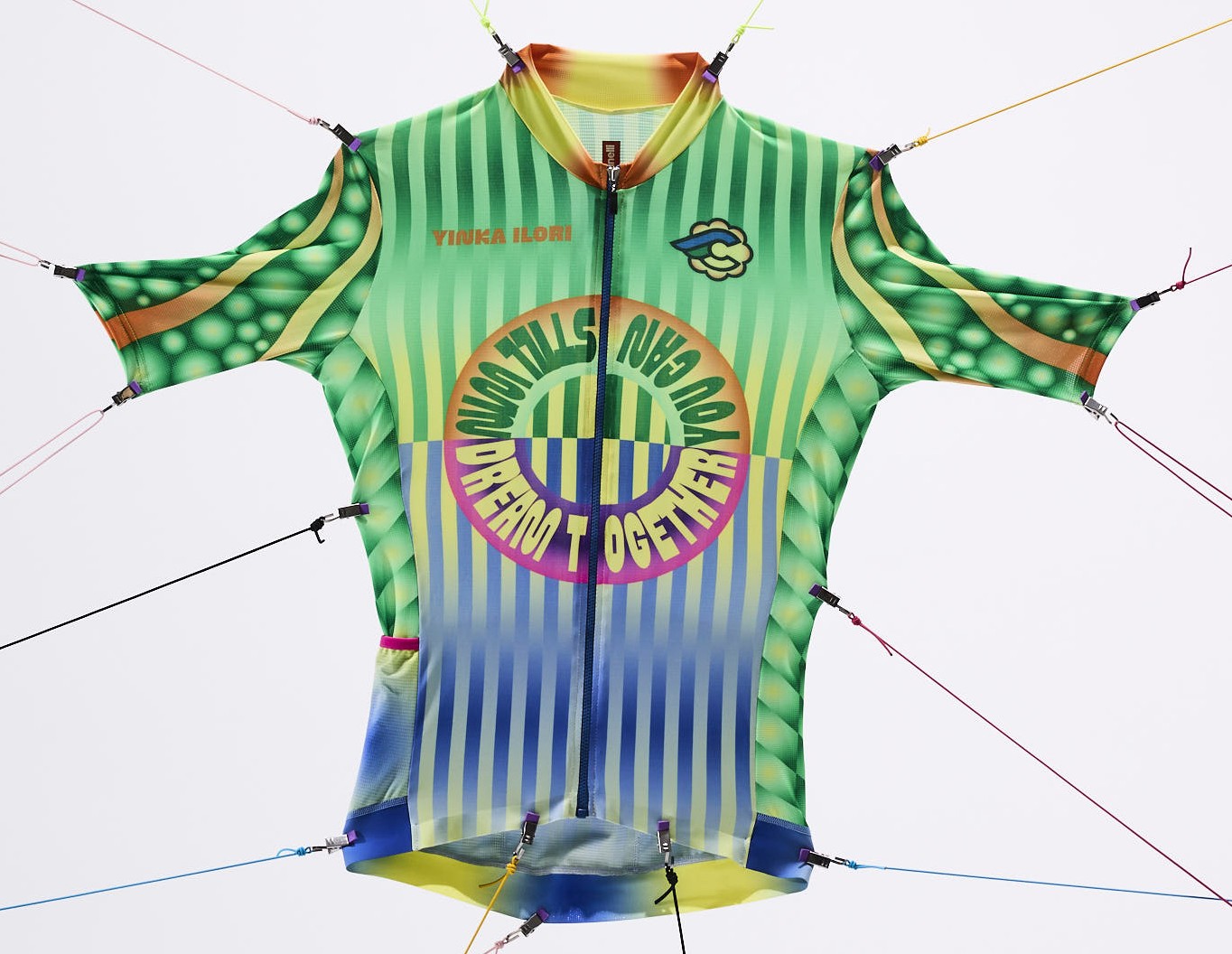
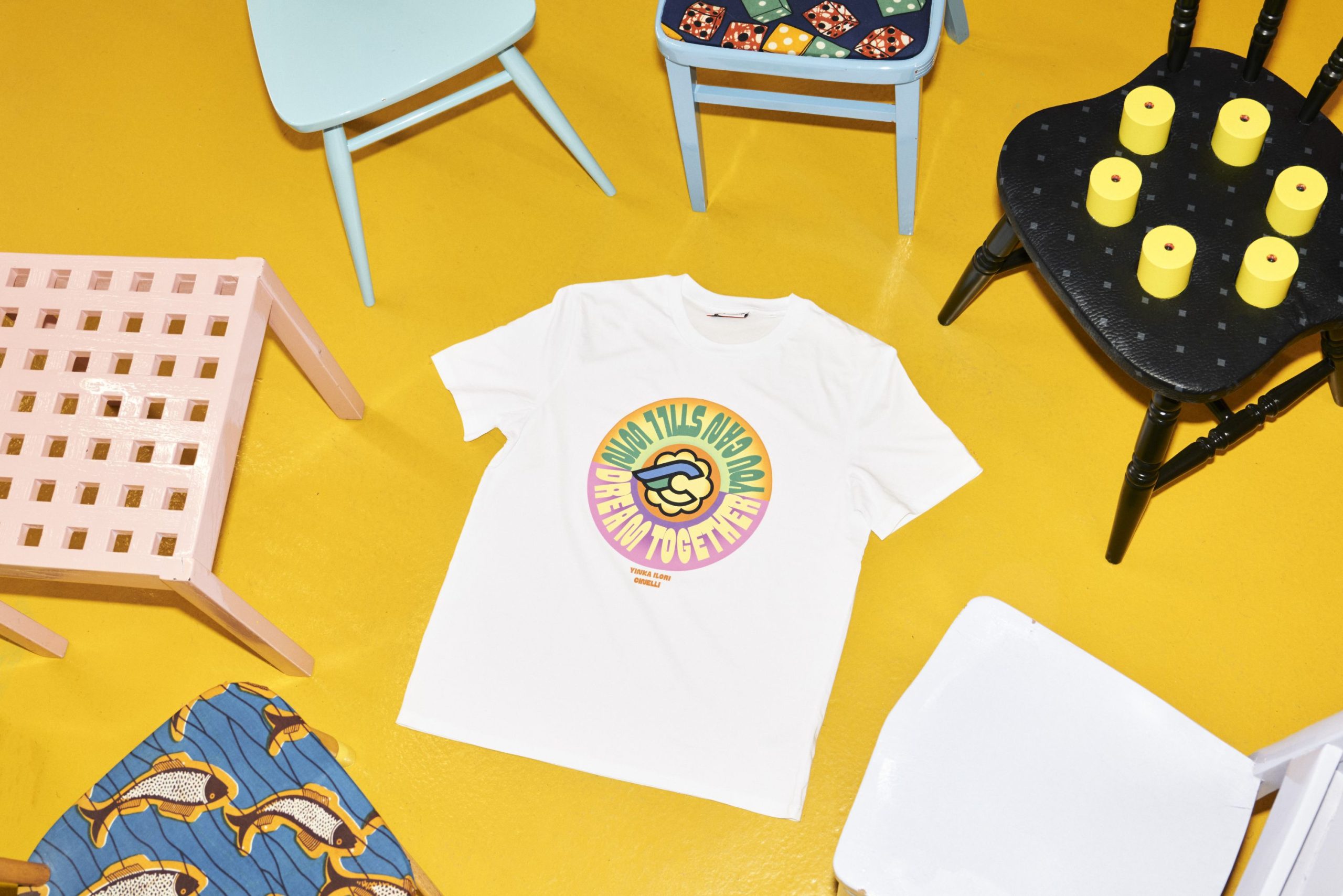
The collaboration with Ilori showcases a one-off edition of the Cinelli Vigorelli track bike. It also includes a cycling jersey and cap, and a striking casual T-shirt. We’ve previously reviewed the Vigorelli in road-legal form, decked out with rim brakes and a 1×11-speed SRAM Apex groupset.
The collection includes this artist-designed jersey.
Cinelli and Ilori claim the Dream Together, You Can Still Win collection’s vivid colours are inspired by the freedom of cycling and its connection to the living world, saying that: “At its core, cycling remains a spiritual, joyful and recreational experience; ‘Dream Together, You Can Still Win’ flips the concept of competition, redefining what it means to ‘win’.”
“Bike culture has been an integral part of my childhood, shaping many of my experiences as an inner city kid in London. The bike itself symbolizes freedom – it’s a tool which allows you to venture, to escape and to expand your horizons,“ says Ilori.
Community bike ride through Milan
There’s also a matching T-shirt.
There will be a one-off event in Milan on 29 September to mark the launch of the new limited-edition collection, featuring an exhibition of bikes from Cinelli’s vintage collection and, of course, a community bike ride, slated to take one hour and visiting some of Milan’s cultural and creative hot spots.
“Cinelli holds a decades-long reputation for collaborating with creatives, exploring the interplay between art and cycling. It’s a pleasure to be able to contribute my own spin on this, collaborating with Cinelli’s creative team to take cycling back to its essence,” says Ilori.
Offensive Security announced today the release and general availability of Kali Linux 2025.3 as the third update to this Debian-based distribution for ethical hacking and penetration testing in 2025.