Lenovo IdeaCentre Creator 5: Intel Core i9 & GeForce RTX 2060 w/ISV Certification, Coming Oct. 2020

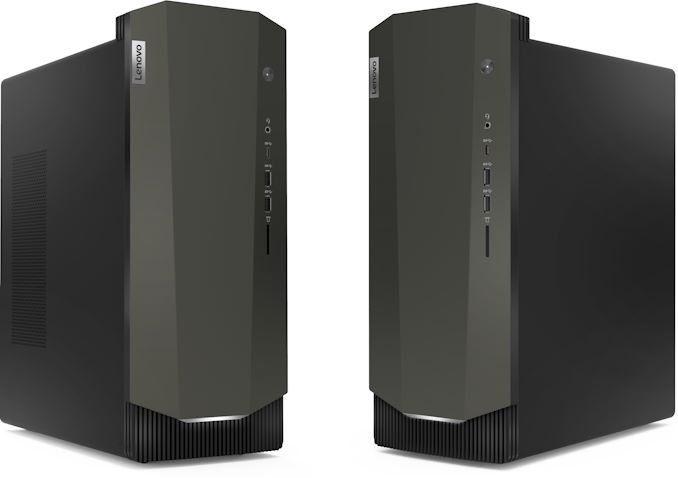
Lenovo has announced its new IdeaCentre Creator 5 desktop PC, which is designed to offer some serious horsepower for gaming and professional applications. The machine features certifications and support from numerous content creation application developers, making it very well suited for content creation right out of the box.


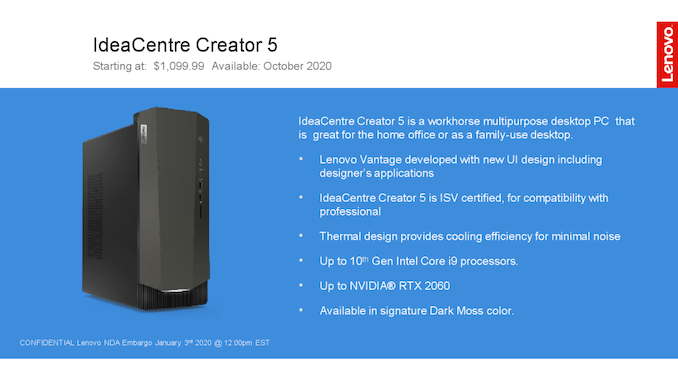
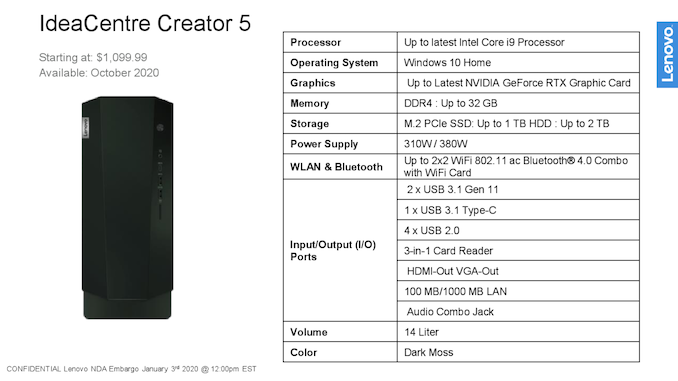
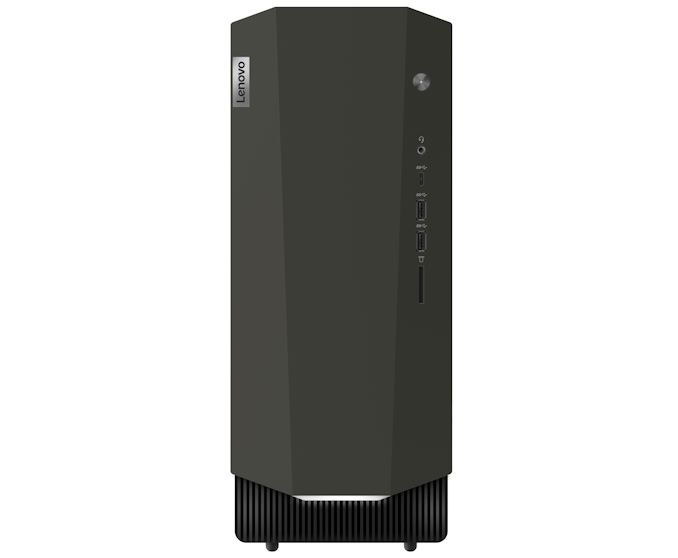
The IdeaCentre Creator 5 comes in a relatively small 14-liter chassis that will pack whatever Intel’s ‘latest’ Core i9 processor is when the machine arrives in October 2020 (ed: this is not a typo), an NVIDIA GeForce RTX graphics card (at least RTX 2060), up to 32 GB DDR4 memory, an M.2 SSD,  and a 2.5-inch hard drive. The system uses a 310 W or a 380 W power supply, so upgrade capabilities of the machine are limited, which is fair as we are talking about a compact PC.


Lenovo’s upcoming IdeaCentre Creator 5 has all connectivity options that are found on mainstream systems today, including a Wi-Fi 5 + Bluetooth 4 card, a GbE adapter, two USB 3.1 Gen 1 Type-A connectors, one USB 3.1 Type-C port, four USB 2.0 connectors, a 3-in-1 card reader, two display outputs, and a 3.5-mm audio jack for headsets on the front.


While Lenovo formally announces its IdeaCentre Creator 5 just days ahead of CES, the system is set to be available only in October, presumably after Intel launches its new processors. Meanwhile, pricing of the PC will start at $1,099.99.


Related Reading:


Source: Lenovo


Source: AnandTech – Lenovo IdeaCentre Creator 5: Intel Core i9 & GeForce RTX 2060 w/ISV Certification, Coming Oct. 2020

Lenovo Announces ThinkVision T34w-20 Curved Monitor

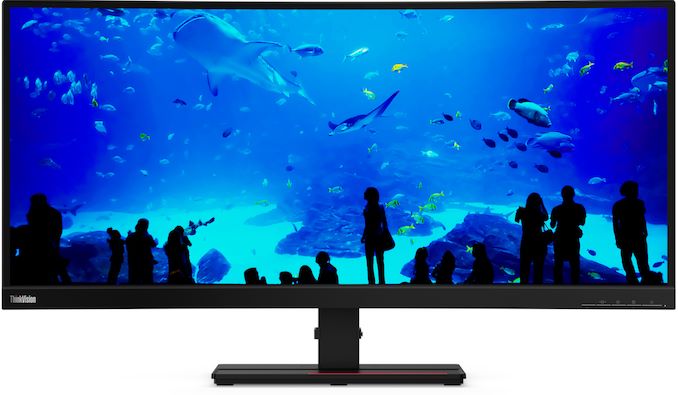
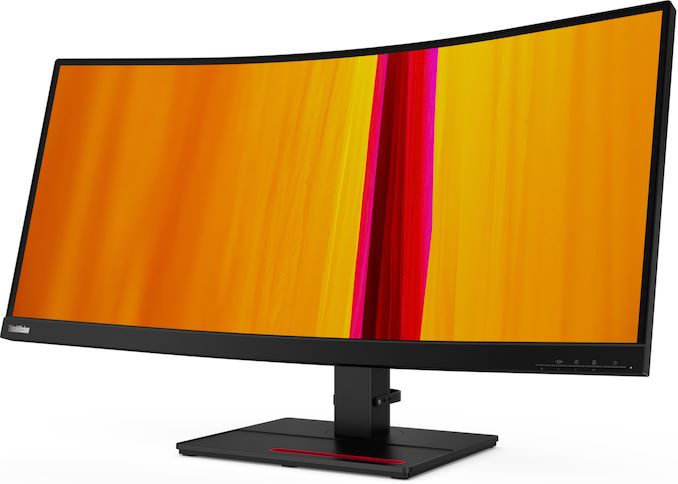
Wrapping up today’s Lenovo CES 2020 announcements, the company is joining the club of suppliers whom are offering ultrawide curved displays for productivity applications. The ThinkVision T34w-20 uses a large VA panel, has vast connectivity options, and can work as a docking station for a modern laptop.


The general characteristics of the 34-inch ThinkVision T34w-20 curved monitor resemble those of similar devices from other makers; so we are talking about a 3440×1440 resolution, 350 nits maximum brightness, 178°/178° horizontal/vertical viewing angles, a 60 Hz refresh rate, and a 6 ms response time. When it comes to color gamut, the LCD can reproduce 99% of the sRGB color space.


Being aimed purely at work, the Lenovo ThinkVision T34w-20 does not support technologies like variable refresh rate or HDR, which is quite explainable as these are clearly not priorities for the SOHO market. Furthermore, it also does not have speakers, but has a headphone output. For some reason, Lenovo also decided not to equip the monitor with PiP and PbP functionality, so it cannot be used to operate more than one PC at the same time.


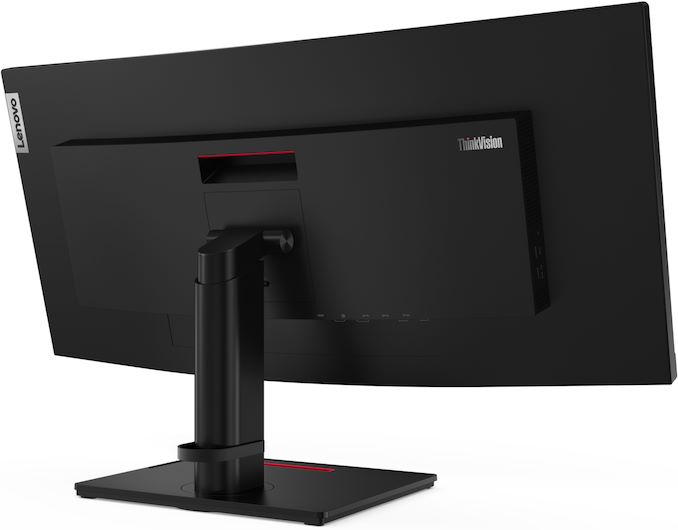
Meanwhile, the workhorse monitor has three display inputs, including a DisplayPort 1.2, a HDMI 2.0, and a USB Type-C port with 75 W power delivery to connect a modern laptop. As well, the monitor has a quad-port USB 3.0 hub. In addition, it has an adjustable stand that can regulate height, tilt, and swivel.


Lenovo’s 34-Inch Curved Display
  ThinkVision T34w-20
Panel 34″ VA
Native Resolution 3440 × 1440
Brightness 350 cd/m²
Contrast 3000:1
Maximum Refresh Rate 60 Hz
Response Time 4 ms GtG in Extreme Mode

6 ms GtG in Normal Mode
Viewing Angles 178°/178° horizontal/vertical
Curvature 1500R
Pixel Pitch 0.233 mm
Pixel Density 109 ppi
Anti-Glare Coating ?
Inputs 1 × DisplayPort 1.2

1 × HDMI 2.0

1 ×USB Type-C (with up to 75W PD)
USB Hub 4-port USB 3.0 hub
Stand Height: +/- ? mm

Tilt: -? to +?°

Swivel: ?
Audio headphone output
Launch Price $799

Lenovo will start sales of the ThinkVision T34w-20 display in March for $799.


Related Reading:


Source: Lenovo


Source: AnandTech – Lenovo Announces ThinkVision T34w-20 Curved Monitor

Lenovo Unveils ThinkVision Creator Extreme P27: A Professional Monitor with Mini LED FALD

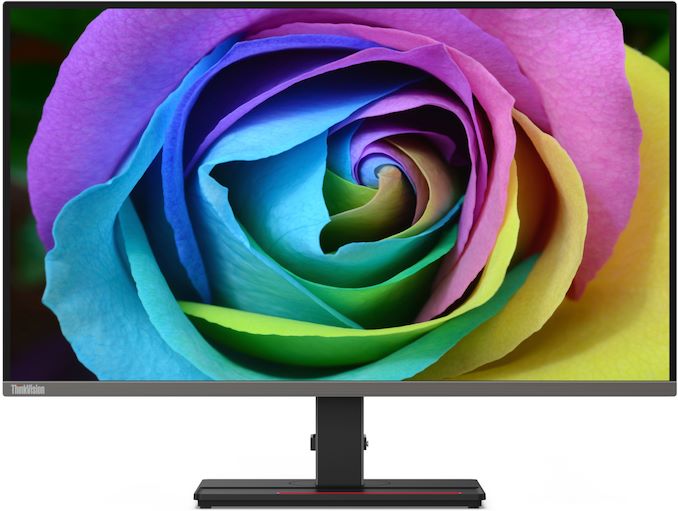
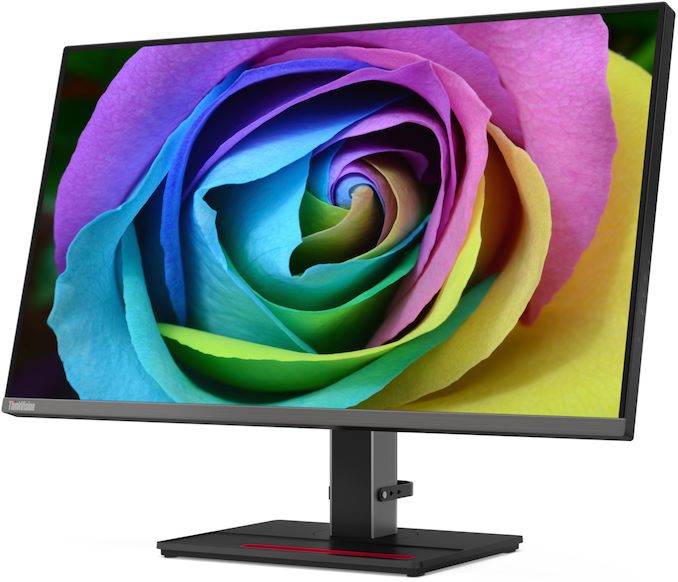
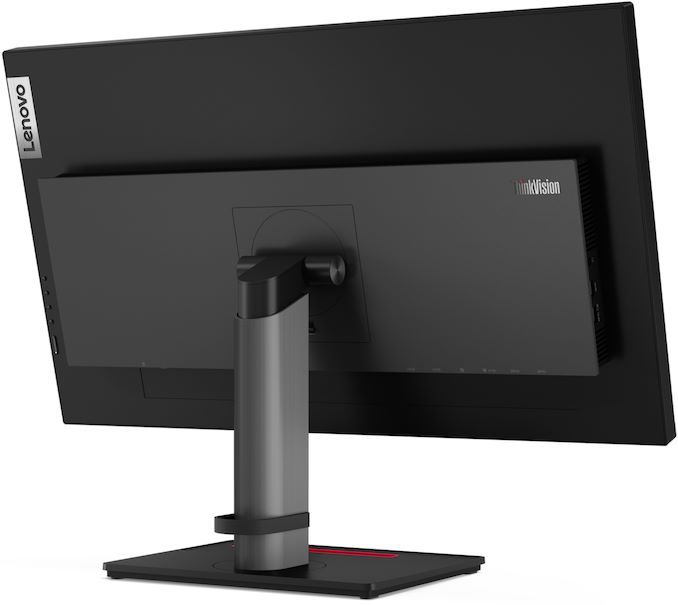
Continuing our run of CES 2020 announcements, Lenovo has announced its new ThinkVision Creator Extreme top-of-the-range professional-grade display. The new 27-inch Ultra-HD monitor features a Mini LED-based full-area local dimming (FALD) backlighting that enables a very high brightness in HDR mode along with matching contrast ratios.


As its name suggests, the Lenovo ThinkVision Creator Extreme P27 is designed for various content creators who need a 3840×2160 resolution display with accurate colors (100% of the sRGB and 99% of the DCI-P3 color gamut). The high-end monitor also offers HDR support, with a peak brightness of 1000 nits. The P27 comes factory calibrated and can be used for color-critical workloads by designers or videographers right out of the box.


The key feature of Lenovo’s ThinkVision Creator Extreme P27 is its Mini LED FALD backlighting, which offers 1152 zones (and 10,368 LEDs), three times as many zones as the first generation of FALD PC monitors. This allows the P27 to enable higher contrast ratios, deep blacks (when compared to LCDs with regular WLED backlighting), and the necessary total brightness required for HDR. Lenovo is not disclosing an official contrast ratio specification, though it is safe to say that we are talking about something considerably higher than that of typical IPS displays. The company also does not say which HDR transport formats are supported by the monitor, which is a little bit odd given its positioning.


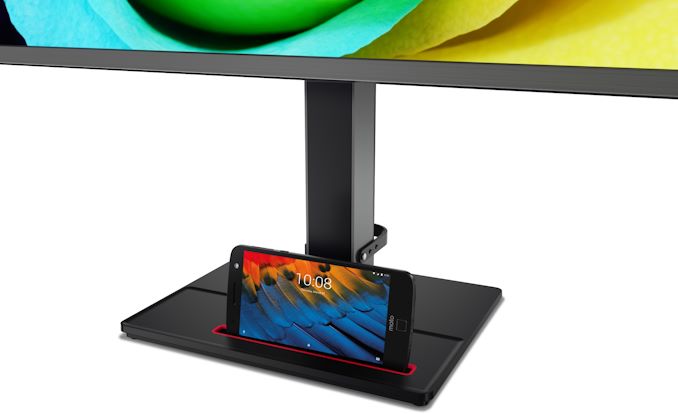
To meet requirements of users with different computers, Lenovo equipped its ThinkVision Creator Extreme P27 with four display inputs: one DisplayPort 1.4, two HDMI 2.0, and one USB Type-C port with DP 1.4 Alt mode support and 90 W Power Delivery. One interesting feature of the new professional display from Lenovo is a special holder for a smartphone which lets users to follow lock screen announcements and save some space on the desk.


Lenovo’s ThinkVision Creator Extreme P27 will be available this April for $2,499. Considering the fact that to date only Acer and ASUS have introduced Mini LED-enabled professional-grade monitors, the very high price tag of Lenovo’s monitor does not come as a surprise.


ThinkVision Creator Extreme P27 Specifications
Panel 27″ IPS
Resolution 3840 × 2160
Refresh Rate 60 Hz
Response Time 14 ms gray-to-gray
Brightness Normal: ? cd/m²

HDR mode: 1000 cd/m²
Contrast ?
Viewing Angles 178°/178° horizontal/vertical
Color Saturation 100% sRGB

99% DCI-P3
Display Colors 1.07 billion
3D-LUT ? bits
Pixel Pitch 0.1557 mm²
Pixel Density 163 PPI
Anti-Glare Coating ?
Inputs 1 × DP 1.4

2 × HDMI 2.0b

1 × USB Type-C
USB Hub 4-port USB 3.0 hub
Audio none

3.5-mm mini jack
Mechanical Design Chassis Colors: black, metallic.

Tilt: yes

Height Adjustment: yes

Swivel: yes
Power Consumption Idle ?
Active ?
Price $2,499

Related Reading:


Source: Lenovo


Source: AnandTech – Lenovo Unveils ThinkVision Creator Extreme P27: A Professional Monitor with Mini LED FALD

Lenovo’s 23.8-Inch ThinkCentre M90a AIO PC: 10th Gen Core, Radeon 625, PrivacyGuard Screen

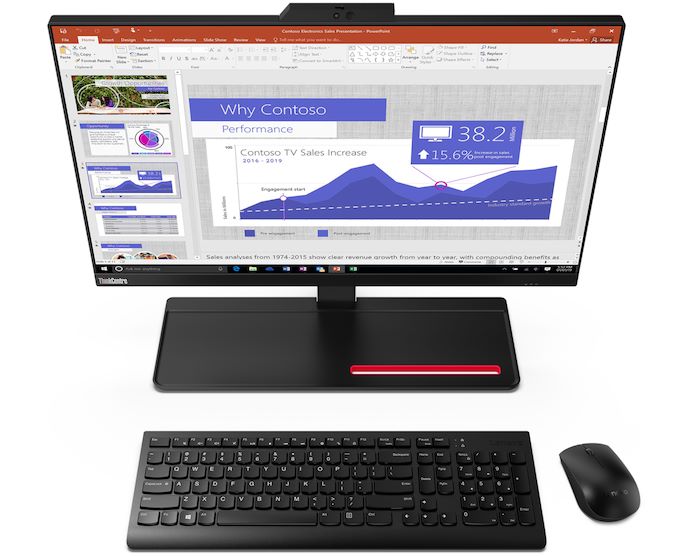
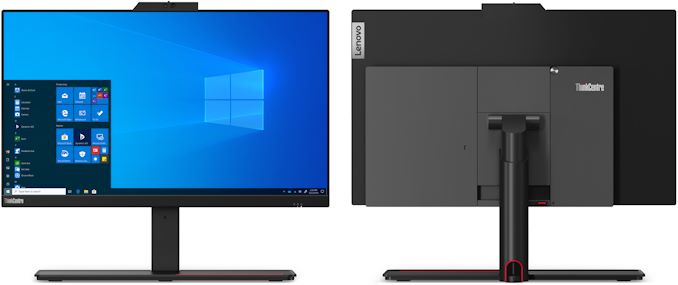
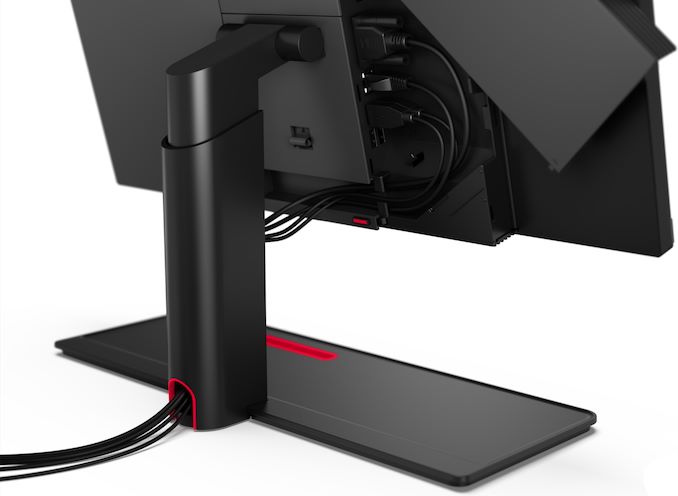
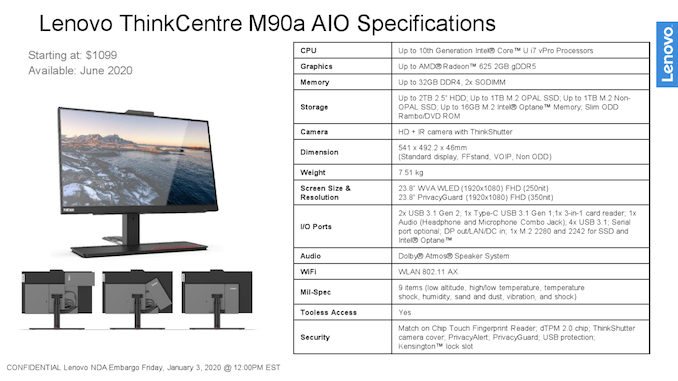
Along with today’s other CES 2020 pre-announcements, Lenovo has introduced a new all-in-one desktop PC designed for business and corporate customers. The ThinkCentre M90a AIO brings together performance and features of a modern laptop, a fairly large display, and top-notch security capabilities from Lenovo.


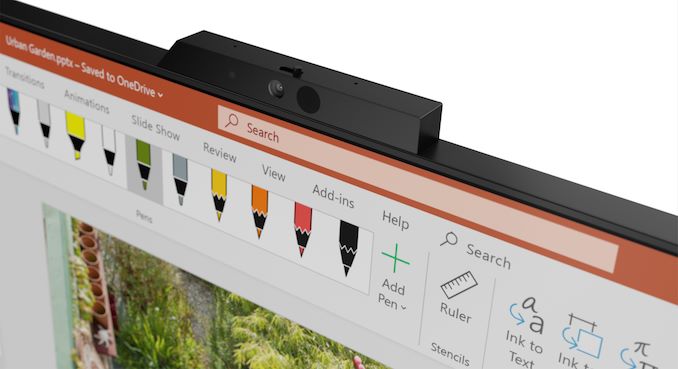
The Lenovo ThinkCentre M90A AIO comes equipped with a 23.8-inch Full-HD display with 250 nits or 350 nits maximum brightness, and with further optional PrivacyGuard technology to protect potentially sensitive information against prying eyes. In addition, the system supports Lenovo’s PrivacyAlert technology that warns its user of any ‘over the shoulder’ spies (presumably by detecting them using its webcam) and automatically blurs the monitor when the user turns away from the screen. Topping off ThinkCentre M90A’s security capabilities are match-in-sensor fingerprint reader as well as a dTPM 2.0 chip.


In a bid to make its ThinkCentre M90A as compact as possible, Lenovo used components designed for mobile PCs, including Intel’s 10th Gen Core processors (presumably Comet Lake-U), AMD’s Radeon 625 discrete GPU with 2 GB GDDR5 DRAM, two SO-DIMM memory modules (supporting up to 32 GB of DDR4), an M.2-2242 SSD (optionally with OPAL), and a 2.5-inch HDD. Meanwhile, the PC can be equipped with a slim ODD.


When it comes to connectivity, the ThinkCentre M90A has everything one might need for work, including Wi-Fi 6, GbE, USB 3.1 Gen 1/Gen 2 Type-A ports, a USB 3.1 Gen 1 Type-C connector, a 3-in-1 card reader, an optional serial port, and a DisplayPort output to connect another monitor.


While formally Lenovo positions its ThinkCentre M90A for business and corporate clients, the company did equip it with a Dolby Atmos-badged speaker, which will certainly please home users too. Evidently, a Blu-ray drive could be a nice addition to the advanced audio sub-system, but there is no word whether the manufacturer intends to offer such a drive as an option.


Lenovo’s ThinkCentre M90A will be available in June 2020 starting at $1,099.


Related Reading:


Source: Lenovo


Source: AnandTech – Lenovo’s 23.8-Inch ThinkCentre M90a AIO PC: 10th Gen Core, Radeon 625, PrivacyGuard Screen

Lenovo Brings NEC PCs Back to USA: Super Light, Sub-2 lbs LaVie Notebooks Incomming

Lenovo has announced today that it will bring NEC computers back to the US market this spring. NEC’s PCs have always stood out from the crowd, but they disappeared from the US at the turn of the decade due to cut-throat competition and thin margins. Lenovo, which gained control of NEC’s Japanese PC business in 2011 – 2016, wants to offer three NEC LaVie machines in the United States.


The NEC LaVie systems in question are NEC’s popular LaVie Pro Mobile thin-and-light notebook, the LaVie Vega higher-performance laptop with a 15.6-inch OLED display, and the LaVie Home all-in-one desktop. In French, ‘la vie’ means ‘life’, so we are talking about lifestyle computers which will target markets that are not currently addressed by Lenovo’s Idea-branded PC, thus strengthening the company’s positions in the USA in general.


The NEC LaVie Pro Mobile: Ultra-Light, Ultra-Thin, All Ports, 15 Hours


In Japan, NEC’s PC group has made a particular name for itself with its super light LaVie laptops, which are available in weights down to under 2 pounds. With Lenovo’s reintroduction, those LaVie Pro Mobile laptops will finally be coming to the United States. The 13.3-inch class machine is tailored to be as portable as possible and to run on a battery for as long as possible, yet it has all hardware connectors that one comes to expect from a modern PC.
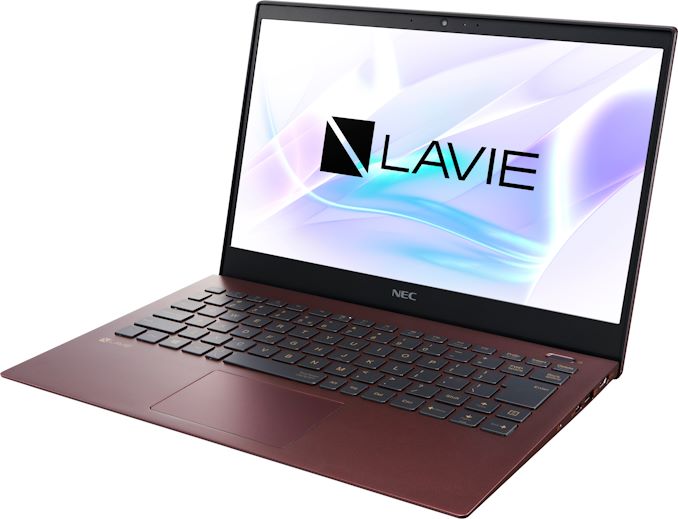


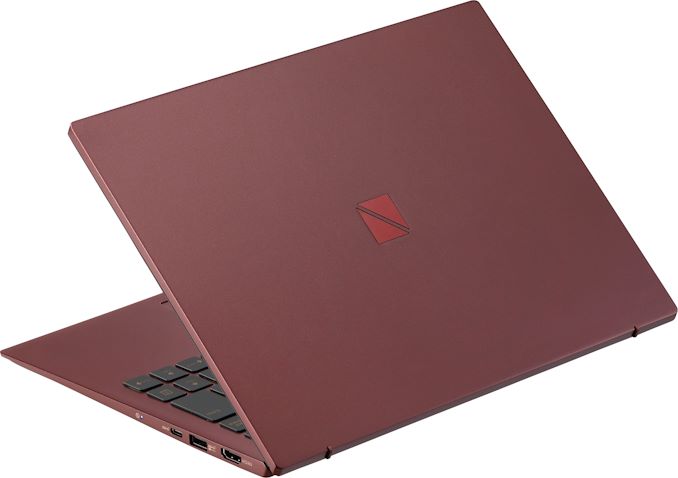
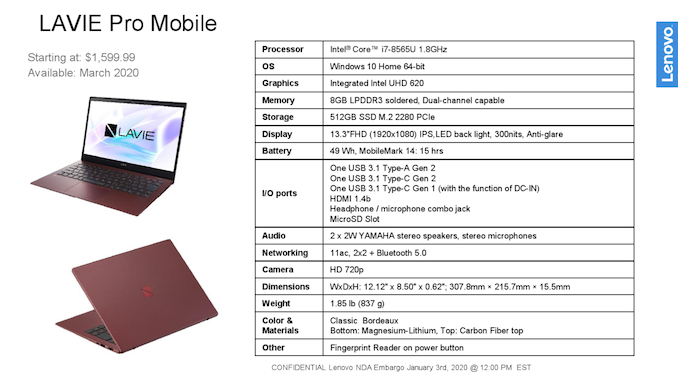
The NEC LaVie Pro Mobile comes in a stylish Bordeaux chassis with a magnesium-lithium bottom and a carbon fiber top. The notebook houses a 13.3-inch Full-HD IPS display with 300 nits max brightness, and an anti-glare coating, but there is no word regarding multitouch support. The materials used for the chassis enabled NEC to make its LaVie Pro Mobile only 15.5 mm thick and reduce its weight to 837 grams (~1.85 lbs), which makes it one of the industry’s lightest notebooks based on a Intel’s more powerful U-series mobile CPUs.


Speaking of CPU, Lenovo will use Intel’s 8th Gen Core processors (Whiskey Lake, up to Core i7-8565U) with up to four cores and UHD Graphics 620 for the LaVie Pro Mobile. The chip will be accompanied by up to 8 GB of soldered-down LPDDR3 memory, an up to 512 GB M.2-2280 PCIe SSD, and a 49 Wh battery. The latter promises to enable battery life of up to 15 hours (based on MobileMark 14), but this hardly concerns higher-end configurations.
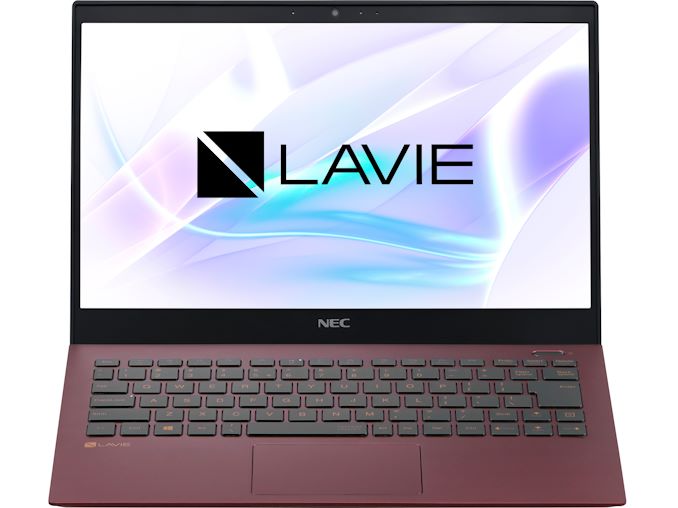


Connectivity department of the NEC LaVie Pro Mobile includes 2×2 Wi-Fi 5, Bluetooth 5.0, one USB 3.1 Gen 2 Type-A powers, two USB 3.1 Gen 1/Gen 2 Type-C ports, an HDMI 1.4b output, a microSD slot, and a 3.5-mm combo audio jack. Multimedia capabilities are comprised of a 720p webcam, 2W stereo speakers with Yamaha badge, and a microphone array. In addition, the PC has a fingerprint scanner in the power button.


Lenovo will start sales of the LaVie Pro Mobile laptops in March at prices starting at $1,599.99.


The NEC LaVie Vega: A Stylish Notebook with a 15.6-Inch OLED Display & Six-Core CPU


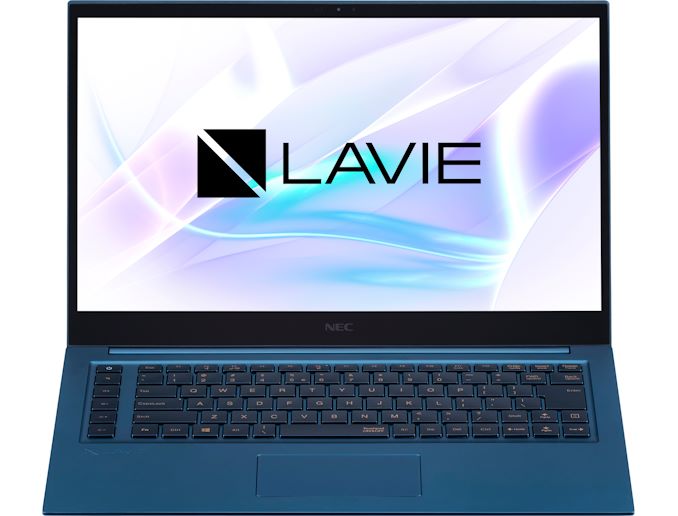
Usually, 15.6-inch laptops are designed for performance-minded users, so there are just a few models that are thin, light, and stylish. To that end, Lenovo decided to address this largely untapped market with its rather unique NEC LaVie Vega notebook.
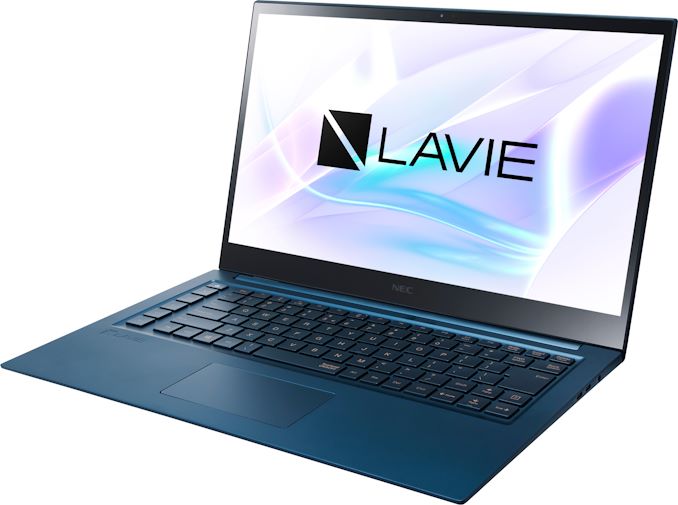


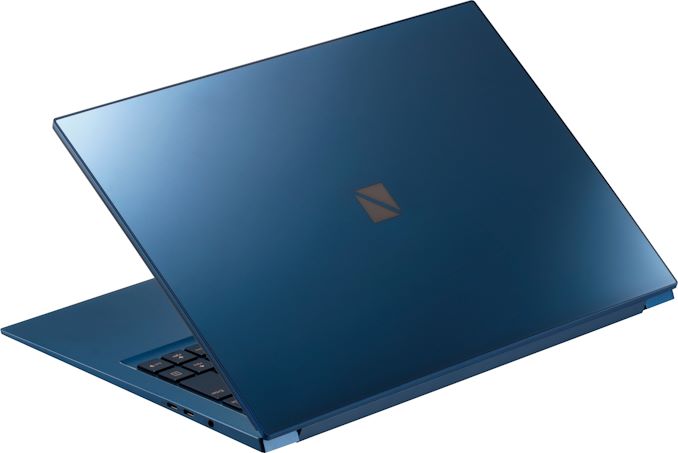
The laptop comes in an aluminum chassis with a blue finish with Corning Gorilla Glass 6 on display lid to add some bling and make the whole structure somewhat more rigid and resistant to scratches. Another notable feature of the notebook is a special Smart Light LED on the front panel, which reacts to voice assistant commands. The La Vie Vega weighs 1.84 kilograms and is 18.3 mm thick, which means that it is not the lightest 15.6-inch notebook around, but is also not as heavy as other machines in the class.


In addition to the eye-catching design, one of the key selling points of the NEC La Vie Vega is its factory-calibrated 15.6-inch Ultra-HD OLED display with a maximum brightness of 400 nits and all the benefits that OLED has to offer, such as a very high contrast ratio, a low response time, and wide horizontal viewing angles.


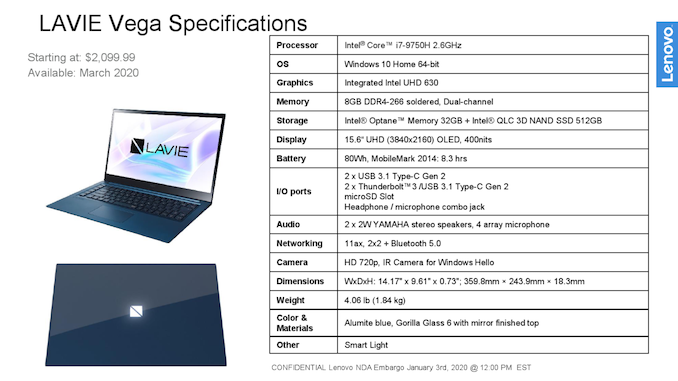
At the heart of the LaVie Vega is Intel’s 9th Generation Core processor, which offers up to six cores and UHD Graphics 630 (up to Core i7-9750H). This is paired with up to 8 GB of DDR4-2666 memory as well as a hybrid solid-state storage solution comprising of 32 GB of Intel Optane Memory and a 512 GB Intel 3D QLC-NAND-based SSD.


Connectivity-wise, the LaVie Vega has a 2×2 Wi-Fi 6 + Bluetooth 5 adapter on the wireless side of matters. The wired section features two Thunderbolt 3 ports, two USB 3.1 Gen 2 Type-C connectors, a microSD card reader, and a 3.5-mm TRRS headset jack. As for multimedia features, the laptop is equipped with a Windows Hello-compatible 720p webcam, a couple of 2W Yamaha-badged speakers, and a quad-microphone array.


When it comes to battery life, Lenovo promises that its NEC LaVie Vega can work for up to 8.3 hours on one charge of its rather whopping 80 Wh battery (according to MobileMark 14).


The NEC LaVie Vega will hit the market in March and will carry an MSRP starting at $2,099.99.


The NEC LaVie Home AIO: A 27-Inch PC with Comet Lake & Crystal Sound Display


As the name suggests, the LaVie Home All-in-One PC is designed primarily for home users and therefore is tailored primarily for entertainment purposes. The computer comes in a Fine White chassis and features design that should blend with almost any environment. The system borrows some elements from Lenovo’s own IdeaCentre Horizon from 2013, but unlike the giant 27-inch tablet, this AIO desktop offers performance of a higher-end laptop and is not touch enabled.
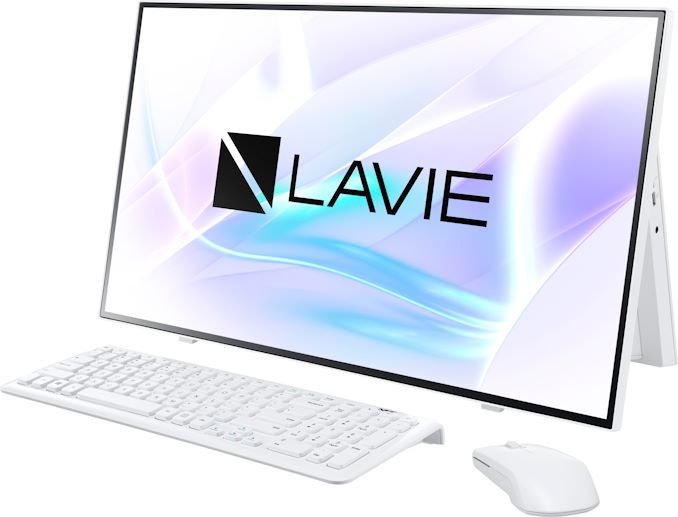


One of the key features of the LaVie Home All-in-One is its 27-inch Full-HD IPS display with very narrow bezels that clearly make the AIO system somewhat more compact. Furthermore, the screen relies on LG’s Crystal Sound Display technology, so it acts not only as it should, but also as speakers by vibrating its surface. To make the sound better, Lenovo asked Yamaha to tune the sound system. Also, the PC has a quad far-field microphone array.
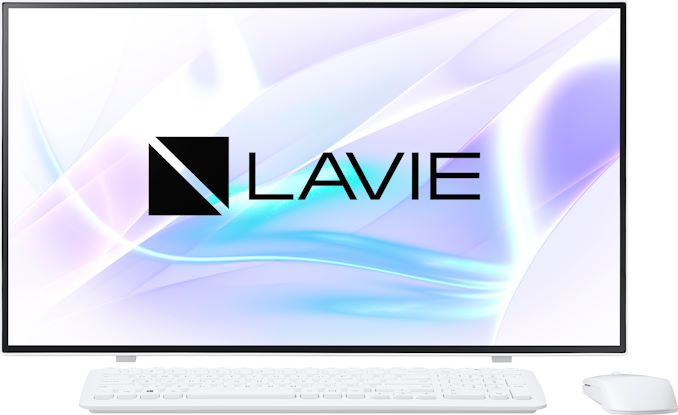


From internal hardware point of view, the LaVie Home AIO has everything one would expect from a modern laptop, including Intel’s 10th Gen Core processor (Comet Lake) with UHD Graphics, 8 GB of DDR4-2666 DRAM, a 256 GB M.2-2280 PCIe SSD, and a Wi-Fi 6 + Bluetooth 5 adapter. Meanwhile, since the system has some additional space inside (when compared to mobile PCs), it also packs a 3 TB 5400 RPM hard drive and a DVD±R optical drive (why not Blu-ray?). As for connectivity, everything is pretty standard: a GbE port, USB 3.1 Gen 1/Gen 2 connectors, an SD card reader, and a 3.5-mm audio jack for headsets.


The LaVie Home AIO will come with a wireless keyboard and a mouse. Meanwhile, the system can be controlled using Microsoft’s Cortana and Amazon’s Alexa.
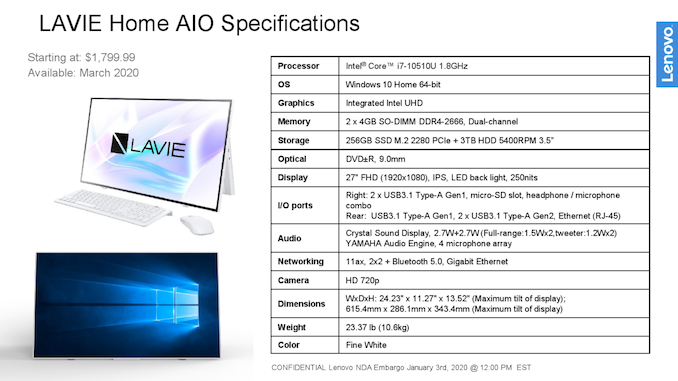


The NEC LaVie Home All-In-One will be available in the US this March at prices starting at $1,799.99. Eventually, the system will also be available in Japan.


A Side Thought


Lenovo commanded 24.7% of the global PC market back in Q3 2019, leaving behind HP and Dell, according to IDC. The company is also believed to be the dominant player on the Japanese PC market to a large degree because it controls popular brands like ThinkPad, Fujitsu, and NEC/LaVie. At the same time, the firm trailed both of its rivals significantly in the US by a large margin (15% vs 26.7% owned by Dell), which may indicate that Lenovo sees growth opportunities in the country.


By bringing some of its NEC LaVie machines to the US, Lenovo is perhaps trying to use the multi-brand strategy with precisely tailored offerings that helped it to become the No. 1 PC supplier in Japan. Keeping in mind that many buyers of high-end computers clearly want differentiation and might want to get a NEC for this reason, returning the brand to the US might help to tap this kind of customers and increase revenue/profits. Meanwhile, it remains to be seen whether the NEC brand in the US will enable Lenovo to increase its market share because we are talking about pretty expensive systems here.


Related Reading:


Source: Lenovo


Source: AnandTech – Lenovo Brings NEC PCs Back to USA: Super Light, Sub-2 lbs LaVie Notebooks Incomming

Lenovo’s 2020 ThinkPad X1 Carbon & Yoga: Wi-Fi 6, New Keyboard, & Security Features

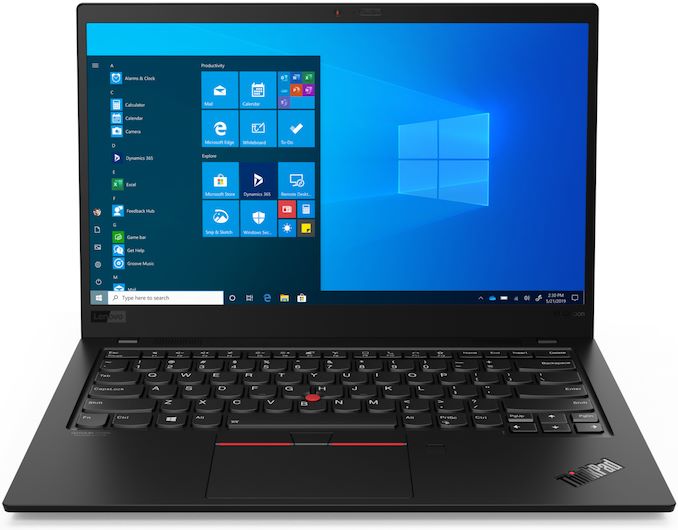
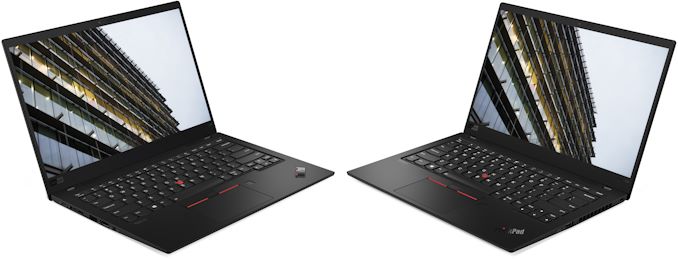
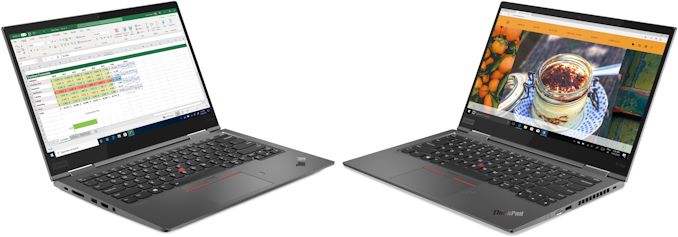
Lenovo’s ThinkPad X1 Carbon and ThinkPad X1 Yoga are perhaps the company’s best known laptops in the west. The company puts tremendous amounts of effort to make its flagship PCs stand out from the crowd in terms of features and performance, which is why it typically introduces updated versions every CES. This year is not an exception, so Lenovo is rolling out its 8th Generation ThinkPad X1 Carbon as well as 5th Generation ThinkPad X1 Yoga, which are receiving a new keyboard, additional security features, and Wi-Fi 6 support.


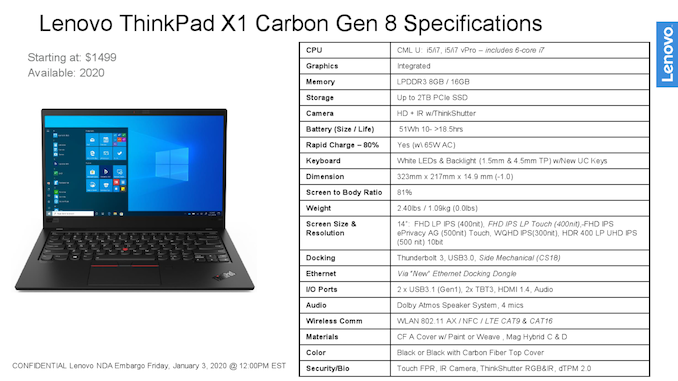
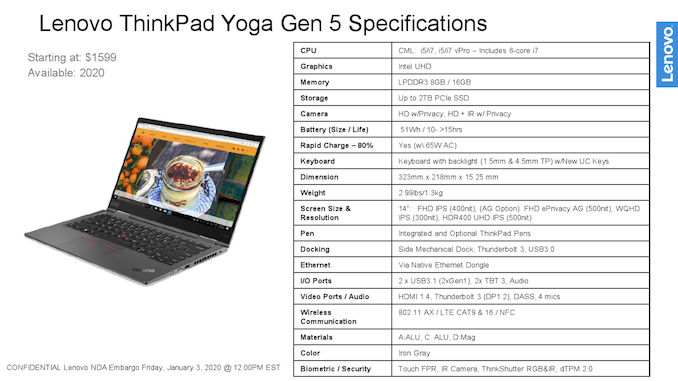
The upcoming Lenovo ThinkPad X1 Carbon and Lenovo X1 Yoga will borrow a lot from their direct predecessors, the 7th Gen ThinkPad X1 Carbon and the 4th Gen ThinkPad X1 Yoga. The systems share chassis and therefore retain weight and thickness of previous-generation models (1.09 kilograms/14.9 mm and 1.3 kilograms/15.25 mm, respectively). Furthermore, they are based on the same Intel’s 10th Generation Core processor platform (Comet Lake) with up to six cores that is paired with up to 16 GB of soldered-down LPDDR3 memory as well as an up to 2 TB SSD.



Instead, Lenovo had made three major improvements elsewhere to differentiate the new ThinkPad X1 Carbon and Lenovo X1 Yoga systems from their predecessors. The first one is the new keyboard that still uses scissor mechanism, but now has a set of buttons for instant Voice-over-IP access. Considering that services like Skype are used widely these days, the special buttons will make life of many people easier.


The second improvement for the new ThinkPads is Wi-Fi 6 support, with the latest Wi-Fi standard starting to gain serious traction.


The final new feature that will be optionally available on select 8th Generation ThinkPad X1 Carbon as well as 5th Generation ThinkPad X1 Yoga is a new Full-HD display with 500 nits maximum brightness. The new display is also available with Lenovo’s PrivacyGuard screen filter, which helps to protect against prying eyes by giving the screen a narrow viewing angle. In addition, select machines will come with ThinkPad PrivacyAlert software technology that warns users when someone is staring at their screen and turns on PrivacyGuard on supporting LCDs. Meanwhile, flagship models of both mobile PCs will come equipped with an Ultra-HD display featuring 500 nits luminance and Dolby Vision support.

Rounding out the package, the new ThinkPads use a 51 Wh battery that offers 10 – 15 hours (Yoga) or 10 – 18 hours (Carbon) of battery life depending on exact configuration. Furthermore the ThinkPad X1 Carbon is once again part of Intel’s Project Athena program, meaning it meets Intel’s performance and battery life standards there.


Lenovo will start sales of its 2020 ThinkPad X1 machines later this year. The ThinkPad X1 Carbon laptop will start at $1,499, whereas the ThinkPad X1 convertible will start at $1,599.


Related Reading:


Source: Lenovo


Source: AnandTech – Lenovo’s 2020 ThinkPad X1 Carbon & Yoga: Wi-Fi 6, New Keyboard, & Security Features

An Interconnected Interview with Intel’s Ramune Nagisetty: A Future with Foveros

I’ve constantly stated for the last two years that the next battleground in performance for the semiconductor market is going to be in the interconnect – whether we’re speaking about on chip with new manufacturing technologies or new topologies, or between chips with new communication standards or connectivity paradigms that shake up both bandwidth and efficiency. Moving from monolithic designs to chiplets and stacked silicon requires a fundamental shift in thinking that most of the industry is not yet ready for, from silicon engineers to vendors who design the software that enables silicon engineers to do their thing. You might not be surprised that Intel has a whole department dedicated to these new interconnect and packaging technologies. Ramune Nagisetty works across Intel’s broad range of process and packaging technologies as Director of Process and Product Integration, and I finally got a chance to meet Ramune at this year’s IEDM conference. We sat down for an interview to discuss the area.


Source: AnandTech – An Interconnected Interview with Intel’s Ramune Nagisetty: A Future with Foveros

Samsung’s Fab in Hwaseong Suffers Power Outage

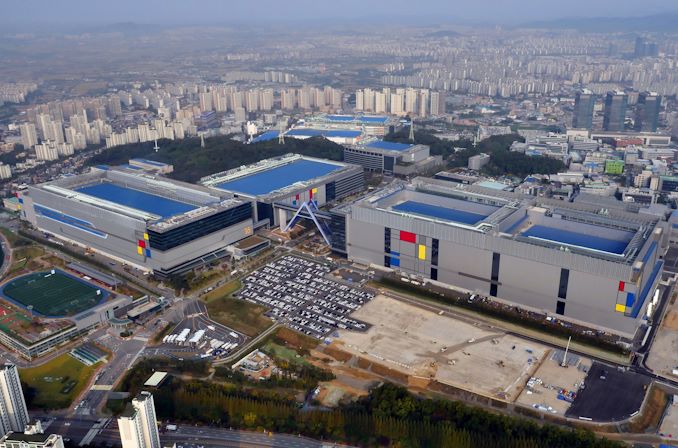
Samsung had to stop production of DRAM and V-NAND memory at its fab near Hwaseong, South Korea, due to power outage earlier this week. Damage caused by disruption of production is something that is yet to be determined, but the company told local news agencies that it would take days to restore operations of the fab.


The power outage lasted for about a minute and was caused by an explosion of a power transmission cable at a local substation. According to media reports citing sources with knowledge of the matter, it will take Samsung two or three days to restore operations of the production facility, but the sources declined to reveal whether or not manufacturing equipment was broken.


It is unclear how many wafers containing DRAM and V-NAND memory were processed at the time of the outage and how many of them were damaged, but we do know that the fab complex produces both types of memory at the same time.


Power outages tend to happen on various semiconductor plants. Back in March 2018 a blackout took place at Samsung’s memory fab near Pyeongtaek, South Korea, whereas in June 2018 an outage happened at Yokkaichi Operations complex operated by Toshiba/Kioxia and Western Digital. In both cases the outages damaged production and caused massive financial losses.


Samsung is currently gearing up to release its new high-end smartphones in the first half of the 2020. Typically, the company (just like its rivals) is stockpiling DRAM and V-NAND memory ahead of major launches, so the consequences of the outage remain to be seen.


Related Reading:


Sources: Reuters, Yonhap


Source: AnandTech – Samsung’s Fab in Hwaseong Suffers Power Outage

Quick & Deadly: Alienware 25 (AW2521HF) 240 Hz Fast IPS Monitor Revealed

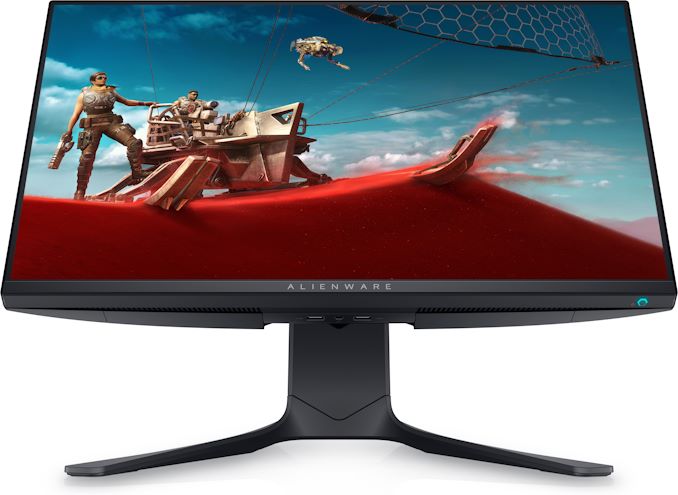
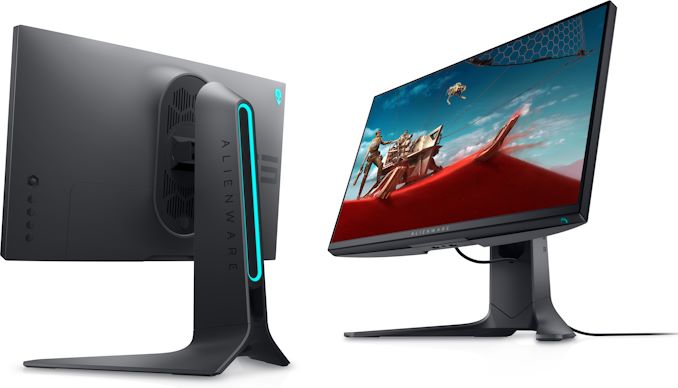
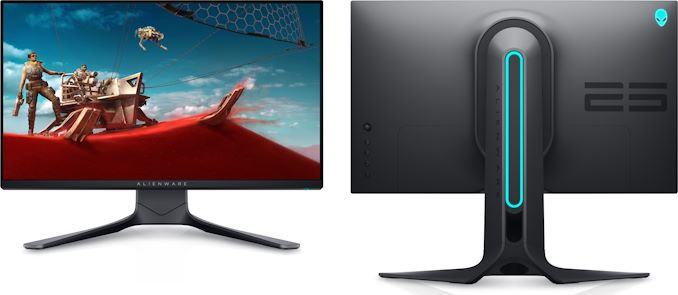
Dell’s Alienware was among the first brands to offer a 27-inch Fast IPS gaming display featuring a 240 Hz refresh rate back in August, 2019. This spring, the company will in turn be one of the first suppliers to start selling a 25-inch “Fast IPS” monitor, which will combine high quality color reproduction with the kind of extreme performance that the Alienware brand is known for.


The Alienware 25 (AW2521HF) gaming monitor is based on a 25-inch “Fast IPS” panel featuring a 1920×1080 resolution, 178°/178° viewing angles, a 1 ms GtG response time, and a variable refresh rate of up to 240 Hz. Officially, the monitor supports AMD’s FreeSync technology, but it is also pending for the NVIDIA G-Sync compatible logotype. For now, Dell does not disclose other characteristics of the display, but expect its brightness and contrast ratio to be similar to that of the Alienware 27 launched in 2019.


Like other products carrying the Alienware brand, the new AW2521HF monitor uses the ‘Legend’ futuristic design language with addressable AlienFX RGB LEDs. Obviously, the monitor comes with an adjustable stand and versatile connectivity with integrated cable management, in line with other higher end gaming LCDs.


The Alienaware 25 IPS Display with 240 Hz Refresh Rate
  AW2521HF
Panel 25-inch class IPS
Native Resolution 1920 × 1080
Maximum Refresh Rate 240 Hz
Dynamic Refresh Technology AMD FreeSync
Range ?
Brightness ? cd/m²
Contrast ?
Viewing Angles 178°/178° horizontal/vertical
Response Time 1 ms GtG
Pixel Pitch ~0.2883 mm²
Pixel Density ~88 PPI
Color Gamut Support 99% sRGB
Inputs ?×DP 1.2

?×HDMI 2.0
Audio audio input

audio output
Stand Height: +/- ? mm,

Tilt: ?° to ?°

Swivel: ?° to ?

Pivot: ?° to ?°


Built in cable management

Warranty 3 years
MSRP ?

Dell will start sales of the Alienware 25 gaming monitor on March 11, 2020. The company yet has to announce pricing of the device, but it is safe to say that it will be lower than that of its 27-inch 240 Hz counterpart which carries an MSRP of $599.99.


Related Reading:


Source: Dell


Source: AnandTech – Quick & Deadly: Alienware 25 (AW2521HF) 240 Hz Fast IPS Monitor Revealed

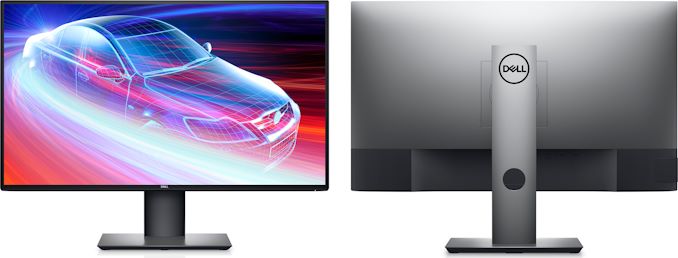
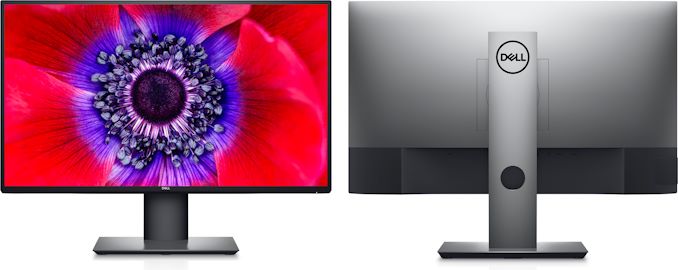
CES 2020: Dell’s New UltraSharp U2520Q & U2720Q USB-C Monitors for Designers

Dell has introduced its new 25-inch and 27-inch displays that are aimed at artists and designers with color-critical workloads. The new UltraSharp U2520Q and U2720Q monitors feature a 3H anti-glare coating and are factory calibrated to a Delta-E<2 accuracy to ensure correct reproduction of colors in different conditions.


Dell’s UltraSharp U2520Q and UltraSharp U2720Q displays are built upon IPS panels of a 2560×1440 and a 3840×2160 resolution (respectively), 350 nits typical brightness, a 1000:1 and 1300:1 contrast ratio (respectively), a 8 ms GtG response time in normal mode, and a 60 Hz refresh rate. The 25-incher can display 16.78 million colors, whereas the 27-incher can display 1.07 billion colors. Also, both LCDs can reproduce a 95% of the DCI-P3 color gamut and a 99% of the sRGB color space.


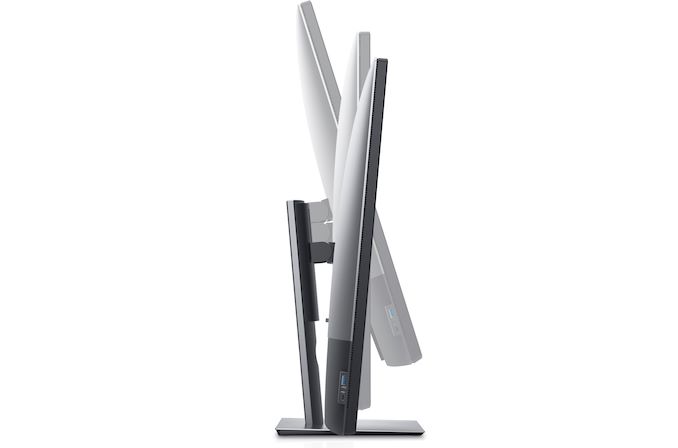
Apart from dimensions and specifications of the IPS panels, Dell’s UltraSharp U2520Q and UltraSharp U2720Q monitors are very similar. The displays feature the same design with ultra-thin bezels to make it easier for owners to use multi-display configurations (which is particularly important for 25-inch LCDs these days as in many cases they are bought to work in pairs) and the same adjustable stands that can regulate tilt, pivot, and swivel.


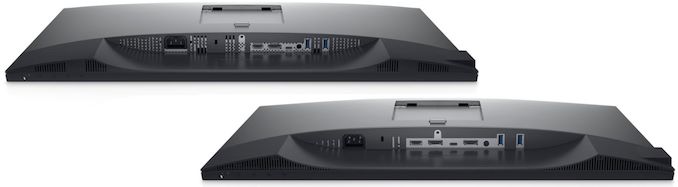
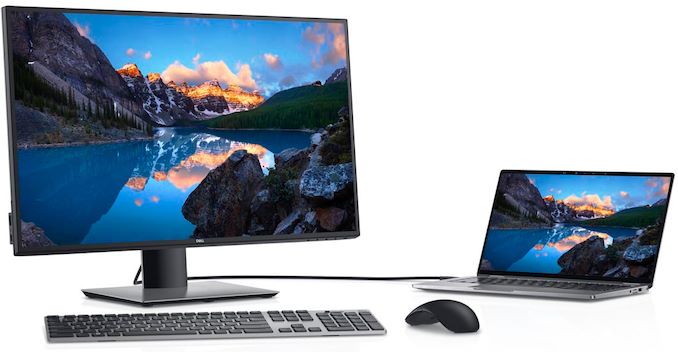
As for connectivity, the monitors feature a DisplayPort 1.4 (with a DisplayPort MST output to daisy chain another display), an HDMI 2.0, and a USB Type-C input. The latter port can deliver up to 90 W of power to the host, which is enough for most 15.6-inch-class notebooks. In addition, the units also come with a dual-port USB 3.0 hub featuring a Type-A and a Type-C connector. Since in many cases the U2520Q and U2720Q LCDs will be used in offices, they do not have built-in speakers, but they have a headphone output. Speaking of offices, it is necessary to note that the monitors can be remotely managed using Dell’s Command Center software.


Specifications of Dell’s 2020 25-Inch & 27-Inch USB-C Displays
  UltraSharp 25 USB-C Monitor

U2520D
UltraSharp 27 USB-C Monitor

U2720Q
Panel 25″ IPS 27″ IPS
Native Resolution 2560 × 1440 3840 × 2160
Maximum Refresh Rate 60 Hz
Response Time 5 ms GtG in Fast mode

8 ms GtG in Normal mode
Brightness 350 cd/m² (typical)

400 cd/m² (peak)
Contrast 1000:1 1300:1
Viewing Angles 178°/178° horizontal/vertical
Pixel Pitch 0.216 mm² 0.1554 mm²
Pixel Density 117.5 ppi 163 ppi
Display Colors 16.78 million 1.07 billion
Color Gamut Support sRGB: 99%

DCI-P3: 95%
Stand Height: 130 mm

Tilt: -5° to 21°

Swivel: -45° to 45°

Pivot: -90° to 90°
Inputs 1 × DisplayPort 1.4 (+ DP MST out)

1 × HDMI 2.0

1x USB-C (DP 1.4 Alt Mode + 90 W Power Delivery)
USB Hub 2-port USB 3.0 (Type-A + Type-C)

2 × USB 3.0 Type-A upstream ports
Audio audio out port
Power Idle 0.3W 0.3 W
Typical 24 W 33 W
Peak 200 W 200 W
Delivery 90 W 90 W
Launch Price $479.99 $709.99

Dell’s UltraSharp U2520Q and U2720Q monitors will be available starting from January 30. The 25 incher will have an MSRP of $479.99, whereas the 27-incher will be priced at $709.99.


Related Reading:


Source: Dell


Source: AnandTech – CES 2020: Dell’s New UltraSharp U2520Q & U2720Q USB-C Monitors for Designers

CES 2020: Dell’s Interactive Touch Monitor Grows to 85.6-Inches, Gets USB-C

Dell has introduced a new version of its 4K Interactive Touch Monitor designed, as its name implies, for interactive and collaborative work by groups of people. The new version comes with an 85.6-inch display panel, which outpaces Microsoft’s Surface Hub 2 in size and makes the product biggest in this class of devices.


The Dell 86 4K Interactive Touch Monitor (C8621QT) uses an IPS panel of a 3840×2560 resolution as well as standard brightness and contrasts for this type of panels. The display features ‘In Glass’ touch surface supporting up to 20 touch points simultaneously, which allows multiple users to work with the LCD at the same time. Meanwhile, the display comes with only one stylus, so collective drawing/writing will require an appropriate number of pens.


Unlike Microsoft’s Surface Hub, Dell’s 75-inch and 85.6-inch 4K Interactive Touch Monitors are not full-fledged PCs, but are displays which can work with any host that connects to them. For those who want to transform these LCDs into a tightly-integrated all-in-one PC with a corporate software image that takes into account security policies, Dell offers an optional OptiPlex Micro PC that can be installed into a special slot on the rear of these monitors.


Being very versatile, the Dell 86 4K Interactive Touch Monitor has six inputs: a DisplayPort, four HDMI connectors, and a USB Type-C port with DP Alt Mode and a 90 W Power Delivery to the host. The LCD also has four USB Type-A ports (along with three USB Type-B upstream connectors) as well as GbE and RS232 ports for management. The LCD has its own mounting mechanism, but also has VESA mounting holes, providing some additional flexibility.


Dell plans to start sales of its 86-Inch Interactive Touch Monitor in April. The manufacturer does not disclose pricing of the display just yet, but since we are talking about a unique commercial-grade product that has just one rival, expect an appropriate MSRP.


Related Reading:


Source: Dell


Source: AnandTech – CES 2020: Dell’s Interactive Touch Monitor Grows to 85.6-Inches, Gets USB-C

CES 2020: Dell Announces UltraSharp U4320Q 42.5-Inch 4K IPS Monitor

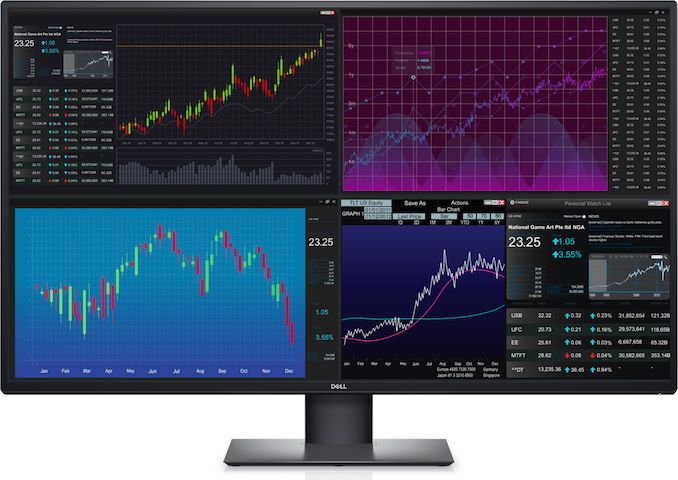
Dell was among the first companies to introduce a 43-inch monitor designed for office and environments where multi-display configurations have traditionally been used. At CES, the company rolled out its new UltraSharp U4320Q 42.5-Inch 4K display that features a newer panel, an improved stand, and a USB-C input.


Dell continues to position its UltraSharp U4320Q monitor as an ultimate tool for productivity applications as well as a replacement for multiple smaller displays. To that end, specifications of the display are pretty modest: a 3840×2160 resolution, 350 nits typical brightness, a 1000:1 contrast ratio, 178°/178° horizontal/vertical viewing angles, a 5 ms GtG response time in Fast mode, and a 60 Hz refresh rate. The display does not support HDR10 transport, a variable refresh rate technology, and other multimedia enhancements. Being a ‘workhorse’ type monitor, the UltraSharp U4320Q supports only sRGB color gamut, which is good enough for Windows.


The key improvement that the UltraSharp U4320Q has over its predecessor is its adjustable stand that can now regulate height, tilt, and swivel, as well as a modernized set of connectors. In addition to usual DisplayPort and HDMI inputs, the new unit has a USB Type-C port that supports DisplayPort alt mode and can deliver up to 90 W of power to the host. The monitor fully supports Picture-by-Picture and Picture-in-Picture capabilities and can work with up to four PCs at once. Unfortunately, the display does not have a built-in KVM. Moreover, it does not have built-in speakers either.


Dell’s 43-Inch Monitors
  UltraSharp U4320Q P4317Q
Panel 42.5″ IPS
Resolution 3840 × 2160
Refresh Rate 60 Hz
Variable Refresh Rate
Response Time 5 ms GtG in Fast mode

8 ms GtG in Normal mode
8 ms GtG
Brightness 350 cd/m² 350 cd/m²
Contrast 1000:1 Typical
Viewing Angles 178°/178° horizontal/vertical
PPI 104 pixels per inch

0.245 mm² pixel pitch
Colors 1.07 billion
Inputs 2 × DisplayPort 1.4

2 × HDMI 2.0
1 × USB Type-C w/ DP Alt Mode
1 × DisplayPort

1 × Mini DisplayPort

2 × HDMI

1 × D-Sub/VGA
USB-C PD 90 W
USB Hub 4-port USB 3.0 hub (3×USB-A and USB-C) 4-port USB 3.0 Type-A hub
Audio Headphone Output 8W Stereo Speakers

Headphone Output

Audio Input
Stand Height: -/+60 mm

Tilt: -5° to 10°

Swivel: -20° to 20°
Tilt: -5° to 10°
Launch Date January, 2020 May, 2016
Launch Price $1,049.99 $899.99 (?)

Dell’s UltraSharp U4320Q will be available starting January 30, 2020, at an MSRP of $1049.99.


Related Reading:


Source: Dell


Source: AnandTech – CES 2020: Dell Announces UltraSharp U4320Q 42.5-Inch 4K IPS Monitor

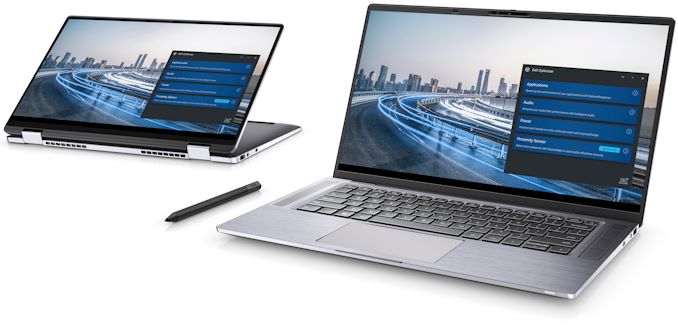
CES 2020: Dell’s 360-Degree Latitude 9510 to Offer 30 Hrs Battery and 5G Modem

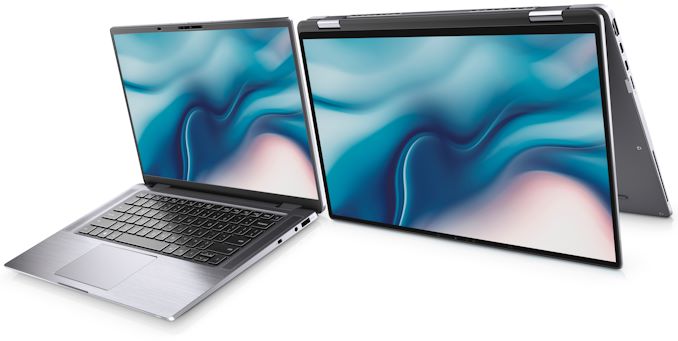
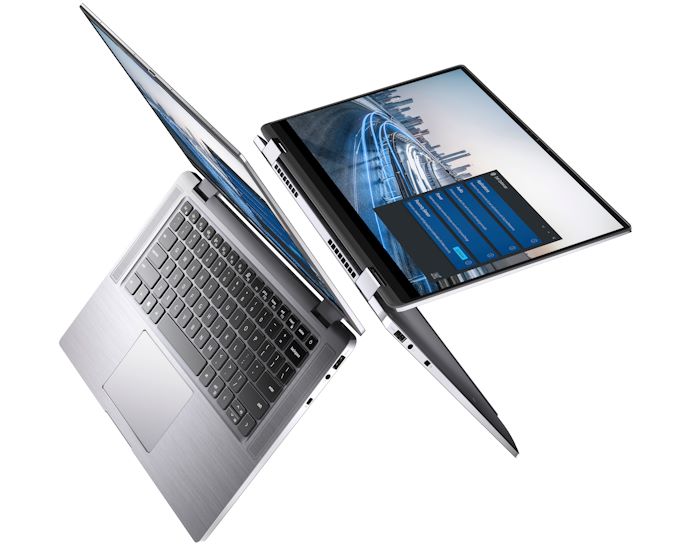
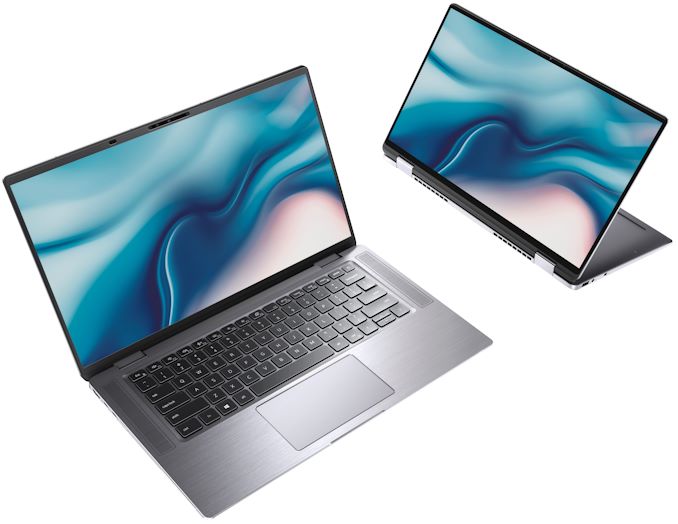
Building a workstation-class mobile PC that would be easy to carry around, but which would offer a proper screen, decent performance, robust connectivity, and a long battery life is extremely challenging. In fact, it takes efforts of multiple companies, not just one manufacturer. At CES, Dell is going to introduce two .6-inch Latitude 9510 designs, a laptop and a convertible, that promise to pack all of the hardware required into a 14-inch-class body that is up to 17 mm thick, and even add Qualcomm’s Snapdragon X55 5G modem on top as an optional extra.


Typically, notebooks and convertibles use different chassis even within the same model family. This is not the case with the Dell Latitude 9510 family: the notebook and the convertible use very similar aluminum unibody chassis that have the same dimensions with a 14 mm ~ 17 mm z-height, but the convertible has different hinges. Both types of machines also come with similar ‘super low power’ 15-inch display panels of a Full-HD resolution, 400 nits brightness, and wide viewing angles. Meanwhile, the screen of the convertible supports touch (as well as Dell’s Active Pen stylus that is sold separately) and is protected using Corning Gorilla Glass 6.


Inside the new Dell Latitude 9510 mobile PCs is Intel’s 10th Generation quad or six-core Core processor (Comet Lake-U) with built-in UHD Graphics that is accompanied by up to 16 GB of onboard LPDDR3-2133 memory as well as an M.2-2230 SSD of up to 1 TB capacity. Evidently, Dell had to sacrifice upgradeability and capacity of its storage device to make its 14-inch machines as portable as possible.


Being aimed at demanding users, the Latitude 9510 laptop and hybrid have rather robust I/O capabilities that include Wi-Fi 6, Bluetooth 5, has two Thunderbolt 3 ports that can be used for charging, one USB 3.1 Gen 1 Type-A connector, an HDMI output, a microSD card reader, a 3.5-mm audio jack for headsets, and an optional SmartCard reader. Those users who want ultimate mobility can also install Qualcomm’s Snapdragon X24 4G/LTE or even Snapdragon X55 5G modem. Other ports are provided through dongles.


Since Dell’s Latitude systems are the company’s most advanced offerings for business, corporate, and government clientele, these machines come equipped with cutting-edge security features. In addition to IR-equipped webcam (Windows Hello-compatible), the Latitude 9510 mobile PCs have a fingerprint reader as well as contactless and contacted Smart Card readers with Control Vault 3.0 authentication with FIPS 140-2 Level 3 certification (Windows Hello-compliant fingerprint scanner is also possible). Furthermore, the systems feature a FIPS-140-2-certified TPM 2.0 module, self-encrypting Class 35 storage, and a variety of optional software enhancements.


Typical versions of Dell’s Latitude 9510 laptop and Latitude 9510 2-in-1 will come with a 4-cell 52 Wh battery (either with ExpressCharge or Long-Life Cycle), but the most advanced SKUs will be equipped with a rather monstrous 6-cell 88 Wh Li-polymer ExpressCharge-capable battery that promises to enable a battery life of over 30 hours. This one will likely be heavier than others, but if you need to work for a long time on a single charge or just work comfortably with increased brightness, then this is the only way.


Specifications of the Dell Latitude 9510
  Latitude 9510 Latitude 9510 2-in-1
LCD Diagonal 15″
Resolution Brightness Features 1920×1080

400 cd/m²

Anti-Glare

Super Low Power
1920×1080

400 cd/m²

Anti-Glar

Anti-Smudge

Super Low Power
Color Gamut sRGB 100% ?
Touch Support Yes
Protective Glass Corning Gorilla Glass 6
CPU  Intel’s 10th Generation quad-core or six-core Core processor

with or without vPro

Comet Lake-U
Graphics Intel UHD Graphics
RAM up to 16 GB LPDDR3-2133
Storage M.2-2230 PCIe/NVMe up to 1TB SSD

Regular or Class 35
Wireless Wi-Fi, Bluetooth Intel Wi-Fi 6 AX200 2×2 .11ax 160MHz + Bluetooth 5.0
Cellular

WWAN
Qualcomm Snapdragon X20 LTE-A (DW5821e)

Qualcomm Snapdragon X20 LTE-A (DW5821e) for AT&T, Verizon & Sprint, US.

Qualcomm Snapdragon X55 Global 5G Modem (DW5930e)

(July 2020) (2-in-1)
USB 3.1 1 × USB 3.1 Type-A
Thunderbolt 2 × TB 3 (for data, charging, DP displays)
Display Output 1 × HDMI 2.0
Card Reader 1 × microSD
Cameras Front Webcan with IR sensors for Windows Hello face authentication

Mechanical privacy shutter

No camera option
Hardware Authentication Webcam with IR Sensors

Optional fingerprint reader

Optional contacted SmartCard reader
Audio 4 microphones, 4 speakers, audio jack
Battery 4-Cell, 52 WH Polymer Long Life Cycle (July 2020)

4-Cell, 52 WH Polymer, ExpressCharge/ExpressCharge Boost capable

6-Cell, 88 WH Polymer, ExpressCharge capable, 30 hours


65 W or 90 W USB-C charger

Dimensions Width 340.4 mm | 13.4 inches
  Depth 215.8 mm | 8.5 inches
  Thickness 14 mm – 17 mm | 0.55 – 0.66 inches
Weight 1.45 kilograms | 3.2 pounds 1.5 kilograms | 3.3 pounds
Security


Some features are optional and are available on request

TPM 2.0 FIPS-140-2 Certified / TCG Certified

Optional Windows Hello compliant fingerprint reader in power button

Optional Security Hardware Authentication Bundles

1: Touch Fingerprint Reader (in Power Button) with Control Vault 3.0 Advanced Authentication with FIPS 140-2 Level 3 Certification

2: Contacted Smart Card and Control Vault 3 Advanced Authentication with FIPS 140-2 Level 3 Certification

3: Touch Fingerprint Reader (in Power Button), Contacted Smart Card, and Control Vault 3 Advanced Authentication with FIPS 140-2 Level 3 Certification

4: Touch Fingerprint Reader in Power Button, Contacted Smart Card, Contactless Smart Card, NFC, and Control Vault 3 Advanced Authentication with FIPS 140-2 Level 3 Certification

Optional Face IR camera (Windows Hello compliant) with ExpressSign-in (Proximity Sensor)

Dell Client Command Suite

Dell BIOS Verification

Optional Dell Endpoint Security and Management Software

VMware Carbon Black Endpoint Standard

VMware Carbon Black Endpoint Standard + Secureworks Threat Detection and Response

Dell Encryption Enterprise

Dell Encryption Personal

Carbonite

VMware Workspace ONE

Absolute Endpoint Visibility and Control

Netskope

Dell Supply Chain Defense
Sensors Gyroscope, eCompass/Magnetometer, Accelerometer, GPS (via WWAN Card only), Ambient Light Sensor, Adaptive Thermal Performance (via Gyroscope/Accelerometer), Dell ExpressSign-In (via Proximity Sensor)
Operating System Microsoft Windows 10 Pro 64 bit

Microsoft Windows 10 Home 64 bit

Ubuntu (May 2020)
Microsoft Windows 10 Pro 64 bit

Microsoft Windows 10 Home 64 bit
Launch Price ? ?

Dell’s Latitude 9510 laptop and Latitude 2-in-1 convertible will be available starting March 26, 2020. Those who would like to have an integrated 5G modem will have to wait till July.


Related Reading


Source: Dell


Source: AnandTech – CES 2020: Dell’s 360-Degree Latitude 9510 to Offer 30 Hrs Battery and 5G Modem

Dell’s 2020 XPS 13 (9300) Gets Ice Lake & A 13.4-Inch Ultra-HD+ Display

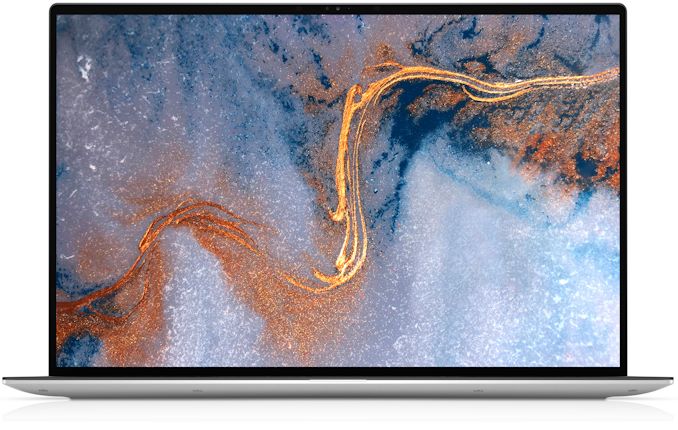
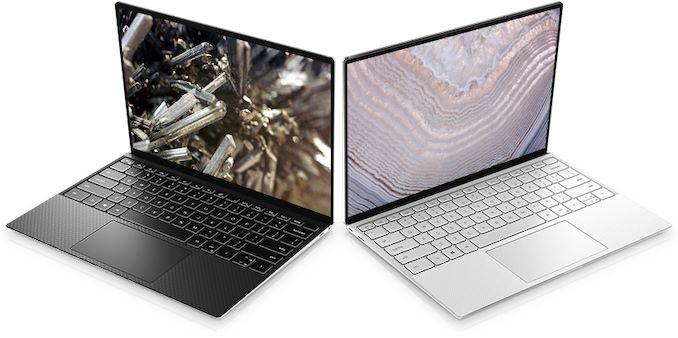
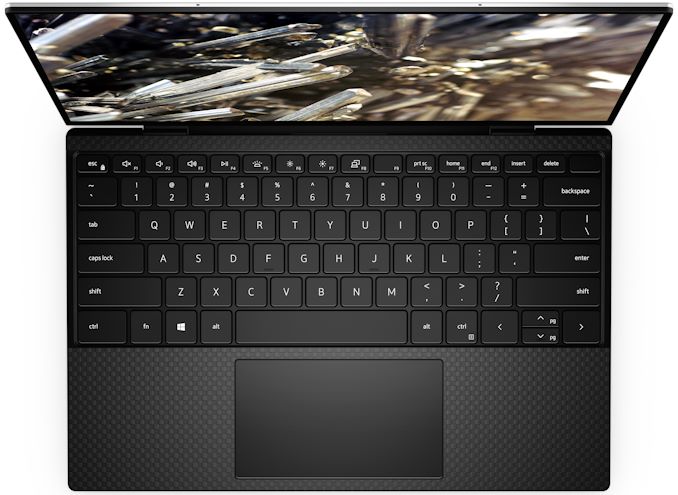
Ahead of next week’s 2020 CES, Dell has introduced a new version of its ultra-portable XPS 13 notebook that is based on Intel’s 10th Gen Core ‘Ice Lake’ processor. The new XPS 13 machines will offer higher graphics performance than predecessors powered by Intel’s Comet Lake CPUs, but the latter offer more general-purpose processing cores. Meanwhile, Dell is also giving the XPS 13 a display upgrade to go with the new Ice Lake processors, reformatting the laptop to use larger 16:10 displays, with a resolution increase to match. Overall, the Comet Lake and Ice Lake versions of the XPS 13 PCs will co-exist on the market, so users will have a choice.


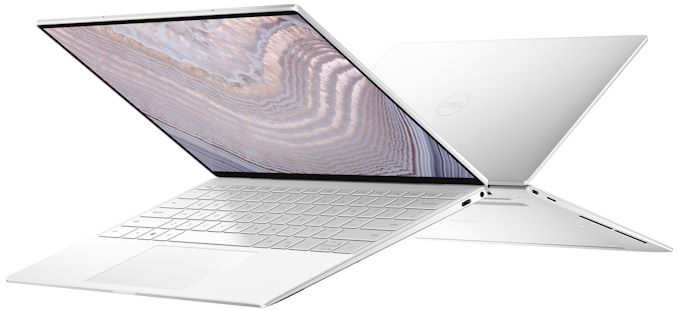
The Dell XPS 13 9300-series laptops are aimed at people looking for maximum performance in a rather unique 13.4-inch form-factor, so in addition to Intel’s Ice Lake CPU with built-in Iris Plus Graphics, they can pack up to 32 GB LPDDR4X-3733 of memory as well as an up to 2 TB PCIe SSD. To cool down the processor and ensure its consistent performance under high loads, Dell used a new cooling system with two fans, two heat pipes, and multiple air inlets. As for connectivity, the system has a 2×2 Killer Wi-Fi 6 + Bluetooth 5.0 adapter, two Thunderbolt 3 ports, a microSD card reader, and a 3.5-mm audio jack.


As previously mentioned, Dell is also using this opportunity to include a slightly larger display on their latest XPS 13 laptops. The newest edition of the laptop makes the move to 16:10 aspect ratio panels – an increasingly popular option for high-end laptops these days – with the overall panel size increasingly slightly to 13.4 inches diagonal. Dell in turn is offering two panels: a 1920×1200 panel with full sRGB coverage, or a 3840×2400 “Ultra-HD+” panel with support for 90% of the DCI-P3 space as well as HDR 400 certification. Both panels are Dolby Vision certified as well.


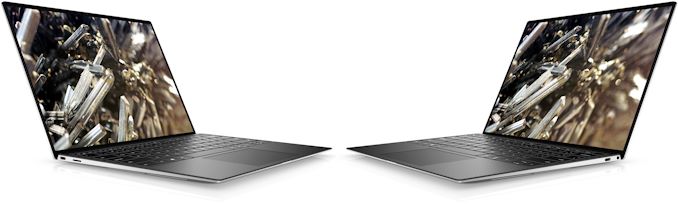
To outfit the XPS 13 with a larger panel, Dell has both worked to shrink the bezel around the panel as well as enlarging the laptop overall. The notebook comes in a black or white CNC-machined aluminum chassis that is 14.8 mm thick (vs. up to 11.6 mm) and weighs 1.2 kg – 1.27 kg depending on the touch support. The net result is that the laptop has a volume about 25% greater, mostly due to being 3.2mm thicker.


Traditionally for Dell XPS-branded laptops, the new XPS 13 boasts rather advanced multimedia capabilities, including a 720p webcam, 2W stereo speakers with Waves MaxxAudio Pro enhancements, and a far-field Microsoft Cortana-capable microphone array. As for security, the new XPS 13 has a Windows Hello-compliant fingerprint reader in the power button.


The new XPS 13 will come equipped with a 52 Wh battery rated for up to 19 hours of operation in case of models equipped with a Full-HD+ display.


Specifications of the Dell XPS 13 9300-Series
  General Specifications
LCD Diagonal 13.4-inch
Resolution 1920×1200 3840×2400
Brightness 400 cd/m² 500 cd/m²
Contrast Ratio 1800:1 1500:1
Color Gamut 100% sRGB 100% sRGB

99% DCI-P3
Features Dolby Vision Dolby Vision
Touch Support with or without touch Yes
Protective Glass Corning Gorilla Glass 6 in case of touch-enabled model
CPU Intel Core i3 1005G1 (4MB cache, up to 3.4GHz)

Intel Quad Core i5 1035G1 (6MB cache, up to 3.6GHz)

Intel Quad Core i7 1065G7 (8MB cache, up to 3.9GHz)
Graphics Intel UHD Graphics

Intel Iris Plus Graphics
RAM 4 – 32 GB LPDDR4X-3733 DRAM (onboard)
Storage 256 GB PCIe 3.0 x4 SSD

512 GB PCIe 3.0 x4 SSD

1 TB PCIe 3.0 x4 SSD

2 TB PCIe 3.0 x4 SSD
Wireless Killer AX1650 Wi-Fi 6 + Bluetooth 5.0 (based on Intel’s silicon)

Killer AX500 Wi-Fi 6 + Bluetooth 5.0 (based on Qualcomm’s silicon)
USB 3.1 2 × TB 3/USB Gen 3.1 Gen 2 Type-C
3.0
Thunderbolt 2 × TB 3 (for data, charging, DP displays)
Cameras Front 720p HD webcam
Other I/O Microphone, 2 stereo speakers, audio jack
Battery 52 Wh
Dimensions Width 295.7 mm | 11.64 inches
  Depth 198.7 mm | 7.82 inches
  Thickness 14.8 mm | 0.58 inches
Weight non-touch 1.2 kilograms | 2.64 pounds

touch-enabled 1.27 kilograms | 2.8 pounds
Launch Price Starting at $999.99

Dell’s new XPS 13 will be available in the US and select European countries on January 7 with prices starting at $999.99. In other regions, the laptop will hit the shelves in February. In addition to Windows 10-based versions of of the new XPS 13, Dell will offer Linux-powered models.


Related Reading:


Source: Dell


Source: AnandTech – Dell’s 2020 XPS 13 (9300) Gets Ice Lake & A 13.4-Inch Ultra-HD+ Display

How to Tarnish Platinum: Sell It as Xeon 9200

in 2019, Intel announced its Cascade Lake family of enterprise processors, and sitting at the top of the stack was the Cascade Lake-AP family: a quartet of parts that changed Intel’s paradigm for high-end processors. This hardware used two of Intel’s large 28-core silicon dies in the same package, providing a weakly linked dual-processor system in a single package, built to look like a single processor up to 56 cores and 12 memory channels with up to a 400W TDP. Despite not providing pricing, Intel is keen to promote the Xeon 9200 as its extreme performance platform up against AMD’s 64-core EPYC “Rome” offering. We saw a number of Xeon 9200 systems on display at the Supercomputing 2019 show, and the discussions we had were interesting in their own right.


Source: AnandTech – How to Tarnish Platinum: Sell It as Xeon 9200

AnandTech Year In Review 2019: Solid State Drives

In 2019, flash memory prices have leveled out and have even crept back upward a bit, and new technologies have been slow to roll out, although we are currently on the cusp of a PCIe 4.0 revolution. The pace of R&D is still keeping up, so as we move into 2020, we should start seeing plenty of interesting developments build on the backbone of 2019 designs. Here is our Year In Review 2019 for SSDs.


Source: AnandTech – AnandTech Year In Review 2019: Solid State Drives

Taking Immersion in Gaming One Step Further: Full PC Immersion with the CoolBitts ICEbox

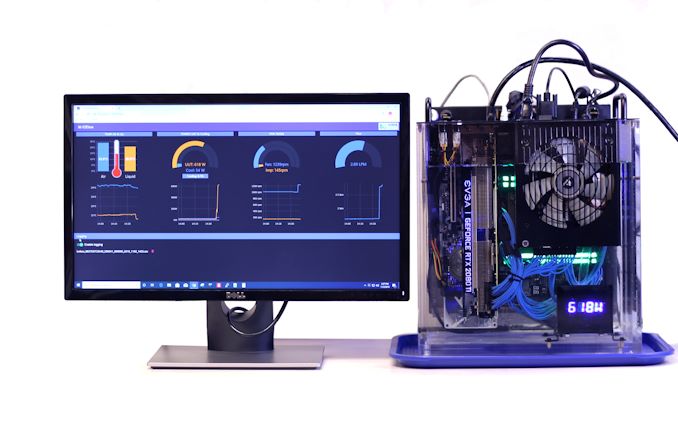
One of the news items that went under the radar at Supercomputing was from CoolBitts. The company focuses on fully immersed systems whereby the CPU, GPU, and all the components are put into a non-conductive liquid. There are two types of immersive systems: two phase, where the liquid turns to a gas on heating and then condenses back into a liquid, or single phase systems that rely on a pump and a radiator to help move the liquid. This is the latter, and if you’ve ever heard of the ‘mineral oil’ PC, this is something very similar, except this is a case and coolant dedicated for immersion systems.


Source: AnandTech – Taking Immersion in Gaming One Step Further: Full PC Immersion with the CoolBitts ICEbox

Kioxia: 3D Stacked Storage Class Memory, like 3D XPoint, Isn’t the Future

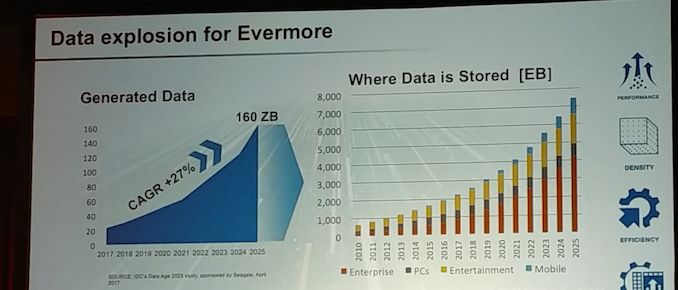
One of the key battlegrounds of the next decade is going to be storage: density, speed, and demand. Naturally all the major players in the space want to promote their own technologies of that of their competitors, and Kioxia (formerly Toshiba Memory) is no different. This year during their plenary talk at the International Electron Devices Meeting (IEDM) the company set forth its promotion of its BiCS flash product family, as well as its upcoming XL-Flash technology. What was interesting during this talk is a graph that seems to slam the long-term prospects of any of the upcoming Storage Class Memory (SCM) technologies like 3D XPoint from Intel and Micron.


Source: AnandTech – Kioxia: 3D Stacked Storage Class Memory, like 3D XPoint, Isn’t the Future

This Smartphone Fingerprint Sensor Gets Two Thumbs (Up)

One of the cool features that came out of Qualcomm’s Tech Summit last month was its new fingerprint sensor. This one goes above and beyond anything I’ve seen before – where fingerprint sensors used to be small and have a sensing angle no bigger than a sesame seed, Qualcomm’s new 3D Sonic Max sensor is massive.


Source: AnandTech – This Smartphone Fingerprint Sensor Gets Two Thumbs (Up)