Hamsters all the way down

This project from Neil Mendoza harnesses the raw power of hamsters.

Joji, hamster artist, has been equipped with a wheel that drives a Raspberry Pi-aided plotter. Whenever he uses his wheel, he is also powering…a hamster selfie. Recursive hamstering, if you will.

Hamster Powered Hamster Drawing Machine

The Hamster Powered Hamster Drawing Machine is the machine hamsters everywhere have been waiting for, finally bringing workout selfies to the animal kingdom. The hamster drawing is encoded in two large wooden cams. The cams were generated by creating a simulation of the drawing machine using openFrameworks and Box2D.

Neil says:

The hamster drawing is encoded in two large wooden cams. The cams were generated by creating a simulation of the drawing machine using openFrameworks and Box2D. They were then exported as vectors and CNC milled from plywood. To be able to have the drawing encoded on the inside, rather than the outside, edge of the cams, it was necessary for them not to have a central axis. This was achieved by milling two aluminium circles with a groove in each of them for a roller chain to sit in. The sandwiched chain then sits on three sprockets around the edges of the back part machine. The drawing arms were also milled from aluminium with pockets for laser cut acrylic inserts.

The hamster is displayed on a small LCD screen connected to a Raspberry Pi hidden behind the screen. The Raspberry Pi is running software written in openFrameworks that sends ASCII commands to an Applied Motion STM23IP-3EE stepper motor over ethernet to control its speed.

Your average hamster covers a distance of about five and a half miles every night. Joji, we salute your muscular, artistic little legs. And Neil – that’s genius. Thanks ever so much for sharing.

The post Hamsters all the way down appeared first on Raspberry Pi.


Source: Raspberry Pi – Hamsters all the way down

Creative computing at Eastwood Academy

It’s nearly two years since Computing became a subject for all children in England to study, and we’re now seeing some amazing work to bring opportunities for digital making into schools. Recently I visited Eastwood Academy in Southend-on-Sea, where teacher Lucas Abbot has created a digital making room, and built a community of young programmers and makers there.
Photo 14-06-2016, 12 51 38

Lucas trained as a physics teacher and got hold of a Raspberry Pi for projects at home back in 2012. His head teacher heard about his hobby, and when the move towards all children learning programming started, Lucas was approached to take up the challenge of developing the new subject of Computing in the school. With the help of friends at the local Raspberry Jam, Linux user group, and other programming meetups, he taught himself the new curriculum and set about creating an environment in which young people could take a similarly empowered approach.

In Year 7, students start by developing an understanding of what a computer is; it’s a journey that takes them down memory lane with their parents, discussing the retro technology of their own childhoods. Newly informed of what they’re working with, they then move on to programming with the Flowol language, moving to Scratch, Kodu and the BBC micro:bit. In Year 8 they get to move on to the Raspberry Pi, firing up the fifteen units Lucas has set up in collaborative workstations in the middle of the room. By the time the students choose their GCSE subjects at the end of Year 8, they have experienced programming a variety of HATs, hacking Minecraft to run games they have invented, and managing a Linux system themselves.
Photo 14-06-2016, 10 02 44

Fifteen Raspberry Pi computers have been set up in the centre of the room, at stations specifically designed to promote collaboration. While the traditional PCs around the edges of the room are still used, it was the Pi stations where pupils were most active, connecting things for their projects, and making together. A clever use of ceiling-mounted sockets, and some chains for health and safety reasons, has allowed these new stations to be set up at a low cost.

The teaching is based on building a firm foundation in each area studied, before giving students the chance to invent, build, and hack their own projects. I spent a whole day at the school; I found the environment to be entirely hands-on, and filled with engaged and excited young people learning through making. In one fabulous project two girls were setting up a paper rocket system, propelled using compressed air with a computer-based countdown system. Problem-solving and learning through failure are part of the environment too. One group spent a session trying to troubleshoot a HAT-mounted display that wasn’t quite behaving as they wanted it to.

Lessons were impressive, but even more so was the lunchtime making club which happens every single day. About 30 young people rushed into the room at lunchtime and got started with projects ranging from figuring out how to program a robot Mr Abbot had brought in, to creating the IKEA coffee table arcade machines from a recent MagPi tutorial.
Photo 14-06-2016, 13 04 41

I had a great conversation with one female student who told me how she had persuaded her father to buy a Raspberry Pi, and then taught him how to use it. Together, they got inspired to create a wood-engraving machine using a laser. Lunchtime clubs are often a place for socialising, but there was a real sense of purpose here too, of students coming together to achieve something for themselves.

Since 2014 most schools in England have had lessons in computing, but Eastwood Academy has also been building a community of young digital makers. They’re linking their ambitious lessons with their own interests and aspirations, building cool projects, learning lots, and having fun along the way. We’d love to hear from other schools that are taking such an ambitious approach to computing and digital making.

The post Creative computing at Eastwood Academy appeared first on Raspberry Pi.


Source: Raspberry Pi – Creative computing at Eastwood Academy

Blast off with The MagPi 47 Astro Pi special!

Get your free poster and mission patch exclusively in the print edition of The MagPi 47!

Get your free poster and mission patch exclusively in the print edition of The MagPi 47!

We’ve been avidly following Tim Peake’s adventures in space in The MagPi for the last six months, especially all the excellent work he’s been doing with the Astro Pis running code from school students across the UK. Tim returned to Earth a couple of weeks ago, so we thought we’d celebrate in The MagPi 47 with a massive feature about his time in space, along with the results of the Astro Pi experiments and the project’s future…

The space celebration doesn’t stop there: print copies of The MagPi 47 come with an exclusive Astro Pi mission patch and a Tim Peake Astro Pi poster!

The results of what Tim, Ed, and Izzy have been up to for the past six months

The results of what Tim, Ed, and Izzy have been up to for the past six months

The issue also has our usual range of excellent tutorials, from programming dinosaurs to creating motion sensor games and optical illusions. We also have the hottest news on high-altitude balloons and how you can get involved in sending a Pi to the edge of space, as well as the details on the next Pi Wars Pi-powered robot competition.

You can get your latest spaceworthy issue in-store from WH Smith, Tesco, Sainsburys, and Asda. Our American cousins will be able to buy issues from Barnes & Noble and Micro Center when the issue makes its way over there. It’s also available right now in print on our online store, which delivers internationally. If you prefer digital, it’s ready to download on the Android and iOS apps.

Get a free Pi Zero
Want to make sure you never miss an issue? Subscribe today and start with issue 47 to not only get the poster and mission patch, but also a Pi Zero bundle featuring the new, camera-enabled Pi Zero and a cable bundle that includes the camera adapter.

Free Pi Zeros and posters: what’s not to love about a MagPi subscription?

Free Creative Commons download
As always, you can download your copy of The MagPi completely free. Grab it straight from the issue page for The MagPi 47.

Don’t forget, though, that like sales of the Raspberry Pi itself, all proceeds from the print and digital editions of the magazine go to help the Foundation achieve its charitable goals. Help us democratise computing!

This is not the end of Astro Pi. It’s only the beginning.

The post Blast off with The MagPi 47 Astro Pi special! appeared first on Raspberry Pi.


Source: Raspberry Pi – Blast off with The MagPi 47 Astro Pi special!

Instant-replay table football

So, England, nominally the home of football, is out of the European Cup, having lost to Iceland. Iceland is a country with a population of 330,000 hardy Vikings, whose national sport is handball. England’s population is over 53 million. And we invented soccer.

Iceland’s only football pitch is under snow for much of the year, and their part-time manager is a full-time dentist.

I think perhaps England should refocus their sporting efforts on something a little less challenging. Like table football. With a Raspberry Pi on hand, you can even make it feel stadium-like, with automatic goal detection, slow-motion instant replay, score-keeping, tallying for a league of competitors and more. Come on, nation. I feel that we could do quite well with this; and given that it cuts the size of the team down to two people, it’d keep player salaries at a minimum.

Foosball Instant Replay

Demo of Foosball Instant Replay system More info here: * https://github.com/swehner/foos * https://github.com/netsuso/foos-tournament Music: http://freemusicarchive.org/music/Jahzzar/Blinded_by_dust/Magic_Mountain_1877

This build comes from Stefan Wehner, who has documented it meticulously on GitHub. You’ll find full build instructions and a parts list (which starts with a football table), along with all the code you’ll need.

Well done Iceland, by the way. We’re not bitter or anything.


The post Instant-replay table football appeared first on Raspberry Pi.


Source: Raspberry Pi – Instant-replay table football

Get to know the Raspberry Pi Foundation

One of the best things about the Raspberry Pi Foundation is our awesome community. Anything we achieve is only possible because of the growing movement of makers, educators, programmers, volunteers and young people all over the world who share our mission. We work really hard to celebrate that community on this blog, across social media, in our magazine, and pretty much every other opportunity we get.

Screen Shot 2016-06-27 at 16.32.56

But how much do you know about Raspberry Pi Foundation as an organisation? What kind of organisation are we? Who works here? What do they do?

Trustees

Our founders set Raspberry Pi up as an educational charity. That means we are an organisation that exists for the public benefit and, like all charities in the UK, we are governed by a board of trustees who are responsible for making sure that we use our resources effectively to achieve our charitable goals. It’s not an easy gig being trustee of a charity. There’s a lot of legal and other responsibility; endless paperwork, meetings and decisions; and you don’t get paid for any of it.

We’re insanely lucky to have a fantastic board of trustees, which includes several of our co-founders. In all sorts of different ways they add huge value to our work and we are very grateful to the whole board for their time and expertise.

Pete Lomas: Founder, Trustee and hardware designer of the first-gen Raspberry Pi

Pete Lomas: founder, trustee and hardware designer of the first-gen Raspberry Pi

The board of trustees is chaired by David Cleevely, who is a successful technology entrepreneur, angel investor, founder of charities, adviser to governments, and much, much more besides. If the role of a trustee can be tough, then the role of the chair is an order of magnitude more so. David makes it look effortless, but he puts in a huge amount of his personal time and energy into the Foundation, and we simply wouldn’t be where we are today without him.

cleevely

David Cleevely and some friends

Members

Charities in the UK also have members: if the trustees are like the board of directors of a commercial company, the members are like its shareholders (except without the shares). At the end of last year, we expanded the membership of the Foundation, appointing 20 outstanding individuals who share our mission and who can help us deliver on it. It’s a seriously impressive group already and, over the next few years, we want to expand the membership further, making it even more diverse and international. It’s important we get this right, in future the trustees of the Foundation will be selected from, and elected by the membership.

You can now find a full list of our members and trustees on the Foundation’s website.

A few of our Members - click through to see the rest.

A few of our members and trustees – click through to see the rest.

Trading

Our commercial activity (selling Raspberry Pi computers and other things) is done through a wholly-owned trading subsidiary (Raspberry Pi Trading Limited), which is led by Eben Upton. Any profits we make from our trading activity are invested in our charitable mission. So, every time you buy a Raspberry Pi computer you’re helping young people get involved in computing and digital making.

Eben Upton, Founder and CEO of Raspberry Pi Trading

Eben Upton, Founder and CEO of Raspberry Pi Trading

Like any company, Raspberry Pi Trading Limited has a board of directors, including a mix of executives, trustees of the Foundation and independent non-executives.

We’re delighted to have recently appointed David Gammon as a non-executive director on the board of Raspberry Pi Trading Limited. David has widespread experience in developing and building technology based businesses. He is the non-executive chairman of Frontier Developments and the founding CEO of investment firm Rockspring. He’s only been with us for a couple of weeks and is already making an impact.

Reading

We’ve also added a new section to the website which makes it easier for you to find the key documents that describe what we do, including our strategy, annual reviews from 2014 and 2015, and our Trustees’ report and financial statements for the past few years.

RPi_AnnualReport_2015-448x700

Click through to read our Annual Review, reports, strategy document, and more.

Team

The final part of our new and improved About Us section is an introduction to our fabulous team.

A few of our team members - we're working on getting pictures of the people who are currently ghosts!

A few of our team members – we’re working on getting pictures of the people who are currently ghosts!

The Foundation has grown quite a lot over the past year, not least as a result of the merger with Code Club last autumn. Altogether we now have 65 people beavering away at Pi Towers (and other locations), designing awesome products and software, delivering educational programmes, supporting Code Clubs around the world, producing magazines, books and educational resources, training educators and lots more.

It’s a fantastically diverse and creative bunch of programmers, educators and makers. We love talking to members of the community, so please do look out for us at events, on the forums, on Twitter, and elsewhere.

The post Get to know the Raspberry Pi Foundation appeared first on Raspberry Pi.


Source: Raspberry Pi – Get to know the Raspberry Pi Foundation

Learn to code with Scratch with The MagPi’s latest e-book

Scratch is the world-leading visual programming language, created by the boffins at MIT. It’s designed to help kids of all ages learn about computer science within minutes. We think it’s rather cool, and it’s been a core part of Raspberry Pi’s software offering since day one for very obvious reasons.

We’ve been working for a while now to dedicate a new Essentials book to it, and we’re ultra-chuffed to let you know that it’s out now!

Scratch-Cover

Click the cover to download it today!

The book, which you can download as a free PDF, includes chapters built from some of the excellent articles we’ve featured in the magazine, the amazing learning resources from Raspberry Pi, and even the outstanding material created by our chums at Code Club.

It features 13 jam-packed chapters that help you:

  • Master the different block types
  • Create animations and add interactive elements
  • Build your first games and applications
  • Make and control electronic circuits
  • Understand every block
  • and much, much more!

With our help, we think you’ll find that Scratch isn’t just a great way to learn to program, but lots of fun too!

You can buy Learn to Code with Scratch as an in-app purchase on our free Android and iOS app, as well as the usual PDF download.

Excuse us – we’re off to celebrate!

Learn to Code with Scratch is freely licensed under Creative Commons (BY-SA-NC 3.0). You can download the PDF free now and forever, but buying digitally supports the Raspberry Pi Foundation’s charitable mission to democratise computing and educate kids all over the world.

The post Learn to code with Scratch with The MagPi’s latest e-book appeared first on Raspberry Pi.


Source: Raspberry Pi – Learn to code with Scratch with The MagPi’s latest e-book

Astro Pi: Goodnight, Mr Tim

On Saturday, British ESA astronaut Tim Peake returned to Earth after six months on the International Space Station. During his time in orbit, he did a huge amount of work to share the excitement of his trip with young people and support education across the curriculum: as part of this, he used our two Astro Pi computers, Izzy and Ed, to run UK school students’ code and play their music in space. But what lies ahead for the pair now Tim’s mission, Principia, is complete?

Watch Part 4 of the Story of Astro Pi!

The Story of Astro Pi – Part 4: Goodnight, Mr Tim

As British ESA astronaut Tim Peake’s mission comes to an end, what will become of Ed and Izzy, our courageous Astro Pis? Find out more at astro-pi.org/about/mission/ Narration by Fran Scott: franscott.co.uk

Ed and Izzy will remain on the International Space Station until 2022, and they have exciting work ahead of them. Keep an eye on this blog and on our official magazine, The MagPi, for news!

The post Astro Pi: Goodnight, Mr Tim appeared first on Raspberry Pi.


Source: Raspberry Pi – Astro Pi: Goodnight, Mr Tim

Internet of Voice Challenge with Amazon and hackster.io

Many of you have been using the Raspberry Pi as a platform for internet of things (IoT) hacking. With wired and wireless communication on board, Raspberry Pi 3 is a great platform for connecting the network, and network-accessible services to the real world.

Where we're going, we don't need roads

Where we’re going, we don’t need roads

Voice recognition can add a whole new dimension to IoT projects. We recently showed you how to connect your Raspberry Pi to Amazon’s Alexa Voice Service to build your very own homebrew clone of the Echo voice appliance. Now, in partnership with Amazon and hackster.io, we’re giving you a chance to win Echo kit and Amazon gift vouchers by developing your own “internet of voice” projects with the Raspberry Pi.

I've still got the greatest enthusiasm and confidence in the mission

I’ve still got the greatest enthusiasm and confidence in the mission

Prizes will be awarded in two categories: best integration use of the Alexa Skills Kit, and best use of the Alexa Voice Service. The top prize in each category is worth $1900, and the contest runs until the start of August. Head to hackster.io for more information, and good luck!

The post Internet of Voice Challenge with Amazon and hackster.io appeared first on Raspberry Pi.


Source: Raspberry Pi – Internet of Voice Challenge with Amazon and hackster.io

CoderDojo Coolest Projects 2016

This weekend Philip and I went to Dublin to attend CoderDojo Coolest Projects. We got to meet hundreds of brilliant young digital makers and amazing volunteers.

YoungCoolestProjectAwards

CoderDojo Coolest Projects: a free tech event for the world’s youngest innovators, creators and entrepreneurs

As the event kicked off the news broke that Tim Peake had landed safely back on Earth, which meant Philip had to make some last minute changes to his presentation…

Ben Nuttall on Twitter

“Who knows who this is?” “It’s Tim Peake” “Where is he?” “In space” “No – he’s back on Earth!”pic.twitter.com/elfNXcAwsX

As we walked around the venue we grew more and more impressed by the projects on show. We asked each exhibiting group to talk us through their project, and were genuinely impressed by both the projects and their presentation. The first area we perused was the Scratch projects – games, animations, quizzes and more. I’m not the most accomplished Scratch programmer so I was very impressed with what we were shown.

When we moved on to a room of physical computing projects, we met Iseult Mangan, Ireland’s first Raspberry Pi Certified Educator:

Philip Colligan on Twitter

I met Ireland’s first ever @Raspberry_Pi certified educator @IseultManganpic.twitter.com/9RbLANKZdX

One of Iseult’s students, Aoibheann, showed us a website she’d made all about Raspberry Pi:

Philip Colligan on Twitter

This 9 year old Coder wrote her own @Raspberry_Pi website: http://dontpasstheraspberryjam.weebly.com/ – check it out!pic.twitter.com/TagshFWt2k

I even bumped into Tim Peake a few times…

Ben Nuttall on Twitter

@astro_timpeake sure gets aboutpic.twitter.com/4oS1tFgvQu

The Coolest of Projects

Here are some of my favourite projects.

First up, a home-made 3D holographic display. The picture does it no justice, but look close (or click to embiggen) and you’ll see the Scratch cat, which was spinning around as part of a longer animation. The girl who made it said she put it together out of an old CD case. Very cool indeed!

Scratch cat hologram

Scratch cat hologram

Plenty of great robots…

IMG_3999
IMG_4000
IMG_3997
IMG_3985
IMG_3995
IMG_3970

We arrived at a beautiful Pi-powered retro gaming console, and spoke to the maker’s Dad. He was excited for his son to be able to show his project to people from the Raspberry Pi Foundation and asked if we could stick around to wait for him to return. Here he is:

IMG_4047

When I mentioned one of my favourite Mega Drive games, he loaded it up for me to play:

IMG_4051

It took me about 15 years to complete this game – I was playing it before he was born!

This was really impressive: these two girls had made a Wii remote-pcontrolled hovercraft with a Raspberry Pi:

IMG_4039

Ben Nuttall’s post on Vine

Watch Ben Nuttall’s Vine taken on 18 June 2016. It has 0 likes. The entertainment network where videos and personalities get really big, really fast. Download Vine to watch videos, remixes and trends before they blow up.

I met DJ Dhruv, who demonstrated his livecoding skills in Sonic Pi, and gave a very professional presentation involving a number of handshakes:

Ben Nuttall on Twitter

DJ Dhruv is livecoding in @sonic_pi and teaching us about the history of the amen break. @samaaron you’d love thispic.twitter.com/tSrn0CTQzP

Pi-vision: a way to help blind people find their way around…

IMG_3986

Probably my favourite of all, this group created a 3D Minecraft Pi booth using mirrors. They showed me their Python code which ran simultaneously on two Pis, while one played music in Sonic Pi, with cross-application communication between Python and Sonic Pi to coordinate timings. A Herculean effort achieving a wonderful effect.

IMG_3990

IMG_3991

How can you get involved?

If you want to join us in giving more young people the opportunity to learn programming skills, learn to make things with computers, and generally hack things that didn’t need hacking, there are plenty of ways you can get involved. You can:

  • Set up a Raspberry Jam in your area, or volunteer to help out at one near you
  • Start a Code Club at a local primary school, or another venue like a library or community centre
  • Set up a CoderDojo, or offer to help at one near you

Also, I should point out we have an job opening for a senior programme manager. We’re looking for someone with experience running large programmes for young people. If that’s you, be sure to check it out!

Job opening: Senior Programme Manager at Raspberry Pi Foundation

As part of the Raspberry Pi Foundation’s mission to put the power of computing and digital making into the hands of people all over the world, we want to make these skills more relevant and accessible.

It’s kind of a thing to end blog posts with a GIF, so here’s mine:

SecuriTay on Twitter

Machine learningpic.twitter.com/c3sIJPd3PS

The post CoderDojo Coolest Projects 2016 appeared first on Raspberry Pi.


Source: Raspberry Pi – CoderDojo Coolest Projects 2016

Photocatalysis with a Raspberry Pi

Access to clean, safe drinking water is a global problem: as water.org notes, 663 million people lack access to water that’s safe to drink. That’s twice the population of the United States, or one person in every ten. Additionally, a recent review of rural water system sustainability in eight countries in Africa, South Asia, and Central America found an average water project failure rate of 20-40 percent. It’s no surprise that the search for a solution to this crisis preoccupies scientists the world over, but what you may not have expected is that, in a lab in Cardiff University, researchers are using Raspberry Pi to help in their efforts to bring safe drinking water to some of the poorest areas of the world.

A tap set into a wall, with sign above reading "SAFE DRINKING WATER"

There are three processes involved in water purification, two of which are reasonably straightforward: filtration can remove particulate matter, while heating water to near 100°C kills bacteria. However, the third process — the removal of highly toxic hydrocarbons, typically from fertiliser and pesticide runoff — is very difficult and, currently, very expensive. The Cardiff group is working on a project to find a cheap, effective method of removing these hydrocarbons from water by means of photocatalysis. Essentially, this means they are finding a way to produce clean water using little more than sunlight, which is really pretty mind-blowing.

Here’s a picture of their experimental setup; you can see the Raspberry Pi in its case on the right-hand side.

IMG_4825

Raspberry Pi in the lab

A cheap, readily available chemical, titanium dioxide, is spin-coated onto a glass wafer which sits in the bottom of the beaker with a UV LED above it. This wafer coating acts as a semiconductor; when UV photons from the LED strike it, its electrons become mobile, creating locations with positive charge and others with negative charge. As a result, both oxidation reactions and reduction reactions are set off. These reactions break down the hydrocarbons, leaving you with pure water, carbon dioxide, and hydrogen. The solution is pumped through a flow cell (you can see this in the centre of the picture), where an LED light source is shone through the stream and the amount of light passing through is registered by a photodiode. The photodiode turns this output into a voltage, which can be read by the Raspberry Pi with the help of an ADC.

The team are currently using two organic dyes, methyl orange and methylene blue, to simulate pollutants for the purposes of the experiment: it is possible to see the reaction take place with the naked eye, as the colour of the dye becomes progressively less saturated. A colourless solution means the “pollutants” have been entirely broken down. You can see both dyes in situ here:

IMG_4839

Experimental setup with methyl orange and methylene blue.

In previous versions of the setup, it was necessary to use some very large, expensive pieces of equipment to drive the experiment and assess the rate and efficacy of the reaction (two power sources and a voltmeter, each of which cost several hundred pounds); the Raspberry Pi performs the same function for a fraction of the price, enabling multiple experiments to be run in the lab, and offering the possibility of building a neat, cost-effective unit for use in the real world in the future.

Several of the team have very personal reasons for being involved in the project: Eman Alghamdi is from Saudi Arabia, a country which, despite its wealth, struggles to supply water to its people. Her colleague Jess Mabin was inspired by spending time in Africa working with an anti-poverty charity. They hope to produce a device which will be both cheap to manufacture and rugged enough to be used in rural areas throughout the world.

Jess photocatalysis setup

Jess demonstrates the experiment: methylene blue going in!

As well as thoroughly testing the reaction rate and the lifespan of the wafer coating, the team are hoping to streamline their equipment by building their own version of a HAT to incorporate the ADC, the photodiode, and other components. Ultimately the Pi and its peripherals could form a small, rugged, cost-effective, essentially self-sustaining device which could be used all over the world to help produce clean, safe drinking water. We are really pleased to see the Raspberry Pi being used in this way, and we wish Jess, Eman, and their colleagues every success!

The post Photocatalysis with a Raspberry Pi appeared first on Raspberry Pi.


Source: Raspberry Pi – Photocatalysis with a Raspberry Pi

Emoji Ticker

What was my reaction when I first saw this scrolling emoji ticker project? ???

lightbulb-emoji-ticker-750x500

Up until recently I’ve been a bit reluctant to adopt emoji characters in my everyday communication. But ever since they’ve been elevated to greater prominence on phones and on services such as Slack, I’ve given in completely. If I had the creative energy and patience, I’d write this whole post with emoji (though it mightn’t make it past Liz’s editorial discretion)!

This is where Dean comes in. Dean is a community member who helped us out at Maker Faire Bay Area in 2015. Normally a web developer, he rolled up his sleeves and took on the responsibility for a fun physical project for his company’s office. He works at Yeti; they built the app Chelsea Handler: Gotta Go!, which they describe as “a way to generate excuses and set them as alarms. It’s the perfect solution for bad dates, awkward convos with your in-laws, boring meetings and whatever else you might want to hit the eject button on.”

glowy-dysfunction-750x500

Each hilarious excuse has its own emoji character, and Dean wanted the office’s Raspberry Pi-driven LED matrix ticker to show which emojis were being used by the users of the app. After some turbulence with wiring up the hardware and some clever web implementation, he was lighting up the office with ? ? and ?, using a blend of Python for the network requests and C for driving the LED matrix.

Dean documented the experience on the Yeti blog, where he offers a few takeaways: collaborate, use documentation but stay flexible, and know when to ask for help. His most valuable lesson? He says it was “the value of code modularity, or the practice of breaking a project into function-specific components (i.e. functions for rendering on the LED matrix, classes for communicating with the Gotta Go server).”

Dean, ? for sharing!

The post Emoji Ticker appeared first on Raspberry Pi.


Source: Raspberry Pi – Emoji Ticker

Autocomplete poetry

Raspberry Pi integrated into the world of art. I hadn’t come across much of this before, and I like it a lot. As a self-proclaimed ‘artist of stuff’, it’s always exciting to see something arty that calls to the maker inside. With Glaciers, NYC-based Zach Gage has achieved exactly that.

Glaciers was an art instillation that, like the landforms from which it takes its name, slowly developed over time. I say ‘was’, but with each of its constituent pieces still running and a majority already sold, Glaciers continues indefinitely. Using forty Raspberry Pis attached to forty plainly presented Adafruit e-ink screens, Gage used Google Search’s auto-complete function to create poetry.

install4_lg

We’ve all noticed occasional funny or poignant results of the way Google tries to complete your search query for you based on the vast amount of data that passes through its search engine daily. Gage has programmed the Raspberry Pis to select the top three suggestions that follow various chosen phrases and display them on the screens. The results are striking, often moving, and usually something that most people would acknowledge as poetry, or at least poetic.

The screens refresh daily as the Pis check Google for changes and update accordingly. For some search phrases, the autocompletions can change daily; for others, it could take years. A poem you’ve had upon your wall for months on end could suddenly change unexpectedly, updating to reflect the evolving trends of user queries on the internet.

“The best paintings you can look at a thousand times and you keep seeing new things.” – Zach Gage

Glaciers is certainly an intriguing installation, with pithy observations of the vulnerability of anonymous internet users in pieces such as:

Glacier03_lg

and the (somewhat) more light-hearted:

Glacier04_lg

Zach Gage is an indie video game creator, responsible for titles such as SpellTower and the somewhat fear-inducing Lose/Lose (Space Invaders meets permanent file deletion with some 17000 files already lost to the game since launch). He’s previously used Raspberry Pis in other projects, such as his Twitter-fuelled best day ever and Fortune. I bet this isn’t the last time he does something fabulous with a Pi.

The post Autocomplete poetry appeared first on Raspberry Pi.


Source: Raspberry Pi – Autocomplete poetry

HolaMundo – training for hearing-impaired young people

Once in a while you come across a project that you can’t help but share. One that exemplifies the way people across the globe are using Raspberry Pi to make a difference in ways we didn’t quite anticipate.

HolaMundo is one of those projects. They’re using Raspberry Pis for the training they describe (click CC for subtitles to the signed and spoken parts of the video).

HolaMundo() {Programacion para jóvenes sordomudos}

¿De qué trata el proyecto? Se trata de darles una opción a estos jóvenes con discapacidad auditiva y de escasos recursos. Brindar una base tecnológica a 12 jóvenes con discapacidad auditiva a través de un curso presencial de cómputo y programación dividido en 3 partes: Introducción a la computación y al Internet Diseño de sitios web con HTML5 y JS Introducción al sistema operativo y funcionamiento de Raspberry Pi ¿Cómo vamos a utilizar el dinero?

Alejandro Mercado and his team in Mexico City are currently crowdfunding to build a teaching programme for young people with a hearing disability. The programme aims to help educate them in computing and web design using Raspberry Pi, with the objective of increasing their educational and employment opportunities in the future.

A trainer teaches a class at HolaMundo, and a sign interpreter signs for him

A trainer teaches a class at HolaMundo, and a sign interpreter signs for him

For young people in Mexico City such as Jorge (the star of the campaign video), the prospects moving forward for those with a hearing impairment are slim. The programme aims to increase the opportunities available to him and his fellow students so that they can move on to higher education and find jobs that might not otherwise be accessible to them.

Jorge, a fifteen-year-old student taking part in the HolaMundo training, signs to the class

Jorge, a fifteen-year-old student taking part in the HolaMundo training, signs to the class

Their target of $70000 MXN (about £2620, or $3700 US) will support the team in teaching students to learn web design with HTML5 and JavaScript as well introducing them to operating systems and programming with Raspberry Pi. The money will be used to pay their sign interpreter, adapt learning materials for a more visual learning process, and, importantly, to give each student their own Raspberry Pi kit so that once they have finished this course they can continue learning.

Projects like this remind us of the capacity of our low-cost computer to provide educational opportunities in all kinds of settings. We’re thrilled to see determined educators worldwide using Raspberry Pi to give young people new opportunities and wider prospects.

If you’d like to donate or simply learn more about the project, visit HolaMundo’s donadora page.

The post HolaMundo – training for hearing-impaired young people appeared first on Raspberry Pi.


Source: Raspberry Pi – HolaMundo – training for hearing-impaired young people

Astro Pi: In Space, No One Can Hear You Code

British ESA astronaut Tim Peake has been on board the International Space Station with our Astro Pi units, Izzy and Ed, for exactly six months today. As Tim prepares to return to Earth this Saturday, we bring you the third part of their animated adventures: when our two spacefaring Raspberry Pi computers run into a problem even their hero Robonaut can’t fix, who can help them?

No Title

No Description

During his time in space, Tim has been using Ed and Izzy to run apps, carry out science experiments and play music designed and coded by UK school students, and he’s taken some great photos of them on the station:

Education

No Description

Both computers have also spent some weeks in a flight recorder mode, saving sensor readings to a database every ten seconds, and we’ve made these space data available to everyone to download and analyse. Take a look at our Flight Data Analysis resource to explore what they recorded as they orbited our planet.

Ed and Izzy will say goodbye to Tim when he returns from space this Saturday; you’ll be able to watch him land. Our Astro Pi units will stay on board the ISS until 2022, and we hope we’ll soon be able to share exciting news about what they’ll be doing next. Stay tuned!

The post Astro Pi: In Space, No One Can Hear You Code appeared first on Raspberry Pi.


Source: Raspberry Pi – Astro Pi: In Space, No One Can Hear You Code

The story of Raspberry Pi – and a masterclass with Eben

The Centre for Computing History, with help from the Heritage Lottery fund, conducted a video interview about the story of Raspberry Pi with our very own Eben Upton (founder, Raspberry Pi Trading CEO, fond of Jaffa Cakes) a few months ago. It’s just been made live – if you want to dive deep into the story of Raspberry Pi, this one’s for you.

Eben Upton – The Story of Raspberry Pi

Eben Upton, founder of the Raspberry Pi Foundation, talks about the Raspberry Pi, how it came to be and the ups and downs of bringing his £25 computer to market. Part of the Centre for Computing History Viva Computer project funded by the Heritage Lottery Fund. www.ComputingHistory.org.uk

Eben’s giving a sort of history/computing lesson at the Centre for Computing History here in Cambridge on July 2: he’ll be teaching people how to code on a BBC Micro (the same machine he taught himself to program on back in the 1980s). This promises to be good; I’ve caught him writing snippets of game in BBC BASIC in the evenings after work for the event. People of any age over 11 are invited to sign up: get your booking in fast, because this one’s likely to sell out quickly!

The post The story of Raspberry Pi – and a masterclass with Eben appeared first on Raspberry Pi.


Source: Raspberry Pi – The story of Raspberry Pi – and a masterclass with Eben

A new high-altitude ballooning record

Liz: As some of you clever people have pointed out, the new Pi Zero with camera connector might have been designed with one person very much in mind. That person’s Dave “high-altitude ballooning” Akerman. We got one to him before they went on shelves so he could schedule a flight for launch day. Here’s Dave to tell you what happened (spoiler: he’s got another record for the highest amateur live-transmitted pictures). Thanks Dave!

As many reading this will know, I flew the new Pi Zero on the day it was announced, in order to test a prototype of our new PITS-Zero tracker board.  I’d been pleading with Eben since I first saw a prototype of the original Pi Zero, that its low weight would be ideal for live-imaging HAB applications, if only it had a camera port.  The camera is much the entire reason for using a Pi for HAB – if you don’t want pictures then a smaller/lighter/simpler AVR or PIC microcontroller will easily do the job (and with less battery power) – so I felt that the CSI-less Pi Zero was a missed opportunity. Eben agreed, and said he would try to make it happen.

PiZero1.3_700

So, when I received a sample Pi Zero with CSI port, I was keen to try it out.  However launching an unreleased device, to possibly parachute down in front of a curious Pi fan, might not be the best idea in the world, so I had to wait.  Fortunately the wind predictions were good for a balloon launch on the Pi Zero CSI launch day, and the flight went well albeit the burst was rather lower than predicted (balloons vary).

Sony Camera

I had hoped to fly the new Sony camera for the Pi, but in testing the camera would become invisible to raspistill after about 2 hours and roughly 2-300 photos.  2 hours isn’t long enough for a regular flight, and mine was expected to take more than 3 hours just to ascend, so this wasn’t good.  I searched the Pi forum and found that a couple of people using time-lapse photography had found the same issue, and as it was a new issue with no fix or workaround yet, I had to opt for the Omnivision camera instead.  This of course gave me a reason to fly the same tracker again as soon as there was a solution for the Sony firmware issue; once there was I tested it, and planned my next flight.

Waiting For Baudot

"It's currently a problem of access to gigabits through punybaud"

I’ve written previously about LoRa, but the key points about these Long Range Radio Modules when compared to the old (first used from the air in 1922) RTTY system are:

  • Higher data rates
  • Longer range with the same rate/power
  • Can receive as well as transmit
  • Low host CPU requirements even for receiving

The higher data rates mean that we can send larger images more quickly (throughput is up to 56 times that of 300 baud RTTY), and the receiving capability makes it easy to have the payload respond to messages sent up from the ground.  For this flight, those messages are used to request the tracker to re-send any missing packets (ones that the receiving stations didn’t hear), thus reducing the number of annoying missing image sections down to about zero.  To give you an idea of the improvement, the following single large picture was sent in about a quarter of the time taken by the inset picture (from my first Pi flight, and at the same pixel scale):

progress


LCARS Chase Car Computer

For this flight, I tried out my new chase-car computer.  This has a Pi B V2, Pi touchscreen, LoRa module, GPS receiver and WLAN (to connect to a MiFi in the chase car).  The user interface mimics the Star Trek LCARS panels, and was written in Python with PyQt.  It receives telemetry both locally (LoRa, or RTTY via a separate PC) and also from the central UKHAS server if connected via GSM.

The Flight

As per the previous Pi Zero flight, this was under a 1600g balloon filled with hydrogen.  Predicted burst altitude was 42km, and I hoped that this time it might achieve that!  The payload was the same as last time:

image


except of course for the new Sony camera (manually focused for infinity, but not beyond) and a new set of batteries.

On the launch day the weather was overcast but forecast to improve a little, so I decided to wait for a gap in the clouds.  When that came, the wind did too (that wasn’t forecast!), which made filling the balloon interesting.

No, my head hasn't turned into a giant clove of garlic.

No, my head hasn’t turned into a giant clove of garlic.

Fortunately, the wind did drop for launch, and the balloon ascended towards the gap I’d mentioned in the clouds:


P1110657-1024x768

The LoRa system worked well (especially once I remembered to enable the “missing packet re-send” software!), with the new camera acquitting itself well.  I used ImageMagick onboard to apply some gamma to the images (to replace contrast lost in the atmosphere) and to provide a telemetry overlay, including this one, which I believe is the highest image sent down live from an amateur balloon.

Cjaear8WEAA1ENN

Burst was a few metres later, comfortably beating my previous highest live-image flight.

And this was the last image it sent.  I guessed why.  Remember the camera stuck to the outside?  My guess was that after burst – when the payload suddenly finds itself without support – the line up to the balloon found its way behind the camera which it then removed as the balloon remnants pulled on it.  So, I can’t show you any images from the descent, but I can show you this shot of the Severn Estuary (processed to improve contrast) from the ascent:

15_20_48_shopped-1024x769


In the chase car, I stopped at a point with a good view towards the landing area, so I could get the best (lowest) last position I could.  With the payload transmitting both LoRa and RTTY, I had my LCARS Pi receiving the former, and a Yaesu 817 with laptop PC receiving the latter.  With no images, the LoRa side dropped to sending telemetry only, which was handy as I was able to receive a lot of packets as the balloon descended. Overall LoRa seemed to be much more reliable from the car than RTTY did, despite the much higher data rate, and I now would be quite happy to chase a balloon transmitting high bandwidth LoRa and nothing else.

With the final position logged, I carefully tapped that into the car sat nav and then drove off to get the payload back.  10 minutes later I remembered that I’d coded exactly that function into my LCARS program!  2 screen-taps later, I had on-screen navigation (via Navit); I would also have had voice navigation but I hadn’t connected a speaker yet.

Both Navit and the car sat nav took me to a hill with the payload about 300 metres away.  I waited for another HABber to arrive – his first time chasing – and meantime I updated the other enthusiasts online, and took some photographs of the scenery; Shropshire is very pretty.

P1110661-1024x768

Once Andy arrived, we walked down to the payload, watched (as often the case) by the local populace:

Ewe looking at me?

Ewe looking at me?

As expected, the camera was missing, so if anyone wants a free Sony Pi camera, I can give you a 5-mile radius area to search.

P1110664-1024x768

You don’t need CSI to see what went wrong here …

A lot of the balloon was still attached, which helps to explain how the camera was forcibly removed:

P1110665-768x1024


So, a nice flight and recovery.  The Sony camera worked well; 868 LoRa worked well; the LCARS chase car tracker worked well.  Next time, more duct tape!

The post A new high-altitude ballooning record appeared first on Raspberry Pi.


Source: Raspberry Pi – A new high-altitude ballooning record

Our Creative Technologists have graduated!

Hello, Rachel here, with a story that’s best told through images – warning, LOTS of photos ahead!

Happy Raspberry Pi Creative Technologists celebrate by dancing

When I explain how I started working at Raspberry Pi, it ends up being a pretty long story, with lots of interests that became jobs, unexpected opportunities and chance meetings. At the time it didn’t seem very connected – I just followed what I was interested in at the time, found like-minded people, and tried to share what I love with new people too. Before I joined Raspberry Pi as Artist in Residence in 2013, I ran a small arts venue focused on celluloid film with a darkroom and film lab – I wanted everyone to try shooting and developing their own photos!

I’ve now been at the Raspberry Pi Foundation for three years and I’ve had the chance to meet loads of people involved in digital making, from lots of different backgrounds: computer science professionals, teachers, engineers, design agencies, musicians, artists, tinkerers, makers. The thing that every one of them has in common: they follow what they are interested in, don’t worry too much about what label they have, and just concentrate on doing interesting things they enjoy and sharing them with others.

I had an opportunity last year to run an ambitious programme for a small group of young people. Raspberry Pi Creative Technologists was a one-off project to see how a (mostly) online digital-making mentor programme might work. I wanted to make sure people from lots of different backgrounds were involved.

We had loads of fantastic applications – although almost everyone left it until a minute before the deadline to submit, leaving my nerves in shreds!

We picked a great group of young people:

Andrew
Connor
Bawar
A cartoon sketch of Hannah Burdett, Raspberry Pi Creative Technologist
Maddy
Milton
Owen
Yasmin

They all wanted to explore how digital technology could enhance their creative pursuits, and their enthusiasms spanned everything from storytelling to animation to circus skills.

. on Twitter

First feature in new @TheMagP1 is our amazing Creative Technologists. Well done folks! #RPCT https://www.raspberrypi.org/magpi/issues/36/ …pic.twitter.com/C0TJ1M986d

Over the next 12 months, they developed their interests and skills through mentoring and field trips, starting in Cambridge at Raspberry Pi HQ:

Andrew Mulholland on Twitter

Been great weekend meeting fellow Creative Technologists! Big thanks to @RachelRayns, @ben_nuttall and @Raspberry_Pi!pic.twitter.com/Wz3lOyhkEO

Then in Newcastle for Makerfaire UK:

Ben Nuttall on Twitter

Creative Technologists soldering their @makerfaire_uk badges #rpctpic.twitter.com/DtJ9RfE3tB

Helen Lynn on Twitter

Fantastic series of texts from @RachelRayns to the @Raspberry_Pi Creative Technologists at #makerfaireuk today #RPCTpic.twitter.com/VyNPL3Ocgk

In Sheffield with the Pimoroni crew:

Raspberry Pi on Twitter

Our Creative Technologists start their first workshop at @pimoroni: Intro to using the Camera Module with APIs #RPCTpic.twitter.com/wNK34QUg2n

In London at Hellicar & Lewis for an openFrameworks masterclass and Tim Hunkin’s Novelty Automation:

Hannah Burdett on Twitter

It’s only half ten and this is what we’ve become. @Raspberry_Pi #RPCT @connorbanonapic.twitter.com/VsZRXB9Jsp

Raspberry Pi on Twitter

Our Creative Technologists had an amazing time at Tim Hunkin’s @NovAutomation yesterday.Thanks for having us! #RPCTpic.twitter.com/08NMDyNAxO

Back in Cambridge again for Raspberry Pi’s fourth birthday party, where they ran and supported workshops and gave talks:

RPiCreativeTech 2016 on Twitter

Come and find us at the dots board table and make an airplane or rocket! Bundles of Painting Pi fun! #RPCTpic.twitter.com/2yH7d8P6oV

In Manchester at the FutureEverything festival, where they ran more workshops:

Hannah Burdett on Twitter

About to head off for the first day of @FuturEverything 😀 Ready to be INSPIRED.

Hannah Burdett on Twitter

Chatting to Ruby at Manchester Art Gallery #TheImitationGamepic.twitter.com/o4WDY9i5i5

As the creative technologists began to dig into the programme, some found that it challenged their perceptions of their own interests and strengths, and drew on this experience in making decisions to change direction, both within the programme and in their lives outside it:

Ben Nuttall on Twitter

Proud of #rpct programme for what @radicxl has written! http://catchaneye.tumblr.com/post/125082608175/a-more-personal-post#125082608175 … /cc @RachelRaynspic.twitter.com/DrwKn8Fbrt

The programme culminated with the group’s New Works exhibition, where they revealed the varied and accomplished works that they have developed. They announced it at the Raspberry Pi Big Birthday Bash!

RPiCreativeTech 2016 on Twitter

It’s official: #RPCT Exhibition to be held at @Raspberry_Pi HQ on the 23rd of April! Stay tuned for a free ticket!pic.twitter.com/MKxbj0Knf2

The exhibition was hosted at the new Raspberry Pi HQ:

Joel Gethin Lewis on Twitter

Wonderfully effective capacitance based rope interaction from @OwenDaughtery @RasPiCTpic.twitter.com/zJCLvZzsgQ

Emily Jayne Bowers on Twitter

This was addictive! @connorbanona @iamrobharvey #RPCTpic.twitter.com/V3ARkIVh0s

Hannah Burdett on Twitter

Wrapping up the exhibition. It’s been an amazing day! Thanks to all for coming. #ThaliasQuest #rpctpic.twitter.com/FPakC13idC

Yasmin Curren on Twitter

My interactive video is set up at the #RPCT exhibition. Follow @WhoIsTerror to see the true identity of Terror!pic.twitter.com/YcjhZzBHsM

Raspberry Pi on Twitter

And @radicxl has made this RIDONCULOUS projection-mapped popup book. One of many pages – we’re speechless w…https://vine.co/v/iUBLlg605hg

Joel Gethin Lewis on Twitter

3D printed light clock from @miltonio94 @RasPiCTpic.twitter.com/hha0cRfviL

One of the best parts of the programme for me was seeing the creative technologists share their work and their new skills with others. They ran workshops at MozFest, FutureEverything and our Big Birthday Bash, as well as meeting with school groups.

Connor on Twitter

Day one of #mozfest was awesome! Bring on tomorrow!pic.twitter.com/job7F1Puxn

Heather Paprika on Twitter

RaspberryPi & #Scratch workshop at @WhitworthArt with @radamar @AmyMediaUK & @RasPiCT guys #Futr16 @FuturEverythingpic.twitter.com/GJoUyIRhYv

Philip Colligan on Twitter

Lovely vibe in the @Raspberry_Pi office today thanks to visits from @MaryMagsPiClub and our #creative technologistspic.twitter.com/AzcHZT173N

And, as if that weren’t enough, four of the group also completed an Arts Award Gold qualification as part of the programme!

. on Twitter

@radicxl <3pic.twitter.com/TZveypqZKx

maddy on Twitter

little message from the @Raspberry_Pi creative technologistspic.twitter.com/GvN3yPBRKX

I’m incredibly proud of our newly graduated creative technologists and I can’t wait to see what they do next. We’ve gained a great deal from the understanding the programme has given us of working with young people, introducing digital making to an audience from diverse backgrounds, and delivering online mentoring and support. It’s been a hugely valuable experience, and it’s one that will help to shape the work we do in future.

The post Our Creative Technologists have graduated! appeared first on Raspberry Pi.


Source: Raspberry Pi – Our Creative Technologists have graduated!

Motorised Skateboard

Hello there. I’m Alex, the newest inhabitant of Pi Towers. I like to build things like modified Nerf guns and Iron Man masks (Team Stark for life! Sorry Liz), and when I’m not doing that, I get to search for all your amazing Pi projects and share them with the world via our social media. So keep it up!

Since arriving at Pi Towers my imagination has been running on overdrive, thinking of all the possible projects I can do with this incredible micro-powerhouse. I like to make stuff… and now I can make stuff that does stuff, thanks to the versatility of the Pi.

With this in mind, it’s no surprise that my return from lunch on my first day with a skateboard under my (rain-sodden) arm was met with this project in an email from Liz.

No Title

No Description

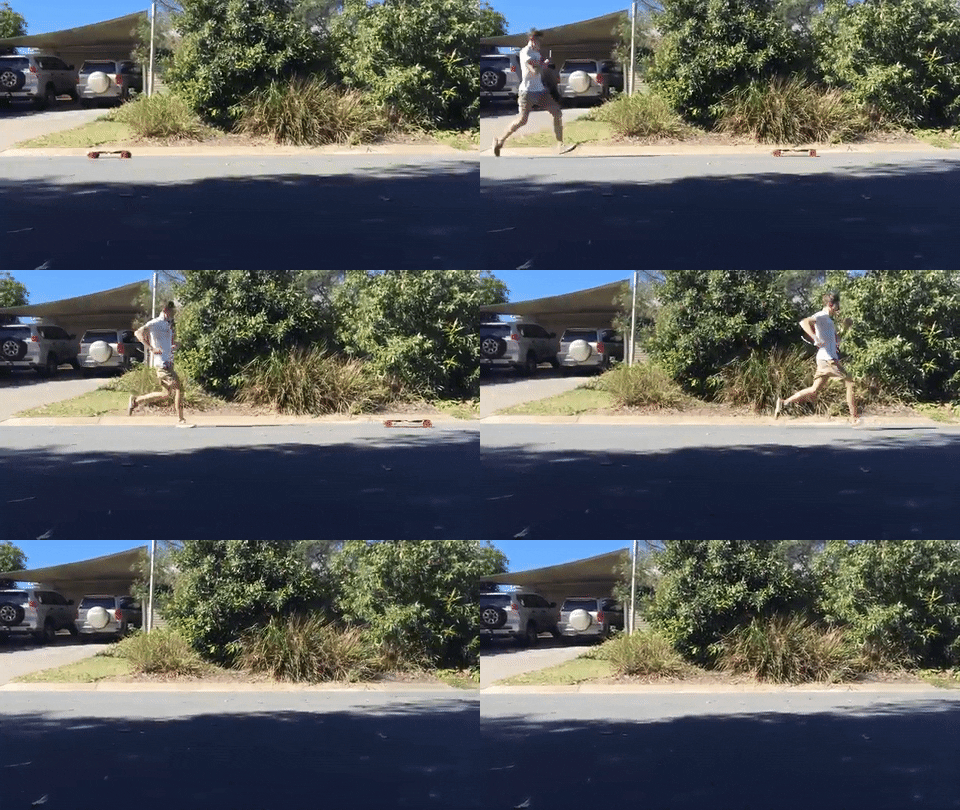
A Raspberry Pi-powered motorised skateboard, controlled via a Wii Remote? What’s not to love? The skateboard, Raspberry Pi, and console gaming enthusiast in me rejoiced as I wrung rainwater from my hoodie.

raspberry pi skateboard

As part of a university assignment to produce a project piece that incorporates a Raspberry Pi, Tim Maier constructed this beast of a machine using various components that are commonly found over the internet or at local tech stores. Essentially, Tim has provided me with the concept for my first Raspberry Pi project and I already have the deck at my disposal. And a Raspberry Pi. Motors and batteries litter the cupboards at Pi Towers like dead moths. And I’m sure there’s somebody around here I can beg a Wiimote from.

Raspberry Pi Bluetooth Electric Skateboard IFB102

This project was part of an assignment for university where the prerequisite was to build something with a Raspberry Pi.

What I really love about this project is that once again we see how it’s possible to build your own tech items, despite how readily available the complete builds are online or in stores. Not only do you save money – and in the case of a motorised skateboard, we’re easily talking hundreds of pounds – but you also get that added opportunity to smugly declare “Oh this? I made it myself” that you simply don’t get when opening the packaging of something pre-made.

Hats (or skate caps) off to Tim and this wonderful skateboard. Tim: if you’re reading this, I’d love to know what your final mark was!

The post Motorised Skateboard appeared first on Raspberry Pi.


Source: Raspberry Pi – Motorised Skateboard

Inspired Raspberry Pi Projects at Maker Faire

We get to read about and see an abundance of project builds through online channels, but we especially love when we get the opportunity to meet the makers themselves as they share their projects first-hand. That’s why an event like Maker Faire continues to be so successful. It provides a platform and a dedicated space, if only for a weekend, for makers and tinkerers alike to come together and share with other enthusiasts.

Raspberry Pi on Twitter

The team is up and at ’em at @makerfaire! Come say hello, try a Raspberry Pi 3, and grab a sticker. #MakerFairepic.twitter.com/mjYOiPBKGy

If you didn’t make it to this year’s Bay Area Maker Faire to see the thousands of maker projects, here is a roundup of our favorite Raspberry Pi projects from the weekend.

Flaschen Taschen is a massive video display made out of beer bottles, milk crates, and RGB LED strings. The display is reminiscent of a Lite-Brite (remember those?) only this one is taller than you and a tad more sophisticated. Each bottle is capped with a single addressable RGB LED. The bottoms of the bottles act as lenses for the emitted light. The colors resemble those of a thermal camera, and they move like amoebas under a microscope.

Raspberry Pi on Twitter

This beer bottle video display, #flaschentaschen, is driven by Raspberry Pi and can run up to 160fps! @noisebridgepic.twitter.com/iYrHGhiwDk

The sheer size of the Flaschen Taschen is what initially caught our eye. After we learned the details of its construction we were even more intrigued. The entire display is driven by a Raspberry Pi and some custom circuitry.

slack_for_ios_upload_1024

The art installation is a great example of upcycling, using everyday items to create something beautiful and thoughtful. The project name is a nod to c-base’s Mate-Light project. Check-out their Github repository for more details on the design and project documentation, and enjoy this video of the setup from Hackaday.

Video Wall Made with 1575 Corona Beer Bottles and Determination

The members of Noisebridge Hackerspace in San Francisco went all out this year, building a 1,575 pixel display for their booth at Bay Area Maker Faire. The pixels are Corona Beer bottles, 25 to a crate stacked 9 crates wide and 7 crates tall.

While MCM’s enlarged Raspberry Pi may have looked like a prop from the 1989 movie Honey, I Shrunk the Kids, it was also fully functional.

Raspberry Pi on Twitter

Right now, @cortlentz1 is getting our @makerfaire stand ready in San Mateo. She spotted this: IT’S FULLY FUNCTIONAL.pic.twitter.com/8WBYAp0ynW

The Raspberry Pi Infinity+ is ten times the size of a Raspberry Pi Model B. It was made by our friends Michael Castor and Christian Moist over at MCM Electronics, an official distributor of Raspberry Pi.

It’s hard to say what was more captivating: the GPIO header, the USB ports big as one’s head, or the precise detailing of the board’s components illustrated from high-res photos into Adobe Illustrator.

Infinity+ build
But, because they are true maker pros, Michael and Christian were sure to document the complete build process. You can find the detailed BOM and design notes on each of their personal blogs.

Raspberry-Pi-Infinity-Ports-Mounted-e1464202892860-1024x1024

Not all makers stand behind a table or in a booth at the faire. Many take to the fairgrounds with projects in hand. You’ll often see the natural congregation of people around makers carrying their projects, who are happy share the story of their build process again and again as they themselves make their way around the faire.

Maker Faire on Twitter

Maker Faire = magic! Relive the weekend through photos: http://bit.ly/20jhZ1K #MFBA16pic.twitter.com/yx4FPFuxq2

This was just how we met Jonathan, a young maker, and his father. Jonathan—proudly gripping his homemade Game Boy—stopped by the Raspberry Pi booth, and we are sure happy he did. The Game Boy replicated the classic handheld version but swapped out the matte plastic grey case for a handmade wood enclosure, and Jonathan gave it his own personal touch by adding customised operation buttons.

Raspberry Pi on Twitter

Here’s a wooden Game Boy made by Jonathan and @shuman_projects. Naturally there’s a Raspberry Pi inside! #MakerFairepic.twitter.com/wAtlnmgtKb

Though the attention to detail and design were impressive, the best part of this project was that it transformed a typically siloed activity on a personal device, turning it into a participatory build for a father and son. That is precisely the sort of making that we love to see happening around the Raspberry Pi.

Thank you to everyone who came to visit us at Maker Faire Bay Area. For those of you missed out, come say hello to us at a future event. You’ll find members of the Raspberry Pi team at these upcoming events:

The post Inspired Raspberry Pi Projects at Maker Faire appeared first on Raspberry Pi.


Source: Raspberry Pi – Inspired Raspberry Pi Projects at Maker Faire

Homofaciens planetary rover

Norbert “Homofaciens” Heinz is a long-time Friend of Pi (you may know him as That Guy with the Amazing Voice). His videos, available in both German and English, showcase some brilliantly imaginative engineering, and we’re always excited whenever a new one comes out. (You’ll see several featured on this blog.)

homofaciens robot

Homofaciens’ rover goes for a trundle

The Homofaciens website is intended to educate and enthuse people about technology and making. One of the ways you can engage with Norbert’s creations is via the Robospatium, a space in the roof of his house where he leaves a selection of web-enabled robots for people to control and explore via an interface on his website.

Norbert says:

The RoboSpatium is a place where you can operate my camera equipped robots. The name is derived from the words Robot (Slawic: “robota”, for “forcedlabor” or “socage”) and Spatium (Latin word for “space”). The spatium, thus the robot space is (most of the time) located above me and it is furnished with things I have treated at the column technology. Besides those things, there is some more stuff arranged there which can be observed live (well, with a few seconds delay) and colored with the help of my mechanical servants. It is some kind of playground for scientists, students or pupils – so have fun!

The RoboSpatium is successful, but limited in scope because it’s stuck in one room. So Norbert’s decided to broaden the project’s horizons – by sending one of his robots, still controllable via a web interface, on a world tour.

Here is an absolutely charming video from Norbert to tell you what the project (which he’s funding via Indiegogo) is all about:

YouTube

No Description

The rover will, if this all works out, be sent from location to location around the world, seeking out new life and civilisations and all that good stuff. You can support Homofaciens’ Indiegogo here – and if you’ve a little time to spare today, spend some time on his website, where you’ll find plenty to amuse and surprise.


The post Homofaciens planetary rover appeared first on Raspberry Pi.


Source: Raspberry Pi – Homofaciens planetary rover