Growing Code Club

In November 2015 we announced that the Raspberry Pi Foundation was joining forces with Code Club to give more young people the opportunity to learn how to make things with computers. In the 18 months since we made that announcement, we have more than doubled the number of Code Clubs. Over 10,000 clubs are now active, in communities all over the world.

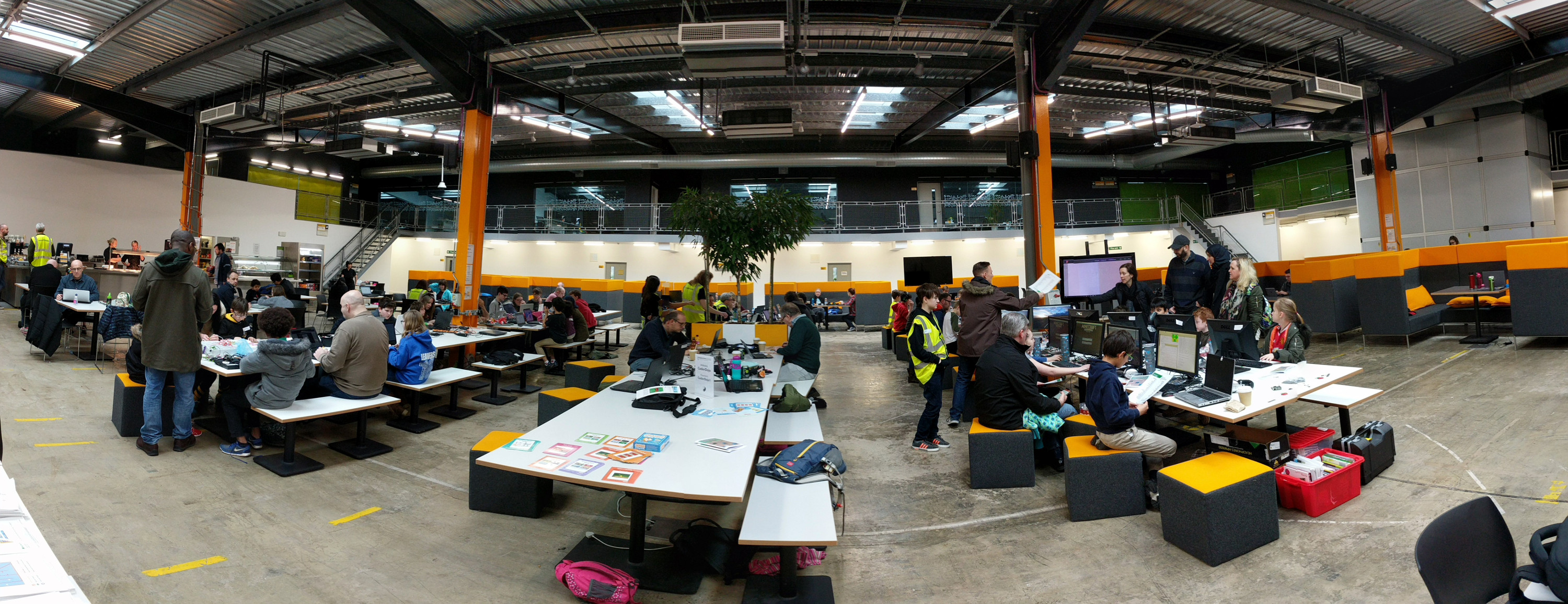
Photo of a Code Club in a classroom: six or seven children focus intently on Scratch programs and other tasks, and adults are helping and supervising in the background

Children at a Code Club in Australia

The UK is where the movement started, and there are now an amazing 5750 Code Clubs engaging over 85,000 young people in the UK each week. The rest of the world is catching up rapidly. With the help of our regional partners, there are over 4000 clubs outside the UK, and fast-growing Code Club communities in Australia, Bangladesh, Brazil, Canada, Croatia, France, Hong Kong, New Zealand, and Ukraine. This year we have already launched new partnerships in Spain and South Korea, with more to come.

It’s fantastic to see the movement growing so quickly, and it’s all due to the amazing community of volunteers, teachers, parents, and young people who make everything possible. Thank you all!

Today, we are announcing the next stage of Code Club’s evolution. Drum roll, please…

Starting in September, we are extending Code Club to 9- to 13-year-olds.

Three girls, all concentrating, one smiling, work together at a computer at Code Club

Students at a Code Club in Brazil

Those in the know will remember that Code Club has, until now, been focused on 9- to 11-year-olds. So why the change?

Put simply: demand. There is a huge demand from young people for more opportunities to learn about computing generally, and for Code Club specifically. The first generations of Code Club graduates have moved on to more senior schools, and they’re telling us that they just don’t have the opportunities they need to learn more about digital making. We’ve decided to take up the challenge.

For the UK, this means that schools will be supported to set up Code Clubs for Years 7 and 8. Non-school venues, like libraries, will be able to offer their clubs to a wider age group.

Growing Code Club International

Code Club is a global movement, and we will be working with our regional partners to make sure that it is available to 9- to 13-year-olds in every community in the world. That includes accelerating the work to translate club materials into even more languages.

Two boys and a woman wearing a Code Club T-shirt sit and pose for the camera in a classroom

A Code Club volunteer and students in Brazil

As part of the change, we will be expanding our curriculum and free educational resources to cater for older children and more experienced coders. Like all our educational resources, the new materials will be created by qualified and experienced educators. They will be designed to help young people build a wide range of skills and competencies, including teamwork, problem-solving, and creativity.

Our first step towards supporting a wider age range is a pilot programme, launching today, with 50 secondary schools in the UK. Over the next few months, we will be working closely with them to find out the best ways to make the programme work for older kids.

Supporting Code Club

For now, you can help us spread the word. If you know a school, youth club, library, or similar venue that could host a club for young people aged 9 to 13, then encourage them to get involved.

Lastly, I want to say a massive “thank you!” to all the organisations and individuals that support Code Club financially. We care passionately about Code Club being free for every child to attend. That’s only possible because of the generous donations and grants that we receive from so many companies, foundations, and people who share our mission to put the power of digital making into the hands of people all over the world.

The post Growing Code Club appeared first on Raspberry Pi.


Source: Raspberry Pi – Growing Code Club

Making sweet, sweet music with pisound

I’d say I am a passable guitarist. Ever since I learnt about the existence of the Raspberry Pi in 2012, I’ve wondered how I could use one as a guitar effects unit. Unfortunately, I’m also quite lazy and have therefore done precisely nothing to make one. Now, though, I no longer have to beat myself up about this. Thanks to the pisound board from Blokas, musicians can connect all manner of audio gear to their Raspberry Pi, bringing their projects to a whole new level. Essentially, it transforms your Pi into a complete audio workstation! What musician wouldn’t want a piece of that?

pisound: a soundcard HAT for the Raspberry Pi

Raspberry Pi with pisound attached

The pisound in situ: do those dials go all the way to eleven?

pisound is a HAT for the Raspberry Pi 3 which acts as a souped-up sound card. It allows you to send and receive audio signals from its jacks, and send MIDI input/output signals to compatible devices. It features two 6mm in/out jacks, two standard DIN-5 MIDI in/out sockets, potentiometers for volume and gain, and ‘The Button’ (with emphatic capitals) for activating audio manipulation patches. Following an incredibly successful Indiegogo campaign, the pisound team is preparing the board for sale later in the year.

Setting the board up was simple, thanks to the excellent documentation on the pisound site. First, I mounted the board on my Raspberry Pi’s GPIO pins and secured it with the supplied screws. Next, I ran one script in a terminal window on a fresh installation of Raspbian, which downloaded, installed, and set up all the software I needed to get going. All I had to do after that was connect my instruments and get to work creating patches for Pure Data, a popular visual programming interface for manipulating media streams.

pisound with instruments and computer

Image from Blokas

Get creative with pisound!

During my testing, I created some simple fuzz, delay, and tremolo guitar effects. The possibilities, though, are as broad as your imagination. I’ve come up with some ideas to inspire you:

  • You could create a web interface for the guitar effects, accessible over a local network on a smartphone or tablet.
  • How about controlling an interactive light show or projected visualisation on stage using the audio characteristics of the guitar signal?
  • Channel your inner Matt Bellamy and rig up some MIDI hardware on your guitar to trigger loops and samples while you play.
  • Use a tilt switch to increase the intensity of an effect when the angle of the guitar’s neck is changed (imagine you’re really going for it during a solo).
  • You could even use the audio input stream as a base for generating other non-audio results.

pisound – Audio & MIDI Interface for your Raspberry Pi

Indiegogo Campaign: https://igg.me/at/pisound More Info: http://www.blokas.io Sounds by Sarukas: http://bit.ly/2myN8lf

Now I have had a taste of what this incredible little board can do, I’m very excited to see what new things it will enable me to do as a performer. It’s compact and practical, too: as the entire thing is about the size of a standard guitar pedal, I could embed it into one of my guitars if I wanted to. Alternatively, I could get creative and design a custom enclosure for it.

Using Sonic Pi with pisound

Community favourite Sonic Pi will also support the board very soon, as Sam Aaron and Ben Smith ably demonstrated at our fifth birthday party celebrations. This means you don’t even need to be able to play an instrument to make something awesome with this clever little HAT.

The Future of @Sonic_Pi with Sam Aaron & Ben Smith at #PiParty

Uploaded by Alan O’Donohoe on 2017-03-05.

I’m incredibly impressed with the hardware and the support on the pisound website. It’s going to be my go-to HAT for advanced audio projects, and, when it finally launches later this year, I’ll have all the motivation I need to create the guitar effects unit I’ve always wanted.

Find out more about pisound over at the Blokas website, and take a deeper look at the tech specs and other information over at the pisound documentation site.

Disclaimer: I am personally a backer of the Indiegogo campaign, and Blokas very kindly supplied a beta board for this review.

The post Making sweet, sweet music with pisound appeared first on Raspberry Pi.


Source: Raspberry Pi – Making sweet, sweet music with pisound

#CharityTuesday: Code Club in Scotland

Continuing the coverage of our new Code Club videos on YouTube, here’s our second #CharityTuesday blog post. To offer a little more information on the themes of each video, we’ll be releasing #CharityTuesday blog posts for each of our new Code Club videos. This time, we are covering the amazing success of Code Clubs in Scotland.

Code Club in Scotland

Thanks to Digital Xtra, which provided a grant for the making of this film. Digital Xtra is funded by the Scottish Government’s Digital Scotland Business Excellence Partnership. Thanks also to the School of Computing at the University of Dundee for providing the venue for the film!

Learn more about Code Club in Scotland

Clubs in Scotland, inspiring the next generation to get excited about coding and digital making. Thanks to Digital Xtra, which provided a grant for the making of this film. Digital Xtra is funded by the Scottish Government Digital Skills Business Excellence Partnership. Thanks also to Computing at the University of Dundee for providing the venue for the film!

From the remotest regions to the busiest cities, we’ve proudly witnessed Code Club’s presence grow in bounds across Scotland. “Our remotest clubs are in Shetland and Orkney. There’s even one in Barra,” explains Lorna Gibson, Code Club’s Scotland Coordinator. “The regional flight lands on the beach at low tide: it’s so awesome,” she adds. Despite the difficulty in accessing some of the furthest regions of the country, nothing will stop people getting through.

Katie Motion Code Club Scotland Raspberry Pi

I am not particularly skilled at coding. I didn’t have a lot of knowledge myself, but I felt like it was something that I could actually learn along with the children and I wanted to challenge myself.
– Katie Motion

“It is 405 miles from my most northerly club to my most southerly one, and about 215 miles from my most easterly and most westerly,” Lorna continues, before detailing the increase in club numbers we’ve seen over the last few years. “We now have 480 clubs (this has grown from 40-ish since August 2014) and we have clubs in all 32 sub-regions of Scotland.”

With such impressive numbers, plus the wonderful stories we hear from volunteers and students, you can see why we’re excited about our growing presence in Scotland.

David McDonald Code Club Scotland Raspberry Pi

One of the most rewarding things I’ve seen with Code Club is that there will often be children who come by themselves. They don’t know anybody else and they’re just as willing to help out people that they don’t know.
– David McDonald

Get involved in Code Club!

Code Club is a nationwide network of volunteer-led after-school coding clubs for children. It offers a great place for children of all abilities to learn and build upon their skills amongst like-minded peers.

There are currently over 10,000 active Code Clubs across the world, and official Code Club communities in ten countries. If you want to find out more, visit the Code Club UK website. Please visit Code Club International if you are outside of the UK.

The post #CharityTuesday: Code Club in Scotland appeared first on Raspberry Pi.


Source: Raspberry Pi – #CharityTuesday: Code Club in Scotland

Pioneers gives you squad goals

We’re two weeks into the second cycle of Pioneers, our programme to give teenagers a taste of digital making. Teenagers make amazing, ridiculous, awesome things when they are challenged to unleash their creativity using technology. In the first cycle, we had everything from a disco pen to a crotch-soaking water trap. Families and friends can take part, as well as clubs and schools: we call these informal Pioneers teams squads, and we’re hoping that lots will join this second round of the competition.

The creativity on display comes from allowing teenagers to approach a problem from whatever angle they choose. Pioneers has been designed so that it’s flexible and people can take part however they like. As well as making sure the challenge we set is as open as possible, we’re also pretty chilled about how teams participate: when and where the making gets done.

A relaxed-looking polar bear.

We are as chilled as a polar bear in a bucket hat

We’re delighted to see that lots of teenagers have been getting together with their mates, hanging out, and working out how they can best freak out their mum.

Pioneers challenge 1

Make them laugh…

Some of the groups told us that they met at a regular time, and while there was a lot of chat, they’d also find some time to make some cool stuff. Others had some intense sessions over a couple of weekends (certain team members may or may not have been involved with extra bits of tinkering between sessions).

Getting involved in Pioneers

If you’ve got some teenagers lying about the house, why not see if they’d like to challenge themselves to make something linked to the outdoors? We’ve got some starter projects to give them a bit of inspiration, but they can respond to the challenge however they like, as long as they are using tech.

Pioneers: Make it Outdoors

Our challenge for this round of Pioneers: get outdoors!

If you’re mentoring one of these informal Pioneers squads, you are probably mostly there to remind that they might want to meet up, and to prompt them to make their video in time for the deadline. You don’t need to be a tech expert in order to be a mentor, but if you’d like a confidence-booster, you could watch some of our videos to level up your skills. And if you do get stuck on something technical, you can ask for help on the Raspberry Pi forums.

For more information about working as a squad, or about mentoring one, check out our Pioneers page. We can’t wait to see what you come up with!

The post Pioneers gives you squad goals appeared first on Raspberry Pi.


Source: Raspberry Pi – Pioneers gives you squad goals

A day with AIY Voice Projects Kit – The MagPi 57 aftermath

Hi folks, Rob here. It’s been a crazy day or so here over at The MagPi and Raspberry Pi as we try to answer all your questions and look at all the cool stuff you’re doing with the new AIY Voice Projects Kit that we bundled with issue 57. While it has been busy, it’s also been a lot of fun.

Got a question?

We know lots of you have got your hands on issue 57, but a lot more of you will have questions to ask. Here’s a quick FAQ before we go over the fun stuff you’ve been doing:

Which stores stock The MagPi in [insert country]?

The original edition of The MagPi is only currently stocked in bricks-and-mortar stores in the UK, Ireland, and the US:

  • In the UK, you can find copies at WHSmith, Asda, Tesco, and Sainsbury’s
  • In the US, you can find them at Barnes and Noble and at Micro Center
  • In Ireland, we’re in Tesco and Easons

Unfortunately, this means you will find very little (if any) stock of issue 57 in stores in other countries. Even Canada (we’ve been asked this a lot!)…

The map below shows the locations to which stock has been shipped (please note, though, that this doesn’t indicate live stock):

My Barnes and Noble still only has issue 55!

Issue 57 should have been in Barnes & Noble stores yesterday, but stock sometimes takes a few days to spread and get onto shelves. Keep trying over the next few days. We’re skipping issue 56 in the US so you can get 57 at the same time (you’ll be getting the issues at the same time from now on).

If I start a new subscription, will I get issue 57?

Yes. We have limited copies for new subscribers. It’s available on all new print subscriptions. You need to specify that you want issue 57 when you subscribe.

Will you be restocking online?

We’re looking into it. If we manage to, keep an eye on our social media channels and the blog for more details.

Is there any way to get the AIY Voice Projects Kit on its own?

Not yet, but you can sign up to Google’s mailing list to be notified when they become available.

Rob asked us to do no evil with our Raspberry Pi: how legally binding is that?

Highest galactic law. Here is a picture of me pointing at you to remind you of this.

Image of Rob with the free AIY kit

Please do not do evil with your Raspberry Pi

OK, with that out of the way, here’s the cool stuff!

AIY Voice Projects Kit builds

A lot of you built the kit very quickly, including Raspberry Pi Certified Educator Lorraine Underwood, who managed it before lunch.

Lorraine Underwood on Twitter

Ha, cool. I made it! Top notch instructions and pics @TheMagP1 Not going to finish the whole thing before youngest is out of nursery. Gah!!

We love Andy Grimley’s shot as the HAT seems to be floating. We had no idea it could levitate!

Andy Grimley on Twitter

This is awesome @TheMagP1 #AIYProjects

A few people reached out to tell us they were building it with children for their weekend project. These messages really are one of the best parts of our job.

Screenshot of Facebook comment on AIY kit

Screenshot of tweet about AIY kit

Screenshot of tweet about AIY kit

What have people been making with it? Domhnall O’Hanlon made the basic assistant setup, and photographed it in the stunning surroundings of the National Botanic Gardens of Ireland:

Domhnall O Hanlon on Twitter

Took my @Raspberry_Pi #AIYProjects on a field trip to the National Botanic Gardens. Thanks @TheMagP1! #edchatie #edtech https://t.co/f5dR9JBDEx

Friend of The MagPi David Pride has a cool idea:

David Pride on Twitter

@Raspberry_Pi @TheMagP1 Can feel a weekend mashup happening with the new #AIYProjects kit & my latest car boot find (the bird, not the cat!)

Check out Bastiaan Slee’s hack of an old IoT device:

Bastiaan Slee on Twitter

@TheMagP1 I’ve given my Nabaztag a second life with #AIYProjects https://t.co/udtWaAMz2x

Bastiaan Slee on Twitter

Hacking time with the Nabaztag and #AIYProjects ! https://t.co/udtWaAMz2x

Finally, Sandy Macdonald is doing a giveaway of the issue. Go and enter: a simple retweet could win you a great prize!

Sandy Macdonald on Twitter

I’m giving away this copy of @TheMagP1 with the @Raspberry_Pi #AIYProjects free, inc. p&p worldwide. RT to enter. Closes 9am BST tomorrow.

If you have got your hands on the AIY Voice Projects Kit, do show us what you’ve made with it! Remember to use the #AIYProjects hashtag on Twitter to show off your project as well.

There’s also a dedicated forum for discussing the AIY Voice Projects Kit which you can find on the main Raspberry Pi forum. Check it out if you have something to share or if you’re having any problems.

Yesterday I promised a double-dose of Picard gifs. So, what’s twice as good as a Picard gif? A Sisko gif, of course! See you next time…

No Title

No Description

The post A day with AIY Voice Projects Kit – The MagPi 57 aftermath appeared first on Raspberry Pi.


Source: Raspberry Pi – A day with AIY Voice Projects Kit – The MagPi 57 aftermath

Get a free AIY Projects Voice Kit with The MagPi 57!

We’re extremely excited to share with you the latest issue of The MagPi, the official Raspberry Pi magazine. It’s a very special issue bundled with an exclusive project kit from Google.

Called AIY Projects, the free hardware kit enables you to add voice interaction to your Raspberry Pi projects. The first AIY Projects kits are bundled free with the print edition of The MagPi 57.

Photo of the free AIY Projects kit bundled with The MagPi 57: HAT accessory boards, wires, button and custom cardboard housing

What you’ll find inside

Inside the magazine, you’ll find a Google Voice Hardware Attached on Top (HAT) accessory board, a stereo microphone Voice HAT board, a large arcade button, and a selection of wires. Last but not least, you’ll find a custom cardboard case to house it all in.

All you need to add is a Raspberry Pi 3. Then, after some software setup, you’ll have access to the Google Assistant SDK and Google Cloud Speech API.

AIY Projects adds natural human interaction to your Raspberry Pi

Check out the exclusive Google AIY Projects Kit that comes free with The MagPi 57! Grab yourself a copy in stores or online now: http://magpi.cc/2pI6IiQ This first AIY Projects kit taps into the Google Assistant SDK and Cloud Speech API using the AIY Projects Voice HAT (Hardware Accessory on Top) board, stereo microphone, and speaker (included free with the magazine).

We’ve got a full breakdown of how to set it all up and get it working inside the magazine. The folks at Google, along with us at The MagPi, are really excited to see what projects you can create (or enhance) with this kit, whether you’re creating a voice-controlled robot or a voice interface that answers all your questions. Some Raspberry Pi owners have been building AIY Projects in secret at Hackster, and we have their best voice interaction ideas in the magazine.

On top of this incredible bundle we also have our usual selection of excellent tutorials – such as an introduction to programming with Minecraft Pi, and hacking an Amazon Dash button – along with reviews, project showcases, and our guide to building the ultimate makers’ toolbox.

Two-page spread from The MagPi, titled "Makers' Toolkit"

Create the ultimate makers’ toolkit and much more with issue 57 of The MagPi

Subscribers should be getting their copies tomorrow, and you can also buy a copy in UK stores including WHSmith, Tesco, Sainsbury’s, and Asda. Copies have been shipped to North America, and are available at Barnes & Noble and other stores. Otherwise, you can get a copy online from The PiHut. Digital versions (without the AIY Projects kit) are available in our Android and iOS app. Finally, as always, there’s the free PDF download.

We really hope you enjoy this issue and make some amazing things with your AIY Projects kit. Let us know what you plan to make on social media, using the hashtag #AIYProjects, or on the Raspberry Pi forums.

The post Get a free AIY Projects Voice Kit with The MagPi 57! appeared first on Raspberry Pi.


Source: Raspberry Pi – Get a free AIY Projects Voice Kit with The MagPi 57!

250,000 Pi Zero W units shipped and more Pi Zero distributors announced

This week, just nine weeks after its launch, we will ship the 250,000th Pi Zero W into the market. As well as hitting that pretty impressive milestone, today we are announcing 13 new Raspberry Pi Zero distributors, so you should find it much easier to get hold of a unit.

Raspberry Pi Zero W and Case - Pi Zero distributors

This significantly extends the reach we can achieve with Pi Zero and Pi Zero W across the globe. These new distributors serve Australia and New Zealand, Italy, Malaysia, Japan, South Africa, Poland, Greece, Switzerland, Denmark, Sweden, Norway, and Finland. We are also further strengthening our network in the USA, Canada, and Germany, where demand continues to be very high.

Pi Zero W - Pi Zero distributors

A common theme on the Raspberry Pi forums has been the difficulty of obtaining a Zero or Zero W in a number of countries. This has been most notable in the markets which are furthest away from Europe or North America. We are hoping that adding these new distributors will make it much easier for Pi-fans across the world to get hold of their favourite tiny computer.

We know there are still more markets to cover, and we are continuing to work with other potential partners to improve the Pi Zero reach. Watch this space for even further developments!

Who are the new Pi Zero Distributors?

Check the icons below to find the distributor that’s best for you!

Australia and New Zealand

Core Electronics - New Raspberry Pi Zero Distributors

PiAustralia Raspberry Pi - New Raspberry Pi Zero Distributors

South Africa

PiShop - New Raspberry Pi Zero Distributors

Please note: Pi Zero W is not currently available to buy in South Africa, as we are waiting for ICASA Certification.

Denmark, Sweden, Finland, and Norway

JKollerup - New Raspberry Pi Zero Distributors

electro:kit - New Raspberry Pi Zero Distributors

Germany and Switzerland

sertronics - New Raspberry Pi Zero Distributors

pi-shop - New Raspberry Pi Zero Distributors

Poland

botland - New Raspberry Pi Zero Distributors

Greece

nettop - New Raspberry Pi Zero Distributors

Italy

Japan

ksy - New Raspberry Pi Zero Distributors

switch science - New Raspberry Pi Zero Distributors

Please note: Pi Zero W is not currently available to buy in Japan as we are waiting for TELEC Certification.

Malaysia

cytron - New Raspberry Pi Zero Distributors

Please note: Pi Zero W is not currently available to buy in Malaysia as we are waiting for SIRIM Certification

Canada and USA

buyapi - New Raspberry Pi Zero Distributors

Get your Pi Zero

For full product details, plus a complete list of Pi Zero distributors, visit the Pi Zero W page.

Awesome feature image GIF credit goes to Justin Mezzell

The post 250,000 Pi Zero W units shipped and more Pi Zero distributors announced appeared first on Raspberry Pi.


Source: Raspberry Pi – 250,000 Pi Zero W units shipped and more Pi Zero distributors announced

#CharityTuesday: What do kids say about Code Club?

We’ve recently released a series of new Code Club videos on our YouTube channel. These range from advice on setting up your own Code Club to testimonials from kids and volunteers. To offer a little more information on the themes of each video, we’ll be releasing #CharityTuesday blog posts for each, starting with the reason for it all: the kids.

What do kids say about Code Club?

The team visited Liverpool Central Library to find out what the children at their Code Club think about the club and its activities, and what they’re taking away from attending.

“It makes me all excited inside…”

Code Clubs are weekly after-school coding clubs for 9 – 11 year olds. Children learn to create games, animations and websites using our specially created resources, with the support of awesome volunteers. We visited Liverpool Central Library to find out what the children at their Code Club think about their coding club.

We love to hear the wonderful stories of exploration and growth from the kids that attend Code Clubs. The changes our volunteers see in many of their club members are both heart-warming and extraordinary.

Code Club kids two girls at Code Club

“It makes me all excited inside.”

“There’s a lad who comes to my club who was really not confident about coding. He said he was rubbish at maths and such when he first started,” explains Dan Powell, Code Club Regional Coordinator for the South East. “After he’d done a couple of terms he told us, ‘Tuesday is my favourite day now because I get to come to Code Club: it makes my brain feel sparkly.’ He’s now writing his own adventure game in Scratch!”

Code Club kids

“I think the best part of it is being able to interact with other people and to share ideas on projects.”

“I love the sentiments at the end of this advert a couple of my newbies made in Scratch,” continues Lorna Gibson, Regional Coordinator for Scotland. “The bit where they say that nobody is left behind and everyone has fun made me teary.”

Here is their wonderful Scratch advert:

Get involved in Code Club!

Code Club is a nationwide network of volunteer-led after-school coding clubs for children. It offers a great place for children of all abilities to learn and build upon their skills amongst like-minded peers.

There are currently over 10,000 active Code Clubs across the world and official Code Club communities in ten countries. If you want to find out more, visit the Code Club UK website, or Code Club International if you are outside of the UK.

The post #CharityTuesday: What do kids say about Code Club? appeared first on Raspberry Pi.


Source: Raspberry Pi – #CharityTuesday: What do kids say about Code Club?

Community Profile: Jillian Ogle

This column is from The MagPi issue 53. You can download a PDF of the full issue for free, or subscribe to receive the print edition in your mailbox or the digital edition on your tablet. All proceeds from the print and digital editions help the Raspberry Pi Foundation achieve its charitable goals.

Let’s Robot streams twice a week, Tuesdays and Thursdays, and allows the general public to control a team of robots within an interactive set, often consisting of mazes, clues, challenges, and even the occasional foe. Users work together via the Twitch.tv platform, sending instructions to the robots in order to navigate their terrain and complete the set objectives.

Let's Robot Raspberry Pi Jillian Ogle

Let’s Robot aims to change the way we interact with television, putting the viewer in the driving seat.

Aylobot, the first robot of the project, boasts a LEGO body, while Ninabot, the somewhat 2.0 upgrade of the two, has a gripper, allowing more interaction from users. Both robots have their own cameras that stream to Twitch, so that those in control can see what they’re up to on a more personal level; several new additions have joined the robot team since then, each with their own unique skill.

Let's Robot Raspberry Pi Jillian Ogle

Twice a week, the robots are controlled by the viewers, allowing them the chance to complete tasks such as force-feeding the intern, attempting to write party invitations, and battling in boss fights.

Jillian Ogle

Let’s Robot is the brainchild of Jillian Ogle, who originally set out to make “the world’s first interactive live show using telepresence robots collaboratively controlled by the audience”. However, Jill discovered quite quickly that the robots needed to complete the project simply didn’t exist to the standard required… and so Let’s Robot was born.

After researching various components for the task, Jill decided upon the Raspberry Pi, and it’s this small SBC that now exists within the bodies of Aylobot, Ninabot, and the rest of the Let’s Robot family.

Let's Robot Jillian Ogle Raspberry Pi

“Post-Its I drew for our #LetsRobot subscribers. We put these in the physical sets made for the robots. I still have a lot more to draw…”

In her previous life, Jill worked in art and game design, including a role as art director for Playdom, a subsidiary of Disney Interactive; she moved on to found Aylo Games in 2013 and Let’s Robot in 2015. The hardware side of the builds has been something of a recently discovered skill, with Jill admitting, “Anything I know about hardware I’ve picked up in the last two years while developing this project.”

This was my first ever drone flight, live on #twitch. I think it went well. #letsrobot #robot #robotics #robots #drone #drones #twitchtv #twitchcreative #twitchplays #fail #livestream #raspberrypi #arduino #hardware #mechatronics #mechanicalengineering #makersgonnamake #nailedit #make #electronics

73 Likes, 3 Comments – Jillian Ogle (@letsjill) on Instagram: “This was my first ever drone flight, live on #twitch. I think it went well. #letsrobot #robot…”

Social media funtimes

More recently, as Let’s Robot continues to grow, Jill can be found sharing the antics of the robots across social media, documenting their quests – such as the hilarious attempt to create party invites and the more recent Hillarybot vs Trumpbot balloon head battle, where robots with extendable pin-mounted arms fight to pop each other’s head.

Last night was the robot presidential debate, and here is an early version of candidate #Trump bot. #letsrobot #robotics #robot #raspberrypi #twitch #twitchtv #twitchplays #3dprinting #mechatronics #arduino #iot #robots #crafting #make #battlebots #hardware #twitchcreative #presidentialdebate2016 #donaldtrump #electronics #omgrobots #adafruit #silly

400 Likes, 2 Comments – Jillian Ogle (@letsjill) on Instagram: “Last night was the robot presidential debate, and here is an early version of candidate #Trump bot….”

Gotta catch ’em all

Alongside the robots, Jill has created several other projects that both add to the interactive experience of Let’s Robot and comment on other elements of social trends out in the world. Most notably, there is the Pokémon Go Robot, originally a robot arm that would simulate the throw of an on-screen Poké Ball. It later grew wheels and took to the outside world, hunting down its pocket monster prey.

Let's Robot Pokemon Go Raspberry Pi

Originally sitting on a desk, the Pokémon Go Robot earned itself a new upgrade, gaining the body of a rover to allow it to handle the terrain of the outside world. Paired with the Livestream Goggles, viewers can join in the fun.

It’s also worth noting other builds, such as the WiFi Livestream Goggles that Jill can be seen sporting across several social media posts. The goggles, with a Pi camera fitted between the wearer’s eyes, allow viewers to witness Jill’s work from her perspective. It’s a great build, especially given how open the Let’s Robot team are about their continued work and progression.

Let's Robot Pokemon Go Raspberry Pi

The WiFi-enabled helmet allows viewers the ability to see what Jill sees, offering a new perspective alongside the Let’s Robot bots. The Raspberry Pi camera fits perfectly between the eyes, bringing a true eye level to the viewer. She also created internet-controlled LED eyebrows… see the video!

And finally, one project we are eager to see completed is the ‘in production’ Pi-powered transparent HUD. By incorporating refractive acrylic, Jill aims to create a see-through display that allows her to read user comments via the Twitch live-stream chat, without having to turn her eyes to a separate monitor

Since the publication of this article in The MagPi magazine, Jill and the Let’s Robot team have continued to grow their project. There are some interesting and exciting developments ahead – we’ll cover their progress in a future blog.

The post Community Profile: Jillian Ogle appeared first on Raspberry Pi.


Source: Raspberry Pi – Community Profile: Jillian Ogle

A tale of three Raspberry Jams

In today’s post, I’m going to share the tales of three Jams: how and why they got started.

Norwich Raspberry Jam

Norwich is a place where I’ve always hoped there would be a Jam. It’s a tech city in the East of England and there’s plenty going on there, but so far no one has been running a Jam. I met Archie Roques at the Jam I run at Pi Towers, and was thrilled to discover that he was planning to set one up with Claire Riseborough.

I wanted to start the Norwich Jam for a few reasons. Firstly because I really love visiting other Jams (CamJam and Pi Towers Jam) and wanted something closer to home. Also because there’s a great tech community in Norwich, so we want to use that to help encourage more young people into tech and digital making. As one of the founders of the Young Makers’ Tech Club, I’ve seen how much tech potential Norfolk’s young people have. It would be great to have a place where we can have more of them getting involved, and somewhere where those who are interested can learn more skills and show them off to others.

I had the idea brewing in my mind for a while. I visited a few Jams and Pi Parties, and started by helping out at the Pi Towers Jam to get a feel of what running a Jam involves. Then Sarah, who works in education at the Forum (a big public building in Norwich, which amongst other things houses the main library and does lots of tech stuff) got in touch, as she’d heard about the idea and wanted to have a Jam as part of their Norwich Gaming Festival. We got a few other people on board and it’s been all go from there!

Finding a venue can be tricky, but sometimes you find the  perfect place, with a vested interest in running a community interest event, especially if it’s for young people. And you never know, they might lend a hand with organising it, too.

The Forum has been really helpful in getting us a venue. They couldn’t host the Jam themselves as they’ve got other events on that week, but they booked us another venue, the fantastic OPEN Norwich.

The Forum has also helped with the organisation – they are overseeing the ticketing, and helping to promote the event (which is good, as they have 33,000 more Twitter followers than I do!). They also are helping with some of the less exciting stuff like insurance and safeguarding, and organising some events for schools and educators to go alongside the Jam, which is great. Claire Riseborough, who has founded a social enterprise with the aim of helping kids to reach their tech potential, has also been instrumental in getting people in the tech community on board and getting the word out. Lots of other people have helped in their fields of expertise, which is great!

I asked Archie how he planned the Jam’s activities, and how he decided what to put on.

We knew that we wanted to have some talks, stalls, vendors and workshops: when we’d been to events like the Pi Party, those were the bits we liked best. We did a quick social media call for volunteers and we’ve had a pretty good response (though there’s always room for one more!).  We’ve got a nice selection of talks and workshops, and we aim to have some more informal general activities for people who don’t want to do anything too formal. The most important thing for us is having as many awesome people there as possible, whether they are visitors or volunteers.

I’d really like to see the Jam continue, probably on a quarterly basis, as there are lots of other more frequent tech events in Norwich. The Norwich Science Festival is coming up in the Autumn, so it’s possible that a science-themed Jam will be on the cards for then!

The first Norwich Jam takes place on 27 May. Tickets are free from Eventbrite. Maybe I’ll see you there?

Raspberry Jam Berlin

James Mitchell is a Scotsman living in Berlin. I first met him when I gave a Raspberry Pi talk in a furniture showroom, and somehow that led him to start a local Jam.

After owning a Raspberry Pi for a few months I started to search for tips, tricks and tutorials online. I then started to notice Raspberry Jams being set up all over the UK. We didn’t have these events in Berlin, so I decided to start a Jam of my own. Thankfully I had loads of support from Jam leaders and even got the chance to meet Ben Nuttall when he visited Berlin shortly before he joined the Foundation. He was a great inspiration!

After getting started with the Jam, lots of things started to fall into place. I started to build a lot more projects, mainly using the Camera Module. I have a little obsession with photography, and I am particularly fond of time-lapse. My kids also started to get involved with the Raspberry Pi. They are still a little young yet but I love that they stay enthusiastic.

James felt that he was missing out on the Raspberry Pi community vibe.

It really was the lack of events in and around Berlin that got the Jam going. I wanted to attend one of the UK Jams, as it seemed full of like-minded people willing to help each other and learn new things – something we sorely lacked here.

I did later manage to attend the Raspberry Pi Birthday Party in Cambridge. While the event was considerably larger than most Jams I had heard about, it was totally amazing to meet the community. It reinforced the sense of belonging I had been looking for.

I held the first Raspberry Jam Berlin in a co-working office that offers their space at weekends for free if you don’t charge for tickets. I had some Pis set up with various add-on boards and we also gave a few talks about the Raspberry Pi.

My favourite thing about the Raspberry Jam is meeting different people and seeing those projects that are getting pushed beyond my own understanding, but also being able to help new people get interested in the Raspberry Pi. It’s very satisfying to know someone has left the Jam inspired!

I asked James what advice he would have for someone setting up a Jam in their area.

Start small, and have a clear outline of what you want from your Jam. Invite a few friends and maybe the local school’s computing teacher. Find your like-minded corner of the community, and with their help expand if you want.

Don’t be intimidated by the size of other Jams. They come in all shapes and sizes and some can be really large. Just keep in mind you are in it to have fun!

You never know how many people will show up to a Jam. Will it be too many, or too few? Here’s James’ take on the dilemma:

It can get a little stressful when you have low numbers, but the key is to ignore the numbers and just enjoy the moment. If one person shows up and they walk away inspired, it’s a job well done.

Wimbledon Raspberry Jam

Cat Lamin went to Picademy in July 2014. She got really excited about the teaching possibilities of the Raspberry Pi, but didn’t know where to start, so she reached out to the community to create local networks for teachers to share their skills. She started a Coding Evening in Twickenham, and helped organise the Wimbledon Raspberry Jam.

Albert Hickey, who organises the Egham Jam, approached me to see if I was interested in helping him run the Jam in Wimbledon. He had been offered a venue and wanted me to be involved from the start. Wimbledon is close to the school I taught in and I knew this would be an excellent opportunity to give some of the children from school the chance to help develop their passions. What I really enjoyed about the Jam was seeing all of the families there. Several parents asked if we could let their children’s schools know about the next one because they were keen to bring more families down!

I was really lucky with Wimbledon Jam, as loads of helpful people were really keen to offer up their time as volunteers. If I’m honest, I took over a little bit, but Albert seemed quite happy to let me handle the actual event while he dealt with the venue. By the end of it, I felt that we had been the perfect team. While Albert negotiated the space, I took on the role of organising the timetable of events. I had to figure out timings for workshops and who was available to run them. We were really lucky that so many people offered their help almost straight away, and it was great having Ben along as a representative from the Raspberry Pi Foundation. It added a sort of official stamp of approval to the day.

I really like having workshops, talks and show-and-tells going on, and we were really lucky that loads of people were interested in doing everything. One of my highlights from the day was watching the Mums creep over to Whack-a-Pi and sneak a go while their children were taking part in workshops – it was very funny!

Cat and Albert have run three Jams at Wimbledon library now. It’s great to see it continue on from the initial event I attended.

Why do people run Jams?

People run Jams for many reasons. I started the Manchester Jam so that I would have a group of people to learn about Raspberry Pi with, and it ended up benefiting hundreds of other people. While organising an event can be a lot of work, it is good fun. It all seems worth it in the end when you see how you can positively affect people you’d never otherwise have met. Here are some more insights from other Jam makers:

Read more in this excerpt from the Guidebook.

If you want to run a Jam, wherever you are, just remember that all these people were once where you are now. If they can do it, you can do it. Find some helpers, share ideas, make arrangements for your first event, and have fun. Be sure to check out the Raspberry Jam Guidebook for tips from other Jam makers, and lots of practical information on organising an event.

There are plenty of Jams coming up in the next month, including Oklahoma, Bogotá, Virginia and Melbourne, as well as lots in the UK, from Egham to Blackpool, Huddersfield to Belfast. Check out the Jam calendar for more.

I’ll be back next month with another Jam round-up, so if you have a Jam story to share, please get in touch! Email ben@raspberrypi.org. I really want to hear about all your experiences.

The post A tale of three Raspberry Jams appeared first on Raspberry Pi.


Source: Raspberry Pi – A tale of three Raspberry Jams

Raspberry Jam round-up: April

In case you missed it: in yesterday’s post, we released our Raspberry Jam Guidebook, a new Jam branding pack and some more resources to help people set up their own Raspberry Pi community events. Today I’m sharing some insights from Jams I’ve attended recently.

Raspberry Jam round-up April 2017

Preston Raspberry Jam

The Preston Jam is one of the most long-established Jams, and it recently ran its 58th event. It has achieved this by running like clockwork: on the first Monday evening of every month, without fail, the Jam takes place. A few months ago I decided to drop in to surprise the organiser, Alan O’Donohoe. The Jam is held at the Media Innovation Studio at the University of Central Lancashire. The format is quite informal, and it’s very welcoming to newcomers. The first half of the event allows people to mingle, and beginners can get support from more seasoned makers. I noticed a number of parents who’d brought their children along to find out more about the Pi and what can be done with it. It’s a great way to find out for real what people use their Pis for, and to get pointers on how to set up and where to start.

About half way through the evening, the organisers gather everyone round to watch a few short presentations. At the Jam I attended, most of these talks were from children, which was fantastic to see: Josh gave a demo in which he connected his Raspberry Pi to an Amazon Echo using the Alexa API, Cerys talked about her Jam in Staffordshire, and Elise told everyone about the workshops she ran at MozFest. All their talks were really well presented. The Preston Jam has done very well to keep going for so long and so consistently, and to provide such great opportunities and support for young people like Josh, Cerys and Elise to develop their digital making abilities (and presentation skills). Their next event is on Monday 1 May.


Manchester Raspberry Jam and CoderDojo

I set up the Manchester Jam back in 2012, around the same time that the Preston one started. Back then, you could only buy one Pi at a time, and only a handful of people in the area owned one. We ran a fairly small event at the local tech community space, MadLab, adopting the format of similar events I’d been to, which was very hands-on and project-based – people brought along their Pis and worked on their own builds. I ran the Jam for a year before moving to Cambridge to work for the Foundation, and I asked one of the regular attendees, Jack, if he’d run it in future. I hadn’t been back until last month, when Clare and I decided to visit.

The Jam is now held at The Shed, a digital innovation space at Manchester Metropolitan University, thanks to Darren Dancey, a computer science lecturer who claims he taught me everything I know (this claim is yet to be peer-reviewed). Jack, Darren, and Raspberry Pi Foundation co-founder and Trustee Pete Lomas put on an excellent event. They have a room for workshops, and a space for people to work on their own projects. It was wonderful to see some of the attendees from the early days still going along every month, as well as lots of new faces. Some of Darren’s students ran a Minecraft Pi workshop for beginners, and I ran one using traffic lights with GPIO Zero and guizero.


The next day, we went along to Manchester CoderDojo, a monthly event for young people learning to code and make things. The Dojo is held at The Sharp Project, and thanks to the broad range of skills of the volunteers, they provide a range of different activities: Raspberry Pi, Minecraft, LittleBits, Code Club Scratch projects, video editing, game making and lots more.

Raspberry Jam round-up April 2017

Manchester CoderDojo’s next event is on Sunday 14 May. Be sure to keep an eye on mcrraspjam.org.uk for the next Jam date!

CamJam and Pi Wars

The Cambridge Raspberry Jam is a big event that runs two or three times a year, with quite a different format to the smaller monthly Jams. They have a lecture theatre for talks, a space for workshops, lots of show-and-tell, and even a collection of retailers selling Pis and accessories. It’s a very social event, and always great fun to attend.

The organisers, Mike and Tim, who wrote the foreword for the Guidebook, also run Pi Wars: the annual Raspberry Pi robotics competition. Clare and I went along to this year’s event, where we got to see teams from all over the country (and even one from New Mexico, brought by one of our Certified Educators from Picademy USA, Kerry Bruce) take part in a whole host of robotic challenges. A few of the teams I spoke to have been working on their robots at their local Jams throughout the year. If you’re interested in taking part next year, you can get a team together now and start to make a plan for your 2018 robot! Keep an eye on camjam.me and piwars.org for announcements.

PiBorg on Twitter

Ely Cathedral has surprisingly good straight line speed for a cathedral. Great job Ely Makers! #PiWars

Raspberry Jam @ Pi Towers

As well as working on supporting other Jams, I’ve also been running my own for the last few months. Held at our own offices in Cambridge, Raspberry Jam @ Pi Towers is a monthly event for people of all ages. We run workshops, show-and-tell and other practical activities. If you’re in the area, our next event is on Saturday 13 May.

Ben Nuttall on Twitter

rjam @ Pi Towers

Raspberry Jamboree

In 2013 and 2014, Alan O’Donohoe organised the Raspberry Jamboree, which took place in Manchester to mark the first and second Raspberry Pi birthdays – and it’s coming back next month, this time organised by Claire Dodd Wicher and Les Pounder. It’s primarily an unconference, so the talks are given by the attendees and arranged on the day, which is a great way to allow anyone to participate. There will also be workshops and practical sessions, so don’t miss out! Unless, like me, you’re going to the new Norwich Jam instead…

Start a Jam near you

If there’s no Jam where you live, you can start your own! Download a copy of the brand new Raspberry Jam Guidebook for tips on how to get started. It’s not as hard as you’d think! And we’re on hand if you need any help.

Raspberry Jam round-up April 2017

Visiting Jams and hearing from Jam organisers are great ways for us to find out how we can best support our wonderful community. If you run a Jam and you’d like to tell us about what you do, or share your success stories, please don’t hesitate to get in touch. Email me at ben@raspberrypi.org, and we’ll try to feature your stories on the blog in future.

The post Raspberry Jam round-up: April appeared first on Raspberry Pi.


Source: Raspberry Pi – Raspberry Jam round-up: April

Supporting and growing the Raspberry Jam community

For almost five years, Raspberry Jams have created opportunities to welcome new people to the Raspberry Pi community, as well as providing a support network for people of all ages in digital making. All around the world, like-minded people meet up to discuss and share their latest projects, give workshops, and chat about all things Pi. Today, we are making it easier than ever to set up your own Raspberry Jam, thanks to a new Jam Guidebook, branding pack, and starter kit.

Raspberry Jam logo over world map

We think Jams provide lots of great learning opportunities and we’d like to see one in every community. We’re aware of Jams in 43 countries: most recently, we’ve seen new Jams start in Thailand, Trinidad and Tobago, and Honduras! The community team has been working on a plan to support and grow the amazing community of Jam makers around the world. Now it’s time to share the fantastic resources we have produced with you.

The Raspberry Jam Guidebook

One of the things we’ve been working on is a comprehensive Raspberry Jam Guidebook to help people set up their Jam. It’s packed full of advice gathered from the Raspberry Pi community, showing the many different types of Jam and how you can organise your own. It covers everything from promoting and structuring your Jam to managing finances: we’re sure you’ll find it useful. Download it now!

Image of Raspberry Jam Guidebook

Branding pack

One of the things many Jam organisers told us they needed was a set of assets to help with advertising. With that in mind, we’ve created a new branding pack for Jam organisers to use in their promotional materials. There’s a new Raspberry Jam logo, a set of poster templates, a set of graphical assets, and more. Download it now!

Starter kits

Finally, we’ve put together a Raspberry Jam starter kit containing stickers, flyers, printed worksheets, and lots more goodies to help people run their first Jam. Once you’ve submitted your first event to our Jam map, you can apply for your starter kit. Existing Jams won’t miss out either: they can apply for a kit when they submit their next event.

Image of Raspberry Jam starter kit contents

Find a Jam near you!

Take a look at the Jam map and see if there’s an event coming up near you. If you have kids, Jams can be a brilliant way to get them started with coding and making.

Can’t find a local Jam? Start one!

If you can’t find a Jam near you, you can start your own. You don’t have to organise it by yourself. Try to find some other people who would also like a Jam to go to, and get together with them. Work out where you could host your Jam and what form you’d like it to take. It’s OK to start small: just get some people together and see what happens. It’s worth looking at the Jam map to see if any Jams have happened nearby: just check the ‘Past Events’ box.

We have a Raspberry Jam Slack team where you can get help from other Jam organisers. Feel free to get in touch if you would like to join: just email jam@raspberrypi.org and we’ll get back to you. You can also contact us if you need further support in general, or if you have feedback on the resources.

Thanks

Many thanks to everyone who contributed to the Guidebook and provided insights in the Jam survey. Thanks, too, to all Jam makers and volunteers around the world who do great work providing opportunities for people everywhere!

The post Supporting and growing the Raspberry Jam community appeared first on Raspberry Pi.


Source: Raspberry Pi – Supporting and growing the Raspberry Jam community

Pioneers events: what’s your jam?

We hope you’re as excited as we are about the launch of the second Pioneers challenge! While you form your teams and start thinking up ways to Make it Outdoors with tech, we’ve been thinking of different ways for you to come together to complete the challenge.

Pioneers: Make it Outdoors: Pioneers events

Team up!

In the last challenge, we saw many teams formed as part of after-school coding clubs or as a collection of best friends at the kitchen table. However, for some this may not be a viable option. Maybe your friends live too far away, or your school doesn’t have a coding club. Maybe you don’t have the time to dedicate to meeting up every week, but you do have a whole Saturday free.

If this is the case, you may want to consider running your Pioneers team as part of an event, such as a makerspace day or Raspberry Jam. Over the course of this second cycle, we’ll be building the number of Pioneers Events. Keep your eyes peeled for details as they are released!

HackLab on Twitter

And the HackLab #Pioneers team are off! Hundreds of laughable ideas pouring forth! @__MisterC__ @Raspberry_Pi #makeyourideas

Come together

Maker events provide the chance to meet other people who are into making things with technology. You’ll find people at events who are just getting started, as well as more expert types who are happy to give advice. This is true of Pioneers Events as well as Raspberry Jams.

Marie MIllward on Twitter

Planning new #makeyourideas Pioneers projects @LeedsRaspJam Did someone mention a robot…?

Raspberry Jams are the perfect place for Pioneers teams to meet and spend the day planning and experimenting with their build. If you’re taking part in Pioneers as part of an informal squad, you might find it helpful to come to your local Jam for input and support. Many Jams run on a monthly basis, so you’ll easily find enough time to complete the build over the space of two months. Make sure you carry on sharing your ideas via social media and email between meetings.

The kindness of strangers

If you are a regular at Raspberry Jams, or an organiser yourself, why not consider supporting some teenagers to take part in Pioneers and give them their first taste of making something using tech? We encourage our Pioneers to work together to discover and overcome problems as a team, and we urge all event organisers to minimise adult participation when overseeing a Pioneers build at an event. You can offer advice and answer some questions; just don’t take over.

HullRaspJam on Twitter

Any 11 – 15 year old coders in #Hull we will happily support you to #MakeYourIdeas – Get in touch! https://t.co/ZExV4mWLJx

There are many other ways for you to help. Imagine the wonderful ideas you can inspire in teens by taking your own creations to a Raspberry Jam! Have you built a live-streaming bird box? Or modified your bike with a Pi Zero? Maybe you’ve built a Pi-powered go-kart or wired your shoes to light up as you walk?

Pioneers is a programme to inspire teens to try digital making, but we also want to create a community of like-minded teens. If we can connect our Pioneers with the wonderful wider community of makers, through networks such as makerspaces, Coder Dojos, and Raspberry Jams, then we will truly start to make something great.

HackLab on Twitter

Are you 12-15yo & like making stuff? Come to @cammakespace 4 the world’s 1st @Raspberry_Pi #Pioneers Event! #FREE: https://t.co/UtVmJ9kPDM

Running your own Jam and Pioneers events

For more information on Pioneers, check out the Pioneers website.

For more information on Raspberry Jams, including event schedules and how to start your own, visit the Raspberry Jam website.

Oh, and keep your eyes on this week’s blogs from tomorrow because … well … just do.


The post Pioneers events: what’s your jam? appeared first on Raspberry Pi.


Source: Raspberry Pi – Pioneers events: what’s your jam?

Pioneers: the second challenge is…

Pioneers, your next challenge is here!

Do you like making things? Do you fancy trying something new? Are you aged 11 to 16? The Pioneers programme is ready to challenge you to create something new using technology.

As you’ll know if you took part last time, Pioneers challenges are themed. So here’s the lovely Ana from ZSL London Zoo to reveal the theme of the next challenge:

Your next challenge, if you choose to accept it, is…

MakeYourIdeas The second Pioneers challenge is here! Wahoo! Have you registered your team yet? Make sure you do. Head to the Pioneers website for more details: http://www.raspberrypi.org/pioneers

Make it Outdoors

You have until the beginning of July to make something related to the outdoors. As Ana said, the outdoors is pretty big, so here are some ideas:

Resources and discounted kit

If you’re looking at all of these projects and thinking that you don’t know where to start, never fear! Our free resources offer a great starting point for any new project, and can help you to build on your existing skills and widen your scope for creating greatness.

We really want to see your creativity and ingenuity though, so we’d recommend using these projects as starting points rather than just working through the instructions. To help us out, the wonderful Pimoroni are offering 15 percent off kit for our Getting started with wearables and Getting started with picamera resources. You should also check out our new Poo near you resource for an example of a completely code-based project.


For this cycle of Pioneers, thanks to our friends at the Shell Centenary Scholarship Fund, we are making bursaries available to teams to cover the cost of these basic kits (one per team). This is for teens who haven’t taken part in digital making activities before, and for whom the financial commitment would be a barrier to taking part. Details about the bursaries and the discount will be sent to you when you register.

Your Pioneers team

We’ve introduced a few new things for this round of Pioneers, so pay special attention if you took part last time round!

Pioneers challenge: Make it Outdoors

We’re looking for UK-based teams of between two and five people, aged between 11 and 16, to work together to create something related to the outdoors. We’ve found that in our experience there are three main ways to run a Pioneers team. It’s up to you to decide how you’ll proceed when it comes to your participation in Pioneers.

  • You could organise a Group that meets once or twice a week. We find this method works well for school-based teams that can meet at the end of a school day for an hour or two every week.
  • You could mentor a Squad that is largely informal, where the members probably already have a good idea of what they’re doing. A Squad tends to be more independent, and meetings may be sporadic, informal or online only. This option isn’t recommended if it’s your first competition like this, or if you’re not a techie yourself.
  • You could join a local Event at a technology hub near you. We’re hoping to run more and more of these events around the country as Pioneers evolves and grows. If you think you’d like to help us run a Pioneers Event, get in touch! We love to hear from people who want to spread their love of making, and we’ll support you as much as we possibly can to get your event rocking along. If you want to run a Pioneers Event, you will need to preregister on the Pioneers website so that we can get you all the support you need well before you open your doors.

#MakeYourIdeas

As always, we’re excited to watch the progress of your projects via social media channels such as Twitter, Instagram, and Snapchat. As you work on your build, make sure to share the ‘making of…’ stages with us using #MakeYourIdeas.

For inspiration from previous entries, here’s the winner announcement video for the last Pioneers challenge:

Winners of the first Pioneers challenge are…

After months of planning and making, the first round of Pioneers is over! We laid down the epic challenge of making us laugh. And boy, did the teams deliver. We can honestly say that my face hurt from all the laughing on judging day. Congratulations to everyone who took part.

Once you’ve picked a project, the first step is to register. What are you waiting for? Head to the Pioneers website to get started!

The post Pioneers: the second challenge is… appeared first on Raspberry Pi.


Source: Raspberry Pi – Pioneers: the second challenge is…

Tinkernut’s do-it-yourself Pi Zero audio HAT

Why buy a Raspberry Pi Zero audio HAT when Tinkernut can show you how to make your own?

Adding Audio Output To The Raspberry Pi Zero – Tinkernut Workbench

The Raspberry Pi Zero W is an amazing miniature computer piece of technology. I want to turn it into an epic portable Spotify radio that displays visuals such as Album Art. So in this new series called “Tinkernut Workbench”, I show you step by step what it takes to build a product from the ground up.

Raspberry Pi Zero audio

Unlike their grown-up siblings, the Pi Zero and Zero W lack an onboard audio jack, but that doesn’t stop you from using them to run an audio output. Various audio HATs exist on the market, from Adafruit, Pimoroni and Pi Supply to name a few, providing easy audio output for the Zero. But where would the fun be in a Tinkernut video that shows you how to attach a HAT?

Tinkernut Pi Zero Audio

“Take this audio HAT, press it onto the header pins and, errr, done? So … how was your day?”

DIY Audio: Tinkernut style

For the first video in his Hipster Spotify Radio using a Raspberry Pi Tinkernut Workbench series, Tinkernut – real name Daniel Davis – goes through the steps of researching, prototyping and finishing his own audio HAT for his newly acquired Raspberry Pi Zero W.

The build utilises the GPIO pins on the Zero W, specifically pins #18 and #13. FYI, this hidden gem of information comes from the Adafruit Pi Zero PWM Audio guide. Before he can use #18 and #13, header pins need to be soldered. If the thought of soldering pins to the Pi is somewhat daunting, check out the Pimoroni Hammer Header.

Pimoroni Hammer Header for Raspberry Pi

You’re welcome.

Once complete, with Raspbian installed on the micro SD, and SSH enabled for remote access, he’s ready to start prototyping.

Ingredients

Tinkernut uses two 270 ohm resistors, two 150 ohm resistors, two 10μf electrolytic capacitors, two 0.01 μf polyester film capacitors, an audio jack and some wire. You’ll also need a breadboard for prototyping. For the final build, you’ll need a single row female pin header and some prototyping board, if you want to join in at home.

Tinkernut audio board Raspberry Pi Zero W

It should look like this…hopefully.

Once the prototype is working to run audio through to a cheap speaker (thanks to an edit of the config.txt file), the final board can be finished.

What’s next?

The audio board is just one step in the build.

Spotify is such an awesome music service. Raspberry Pi Zero is such an awesome ultra-mini computing device. Obviously, combining the two is something I must do!!! The idea here is to make something that’s stylish, portable, can play Spotify, and hopefully also display visuals such as album art.

Subscribe to Tinkernut’s YouTube channel to keep up to date with the build, and check out some of his other Raspberry Pi builds, such as his cheap 360 video camera, security camera and digital vintage camera.

Have you made your own Raspberry Pi HAT? Show it off in the comments below!

The post Tinkernut’s do-it-yourself Pi Zero audio HAT appeared first on Raspberry Pi.


Source: Raspberry Pi – Tinkernut’s do-it-yourself Pi Zero audio HAT

Raspberry Pi Resources: coding for all ages

Following a conversation in the Pi Towers kitchen about introducing coding to a slightly older demographic, we sent our Events Assistant Olivia on a mission to teach her mum how to code. Here she is with her findings.

“I can’t code – I’m too old! I don’t have a young person to help me!”

I’ve heard this complaint many times, but here’s the thing: there are Raspberry Pi resources for all ages and abilities! I decided to put the minds of newbie coders at rest, and prove that you can get started with coding whatever your age or experience. For this task, I needed a little help. Here, proudly starring in her first Raspberry Pi blog, is my mum, Helen Robinson.

Helen looks at the learning resource.

My mum is great, but she’s not the most tech-savvy person. She had never attempted any coding before this challenge.

Coding spinning flowers

To prove how easy it is to follow Raspberry Pi resources, I set her the challenge of completing the Spinning Flower Wheel project. She started by reading the Getting Started leaflet that we use on the Raspberry Pi stand at events such as Bett or Maker Faire. You can find the resource here, or watch Carrie Anne talk you through the project here.

She then made her flower pot (which admittedly is more of a heart pot, as I only had heart stickers).

Helen and her flower pot

My mum, with her love-ly heart pot.

She followed the resource to write her code in Python. Then, for the moment of truth, she pressed run. Her reaction was priceless.

Olivia’s mum makes a motor work

Uploaded by Raspberry Pi on 2017-04-19.

She continued coding. She changed the speed of the wheel and added a button to start it spinning. Finally, she was able to add her flower heart pot to the wheel.

Olivia’s mum completes the spinning flower resource

Uploaded by Raspberry Pi on 2017-04-19.

Here’s to you, Mrs. Robinson

Although I sat with her throughout the build, I merely took photos while she did all the work. I’m proud to say that she completed the project all by herself – without help from me, or from “a young person”. I just made the tea!

We had so much fun completing the resource, and we would encourage all those curious about coding to give it a go. If my mum managed to do it – and enjoy it – anyone can!

The post Raspberry Pi Resources: coding for all ages appeared first on Raspberry Pi.


Source: Raspberry Pi – Raspberry Pi Resources: coding for all ages

Estefannie’s Automated French Press

Why press a French press when the French press can press itself? Here’s Estefannie to explain it all…

Internet Button Controlled Automated French Press

Hey World! What’s better than making coffee? Not making coffee. But still drinking coffee. I decided to make my own automated French Press machine. To automate it, I used a Raspberry Pi, a Photon (Internet Button), two stepper motors, wood, glue, and a lot of imagination.

Okay, okay. I’m sure you get it by now. Here at Pi Towers, we love a good coffee hack. In truth, we love any coffee hack. And we also love Estefannie … so you can see where today’s blog is going.

Building an automated French press

For the build, Estefannie uses the Particle Internet Button to tell a wooden castle when it’s ready to press her coffee. Wooden castle? We’ll get there – hold on.

Estefannie Explains it All Raspberry Pi French Press

Wait, I said hold on … never mind.

The Internet Button houses a Photon, a small programmable WiFi development board for Internet of Things (IoT) prototyping. Alongside RGB LEDs, tactile buttons, and an accelerometer, the Internet Button allows wireless control, via the cloud, to the Raspberry Pi. Perfect for the self-pressing French press.

Esteffannie Explains it All Raspberry Pi French Press

Like so…

So, wooden castles? Two wooden castles act as housings for servo-powered screws that raise and lower the French press pressing bar. When the coffee is ready to be pressed, they turn in one direction, lowering the bar. When the press is complete, they turn the other way to raise it, giving access to the perfectly brewed coffee. Everything is controlled using Python code on the Raspberry Pi, triggered by the press of the Internet Button.

Esteffannie Explains it All Raspberry Pi French Press

The button has three states. Green indicates that everything is ready to press. Magenta indicates the four-minute brew time, and a rainbow tells you that your coffee is ready for consumption. Beautiful.

Automate your own

Once you have perfected the basic build, the same rig could be used to automate no end of household chores. How about setting a timer to slowly press tofu? Turning the rig on its side to open and close a door? Or how about raising and lowing the bar much more quickly to plunger the toilet? Too much? Yeah, I thought the same as I typed it.

You can find the code for the build on Estefannie’s Github. I also suggest subscribing to her YouTube channel for more fun tech hacks and Raspberry Pi builds.

Afterthought

If Simone Giertz is the Queen of Shoddy* Robots, is it fair to say that Estefannie is rightly claiming her spot at the Queen of un-Shoddy ones?

*Helen made me make this word ‘universally friendly’. No swears. Helen is such a spoilsport – AB

The post Estefannie’s Automated French Press appeared first on Raspberry Pi.


Source: Raspberry Pi – Estefannie’s Automated French Press

Acrophobia 1.0: don’t drop the ball!

Using servomotors and shadow tracking, Acrophobia 1.0’s mission to give a Raspberry Pi a nervous disposition is a rolling success.

Acrophobia 1.0

Acrophobia, a nervous machine with no human-serving goal, but with a single fear: of dropping the ball. Unlike any other ball balancing machine, Acrophobia has no interest in keeping the ball centered. She is just afraid to drop it, getting trapped in near-infinite loops of her own making.

How to give a Raspberry Pi Acrophobia

Controlling the MDF body and 3D printed wheels, the heart of Acrophobia contains a Raspberry Pi 2 and a Camera Module. The camera tracks a shadow across a square of semi-elastic synthetic cloth, moving the Turnigy S901D servomotors at each corner to keep it within a set perimeter.

Acrophobia Raspberry Pi

Well-placed lighting creates the perfect shadow for the Raspberry Pi to track

The shadow is cast by a small ball, and the single goal of Acrophobia is to keep that ball from dropping off the edge.

Acrophobia, a nervous machine with no human-serving goal, but with a single fear: of dropping the ball.

Unlike any other ball-balancing machine, Acrophobia has no interest in keeping the ball centered. She is just afraid to drop it, getting trapped in near-infinite loops of her own making.

To set up the build, the Raspberry Pi is accessed via VNC viewer on an iPad. Once the Python code is executed, Acrophobia is stuck in its near-infinite nightmare loop.

Acrophobia Raspberry Pi

This video for Acrophobia 1.0 has only recently been uploaded to Vimeo, but the beta recording has been available for some time. You can see the initial iteration, created by George Adamopoulos, Dafni Papadopoulou, Maria Papacharisi and Filippos Pappas for the National Technical University of Athens School of Architecture Undergraduate course here, and compare the two. The beta video includes the details of the original Arduino/webcam setup that was eventually replaced by the Raspberry Pi and Camera Module.

Team Building

I recently saw a similar build to this, again using a Raspberry Pi, which used tablet computers as game controllers. Instead of relying on a camera to track the ball, two players worked together to keep the ball within the boundaries of the sheet.

Naturally, now that I need the video for a blog post, I can’t find it. But if you know what I’m talking about, share the link in the comments below.

And if you don’t, it’s time to get making, my merry band of Pi builders. Who can turn Acrophobia into an interactive game?

The post Acrophobia 1.0: don’t drop the ball! appeared first on Raspberry Pi.


Source: Raspberry Pi – Acrophobia 1.0: don’t drop the ball!

A live-streaming Raspberry Pi nest cam: your essential Easter Monday viewing

It’s Easter Monday, a public holiday here in the UK, and Pi Towers is still and silent. Even the continuous flight augering piler on the massive building site next door is, for a time, quiet. So here is the briefest of posts, to share with you a Raspberry Pi cam live-streaming from a blue tit nest in Alan McCullagh‘s parents’ garden in Kilkenny, Ireland. You’ll need to have Flash installed to watch.

BirdBoxKK1

BirdBoxKK1 @ USTREAM: . Birds

The eggs are expected to hatch 14 days after the last laid egg, and the mother was still laying on Thursday, so check in towards the end of the month to catch a first glimpse of the chicks. Alan’s set-up is based on our Infrared Bird Box learning resource; tell us in the comments if you’ve made something similar, or if you plan to.

The post A live-streaming Raspberry Pi nest cam: your essential Easter Monday viewing appeared first on Raspberry Pi.


Source: Raspberry Pi – A live-streaming Raspberry Pi nest cam: your essential Easter Monday viewing

MagPi video tutorials: installing an operating system with Etcher

Hi folks, Rob from The MagPi here again. I’ve dropped by the blog a bit early this month to present to you our very first tutorial video: installing Raspbian (and other operating systems) with Etcher.

Install Raspbian with Etcher

Lucy Hattersley shows you how to install Raspberry Pi operating systems such as Raspbian onto an SD card, using the excellent Etcher. For more tutorials, check out The MagPi at http://magpi.cc! Don’t want to miss an issue? Subscribe, and get every issue delivered straight to your door.

You might remember that I hosted a video about the Raspberry Pi Zero W launch, telling you all about it and why it’s amazing. That was the first in a series of videos we’ll be bringing you soon, including guides and tutorials like Lucy’s video today.

Our job at The MagPi is to serve the Raspberry Pi community, so this is where I turn to you, blog readers and community-at-large: what sort of tutorials would you like to see in our videos? Whether you’ve done a few Pi projects or are just starting out, we want to hear from you about what you’d like to learn.

Let us know what you’d like us to show you next. Fill up the comments!

No Title

No Description

The post MagPi video tutorials: installing an operating system with Etcher appeared first on Raspberry Pi.


Source: Raspberry Pi – MagPi video tutorials: installing an operating system with Etcher