MagPi 67: back to the future with retro computing on your Pi

Hey folks, Rob from The MagPi here! While we do love modern computers here at The MagPi, we also have a soft spot for the classic machines of yesteryear, which is why we have a huge feature on emulating and upcycling retro computers in The MagPi issue 67, out right now.

The MagPi 67 Retro Gaming Privacy Security

Retro computing and security in the latest issue of The MagPi

Retro computing

Noted retro computing enthusiast K.G. Orphanides takes you through using the Raspberry Pi to emulate these classic machines, listing the best emulators out there and some of the homebrew software people have created for them. There’s even a guide on how to put a Pi in a Speccy!

The MagPi 67 Retro Gaming Privacy Security

Retro fun for all

While I’m a bit too young to have had a Commodore 64 or a Spectrum, there are plenty of folks who read the mag with nostalgia for that age of computing. And it’s also important for us young’uns to know the history of our hobby. So get ready to dive in!

Security and more

We also have an in-depth article about improving your security and privacy online and on your Raspberry Pi, and about using your Pi to increase your network security. It’s an important topic, and one that I’m pretty passionate about, so hopefully you’ll find the piece useful!

The new issue also includes our usual selection of inspiring projects, informative guides, and definitive reviews, as well as a free DVD with the latest version of the Raspberry Pi Desktop for Windows and Apple PCs!

Get The MagPi 67

Issue 67 is available today from WHSmith, Tesco, Sainsbury’s, and Asda. If you live in the US, head over to your local Barnes & Noble or Micro Center in the next few days for a print copy. You can also get the new issue online from our store, or digitally via our Android and iOS apps. And don’t forget, there’s always the free PDF as well.

New subscription offer!

Want to support the Raspberry Pi Foundation and the magazine? We’ve launched a new way to subscribe to the print version of The MagPi: you can now take out a monthly £4 subscription to the magazine, effectively creating a rolling pre-order system that saves you money on each issue.

You can also take out a twelve-month print subscription and get a Pi Zero W, Pi Zero case, and adapter cables absolutely free! This offer does not currently have an end date.

We hope you enjoy this issue! See you next time…

The post MagPi 67: back to the future with retro computing on your Pi appeared first on Raspberry Pi.


Source: Raspberry Pi – MagPi 67: back to the future with retro computing on your Pi

qrocodile: the kid-friendly Sonos system

Chris Campbell’s qrocodile uses a Raspberry Pi, a camera, and QR codes to allow Chris’s children to take full control of the Sonos home sound system. And we love it!

qrocodile

Introducing qrocodile, a kid-friendly system for controlling your Sonos with QR codes. Source code is available at: https://github.com/chrispcampbell/qrocodile Learn more at: http://labonnesoupe.org https://twitter.com/chrscmpbll

Sonos

Sonos is Sonos backwards. It’s also Sonos upside down, and Sonos upside down and backwards. I just learnt that this means Sonos is an ambigram. Hurray for learning!

Sonos (the product, not the ambigram) is a multi-room speaker system controlled by an app. Speakers in different rooms can play different tracks or join forces to play one track for a smooth musical atmosphere throughout your home.

sonos raspberry pi

If you have a Sonos system in your home, I would highly recommend accessing to it from outside your home and set it to play the Imperial March as you walk through the front door. Why wouldn’t you?

qrocodile

One day, Chris’s young children wanted to play an album while eating dinner. By this one request, he was inspired to create qrocodile, a musical jukebox enabling his children to control the songs Sonos plays, and where it plays them, via QR codes.

It all started one night at the dinner table over winter break. The kids wanted to put an album on the turntable (hooked up to the line-in on a Sonos PLAY:5 in the dining room). They’re perfectly capable of putting vinyl on the turntable all by themselves, but using the Sonos app to switch over to play from the line-in is a different story.

The QR codes represent commands (such as Play in the living room, Use the turntable, or Build a song list) and artists (such as my current musical crush Courtney Barnett or the Ramones).

qrocodile raspberry Pi

A camera attached to a Raspberry Pi 3 feeds the Pi the QR code that’s presented, and the Pi runs a script that recognises the code and sends instructions to Sonos accordingly.


Chris used a costum version of the Sonos HTTP API created by Jimmy Shimizu to gain access to Sonos from his Raspberry Pi. To build the QR codes, he wrote a script that utilises the Spotify API via the Spotipy library.

His children are now able to present recognisable album art to the camera in order to play their desired track.

It’s been interesting seeing the kids putting the thing through its paces during their frequent “dance parties”, queuing up their favorite songs and uncovering new ones. I really like that they can use tangible objects to discover music in much the same way I did when I was their age, looking through my parents records, seeing which ones had interesting artwork or reading the song titles on the back, listening and exploring.

Chris has provided all the scripts for the project, along with a tutorial of how to set it up, on his GitHub — have a look if you want to recreate it or learn more about his code. Also check out Chris’ website for more on qrocodile and to see some of his other creations.

The post qrocodile: the kid-friendly Sonos system appeared first on Raspberry Pi.


Source: Raspberry Pi – qrocodile: the kid-friendly Sonos system

Mission Space Lab flight status announced!

In September of last year, we launched our 2017/2018 Astro Pi challenge with our partners at the European Space Agency (ESA). Students from ESA membership and associate countries had the chance to design science experiments and write code to be run on one of our two Raspberry Pis on the International Space Station (ISS).

Astro Pi Mission Space Lab logo

Submissions for the Mission Space Lab challenge have just closed, and the results are in! Students had the opportunity to design an experiment for one of the following two themes:

  • Life in space
    Making use of Astro Pi Vis (Ed) in the European Columbus module to learn about the conditions inside the ISS.
  • Life on Earth
    Making use of Astro Pi IR (Izzy), which will be aimed towards the Earth through a window to learn about Earth from space.

ESA astronaut Alexander Gerst, speaking from the replica of the Columbus module at the European Astronaut Center in Cologne, has a message for all Mission Space Lab participants:

ESA astronaut Alexander Gerst congratulates Astro Pi 2017-18 winners

Subscribe to our YouTube channel: http://rpf.io/ytsub Help us reach a wider audience by translating our video content: http://rpf.io/yttranslate Buy a Raspberry Pi from one of our Approved Resellers: http://rpf.io/ytproducts Find out more about the Raspberry Pi Foundation: Raspberry Pi http://rpf.io/ytrpi Code Club UK http://rpf.io/ytccuk Code Club International http://rpf.io/ytcci CoderDojo http://rpf.io/ytcd Check out our free online training courses: http://rpf.io/ytfl Find your local Raspberry Jam event: http://rpf.io/ytjam Work through our free online projects: http://rpf.io/ytprojects Do you have a question about your Raspberry Pi?

Flight status

We had a total of 212 Mission Space Lab entries from 22 countries. Of these, a 114 fantastic projects have been given flight status, and the teams’ project code will run in space!

But they’re not winners yet. In April, the code will be sent to the ISS, and then the teams will receive back their experimental data. Next, to get deeper insight into the process of scientific endeavour, they will need produce a final report analysing their findings. Winners will be chosen based on the merit of their final report, and the winning teams will get exclusive prizes. Check the list below to see if your team got flight status.

Belgium

Flight status achieved:

  • Team De Vesten, Campus De Vesten, Antwerpen
  • Ursa Major, CoderDojo Belgium, West-Vlaanderen
  • Special operations STEM, Sint-Claracollege, Antwerpen

Canada

Flight status achieved:

  • Let It Grow, Branksome Hall, Toronto
  • The Dark Side of Light, Branksome Hall, Toronto
  • Genie On The ISS, Branksome Hall, Toronto
  • Byte by PIthons, Youth Tech Education Society & Kid Code Jeunesse, Edmonton
  • The Broadviewnauts, Broadview, Ottawa

Czech Republic

Flight status achieved:

  • BLEK, Střední Odborná Škola Blatná, Strakonice

Denmark

Flight status achieved:

  • 2y Infotek, Nærum Gymnasium, Nærum
  • Equation Quotation, Allerød Gymnasium, Lillerød
  • Team Weather Watchers, Allerød Gymnasium, Allerød
  • Space Gardners, Nærum Gymnasium, Nærum

Finland

Flight status achieved:

  • Team Aurora, Hyvinkään yhteiskoulun lukio, Hyvinkää

France

Flight status achieved:

  • INC2, Lycée Raoul Follereau, Bourgogne
  • Space Project SP4, Lycée Saint-Paul IV, Reunion Island
  • Dresseurs2Python, clg Albert CAMUS, essonne
  • Lazos, Lycée Aux Lazaristes, Rhone
  • The space nerds, Lycée Saint André Colmar, Alsace
  • Les Spationautes Valériquais, lycée de la Côte d’Albâtre, Normandie
  • AstroMega, Institut de Genech, north
  • Al’Crew, Lycée Algoud-Laffemas, Auvergne-Rhône-Alpes
  • AstroPython, clg Albert CAMUS, essonne
  • Aruden Corp, Lycée Pablo Neruda, Normandie
  • HeroSpace, clg Albert CAMUS, essonne
  • GalaXess [R]evolution, Lycée Saint Cricq, Nouvelle-Aquitaine
  • AstroBerry, clg Albert CAMUS, essonne
  • Ambitious Girls, Lycée Adam de Craponne, PACA

Germany

Flight status achieved:

  • Uschis, St. Ursula Gymnasium Freiburg im Breisgau, Breisgau
  • Dosi-Pi, Max-Born-Gymnasium Germering, Bavaria

Greece

Flight status achieved:

  • Deep Space Pi, 1o Epal Grevenon, Grevena
  • Flox Team, 1st Lyceum of Kifissia, Attiki
  • Kalamaria Space Team, Second Lyceum of Kalamaria, Central Macedonia
  • The Earth Watchers, STEM Robotics Academy, Thessaly
  • Celestial_Distance, Gymnasium of Kanithos, Sterea Ellada – Evia
  • Pi Stars, Primary School of Rododaphne, Achaias
  • Flarions, 5th Primary School of Salamina, Attica

Ireland

Flight status achieved:

  • Plant Parade, Templeogue College, Leinster
  • For Peats Sake, Templeogue College, Leinster
  • CoderDojo Clonakilty, Co. Cork

Italy

Flight status achieved:

  • Trentini DOP, CoderDojo Trento, TN
  • Tarantino Space Lab, Liceo G. Tarantino, BA
  • Murgia Sky Lab, Liceo G. Tarantino, BA
  • Enrico Fermi, Liceo XXV Aprile, Veneto
  • Team Lampone, CoderDojoTrento, TN
  • GCC, Gali Code Club, Trentino Alto Adige/Südtirol
  • Another Earth, IISS “Laporta/Falcone-Borsellino”
  • Anti Pollution Team, IIS “L. Einaudi”, Sicily
  • e-HAND, Liceo Statale Scientifico e Classico ‘Ettore Majorana’, Lombardia
  • scossa team, ITTS Volterra, Venezia
  • Space Comet Sisters, Scuola don Bosco, Torino

Luxembourg

Flight status achieved:

  • Spaceballs, Atert Lycée Rédange, Diekirch
  • Aline in space, Lycée Aline Mayrisch Luxembourg (LAML)

Poland

Flight status achieved:

  • AstroLeszczynPi, I Liceum Ogolnoksztalcace im. Krola Stanislawa Leszczynskiego w Jasle, podkarpackie
  • Astrokompasy, High School nr XVII in Wrocław named after Agnieszka Osiecka, Lower Silesian
  • Cosmic Investigators, Publiczna Szkoła Podstawowa im. Św. Jadwigi Królowej w Rzezawie, Małopolska
  • ApplePi, III Liceum Ogólnokształcące im. prof. T. Kotarbińskiego w Zielonej Górze, Lubusz Voivodeship
  • ELE Society 2, Zespol Szkol Elektronicznych i Samochodowych, Lubuskie
  • ELE Society 1, Zespol Szkol Elektronicznych i Samochodowych, Lubuskie
  • SpaceOn, Szkola Podstawowa nr 12 w Jasle – Gimnazjum Nr 2, Podkarpackie
  • Dewnald Ducks, III Liceum Ogólnokształcące w Zielonej Górze, lubuskie
  • Nova Team, III Liceum Ogolnoksztalcace im. prof. T. Kotarbinskiego, lubuskie district
  • The Moons, Szkola Podstawowa nr 12 w Jasle – Gimnazjum Nr 2, Podkarpackie
  • Live, Szkoła Podstawowa nr 1 im. Tadeusza Kościuszki w Zawierciu, śląskie
  • Storm Hunters, I Liceum Ogolnoksztalcace im. Krola Stanislawa Leszczynskiego w Jasle, podkarpackie
  • DeepSky, Szkoła Podstawowa nr 1 im. Tadeusza Kościuszki w Zawierciu, śląskie
  • Small Explorers, ZPO Konina, Malopolska
  • AstroZSCL, Zespół Szkół w Czerwionce-Leszczynach, śląskie
  • Orchestra, Szkola Podstawowa nr 12 w Jasle, Podkarpackie
  • ApplePi, I Liceum Ogolnoksztalcace im. Krola Stanislawa Leszczynskiego w Jasle, podkarpackie
  • Green Crew, Szkoła Podstawowa nr 2 w Czeladzi, Silesia

Portugal

Flight status achieved:

  • Magnetics, Escola Secundária João de Deus, Faro
  • ECA_QUEIROS_PI, Secondary School Eça de Queirós, Lisboa
  • ESDMM Pi, Escola Secundária D. Manuel Martins, Setúbal
  • AstroPhysicists, EB 2,3 D. Afonso Henriques, Braga

Romania

Flight status achieved:

  • Caelus, “Tudor Vianu” National High School of Computer Science, District One
  • CodeWarriors, “Tudor Vianu” National High School of Computer Science, District One
  • Dark Phoenix, “Tudor Vianu” National High School of Computer Science, District One
  • ShootingStars, “Tudor Vianu” National High School of Computer Science, District One
  • Astro Pi Carmen Sylva 2, Liceul Teoretic “Carmen Sylva”, Constanta
  • Astro Meridian, Astro Club Meridian 0, Bihor

Slovenia

Flight status achieved:

  • astrOSRence, OS Rence
  • Jakopičevca, Osnovna šola Riharda Jakopiča, Ljubljana

Spain

Flight status achieved:

  • Exea in Orbit, IES Cinco Villas, Zaragoza
  • Valdespartans, IES Valdespartera, Zaragoza
  • Valdespartans2, IES Valdespartera, Zaragoza
  • Astropithecus, Institut de Bruguers, Barcelona
  • SkyPi-line, Colegio Corazón de María, Asturias
  • ClimSOLatic, Colegio Corazón de María, Asturias
  • Científicosdelsaz, IES Profesor Pablo del Saz, Málaga
  • Canarias 2, IES El Calero, Las Palmas
  • Dreamers, M. Peleteiro, A Coruña
  • Canarias 1, IES El Calero, Las Palmas

The Netherlands

Flight status achieved:

  • Team Kaki-FM, Rkbs De Reiger, Noord-Holland

United Kingdom

Flight status achieved:

  • Binco, Teignmouth Community School, Devon
  • 2200 (Saddleworth), Detached Flight Royal Air Force Air Cadets, Lanchashire
  • Whatevernext, Albyn School, Highlands
  • GraviTeam, Limehurst Academy, Leicestershire
  • LSA Digital Leaders, Lytham St Annes Technology and Performing Arts College, Lancashire
  • Mead Astronauts, Mead Community Primary School, Wiltshire
  • STEAMCademy, Castlewood Primary School, West Sussex
  • Lux Quest, CoderDojo Banbridge, Co. Down
  • Temparatus, Dyffryn Taf, Carmarthenshire
  • Discovery STEMers, Discovery STEM Education, South Yorkshire
  • Code Inverness, Code Club Inverness, Highland
  • JJB, Ashton Sixth Form College, Tameside
  • Astro Lab, East Kent College, Kent
  • The Life Savers, Scratch and Python, Middlesex
  • JAAPiT, Taylor Household, Nottingham
  • The Heat Guys, The Archer Academy, Greater London
  • Astro Wantenauts, Wantage C of E Primary School, Oxfordshire
  • Derby Radio Museum, Radio Communication Museum of Great Britain, Derbyshire
  • Bytesyze, King’s College School, Cambridgeshire

Other

Flight status achieved:

  • Intellectual Savage Stars, Lycée français de Luanda, Luanda


Congratulations to all successful teams! We are looking forward to reading your reports.

The post Mission Space Lab flight status announced! appeared first on Raspberry Pi.


Source: Raspberry Pi – Mission Space Lab flight status announced!

Community Profile: Estefannie Explains It All

This column is from The MagPi issue 59. You can download a PDF of the full issue for free, or subscribe to receive the print edition through your letterbox or the digital edition on your tablet. All proceeds from the print and digital editions help the Raspberry Pi Foundation achieve our charitable goals.

“Hey, world!” Estefannie exclaims, a wide grin across her face as the camera begins to roll for another YouTube tutorial video. With a growing number of followers and wonderful support from her fans, Estefannie is building a solid reputation as an online maker, creating unique, fun content accessible to all.

A woman sitting at a desk with a laptop and papers — Estefannie Explains it All Raspberry Pi

It’s as if she was born into performing and making for an audience, but this fun, enjoyable journey to social media stardom came not from a desire to be in front of the camera, but rather as a unique approach to her own learning. While studying, Estefannie decided the best way to confirm her knowledge of a subject was to create an educational video explaining it. If she could teach a topic successfully, she knew she’d retained the information. And so her YouTube channel, Estefannie Explains It All, came into being.

Note taking — Estefannie Explains it All

Her first videos featured pages of notes with voice-over explanations of data structure and algorithm analysis. Then she moved in front of the camera, and expanded her skills in the process.

But YouTube isn’t her only outlet. With nearly 50000 followers, Estefannie’s Instagram game is strong, adding to an increasing number of female coders taking to the platform. Across her Instagram grid, you’ll find insights into her daily routine, from programming on location for work to behind-the-scenes troubleshooting as she begins to create another tutorial video. It’s hard work, with content creation for both Instagram and YouTube forever on her mind as she continues to work and progress successfully as a software engineer.

A woman showing off a game on a tablet — Estefannie Explains it All Raspberry Pi

As a thank you to her Instagram fans for helping her reach 10000 followers, Estefannie created a free game for Android and iOS called Gravitris — imagine Tetris with balance issues!

Estefannie was born and raised in Mexico, with ambitions to become a graphic designer and animator. However, a documentary on coding at Pixar, and the beauty of Merida’s hair in Brave, opened her mind to the opportunities of software engineering in animation. She altered her career path, moved to the United States, and switched to a Computer Science course.

A woman wearing safety goggles hugging a keyboard Estefannie Explains it All Raspberry Pi

With a constant desire to make and to learn, Estefannie combines her software engineering profession with her hobby to create fun, exciting content for YouTube.

While studying, Estefannie started a Computer Science Girls Club at the University of Houston, Texas, and she found herself eager to put more time and effort into the movement to increase the percentage of women in the industry. The club was a success, and still is to this day. While Estefannie has handed over the reins, she’s still very involved in the cause.

Through her YouTube videos, Estefannie continues the theme of inclusion, with every project offering a warm sense of approachability for all, regardless of age, gender, or skill. From exploring Scratch and Makey Makey with her young niece and nephew to creating her own Disney ‘Made with Magic’ backpack for a trip to Disney World, Florida, Estefannie’s videos are essentially a documentary of her own learning process, produced so viewers can learn with her — and learn from her mistakes — to create their own tech wonders.

Using the Raspberry Pi, she’s been able to broaden her skills and, in turn, her projects, creating a home-automated gingerbread house at Christmas, building a GPS-controlled GoPro for her trip to London, and making everyone’s life better with an Internet Button–controlled French press.

Estefannie Explains it All Raspberry Pi Home Automated Gingerbread House

Estefannie’s automated gingerbread house project was a labour of love, with electronics, wires, and candy strewn across both her living room and kitchen for weeks before completion. While she already was a skilled programmer, the world of physical digital making was still fairly new for Estefannie. Having ditched her hot glue gun in favour of a soldering iron in a previous video, she continued to experiment and try out new, interesting techniques that are now second nature to many members of the maker community. With the gingerbread house, Estefannie was able to research and apply techniques such as light controls, servos, and app making, although the latter was already firmly within her skill set. The result? A fun video of ups and downs that resulted in a wonderful, festive treat. She even gave her holiday home its own solar panel!

A DAY AT RASPBERRY PI TOWERS!! LINK IN BIO ⚡🎥 @raspberrypifoundation

1,910 Likes, 43 Comments – Estefannie Explains It All (@estefanniegg) on Instagram: “A DAY AT RASPBERRY PI TOWERS!! LINK IN BIO ⚡🎥 @raspberrypifoundation”

And that’s just the beginning of her adventures with Pi…but we won’t spoil her future plans by telling you what’s coming next. Sorry! However, since this article was written last year, Estefannie has released a few more Pi-based project videos, plus some awesome interviews and live-streams with other members of the maker community such as Simone Giertz. She even made us an awesome video for our Raspberry Pi YouTube channel! So be sure to check out her latest releases.

Best day yet!! I got to hangout, play Jenga with a huge arm robot, and have afternoon tea with @simonegiertz and robots!! 🤖👯 #shittyrobotnation

2,264 Likes, 56 Comments – Estefannie Explains It All (@estefanniegg) on Instagram: “Best day yet!! I got to hangout, play Jenga with a huge arm robot, and have afternoon tea with…”

While many wonderful maker videos show off a project without much explanation, or expect a certain level of skill from viewers hoping to recreate the project, Estefannie’s videos exist almost within their own category. We can’t wait to see where Estefannie Explains It All goes next!

The post Community Profile: Estefannie Explains It All appeared first on Raspberry Pi.


Source: Raspberry Pi – Community Profile: Estefannie Explains It All

This IoT Pet Monitor barks back

Jennifer Fox, founder of FoxBot Industries, uses a Raspberry Pi pet monitor to check the sound levels of her home while she is out, allowing her to keep track of when her dog Marley gets noisy or agitated, and to interact with the gorgeous furball accordingly.

Bark Back Project Demo

A quick overview and demo of the Bark Back, a project to monitor and interact with Check out the full tutorial here: https://learn.sparkfun.com/tutorials/bark-back-interactive-pet-monitor For any licensing requests please contact licensing@break.com

Marley, bark!

Using a Raspberry Pi 3, speakers, SparkFun’s MEMS microphone breakout board, and an analogue-to-digital converter (ADC), the IoT Pet Monitor is fairly easy to recreate, all thanks to Jennifer’s full tutorial on the FoxBot website.

Building the pet monitor

In a nutshell, once the Raspberry Pi and the appropriate bits and pieces are set up, you’ll need to sign up at CloudMQTT — it’s free if you select the Cute Cat account. CloudMQTT will create an invisible bridge between your home and wherever you are that isn’t home, so that you can check in on your pet monitor.

Screenshot CloudMQTT account set-up — IoT Pet Monitor Bark Back Raspberry Pi

Image c/o FoxBot Industries

Within the project code, you’ll be able to calculate the peak-to-peak amplitude of sound the microphone picks up. Then you can decide how noisy is too noisy when it comes to the occasional whine and bark of your beloved pup.

MEMS microphone breakout board — IoT Pet Monitor Bark Back Raspberry Pi

The MEMS microphone breakout board collects sound data and relays it back to the Raspberry Pi via the ADC.
Image c/o FoxBot Industries

Next you can import sounds to a preset song list that will be played back when the volume rises above your predefined threshold. As Jennifer states in the tutorial, the sounds can easily be recorded via apps such as Garageband, or even on your mobile phone.

Using the pet monitor

Whenever the Bark Back IoT Pet Monitor is triggered to play back audio, this information is fed to the CloudMQTT service, allowing you to see if anything is going on back home.

A sitting dog with a doll in its mouth — IoT Pet Monitor Bark Back Raspberry Pi

*incoherent coos of affection from Alex*
Image c/o FoxBot Industries

And as Jennifer recommends, a update of the project could include a camera or sensors to feed back more information about your home environment.

If you’ve created something similar, be sure to let us know in the comments. And if you haven’t, but you’re now planning to build your own IoT pet monitor, be sure to let us know in the comments. And if you don’t have a pet but just want to say hi…that’s right, be sure to let us know in the comments.

The post This IoT Pet Monitor barks back appeared first on Raspberry Pi.


Source: Raspberry Pi – This IoT Pet Monitor barks back

HackSpace magazine 4: the wearables issue

Big things are afoot in the world of HackSpace magazine! This month we’re running our first special issue, with wearables projects throughout the magazine. Moreover, we’re giving away our first subscription gift free to all 12-month print subscribers. Lastly, and most importantly, we’ve made the cover EXTRA SHINY!

HackSpace magazine issue 4 cover

Prepare your eyeballs — it’s HackSpace magazine issue 4!

Wearables

In this issue, we’re taking an in-depth look at wearable tech. Not Fitbits or Apple Watches — we’re talking stuff you can make yourself, from projects that take a couple of hours to put together, to the huge, inspiring builds that are bringing technology to the runway. If you like wearing clothes and you like using your brain to make things better, then you’ll love this feature.

We’re continuing our obsession with Nixie tubes, with the brilliant Time-To-Go-Clock – Trump edition. This ingenious bit of kit uses obsolete Russian electronics to count down the time until the end of the 45th president’s term in office. However, you can also program it to tell the time left to any predictable event, such as the deadline for your tax return or essay submission, or the date England gets knocked out of the World Cup.

HackSpace magazine page 08
HackSpace magazine page 70
HackSpace magazine issue 4 page 98

We’re also talking to Dr Lucy Rogers — NASA alumna, Robot Wars judge, and fellow of the Institution of Mechanical Engineers — about the difference between making as a hobby and as a job, and about why we need the Guild of Makers. Plus, issue 4 has a teeny boat, the most beautiful Raspberry Pi cases you’ve ever seen, and it explores the results of what happens when you put a bunch of hardware hackers together in a French chateau — sacré bleu!

Tutorials

As always, we’ve got more how-tos than you can shake a soldering iron at. Fittingly for the current climate here in the UK, there’s a hot water monitor, which shows you how long you have before your morning shower turns cold, and an Internet of Tea project to summon a cuppa from your kettle via the web. Perhaps not so fittingly, there’s also an ESP8266 project for monitoring a solar power station online. Readers in the southern hemisphere, we’ll leave that one for you — we haven’t seen the sun here for months!

And there’s more!

We’re super happy to say that all our 12-month print subscribers have been sent an Adafruit Circuit Playground Express with this new issue:

Adafruit Circuit Playground Express HackSpace

This gadget was developed primarily with wearables in mind and comes with all sorts of in-built functionality, so subscribers can get cracking with their latest wearable project today! If you’re not a 12-month print subscriber, you’ll miss out, so subscribe here to get your magazine and your device,  and let us know what you’ll make.

The post HackSpace magazine 4: the wearables issue appeared first on Raspberry Pi.


Source: Raspberry Pi – HackSpace magazine 4: the wearables issue

N-O-D-E’s always-on networked Pi Plug

N-O-D-E’s Pi Plug is a simple approach to using a Raspberry Pi Zero W as an always-on networked device without a tangle of wires.

Pi Plug 2: Turn The Pi Zero Into A Mini Server

Today I’m back with an update on the Pi Plug I made a while back. This prototype is still in the works, and is much more modular than the previous version. https://N-O-D-E.net/piplug2.html https://github.com/N-O-D-E/piplug —————- Shop: http://N-O-D-E.net/shop/ Patreon: http://patreon.com/N_O_D_E_ BTC: 17HqC7ZzmpE7E8Liuyb5WRbpwswBUgKRGZ Newsletter: http://eepurl.com/ceA-nL Music: https://archive.org/details/Fwawn-FromManToGod

The Pi Zero Power Case

In a video early last year, YouTuber N-O-D-E revealed his Pi Zero Power Case, an all-in-one always-on networked computer that fits snugly against a wall power socket.

NODE Plug Raspberry Pi Plug

The project uses an official Raspberry Pi power supply, a Zero4U USB hub, and a Raspberry Pi Zero W, and it allows completely wireless connection to a network. N-O-D-E cut the power cord and soldered its wires directly to the power input of the USB hub. The hub powers the Zero via pogo pins that connect directly to the test pads beneath.

The Power Case is a neat project, but it may be a little daunting for anyone not keen on cutting and soldering the power supply wires.

Pi Plug 2

In his overhaul of the design, N-O-D-E has created a modular reimagining of the previous always-on networked computer that fits more streamlined to the wall socket and requires absolutely no soldering or hacking of physical hardware.

Pi Plug

The Pi Plug 2 uses a USB power supply alongside two custom PCBs and a Zero W. While one PCB houses a USB connector that slots directly into the power supply, two blobs of solder on the second PCB press against the test pads beneath the Zero W. When connected, the PCBs run power directly from the wall socket to the Raspberry Pi Zero W. Neat!

NODE Plug Raspberry Pi

While N-O-D-E isn’t currently selling these PCBs in his online store, all files are available on GitHub, so have a look if you want to recreate the Pi Plug.

Uses

In another video — and seriously, if you haven’t checked out N-O-D-E’s YouTube channel yet, you really should — he demonstrates a few changes that can turn your Zero into a USB dongle computer. This is a great hack if you don’t want to carry a power supply around in your pocket. As N-O-D-E explains:

Besides simply SSH’ing into the Pi, you could also easily install a remote desktop client and use the GUI. You can share your computer’s internet connection with the Pi and use it just like you would normally, but now without the need for a monitor, chargers, adapters, cables, or peripherals.

We’re keen to see how our community is hacking their Zeros and Zero Ws in order to take full advantage of the small footprint of the computer, so be sure to share your projects and ideas with us, either in the comments below or via social media.

The post N-O-D-E’s always-on networked Pi Plug appeared first on Raspberry Pi.


Source: Raspberry Pi – N-O-D-E’s always-on networked Pi Plug

Hacker House’s Zero W–powered automated gardener

Are the plants in your home or office looking somewhat neglected? Then build an automated gardener using a Raspberry Pi Zero W, with help from the team at Hacker House.

Make a Raspberry Pi Automated Gardener

See how we built it, including our materials, code, and supplemental instructions, on Hackster.io: https://www.hackster.io/hackerhouse/automated-indoor-gardener-a90907 With how busy our lives are, it’s sometimes easy to forget to pay a little attention to your thirsty indoor plants until it’s too late and you are left with a crusty pile of yellow carcasses.

Building an automated gardener

Tired of their plants looking a little too ‘crispy’, Hacker House have created an automated gardener using a Raspberry Pi Zero W alongside some 3D-printed parts, a 5v USB grow light, and a peristaltic pump.

Hacker House Automated Gardener Raspberry Pi

They designed and 3D printed a PLA casing for the project, allowing enough space within for the Raspberry Pi Zero W, the pump, and the added electronics including soldered wiring and two N-channel power MOSFETs. The MOSFETs serve to switch the light and the pump on and off.

Hacker House Automated Gardener Raspberry Pi

Due to the amount of power the light and pump need, the team replaced the Pi’s standard micro USB power supply with a 12v switching supply.

Coding an automated gardener

All the code for the project — a fairly basic Python script —is on the Hacker House GitHub repository. To fit it to your requirements, you may need to edit a few lines of the code, and Hacker House provides information on how to do this. You can also find more details of the build on the hackster.io project page.

Hacker House Automated Gardener Raspberry Pi

While the project runs with preset timings, there’s no reason why you couldn’t upgrade it to be app-based, for example to set a watering schedule when you’re away on holiday.

To see more for the Hacker House team, be sure to follow them on YouTube. You can also check out some of their previous Raspberry Pi projects featured on our blog, such as the smartphone-connected door lock and gesture-controlled holographic visualiser.

Raspberry Pi and your home garden

Raspberry Pis make great babysitters for your favourite plants, both inside and outside your home. Here at Pi Towers, we have Bert, our Slack- and Twitter-connected potted plant who reminds us when he’s thirsty and in need of water.

Bert Plant on Twitter

I’m good. There’s plenty to drink!

And outside of the office, we’ve seen plenty of your vegetation-focused projects using Raspberry Pi for planting, monitoring or, well, commenting on social and political events within the media.

If you use a Raspberry Pi within your home gardening projects, we’d love to see how you’ve done it. So be sure to share a link with us either in the comments below, or via our social media channels.


The post Hacker House’s Zero W–powered automated gardener appeared first on Raspberry Pi.


Source: Raspberry Pi – Hacker House’s Zero W–powered automated gardener

The Fisher Piano: make music in the air

Piano keys are so limiting! Why not swap them out for LEDs and the wealth of instruments in Pygame to build air keys, as demonstrated by Instructables maker 2fishy?

Raspberry Pi LED Light Schroeder Piano – Twinkle Little Star

Raspberry Pi LED Light Schroeder Piano – Twinkle Little Star

Keys? Where we’re going you don’t need keys!

This project, created by either Yolanda or Ken Fisher (or both!), uses an array of LEDs and photoresistors to form a MIDI sequencer. Twelve LEDs replace piano keys, and another three change octaves and access the menu.

Each LED is paired with a photoresistor, which detects the emitted light to form a closed circuit. Interrupting the light beam — in this case with a finger — breaks the circuit, telling the Python program to perform an action.

2fishy LED light piano raspberry pi

We’re all hoping this is just the scaled-down prototype of a full-sized LED grand piano

Using Pygame, the 2fishy team can access 75 different instruments and 128 notes per instrument, making their wooden piano more than just a one-hit wonder.

Piano building

The duo made the piano’s body out of plywood, hardboard, and dowels, and equipped it with a Raspberry Pi 2, a speaker, and the aforementioned LEDs and photoresistors.

2fishy LED light piano raspberry pi

A Raspberry Pi 2 and speaker sit within the wooden body, with LEDs and photoresistors in place of the keys.

A complete how-to for the build, including some rather fancy and informative schematics, is available at Instructables, where 2fishy received a bronze medal for their project. Congratulations!

Learn more

If you’d like to learn more about using Pygame, check out The MagPi’s Make Games with Python Essentials Guide, available both in print and as a free PDF download.

And for more music-based projects using a variety of tech, be sure to browse our free resources.

Lastly, if you’d like to see more piano-themed Raspberry Pi projects, take a look at our Big Minecraft Piano, these brilliant piano stairs, this laser-guided piano teacher, and our video below about the splendid Street Fighter duelling pianos we witnessed at Maker Faire.

Pianette: Piano Street Fighter at Maker Faire NYC 2016

Two pianos wired up as Playstation 2 controllers allow users to battle…musically! We caught up with makers Eric Redon and Cyril Chapellier of foobarflies a…

The post The Fisher Piano: make music in the air appeared first on Raspberry Pi.


Source: Raspberry Pi – The Fisher Piano: make music in the air

When tiny robot COZMO met our tiny Raspberry Pi

Hack your COZMO for ultimate control, using a Raspberry Pi and this tutorial from Instructables user Marcelo ‘mjrovai’ Rovai.

Cozmo – RPi 4

Full integration The complete tutorial can be found here: https://www.instructables.com/id/When-COZMO-the-Robot-Meets-the-Raspberry-Pi/

COZMO

COZMO is a Python-programmable robot from ANKI that boasts a variety of on-board sensors and a camera, and that can be controlled via an app or via code. To get an idea of how COZMO works, check out this rather excitable video from the wonderful Mayim Bialik.

The COZMO SDK

COZMO’s creators, ANKI, provide a Software Development Kit (SDK) so that users can get the most out of their COZMO. This added functionality is a great opportunity for budding coders to dive into hacking their toys, without the risk of warranty voiding/upsetting parents/not being sure how to put a toy back together again.

By the way, I should point out that this is in no way a sponsored blog post. I just think COZMO is ridiculously cute…because tiny robots are adorable, no matter their intentions.

Raspberry Pi Doctor Who Cybermat

Marcelo Rovai + Raspberry Pi + COZMO

For his Instructables tutorial, Marcelo connected an Android device running the COZMO app to his Raspberry Pi 3 via USB. Once USB debugging had been enabled on his device, he installed the Android Debug Bridge (ADB) to the Raspberry Pi. Then his Pi was able to recognise the connected Android device, and from there, Marcelo moved on to installing the SDK, including support for COZMO’s camera.

COZMO Raspberry Pi

The SDK comes with pre-installed examples, allowing users to try out the possibilities of the kit, such as controlling what COZMO says by editing a Python script.

Cozmo and RPi

Hello World The complete tutorial can be found here: https://www.instructables.com/id/When-COZMO-the-Robot-Meets-the-Raspberry-Pi/

Do more with COZMO

Marcelo’s tutorial offers more example code for users of the COZMO SDK, along with the code to run the LED button game featured in the video above, and tips on utilising the SDK to take full advantage of COZMO. Check it out here on Instructables, and visit his website for even more projects.

The post When tiny robot COZMO met our tiny Raspberry Pi appeared first on Raspberry Pi.


Source: Raspberry Pi – When tiny robot COZMO met our tiny Raspberry Pi

Big Birthday Weekend 2018: find a Jam near you!

We’re just over three weeks away from the Raspberry Jam Big Birthday Weekend 2018, our community celebration of Raspberry Pi’s sixth birthday. Instead of an event in Cambridge, as we’ve held in the past, we’re coordinating Raspberry Jam events to take place around the world on 3–4 March, so that as many people as possible can join in. Well over 100 Jams have been confirmed so far.

Raspberry Pi Big Birthday Weekend Jam

Find a Jam near you

There are Jams planned in Argentina, Australia, Bolivia, Brazil, Bulgaria, Cameroon, Canada, Colombia, Dominican Republic, France, Germany, Greece, Hungary, India, Iran, Ireland, Italy, Japan, Kenya, Malaysia, Malta, Mexico, Netherlands, Norway, Papua New Guinea, Peru, Philippines, Poland, South Africa, Spain, Taiwan, Turkey, United Kingdom, United States, and Zimbabwe.

Take a look at the events map and the full list (including those who haven’t added their event to the map quite yet).

Raspberry Jam Big Birthday Weekend 2018 event map

We will have Raspberry Jams in 35 countries across six continents

Birthday kits

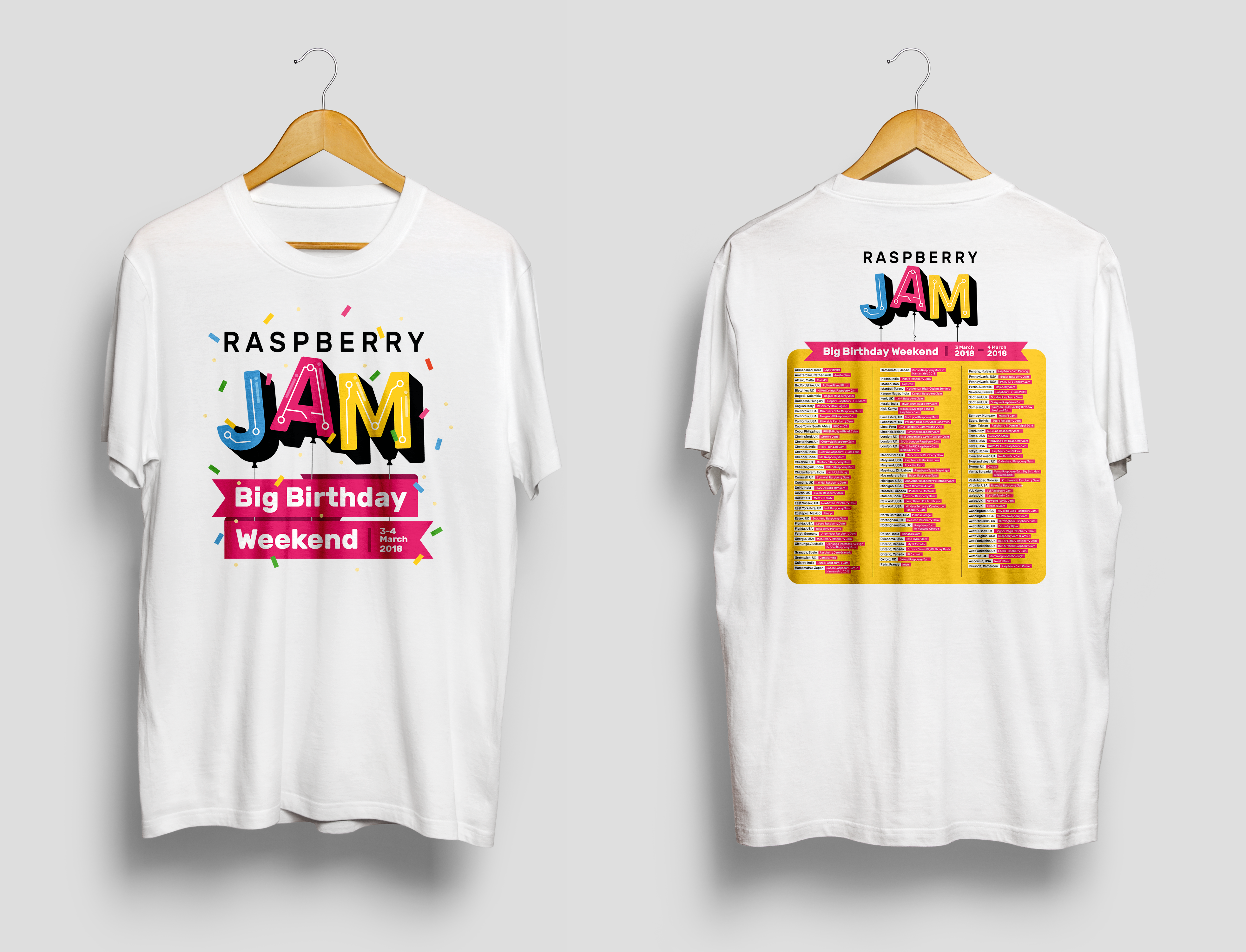
We had some special swag made especially for the birthday, including these T-shirts, which we’ve sent to Jam organisers:

Raspberry Jam Big Birthday Weekend 2018 T-shirt

There is also a poster with a list of participating Jams, which you can download:

Raspberry Jam Big Birthday Weekend 2018 list

Raspberry Jam photo booth

I created a Raspberry Jam photo booth that overlays photos with the Big Birthday Weekend logo and then tweets the picture from your Jam’s account — you’ll be seeing plenty of those if you follow the #PiParty hashtag on 3–4 March.

Check out the project on GitHub, and feel free to set up your own booth, or modify it to your own requirements. We’ve included text annotations in several languages, and more contributions are very welcome.

There’s still time…

If you can’t find a Jam near you, there’s still time to organise one for the Big Birthday Weekend. All you need to do is find a venue — a room in a school or library will do — and think about what you’d like to do at the event. Some Jams have Raspberry Pis set up for workshops and practical activities, some arrange tech talks, some put on show-and-tell — it’s up to you. To help you along, there’s the Raspberry Jam Guidebook full of advice and tips from Jam organisers.

Raspberry Pi on Twitter

The packed. And they packed. And they packed some more. Who’s expecting one of these #rjam kits for the Raspberry Jam Big Birthday Weekend?

Download the Raspberry Jam branding pack, and the special birthday branding pack, where you’ll find logos, graphical assets, flyer templates, worksheets, and more. When you’re ready to announce your event, create a webpage for it — you can use a site like Eventbrite or Meetup — and submit your Jam to us so it will appear on the Jam map!

We are six

We’re really looking forward to celebrating our birthday with thousands of people around the world. Over 48 hours, people of all ages will come together at more than 100 events to learn, share ideas, meet people, and make things during our Big Birthday Weekend.

Raspberry Jam Manchester

Since we released the first Raspberry Pi in 2012, we’ve sold 17 million of them. We’re also reaching almost 200000 children in 130 countries around the world through Code Club and CoderDojo, we’ve trained over 1500 Raspberry Pi Certified Educators, and we’ve sent code written by more than 6800 children into space. Our magazines are read by a quarter of a million people, and millions more use our free online learning resources. There’s plenty to celebrate and even more still to do: we really hope you’ll join us from a Jam near you on 3–4 March.

The post Big Birthday Weekend 2018: find a Jam near you! appeared first on Raspberry Pi.


Source: Raspberry Pi – Big Birthday Weekend 2018: find a Jam near you!

Astro Pi celebrates anniversary of ISS Columbus module

Right now, 400km above the Earth aboard the International Space Station, are two very special Raspberry Pi computers. They were launched into space on 6 December 2015 and are, most assuredly, the farthest-travelled Raspberry Pi computers in existence. Each year they run experiments that school students create in the European Astro Pi Challenge.

Raspberry Astro Pi units on the International Space Station

Left: Astro Pi Vis (Ed); right: Astro Pi IR (Izzy). Image credit: ESA.

The European Columbus module

Today marks the tenth anniversary of the launch of the European Columbus module. The Columbus module is the European Space Agency’s largest single contribution to the ISS, and it supports research in many scientific disciplines, from astrobiology and solar science to metallurgy and psychology. More than 225 experiments have been carried out inside it during the past decade. It’s also home to our Astro Pi computers.

Here’s a video from 7 February 2008, when Space Shuttle Atlantis went skywards carrying the Columbus module in its cargo bay.

STS-122 Launch NASA TV Coverage

From February 7th, 2008 NASA-TV Coverage of The 121st Space Shuttle Launch Launched At:2:45:30 P.M E.T – Coverage begins exactly one hour till launch STS-122 Crew:

Today, coincidentally, is also the deadline for the European Astro Pi Challenge: Mission Space Lab. Participating teams have until midnight tonight to submit their experiments.

Anniversary celebrations

At 16:30 GMT today there will be a live event on NASA TV for the Columbus module anniversary with NASA flight engineers Joe Acaba and Mark Vande Hei.

Our Astro Pi computers will be joining in the celebrations by displaying a digital birthday candle that the crew can blow out. It works by detecting an increase in humidity when someone blows on it. The video below demonstrates the concept.

AstroPi candle

Uploaded by Effi Edmonton on 2018-01-17.

Do try this at home

The exact Astro Pi code that will run on the ISS today is available for you to download and run on your own Raspberry Pi and Sense HAT. You’ll notice that the program includes code to make it stop automatically when the date changes to 8 February. This is just to save time for the ground control team.

If you have a Raspberry Pi and a Sense HAT, you can use the terminal commands below to download and run the code yourself:

wget http://rpf.io/colbday -O birthday.py
chmod +x birthday.py
./birthday.py

When you see a blank blue screen with the brightness increasing, the Sense HAT is measuring the baseline humidity. It does this every 15 minutes so it can recalibrate to take account of natural changes in background humidity. A humidity increase of 2% is needed to blow out the candle, so if the background humidity changes by more than 2% in 15 minutes, it’s possible to get a false positive. Press Ctrl + C to quit.

Please tweet pictures of your candles to @astro_pi – we might share yours! And if we’re lucky, we might catch a glimpse of the candle on the ISS during the NASA TV event at 16:30 GMT today.

The post Astro Pi celebrates anniversary of ISS Columbus module appeared first on Raspberry Pi.


Source: Raspberry Pi – Astro Pi celebrates anniversary of ISS Columbus module

Barbot 4: the bartending Grandfather clock

Meet Barbot 4, the drink-dispensing Grandfather clock who knows when it’s time to party.

Barbot 4. Grandfather Time (first video of cocktail robot)

The first introduction to my latest barbot – this time made inside a grandfather clock. There is another video where I explain a bit about how it works, and am happy to give more explanations. https://youtu.be/hdxV_KKH5MA This can make cocktails with up to 4 spirits, and 4 mixers, and is controlled by voice, keyboard input, or a gui, depending which is easiest.

Barbot 4

Robert Prest’s Barbot 4 is a beverage dispenser loaded into an old Grandfather clock. There’s space in the back for your favourite spirits and mixers, and a Raspberry Pi controls servo motors that release the required measures of your favourite cocktail ingredients, according to preset recipes.

Barbot 4 Raspberry Pi drink-dispensing robot

The clock can hold four mixers and four spirits, and a human supervisor records these using Drinkydoodad, a friendly touchscreen interface. With information about its available ingredients and a library of recipes, Barbot 4 can create your chosen drink. Patrons control the system either with voice commands or with the touchscreen UI.

Barbot 4 Raspberry Pi drink-dispensing robot

Robert has experimented with various components as this project has progressed. He has switched out peristaltic pumps in order to increase the flow of liquid, and adjusted the motors so that they can handle carbonated beverages. In the video, he highlights other quirks he hopes to address, like the fact that drinks tend to splash during pouring.

Barbot 4 Raspberry Pi drink-dispensing robot

As well as a Raspberry Pi, the build uses Arduinos. These control the light show, which can be adjusted according to your party-time lighting preferences.

An explanation of the build accompanies Robert’s second video. We’re hoping he’ll also release more details of Barbot 3, his suitcase-sized, portable Barbot, and of Doom Shot Bot, a bottle topper that pours a shot every time you die in the game DoomZ.

Automated bartending

Barbot 4 isn’t the first cocktail-dispensing Raspberry Pi bartender we’ve seen, though we have to admit that fitting it into a grandfather clock definitely makes it one of the quirkiest.

If you’ve built a similar project using a Raspberry Pi, we’d love to see it. Share your project in the comments, or tell us what drinks you’d ask Barbot to mix if you had your own at home.

The post Barbot 4: the bartending Grandfather clock appeared first on Raspberry Pi.


Source: Raspberry Pi – Barbot 4: the bartending Grandfather clock

Community Profile: Dr. Lucy Rogers

This column is from The MagPi issue 58. You can download a PDF of the full issue for free, or subscribe to receive the print edition through your letterbox or the digital edition on your tablet. All proceeds from the print and digital editions help the Raspberry Pi Foundation achieve our charitable goals.

Dr Lucy Rogers calls herself a Transformer. “I transform simple electronics into cool gadgets, I transform science into plain English, I transform problems into opportunities. I am also a catalyst. I am interested in everything around me, and can often see ways of putting two ideas from very different fields together into one package. If I cannot do this myself, I connect the people who can.”

Dr Lucy Rogers Raspberry Pi The MagPi Community Profile

Among many other projects, Dr Lucy Rogers currently focuses much of her attention on reducing the damage from space debris

It’s a pretty wide range of interests and skills for sure. But it only takes a brief look at Lucy’s résumé to realise that she means it. When she says she’s interested in everything around her, this interest reaches from electronics to engineering, wearable tech, space, robotics, and robotic dinosaurs. And she can be seen talking about all of these things across various companies’ social media, such as IBM, websites including the Women’s Engineering Society, and books, including her own.

Dr Lucy Rogers Raspberry Pi The MagPi Community Profile

With her bright LED boots, Lucy was one of the wonderful Pi community members invited to join us and HRH The Duke of York at St James’s Palace just over a year ago

When not attending conferences as guest speaker, tinkering with electronics, or creating engaging IoT tutorials, she can be found retrofitting Raspberry Pis into the aforementioned robotic dinosaurs at Blackgang Chine Land of Imagination, writing, and judging battling bots for the BBC’s Robot Wars.

Dr Lucy Rogers Raspberry Pi The MagPi Community Profile

First broadcast in the UK between 1998 and 2004, Robot Wars was revived in 2016 with a new look and new judges, including Dr Lucy Rogers. Competitors battle their home-brew robots, and Lucy, together with the other two judges, awards victories among the carnage of robotic remains

Lucy graduated from Lancaster University with a degree in Mechanical Engineering. After that, she spent seven years at Rolls-Royce Industrial Power Group as a graduate trainee before becoming a chartered engineer and earning her PhD in bubbles.

Bubbles?

“Foam formation in low‑expansion fire-fighting equipment. I investigated the equipment to determine how the bubbles were formed,” she explains. Obviously. Bubbles!

Dr Lucy Rogers Raspberry Pi The MagPi Community Profile

Lucy graduated from the Singularity University Graduate Studies Program in 2011, focusing on how robotics, nanotech, medicine, and various technologies can tackle the challenges facing the world

She then went on to become a fellow of the Royal Astronomical Society (RAS) in 2005 and, later, a fellow of both the Institution of Mechanical Engineers (IMechE) and British Interplanetary Society. As a member of the Association of British Science Writers, Lucy wrote It’s ONLY Rocket Science: an Introduction in Plain English.

Dr Lucy Rogers Raspberry Pi The MagPi Community Profile

In It’s Only Rocket Science: An Introduction in Plain English Lucy explains that ‘hard to understand’ isn’t the same as ‘impossible to understand’, and takes her readers through the journey of building a rocket, leaving Earth, and travelling the cosmos

As a standout member of the industry, and all-round fun person to be around, Lucy has quickly established herself as a valued member of the Pi community.

In 2014, with the help of Neil Ford and Andy Stanford-Clark, Lucy worked with the UK’s oldest amusement park, Blackgang Chine Land of Imagination, on the Isle of Wight, with the aim of updating its animatronic dinosaurs. The original Blackgang Chine dinosaurs had a limited range of behaviour: able to roar, move their heads, and stomp a foot in a somewhat repetitive action.

When she contacted Raspberry Pi back in the November of that same year, the team were working on more creative, varied behaviours, giving each dinosaur a new Raspberry Pi-sized brain. This later evolved into a very successful dino-hacking Raspberry Jam.

Dr Lucy Rogers Raspberry Pi The MagPi Community Profile

Lucy, Neil Ford, and Andy Stanford-Clark used several Raspberry Pis and Node-RED to visualise flows of events when updating the robotic dinosaurs at Blackgang Chine. They went on to create the successful WightPi Raspberry Jam event, where visitors could join in with the unique hacking opportunity.

Given her love for tinkering with tech, and a love for stand-up comedy that can be uncovered via a quick YouTube search, it’s no wonder that Lucy was asked to help judge the first round of the ‘Make us laugh’ Pioneers challenge for Raspberry Pi. Alongside comedian Bec Hill, Code Club UK director Maria Quevedo, and the face of the first challenge, Owen Daughtery, Lucy lent her expertise to help name winners in the various categories of the teens event, and offered her support to future Pioneers.

The post Community Profile: Dr. Lucy Rogers appeared first on Raspberry Pi.


Source: Raspberry Pi – Community Profile: Dr. Lucy Rogers

Four days of STEAM at Bett 2018

If you’re an educator from the UK, chances are you’ve heard of Bett. For everyone else: Bett stands for British Education Technology Tradeshow. It’s the El Dorado of edtech, where every street is adorned with interactive whiteboards, VR headsets, and new technologies for the classroom. Every year since 2014, the Raspberry Pi Foundation has been going to the event hosted in the ExCeL London to chat to thousands of lovely educators about our free programmes and resources.

Raspberry Pi Bett 2018

On a mission

Our setup this year consisted of four pods (imagine tables on steroids) in the STEAM village, and the mission of our highly trained team of education agents was to establish a new world record for Highest number of teachers talked to in a four-day period. I’m only half-joking.

Bett 2018 Raspberry Pi

Educators with a mission

Meeting educators

The best thing about being at Bett is meeting the educators who use our free content and training materials. It’s easy to get wrapped up in the everyday tasks of the office without stopping to ask: “Hey, have we asked our users what they want recently?” Events like Bett help us to connect with our audience, creating some lovely moments for both sides. We had plenty of Hello World authors visit us, including Gary Stager, co-author of Invent to Learn, a must-read for any computing educator. More than 700 people signed up for a digital subscription, we had numerous lovely conversations about our content and about ideas for new articles, and we met many new authors expressing an interest in writing for us in the future.

BETT 2018 Hello World Raspberry Pi

We also talked to lots of Raspberry Pi Certified Educators who we’d trained in our free Picademy programme — new dates in Belfast and Dublin now! — and who are now doing exciting and innovative things in their local areas. For example, Chris Snowden came to tell us about the great digital making outreach work he has been doing with the Eureka! museum in Yorkshire.

Bett 2018 Raspberry Pi

Raspberry Pi Certified Educator Chris Snowden

Digital making for kids

The other best thing about being at Bett is running workshops for young learners and seeing the delight on their faces when they accomplish something they believed to be impossible only five minutes ago. On the Saturday, we ran a massive Raspberry Jam/Code Club where over 250 children, parents, and curious onlookers got stuck into some of our computing activities. We were super happy to find out that we’d won the Bett Kids’ Choice Award for Best Hands-on Experience — a fantastic end to a busy four days. With Bett over for another year, our tired and happy ‘rebel alliance’ from across the Foundation still had the energy to pose for a group photo.

Bett 2018 Raspberry Pi

Celebrating our ‘Best Hands-on Experience’ award

More events

You can find out more about starting a Code Club here, and if you’re running a Jam, why not get involved with our global Raspberry Jam Big Birthday Weekend celebrations in March?

Raspberry Pi Big Birthday Weekend 2018. GIF with confetti and bopping JAM balloons

We’ll be at quite a few events in 2018, including the Big Bang Fair in March — do come and say hi.

The post Four days of STEAM at Bett 2018 appeared first on Raspberry Pi.


Source: Raspberry Pi – Four days of STEAM at Bett 2018

2018 Picademy dates in the United States

Cue the lights! Cue the music! Picademy is back for another year stateside. We’re excited to bring our free computer science and digital making professional development program for educators to four new cities this summer — you can apply right now.

Picademy USA Denver Raspberry Pi
Picademy USA Seattle Raspberry Pi
Picademy USA Jersey City Raspberry Pi
Raspberry Pi Picademy USA Atlanta

We’re thrilled to kick off our 2018 season! Before we get started, let’s take a look back at our community’s accomplishments in the 2017 Picademy North America season.

Picademy 2017 highlights

Last year, we partnered with four awesome venues to host eight Picademy events in the United States. At every event across the country, we met incredibly talented educators passionate about bringing digital making to their learners. Whether it was at Ann Arbor District Library’s makerspace, UC Irvine’s College of Engineering, or a creative community center in Boise, Idaho, we were truly inspired by all our Picademy attendees and were thrilled to welcome them to the Raspberry Pi Certified Educator community.

JWU Hosts Picademy

JWU Providence’s College of Engineering & Design recently partnered with the Raspberry Pi Foundation to host Picademy, a free training session designed to give educators the tools to teach computer skills with confidence and creativity. | http://www.jwu.edu

The 2017 Picademy cohorts were a diverse bunch with a lot of experience in their field. We welcomed more than 300 educators from 32 U.S. states and 10 countries. They were a mix of high school, middle school, and elementary classroom teachers, librarians, museum staff, university lecturers, and teacher trainers. More than half of our attendees were teaching computer science or technology already, and over 90% were specifically interested in incorporating physical computing into their work.

Picademy has a strong and lasting impact on educators. Over 80% of graduates said they felt confident using Raspberry Pi after attending, and 88% said they were now interested in leading a digital making event in their community. To showcase two wonderful examples of this success: Chantel Mason led a Raspberry Pi workshop for families and educators in her community in St. Louis, Missouri this fall, and Dean Palmer led a digital making station at the Computer Science for Rhode Island Summit in December.

Picademy 2018 dates

This year, we’re partnering with four new venues to host our Picademy season.


We’ll be at mindSpark Learning in Denver the first week in June, at Liberty Science Center in Jersey City later that month, at Georgia Tech University in Atlanta in mid-July, and finally at the Living Computer Museum in Seattle the first week in August.


A big thank you to each of these venues for hosting us and supporting our free educator professional development program!

Ready to join us for Picademy 2018? Learn more and apply now: rpf.io/picademy2018.

The post 2018 Picademy dates in the United States appeared first on Raspberry Pi.


Source: Raspberry Pi – 2018 Picademy dates in the United States

Astro Pi Mission Zero: your code is in space

Every school year, we run the European Astro Pi challenge to find the next generation of space scientists who will program two space-hardened Raspberry Pi units, called Astro Pis, living aboard the International Space Station.

Italian ESA Astronaut Paolo Nespoli with the Astro Pi units. Image credit ESA.

Astro Pi Mission Zero

The 2017–2018 challenge included the brand-new non-competitive Mission Zero, which guaranteed that participants could have their code run on the ISS for 30 seconds, provided they followed the rules. They would also get a certificate showing the exact time period during which their code ran in space.

Astro Pi Mission Zero logo

We asked participants to write a simple Python program to display a personalised message and the air temperature on the Astro Pi screen. No special hardware was needed, since all the code could be written in a web browser using the Sense HAT emulator developed in partnership with Trinket.

Scott McKenzie on Twitter

Students coding #astropi emulator to scroll a message to astronauts on @Raspberry_Pi in space this summer. Try it here: https://t.co/0KURq11X0L #Rm9Parents #CSforAll #ontariocodes

And now it’s time…

We received over 2500 entries for Mission Zero, and we’re excited to announce that tomorrow all entries with flight status will be run on the ISS…in SPAAACE!

There are 1771 Python programs with flight status, which will run back-to-back on Astro Pi VIS (Ed). The whole process will take about 14 hours. This means that everyone will get a timestamp showing the 1 February, so we’re going to call this day Mission Zero Day!

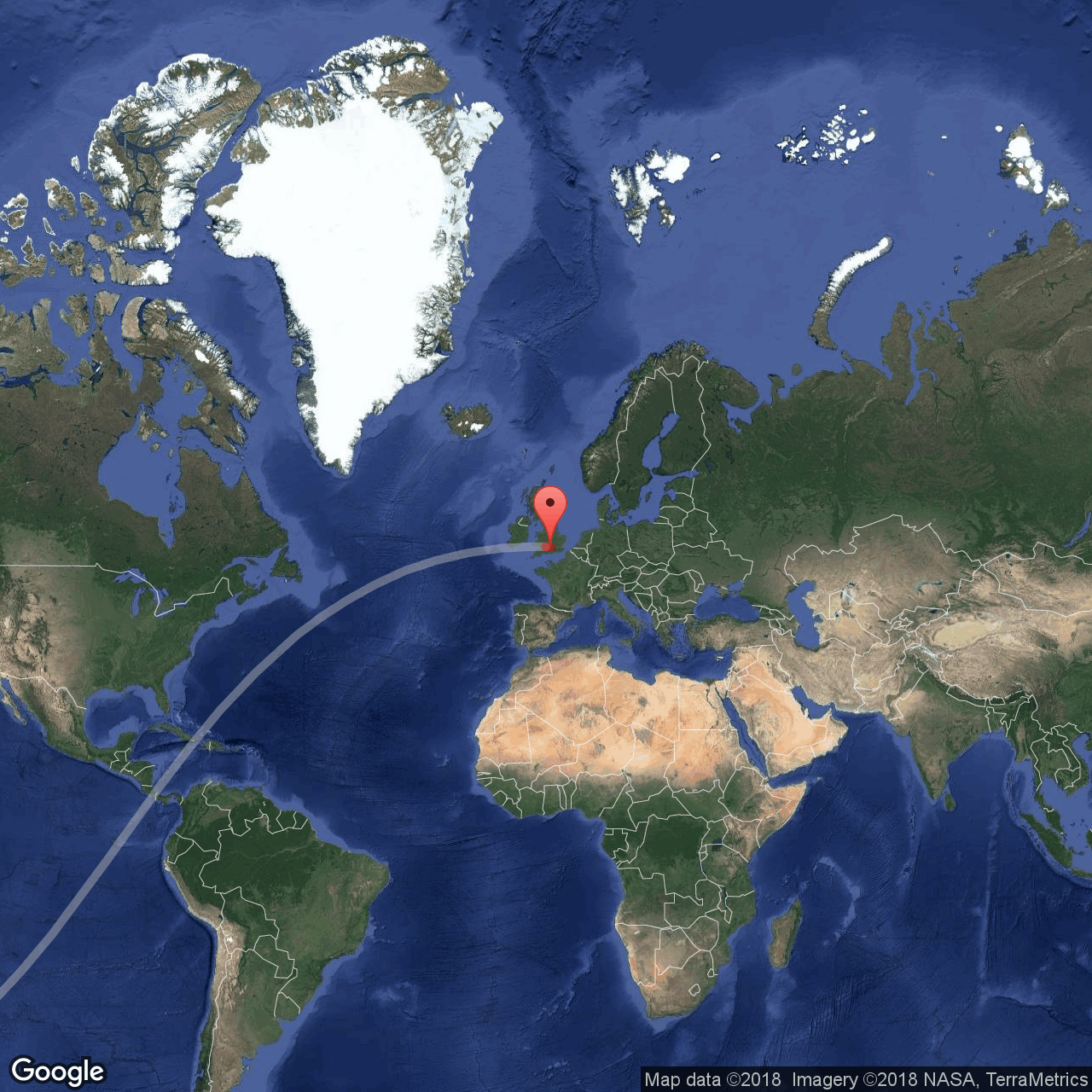
Part of each team’s certificate will be a map, like the one below, showing the exact location of the ISS while the team’s code was running.

The grey line is the ISS orbital path, the red marker shows the ISS’s location when their code was running. Produced using Google Static Maps API.

The programs will be run in the same sequence in which we received them. For operational reasons, we can’t guarantee that they will run while the ISS flies over any particular location. However, if you have submitted an entry to Mission Zero, there is a chance that your code will run while the ISS is right overhead!

Go out and spot the station

Spotting the ISS is a great activity to do by yourself or with your students. The station looks like a very fast-moving star that crosses the sky in just a few minutes. If you know when and where to look, and it’s not cloudy, you literally can’t miss it.

Source Andreas Möller, Wikimedia Commons.

The ISS passes over most ground locations about twice a day. For it to be clearly visible though, you need darkness on the ground with sunlight on the ISS due to its altitude. There are a number of websites which can tell you when these visible passes occur, such as NASA’s Spot the Station. Each of the sites requires you to give your location so it can work out when visible passes will occur near you.

Visible ISS pass star chart from Heavens Above, on which familiar constellations such as the Plough (see label Ursa Major) can be seen.

A personal favourite of mine is Heavens Above. It’s slightly more fiddly to use than other sites, but it produces brilliant star charts that show you precisely where to look in the sky. This is how it works:

  1. Go to www.heavens-above.com
  2. To set your location, click on Unspecified in the top right-hand corner
  3. Enter your location (e.g. Cambridge, United Kingdom) into the text box and click Search
  4. The map should change to the correct location — scroll down and click Update
  5. You’ll be taken back to the homepage, but with your location showing at the top right
  6. Click on ISS in the Satellites section
  7. A table of dates will now show, which are the upcoming visible passes for your location
  8. Click on a row to view the star chart for that pass — the line is the path of the ISS, and the arrow shows direction of travel
  9. Be outside in cloudless weather at the start time, look towards the direction where the line begins, and hope the skies stay clear

If you go out and do this, then tweet some pictures to @raspberry_pi, @astro_pi, and @esa. Good luck!

More Astro Pi

Mission Zero certificates will be arriving in participants’ inboxes shortly. We would like to thank everyone who participated in Mission Zero this school year, and we hope that next time you’ll take it one step further and try Mission Space Lab.

Mission Zero and Mission Space Lab are two really exciting programmes that young people of all ages can take part in. If you would like to be notified when the next round of Astro Pi opens for registrations, sign up to our mailing list here.

The post Astro Pi Mission Zero: your code is in space appeared first on Raspberry Pi.


Source: Raspberry Pi – Astro Pi Mission Zero: your code is in space

Raspberry Crusoe: how a Pi got lost at sea

The tale of the little HAB that could and its three-month journey from Portslade Aldridge Community Academy in the UK to the coast of Denmark.

PACA Computing on Twitter

Where did it land ???? #skypaca #skycademy @pacauk #RaspberryPi

High-altitude ballooning

Some of you may be familiar with Raspberry Pi being used as the flight computer, or tracker, of high-altitude balloon (HAB) payloads. For those who aren’t, high-altitude ballooning is a relatively simple activity (at least in principle) where a tracker is attached to a large weather balloon which is then released into the atmosphere. While the HAB ascends, the tracker takes pictures and data readings the whole time. Eventually (around 30km up) the balloon bursts, leaving the payload free to descend and be recovered. For a better explanation, I’m handing over to the students of UTC Oxfordshire:

Pi in the Sky | UTC Oxfordshire

On Tuesday 2nd May, students launched a Raspberry Pi computer 35,000 metres into the stratosphere as part of an Employer-Led project at UTC Oxfordshire, set by the Raspberry Pi Foundation. The project involved engineering, scientific and communication/publicity skills being developed to create the payload and code to interpret experiments set by the science team.

Skycademy

Over the past few years, we’ve seen schools and their students explore the possibilities that high-altitude ballooning offers, and back in 2015 and 2016 we ran Skycademy. The programme was simple enough: get a bunch of educators together in the same space, show them how to launch a balloon flight, and then send them back to their students to try and repeat what they’ve learned. Since the first Skycademy event, a number of participants have carried out launches, and we are extremely proud of each and every one of them.

The case of the vanishing PACA HAB

Not every launch has been a 100% success though. There are many things that can and do go wrong during HAB flights, and watching each launch from the comfort of our office can be a nerve-racking experience. We had such an experience back in July 2017, during the launch performed by Skycademy graduate and Raspberry Pi Certified Educator Dave Hartley and his students from Portslade Aldridge Community Academy (PACA).

Dave and his team had been working on their payload for some time, and were awaiting suitable weather conditions. Early one Wednesday in July, everything aligned: they had a narrow window of good weather and so set their launch plan in motion. Soon they had assembled the payload in the school grounds and all was ready for the launch.

Dave Hartley on Twitter

Launch day! @pacauk #skycademy #skypaca #raspberrypi

Just before 11:00, they’d completed their final checks and released their payload into the atmosphere. Over the course of 64 minutes, the HAB steadily rose to an altitude of 25647m, where it captured some amazing pictures before the balloon burst and a rapid descent began.

Portslade Aldridge Community Academy Skycademy Raspberry Pi

Soon after the payload began to descend, the team noticed something worrying: their predicted descent path took the payload dangerously far south — it was threatening to land in the sea. As the payload continued to lose altitude, their calculated results kept shifting, alternately predicting a landing on the ground or out to sea. Eventually it became clear that the payload would narrowly overshoot the land, and it finally landed about 2 km out to sea.

Portslade Aldridge Community Academy Skycademy Raspberry Pi High Altitude Ballooning

The path of the balloon

It’s not uncommon for a HAB payload to get lost. There are many ways this can happen, particularly in a narrow country with a prevailing easterly wind such as the UK. Payloads can get lost at sea, land somewhere inaccessible, or simply run out of power before they are located and retrieved. So normally, this would be the end of the story for the PACA students — even if the team had had a speedboat to hand, their payload was surely lost for good.

A message from Denmark

However, this is not the end of our story! A couple of months later, I arrived at work and saw this tweet from a colleague:

Raspberry Pi on Twitter

Anyone lost a Raspberry Pi HAB? Someone found this one on a beach in south western Denmark yesterday #UKHAS https://t.co/7lBzFiemgr

Good Samaritan Henning Hansen had found a Raspberry Pi washed up on a remote beach in Denmark! While walking a stretch of coast to collect plastic debris for an environmental monitoring project, he came across something unusual near the shore at 55°04’53.0″N and 8°38’46.9″E.

This of course piqued my interest, and we began to investigate the image he had shared on Facebook.

Portslade Aldridge Community Academy Skycademy Raspberry Pi High Altitude Ballooning

Inspecting the photo closely, we noticed a small asset label — the kind of label that, over a year earlier, we’d stuck to each and every bit of Skycademy field kit. We excitedly claimed the kit on behalf of Dave and his students, and contacted Henning to arrange the recovery of the payload. He told us it must have been carried ashore with the tide some time between 21 and 27 September, and probably on 21 September, since that day had the highest tide over the period. This meant the payload must have spent over two months at sea!

From the photo we could tell that the Raspberry Pi had suffered significant corrosion, having been exposed to salt water for so long, and so we felt pessimistic about the chances that there would be any recoverable data on it. However, Henning said that he’d been able to read some files from the FAT partition of the SD card, so all hope was not lost!

After a few weeks and a number of complications around dispatch and delivery (thank you, Henning, for your infinite patience!), Helen collected the HAB from a local Post Office.

Portslade Aldridge Community Academy Skycademy Raspberry Pi High Altitude Ballooning

SUCCESS!

We set about trying to read the data from the SD card, and eventually became disheartened: despite several attempts, we were unable to read its contents.

In a last-ditch effort, we gave the SD card to Jonathan, one of our engineers, who initially laughed at the prospect of recovering any data from it. But ten minutes later, he returned with news of success!

Portslade Aldridge Community Academy Skycademy Raspberry Pi

Since then, we’ve been able to reunite the payload with the PACA launch team, and the students sent us the perfect message to end this story:

Portslade Aldridge Community Academy Skycademy Raspberry Pi High Altitude Ballooning

The post Raspberry Crusoe: how a Pi got lost at sea appeared first on Raspberry Pi.


Source: Raspberry Pi – Raspberry Crusoe: how a Pi got lost at sea

2017 Weather Station round-up

As we head into 2018 and start looking forward to longer days in the Northern hemisphere, I thought I’d take a look back at last year’s weather using data from Raspberry Pi Oracle Weather Stations. One of the great things about the kit is that as well as uploading all its readings to the shared online Oracle database, it stores them locally on the Pi in a MySQL or MariaDB database. This means you can use the power of SQL queries coupled with Python code to do automatic data analysis.

Soggy Surrey

My Weather Station has only been installed since May, so I didn’t have a full 52 weeks of my own data to investigate. Still, my station recorded more than 70000 measurements. Living in England, the first thing I wanted to know was: which was the wettest month? Unsurprisingly, both in terms of average daily rainfall and total rainfall, the start of the summer period — exactly when I went on a staycation — was the soggiest:

What about the global Weather Station community?

Even soggier Bavaria

Here things get slightly trickier. Although we have a shiny Oracle database full of all participating schools’ sensor readings, some of the data needs careful interpretation. Many kits are used as part of the school curriculum and do not always record genuine outdoor conditions. Nevertheless, it appears that Adalbert Stifter Gymnasium in Bavaria, Germany, had an even wetter 2017 than my home did:

View larger map

Where the wind blows

The records Robert-Dannemann Schule in Westerstede, Germany, is a good example of data which was most likely collected while testing and investigating the weather station sensors, rather than in genuine external conditions. Unless this school’s Weather Station was transported to a planet which suffers from extreme hurricanes, it wasn’t actually subjected to wind speeds above 1000km/h in November. Dismissing these and all similarly suspect records, I decided to award the ‘Windiest location of the year’ prize to CEIP Noalla-Telleiro, Spain.


View larger map

This school is right on the coast, and is subject to some strong and squally weather systems.

Weather Station at CEIP Noalla - Telleiro

Weather Station at CEIP Noalla-Telleiro

They’ve mounted their wind vane and anemometer nice and high, so I can see how they were able to record such high wind velocities.

A couple of Weather Stations have recently been commissioned in equally exposed places — it will be interesting to see whether they will record even higher speeds during 2018.

Highs and lows

After careful analysis and a few disqualifications (a couple of Weather Stations in contention for this category were housed indoors), the ‘Hottest location’ award went to High School of Chalastra in Thessaloniki, Greece. There were a couple of Weather Stations (the one at The Marwadi Education Foundation in India, for example) that reported higher average temperatures than Chalastra’s 24.54 ºC. However, they had uploaded far fewer readings and their data coverage of 2017 was only partial.


View larger map

At the other end of the thermometer, the location with the coldest average temperature is École de la Rose Sauvage in Calgary, Canada, with a very chilly 9.9 ºC.

Ecole de la Rose sauvage Weather Station

Weather Station at École de la Rose Sauvage

I suspect this school has a good chance of retaining the title: their lowest 2017 temperature of -24 ºC is likely to be beaten in 2018 due to extreme weather currently bringing a freezing start to the year in that part of the world.


View larger map

Analyse your own Weather Station data

If you have an Oracle Raspberry Pi Weather Station and would like to perform an annual review of your local data, you can use this Python script as a starting point. It will display a monthly summary of the temperature and rainfall for 2017, and you should be able to customise the code to focus on other sensor data or on a particular time of year. We’d love to see your results, so please share your findings with weather@raspberrypi.org, and we’ll send you some limited-edition Weather Station stickers.

The post 2017 Weather Station round-up appeared first on Raspberry Pi.


Source: Raspberry Pi – 2017 Weather Station round-up

MagPi 66: Raspberry Pi media projects for your home

Hey folks, Rob from The MagPi here! Issue 66 of The MagPi is out right now, with the ultimate guide to powering your home media with Raspberry Pi. We think the Pi is the perfect replacement or upgrade for many media devices, so in this issue we show you how to build a range of Raspberry Pi media projects.

MagPi 66

Yes, it does say Pac-Man robotics on the cover. They’re very cool.

The article covers file servers for sharing media across your network, music streaming boxes that connect to Spotify, a home theatre PC to make your TV-watching more relaxing, a futuristic Pi-powered moving photoframe, and even an Alexa voice assistant to control all these devices!

More to see

That’s not all though — The MagPi 66 also shows you how to build a Raspberry Pi cluster computer, how to control LEGO robots using the GPIO, and why your Raspberry Pi isn’t affected by Spectre and Meltdown.


In addition, you’ll also find our usual selection of product reviews and excellent project showcases.

Get The MagPi 66

Issue 66 is available today from WHSmith, Tesco, Sainsbury’s, and Asda. If you live in the US, head over to your local Barnes & Noble or Micro Center in the next few days. You can also get the new issue online from our store, or digitally via our Android and iOS apps. And don’t forget, there’s always the free PDF as well.

Subscribe for free goodies

Want to support the Raspberry Pi Foundation and the magazine, and get some cool free stuff? If you take out a twelve-month print subscription to The MagPi, you’ll get a Pi Zero W, Pi Zero case, and adapter cables absolutely free! This offer does not currently have an end date.

I hope you enjoy this issue! See you next month.

The post MagPi 66: Raspberry Pi media projects for your home appeared first on Raspberry Pi.


Source: Raspberry Pi – MagPi 66: Raspberry Pi media projects for your home