Pi-powered pie-consumption pie chart

Mike MacHenry built a project that’s pure pi(e) for Pi Day. Introducing: the Pie Pie Chart (powered by Pi).

This is a simple little project, the sole purpose of which is to make a pie that outputs visual data to tell you how much of it’s been eaten. Which it does admirably, as you can see in the image above.

Mike’s made the code and instructions available under the MIT licence, so I’m just going to paste his text here, because it’s perfect and we can’t improve on it. (You can check it all out on his GitHub too if you like.) Thanks, Mike!

Materials needed

  • 2 cups all-purpose flour
  • Load Cell — 5kg
  • 1 tablespoon sugar
  • Load Cell Amplifier — HX711
  • 1/2 teaspoon salt
  • Raspberry Pi 3 Model B+
  • 3/4 cup shortening
  • 11.1″ LCD Screen
  • 1 egg, lightly beaten
  • 8GB microSD card
  • 5 cups fresh or frozen unsweetened raspberries, thawed
  • Tiny breadboard
  • 1 tablespoon white vinegar
  • Hookup wires
  • 1-1/3 cups sugar
  • Two 8″ × 8″ × 1/8″ pieces of wood or plastic
  • 2 tablespoons quick-cooking tapioca
  • Two 4M × 10mm screws
  • 2 tablespoons cornstarch
  • 1 tablespoon butter
  • Two 5M × 10mm screws
  • 1 tablespoon sugar
  • Two 4M spacers
  • 1 tablespoon 2% milk
  • Two 5M spacers
  • 3 tablespoons cold water

  1. the instructions on their website. This project has been tested on version 2018-11-13-raspbian-stretch-full, but most any version should work.
  2. Combine the egg, water and vinegar; stir into flour mixture just until moistened.
  3. Drill holes in each 8″x8″ sheet to support load cell.
  4. Divide dough so that one ball is slightly larger than the other; wrap each in plastic wrap.
  5. Secure load cell between sheets separated by spacers.
  6. Refrigerate (dough, not load cell) for 30 minutes or until easy to handle.
  7. Use the breadboard and wires to connect the HX711 load cell to the Raspberry Pi. Follow this tutorial and test to make sure you’re getting a reading using their example script.
  8. Meanwhile, in another large bowl, combine the sugar, tapioca, cornstarch and raspberries; let stand for 15 minutes.
  9. Download this repository to the Raspberry Pi. git clone https://github.com/mmachenry/pie-pie-chart.git
  10. On a lightly floured surface, roll out larger ball of dough to fit a 9″ pie plate. Transfer dough to pie plate; trim even with edge. Add raspberry filling; dot with butter.
  11. Change working directory to the project code. cd pie-pie-chart/
  12. Roll out remaining dough to fit top of pie; place over filling. Trim, seal, and flute edges. Cut slits in top. Brush with milk; sprinkle with sugar.
  13. Install dependencies. pip3 install -r requirements.txt
  14. Bake at 350° for 50-55 minutes or until crust is golden brown and filling is bubbly. Cool on a wire rack.
  15. Run script and place pie on scale when prompted. python3 pie_pie_chart.py

The post Pi-powered pie-consumption pie chart appeared first on Raspberry Pi.


Source: Raspberry Pi – Pi-powered pie-consumption pie chart

Yoga training with YogAI and a Raspberry Pi smart mirror | The MagPi issue 80

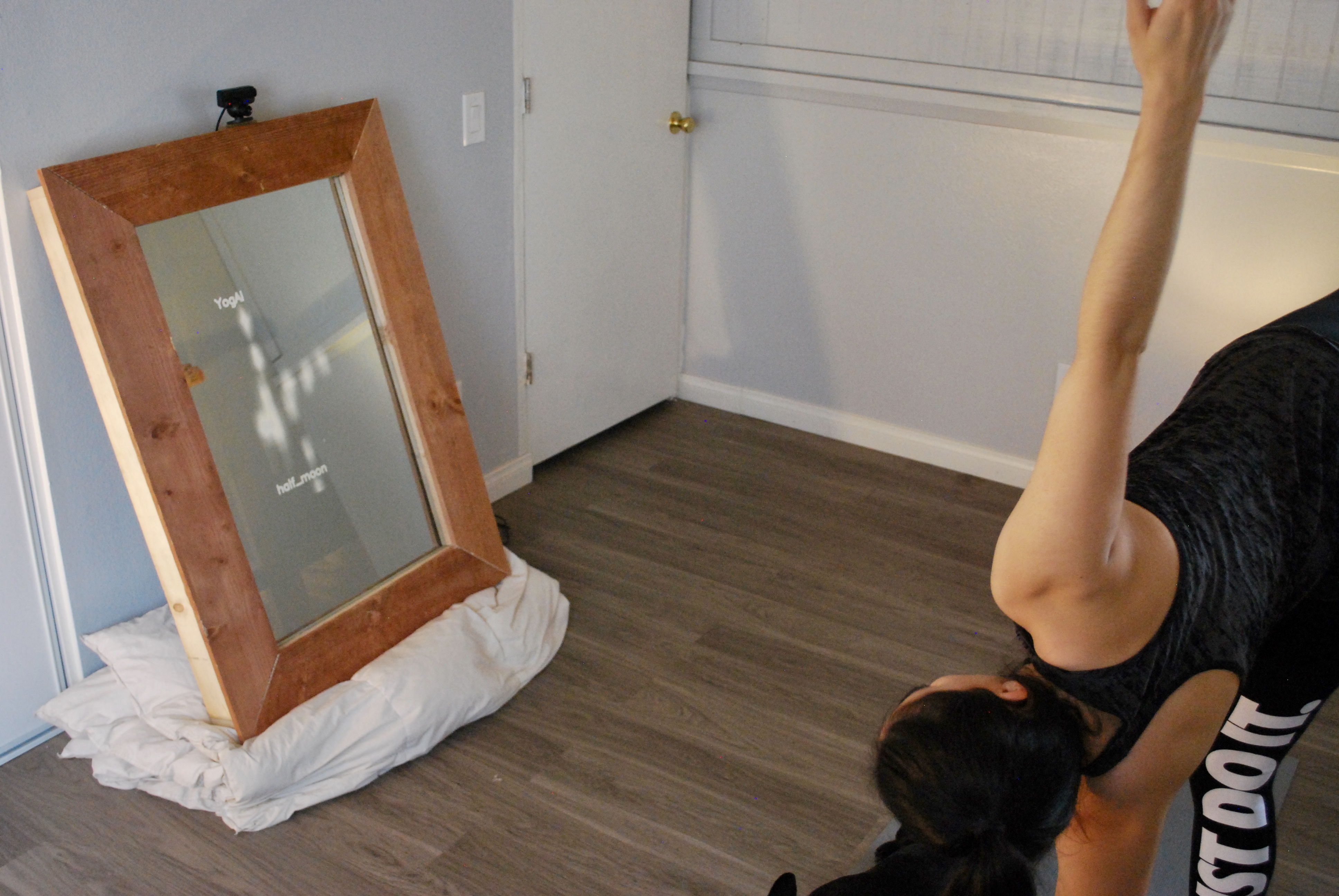
Running on a smart mirror, YogAI uses a database of postures, image recognition software, and the magic of mirrors to not only show users their current posture but to also teach them how to correct their posture to reach peak yogi-ness. Here’s Rob Zwetsloot from The MagPi magazine with more.

yogai

We’ve seen many ‘magic mirror’ projects over the past few years, featuring a TV screen behind the glass to show useful information, but YogAI takes the concept to a whole new level by providing an AI personal trainer to guide and correct your yoga positions.

Self-confessed fitness nuts Salma Mayorquin and Terry Rodriguez thought that having a personal trainer could be a way to keep track of their fitness progress, so why not try to make a virtual one? “With [deep learning] models like pose estimation, we figured there was a way we could make a program that could track how we were exercising and started experimenting from there,” says Terry.

“YogAI guides users through a flow of yoga poses, offering generally helpful advice when the camera senses a user not in the correct pose,” explains Salma. “At the heart, YogAI uses pose estimation to find reference key points on the body. This is used to understand and classify common yoga poses.”

Users interact with YogAI through both visual feedback via the mirror display, and a voice interface — using the Snips AIR voice assistant — which enables the user to give spoken commands to start, stop, pause, and restart a yoga session. YogAI also talks back through the Flite voice synthesiser to guide the yogi to achieve the correct poses.

While a prototype magic mirror only took the experienced makers a week to build, training the AI to recognise yoga poses in real time was a trickier task. “We need our computer vision models to run quickly so that we have enough resolution in time to identify the move,” reveals Terry.

Strike a pose

A Raspberry Pi 3 interprets the camera images in real time, detecting key body points to display the pose on the mirror and classify it using a deep-learning model trained with a dataset of around 35000 samples.

However, the pair found that the Pi could only run image inference at one frame every 4–5 seconds, resulting in lag. A workaround was soon found: “Shrinking our pose estimation models down using TensorFlow Lite, we were able to bring our frame rate from 0.2 fps to 2.5 fps,” says Salma. “For faster inference, we will look for ways to reduce the model further. We also believe upgrading to the Raspberry Pi Compute Module 3 will increase the performance significantly.”


“Overall, the accuracy across a dozen common poses is roughly 80%,” divulges Terry. “Not surprisingly, we find similar pose variants, e.g. warrior poses, can be a source of confusion. When the head/face is blocked, the pose estimates degrade, which impacts our classification of poses like downward dog.”

More intense exercise

As well as using the system for yoga, Salma and Terry are planning to adapt YogAI to monitor more energetic workouts. “We’re interested in strength training, and others have suggested dance and karate katas,” says Terry. “We think YogAI is well-positioned to perform more general health and personal wellness tasks.”

“We want to integrate with popular health wearables,” adds Salma. “A smart watch with an accelerometer and heart rate monitor can introduce a lot of important context to bring YogAI closer to our vision for a smart mirror yoga instructor and toward a personal wellness platform.”

More from The MagPi magazine

The MagPi magazine issue 80 is out today. Buy your copy now from the Raspberry Pi Press store, major newsagents in the UK, or Barnes & Noble, Fry’s, or Micro Center in the US. Or, download your free PDF copy from The MagPi magazine website.

Subscribe now

Subscribe to The MagPi magazine on a monthly, quarterly, or twelve-month basis to save money against newsstand prices!

Twelve-month print subscribers get a free Raspberry Pi 3A+, the perfect Raspberry Pi to try your hand at some of the latest projects covered in The MagPi magazine.

The post Yoga training with YogAI and a Raspberry Pi smart mirror | The MagPi issue 80 appeared first on Raspberry Pi.


Source: Raspberry Pi – Yoga training with YogAI and a Raspberry Pi smart mirror | The MagPi issue 80

Door Pi Plus — door security system for the elderly

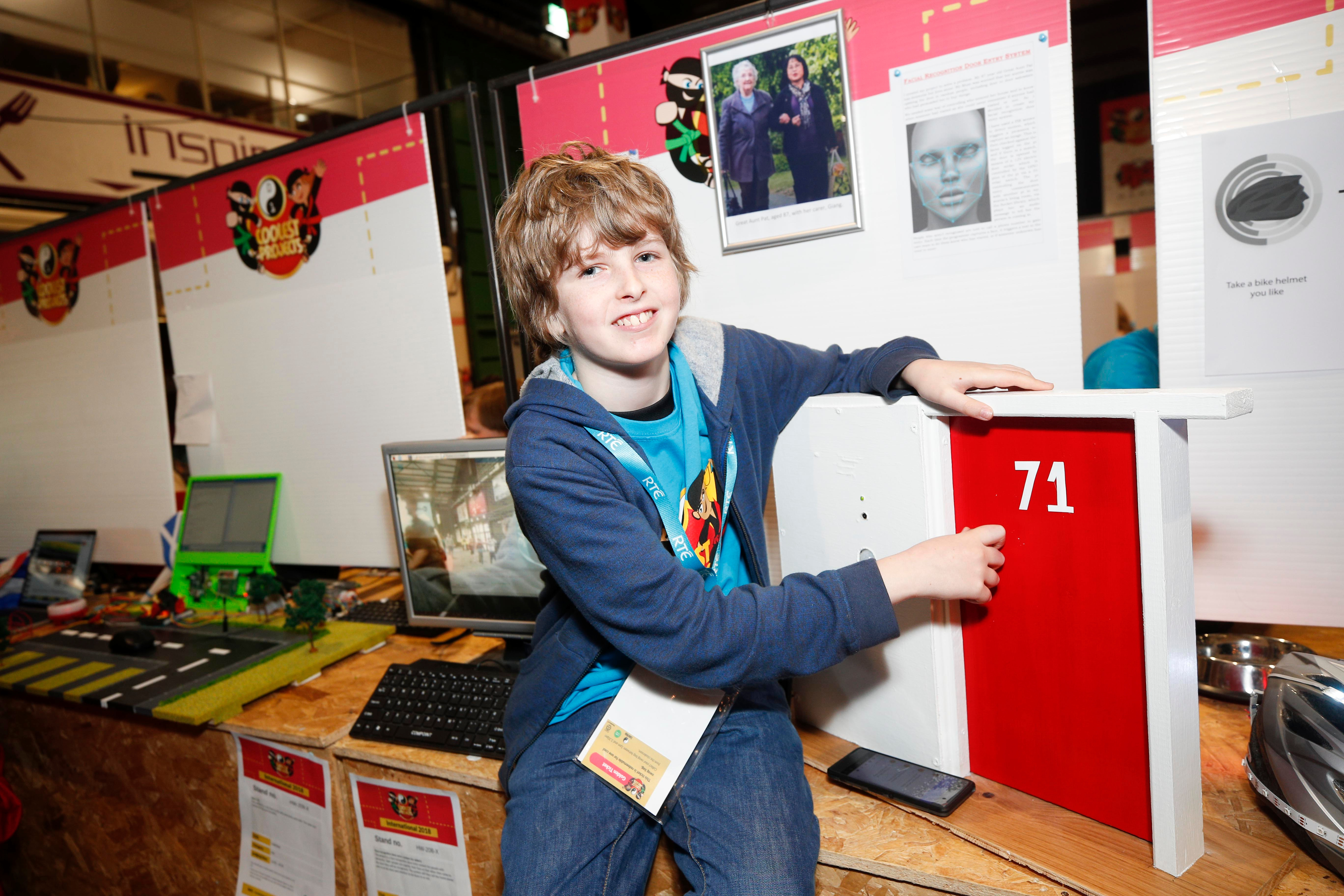
13-year-old Freddie from Monmouthshire has gained national attention for his incredible award-winning invention Door Pi Plus.

Freddie – Door Plus Pi

No Description

Door security system

Freddie spent more than twelve months building a door security system for the elderly, inspired by the desire to help his great-aunt feel more secure at home.

The invention keeps the door locked until the camera recognises a face of a family member and makes it possible to open the lock. Freddie used a Raspberry Pi to enable facial recognition technology in his impressive project.

“I’ve been building this project on and off for a year now,” says Freddie. “I started coding at my primary school Code Club, but now I mainly code at home.”

Coolest Projects UK

Freddie took part in this year’s Coolest Projects UK, entering the Hardware category of the world-leading showcase for young innovators who make stuff with technology.

Mark Feltham on Twitter

The amazing Freddie explaing his security system for dementia sufferers at #coolestprojects @Raspberry_Pi facial recognition, PIR and RFID hooked up to lock through relays, coded in #python. He’s 13… #blownaway

Martin O’Hanlon of the Raspberry Pi Foundation, and a judge at Coolest Projects UK, commented “I was blown away by the Door Pi Plus. The motivation to create something which would help others was clear, but the technical aspects of the project also really stood out, integrating lots of different technologies and making skills.

“The project used multiple Raspberry Pis to control an RFID reader, electronic door lock mechanism, cameras, motion sensors, and audio playback. The whole system sent messages to Freddie to ensure that his great-aunt would be safe and that she could get help if she needed it.“

Freddie won his Coolest Projects category to much acclaim, and went on to win the award for Junior Engineer of the Year at the Big Bang Fair and the Siemens Digital Skills Award!

Inspired by his experience making, he is now encouraging other young people to learn to code and start to make their own creations.

“Coding is cool because you can invent cool things to help you and other people around you. I do think more kids should code because lots of the job in the future are probably going to involved coding.”

Coolest Projects International

Freddie will participate in Coolest Projects International next, for which he won a special bursary as part of his award for winning the UK event’s Hardware category.

Not one to shy away from a challenge, Freddie decided to build a new project for the event! It’s called Safe Kids, and it’s a speed camera and ANPR system, to be installed outside primary schools.

He will be showcasing his new creation at Coolest Projects International in the RDS, Dublin on 5 May, alongside hundreds of young coders from around the globe.

Want to share your creation with the world too?

Then register your project idea for Coolest Projects International before the 14 April deadline, and get building for the event.

Participants of all ages and skill levels, and projects using all types of technology and hardware are encouraged!

The post Door Pi Plus — door security system for the elderly appeared first on Raspberry Pi.


Source: Raspberry Pi – Door Pi Plus — door security system for the elderly

Build a security camera with Raspberry Pi and OpenCV

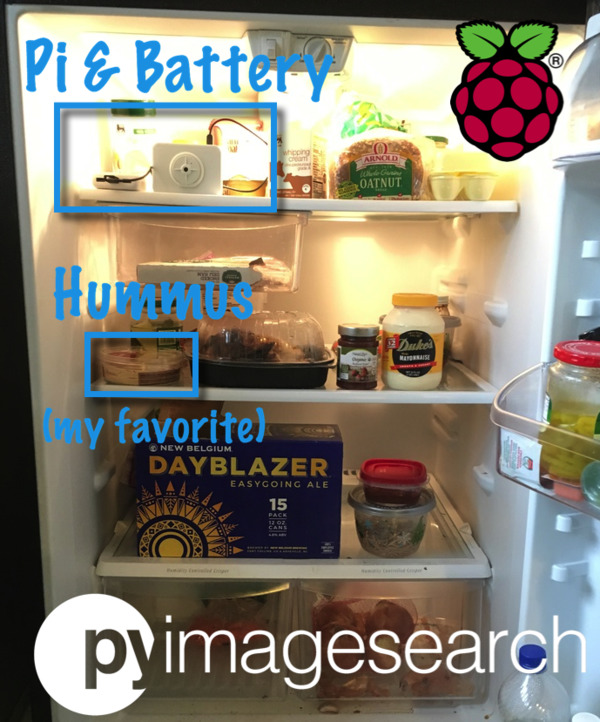
Tired of opening the refrigerator only to find that your favourite snack is missing? Get video evidence of sneaky fridge thieves sent to your phone, with Adrian Rosebeck’s Raspberry Pi security camera project.

Building a Raspberry Pi security camera with OpenCV

Learn how to build a IoT + Raspberry Pi security camera using OpenCV and computer vision. Send TXT/MMS message notifications, images, and video clips when the security camera is triggered. Full tutorial (including code) here: https://www.pyimagesearch.com/2019/03/25/building-a-raspberry-pi-security-camera-with-opencv

Protecting hummus

Adrian loves hummus. And, as you can see from my author bio, so do I. So it wasn’t hard for me to relate to Adrian’s story about his college roommates often stealing his cherished chickpea dip.

Garlic dessert

“Of course, back then I wasn’t as familiar with computer vision and OpenCV as I am now,” he explains on his blog. “Had I known what I do at present, I would have built a Raspberry Pi security camera to capture the hummus heist in action!”

Raspberry Pi security camera

So, in homage to his time as an undergrad, Adrian decided to finally build that security camera for his fridge, despite now only needing to protect his hummus from his wife. And to build it, he opted to use OpenCV, a Raspberry Pi, and a Raspberry Pi Camera Module.

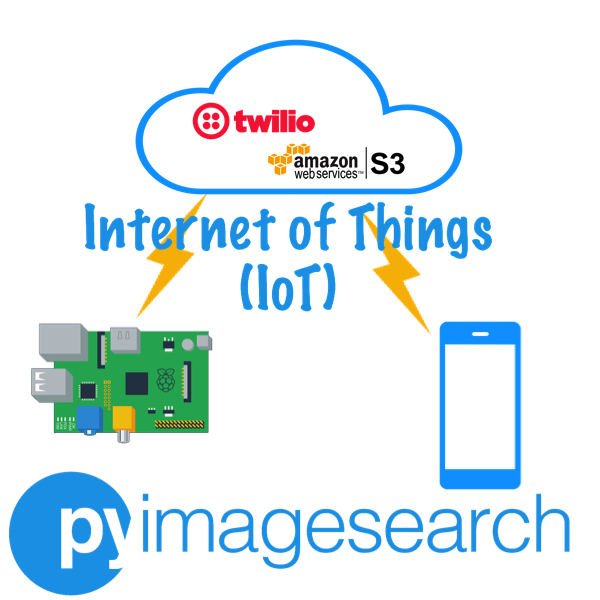
Adrian’s camera is an IoT project: it not only captures footage but also uses Twillo to send that footage, via a cloud service (AWS), to a smartphone.

Because the content of your fridge lives in the dark when you’re not inspecting it, the code for capturing video footage detects light and dark, and records everything that occurs between the fridge door opening and closing. “You could also deploy this inside a mailbox that opens/closes,” suggests Adrian.

Get the code and more

Adrian provides all the code for the project on his blog, pyimagesearch, with a full explanation of why each piece of code is used — thanks, Adrian!

For more from Adrian, check out his brilliant deep learning projects: a fully functional Pokémon Pokédex and Santa Detector.

The post Build a security camera with Raspberry Pi and OpenCV appeared first on Raspberry Pi.


Source: Raspberry Pi – Build a security camera with Raspberry Pi and OpenCV

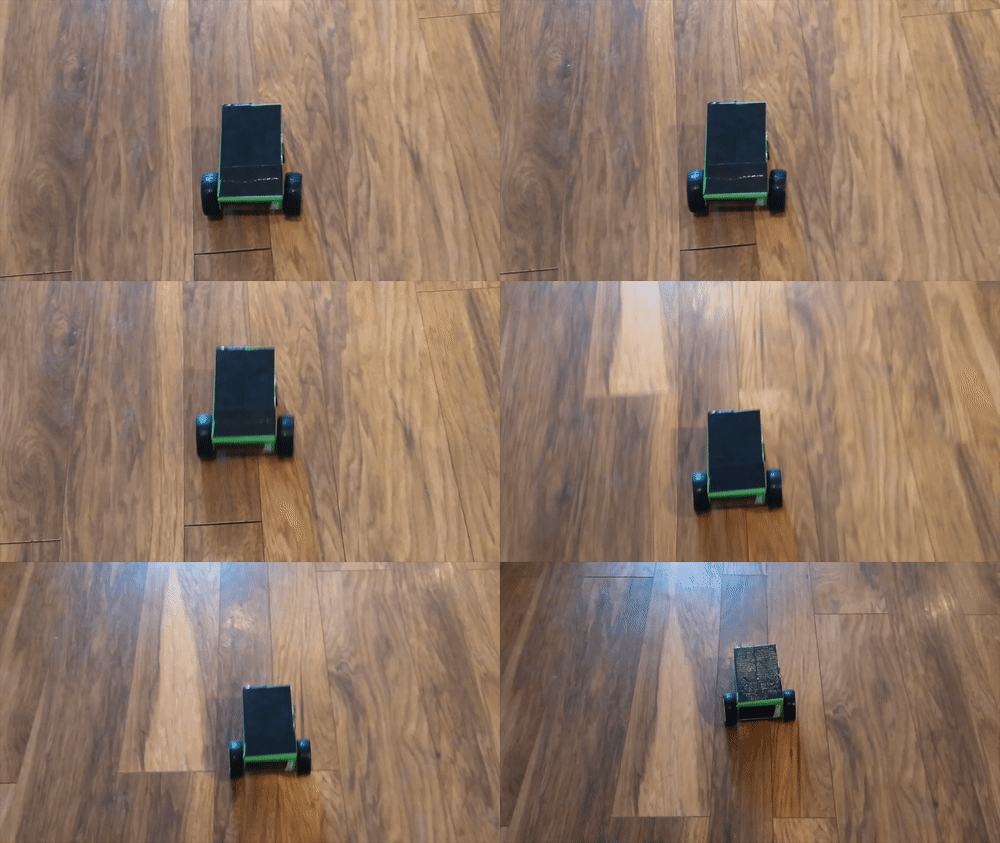
Build a Raspberry Pi robot buggy

Need a project for the week? We’ve got one for you. Learn to build a Raspberry Pi robot buggy and control it via voice, smart device or homemade controller with our free online resources.

Build your robot buggy

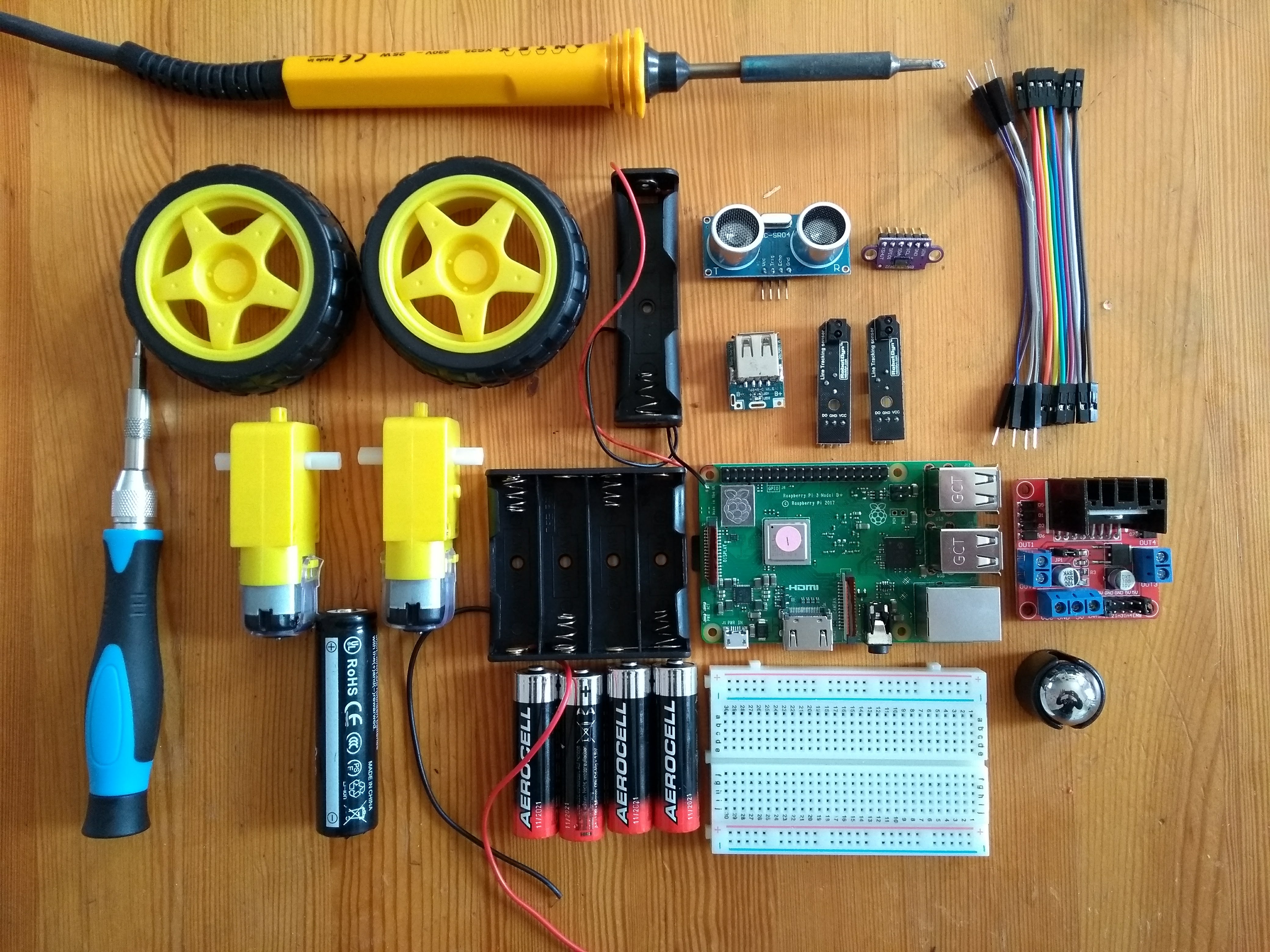
To build a basic Raspberry Pi-powered robot buggy, you’ll need to start with a Raspberry Pi. For our free tutorial, the team uses a Raspberry Pi 3B+, though you should be good with most models.

You’ll also need some wheels, 12v DC motors, and a motor controller board, along with a few other peripherals such as jumper wires and batteries.

Our project resource will talk you through the whole set up, from setting up your tech and assembling your buggy, to writing code that will allow you to control your buggy with Python.

Control your robot buggy

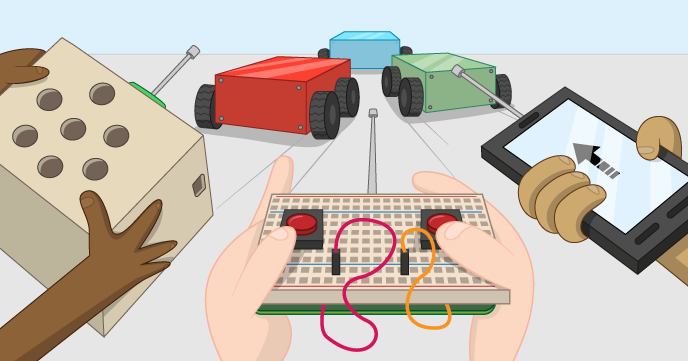
Our follow-up resource will then show you how to set up your Android smartphone or Google AIY kit as a remote control for your robot. Or, for the more homebrew approach, you can find out how to build your own controller using a breadboard and tactile buttons.

Make your robot buggy do cool things

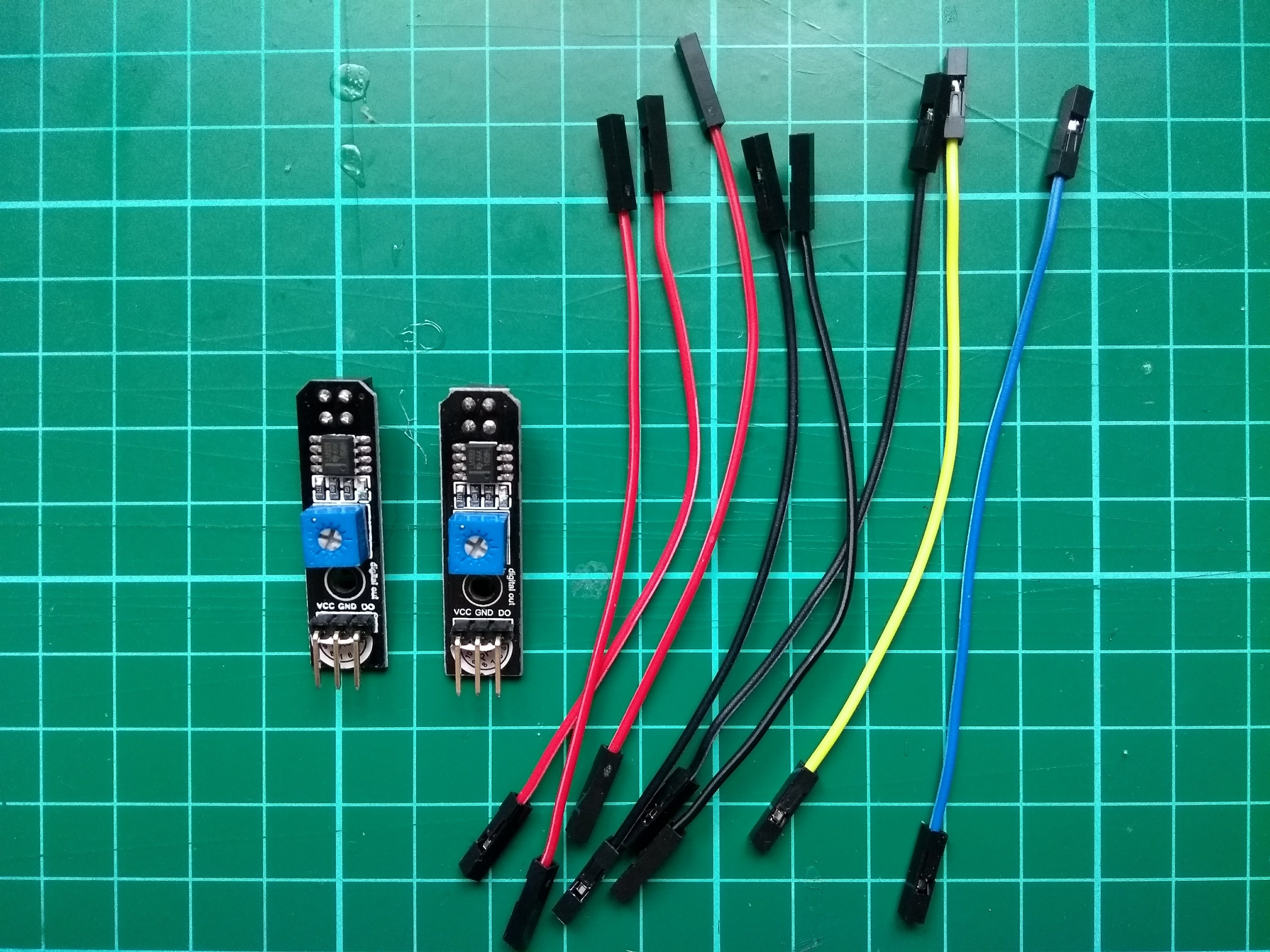
And, lastly, you can show off your coding skills, and the wonder of your new robot by programming it to do some pretty neat tricks, such as line following. Our last tutorial in the Buggy Robot trio will show you how to use sensors and write a line-following algorithm.

Do you want your robot to do more? Of course you do. Check out our How to build a competition-ready Raspberry Pi robot guide for more.

Pi Wars 2019

The William Gates Building in Cambridge will this weekend be home to Pi Wars, the “two-day family-friendly event in which teams compete for prestige and prizes on non-destructive challenge courses”. As the name suggests, all robots competing in the Pi Wars events have Raspberry Pi innards, and we love seeing the crazy creations made by members of the community.

If you can make it to the event, tickets are available here – a lot of us will be there, both as spectators and as judges (we’re not really allowed to participate, bums bums). And if you can’t, follow #PiWars on Twitter for updates throughout the event.

The post Build a Raspberry Pi robot buggy appeared first on Raspberry Pi.


Source: Raspberry Pi – Build a Raspberry Pi robot buggy

The Raspberry Pi shop, one month in

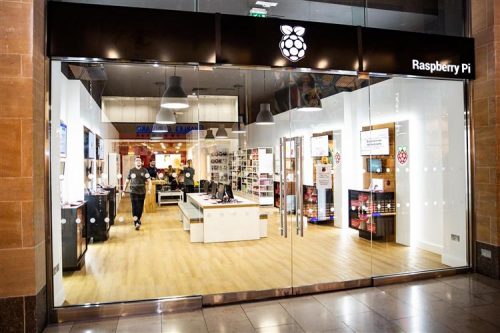
Five years ago, I spent my first day working at the original Pi Towers (Starbucks in Cambridge). Since then, we’ve developed a whole host of different products and services which our customers love, but there was always one that we never got around to until now: a physical shop. (Here are opening times, directions and all that good stuff.)

Years ago, my first idea was rather simple: rent a small space for the Christmas month and then open a pop-up shop just selling Raspberry Pis. We didn’t really know why we wanted to do it, but suspected it would be fun! We didn’t expect it to take five years to organise, but last month we opened the first Raspberry Pi store in Cambridge’s Grand Arcade – and it’s a much more complete and complicated affair than that original pop-up idea.

Given that we had access to a bunch of Raspberry Pis, we thought that we should use some of them to get some timelapse footage of the shop being set up.

Raspberry Pi Shop Timelapse

Uploaded by Raspberry Pi on 2019-03-22.

The idea behind the shop is to reach an audience that wouldn’t necessarily know about Raspberry Pi, so its job is to promote and display the capabilities of the Raspberry Pi computer and ecosystem. But there’s also plenty in there for the seasoned Pi hacker: we aim to make sure there’s something for you whatever your level of experience with computing is.

Inside the shop you’ll find a set of project centres. Each one contains a Raspberry Pi project tutorial or example that will help you understand one advantage of the Raspberry Pi computer, and walk you through getting started with the device. We start with a Pi running Scratch to control a GPIO, turning on and off an LED. Another demos a similar project in Python, reading a push button and lighting three LEDs (can you guess what colour the three LEDs are?) –  you can also see project centres based around Kodi and RetroPi demonstrating our hardware (the TV-HAT and the Pimoroni Picade console), and an area demonstrating the various Raspberry Pi computer options.

store front

There is a soft seating area, where you can come along, sit and read through the Raspberry Pi books and magazines, and have a chat with the shop staff.  Finally we’ve got shelves of stock with which you can fill yer boots. This is not just Raspberry Pi official products, but merchandise from all of the ecosystem, totalling nearly 300 different lines (with more to come). Finally, we’ve got the Raspberry Pi engineering desk, where we’ll try to answer even the most complex of your questions.

Come along, check out the shop, and give us your feedback. Who knows – maybe you’ll find some official merchandise you can’t buy anywhere else!

The post The Raspberry Pi shop, one month in appeared first on Raspberry Pi.


Source: Raspberry Pi – The Raspberry Pi shop, one month in

The future of 3D printing with Dr Adrian Bowyer | HackSpace magazine #17

You might have heard of RepRap. It’s the project that began at the University of Bath in 2005 with the aim of creating a self-replicating, open-source 3D printer. As is the nature of open source, many other projects have spun off from RepRap, including the Prusa i3. Without RepRap, the field of 3D printing would be much smaller, less advanced, and a lot less open.

Adrian was made an MBE in the New Year Honours list, for services to 3D printing.

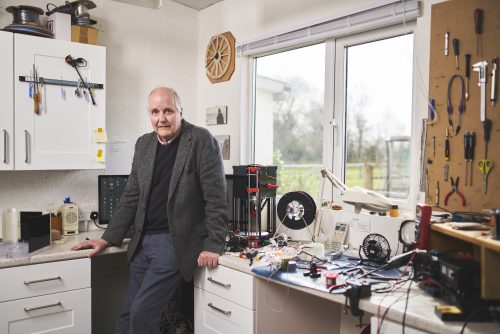
We drove many miles through wind and rain to meet Dr Adrian Bowyer, co-founder of the RepRap project who now, along with his daughter Sally, runs RepRap Ltd. The two of them are still pushing boundaries, raising standards, and lowering prices, so we sat down to talk about RepRap and where the 3D printing industry is heading.

It may be an obvious question, but why did you start the RepRap project?

Adrian Bowyer: Curiosity. I have always been interested in the idea of self-replicating machines ever since I was a child. When my university acquired some commercial 3D printers, as soon as they arrived I thought, ah, we’ve got a technology here that is sufficiently versatile that it stands a chance of being able to copy itself. Having had that idea, the very next question that occurs to your brain is: will this work? And that was the genesis of the project. I wanted to find out if we could make a machine that could print a significant fraction of its own parts and self-replicate.

It was literally the case that, at the height of development of RepRap in Bath 2008/2009, I was effectively running, in terms of numbers of staff, the biggest research project in any UK university. I wasn’t paying any of them of course, and they were distributed all over the world, but if you counted them up, there were more of them working with me than were working in any other single research project in any other university in the UK.

What are you doing with RepRap at the moment?

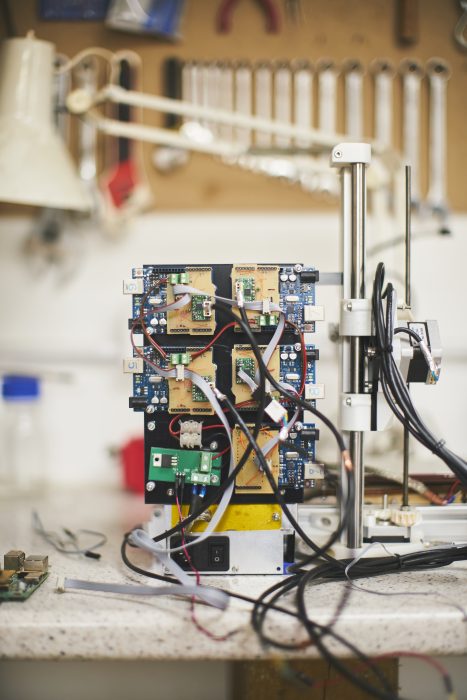
AB: We’re looking at distributed processor RepRaps, so instead of having a single CPU, we put a single CPU on each device in the machine, such as the heaters, the motors, and so on. This isn’t a new idea; other people have tried this in the past. From the perspective of Raspberry Pi, that’s interesting because such a machine wouldn’t need real-time response from the processor that’s at the heart of the machine.

If you’ve got a Linux system running on something, it’s not great for real-time control, because of interrupts. Whereas the sort of system we’re working on would have a Raspberry Pi in the middle, with a load of Arduinos around it. You can hand over the hardware timing to the Arduino, which, being dedicated, can be guaranteed to generate a poll every 20 microseconds or whatever it is. Whereas the thing sitting in the middle, doing the control, just has to be able to respond every few milliseconds. That’s something we’re putting together with Raspberry Pis and Arduinos.

Each Arduino is monitoring and controlling one aspect of the printer

One of the reasons that we want to do it is that we’re looking at making larger machines, and also a machine that not only is a 3D printer, but also incorporates a plasma cutter. Now, the thing about a plasma cutter is that it generates an enormous amount of electronic noise. You get lots of interference from it. So the ideal way to send electrical signals around the machine is not using electricity, but optics. So what we would be doing would be setting up a machine with optical communication between each of its component parts and the controller, so that electrical interference isn’t a problem, and, in order to do that [the system] has to be distributed in the way that I’ve just described.

Where, in general, do you think 3D printing is heading?

AB: The analogy I often draw is with washing clothes, which went through three stages: it started off with us washing our own clothes. In the scullery or the kitchen, you’d wash your clothes once a week. And then in Victorian times, as economies of scale kicked in, there would be a town laundry, where you would send your clothes and they’d come back clean. But now we have a robot in the kitchen that can wash our clothes. It’s come back to us, this time automated.

Making stuff in general, it seems to me, is going through that progression, just 100 years later. It started off that, if you needed a gate hinge, you went to the blacksmith in your village. He would make you a gate hinge. Now if you want a gate hinge, you go to the shop and buy one, and it was made halfway around the world. But if we bring some of that back into our cities, it’s like bringing our washing back from the town laundry into our homes. As long as it’s automated: the rule seems to be that if something is automatable so that people don’t have to pay a lot of attention, and it’s low-cost enough, people can take it back to themselves, and economies of scale get reversed.

This ukulele was printed in two parts. It’s playable, and sounds great.

Finally, congratulations on your MBE!

AB: That’s very kind! The certificate is an impressive thing. Signed by Her Majesty the Queen, and by Prince Philip as the person who is in charge of knighthoods and such.

I’m going up in May to Buckingham Palace to have it pinned on my chest, so that’ll be interesting. The commendation says: “Inventor: for services to 3D printing.” Short and to the point.

Read more

The full interview is in HackSpace magazine issue 17, where we also help you develop your Arduino skill, look at an open-source lathe, design a PCB in KiCad, build a polyphonic synthesizer, and much more.

Buy your copy now from the Raspberry Pi Press store, major newsagents in the UK, or Barnes & Noble, Fry’s, or Micro Center in the US. Or, download your free PDF copy from the HackSpace magazine website.

Never miss an issue

Subscribe today and get three issues for just £5 (in the UK — additional postage charges apply elsewhere)!

The post The future of 3D printing with Dr Adrian Bowyer | HackSpace magazine #17 appeared first on Raspberry Pi.


Source: Raspberry Pi – The future of 3D printing with Dr Adrian Bowyer | HackSpace magazine #17

The Junk Drum Machine

I do not really have any spare time. (Toddler, job, very demanding cat, lots of LEGO to tidy up.) If I did, I like to imagine that I’d come up with something like this to do with it.

junk drum machine

Want to see this collection of junk animate? Scroll down for video.

From someone calling themselves Banjowise (let me know what your real name is in the comments, please, so I can credit you properly here!), here is a pile of junk turned into a weirdly compelling drum machine.

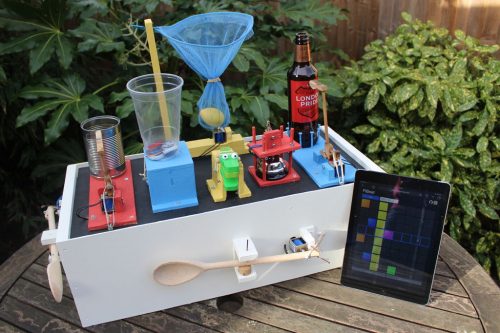
Mechanically speaking, this isn’t too complicated: just a set of solenoids triggered by a Raspberry Pi. The real clever is in the beauteous, browser-based step sequencer Banjowise has built to program the solenoids to wallop things in beautiful rhythm. And in the beauteous, skip-sourced tchotchkes that Banjowise has found for them to wallop. Generously, they’ve made full instructions on making your own available on Instructables. Use any bits and bobs you can get your hands on if old piano hammers and crocodile castanets are not part of the detritus kicking around your house.

Warning: this video is weirdly compelling.

Automabeat – A Raspberry Pi Mechanical Robotic Junk Drum Machine

My Raspberry Pi based drum / percussion machine. Consisting of 8 12v solenoids, a relay, wooden spoons, a Fullers beer bottle, a crocodile maraca and a few other things. An Instructable on how to build your own is here: https://www.instructables.com/id/A-Raspberry-Pi-Powered-Junk-Drum-Machine/, or take a look at: http://www.banjowise.com/post/automabeat/

The sequencer is lovely: a gorgeously simple user interface that you can run on a tablet, your phone, or anything else with a browser (and it’s very easily adaptable to other projects). The web interface lets Python trigger the GPIO pins over web sockets. There’s a precompiled version available for people who’ve followed Banjowise’s comprehensive wiring instructions, but you can also get the source code from GitHub.

Sequencer UI

I think I’m getting good, but I can handle criticism.

We love it. Now please excuse me. I need a little while to search online for crocodile castanets.

The post The Junk Drum Machine appeared first on Raspberry Pi.


Source: Raspberry Pi – The Junk Drum Machine

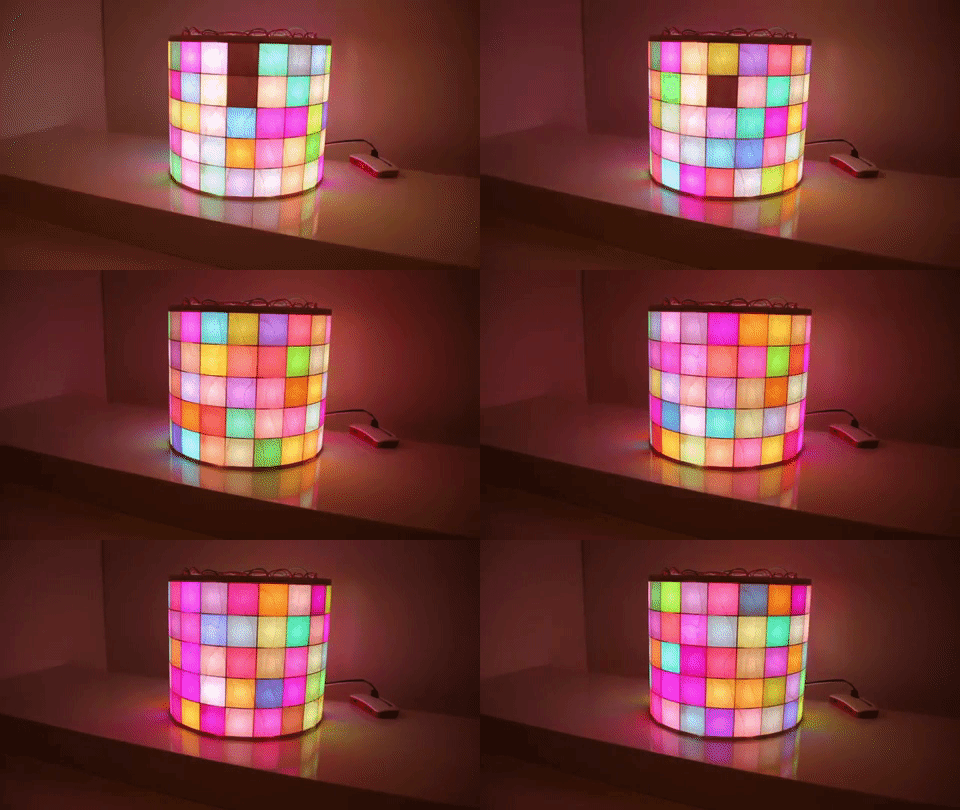
LED Matrix Cylinder — a blinkenlights tube

We see lots of addressable LED projects, but there was something weirdly charming and very pretty about this cylinder of squares. It’d make for a lovely interactive nightlight in a kids’ room, or for a grown-up lighting feature that you could also use as a news ticker or something that monitors your in-home IoT devices. Once you’ve built something like this, you’re only limited by your imagination — and it’s nice enough to display in your home.

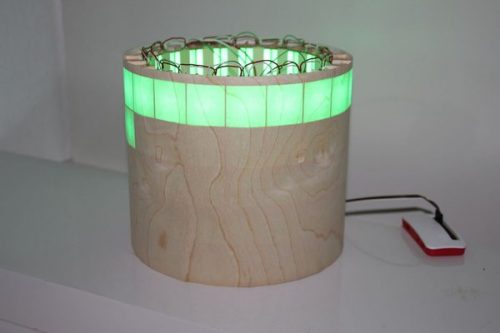
This project is from MakeTeeVee on Instructables. The cleverness is in the layout and the really meticulous execution: vertical strips of LEDs form a cylinder in a laser-cut frame, with a very thin layer of wood veneer glued around the whole thing to act as a diffuser. It’s simple, but really rather beautiful and very effective.

diffuser, diffusing

In the case to the side is the Raspberry Pi Zero that’s driving the whole thing. Here it is doing its thing:

LED matrix cylinder WS2812 Raspberry Pi Zero

LED matrix cylinder based on WS2812 LEDs and some laser cutter parts. https://hackaday.io/project/162035-led-matrix-cylinder https://www.instructables.com/id/LED-Matrix-Cylinder/ #WS2812 #LEDcylinder

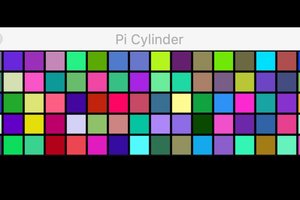
MakeTeeVee has built a Pygame-based simulator of the whole matrix so you can program it to do exactly what you want: scroll marquee text, make pretty patterns, twinkle at random, display images: the world’s your (pixellated) oyster. The code’s available at GitHub.

GUI for programming cylinder

Thanks, MakeTeeVee — if you’d like to leave your real name below, we’ll credit you properly here!

The post LED Matrix Cylinder — a blinkenlights tube appeared first on Raspberry Pi.


Source: Raspberry Pi – LED Matrix Cylinder — a blinkenlights tube

Laser-engraved Raspberry Pi hologram

Inspired by an old episode of Pimoroni’s Bilge Tank, and with easy access to the laser cutter at the Raspberry Pi Foundation office, I thought it would be fun to create a light-up multi-layered hologram using a Raspberry Pi and the Pimoroni Unicorn pHAT.

Raspberry Pi layered light

Read more –

Break it to make it

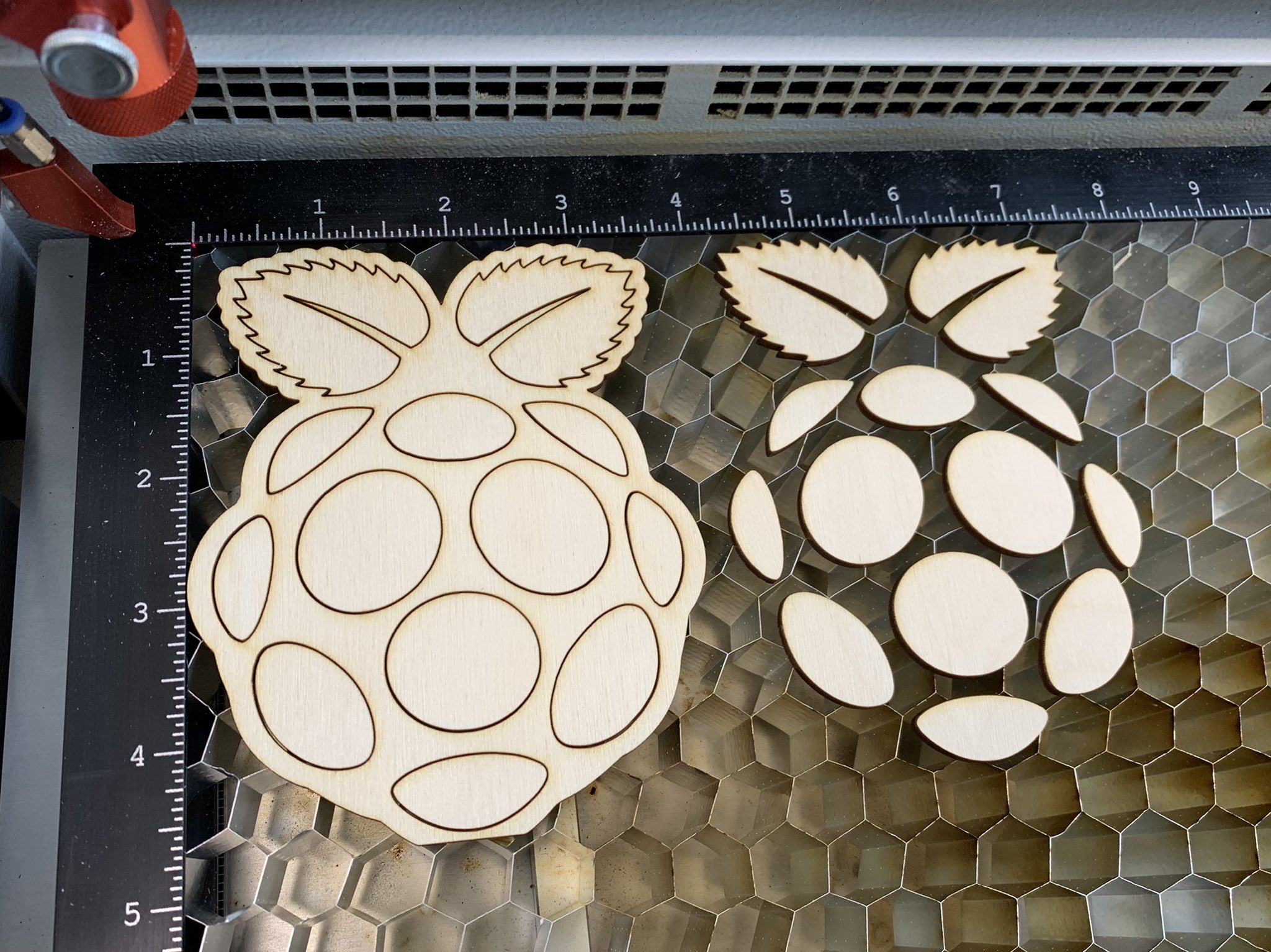
First, I broke down the Raspberry Pi logo into three separate images — the black outline, the green leaves, and the red berry.

RASPBERRY PI HOLOGRAM

Fun fact: did you know that Pimoroni’s Paul Beech designed this logo as part of the ‘design us a logo’ contest we ran all the way back in August 2011?

Once I had the three separate files, I laser-engraved them onto 4cm-wide pieces of 3mm-thick clear acrylic. As there are four lines of LEDs on the Unicorn pHAT, I cut the fourth piece to illuminate the background.

RASPBERRY PI HOLOGRAM

To keep the engraved acrylic pieces together, I cut out a pair of acrylic brackets (see above) with four 3mm indentations. Then, after a bit of fiddling with the Unicorn pHAT library, I was able to light the pHAT’s rows of LEDs in white, red, green, and white.

RASPBERRY PI HOLOGRAM

The final result looks pretty spectacular, especially in the dark, and you can build on this basic idea to create fun animations — especially if you use a HAT with more rows of LEDs.

Iterations

This is just a prototype. I plan on building a sturdier frame for the pieces that securely fits a Raspberry Pi Zero W and lets users replace layers easily. As with many projects, I’m sure this will grow and grow as each interaction inspires a new add-on.

How would you build upon this basic principle?

Oh…

…we also laser-engraved this Cadbury’s Creme Egg.

The post Laser-engraved Raspberry Pi hologram appeared first on Raspberry Pi.


Source: Raspberry Pi – Laser-engraved Raspberry Pi hologram

Coding Space Invaders’ disintegrating shields | Wireframe #9

They add strategy to a genre-defining shooter. Andrew Gillett lifts the lid on Space Invaders’ disintegrating shields.

Wireframe 9 Space Invaders

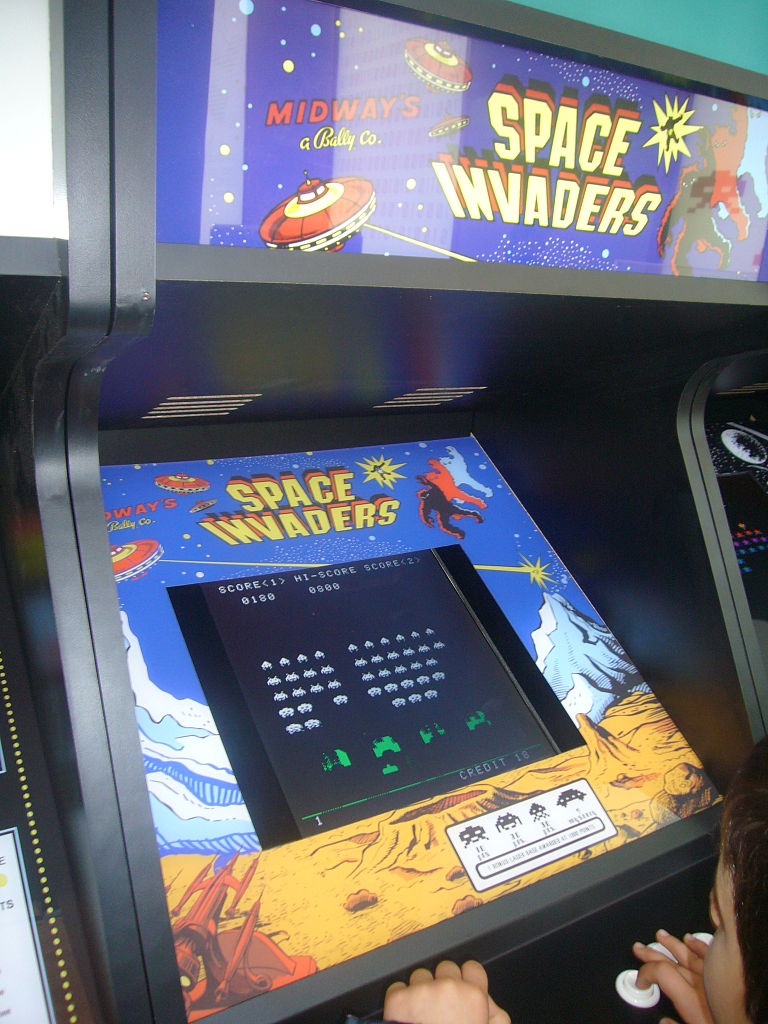
Released in 1978, Space Invaders introduced ideas so fundamental to video games that it’s hard to imagine a time before them. And it did this using custom-made hardware which by today’s standards is unimaginably slow.

Space Invaders ran on an Intel 8080 CPU operating at 2MHz. With such meagre processing power, merely moving sprites around the screen was a struggle. In modern 2D games, at the start of each frame the entire screen is reset, then all objects are displayed.

For Space Invaders’ hardware, this process would have been too slow. Instead, each time a sprite needs to move, the game first erases the sprite from the screen, then redraws it in the new position. The game also updates only one alien per frame — which leads to the effect of the aliens moving faster when there are fewer of them. These techniques cut down the number of pixels which need to be updated each frame, from nearly 60,000 to around a hundred.

Wireframe 9 Space Invaders

One of Space Invaders’ most notable features is its four shields. These provide shelter from enemy fire, but deteriorate after repeated hits. The player can take advantage of the shields’ destructible nature — by repeatedly firing at the same place on a shield’s underside, a narrow gap can be created which can then be used to take out enemies. (Of course, the player can also be shot through the same gap.)

The system of updating only the minimum necessary number of pixels works well as long as there’s no need for objects to overlap. In the case of the shields, though, what happens when objects do overlap is fundamental to how they work. Whenever a shot hits something, it’s replaced by an explosion sprite. A few frames later, the explosion sprite is deleted from the screen. If the explosion sprite overlapped with a shield, that part of the shield is also deleted.

Wireframe 9 Space Invaders

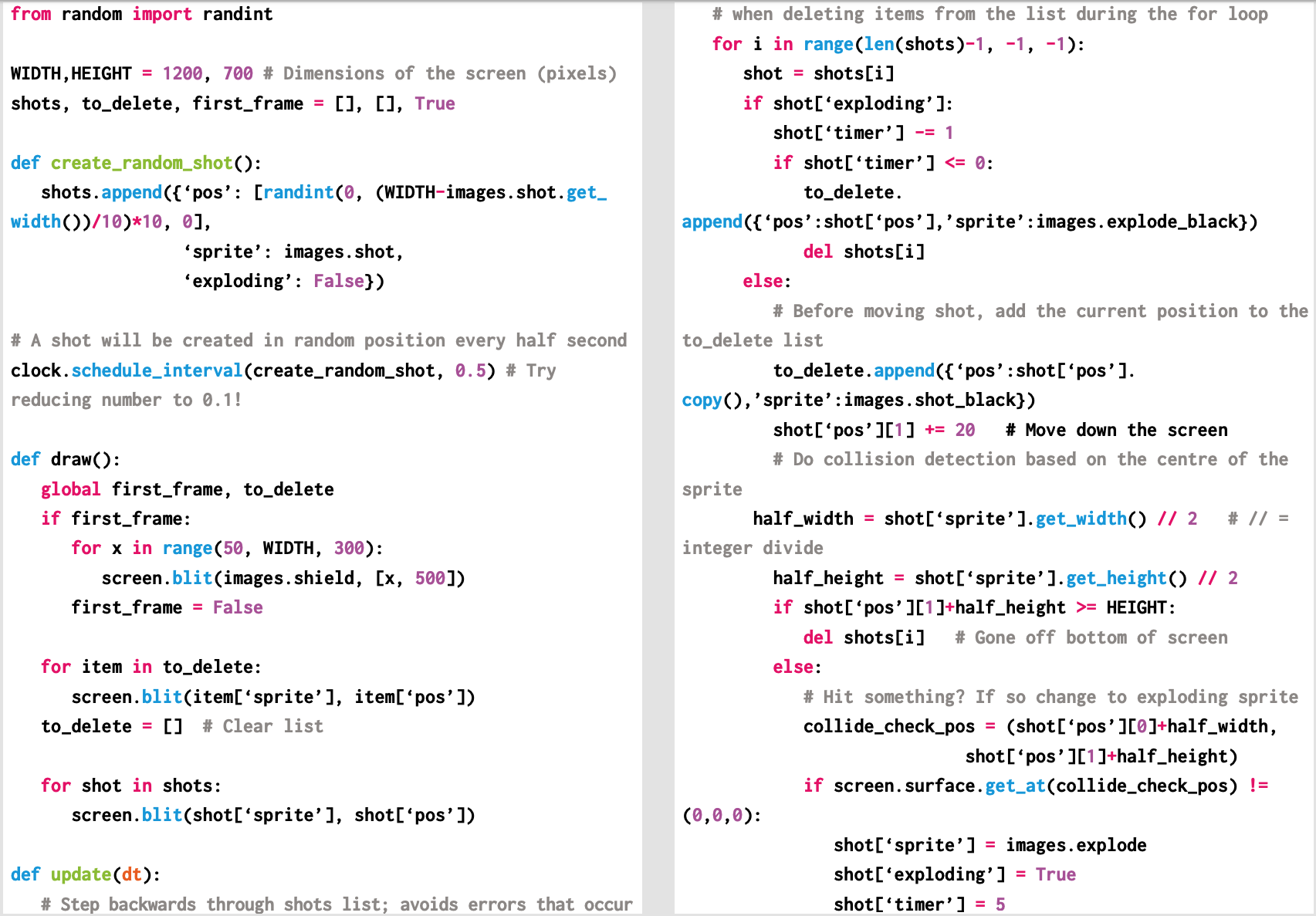
Here’s a code snippet that shows Andrew’s Space Invaders-style disintegrating shields working in Python. To get it running on your system, you’ll need to install Pygame Zero — you can find full instructions here. And download the above code here.

The code to the right displays four shields, and then bombards them with a series of shots which explode on impact. I’m using sprites which have been scaled up by ten, to make it easier to see what’s going on.

We first create two empty lists — one to hold details of any shots on screen, as well as explosions. These will be displayed on the screen every frame. Each entry in the shots list will be a dictionary data structure containing three values: a position, the sprite to be displayed, and whether the shot is in ‘exploding’ mode — in which case it’s displayed in the same position for a few frames before being deleted.

The second list, to_delete, is for sprites which need to be deleted from the screen. For simplicity, I’m using separate copies of the shot and explosion sprites where the white pixels have been changed to black (the other pixels in these sprites are set as transparent).

The function create_random_shot is called every half-second. The combination of dividing the maximum value by ten, choosing a random whole number between zero and the maximum value, and then multiplying the resulting random number by ten, ensures that the chosen X coordinate is a multiple of ten.


Wireframe 9 Space Invaders

Andrew’s Space Invaders shields up and running in Pygame Zero.

In the draw function, we first check to see if it’s the first frame, as we only want to display the shields on that frame. The screen.blit method is used to display sprites, and Pygame Zero’s images object is used to specify which sprite should be displayed. We then display all sprites in the to_delete list, after which we reset it to being an empty list. Finally we display all sprites in the shots list.

Wireframe 9 Space Invaders

In the update function, we go through all sprites in the shots list, in reverse order. Going through the list backwards avoids problems that can occur when deleting items from a list inside a for loop. For each shot, we first check to see if it’s in ‘exploding’ mode. If so, its timer is reduced each frame — when it hits zero we add the shot to the to_delete list, then delete it from shots.

If the item is a normal shot rather than an explosion, we add its current position to to_delete, then update the shot’s position to move the sprite down the screen. We next check to see if the sprite has either gone off the bottom of the screen or collided with something. Pygame’s get_at method gives us the colour of a pixel at a given position. If a collision occurs, we switch the shot into ‘exploding’ mode — the explosion sprite will be displayed for five frames.

You can read the rest of the feature in Wireframe issue 9, available now in Tesco, WHSmith, and all good independent UK newsagents.

Or you can buy Wireframe directly from us – worldwide delivery is available. And if you’d like to own a handy digital version of the magazine, you can also download a free PDF.

Make sure to follow Wireframe on Twitter and Facebook for updates and exclusives, and for subscriptions, visit the Wireframe website to save 49% compared to newsstand pricing!

The post Coding Space Invaders’ disintegrating shields | Wireframe #9 appeared first on Raspberry Pi.


Source: Raspberry Pi – Coding Space Invaders’ disintegrating shields | Wireframe #9

Win a Raspberry Pi 3B+ and signed case this Pi Day 2019

Happy Pi Day, everyone!

What is Pi Day, we hear you ask? Today, people who use the date format ‘month/day/year’ celebrate that the date forms the first three digits of Pi: 3.14!

In celebration of Pi Day, we’re running a Raspberry Pi 3B+ live stream on YouTube — hours upon hours of our favourite Pi in all its glorious wonderment.

PI DAY 2019

Celebrate Pi Day with us by watching this Pi

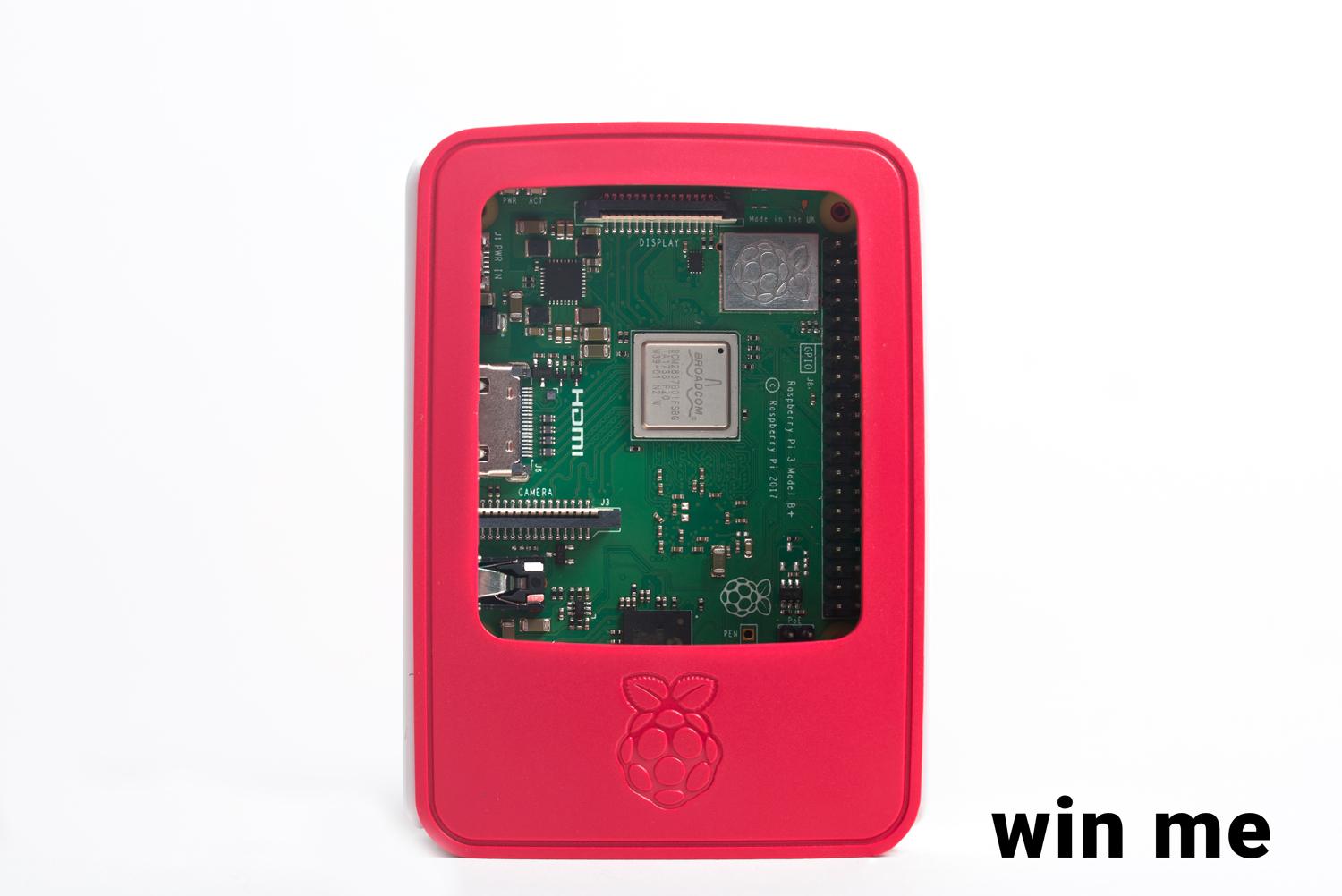
At some point today, we’re going to add a unique hashtag to this live stream, and anyone who uses said hashtag on Instagram and/or Twitter* before midnight tonight (GMT) will be entered into a draw to win a Raspberry Pi Model 3B+ and an official case signed by Eben Upton himself.

Raspberry Pi - PI Day 2019

So sit back, relax, and enjoy the most pointless, most wonderful live stream to ever grace the realm of YouTube!

*Those of you who don’t have a Twitter or Instagram account can also comment here with the hashtag.

The post Win a Raspberry Pi 3B+ and signed case this Pi Day 2019 appeared first on Raspberry Pi.


Source: Raspberry Pi – Win a Raspberry Pi 3B+ and signed case this Pi Day 2019

Play Heverlee’s Sjoelen and win beer

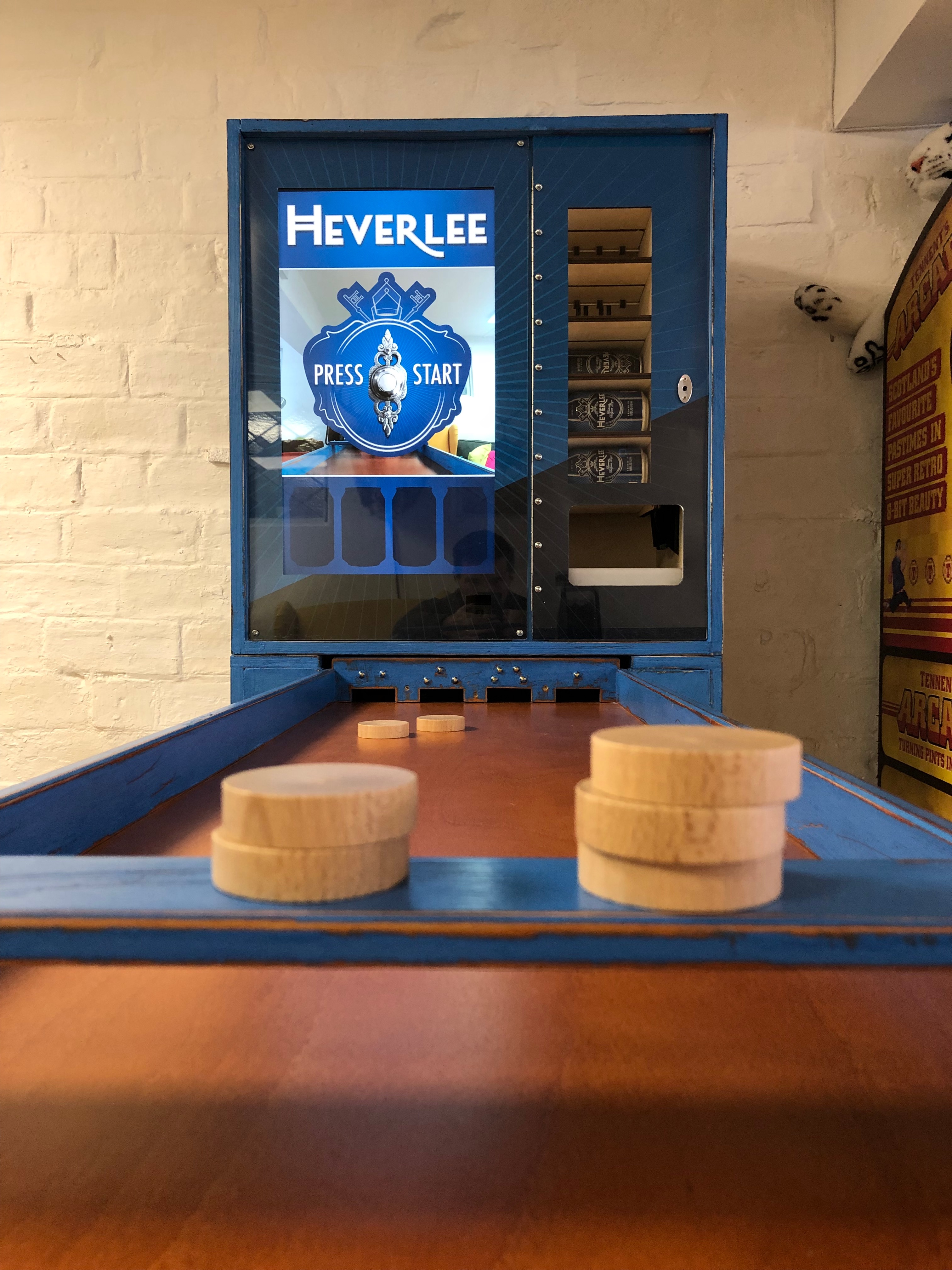
Chances are you’ve never heard of the Dutch table shuffleboard variant Sjoelen. But if you have, then you’ll know it has a basic premise – to slide wooden pucks into a set of four scoring boxes – but some rather complex rules.

Sjoelen machine

Uploaded by Grant Gibson on 2018-07-10.

Sjoelen

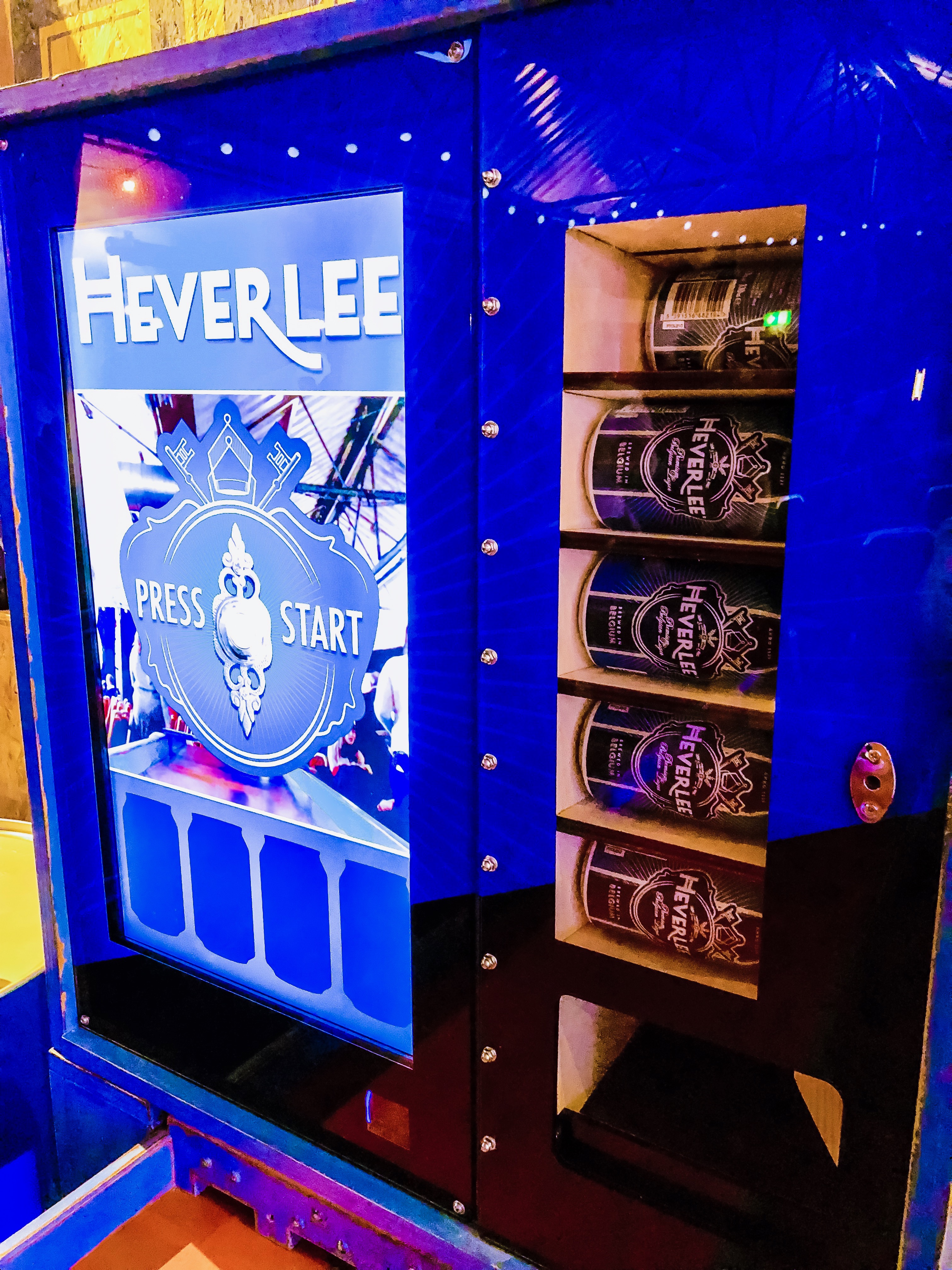
It may seem odd that a game which relies so much on hand-eye coordination and keeping score could be deemed a perfect match for a project commissioned by a beer brand. Yet Grant Gibson is toasting success with his refreshing interpretation of Sjoelen, having simplified the rules and incorporated a Raspberry Pi to serve special prizes to the winners.

“Sjoelen’s traditional scoring requires lots of addition and multiplication, but our version simply gives players ten pucks and gets them to slide three through any one of the four gates within 30 seconds,” Grant explains.

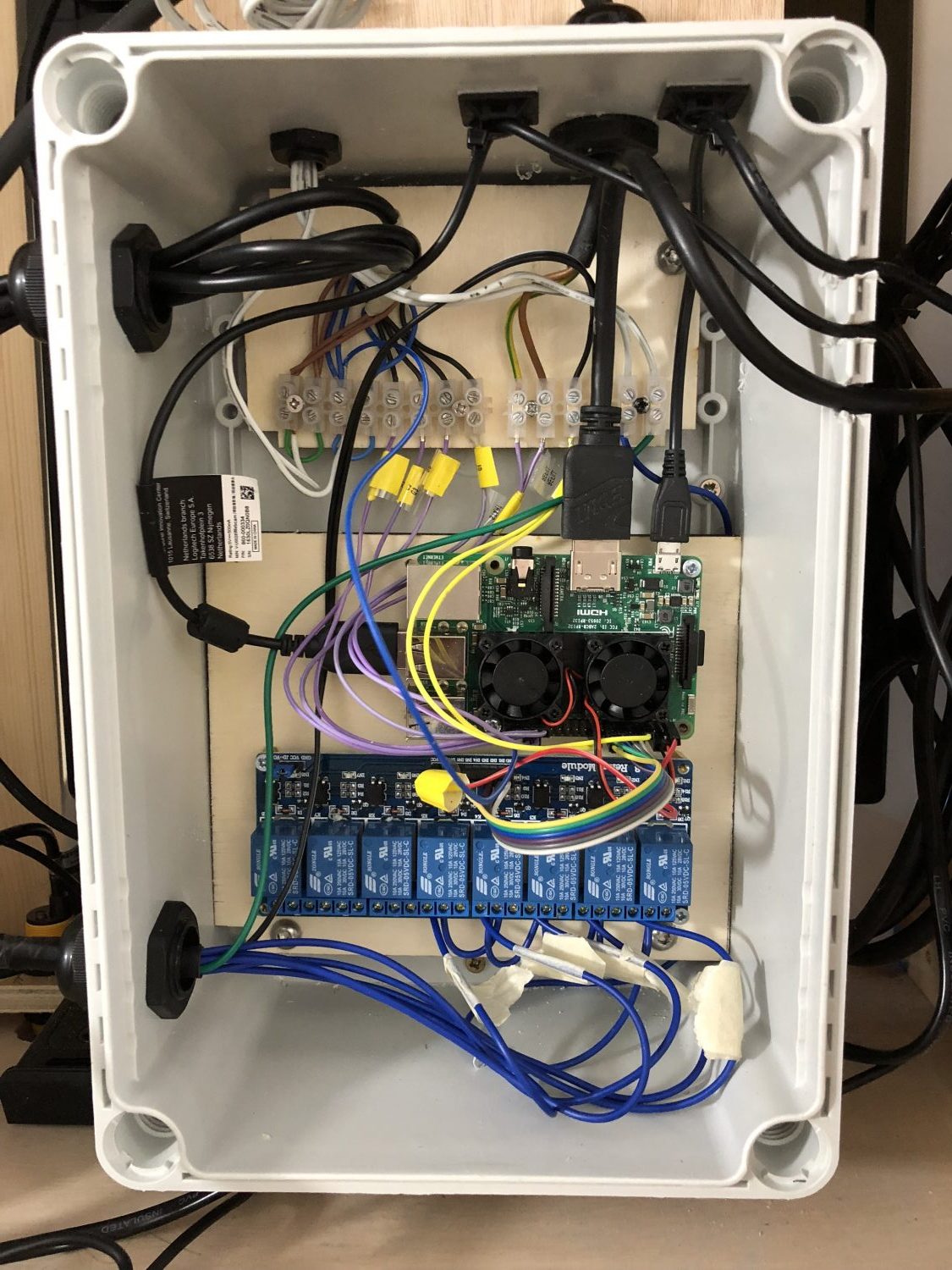
As they do this, the Pi (a Model 3B) keeps track of how many pucks are sliding through each gate, figures how much time the player has left, and displays a winning message on a screen. A Logitech HD webcam films the player in action, so bystanders can watch their reactions as they veer between frustration and success.

Taking the plunge

Grant started the project with a few aims in mind: “I wanted something that could be transported in a small van and assembled by a two-person team, and I wanted it to have a vintage look.” Inspired by pinball tables, he came up with a three-piece unit that could be flat-packed for transport, then quickly assembled on site. The Pi 3B proved a perfect component.

Grant has tended to use full-size PCs in his previous builds, but he says the Pi allowed him to use less complex software, and less hardware to control input and output. He used Python for the input and output tasks and to get the Pi to communicate with a full-screen Chromium browser, via JSON, in order to handle the scoring and display tasks in JavaScript.

“We used infrared (IR) sensors to detect when a puck passed through the gate bar to score a point,” Grant adds. “Because of the speed of the pucks, we had to poll each of the four IR sensors over 100 times per second to ensure that the pucks were always detected. Optimising the Python code to run fast enough, whilst also leaving enough processing power to run a full-screen web browser and HD webcam, was definitely the biggest software challenge on this project.”

Bottoms up

The Raspberry Pi’s GPIO pins are used to trigger the dispensing of a can of Heverlee beer to the winner. These are stocked inside the machine, but building the vending mechanism was a major headache, since it needed to be lightweight and compact, and to keep the cans cool.

No off-the-shelf vending unit offered a solution, and Grant’s initial attempts with stepper motors and clear laser-cut acrylic gears proved disastrous. “After a dozen successful vends, the prototype went out of alignment and started slicing through cans, creating a huge frothy fountain of beer. Impressive to watch, but not a great mix with electronics,” Grant laughs.

Instead, he drew up a final design that was laser‑cut from poplar plywood. “It uses automotive central locking motors to operate a see-saw mechanism that serve the cans. A custom Peltier-effect heat exchanger, and a couple of salvaged PC fans, keep the cans cool inside the machine,” reveals Grant.

“I’d now love to make a lightweight version sometime, perhaps with a folding Sjoelen table and pop-up scoreboard screen, that could be carried by one person,” he adds. We’d certainly drink to that.

More from The MagPi magazine

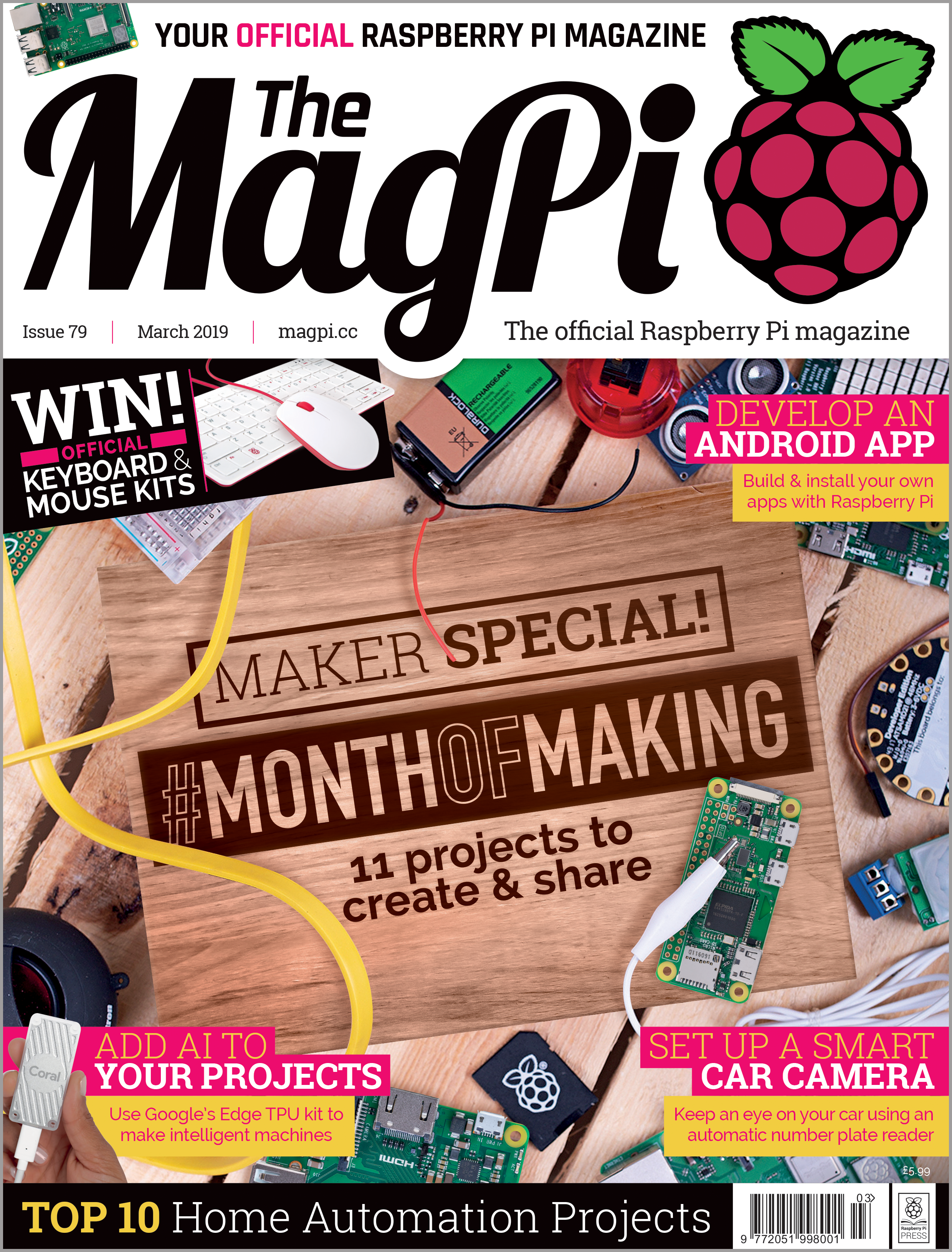
Get your copy now from the Raspberry Pi Press store, major newsagents in the UK, or Barnes & Noble, Fry’s, or Micro Center in the US. Or, download your free PDF copy from The MagPi magazine website.

MagPi 79 cover

Subscribe now

Subscribe to The MagPi on a monthly, quarterly, or twelve-monthly basis to save money against newsstand prices!

Twelve-month print subscribers get a free Raspberry Pi 3A+, the perfect Raspberry Pi to try your hand at some of the latest projects covered in The MagPi magazine.

The post Play Heverlee’s Sjoelen and win beer appeared first on Raspberry Pi.


Source: Raspberry Pi – Play Heverlee’s Sjoelen and win beer

FREE NOODS with FOODBEAST and Nissin

Push a button and share a hashtag to get free ramen, games, or swag with the Dream Machine, a Raspberry Pi–driven vending machine built by FOODBEAST and Nissin.

foodbeast.com on Twitter

This Instagram-powered vending machine gives away FREE @OrigCupNoodles and VIDEO GAMES 🍜🎮!! Where should it travel next? #ad https://t.co/W0YyWOCFVv


Raspberry Pi and marketing

Digital viral marketing campaigns are super popular right now, thanks to the low cost of the technology necessary to build bespoke projects for them. From story-telling phoneboxes to beer-pouring bicycles, we see more and more examples of such projects appear in our inbox every week.

The latest campaign we like is the Dream Machine, a retrofit vending machine that dispenses ramen noodles, video games, and swag in exchange for the use of an Instagram hashtag.

Free ramen from FOODBEAST and Nissin

With Dream Machines in Torrance, California and Las Vegas, Nevada, I’ve yet to convince Liz that it’s worth the time and money for me to fly out and do some field research. But, as those who have interacted with a Dream Machine know, the premise is pretty simple.

The Dream Machine vending machine from FOODBEAST and NissanPress the big yellow button on the front of the vending machine, and it will tell you a unique hashtag to use for posting a selfie with the Dream Machine on Instagram. The machine’s internet-enabled Raspberry Pi brain then uses its magic noodle powers (or, more likely, custom software) to detect the hashtag and pop out a tasty treat, video game, or gift card as a reward.

The Dream Machine vending machine from FOODBEAST and Nissan

The Dream Machines appeared at the start of March, and online sources suggest they’ll stay in their current locations throughout the month. I’d like to take this moment to suggest their next locations: Cambridge, UK and Oakland, California. Please and thank you!

Hold your horses…

We know this is a marketing ploy. We know its intention is to get Joe Public to spread the brand across social media. We know it’s all about money. We know. But still, it’s cool, harmless, and delicious. So let’s not have another robocall debate, OK 😂

The post FREE NOODS with FOODBEAST and Nissin appeared first on Raspberry Pi.


Source: Raspberry Pi – FREE NOODS with FOODBEAST and Nissin

Instaframe: image recognition meets Instagram

Bringing the digital photo frame into an even more modern age than the modern age it already resides in, Sean Tracey uses image recognition and social media to update his mother on the day-to-day happenings of her grandkids.

Sharing social media content

“Like every grandmother, my mum dotes on her grandchildren (the daughter and son of my sister, Grace and Freddie),” Sean explains in his tutorial for the project, “but they don’t live nearby, so she doesn’t get to see them as much as she might like.”

Sean tells of his mother’s lack of interest in social media platforms (they’re too complex), and of the anxiety he feels whenever she picks up his phone to catch up on the latest images of Grace and Freddie.

So I thought: “I know! Why don’t I make my mum a picture frame that filters my Instagram feed to show only pictures of my niece and nephew!”

Genius!

Image recognition and Instagram

Sean’s Instaframe project uses a Watson Visual Recognition model to recognise photos of his niece and nephew posted to his Instagram account, all via a Chrome extension. Then, via a series of smaller functions, these images are saved to a folder and displayed on a screen connected to a Raspberry Pi 3B+.

Sean has written up a full rundown of the build process on his website.

Photos and Pi

Do you like photos and Raspberry Pi? Then check out these other photo-focused Pi projects that we’re sure you’ll love (because they’re awesome) and will want to make yourself (because they’re awesome).

FlipFrame

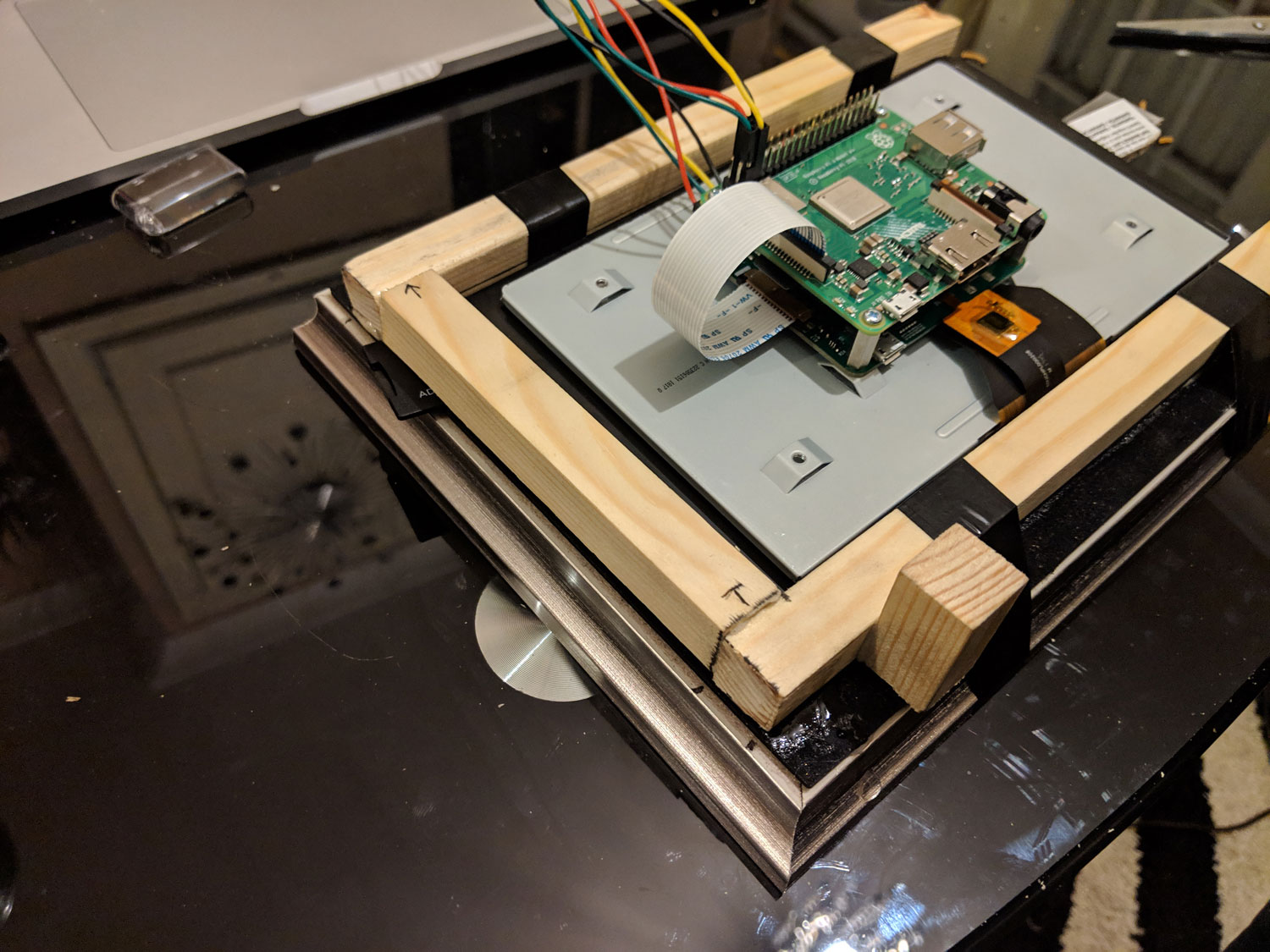
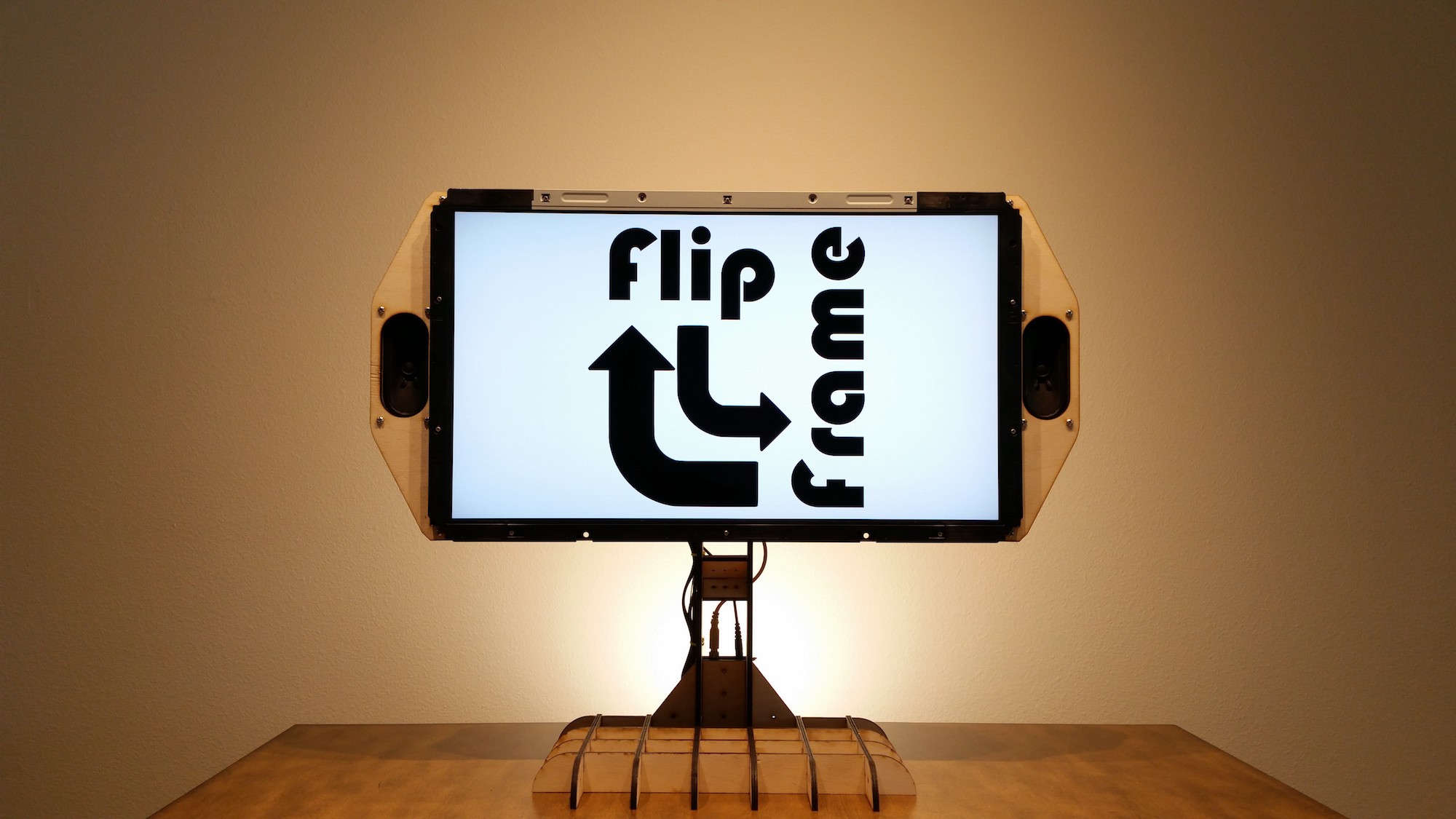
FlipFrame, the rotating picture frame, rotates according to the orientation of the image on display.

FlipFrame

Upstagram

This tiny homage to the house from Up! takes bird’s-eye view photographs of Paris and uploads them to Instagram as it goes.

Pi-powered DSLR shutter

Adrian Bevan hacked his Raspberry Pi to act as a motion-activated shutter remote for his digital SLR — aka NatureBytes on steroids.

The post Instaframe: image recognition meets Instagram appeared first on Raspberry Pi.


Source: Raspberry Pi – Instaframe: image recognition meets Instagram

Real role models for International Women’s Day 2019

The Raspberry Pi Foundation’s mission is to bring computing and digital making to everyone. Tackling the persistent gender imbalance in technology is a crucial part of this undertaking. As part of our work to increase the number of girls choosing to learn how to create with technology, we are marking International Women’s Day with a celebration of real role models.

Real role models for International Women’s Day 2019

Maria Quevedo, Managing Director, Code Club & Raspberry Pi Foundation, talks about the importance of real role models who show girls and women that computing

Real role models are important

There is strong evidence to indicate that the presence of role models is a very effective way to inspire women and minorities to become interested in subjects and industries where they are underrepresented. Research suggests that the imbalance among the role models that girls and women are exposed to in their everyday lives contributes significantly to the persistently low number of girls pursuing science, technology, engineering and mathematics (STEM) subjects at school, and ultimately impacts their career choices.

Female role models in UK media

In order to understand the extent of this imbalance, we carried out an analysis to explore the visibility of female technology role models in the UK media.

One of our most striking findings was that in the twelve months since International Women’s Day 2018, each of the women competing in UK television’s Love Island 2018 was written about in the UK media on average seven times more often than 50 of the UK’s top female technology role models. And popular UK men’s lifestyle magazines were twice as likely to write about top female technology leaders than magazines aimed at women.


HackSpace magazine issue 5

We also looked at the subject matter covered by popular women’s and men’s magazines in the UK. We found that fashion (37% of all articles) and beauty (26%) were the most popular topics in women’s lifestyle media, while politics (5%) and careers (4%) were some of the least popular. The contrast with men’s lifestyle media was very pronounced. There, topic coverage was much more evenly distributed: fashion (21%) and politics (16%) came top, with grooming (12%) and careers (12%) close behind.

In other words, in the women’s lifestyle magazines, about 14 articles are written about fashion and beauty for every one about careers. Men’s lifestyle magazines, meanwhile, publish one careers piece for every three fashion and grooming articles.

Real role models in Code Club, CoderDojo, and beyond

It’s alarming to see such a dramatic imbalance in visibility for female technology leaders, and such stark differences between the focus of women’s and men’s media. We work hard to make sure our activities such as Code Club and CoderDojo are equally welcoming to girls and boys, and we’re proud that 45% of the volunteers and educators who run these clubs are women. However, role models in wider society are just as important in shaping the values, beliefs, and ambitions of girls and women.

We have a consistently high proportion of girls – around 40% – attending our Code Clubs and CoderDojos. But girls’ perceptions of computing, and their confidence, can be influenced hugely before they ever arrive at our clubs to give it a try – so much so that they may never arrive at all.

In this context, the differences we observed between the topics that women’s and men’s media cover are troubling. It really comes down to balance: there is absolutely nothing wrong with reading about fashion or beauty, but greater diversity in the women, interests, and careers that saturate our popular culture would undoubtedly impact the gender imbalance that persists in sectors such as technology and science.

We are for everyone

When it comes to encouraging girls to take part in our digital skills activities, our approach is highly adaptable, but ultimately we are for everyone. We believe this inclusive approach is the most effective way of reinforcing that all genders are equally capable of enjoying and excelling at computing. It would be invaluable to see this reflected in popular culture.

This International Women’s Day, we’re encouraging women to consider the ways in which we are real role models. Join us to celebrate the #RealRoleModels who inspire you, and share the fantastic contributions of girls and women in technology.

The post Real role models for International Women’s Day 2019 appeared first on Raspberry Pi.


Source: Raspberry Pi – Real role models for International Women’s Day 2019

Make our light-up Raspberry Pi box for #MonthOfMaking

On Tuesday, Rob at The MagPi magazine tweeted this:

The MagPi magazine on Twitter

Hey @Raspberry_Pi, wanna join us in making some stuff for #MonthOfMaking? Rob has some cosplay to do this week and other plans for the rest of the month…

And we said YES!

At this point in time, Alex was hiding in the Raspberry Pi Foundation makerspace, creating thingamabobs and whatsit with the laser cutter, and an idea came into her mind.

(Is it weird that I’m referring to myself in the third person? It is. I’ll stop.)

The idea started with this:

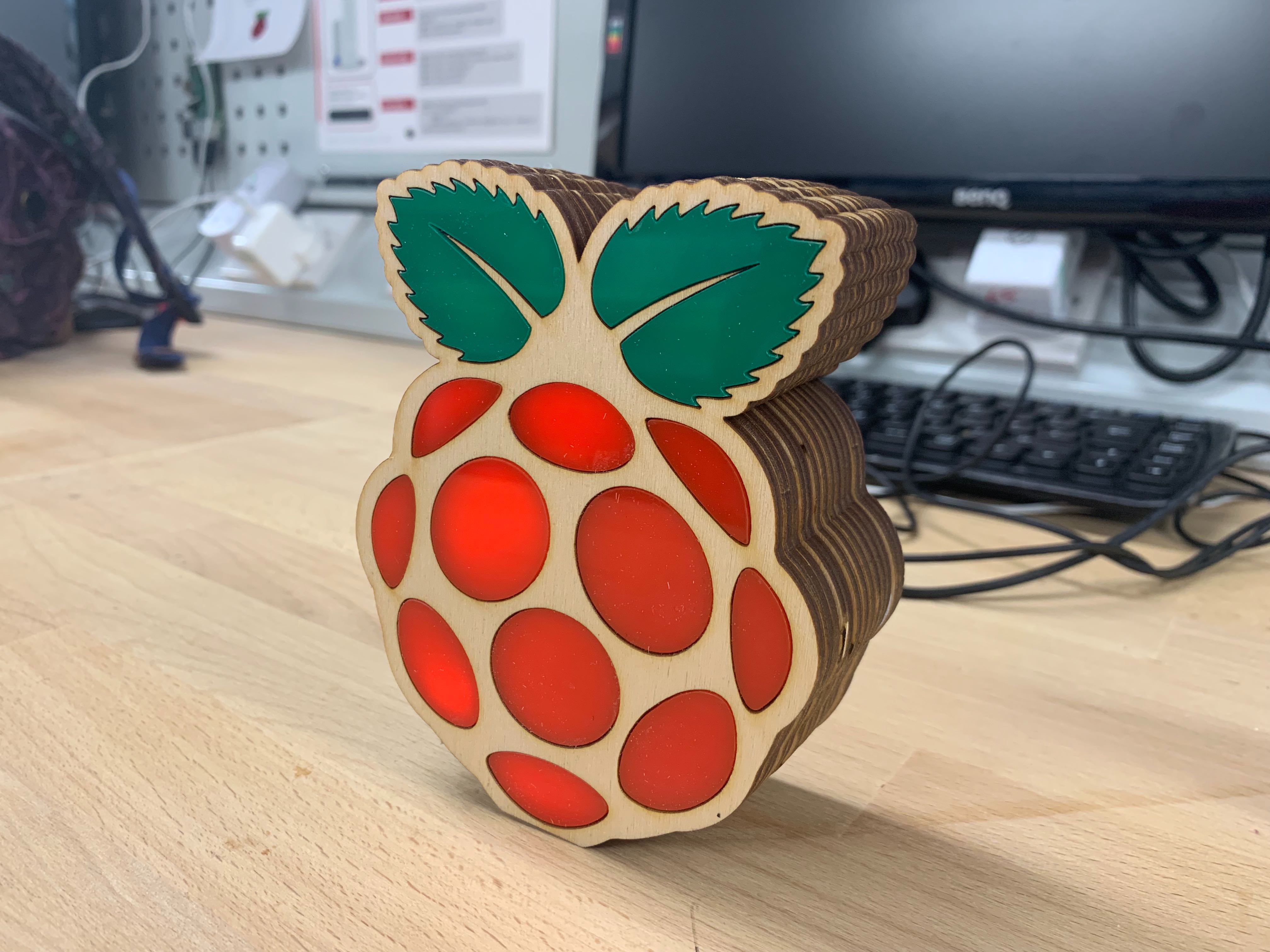
Raspberry Pi laser cut box #MonthOfMaking

Oddly satisfying, right?

And ended like this:

Raspberry Pi laser cut box #MonthOfMaking

Raspberry Crepe Cake?

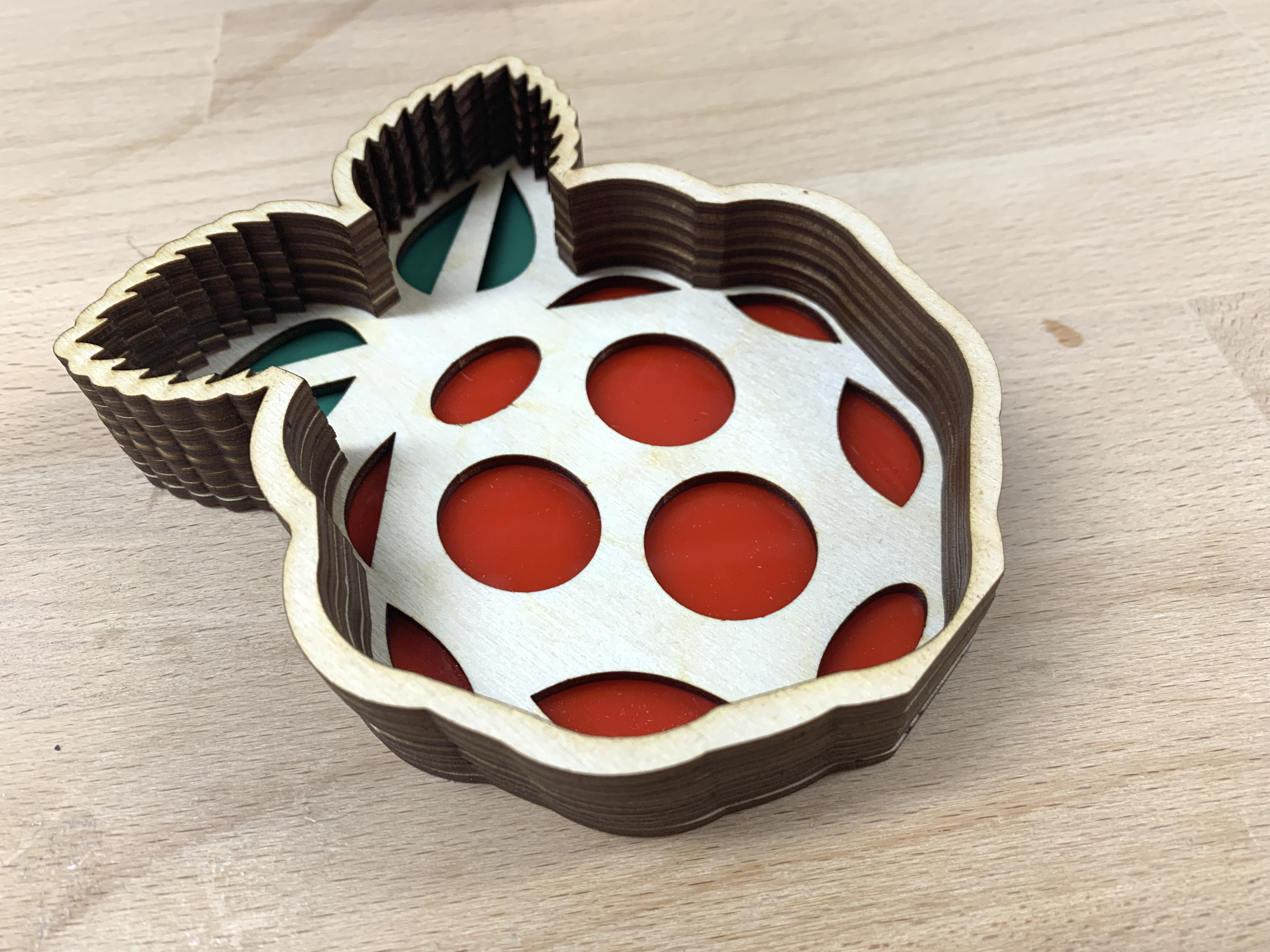
With a little bit of this in between:

Raspberry Pi laser cut box #MonthOfMaking

For hiding treasures

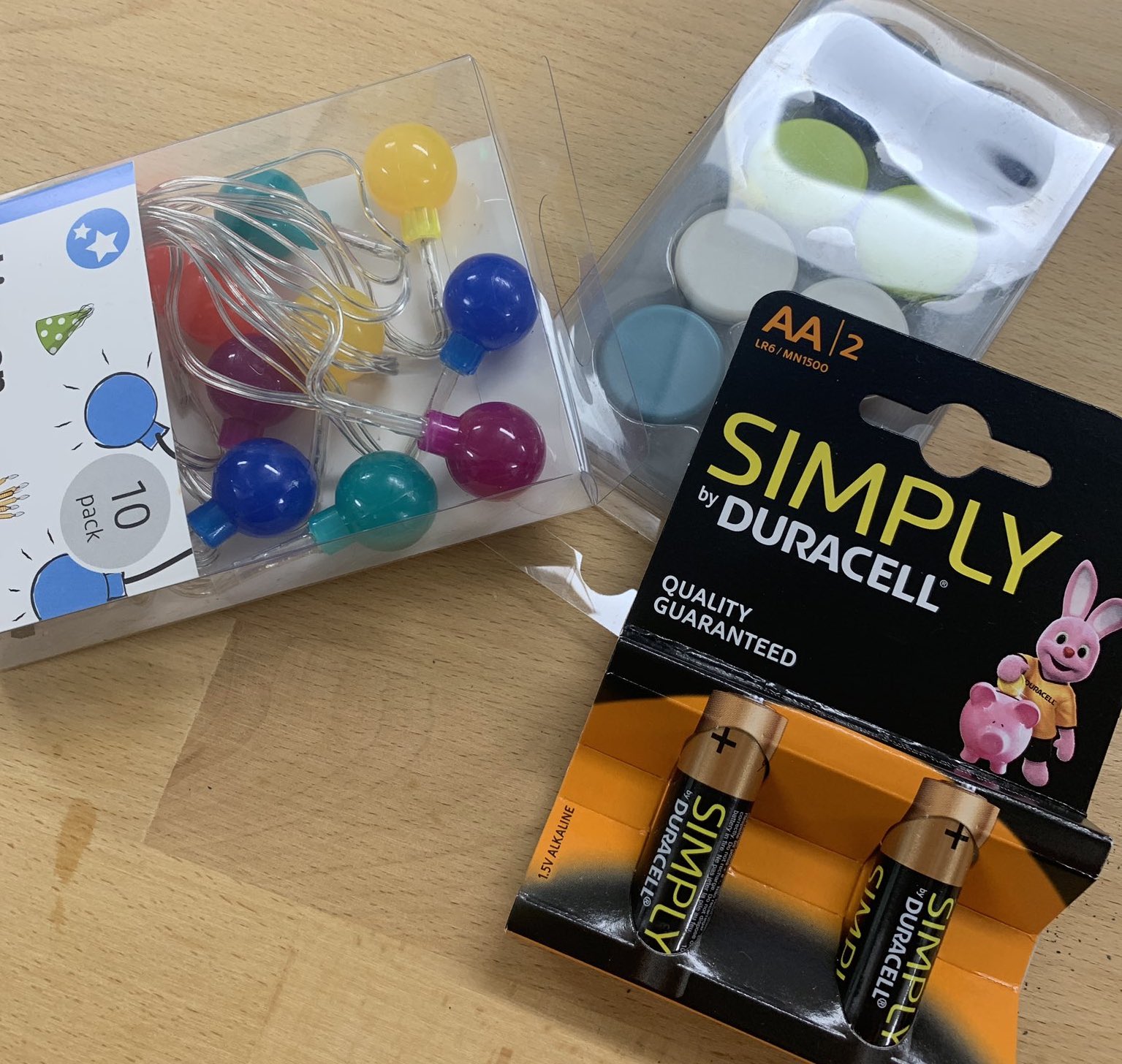
And thanks to some cheap battery-powered lights and magnets from Poundland…

#MonthOfMaking

Whosits and whatsits galore

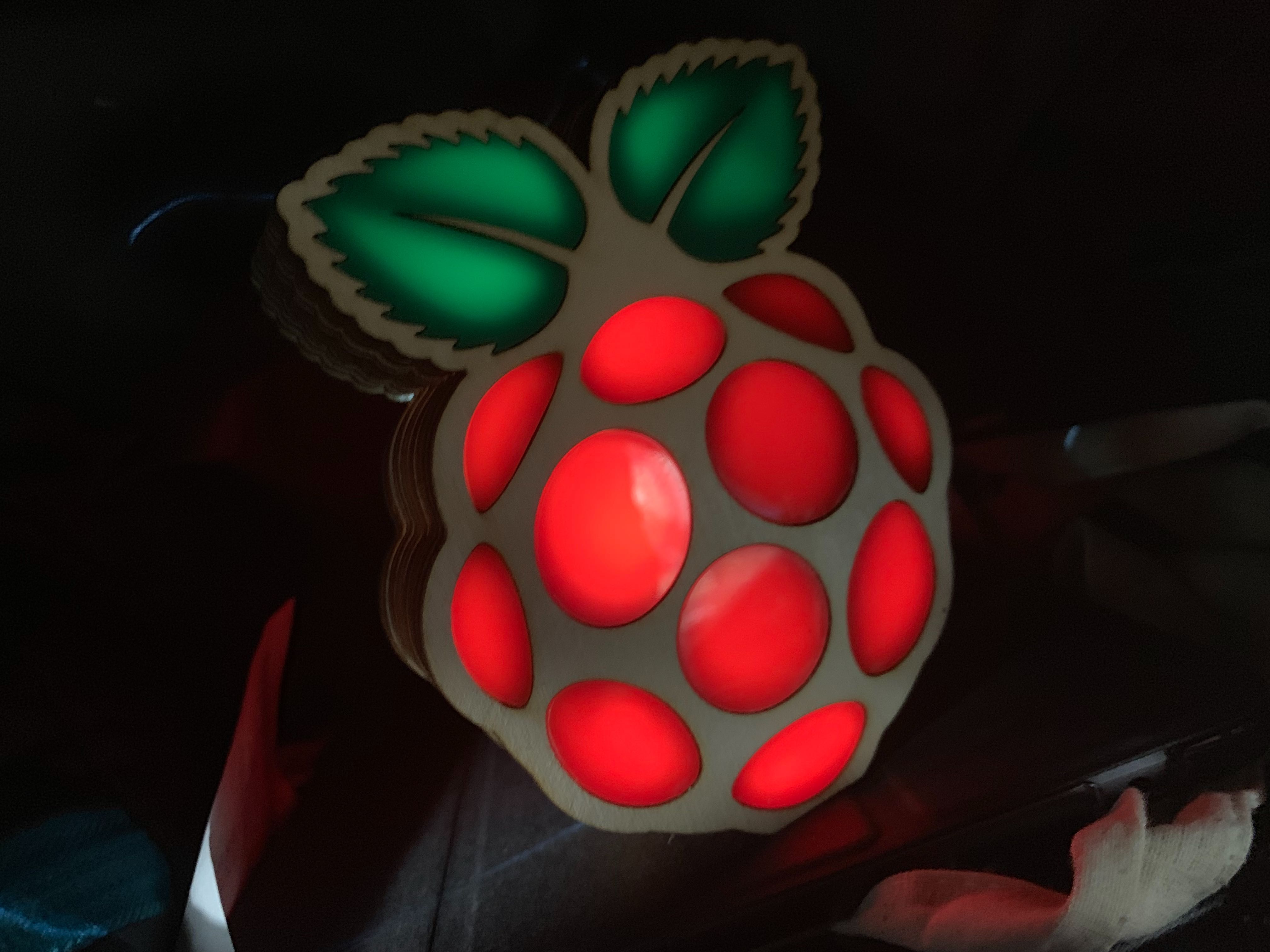
…it lights up too!

Raspberry Pi laser cut box #MonthOfMaking

Photograph taken inside my rucksack for ambience

Make your own

So, do you want to make your own? Of course you do.

Ideally, you need access to a laser cutter, but if you don’t have one, you can just cut out the layers from some thick cardboard using a craft knife.

You’ll need these four files:

Raspberry Pi laser cut box

These are slightly different to the ones I used, so the acrylic should press-fit without the need for the backing frame you see in the image above.

Feel free to resize the files and change the box design to better fit whatever you want to put inside, but remember: making these boxes to sell, or diverging from our brand guidelines when using the Raspberry Pi logo, is against our trademark rules.

#MonthOfMaking

Join Raspberry Pi and The MagPi magazine in the #MonthOfMaking by using the hashtag in your social posts sharing your makes online. And, just as you can see from my light-up box, your make doesn’t have to use any digital technology. Bake a cake, stitch loop art, restore a car — whatever you plan on making this month, make sure we see your creation! Have fun!

The post Make our light-up Raspberry Pi box for #MonthOfMaking appeared first on Raspberry Pi.


Source: Raspberry Pi – Make our light-up Raspberry Pi box for #MonthOfMaking

Handheld text-based adventure gaming with Quest Smith

Play text-based adventure games that print out in real time, with Quest Smith: the Raspberry Pi Zero W–driven handheld gaming device from Bekir Dağ.

Quest Smith

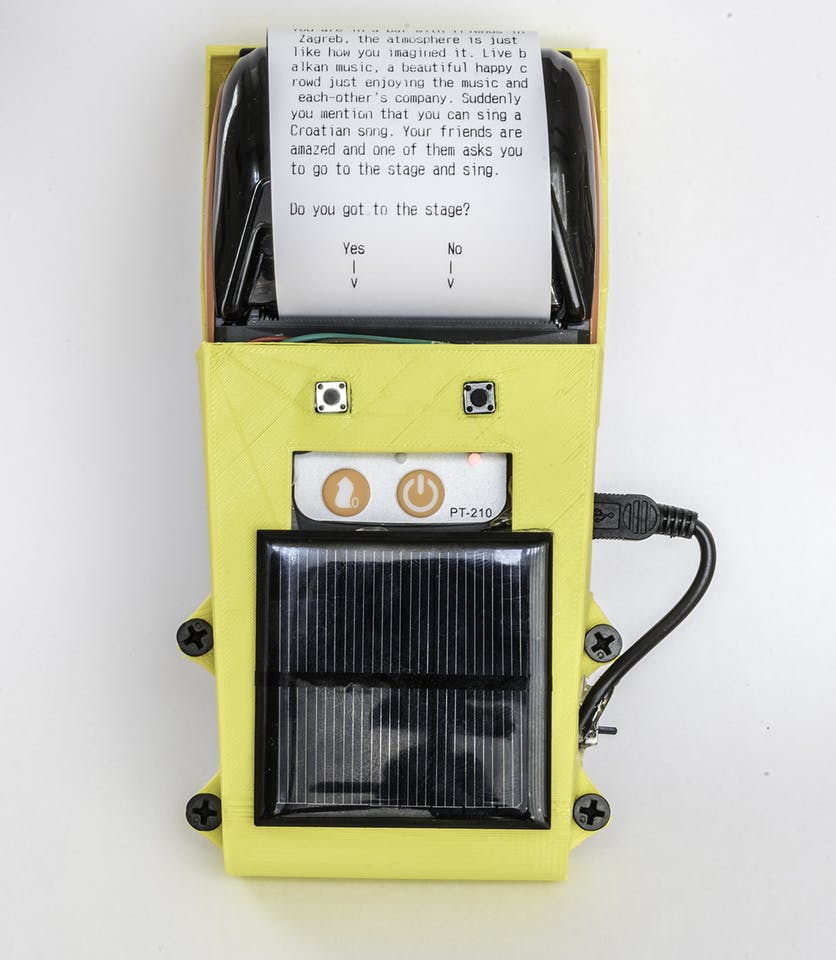
Quest Smith is a raspberry pi zero driven thermal printing text based game. In each level, it gives you options to choose so every game is different than the other one.

Text-based adventure games

Today I learned:

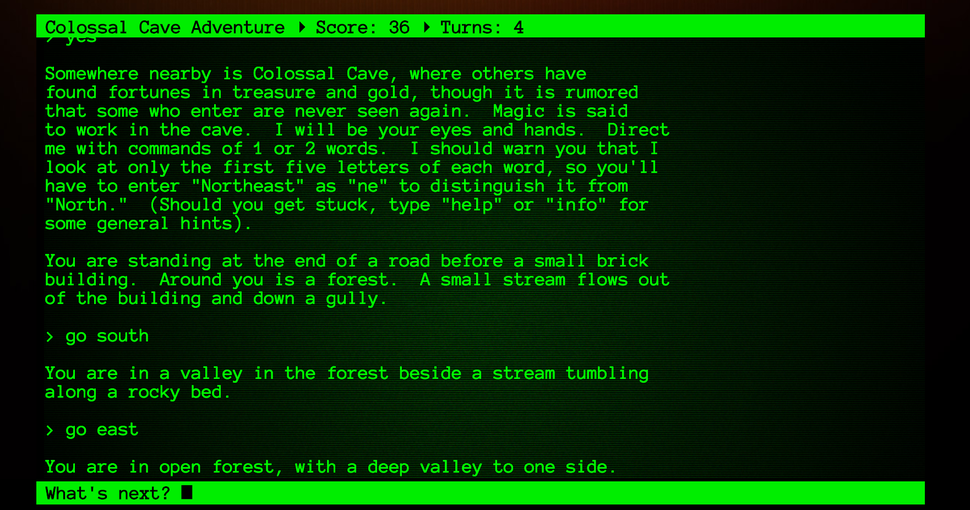
Around 1975, Will Crowther, a programmer and an amateur caver, wrote the first text adventure game, Adventure (originally called ADVENT because a filename could only be six characters long in the operating system he was using, and later named Colossal Cave Adventure).

But I’m sure you already knew that.

According to the internet, text-based games in their most simple form are video games that use text instead of graphics to let players progress. You read the description of your surroundings and choose from a set of options, or you type in your next step and hope the game understands what you’re talking about.

Colossal Cave Adventure

We have a conversation going in our team right now about whether the term ‘text-based games’ is solely used for video games of this nature, or whether choose your own adventure books also fall into the category of text-based games. Leave your thoughts in the comments.

Anyway…

Quest Smith!

After encountering a similar handheld gaming device in a Berlin games museum, Bekir Dağ decided to build his own using a Raspberry Pi Zero W.

Quest Smith text-based game

For Quest Smith’s body, Bekir Dağ designed a 3D print, and he provides the STL files for free on Thingiverse. And for the inner workings?

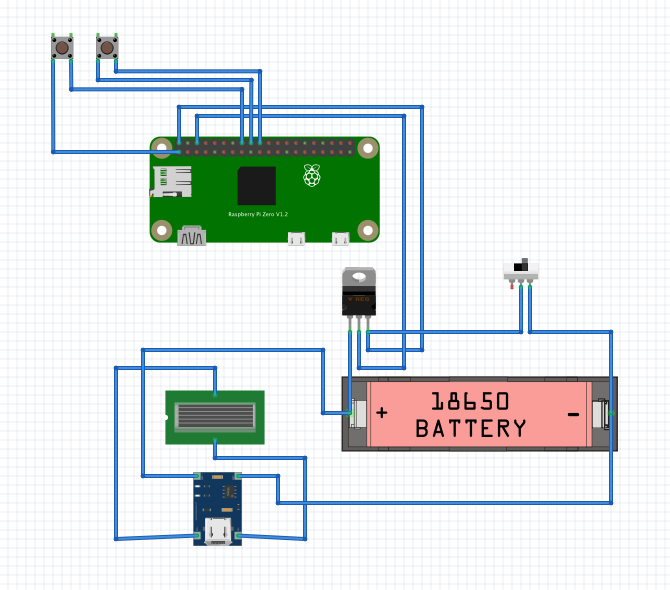
A Raspberry Pi Zero W fits snugly into the body alongside a thermal printer, a battery, and various tactile buttons. The battery is powered by a solar panel mounted on the outer shell, and all components are connected to a TP4056 board that allows the battery to power the Pi.

Quest Smith text-based game

The Quest Smith software is still somewhat of a work-in-progress. While users can build Quest Smith today and start playing, Bekir has put out the call for the community to submit their own parts of the story.

Each level requires two versions of the story, which makes the possiblities grow exponentially. So it will be very difficult for me to finish a single story by myself. For the player to reach level 9, we will need to have 1023 story parts to be written. If you can help me with that, it would be amazing!

To see more of Quest Smith’s build process, find the files to make your own device, and instructions on how to contribute toward the story, visit the Quest Smith Hackster.io page.

More text-based adventuring with Python

If you’re interested in writing your own text-based adventure game in Python, we’ve got a free online course available in which you can learn about object-oriented programming while creating a text-based game. And for a briefer intro, check out Wireframe magazine issue 6, where game developer Andrew Gillett explains how to make a simple Python text adventure.

The post Handheld text-based adventure gaming with Quest Smith appeared first on Raspberry Pi.


Source: Raspberry Pi – Handheld text-based adventure gaming with Quest Smith

IBM Q System One quantum computing on a Raspberry Pi?

IBM Q System One: the world’s first commercial, integrated, universal, approximate quantum computing system…

…on a Raspberry Pi?

What is a quantum computing system?

An excellent question and, while some of you may know the answer, here is Kurzgesagt‘s ‘in a nutshell’ explanation of quantum computing for the rest of us:

Quantum Computers Explained – Limits of Human Technology

Where are the limits of human technology? And can we somehow avoid them? This is where quantum computers become very interesting.

Qrasp — quantum computing on a Raspberry Pi

After seeing a press announcement for IBM’s Q System One, the first-ever commercial quantum computer, IBM Q Ambassador Hassi Norlen decided he wanted his own, and reached for his trusty Raspberry Pi to build one.

“This will not be easy,” he admits on his Medium blog post for the Qrasp project. “IBM Q System One is, after all, a cloud-based quantum computing offering, with the main hardware, cryostats, quantum chips, and all locked away in the IBM labs.”

Hassi goes on to explain the list of required ingredients for building your own Qrasp, including the Raspberry Pi Sense HAT, and the programs one can run on the finished device.

Qrasp

Qiskit interface for Raspberry PI with SenseHat

It’s a great blog post, and to save me summarising it here, check it out for yourself. You’ll also find a link to the GitHub repo for Qrasp, and other tidbits of information on making the most out of the final build.

The post IBM Q System One quantum computing on a Raspberry Pi? appeared first on Raspberry Pi.


Source: Raspberry Pi – IBM Q System One quantum computing on a Raspberry Pi?

Automatic Calling System using Raspberry Pi

If like me, you’re awful at remembering birthdays, you need Piyush Charpe’s Automatic Birthday Calling System. It’s the Raspberry Pi device that calls on your behalf – aka Heaven for Introverts.

Building business relationships through niceness

Piyush’s father works as an insurance adviser, and, because he’s a lovely chap, he makes it his mission to wish all of his clients a happy birthday. Nice, right? I hardly remember the birthdays of my closest friends: and here’s Piyush’s father sending his kindest regards to everyone on his client list.

Way to make me feel like a bad friend, Papa Charpe!

So good are Charpe Sr’s customer service skills that he’s unexpectedly built himself an unmanageable amount of birthday wishes to send. So that’s where his son comes in with his idea for an automatic birthday calling system. Huzzah! Take my money, etc. etc.

Automated calling with a Raspberry Pi

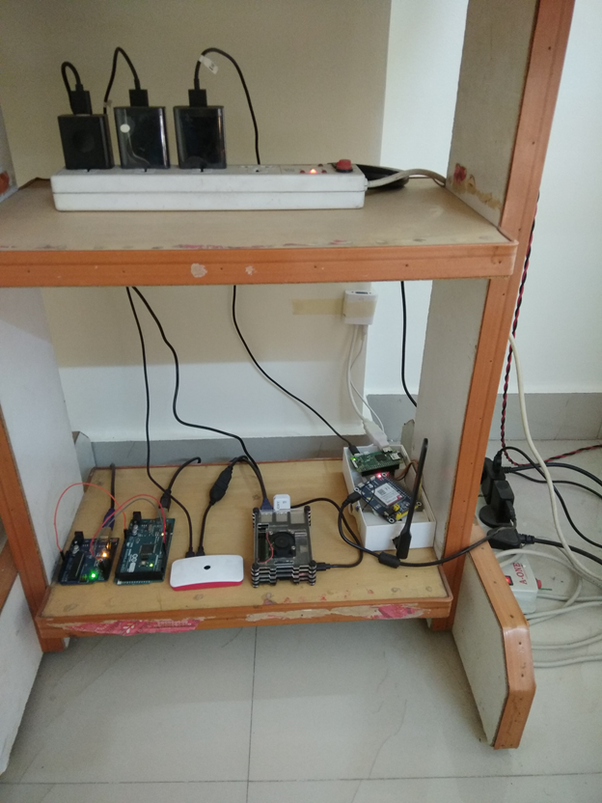
Piyush used a Raspberry Pi Zero W, 4G GSM module and Google Firebase for the system, alongside an audio recording of his father wishing a happy birthday, and some help from a friend with experience building Android apps.

Raspberry Pi automatic birthday caller

Acquiring a client list from his father that included names, dates of birth and telephone number (our GDPR manager is weeping into her compliance documents as she reads this), Piyush added the information to Google Firebase, an online real-time database system.

Raspberry Pi automatic birthday caller

The accompanying Android app allows his father to add and remove clients from the list, and updates him on successfully-made calls; it’ll also let him know who he’ll need to follow up with if they were unavailable to receive their birthday greeting.

Raspberry Pi automatic birthday caller

The system updates at midnight, consolidating a list to be called at 10am the following day. And, at the end of the month, the system’s call history is deleted automatically after sending it in CSV format to his father.

The system has now been working 24/7 for eight months, and has been adopted by other business owners in the area.

You can read more about the project here.

Put down your phone!

What a lovely use of technology with great scope for expansion. Why stop at birthdays? Do I remember my parents’ anniversary? Of course not. And don’t get me started on updating my nearest and dearest on life events, changing address, etc. This system is genius! Introverts need never talk to another human being again! Rejoice!

The post Automatic Calling System using Raspberry Pi appeared first on Raspberry Pi.


Source: Raspberry Pi – Automatic Calling System using Raspberry Pi