WTB has launched a range of three wide, high-volume gravel tyres, which feature patent-pending technology that is said to improve their aerodynamics and represent “a major leap forward in gravel tyre performance”.
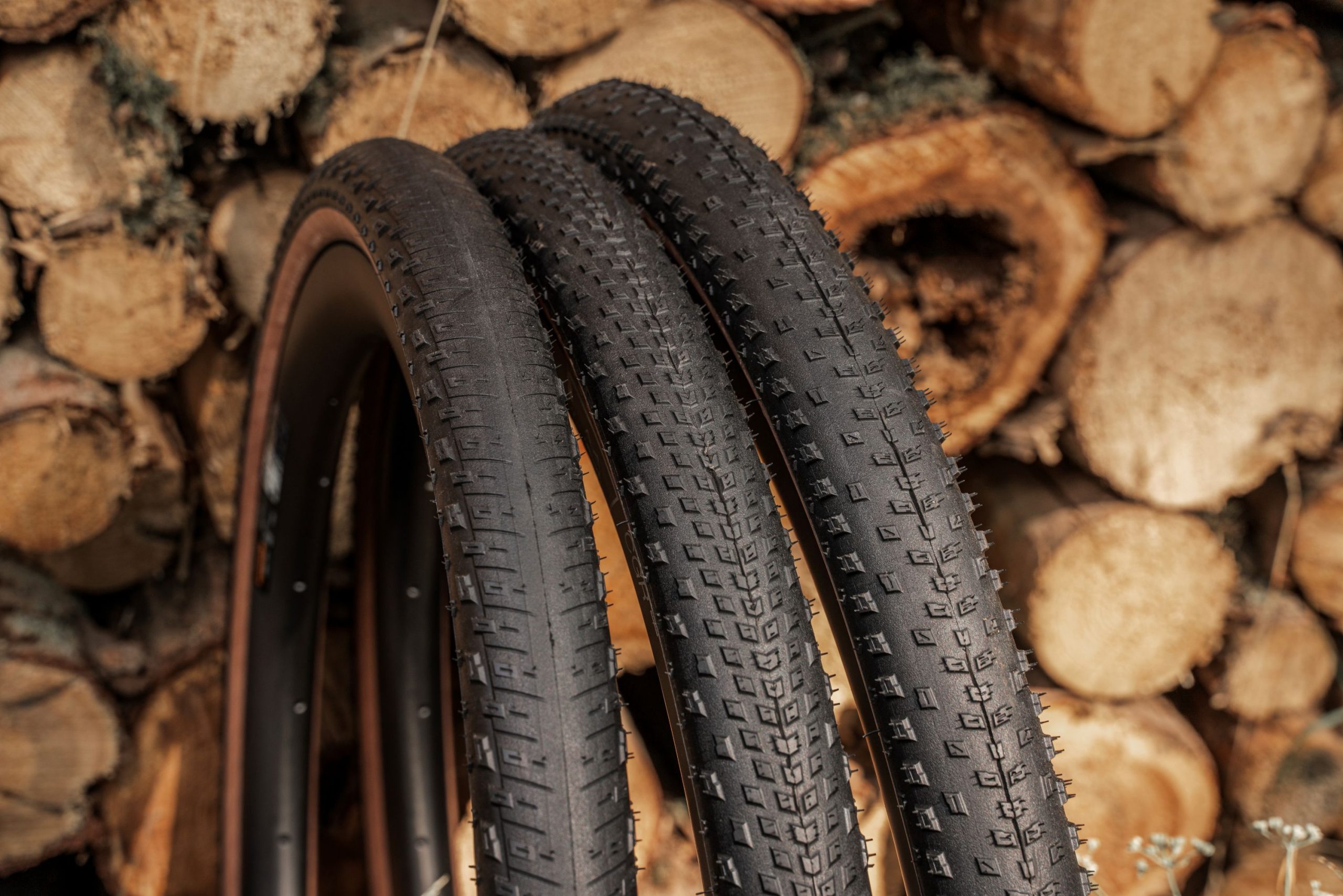
The three new tyres are the 50mm-wide Byway RS, 52mm Course and 54mm Macro.
WTB says it has balanced traction, rolling resistance and flat protection to optimise ride quality and produce what it claims are the fastest gravel tyres possible.
WTB’s new tyres span widths of 50mm, 52mm and 54mm, with increasingly aggressive tread patterns.
WTB has worked on the development of its new gravel tyres with aero road bike brand Stromm, which claims to make the fastest UCI-legal road bike. They’re designed to pair with the now-typical wide gravel wheel rims and optimised for a 28mm internal rim width, although WTB says they will deliver benefits on rims from 25mm to 32mm.
The new tyres have sidewalls that include vortex generators and trip strips, which WTB claims help control boundary layer separation and reduce the drag-inducing low-pressure wake around the wheel and tyre.
WTB says it has used field testing at a velodrome against a control tyre with the same profile, but without aero features to validate the aero benefits at typical gravel speeds. It says its testing shows a 5.8-watt saving at 30km/h, rising to 9.3 watts at 35km/h and 13.8 watts at 40km/h.
To achieve its aero aims, WTB says it has completely redesigned its tyre-production methods, with closer production tolerances and new materials. There’s a new 120 TPI casing that WTB claims is more supple and offers bead-to-bead puncture protection, which it calls SG2.
The rubber used has also had an upgrade, with a low-drag compound used at the centre and high-friction shoulder lugs.
WTB aero gravel tyre range
Byway RS 50
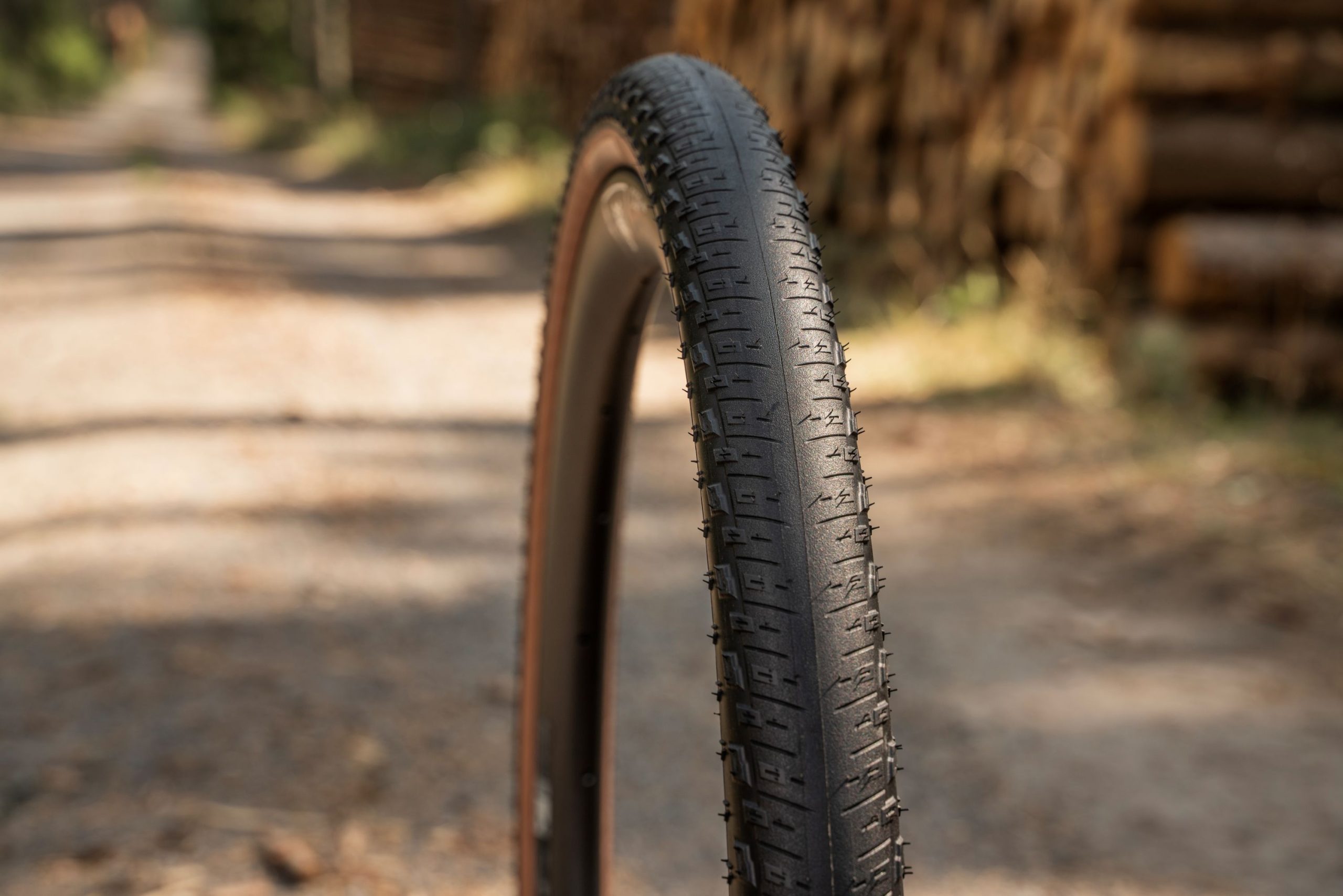
The Byway RS 50 is designed for speed on hardpack gravel and the road.
As with the original Byway, the Byway RS has a slick central section with low-profile side knobs and is designed for speed on hardpacked gravel and tarmac. WTB claims a 620g tyre weight.
Course 52
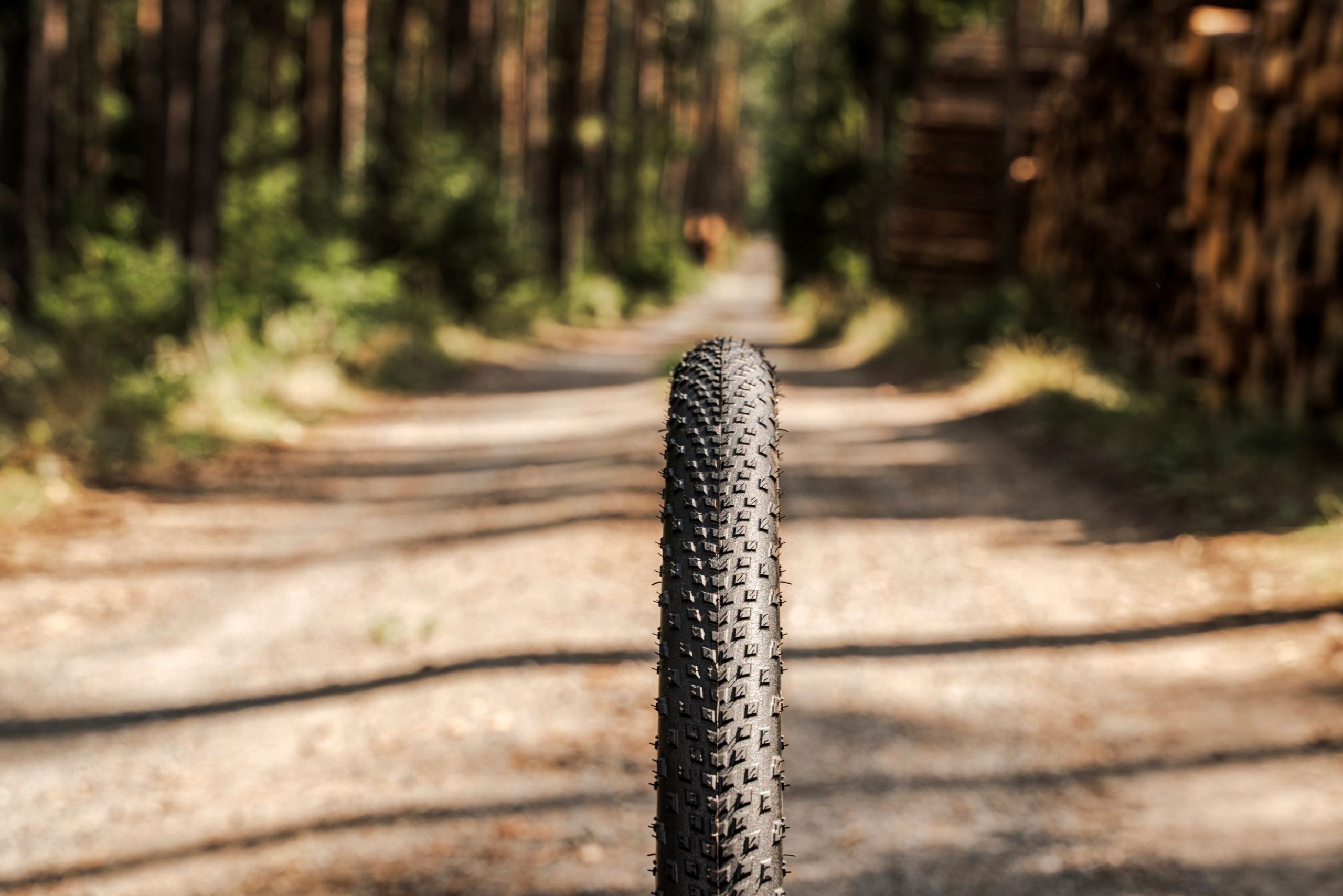
The Course 52 is designed as a gravel all-rounder.
The Course 52 increases all-terrain capability, with a shallow central tread for rolling efficiency, and is geared to more varied off-road conditions. The claimed weight is 635g per tyre.
Macro 54
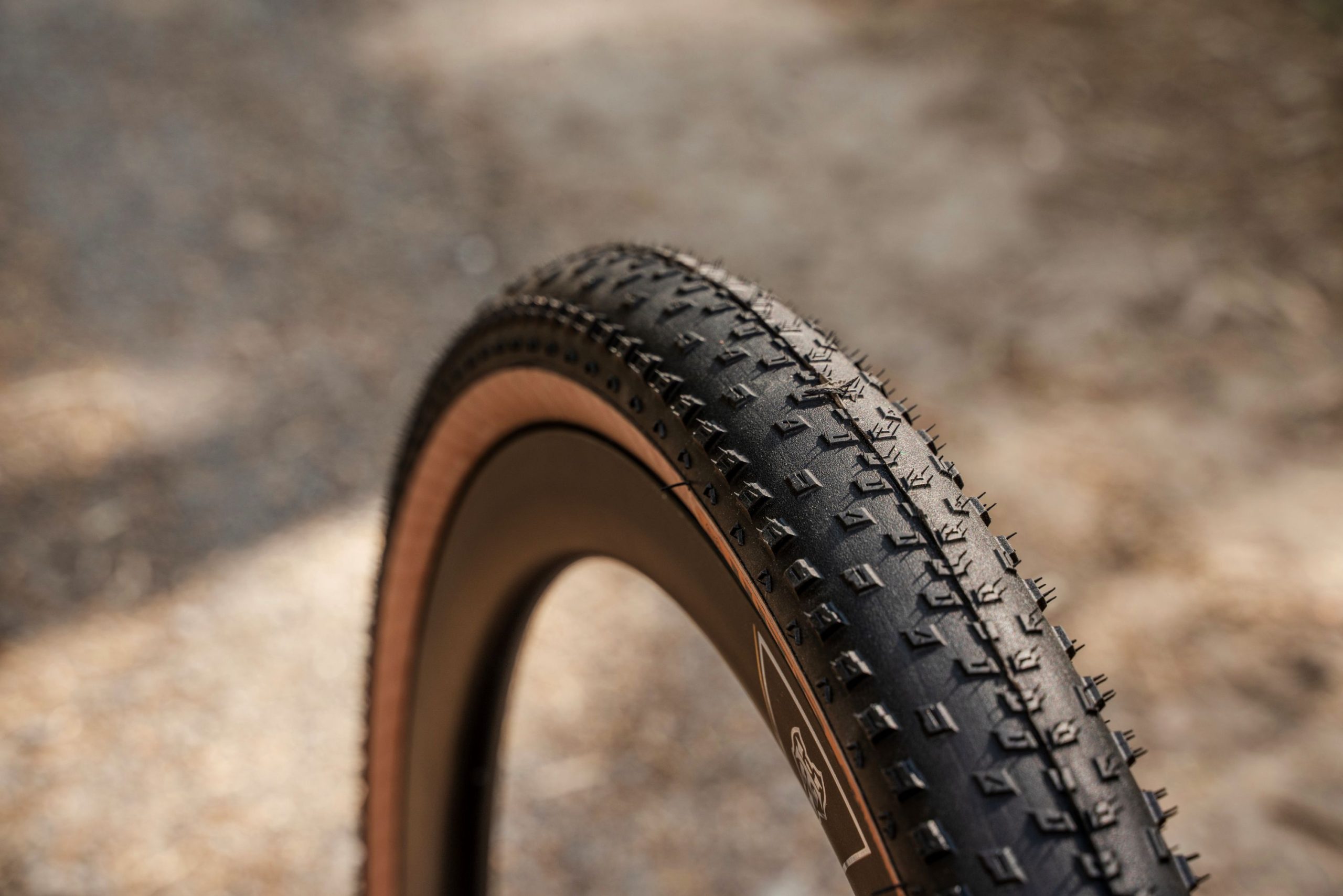
The Macro 54 is WTB’s widest offering and designed for the most demanding gravel conditions.
Finally, the Macro 54 has the highest volume of the three tyres and is designed for rougher surfaces, with a more aggressive, more widely spaced tread pattern. Claimed weight is 640g per tyre.
All three WTB aero gravel tyres are available with either black or tan sidewalls and are priced at £69.50 / $89.95 / €79.95. You may also have spotted the WTB carbon gravel wheel rims in the images of the tyres. WTB says they’ll be arriving soon to complement the new aero tyres.
WTB has launched a range of three wide, high-volume gravel tyres, which feature patent-pending technology that is said to improve their aerodynamics and represent “a major leap forward in gravel tyre performance”.
The three new tyres are the 50mm-wide Byway RS, 52mm Course and 54mm Macro.
WTB says it has balanced traction, rolling resistance and flat protection to optimise ride quality and produce what it claims are the fastest gravel tyres possible.
WTB’s new tyres span widths of 50mm, 52mm and 54mm, with increasingly aggressive tread patterns.
WTB has worked on the development of its new gravel tyres with aero road bike brand Stromm, which claims to make the fastest UCI-legal road bike. They’re designed to pair with the now-typical wide gravel wheel rims and optimised for a 28mm internal rim width, although WTB says they will deliver benefits on rims from 25mm to 32mm.
The new tyres have sidewalls that include vortex generators and trip strips, which WTB claims help control boundary layer separation and reduce the drag-inducing low-pressure wake around the wheel and tyre.
WTB says it has used field testing at a velodrome against a control tyre with the same profile, but without aero features to validate the aero benefits at typical gravel speeds. It says its testing shows a 5.8-watt saving at 30km/h, rising to 9.3 watts at 35km/h and 13.8 watts at 40km/h.
To achieve its aero aims, WTB says it has completely redesigned its tyre-production methods, with closer production tolerances and new materials. There’s a new 120 TPI casing that WTB claims is more supple and offers bead-to-bead puncture protection, which it calls SG2.
The rubber used has also had an upgrade, with a low-drag compound used at the centre and high-friction shoulder lugs.
WTB aero gravel tyre range
Byway RS 50
The Byway RS 50 is designed for speed on hardpack gravel and the road.
As with the original Byway, the Byway RS has a slick central section with low-profile side knobs and is designed for speed on hardpacked gravel and tarmac. WTB claims a 620g tyre weight.
Course 52
The Course 52 is designed as a gravel all-rounder.
The Course 52 increases all-terrain capability, with a shallow central tread for rolling efficiency, and is geared to more varied off-road conditions. The claimed weight is 635g per tyre.
Macro 54
The Macro 54 is WTB’s widest offering and designed for the most demanding gravel conditions.
Finally, the Macro 54 has the highest volume of the three tyres and is designed for rougher surfaces, with a more aggressive, more widely spaced tread pattern. Claimed weight is 640g per tyre.
All three WTB aero gravel tyres are available with either black or tan sidewalls and are priced at £69.50 / $89.95 / €79.95. You may also have spotted the WTB carbon gravel wheel rims in the images of the tyres. WTB says they’ll be arriving soon to complement the new aero tyres.
WTB has launched a range of three wide, high-volume gravel tyres, which feature patent-pending technology that is said to improve their aerodynamics and represent “a major leap forward in gravel tyre performance”.
The three new tyres are the 50mm-wide Byway RS, 52mm Course and 54mm Macro.
WTB says it has balanced traction, rolling resistance and flat protection to optimise ride quality and produce what it claims are the fastest gravel tyres possible.
WTB’s new tyres span widths of 50mm, 52mm and 54mm, with increasingly aggressive tread patterns.
WTB has worked on the development of its new gravel tyres with aero road bike brand Stromm, which claims to make the fastest UCI-legal road bike. They’re designed to pair with the now-typical wide gravel wheel rims and optimised for a 28mm internal rim width, although WTB says they will deliver benefits on rims from 25mm to 32mm.
The new tyres have sidewalls that include vortex generators and trip strips, which WTB claims help control boundary layer separation and reduce the drag-inducing low-pressure wake around the wheel and tyre.
WTB says it has used field testing at a velodrome against a control tyre with the same profile, but without aero features to validate the aero benefits at typical gravel speeds. It says its testing shows a 5.8-watt saving at 30km/h, rising to 9.3 watts at 35km/h and 13.8 watts at 40km/h.
To achieve its aero aims, WTB says it has completely redesigned its tyre-production methods, with closer production tolerances and new materials. There’s a new 120 TPI casing that WTB claims is more supple and offers bead-to-bead puncture protection, which it calls SG2.
The rubber used has also had an upgrade, with a low-drag compound used at the centre and high-friction shoulder lugs.
WTB aero gravel tyre range
Byway RS 50
The Byway RS 50 is designed for speed on hardpack gravel and the road.
As with the original Byway, the Byway RS has a slick central section with low-profile side knobs and is designed for speed on hardpacked gravel and tarmac. WTB claims a 620g tyre weight.
Course 52
The Course 52 is designed as a gravel all-rounder.
The Course 52 increases all-terrain capability, with a shallow central tread for rolling efficiency, and is geared to more varied off-road conditions. The claimed weight is 635g per tyre.
Macro 54
The Macro 54 is WTB’s widest offering and designed for the most demanding gravel conditions.
Finally, the Macro 54 has the highest volume of the three tyres and is designed for rougher surfaces, with a more aggressive, more widely spaced tread pattern. Claimed weight is 640g per tyre.
All three WTB aero gravel tyres are available with either black or tan sidewalls and are priced at £69.50 / $89.95 / €79.95. You may also have spotted the WTB carbon gravel wheel rims in the images of the tyres. WTB says they’ll be arriving soon to complement the new aero tyres.
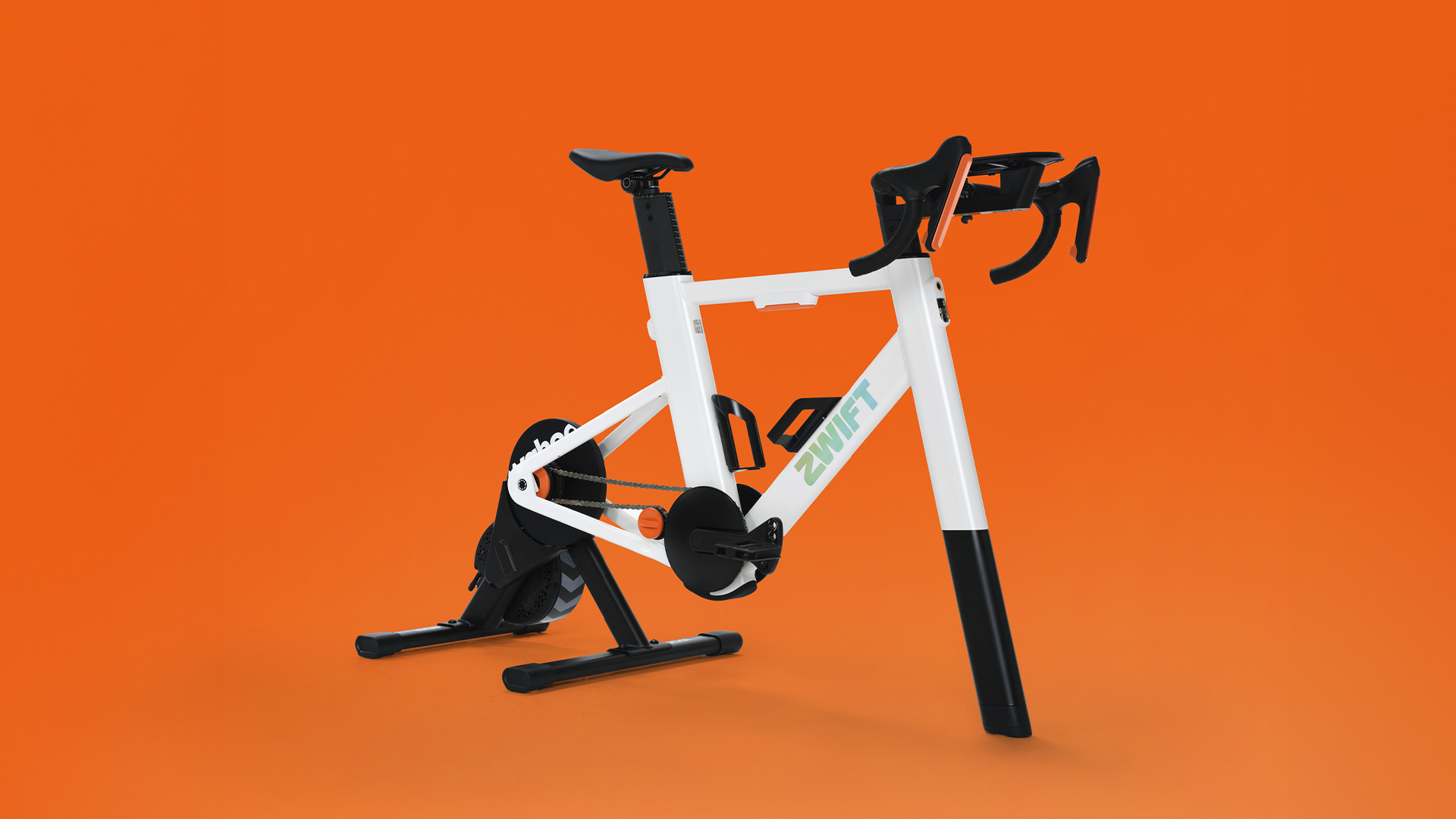
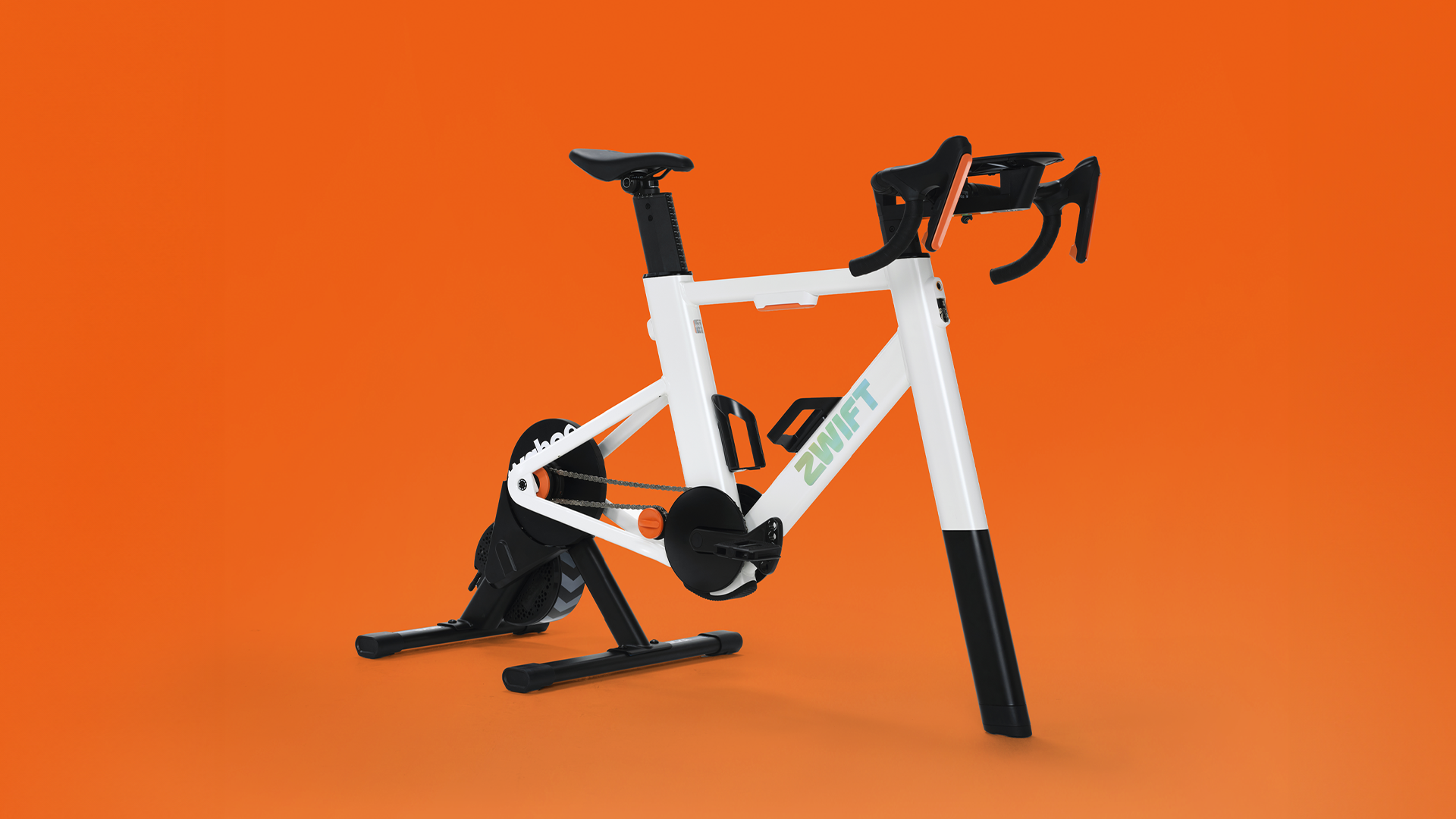
Zwift rolled out version 2 of their popular Zwift Ride smart frame today. This isn’t a radical redesign, but it’s a welcome one! This new iteration makes the Ride more accommodating for more riders, at the same impressive price.
Are you a Zwift Ride V1 owner wondering whether to update? Or perhaps you’re looking to upgrade your current indoor setup or buy your first indoor setup as we head into “Zwift season”? This post is for you! Read on to learn all about the new Zwift Ride.
Note: if you purchase the Ride bundle via the links above, Zwift Insider will be paid an affiliate commission by Zwift to help support this site. Thanks!
What’s New
Here’s how the new Zwift Ride differs from the original V1:
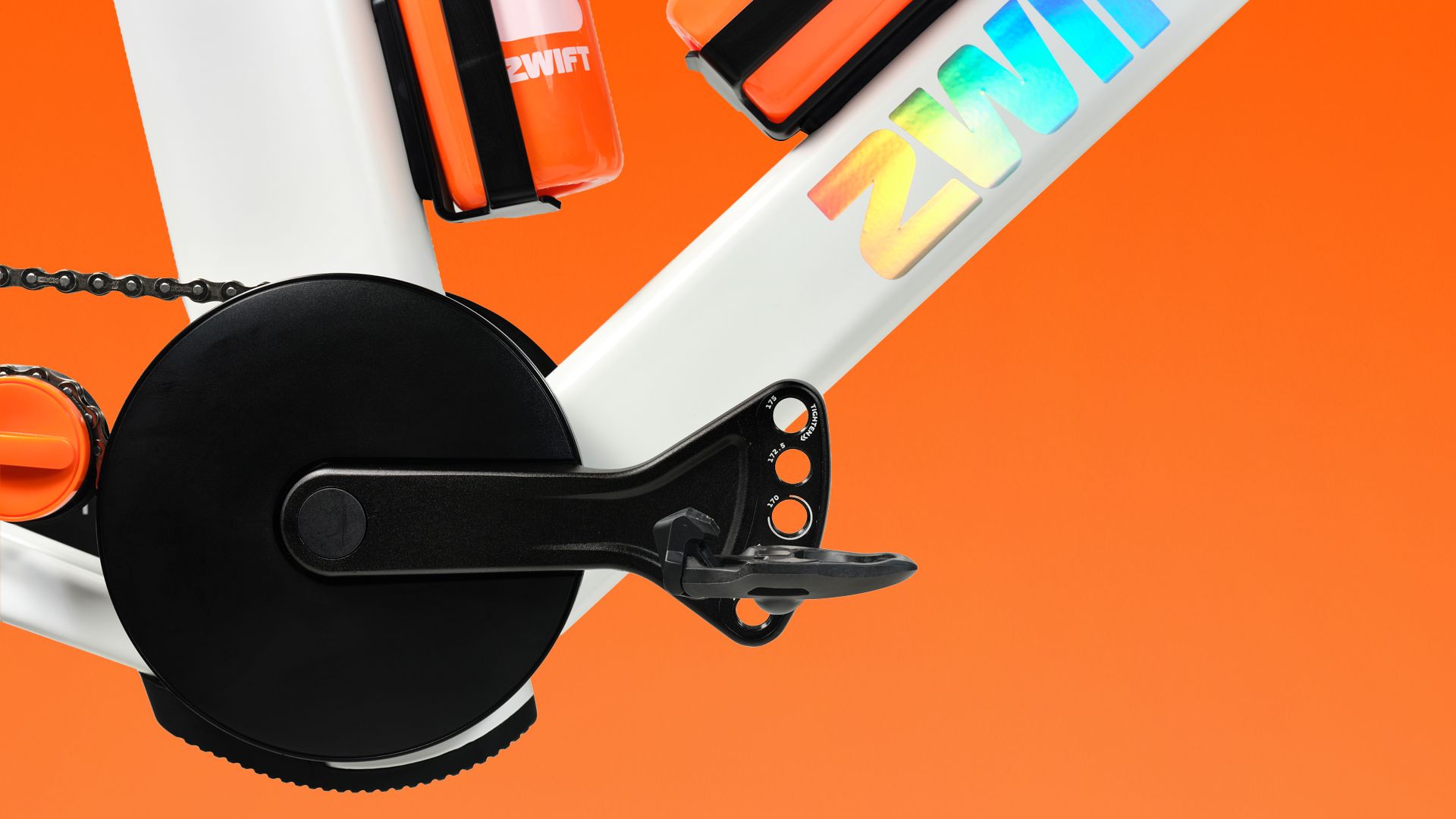
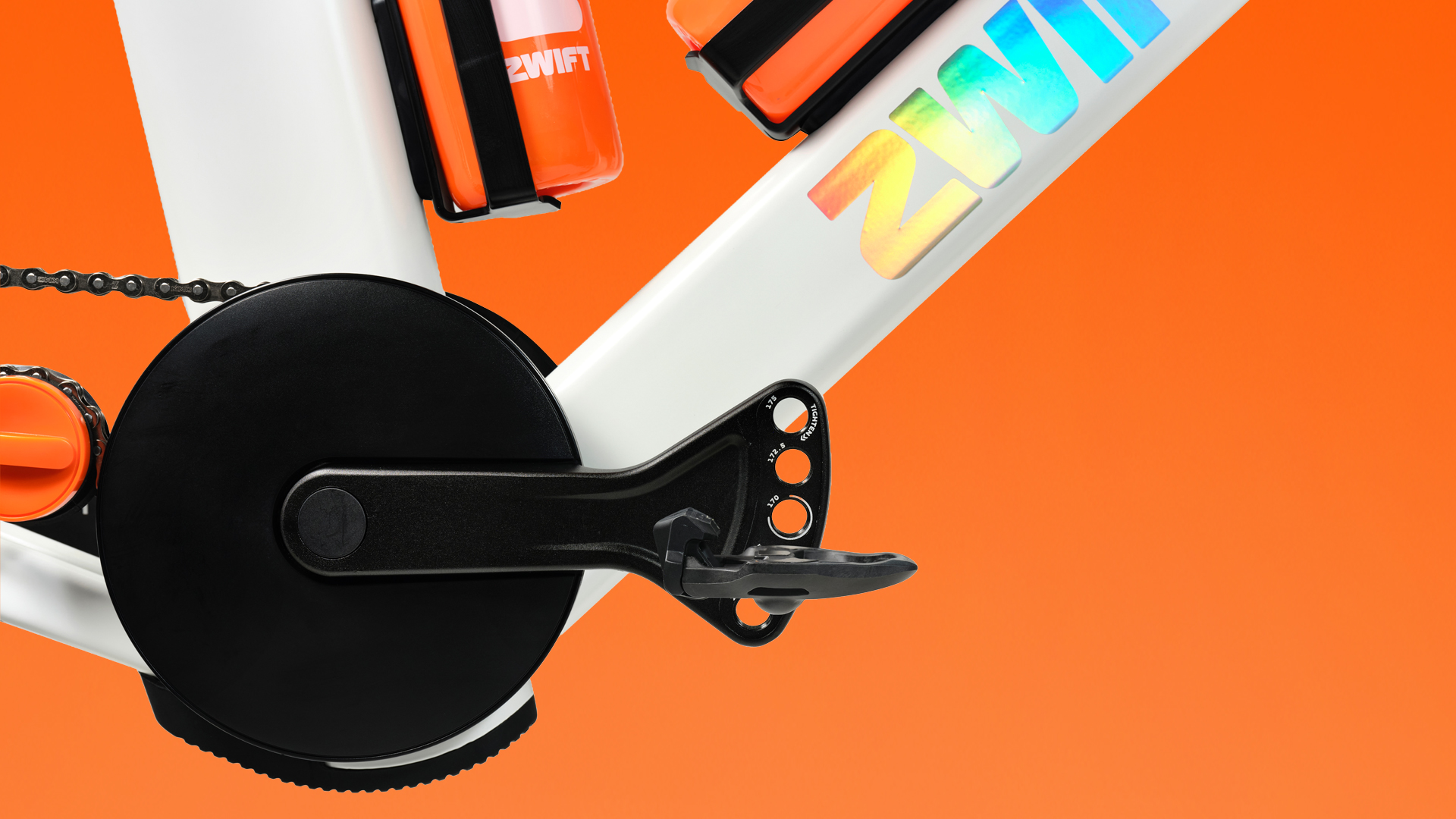
Bear Claw Cranks: Probably the most-requested upgrade on the Zwift Ride, these crank arms, offering 5 crank length options, have been available as a $99 upgrade option for over a year.
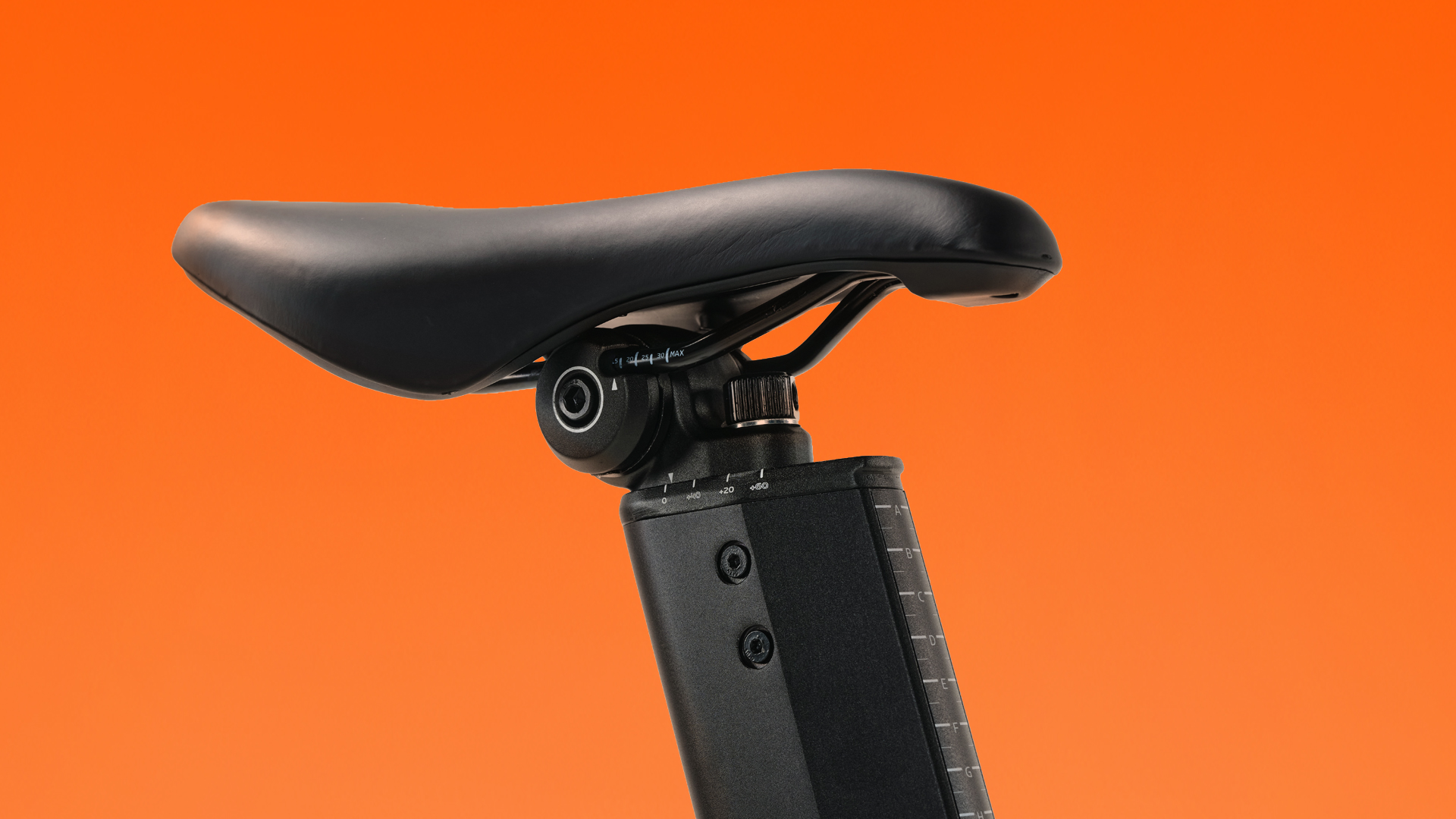
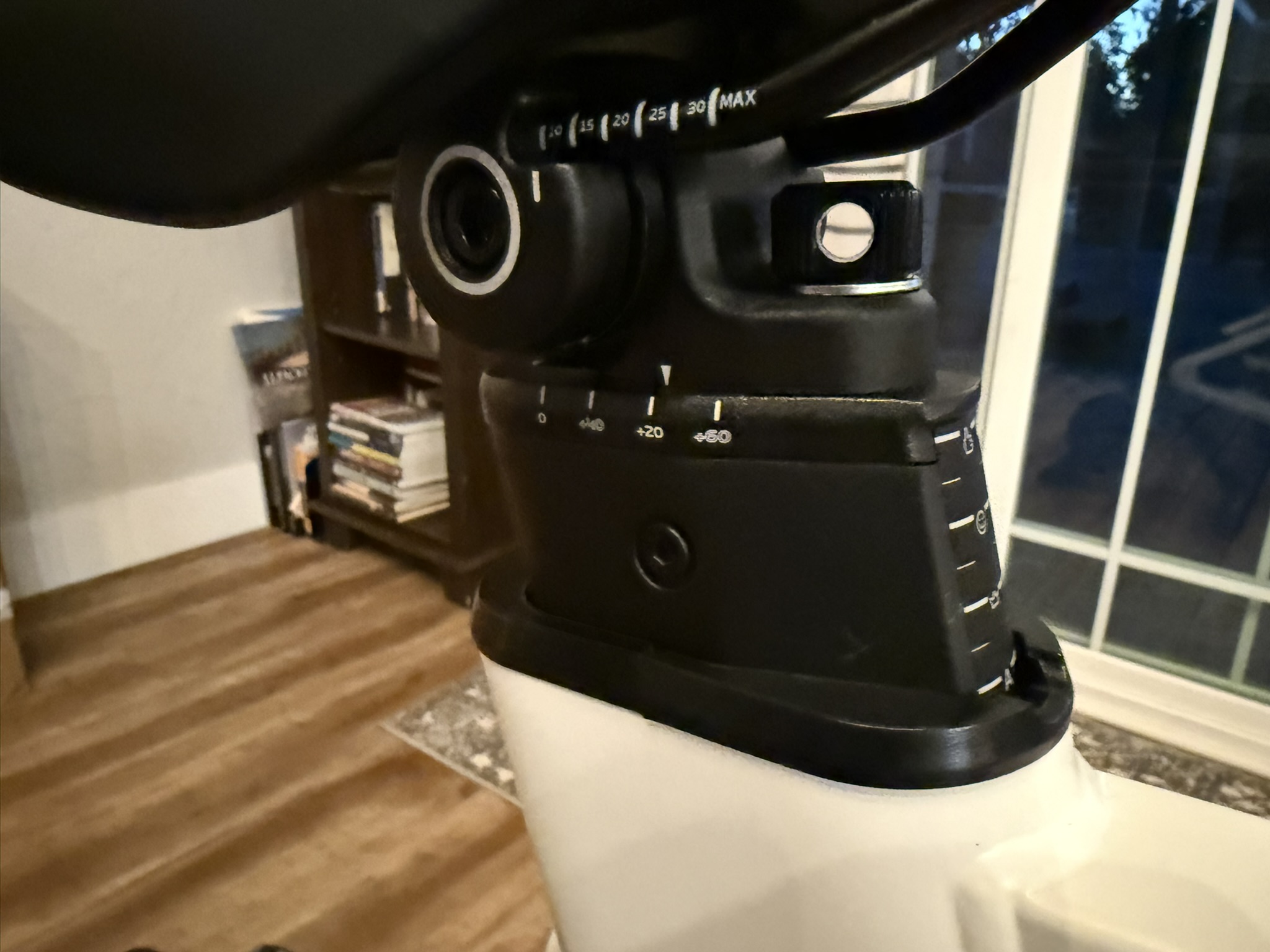
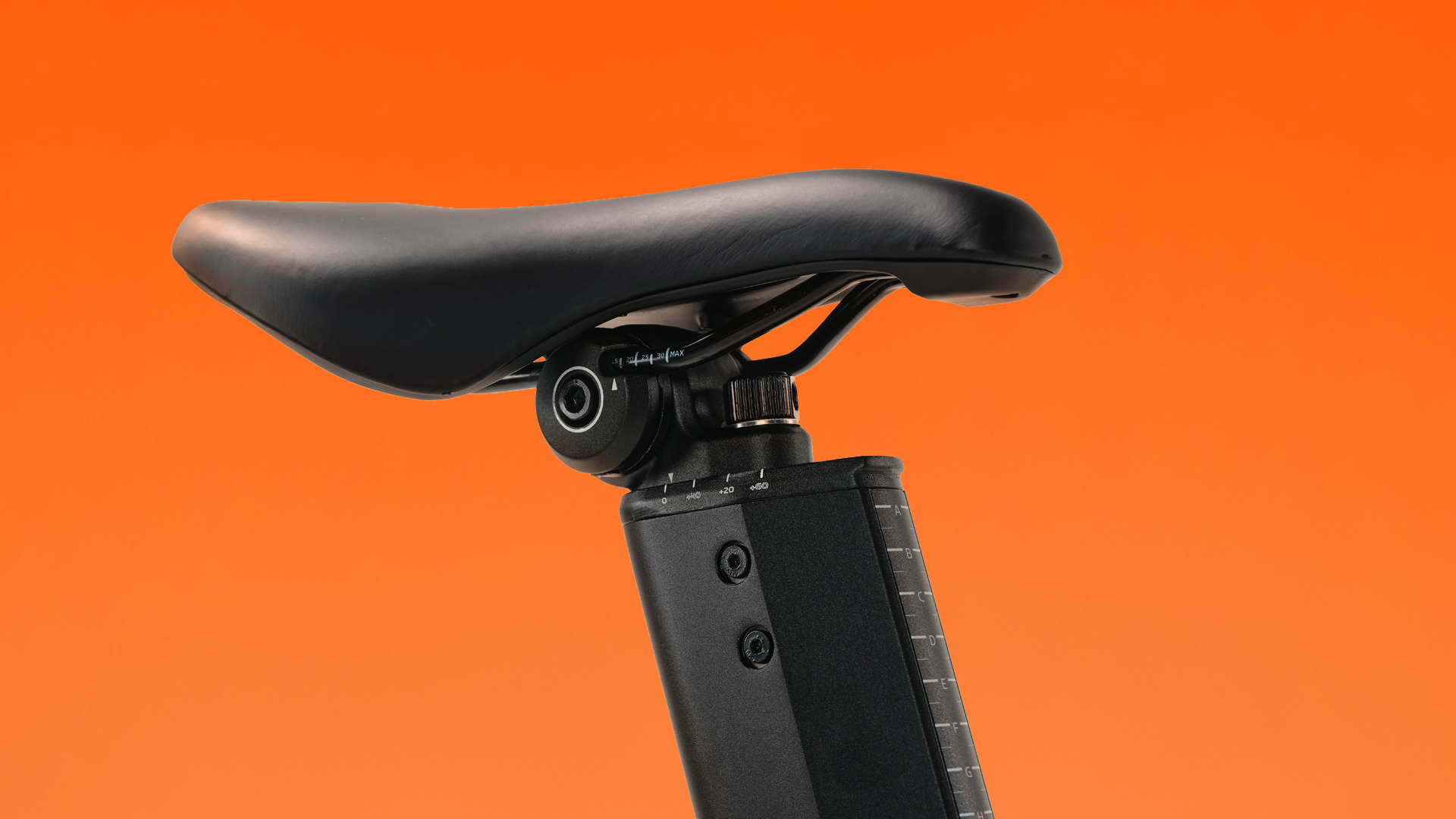
Expanded Fore-Aft Seat Adjustment: A redesigned seat post topper lets you place the saddle clamp in 4 different fore-aft positions for an additional 30mm of fore-aft adjustability.
Reduced Minimum Saddle Height: Minimum rider height is now 4’10” (146cm), which is 2″ (6 cm) shorter than the V1.
Reduced Minimum Bar Height: Your bars can drop almost 4 cm lower on the V1 than the V2.
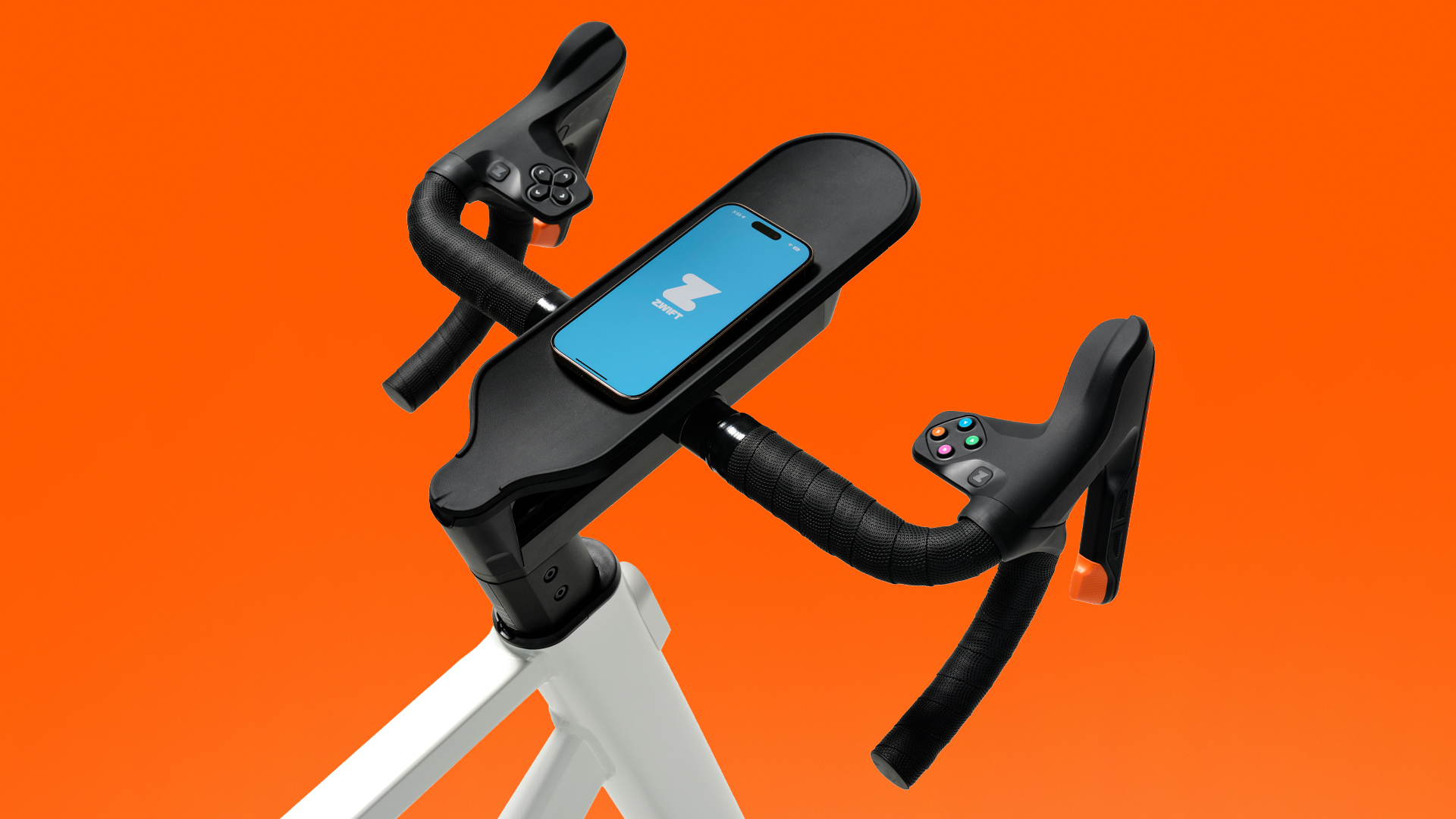
Wider Bar Tops: Instead of the uniformly thick bars of the V1, the V2 sports bars with wider tops for more hand comfort.
Improved Controllers: Not announced by Zwift, but confirmed by Zwift, the controllers on the new Ride feature an additional internal seal to keep them safe from moisture/sweat.
I dig into most of these changes below, but first… here’s a fun off-the-cuff video from my living room starring Ryan Condon and me…
Unboxing/First Impressions Video
Adjustable Crank Length
At a time when many riders are experimenting with shorter crank lengths, the original Zwift Ride’s lack of adjustability was a common source of complaint. (Not only did the V1 offer only a 170 mm option, but the cranks are non-standard, so you couldn’t swap in aftermarket cranks.) Zwift began selling a $99 bear claw crank upgrade in April 2025, but Zwifters consistently asked for these cranks to be included with a Zwift Ride purchase.
The bear claw cranks on the V2 are the same add-on cranks Zwift has been selling for the V1, with 5 options:
160 mm
165 mm
170 mm
172.5 mm
175 mm
New Fore-Aft Adjustable Seat Post Topper
Since the Zwift Ride’s initial release, some riders have requested the option of a seatpost that allows the saddle to be located further forward. (In fact, aftermarket options have arisen to meet this very need.)
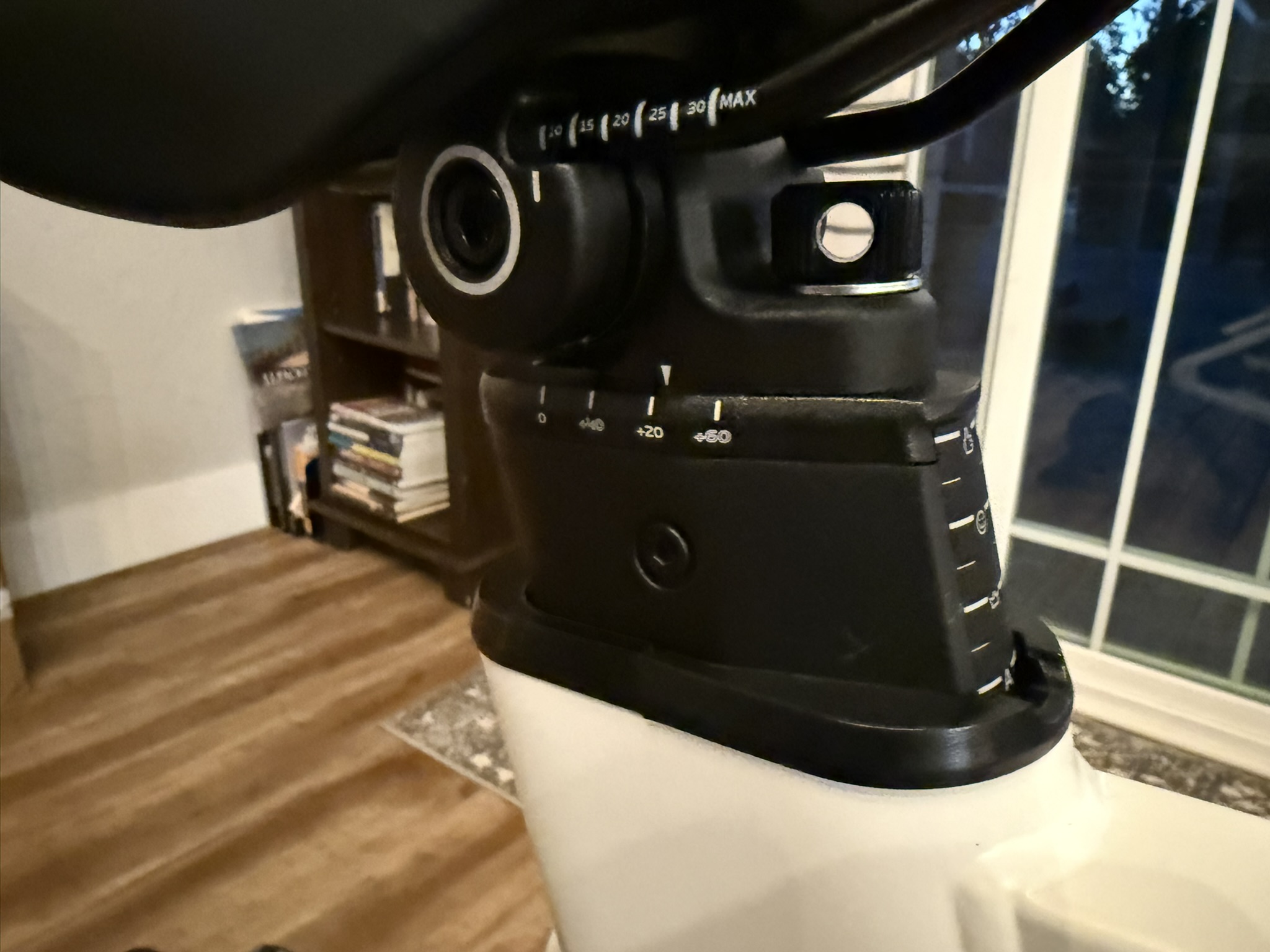
The new seat post topper can be placed in 4 different positions for an additional 3 cm of fore-aft adjustability. Two positions can be reached with the topper oriented in one direction, while the other two positions are reached by turning the entire topper around to face the opposite direction.
A single bolt holds the assembly firmly in place, and it can be tightened or loosened using the Zwift Ride’s built-in tool.
Reduced Minimum Saddle and Bar Heights
Multiple changes to the frame geometry have made the Zwift Ride V2 more accommodating to smaller riders. While the V1’s stated rider size range was 152-198 cm with a minimum saddle height of 60 cm, the V2’s stated size range is 146-198 cm with a minimum saddle height of 56.75cm.
The main change enabling the reduced saddle height (and reach) is a slightly smaller frame, where all parts of the main triangle have been reduced in length. This also reduced the standover height and minimum bar height, with the V2’s bars able to drop almost 4 cm lower than the V1.
Reducing the size of the frame’s main triangle also reduces the minimum reach, further accommodating shorter riders.
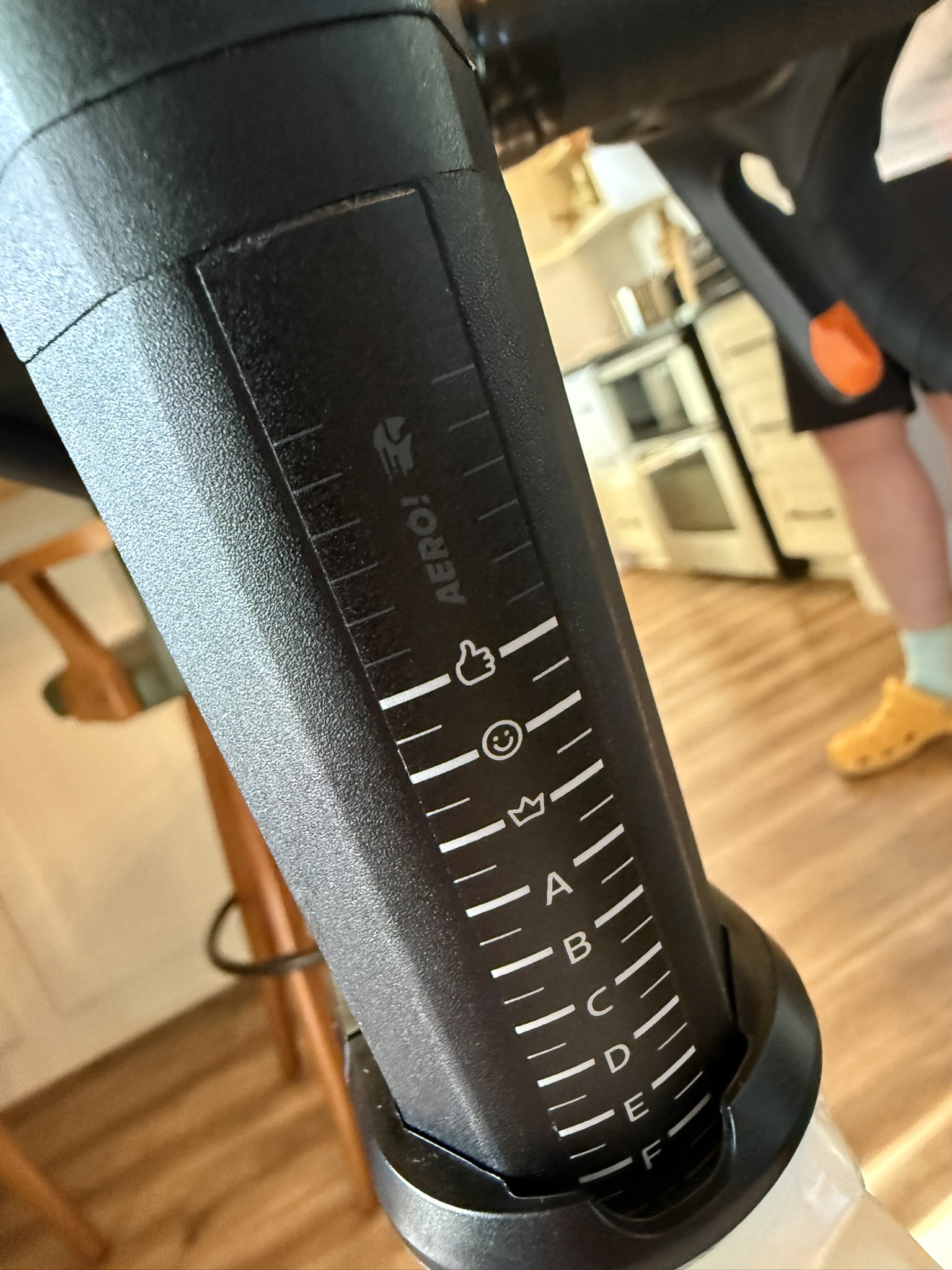
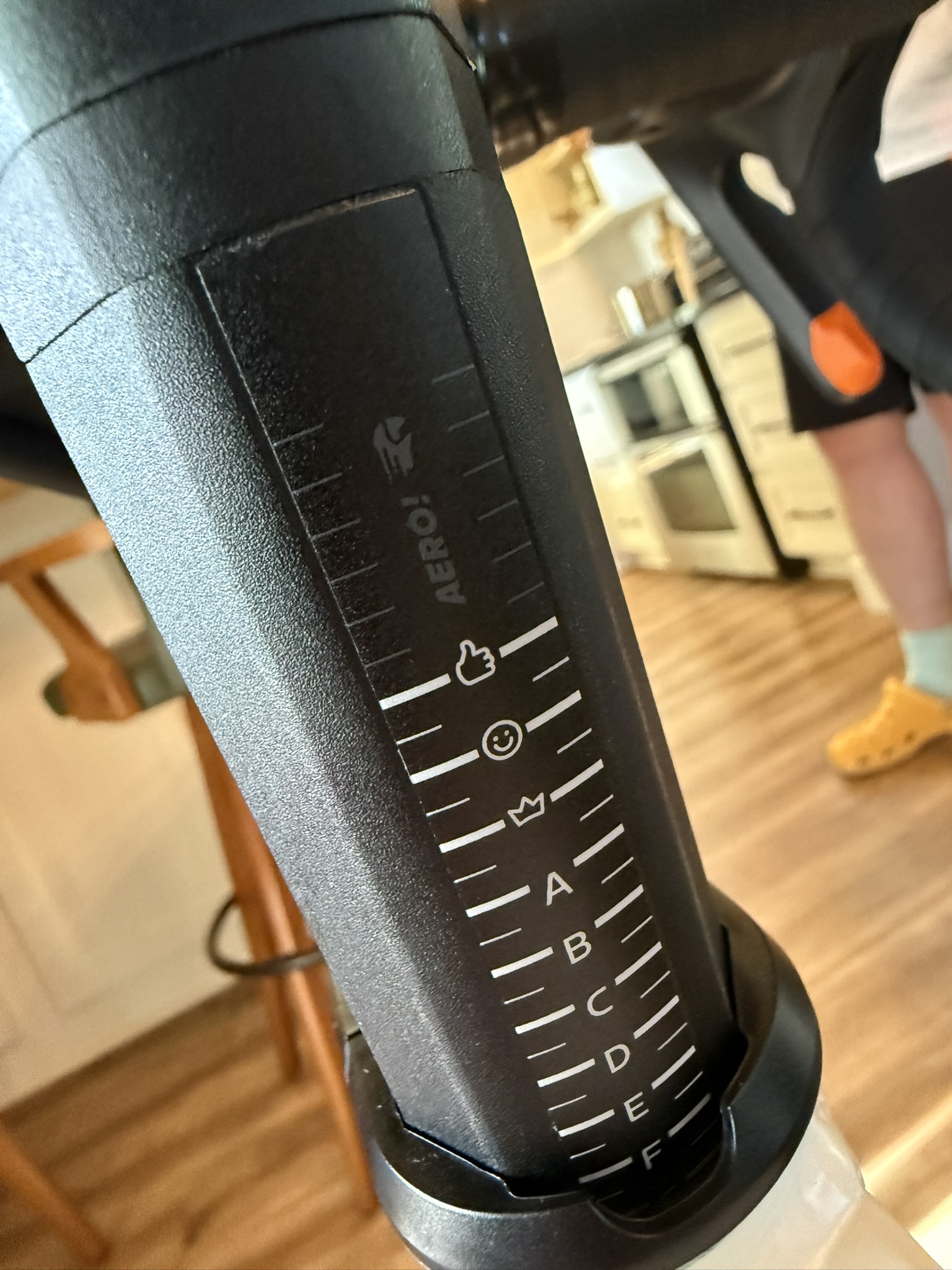
It appears that Zwift labeled the seatpost heights, stem lengths, and bar heights so riders who know their Zwift Ride measurements from a V1 can easily set up a V2. They don’t translate perfectly, and modifying the new seatpost topper’s position will, of course, affect these. But it’s a thoughtful move on Zwift’s part, and a playful twist to have crown, smiley, and Ride On symbols as new measurements…
Wider Bar Tops
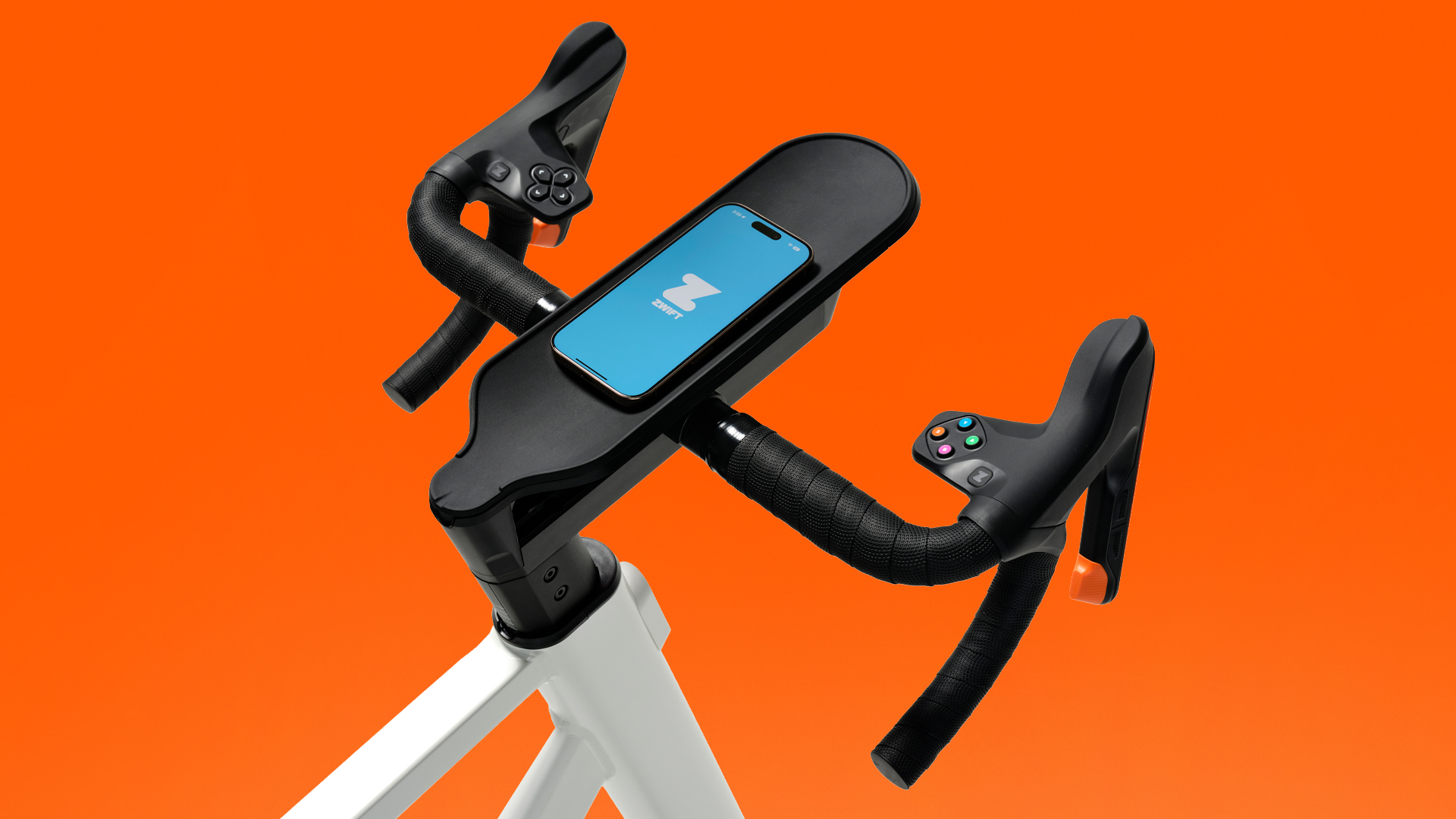
The narrow, uniform thickness of the original Zwift Ride’s handlebars didn’t win many fan awards, particularly for riders with larger hands.
The new Ride’s handlebars are oversized on the tops, like most modern bars, providing a much more comfortable grip surface.
Is it worth the upgrade?
That’s everything that’s new about the Zwift Ride V2 (apart from a new squirrel badge on the head tube and an updated rider sizing card). So the big question is – should you buy one?
Here’s my take: if you already own the Zwift Ride V1, upgrading to the V2 probably doesn’t make sense. If anything, you may want to purchase the adjustable cranks or updated seatpost, which Zwift says will be available at Zwift.com.
But if you’re looking for an upgrade to your existing bike/trainer setup, or looking to purchase your first indoor bike setup, the Zwift Ride V2 is everything the original Zwift Ride was, and more! The crank length options, saddle setback options, and accommodating minimum sizing for smaller riders are all big wins. Add that to the V2 shipping with the latest Wahoo KICKR CORE 2 and you’ve got a killer package at the same great price ($1299.99 / €1199.99 / £1099.99) as the original Zwift Ride.
Note: if you purchase the Ride bundle via the links above, Zwift Insider will be paid an affiliate commission by Zwift to help support this site. Thanks!
Share Your Thoughts
What do you think of the changes made in Zwift Ride V2? Will you be purchasing one yourself? Share your thoughts below!
Zwift rolled out version 2 of their popular Zwift Ride smart frame today. This isn’t a radical redesign, but it’s a welcome one! This new iteration makes the Ride more accommodating for more riders, at the same impressive price.
Are you a Zwift Ride V1 owner wondering whether to update? Or perhaps you’re looking to upgrade your current indoor setup or buy your first indoor setup as we head into “Zwift season”? This post is for you! Read on to learn all about the new Zwift Ride.
Note: if you purchase the Ride bundle via the links above, Zwift Insider will be paid an affiliate commission by Zwift to help support this site. Thanks!
What’s New
Here’s how the new Zwift Ride differs from the original V1:
Bear Claw Cranks: Probably the most-requested upgrade on the Zwift Ride, these crank arms, offering 5 crank length options, have been available as a $99 upgrade option for over a year.
Expanded Fore-Aft Seat Adjustment: A redesigned seat post topper lets you place the saddle clamp in 4 different fore-aft positions for an additional 30mm of fore-aft adjustability.
Reduced Minimum Saddle Height: Minimum rider height is now 4’10” (146cm), which is 2″ (6 cm) shorter than the V1.
Reduced Minimum Bar Height: Your bars can drop almost 4 cm lower on the V1 than the V2.
Wider Bar Tops: Instead of the uniformly thick bars of the V1, the V2 sports bars with wider tops for more hand comfort.
Improved Controllers: Not announced by Zwift, but confirmed by Zwift, the controllers on the new Ride feature an additional internal seal to keep them safe from moisture/sweat.
I dig into most of these changes below, but first… here’s a fun off-the-cuff video from my living room starring Ryan Condon and me…
Unboxing/First Impressions Video
Adjustable Crank Length
At a time when many riders are experimenting with shorter crank lengths, the original Zwift Ride’s lack of adjustability was a common source of complaint. (Not only did the V1 offer only a 170 mm option, but the cranks are non-standard, so you couldn’t swap in aftermarket cranks.) Zwift began selling a $99 bear claw crank upgrade in April 2025, but Zwifters consistently asked for these cranks to be included with a Zwift Ride purchase.
The bear claw cranks on the V2 are the same add-on cranks Zwift has been selling for the V1, with 5 options:
160 mm
165 mm
170 mm
172.5 mm
175 mm
New Fore-Aft Adjustable Seat Post Topper
Since the Zwift Ride’s initial release, some riders have requested the option of a seatpost that allows the saddle to be located further forward. (In fact, aftermarket options have arisen to meet this very need.)
The new seat post topper can be placed in 4 different positions for an additional 3 cm of fore-aft adjustability. Two positions can be reached with the topper oriented in one direction, while the other two positions are reached by turning the entire topper around to face the opposite direction.
A single bolt holds the assembly firmly in place, and it can be tightened or loosened using the Zwift Ride’s built-in tool.
Reduced Minimum Saddle and Bar Heights
Multiple changes to the frame geometry have made the Zwift Ride V2 more accommodating to smaller riders. While the V1’s stated rider size range was 152-198 cm with a minimum saddle height of 60 cm, the V2’s stated size range is 146-198 cm with a minimum saddle height of 56.75cm.
The main change enabling the reduced saddle height (and reach) is a slightly smaller frame, where all parts of the main triangle have been reduced in length. This also reduced the standover height and minimum bar height, with the V2’s bars able to drop almost 4 cm lower than the V1.
Reducing the size of the frame’s main triangle also reduces the minimum reach, further accommodating shorter riders.
It appears that Zwift labeled the seatpost heights, stem lengths, and bar heights so riders who know their Zwift Ride measurements from a V1 can easily set up a V2. They don’t translate perfectly, and modifying the new seatpost topper’s position will, of course, affect these. But it’s a thoughtful move on Zwift’s part, and a playful twist to have crown, smiley, and Ride On symbols as new measurements…
Wider Bar Tops
The narrow, uniform thickness of the original Zwift Ride’s handlebars didn’t win many fan awards, particularly for riders with larger hands.
The new Ride’s handlebars are oversized on the tops, like most modern bars, providing a much more comfortable grip surface.
Is it worth the upgrade?
That’s everything that’s new about the Zwift Ride V2 (apart from a new squirrel badge on the head tube and an updated rider sizing card). So the big question is – should you buy one?
Here’s my take: if you already own the Zwift Ride V1, upgrading to the V2 probably doesn’t make sense. If anything, you may want to purchase the adjustable cranks or updated seatpost, which Zwift says will be available at Zwift.com.
But if you’re looking for an upgrade to your existing bike/trainer setup, or looking to purchase your first indoor bike setup, the Zwift Ride V2 is everything the original Zwift Ride was, and more! The crank length options, saddle setback options, and accommodating minimum sizing for smaller riders are all big wins. Add that to the V2 shipping with the latest Wahoo KICKR CORE 2 and you’ve got a killer package at the same great price ($1299.99 / €1199.99 / £1099.99) as the original Zwift Ride.
Note: if you purchase the Ride bundle via the links above, Zwift Insider will be paid an affiliate commission by Zwift to help support this site. Thanks!
Share Your Thoughts
What do you think of the changes made in Zwift Ride V2? Will you be purchasing one yourself? Share your thoughts below!