ASUS is laying claim to the world’s first agentic mini PC to feature a neural processing unit (NPU) capable of delivering 80 TOPS for AI workloads. First revealed at the Microsoft Build 2026 event earlier this year, the ASUS Ascent QN10 is also being billed as the world’s first mini PC to flex Qualcomm’s Snapdragon X2 Elite processor inside,
Microsoft has scheduled its first major dedicated Windows event in over two years, taking the stage in San Francisco on October 7 to showcase the next era of local AI in personal computing.
Get ready for the next step. pic.twitter.com/gvB8BV2z7Q
— Microsoft Surface (@surface) September 15, 2026 The high-profile gathering will bring together
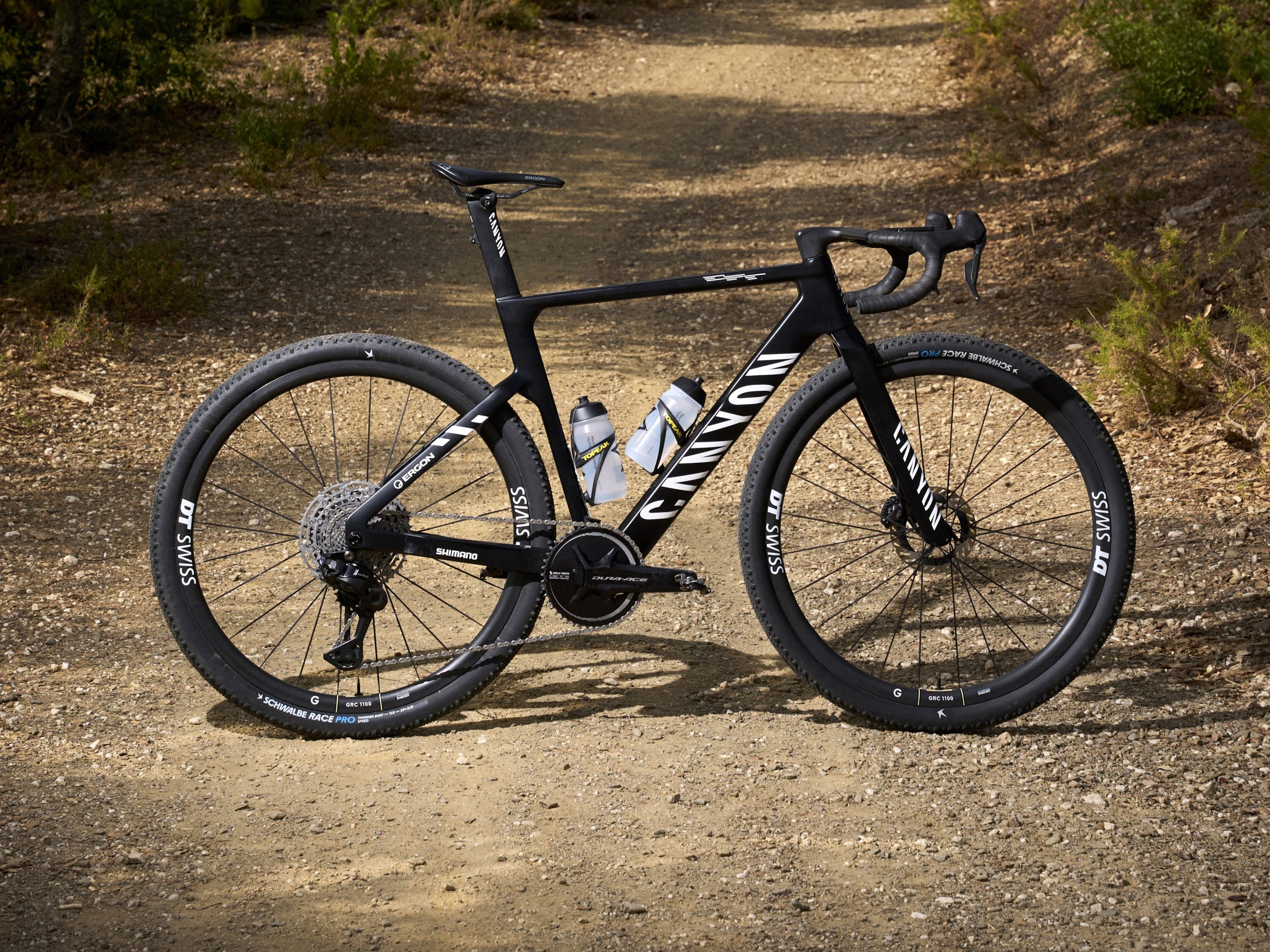
Canyon has launched the third generation of its Grail gravel race bike, increasing tyre clearance from 42mm to 57mm, which enables the use of 2.25in tyres.
The new Grail’s aerodynamics have been reworked for the larger tyres and typical 35km/h gravel racing speeds.
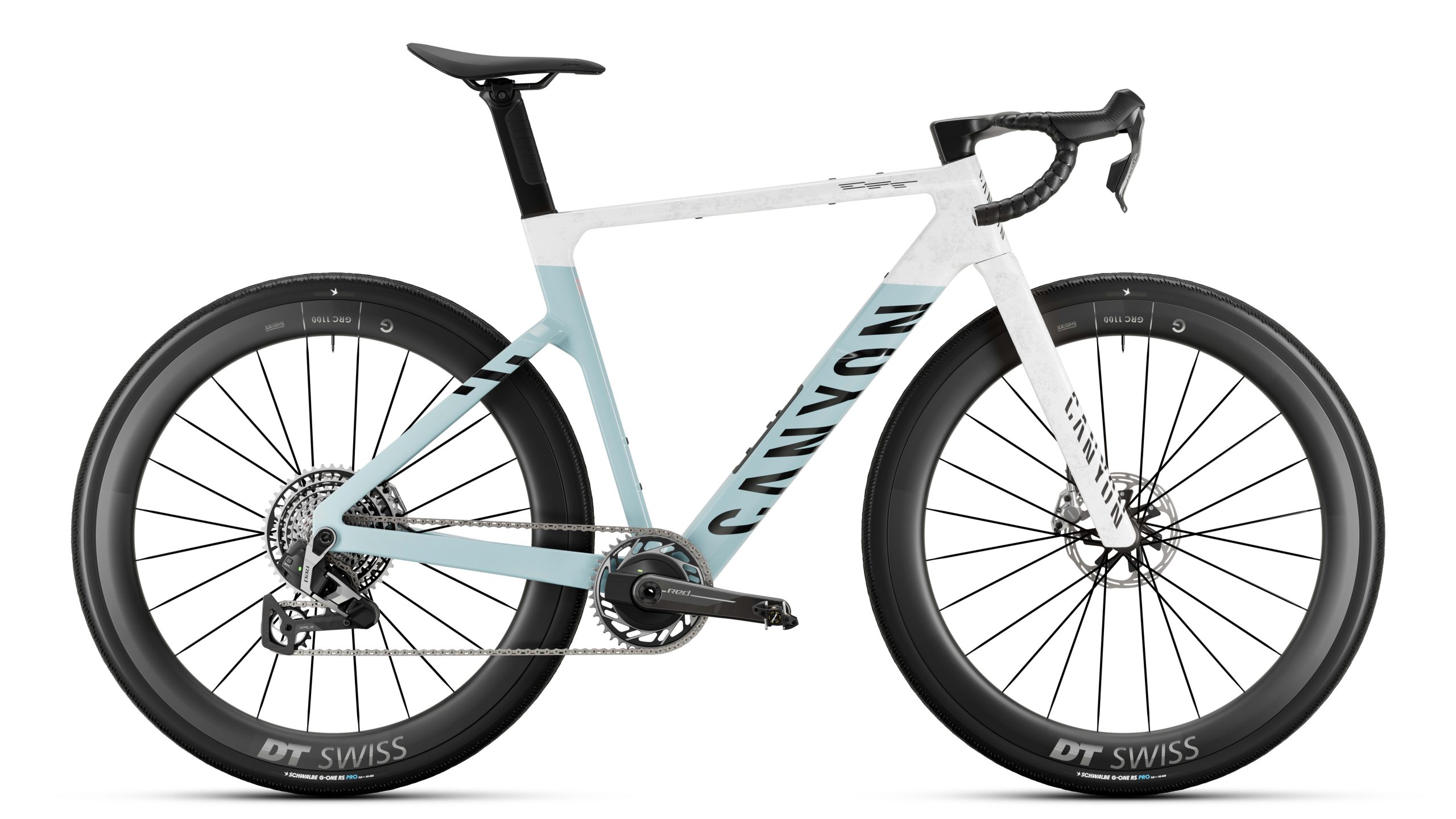
There are three frame grades: CFR, CF SLX and CF, with the top-spec CFR AXS bike having a 7.9kg claimed weight and £7,600 / $8,999 / €8,000 price tag.
The new Grail is aero optimised for 35km/h ride speeds.
Canyon points out that Ted King’s winning time for the men’s 2018 Unbound 200 (then called Dirty Kanza) was 10 hours 44 minutes. In 2026, Mads Würtz Schmidt won the race in 9 hours 14 minutes, despite the mud.
Canyon says there’s less of a disconnect in gravel between the requirements of the pros and what amateurs need than on the road. It says the design of the new Grail was heavily influenced by gravel pro Rosa Klöser, who made clearance above 50mm a stipulation when she discussed joining Canyon’s roster.
That in turn required a 1x-only design, as well as a solid driveside chainstay to provide sufficient clearance, a first for Canyon. The frame has a PF86 bottom bracket, which it says it chose for tyre clearance and stiffness, as well as minimal issues with the standard on its previous bikes.
Canyon reckons there are issues with bonding BSA threads into a carbon frame that mean it’s not a remedy for all bottom bracket ills, despite its increasing adoption.
Race-pace aerodynamics
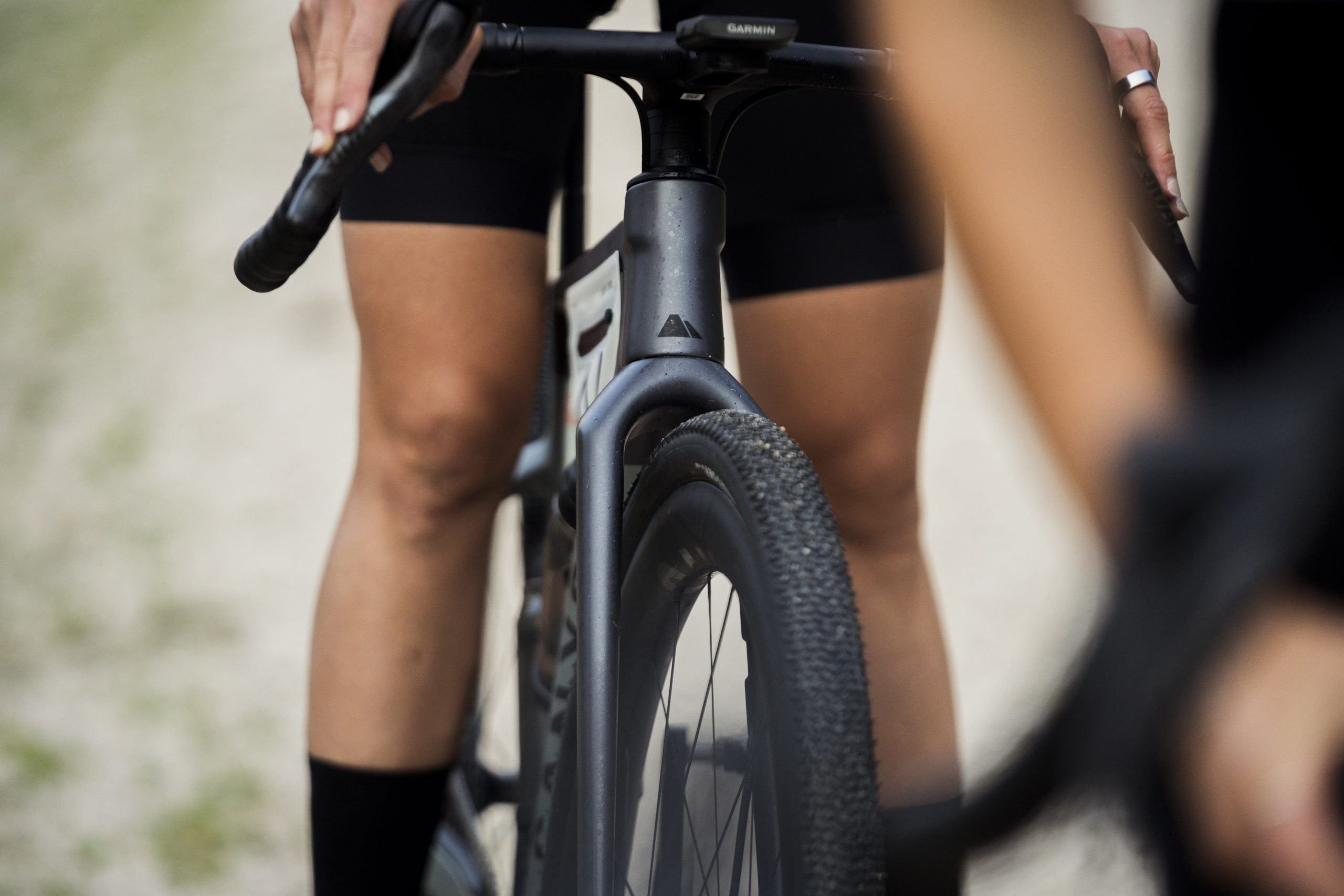
Tyre clearance increases to 57mm front and rear.
Canyon says it has tuned the Grail’s aerodynamics to a gravel-race pace of 35km/h, using its pedalling mannequin to simulate riding across yaw angles of up to +/- 20 degrees. It used the GST wind tunnel to test the new Grail against the now-superseded Factor Ostro Gravel, Cervélo Aspero-5 and Rose Backroad FF, with the Grail coming out fastest when all were set up with the same 50mm-deep wheels and 45mm tyres.
Against the generation 2 Grail with 40mm tyres, the new Grail was up to 5 watts faster. It was still faster when it was fitted with 55mm tyres.
As with its predecessor, Canyon will sell the generation 3 Grail in three carbon grades: CFR, CF SLX and CF. It quotes a raw size-M frame weight of 989g for the CFR, 1,095g for the CF SLX and 1,128g for the CF, which it says is heavier than the second-generation bike, although the extra tyre clearance and aero profiles make it faster in reality.
All specs come fitted with 45mm Schwalbe G-One tyres, although Canyon states this is a baseline, enabling riders to go wider should they wish. The CFR and CF SLX include in-frame storage, while the CF SLX and CF can accommodate Canyon’s Defend mudguards.
New Pace cockpit variant
The Control drops add a flare to the Pace cockpit.
Canyon says that since the gen 2 Grail’s geometry was well received, it has only made small changes to the new bike, adding 10mm to the wheelbase to allow the wider clearance, but keeping the handling dynamics the same. Mid-sized frames have a 71.5-degree head tube angle and 69mm trail. It says that, paired with the wider tyres, this enables its sponsored athletes to push harder through technical sections.
It has, however, lowered the stack by 15mm, while keeping the frame reach the same and fitting shorter stems. There’s no suspension fork option, because Canyon claims it’s not needed with the wider tyres.
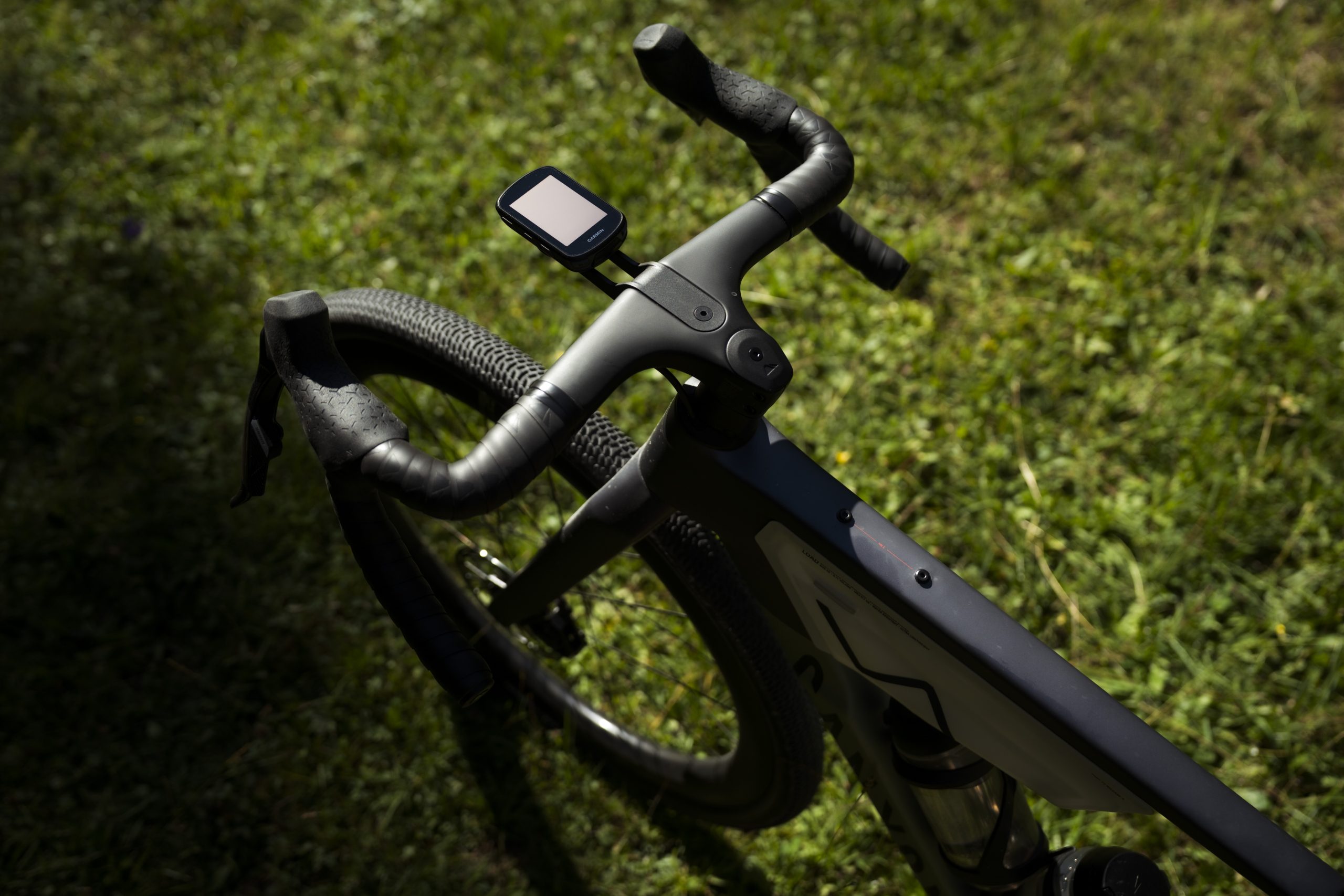
The CFR and CF SLX frames are fitted with Canyon’s Pace variable-width, adjustable-height cockpit. There’s a new drop shape though, called Control Drops, offering 17 degrees flare and 370mm, 395mm and 420mm widths at the drops.
The Control drops join the Classic, Race and Compact drop shapes compatible with the Pace cockpit, together enabling riders to choose a different drop shape, which will adjust the effective reach by 10mm. The Gear Groove continues, enabling the addition of bar extensions, lights or a computer.
Canyon has ported over its VCLS Aero seatpost to the new Grail, as used on the new Endurace CFR, which it claims increases compliance by 25% over a rigid post. For hardcore racers, the Race cockpit from the Endurace CFR is also compatible with the Grail.
New lightweight packs
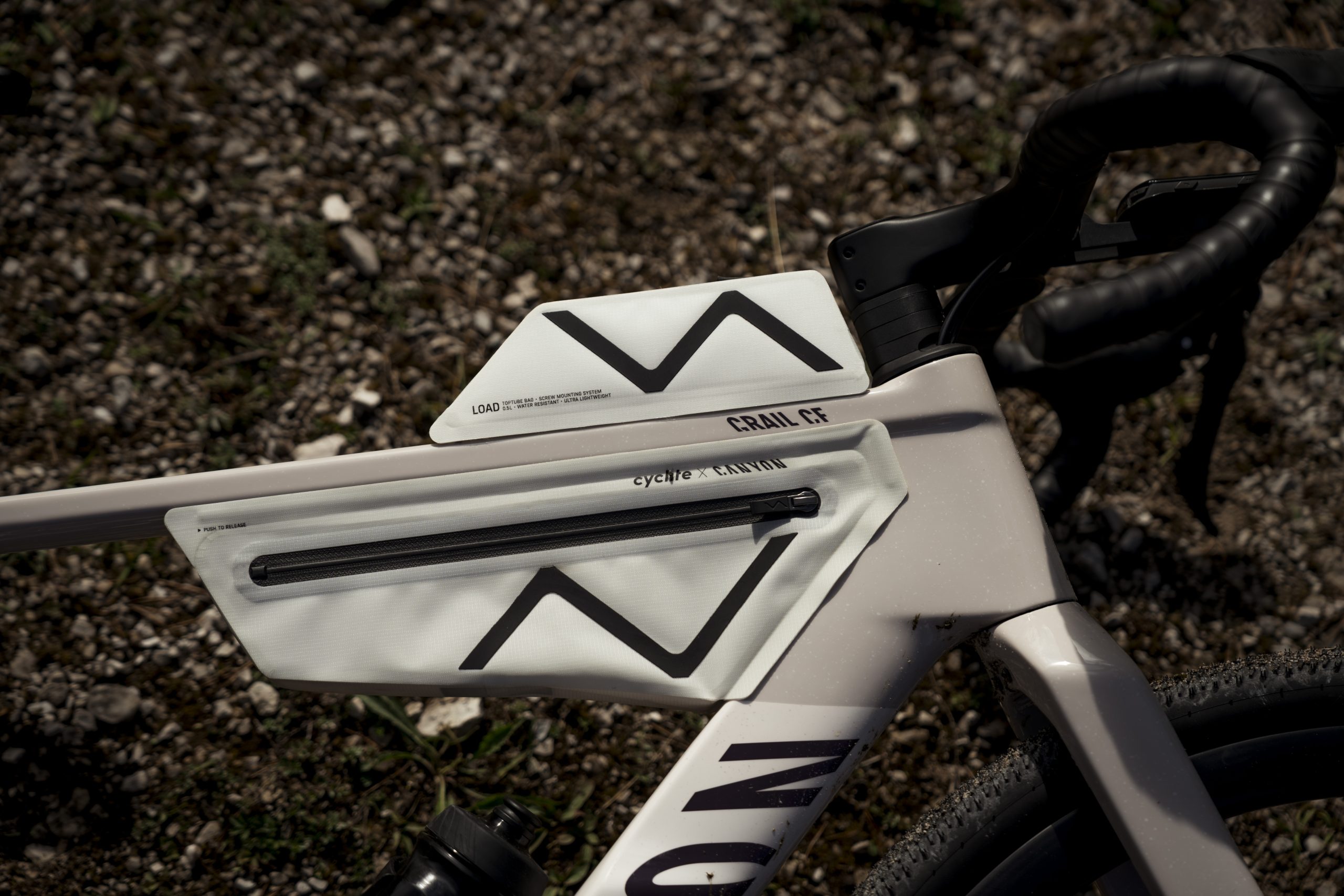
Canyon says the new Cyclite frame bag weighs around 100g, which is 200g less than the gen 2 bike’s bag.
Canyon has looked to keep the race-ready bike’s weight low by partnering with Cyclite to design low-weight luggage for the new Grail.
While it claimed the gen 2 Grail’s luggage made it more aero, its objective with the new packs was to avoid any aero penalty. It also wanted fast removal and attachment, so ground crews can swap out a pack quickly at a feed station, to refresh riders’ nutrition.
The new Midloader frame bag is claimed to weigh around 100g, as against 300g for the gen 2 bike’s bag. It’s secured with a push-to-release mechanism, rather than the Fidlock system used previously and comes with internal organisers.
There’s a different pack size to match each frame size and a matching top tube bag for extras or to carry lighter loads.
New carbon gravel wheels
Canyon has also introduced carbon gravel wheels to match the new bike. The Canyon GR 50 CF wheels have a 1,675g a pair claimed weight and a 27mm internal/38.5mm external width hookless rim.
They sit on DT Swiss 350 hubs, with Aerocomp II spokes and are delivered with an HG11 freehub fitted and an XDR freehub and valves in the box. They can also be set up Micro Spline.
The new wheels come ready-fitted to the CF 7 AXS and CF SLX 7 Di2 specs and can also be bought aftermarket for €999. If you’ve bought a Canyon gravel bike with alloy wheels in the last three years, Canyon will offer you 10% off the price of its new wheels.
New pressure calculator app
Canyon points out that as tyre pressures decrease, the effect of a similar variation in pressure increases, so correct tyre pressure becomes more critical. It says a 20% tyre sag is optimal for a gravel tyre, although that’s difficult for a rider to assess.
It says many riders are still over-inflating their tyres, so it has worked with Pirelli to develop a customisable pressure calculator to help them set the right pressure and optimise bike performance.
New Canyon Grail specs and prices
The top-spec bike is equipped with SRAM Red XPLR AXS and DT Swiss GRC 1100 wheels.
Canyon will sell the Grail in seven sizes, from 2XS to 2XL, which it says will fit riders from 158cm to 204cm in height. There are six specs available, as outlined below. As well as stock colours, EMEA buyers can use MyCanyon to opt for one of four additional colourways. They can also choose different wheels, including Zipp 303 XPLR SW and Scope Artech 4G wheelsets.
There’s the option to choose a different cockpit model and dimensions, and a different saddle, crank length and chainring size, including aero options.
Canyon says MyCanyon customisation will come to other geographies in future.
Grail CFR AXS
Groupset: SRAM Red XPLR AXS w/ dual-sided power meter
Wheelset: DT Swiss GRC 1100 50mm
Tyres: Schwalbe G-One RS Pro 45mm
Cockpit: Canyon Pace bar with Control drops
Saddle: Fizik Vento Argo X1
Claimed weight: 7.9kg
Price: £7,600 / $8,999 / €8,000
Grail CFR Di2
Groupset: Shimano GRX RX825 Di2 w/ 4iiii single-sided power meter
Wheelset: DT Swiss GRC 1100 50mm
Tyres: Schwalbe G-One RS Pro 45mm
Cockpit: Canyon Pace bar with Control drops
Saddle: Fizik Vento Argo X1
Claimed weight: 8.4kg
Price: £6,200 / $7,999 / €6,500
Grail CF SLX 8 AXS
Groupset: SRAM Force XPLR AXS w/ single-sided power meter
Shimano has launched its new road pedal and cleat system, SPD-SLR. The system offers lower weight, lower pedal/cleat stack height, easier engagement and added lateral adjustability relative to the long-running SPD-SL system.
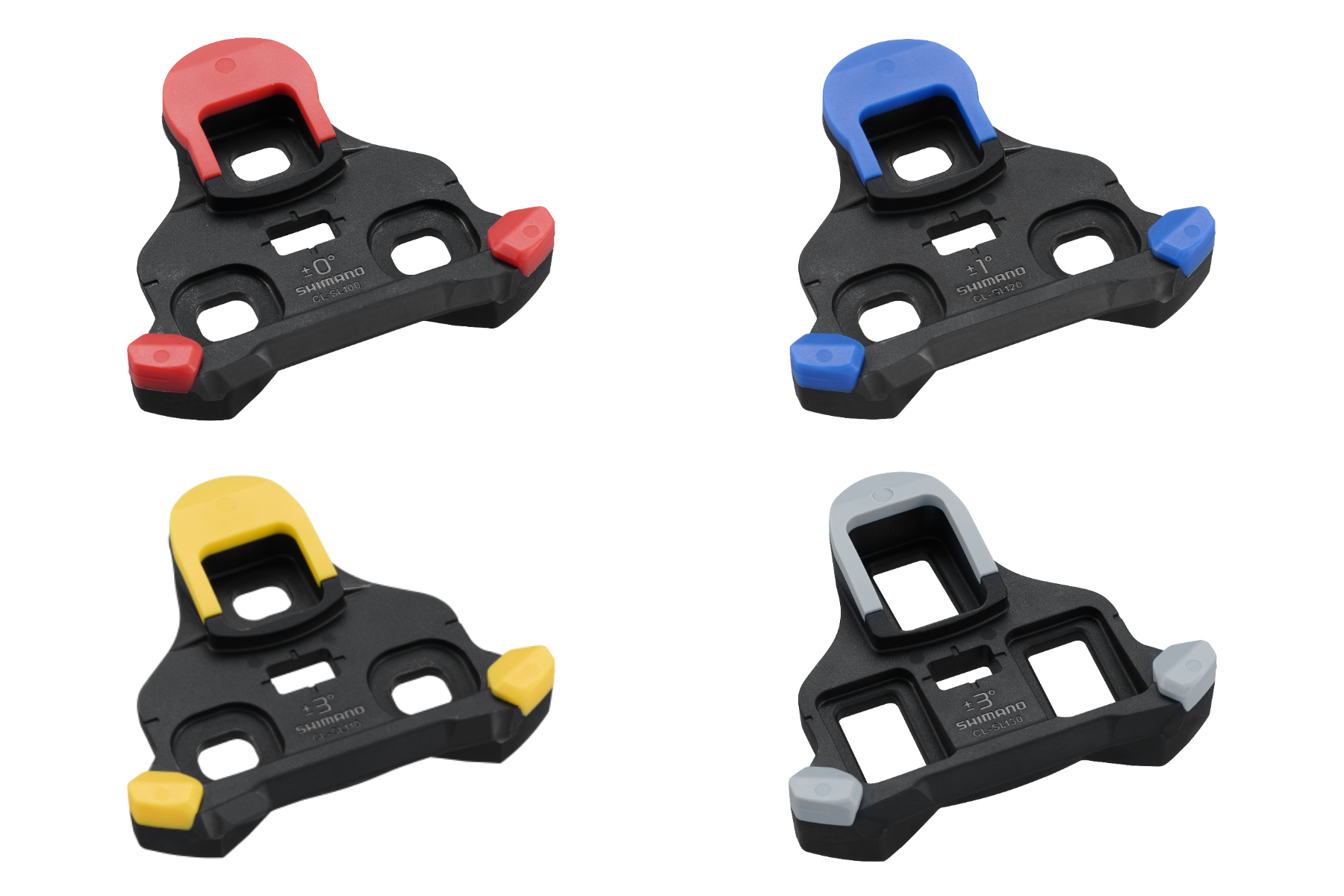
The new pedals will be available at Dura-Ace and Ultegra spec levels, and there are new red, blue and yellow cleats with similar degrees of float to the current ones, although the new cleats aren’t compatible with SPD-SL pedals.
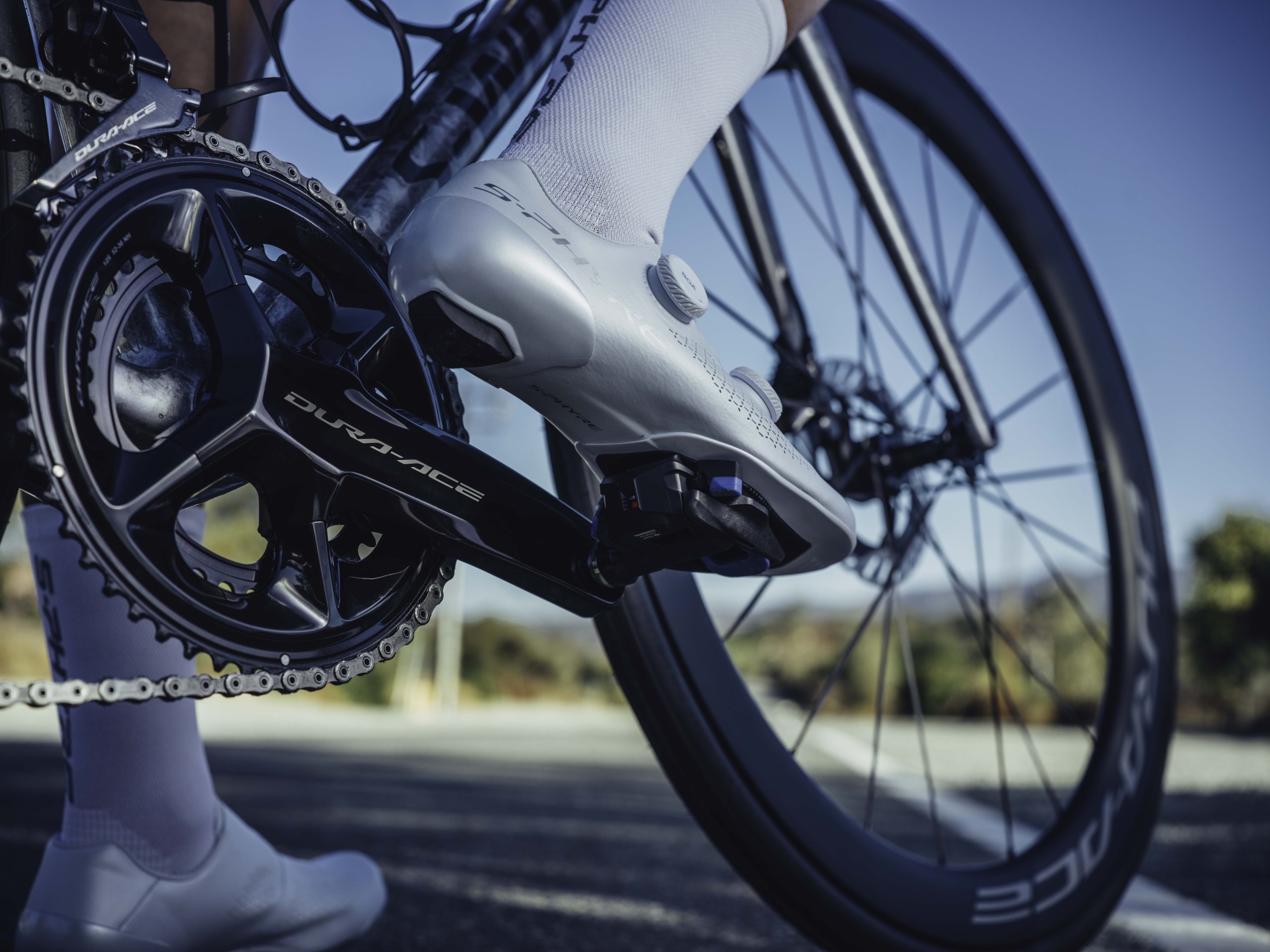
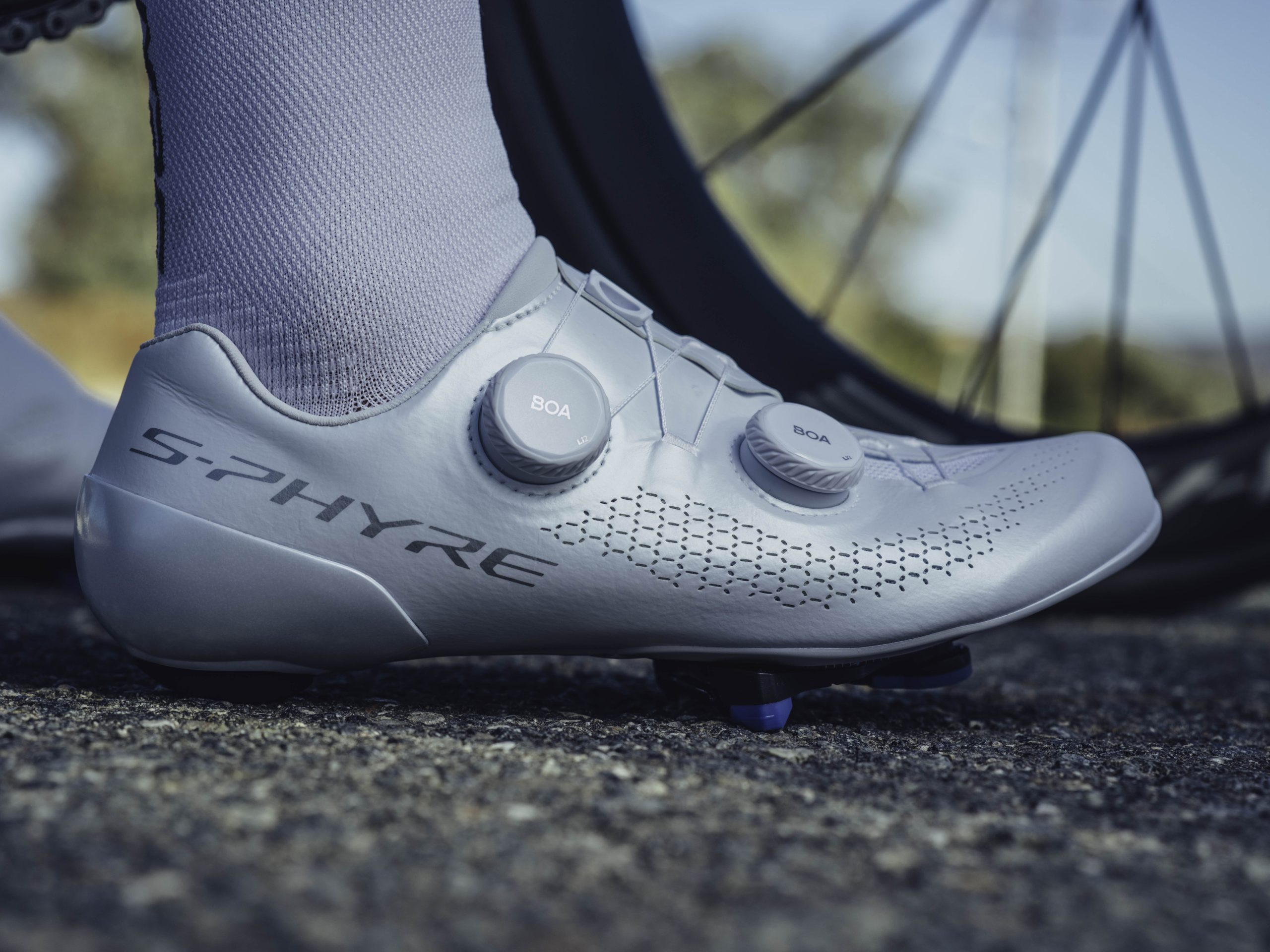
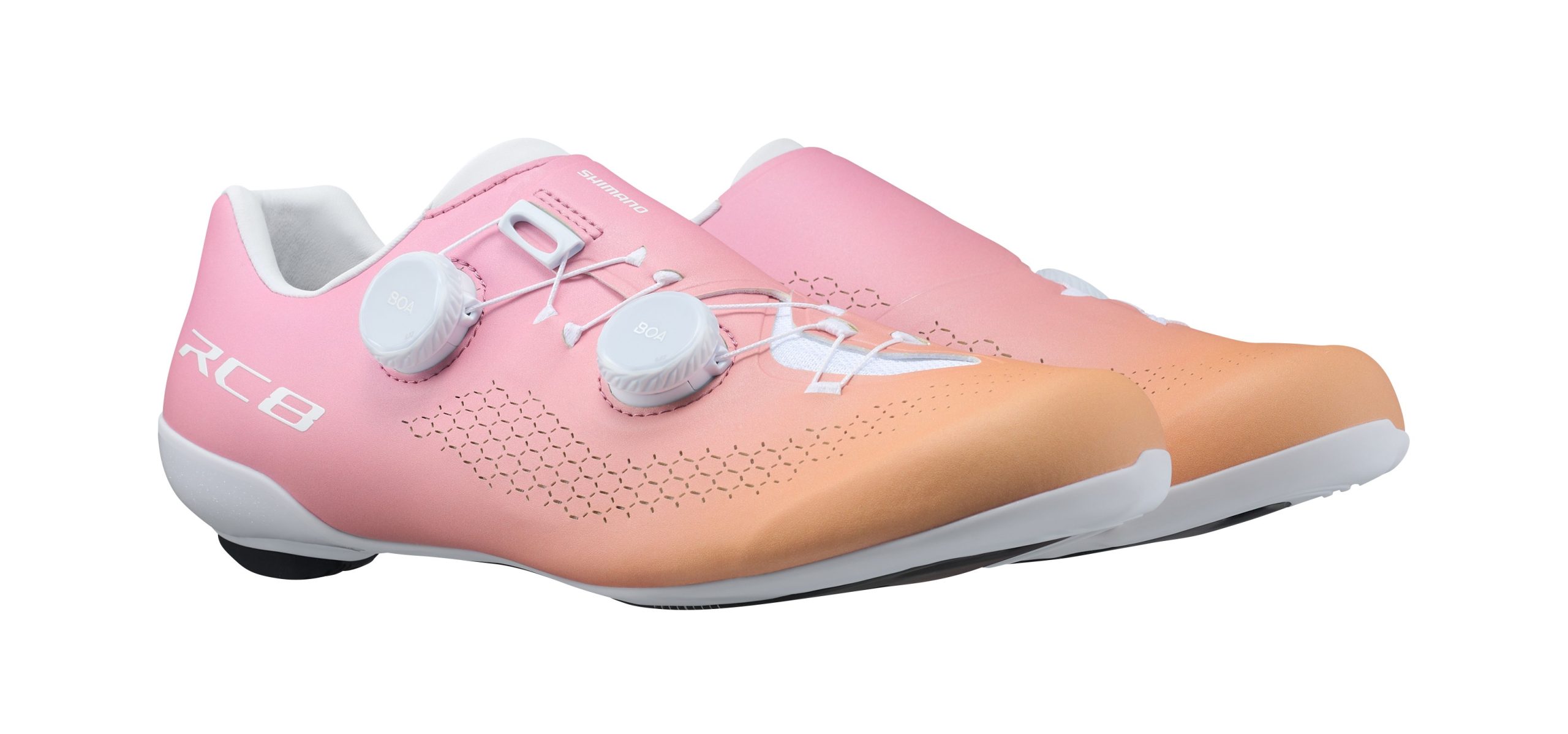
There are new shoes at the S-Phyre RC9 and RC8 spec levels, designed to complement the new pedals and cleats. Shimano states SPD-SLR pedals are compatible with its current SPD-SL road cycling shoe range, although it says its new shoes will help realise the full performance benefits of the new system.
Shimano says maximum gains come from its new pedals, cleats and shoes working as a system.
There’s also a new grey cleat, which is claimed to be compatible with most non-Shimano SPD-SL shoes and offers the same float as the yellow cleat, although without the reduced stack height of the other new cleats.
Shimano says the new SPD-SLR system lowers the stack height for the pedals plus cleats by 2.3mm. It also enables easier clipping in with a wider catch area for the cleat and a reduced engagement angle of 10.5o versus 15.5o for SPD-SL. The lower stack height is claimed to increase foot stability, and improve power transfer and control of the bike.
Shimano’s new SPD-SLR cleats have a different shape from its previous cleats and greater lateral adjustment.
Along with the redesigned pedals, the new cleats have a different shape. They’re lighter because they fix to the base of the shoes without the washers that were needed with SPD-SL. Shimano claims the weight of the cleat plus hardware has been reduced from 71g to 55g. It has added extra markings to help you align the cleats more easily.
The 6o of float for the yellow cleats, 2o for the blue cleats and zero for the red cleats is the same as for the SPD-SL cleats. The new cleats offer greater side-to-side adjustability though, so it’s easier to alter your stance width. They can also be used with cleat spacers.
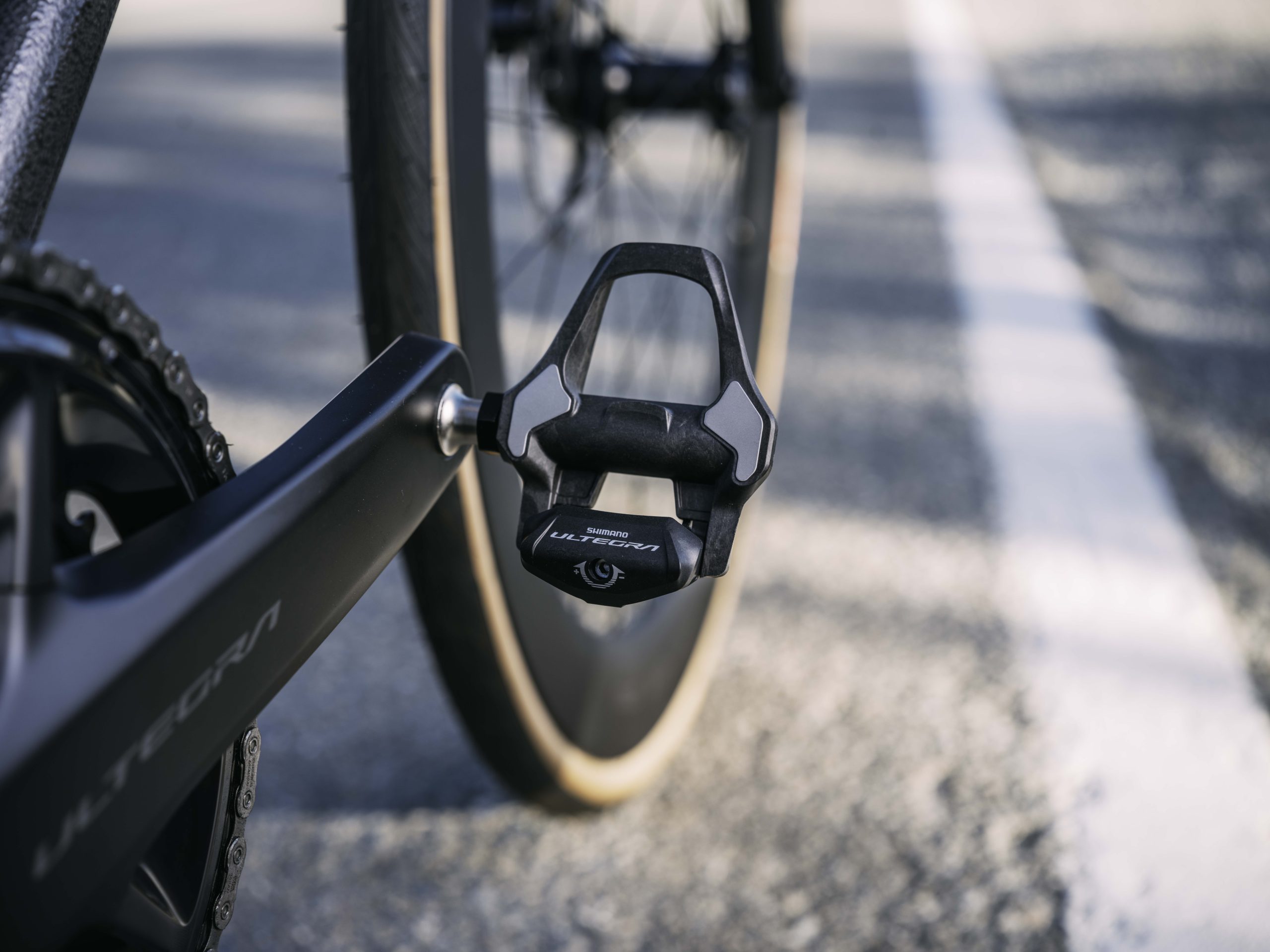
The new Dura-Ace and Ultegra pedals are superficially similar to their predecessors, but Shimano says they offer a lower engagement angle and easier catchment.
As with the SPD-SL system pedals, the new Dura-Ace PD-R9300 pedals have their inner bearing positioned to the side of the pedal’s top surface, while the Ultegra PD-R8200 pedals have it placed under the pedal platform.
This slightly raises the stack height above the pedal axis for Ultegra, to 13.3mm, and reduces pedal stiffness by 11%, Shimano claims. Dura-Ace’s fancier bearings are also claimed to reduce rotational resistance for the new Dura-Ace pedals by 53% relative to the new Ultegra pedals.
Both pedals are made of injection-moulded carbon composite and include steel contact surfaces to reduce pedal wear, as with Shimano’s older SPD-SL pedals. The new Dura-Ace pedals weigh a claimed 227g a set and the Ultegra pedals 1g more.
Old SPD-SL Dura-Ace and Ultegra pedals were available in two spindle lengths, and the same 4mm-longer option will be available with the new pedals.
Along with the new pedals and cleats, Shimano has launched updated shoes. It says the new SH-RC901 S-Phyre shoes are lighter than their predecessors and provide greater cleat adjustability. They have a new Dynalast 2.0 fit that’s claimed to reduce foot fatigue.
In addition, there’s a carbon fibre heel cup for increased foot stability and a new upper design, closed by two Boa Li2 dials, that is claimed to wrap more closely round the foot, increase stability, and improve fit and pedalling efficiency. There’s increased ventilation too.
The RC8 shoes have also had an update.
Similar features are carried over into the lower-priced SH-RC810 shoes, which also include two Boa Li2 dials and share the new Dynalast 2.0 fit. Shimano points to the hollow-channel carbon sole, which aids ventilation and helps drain water from the shoes in the rain.
What are the low-stack-height alternatives?
It’s not only Shimano that has persisted with a similar pedal design for years, but recently two new pedal systems have stirred up what has been one of the least progressive aspects of bike design. Here are three low-stack alternatives.
Wahoo Speedplay
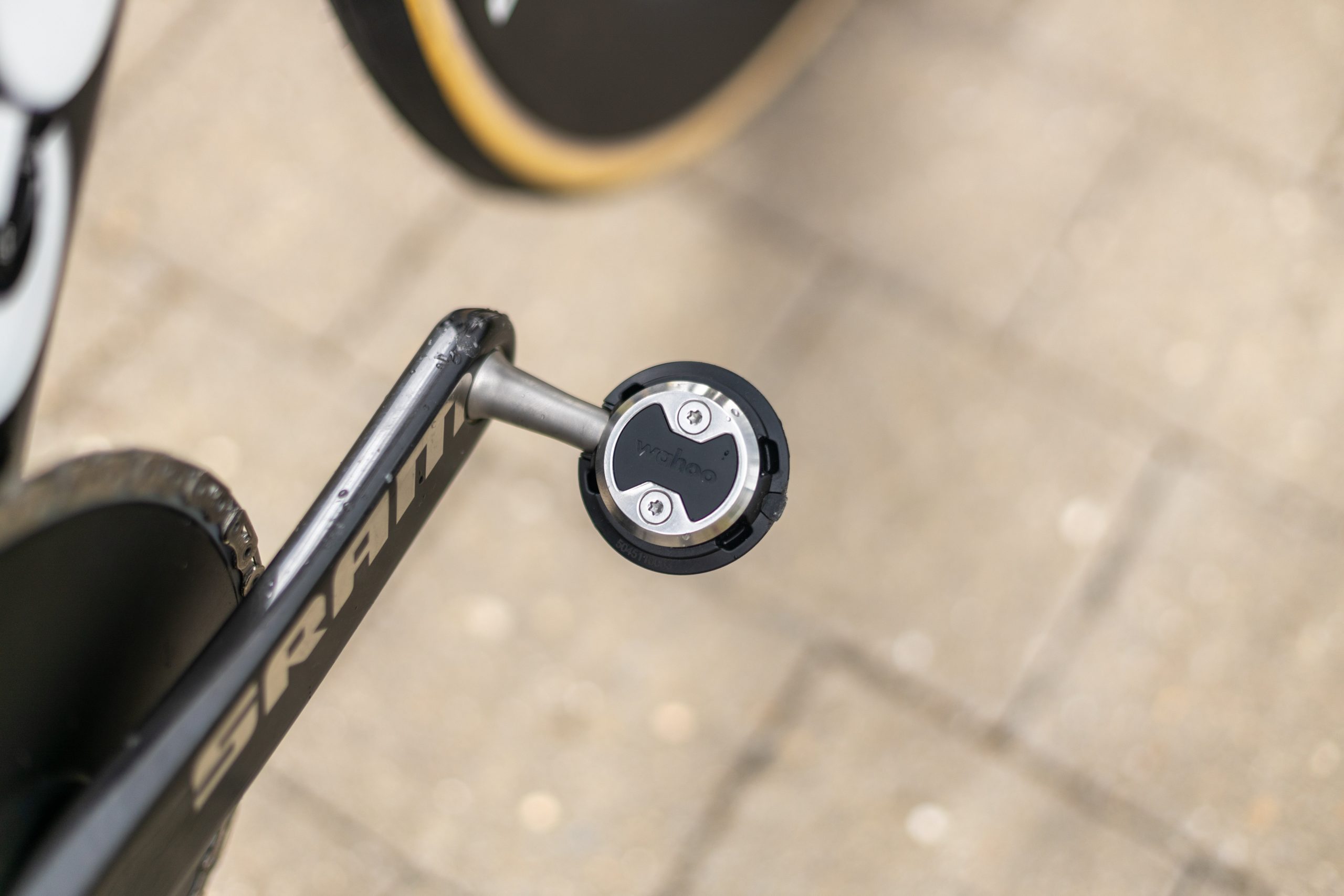
Wahoo Speedplay’s stack height can be as low as 8mm with the right shoes. Ashley Quinlan / Our Media
Among established brands, Wahoo Speedplay offers the lowest stack height of 8.5mm for a shoe with four bolt drillings, but three-bolt shoes require an adapter plate between the shoe and the Speedplay cleat, increasing the stack height to 11mm.
Shimano hasn’t provided a stack height for SPD-SLR, but based on the 14.6mm stack height for old Dura-Ace pedals, the claimed 2.3mm reduction would bring this down to 12.3mm – still higher than Speedplay, even with an adapter plate.
Ekoi PW8
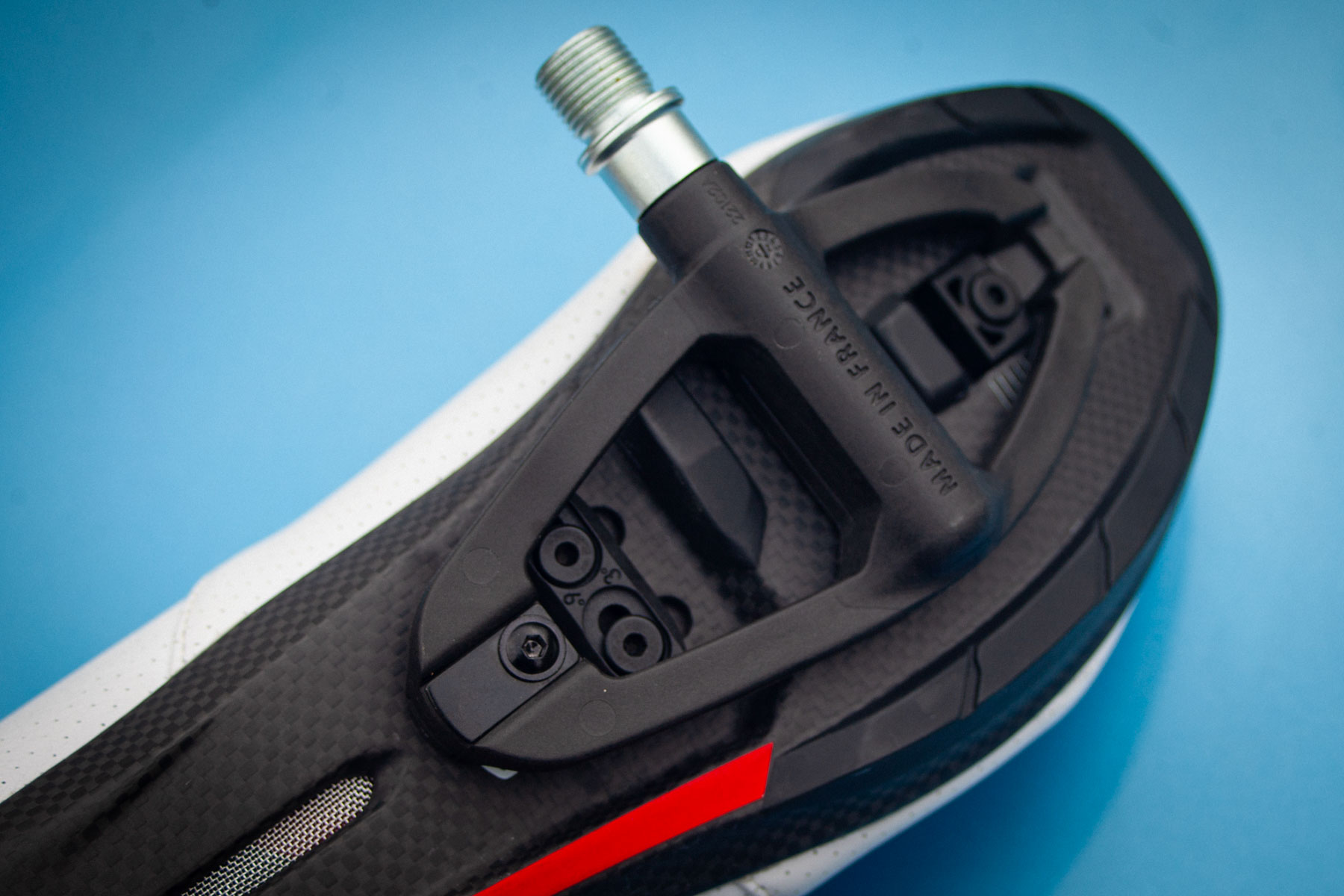
Ekoi’s pedals are very light because there are no moving parts, but require a shoe with a compatible sole. Warren Rossiter / OurMedia
Ekoi’s PW8 pedal system has a much larger shoe contact area than competitors and the pedals weigh only 105g each, because they have no moving parts, just a replaceable tongue at the rear that engages with the shoe’s cleat.
The system requires a specific Ekoi shoe though, which incorporates the anchor points for the pedals. The cleats come in front and rear parts that bolt to these, resulting in an 8mm stack height.
When Warren tested the system, he was won over by the stability of the large platform and ease of clipping in and out. He was less enamoured of the Ekoi PW8 C12 shoes, though – or at least their elevated price. They’re comfortable and fit well, although their weight isn’t market-leading at their price.
There are cheaper alternatives available from Ekoi now though and, as is typical of the brand, all PW8-compatible shoes are heavily discounted on its site.
Q36.5/SRM
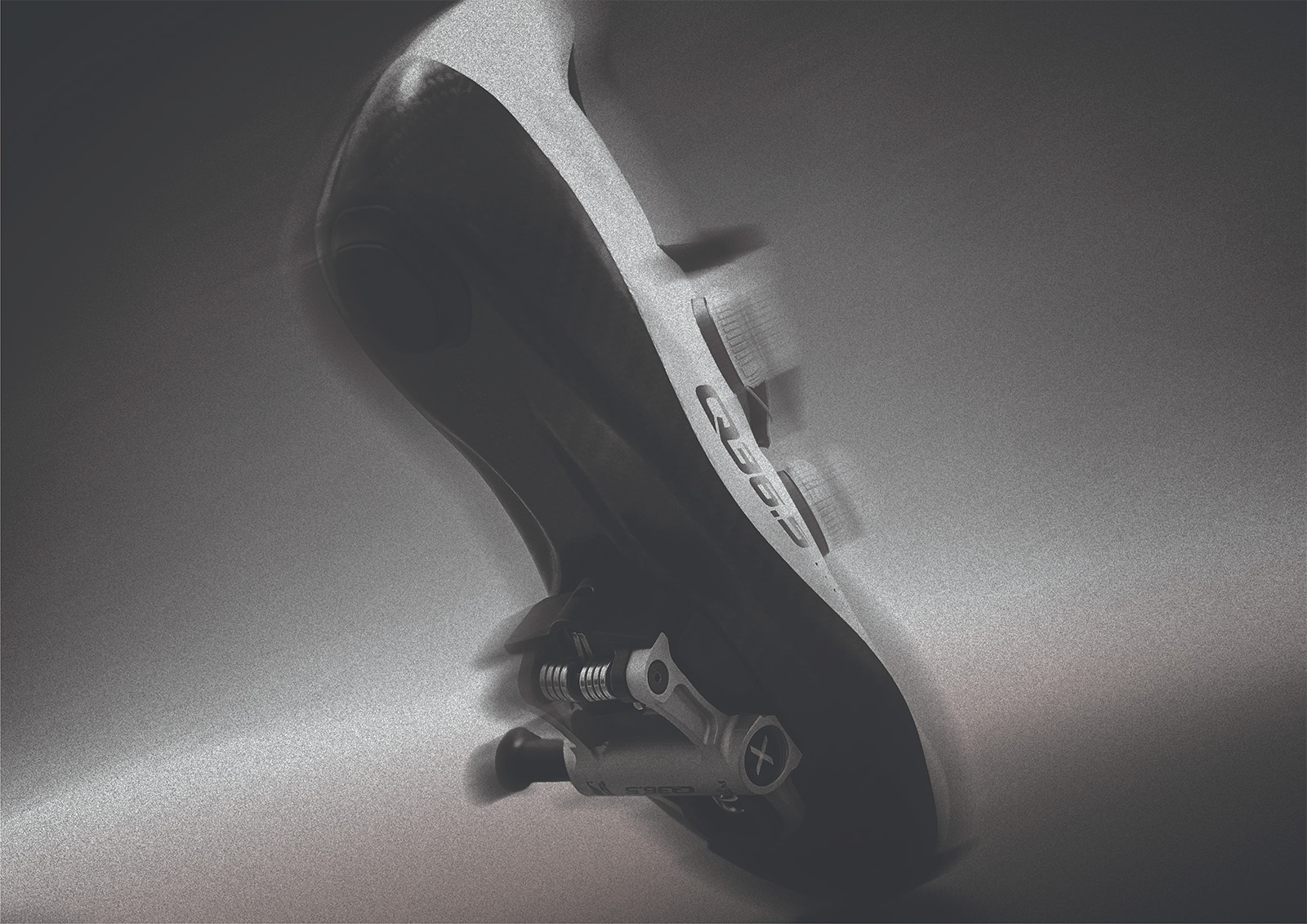
Q36.5 claims its system increases pedalling efficiency, but it costs £1,000. Q36.5
Q36.5 collaborated with German power meter maker SRM to develop the X-Power Direct pedal system (without a power meter) that it says lowers stack height by over 6mm relative to mainstream systems. It doesn’t state an actual stack-height value, but this probably betters Shimano’s new SPD-SLR.
As with Ekoi’s system, the X-Power Direct pedals only work with specific shoes, in this case Q36.5’s Unique Pro 4.0 model.
The system is even more expensive than Ekoi’s, with a £500 price tag for the SRM pedals and the same again for the shoes.
Why lower stack height?
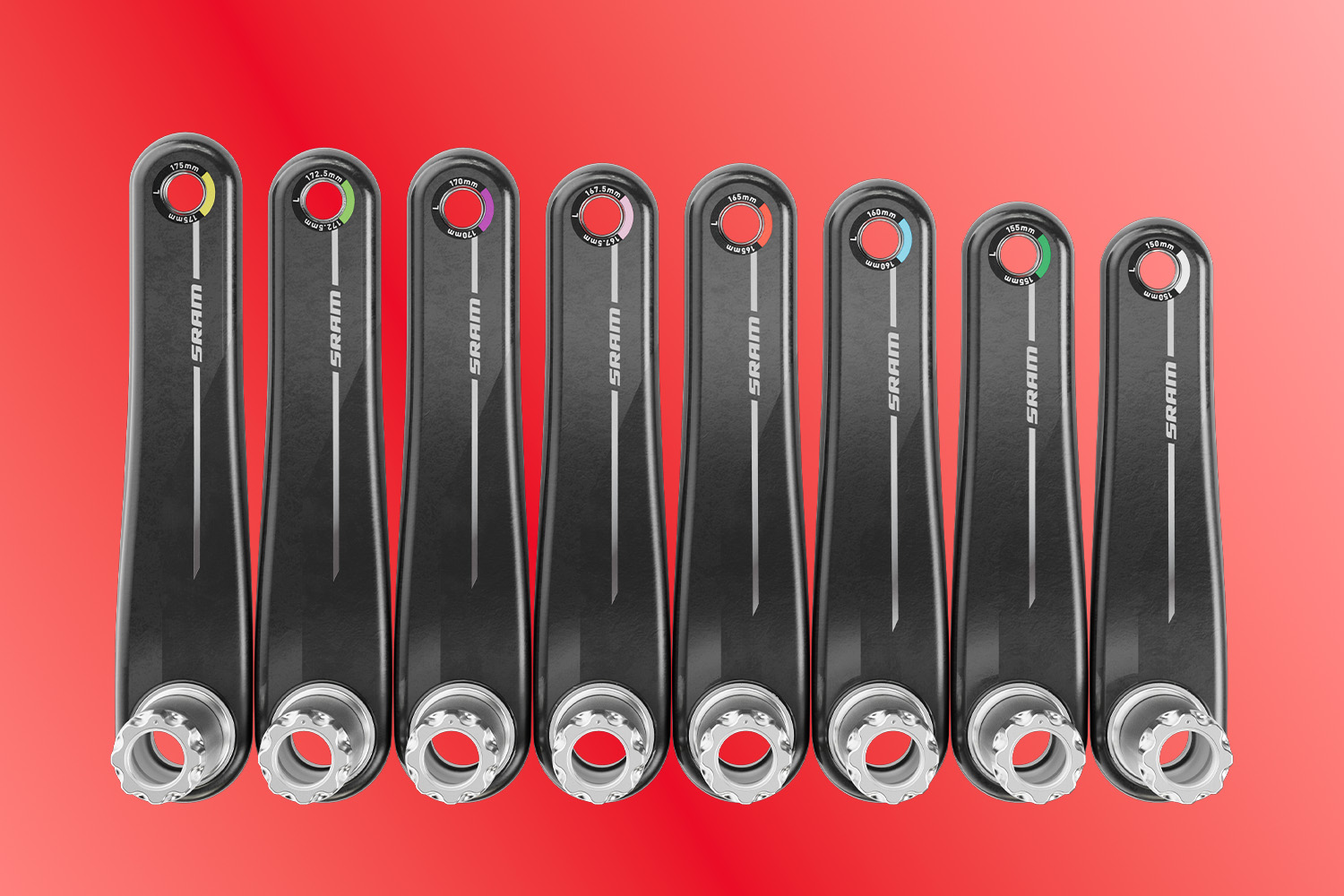
A lower stack height works in opposition to the need to raise the saddle when using shorter cranks. SRAM
Q36.5 performed an analysis of the effect of stack height and claims three principal advantages.
First, the foot is closer to the centre of pedal rotation, which it claims increases the effective area of force transmission. As with Shimano, it claims this increases foot stability and improves power transfer. It also claims a lower stack height reduces shear forces through the shoe’s sole.
Second, the rider’s centre of gravity is lower, which enables them to get more aero. This is only going to be by a few millimetres though.
Third, Q36.5 suggests, with the trend for shorter cranks, the rider’s saddle needs to be raised, which in turn raises their centre of gravity. This is counteracted by the lower stack height.
It concludes that the further the rider’s foot is from the centre of force generation, the more shear forces occur, resulting in a greater loss of power. The optimum, it states, would be a pedal system with zero stack or even a -5mm stack.
These changes are tiny though and we’re not convinced they make a significant difference for most riders. Moreover, we’ve been told by a major pedal brand that its studies don’t confirm that small reductions in stack height result in a material increase in pedalling efficiency.
The next few months are shaping up to be pretty busy with new roads, features, and epic events. In this week’s top video, learn all about Zwift’s upcoming updates.
Also included in this week’s post: videos about the Zwift Ride V2, FTP tests, riding 100 kilometers, and Zwift settings.
Zwift’s Next Big Updates: What’s Coming This Season?
Adam from Road to A breaks down all of the features coming to Zwift over the next few months (read the full press release here).
New Zwift Ride V2 Is Here! What’s Changed?
Last week, Zwift unveiled version 2 of their popular Zwift Ride smart frame. Hear from Desfit as he shares details on the new version and covers his initial impressions after trying the Zwift Ride V2.
Zwift 20-Minute FTP Test — How Much Have I Improved?
After over a year of training, TCycles puts his fitness to the test with an FTP test. Watch as he tackles the 20-minute FTP test and compares his results to past FTP tests.
Zwift 100km Volcano Challenge | Everything You Need To Know!
Jessica Strange talks about Zwift’s 100km Volcano Circuit challenge ahead of her 25-lap Volcano Circuit group ride.
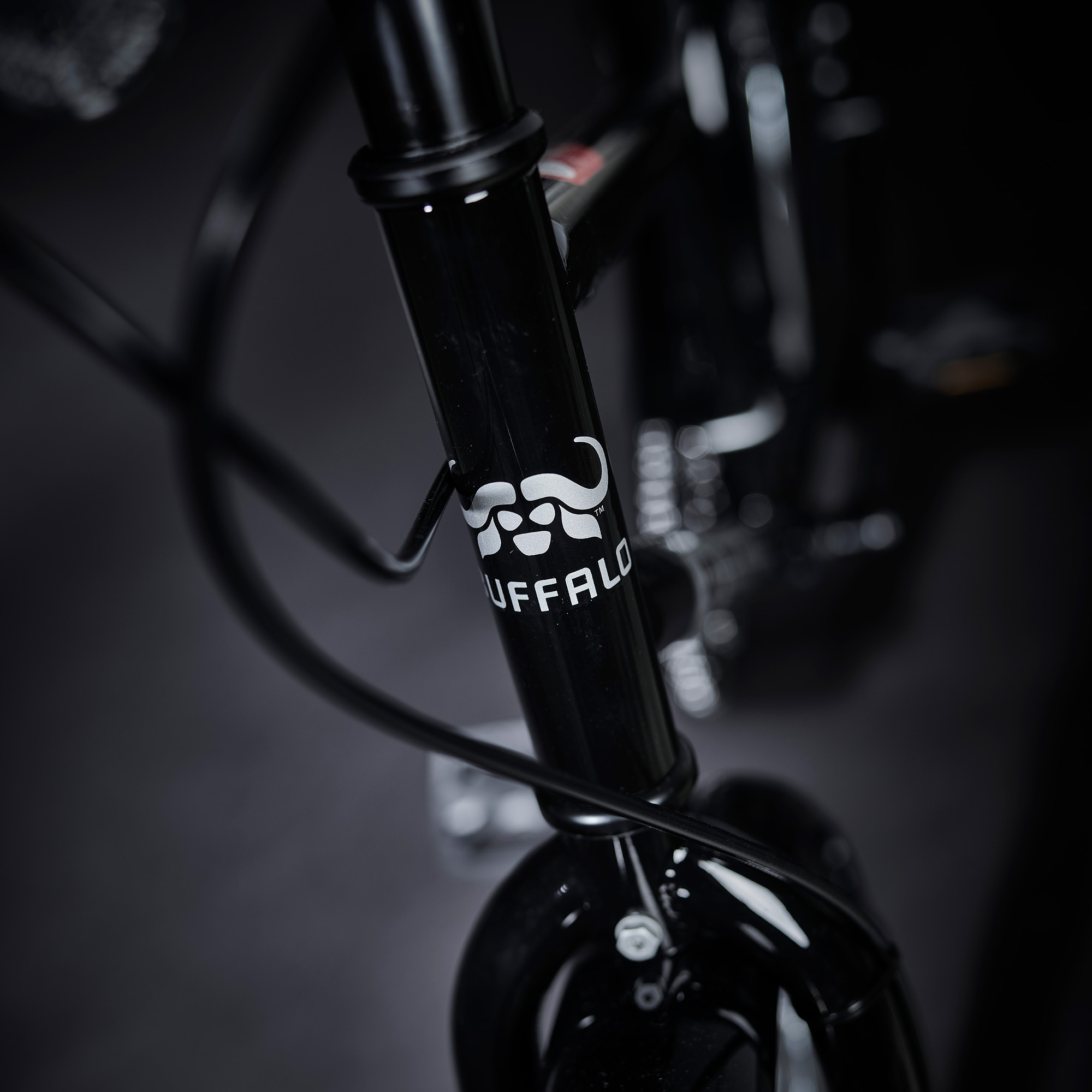
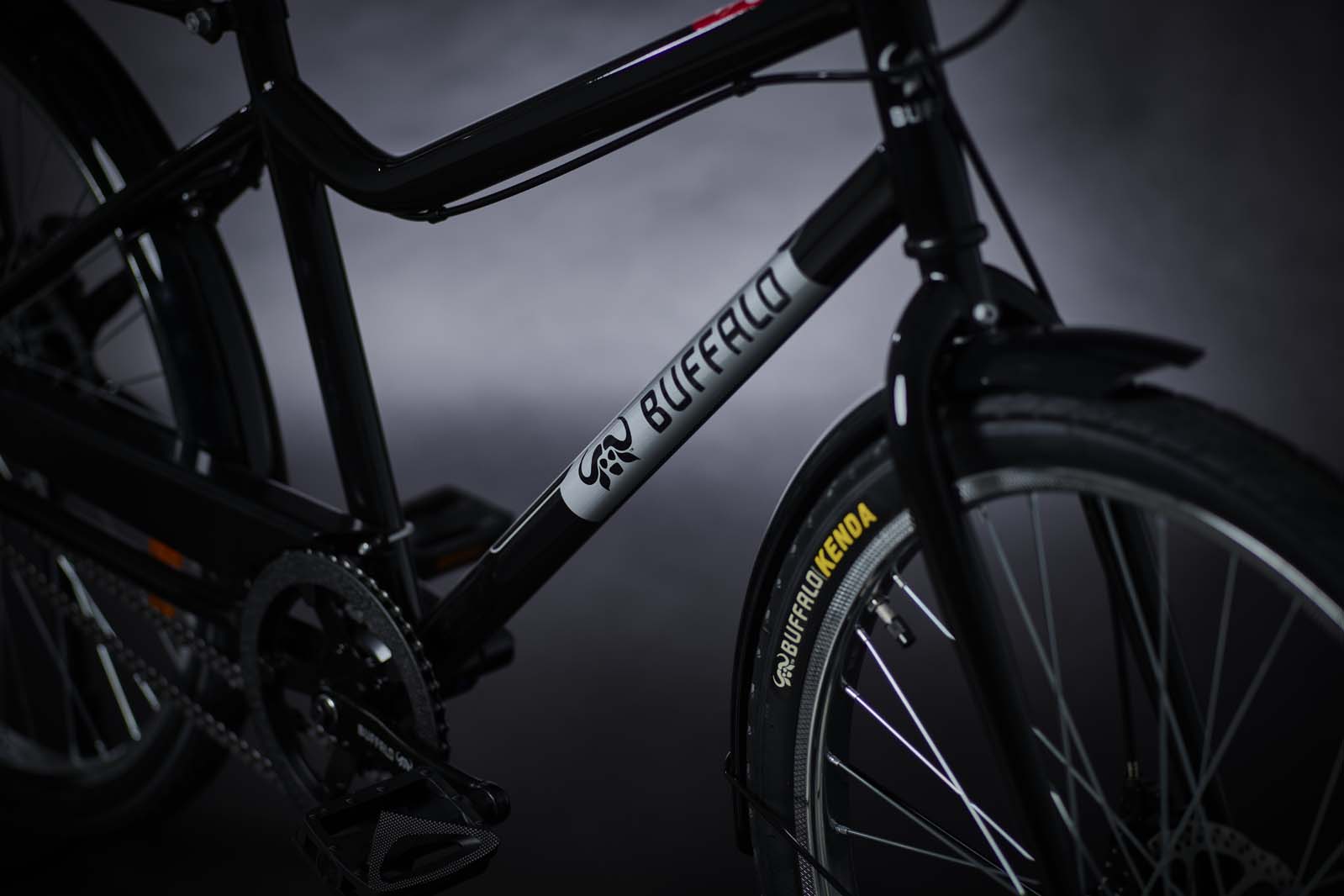
World Bicycle Relief has delivered one million Buffalo Bikes to help people reach education, work and healthcare. Andrew Samways says the latest models, launched this week, mark an “important step” for the organisation.
WBR brought three people from its field teams in Zimbabwe, Kenya and Zambia into its main team. This meant the design decisions behind the new bikes could be better informed by the people who are using them.
“I’m not the customer of this bike. It’s not for me,” says Samways, WBR’s vice president of product development. “I wanted to facilitate the conversation between the people that use it and the people that make it.”
By moving the design responsibility “downstream”, Samways says it’s not the WBR team in Germany designing the bikes. Instead, “It’s really a process of collaboration with those people we’ve raised up through the organisation”.
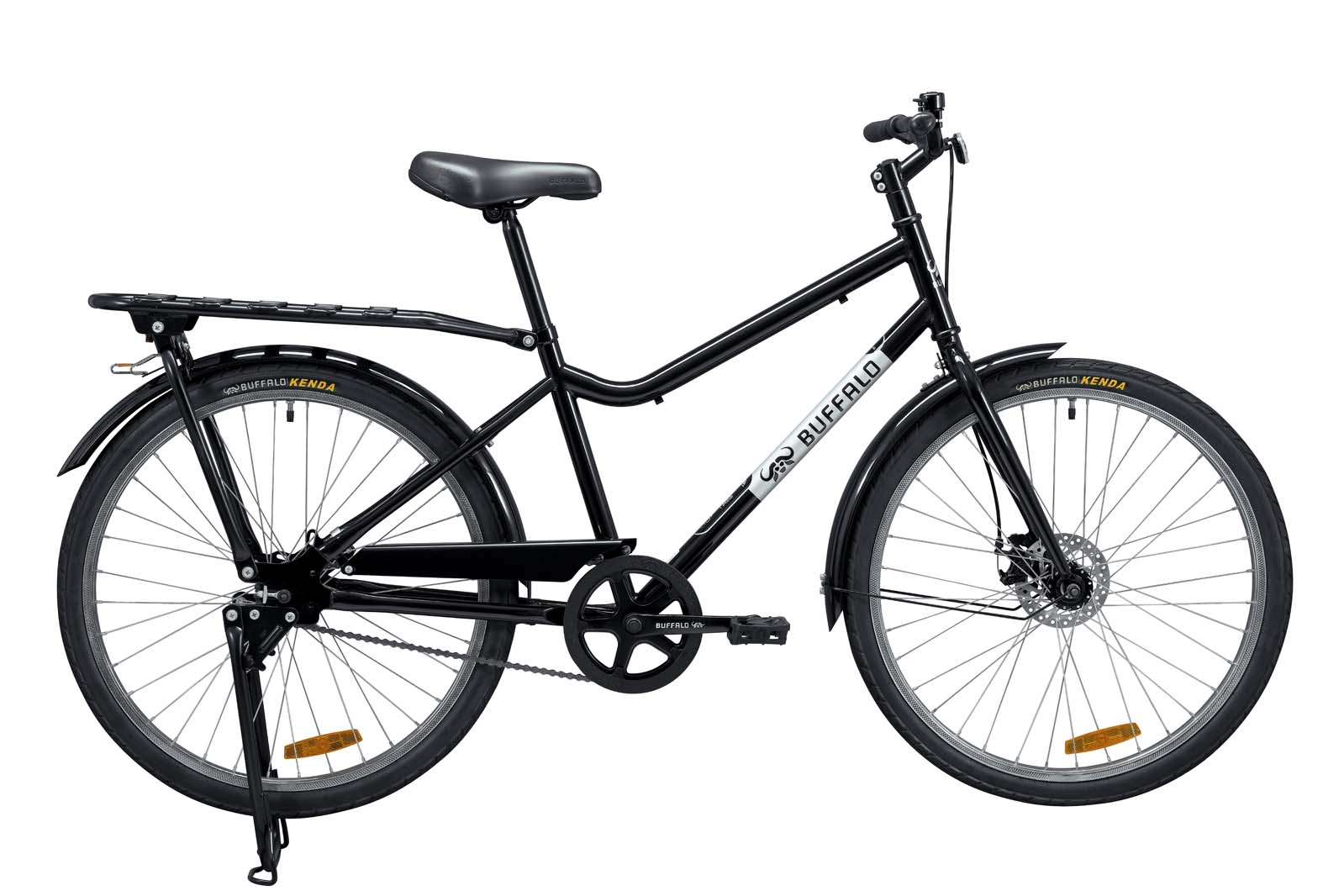
The result of this process is the new Buffalo One and Buffalo Pro bikes. These share similarities with the Buffalo Utility S2, launched in 2024, but have several updates that mean they should last longer, carry more and be easier to maintain.
Observations in the field
The Buffalo Pro and Buffalo One (pictured) are available in two sizes. World Bicycle Relief
The changes made to the new Buffalo Bikes are largely informed by observing how people use WBR’s designs.
“The benefit of having our local team members is that they speak local languages and they can talk with riders more directly. We build up this picture through observation, inquiry, trying things out and seeing how people respond to them,” Samways says.
An example of this process can be seen in how WBR decided to make the latest bikes in standard and large sizes, which was spurred by two observations made in Kenya.
The first was seeing a taller man using his Buffalo Bike. “He was perfectly happy with it, but you could see that he wasn’t totally comfortable on the bike,” says Samways. His high seat also limited carrying space on the rear of the bike.
The second was a conversation with a woman who asked if WBR sold kids’ bikes because she was looking for one for her grandson.
“We realised that a kid’s bike may not be the answer, but if a child can ride our bike more comfortably then it’ll be a much more valuable thing,” Samways says. “That caused us to look at the smaller size of the bike, change the geometry and improve the strength of the seatpost so we can get the seat lower.”
This means that instead of having a child’s bike, you can now have a Buffalo Bike that you can “grow up with rather than out of”.
Samways says when WBR gave the tall man a new, larger size, he was immediately happier with it and eventually didn’t want to give it back.
“If someone doesn’t want to give something back, then we know we’ve got something worth pursuing,” he says.
Discs and a threadless headset
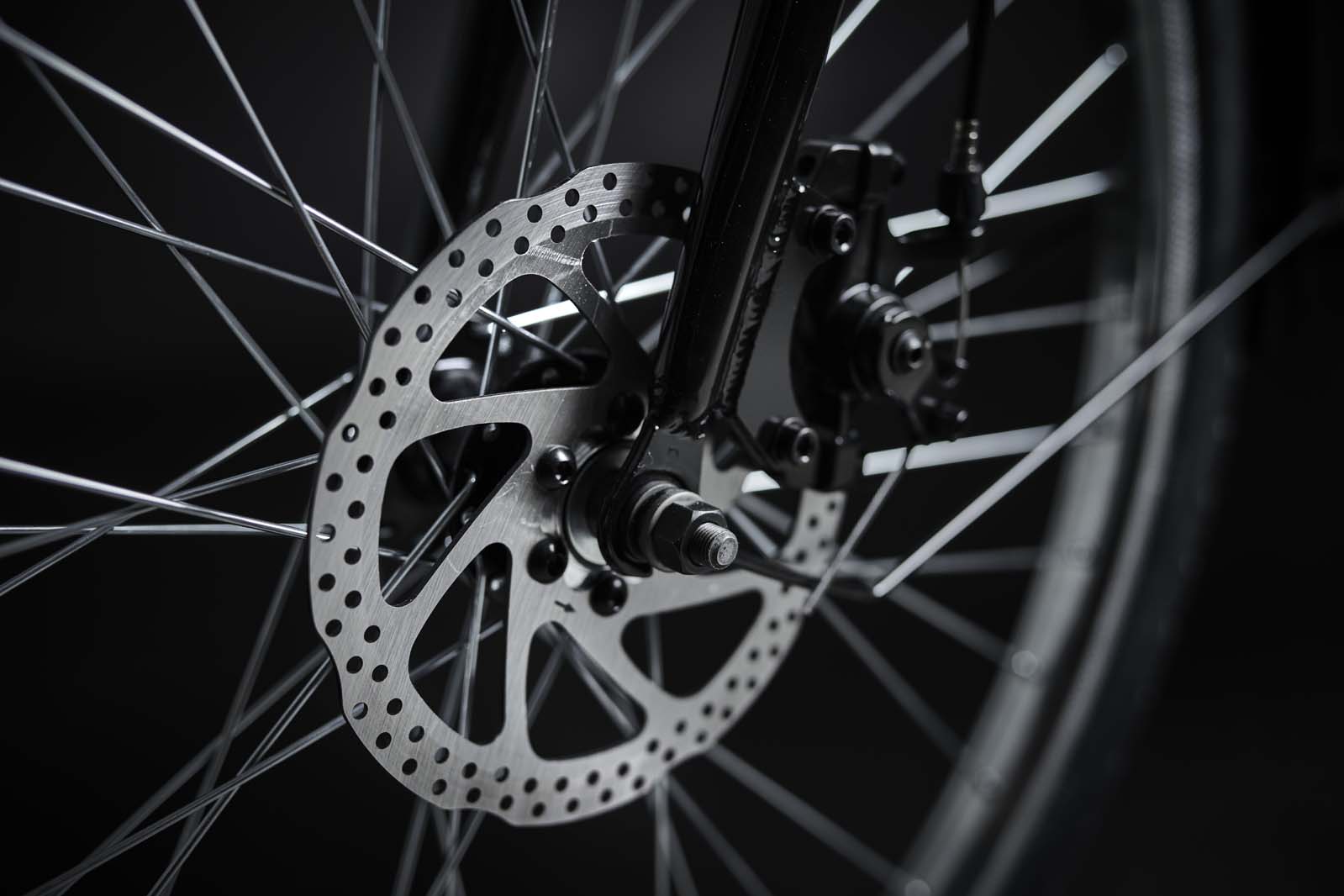
The new bikes both feature front disc brakes, and the Pro model also has a rear disc brake. World Bicycle Relief
Another feature on the Buffalo One and Pro is the disc brakes.
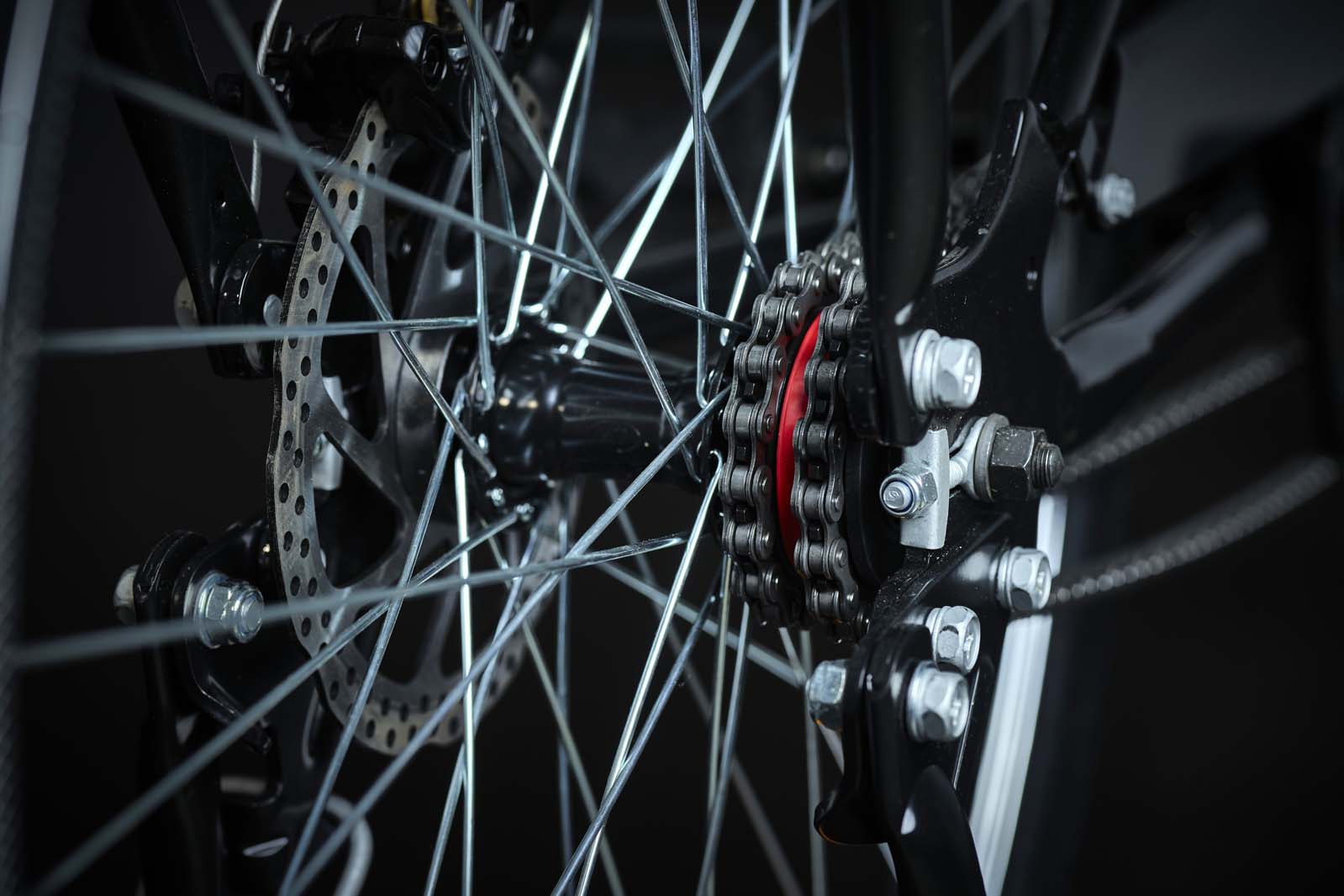
Previous Buffalo Bikes have used hub brakes, but after trialling disc brakes, test riders didn’t want to give them up. So now both models have mechanical front disc brakes, and the Pro has dual disc brakes.
On the one hand, disc brakes provide the stopping power to deal with the new 100kg carrying capacity of the Buffalo One and Pro bikes. But, like hub brakes, they help with durability and reliability, because they don’t wear down the rim and you can still use them if you break a spoke.
The bikes use threadless headsets. World Bicycle Relief
The new bikes have also moved to threadless headsets. These require fewer tools to fix than their threaded equivalents, which is advantageous for people who might not have a full workshop at their disposal. But Samways explains there’s another motivator behind the change.
“We obviously start with the user experience of what’s happening in the field, but you’re looking at your supply chain and the stability of supply of different things and where the industry is moving,” he says.
Two chains or a singlespeed
The Buffalo Pro has two chains and two gears. World Bicycle Relief
Previously, Buffalo bikes were singlespeed. But when WBR introduced the Utility S2 in 2024, it featured two chains.
This novel system, developed with SRAM, provided riders with an extra gear, while keeping the bike free of cables and derailleurs, which add complexity and can ultimately break. The other advantage of having two chains is if one breaks, you can still pedal the bike. To shift between the gears, you simply backpedal half a turn.
An updated version of the drivetrain is used on the new Buffalo Pro. Meanwhile, the Buffalo One sticks to a singlespeed drivetrain.
“A single speed is still the most affordable version of the bike, and so that’s what we offer both of these levels,” Samways says.
For anyone wishing to donate a Buffalo Bicycle, the current cost of a One is £138 and the Pro costs roughly £15 more. This price represents the actual costs associated with manufacturing, shipping, assembly and distribution, while the overall cost of a bike in a shop can vary depending on the country.
The Buffalo platform can be upgraded from the singlespeed to the two-speed drivetrain, meaning people can get onto a bike and then unlock the advantages of an extra gear later on.
Return on investment
Households with a bicycle reported a 43% increase in income compared to those without, according to WBR research in Zambia. World Bicycle Relief
“The people that come into our stores to buy the bikes aren’t looking to buy the cheapest bike. It has to be affordable and we shave pennies wherever we can, we find efficiencies wherever we can. But the Buffalo is the one that won’t let you down,” Samways says.
Following research in Zambia, WBR says bicycles deliver a 14.7-to-1 return on investment, placing them among the most impactful development interventions. It also found households with bicycles reported 43% higher incomes than those without, and individuals with bicycles were 36% more likely to access healthcare.
These statistics show the wider impact of bicycles, but Samways highlights a specific example of how the two-chain drivetrain helped one man who delivered bread. He says the functionality of the drivetrain and its reliability meant he doubled his business because he could go faster and further.
“As engineers and designers working on these things, that’s exactly what you want to hear.”
Last week’s This Season on Zwift included the always-exciting announcement of a Zwift map expansion. Even more exciting, it’s the expansion of everyone’s favorite map, Watopia! Let’s dive into the scant details we know as we look forward to its October launch.
The Big Picture
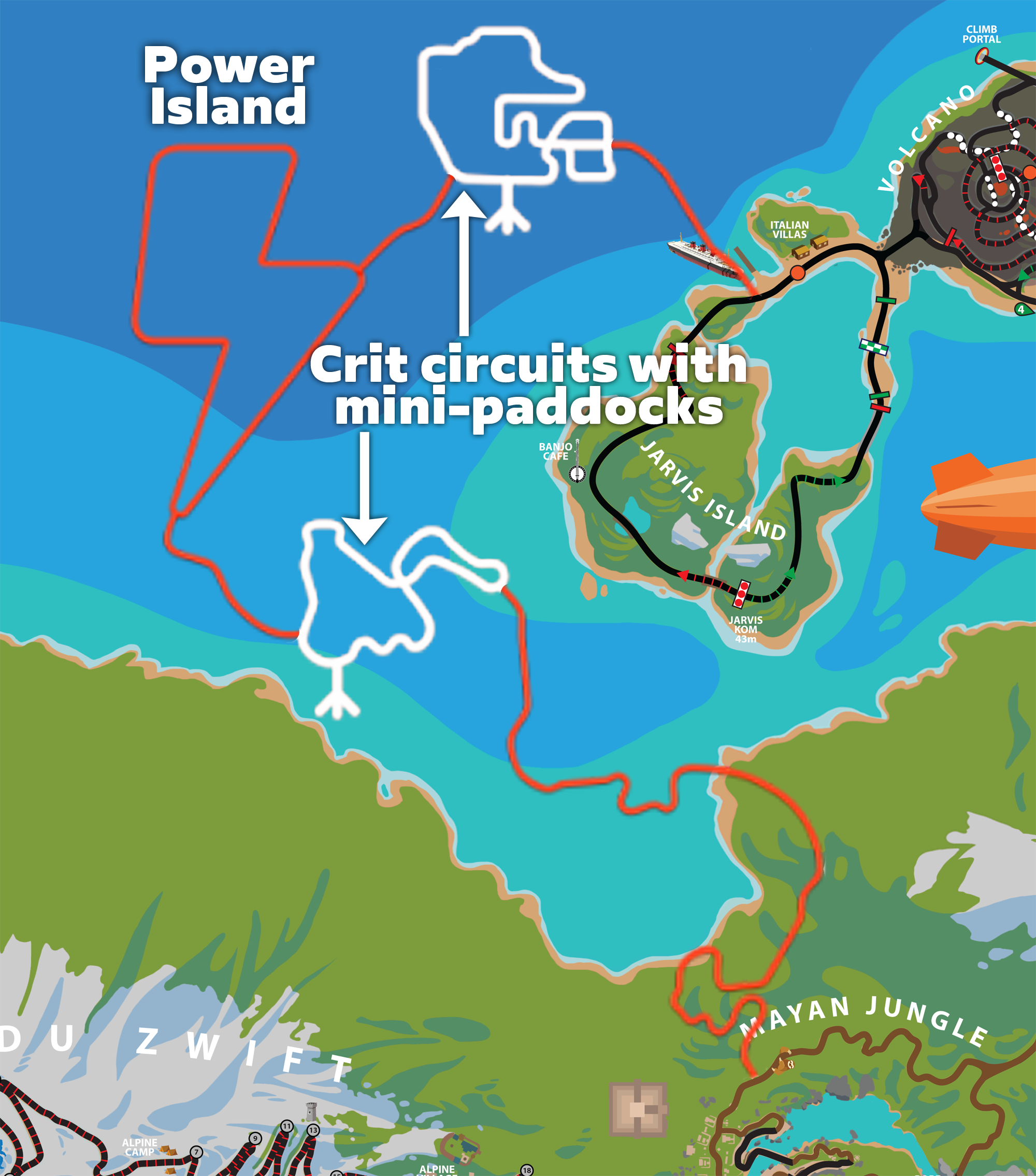
Here’s how the ~18 km of new roads (in red) fit into the existing Watopia map:
As you can see above, the new roads connect the Jarvis circuit to the Jungle, offering what Zwift calls a “flat bypass option around the Epic KOM”.
A Flat(ter) Western Bypass
Based on Strava data, the elevation of the new road at the Jarvis juncture is ~3 meters, while the elevation on the other end at the Jungle is ~31 meters. So we know there is at least a bit of climbing to be done on these new roads, but it’s much less than the ~100 meters of elevation gained when you ride up the base of the Epic KOM Reverse from the Marina and turn to the Jungle.
Another way of looking at it: Zwift’s southern coast expansion in October 2023 added ~19 km of flatter road around the Epic KOM to the southeast. This upcoming expansion adds a bypass to the northwest.
Teaser Visuals
Zwift says this expansion is an archipelago island chain inspired by Catalina Island and California’s West Coast, which makes sense. Zwift is based in Long Beach, CA, after all, and various biomes in Watopia are based on California themes, including the redwoods of Titans Grove, the beachfront in downtown Watopia, and the desert of Fuego Flats with its California Super Bloom.
I’ve only been able to get two teaser images from Zwift, which I’ve included below:
The first image is quite nondescript and could be in Makuri Islands apart from the tiny floatplane pictured. The second image faces Alpe du Zwift, and shows a whale jumping (sure to be a dramatic animation!) and a lap banner for one of the new crit courses.
More Details
The new map includes two “crit-style circuits” with “mini paddocks” attached, “made specifically for racing” according to Zwift. We don’t know exactly how the crit circuits will be laid out, but you can see my best guess below in white:
There’s also a lightning-bolt-shaped circuit which has been referenced as “Power Island” internally at Zwift. This will include some power segments (introduced in the recent New York expansion) which will feature in an upcoming event series (see below). Also, it sounds like Zwift may be expanding the power segment idea to include the ability to set power targets for specific segments. Interesting!
This expansion will add 20 new routes to Watopia. That may seem like a lot (Watopia already has 127 routes!), but with all the roads in Watopia, adding fresh roads creates a huge number of interesting potential routes. I don’t think we’ll find the new routes as repetitive as those released with the recent Paris expansion.
We don’t have details on these routes yet, but one I’m personally hoping for is a slightly longer, flatter version of “The Big Ring” that will be even friendlier for long group rides. (Hopefully it will go in a CCW direction, too, which should make the Jungle section feel like much less of an obstacle.)
Related Events
Two major Zwift events will take advantage of the expansion, beginning with the ever-popular Tour of Watopia (October 5-November 22) with its double XP and another ultimate challenge.
Stage 4 of the Tour kicks off on Monday, October 26, and that will be our first chance to ride these new roads. Tour of Watopia is a 5-stage tour, and Zwift says the Tour includes “6 new route badges to chase”, so it would seem that the three routes used for Stage 4 and the three routes used for Stage 5 will all be new.
Additionally, a new “Power Play” series kicks off in November, running from November 23 to December 27. Details are sparse, but they at least tell us the Watopia expansion will include multiple power segments. Zwift says the series “aims to give Zwifters a fresh and fun new way to get a quality workout, making use of Power Segments in New York, the Montmartre and The Grade climbs, and new Power Segments that will launch in the new Watopia Expansion.”
Your Thoughts
What do you think of Zwift’s planned Watopia expansion? Can you see any cool route ideas that use the new roads? Share your thoughts below…
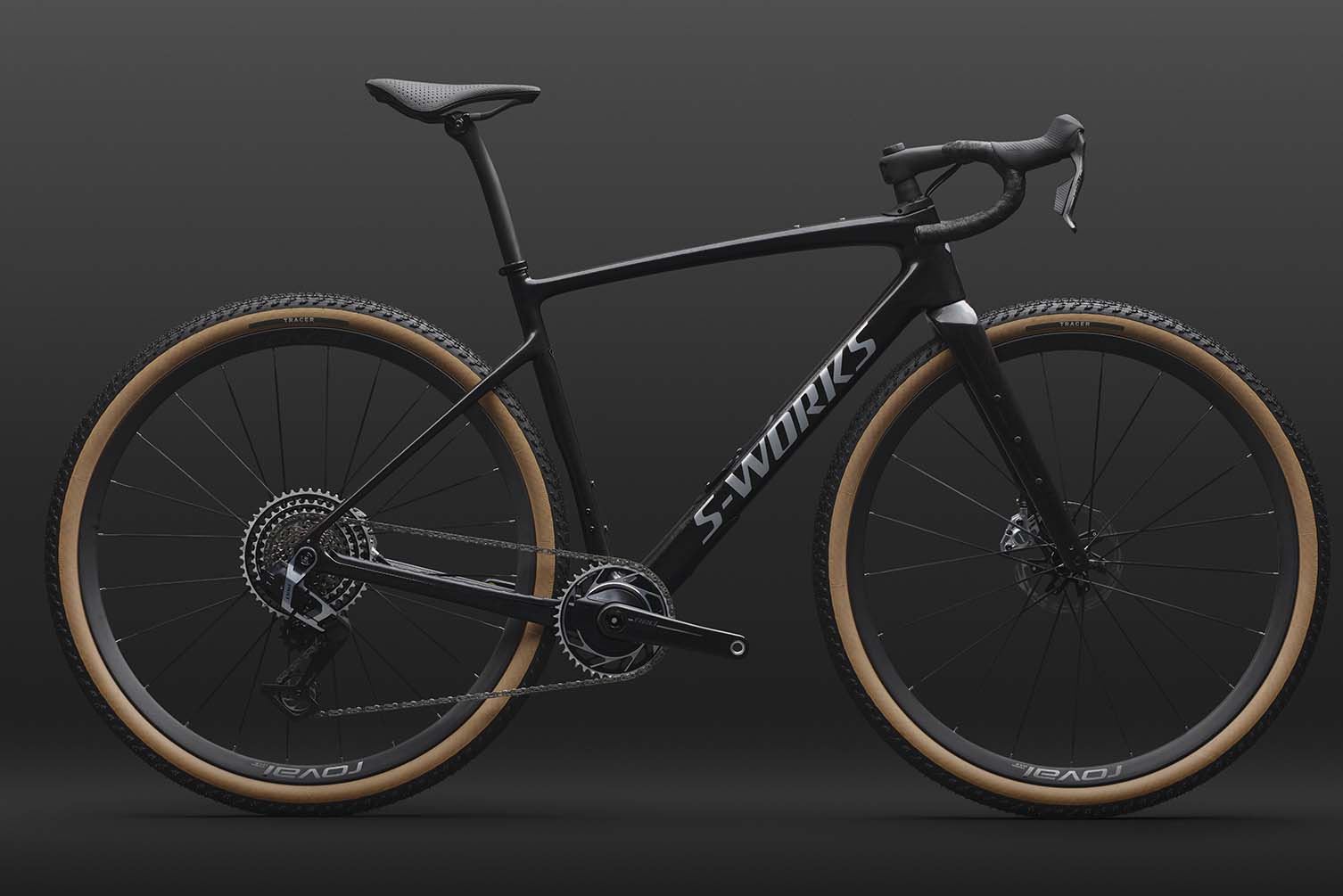
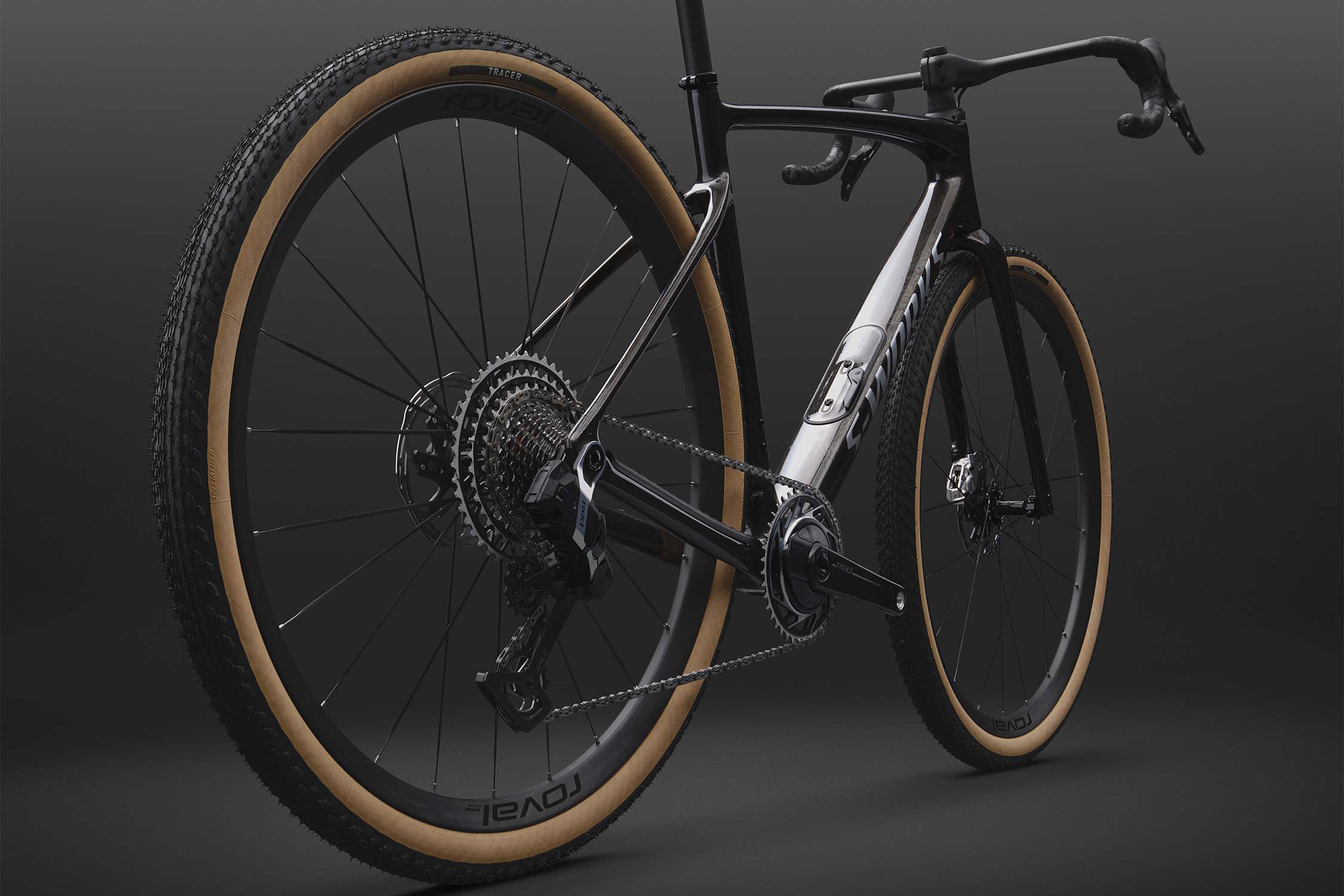
Specialized has revealed the new S-Works Diverge 4, which uses the company’s highest-tier carbon fibre layup and features “breakthrough integration”.
The Diverge 4 was first released in September 2025, but the S-Works line was cut from the range, which topped out with the Pro LTD.
Specialized claimed the Pro LTD, which broke cover at Unbound 2025, had already proven itself “with great positive feedback” from its athletes. But now Specialized has brought the S-Works Diverge back, stating it takes the gravel bike’s “magic recipe” of speed, capability and confidence “to the next level”.
What’s new?
Specialized has shaved 200g from the frame weight. Specialized
The main difference between the new S-Works Diverge and the previous carbon models is the choice of carbon fibre.
Whereas the Diverge models launched last year used Specialized’s Fact 9r Carbon, the S-Works model uses its highest-tier Fact 12r Carbon.
Specialized says this shaves 200g off the frame weight compared to the 9r Carbon Diverge. A painted S-Works Diverge frame in a size 56cm weighs a claimed 950g.
The bike now has internal cable routing. Specialized The premium build features a SRAM Red XPLR groupset. Specialized
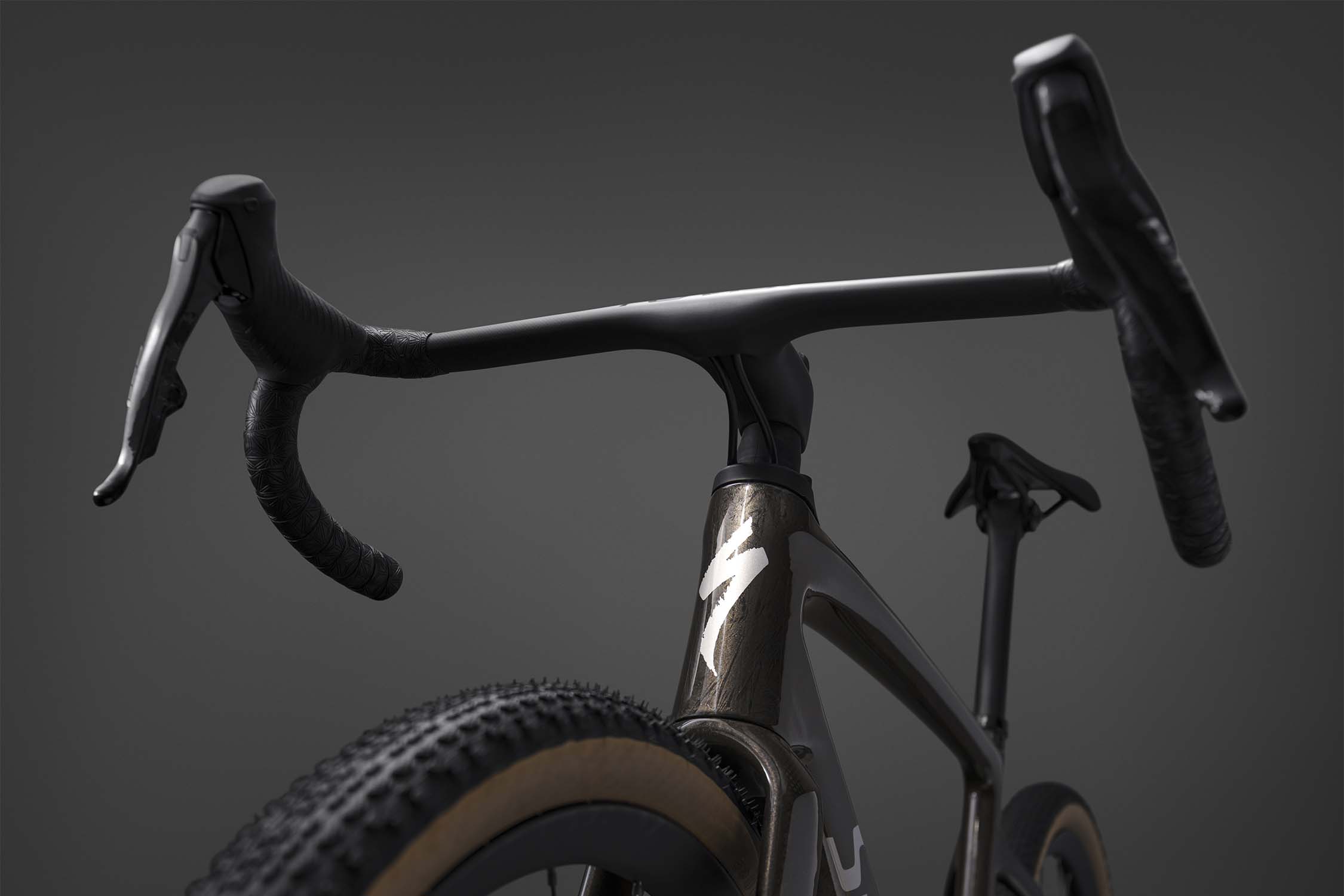
The S-Works Diverge also has Specialized’s Future Shock 3.3 stem suspension. The fully serviceable design with 20mm of travel featured on the Diverge Pro LTD, but with external cable routing.
Specialized says it has now managed to run cables internally through the stem. This “breakthrough integration” combines a smooth front end “with aero performance and a cable-free aesthetic”.
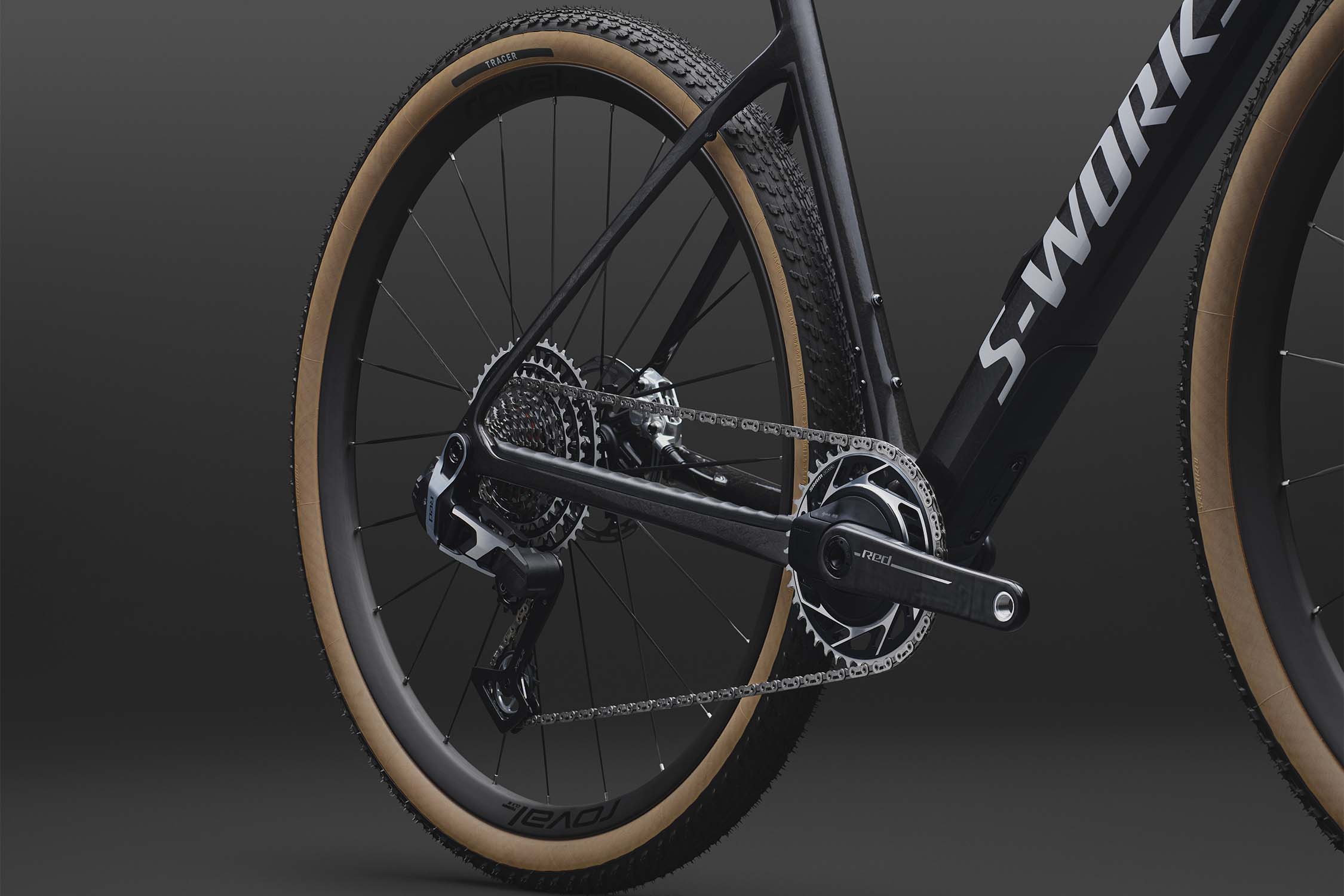
Specialized adds that the S-Works Diverge will be available in an “uncompromising” build. The bike has the same Roval Terra CLX III gravel wheels as the Pro LTD model, but switches the Shimano GRX Di2 drivetrain for SRAM Red XPLR. It has a CeramicSpeed headset and bottom bracket.
The bike has room for 50mm tyres and features down-tube storage. Specialized
Elsewhere, the new S-Works Diverge shares the same features as the carbon Diverge models released a year ago.
Suitable for gravel racing or bikepacking, the bike has clearance for 50mm gravel tyres with more than 7mm clearance. It will also fit 2.2in tyres with 4mm, which Specialized says it expects many riders to choose for rougher terrain.
The bike also has the SWAT 4.0 down-tube storage compartment. This has a larger door with a simplified and more robust design compared to the previous 3.0 version.
Specialized updated the Diverge’s geometry last year to “help provide a more stable and confidence inspiring ride on off-road terrain”. The head tube was slackened by half a degree to increase the bike’s trail and wheelbase. Specialized also dropped the bottom bracket to offset the increased tyre clearance and lengthened the chainstays to balance the bike’s handling.
Our latest episode focuses on “This Season on Zwift“, this week’s announcement from Zwift about what they have planned for the next few months. We’re joined by Ryan Condon, who offers his totally unprepared reactions to each TSOZ topic before we dive in for a deeper take:
Companion App Refresh, New Bikes, and (maybe) Purchaseable Paint Schemes
We also dive into a recent GCN video that revealed aggregated stats pulled from analyzing millions of power data points from Zwifters’ last 12 months of personal bests. Is the data even useful? What else could Zwift do with it? There are many possibilities in a world of big training data…
And that’s a wrap. Thanks for listening! Leave a review if the show is landing for you, and share us with your cycling friends. Word of mouth is how independent podcasts grow.
Listen On:
Meet the Team
Dave Towle: The voice of American cycling, having called some of the biggest races in the country for decades. Find him @davetowleannouncer.
Shane Miller (GPLama): Based in Australia, Shane is one of the most followed and trusted cycling tech reviewers in the world. Find him at @gplama.
Eric Schlange: Founder of Zwift Insider, the internet’s most comprehensive and reliable resource for Zwift routes, updates, and platform intelligence. Find him @zwiftinsider.
Share Your Thoughts!
This is just an early episode of what we hope is a long-running and useful community Zwift podcast. Share your thoughts below. We’re listening!
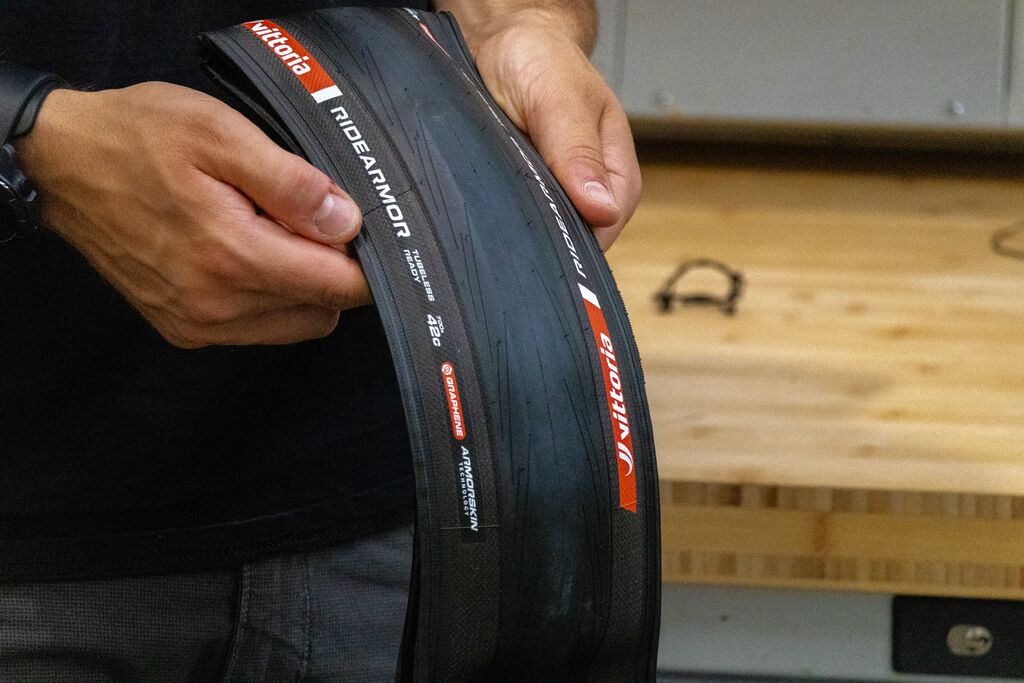
Vittoria has added a new 700x42c size to its RideArmor range to bring greater versatility to its “most durable and puncture-resistant road tyre”.
The first RideArmor tyre launched in 2024 and was billed as Vittoria’s toughest road bike tyre. It was available in seven sizes, from 700x26c to 700x38c, but this latest launch expands the range to eight widths.
The RideArmor was originally billed as suiting training and commuting. Vittoria now says the tyre is for everything from “the daily commute to a multi-day bikepacking adventure or a ride combining asphalt and light gravel”.
Responding to an evolution
The new tyre size is designed to meet the evolving needs of road and gravel cyclists. Vittoria
These bikes now have increased tyre clearance and more compliant geometries and there is “the growing popularity of mixed-surface rides”.
“The new size responds to this evolution, with increased air volume to better absorb vibrations and provide greater grip, stability and confidence over long distances, while also delivering aerodynamic benefits on bikes designed around wider tyres,” Vittoria says.
Tough construction
The RideArmor is Vittoria’s toughest road bike tyre. Vittoria
The RideArmor’s tough construction comes from its ArmorSkin sidewall layer, which protects the walls “from cuts and abrasions even on the roughest surfaces”.
It also has a Kevlar bead-to-bead protection belt to protect against punctures from road debris.
Meanwhile, the tyre uses Vittoria’s Graphene + Silica compound for high mileage and durability, while “providing dependable grip across a wide range of surfaces and weather conditions”.
The 100 TPI casing is said to complete a construction that’s intended to be reliable.
The RideArmor has a slick tread. Vittoria
Vittoria says the slick tread “ensures low rolling resistance and excellent efficiency”. No data has been provided to back up those claims.
Like all RideArmor tyres, you can set up the 42mm width tubeless or with an inner tube. It is also suitable for use on an electric bike. The 42mm version weighs 480g.
Not Vittoria’s first 42mm road tyre
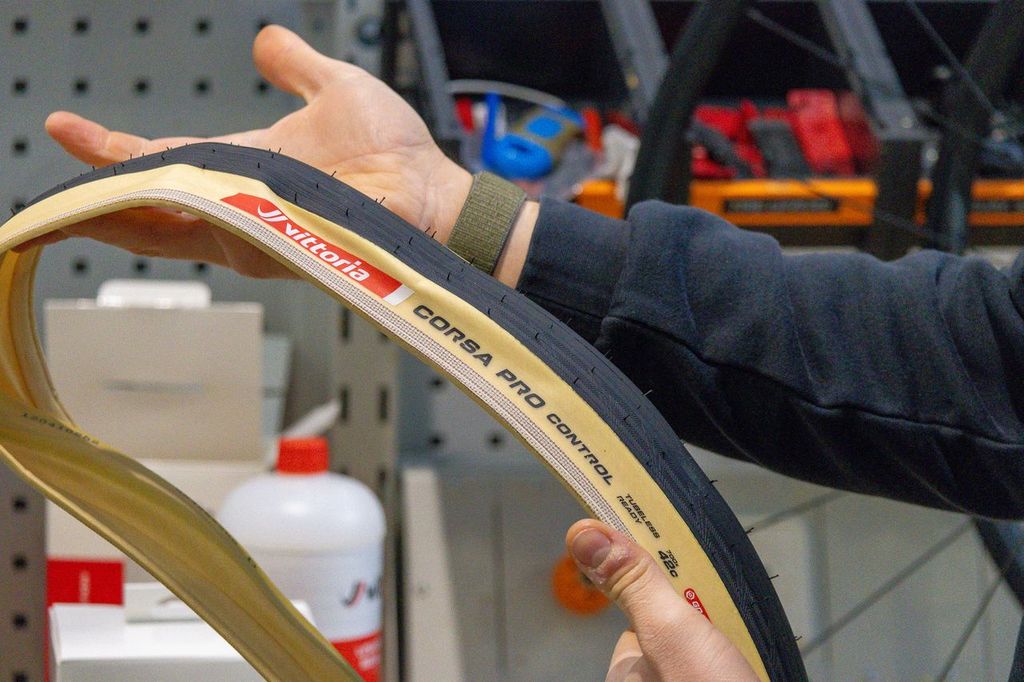
Vittoria released a 42mm Corsa Pro Control in April. Vittoria
Vittoria’s chief marketing and innovation officer, Vanessa ten Hoff, says the company follows trends but only chooses “to act when they deliver real, measurable benefits”.
Now the wider RideArmor provides riders with a 42mm option from Vittoria that is less focused on performance.
“While Corsa PRO Control is Vittoria’s performance-oriented option for riders seeking racing-level performance on demanding surfaces, RideArmor is the choice for those who prioritise durability, puncture protection and everyday reliability,” Vittoria says.
Our latest episode focuses on “This Season on Zwift“, this week’s announcement from Zwift about what they have planned for the next few months. We’re joined by Ryan Condon, who offers his totally unprepared reactions to each TSOZ topic before we dive in for a deeper take:
Companion App Refresh, New Bikes, and (maybe) Purchaseable Paint Schemes
We also dive into a recent GCN video that revealed aggregated stats pulled from analyzing millions of power data points from Zwifters’ last 12 months of personal bests. Is the data even useful? What else could Zwift do with it? There are many possibilities in a world of big training data…
And that’s a wrap. Thanks for listening! Leave a review if the show is landing for you, and share us with your cycling friends. Word of mouth is how independent podcasts grow.
Listen On:
Meet the Team
Dave Towle: The voice of American cycling, having called some of the biggest races in the country for decades. Find him @davetowleannouncer.
Shane Miller (GPLama): Based in Australia, Shane is one of the most followed and trusted cycling tech reviewers in the world. Find him at @gplama.
Eric Schlange: Founder of Zwift Insider, the internet’s most comprehensive and reliable resource for Zwift routes, updates, and platform intelligence. Find him @zwiftinsider.
Share Your Thoughts!
This is just an early episode of what we hope is a long-running and useful community Zwift podcast. Share your thoughts below. We’re listening!
Vittoria has added a new 700x42c size to its RideArmor range to bring greater versatility to its “most durable and puncture-resistant road tyre”.
The first RideArmor tyre launched in 2024 and was billed as Vittoria’s toughest road bike tyre. It was available in seven sizes, from 700x26c to 700x38c, but this latest launch expands the range to eight widths.
The RideArmor was originally billed as suiting training and commuting. Vittoria now says the tyre is for everything from “the daily commute to a multi-day bikepacking adventure or a ride combining asphalt and light gravel”.
Responding to an evolution
The new tyre size is designed to meet the evolving needs of road and gravel cyclists. Vittoria
These bikes now have increased tyre clearance and more compliant geometries and there is “the growing popularity of mixed-surface rides”.
“The new size responds to this evolution, with increased air volume to better absorb vibrations and provide greater grip, stability and confidence over long distances, while also delivering aerodynamic benefits on bikes designed around wider tyres,” Vittoria says.
Tough construction
The RideArmor is Vittoria’s toughest road bike tyre. Vittoria
The RideArmor’s tough construction comes from its ArmorSkin sidewall layer, which protects the walls “from cuts and abrasions even on the roughest surfaces”.
It also has a Kevlar bead-to-bead protection belt to protect against punctures from road debris.
Meanwhile, the tyre uses Vittoria’s Graphene + Silica compound for high mileage and durability, while “providing dependable grip across a wide range of surfaces and weather conditions”.
The 100 TPI casing is said to complete a construction that’s intended to be reliable.
The RideArmor has a slick tread. Vittoria
Vittoria says the slick tread “ensures low rolling resistance and excellent efficiency”. No data has been provided to back up those claims.
Like all RideArmor tyres, you can set up the 42mm width tubeless or with an inner tube. It is also suitable for use on an electric bike. The 42mm version weighs 480g.
Not Vittoria’s first 42mm road tyre
Vittoria released a 42mm Corsa Pro Control in April. Vittoria
Vittoria’s chief marketing and innovation officer, Vanessa ten Hoff, says the company follows trends but only chooses “to act when they deliver real, measurable benefits”.
Now the wider RideArmor provides riders with a 42mm option from Vittoria that is less focused on performance.
“While Corsa PRO Control is Vittoria’s performance-oriented option for riders seeking racing-level performance on demanding surfaces, RideArmor is the choice for those who prioritise durability, puncture protection and everyday reliability,” Vittoria says.
The best gravel bikes under £2,000 / $2,000 are a great way to sample the delights of gravel riding.
At this price point, gravel bikes start to get very good, with quality frames and components on many of the latest bikes.
As well as venturing off-road, buying a gravel bike can be a smart decision if you want a versatile all-weather machine that can take mudguards or a pannier rack, for winter riding or cycling to work.
With this in mind, gravel bikes have largely replaced cyclocross bikes as the go-to for year-round practicality.
They open up a new realm of riding, with wide gravel tyres and disc brakes enabling them to ride on unpaved surfaces, whether that’s smooth singletrack, fire roads or just your local towpath.
We’ve tested more than 200 gravel bikes here at BikeRadar. The bikes in this buyer’s guide, costing between £,1,000 and £2,000, have all been ridden and reviewed by our test team, who have ridden gravel bikes since their inception in the early 2010s.
This best list was written by our staff writer, Nick Clark, who has brought together expertise from across the team while adding his personal experience in the saddle.
Editor’s note: this list was updated on 14 September 2026 with our latest high-scoring reviews, including the Trek Checkpoint ALR 5 Gen 3, Whyte Verro, Boardman ADV 8.9 and Focus Atlas 6.7. We have also removed bikes no longer available for purchase.
Best gravel bikes under £2,000 / $2,000
Trek Checkpoint ALR 5 Gen 3
SQUIRREL_TEXT_14036284
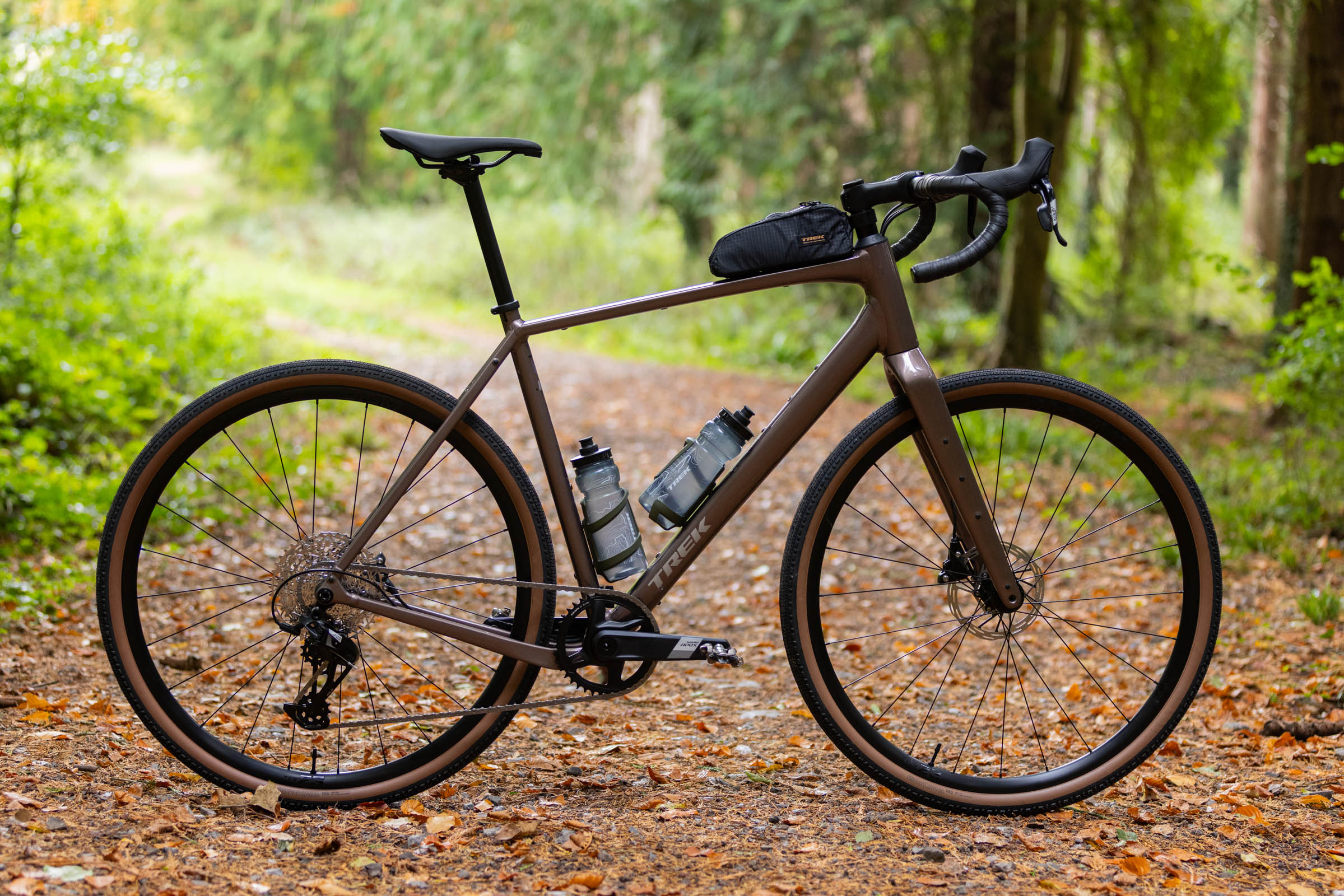
The Trek Checkpoint ALR 5 Gen 3 combines a lightweight aluminium frame with 50mm tyre clearance and plenty of mounts for versatile gravel riding. Scott Windsor / Our Media
Pros: Modern frame design; agile handling; great ride quality
Cons: Tyres won’t suit all conditions
The Trek Checkpoint ALR 5 Gen 3 is a thoroughly modern gravel bike that offers excellent performance without a huge price tag.
Our tester found the aluminium frame and carbon fork deliver a responsive but comfortable ride, while the geometry gives it a useful balance of road manners and off-road capability.
The 50mm tyre clearance and plentiful mounting points also make it well suited to bikepacking and commuting.
At 10.56kg, it feels quick on the road and climbs well, while the SRAM Apex XPLR drivetrain shifts reliably. The main limitation is the stock Bontrager Girona Pro tyres, which struggle in mud.
Pros: Steel-framed with lively handling; great value for money
Cons: Brakes set up soft
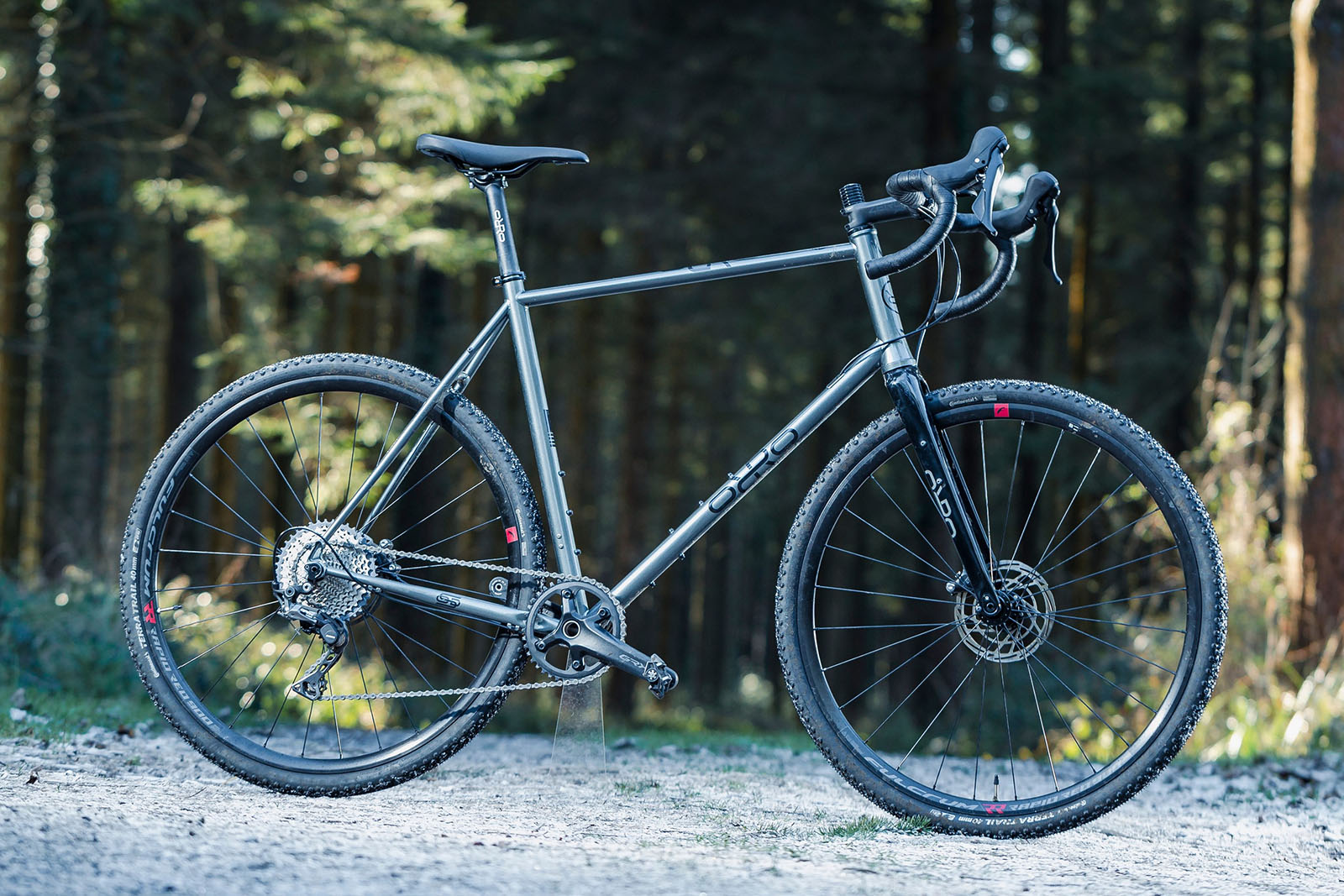
The Orro Terra S GRX600 is a lesson in how to build a steel bike with slim tubing bringing plenty of life and zip to the ride. Its lively handling is matched with a smooth and steady feel, making it at home on double-track gravel roads and singletrack trails.
Orro has matched the impressive frame with a compelling spec list for the price tag. The bike comes with a Shimano GRX600 1x drivetrain, Fulcrum wheels, Continental tyres and a Deda cockpit.
With its mounting points, this bike would be equally suited to commuting, winter road riding and bikepacking, as well as gravel riding.
It’s a shame it isn’t set up tubeless and the brakes were a little soft in testing, but this doesn’t detract too much from a practical yet fun ride.
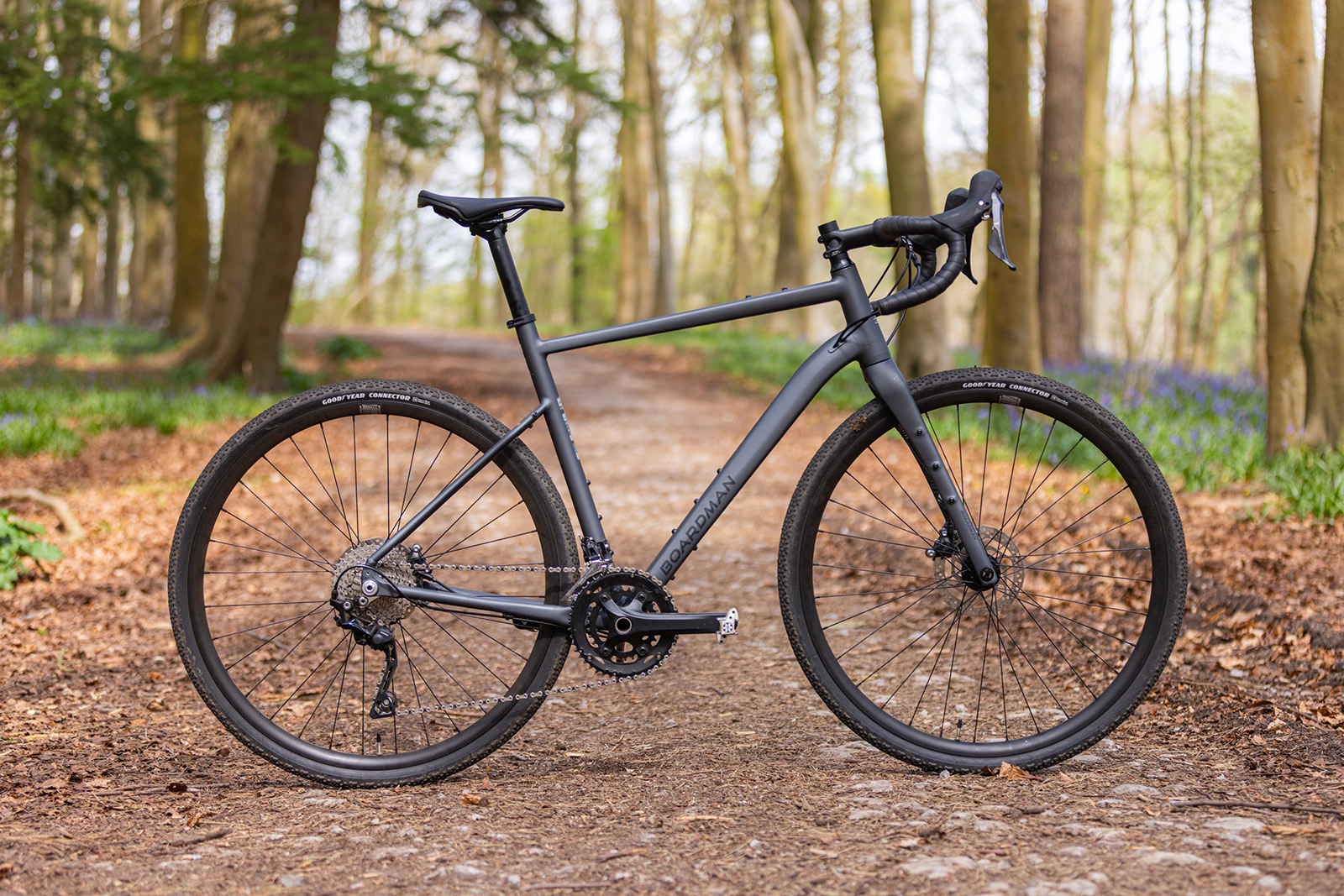
The Boardman ADV 8.9 combines a versatile aluminium frameset, 50mm tyre clearance and a quality GRX groupset at an appealing price. Scott Windsor / Our Media
Pros: Amazing value; great frameset; confident handling
Cons: 2x GRX can be noisy; front derailleur requires regular adjustments
The Boardman ADV 8.9 is a hugely capable gravel bike that offers excellent value at £1,200.
Its well-finished 6061 aluminium frame has sensible geometry, 50mm tyre clearance and plenty of mounts for bikepacking, commuting or longer adventures.
The compact riding position and stable handling make it comfortable on the road, while the bike feels surprisingly agile and confident when the trails get rough.
Shimano GRX 2×10 provides a useful spread of gears, and the tubeless-ready wheels and Goodyear tyres are impressive at this price.
The main issue is the front derailleur, which can suffer from chain rub and needs regular adjustment.
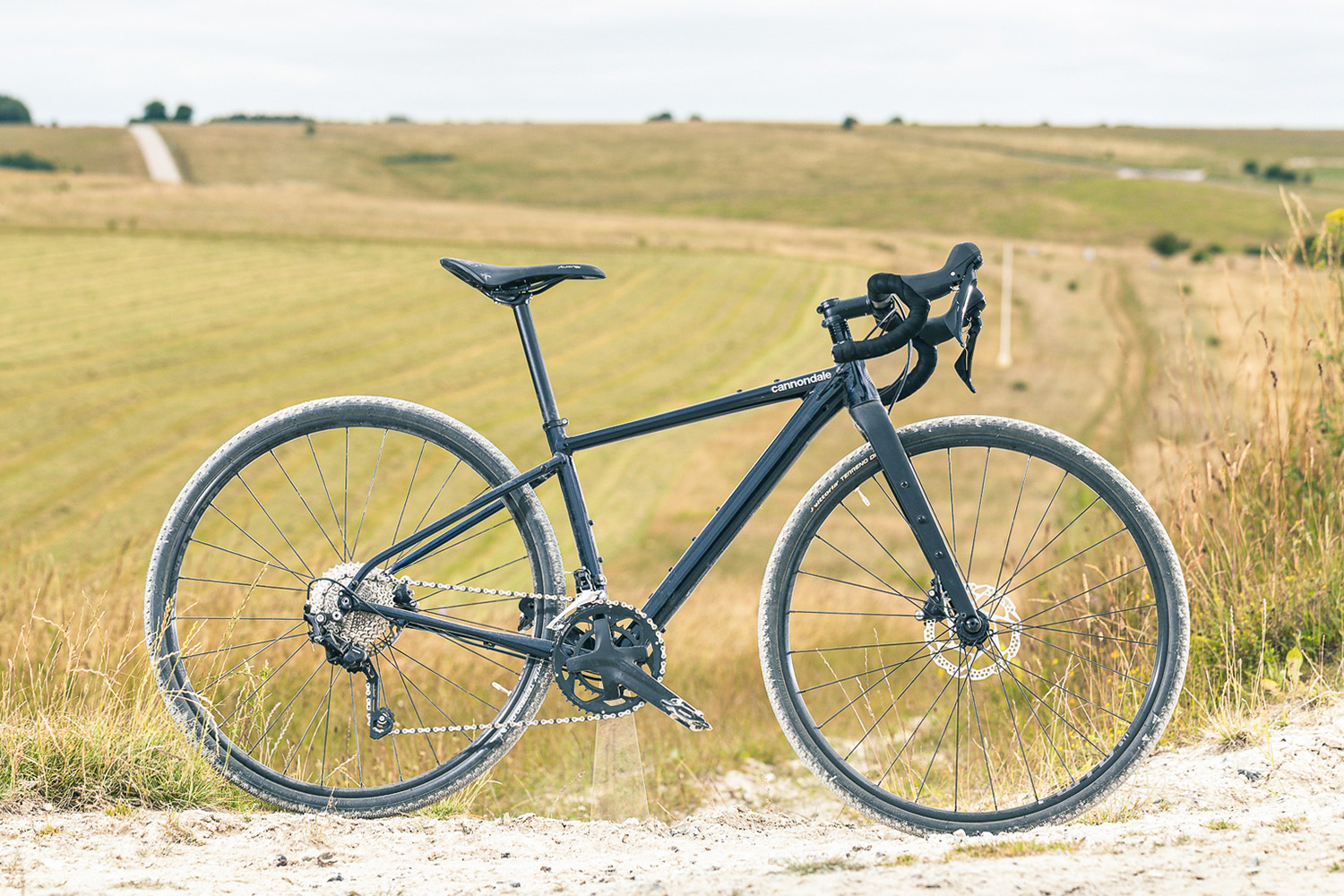
The Cannondale Topstone Alloy 2 is suited to road and light off-road riding. Russell Burton / Our Media
£1,800 / $1,925 / €2,199 / AU$3,199 as tested by Katherine Moore
Pros: Bang up to date with mounting points and plenty of tyre clearance
Cons: Tyres are narrow
The Cannondale Topstone Alloy 2 is an aluminium version of the Cannondale Topstone Carbon, bringing many of the same features to a more affordable price point.
The Topstone’s geometry is fairly conservative for a gravel bike, but this isn’t too surprising considering it’s intended to cover road to light off-road riding.
When riding, the Topstone performed immediately on the road. Its build is suited to fast riding and it feels a lot like an endurance road bike.
A flared handlebar helps navigate rougher terrains, but lumps and bumps are exaggerated by the lightweight 37mm Vittoria Terreno Dry tyres. If you want to make this bike more suitable for riding off-road, it can fit up to 700x45mm gravel tyres.
Elsewhere, the bike has a 2x drivetrain with a 10-speed cassette. This feels like a compromise, with 11-speed and now 12-speed being commonplace.
Pros: Handles tough terrain well; comfortable ride without being dull
Cons: 2x drivetrain can be noisy; front derailleur requires regular adjustments; heavy
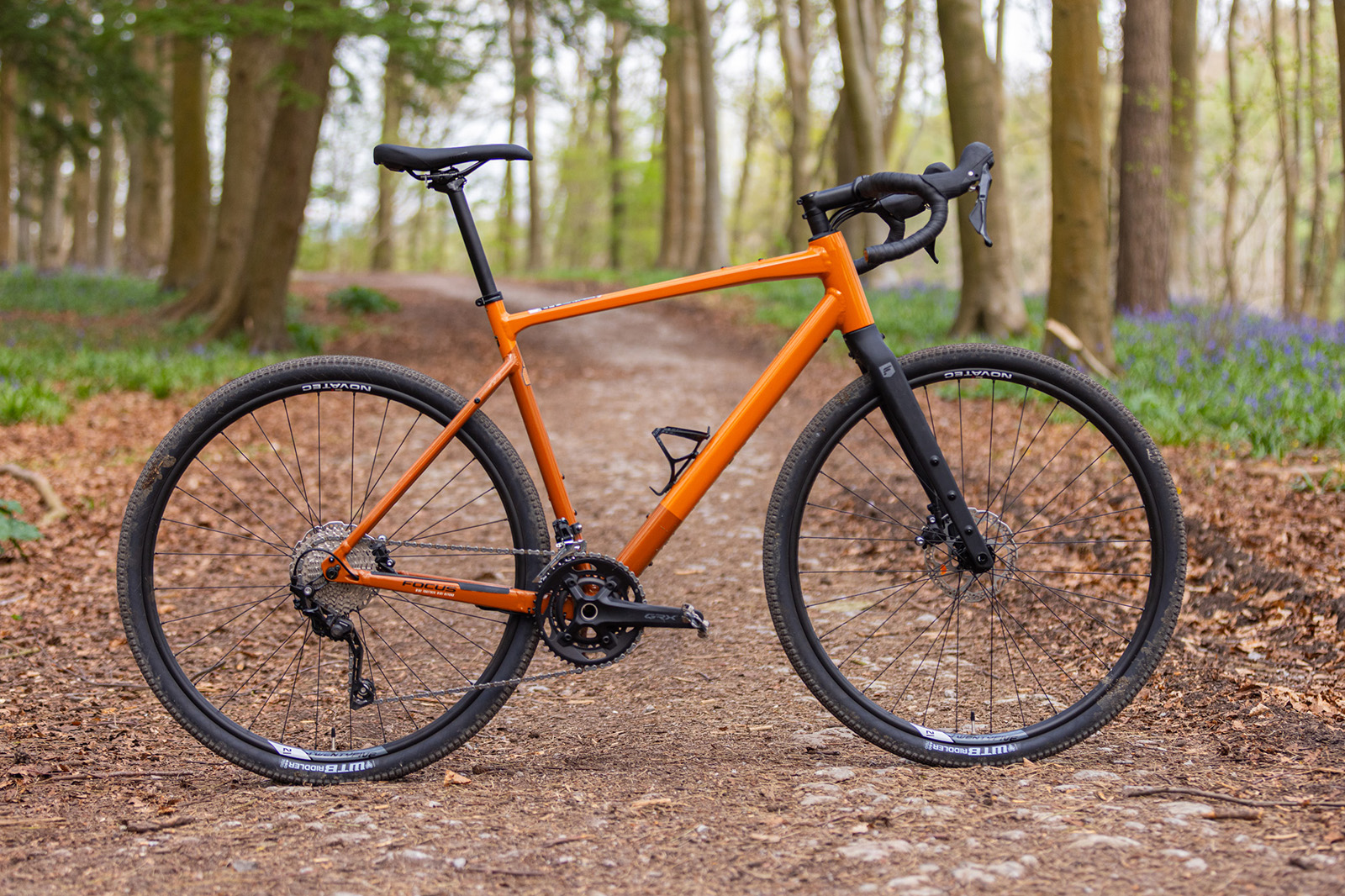
The Focus Atlas 6.7 is a versatile gravel bike with the handling to tackle surprisingly rough terrain.
Its stable front end, wide 45mm tyres and broad handlebar give it impressive confidence on technical trails, while the comfortable ride makes it well suited to longer adventures.
The aluminium frame is packed with practical features, including rack, mudguard and multiple luggage mounts.
Shimano GRX 2×10 provides reliable shifting and the brakes are excellent, although the front derailleur needs regular adjustment.
At 11.42kg, it’s not a lightweight, and the 11-34 cassette leaves it lacking a really low gear for steep climbs.
Pros: Great-looking; competitive price; bundles of fun
Cons: A few downgraded parts; ponderous on the road; not tubeless-ready
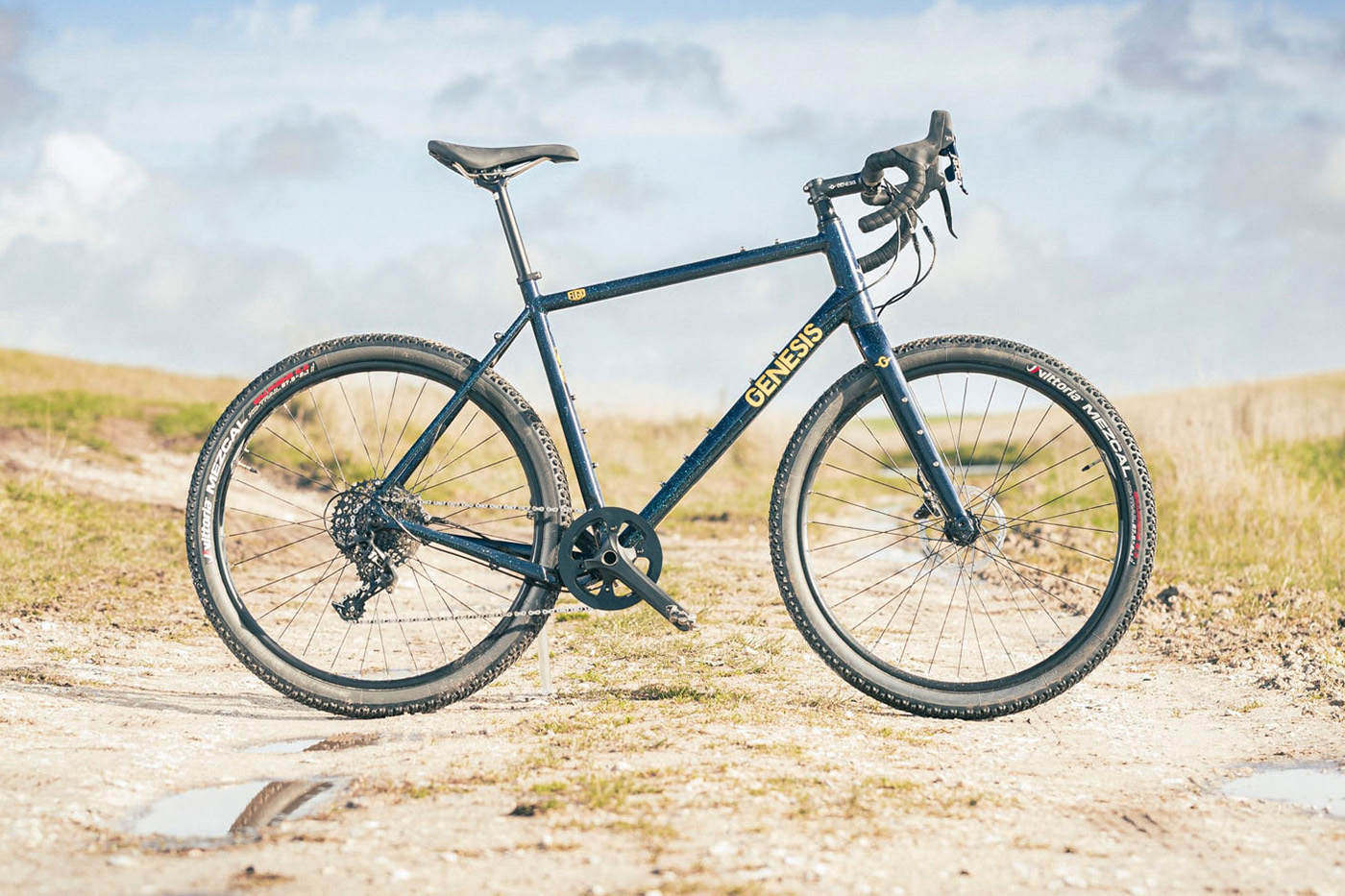
The Genesis Fugio 30 embodies what’s so great about gravel riding, proving to be bundles of fun and capable of covering big miles.
Previous Fugios had steel frames, but this version is alloy, saving 500g over its predecessor.
The Fugio 30 may not be the fastest on roads, but its relaxed geometry and clearance for 57mm tyres make it ideal for exploring and riding terrain and trails beyond your comfort zone.
The price has been kept low with the odd downgraded component, which is the only thing holding this bike back from a higher score.
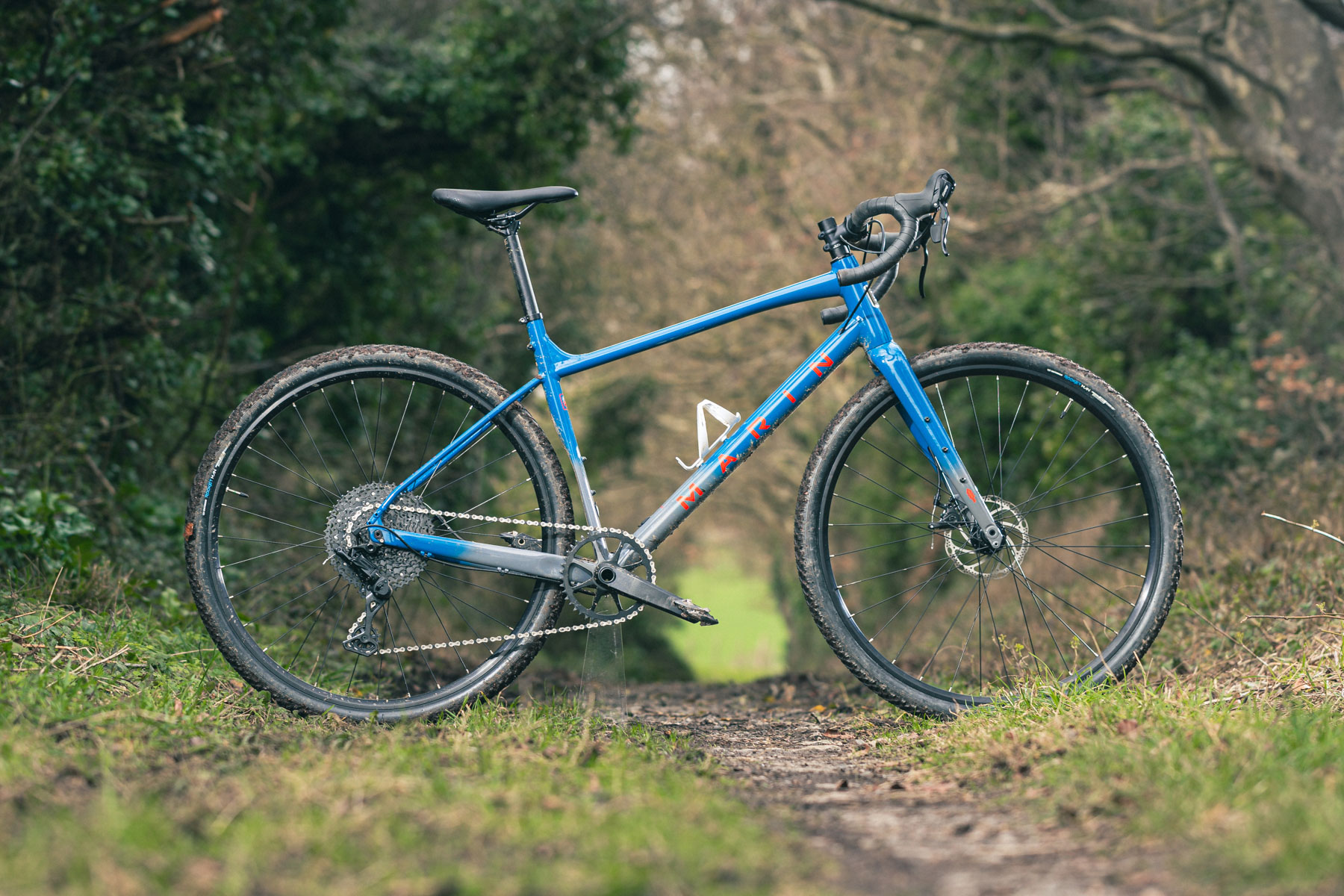
The Marin Gestalt X10 is a gravel bike inspired by mountain bikes.
Its geometry isn’t massively different from a hardtail mountain bike, with a long wheelbase and slack head tube. So it might come as little surprise that the Gestalt isn’t so quick on paved surfaces. But when it comes to pure off-road riding and technical trails, it’s excellent.
Our tester said the Marin is one of the most comfortable budget gravel bikes he’s tested, with the front end minimising vibrations and taking hits in its stride.
The Microshift drivetrain offers great shifting and ample range for off-road riding.
The TRP mechanical disc brakes have enough power, but are less progressive than pricier hydraulic brakes.
The CGR 725 Steel from Ribble is defined by its charming Reynolds 725 steel chassis, which is compatible with 700c and 650b wheels, and tyres up to 47mm.
It’s a classy looking, comfortable bike to ride with heaps of practicality. It’s about as versatile as bikes get thanks to rack mounts, mudguard fittings and bosses galore.
The bike we tested didn’t stray far from Ribble’s off-the-peg configuration and featured Shimano’s Tiagra groupset, Tektro mechanical disc brakes and Mavic Aksium Disc Clincher wheels.
Riders looking for a different spec can toy with Ribble’s BikeBuilder service, which allows individual component upgrades, from groupsets and wheels right the way through to different handlebars. Similarly, those who seek a more individual look can opt for Ribble’s custom colour option.
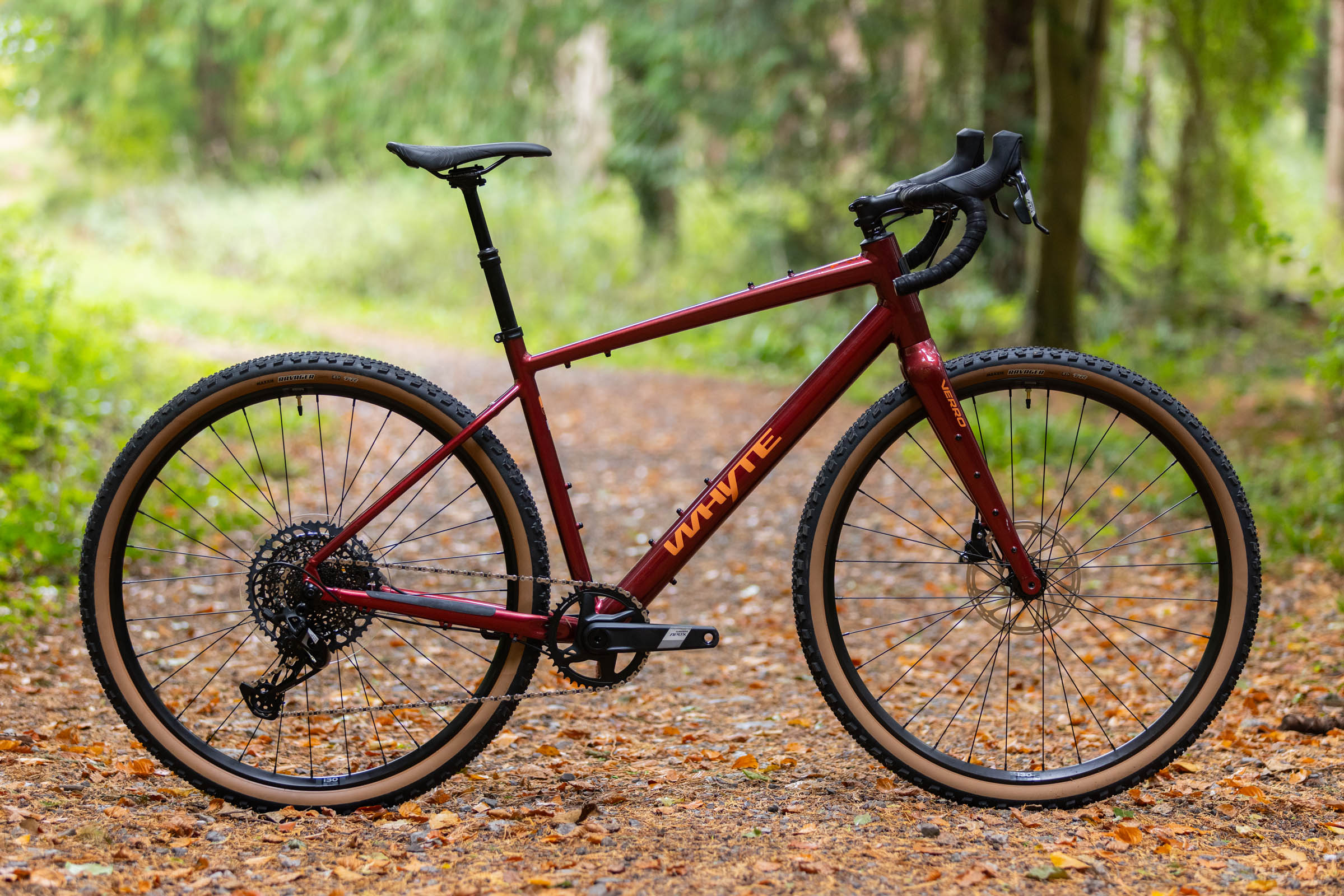
The Whyte Verro combines progressive gravel geometry with 50mm tyres, a dropper post and a wide-range SRAM Apex Eagle drivetrain for serious off-road riding. Scott Windsor / Ourmedia
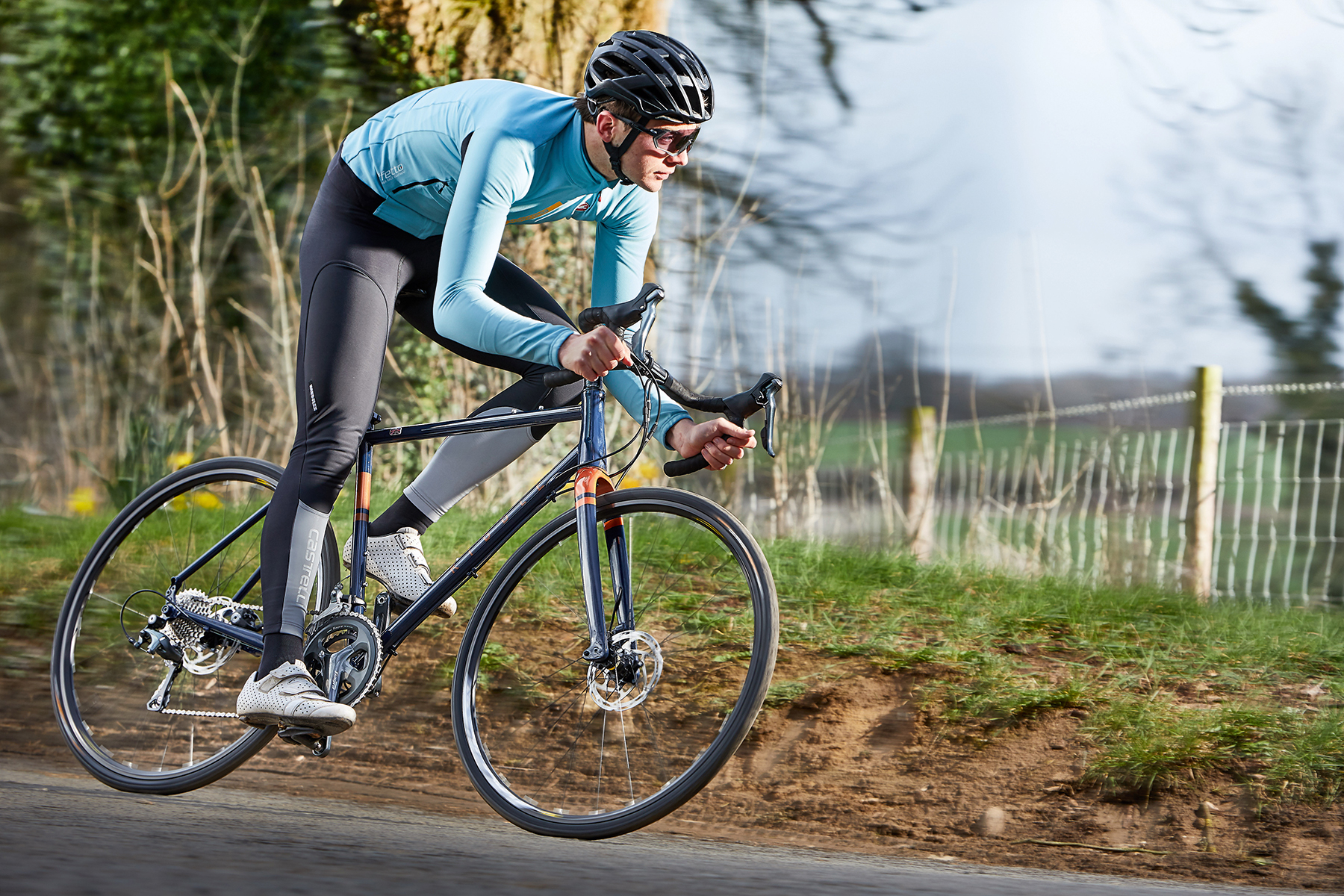
We put sub-£2,000 gravel bikes through their paces on a variety of terrain. Scott Windsor / Ourmedia
We test sub-£2,000 gravel bikes in the same places we test all gravel bikes over a range of surfaces, from paved roads to light singletrack trails and, of course, in their natural environment on gravel roads.
Our team of testers have been involved in the world of gravel bikes since their inception. Our senior technical editor, Warren Rossiter, first tested a thoroughbred gravel bike at the beginning of the 2010s and since then he reckons he’s reviewed close to 200 gravel bikes.
We use long test cycles to ascertain how the bikes live up to real-world riding and go out in wide-ranging conditions to see how they perform in the wet and dry.
Ultimately, our gravel bike reviews are based on the following criteria:
Handling characteristics – how does the bike handle and does it inspire confidence on descents?
Specification – does the bike feature decent components that will live up to the rigours of gravel riding?
Performance against brand claims – does the bike perform well for the intended use?
Value vs competition – is the bike a good deal compared to others in the market?
Why you can trust BikeRadar
BikeRadar has been an authority on bikes and cycling tech since its inception in 2007, delivering the world’s best riding advice.
We have experts testing all types of bikes, parts, clothing and accessories, from road, mountain and gravel bikes to commuting, bikepacking and electric bikes.
Our reviews are always editorially independent – with no exceptions. Our reviewers comprehensively test all products in the real world, always reflecting on performance, value and the wider market when delivering their verdicts and review ratings.
We have more than 15,000 product reviews available at your fingertips, as well as expert buying, maintenance, training, skills, health and fitness advice.
Our annual Bike of the Year test is an industry benchmark and the BikeRadar team consists of some of the most experienced riders and testers in the business.
The best gravel bikes under £2,000 / $2,000 are a great way to sample the delights of gravel riding.
At this price point, gravel bikes start to get very good, with quality frames and components on many of the latest bikes.
As well as venturing off-road, buying a gravel bike can be a smart decision if you want a versatile all-weather machine that can take mudguards or a pannier rack, for winter riding or cycling to work.
With this in mind, gravel bikes have largely replaced cyclocross bikes as the go-to for year-round practicality.
They open up a new realm of riding, with wide gravel tyres and disc brakes enabling them to ride on unpaved surfaces, whether that’s smooth singletrack, fire roads or just your local towpath.
We’ve tested more than 200 gravel bikes here at BikeRadar. The bikes in this buyer’s guide, costing between £,1,000 and £2,000, have all been ridden and reviewed by our test team, who have ridden gravel bikes since their inception in the early 2010s.
This best list was written by our staff writer, Nick Clark, who has brought together expertise from across the team while adding his personal experience in the saddle.
Editor’s note: this list was updated on 14 September 2026 with our latest high-scoring reviews, including the Trek Checkpoint ALR 5 Gen 3, Whyte Verro, Boardman ADV 8.9 and Focus Atlas 6.7. We have also removed bikes no longer available for purchase.
Best gravel bikes under £2,000 / $2,000
Trek Checkpoint ALR 5 Gen 3
SQUIRREL_TEXT_14036284
The Trek Checkpoint ALR 5 Gen 3 combines a lightweight aluminium frame with 50mm tyre clearance and plenty of mounts for versatile gravel riding. Scott Windsor / Our Media
Pros: Modern frame design; agile handling; great ride quality
Cons: Tyres won’t suit all conditions
The Trek Checkpoint ALR 5 Gen 3 is a thoroughly modern gravel bike that offers excellent performance without a huge price tag.
Our tester found the aluminium frame and carbon fork deliver a responsive but comfortable ride, while the geometry gives it a useful balance of road manners and off-road capability.
The 50mm tyre clearance and plentiful mounting points also make it well suited to bikepacking and commuting.
At 10.56kg, it feels quick on the road and climbs well, while the SRAM Apex XPLR drivetrain shifts reliably. The main limitation is the stock Bontrager Girona Pro tyres, which struggle in mud.
Pros: Steel-framed with lively handling; great value for money
Cons: Brakes set up soft
The Orro Terra S GRX600 is a lesson in how to build a steel bike with slim tubing bringing plenty of life and zip to the ride. Its lively handling is matched with a smooth and steady feel, making it at home on double-track gravel roads and singletrack trails.
Orro has matched the impressive frame with a compelling spec list for the price tag. The bike comes with a Shimano GRX600 1x drivetrain, Fulcrum wheels, Continental tyres and a Deda cockpit.
With its mounting points, this bike would be equally suited to commuting, winter road riding and bikepacking, as well as gravel riding.
It’s a shame it isn’t set up tubeless and the brakes were a little soft in testing, but this doesn’t detract too much from a practical yet fun ride.
The Boardman ADV 8.9 combines a versatile aluminium frameset, 50mm tyre clearance and a quality GRX groupset at an appealing price. Scott Windsor / Our Media
Pros: Amazing value; great frameset; confident handling
Cons: 2x GRX can be noisy; front derailleur requires regular adjustments
The Boardman ADV 8.9 is a hugely capable gravel bike that offers excellent value at £1,200.
Its well-finished 6061 aluminium frame has sensible geometry, 50mm tyre clearance and plenty of mounts for bikepacking, commuting or longer adventures.
The compact riding position and stable handling make it comfortable on the road, while the bike feels surprisingly agile and confident when the trails get rough.
Shimano GRX 2×10 provides a useful spread of gears, and the tubeless-ready wheels and Goodyear tyres are impressive at this price.
The main issue is the front derailleur, which can suffer from chain rub and needs regular adjustment.
The Cannondale Topstone Alloy 2 is suited to road and light off-road riding. Russell Burton / Our Media
£1,800 / $1,925 / €2,199 / AU$3,199 as tested by Katherine Moore
Pros: Bang up to date with mounting points and plenty of tyre clearance
Cons: Tyres are narrow
The Cannondale Topstone Alloy 2 is an aluminium version of the Cannondale Topstone Carbon, bringing many of the same features to a more affordable price point.
The Topstone’s geometry is fairly conservative for a gravel bike, but this isn’t too surprising considering it’s intended to cover road to light off-road riding.
When riding, the Topstone performed immediately on the road. Its build is suited to fast riding and it feels a lot like an endurance road bike.
A flared handlebar helps navigate rougher terrains, but lumps and bumps are exaggerated by the lightweight 37mm Vittoria Terreno Dry tyres. If you want to make this bike more suitable for riding off-road, it can fit up to 700x45mm gravel tyres.
Elsewhere, the bike has a 2x drivetrain with a 10-speed cassette. This feels like a compromise, with 11-speed and now 12-speed being commonplace.
Pros: Handles tough terrain well; comfortable ride without being dull
Cons: 2x drivetrain can be noisy; front derailleur requires regular adjustments; heavy
The Focus Atlas 6.7 is a versatile gravel bike with the handling to tackle surprisingly rough terrain.
Its stable front end, wide 45mm tyres and broad handlebar give it impressive confidence on technical trails, while the comfortable ride makes it well suited to longer adventures.
The aluminium frame is packed with practical features, including rack, mudguard and multiple luggage mounts.
Shimano GRX 2×10 provides reliable shifting and the brakes are excellent, although the front derailleur needs regular adjustment.
At 11.42kg, it’s not a lightweight, and the 11-34 cassette leaves it lacking a really low gear for steep climbs.
Pros: Great-looking; competitive price; bundles of fun
Cons: A few downgraded parts; ponderous on the road; not tubeless-ready
The Genesis Fugio 30 embodies what’s so great about gravel riding, proving to be bundles of fun and capable of covering big miles.
Previous Fugios had steel frames, but this version is alloy, saving 500g over its predecessor.
The Fugio 30 may not be the fastest on roads, but its relaxed geometry and clearance for 57mm tyres make it ideal for exploring and riding terrain and trails beyond your comfort zone.
The price has been kept low with the odd downgraded component, which is the only thing holding this bike back from a higher score.
The Marin Gestalt X10 is a gravel bike inspired by mountain bikes.
Its geometry isn’t massively different from a hardtail mountain bike, with a long wheelbase and slack head tube. So it might come as little surprise that the Gestalt isn’t so quick on paved surfaces. But when it comes to pure off-road riding and technical trails, it’s excellent.
Our tester said the Marin is one of the most comfortable budget gravel bikes he’s tested, with the front end minimising vibrations and taking hits in its stride.
The Microshift drivetrain offers great shifting and ample range for off-road riding.
The TRP mechanical disc brakes have enough power, but are less progressive than pricier hydraulic brakes.
The CGR 725 Steel from Ribble is defined by its charming Reynolds 725 steel chassis, which is compatible with 700c and 650b wheels, and tyres up to 47mm.
It’s a classy looking, comfortable bike to ride with heaps of practicality. It’s about as versatile as bikes get thanks to rack mounts, mudguard fittings and bosses galore.
The bike we tested didn’t stray far from Ribble’s off-the-peg configuration and featured Shimano’s Tiagra groupset, Tektro mechanical disc brakes and Mavic Aksium Disc Clincher wheels.
Riders looking for a different spec can toy with Ribble’s BikeBuilder service, which allows individual component upgrades, from groupsets and wheels right the way through to different handlebars. Similarly, those who seek a more individual look can opt for Ribble’s custom colour option.
The Whyte Verro combines progressive gravel geometry with 50mm tyres, a dropper post and a wide-range SRAM Apex Eagle drivetrain for serious off-road riding. Scott Windsor / Ourmedia
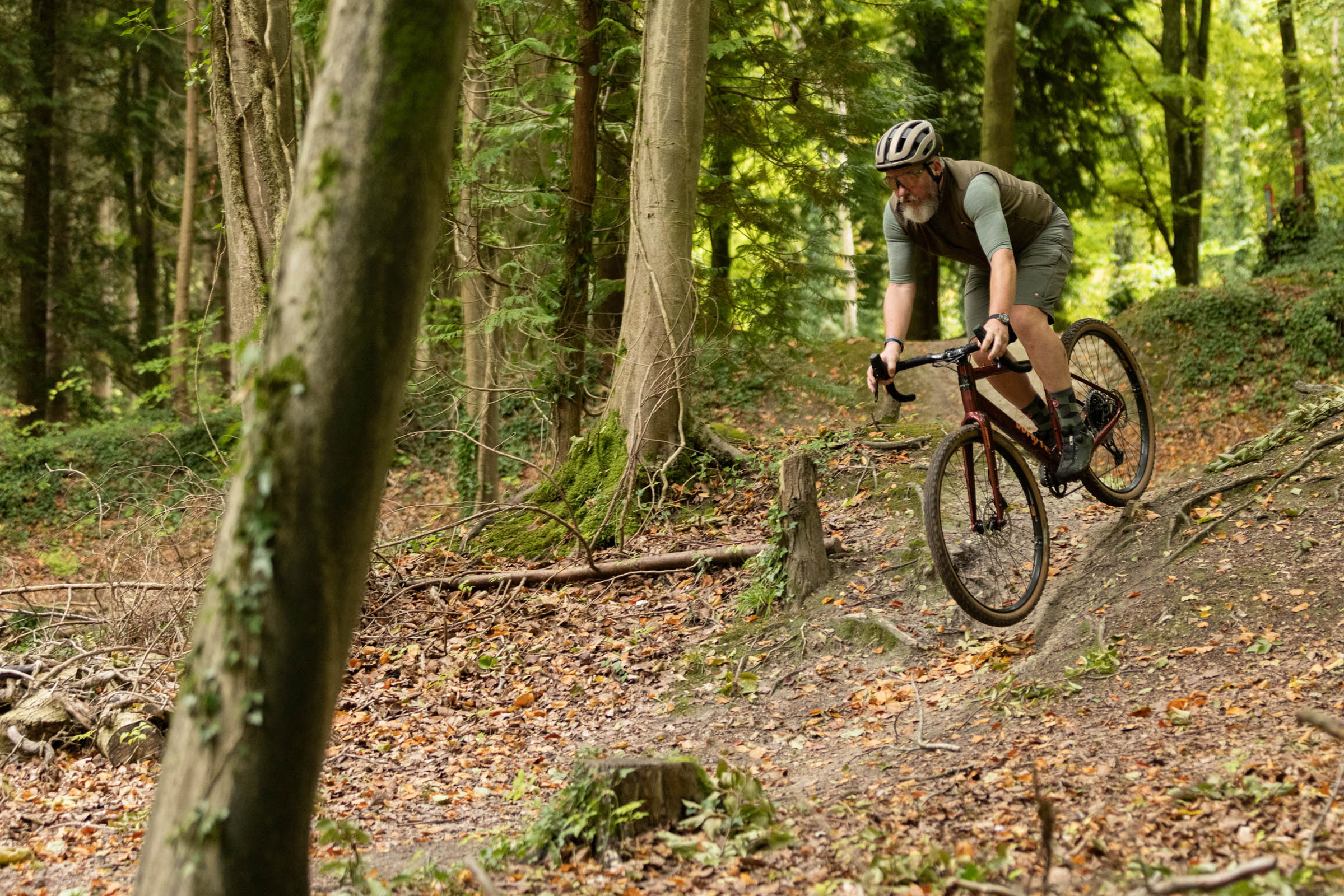
We put sub-£2,000 gravel bikes through their paces on a variety of terrain. Scott Windsor / Ourmedia
We test sub-£2,000 gravel bikes in the same places we test all gravel bikes over a range of surfaces, from paved roads to light singletrack trails and, of course, in their natural environment on gravel roads.
Our team of testers have been involved in the world of gravel bikes since their inception. Our senior technical editor, Warren Rossiter, first tested a thoroughbred gravel bike at the beginning of the 2010s and since then he reckons he’s reviewed close to 200 gravel bikes.
We use long test cycles to ascertain how the bikes live up to real-world riding and go out in wide-ranging conditions to see how they perform in the wet and dry.
Ultimately, our gravel bike reviews are based on the following criteria:
Handling characteristics – how does the bike handle and does it inspire confidence on descents?
Specification – does the bike feature decent components that will live up to the rigours of gravel riding?
Performance against brand claims – does the bike perform well for the intended use?
Value vs competition – is the bike a good deal compared to others in the market?
Why you can trust BikeRadar
BikeRadar has been an authority on bikes and cycling tech since its inception in 2007, delivering the world’s best riding advice.
We have experts testing all types of bikes, parts, clothing and accessories, from road, mountain and gravel bikes to commuting, bikepacking and electric bikes.
Our reviews are always editorially independent – with no exceptions. Our reviewers comprehensively test all products in the real world, always reflecting on performance, value and the wider market when delivering their verdicts and review ratings.
We have more than 15,000 product reviews available at your fingertips, as well as expert buying, maintenance, training, skills, health and fitness advice.
Our annual Bike of the Year test is an industry benchmark and the BikeRadar team consists of some of the most experienced riders and testers in the business.
Continental has announced it will be adding a 32mm tyre to its mid-spec, all-rounder, tube-type Grand Prix range, with the new width joining existing 28mm and 30mm options.
The Grand Prix tyre includes Conti’s BlackChili rubber compound and a three-ply casing that the brand says has low rolling resistance while offering good puncture protection and grip.
The tubeless-ready Grand Prix TR tyre already has a 32mm width, in addition to 25mm, 28mm and 30mm tyres, so the new-width Grand Prix tyre brings an additional wider option for riders who prefer to ride with inner tubes.
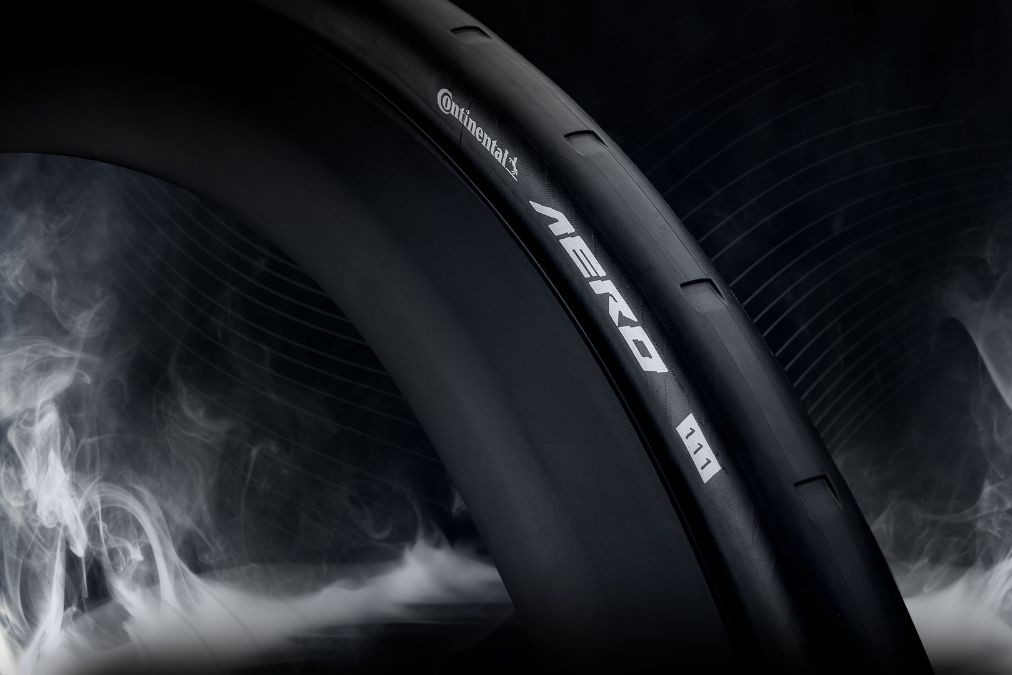
The Aero 111 front tyre range has also expanded to 32mm from its previous 26mm and 29mm options.
Continental has been progressively adding wider tyres across its ranges. The premium Grand Prix 5000 S TR tyre has been available in a 32mm width for some time. Conti added a 35mm-wide Grand Prix 5000 S TR tyre last March, just ahead of this year’s Paris-Roubaix, and we have a first-ride review of the wider tyre.
The GP 5000 TT TR has got in on the act too, with a 30mm-wide tyre added to the range at the same time, topping the 25mm and 28mm tyres offered previously.
Continental’s four-season GP 5000 AS TR is also available in a range of widths: 25mm, 28mm, 32mm and 35mm.
Last month, Conti announced a 32mm version of its Aero 111 front tyre with its characteristic 48 vortex generator slots in the otherwise slick tread.
According to Hannah Ferle, road product manager for Continental: “We are always striving to develop tyres to meet riders’ needs and ensure they are all catered for, which is why we are introducing the Grand Prix in a 32mm as part of our expansion of the portfolio in 2026.
“We recognise the shift in consumer preferences and will continue to expand our product offering this year.”
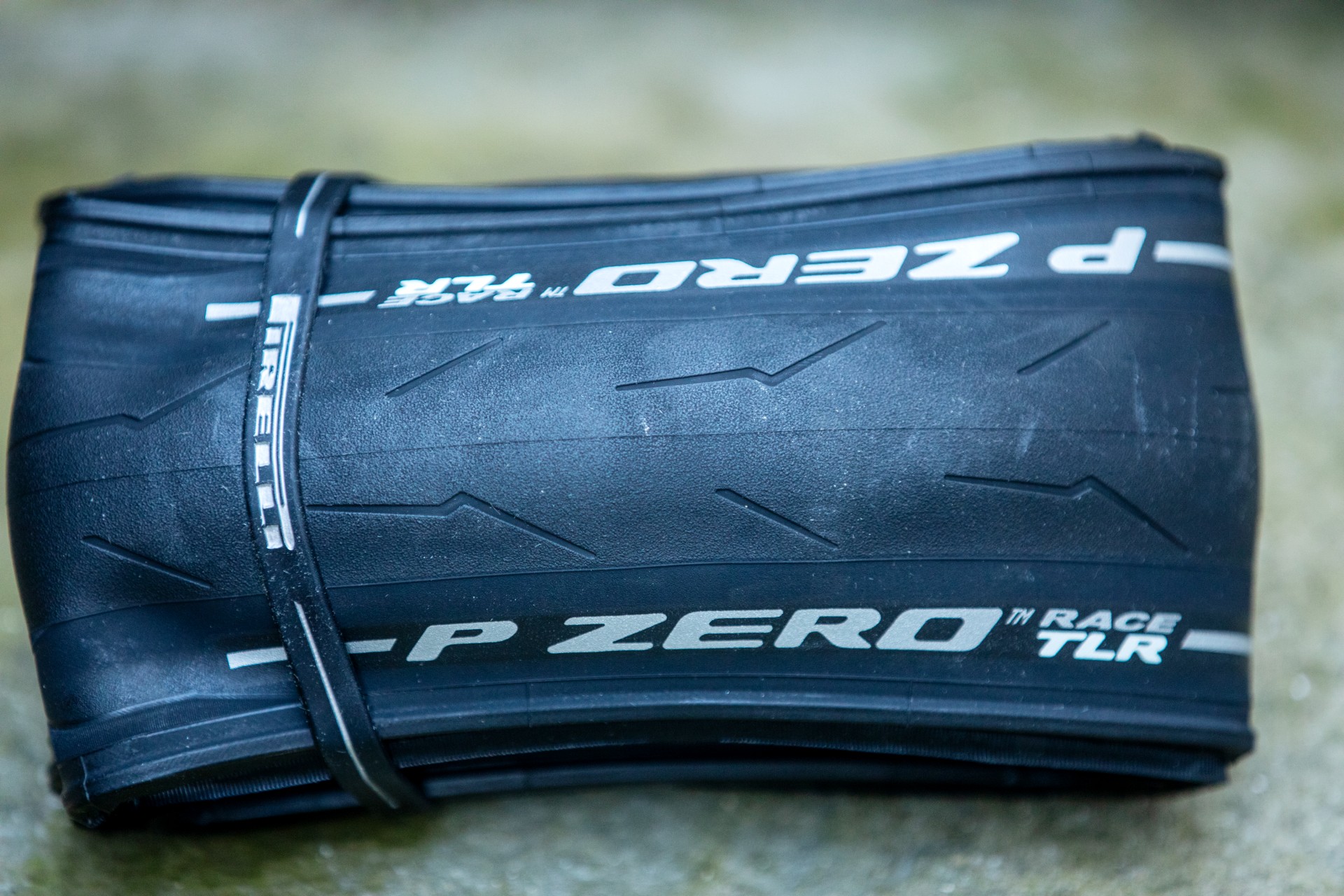
Pirelli has a 40mm-width option for its P Zero Race TLR. Scott Windsor / Our Media
This suggests Continental will be introducing more wide tyre options in the future, perhaps adding a 35mm width to the tubeless and tube-type Grand Prix ranges to sit alongside the 35mm Grand Prix 5000 S TR tyre.
Continental has been a little more conservative in introducing wider tyres than some other brands. Pirelli now includes a 40mm width for its P Zero Race TLR, while Goodyear launched the 40mm Vector R XPLR last year, while René Herse‘s slick tyres rise to 55mm wide.
The new Continental Grand Prix 32mm tube-type tyre has a €45.95 recommended price, the same as other widths of the tyre.
Continental has announced it will be adding a 32mm tyre to its mid-spec, all-rounder, tube-type Grand Prix range, with the new width joining existing 28mm and 30mm options.
The Grand Prix tyre includes Conti’s BlackChili rubber compound and a three-ply casing that the brand says has low rolling resistance while offering good puncture protection and grip.
The tubeless-ready Grand Prix TR tyre already has a 32mm width, in addition to 25mm, 28mm and 30mm tyres, so the new-width Grand Prix tyre brings an additional wider option for riders who prefer to ride with inner tubes.
The Aero 111 front tyre range has also expanded to 32mm from its previous 26mm and 29mm options.
Continental has been progressively adding wider tyres across its ranges. The premium Grand Prix 5000 S TR tyre has been available in a 32mm width for some time. Conti added a 35mm-wide Grand Prix 5000 S TR tyre last March, just ahead of this year’s Paris-Roubaix, and we have a first-ride review of the wider tyre.
The GP 5000 TT TR has got in on the act too, with a 30mm-wide tyre added to the range at the same time, topping the 25mm and 28mm tyres offered previously.
Continental’s four-season GP 5000 AS TR is also available in a range of widths: 25mm, 28mm, 32mm and 35mm.
Last month, Conti announced a 32mm version of its Aero 111 front tyre with its characteristic 48 vortex generator slots in the otherwise slick tread.
According to Hannah Ferle, road product manager for Continental: “We are always striving to develop tyres to meet riders’ needs and ensure they are all catered for, which is why we are introducing the Grand Prix in a 32mm as part of our expansion of the portfolio in 2026.
“We recognise the shift in consumer preferences and will continue to expand our product offering this year.”
Pirelli has a 40mm-width option for its P Zero Race TLR. Scott Windsor / Our Media
This suggests Continental will be introducing more wide tyre options in the future, perhaps adding a 35mm width to the tubeless and tube-type Grand Prix ranges to sit alongside the 35mm Grand Prix 5000 S TR tyre.
Continental has been a little more conservative in introducing wider tyres than some other brands. Pirelli now includes a 40mm width for its P Zero Race TLR, while Goodyear launched the 40mm Vector R XPLR last year, while René Herse‘s slick tyres rise to 55mm wide.
The new Continental Grand Prix 32mm tube-type tyre has a €45.95 recommended price, the same as other widths of the tyre.
Donald Trump’s EPA not only abandoned greenhouse gas limits on the power sector, but is practically begging for a court ruling that it never can again.
Donald Trump’s EPA not only abandoned greenhouse gas limits on the power sector, but is practically begging for a court ruling that it never can again.