
With the pending changes set to be merged for the upcoming Linux 6.7 kernel, all known issues/limitations around the i915 kernel driver support for upcoming integrated graphics with Intel Meteor Lake laptop processors…
Source: Phoronix – Intel Meteor Lake Graphics Declared Stable With Linux 6.7
Monthly Archives: October 2023
Limited Edition Spider-Man 2 Wheaties Selling For $70

Spider-Man 2 has seen its fair share of unusual, occasionally absurd marketing tactics deployed to get players hyped for the PlayStation 5 exclusive’s release on October 20. By far the most hilarious bit of marketing was PlayStation UK’s infamous tweet beckoning fans to buy Spider-Man 2’s expensive Collector’s Edition…
Source: Kotaku – Limited Edition Spider-Man 2 Wheaties Selling For
Meta Plans to Grow Threads By Ramming Its Posts to Facebook

Threads was a unicorn in the vacuum left behind by a Musk-infested Twitter turned X. But as the excitement for the sterile and lifeless platform inevitably waned for users, Meta’s newest trick to give the illusion of Threads’ growth is to just jam its posts into Facebook feeds.
Source: Gizmodo – Meta Plans to Grow Threads By Ramming Its Posts to Facebook
The next Awesome Games Done Quick will feature a speedrun by a Shiba Inu
Games Done Quick speedrunning marathons have seen plenty of unusual attempts at beating games as quickly as possible in the name of charity. From races between multiple players to blindfolded runs, there’s often something a little offbeat on the schedule to shake things up. A run that’s earmarked for January’s Awesome Games Done Quick event might take the biscuit, though: a Shiba Inu is set to become the first dog to take part in GDQ.
Peanut Butter (who is named after the speedrunning term PB, or personal best) is scheduled to tackle NES game Gyromite alongside his human, JSR. The pooch’s run will take place remotely, which may come as slightly disappointing news to those attending AGDQ in-person in Pittsburgh.
According to a video JSR shared of a previous speedrun of the 1985 game, Peanut Butter uses a custom NES controller with four buttons. Those are mapped to A, B, Select and a fourth button that acts as pressing A and B simultaneously. JSR claims Peanut Butter handled all inputs for the run and that “no assistance, autofire, macros or save states were used.” However, it’s worth noting that JSR did guide PB through Gyromite with the help of some tasty incentives.
It took the three-year-old Shina Ibu 25 minutes and 28 seconds to finish the game in that earlier attempt. According to How Long to Beat, that’s over an hour faster than it takes the typical player to complete Gyromite. So Peanut Butter is probably better than you at this game.
Source: Engadget – The next Awesome Games Done Quick will feature a speedrun by a Shiba Inu
Pop-Tarts Are the New Toast

At least once a year, I go on a Pop-Tart kick, and I’m currently working at Rockette levels. You can use them to make holiday pie crusts, an ice cream sandwich, or a perverted Pop-Tart trifle to celebrate someone you love. They also make an incredible piece of toast.
Source: LifeHacker – Pop-Tarts Are the New Toast
Fedora Linux Flatpak cool apps to try for October
This article introduces projects available in Flathub with installation instructions. Flathub is the place to get and distribute apps for all of Linux. It is powered by Flatpak, allowing Flathub apps to run on almost any Linux distribution. Please read “Getting started with Flatpak“. In order to enable flathub as your flatpak provider, use the instructions […]
Source: LXer – Fedora Linux Flatpak cool apps to try for October
ONLYOFFICE 7.5 Is Now Available
ONLYOFFICE 7.5 release adds much-needed upgrades.
The post ONLYOFFICE 7.5 Is Now Available appeared first on Linux Today.
Source: Linux Today – ONLYOFFICE 7.5 Is Now Available
Bose QuietComfort Ultra Headphones review: A new spin on a reliable formula
There are a few things you can bank on when it comes to Bose headphones. The first is powerful and effective active noise cancellation (ANC) that’s been the best in the industry for years. You can also reliably expect that the company’s new set of cans will be comfortable over the course of a long flight or extended work session. Bose continues to check both boxes with the QuietComfort Ultra Headphones ($429), but the marquee feature here is the company’s unique take on spatial audio. However, more immersive sound and a refreshed design, along with everything else the company is known for, comes at a higher price.
Design
After debuting a refreshed design on the Bose 700 headphones in 2019, the company returned to its old aesthetic on subsequent models. With the QuietComfort Ultra Headphones, Bose did a mix of the two, but it mostly stuck to the traditional look of the QC line. The outside of the ear cups are where the blend of the 700 and previous QuietComfort models is most apparent. They have a similar shape to those on the 2021 QC 45s, but the physical buttons are almost entirely gone, more like the 700s.
Bose removed the three-button setup for playback and volume, instead assigning play/pause, skipping tracks and changing audio modes to a single multi-function control. Just below it on the right ear cup, the Bluetooth pairing button also handles power. The company moved the on-board volume adjustment to a touch-sensitive strip that you can glide your finger across to raise or lower the level. Bose also allows you to assign a shortcut to the volume slider that’s activated by long pressing on it. Even though it’s touch-based, the slider reliably recognized my thumb swipes.
Another notable design change is the headband and hinge. Bose gave these a refined look by using metal instead of relying entirely on plastic. The hinge is better integrated in the headband so there are no visible screws until you fold the ear cups in. Those ear cups can also rotate flat, consistent with previous models over the years. Even with all the changes, Bose managed to keep things extremely comfortable during long listening sessions. Both the earpads and the inside of the headband are soft and cushiony, and I didn’t notice the extra weight.
Software and features
Photo by Billy Steele/Engadget
All the settings are found inside the Bose Music app. Once connected, the software serves up battery life and a volume slider right up top, with quick access to audio modes, Bluetooth connections, EQ, Immersive Audio, shortcut customization and tips underneath. The app also has a media player that mirrors whatever you’re playing elsewhere, so you don’t have to leave to control tunes when you’re tweaking headphone settings.
For audio modes, Bose gives you three by default: Quiet, Aware and Immersion. The first is just active noise cancellation, while the second is full transparency. Immersion is both maximum ANC and Immersive Audio. Bose also offers the ability to create your own modes with an adjustable noise canceling, the option of wind block and Immersive Audio. Once you create a new mode, favoriting it will make it accessible via the QuietComfort Ultra Headphones’ on-board controls.
For Immersive Audio, there are three options to choose from. You can disable it entirely for the stock Bose tuning, and to save battery life, or you can opt for Still or Motion settings. The former keeps the audio at a fixed point and it is best for when you’re sitting. The latter allows the audio to follow you as you move around, using head tracking to keep the sound in front of you at all times.
In order to use that long press on the volume slider shortcut, you first have to enable it in the Bose app. From there, you can assign a handful of actions to the gesture. These include hearing the battery level, cycling through the Immersive Audio presets, accessing a voice assistant or playing content from Spotify. If none of those seem particularly helpful, you can always leave it turned off.
Sound quality and Immersive Audio
Photo by Billy Steele/Engadget
While the headline feature is Immersive Audio, Bose has also improved its stock tuning on the QuietComfort Ultra Headphones. Before I even activated spatial audio, I could tell the sound was considerably warmer and clearer, with more bass right out of the box. Overall sound quality is one area Bose lagged slightly behind the likes of Sony and Sennheiser, but the company is certainly catching up.
Bose’s take on spatial audio doesn’t rely on specialized content like Dolby Atmos in Apple Music or Sony 360 Reality Audio. Those formats have been engineered to specifically make the instruments sound like they’re playing around you. Bose uses a combination of headphone components and its newly developed signal processing for Immersive Audio. Thanks to virtualization, it works with any content and that makes it more convenient.
Like the dedicated spatial audio formats, the first thing you’ll notice is the sound is louder. Immersive Audio lends more overall presence to music, but there’s also heightened clarity and detail. Rather than surround you with sound, Bose claims to put you in the acoustic sweet spot, as if you were sitting in the perfect position in front of a set of high-end speakers. Indeed, the company achieves this as albums like TesseracT’s prog-metal War of Being have an atmospheric depth while preserving finer details – from the texture of the singer’s growl to subtle nuances in the drums.
At times, Bose’s spatial audio can make songs sound worse. On Tyler Childers’ “In Your Love,” the vocals are sharp and tinny, and the reverb is accentuated to the point it becomes a distraction from the rest of the music. And the vocals are now several notches louder than the instruments. When it hits, this audio tech is a joy to listen to, but because Bose is relying on signal processing rather than carefully engineered content, the results can vary greatly.
Another area Bose continues to improve is transparency mode. On the QuietComfort Ultra Headphones, the company offers noticeably clearer audio when piping in your surroundings and allowing you to hear your voice. It’s still not as good as what Apple manages on the AirPods Max (no one comes close really), but Bose is making strides. That certainly helps when you’re taking a call or need to be tuned into your environment.
Stellar noise canceling performance is nothing new on a set of Bose headphones. The company is consistently the best in terms of allowing you to block out the world and the same holds true with the QC Ultra Headphones. Constant rumbling from an air conditioner or white noise machine is reduced to barely a whisper. The headphones do a great job with TV sound and human voices too – even the lethal combination of a nine-year-old playing Fall Guys.
Call quality
Photo by Billy Steele/Engadget
Bose promises “amazingly clear calls” on the QC Ultra Headphones, a claim that’s on par with nearly every headphone company these days. While I wouldn’t describe the audio quality for calls that way, it’s suitable for everyday voice and video calls when you just need to hear and be heard. It doesn’t sound like you’re on speakerphone, but it’s not pristine either. That’s better than what a lot of the competition offers and near the best you’ll get on wireless headphones.
Battery life
Bose says you can expect up to 24 hours of use with ANC turned on. If you opt for both noise cancellation and Immersive Audio, that figure drops to 18 hours. However, during my tests using the latter option, both the Bose app and macOS were showing 30 percent remaining after 20 hours. So while it’s true that the company’s new spatial audio impacts battery life, the QC Ultra Headphones still surpass the stated numbers.
To help you conserve battery, the QC Ultra Headphones will automatically turn off when they aren’t being worn and no audio is playing for 10 minutes. There’s also a quick-charge feature that gives you two and a half hours of use in 15 minutes. That’s with ANC on and Immersive Audio off though. If you need spatial audio during this time, Bose says you can expect 30 minutes less battery life after the fast top off.
The competition
While Bose has done a lot to catch up, it still doesn’t offer the suite of features that Sony does on the WH-1000XM5. No company does and that’s why the M5 is consistently at the top of our best wireless headphones list. The QuietComfort Ultra Headphones do offer more effective noise cancellation, but there’s nothing akin to Sony’s Speak-to-Chat automatic pausing or the ability to change audio modes based on your activity or location. The M5 also supports Sony’s DSEE Extreme that uses AI to upscale compressed audio and increase depth and clarity. The results are far more consistent than Bose’s Immersive Audio.
Wrap-up
With the QuietComfort Ultra Headphones, Bose remains near the top of the headphone heap. While Immersive Audio is great at times, the results are inconsistent and can be downright bad with some albums and songs. Still, the default tuning is improved and puts these headphones closer to the level of Sony and Sennheiser sonically, mostly due to added bass, increased clarity and enhanced warmth. Bose needed to nail its new trademark feature to help justify the higher price, but it failed to do so. The QuietComfort Ultra Headphones showcase a number of improvements over previous Bose models, but they’re not good enough to dethrone the king.
This article originally appeared on Engadget at https://www.engadget.com/bose-quietcomfort-ultra-headphones-review-a-new-spin-on-a-reliable-formula-160009025.html?src=rssSource: Engadget – Bose QuietComfort Ultra Headphones review: A new spin on a reliable formula
What to Expect This Black Friday

With October Prime Day in the rearview mirror, many retailers are already prepping for Black Friday. The shopping frenzy with a controversial and depressing history falls this year on Friday, Nov. 24. However, retailers extending their sales to start earlier and go beyond the designated day after Thanksgiving have…
Source: LifeHacker – What to Expect This Black Friday
Curate Your Own Horror Fest With the Best Spooky Movies on Peacock

Peacock streams new episodes of Chucky the day after they premiere on Syfy and USA—and any fans who’ve been lurking ‘round those parts have probably noticed the streamer has an excellent library of horror movies. Here are 10 to get you started at the height of Halloween season.
Source: Gizmodo – Curate Your Own Horror Fest With the Best Spooky Movies on Peacock
In Antitrust Trial, Google Argues That Smart Employees Explain Its Success
In its antitrust confrontation with the government, the pillar of Google’s defense has been that innovation — not restrictive contracts, backed by billions in payments to industry partners — explains its success as the giant of internet search. From a report: Its competitive advantage, it says, is brilliant people, working tirelessly to improve its products. Pandu Nayak, Google’s first witness in the antitrust trial that began last month, is the face of that defense. Mr. Nayak, a vice president of search, was raised in India and graduated at the top of his class at one of that nation’s elite technical schools. He came to America, earned his Ph.D. in computer science at Stanford University and then spent seven years as a research scientist on artificial intelligence projects at NASA’s Ames Research Center in Silicon Valley.
Nineteen years ago, Mr. Nayak joined Google and found a particularly welcoming workplace, filled with professional friends. “At the end of the day, Google is a technology company — it really values the skills that I have,” Mr. Nayak said in his testimony on Wednesday. The computer scientist’s testimony is an attempt to rebut a central argument in the case filed by the Justice Department and 38 states and territories. Their suit claims that scale is essential to competition in search. That is, the more data from user queries a search engine collects, the more it learns to improve its service, which attracts still more users, advertisers and ad revenue. That flywheel, the suit says, is fueled by ever-increasing volumes of user data.


Read more of this story at Slashdot.
Source: Slashdot – In Antitrust Trial, Google Argues That Smart Employees Explain Its Success
How To Unlock Fast Travel In Spider-Man 2

Spider-Man 2’s New York city sandbox is bigger than ever, with the addition of Queens and Brooklyn taking the superheroes across the East River for the first time in the series. Fortunately, the game’s fast-travel feature is super quick and more convenient than ever. Here’s how to unlock it.
Source: Kotaku – How To Unlock Fast Travel In Spider-Man 2
How to Hide Someone in Your Google Photos 'Memories'
Google Photos is a fabulous app that makes all your media available across your devices and acts as a solid backup in case, heaven forbid, your tech gets destroyed. It’s invaluable in so many ways, but it’s still prone to causing some pain: It loves to send you push notifications about what you were doing on a given…
Source: LifeHacker – How to Hide Someone in Your Google Photos ‘Memories’
Baldur’s Gate 3’s Least Popular Race Is Also Its Most Powerful

Dungeons & Dragons role-playing game Baldur’s Gate 3 contains a variety of fantastical races, some of them cute, others…not. The humanoid BG3 Githyanki race comes in shades of sulfur, with pinched noses and stretched ears, which, tragically, makes it the least popular choice for custom characters. But players on…
Source: Kotaku – Baldur’s Gate 3’s Least Popular Race Is Also Its Most Powerful
FCC moves forward with its plan to restore net neutrality protections
As expected, the commissioners of the Federal Communications Commission voted along party lines to move forward with a plan to largely restore Obama-era net neutrality protections. All three of the agency’s Democratic commissioners voted in favor of the Notice of Proposed Rulemaking (PDF), with the two Republican commissioners dissenting.
FCC Chairwoman Jessica Rosenworcel, who has long supported net neutrality rules, last month announced a proposal to reclassify fixed broadband as an essential communications service under Title II of the Communications Act of 1934. It also aims to reclassify mobile broadband as a commercial mobile service.
If broadband is reclassified in this way, the FCC would have greater scope to regulate it in a similar way to how water, power and phone services are overseen. As such, it would have more leeway to re-establish net neutrality rules.
Supporters believe that net neutrality protections are fundamental to an open and equitable internet. When such rules are in place, internet service providers have to provide users with access to every site, content and app at the same speeds and conditions. They can’t block or give preference to any content and they’re not allowed to, for instance, charge video streaming streaming services for faster service.
“The proposed net neutrality rules will ensure that all viewpoints, including those with which I disagree, are heard,” Commissioner Anna Gomez, who was sworn in as the panel’s third Democratic member in September, said ahead of the vote. “Moreso, these principles protect consumers while also maintaining a healthy, competitive broadband internet ecosystem. Because we know that competition is required for access to a healthy, open internet that is accessible to all.”
On the other hand, critics say that net neutrality rules are unnecessary. “Since the FCC’s 2017 decision to return the Internet to the same successful and bipartisan regulatory framework under which it thrived for decades, broadband speeds in the U.S. have increased, prices are down, competition has intensified, and record-breaking new broadband builds have brought millions of Americans across the digital divide,” Brendan Carr, the senior Republican on the FCC, said in a statement. “The Internet is not broken and the FCC does not need Title II to fix it. I would encourage the agency to reverse course and focus on the important issues that Congress has authorized the FCC to advance.”
Restoring previous net neutrality rules (which the Trump administration overturned in 2017) has been part of President Joe Biden’s agenda for several years. However, until Gomez was sworn in, the FCC was deadlocked, leaving that goal in limbo until now.
The FCC suggests that reclassification will grant it more authority to “safeguard national security, advance public safety, protect consumers and facilitate broadband deployment.” In addition, the agency wants to “reestablish a uniform, national regulatory approach to protect the open internet” and stop ISPs from “engaging in practices harmful to consumers.”
The FCC will now seek comment on the proposal with members of the public and stakeholders (such as ISPs) having the chance to weigh in on the agency’s plan. After reviewing and possibly implementing feedback, the FCC is then expected to issue a final rule on the reclassification of broadband internet access. As the Electronic Frontier Foundation points out, this means net neutrality protections could be restored as soon as next spring.
It’s still not a sure thing that net neutrality protections will return, however. The implementation of revived rules could face legal challenges from the telecom industry. It may also take quite some time for the FCC to carry out the rulemaking process, which may complicate matters given that we’re going into a presidental election year.
Nevertheless, net neutrality is a major priority for the fully staffed commission under Rosenworcel. “We’re laserlike focused on getting this rulemaking process started, then we’re going to review the record, and my hope is we’ll be able to move to order,” the FCC chair told The Washington Post.
This article originally appeared on Engadget at https://www.engadget.com/fcc-moves-forward-with-its-plan-to-restore-net-neutrality-protections-154431460.html?src=rss
Source: Engadget – FCC moves forward with its plan to restore net neutrality protections
FCC moves ahead with Title II net neutrality rules in 3-2 party-line vote

Enlarge / FCC Chairwoman Jessica Rosenworcel and FCC Commissioner Brendan Carr arrive to testify during a House committee hearing on March 31, 2022 in Washington, DC. (credit: Getty Images | Kevin Dietsch )

The Federal Communications Commission today voted to move ahead with a plan that would restore net neutrality rules and common-carrier regulation of Internet service providers.
In a 3-2 party-line vote, the FCC approved Chairwoman Jessica Rosenworcel’s Notice of Proposed Rulemaking (NPRM), which seeks public comment on the broadband regulation plan. The comment period will officially open after the proposal is published in the Federal Register, but the docket is already active and can be found here. (The FCC website seems to be having some problems right now, so these links may not work.)
The proposal would reclassify broadband as a telecommunications service, a designation that allows the FCC to regulate ISPs under the common-carrier provisions in Title II of the Communications Act. The plan is essentially the same as what the FCC did in 2015 when it used Title II to prohibit fixed and mobile Internet providers from blocking or throttling traffic or giving priority to Web services in exchange for payment.
Read 18 remaining paragraphs | Comments
Source: Ars Technica – FCC moves ahead with Title II net neutrality rules in 3-2 party-line vote
3D Printing Is Cool But Check Out This $10K Automatic Robot Tattoo Artist
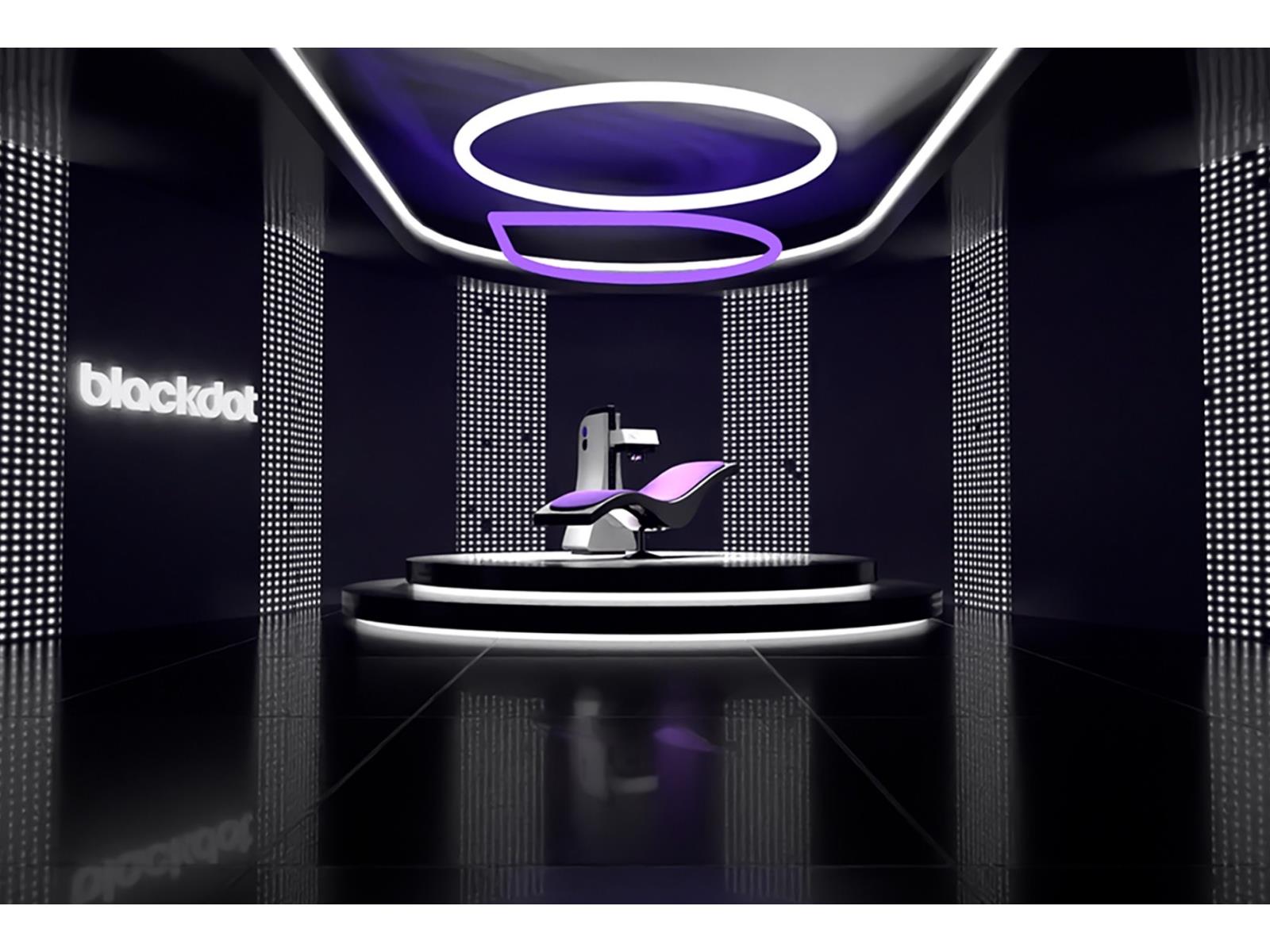
Blackdot aims to take the art of tattooing to a new level with what it calls “A New Way to Tattoo.” Not to be confused with MIT’s DuoSkin tattoos that function as on-body device controllers, the company’s automated tattooing platform has opened up bookings for those daring enough to give it a shot at its studio in Austin, Texas.
Anyone
Source: Hot Hardware – 3D Printing Is Cool But Check Out This K Automatic Robot Tattoo Artist
Amazon’s latest Fire TV Stick is on sale for just $20
The humble Amazon Fire TV Stick is on sale for $20, representing a discount of 50 percent. This is the exact same price found during the Prime Day event earlier this month, so if you missed it then, now’s your chance.
This sale is for the latest generation of the entry-level Fire TV Stick, and not the often-discounted 4K Max edition. The standard Fire TV Stick offers streaming in Full HD and ships with an Alexa-enabled remote for voice controls. There’s Dolby Atmos audio support on select titles with compatible home audio systems and an easy plug-and-play installation process, which is the whole point of these streaming sticks. Just pop it into an available HDMI port and you’ll be good to go.
The streaming stick allows access to just about every platform out there, such as Netflix, Disney+, Hulu and, of course, Prime Video and the entire spate of Amazon channels. To that end, you also get six free months of Amazon’s in-house streaming service MGM+. At $6 per month, that’s a $36 value. MGM+ isn’t the most popular streaming site on the block, but does offer some unique original programming, like the surprisingly decent Lost-alike From, the crime drama Godfather of Harlem and the just-announced sci-fi vehicle Beacon 23.
This is part of a larger sale of Amazon-branded products. There are no 4K Fire TV streaming sticks involved, but there are plenty of smart TVs. You can snag a Fire TV 43″ Omni Series 4K UHD smart TV for $300, a discount of 25 percent, and an Amazon Fire TV 55″ 4-Series 4K UHD smart TV for $270, a massive savings of nearly 50 percent. Check the whole list here, as some TVs go as low as $110.
Follow @EngadgetDeals on Twitter and subscribe to the Engadget Deals newsletter for the latest tech deals and buying advice.
This article originally appeared on Engadget at https://www.engadget.com/amazons-latest-fire-tv-stick-is-on-sale-for-just-20-153511003.html?src=rss
Source: Engadget – Amazon’s latest Fire TV Stick is on sale for just
Xbox Boss Explains Why Activision Games On Game Pass Are Delayed Until 2024
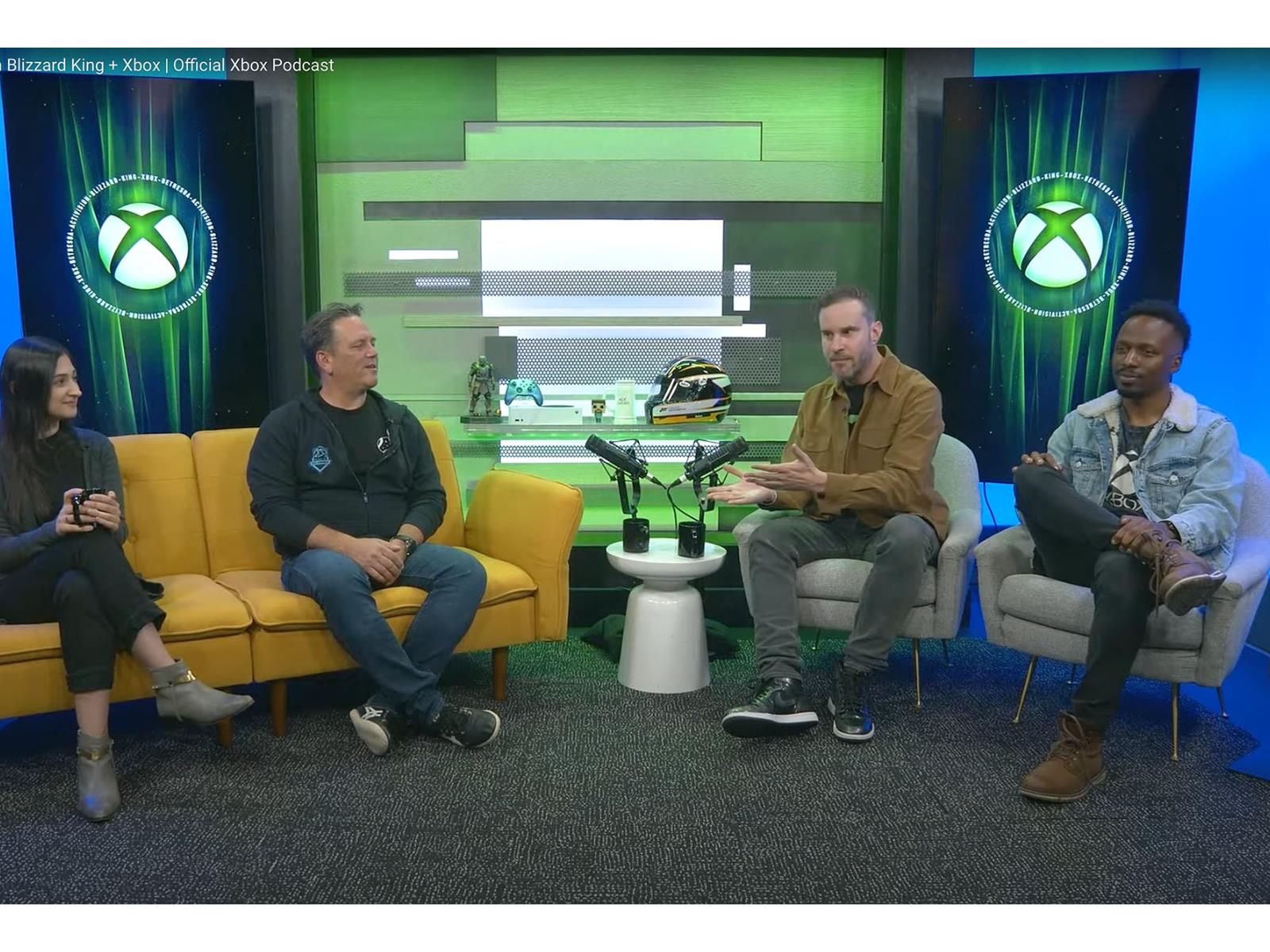
The acquisition of Activision Blizzard by Microsoft has been an item of interest for gamers everywhere. Government regulators have taken a keen interest too, resulting in delays. Microsoft is a dominant force in both the PC world and the gaming sectors of the market. Coupled with the fact that Activision Blizzard has some legendary titles
Source: Hot Hardware – Xbox Boss Explains Why Activision Games On Game Pass Are Delayed Until 2024
This Key on Your Mac Is Full of Hidden Shortcuts

When it comes to keyboard shortcuts on the Mac, the focus is often on Command, Control, Option, and Shift. However there’s another useful key with excellent keyboard shortcuts mapped to it—Fn, aka, the Function key. This is the button with the globe icon in the bottom-left corner of your Mac’s keyboard. Reddit user…
Source: LifeHacker – This Key on Your Mac Is Full of Hidden Shortcuts