The Best Deals on Smartwatches That Will Arrive in Time for Christmas

With Christmas drawing ever closer, it’s more than time to start crossing some names off of your gift-buying list. But procrastination doesn’t have to mean overspending: There are some very good deals on smartwatches to be found right now—from brands like Garmin, Fitbit, Apple, and Google—that will still arrive in time for Christmas.

These watches are at historic low prices right now, so order soon if you want to get one under the tree by Christmas morning.

The Garmin Forerunner 745, for the triathlete on your list

The Garmin Forerunner 745 is a great smartwatch for those very outdoor and active people who like to do a variety of sports, including biking, track running, triathlon mode, swimming, etc. It also has preloaded workout suggestions based on your activity. It has a seven-day battery life, and it can sync to streaming services like Amazon Music, Deezer, and Spotify. You can also pay using Garming Pay if they want to leave their wallet at home.

The Garmin Forerunner 745 was originally priced at $499 when it was released in 2020, but you can get it now for its lowest price yet: $269.99 at Amazon.

The Fitbit Versa 4, for those who want to monitor their energy levels

The Fitbit Versa 4 is more user-friendly and better at tracking sleep and energy levels than the Garmin Forerunner 745. If you know your targeted giftee is into monitoring their sleep, tracking their energy levels throughout the day, or having their heart rate or blood pressure monitored, the Fitbit Versa 4 will fit their wrist. It has six-day battery life, Bluetooth connectivity to take calls and texts from your wrist, and even support for Google Maps (only for Android users).

The Fitbit Versa 4 was originally $229.99 when it was released in the fall of 2022, but you can get it now for its lowest price ever, $149.95 from Amazon.

The Apple Watch Ultra, for the discriminating Apple user

The Apple Watch Ultra is Apple’s flagship line of smartwatches. The first generation Ultra was recently eclipsed by the Apple Watch Ultra 2, released this past September. The Ultra 2 doesn’t offer that much of an improvement in terms of functionality, so if you want to gift a pricey, full-featured watch but don’t mind a (slightly) older model, it’s a good time to grab the original Ultra: It’s currently $639 from Best Buy, ts lowest price yet according to Honey’s price history, and $20 cheaper than Amazon.

For the Googler on your list

If you have someone on your list in the Google ecosystem, the Google Pixel Watch is a safe bet. Google’s first smartwatch came two years after they acquired Fitbit, in the form of the Google Pixel Watch, released in 2022. It was recently succeeded by the Pixel Watch 2, but there isn’t that much of a difference in features to warrants the big difference in price.

You can get the Google Pixel Watch for $199.99 from Amazon right now; that’s the lowest price it has reached—matching what it sold for on Black Friday, according to Camelcamelcamel’s price history.


Recommended products:

These smartwatches at at all-time low prices and will arrive by Christmas (if you act fast).

Garmin Forerunner 745 $269.99

Fitbit Versa 4 $149.95

Apple Watch Ultra $639

Google Pixel Watch $199.99


Source: LifeHacker – The Best Deals on Smartwatches That Will Arrive in Time for Christmas
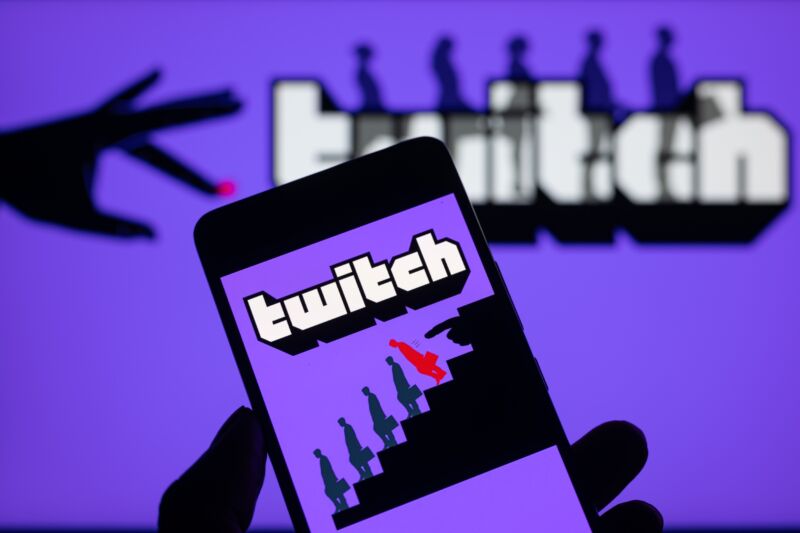
Twitch exit from S. Korea is latest fallout from “sending-party-pays” model

The Twitch logo is displayed on a smartphone

Enlarge (credit: Getty Images | NurPhoto)

Amazon-owned Twitch plans to stop providing its streaming platform in South Korea, saying that fees charged by network operators make it impossible to run the service without a significant loss in the country.

The shutdown is scheduled for February 27, 2024, Twitch CEO Dan Clancy announced on Tuesday. Transmitting data in Korea “is prohibitively expensive” despite the company’s efforts to reduce data usage, he wrote.

“First, we experimented with a peer-to-peer model for source quality. Then, we adjusted source quality to a maximum of 720p. While we have lowered costs from these efforts, our network fees in Korea are still 10 times more expensive than in most other countries. Twitch has been operating in Korea at a significant loss, and unfortunately there is no pathway forward for our business to run more sustainably in that country,” Clancy wrote.

Read 11 remaining paragraphs | Comments


Source: Ars Technica – Twitch exit from S. Korea is latest fallout from “sending-party-pays” model

What I Learned From Tracking My Sleep With an Apple Watch

After having the same Apple Watch for six years, I was recently moved to upgrade to a newer model—partly because newer versions simply have more features, partly because I am curious about my bodily processes, and also because I am an impulsive spender convinced that every new purchase will be the one that brings me to the precipice of pure wellness. In the week that I’ve had my fancy new doodad, I have not become a paragon of perfect health, but I have gained some insights into my activity levels and, importantly, my sleeping habits. I am a firm believer in over-preparing for luxurious sleep sessions, so I wanted to see if the data my watched gleaned from my body overnight backed up my insistence that better sleep is possible through investments in things like fancy pillow sprays and silky sheets.

What the Apple Watch measures overnight

The Apple Watches you get nowadays come preloaded with a Sleep app that will estimate the amount of time you spend in REM, core sleep, and deep sleep, provided you wear your device when you hop in the sheets. It’s important to know that you have to pre-define your sleep schedule within the app for this to work; it doesn’t necessarily magically detect that you’ve gone to bed. I set mine to be from 1 a.m. to 8:30 a.m. after some internal debate about whether I wanted to lie to it (which would be useless) or be honest about what kind of person I am and when I actually go to bed. To get data from the watch, you also need to give it at least four hours of sleep to work with per night. You can set separate schedules for weekdays, weekends, or any other days you have special requirements or schedules.

When you wake up every day, the watch will figure out that you’re up and at ‘em and halt sleep monitoring. Then, you can see a little chart that estimates how long you were in each sleep phase. The sleep phases are defined like this: 

  • REM is the phase where you’re dreaming most

  • Deep sleep is a restorative phase that is good for your brain and body

  • Core sleep is how Apple refers to lighter sleep that doesn’t fall into either of those categories

You get a chart that shows you how long you were in all three the previous night and can see trends for the previous two weeks. My average sleep time since acquiring the watch is six hours and 26 minutes. This is sad, but there is room to improve.

What you can learn from your Apple Watch sleep data

My watch claims that last night, I slept for six hours and eight minutes, with REM sleep comprising an hour and 21 of those, deep sleep making up just 45 minutes, and core sleep coming in at four hours and two minutes. That tracks with how it’s been all week: I’m mostly in core sleep and dabble a little bit in REM and deep. The watch, of course, isn’t measuring my brain’s electrical activity or any of the super science-y elements that would give medical-grade insight, but it does monitor breathing and movement. 

The most important insight you really gain from wearing this thing to bed is how long you’re actually sleeping. For me, gamification is one of the only ways I can tolerate the boring parts of adult life, so challenging myself to stop emailing, scrolling, reading, or doing who-knows-what-else I do instead of going to sleep in an effort to maximize my total sleep time data is fun. The amount of sleep you get is important, whereas the phases are more like bonus information (unless you really have a sleep issue that you’re trying to hone in on, which you should work on with a professional). 

Things to note before tracking sleep with Apple Watch

When I woke up this morning, I learned my Apple Watch had died at some point in the night. Nevertheless, my sleep data claims that I woke up at 8:32, though I don’t know how it got that information if it was dead when I did that. Whether it died at 8:31 or some other time, I’m regarding today’s new data with some skepticism. 

To prevent this from happening to you, be smart about your charging. Charge the watch while you’re in the shower or during your wind-down time before bed, times when you don’t need your activity tracked or to be responding to emails at all and, thus, the watch is largely useless. You can also use the watch’s Sleep app to set up reminders for charging, so if your pre-defined wind-down and sleep schedule coincides with a time when the device is under 30% battery, it will remind you to stick it on the charger.

Helpful tools to make sleep tracking on Apple Watch work

There are a few ways you can maximize the efficiency of the sleep tracking and necessary charging. Consider these items:

  • Try a portable Apple Watch charger so you can charge it in the car, while you shower after the gym, or wherever and whenever else that will make it possible for the thing to be powered up overnight. This one from Newdery ($7.59) is a simple charger on a USB stick, so you can use it in the car or plug it into any computer or wall adapter. Or, you can use the kind that you pre-charge at home and take on the go, like this one from Huoto ($15.99), which has a convenient keychain.

  • The watch needs to be snug to collect your data overnight, so if you wear it looser in the daytime and only care about seeing notifications on it, consider adjustable bands that you can tighten up before bed. Here’s a pack of 10 in a variety of colors for $14.19.

  • Grab a sleek three-in-one charger ($19.93) to keep next to your bed for your phone, Airpods, and (when necessary) Apple Watch. God forbid you get that lower-than-30%-charge notification before tucking in, you can just slip the watch on the stand with the rest of your devices.


Source: LifeHacker – What I Learned From Tracking My Sleep With an Apple Watch

Governments Can Spy on Your Push Notifications

If I told you governments were spying on you through your smartphone, would you be surprised? Probably not. We all know these little black mirrors are privacy nightmares, even with the extensive data protection features both Apple and Google have added over the years.

However, you’ll likely be surprised to learn that governments aren’t necessarily tracking your location through your phone’s GPS, or tapping into your phone calls (although who knows): We now know they’re actually spying on you through your push notifications, of all things.

How governments steal your push notification data

The only reason we know about this is thanks to Ron Wyden. The Oregon senator sent a letter to the Department of Justice (DOJ) on Wednesday urging them to let Apple and Google warn their customers about requests for their smartphone usage.

In the letter, Wyden explains his office received a tip in the spring of 2022 which claims foreign governments were demanding Apple and Google hand over push notification records from users. In the time since, Wyden’s office has investigated the issue: When they contacted Apple and Google about this concerning assertion, the companies both said the federal government had blocked them from being able to comment on the practice. That’s chilling.

As the letter explains, push notifications aren’t a one-to-one connection from your smartphone to the app or service pushing the alert. These notifications need to first pass through Apple and Google’s servers: On Apple’s side, that’s Apple Push Notification Service, while Google uses Firebase Cloud Messaging. All of your push notifications that rely on an internet connection run through these servers before ending up on your iPhone or Android, which means they’re all susceptible to this overreach from government agencies.

These push notifications contain quite a bit of data, too. When Apple and Google receive push notification data to their servers, they intercept metadata (data about the app that is receiving the push notification), as well as details about the phone and account that notification belongs to. If Duolingo is trying to send a notification to “Jake’s iPhone 14 Pro” on Thursday at 10 a.m., governments demanding my push notification info from Apple might be able to see exactly that.

This is a great moment to implore you to use encrypted messaging services for your texting needs. Encrypted content won’t appear in the data that third-parties receive from Apple and Google, so governments aren’t actually able to read your iMessages, RCS texts, or WhatsApp alerts, for example. However, if they intercept push notifications from unencrypted alerts, such as messages sent using SMS or an unencrypted Instagram DM, they might be able to see that as part of the data they obtain. The secrets you text through unencrypted methods are kept by you, your friend, and governments around the world.

According to Wired, governments and law enforcement agencies that want this data must first retrieve your push notification “token” from an app developer. You’re assigned a token by the apps you download on your devices, which connects you to their push notifications. The government can then take your token to Apple or Google to demand information on the account associated with that token. This has happened in the US before: In 2021, in a Jan. 6-related case, the FBI requested the push notification data for two Meta accounts. Meta did not respond to Wired’s request for comment.

Wyden is imploring the DOJ to allow Apple and Google to be more transparent about these requests with the public. Apple, for their part, says that this letter now empowers them to be more public about the practice, although how public they’ll be remains to be seen.

What you can do to protect your data from push notification spies

At this point, the details surrounding this practice are still muddy, but that doesn’t mean we should sit idly by and wait for Apple and Google to make statements.

If you want to go extreme, you should disable push notifications for all your apps. I’m a big supporter of keeping notifications off for almost all apps, except the ones you actually need, and the recent news only bolsters my stance. There’s absolutely no reason that governments, foreign or domestic, should be allowed to see what my apps are notifying me about, but it feels especially egregious to allow them to do it when it’s just Snapchat desperately asking me to open the app.

I think you’ll find a solid 90% of the apps sending you alerts on your iPhone or Android are bullshit anyway, so disabling them with give you peace of mind and strengthen your privacy. Of course, disabling notifications for certain apps can backfire: You’re likely to fall behind in group chats if you disable notifications for your messaging apps, and you might miss meetings and appointments disabling notifications for your calendar. (Sorry, boss.)

At the end of the day, it’s a balancing act between privacy and convenience, as it always is. Even with today’s news, I’d have trouble disabling notifications for Messages, although it helps that iMessage is encrypted. But other apps I’m more than happy to keep turned off, so I can catch up with them on my own time. (Looking at you, Snapchat.)

All that said, the larger solution will have to come from larger forces. You shouldn’t have to disable notifications to preserve your privacy, and governments shouldn’t be allowed to ask for this info anyway. Hopefully, Sen. Wyden’s letter makes some change in Washington.


Source: LifeHacker – Governments Can Spy on Your Push Notifications

Intel Will Submit New Xe Kernel Graphics Driver Soon – Likely For Linux 6.8

It looks like Intel will soon be submitting their first Xe Direct Rendering Manager (DRM) driver pull request to DRM-Next for mainlining this modern, current and future hardware focused kernel graphics driver to be added to the mainline Linux kernel. It looks like this mainlining is set to still happen in time for the upcoming Linux 6.8 cycle…

Source: Phoronix – Intel Will Submit New Xe Kernel Graphics Driver Soon – Likely For Linux 6.8

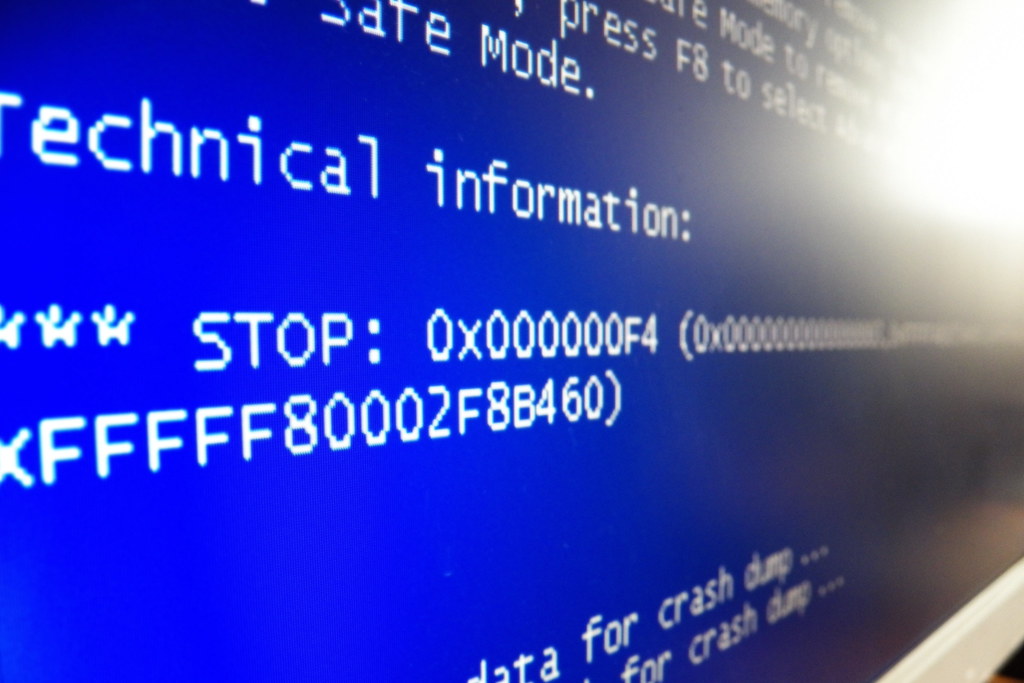
Linux distros are about to get a killer Windows feature: The Blue Screen of Death

Linux distros are about to get a killer Windows feature: The Blue Screen of Death

Enlarge (credit: hdaniel)

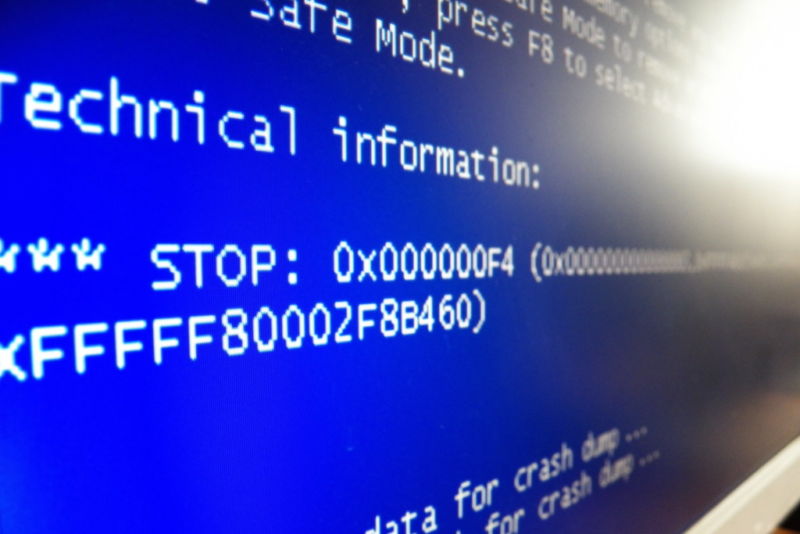
Windows’ infamous “Blue Screen of Death” is a bit of a punchline. People have made a hobby of spotting them out in the wild, and in some circles, they remain a byword for the supposed flakiness and instability of PCs. To this day, networked PCs in macOS are represented by beige CRT monitors displaying a BSOD.

But the BSOD is supposed to be a diagnostic tool, an informational screen that technicians can use to begin homing in on the problem that caused the crash in the first place; that old Windows’ BSOD error codes were often so broad and vague as to be useless doesn’t make the idea a bad one. Today, version 255 of the Linux systemd project honors that original intent by adding a systemd-bsod component that generates a full-screen display of some error messages when a Linux system crashes.

The systemd-bsod component is currently listed as “experimental” and “subject to change.” But the functionality is simple: any logged error message that reaches the LOG_EMERG level will be displayed full-screen to allow people to take a photo or write it down. Phoronix reports that, as with BSODs in modern Windows, the Linux version will also generate a QR code to make it easier to look up information on your phone.

Read 2 remaining paragraphs | Comments


Source: Ars Technica – Linux distros are about to get a killer Windows feature: The Blue Screen of Death

Use These Five Strategies for Finding an Affordable Rental in an Unaffordable City

Living in a city like New York, San Francisco, or Boston often means forking over a large portion of your income to pay your rent—especially if you don’t want to live with roommates. This often prompts those living in more affordable housing markets to wonder, or even ask, why you don’t simply pack up your life and move somewhere cheaper.

While that might be an option for some people, others have ties to pricey cities, like their job or family, or have other reasons why relocating isn’t on the table. But until more affordable housing is available, people who call those major metro areas home will have to figure out how to stretch their rent budget as far as possible. Because strategy is important in real estate, I reached out to Andrea Neculae, a research analyst at RentCafe, for some insider tips on finding a rental you can afford in an unaffordable city. Here’s what to know.

How to find an affordable rental in an expensive city

A recent report from RentCafe determined how much living space you can get for $1,700 per month (roughly the national average rent) in the 50 largest U.S. cities. In one Memphis neighborhood, you can find a rental home with nearly 2,000 square feet of living space for $1,700. Meanwhile, in Manhattan, you’ll barely be able to rent a 200-square-foot space for the same amount.

Here are Neculae’s takeaways from analyzing those data—which, she says, might help improve your chances of finding a rental that won’t break the bank in a notoriously expensive city.

Find the sweet spots

When analyzing the study data, Neculae and the rest of her team noticed a pattern emerging in many of the larger rental markets: The ring of ZIP codes surrounding a city’s downtown area often has the best balance of price and location. “These spots can be real gems without costing a fortune,” she tells Lifehacker. That said, if you wander too far outside the city center, you might find that the cost of rent spikes in neighborhoods with a mix of urban and suburban features. “These are now highly coveted by older millennials with families looking for urban amenities in a suburban setting,” Neculae explains.

Relocate your home office

It’s no surprise that people who work remotely often want a rental with space for a home office. But before blowing your budget on an extra room, Neculae suggests looking into rentals near coworking spaces. You’ll need to do the math, but it could work out to be cheaper to rent a desk in a shared office than to pay more to rent a home with room for an office. “In cities like Chicago and New York, for example, giving up a spare bedroom could save you anywhere between $9,000 to $20,000 each year,” she notes.

Consider a transit-oriented development

According to Neculae, you may be able to save money living in a transit-oriented development (TOD). A combination of residential and commercial areas, TODs are designed to maximize access to public transit, offering easy access to work, and city amenities, without having to rely on a car. “Plus, several states have announced initiatives to build more housing close to transit, so you can expect to see more of these projects in the future,” she adds.

Look for rentals in the fall or winter

Typically, more people are on the hunt for rentals in the spring and summer, meaning there’s more competition over properties, and less room for negotiation at this time of year, Neculae explains. “If you’re hoping to find a good deal, consider looking in the autumn and winter months when rental demand is typically lower, giving you the chance to score the apartment you love—often with a rent special,” she says. Neculae recommends starting your search early in January or February for the best chances of finding a property that meets your needs at a decent price.

Don’t ignore the fees

If you find an apartment with rent so low that it seems too good to be true, there’s a good chance that it’s either a scam, or you haven’t factored in all the various fees the resident is required to pay on top of their rent. “These not-so-obvious charges like application fees, security deposits, charges for trash collection, or pet fees can pile up to a significant amount that would raise your monthly expenses,” says Neculae.


Source: LifeHacker – Use These Five Strategies for Finding an Affordable Rental in an Unaffordable City

OnePlus 12 Teardown Reveals A Massive Vapor Chamber To Battle Temps

OnePlus 12 Teardown Reveals A Massive Vapor Chamber To Battle Temps
The OnePlus 12 has officially launched (in China, anyway) and yet, the phone continues to reveal pleasant surprises from within its svelte chassis. A recent teardown video just exposed how much OnePlus is serious about keeping your device cool during heavy gaming sessions or when used in warmer climes. 

Hong Kong-based YouTube channel WekiHome

Source: Hot Hardware – OnePlus 12 Teardown Reveals A Massive Vapor Chamber To Battle Temps

Nanoleaf's String Lights Are Worth It for Your Christmas Tree

Holiday lights are possibly the best application of smart features—they make it easy to turn your lights on and off from inside, or to be scheduled. When you add smart features to LED lights, they turn holiday lights into a magical color- and motion-making machine that you can change with the touch of your fingertips. If you’re looking for the easiest smart string lights to control, Nanoleaf smart string lights are what you’re looking for. 

Upscale quality with intense brightness and color range

I am, admittedly, already smitten with Nanoleaf products, and have spent fall in hue-induced bliss inside my living room. Once I learned they had outdoor string lights, it was an easy sell for me. For now, Nanoleaf is only producing one holiday light, these indoor/outdoor strings. They’re 65 feet long, broken into two strings that can mirror each other. They’re all on black wire, and I imagine that the perfect application is wrapped around a Christmas tree, much as their marketing suggests. These are waterproof, rated IP44, and suggested for both indoor and out.

These are small, sturdy led lights that don’t feel cheap. Each light has 250 lumens, which is substantial, and a 130-degree beam; there are about 250 lights on the string. In other words, these lights demand to be seen.  The LEDs are RGB, so they support about 16 million colors including white, but don’t have the expanded palette of RBGWW, which the Govee Permanent Lights Pro have. 

Multiple connection modalities

Nanoleaf products are all Matter-enabled, which makes it possible to add them to any Matter hub, but they also paired easily into the Nanoleaf app; you’ll want to do that anyway, since the molecular level controls are all available there. Nanoleaf also uses Bluetooth and wifi—you can control the major functions via wifi, but you need a Bluetooth connection to affect changes like colors.  

An immense spectrum of achievable color

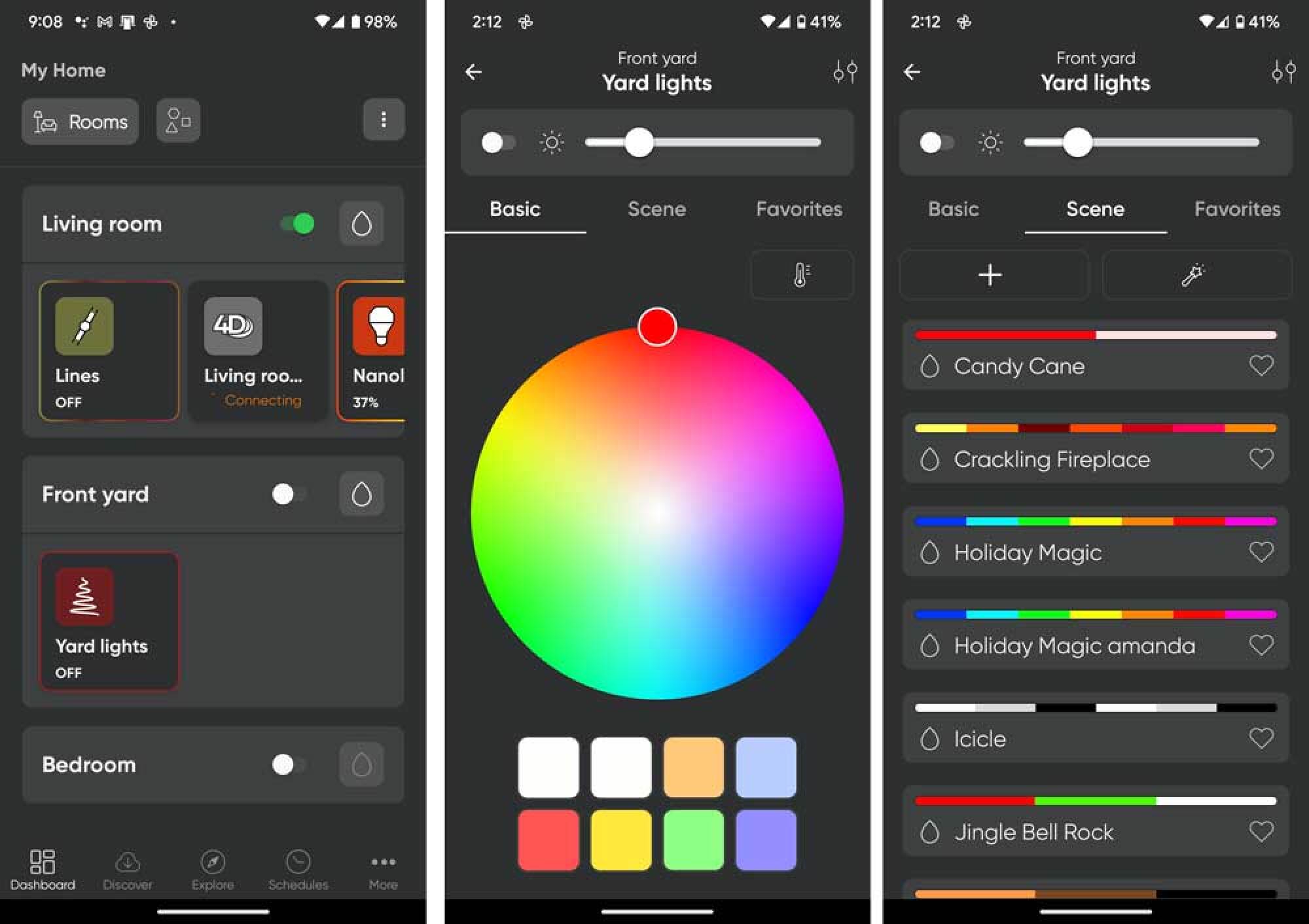
The Nanoleaf app is where these lights really stand apart. It helps to compare them to the Govee smart string lights, which I’ve reviewed as well. The Nanoleaf app doesn’t give you every option or tool in the world, but because it gives you just enough options, in precisely the place you’d expect. In other words, you’re more likely to achieve a color and motion design you want with Nanoleaf. It’s unfortunate that Nanoleaf only offers this one style of outdoor light, but you could still achieve a lot with an entire house lit with them. 

screenshots from the Nanoleaf app
it’s easy to navigate to, and group your Nanoleafs in the app. From there, you can select one color, or a preset scene, and most of the out of the box scenes are really usable and tasteful. Remember, these colors will become an ombre in practice. Nanoleaf uses gradients to transition between colors.
Credit: Nanoleaf

Nanoleaf starts with presets set into two options: color- and music-reactive. In the Nanoleaf app, you can see the actual color band that’s going to be used, unlike the Govee app where they use words and expect you to guess the colors (with stunning inaccuracy). You can obviously set the entire light string to one color, including a pretty decent-looking white. While you can assign a maximum of six colors to your string as a base, the app will handle color shifts between them, creating really gorgeous ombres and color runs of gradients. The lights don’t have to have motion, but it can, and that motion can be sound-reactive or not, just like Govee lights. 

Creating your own color scenes is easy

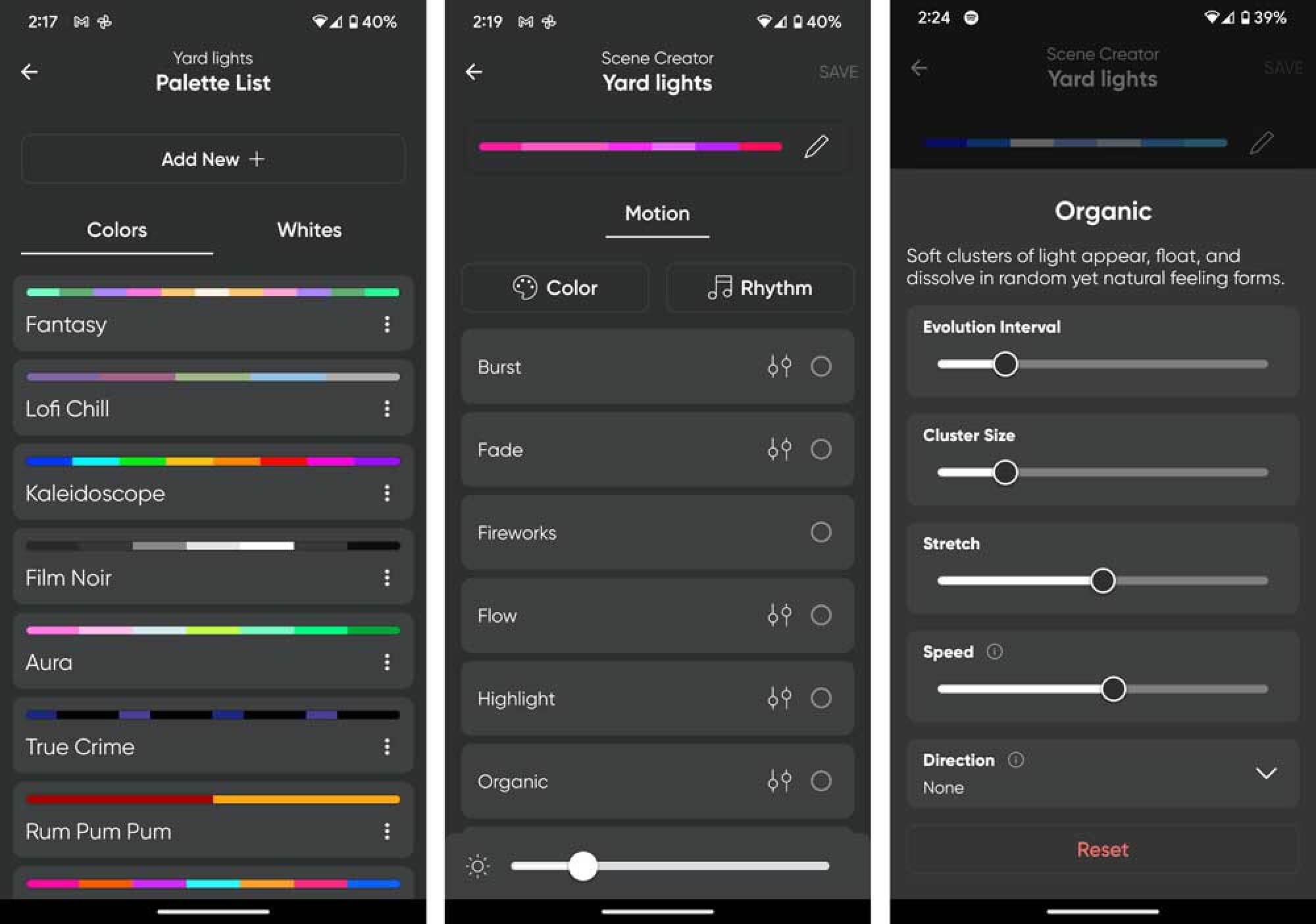
You can edit any of the presets to change the colors or motion, but you can also create your own from scratch. Doing so is far easier in the Nanoleaf app: You hit a plus sign, and either pick your own colors one by one, or start with a massive list of color themes. Then you decide what kind of motion you’d want to use. Nanoleaf does a great job of telling you how the motion acts, and lets you adjust it. 

screenshots from the Nanoleaf app
When you create your own scene from scratch, you can start with a preset palette, and there are many, or roll your own, as I did here, with pinks. Then you choose a motion, if you want, and it clearly shows what each motion does.
Credit: Nanoleaf

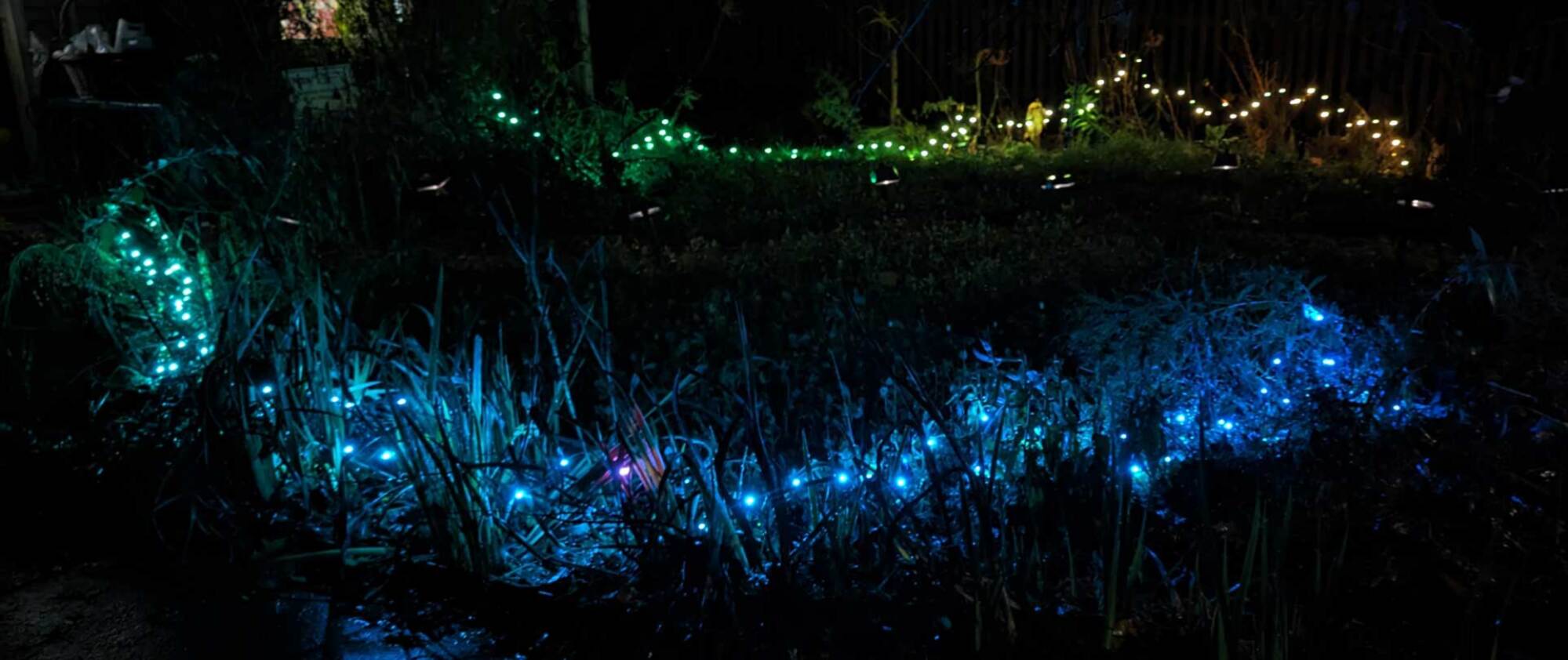
These lights handle gradients so elegantly. A rainbow is represented by six colors in the app, but the lights, when you select that rainbow, clearly display millions of colors to achieve that color run, seamlessly transitioning between colors. It’s why I think trees are the best use of these lights, to see one color run go up a tree. 

But what I found even more appealing was the way Nanoleaf handles motion. There are 10 or so options for motion in the Nanoleaf app, from twinkle to flow and organic. Each of these produce incredibly elegant, advanced-looking motion. “Fireworks” really impressed me by being able to accurately capture the way a campfire looks. A single star can chase across the light string in another setting. These settings can turn color scenes like red, green and white—which can look a little unsophisticated—into an impressive array.

Nanoleaf holiday string lights

Credit: Amanda Blum

Nanoleaf holiday string lights

Credit: Amanda Blum

Nanoleaf holiday string lights

Credit: Amanda Blum

Not-so-great bluetooth range and no expansion capacity

There are a few downsides to the Nanoleaf string lights. First, you can’t string multiple lights together. Each has to be run on its own, which means connecting each string to a power supply. This is also true for Govee’s version of these lights. You can, of course, group these lights together and then assign the same scene to each of the lights, but in most applications, you want to string lights together. Second, Govee’s bluetooth is sturdier than Nanoleaf’s. While connecting wasn’t problematic, I didn’t have the range Govee offers, so I often had to move closer to the lights. 

Great for a one-off application like your tree

Compared to Govee, I prefer the app experience on Nanoleaf. It’s not even close—you are much closer to achieving the effect you want, quickly, with Nanoleaf.  I prefer the appearance of the lights, overall, from the bulb to the wire. But, since this is the only string light or outdoor product that Nanoleaf offers, it’s limiting. In a small application like a Christmas tree, I’d choose Nanoleaf, but for a whole house, Govee would have the advantage. Price-wise, Govee is also cheaper at $89, vs $119 for the Nanoleaf. While that’s more expensive than most string lights, these have a lot more to offer because of their smart functionality. Once the season is over, the lights can go behind a couch or mirror in your living room to add some reactive glow while playing video games or music.


Source: LifeHacker – Nanoleaf’s String Lights Are Worth It for Your Christmas Tree

Windows 11 2023 Update Is Slowing Down Games For Some Users, Here's A Fix

Windows 11 2023 Update Is Slowing Down Games For Some Users, Here's A Fix
User reports have unveiled gaming performance degradation problems in Microsoft’s latest Windows 11 23H2 update. The problem is reportedly related to a Windows Defender bug that is choking or blocking off system resources, causing gaming performance to slow. Thankfully Microsoft has provided a fix for the problem, but it requires several settings

Source: Hot Hardware – Windows 11 2023 Update Is Slowing Down Games For Some Users, Here’s A Fix

How to Watch the 2023 Game Awards Tonight

The Game Awards are back. Host Geoff Knightley, who started The Game Awards back in 2014, is set to take the stage tonight, Thursday Dec. 7, to honor some of the best games of the year. If you’re looking to tune in to see if your favorite game of 2023 will be honored, here’s what you need to know.

When and where to watch The Game Awards

Unless you snagged tickets to the event, you’re most likely watching The Game Awards at home like the rest of us. Luckily, it’s super easy to do. The show will begin airing at 7:30pm ET (4:30pm PT) on Thursday, Dec. 7. As for where you can stream the awards, well, the choice is yours. The Game Awards is partnering with 11 different outlets, all of whom are hosting the show live. That includes usual suspects like YouTube and Twitch, but the list includes plenty of others, from Steam, to Facebook, to X (Elon will be thrilled)—even Google Play will host.

Of course, I’m partial to YouTube livestreams since I’m always on the site to begin with. The stream is live now if you want to keep it in the background until tonight:

The Game Awards also has partners outside the US, with dedicated streamers available in China, India, Japan, South Korea, Southeast Asia, and Germany.

Which games are nominated?

The Game Awards, like all award shows, has many different categories they’re honoring tonight, from Best Game Direction, to Best Narrative, and Best Multiplayer. In total, there are 31 award categories that will be featured tonight, so you’ll see plenty of games and devs celebrated. You can find a full list of the awards and nominees here. For me, I’m most interested in who will win Game of the Year, which comes down to the following titles:

  • Alan Wake 2

  • Baldur’s Gate 3

  • Marvel’s Spider-Man 2

  • Resident Evil 4

  • Super Mario Bros. Wonder

  • The Legend of Zelda: Tears of the Kingdom

Damn, it was a good year for gaming.

Win a Lenovo Legion

The Game Awards is also partnering with Lenovo to offer 100 Legion handheld gaming devices throughout the night. If you’re interested, head to the official content page during the show and punch in your info to enter.


Source: LifeHacker – How to Watch the 2023 Game Awards Tonight

You Should Join the Audubon Society’s Christmas Bird Count This Year

The annual Christmas Bird Count (CBC) conducted by the Audubon Society has been an annual event since the beginning of the 20th century. As an answer to declining bird populations, the tradition began in 1900 by early proponents of conservation to record what they feared were shrinking bird populations and promote bird watching as a hobby. Joining your local bird count can be a holiday tradition to treasure, connecting to the outdoors and helping to gather information on birds and habitat at the same time.

What is the Christmas Bird Count?

As a participant in the count, you will get connected with your local circle and contact the organizer for details. Each count occurs on one calendar day between December 14th and January 5th within the boundaries of a 15-mile circle on the map, recording not just each species that is seen or heard, but each individual bird. Participants will tally their counts and turn in their data to their count compiler, who is then tasked with turning in the data to the Audubon Society.

Find your local count

To find your circle, you can start on the map page that lists the existing circle for the Audubon CBC. Each circle has the location and contact information for the compiler listed if you click on it so that you can arrange to participate in your local count. There are locations all over North and South America, so it’s likely that there’s a circle near you.

If you don’t have a local count

If you don’t see a count near you, you can either choose to participate in the National Backyard Bird Count (NBBC) as an alternative, or you can apply to start your own circle if you’re a skilled and ambitious bird watcher. Keep in mind that organizing your own count requires that you have at least a few other participants willing to pitch in and that you have a solid area in mind where the count can be conducted.

The count is for everyone

The CBC is open to anyone who wants to participate through a circle, and is conducted much the same way a census would be. It’s free to participate and is open to all skill levels. If you’re new, you will be paired up with a more experienced birder so you can learn the ropes. This can be a great family activity, but I wouldn’t bring younger kids, who might have shorter attention spans and be more vulnerable to inclement weather.

Be prepared

You should be prepared to stay outdoors for the whole time the count goes on unless you’re lucky enough to live within the boundaries of a circle. You are responsible for bringing your own binoculars and weather-appropriate clothing to the count. If you reside inside of one of the circles, you can participate from home simply by recording all of the birds that visit your feeder and then turning in your results to the compiler.

How the data from your count gets used

The data that’s collected during the Christmas Bird Count is used as a resource for science-based publications, studies, and as a resource for those studying wildlife and ecology. Summaries of the data collected every year are also published for the public and can be found online through the Audubon Society website.

Stay in the loop

To follow the data as it comes in and stay informed on community science events from the Audubon Society, you can sign up for American Birds and check out the CBC Live Tracker for photos and updates from Christmas Bird Count participants. If you choose to participate in the count, you can also upload your photos for others to see how your count is going.


Source: LifeHacker – You Should Join the Audubon Society’s Christmas Bird Count This Year

Meta defies FBI opposition to encryption, brings E2EE to Facebook, Messenger

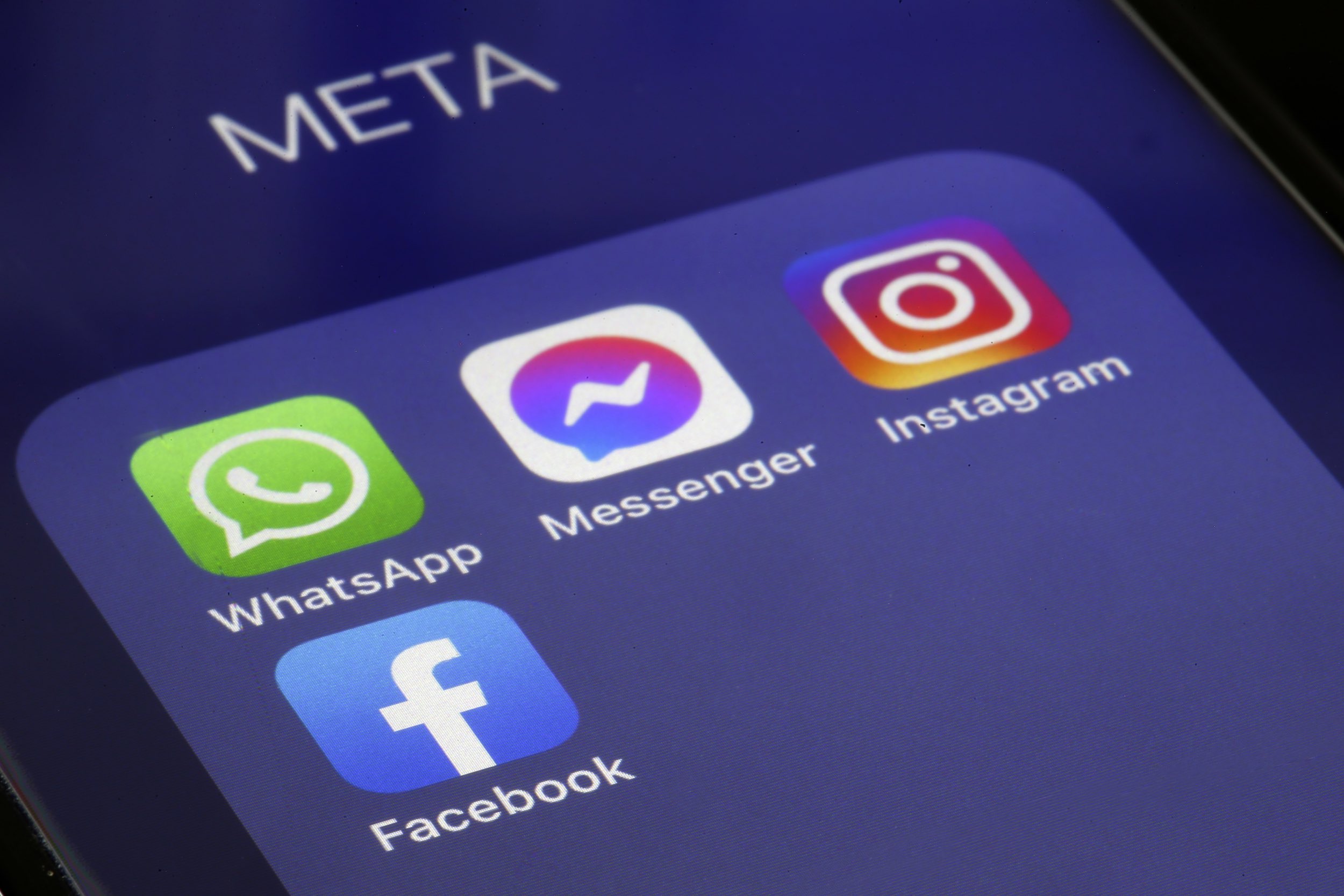
An iPhone screen displays the app icons for WhatsApp, Messenger, Instagram, and Facebook in a folder titled

Enlarge (credit: Getty Images | Chesnot )

Meta has started enabling end-to-end encryption (E2EE) by default for chats and calls on Messenger and Facebook despite protests from the FBI and other law enforcement agencies that oppose the widespread use of encryption technology. “Today I’m delighted to announce that we are rolling out default end-to-end encryption for personal messages and calls on Messenger and Facebook,” Meta VP of Messenger Loredana Crisan wrote yesterday.

In April, a consortium of 15 law enforcement agencies from around the world, including the FBI and ICE Homeland Security Investigations, urged Meta to cancel its plan to expand the use of end-to-end encryption. The consortium complained that terrorists, sex traffickers, child abusers, and other criminals will use encrypted messages to evade law enforcement.

Meta held firm, telling Ars in April that “we don’t think people want us reading their private messages” and that the plan to make end-to-end encryption the default in Facebook Messenger would be completed before the end of 2023. Meta also plans default end-to-end encryption for Instagram messages but has previously said that may not happen this year.

Read 11 remaining paragraphs | Comments


Source: Ars Technica – Meta defies FBI opposition to encryption, brings E2EE to Facebook, Messenger

Phew! Google Rolls Out A Fix To Restore Missing Drive Files

Phew! Google Rolls Out A Fix To Restore Missing Drive Files
A recent glitch in the desktop Google Drive app caused some files to disappear from users’ cloud storage containers. It’s been a few weeks of Google asking for patience, but it has now released a fix. Assuming affected individuals followed Google’s recommendations, it should be possible to restore the missing files now.

This issue first

Source: Hot Hardware – Phew! Google Rolls Out A Fix To Restore Missing Drive Files

The Best Gifts for DIYers (That Aren’t Tools)

For someone who’s just starting out on their DIY journey, or for those who already seem to have just about every tool you could think of, it can be hard to choose tools to gift. But the DIY community isn’t just about tools, and makers can use other things besides glue guns and 3D printers to hone their craft. There are lots of non-tool gifts that anyone from novices to DIY masters would love.

Books

Books by DIY masters, experts on a particular subject, or personal stories related to a particular DIY subject can be a good option. Here are a few of my favorites:

  • For the renter in your life who’s looking to become more handy, Safe and Sound: A Renter-Friendly Guide to Home Repair by Mercury Stardust (aka, The Trans Handy Ma’am) is the perfect gift. Her focus on empowering ordinary people to tackle all their maintenance tasks with confidence is peppered with both practical advice as well as guidance on how to overcome your apprehensions about your maintenance needs.

  • For woodworkers, Working with Hand Tools: Essential Techniques for Woodworking by Paul N. Hasluck is a guide to the traditional hand tools and methods of woodworking. The book guides readers not just about tools, but also has project guides and inspiration for shop set-up, including work benches and clamps that can be made by hand.

  • For gardeners, How to Grow: Nurture Your Garden, Nurture Yourself by Markus Bridgewater (aka, Garden Marcus) is more than just a treasure trove of gardening wisdom; it’s also a calming and inspiring journey peppered with relatable personal stories. His book is a must-read for anyone looking to gardening for improved mental and physical health.

Classes and workshops

Classes and workshops are another great gift for your favorite DIY enthusiast—but matching the class to the skill level and particular interests of your recipient is key.

For online classes, Udemy has a variety of woodworking and home repair classes to offer. But for many makers, in-person classes tend to be more fulfilling because the materials and tools will be arranged by the instructor, and there will likely be a workspace set up for the desired project. These types of classes can be found through local community colleges, libraries, maker spaces, and sometimes through private programs hosted by shops or studios. The nice thing is that the gift of a class like this offers some community building for a new maker or DIYer as well as instruction.

Maker memberships

A membership to a maker space for your favorite DIY craftsperson who maybe doesn’t have room for a garage or basement shop is a really good gift. Maker spaces often include access not just to space, but to some tools as well, so for someone who is either looking to expand their skills or who is newer and needing to try out some different techniques or projects, a maker space can be just the right fit. These memberships can range from a $10 day pass to as much as $600 per month, depending on the space and location, but many of them tend to be in the $35 to $60 per-month range. 

Tool library membership

Another membership you could consider for someone who is a new homeowner or just getting into gardening or DIY is membership to a tool library. Although some tool libraries are free, others will charge an annual fee for access to borrowing tools, equipment, and other materials. These memberships can range from $10 to $100 per year, and they often also offer classes in repair and maintenance. They’re also an excellent resource for getting involved in your local DIY and repair community.

Software subscriptions

Craftspeople, from beginners to experts, often use planning software to design and sketch their projects. This software can also be used to make sure that objects will fit where you plan to put them, and to try out layouts and designs before you start building. While there are some free apps out there for these purposes, having access to more advanced features can make the software easier to use.

  • Sketchup is a 3D rendering program you can use to draw all parts and components of a project to scale.

  • Realtime Landscaping Pro is another option used primarily for outdoor spaces. This software will allow your favorite gardener to design and visualize plants, decks, sprinklers location, and even holiday displays using photos of the exterior of your home to make it realistic.

  • For creating detailed schematics and layouts for more complex projects, Autodesk is a handy gift for a carpenter, designer, or builder. The various packages range from $100 to more than $4,000 a year, but the most common tools for DIYers will be between $100 and $600 per year.


Source: LifeHacker – The Best Gifts for DIYers (That Aren’t Tools)

Report: Early 2024 will bring M3 MacBook Airs and first new iPads in over a year

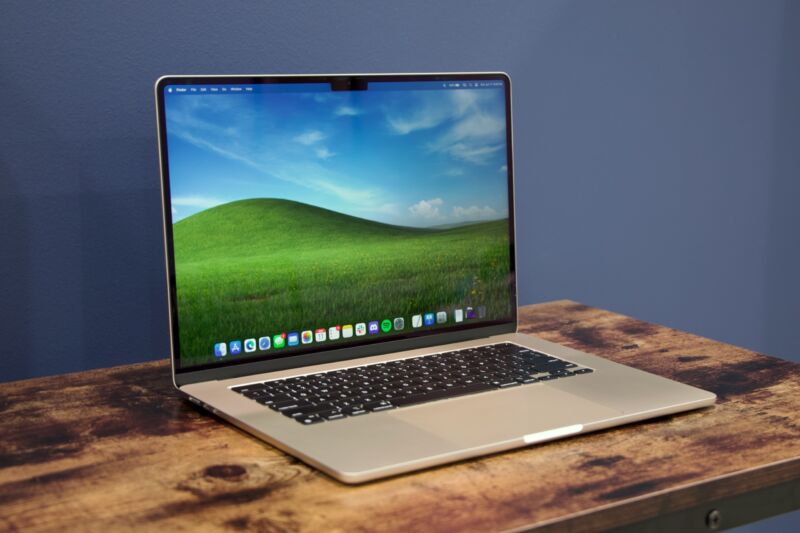
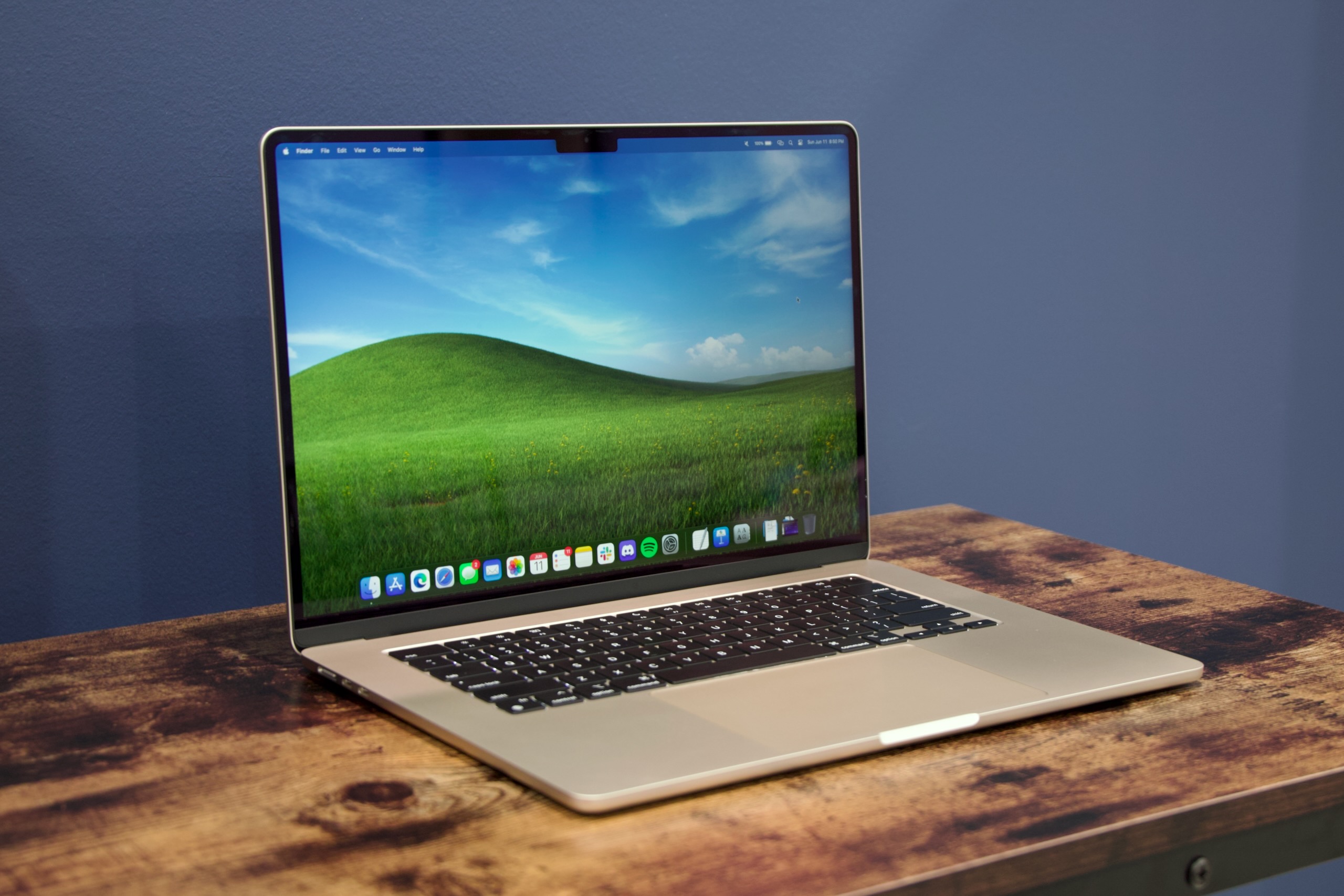
Apple's 15-inch M2 MacBook Air.

Enlarge / Apple’s 15-inch M2 MacBook Air. (credit: Andrew Cunningham)

The MacBook Air is Apple’s most popular laptop, and when the Apple M1 and M2 chips landed, they came to the Air first. That changed with the M3 chip generation, which came to the MacBook Pro and iMac first but left the Air untouched.

That situation should change early next year, according to a report from Bloomberg’s Mark Gurman. Apple is reportedly preparing to launch updates to the MacBook Air, as well as several new iPad models, in “the March time frame.” Apple hasn’t released any new iPads in 2023, and the 13-inch M2 MacBook Air was introduced in July of 2022.

Gurman says not to expect design changes from the M3 Air. The M2 version introduced a new non-tapered design with a display notch, a new keyboard, and a MagSafe port, and the M3 Air should look externally identical.

Read 4 remaining paragraphs | Comments


Source: Ars Technica – Report: Early 2024 will bring M3 MacBook Airs and first new iPads in over a year

GTA 6 Will Almost Definitely Snub PC Gamers At Launch And Be Console Only, But Why?

GTA 6 Will Almost Definitely Snub PC Gamers At Launch And Be Console Only, But Why?
Rockstar Games has an absolute monster game on its hands, and it surely knows it. With record breaking views on the highly anticipated trailer for GTA 6, gamers were tripping over themselves to get a sneak peek at what’s coming (it’s amassed over 120 million views in just two days). With months of only scattered information and leaks being

Source: Hot Hardware – GTA 6 Will Almost Definitely Snub PC Gamers At Launch And Be Console Only, But Why?

The Milky Way will probably devour all the tiny galaxies that surround it

a colorful, roughly circular cloud with stars against a dark background.

Enlarge / An infrared image of one of the Milky Way’s satellite galaxies. (credit: NASA/JPL-Caltech/STScI)

We are not alone—at least as a galaxy. About 50 dwarf galaxies surround the Milky Way. But when its intense gravity inevitably draws them to venture too close, they will probably be annihilated. It’s happened before.

Though scientists used to think that all those dwarf galaxies orbiting the Milky Way were going to stick around for tens of billions of years, that might not be the case. “Most dwarf galaxies are star systems that arrived late in the Milky Way… in sharp contrast with a long-term satellite hypothesis,” an international team of researchers said in a study recently published in Monthly Notices of the Royal Astronomical Society.

Based on data from the European Space Agency’s Gaia mission, this study has found that many dwarf galaxies that were orbiting the Milky Way only a few billion years ago have ended up destroyed after being pulled in by our much more massive galaxy. It is possible dark matter has something to do with this.

Read 11 remaining paragraphs | Comments


Source: Ars Technica – The Milky Way will probably devour all the tiny galaxies that surround it