Apple’s latest M3 Pro chip in the new 14-inch and 16-inch MacBook Pro has 25% less memory bandwidth than the M1 Pro and M2 Pro chips used in equivalent models from the two previous generations. From a report: Based on the latest 3-nanometer technology and featuring all-new GPU architecture, the M3 series of chips is said to represent the fastest and most power-efficient evolution of Apple silicon thus far. For example, the 14-inch and 16-inch MacBook Pro with M3 Pro chip is up to 40% faster than the 16-inch model with M1 Pro, according to Apple.
However, looking at Apple’s own hardware specifications, the M3 Pro system on a chip (SoC) features 150GB/s memory bandwidth, compared to 200GB/s on the earlier M1 Pro and M2 Pro. As for the M3 Max, Apple says it is capable of “up to 400GB/s.” This wording is because the less pricey scaled-down M3 Max with 14-core CPU and 30-core GPU has only 300GB/s of memory bandwidth, whereas the equivalent scaled-down M2 Max with 12-core CPU and 30-core GPU featured 400GB/s bandwidth, just like its more powerful 12-core CPU, 38-core GPU version.
Notably, Apple has also changed the core ratios of the higher-tier M3 Pro chip compared to its direct predecessor. The M3 Pro with 12-core CPU has 6 performance cores (versus 8 performance cores on the 12-core M2 Pro) and 6 efficiency cores (versus 4 efficiency cores on the 12-core M2 Pro), while the GPU has 18 cores (versus 19 on the equivalent M2 Pro chip).
Thirteen. That’s the number of different handheld gaming PCs that Ayaneo shows on its homepage as of this writing. Fourteen if you count the preview for one in the carousel. Each device comes in a choice of colors with different storage and RAM configurations. Ayaneo has a lot of SKUs. Only five months ago I reviewed the Air Plus and it’s already been discounted to make way for the next version. The current tippy-top of all these handhelds is the Ayaneo Kun and it is, currently, one of a kind.
The Kun is the highest-spec machine the company has ever made, and after using it for a couple of weeks I can say it’s both a fantastic gaming handheld and (if you want) a decent portable general-use PC. But despite being the latest and greatest, it didn’t take long for one thing to become abundantly clear: The Kun is just a placeholder for the Kun 2, or the Kun 1S, Kun Pro or… whatever they call the beefier, updated version that’s waiting for the next generation of processors. We’ll get to why in a bit, but for now, it’s the most impressive console the company has made.
Photo by James Trew / Engadget
With an 8.4-inch display, the latest AMD Ryzen 7 7840U processor, and up to 64GB of RAM and 4TB of storage the Kun kicks digital sand in the face of the anemic-by-comparison Steam Deck. Physically, it’s a shade taller and, at two pounds (900g), a (double) handful. But with Valve’s portable approaching its second birthday, it’s starting to make less sense to measure the current wave of gaming portables against it. That said, just one look at the Kun, with its familiar-looking trackpads and rear buttons, and it’s clear how it’s been influenced by the market-leading device .
Before we talk about how all that hardware performs, or the software experience, we should talk about price. The fully loaded Kun I’ve been testing costs an eye-watering $1,700. That’s enough money for a good desktop gaming PC, including the monitor. It’s also enough to buy two top of the line Steam Decks with change (or two high-end ROG Allys). A better comparison is the lowest-spec Kun, as that matches the RAM and storage (16GB / 512 GB) of the high-end Deck ($649), and that model costs a slightly more reasonable $999. You can add another $200 or so to those Kun prices if you purchase outside of the IGG campaign, but Ayaneo tends to leave them going long enough for anyone who wants one to get the better price.
While the Kun is new, there’s a lot we’ve seen before. The Ayaneo 2S shares the same 7840U processor and graphics chip. But in terms of performance, you might reasonably expect the Kun to be a shade worse, as that 8.4-inch display allows 1600p gaming which is more intensive than the 1200p max of the Ayaneo 2 or 2S. The reality, however, is that while you can play games at higher resolutions, it’s usually not worth it for the hit on performance. That’s where the other important hardware difference on the Kun comes in: the huge 75Wh battery.
Photo by James Trew / Engadget
When playing games at 1080p or 1200p everything still looks fantastic. That display is bright, has excellent dynamic range and just really brings games to life. The pairing of optimized graphics settings and the bigger battery translates to much longer play sessions. Exactly how long will depend on a few variables along with the maximum power drain/TDP that you specify in the Ayaspace software. But as a broad guide, for lighter games and things like retro emulation you should be able to crack five hours. For a lot of AAA games, you can expect over three hours of 1080p play (assuming a TDP of between 15 and 20). If you want to increase the resolution to either 1200 or 1600 and increase the TDP nearer 30 then you might eke out two hours if you’re lucky.
Those times are pretty good for this current generation of Windows handhelds, but there are other factors to consider. The Kun is a foot wide and a little hefty. Sure, you can take this thing places but you will not be sliding it out of a pocket while waiting at the DMV. The Kun lives to be played, unironically, at home — or someone else’s home, or maybe on a flight or long train ride. The size and weight aren’t problematic in these controlled, indoor environments, but you’ll want to be somewhere relatively comfortable or ergonomic. There’s a kickstand, which really helps with certain types of games, but it positions the Kun upright like a laptop screen. I do wish the stand were adjustable to allow for a variety of angles, but it’s better than nothing.
Photo by James Trew / Engadget
Personally, I found myself playing with it while on the couch, grabbing an hour or so of game time between work and dinner. For extended sessions, I would dock it and play through the TV. This hybrid use case seems to be where the Kun excels. You don’t need to occupy the living room’s main screen, but you can still be around friends or family. And then when you really want to get into a game, playing through the TV is where the Kun’s higher 54W max power drain / TDP can come in handy.
Here is a good time to circle back to something I alluded to right up top. That 54W max TDP is really, really high compared to the Steam Deck’s 15W highest power setting. It’s also a lot higher than even the Ayaneo 2S’ 30W limit. But right now that doesn’t translate into much extra game performance. The GPU on this device will be the bottleneck, usually reaching 100 percent long before you reach anything near 54W of power. Sadly, jacking the power up to 54W once the GPU is already running at maximum won’t change anything. But what it can help with is two fold.
Photo by James Trew / Engadget
Firstly, it allows for more CPU intensive tasks like general computing. Want to run music making software on this thing? You definitely could. Have the urge to edit video footage on the go? The Kun will eat this up. With a keyboard and a mouse, the Kun is, in a comical way, a good all-purpose computer. Heck, it even has a webcam with infrared for Windows Hello (and Zoom calls) which is something many laptops don’t even have. The Kun’s screen is more Netbook than Macbook in terms of size, but it’s big enough. You could always connect it to a monitor anyway. Don’t buy it for this reason of course, it’s just a testament to how big and powerful this thing is.
Secondly, and most importantly for gamers, is that this 54W TDP is a fairly clear indicator that the Kun form factor will go through the same continuous revisions as Ayaneo’s other models. The Kun is basically all set for a chipset that can make use of 54W TDP for gaming once AMD and others start making APUs with more powerful GPUs in them. We’re a ways out from any likely refresh from AMD, but you never know, as they’re not the only name in the game. Not even in the handheld gaming game.
The result is, predictably, a device with a lot to offer but also some quite narrow appeal. In fact, there’s a good chance that if you were interested in one of these, you already placed an order for one. For those folks, the Kun delivers on its promises. For that small group that didn’t know they were looking for a $1,000-plus gaming handheld, the Kun currently has no real competition at this size and specification. For everyone else, it’s likely an exercise in excess, but at least it’s fun.
This article originally appeared on Engadget at https://www.engadget.com/ayaneos-kun-gaming-handheld-review-164050984.html?src=rss
Not even Elon Musk’s Tesla—which was touted as a vehicle manufacturing unicorn meant to dent the climate crisis—can withstand those pesky macroeconomic trends. Tesla’s valuation has just fallen as the electric vehicle market seriously cools down.
Welcome to Evil Week, our annual dive into all the slightly sketchy hacks we’d usually refrain from recommending. Want to weasel your way into free drinks, play elaborate mind games, or, er, launder some money? We’ve got all the info you need to be successfully unsavory.
It’s the Great Pumpkin, Charlie Brown—released on CBS in 1966, now streaming on Apple TV+—was one of the earliest made-for-TV Halloweenholiday specials, and has now become an annual viewing tradition for many.
Earlier this year Intel published x86-simd-sort as a very speedy sorting library that initially leveraged AVX-512 instructions for 10~17x faster sorts. Numpy was one of the first major projects to adopt x86-simd-sort and OpenJDK more recently adopted it. Since the initial release we’ve seen more features and performance optimizations added. Today marks the release of x86-simd-sort 4.0 and it’s delivering even greater performance while also adding an AVX2 code path to help those without AVX-512…
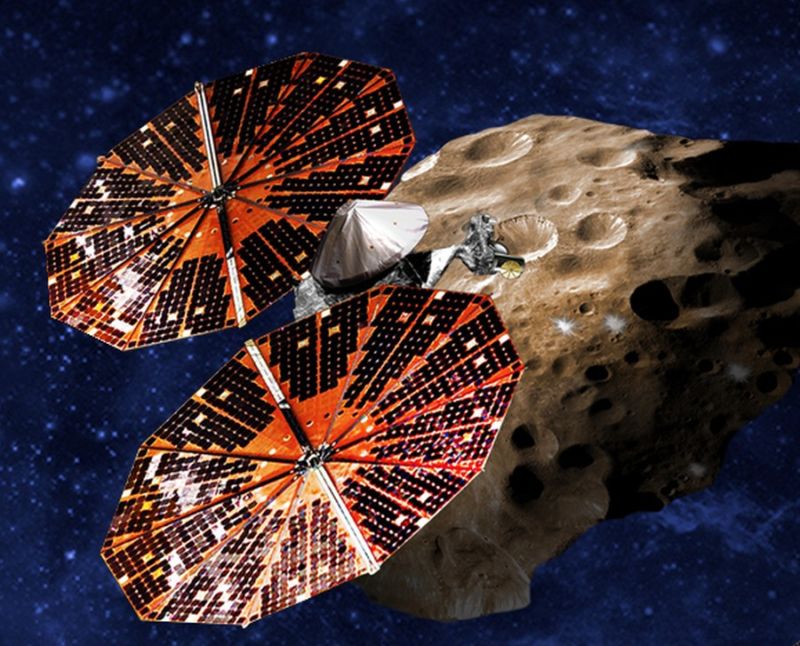
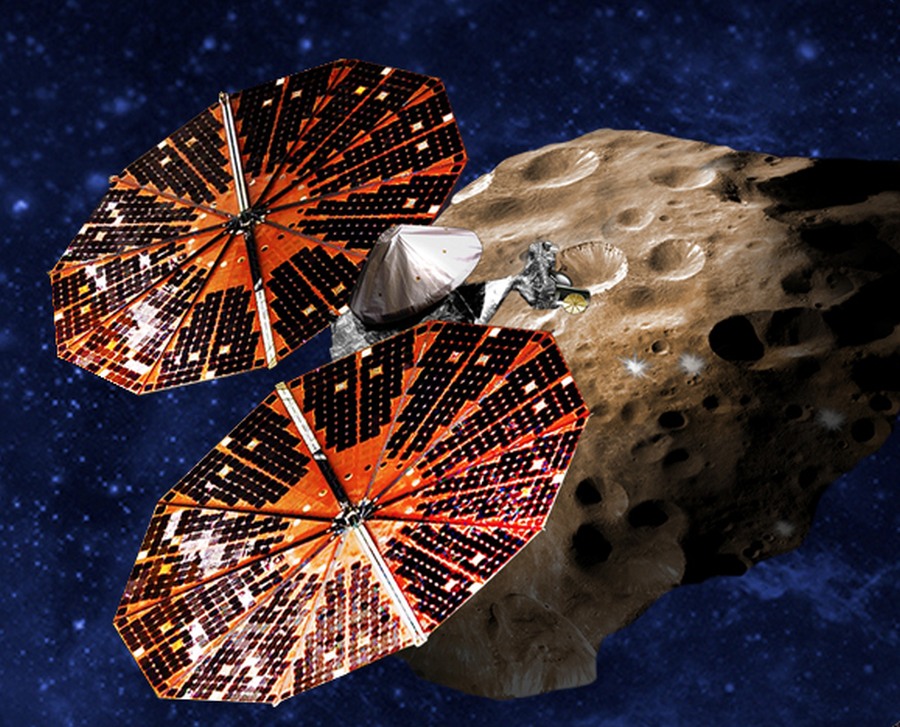
Enlarge/ An artist’s conception of the Lucy spacecraft flying by a Trojan asteroid. (credit: NASA)
A little more than two years have passed since the Lucy mission launched on an Atlas V rocket, ultimately bound for asteroids that share an orbit with Jupiter. After a gravity assist from Earth in 2022, the spacecraft has been making a beeline for an intermediate target, and now it is nearly there.
On Wednesday, the $1 billion mission is due to make its first asteroid flyby, coming to within 265 miles (425 km) of the small main belt asteroid Dinkinesh. In a blog post, NASA says the encounter will take place at 12:54 pm ET (16:54 UTC).
About an hour before the encounter, the spacecraft will begin attempting to lock on to the small asteroid so that its instruments are oriented toward it. This will allow for the best possible position to take data from Dinkinesh as Lucy speeds by at 10,000 mph (4,470 meters per second).
Enlarge/ Sam Bankman-Fried leaves federal court in New York on Thursday, February 16, 2023. (credit: Getty Images | Bloomberg)
Facing cross-examination at his criminal fraud trial yesterday, Sam Bankman-Fried repeatedly testified that he doesn’t remember details about what he did and said while running cryptocurrency exchange FTX. Bankman-Fried responded “I’m not sure” or “I can’t recall” to many questions from US prosecutor Danielle Sassoon, according to news reports from the trial.
Sassoon “grilled Mr. Bankman-Fried about the inconsistencies between his public statements and how he ran his crypto empire before it collapsed spectacularly in November,” a New York Times article said. Bankman-Fried “insisted that he couldn’t remember much of what he had said publicly” and “added that he wasn’t significantly involved in the hedge fund he founded, Alameda Research.”
The New York Post wrote that Bankman-Fried answered with some variation of “I can’t recall” over 100 times on Monday. But Sassoon “presented jurors with a mountain of tweets, emails, and podcast clips revealing that the MIT grad did in fact say dozens of things he claimed not to have recalled,” the article said.
Google’s new feature for Chrome on iOS doesn’t massively change the browser, but it could be helpful if you find having to stretch your fingers to reach the address bar disruptive to your workflow. The company has rolled out the ability to move the browser’s address bar to the bottom of the screen from the top — and to put it back to its original location, if you want. MacRumors‘ contributing writer Steve Moser spotted the feature in the TestFlight version of Chrome for iOS back in August, but now it’s making its way to the public version of the browser for the mobile platform.
The idea is to make it easier to reach the address bar with your thumbs, like you could on Safari and Opera on mobile, which both allow you to relocate the element on your screen. All you have to do is long press on the URL bar and then choose “Move address bar to bottom” in the options that pop up. You could do the same thing to move it back to the top of the screen, though you could also find the new feature in the Settings menu.
We asked Google if the feature is also coming to Android devices, and we’ll let you know when we hear back. The company tested a Chrome Home interface that had the URL bar at the bottom way back in 2019, but it didn’t make its way out of the experimental phase.
This article originally appeared on Engadget at https://www.engadget.com/chrome-for-ios-now-lets-you-move-the-address-bar-to-the-bottom-160021166.html?src=rss
Welcome to Evil Week, our annual dive into all the slightly sketchy hacks we’d usually refrain from recommending. Want to weasel your way into free drinks, play elaborate mind games, or, er, launder some money? We’ve got all the info you need to be successfully unsavory.
Forty countries in a U.S.-led alliance plan to sign a pledge never to pay ransom to cybercriminals and to work toward eliminating the hackers’ funding mechanism, a senior White House official said on Tuesday. From a report: The International Counter Ransomware Initiative comes as the number of ransomware attacks grows worldwide. The United States is by far the worst hit, with 46% of such attacks, Anne Neuberger, U.S. deputy national security adviser in the Biden administration for cyber and emerging technologies, told reporters on a virtual briefing. “As long as there is money flowing to ransomware criminals, this is a problem that will continue to grow,” she said.
Two NASA astronauts are gearing up for their first spacewalk outside the International Space Station (ISS) for maintenance work in low Earth orbit, marking just the second time two women will exit the station together.
Call of Duty: Modern Warfare III, due November 10, is a unique, albeit confusing, blend of new and old. It’s not a remake of 2011’s Modern Warfare 3, though it does contain all the multiplayer maps from 2009 first-person shooter Modern Warfare 2. But it’s not a sequel to 2009 MW2—it’s a sequel to the 2022 reboot Modern…
iRobot’s Roomba 694 isn’t the most feature-rich robot vacuum on the block, but it certainly gets the job done. Now, it can get that job done for cheaper, as the Roomba 694 is on sale for $159 as part of an early Black Friday deal on Amazon. This is a record-low price for the gadget, with the discount slashing $115 off the MSRP. That’s more than 40 percent off the usual price of $275.
If you’ve been curious about hiring a robot helper to sweep the floors, but were waiting for a good deal, now might be a great time to jump on board. After all, the Roomba 694 sits at the top of our list of the best budget robot vacuums in the world. This little jobby might be low in price, but it’s high in functionality.
The cleaning power is on point and the affiliated mobile app is both useful and easy to operate. The 694 boasts a sleek all-black design, giving it an aesthetic similar to its more expensive siblings. It can spot clean or do more intensive jobs throughout the home. The app lets you control the vacuum manually or set cleaning schedules. Amazon now owns Roomba, so you can even use that famous wisecracker Alexa to set up cleaning times.
The vacuum includes an edge-sweeping brush for corners and adaptive navigation capabilities, so it won’t careen down the stairs like a little kid on Christmas morning. These navigation sensors also allow the vacuum to clean under furniture. You don’t get any replacement brushes or filters with this unit, so you’ll have to buy those on your own when the time comes.
It cleans for 90 minutes before requiring a charge, but it’ll automatically head to the dock when the power’s running low, which is a staple of most modern robo-vacs. The Roomba 694 features a three-stage cleaning system that excels on both carpets and hard floors, but you won’t be able to use this little bot to mop. That’s a feature reserved for the pricier models.
Speaking of pricier vacuums, Roomba is running a sale on multiple models right now. You can snag the flagship J9+ for $600 instead of $1,000, or the J7+ vacuum/mop hybrid for $700 instead of $1,000. Even the mop-focused Braava Jet M6 is on sale for $300. In other words, it’s a mighty good day to be very, very lazy.
Believe it or not, after two decades, Brandon Sanderson’s Stormlight Archive is getting a TTRPG. This isn’t breaking news—it was announced well before Gen Con this year—but the reveal of its three team writers and designers is. Additionally, MCDM has announced that in December it will begin crowdfunding for its own…
It’s perhaps The Addams Family’s favorite time of year, but Apple’s pre-Halloween “Scary Fast” event was neither mysterious nor spooky. Thanks to M3 chip leaks and rumors, all of the company’s announcements were largely expected. And though the showcase inexplicably took place in the evening, it’s hard to imagine Tim Cook ever cutting a ghostly figure.
Anyway, Apple had a bunch of product refreshes to discuss, namely in the new MacBook Pro and iMac lineups. The event anchored around a trio of new chipsets that, unsurprisingly, Apple is touting as its most powerful yet.
M3 chipsets
Apple
Apple unveiled a trio of M3 chips at Scary Fast: the M3, M3 Pro and M3 Max. While they’re certainly going to be faster than the previous M2 chipsets, the company not-so-subtly hammered home the notion that they’re far more powerful than their M1 equivalents, just in case folks who are using devices with first-generation Apple silicon chips are starting to yearn for an upgrade.
Notably, these are the first three-nanometer chips for PCs. On the GPU side, Apple has factored in hardware-accelerated ray-tracing and mesh shading to offer more realistic lighting and better geometry handling.
The base M3 has an eight-core CPU (four performance cores and a quartet of efficiency cores) and a 10-core GPU, with support for up to 24GB of unified memory. The M3 Pro has six performance and six efficiency cores for a 12-core CPU, along with an 18-core GPU. The mid-range chipset can support up to 36GB of RAM.
As for the M3 Max, that’s up to 80 percent faster than the M1 Max, according to Apple. The company’s current most powerful chipset features a 16-core GPU (with 12 performance and four efficiency cores), a 40-core GPU and support for a whopping 128GB of RAM, in case you’re feeling flush or need a lot of memory.
The chips should be major upgrades for anyone making the switch from an M1-powered device or an Intel-powered Mac. That means better performance for productivity, creativity and even gaming as high-profile titles such as Death Stranding Director’s Cut make their way to Apple’s ecosystem.
There are new 14- and 16-inch MacBook Pros for you to get your hands on. The 14-inch variant starts at $1,599 for a model with a base M3 chip. That’s the lowest ever price for a new 14-inch MacBook Pro. There wasn’t a version with a base M2 chip. Instead, you would have had to shell out $1,999 for an M2 Pro-powered unit if you wanted to go with that form factor. You can now opt for a 14-inch MacBook Pro with an M3 Pro, which will likewise run you $1,999.
On a similar note, the 16-inch MBP starts at $2,499 for a model with an M3 Pro. An M2 Pro-powered model started at $2,499 as well.
Don’t expect major hardware changes elsewhere on the latest models. This is by and large a spec bump. One notable tweak, however, means that the laptops’ Liquid Retina XDR displays are now able to display SDR content with 20 percent more brightness, up to 600 nits.
Perhaps the best thing about the new MBPs is that Space Black chassis. I’m more tempted than ever to make the switch from Windows to Mac for that colorway alone. The extra power that the M3 chips offer seems like a bonus — though the Space Black option isn’t available for the base 14-inch MacBook Pro, unfortunately.
However, not everything about the refreshed MacBook Pros is a Halloween treat. The base 14-inch model has a paltry 8GB of RAM, which maybe doesn’t quite align with Apple’s promise of significantly better performance in the new MBPs.
The new 24-inch iMac is pretty much the same as the last 24-inch iMac, save for a new chipset and a few other tweaks. Apple says the M3-powered system is up to twice as fast as the previous version, which ran on the M1 chipset.
The company claims that Safari and productivity apps like Microsoft Excel will run up to 30 percent faster than on the M1 iMac. There will be support for up to 12 video streams in 4K resolution, three times as many as on the last iMac. Image processing and video-editing apps will be up to twice as fast too, according to Apple.
There are some minor upgrades on the connectivity front too. The M3 iMac supports Wi-Fi 6E and Bluetooth 5.3, which improve on the previous model’s Wi-Fi 6 and Bluetooth 5.0.
The M3 iMac starts at $1,299 for a model with an eight-core GPU and eight-core CPU. Unfortunately, Apple’s only offering 8GB of RAM and 256GB of SSD storage with that configuration, so you may want to bump those up a bit. Pre-orders for the M3 iMac are open now and the revamped desktop will arrive next week.
Everything else
Other than the M3 chips, new MacBook Pros and refreshed iMac, Scary Fast was notable for what Apple didn’t talk about. First, you had to read between the lines to realize that the company has ditched the 13-inch MacBook Pro. That means we’re waving farewell to the much-loved and much-loathed Touch Bar, at least for the time being.
It was widely expected that Apple would update several of its accessories to include USB-C ports as it shifts away from Lightning to a common charger. That wasn’t the case at Scary Fast. For the time being, you’ll still need a Lightning cable on hand at least for your Magic Keyboard and Magic Mouse.
Although we couldn’t really shake the notion that Apple would reveal an M3-powered iPad or two, the company declined to do so on Monday. As such, you’ll need to wait a while longer for tablets with its new chips.
Follow all of the news from Apple’s “Scary Fast” October event right here.
This article originally appeared on Engadget at https://www.engadget.com/apples-scary-fast-mac-event-everything-announced-about-m3-macbook-pro-and-m3-imac-153056716.html?src=rss
Apple really threw us for a loop this year. The company usually announces new products in one of two ways—either a simple press release, or a big, blow-out event at 1 p.m. ET (10 a.m. ET). Its “Scary Fast” Mac event was neither of these things: Instead, the company rolled out a pre-recorded event at 8 p.m. ET (5 p.m.…
AMD drivers come with quite a few built-in features, but many of them couldn’t be used at the same time until AMD released HYPR-RX last month. Now, HYPR-RX is coming to the ROG Ally with the device’s latest update, and it seems like a match made in heaven for this driver feature and ASUS’s high-end gaming handheld.