JBL Authentics 300 review: Alexa and Google Assistant coexisting

Several companies have taken shots at Sonos over the years when it comes to multi-room audio and self-tuning speakers with built-in voice assistants. These devices are a lot more common in 2023 than they used to be, so there’s a whole host of options if you’re looking for alternatives to the Move or Era. JBL is the latest to give it a go with new additions to its Authentics line of speakers. While audio may be its primary use, these devices are the first to run two voice assistants simultaneously without having to switch from one to the other. And on the Authentics 300 ($450), you get a portable unit that doesn’t have to stay parked on a shelf.

Design

Most wireless JBL speakers fit into three categories. They’re either rugged and compact, modern-looking boomboxes or internally-lit party units. For this new Authentics series, the company opted for a more refined design: all black with a gold frame around the front speaker grille. It’s certainly an aesthetic that fits in nicely on a shelf, without the raucous palette of some of the company’s smaller options. All three of the Authentics speakers look almost exactly the same with the main difference being size, although the 300 does have a boombox-like rotating handle the other two don’t. That’s because it’s the only portable option in the range with a built-in battery.

JBL describes the Authentics look as “retro,” but I’m not sure I agree. Sure, there’s a classic vibe thanks to the ‘70s-inspired Quadrex grille the company has employed in the past, but the finer details and onboard controls are decidedly modern. Speaking of controls, up top you’ll find volume, treble and bass knobs that illuminate the level as you turn them. Pressing in the center of the volume dial gives you the playback controls. There are also Bluetooth, power and Moment buttons along with a thin light bar that indicates charging status when the speaker is plugged in. Around back is a microphone mute switch, along with Ethernet, 3.5mm aux, USB-C and power ports.

Software and features

JBL Authentics 300
Photo by Billy Steele/Engadget

The features and settings for the Authentics speakers are managed inside the JBL One app. Here, you’re greeted with a list of the company’s products you own as well as their connected status, battery level and whatever media is playing on the device. After selecting the Authentics 300, JBL dumps you into the specifics, with battery level once again visible up top. A media player is just below, complete with the ability to sync Amazon Music, Tidal, Napster, Qobuz, TuneIn, iHeartRadio and Calm Radio so you can play them directly inside this app.

JBL offers some limited EQ customization. There’s a manual slider with options for bass, mid and treble, but that’s it. You won’t find any carefully-tuned presets or the ability to make more detailed adjustments along the curve. To get to your tunes quickly, JBL offers a feature called Moment. Accessible via the heart button on the speaker, this allows you to save a favorite album or playlist from the app’s list of supported streaming services. You can also specify volume and auto-off timing during setup.

Lastly, a word on streaming music over Wi-Fi. The Authentics line supports a range of options here, including AirPlay, Chromecast, Alexa, Spotify Connect and Tidal Connect, all of which are more convenient than swiping over to the Bluetooth menu and pairing the speaker every time you use it. With Wi-Fi, playing music on the Authentics devices are just a couple of taps away inside of the app where you’re browsing and selecting music or podcasts from. The speakers also support multi-room audio via AirPlay, Alexa and the Google Home app

Double assistants, double the fun

JBL Authentics 300
Photo by Billy Steele/Engadget

JBL says the Authentics series is the first set of speakers to run two voice assistants simultaneously. Each of the three units can employ both Alexa and Google Assistant without you having to pick one or the other beforehand. This opens up availability across compatible smart home devices and it means your speaker choice isn’t as limited by your go-to assistant.

The speaker never had trouble hearing my commands and it didn’t mistake a query for one assistant with a question for the other. When you ask Google Assistant for help, a white light shows at the top center of the speaker grille. Summon Alexa and that LED burns blue until your convo is over. When you mute the microphones with the switch on the back of the 300, that light glows red and remains until you turn them back on. As is the case with any smart speaker, the voice command limitations are the general hindrances of the assistants themselves rather than any shortfalls of the speaker.

Sound quality

The Authentics 300 really shines with more mellow, chill music like jazz, bluegrass and acoustic-driven country. There’s a warm inviting sound with great clarity across those styles. When you jump to the full band chaos of metal and hardcore, or even the guitar-heavy but mellifluous tones of Chris Stapleton, the speaker’s tuning overemphasizes vocals and the lack of bassy thump creates a muddy overall sound.

Sure, you can dial up the bass with the physical controls or the EQ in the app, but that doesn’t add the kind of deep low-end that would open up the soundstage. It does improve the overall tuning of albums like Stapleton’s Higher, but there’s still an overemphasis on vocals. You can really hear the impact on The Killer’s Rebel Diamonds as Brandon Flowers almost entirely drowns out the backing synth on “Jenny Was A Friend Of Mine” from Hot Fuss.

At times though, the Authentics 300 is a joy to listen to. Put on some Miles Davis and the speaker is at its best. Ditto for the bluegrass of Nickel Creek, the mellow country tunes of Charles Wesley Godwin and classic Christmas mixes. However, the inconsistency across styles is frustrating. Interestingly, JBL says the Authentics speakers offer automatic self-tuning every time you power them on, but I didn’t notice much difference as I moved the 300 around.

Battery life

JBL Authentics 300
Photo by Billy Steele/Engadget

JBL says the Authentics 300 will last up to eight hours on a charge. Within two minutes of unplugging, the JBL One app already had the battery level down two percent while playing music via AirPlay 2, at about 30 percent volume. That may seem like a low level, but it’s good for “working music” on this speaker. After 30 minutes, the app was showing 88 percent, but things slowed down and I managed to still have 24 percent remaining when the eight-hours were up. During a test over Bluetooth, the percentages fell in a similar fashion, but I had no problem making it to eight hours at 50 percent volume (Bluetooth was quieter than AirPlay at 30 percent).

JBL does offer a Battery Saving Mode to help you maximize playtime when you’re away from home. This setting “optimizes” both volume and bass to extend battery life, according to the company. There’s also an optional automatic power off feature that kicks in at either 15 minutes, 30 minutes or an hour when you’re not connected to power and audio is no longer playing.

The competition

JBL offers two alternatives to the Authentics 300 within the same speaker range. The smaller Authentics 200 ($350) is more compact, but not portable, while the larger 500 ($700) is a high-fidelity unit with support for Dolby Atmos. Both still run two voice assistants at the same time and have both Bluetooth and Wi-Fi, along with everything else the Authentics line offers. In order to support that immersive audio, the Authentics 500 has more drivers than the other two, with three 25mm tweeters, three 2.75-inch mid-range and a 6.5-inch subwoofer. I look forward to seeing if the extra components and added 170 watts of output power improve sound quality, but it only has slightly lower frequency response than the 300 (40Hz vs. 45Hz).

If you’re looking for something portable that can also pull double duty at home, the Sonos Move 2 is a solid option. It’s too big to haul around with ease, but it does support both Bluetooth and Wi-Fi along with improved sound and better battery life compared to version 1.0. There’s also startling loudness and a durable design. What’s more, it’s the same price as the Authentics 300 at $449. For something more stationary and immersive, you could get the Sonos Era 300 without paying more. My colleague Nathan Ingraham noted the excellent sound quality on this unit during his review, but he did encounter inconsistent performance when it came to spatial audio. There’s also no Google Assistant support on this model.

Wrap-up

When I try to come up with a final verdict on the Authentics 300, I find myself running in circles. For every thing I like about the speaker, there’s immediately something that I don’t. The company certainly deserves some kudos for being the first to run two assistants at the same time and for figuring out how to do that with no confusion or headaches. However, the inconsistent sound quality is a major problem, especially on a $450 speaker. And while the device offers better-than-advertised battery life, it’s larger size makes portability an issue. So unless you absolutely need to seamlessly switch between Alexa and Google Assistant, there are better-sounding options.

This article originally appeared on Engadget at https://www.engadget.com/jbl-authentics-300-review-alexa-and-google-assistant-coexisting-190036434.html?src=rss

Source: Engadget – JBL Authentics 300 review: Alexa and Google Assistant coexisting

You Should Update Chrome Right Now (Again)

Attention Chrome and Chromium-browser users: Your internet activity is vulnerable to cyberattacks, unless you update to the latest version of your browser.

On Tuesday, Google announced on the Chrome Releases blog that a new version of Chrome, 119.0.6045.199 for Mac and Linux and 119.0.6045.199/.200 for Windows, is available, and patches seven different security vulnerabilities. All of these discovered issues are rated as “high” in severity, but Google only names six of them:

  • High CVE-2023-6348: Type Confusion in Spellcheck. Reported by Mark Brand of Google Project Zero on 2023-10-10

  • High CVE-2023-6347: Use after free in Mojo. Reported by Leecraso and Guang Gong of 360 Vulnerability Research Institute on 2023-10-21

  • High CVE-2023-6346: Use after free in WebAudio. Reported by Huang Xilin of Ant Group Light-Year Security Lab on 2023-11-09

  • High CVE-2023-6350: Out of bounds memory access in libavif. Reported by Fudan University on 2023-11-13

  • High CVE-2023-6351: Use after free in libavif. Reported by Fudan University on 2023-11-13

  • High CVE-2023-6345: Integer overflow in Skia. Reported by Benoît Sevens and Clément Lecigne of Google’s Threat Analysis Group on 2023-11-24

While all vulnerabilities are important to patch, it’s the last one, CVE-2023-6345, this is the most concerning. Google confirmed it is aware an exploit for this vulnerability exists in the wild, which means bad actors either know how to use it against users, or they already have.

We don’t know much about the issue, other than that it’s an integer overflow flaw in Skia. Skia is an open source 2D graphics engine, while an integer overflow occurs when the result of an operation doesn’t fit the respective amount of memory the system sets aside. While not all integer overflow flaws lead to vulnerabilities, this one does—which means bad actors may be able to use it to take over the system.

This update follows a Nov. 14 update that patched four security flaws, as well as a Nov. 7 update that patched one. The last update that patched a zero-day security flaw was issued Sept. 11.

How to update your browser

As this flaw affects the underlying code used in Chrome, all Chromium-based browsers should be updated to patch this issue. That means Chrome, of course, but also browsers like Edge, Opera, and Brave.

Your browser may be set to update automatically, but you can trigger an update manually if the update hasn’t been installed yet. Usually, that’s in the browser’s settings. In Chrome, for example, you can click the three dots in the top-right corner of the window, head to Help > About Google Chrome, then allow the browser to look for an update. If one is available, follow the on-screen instructions to install the update.


Source: LifeHacker – You Should Update Chrome Right Now (Again)

The Great Google Account Purge starts tomorrow for inactive users

The Great Google Account Purge starts tomorrow for inactive users

Enlarge (credit: Bloomberg via Getty Images)

Hello fellow procrastinators. This is your last-minute warning that you have until the end of the day to log in to any inactive Google accounts before they start getting deleted on December 1. Google is going to wipe any accounts that have been “inactive” for two years, allowing the company to free up storage space, delete unused personal data, and continue the ongoing journey of intense cost cutting it has been on for the past year.

The plan to do this was announced in May, and Google says inactive accounts should get “multiple notifications over the months leading up to deletion, to both the account email address and the recovery email (if one has been provided),” so hopefully this isn’t a surprise to anyone. The company says it will “take a phased approach” to deleting accounts, starting with “accounts that were created and never used again,” so even if you’re reading this on December 1, there’s probably still time to log in to an old account and save it.

As for the caveats around “inactivity,” Google says this will only apply to personal accounts that don’t have any subscriptions running, so Google Workspace and Google One users have nothing to fear. The company says you’ll count as “active” if you “sign-in at least once every 2 years,” which is pretty easy to do. Confusingly it also lists certain activities you can perform that will count as “activity,” but those seem rather moot, since you would already need to be logged in to do them. The “Sign in with Google” OAuth platform on other websites also counts as account activity, and so does being signed in on an Android phone.

Read 2 remaining paragraphs | Comments


Source: Ars Technica – The Great Google Account Purge starts tomorrow for inactive users

Meta sues FTC to block new restrictions on monetizing kids’ data

Meta has sued the Federal Trade Commission (FTC) in an attempt to stop regulators from reopening a landmark $5 billion privacy settlement from 2020 and to allow it to monetize kids’ data across apps like Facebook, Instagram and Whatsapp. This comes after a federal judge ruled on Monday that the FTC would be allowed to expand on 2020’s privacy settlement, paving the way for the agency to propose tough new rules on how the social media giant could operate in the wake of the Cambridge Analytica scandal.

Today’s lawsuit demands an immediate stop to the FTC’s proceedings, calling it an “obvious power grab” and an “unconstitutional adjudication by fiat.” A Meta spokesperson even referred to the FTC as “prosecutor, judge, and jury in the same case”, as reported by Bloomberg. This is the second attempt by Facebook’s parent company to stop the sanctions in court.

The FTC, for its part, says that Meta has repeatedly violated the terms of 2020’s settlement regarding user privacy. The agency also says that the company has violated the Children’s Online Privacy Protection Act (COPPA) by monetizing the data of younger users. The FTC has already been given the go ahead by a judge to restrict this type of monetization, a decision Meta hopes to overturn.

The FTC also seeks to implement new restrictions that limit Meta’s use of facial recognition, as well as a complete moratorium on new products and services until a third-party completes an audit to determine if the company’s complying with its privacy obligations.

“Facebook has repeatedly violated its privacy promises,” Samuel Levine, director of the FTC’s Bureau of Consumer Protection, said in a statement. “The company’s recklessness has put young users at risk, and Facebook needs to answer for its failures.” To that end, multiple states have sued Meta to stop the monetization of children’s data, along with the EU.

The FTC has been a consistent thorn in Meta’s side, as the agency tried to stop the company’s acquisition of VR software developer Within on the grounds that the deal would deter “future innovation and competitive rivalry.” The agency dropped this bid after a series of legal setbacks. It also opened up an investigation into the company’s VR arm, accusing Meta of anti-competitive behavior.

Corporations have been all over the FTC lately in attempts to paint the agency as a prime example of government overreach. Beyond Meta, biotech giant Illumina is suing the FTC to halt a decision that stops it from a $7 billion acquisition of the cancer detection startup Grail.

This article originally appeared on Engadget at https://www.engadget.com/meta-sues-ftc-to-block-new-restrictions-on-monetizing-kids-data-185051764.html?src=rss

Source: Engadget – Meta sues FTC to block new restrictions on monetizing kids’ data

Meta sues FTC, hoping to block ban on monetizing kids’ Facebook data

Photo illustration in which the Facebook logo is displayed on the screen of an iPhone in front of a Meta logo

Enlarge (credit: Getty Images | Chesnot)

Meta sued the Federal Trade Commission yesterday in a lawsuit that challenges the FTC’s authority to impose new privacy obligations on the social media firm.

The complaint stems from the FTC’s May 2023 allegation that Meta-owned Facebook violated a 2020 privacy settlement and the Children’s Online Privacy Protection Act. The FTC proposed changes to the 2020 privacy order that would, among other things, prohibit Facebook from monetizing data it collects from users under 18.

Meta’s lawsuit against the FTC challenges what it calls “the structurally unconstitutional authority exercised by the FTC through its Commissioners in an administrative reopening proceeding against Meta.” It was filed against the FTC, Chair Lina Khan, and other commissioners in US District Court for the District of Columbia. Meta is seeking a preliminary injunction to stop the FTC proceeding pending resolution of the lawsuit.

Read 15 remaining paragraphs | Comments


Source: Ars Technica – Meta sues FTC, hoping to block ban on monetizing kids’ Facebook data

Can digital watermarking protect us from generative AI?

The Biden White House recently enacted its latest executive order designed to establish a guiding framework for generative artificial intelligence development — including content authentication and using digital watermarks to indicate when digital assets made by the Federal government are computer generated. Here’s how it and similar copy protection technologies might help content creators more securely authenticate their online works in an age of generative AI misinformation.

A quick history of watermarking

Analog watermarking techniques were first developed in Italy in 1282. Papermakers would implant thin wires into the paper mold, which would create almost imperceptibly thinner areas of the sheet which would become apparent when held up to a light. Not only were analog watermarks used to authenticate where and how a company’s products were produced, the marks could also be leveraged to pass concealed, encoded messages. By the 18th century, the technology had spread to government use as a means to prevent currency counterfeiting. Color watermark techniques, which sandwich dyed materials between layers of paper, were developed around the same period.

Though the term “digital watermarking” wasn’t coined until 1992, the technology behind it was first patented by the Muzac Corporation in 1954. The system they built, and which they used until the company was sold in the 1980s, would identify music owned by Muzac using a “notch filter” to block the audio signal at 1 kHz in specific bursts, like Morse Code, to store identification information.

Advertisement monitoring and audience measurement firms like the Nielsen Company have long used watermarking techniques to tag the audio tracks of television shows to track and understand what American households are watching. These steganographic methods have even made their way into the modern Blu-Ray standard (the Cinavia system), as well as in government applications like authenticating drivers licenses, national currencies and other sensitive documents. The Digimarc corporation, for example, has developed a watermark for packaging that prints a product’s barcode nearly-invisibly all over the box, allowing any digital scanner in line of sight to read it. It’s also been used in applications ranging from brand anti-counterfeiting to enhanced material recycling efficiencies.

The here and now

Modern digital watermarking operates on the same principles, imperceptibly embedding added information onto a piece of content (be it image, video or audio) using special encoding software. These watermarks are easily read by machines but are largely invisible to human users. The practice differs from existing cryptographic protections like product keys or software protection dongles in that watermarks don’t actively prevent the unauthorized alteration or duplication of a piece of content, but rather provide a record of where the content originated or who the copyright holder is.

The system is not perfect, however. “There is nothing, literally nothing, to protect copyrighted works from being trained on [by generative AI models], except the unverifiable, unenforceable word of AI companies,” Dr. Ben Zhao, Neubauer Professor of Computer Science at University of Chicago, told Engadget via email.

“There are no existing cryptographic or regulatory methods to protect copyrighted works — none,” he said. “Opt-out lists have been made made a mockery by stability.ai (they changed the model name to SDXL to ignore everyone who signed up to opt out of SD 3.0), and Facebook/Meta, who responded to users on their recent opt-out list with a message that said ‘you cannot prove you were already trained into our model, therefore you cannot opt out.’”

Zhao says that while the White House’s executive order is “ambitious and covers tremendous ground,” plans laid out to date by the White House have lacked much in the way of “technical details on how it would actually achieve the goals it set.”

He notes that “there are plenty of companies who are under no regulatory or legal pressure to bother watermarking their genAI output. Voluntary measures do not work in an adversarial setting where the stakeholders are incentivized to avoid or bypass regulations and oversight.”

“Like it or not, commercial companies are designed to make money, and it is in their best interests to avoid regulations,” he added.

We could also very easily see the next presidential administration come into office and dismantle Biden’s executive order and all of the federal infrastructure that went into implementing it, since an executive order lacks the constitutional standing of congressional legislation. But don’t count on the House and Senate doing anything about the issue either.

“Congress is deeply polarized and even dysfunctional to the extent that it is very unlikely to produce any meaningful AI legislation in the near future,” Anu Bradford, a law professor at Columbia University, told MIT Tech Review. So far, enforcement mechanisms for these watermarking schemes have been generally limited to pinky swears by the industry’s major players.

How Content Credentials work

With the wheels of government turning so slowly, industry alternatives are proving necessary. Microsoft, the New York Times, CBC/Radio-Canada and the BBC began Project Origin in 2019 to protect the integrity of content, regardless of the platform on which it’s consumed. At the same time, Adobe and its partners launched the Content Authenticity Initiative (CAI), approaching the issue from the creator’s perspective. Eventually CAI and Project Origin combined their efforts to create the Coalition for Content Provenance and Authenticity (C2PA). From this coalition of coalitions came Content Credentials (“CR” for short), which Adobe announced at its Max event in 2021. 

CR attaches additional information about an image whenever it is exported or downloaded in the form of a cryptographically secure manifest. The manifest pulls data from the image or video header — the creator’s information, where it was taken, when it was taken, what device took it, whether generative AI systems like DALL-E or Stable Diffusion were used and what edits have been made since — allowing websites to check that information against provenance claims made in the manifest. When combined with watermarking technology, the result is a unique authentication method that cannot be easily stripped like EXIF and metadata (i.e. the technical details automatically added by the software or device that took the image) when uploaded to social media sites (on account of the cryptographic file signing). Not unlike blockchain technology! 

Metadata doesn’t typically survive common workflows as content is shuffled around the internet because, Digimarc Chief Product Officer Ken Sickles explained to Engadget, many online systems weren’t built to support or read them and so simply ignore the data.

“The analogy that we’ve used in the past is one of an envelope,” Chief Technology Officer of Digimarc, Tony Rodriguez told Engadget. Like an envelope, the valuable content that you want to send is placed inside “and that’s where the watermark sits. It’s actually part of the pixels, the audio, of whatever that media is. Metadata, all that other information, is being written on the outside of the envelope.”

Should someone manage to remove the watermark (turns out, not that difficult, just screenshot the image and crop out the icon) the credentials can be reattached through Verify, which runs machine vision algorithms against an uploaded image to find matches in its repository. If the uploaded image can be identified, the credentials get reapplied. If a user encounters the image content in the wild, they can check its credentials by clicking on the CR icon to pull up the full manifest and verify the information for themselves and make a more informed decision about what online content to trust.

Sickles envisions these authentication systems operating in coordinating layers, like a home security system that pairs locks and deadbolts with cameras and motion sensors to increase its coverage. “That’s the beauty of Content Credentials and watermarks together,” Sickles said. “They become a much, much stronger system as a basis for authenticity and understanding providence around an image” than they would individually.” Digimarc freely distributes its watermark detection tool to generative AI developers, and is integrating the Content Credentials standard into its existing Validate online copy protection platform.

In practice, we’re already seeing the standard being incorporated into physical commercial products like the Leica M11-P which will automatically affix a CR credential to images as they’re taken. The New York Times has explored its use in journalistic endeavors, Reuters employed it for its ambitious 76 Days feature and Microsoft has added it to Bing Image Creator and Bing AI chatbot as well. Sony is reportedly working to incorporate the standard in its Alpha 9 III digital cameras, with enabling firmware updates Alpha 1 and Alpha 7S III models arriving in 2024. CR is also available in Adobe’s expansive suite of photo and video editing tools including Illustrator, Adobe Express, Stock and Behance. The company’s own generative AI, Firefly, will automatically include non-personally identifiable information in a CR for some features like generative fill (essentially noting that the generative feature was used, but not by whom) but will otherwise be opt-in.

That said, the C2PA standard and front-end Content Credentials are barely out of development and currently exceedingly difficult to find on social media. “I think it really comes down to the wide-scale adoption of these technologies and where it’s adopted; both from a perspective of attaching the content credentials and inserting the watermark to link them,” Sickles said.

Nightshade: The CR alternative that’s deadly to databases

Some security researchers have had enough waiting around for laws to be written or industry standards to take root, and have instead taken copy protection into their own hands. Teams from the University of Chicago’s SAND Lab, for example, have developed a pair of downright nasty copy protection systems for use specifically against generative AIs.

Zhao and his team have developed Glaze, a system for creators that disrupts a generative AI’s style of mimicry (by exploiting the concept of adversarial examples). It can change the pixels in a given artwork in a way that is undetectable by the human eye but which appear radically different to a machine vision system. When a generative AI system is trained on these “glazed” images, it becomes unable to exactly replicate the intended style of art — cubism becomes cartoony, abstract styles are transformed into anime. This could prove a boon to well-known and often-imitated artists especially, in keeping their branded artistic styles commercially safe.

While Glaze focuses on preventative actions to deflect the efforts of illicit data scrapers, SAND Lab’s newest tool is whole-heartedly punitive. Dubbed Nightshade, the system will subtly change the pixels in a given image but instead of confusing the models it’s trained with like Glaze does, the poisoned image will corrupt the training database its ingested into wholesale, forcing developers to go back through and manually remove each damaging image to resolve the issue — otherwise the system will simply retrain on the bad data and suffer the same issues again.

The tool is meant as a “last resort” for content creators but cannot be used as a vector of attack. “This is the equivalent of putting hot sauce in your lunch because someone keeps stealing it out of the fridge,” Zhao argued.

Zhao has little sympathy for the owners of models that Nightshade damages. “The companies who intentionally bypass opt-out lists and do-not-scrape directives know what they are doing,” he said. “There is no ‘accidental’ download and training on data. It takes a lot of work and full intent to take someone’s content, download it and train on it.”

This article originally appeared on Engadget at https://www.engadget.com/can-digital-watermarking-protect-us-from-generative-ai-184542396.html?src=rss

Source: Engadget – Can digital watermarking protect us from generative AI?

Over 75% of Web3 Games 'Failed' in Last Five Years

Web3 research and analytics firm CoinGecko: Around 2,127 web3 games have failed in the last five years since the GameFi niche emerged, representing 75.5% of the 2,817 web3 games launched. In other words, 3 out of every 4 web3 games have become inactive. The average annual failure rate for web3 games has been 80.8% from 2018 to 2023, based on the number of web3 games failed compared to launched.

Read more of this story at Slashdot.


Source: Slashdot – Over 75% of Web3 Games ‘Failed’ in Last Five Years

Meta’s “overpriced” ad-free subscriptions make privacy a “luxury good”: EU suit

Meta’s “overpriced” ad-free subscriptions make privacy a “luxury good”: EU suit

Enlarge (credit: NurPhoto / Contributor | NurPhoto)

Backlash over Meta’s ad-free subscription model in the European Union has begun just one month into its launch.

On Thursday, Europe’s largest consumer group, the European Consumer Organization (BEUC), filed a complaint with the network of consumer protection authorities. In a press release, BEUC alleges that Meta’s subscription fees for ad-free access to Facebook and Instagram are so unreasonably high that they breach laws designed to protect user privacy as a fundamental right.

“Meta has been rolling out changes to its service in the EU in November 2023, which require Facebook and Instagram users to either consent to the processing of their data for advertising purposes by the company or pay in order not to be shown advertisements,” BEUC’s press release said. “The tech giant’s pay-or-consent approach is unfair and must be stopped.”

Read 22 remaining paragraphs | Comments


Source: Ars Technica – Meta’s “overpriced” ad-free subscriptions make privacy a “luxury good”: EU suit

Lingering Amazon Cyber Monday Tech Deals Bring Great Ideas For Geek Gifts

Lingering Amazon Cyber Monday Tech Deals Bring Great Ideas For Geek Gifts

Christmas is just around the corner, and with it comes the need to find the perfect gift for the nerd in your life. Thankfully, Amazon has some left-over deals from Black Friday and Cyber Monday that may just get the job done. There should be something for nearly anyone, from smartwatches to speakers and tablets to laptops.

Leading us

Source: Hot Hardware – Lingering Amazon Cyber Monday Tech Deals Bring Great Ideas For Geek Gifts

These Are the Best New Accessibility Features in macOS Sonoma

Apple continues to improve the accessibility features available for all of its devices, and the Mac is no exception. macOS Sonoma ships with a few accessibility features that launched earlier in iOS and iPadOS, but never on the Mac. This version of macOS comes with unique and useful features, such as the ability to create and store your own voice—invaluable to people who are at risk of losing their voice. Let’s take a look at the best new accessibility features on the Mac.

Easily set up custom font sizes for Apple’s apps

macOS Sonoma has a new accessibility feature which lets you force apps to use a larger or smaller size depending on your preferences. You can check this out by going to System Settings > Accessibility > Display > Text Size. This page allows you to set a default text size for all apps and lets you customize preferred sizes for some Apple apps. You can also adjust the font size in any app by pressing Command + or Command –.

Create your own voice

If you’re at risk of losing your voice entirely, you can now use your Mac to create a voice that sounds like you. Apple allows you to use this voice with the Live Speech accessibility feature on phone and FaceTime calls that you answer on your Mac. Go to System Settings > Accessibility > Personal Voice to set this up. You can check out our guide for this feature on iPhone to see how it works.

Use your voice on calls

To use the voice you’ve created with the Personal Voice feature, you should enable the Live Speech feature too. You can go to System Settings > Accessibility > Live Speech and enable Live Speech. This will allow you to type out your replies and your Mac will convert it to speech in your voice. 

More natural sounding voices for VoiceOver

VoiceOver is essential for people who live with low vision. With VoiceOver enabled, your Mac will read out descriptions for all items on the screen and allow you to use the computer much better if you can’t see the screen clearly. In macOS Sonoma, the Siri voices that are used with VoiceOver sound far more natural particularly at high rates of speech.

Customize Siri voices for VoiceOver and Spoken Content

For VoiceOver and Spoken Content—a new macOS feature that lets you ask Siri to read articles out loud—you can set up AI voices to your liking. macOS Sonoma allows you to tweak the pitch range. You can adjust these for Spoken Content by going to System Settings > Accessibility > Spoken Content. Similarly for VoiceOver, you can go to System Settings > Accessibility > VoiceOver and click Open VoiceOver Utility. Go to the Speech tab and hit Edit to make the changes you need.

On a related note, Apple also claims that navigating your code in Xcode is now a much smoother experience with Voice Control.

Enhanced Voice Control features

Controlling your Mac with your voice is becoming easier with Sonoma. When you fire up Voice Control, your Mac will give you tutorials to learn how to make the most of this feature. You’ll also notice that text editing with Voice Control is more accurate as you can use phonetic corrections to pick the correct word from a list of similar-sounding words.

Animated images are paused automatically

Some people find it hard to look at continuously looping GIFs and macOS Sonoma has a solution for that problem. Animated images will no longer loop forever in Messages and Safari. They pause automatically and you can click these images to keep viewing their animation.

Set a custom zoom level for each monitor

For those who use multiple monitors, macOS Sonoma has a new feature that allows you to set up a custom zoom level for each monitor. This will allow you to make text easier to read on the monitor you use for reading, without affecting the UI elements on other monitors.

Switch Control lets you create a virtual game controller

Gaming is pretty difficult for people who have motor control challenges. You can use the Switch Control feature in macOS Sonoma to turn your facial expressions or other actions into controls on a virtual game controller. You can configure this by going to System Settings > Accessibility > Switch Control.


Source: LifeHacker – These Are the Best New Accessibility Features in macOS Sonoma

YouTube Music brings personalized album art to its 2023 Recap

YouTube Music users who have seen their Spotify- and Apple Music-using friends share their listening stats from this year can now join the party. YouTube Music Recap is now live and you can access it from the 2023 Recap page in the app. You’ll be able to see your top artists, songs, moods, genres, albums, playlists and more from 2023. There’s also the option to view your Recap in the main YouTube app, along with some other new features for 2023.

This year, you’ll be able to add custom album art. YouTube will create this using your top song and moods from the year, as well as your energy score. The platform will mash together colors, vibes and visuals to create a representation of your year in music.

YouTube Music Recap custom album art
YouTube Music

YouTube says another feature will match your mood with your top songs of the year. You might see, for instance, the percentages of songs you listened to that are classed as upbeat, fun, dancey or chill. Last but not least, you can use snaps from Google Photos to create a customized visual that sums up your year in music (and perhaps your year in travel too).

This article originally appeared on Engadget at https://www.engadget.com/youtube-music-brings-personalized-album-art-to-its-2023-recap-182904330.html?src=rss

Source: Engadget – YouTube Music brings personalized album art to its 2023 Recap

AMD Posts 11th Iteration Of P-State Preferred Core Patches For Linux

For the past number of months AMD has been actively working on enabling AMD P-State Preferred Core functionality for Linux so that their modern processors can communicate “preferred” cores to the Linux kernel scheduler for making better decisions around task placement and ultimately ensuring best performance of Ryzen and EPYC processors running on Linux. This week they are up to their 11th take on these kernel patches…

Source: Phoronix – AMD Posts 11th Iteration Of P-State Preferred Core Patches For Linux

This Year's Windows Ugly Sweater Is the Holiday Cheer I Needed

Here at Gizmodo, we love an ugly holiday sweater, and it seems like Microsoft has outdone itself with another must-have nostalgia grab for Windows fans, specifically Windows XP fans. And here I thought there was no way it could top last year’s Clippy sweater.

Read more…


Source: Gizmodo – This Year’s Windows Ugly Sweater Is the Holiday Cheer I Needed

Jolla's Former Management Acquires The Business

It’s been a number of years since many in the Linux/open-source space have been excited by the Jolla smartphone efforts with their failed smartphone/tablet devices and more recently focusing their Linux-based Sailfish OS devices for running on existing devices. The latest chapter in Jolla is the former management acquiring the Jolla business…

Source: Phoronix – Jolla’s Former Management Acquires The Business

Tom Holland Only Wants to Do Spider-Man 4 If It's 'Worth the While'

When you make the third highest-grossing film of all time, the first thing people will ask about is a sequel. That’s exactly what happened when 2021’s Spider-Man No Way Home had its incredibly successful run. For the film’s star though, Tom Holland, a sequel isn’t a sure thing. To him, there’s more to it than money.…

Read more…


Source: Gizmodo – Tom Holland Only Wants to Do Spider-Man 4 If It’s ‘Worth the While’

A Star With Six Planets That Orbit Perfectly in Sync

Astronomers have discovered six planets orbiting a bright star in perfect resonance. The star system, 100 light-years from Earth, was described on Wednesday in a paper published in the journal Nature. From a report: The discovery of the system could give astronomers a unique opportunity to trace the evolution of these worlds to when they first formed, and potentially offer insights into how our solar system got to be the way it is today. “It’s like looking at a fossil,” said Rafael Luque, an astronomer at the University of Chicago who led the study. “The orbits of the planets today are the same as they were a billion years ago.”

Researchers think that when planets first form, their orbits around a star are in sync. That is, the time it takes for one planet to waltz around its host star might be the same amount of time it takes for a second planet to circle exactly twice, or exactly three times. Systems that line up like this are known as orbital resonances. But, despite the theory, finding resonances in the Milky Way is rare. Only 1 percent of planetary systems still preserve this symmetry.

Most of the time, planetary orbits get knocked out of sync by an event that upsets the gravitational balance of the system. That could be a close encounter with another star, the formation of a massive planet like Jupiter, or a giant impact from space on one planet that causes a ripple effect in other orbits. When this happens, Dr. Luque said, planetary orbits become too chaotic to mathematically describe, and knowledge of their evolution is indecipherable. Astronomers are lucky to find even one pair of exoplanets in resonance. But in the newly discovered star system, there are a whopping five pairs, because all six planets have orbits that are in sync with one another. Dr. Luque described it as “the 1 percent of the 1 percent.”

Read more of this story at Slashdot.


Source: Slashdot – A Star With Six Planets That Orbit Perfectly in Sync

How to Tell When Rust Has Won

Rusted tools, cars, bolts or even your stainless steel appliances can often be salvaged—if the rust is caught early enough. At those early stages, rust is more of an aesthetic issue and an annoyance. But rust is a process of corrosion that will eventually render its victims unusable and unrepairable, making any effort to clean them up and protect them against further ruin a waste of time. The trick is knowing when rust has won and you’re better off replacing that car panel, old power tool, or kitchen utensil.

Stages of rust

The first thing to know is that rust goes through several distinct stages as it quietly consumes your beloved stuff:

  • Surface rust. The earliest stage of rust shows up as isolated reddish-brown patches, often quite small. This surface rust is generally harmless and doesn’t penetrate below the surface of the metal, so it can be scraped away pretty easily—and if you take steps to protect the metal by keeping it away from moisture and adding a coating of lubrication (WD-40 will work), it will be just fine.

  • Scale rust. If left to its own devices, the rust will keep eating away at the iron in your tool or component. The brown, dusty discoloration will spread—but more importantly, pitting will start to show up. These tiny pinpricks in the metal are where the rust process has started to invade below the surface. Your stuff can still be saved, but it’s going to take more work.

  • Structural rust. At this stage, literal holes have begun to appear in the metal. In sheet metal, like a car panel, this usually means the metal is thin and papery, and might have been eaten away entirely. In thicker components, the structural integrity may still be viable, but the pitting is probably so severe that any attempt at repair will be futile.

If the rust is very severe, you can often tell visually—at a glance—that the thing you’re trying to save is a lost cause. But with more complex things, like tools, it sometimes takes a bit more investigation.

Assessing rust

When it comes to rusted stuff, the “lost cause” stage often depends on its role. Car panels, for example, are usually designed more for aesthetics than safety or strength, and thus can often be filled in, sanded, and painted, and still perform their basic functions. Stuff like metal furniture that gets badly rusted can often be salvaged by applying a rust-specific primer that stops the oxidation process.

For anything that requires a high level of strength, like a car’s rocker panels or tools, however, cosmetic repairs won’t be sufficient. A few considerations:

  • Pitting. If the metal is visibly pitted and etched by rust, the process of reduced structural integrity has already begun. If the component is intended to be load-bearing or needs to apply a lot of torque (like a wrench or power drill), severe pitting is a sign that it probably needs to be replaced.

  • Thickness. The use and thickness of the metal is a factor, too. A hammer that’s suffered a lot of rust may still be usable as long as a stable core remains in the head and you repair it properly. A badly rusted drywall knife, on the other hand, might not be salvageable at the same level of damage.

  • Power tools. If rust on a power tool has compromised its moving parts, it can be dangerous to operate even if you manage to remove the caked-on surface rust and get it moving again. A good rule of thumb is if the power tool won’t initially work due to thick rust deposits, it’s probably best to just replace it unless you’re willing to put in a lot of work to salvage it.


Source: LifeHacker – How to Tell When Rust Has Won

Brain Injection Stopped Progression of Multiple Sclerosis in Trial of 15 People

Research published this week describes a promising start to using stem cell therapy for multiple sclerosis. In a small Phase I trial, patients who had stem cells directly injected into their brain appeared to tolerate it well and experienced no serious adverse effects. The treatment may have also stopped or slowed the…

Read more…


Source: Gizmodo – Brain Injection Stopped Progression of Multiple Sclerosis in Trial of 15 People

Google Rolls Out Tons Of New Features To Android, Wear OS, Google TV And RCS Text

Google Rolls Out Tons Of New Features To Android, Wear OS, Google TV And RCS Text
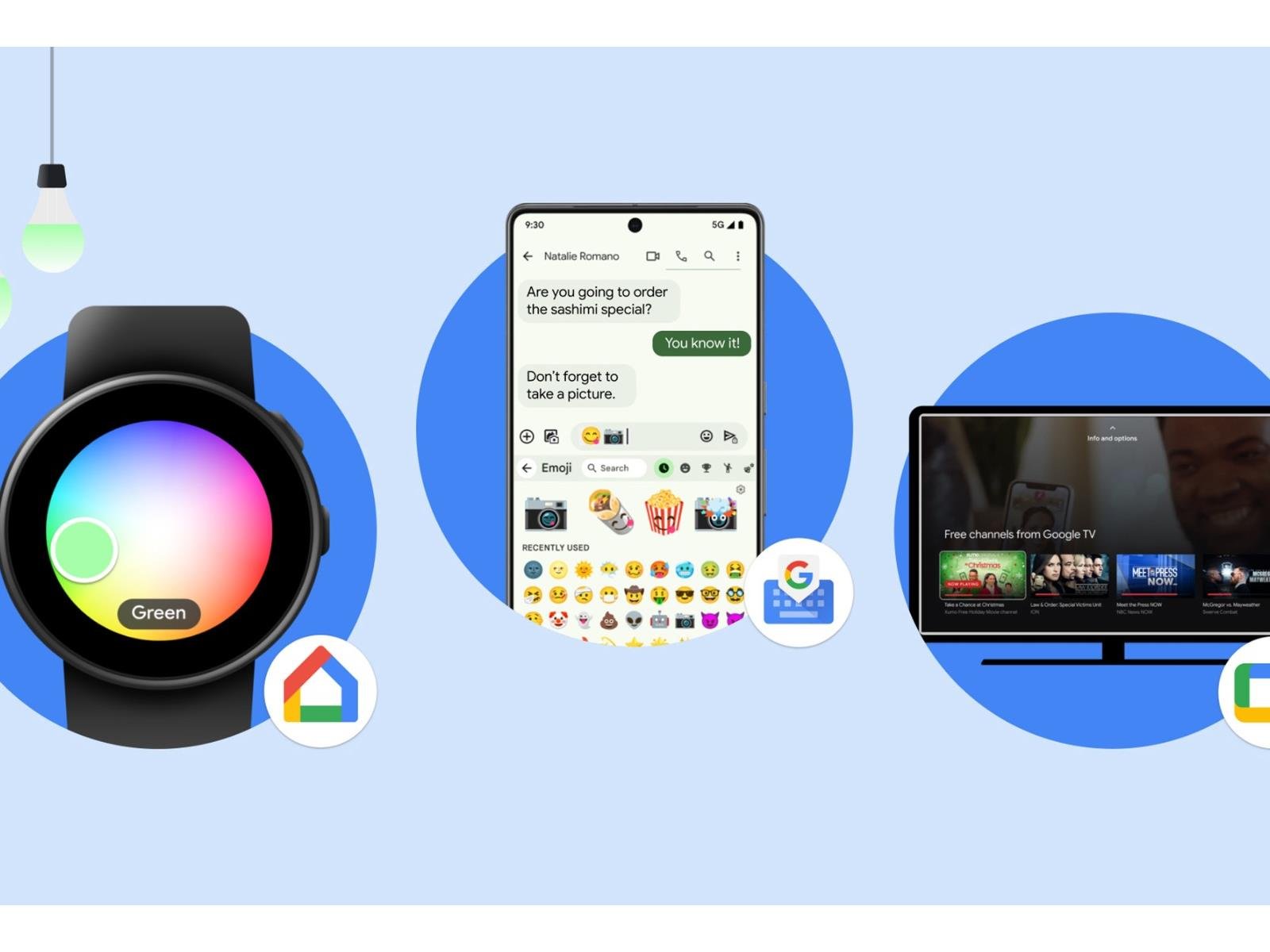
The holiday season is upon us, and Google has some early presents for Android fans. A raft of new features are beginning to roll out today. They run the gamut from phones, to TV, to wearables, to the Google Messages app.

Google has split its surprise feature drop into two parts, with a special focus on Google Messages to celebrate 1 billion

Source: Hot Hardware – Google Rolls Out Tons Of New Features To Android, Wear OS, Google TV And RCS Text