US Senator Blasts Apple For Hobbling Beeper Mini iMessage App For Android

US Senator Blasts Apple For Hobbling Beeper Mini iMessage App For Android
It didn’t take long for Apple to figure out a way to block a new Android app designed to circumvent its blue bubble of solitude, a move that promptly caught the ire of a US Senator. Senator Elizabeth Warren of Massachusetts put the tech giant on blast via her X/Twitter account following the news of Apple blocking the app late last week.

The

Source: Hot Hardware – US Senator Blasts Apple For Hobbling Beeper Mini iMessage App For Android

Microsoft's $13B OpenAI Deal Sparks Preliminary Probe By FTC And UK Regulators

Microsoft's $13B OpenAI Deal Sparks Preliminary Probe By FTC And UK Regulators
The investments Microsoft is making into OpenAI are not going unnoticed by the United States Federal Trade Commission, with the regulatory body performing preliminary inquiries according to a source familiar with the matter. However, it’s important to note that a formal investigation has not been opened by the agency.

The United States

Source: Hot Hardware – Microsoft’s B OpenAI Deal Sparks Preliminary Probe By FTC And UK Regulators

Baldur’s Gate 3 Xbox Saves Are Disappearing, Here’s How To Avoid It

Baldur’s Gate 3 shadow-dropped on Xbox after winning Game of the Year at The Game Awards, and Larian Studios is already pushing out updates and hotfixes as the dust settles. If you’re playing the fantasy epic on your Xbox, you may be at risk of losing your saves, and Larian is warning players to update their system to…

Read more…


Source: Kotaku – Baldur’s Gate 3 Xbox Saves Are Disappearing, Here’s How To Avoid It

Samsung Puts On Its Santa Hat With Cheerful Savings Up To 41% Off Monitors, SSDs And More

Samsung Puts On Its Santa Hat With Cheerful Savings Up To 41% Off Monitors, SSDs And More
You didn’t really think that the barrage of tech deals would dry up after the Black Friday and Cyber Monday festivities, did you? That has not been the case in a long while, as retailers celebrate an entire season of savings. That includes Samsung, which is getting into the holiday spirit with a range of big discounts across its varied product

Source: Hot Hardware – Samsung Puts On Its Santa Hat With Cheerful Savings Up To 41% Off Monitors, SSDs And More

Here’s how Ducati made its motorbikes reliable under VW Group

In the past you needed to be brave to own an Italian motorcycle. Now you just need to be brave to ride one.

Enlarge / In the past you needed to be brave to own an Italian motorcycle. Now you just need to be brave to ride one. (credit: Ducati)

BOLOGNA, ITALY—For decades, owning an Italian motorcycle required a tradeoff. On one hand, Italian bikemakers led the pack with gorgeous designs and the most exotic, highest-performing engines in the world. No other country could come close to matching the sounds and smells of a Ducati, Moto Guzzi, or Aprilia revving by. But build quality and reliability always presented a challenge for owners, not to mention parts availability and exorbitant maintenance costs.

Ducati arguably led the charge in every regard, setting a standard as the Ferrari of the motorcycle world with eye-catching Rosso Corsa red paint jobs to go along with real racing success in MotoGP and World Superbike thanks to famous—some might say infamous—desmodromic engines. However, In recent years under Volkswagen Group’s ownership, Ducati has made great strides in reliability and build quality, which explains to a large extent why 2022 was the firm’s most profitable year ever, with 62,000 bikes sold worldwide.

During a recent trip to Italy, I visited the Ducati factory in Bologna to learn how modernizing the production facility at Borgo Panigale helped improve the bikes built there over the decade since joining the Volkswagen group.

Read 26 remaining paragraphs | Comments


Source: Ars Technica – Here’s how Ducati made its motorbikes reliable under VW Group

Surprise: Kojima Hid Silent Hill References In OD Trailer

Hideo Kojima showed off a creepy trailer for his upcoming game, OD, at The Game Awards last week. Featuring three different actors speaking what sounds like creepy gibberish at the camera, it didn’t tell us a whole lot about what this game will even be. But since its reveal, fans have noticed a few Silent Hill…

Read more…


Source: Kotaku – Surprise: Kojima Hid Silent Hill References In OD Trailer

WayVNC 0.8 Preparing Transient Seats, Automatic Server-Side Resizing & Detached Mode

WayVNC v0.8 is working its way toward release as a VNC server for wlroots-based Wayland compositors like Sway. WayVNC continues to make it quite easy to have VNC support for Wayland desktops employing wlroots and this next release brings even more features…

Source: Phoronix – WayVNC 0.8 Preparing Transient Seats, Automatic Server-Side Resizing & Detached Mode

JWST’s High-Def Image Of An Exploding Star Lights Up Space Like A Cosmic Christmas Tree

JWST’s High-Def Image Of An Exploding Star Lights Up Space Like A Cosmic Christmas Tree
NASA’s Webb telescope captured the supernova remnant Cassiopeia A lighting up deep space like a Christmas tree ornament. The image is part of the 2023 Holidays at the White House and debuted by First Lady Dr. Jill Biden in the first-ever White House Advent Calendar.

The image captured by the James Webb Space Telescope (JWST) depicts Cassiopeia

Source: Hot Hardware – JWST’s High-Def Image Of An Exploding Star Lights Up Space Like A Cosmic Christmas Tree

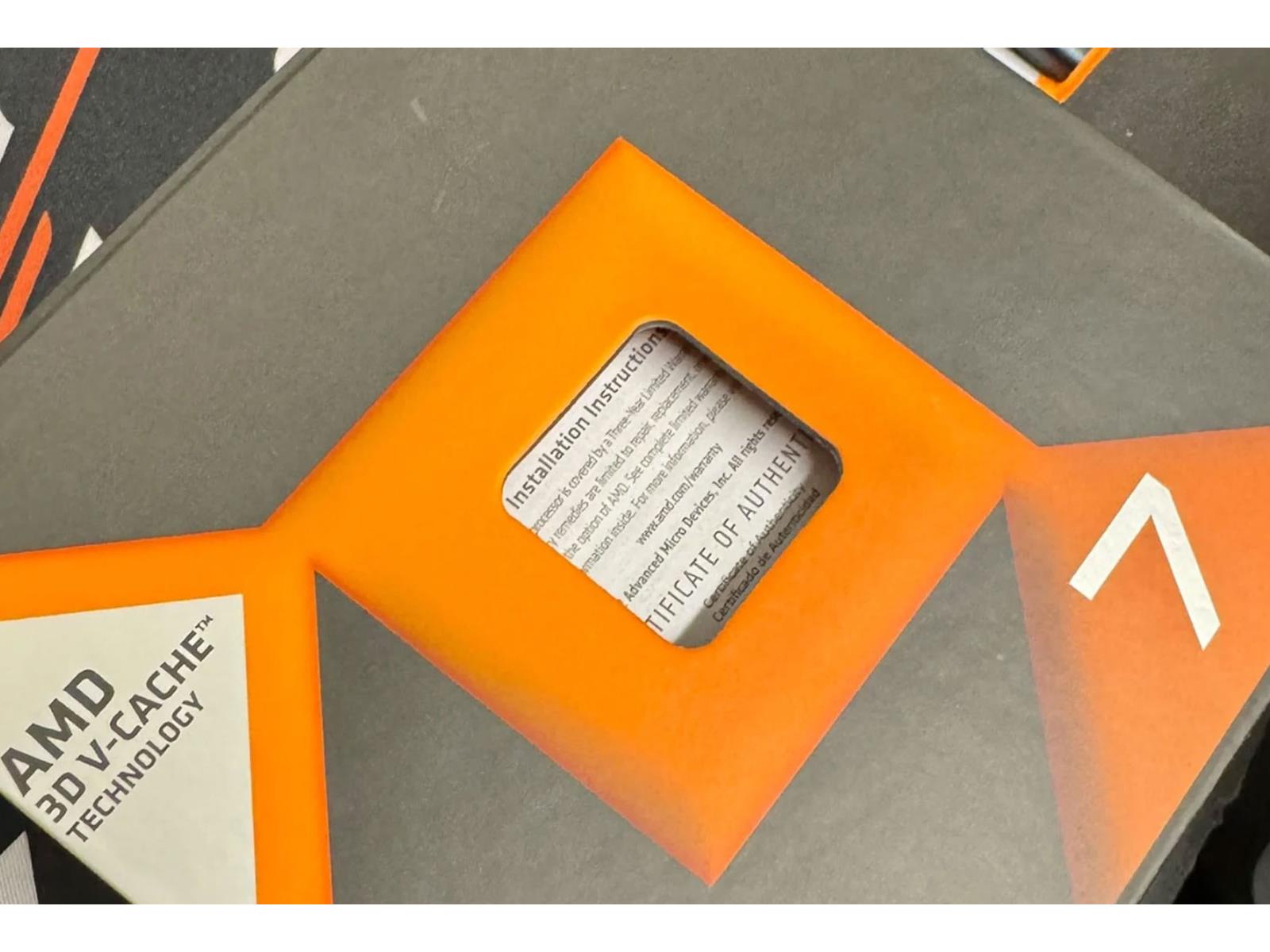
AMD Crushes Rival Intel In CPU Sales At Major Retailer Led By The Ryzen 7 7800X3D

AMD Crushes Rival Intel In CPU Sales At Major Retailer Led By The Ryzen 7 7800X3D
There was a time when you’d only find Intel CPUs in enthusiast PCs, ranging from high-clocked gaming beasts to productivity powerhouses such as the Core-i7 6950X. Things have drastically changed during the last several years, with the nod typically going to AMD’s collection of Zen-based CPUs. While Intel is certainly still competitive across

Source: Hot Hardware – AMD Crushes Rival Intel In CPU Sales At Major Retailer Led By The Ryzen 7 7800X3D

The race between Intel, Samsung, and TSMC to ship the first 2nm chip

Read 26 remaining paragraphs | Comments


Source: Ars Technica – The race between Intel, Samsung, and TSMC to ship the first 2nm chip

Apple's iPad Lineup Is A Confusing Mess But Not For Long, M3 MacBook Air Coming Soon

Apple's iPad Lineup Is A Confusing Mess But Not For Long, M3 MacBook Air Coming Soon
In his latest newsletter, Bloomberg’s Mark Gurman reports that Apple will be looking to simplify its iPad lineup in 2024, while upgrading the MacBook Air to its latest M3 chip. According to Gurman the iPad lineup is now too confusing for prospective buyers, with five options currently available with the intent of trying to appeal to as many

Source: Hot Hardware – Apple’s iPad Lineup Is A Confusing Mess But Not For Long, M3 MacBook Air Coming Soon

How to Close Your Cash App Account

If you need to transfer money to friends and family, Cash App makes it pretty easy: Like other payment platforms, sending and receiving money with Cash App is quick and convenient, as it either goes straight to your bank account, or your Cash Card.

However, if you don’t use Cash App that often, plan on switching to another peer-to-peer payment app like Venmo or Zelle, or have concerns over the security of the platform, you might consider deleting your Cash App account. It’s easy to do, and you can delete it at any time, but just make sure you’re doing so for the right reasons.

Is Cash App safe?

To answer that question is two-fold: First, the company that makes the app, Block Inc., uses encryption and fraud detection on their platform. This means that even if you use the app on public wifi, your sensitive data will be protected. Plus, in the event your data is compromised, Cash App’s systems should catch it, and alert you to any fraud that occurs.

On the flip side, Block Inc. recently disclosed to the Security and Exchange Commission (SEC) last year that they suffered a security breach. Some of the info that was taken in the breach included full names, brokerage account numbers, brokerage portfolio values and holdings, and one day of stock trading activity. The breach affected 8.2 million current and former users of Cash App. Thankfully, info such as usernames, passwords, dates of birth, Social Security numbers, addresses, and bank accounts weren’t compromised.

While that doesn’t rule out the possibility of another security breach for Cash App in the future, at this point, Cash App seems just about as safe to use as any other similar platform. If you don’t feel comfortable using the app anymore, you can cash out and delete your account at any time. That said, you shouldn’t necessarily switch over to something like Venmo solely for security reasons.

You don’t need to delete Cash App to use other platforms

If you know you aren’t going to use Cash App going forward, perhaps because your friends all use another platform like Zelle or Venmo, by all means, delete your account. However, you don’t have to, even if you aren’t going to use it. It might actually be more inconvenient to delete your account if you have any contacts that use it: Maybe once in a while, you will need to pay someone back, or they’ll need to send you money, and they only use Cash App. Having your account on hand could prove useful.

In this case, you could always cash out your Cash App account to your bank, so there aren’t any funds sitting unused. It’s up to you, either way.

How to cash out your Cash App account

The first step to closing your Cash App account is making sure to transfer any money to your bank account. To do so, open Cash App, then tap on the Banking tab.

Here, you’ll see a button that says Cash Out. Any money currently in your Cash App account will be transferred to your linked bank account. If you have any stocks or Bitcoin, you’ll need to sell those before closing your account.

How to close your Cash App account

After you’ve cashed out your money, you can close your account. To do so, go to the Pay tab (the one that looks like a $) and tap the account icon in the top right. Here, tap on Support, then select Something Else. Next, scroll down to Account Settings, then choose the option that says Close my Cash App account.

You’ll see a warning saying that closing your Cash App account will also disable your $Cashtag. To continue, tap on Confirm. Your Cash App account should now be closed, and you can remove the app from your phone.


Source: LifeHacker – How to Close Your Cash App Account

Kioxia Donates SDK To Linux Foundation For Software-Enabled Flash SDK

Storage company Kioxia that was spun off from Toshiba several years ago has donated a software development kit (SDK) to the Linux Foundation for establishing the Software-Enabled Flash SDK. This is for opening new doors and innovative uses around flash memory…

Source: Phoronix – Kioxia Donates SDK To Linux Foundation For Software-Enabled Flash SDK

New iPhone Security Threat Let’s Hackers Record Every Word You Type

New iPhone Security Threat Let’s Hackers Record Every Word You Type
Apple iPhone users should check whether their phone harbors an unassuming keyboard app in Settings. There’s a new third-party keyboard that’s designed to collect everything they type and send that information to cybercriminals.

British cybersecurity company Certo Software just detailed how keyboard-based iPhone spyware are on the rise. iOS

Source: Hot Hardware – New iPhone Security Threat Let’s Hackers Record Every Word You Type

Gigabyte's Aorus CO49DQ 49-Inch OLED Gaming Monitor Uses An AI Trick To Tackle Burn-In

Gigabyte's Aorus CO49DQ 49-Inch OLED Gaming Monitor Uses An AI Trick To Tackle Burn-In
We’d be shocked if the Consumer Electronics Show (CES) next month is not dominated by AI-infused announcements. As we wait to see what exactly is in store, Gigabyte has jumped the gun with its Aorus CO49DQ, a super ultra-wide gaming monitor with a curved QD-OLED panel and a special AI algorithm to mitigate the risk of burn-in.

How exactly

Source: Hot Hardware – Gigabyte’s Aorus CO49DQ 49-Inch OLED Gaming Monitor Uses An AI Trick To Tackle Burn-In

How to Clear the Cache on an Android Smartphone

Given enough time, all gadgets slow down—smartphones included. Your Android might start slowing down randomly, and there are times when even a reboot won’t really fix things. You don’t necessarily have to shell out hundreds (or thousands) of dollars on a new phone, though. Your old one might just need a clean out.

When nothing else seems to be speeding your Android phone back up, you should try some cache maintenance. As you use your Android phone, the apps (and especially Chrome) start saving temporary files it thinks you’ll need. These are used to speed up page loads and to keep older files in memory. That’s great when you have a fast flagship with loads of extra memory to spare. But if your Android phone is a bit older, you’ll be surprised how much lighter things become once you let go of some of that cache.

In fact, it’s a good idea to do this regularly—even every couple of weeks. It might seem a bit counterintuitive, as the cache is supposed to keep your phone faster, but lightening the digital load is often the way to go for older devices.

How to clear the cache for any app on an Android smartphone

Sometimes it’s a third-party app gone rogue that’s hogging all that cache memory. Android’s Settings app will make it easy to find such a culprit. Go to Storage > Apps to see a list of all installed apps. From the Menu, switch to the Sort by Size option, and you’ll see the apps that are most hogging up the storage. The exact steps to find the Apps section might be different depending on your Android smartphone, but you can search for Storage or Apps to get there. 

Go through the apps, and choose an app to clear the cache. Apps like Facebook, Instagram, and TikTok are all major offenders of the cache system. In the app screen, tap the Clear Cache button to see the cache data instantly disappear. Now, go back to the list, and do this again, and again, at least for the top 10 apps that are taking up most of the cache.

How to clear the cache in Chrome 

The biggest cache hog on your smartphone is likely Chrome, and if you’ve never cleared the cache, you might notice quite the difference before and after. If you don’t use Chrome, do this for your default browser. The changes will be the same. 

Open the Chrome browser, tap Menu and go to History > Clear Browsing Data. First, switch to the All Time option at the top and make sure you’ve checked the Cached images and files option below. Then, tap the Clear Data button to clear the cache.

Keep doing this regularly for Chrome and the rest of your apps on Android. If you have an iPhone or iPad, you should do the same there as well. 


Source: LifeHacker – How to Clear the Cache on an Android Smartphone

The Best Video Game Characters Of 2023

Nearly every conversation I’ve had about Baldur’s Gate 3 this year has started with a series of questions: “Can I see your character? And who are you romancing?” More often than not, I’m more interested in hearing how the characters people make and meet are helping them write their own stories than I am talking about…

Read more…


Source: Kotaku – The Best Video Game Characters Of 2023

AMD WBRF Ready For Linux 6.8 To Mitigate WiFi Radio Interference

Since earlier this year AMD has been working on Linux support for WBRF for mitigating WiFi radio frequency interference (RFI) with their latest Ryzen 7000 and forthcoming Ryzen 8000 series mobile processors. That work looks like it will be ready to land in Linux 6.8…

Source: Phoronix – AMD WBRF Ready For Linux 6.8 To Mitigate WiFi Radio Interference

Daily Telescope: Hubble images a dazzling star cluster 158,000 light-years away

This striking image shows the densely packed globular cluster known as NGC 2210, which is situated in the Large Magellanic Cloud.

Enlarge / This striking image shows the densely packed globular cluster known as NGC 2210, which is situated in the Large Magellanic Cloud. (credit: ESA/Hubble & NASA, A. Sarajedini, F. Niederhofer)

Welcome to the Daily Telescope. There is a little too much darkness in this world and not enough light, a little too much pseudoscience and not enough science. We’ll let other publications offer you a daily horoscope. At Ars Technica, we’re going to take a different route, finding inspiration from very real images of a universe that is filled with stars and wonder.

Good morning. It’s December 11, and today’s photograph takes us to the Large Magellanic Cloud, which is one of the very nearest galaxies to our own and lies about 158,000 light-years away.

This Hubble Space Telescope image showcases a brilliant globular cluster within the Large Magellanic Cloud. Such clusters are tightly bound and gravitationally stable, meaning millions of stars persist in a (relatively) tightly confined space for billions of years. This makes them an attractive target for astronomers seeking to study older stars.

Read 4 remaining paragraphs | Comments


Source: Ars Technica – Daily Telescope: Hubble images a dazzling star cluster 158,000 light-years away