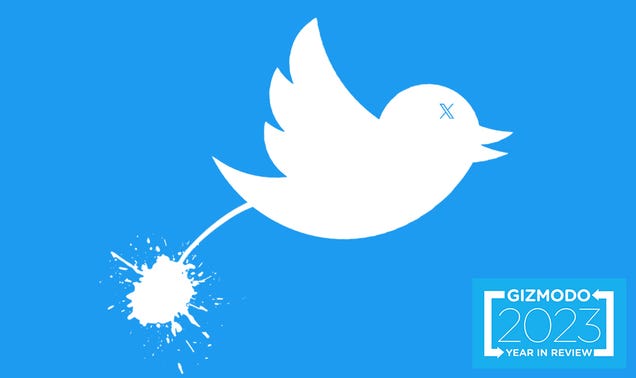
Twitter Hasn't Been 'Enshittified.' It Always Sucked.

Twitter is officially dead. Since Elon Musk’s $44 billion acquisition of it late last year, people have been saying it’s dead or dying or will die. Musk ended the argument when he renamed the app “X.” And now, so many people seem to pine for the days when Twitter was good. But let me tell you, it was never good. It…

Read more…


Source: Gizmodo – Twitter Hasn’t Been ‘Enshittified.’ It Always Sucked.

How to Reset Your Google Home Mini Before You Sell It

A Google Home Mini can be exceptionally useful little smart device. But when it comes time to upgrade and you want to sell it, or when the speaker starts giving you issues and you can’t fix it any other way, a factory reset may be in order. This type of reset is great for severing any connections to your account before you send it off to a new owner, as well as for clearing up possible operating issues.

There are currently two available types of Google Home Mini. The first generation is the Home Mini name, while the second is called the Google Nest Mini, to signify Google’s move towards labeling most of its smart home tech under the Nest moniker. We’ll break down steps for both generations below.

Of course, you’ll first want to know which Google Home Mini you have. To determine which generation your smart speaker is, simply turn the device over. If it doesn’t have a wall-mount screw slot, then you’re using a Google Home Mini. If there is a screw slot, you have a Google Nest Mini.


Products to consider:

Looking for an updated smart speaker to replace your Google Home Mini? Here are a few good bets.


How to reset a Google Home Mini

If you’re sporting the older Google Home Mini, reseting it to factory settings is really easy—but note that you cannot reset the Google Home Mini from the Google Home app. Instead, you will need direct access to the speaker.

To start the reset process, locate the reset button, which is beneath the power cord on the bottom of the device. Press and hold the reset button for 15 seconds to begin the factory reset. From there, all you need to do is wait for the device to chirp, signifying that the wipe is complete.

How to reset a Google Nest Mini

Like the original Google Home Mini, reseting the Google Nest Mini will also require direct access to the speaker. To get started, turn the device on its side and locate the microphone on/off switch, which normally allows you to easily mute the microphone when you don’t want Google Assistant to be listening for your commands.

Once you have located the switch, flip it to the off position, and then press down and hold the top of the speaker where the LED lights appear. After around five seconds, your device should begin the factory reset process. Keep holding the top of the speaker for another 10 seconds, until you should hear a chirp or chime that tells you the process is complete.


Source: LifeHacker – How to Reset Your Google Home Mini Before You Sell It

Back to reality: COP28 calls for getting fossil fuels out of energy

Image of a man wearing traditional clothing gesturing while speaking at a podium.

Enlarge / Sultan Ahmed Al Jaber defied expectations to deliver a document that explicitly calls for limits on fossil fuel use. (credit: Fadel Dawod)

On Wednesday, the UN’s COP28 meeting wrapped up with a major success: Despite a bruising fight with OPEC nations, the closing agreement included a call for a transition away from fossil fuels. There’s still plenty here for various parties to dislike, but this is the first agreement that makes the implications of the Paris Treaty explicit: We can’t limit climate change and continue to burn fossil fuels at anything close to the rate we currently do.

Beyond that, however, the report has something to disappoint everyone. It catalogs strong signs of incremental progress toward the Paris goals while acknowledging we’re running out of time for further increments. And the steps it calls for will likely keep changes on a similar trajectory.

Taking stock

The new document is called a “Global Stocktake” in reference to checking the world’s progress toward the goals of the Paris Agreement: limit climate change to 2° C above preindustrial temperatures and try to keep it to 1.5° C. That agreement called for nations to make pledges to limit greenhouse gas emissions; initial pledges were insufficient, but regular meetings of the Conference of the Parties (COP) would allow the pledges to be updated, raising their aggressiveness until the world is on a trajectory toward meeting its goals.

Read 15 remaining paragraphs | Comments


Source: Ars Technica – Back to reality: COP28 calls for getting fossil fuels out of energy

Meta tests making Threads posts available on Mastodon and other fediverse apps

When Threads launched this summer, one of the more intriguing aspects of the new service was Meta’s promise to support ActivityPub, the open-source protocol that powers Mastodon and other decentralized social media platforms. But there were still many unanswered questions about how such interoperability would work, and just how committed Meta was to the plan.

Now, Meta is taking its first step toward making Threads compatible with the fediverse. A new test will make some Threads content available on Mastodon and other apps for the first time, Mark Zuckerberg announced in a post on Threads. “Making Threads interoperable will give people more choice over how they interact and it will help content reach more people,” he wrote. “I’m pretty optimistic about this.”

It wasn’t immediately clear how this would work or how much Threads content might be available on Mastodon or other services. But the company previously introduced the ability to verify your Threads profile on Mastodon, so Meta does have some insight into Threads users who are also active in the fediverse. We’ve reached out to Meta for more details and will update if we hear back.

The test is the latest sign of growing momentum behind decentralized social media, which advocates say could upend how we interact online. Because decentralized platforms like Mastodon rely on protocols rather than a single company’s platform, more mainstream adoption of say, ActivityPub, means that people would be able to interact with a wider variety of content in more places. Meta has also said ActivityPub support would allow users to “to stop using Threads and transfer your content to another service.”

Though some fediverse enthusiasts have been skeptical about Meta’s entry into the space, Mastodon founder Eugen Rochko has said he’s supportive of their efforts. “The fact that large platforms are adopting ActivityPub is not only validation of the movement towards decentralized social media, but a path forward for people locked into these platforms to switch to better providers,” he wrote in a blog post earlier this year.

This article originally appeared on Engadget at https://www.engadget.com/meta-tests-making-threads-posts-available-on-mastodon-and-other-fediverse-apps-190003236.html?src=rss

Source: Engadget – Meta tests making Threads posts available on Mastodon and other fediverse apps

When You Have to Use an Insurance Check for Repairs (and When You Can Keep It)

Insurance is something you probably don’t think about much until you need to use it. That can make an insurance payout—whether for a car accident or damage to your home—feel like money dropping from the sky. When you need that money to repair your car or your property to make them usable again, it’s a foregone conclusion what you’re going to use that money for. But what if you don’t strictly need to make those repairs, whether you can handle them yourself or the damage is cosmetic and you don’t care about it? Can you just keep that insurance settlement?

Maybe. If the damage doesn’t make the vehicle unsafe to operate or the house unsafe to occupy, or you’re qualified to fix things yourself, there are a few scenarios where you can just drop that check into your account and use it on whatever you want. But before you start treating that insurance check like a lottery win, make sure you understand the situation.

When you can keep an insurance check

Whether we’re talking about a piece of property or a vehicle, you can usually do repairs yourself and keep an insurance check provided:

  1. You own the property outright, without a loan or mortgage. If you have a loan associated with it, your lender has a say in what happens, and will probably require you to make the necessary repairs. The check might even need to be endorsed by the lender.

  2. Your policy doesn’t contain any language requiring repairs be made. Some insurance policies will specify that payments for repairs have to be used for their specified purpose. Before you keep that check for yourself, review your policy.

  3. Your insurer doesn’t make the check out to a specific repair entity. Many car insurance companies have repair shops they work with, and they may require you to use one of them and pay the shop directly.

  4. Your state doesn’t have regulations requiring that you use insurance money for repairs. Your insurer can advise you on this if you’re not sure, or you can contact the appropriate agency in your state to find out.

If your situation checks those three boxes, you can keep that sweet payout money and handle the damage to your stuff any way you see fit.

What can happen if you keep the check and skip the repairs

Just because you can keep the insurance money doesn’t mean you should. There are a few negative consequences that can result from not using that money to make repairs:

  1. Compromising future claims. If you don’t repair the damage and your car or property suffers future damage, you might run into trouble. If your insurer considers the new damage to have been compounded or made worse due to the lack of previous repairs, they may deny future claims.

  2. Loss of coverage. Your insurer may also drop coverage if you don’t make repairs to your property or vehicle. A damaged vehicle or house is more vulnerable to future damage, which may affect your property’s insurability.

  3. Safety. If you’re not qualified to do the repairs, or decide not to do them at all, you might be putting your safety at risk. Cars involved in accidents may have hidden damage or weakened components that may fail, and failure to repair roofs, electrical wiring, or other components of a house properly can lead to more problems. If you’ve already spent the money on something else and then realize you actually do need to make those repairs, you’ll have to reach into your own pocket to do so.

The decision to keep an insurance check depends on several factors: The language of your insurance policy, you local laws, and your own judgment. In many cases, if you need that cash for other things and you own the insured property outright, you can probably keep the money—but whether you can do so safely isn’t so easily determined.


Source: LifeHacker – When You Have to Use an Insurance Check for Repairs (and When You Can Keep It)

Where To Find Every Essential Resource In Lego Fortnite

George Carlin famously said “a house is just a pile of stuff with a cover on it.” At its core, Lego Fortnite is the same. Epic’s new collab with Lego has become an absolute phenom since it launched December 7, seeing a daily peak of around 2 million concurrent players. Like all good sandbox survival games, it’s driven…

Read more…


Source: Kotaku – Where To Find Every Essential Resource In Lego Fortnite

How to take spatial video on the iPhone 15 Pro

We knew that the iPhone 15 Pro and the Pro Max would be able to record spatial videos, but that capability wasn’t available until the release of iOS 17.2. Well, it’s here now, so there’s no time like the present to start building up a library of spatial video clips for the impending launch of the Apple Vision Pro mixed-reality headset. The process isn’t quite as simple as taking a standard video, however, so follow along and we’ll get it sorted. Here’s how to take a spatial video with your iPhone 15 Pro and 15 Pro Max.

How to take spatial video with an iPhone 15 Pro or Pro Max

This is a more complicated process than making a traditional video, but just slightly. Here’s how to capture iPhone 15 Pro spatial video.

1. Head to settings

A settings page to turn on spatial video.
Engadget / Will Shanklin

You have to set up your phone to record spatial video. Do this by heading to settings and then camera and, finally, formats. Look for “Spatial video for Apple Vision Pro” and turn it on. That’s it. You’re good to go.

2. Open up the camera app

Now that the setting has been enabled, just open up the camera app as you would to take traditional photos or videos. Select video mode to begin the process. Spatial videos must be captured in landscape orientation, so flip the phone.

3. Make a spatial video

A capture of a very cute dog to show off the new spatial video icon.
Engadget / Will Shanklin

You should see a spatial video icon on the screen. Tap it and then hit record or either volume button to start making a video. Spatial videos benefit from an abundance of care while filming. Keep the iPhone steady and level, frame any subjects three to eight feet from the camera and use even and bright lighting. Tap the spatial video icon again to stop the recording.

4. Watch your video

A lady wearing a Vision Reality Pro headset watching a memory from her couch of a guy playing guitar.
Apple

For now, you’ll have to settle with watching the video on your iPhone or any other traditional screen. Spatial videos captured on the iPhone 15 Pro and iPhone 15 Pro Max are recorded at 1080p at 30FPS. However, that changes with the launch of the Apple Vision Pro headset. Once that arrives, you’ll be able to view them in glorious 3D in the headset’s Photos app. You shouldn’t have to manually upload the videos to the Vision Pro, as spatial videos sync to all of your devices, assuming you’re signed in with the same Apple ID and have iCloud turned on.

The Apple Vision Pro headset releases at some point during the first half of 2024, so we have a bit of waiting to do before experiencing the magic of spatial video. In the meantime, start collecting clips.

What is spatial video?

You can’t make a spatial video without understanding the purpose. You know how spatial audio increases immersion by creating 360-degrees of virtual space for sound effects, music and narration? Spatial video is basically the same thing, but for visuals. The technology creates videos that feel similar to how we move in the real world that can be experienced in all directions.

There’s a major caveat. You can take these videos with an iPhone 15 Pro, but you can’t really enjoy them. Sure, you can play them just fine, but without any of those added spatial effects. For that, you’ll need the Apple Vision Pro mixed-reality headset, which will allow you to, in a way, relive the moment. You’ll be able to pull up the video as a large and immersive floating screen or expand it to occupy your entire field of view, which is sort of like stepping inside of a memory. The technology isn’t exclusive to Apple’s ecosystem, but this specific integration is.

This article originally appeared on Engadget at https://www.engadget.com/how-to-take-spatial-video-on-the-iphone-15-pro-184721039.html?src=rss

Source: Engadget – How to take spatial video on the iPhone 15 Pro

Glibc Is The Latest Open-Source Project Adopting A Code of Conduct

The GNU C Library “glibc” is the latest free software project to adopt a Code of Conduct (CoC) in aiming to encourage welcoming behavior and less controversy among developers and other stakeholders when engaging this key component to the Linux software ecosystem…

Source: Phoronix – Glibc Is The Latest Open-Source Project Adopting A Code of Conduct

AMD Says Ryzen Threadripper 7000 Overclocking Triggers Hidden Fuse, Warranty Unaffected

Overclocking AMD’s Ryzen Threadripper 7000 series blows a fuse, indicating modification. However, AMD has told Tom’s Hardware that this does not automatically invalidate the warranty of these top-tier workstation CPUs. From the report: “Threadripper 7000 Series processors do contain a fuse that is blown when overclocking is enabled. To be clear, blowing this fuse does not void your warranty. Statements that enabling an overclocking/overvolting feature will ‘void’ the processor warranty are not correct. Per AMD’s standard Terms of Sale, the warranty excludes any damage that results from overclocking/overvolting the processor. However, other unrelated issues could still qualify for warranty repair/replacement,” an AMD representative told Tom’s Hardware.

In summation, overclocking your Ryzen Threadripper Pro 7000 or non-Pro processor will not void the warranty — only damages directly resulting from overclocking will. As always, AMD isn’t against overclocking. If it was, the chipmaker wouldn’t advertise overclocking support as one of the features of the WRX90 and TRX50 platforms. Only OEM systems lack overclocking support.

Read more of this story at Slashdot.


Source: Slashdot – AMD Says Ryzen Threadripper 7000 Overclocking Triggers Hidden Fuse, Warranty Unaffected

These Are All the New Features in watchOS 10.2

While watchOS 10 added some great new features, it also, for some reason, removed the ability to swipe on your screen to change watch faces. This move was controversial among Apple Watch users, who swiped at their watch screens left and right in vain. Fortunately it looks like the feedback reached Apple, as the company reversed the change with watchOS 10.2. Along with this welcome change, there are a handful of other useful additions in this latest watchOS update.

Swipe to change the watch face

It’s time to celebrate: you can once again quickly change watch faces on your Apple Watch. If you prefer to swipe the screen of the watch to change its face, you can go to the Watch app on your iPhone and head over to Clock and enable Swipe to Watch Face. WatchOS 10.2 also fixes a bug where watch faces wouldn’t appear on the device.

Add a confirmation before ending workouts

If you tend to accidentally end your workouts on your watch, you can force watchOS to show a confirmation dialog before wrapping things up. To do so, go to the Watch app on your iPhone, navigate to Workout, and enable End Workout Confirmation.

Siri is more useful

In watchOS 10, you have access to on-device Siri that works even when you’re offline. The 10.2 update brings more features to Siri. You can ask Siri to log and read back health data from your Health app. That includes metrics like how much you weigh, what your step count is, what medications you take and when, and other questions about your health. This option is only available on Apple Watch Series 9 and Ultra 2.

Prioritize music or trainer’s voices in Apple Fitness+

Those who use Apple Fitness+ will be able to choose if they want to focus on the music or on the trainer’s voice. You can increase the volume of the trainer’s voice or the music, depending on what you find more helpful.

Automatically view Now Playing information near your HomePod

As long as you have an Apple Watch Series 6 or newer, you will be able to quickly check what’s playing on your HomePod mini or HomePod (2nd Gen). If you’re near your HomePod and check the Now Playing widget on your Apple Watch, you’ll see what’s playing on the Music or Podcasts apps.


Source: LifeHacker – These Are All the New Features in watchOS 10.2

Apple is now selling the USB-C AirPods Pro case separately

Apple is slowly but surely getting rid of the Lightning cable as it transitions to having a USB-C charging port in more of its devices and accessories. On the same day it announced iPhone 15 devices (which have USB-C ports), Apple revealed that it changed the physical charging jack on the second-generation AirPods Pro. But to get a USB-C case for the earbuds, you’d need to buy a fresh set of AirPods Pro too.

That’s no longer the situation as Apple has started selling the USB-C AirPods Pro case separately. The case by itself costs $99, which is much less than the $249 you’d have had to shell out before. 

It might be worth picking up a case if you don’t want to have to deal with Lightning cables at all (and you perhaps aren’t a fan of wireless or MagSafe charging). Of course, if you’ve lost your previous case and need to replace it, you may as well switch to a USB-C version at this point. Of note, Apple says the case is only compatible with the second-gen AirPods Pro.

Apple’s transition away from Lightning and toward USB-C isn’t exactly voluntary. The European Union has mandated that most rechargeable devices sold in the region will need to have a USB-C charging port by the end of 2024. Apple was already moving to USB-C in iPads but making the switch on iPhone marked a significant sea change.

This article originally appeared on Engadget at https://www.engadget.com/apple-is-now-selling-the-usb-c-airpods-pro-case-separately-182655258.html?src=rss

Source: Engadget – Apple is now selling the USB-C AirPods Pro case separately

Elon Musk’s X ad revenue reportedly fell $1.5B this year amid boycotts

Elon Musk’s X ad revenue reportedly fell $1.5B this year amid boycotts

Enlarge (credit: Leon Neal / Staff | Getty Images Europe)

It’s hard to know exactly how dire the financial situation is at Elon Musk’s X (formerly Twitter). However, insider sources recently revealed to Bloomberg that the social media platform expects to end 2023 with “roughly” $2.5 billion in advertising revenue.

That’s “a significant slump from prior years,” sources said. It’s also about half a billion short of the $3 billion that X executives expected to make in ad sales in 2023, one source said.

Last year, Twitter raked in more than $1 billion in ad revenue per quarter, sources said. But in each of the first three quarters of 2023, X only managed to generate “a little more than $600 million” in ad revenue. Now, the most recent advertiser fallout over antisemitic content on X—estimated in November as triggering a sudden $75 million loss—is still casting a shadow on what could become an even more dismal fourth quarter.

Read 13 remaining paragraphs | Comments


Source: Ars Technica – Elon Musk’s X ad revenue reportedly fell .5B this year amid boycotts

Your iPhone Is About to Get a Lot Safer Against Theft

Apple’s strategy, if there was one at all, for protecting your phone’s data from theft has been pretty bad all along. If the thief can take a glance at your password before stealing your iPhone, you have handed him your entire digital life. With the iOS 17.3 beta that rolled out yesterday, the company finally added…

Read more…


Source: Gizmodo – Your iPhone Is About to Get a Lot Safer Against Theft

Turing test on steroids: Chatbot Arena crowdsources ratings for 45 AI models

A Rock'em Sock'em AI model battle.

Enlarge / A Rock’em Sock’em AI model battle. (credit: CSA Images)

As the AI landscape has expanded to include dozens of distinct large language models (LLMs), debates over which model provides the “best” answers for any given prompt have also proliferated (Ars has even delved into these kinds of debates a few times in recent months). For those looking for a more rigorous way of comparing various models, the folks over at the Large Model Systems Organization (LMSys) have set up Chatbot Arena, a platform for generating Elo-style rankings for LLMs based on a crowdsourced blind-testing website.

Chatbot Arena users can enter any prompt they can think of into the site’s form to see side-by-side responses from two randomly selected models. The identity of each model is initially hidden, and results are voided if the model reveals its identity in the response itself.

The user then gets to pick which model provided what they judge to be the “better” result, with additional options for a “tie” or “both are bad.” Only after providing a pairwise ranking does the user get to see which models they were judging, though a separate “side-by-side” section of the site lets users pick two specific models to compare (without the ability to contribute a vote on the result).

Read 10 remaining paragraphs | Comments


Source: Ars Technica – Turing test on steroids: Chatbot Arena crowdsources ratings for 45 AI models

With 16 New Titles Coming, Netflix Is Determined to Make Games Happen in 2024

Netflix announced that it was branching into games back in November 2021, but so far the streamer remains far better known for its movies and TV series. The company hopes to change that in 2024, with four new games on the way it announced today, and dozens more in the works—as well as a push toward making Netflix…

Read more…


Source: Gizmodo – With 16 New Titles Coming, Netflix Is Determined to Make Games Happen in 2024

Apple Now Requires a Judge's Consent To Hand Over Push Notification Data

Apple has said it now requires a judge’s order to hand over information about its customers’ push notification to law enforcement, putting the iPhone maker’s policy in line with rival Google and raising the hurdle officials must clear to get app data about users. From a report: The new policy was not formally announced but appeared sometime over the past few days on Apple’s publicly available law enforcement guidelines. It follows the revelation from Oregon Senator Ron Wyden that officials were requesting such data from Apple as well as from Google, the unit of Alphabet that makes the operating system for Android phones.

Apps of all kinds rely on push notifications to alert smartphone users to incoming messages, breaking news, and other updates. These are the audible “dings” or visual indicators users get when they receive an email or their sports team wins a game. What users often do not realize is that almost all such notifications travel over Google and Apple’s servers. In a letter first disclosed by Reuters last week, Wyden said the practice gave the two companies unique insight into traffic flowing from those apps to users, putting them “in a unique position to facilitate government surveillance of how users are using particular apps.”

Read more of this story at Slashdot.


Source: Slashdot – Apple Now Requires a Judge’s Consent To Hand Over Push Notification Data

The Best Gifts for Kids Who Love to Read (That Aren’t Books)

I don’t care if they’re reading Captain Underpants or unofficial Minecraft fan fiction—I’m just happy my boys love books. I want them to keep up their interest, so I’m always on the lookout for gifts that will nurture their interest in the written word. If you want to cultivate a young reader, too, here are some items that can help right in time for the holidays. 

Lantern book night light

My boys received book night lights last year because they love reading into the night, but my youngest son got a little too rough with his and broke it within a week of receiving it. The durability of this lantern, along with its soft sunset mode, makes it an attractive replacement for the one he mangled. 

Moonlite storytime mini projector

Give your bedtime stories a visual element with these reels that project words and images using the flashlight from your smartphone, allowing you and your kids to read along. There’s even an app that adds sound effects to the experience. This package has four stories based on Pixar movies, but you can also pick up tried and true classics like Goodnight Moon and The Very Hungry Caterpillar. 

Mo Willems book tote bag

Making my way from my local library to my car is an exercise in dexterity as I usually carry a multitude of books of varying shapes and sizes that my sons checked out. I won’t have to worry about that with this fabulous tote bag featuring a trio of beloved characters created by author and illustrator Mo Willems, sure to make the holder the cool parent in any social situation.

Dog Man plush

If you know anyone under 9, you’re undoubtedly aware that author Dav Pilkey’s Dog Man graphic novel series, a spin-off from his Captain Underpants books, is beloved by young readers. (It’s rumored there’s even a movie in the works.) Now your kids can bring the adventures of the part canine, part man police officer to life with this adorable plush.

Pete the Cat: The Missing Cupcakes board game

Your preschoolers don’t have to be readers to play this board game based on one of the many books by Kimberly and James Dean featuring the titular blue cat. Players have to sing, match items, and perform activities to locate the delectable deserts Grumpy Toad stole. The game changes each time, making it the perfect addition for your family game night.

StoryCaptain subscription service

Not sure of what to read to your little bookworm? Let StoryCaptain help you find your child’s new favorite story. Each month, you receive two to three picture books curated by parents and teachers, an activity guide, and other fun freebies revolving around a theme suited for your child’s age, filling their shelf with an eclectic library of stories.

Rainbow Scratch bookmarks

Work both sides of your child’s brain with this set of bookmarks they can craft themselves. All they have to do is use the wooden stylus to reveal the rainbow colors underneath and design it however they choose. Adult readers can use these as party favors for their book club’s holiday party. 

Wonderbly

We’ve all gotten lost in a story on occasion, but when you open a Wonderbly book, you’ll have to find yourself. It’s a personalized Where’s Waldo where your child’s name is on the cover, and their avatar is the missing character. Let the search begin! 

Highlights magazine subscription

Kids don’t have to wait for their next visit to the pediatrician to read Highlights. Each issue has incredible articles about the world, plus cool craft ideas, puzzles, and coloring pages to keep them occupied for hours.

Reading Rainbow T-shirt

Maybe the way to get our kids excited to read is to share what got us into books. Many parents found their love of reading through the beloved LeVar Burton-hosted PBS show, so getting this shirt for yourself might also foster a love of reading in your child. Just tell yourself that when you add it to your cart. 

Reading socks

When your kids slip these socks on, you’ll get the message loud and clear: They’re reading, so now is not the time to do chores.

Book page holder

This item is one of those simple but convenient items you wish were around when you cracked open that copy of The Lion, The Witch, and the Wardrobe for the first time. For that segment of readers who like to read with one hand, you place this on your thumb, and it keeps the book wide open. It also comes in handy for parents when they want to show the illustrations to children as they read or when older kids are trying to follow the lines in chapter books. 

Reading journal

Your little reader can keep track of the books they’ve read, create their book wish list, write down their favorite literary quotes, review what they’ve read, or keep track of their library loans with this colorful journal. There are also editions for teens and parents.

Reading pillow

No one will want to read if it gives them a crick in the neck. This comfortably cushioned bed wedge will give your young reader the support they need anywhere they want to crack open the latest Wings of Fire book, whether it’s on the couch or the living room floor. It also comes in various colors and designs, so your kid is bound to find something that suits them.

Best gifts for young readers:

Lantern Book Night Light: $19.97

Moonlite Storybook Reels: $33.60

Mo Willems Book Tote Bag: $22

Dog Man Plush: $18.73

Pete the Cat: The Missing Cupcakes Boardgame: $15.99

StoryCaptain Subscription Service: Yearly Subscriptions start at $19.95 a month

Rainbow Scratch Bookmarks: $8.95

Wonderbly: $39.99

Highlights Magazine Subscription: $6.99

Reading Rainbow T-shirt: $11.34-$20.55

Reading Socks: $7.99

Book Page Holder: $5.95

Reading Journal: $12.99

Reading Pillow: $30.99-$45.99


Source: LifeHacker – The Best Gifts for Kids Who Love to Read (That Aren’t Books)