

The iPhone is by far Apple’s most popular product, but the Cupertino giant will look to make 2024 a banner year for other devices, too. According to Bloomberg’s Mark Gurman, the company is going to focus on AirPods, Apple Vision Pro, and Apple Watch. Meanwhile, the iPhone will remain mostly the same as the prior year’s model and only receive
Source: Hot Hardware – Why 2024 Could Be A Huge Year For Apple Beyond Launching New iPhones
Category Archives: Unfiltered RSS
Deloitte Is Looking To AI To Help Avoid Mass Layoffs in Future
The giants of the consulting world face an unusual quandary this year: many of them are in the process of dismissing hundreds of staffers even after they hired thousands of college graduates to deal with new demand. Now, one of the biggest of them all is looking to AI to change that. From a report: Deloitte is using AI to evaluate existing staffers’ skills and map out plans that would shift employees away from quieter parts of the business and into roles that are more in demand. It’s part of a broader bet by the professional services firm that the technology will allow it to moderate hiring growth over time.
The moves come after Deloitte added 130,000 staffers this year. But in the midst of those hirings, though, the firm warned thousands of staffers in the US and UK that their jobs were at risk of becoming redundant after the company was forced to restructure certain areas of the business in response to a slowdown in demand. “It is obviously a great objective to be able to avoid large swings of hirings and layoffs,” said Stevan Rolls, global chief talent officer at Deloitte. “You could always be more efficient and effective about finding the right people.”


Read more of this story at Slashdot.
Source: Slashdot – Deloitte Is Looking To AI To Help Avoid Mass Layoffs in Future
Next-Gen Xbox Game Console Specs Leak Reveals A Zen Surprise And Pricing Strategy

It’s already been three years (just over) since Microsoft and Sony launched their respective modern-generation game consoles, the Xbox Series X|S and PlayStation 5, respectively—both debuted in November 2020. Notwithstanding a mid-gen refresh, it will still be a few years before we see another major iteration from either side. Though it’s
Source: Hot Hardware – Next-Gen Xbox Game Console Specs Leak Reveals A Zen Surprise And Pricing Strategy
Here’s everything you should do to up your security before next year
Be honest: How many times this year have you skipped or scrolled past a much-needed update? Maybe you just wanted to log into Twitter, er, X without setting up multifactor authentication. Putting off these minor inconveniences adds up, and it could lead to an insecure tech setup just waiting to be exploited by an attacker.
So, now you’re probably spending a few days sleeping in your childhood bed, and wondering when Uncle Dave will stop talking to you about buying gold stocks. There’s never been a better time to take care of the less-than-riveting admin work of locking down your digital life. Here’s a quick holiday checklist you and your loved ones (including Dave) can spend an hour doing during your holiday downtime to set up for a more secure year.
Update all your apps and devices
For the most current patches and options, you’ll need to start this security check up by updating all your devices and apps. The companies behind the tech have already done a lot of the work to keep you safe, but it’s your job to make sure that you’re taking full advantage of those updates. I’d recommend starting with operating system updates then apps second because there’s usually some new features reliant on the latest OS within other software. While you’re there, set up automatic updates so that you don’t have to worry about doing this manually in the future.
REUTERS / Reuters
Sign up for or update your password manager
Strong passwords are your first line of defense to keep your accounts safe, but they’re almost impossible to memorize and keep track of. Download a password manager to store this information for you, so that your passwords can be unguessable gibberish that you’ll actually use. Long term, it’s important to change these passwords every 90 days or so, and never to repeat across accounts. A password manager will help remind you of that, and even generate new password ideas for you. Unique and regularly-changing passwords help prevent attacks like credential stuffing, as we’ve seen make headlines in the recent 23andMe data breach.
Make sure you’re using MFA or, ideally, passkeys
Strong passwords are important, but it’s well-known that they aren’t enough to keep unauthorized actors out of your account. Most people are familiar with using a text message code to grant access to an account. If you’re taking time out of your day to set this up, however, I would recommend using a third-party authenticator app or a hardware key for more secure options. Or, for companies that have switched to allowing passkeys at login, that’s usually your best bet.
This will be one of the more tedious parts of the checklist, so if you can’t sit down and knock out your major logins now, at least push yourself to make these changes each time you log into a website over the next couple of weeks. Being stuck with family for the holiday might not be your preferred opportunity to make this change, but there’s sure to be an upcoming major snowstorm or bout seasonal depression just screaming to be harnessed for your technological well-being.
Consider a VPN, or at least a more secure browser
A strong VPN will keep your web browsing private. Whether it’s free or paid for, defaulting to using a VPN adds an extra layer of security to the work you’re doing online. Most have options to use it across different devices, or to run automatically on startup so that you can set it up once and forget about it. I would also recommend switching over to a secure browser like Tor that runs on a privacy-first platform for more sensitive online matters. Of course there’s a catch: VPNs and Tor can both slow down your browsing, or break certain website features. Updates to the services have helped over time, but even if you use it for just a portion of web browsing, some protection is better than none.
RapidEye via Getty Images
Get up to date on the latest hacks and attack vectors
Keeping up with security news will help you determine what accounts need special attention versus where you can go on autopilot. Once you know whether a breach may have occurred or a password has been leaked, you can quickly make changes to accommodate. Websites already exist to see if you’ve been in a data breach, and most companies have an obligation to tell you if they’ve been impacted. When you also stay up to date on the latest scams and attacks, you know what red flags to look out for in your own inbox to stay proactive.
Tell brokers to stop selling your data
It’s surprisingly easy to stop companies from trading your privacy for cash. On top of getting in the habit of not sharing your cookies or granting location data, you can opt out of working with the top three major data brokers. Axiom, Oracle and Epsilon all have slightly different variations of the same form to fill out so that information like your home address and relatives’ names aren’t being sold for profit. This is a good start to getting your online privacy back, however, it can be more of a headache than just one opt out form.
You have to do this frequently to make sure your information hasn’t been readded to any of the broker sites, and if your information has already been sold to marketing companies, it’s too late to undo it. There are subscription service sites that can help track and continuously delete whatever information pops up for you, but starting with just Axiom, Oracle and Epsilon will still be a free, worthwhile step toward more privacy.
Samsung
Back up everything
Get an external hard drive or connect to the cloud and keep all of your data backed up. Do this regularly, so that even if your device quits or gets ransomed by an attacker, you aren’t completely screwed. I’d recommend opting for something that can be set up automatically, so that you don’t have to keep constant track of it. That could look like spending the 99 cents per month on extra iCloud storage (or Google Drive or another in-house cloud tool) so that your phone gets backed up each night while you’re asleep. Windows and Mac also both do auto updates to an external drive on desktop, so you can set it and forget it.
Alternatively, you could install backup software onto a device so that it’s taken care of by a third party, but that may be less intuitive to set up. Just don’t forget to clean up your data storage every once in a while, too, so that you’re not holding onto useless screenshots or pictures of your ex from years ago that are taking up valuable space.
Make a plan to check in on your security settings more frequently
It’s overwhelming to play catch up. Going through a list like this can seem intimidating if you haven’t worried about it before. If you set up automatic updates and backups, it’ll take some of those repeat tasks off your plate. But since you’ll already, hopefully, be setting new passwords once a quarter, you can do a quick check up on your other security measures too. See if you’ve been a victim of a breach or identity theft, keep telling data brokers to get their hands off your information and find out if new VPNs or other software has been released that could make your security setup more seamless. Making it a part of the routine is much easier than annual sprees, and can help you catch a cybersecurity problem before it becomes unmanageable.
This article originally appeared on Engadget at https://www.engadget.com/heres-everything-you-should-do-to-up-your-security-before-next-year-143009276.html?src=rss
Source: Engadget – Here’s everything you should do to up your security before next year
How to Clean Your Smart Watch Without Ruining It
Two weeks ago, I got a new Apple Watch to replace my old one, which has spent the last year or so of its life in my junk drawer, save for a few days it spent in the no-man’s-land of my bedside table. The old one, it goes without saying, has become very dirty. I got the new one after coming to the conclusion, for the 137th time in my life, that it’s time to “get it together” and start taking my health seriously, so I’ve been wearing it to work out and sleep for a whole fortnight. It, too, got dirty, but in a different way.
What better opportunity, then, to test out two methods of cleaning a smart watch?
Smart watch cleaning method #1: Soap and water
The method that cropped up most in my research on cleaning smart watches involved mild soap and water, so that’s what I decided to try for my old watch. I read that if the device is waterproof, you can actually dunk it in a bowl full of warm water and a drop or two of dish or hand soap. I used Mrs. Meyer’s, but you can use any mild soap as long as you don’t overdo it with the drops. I do not know if my old watch is waterproof and I do want to try to sell it, so I opted to use a soft cloth to rub the soapy water on the face and sensor instead of dunking it. As far as I can tell, there is no good reason to submerge your fancy tech.
Before doing any kind of washing, remove your watch band, just to make it easier on yourself. You should also power off your smart watch (since mine was dead, I didn’t bother). I buffed the tiniest bit of soapy water around the machine with the cloth and, sure enough, everything came off fine, including a large streak of unidentified gunk that I think was spray paint from many moons ago. I used a dry section of the cloth to wipe it again, removing excess dampness.
I ran into an issue when I peeked in the little troughs where the watch band connects to the device itself. They’re tiny, just millimeters across, but they were remarkably dirty inside. My cloth wouldn’t fit and for a moment I wondered if this was why some people were plunging theirs into bowls of water, but when I folded a wet wipe in half and pulled it tight, I could easily slide the corner I’d made into the groove and it did the trick. If there’s truly nasty crust in yours, try a paper towel dipped in your soap-and-water solution.
Smart watch cleaning method #2: Isopropyl alcohol
For my new watch, I repeated the trick of sticking a wet wipe in the grooves that hold the band, but used a q-tip dipped in 70% isopropyl alcohol to spot treat the grosser parts, which looked and felt kind of oily. Where the older watch was dirty because of its retirement in the junk drawer, this one was dirty because of lotion and sweat; alcohol is better for oily messes than water, obviously, so before you clean, consider what sort of streaks you’re tackling. Also know that before I did this, I read a lot of online debate about whether or not it’s a good thing to do, but felt confident enough after reading that little dabs are safe. Don’t use a cloth sopping wet with alcohol.
If your watch is extremely dirty, try soap and water first. The alcohol should only be dabbed quickly on the exterior, then left to air dry. If you have any of those little alcohol pads, they’ll be perfect for this. Never let alcohol touch leather bands and try not to let it in any ports or holes, either.
Since this watch wasn’t as dirty, alcohol worked fine. In both instances, I was a little worried about streaks, but after letting both air dry, there were none to report.
Other things to keep in mind when cleaning a smart watch
I wanted to find some grime in the ports and holes on my watches, but I couldn’t. While I think this says something sort of nice about who I am as a person, it doesn’t help me much when I’m trying to find the best cleaning methods. From what I’ve read, if you do have visible gunk in the tiny holes on your watch, gently (very gently!) try to dislodge it with a soft toothbrush or blow on it at an angle. If it’s small or not blow-able, wipe gently with a dry cloth. There really aren’t any holes big enough on an Apple Watch to cause problems, but if your device has some, be careful not to push the icky stuff further inside.
Consider getting in the habit of running a damp cloth or paper towel over your watch after you sweat a lot or before you put it on the charger, too, to stop it from getting quite so dirty before its next real cleaning. Never use too much water, even if it’s waterproof—it should be dry before you power it back on, charge it, or wear it.
You should also clean your watch band regularly, but how you do that will depend on what it’s made of. Most of mine are fabric, so they go in the washing machine, but rubber ones can be cleaned with soap and water or disinfectant. If it’s leather, wipe it with a dry cloth, then use a drop of gentle soap (like hand soap) on a damp cloth to rub any messy spots. Use a clean, damp cloth to wipe away any soap residue and let the leather air dry, then hit it with some leather conditioner.
Source: LifeHacker – How to Clean Your Smart Watch Without Ruining It
Adobe Officially Cancels $20 Billion Figma Acquisition
Adobe and Figma mutually agreed to end their acquisition plans on Monday after European regulators found the deal would hurt competition in the digital design space. The $20 billion acquisition would have combined the world’s leading product design software, Figma, and the world’s largest and most recognized supplier…
Source: Gizmodo – Adobe Officially Cancels Billion Figma Acquisition
Apple Watch Series 9 and Ultra 2 sales paused in the US due to a patent dispute
If you’re planning to buy an Apple Watch Series 9 or Apple Watch Ultra 2, you may want to act quickly. Apple says it will soon halt sales of both devices in the US due to a International Trade Commission (ITC) ban, which is related to a patent dispute over the wearables’ blood oxygen sensor. Sales will be suspended online this week and at Apple retail locations after December 24.
“A Presidential Review Period is in progress regarding an order from the US International Trade Commission on a technical intellectual property dispute pertaining to Apple Watch devices containing the Blood Oxygen feature,” Apple told Engadget in a statement. “While the review period will not end until December 25, Apple is preemptively taking steps to comply should the ruling stand. This includes pausing sales of the Apple Watch Series 9 and Apple Watch Ultra 2 from Apple.com starting December 21, and from Apple retail locations after December 24.”
The Apple Watch SE will remain available for purchase as it doesn’t have a blood oxygen sensor. Previously purchased Apple Watch units that include the blood oxygen feature are unaffected (the Apple Watch Series 6 was the company’s first device to offer blood-oxygen monitoring). The Apple Watch Series 9 and Watch Ultra 2 will still be available to buy outside of the US.
Medical tech company Masimo sued Apple in 2021 over alleged violations of patents related to light-based blood-oxygen monitoring. In October, the ITC upheld a judge’s ruling from earlier this year that the Apple Watch did violate Masimo’s patents.
The ITC’s order blocks all Apple Watch Series 9 and Ultra 2 imports to the US after December 25. Other retailers, such as Amazon and Best Buy, can continue to sell the devices for the time being, as 9to5 Mac first reported.
Following the ITC’s decision, the case went to the White House for a 60-day Presidential Review Period. Although President Biden has one more week to decide whether to veto the ITC ruling, Apple has opted to preemptively comply with the commission’s decision.
Apple plans to lodge an appeal with the Federal Circuit. It can also reach a settlement with Masimo or issue software updates that nullify patent infringements (likely by deactivating blood oxygen features). Apple will provide more information on the situation after the Presidential Review Period expires on December 25.
The US Trade Representative will also review the ITC’s order. It has the option to disapprove of the ITC’s action due to policy reasons.
“Apple’s teams work tirelessly to create products and services that empower users with industry-leading health, wellness, and safety features,” the company said. “Apple strongly disagrees with the order and is pursuing a range of legal and technical options to ensure that Apple Watch is available to customers. Should the order stand, Apple will continue to take all measures to return Apple Watch Series 9 and Apple Watch Ultra 2 to customers in the US as soon as possible.”
Masimo has released its own smartwatch that Apple claims is an Apple Watch knockoff. Apple filed two patent infringement suits of its own against Masimo in October 2022, asserting that it copied patented Apple Watch features.
This article originally appeared on Engadget at https://www.engadget.com/apple-will-pause-watch-series-9-and-ultra-2-sales-in-the-us-due-to-a-patent-dispute-142051903.html?src=rss
Source: Engadget – Apple Watch Series 9 and Ultra 2 sales paused in the US due to a patent dispute
Xbox’s Biggest Flop Was A Decade Ahead Of Its Time

The Xbox One stumbled out of the gate when it launched back in 2013. But in the decade since, it’s become a bit easier to appreciate Microsoft’s ambitions and foresight with its third console. It combined a console, streaming device, and Blu-Ray player into the original all-in-one media player. But like Marty McFly…
Source: Kotaku – Xbox’s Biggest Flop Was A Decade Ahead Of Its Time
What we bought: Our favorite gadgets of 2023
Engadget staffers test and review tons of gadgets every year, and we also buy a lot of things for ourselves. In 2023, some of us upgraded our at-home coffee-making setup, splurged on fancy keyboards and digital pianos and even made our homes a bit smarter with things like app-controlled litter boxes. But there are plenty of other things we’ve bought and loved this year that have yet to make it on the site. Here, our staff takes a look back at the things they’ve personally purchased this year that they want to gush about a bit more before 2023 is up.
This article originally appeared on Engadget at https://www.engadget.com/what-we-bought-our-favorite-gadgets-of-2023-140016145.html?src=rssSource: Engadget – What we bought: Our favorite gadgets of 2023
An Interview with Cities: Skylines 2 developer’s CEO, Mariina Hallikainen

Enlarge / Colossal Order CEO Mariina Hallikainen, from the company’s “Winter Recap” video. (credit: Colossal Order/Paradox Interactive/YouTube)
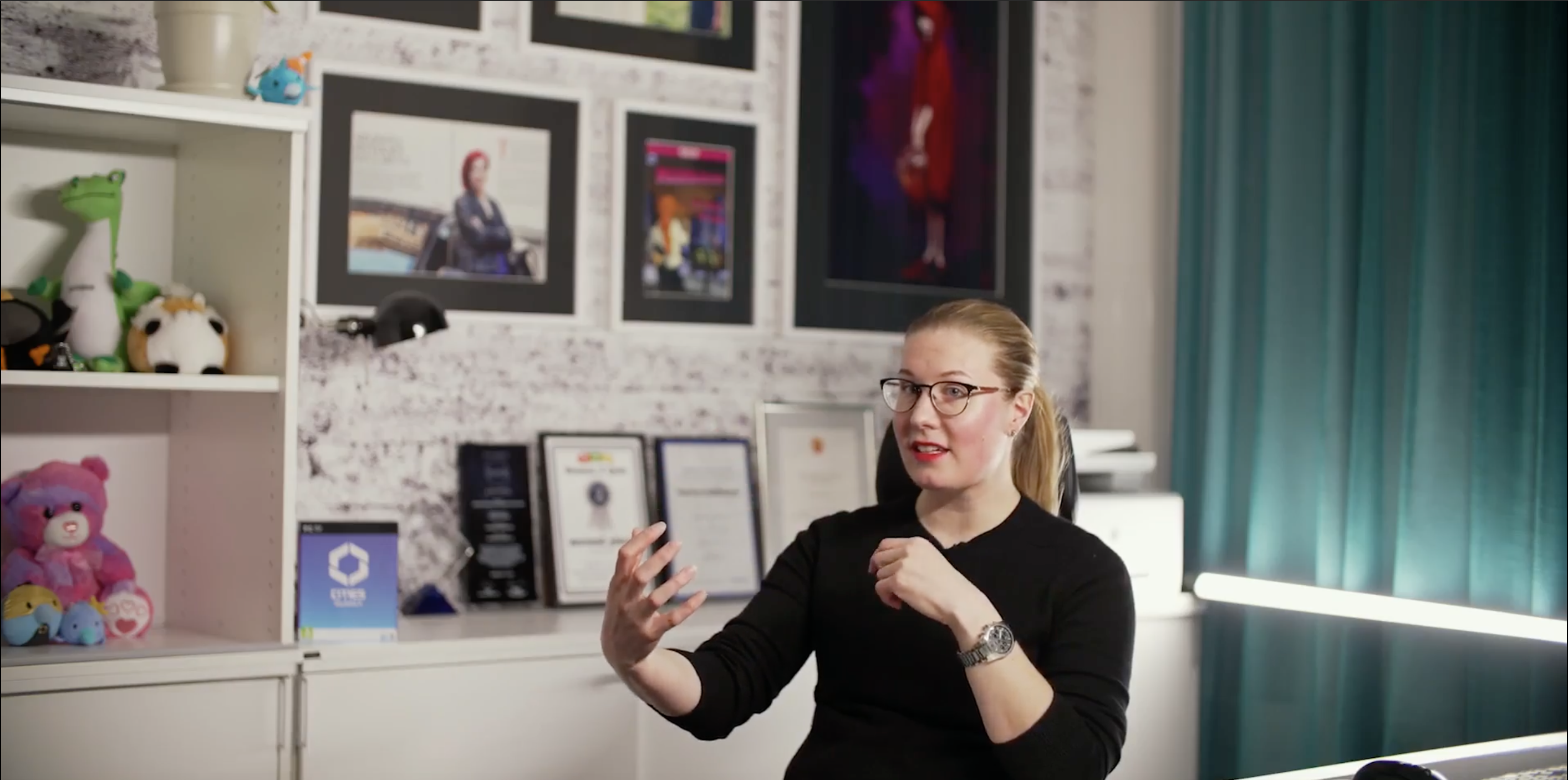
It’s not often you see the CEO of a developer suggest their game is “cursed” in an official, professionally produced video, let alone a video released to celebrate that game. But Colossal Order is not a typical developer. And Cities: Skylines 2 has not had anything close to a typical release.
In a “Winter Recap” video up today for Cities: Skylines 2 (C:S2), CEO Mariina Hallikainen says that her company’s goal was to prevent the main issue they had with the original Cities: Skylines: continuing work on a game that was “not a technical masterpiece” for 10 years or more. The goal with C:S2 was to use the very latest technology and build everything new.
“We are trying to make a city-building game that will last for a decade,” Hallikainen says in the video. “People didn’t understand; we aren’t using anything from Cities: Skylines. We’re actually building everything new.” Henri Haimakainen, game designer, says Colossal Order is “like fighting against ourselves, in a way. We are our own worst competition,” in trying to deliver not only the original game, but more.
Read 42 remaining paragraphs | Comments
Source: Ars Technica – An Interview with Cities: Skylines 2 developer’s CEO, Mariina Hallikainen
Adobe Abandons $20 Billion Acquisition of Figma
Following mounting pressure from regulators in the UK and EU, Adobe and Figma announced on Monday that both companies are mutually terminating their merger agreement, which would have seen Adobe acquire the Figma product design platform for $20 billion. From a report: As a result of the termination, Adobe will be required to pay Figma a reverse termination fee of $1 billion in cash. “Adobe and Figma strongly disagree with the recent regulatory findings, but we believe it is in our respective best interests to move forward independently,” said Adobe chair and CEO Shantanu Narayen in a statement. “While Adobe and Figma shared a vision to jointly redefine the future of creativity and productivity, we continue to be well positioned to capitalize on our massive market opportunity and mission to change the world through personalized digital experiences.”


Read more of this story at Slashdot.
Source: Slashdot – Adobe Abandons Billion Acquisition of Figma
Every Version of 'A Christmas Carol,' Ranked (and Where to Stream Them)
Charles Dickens’ A Christmas Carol is the greatest story about Christmas ever written—even better than the one with Mary and Joseph and the manger. The 1843 tale of a miser browbeaten by self-righteous ghosts is (probably) the most filmed story of all time. Dozens of cinematic adaptations of A Christmas Carol have been released in theaters and on TV since Scrooge; or Marley’s Ghost came out in 1901. Hundreds or thousands if you count re-imaginings and very special episodes of sitcoms. But which version is the very best?
I’ve carefully considered every major theatrical and TV adaptation of A Christmas Carol and rated each in terms of holiday spirit, Dickensian whimsy, and Scrooge-osity to arrive at the definite, no-argument-possible best-to-worst list of Christmas Carols.
To rank Christmas Carols, you have to decide what A Christmas Carol is to you. My criteria for inclusion: It has to be full-length (at least around an hour long); it has to have been released widely, either in theaters, on network television, or through a larger streaming service, and it has to be fairly close to a direct adaptation—modernizations, re-imaginings, sequels, and that episode of The Six Million Dollar Man don’t count (sorry, Scrooged fans.) Using those criteria, I’ve winnowed the Scrooges down to the 16 you see below, ranked from best to worst, along with where you can stream each one.
A Christmas Carol (1984)
It’s tough to pick a single adaptation of A Christmas Carol as the absolute best of all time, but the 1984’s TV movie version starring George C. Scott is unassailable. Other versions do some things better, but this one does everything right—no mistakes. It stays close to the original text; it’s perfectly produced; and it has a consistency of tone and vision that make it the most balanced of all versions of the story. A Christmas Carol might not have the best Scrooge of all time, but George C. Scott’s performance is a solid nine out of ten, and this version features the most adorable and pitiable Tiny Tim of all and the best Ghost of Christmas Present, played by Edward Woodward, who played the policeman in The Wicker Man.
Where to stream it: Starz, Roku, Tubi, Plex
Scrooge (1935)
Shot in the midst of The Depression, the first sound version of A Christmas Carol digs deeper into the despair and horror of the story than any other adaptation. It’s a bleak, German expressionist Christmas flick, and Seymour Hicks’ sickly, haunted portrayal of Ebenezer Scrooge fits the tone perfectly. Instead of delighting in his own crapulence, Hicks plays Scrooge like Satan in The Divine Comedy—he’s not the ruler of Hell; he’s its most tormented prisoner. Scrooge’s miserliness is played as pathology. He wears dirty, torn clothing and shivers miserably while eating gruel because he can’t bring himself to burn a single scrap of coal. Even when he converts, it seems like a manic episode instead of Christmas spirit, suggesting this is really a story about an old man going mad.
Sadly, the Prime Video version is colorized, so watch it on YouTube, in black and white, as God intended.
Where to stream: Prime Video, YouTube
Scrooge (1970)
This big budget musical take on the yuletide classic turns Dickens up to 11. Scrooge is huge, a raucous, crowd-pleasing musical with hundreds of extras, elaborate sets, and a scenery-chewing central performance from Albert Finney to hold it all together. But Finney and company also manage to keep the emotional core of the story intact. The music is great, with memorable tunes like “I Hate People,” a song that Finney snarls instead of sings. Scrooge has the best ghosts of any version of A Christmas Carol, too—you can’t beat the cheesy awesomeness of big-money 1970s special effects.
Where to stream it: Paramount, Hoopla, Fandor, Plex
A Christmas Carol (1999)
Before Hallmark devoted its corporate life to forgettable holiday-themed romantic comedies, it co-produced one of the best versions of A Christmas Carol ever made. This entire movie belongs to Patrick Stewart whose nuanced, layered portrayal of Scrooge is the best that ever been done. His “conversion” scene is so visceral and honest, it brought a tear to my eyes, even though I’ve seen the exact scene performed in at least 40 other movies, stage plays, and episodes of 1980s sitcoms. Sadly, the paucity of basic cable budgets in the 1990s results in some chintzy-looking sets and laughable special effects that mar an otherwise top-notch production.
Where to stream it: digital rental only
A Muppet Christmas Carol (1992)
I’m sticking A Muppet Christmas Carol randomly here on the list because you can’t reasonably compare it to other versions of the story. The Muppet version is a thing unto itself, without peer. A Muppet Christmas Carol is absolutely delightful from start to finish, for children, grown-ups, cats, dogs, space aliens, and anything else you got. It shouldn’t even work to set Michael Caine’s serious portrayal of Ebenezer Scrooge against a supporting cast of puppets, but somehow it all seems natural.
Where to stream it: Disney+
Scrooge (1951)
Alastair Sim takes Ebenezer Scrooge on a real journey in this movie. In the first act, he plays Scrooge like Capitalism personified, an uncaring, amoral monument to pure acquisition. He seems like a Scrooge who’d scare away ghosts, but when Marley shows up dragging his trademark chains, Sim is instantly reduced to pop-eyed fear, like the single chink in his armor is the supernatural. Scrooge then regresses to a childlike, bashful figure as ghosts lead him to different visions, finally emerging from his symbolic death as a Christmas-obsessed guy who lives to serve others. This movie might be among the best of the genre, but an unnecessary subplot about Scrooge’s business sandbags the movie through part of the second act.
Where to stream it: Plex
Mr. Magoo’s Christmas Carol (1962)
Mr. Magoo’s Christmas Carol was the first animated version of A Christmas Carol and the first animated holiday special ever shown on American TV. The main character, Mr. Magoo, was the star of a one-joke, limited-animation cartoon popular in the early 1960s about an old man who couldn’t see very well, so it’s surprising how carefully crafted and effective this version of A Christmas Carol is. The songs are strange, memorable and funny (listen to “Razzleberry Dressing” above once and you’ll never forget it), and the emotional core of the story is surprisingly powerful. Jim Backus, who voices Magoo/Scrooge, is amazing.
Where to stream it: Peacock, IndieFlix
A Christmas Carol (1971)
I’m breaking my own rule about not including shortened version of the story because this animated Carol is that great. Its evocative, graceful, hand-drawn look belongs to animation legend Richard Williams and was inspired by the woodcut illustrations from the original version of A Christmas Carol. It’s a cartoon, but it’s not a kiddie cartoon, so the darkness of the ghosts isn’t glossed over. Plus, Scrooge is voiced by Alastair Sim, reprising his role from 1951’s Scrooge.
Where to stream: YouTube
A Christmas Carol (1938)
There’s nothing wrong with this brightly lit, by-the-numbers take on A Christmas Carol, but it seems designed to appeal to as broad an audience as possible, so the rough edges of the story have been sanded off. The ghosts aren’t that scary. Scrooge isn’t that miserly, etc. It’s fine for a Christmas movie to be lighthearted fun, but the lowered stakes ultimately blunt the emotional resonance of the climax, leading to a mediocre Christmas Carol.
Where to stream: Max
An American Christmas Carol (1979)
I’m including this version of A Christmas Carol because it’s Lifehacker editor Meghan Walbert’s favorite. Sorry, Meghan, but this flimsy 1970s TV movie adaptation hasn’t aged well. Henry Winkler does a good job as Scrooge and it’s cool to see Burgess Meredith and other old-timey stars, but overall, this is a schmaltzy, plodding film that unwisely replaces a lot of Dickens’ best writing with the work of 1970s TV writers.
Where to stream it: Peacock, Tubi, Kanopy, Crackle, FreeVee, Plex, PlutoTV
Disney’s A Christmas Carol (2009)
I really wanted to like Disney’s A Christmas Carol. Robert Zemeckis is a great director and Jim Carrey is a force of nature, but I couldn’t get through it. There might be a lot to recommend this version of the story, but using 2009’s technology to create realistic-looking characters was such a puzzling choice. The whole movie looks like a video game cut-scene from a PS3 game, and I kept wanting to hit “A” to skip ahead to the gameplay.
Where to stream it: Disney, Fubo, TNT, IndieFlix, Plex
A Christmas Carol (2012)
It doesn’t seem like the producers of this obscure 2012 straight-to-streaming feature had very much money to work with, which is too bad. If they had, they might have been able to better realize some of the intriguing ideas behind this movie. It’s a straight-up horror take on the tale, but it just isn’t scary. Sadly, you can’t carry a feature film on good intentions. Overall, a swing and a miss.
Where to stream it: Prime Video
A Christmas Carol (1997)
The animation in this 1997 musical cartoon version of A Christmas Carol is dated, pedestrian, and ugly. The songs are forgettable, and Scrooge has a pet bulldog for some reason. (The one good joke is that he named his dog “Debit.”) It’s just not good, which is a shame, because the cast is overflowing with talent, including Tim Curry as Scrooge, Ed Asner, and Whoopi Goldberg.
Where to stream it: YouTube
A Christmas Carol (2019)
This BBC drama goes for a philosophical, moody version of Scrooge, but it just doesn’t come together. It’s dark, grim, and so ponderously self-serious that it collapses under its own weight.
In an effort to present aspects of a Christmas Carol that haven’t been seen before (like “How Marley got his chains”), A Christmas Carol rewrites the original text from the ground up, but it comes across like Dickens’ first draft instead of an improvement. The actual A Christmas Carol‘s weighty themes are expressed subtly and artistically, surrounded by well-drawn characters and entertaining, thrilling situations. There’s little of that here as this movie takes a “hit you over the head with it” approach.
Where to stream it: Prime Video, Tubi, Plex, FreeVee
Scrooge: A Christmas Carol (2022)
The current state of Dickens adaptation is not good. Netflix’s uninspired, sappy, CGI version of A Christmas Carol tries to tart the story up with slapstick, songs, and jokes, but it’s all cynical, lowest-common-denominator horse shit. The dialogue has been dumbed down and joked up. Scrooge has a silly dog for comic relief. They added fart jokes. Think about this: The minds behind Scrooge: A Christmas Carol read Dickens and concluded, “This story would be better with a wacky dog and fart jokes.”
Where to stream it: Netflix
A Christmas Carol: The Musical (2004)
A Christmas Carol is such a solid story, even a grade-school production of it can be fun to watch. But a cynical production of it is extra terrible, given the message of the story. This terrible ego project is a bottom-of-the-barrel Christmas Carol because it feels like a money grab. Kelsey Grammar sucks as Scrooge, mugging his way through a lightweight performance. Jason Alexander sucks as Marley. Jennifer Love Hewitt is, well, actually pretty good as Scrooge’s Christmas-past romantic interest. Hewitt is a rare bright spot in this dreary movie, however. Everything else is mid to terrible. It’s shot and lit like a TV show; the sets are bland and the songs forgettable. Overall it has the cynical feeling of assembly line, “let’s get this shit over with” TV production.
Source: LifeHacker – Every Version of ‘A Christmas Carol,’ Ranked (and Where to Stream Them)
How to Download Your Spotify Library for Offline Listening
Spotify is so popular as a music streaming service that you might forget it has an offline feature, too. Spotify Premium users can download and keep music available offline, and as long as your device is online once every 30 days, the music will continue to download onto your device. Offline playback is, of course, perfect when there’s no cellular network or wifi available, like on parts of a commute or during flights.
Now, downloading music on Spotify isn’t like buying music from iTunes. The songs will only be available inside the Spotify app and you can’t export them to another device. Still, Spotify will let you download up to 10,000 songs on your device, which should be enough for most. (Remember when the iPod’s selling point was putting 1,000 songs in your pocket?)
Who can download music offline on Spotify?
If you’re paying for Spotify Premium, you can download music for no additional charge. Spotify Premium costs $9.99 per month or $99 per year, and there’s a $4.99 per month student plan as well. To make the deal sweeter, you can sign up for a Spotify Duo plan for $12.99 per month for two users, or you can get the Family plan for $15.99 which can support up to six users.
It’s important to note that while you can download any album, playlist, or podcast you want, Spotify doesn’t let you download a single song directly. However, you can add a song to a playlist to download it that way. In fact, you can add a song to your Library, and it will be added to your Liked Songs playlist. Simply download this playlist, and you suddenly have access to your entire library offline.
How to download music offline on Spotify
On your iPhone, open the Spotify app, and find the song that you want to download. Tap the three-dotted Menu button next to the song and either choose the Add to Liked Songs or Add to Playlist option. Then, go to Your Library, and find the Liked Songs playlist, or any other playlist that you want to download.
Here, tap the Download button icon, and you’ll find it next to the green checkmark that tells you that the playlist is in your library.

Credit: Khamosh Pathak
The steps for Android are slightly different. After opening the playlist that you want to download, tap the Menu button from the top, and choose the Download option. Spotify will show you the download progress at the top. Once the download is complete, the song and the playlist both will have green download icons next to them.
You can now play downloaded songs just as you do when streaming music from Spotify. You can find all the downloaded songs by going to the Downloaded tab from Your Library. If you want to remove a download to regain some storage space, open a playlist, tap the Menu button, and choose the Remove download from this device option.
Source: LifeHacker – How to Download Your Spotify Library for Offline Listening
Adobe terminates its $20 billion Figma acquisition amid regulatory scrutiny
Adobe is abandoning its planned $20 billion acquisition of Figma after the companies determined that there was no clear path to obtaining approval from UK and European Union regulators. The two sides have signed an agreement that fully resolves all aspects of the Adobe-Figma merger termination. Adobe will pay the collaborative design platform a previously agreed $1 billion termination fee after failing to overcome regulatory hurdles.
In November, the UK’s Competition and Markets Authority (CMA) and the European Commission both cited concerns over the proposed acquisition’s impact on competition. The CMA said in its provisional findings that that the merger would “eliminate competition between two main competitors.” The watchdog said it was considering either blocking the deal or requiring Adobe to sell Figma’s core product, Figma Design, along with Adobe XD.
Earlier on Monday, Adobe claimed that it wouldn’t offer the CMA any potential remedies. “It is clear that no realistic remedy would satisfy the concerns the CMA is maintaining,” an Adobe spokesperson told Bloomberg. “We believe that the best path forward is to continue our ongoing engagement with the CMA on the merits.”
Last month, the EC sent Adobe a Statement of Objections, in which it warned the company that its planned purchase of Figma “may reduce competition in the global markets for the supply of interactive product design software and of other creative design software,” such as vector editing tools (i.e. Illustrator and its ilk) and Photoshop-style raster editing tools. The EC planned to make a final decision on the merger by February 5. Adobe had indicated it was willing to offer possible remedies to appease European regulators, but it appears that’s no longer the case.
“Adobe and Figma strongly disagree with the recent regulatory findings, but we believe it is in our respective best interests to move forward independently,” Shantanu Narayen, Adobe chair and CEO, said in a statement. “While Adobe and Figma shared a vision to jointly redefine the future of creativity and productivity, we continue to be well positioned to capitalize on our massive market opportunity and mission to change the world through personalized digital experiences.”
Adobe also anticipated a potential lawsuit from the US Department of Justice in an attempt to block the deal Stateside. The company and Figma reportedly met with DOJ officials last week to try and secure approval for their merger.
This article originally appeared on Engadget at https://www.engadget.com/adobe-walks-away-from-its-20-billion-figma-acquisition-amid-regulatory-scrutiny-132203336.html?src=rss
Source: Engadget – Adobe terminates its billion Figma acquisition amid regulatory scrutiny
Daily Telescope: Tracking the Sun’s path every day across the sky

Enlarge / The path of the Sun over Germany. (credit: Frank Niessen/IAU OAE)

Welcome to the Daily Telescope. There is a little too much darkness in this world and not enough light, a little too much pseudoscience and not enough science. We’ll let other publications offer you a daily horoscope. At Ars Technica, we’re going to take a different route, finding inspiration from very real images of a universe that is filled with stars and wonder.
Good morning. It’s December 18, and today’s photo is an homage to the forthcoming winter solstice—which will visit the Northern Hemisphere on Thursday evening.
This image was a second-place finisher in a recent competition by the International Astronomical Union’s Office of Education. This year’s contest welcomed astrophotography enthusiasts at all skill levels, including images taken with smartphones.
Read 4 remaining paragraphs | Comments
Source: Ars Technica – Daily Telescope: Tracking the Sun’s path every day across the sky
These Are My Favorite Products to Help Anxious Kids
One in eight children has a child anxiety disorder, according to the National Institutes of Health, and it can take a lot of patience from parents to help their kids find some calm. The good news for moms and dads is there are plenty of quality products that can help reduce anxious feelings and offer comfort. Here’s a list of my favorite items to help decrease stress and ease busy young minds.
Compression bed sheet
This compression sheet is an excellent alternative to weighted blankets if they don’t work well for your child. Its stretchy, breathable fabric lightly snuggles your child, allowing them to stay calm throughout the night. While some of the reviews state it can be challenging to get this sheet on their bed, most parents agree that’s a small price to pay so their child can get a good night’s sleep.
Noise-reduction headphones
Too many noises can increase anxiety in children. Purchasers of these headphones rave that they’re perfect for reducing sound in loud environments, and wearers could still carry on conversations with parents when they are up close. They also sport soft ear cushions and are fully adjustable for your child’s comfort.
Chewigems
When anxiety hits, the fingernails are usually the first to go. These dog-tag-shaped silicone pendants offer a sanitary alternative to your child’s digits, giving kids the stimulation they crave while looking cool enough to avoid teasing from others. They can also be easily cleaned with hot water or in your dishwasher.
Warm Pals weighted stuffed animal
Stuffies bring a smile to any child’s face, but studies show that they also help kids experience big emotions and feel support. These Warm Pals help those children who suffer from anxiety with their weighted grain-filled stuffing and its calming lavender smell. They can also be warmed or cooled down if your child is sensitive to temperature.
Indoor sensory swing
Besides being very cool to have in your house, the motion of this indoor swing can soothe an anxious child. This easy-to-install product, which can hold up to 220 pounds, offers kids a calming experience with a durable fabric that will nestle your youngster.
Sound machine
I don’t know what I would have done if my sons hadn’t had a white noise machine to put them to sleep. Even now, their room is so relaxing, keeping out the roaring engines of the traffic outside our home. This model sports 25 sounds, has a timer, and functions as a night light to give kids extra comfort.
Trifold easel art set
According to Verywell Family, anxious kids should have plenty of art supplies handy because drawing, coloring, and painting can help them cope with big feelings and emotions. This 185-piece art kit has everything an artist needs, from oil pastels, watercolors, markers, and paper. It also includes a double-sided easel, allowing young Monets to take this kit anywhere and view the inspiration for their next masterpiece.
Monster Stomp game
What child hasn’t wanted to stomp out their fears? That’s the object of this award-winning role-playing game for those over 4 years old. When players stomp the monster they created with the modeling clay included with the game, they have to talk about the other monsters in the world, such as the dark, disease, and other things that scare them, giving anxious kids a sense of control over what they worry about the most.
Emotions magnet
My sons have a version of this magnet in their classrooms because it helps them build self-awareness, and the more conscious a child is of their emotions, the more they can process and manage how they respond to those feelings. By silently announcing if they are happy, anxious, or sad, families can be open to discussing why they feel the way they do.
Yoga cards kit
Any kind of exercise is excellent for reducing stress and anxiety, and yoga in particular can be a mood booster that helps kids feel better about their bodies. There are many ways for kids to access yoga classes, whether it’s YouTube videos aimed toward young ones or joining you for a session. However, these illustrated cards can go with them anywhere, so if they want to practice their sunflower pose in the park or child’s pose in the living room, they’re easily accessible when they need to destress.
Recommended products to help reduce your child’s anxiety:
-
Compression Bed Sheet: $24.99
-
Noise Reduction Earmuffs: $13.69
-
Chewigems: $24.74
-
Indoor Sensory Swing: $89.99
-
Sound Machine: $23.99
-
Trifold Easel Art Set: $22.99
-
Monster Stomp game: $19.95
-
Emotions Magnet: $9.99
-
Yoga Cards Kit: $9.99
Source: LifeHacker – These Are My Favorite Products to Help Anxious Kids
Gizmodo Monday Puzzle: Suss Out Your Team's Average Salary

Last week, I posed this challenge: You and nine of your coworkers are sitting in a conference room when somebody wonders aloud about the group’s average salary. Everyone is curious, but nobody feels comfortable sharing their own pay with the group. How can you all learn your average salary without anybody learning any…
Source: Gizmodo – Gizmodo Monday Puzzle: Suss Out Your Team’s Average Salary
EU takes action against X over illegal content and disinformation
It might be ending 2023 with a new name, but X (formerly Twitter) is also capping off a year of criticism and legal action with even more condemnation. The European Commission has announced it’s opening formal infringement proceedings into X’s operation and potential violations of the Digital Services Act (DSA). Thierry Breton, the European commissioner for internal market ironically shared the news on X, detailing the platform’s suspected breach of obligations to be transparent and to counter illegal content. X’s potentially “deceptive design” is also being investigated.
In its press release, the European Commission states that it will look to X’s Community Notes feature to determine whether it’s effective enough in “mitigating risks” to “civic discourse and electoral processes.” It’ll also address “suspected shortcomings” in X’s decision to limit access to its data firehose, which could negatively affect researchers and other public bodies. The company’s advertising platform is in the Commission’s crosshairs, too, as is the “suspected deceptive design” of features like paid checkmarks.
In February 2023, all online services operating in the EU had to declare their size to determine if they were a Very Large Online Platform (VLOP). A VLOP is any platform with over 45 million users across the EU. Any company designated as a VLOP had four months to comply with the DSA. These measures include establishing a specific point of contact, transparency in advertising and content moderation and clear, user-friendly terms and conditions. It also requires identifying and mitigating risks such as illegal content, gender-based violence and protecting minors. Other logistical stipulations include permitting vetted researchers to access data that informs about systemic risks in the EU, sharing data with the Commission and having an independent audit annually.
The Commission’s actions follow a risk assessment report X submitted in September, a transparency report the platform published in November and ongoing concerns about how X is handling — or mishandling, for that matter — content about the Israel-Hamas War. Breton sent a letter to Elon Musk about the platform’s responsibility to moderate posts in line with the DSA. The European Union opened an investigation into X’s handling shortly after.
Today we open formal infringement proceedings against @X :
⚠️ Suspected breach of obligations to counter #IllegalContent and #Disinformation
⚠️ Suspected breach of #Transparency obligations
⚠️ Suspected #DeceptiveDesign of user interface#DSA pic.twitter.com/NxKIif603k
— Thierry Breton (@ThierryBreton) December 18, 2023
In a statement, Breton explained that the newly announced proceedings show “the time of big online platforms behaving like they are ‘too big to care’ has come to an end.” He continued: “We now have clear rules, ex ante obligations, strong oversight, speedy enforcement, and deterrent sanctions and we will make full use of our toolbox to protect our citizens and democracies.” This instance marks the first time the Commission has opened formal proceedings to enforce these EU regulations.
This article originally appeared on Engadget at https://www.engadget.com/eu-opens-an-official-probe-into-x-over-illegal-content-and-disinformation-124139507.html?src=rss
Source: Engadget – EU takes action against X over illegal content and disinformation
2023's Online 'Advent Calendars' Challenge Programmers With Tips and Puzzles
It’s a geek tradition that started online back in 2000. Programming language “advent calendars” offer daily tips about a programming language (if not a Christmas-themed programming puzzle) — one a day through December 25th.
And 2023 finds a wide variety of fun sites to choose from:
li>For example, there’s 24 coding challenges at the Advent of JavaScript site (where “each challenge includes all the HTML and CSS you need to get started, allowing you to focus on the JavaScript.”) And there’s another 24 coding challenges on a related site… Advent of CSS. The cyber security training platform “TryHackMe.com” even coded up a site they call “Advent of Cyber,” daring puzzle-solvers to “kickstart your cyber security career by engaging in a new, beginner-friendly exercise every day leading up to Christmas!” The programming puzzles at Advent of Code are continuing through the 25th (though so far less than 30,000 people have solved both parts of Saturday’s challenge.) Every year since 2000 there’s also been a new edition of the Perl Advent Calendar, and this month Year 23 started off with goodies from Perl’s massive module repository, CPAN. (Specifically its elf-themed story references the Music::MelodicDevice::Ornamentation module) — along with the MIDI::Util library and TiMidity++, a software synthesizer that can play MIDI files without a hardware synthesizer.) Meanwhile, since 2009 there’s also been an advent calendar for Raku (the programming language formerly known as Perl 6), promising an article a day. (Day One’s entry was titled “Rocking Raku Meets Stodgy Debian…”) James Bennett, from the Django project’s core team, is even attempting a Python/Django Advent calendar. There’s also a JVM advent calendar for the Java Virtual Machine, plus another advent calendar promising daily posts about C#. The HTMHell site â” which bills itself as “a collection of bad practices in HTML, copied from real websites” — is celebrating the season with the “HTMHell Advent Calendar,” promising daily articles on security, accessibility, UX, and performance.


Read more of this story at Slashdot.
Source: Slashdot – 2023’s Online ‘Advent Calendars’ Challenge Programmers With Tips and Puzzles
A song of hype and fire: The 10 biggest AI stories of 2023

Enlarge (credit: Getty Images | Benj Edwards)
“Here, There, and Everywhere” isn’t just a Beatles song. It’s also a phrase that recalls the spread of generative AI into the tech industry during 2023. Whether you think AI is just a fad or the dawn of a new tech revolution, it’s been impossible to deny that AI news has dominated the tech space for the past year.
We’ve seen a large cast of AI-related characters emerge that includes tech CEOs, machine learning researchers, and AI ethicists—as well as charlatans and doomsayers. From public feedback on the subject of AI, we’ve heard that it’s been difficult for non-technical people to know who to believe, what AI products (if any) to use, and whether we should fear for our lives or our jobs.
Meanwhile, in keeping with a much-lamented trend of 2022, machine learning research has not slowed down over the past year. On X, former Biden administration tech advisor Suresh Venkatasubramanian wrote, “How do people manage to keep track of ML papers? This is not a request for support in my current state of bewilderment—I’m genuinely asking what strategies seem to work to read (or “read”) what appear to be 100s of papers per day.”
Read 24 remaining paragraphs | Comments
Source: Ars Technica – A song of hype and fire: The 10 biggest AI stories of 2023