Comcast Discloses Data Breach of Close To 36 Million Xfinity Customers [UPDATE]

In a notice on Monday, Xfinity notified customers of a “data security incident” that resulted in the theft of customer information, including usernames, passwords, contact information, and more. The Verge reports: Xfinity traces the breach to a security vulnerability disclosed by cloud computing company Citrix, which began alerting customers of a flaw in software Xfinity and other companies use on October 10th. While Xfinity says it patched the security hole, it later uncovered suspicious activity on its internal systems “that was concluded to be a result of this vulnerability.”

The hack resulted in the theft of customer usernames and hashed passwords, according to Xfinity’s notice. Meanwhile, “some customers” may have had their names, contact information, last four digits of their social security numbers, dates of birth, and / or secret questions and answers exposed. Xfinity has notified federal law enforcement about the incident and says “data analysis is continuing.”

We still don’t know how many users were affected by the breach. Xfinity will automatically ask customers to change their passwords the next time they log in to their accounts, and it’s also encouraging users to turn on two-factor authentication. You can find the full notice, including contact information for the company’s incident response team, on Xfinity’s website (PDF). UPDATE 12/19/23: According to TechCrunch, almost 36 million Xfinity customers had their sensitive information accessed by hackers via a vulnerability known as “CitrixBleed.” The vulnerability is “found in Citrix networking devices often used by big corporations and has been under mass-exploitation by hackers since late August,” the report says. “Citrix made patches available in early October, but many organizations did not patch in time. Hackers have used the CitrixBleed vulnerability to hack into big-name victims, including aerospace giant Boeing, the Industrial and Commercial Bank of China and international law firm Allen & Overy.”

“In a filing with Maine’s attorney general, Comcast confirmed that almost 35.8 million customers are affected by the breach. Comcast’s latest earnings report shows the company has more than 32 million broadband customers, suggesting this breach has impacted most, if not all Xfinity customers.”

Read more of this story at Slashdot.


Source: Slashdot – Comcast Discloses Data Breach of Close To 36 Million Xfinity Customers [UPDATE]

You Can Learn Spanish on Rosetta Stone for Less Than $100 Right Now

Latin American Spanish on Rosetta Stone is on sale for $95.99 right now (reg. $299) with promo code SAVENOW through December 25. Rosetta Stone is the highly-trusted language learning platform used by top organizations like NASA, Calvin Klein, and TripAdvisor, and it helps you learn by engaging with interactive activities, hearing native speakers using real-world scenarios, and TruAccent speech-recognition technology that gives real-time feedback on your progress. It includes bite-sized lessons—as little as 10 minutes at a time— and the app works on most Macs, PCs, tablets, and phones (though, if you need, you should check that your operating system works with the program). 

The sale comes with a lifetime subscription to learn Latin American Spanish with Rosetta Stone for $95.99 right now (reg. $299) with the promo code SAVENOW until December 25 at 11:59 p.m. PT, though prices can change at any time.

NLRB finds that eBay and subsidiary TCGPlayer engaged in union-busting practices

The National Labor Relations Board (NLRB) has found that eBay has violated the rights of unionized workers at TCGPlayer, a trading card marketplace owned by the company. This comes in response to charges filed by the Communications Workers of America back in March of this year. eBay has allegedly refused to recognize TCGPlayer’s worker union and it delayed participating in any bargaining practices and it has also refused to divulge any information with the group that the union is legally entitled to.

As part of its examination of the issue, the NLRB said that because eBay and TCGPlayer broke the law, the company must face legal consequences for its union-busting practices. The union, which officially formed in March following numerous anti-union actions from eBay and TCGPlayer, was denied representation during disciplinary investigations. The NLRB also found that eBay was changing working conditions and benefits without engaging in bargaining with the group. On top of that, eBay is said to have even enforced rules that would punish any workers’ elections to unionize.

While the NLRB lays out evidence of eBay’s union-busting practices, it did not officially issue a decision on the matter. The agency is still waiting on the company’s response to the issue. “Now that the board has come to a decision on eBay’s illegal practices, we hope the company will see the light, obey labor law and engage in good faith bargaining practices so that workers can secure a strong union contract,” Dennis Trainor, Communications Workers of America District 1 Vice-President, said in a statement. eBay could not be reached for comment.

This article originally appeared on Engadget at https://www.engadget.com/nlrb-finds-that-ebay-and-subsidiary-tcgplayer-engaged-in-union-busting-practices-205337429.html?src=rss

Source: Engadget – NLRB finds that eBay and subsidiary TCGPlayer engaged in union-busting practices

Beeper’s esoteric fix for iMessage access suggests why it’s pushing politically

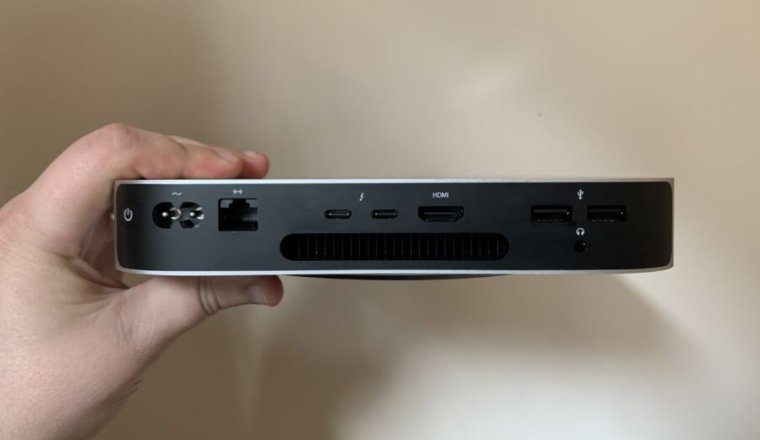
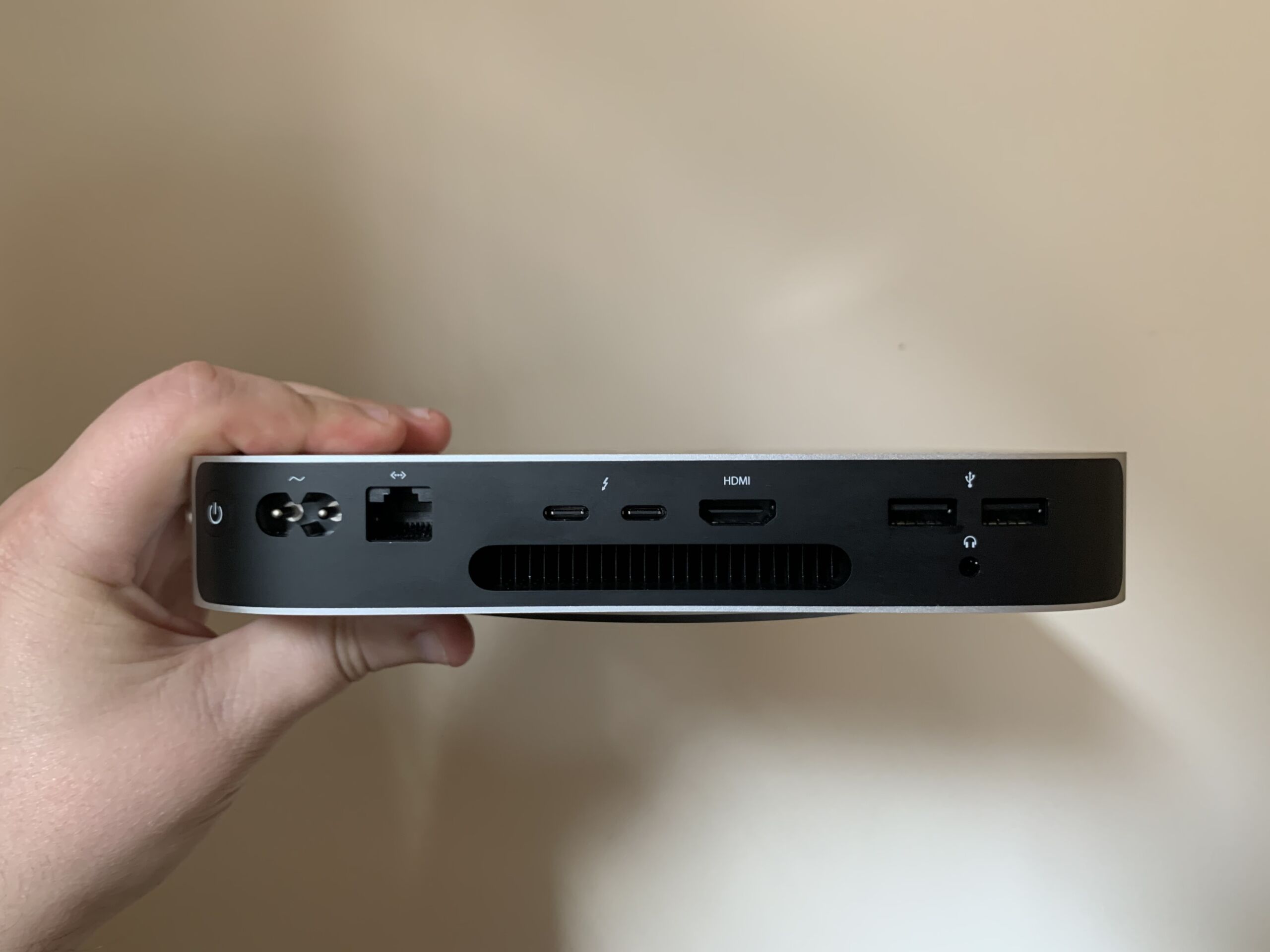
An M1 Mac Mini, held in hand.

Enlarge / If you have one of these, or another Mac handy, you should soon be able to access Beeper on Android and desktop platforms. You’ll just need to grab its “registration data” every so often. (credit: Samuel Axon)

Beeper’s Android app, which initially promised iMessage support with just a phone number, lost that connection once Apple started openly pushing back on it less than a week after it launched. Beeper has kept revising its approach, and its newest method—involving regular access to a physical Mac—suggests why the company has added a political component to its efforts.

Beeper started pushing back after its initial blockage, both through continued development and through media and political messaging. After a second, if smaller, Apple crackdown, co-founder Eric Migicovsky welcomed CBS Mornings into his garage, where he advanced his argument that Beeper was turning grossly insecure SMS messages between iPhone and Android users into secure, end-to-end encrypted chats. (CBS also interviewed James Gill, the 16-year-old whose work connecting to iMessage, using reverse-engineering methods, is the foundation of Beeper’s iMessage tech).

CBS Mornings‘ interview with Beeper co-founder Eric Migicovsky and James Gill, a teenage coder.

That interview lined up with another development: a bi-partisan foursome of US lawmakers, including Senator Amy Klobuchar (D-Minn.), sending a letter to the Department of Justice regarding “Apple’s potential anti-competitive treatment of the Beeper Mini messaging application.” Apple’s actions toward Beeper, the letter suggests, could “eliminate choices for consumers,” “discourage future innovation and investment” in messaging, and make Apple a “digital gatekeeper,” suggesting a need for review by the DOJ’s Antitrust Division. The move follows, and seems to echo, similar efforts by EU regulators to open up iMessage, which have been stalled so far.

Read 6 remaining paragraphs | Comments


Source: Ars Technica – Beeper’s esoteric fix for iMessage access suggests why it’s pushing politically

Why ‘ADIEU’ Is a Terrible Wordle Starter, According to the New York Times

There’s a science and art to picking a starting word when you play Wordle. One computer analysis has suggested that CRANE is the best starter; another landed on SALET. But the New York Times has recently done its own analysis of what people actually choose for starter words, and the situation is dire: ADIEU is the most popular starter, yet the least efficient.

To be clear: it’s not the worst word you could play, just the worst out of the 30 most popular starters. The top five, in terms of popularity, are ADIEU, STARE, SLATE, AUDIO, and RAISE. 

But if you take the top 30 and rank them by how well they work, the top five are SLATE, CRANE, LEAST, STARE, and RAISE. My personal favorite, ARISE, is seventh on the list.

Should a Wordle starter have a lot of vowels?

I’m going to teach the controversy here. The argument in favor of ADIEU is that it contains four vowels, and you know the solution will have to contain some vowels. Thus, knocking out four of them in your first guess is pretty smart. (O and the sometimes-vowel Y are the only ones not included.)

But there’s an argument to be made that vowels don’t give you much information, in the data-science sense of narrowing down possibilities. So there’s an A in the solution word somewhere–how much does it help to know that? 

Another strategy is to go with a consonant-heavy word at first, and worry about the vowels later. According to one Wordle expert, “there are only five [vowels], and it’s almost never going to be a U.”

My own approach splits the difference: I think about my starters as a pair. With ARISE and TOUCH, I get intel on all five vowels and five of the most common consonants. If you play ADIEU, I think you need to be prepared to follow it up with THORN. 

Don’t forget about the “sometimes” vowel, Y

Another thing the NYT learned from their analysis is that solution words that contain a Y tend to be harder to solve. 

Y flies under the radar since it’s an end-of-the-alphabet letter. The tendency is to think it must be as rare as X and Z. But Y is fairly common, showing up in words like FUNNY and JAZZY (JAZZY being the hardest word that appeared this year). Words that end in Y also often have a double letter–like the N and Z in those examples–so make sure to consider those as you’re narrowing down the possibilities.

You may recall from grade school that the vowels are “A, E, I, O, U and sometimes Y.” (You may even have learned “…and sometimes Y and W.”) That’s because Y really can stand on its own as a vowel: the ending Y in FUNNY is an example: U is the vowel for the first syllable, and Y is the vowel for the second. There are also words that contain a Y as their only vowel, like GLYPH, NYMPH, and TRYST.

So if you’re working on a Wordle and you don’t seem to have enough vowels to make a word, stick a Y in there somewhere–preferably at the end. LANKY or HORNY might be a good pick for when you’re stumped.


Source: LifeHacker – Why ‘ADIEU’ Is a Terrible Wordle Starter, According to the New York Times

Apple is reportedly scrambling to update Apple Watch software to avoid a looming ban

Apple is scrambling to make software updates to Apple Watch algorithms that measure blood oxygen levels to avoid an impending ban on the smartwatch in the US over a patent dispute, Bloomberg reported. Changing how the Watch measures oxygen saturation, Apple believes, could help keep the Watch on shelves during the busy holiday shopping season.

The blood oxygen sensor, which was first introduced with the Apple Watch 6 in 2020, is at the heart of a patent dispute between Apple and Masimo, another California-based company that sued Apple in 2021. Masimo claimed that Apple’s sensor violated two patents related to light-based blood-oxygen monitoring that it owned. In October, the International Trade Commission (ITC) upheld a ruling, stating that Apple did, in fact, violate Masimo’s patents.

The case then went to the White House for a 60-day Presidential Review period, which ends next week. If President Biden doesn’t veto the ITC’s decision, Apple will be banned from selling the Apple Watch 9 and Apple Watch Ultra 2, which include blood oxygen sensing. Apple is complying preemptively with the ban and will stop selling both Apple Watch models on its website on December 21 and in retail stores on December 24 in case the veto doesn’t happen.

One way Apple could keep selling the watch is to settle with Masimo, but the company’s last-minute race to make software changes to the Watch suggests that it doesn’t plan to do so. The company told Bloomberg that it plans to submit its software workaround to the ITC for approval. Masimo’s CEO Joe Kiani, told Bloomberg that he would be open to settling with Apple, but the company hasn’t called him yet. “It takes two to tango,” he said.

He also doesn’t think that a software update to the Apple Watch would resolve the situation. “I don’t think that could work — it shouldn’t — because our patents are not about the software,” Kiani said. “They are about the hardware with the software.”

Overhauling Apple Watch hardware would, of course, be a lot more challenging for Apple than tweaking its software. Even if the ITC approves any potential hardware changes, manufacturing and shipping modified versions of the two Watch models could take upwards of three months, a person familiar with how Apple operates told the publication.

Apple and Masimo have a complicated history. Apple reportedly discussed acquiring the company in 2013 and hiring Kiani to work on the medical features on its smartwatch. That deal never went through. Instead, Kiani claimed that Apple hired more than 20 Masimo engineers, doubled some of their salaries, and made them develop the same kind of medical technology they were working on at Masimo at Apple. “This is not an accidental infringement — this is a deliberate taking of our intellectual property,” Kiani told Bloomberg.

Engadget has reached out to Apple for comment on Kiani’s statements. The company has previously called the ITC’s ruling “erroneous” and plans to appeal the decision to the Federal Circuit.

It’s not clear whether Apple will get immediate relief. The silver lining for the company is that the ban only applies to Apple Watch sales through the company’s own channels — its website and its retail stores — in the US. You should still be able to buy the Apple Watch through other retailers like Best Buy, Walmart and Target.

This article originally appeared on Engadget at https://www.engadget.com/apple-is-reportedly-scrambling-to-update-apple-watch-software-to-avoid-a-potential-ban-202710009.html?src=rss

Source: Engadget – Apple is reportedly scrambling to update Apple Watch software to avoid a looming ban

2023 Was the Weakest Year for Memes in History

For the last two decades, some of the weirdest and most creative things on the internet played out in images and GIFs. There have always been terrible memes, but for years, memes as a category were consistently funny, useful, inspiring, and even thought-provoking. They crossed over into all of the furthest reaches of…

Read more…


Source: Gizmodo – 2023 Was the Weakest Year for Memes in History

Microsoft releases downloadable tool to fix phantom HP printer installations

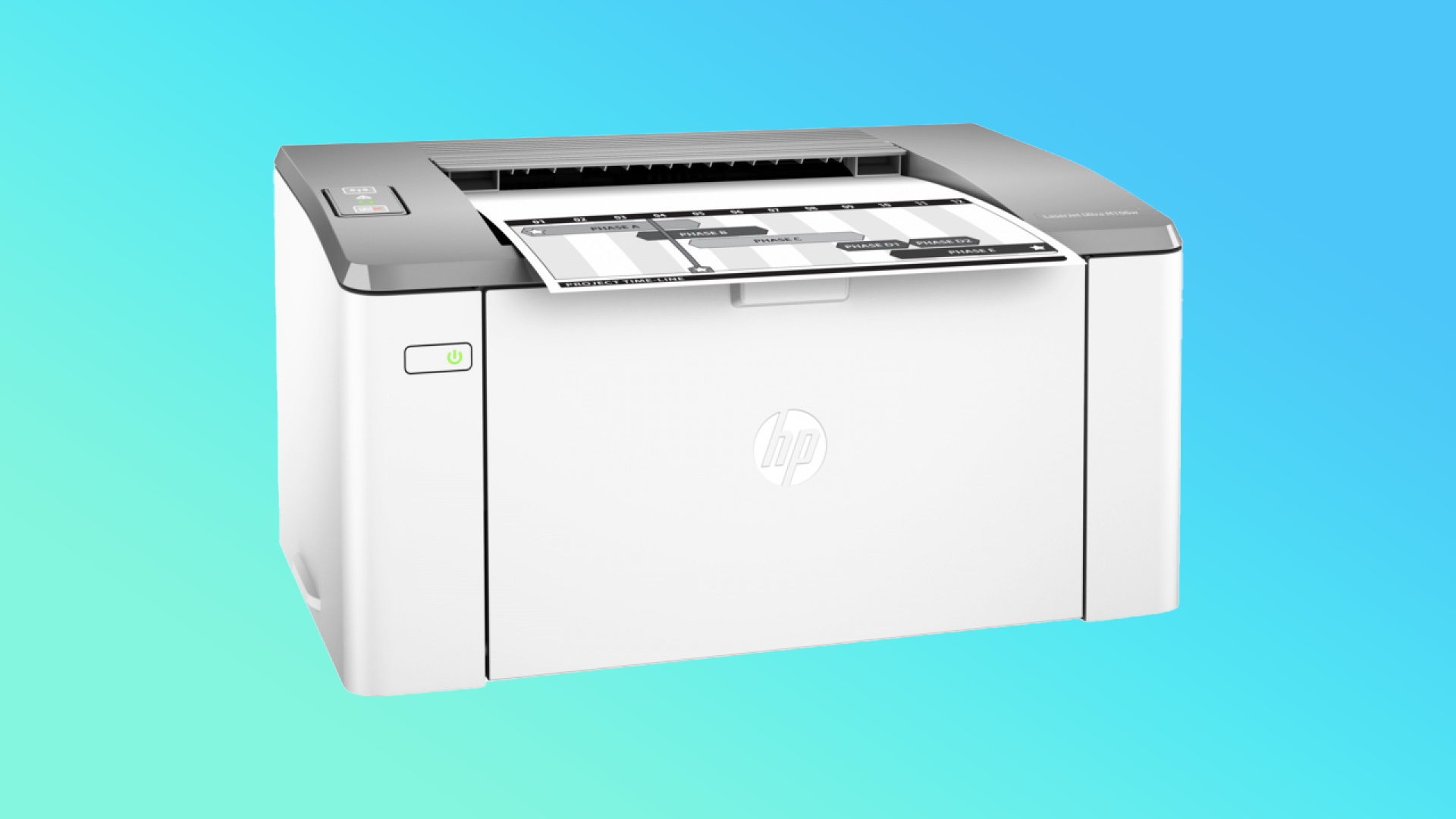
The HP LaserJet M106w is one of the printer models that is mysteriously appearing for some users in Windows 10 and 11.

Enlarge / The HP LaserJet M106w is one of the printer models that is mysteriously appearing for some users in Windows 10 and 11. (credit: HP)

Earlier this month, Microsoft disclosed an odd printer bug that was affecting some users of Windows 10, Windows 11, and various Windows Server products. Affected PCs were seeing an HP printer installed, usually an HP LaserJet M101-M106, even when they weren’t actually using any kind of HP printer. This bug could overwrite the settings for whatever printer the user actually did have installed and also prompted the installation of an HP Smart printer app from the Microsoft Store.

Microsoft still hasn’t shared the root cause of the problem, though it did make it clear that the problem wasn’t HP’s fault. Now, the company has released a fix for anyone whose PC was affected by the bug, though as of this writing it requires users to download and run a dedicated troubleshooting tool available from Microsoft’s support site.

The December 2023 Microsoft Printer Metadata Troubleshooter Tool is available for all affected Windows versions, and it will remove all references to the phantom HP LaserJet model (as long as you don’t actually have one installed, anyway). The tool will also remove the HP Smart app as long as you don’t have an HP printer attached and the app was installed after November 25, presumably the date that the bug began affecting systems. These steps should fix the issue for anyone without an HP printer without breaking anything for people who do use HP printers.

Read 2 remaining paragraphs | Comments


Source: Ars Technica – Microsoft releases downloadable tool to fix phantom HP printer installations

Kotaku Readers Share Their Most Anticipated 2024 Games

We recently asked you, dear Kotaku readers, what your most anticipated games of 2024 might be. The list y’all presented mirrors some of the titles I’m stoked about, but you also shared a bunch of games that weren’t yet on my radar. Thank you for that. Most of all, there appears to be one game we all—myself…

Read more…


Source: Kotaku – Kotaku Readers Share Their Most Anticipated 2024 Games

Intel Core Ultra 7 155H Meteor Lake vs. AMD Ryzen 7 7840U On Linux In 300+ CPU Benchmarks

Last week Intel launched their Core Ultra “Meteor Lake” notebook processors. Genuinely very curious about the performance potential under Linux along with various features of these new mobile SoCs like the NPU and integrated Arc Graphics, I bought an Intel Core Ultra laptop on launch-day for carrying out Linux benchmarks. In this first review of Intel Meteor Lake on Linux is a look at how the Intel Core Ultra 7 155H performs against the common AMD Ryzen 7 7840U as the Zen 4 laptop competition.

Source: Phoronix – Intel Core Ultra 7 155H Meteor Lake vs. AMD Ryzen 7 7840U On Linux In 300+ CPU Benchmarks

Beeper Mini’s latest iMessage for Android setup requires a Mac

Beeper Mini has a new “fix” coming for its broken iMessage on Android integration. However, the new method requires Mac access to send (and intermittently resend) “registration data” from an Apple-made desktop or laptop, calling into question how far users will stick with the app. The company says you’ll see the new functionality in an update to the Beeper Cloud Mac app on Wednesday, December 19.

Beeper’s current method requires identification info (“registration data”) sent from a physical Mac computer to authenticate iMessage connections on Android. The company’s latest plans now shift the Mac onus to users. “We have, up until now, been using our own fleet of Mac servers to provide this,” a Beeper spokesperson wrote in the app’s Reddit community. “Unfortunately, this has proven to be an easy target for Apple because thousands of Beeper users were using the same registration data.”

Beeper Mini launched to much fanfare, promising — and delivering — seamless iMessage chats on Android with only a phone number. However, in what seemed like an inevitable move, Apple squashed the app’s core functionality, forcing the startup to deploy new workarounds as it entered a cat-and-mouse game with the $3 trillion corporation.

Beeper says tomorrow’s update for Beeper Cloud on Mac will generate unique “1:1” registration data for individuals rather than thousands of accounts drawing on the same validation info on Beeper’s servers. The company says the new approach “makes the connection very reliable.” However, the registered Mac will still need to “periodically regenerate” the data after you’ve connected a Mac to Beeper Cloud, so it can’t just be a one-and-done connection to the computer.

If you don’t have a Mac and want to use Beeper Mini, the company says you can ask a friend to use their Apple computer for validation. “In our testing, 10-20 iMessage users can safely use the same registration data,” the company posted. The spokesperson said the update will restore chatting on iMessage with your Apple ID email if you don’t already have a phone number tied to your account.

SAN FRANCISCO, CA - SEPTEMBER 23:  Moderator Greg Kumparak speaks with Eric Migicovsky of Pebble onstage during TechCrunch Disrupt SF 2015 at Pier 70 on September 23, 2015 in San Francisco, California.  (Photo by Steve Jennings/Getty Images for TechCrunch)
Beeper CEO and co-founder Eric Migicovsky, formerly of Pebble smartwatch fame
Steve Jennings via Getty Images

It remains to be seen if Beeper Mini’s users will stick around for the more cumbersome setup. “At this point, I am willing to wait for Apple to come out with RCS support,” Redditor u/OldSalukiBandDude commented, referring to Apple’s promised support for the standard that will bring more iMessage-like features to chats between iPhones and Android handsets. “‘Fix’ is a strong word,” u/PredatorRanger added. “This is more like half-assing a workaround that requires more on the user’s end.”

Others were more open-minded about Beeper’s persistence in the face of Apple’s moves to squash the service. “Ppl are so whiney,” u/Waders411111 wrote. “This is a great bandaid to stop the bleeding and let ppl use beeper as intended.. as a way to integrate all your message apps in one place.” U/bb147 concurred: “Not the most user friendly fix but I am happy to have stable consolidated chats again even if I have to install something on a Mac, at least for now.”

In addition to the new setup method, Beeper says it’s open-sourcing its full iMessage bridge and the Mac code that generates registration data. The company linked to a Github tool that allows users to self-host the bridge, bypassing the company’s servers for those who want extra assurance.

This article originally appeared on Engadget at https://www.engadget.com/beeper-minis-latest-imessage-for-android-setup-requires-a-mac-200322777.html?src=rss

Source: Engadget – Beeper Mini’s latest iMessage for Android setup requires a Mac

Xbox Series X Hits All-Time Low Price At Best Buy (You Gotta Hurry)

What if I suggested that you download the Best Buy app? Okay, please don’t close this tab, because you should do so if you want to save almost $60 on the recently discounted Xbox Series X for either you or someone you love—and you have to act fast.

Read more…


Source: Kotaku – Xbox Series X Hits All-Time Low Price At Best Buy (You Gotta Hurry)

How to Get the Best Price on a Car During the Holidays

If there’s one holiday tradition you can count on in our ever-changing world, it’s that by the end of every year, you’re going to see a commercial for a car with a giant car-sized bow on top of it. While I’ve never personally been gifted a car with a giant car-sized bow (and feel free to change that for me), it’s true that now is one of the best time to go car shopping. Many automakers offer sales and financing deals on cars right now to help push them off the lot as the new model year cars roll in. If you’re in the market for a new or used car, this time of year can be a great time to buy for added savings, but only with the right plan. Arm yourself with these buying tips when car shopping over the holidays.

Tips to buy a car during the holidays

Time your purchase right

Aim to purchase near the very end of December, as salespeople scramble to meet monthly quotas and annual sales goals before the year concludes. Christmas Eve and New Year’s Eve are excellent times to get the best offers. Model year-end clearance sales will also net steep discounts—just be sure you’re comfortable buying the prior year’s model if going this route.

Get a head start at home

Research is your best friend. By the time you arrive at the dealership, you should already know the following:

  • Your budget

  • Whether you’re leasing or buying (Although you should probably buy, not lease.)

  • Your top choice (plus two back-up models)

Research market prices for vehicles using price-comparison sites like Edmunds or Kelley Blue Book. Gauge the fair market value of the make and model you’re interested in.

In terms of payment, the gold standard is to pay for a car in cash and in full, but that’s not a realistic possibility for all buyers. Instead, opt to get pre-approved for an auto loan from your bank or credit union and compare the offer to dealer financing. Your credit score plays a major role in determining your interest rate and whether you’ll get approved. Before applying for a loan, check your credit score so you know where you stand. If it’s low, here are ways to boost it.

Another holiday-specific tip is to look at year-end inventory on last year’s models. As the 2024 models come in, dealers will be looking to offload 2023 and even 2022 models still sitting on the lot, giving you negotiation power.

Arrive informed about the deals

Look out for holiday-exclusive pricing packages and cut preferential financing rates. Monitor sales highlights and fine print exclusions on manufacturer and dealer websites. Check to see if manufacturer financing or customer rebates are available for the cars you’re considering. Keep in mind that some holiday-related manufacturer incentives might actually be in place before the holiday weekend and may extend past it.

Be decisive

Time to put all your research to use. Cars are hot commodities, so be ready to pull the trigger at the dealership. You should mention any competing offers you’ve received to use as leverage, even if they aren’t an exact apples-to-apples comparison. Then again, the old days of walking away as a negotiating tactic are over for the time being—by the time you come back, your car will most likely have been sold.

One area to be flexible: Car color and trim options. Opting for colors/options that aren’t as popular can save you money as the dealer may be trying harder to move those vehicles.

If you’re trading in your existing vehicle, its age or mileage will determine its baseline value regardless of whether it’s the holidays or not. But you gain leverage negotiating the purchase price for the new vehicle during peak sale promos. Highlight applicable retail rebates and reference year-end volume goals salespeople are striving towards when pressing for the lowest overall price. Review which dealership fees you can and cannot avoid.

The festive chill in the December air doesn’t have to dampen big-ticket purchases—with the right mindset, you can unwrap a sweet new car deal this holiday season.


Source: LifeHacker – How to Get the Best Price on a Car During the Holidays

Blue Origin returns to form with a successful rocket launch after being grounded for over a year

Blue Origin’s 24th mission is officially a success. The New Shepard rocket took off as planned this morning and the booster and crew capsule safely separated mid-flight and landed back on this great blue marble we call Earth.

This was an uncrewed mission, but it carried 33 science payloads into low orbit, more than half of them from NASA. The launch allowed for a few minutes of zero gravity in which researchers conducted remote studies on these payloads. For instance, a payload from Honeybee Robotics studied the strength of planetary soils under differing gravity conditions. The manifest also included 38,000 student postcards from the Club for the Future initiative.

To those following this mission, the original launch was scrapped on Monday due to a ground system issue that was, obviously, handled. There were no issues reported regarding today’s flight, though there was a slight holdup of a few minutes added to the countdown.

This mission was basically a do-over of a flight from last year that ended prematurely due to a malfunction of the New Shepard booster’s hydrogen-based rocket engine. This anomaly led to the suspension of Blue Origin launches until an investigation by the Federal Aviation Administration (FAA) was completed.

The FAA’s investigation ended in September, freeing up Blue Origin for more launches once it handled a suite of corrective actions mandated by the agency. This included a redesign of the booster’s engine and nozzle as well as some procedural changes. The company hasn’t announced any official plans for future crewed flights, but recently installed an elevator at the launch tower. This is to make future launches “more accessible to people with disabilities, and more people in general,” launch commentator Erika Wagner said during today’s livestream.

To that end, Blue Origin has begun ramping up promotions to attract customers for crewed flights. You can also apply to add a payload to a future launch.

This article originally appeared on Engadget at https://www.engadget.com/blue-origin-returns-to-form-with-a-successful-rocket-launch-after-being-grounded-for-over-a-year-193948312.html?src=rss

Source: Engadget – Blue Origin returns to form with a successful rocket launch after being grounded for over a year

Human brain cells put much more energy into signaling

Read 6 remaining paragraphs | Comments


Source: Ars Technica – Human brain cells put much more energy into signaling

Firefox for Android Finally Has Support for Extensions Again

For many of us, extensions are an essential part of the web browsing experience. If you use Firefox on your Mac or PC, you might not dare opening a URL without having uBlock Origin or Dark Reader installed.

However, Firefox on mobile has always been a different story. While Mozilla’s “add-ons” are readily available on the desktop version of the browser, Android and iOS users have had to go without. That wasn’t always the case on Android. Mozilla removed extension support back in 2020, and users have been asking for them back ever since (and rightfully so). Finally, that’s changing—at least on the Android side of things.

Extensions are back on Firefox for Android

Mozilla announced last week that not only would Firefox for Android start supporting extensions, it would do so with support for over 450 add-ons. Many of these extensions are tried and true utilities that Firefox desktop users have enjoyed for years. uBlock Origin, for example, works out of the gate, so you can block ads and other intrusive elements while browsing with Firefox on both your smartphone and PC, as does the Dark Reader, an extension for giving all web pages a dark theme—even when they don’t have it themselves.

Mozilla also recommended three extensions in its announcement to get you started: Midnight Lizard, which adds customized color schemes for websites; Dark Background and Light Text, which, unsurprisingly, makes all sites have a dark background with light text; and Worldwide Radio, which lets you tune into radio stations all over the globe.

You can find a full list of Android-supported Firefox extensions from Mozilla’s add-ons site here. If you’re overwhelmed by the literal hundreds of options to choose from, Mozilla has a section of 22 recommended extensions you might find useful. You might also like the trending section, to see what extensions Firefox for Android users are installing, from Automatic AdSkipper to Reddit Annoyances.


Source: LifeHacker – Firefox for Android Finally Has Support for Extensions Again