Todd Howard is cautious about what the new tech can and can’t help with

Todd Howard is cautious about what the new tech can and can’t help with
Pico announced that it’s showcasing the core OS and platform capabilities of its upcoming XR headset ‘Project Swan’ at next month’s Game Developers Conference (GDC).
Project Swan is going to be Pico’s next flagship XR headset, the company says in its GDC session description, which is also slated to run PICO OS 6, the next version of the company’s Android-based operating system.
While the company hasn’t expressly said it will also reveal Project Swan’s hardware at GDC in March, Pico says it will provide “an overview of Project Swan’s graphics performance, multimodal interaction system, and developer toolchain, as well as practical guidance on bringing existing apps or games into spatial computing workflows,” which is set to include “concrete examples and live demos.”
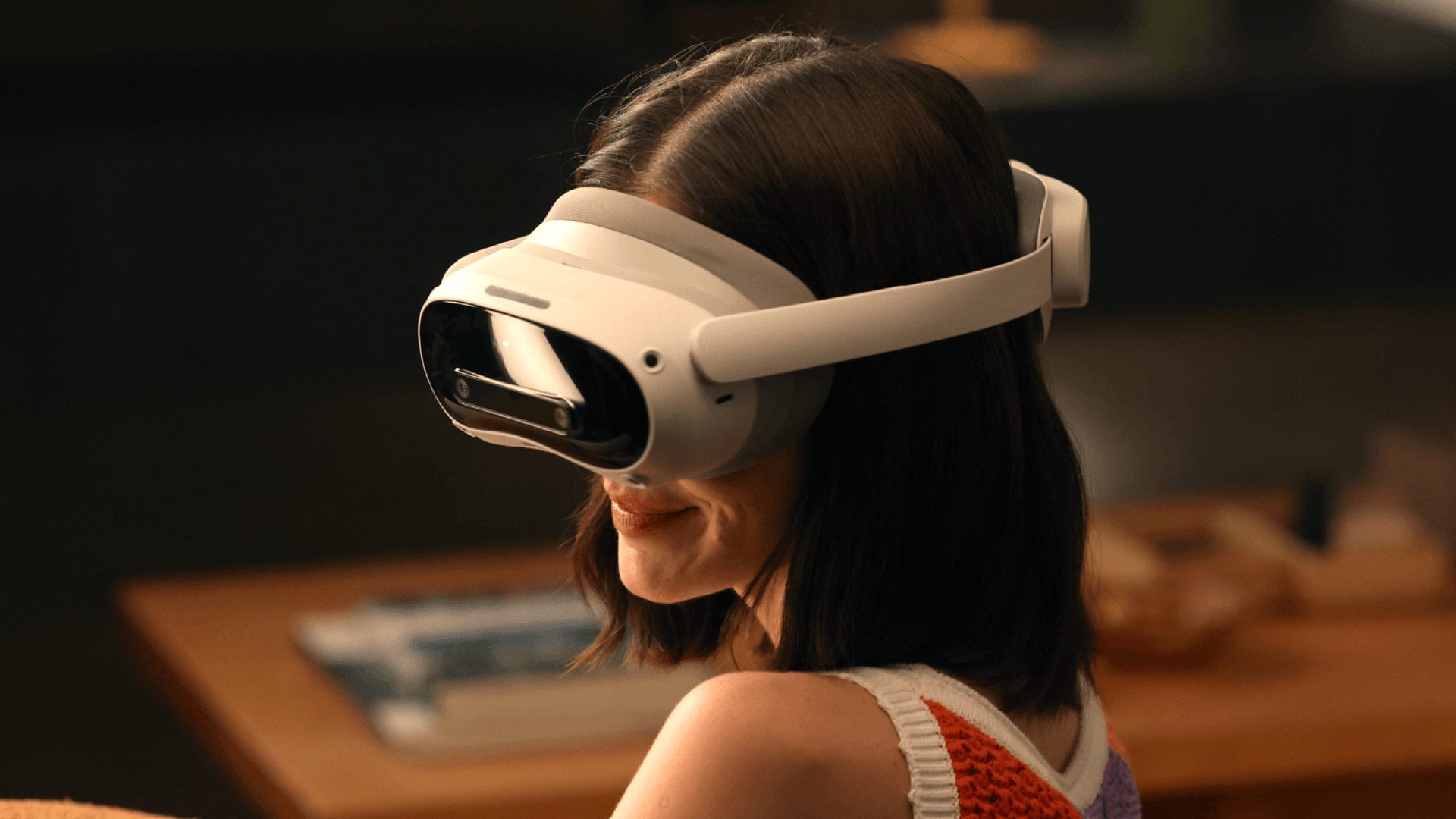
“This session introduces the core OS and platform capabilities that enable developers—from XR specialists to non-XR app, web, and game creators—to build or adapt content for this emerging medium,” Pico says. “It presents a new paradigm for spatial experiences in which games and apps coexist, allowing a primary experience to run alongside companion applications in a shared environment.”
The Information initially reported last summer that Project Swan is set to be a slim and light headset weighing in at around 100 grams, which allegedly features a hybrid design that offloads processing to a tethered compute puck. Other reported features include hand and eye-tracking for input.
Then, in November 2025, Zhenyuan Yang, Vice President of Technology at Pico parent company ByteDance, revealed the headset will house a self-developed chip with a custom microOLED display, the latter of which is said to approach 4,000 PPI—slightly higher than that of Apple Vision Pro’s 3,386 PPI.
Furthermore, Yang said Pico’s microOLED displays reach an average 40 PPD (over 45 at center), and addresses brightness limitations by incorporating microlens (MLA) technology and optical compensation for uniform color and luminance.
We expect to learn more at GDC next month, which takes place March 9th – 13th at the Moscone Center in San Francisco, California.
Project Swan is slated to mark a significant next step for the company. Pico’s parent company ByteDance ostensibly isn’t throwing money at its XR division like it was before though, so it’s a new game.
Battle lines have shifted since Pico first launched its Pico 4 series headsets in 2022 though. Back then, Pico was nipping at Meta at its peripheral territories in East Asia and Europe, relying on its unique access to the Chinese market, and leaning heavily into enterprise. It also released Pico 4 Ultra in 2024, a direct competitor to Quest 3.
That same year, Apple released Vision Pro, priced at $3,500. A year later, it followed up with an M5-based hardware refresh at the same price point, while Google formally launched Android XR alongside Samsung’s Galaxy XR headset, priced at $1,800—moves that effectively reframed the competitive landscape.
Rather than racing to the bottom, companies are increasingly targeting the high end, as early expectations around mass-market consumer adoption seemed to have faltered, with Meta’s recent pullback from funding first-party Quest content possibly signaling a broader shift in how the industry approaches the consumer XR segment.
That said, I’d expect Project Swan to straddle the prosumer-enterprise segment, as the company’s next flagship probably won’t be cheap enough to make any grand overtures to consumers while simultaneously offering the very same consumer-oriented platform Pico built up over the years, which hosts a wide array of XR games and apps.
To me, this increasingly puts Pico more in competition with visionOS and Android XR, rather than as a direct competitor to Horizon OS. That said, Meta’s upcoming headset could possibly arrive next year, which is reportedly also a slim and light headset tethered to a compute puck, which may put all four—Apple, Google, Meta and Pico—in the same boat.
The post Pico to Showcase VisionOS and Android XR Competitor at GDC Next Month appeared first on Road to VR.
You don’t need to do much digging online to find complaints about the iPhone keyboard: From typos and spelling mistakes to lag and missed keystrokes, there are multiple issues being reported by users, across multiple versions of iOS. While the root causes of these problems tend to vary, there are some broad fixes you can try that should go some way to giving you an iPhone keyboard experience you can rely on—besides waiting for the next bug-squashing iOS update from Apple.
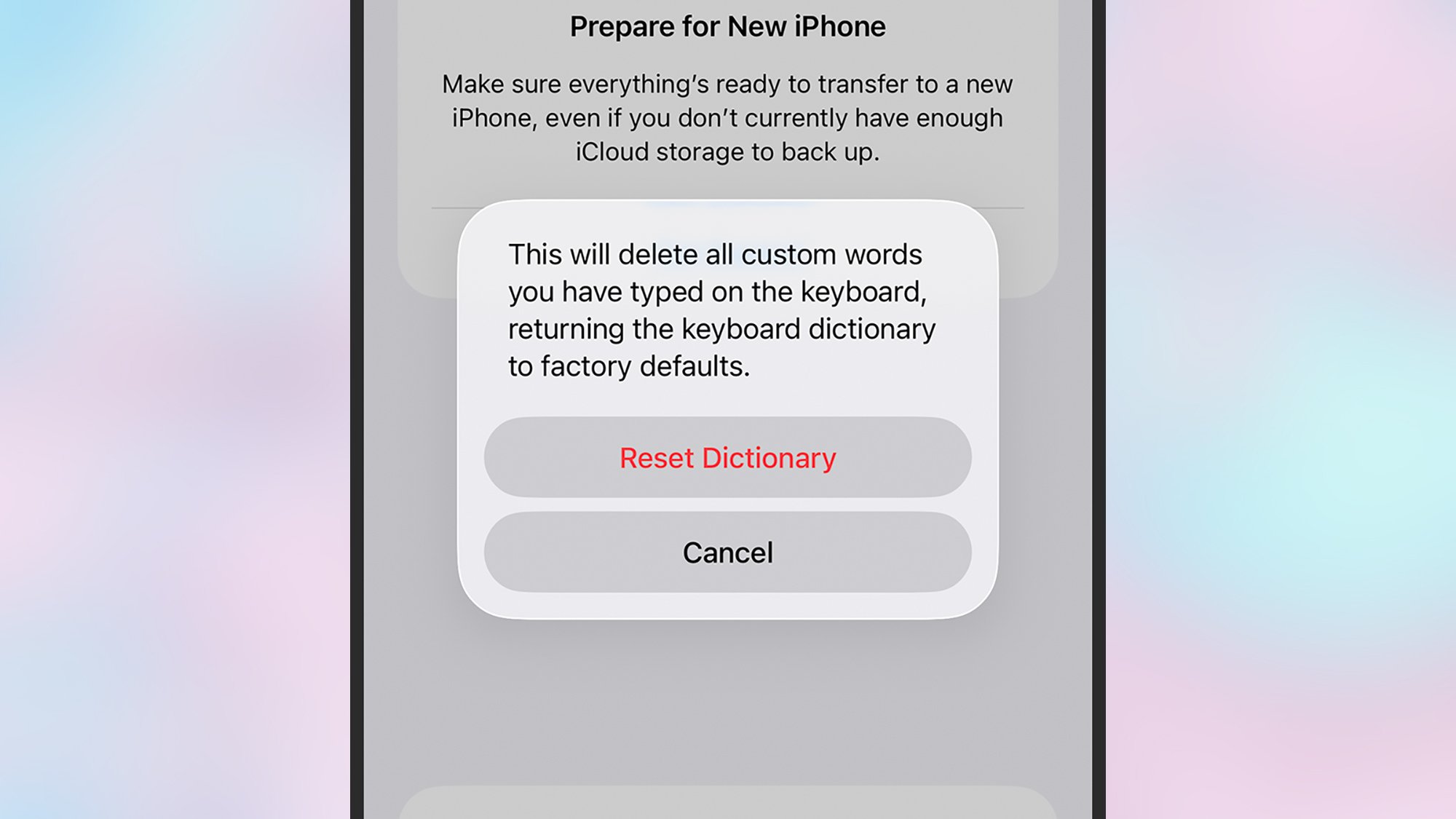
Over time, the iOS keyboard tries to build up smarter autocorrect suggestions for you, but these aren’t always helpful: The further away these suggestions get from the defaults, the worse they can get, which risks turning your sentences into gibberish. To clean the slate and go back to the beginning, open up Settings, then tap General > Transfer or Reset iPhone > Reset > Reset Keyboard Dictionary. Type in your handset’s unlock code, then choose Reset Dictionary.
This may seem to contradict the previous tip, but by explicitly teaching your iPhone the words it often gets wrong, you can reduce the likelihood of those frustrating moments where iOS suddenly replaces the word you were typing with something else (e.g. “he’ll yeah” or “what the duck”). From Settings, tap General > Keyboard > Text Replacement. Tap on the + (plus) button in the top right corner, then enter your word or phrase—you can add a shortcut for it too to help you type it more quickly, but it’s optional. Tap Save to confirm.
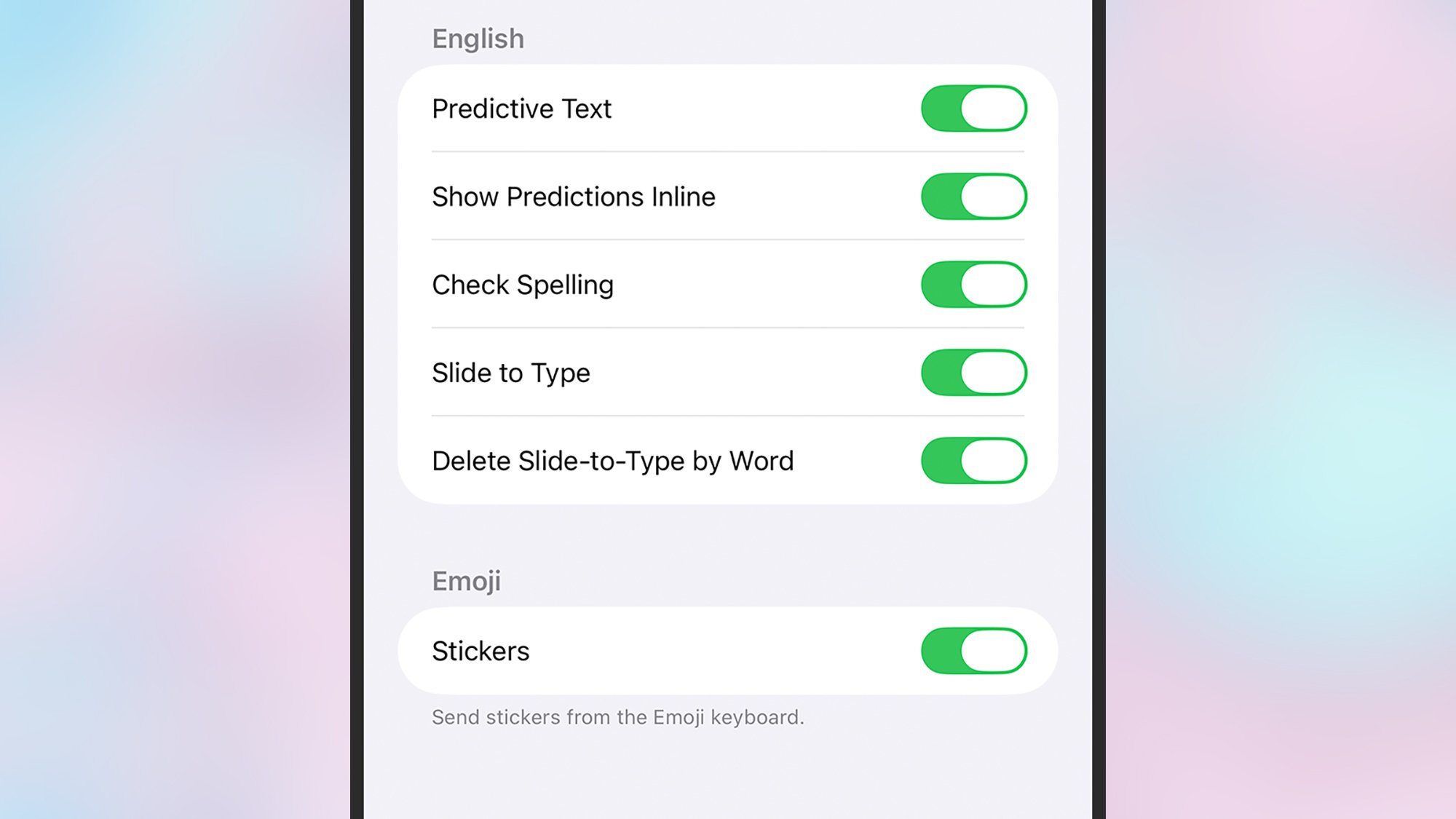
There are more keyboard settings that are worth taking a look at under General > Keyboard in iOS Settings. You can turn Auto-Correction off completely, for example, and disable Slide to Type if your fingers have a tendency to slip across the keyboard. There are additional tweaks you can make through the Accessibility menu in Settings: Under Touch > Touch Accommodations, you can change the sensitivity of double-taps and press-and-holds, among other settings, which may help improve typing accuracy.
There’s not a lot you can do with the iPhone keyboard layout to improve your typing experience and eliminate bugs, but there is a one-handed mode you can try in order to minimize glitches and ensure your keypresses match up with what’s on screen. To switch to the one-handed layout, tap and hold on the globe icon in the lower left corner of the keyboard, then tap one of the icons at the bottom of the pop-up menu: You can move the keyboard to the left, or the right, or put it back to normal.
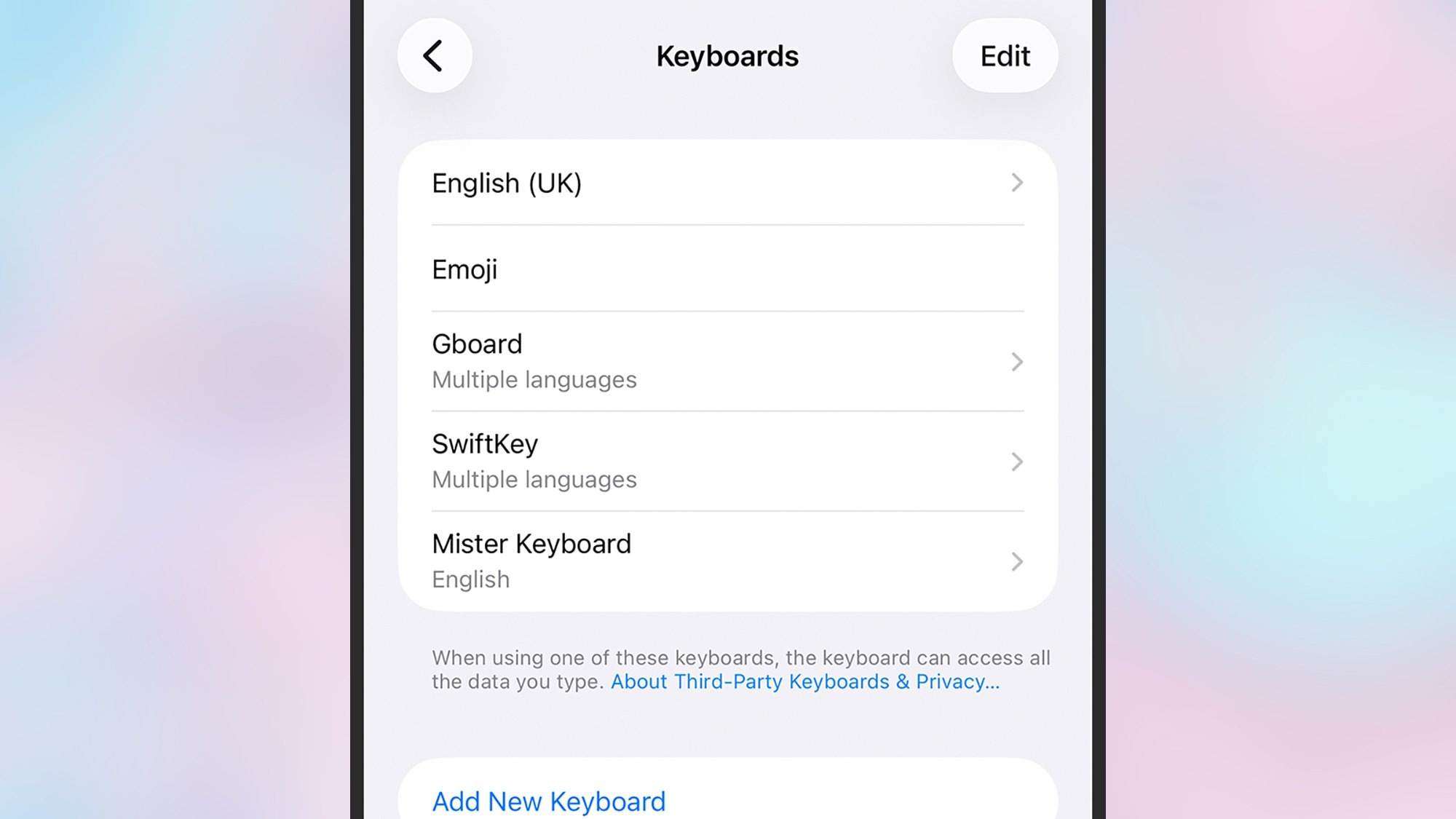
If you’re still struggling with the vagaries of the keyboard on iOS, you can always opt to install a third-party alternative: We’ve covered a bunch here, including Gboard and SwiftKey, and they typically offer more customization options than the Apple default. Once you’ve installed an alternative keyboard or two, you can manage them from iOS Settings by choosing General > Keyboard > Keyboards. To actually switch between keyboards when typing, press and hold on the globe icon (lower left).
There are also some more extreme measures you can take that maybe haven’t crossed your mind. The first is to use a Bluetooth keyboard (via Bluetooth in Settings), which will give you a more convenient (if less portable) way of typing text into your iPhone. The second is to ensure dictation is enabled in General > Keyboard in Settings, then tap the mic icon in the lower right corner of the keyboard, and speak out your text. You can handle emojis, line breaks, text editing, and more, using your voice.
If you’ve been looking for an app to help you get to know Linux commands, Brief is a great option.

Ludovic Mbock is known for playing Chun-Li in Capcom’s fighting game series
Last month, Jason Grad issued a late-night warning to the 20 employees at his tech startup. “You’ve likely seen Clawdbot trending on X/LinkedIn. While cool, it is currently unvetted and high-risk for our environment,” he wrote in a Slack message with a red siren emoji. “Please keep Clawdbot off all company hardware and away from work-linked accounts.”
Grad isn’t the only tech executive who has raised concerns to staff about the experimental agentic AI tool, which was briefly known as MoltBot and is now named OpenClaw. A Meta executive says he recently told his team to keep OpenClaw off their regular work laptops or risk losing their jobs. The executive told reporters he believes the software is unpredictable and could lead to a privacy breach if used in otherwise secure environments. He spoke on the condition of anonymity to speak frankly.
Peter Steinberger, OpenClaw’s solo founder, launched it as a free, open source tool last November. But its popularity surged last month as other coders contributed features and began sharing their experiences using it on social media. Last week, Steinberger joined ChatGPT developer OpenAI, which says it will keep OpenClaw open source and support it through a foundation.
When searching for “MT7902” and “Linux” there is no shortage of users asking about Linux driver support for the Mediatek MT7902 WiFi chipset or users complaining about their MT7902 WiFi not working under Linux with that chipset found in numerous laptops in recent years. Fortunately, there is finally Linux driver support for the MT7902 surfacing for review on the Linux kernel mailing list…
We may earn a commission from links on this page. Deal pricing and availability subject to change after time of publication.
The 75-inch LG evo AI Mini LED 4K Smart TV (75QNED85AUA) is down to $896.99 from $1,396.99 on Amazon, which is the lowest price it has hit so far, according to price trackers. It lands in the middle of LG’s QNED range, sitting above the QNED82A and below the QNED92A. In practical terms, that means you’re getting a big 75-inch screen with Mini LED backlighting and local dimming, plus LG’s latest α8 AI Processor Gen2 handling the picture.
There are four HDMI ports, and all of them can do 4K at 120Hz, so it pairs well with a PlayStation 5 or Xbox Series X. It supports common HDR formats like HDR10 and HLG, and it has Wi-Fi 6E, Bluetooth 5.3, and eARC if you want to hook up a soundbar. LG’s 2025 version of webOS runs the interface, and the company says it will provide software updates for five years through its Re:New program.
In day-to-day use, this TV does a lot right. Regular HD channels and cable broadcasts look solid once you tweak the basic settings. Colors in standard viewing modes look natural instead of overly saturated. Older or lower-resolution content, like DVDs or heavily compressed streams, looks cleaner than you might expect on a screen this large. Motion is handled well for most shows and sports. Slow camera pans in movies look smooth, without that distracting stutter.
For gaming, having four HDMI ports that all support 4K at 120Hz is convenient, especially if you have more than one console. Plus, variable refresh rate (VRR) helps cut down on screen tearing during fast gameplay. Where it falls short is in contrast and brightness. Because it is edge-lit, the black levels are not especially deep, and you can sometimes see a faint glow around bright objects on dark backgrounds. HDR movies do not have the same pop you’d get from a brighter or more advanced panel. And fast, dark action scenes may show a bit of blur. It can also struggle in a very sunny room, where glare becomes noticeable. Still, at under $900 for 75 inches, this is a lot of screen for the money.
Fizik has relaunched the Arione saddle. The long, flat, narrow, low-weight saddle was launched in 2003 and became a must-have for racers until the mid-2010s, when short-nosed saddles came into fashion.
The relaunched Arione is available with lightweight materials, with a conventionally padded upper as well as a new 3D-printed version.
Fizik says the flat profile and narrow width are designed to offer freedom of movement when racing. It states that this enables a rider to find their ideal power and comfort centres, and reduces pressure when adopting an aero position.
There are two widths available for the Arione, 135mm and 145mm, both with 284mm length. That’s almost 40mm longer than a typical short-nosed saddle.
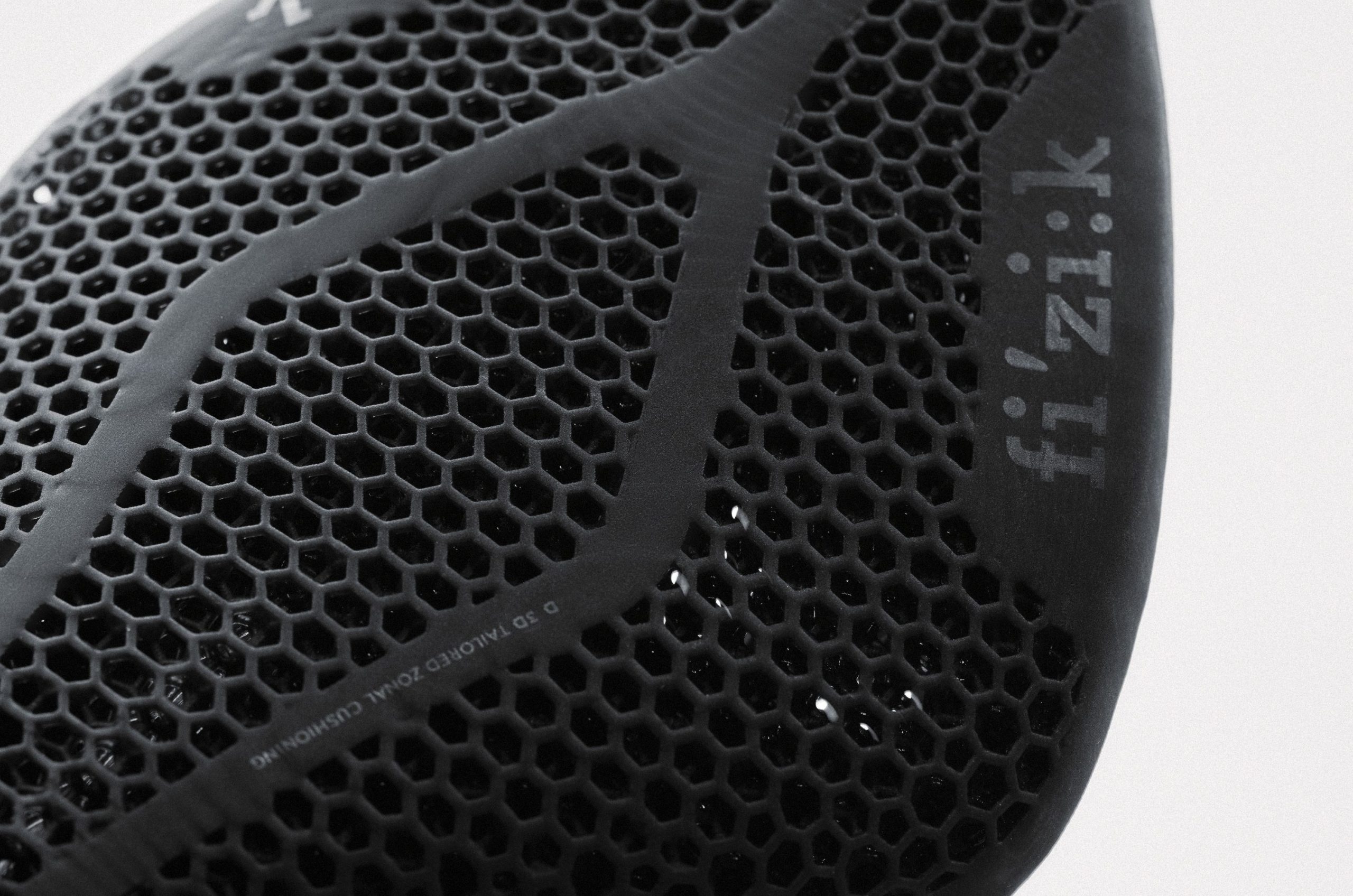
The 3D-printed Adaptive padding is designed to offer zonal cushioning, relying on a more yielding central section for comfort. Fizik claims the 3D-printed surface improves weight distribution and offers a 60% reduction in peak saddle pressure.
The second option includes injected low-profile EVA padding with a non-slip surface texture. While the Arione originally had a flat surface, the relaunched saddle includes a central pressure-relief channel in the EVA top.
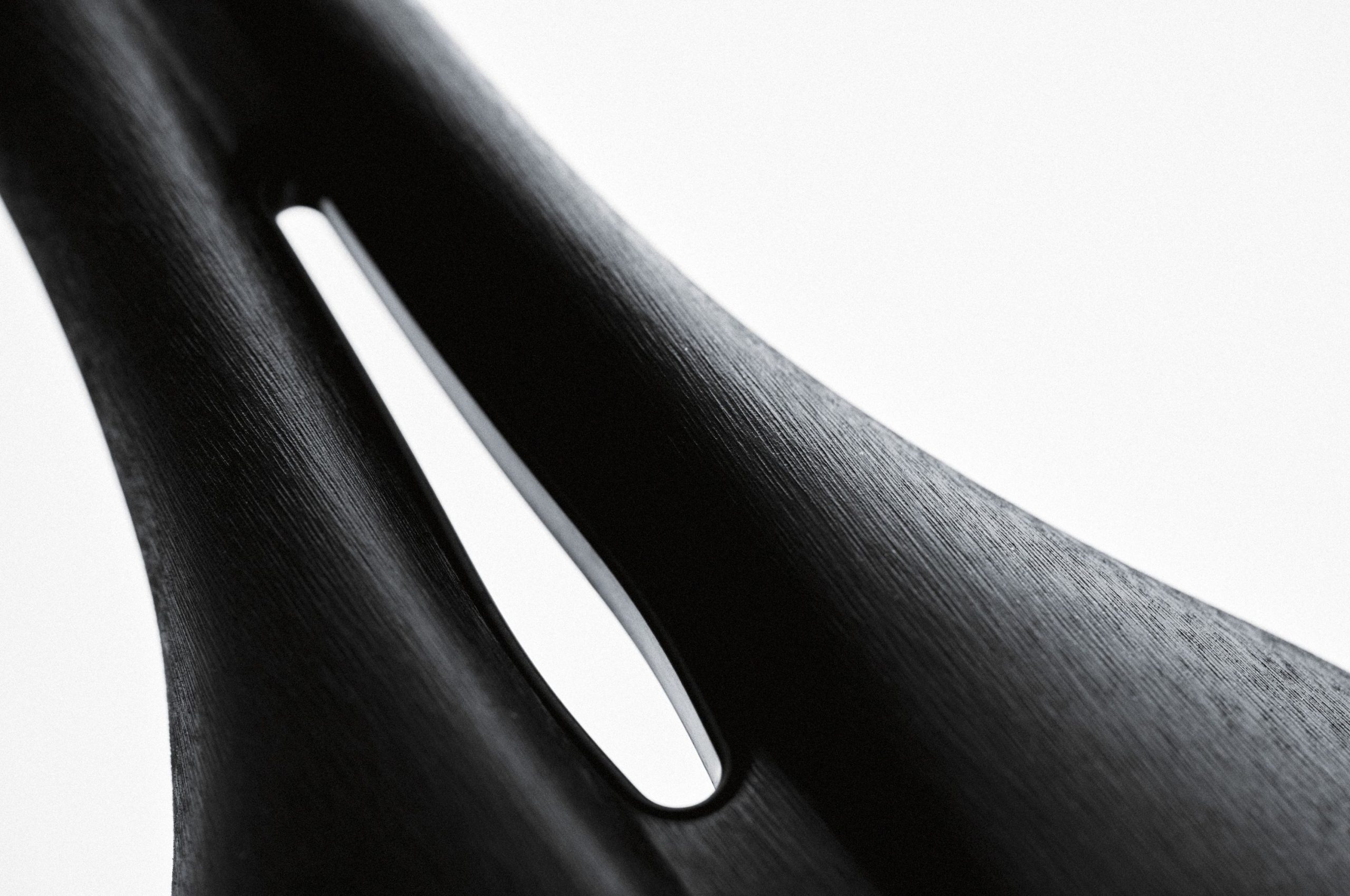
Both saddle tops are mounted on Fizik’s R1 shell, which combines carbon rails with a carbon-reinforced nylon shell.
You can also get the new Arione and Arione Adaptive saddles on Fizik’s lower-spec R3 shell, which combines a carbon-reinfored nylon shell with the brand’s patented Kium alloy rails.
The standard Arione, with its padded upper, is also available on Fizik’s R5 body with S-alloy rails and a carbon-reinfored nylon shell.
The 135mm saddle has a claimed 184g weight with a 3D-printed upper and 147g with EVA padding. The 145mm width has a stated weight of 190g with a 3D-printed upper and 152g with an EVA upper.
For triathletes, the Arione offers the option to add a bottle cage at the rear.
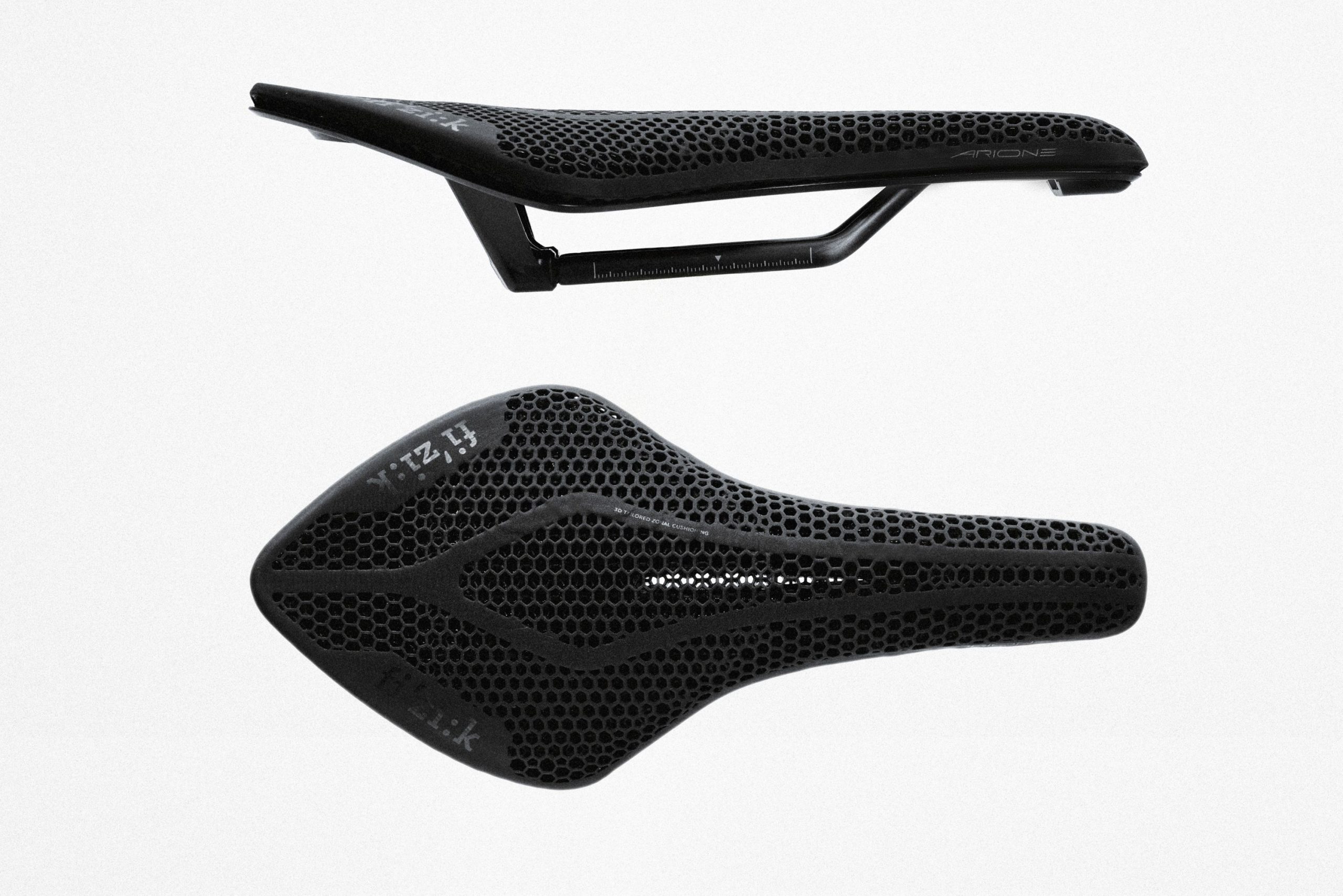
The relaunched Arione is the longest saddle Fizik offers and bucks the modern trend for short, wide short-nosed saddles.
Short-nosed saddles have been promoted for their ability to hold a rider in one position, without shifting while riding – precisely the opposite of Fizik’s claims for the Arione. This potentially reduces the risk of saddle discomfort from saddle sores and lower-back pain.
They’re favoured, too, for their comfort in a more aggressive aero position and enable the saddle to be positioned further forward over the pedals. In combination with the steeper seat tube angles favoured on modern race bikes, this can open up the hip angle and potentially enable the rider to deliver more power.
For racers, a short-nosed saddle also lowers the risk of contravening the UCI’s regulation requiring the saddle nose to be 50mm behind the bottom bracket centre.
As such, the relaunched Arione saddle is rather regressive, tending to favour a ride position that’s more set back. Will it catch on again? For some riders, the ability to shift around when riding will be welcome, while others may still prefer the locked-in feel of a short-nosed design.
A decision to ban Telegram on home soil may have backfired on the Kremlin. Last week, Russia went on a blocking spree, banning a number of Western apps in an effort to push domestic users towards Max, an unencrypted state-owned app. One of the restricted apps was WhatsApp (which was also blocked) rival Telegram, a move that drew rare internal criticism from soldiers and pro-war bloggers, with the army being heavily reliant on the cloud-based messaging service for communications.
As reported by Bloomberg, pro-Russian military channels are now complaining that the sudden Telegram blackout — coupled with Elon Musk cutting Russia’s access to Starlink earlier this month — is now actively harming frontline operations. As well as being the messaging app of choice for millions of Russian civilians, soldiers also use Telegram to liaise directly on the battlefield. The government said last week that it was banning Telegram for violating national law, and that the decision was for the “protection of Russian citizens.”
Bloomberg was told by senior European diplomats that the double blow of Telegram’s sudden unavailability and SpaceX moving to block Russia’s use of “unauthorized” Starlink terminals in Ukraine earlier this month has had a significant impact on Russian comms. Starlink’s satellite coverage is particularly important for coordinating the Russian military’s drone strikes, the frequency of which has seemingly been disrupted in recent weeks, giving Ukrainian forces an advantage.
Whether these developments will have a longer term effect on the tide of the conflict remains to be seen, but a Ukrainian drone operator who calls himself Giovanni has told the BBC that the Russian army has lost “their ability to control the field” in the wake of the Starlink outage. “I think they lost 50% of their capacity for offence,” he said. “That’s what the numbers show. Fewer assaults, fewer enemy drones, fewer everything.”
This article originally appeared on Engadget at https://www.engadget.com/social-media/russias-recent-blocking-of-telegram-is-reportedly-disrupting-its-military-operations-in-ukraine-135250159.html?src=rss

The new mode will be focused on raiding
We love hearing about the latest findings coming out of an Eötvös Loránd University (ELU) research group focused on gifted word learner (GWL) dogs—if only for the pictures of adorable doggoes playing with their toys. Just last month, we learned that such dogs can learn the labels for new toys just by overhearing their owners talking about those toys. The group is back with yet another new paper, published in the journal Animal Cognition, presenting evidence that GWL dogs have a preference for novel toys and like to share them with their owners. That social interaction seems to be the key to the unique cognitive abilities of these rare dogs.
As previously reported, ELU co-author Claudia Fugazza has been studying canine behavior and cognition for several years as part of the Genius Dog Challenge. For instance, the group’s 2022 study discovered that dogs store key sensory features about their toys—notably what they look like and how they smell—and recall those features when searching for the named toy. Prior studies had suggested that dogs typically rely on vision, or a combination of sight and smell, to locate target objects. GWL dogs can also identify objects based on verbal labels.
Last fall, Fugazza’s group discovered that certain dogs can not only memorize the names of objects like their favorite toys, but also extend those labels to entirely new objects with a similar function, regardless of whether or not they are similar in appearance. It’s a cognitively advanced ability known as “label extension,” and for animals to acquire it usually involves years of intensive training in captivity. But the dogs in this new study developed the ability to classify their toys by function with no formal training, merely by playing naturally with their owners. It’s akin to a person calling a hammer and a rock by the same name, or a child understanding that “cup” can describe a mug, a glass, or a tumbler because they serve the same function.
We may earn a commission from links on this page. Deal pricing and availability subject to change after time of publication.
The OnePlus Buds Pro 3 are down to $129.99 on Amazon, from their usual $179.99. That is their lowest price so far, according to price trackers. PCMag gave them an “excellent” rating, largely because they deliver strong sound and active noise cancellation without pushing into premium pricing. At this price, they sit in the crowded midrange category, but they offer a feature set that competes with more expensive earbuds.
These IP55-rated earbuds use a dual-driver setup, with 11mm and 6mm drivers working together to produce a wide 10Hz–40kHz range. In practice, that means deep bass that feels full but not bloated, and highs that stay clear instead of sounding harsh.
The Buds Pro 3 support Bluetooth 5.4, multipoint connectivity, and codecs like AAC, SBC, and LHDC 5.0 for compatible devices. If you own a recent OnePlus phone, you can access high-res audio and most settings directly through the Bluetooth menu. On other Android or iOS devices, the HeyMelody app unlocks nearly everything, including five EQ presets, a six-band custom EQ, and features like a fit test and Golden Sound tuning (which adjusts the audio profile to match the unique shape of your ear canal).
As for its ANC performance, it holds up well for the price. It cuts down low engine rumble on planes and buses and reduces background chatter in busy cafes. That said, its transparency mode (while serviceable) sounds slightly artificial, notes this PCMag review.
Battery life is solid but not class-leading. With noise cancellation on, you get up to six hours per charge, plus another 19 hours from the case. Turn ANC off and that jumps to about 10 hours, with 33 more from the case. It charges via USB-C and also supports wireless charging.
At $129.99, these are not flawless, but they cover the essentials well. You get strong sound and noise cancellation, and a long list of features that are often reserved for pricier models.
te
We may earn a commission from links on this page.
Claire Danes is grieving mother and author Aggie Wiggs; struggling with her next book, she decides to focus it on her neighbor—which is obviously a good idea, even more so because he was accused of murdering his first wife. What could go wrong? Matthew Rhys plays Nile Jarvis, the maybe-murderer neighbor, who gets caught up in the mix when Abbie’s story becomes about way more than just one death. You can stream The Beast in Me on Netflix, and then check out some of these other shows about deadly secrets, vicious lies, and phenomenally bad decisions.
In a similar “am I just being paranoid?” vein, The Girlfriend stars Robin Wright as Laura Sanderson, a wealthy art gallery owner in London. Her son (Laurie Davidson) brings home a new, working-class girlfriend, Cherry Laine (Olivia Cooke) who immediately strikes Laura as not-our-kind. But is there more to it? Can someone with the name “Cherry Laine” truly be trusted? There’s definitely something off, and we’re kept guessing as to whether or not this is the story of a dangerous con artist or an overbearing mom—or maybe a little of each. It was released as a miniseries, but there’s some interest in continuing the story, so TBD on a second season. Stream The Girlfriend on Prime Video.
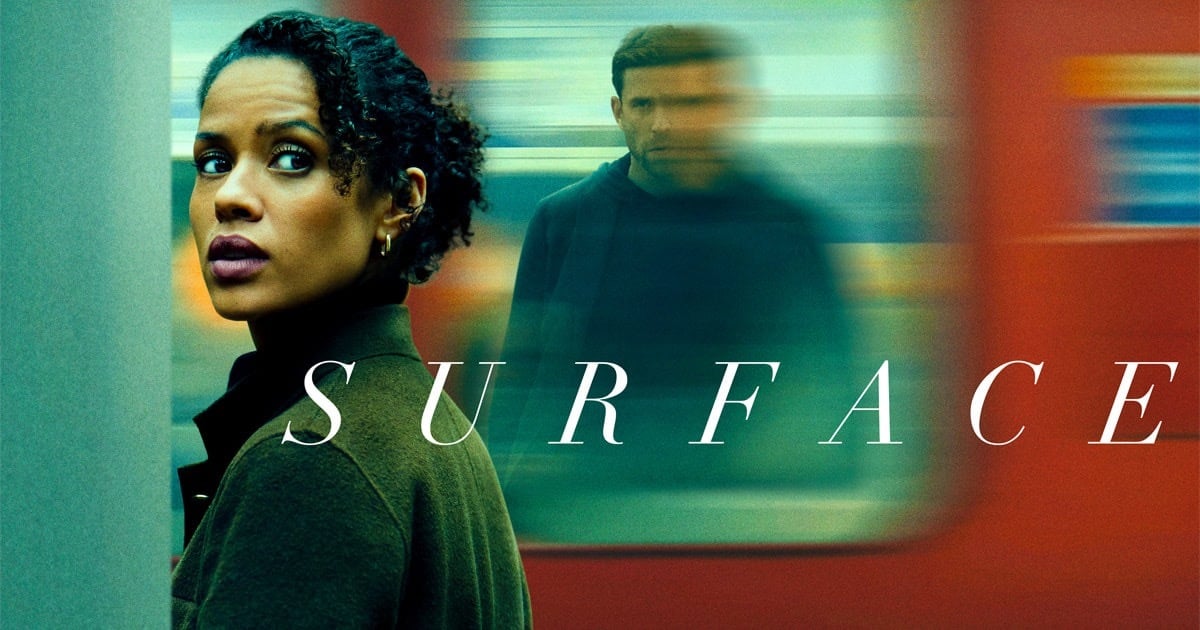
There’s a theme in these shows about the extent to which women can trust their own instincts—this one cuts to the heart of that in the story of Sophie Ellis (Gugu Mbatha-Raw), who survives an (apparent) attempt at death by suicide to find that she’s lost huge chunks of memory. She settles back into life with her husband, but learns that she’d been having an affair. And that her husband might have been embezzling money, among other things, though it all turns on how much she can trust the men in her life and her own fragmented memories, questions which lead her to take on an entirely new identity and sort it all out. Stream Surface on Apple TV+.
Based on a Harlan Coben novel, Fool Me Once is a bit more on the political-thriller end of whatever spectrum we’re on here, but the vibes aren’t dissimilar: Michelle Keegan plays Maya Stern, a former special ops pilot dealing with the murder of her husband—whom she then catches playing with their daughter on a nanny cam. The resulting mystery ties into the earlier death of her sister, and leads to a web of conspiracy involving her husband’s family and a shady pharmaceutical company. Stream Fool Me Once on Netflix.
Created, written, and directed by four-time Oscar winner Alfonso Cuarón, Disclaimer has as impressive a pedigree as you could hope for on streaming TV. Cate Blanchett and Kevin Kline (both, incidentally, Oscar winners) star alongside Sacha Baron Cohen and Leila George. Blanchett plays Catherine Ravenscroft, an award-winning journalist who receives a mysterious manuscript—a novel in which she, herself, appears to be the main character, and which reveals secrets of her past that she thought were long buried. Stream Disclaimer on Apple TV+.
Author on the hunt for a new story that leads her into danger and treachery? Check. In this adaptation of the Gillian Flynn novel, Amy Adams stars as Camille Preaker, a troubled reporter with substance abuse issues who’s only recently been released from a psychiatric hospital. I’m not sure what step of recovery involves returning to her hometown of Wind Gap, Missouri in order to investigate the murder of one girl and the apparently related disappearance of another—all under the watchful, critical eye of her socialite mother Adora (Patricia Clarkson). Stream Sharp Objects on HBO Max.
The first of at least three Alice Feeney thrillers getting streaming series adaptations, His & Hers is a glossy and appropriately twisty mystery starring Tessa Thompson and Jon Bernthal. Thompson plays Annie Andrews, a has-been news reporter who decides to get back on the horse when she learns of a murder in her Georgia hometown. Bernthal is the local detective on the case and—surprise!—he’s also her ex. Can she trust him? Things are definitely going to get personal. Stream His & Hers on Netflix.
The genre here isn’t quite the same as that of The Beast in Me—this one’s more of a detective story with some spy stuff thrown in. Where there’s overlap, though, is in its protagonist: a woman who dives into a mystery without understanding quite how deep and dark and personal things are going to get. Ruth Wilson plays Sarah Trafford, a married art restorer who nobody takes very seriously (including her husband), even after she becomes invested in the fate of a young girl whose family is killed in an (allegedly) accidental gas explosion down the street. Emma Thompson co-stars as hard-living, hard-drinking private investigator Zoë Boehm, who gets involved, rather against her will. The orphaned girl disappears into the system, and no one really seems to care until Sarah hires Zoë and her husband to look into it. Both women soon find they are in way over their heads, as the missing girl points to a much broader conspiracy. Stream Down Cemetery Road on Apple TV+.
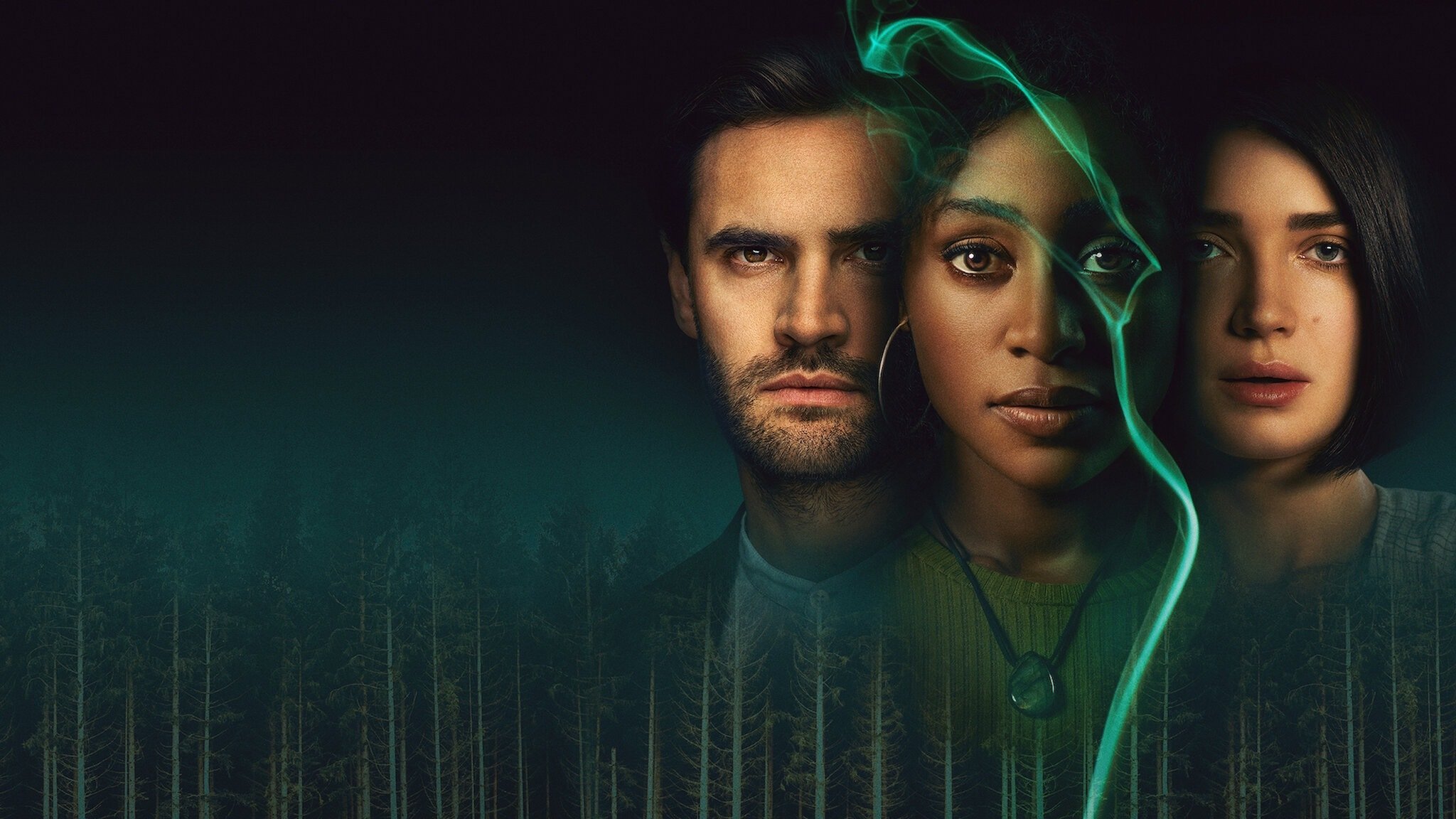
Any psychological thriller worth your time is going to swing for the fences—big twists are the essential ingredients in all of these shows. And then there’s Behind Her Eyes, which builds to a climax so cuckoo bananas that you’ll either applaud its audacity or cackle at its outrageousness. Louise (Simona Brown) is a single mother who starts an affair with her boss—and his wife. And then gets involved with his former mistress following a mysterious death. It all turns on the increasingly complicated set of relationships before it gets really wild. Stream Behind Her Eyes on Netflix.
David E. Kelley brought us this twisty psychodrama (adapted from the Jean Hanff Korelitz bestseller You Should Have Known) starring Nicole Kidman as Grace Fraser, a Manhattan psychologist married to oncologist Jonathan (Hugh Grant). She keeps running into a woman named Elena whose increasingly strange behavior disturbs Grace, more so when the woman is murdered. Things get really alarming, though, when she tries to contact Jonathan, who’s disappeared, leading her into a web of secrets in lies that are entirely too close to home. Stream The Undoing on HBO Max.
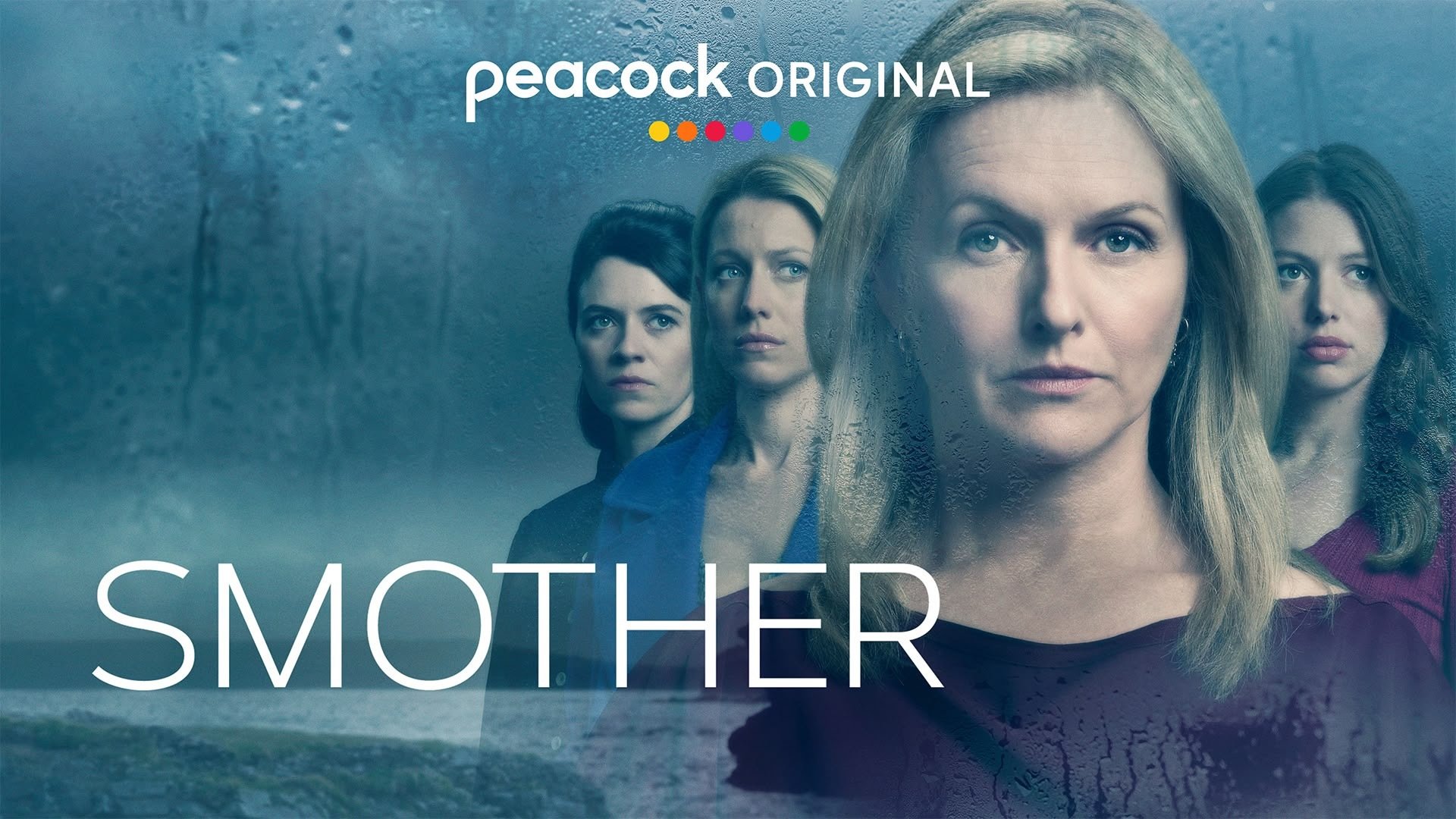
Smart and addictive, Smother starts with a body on a beach and then flashes back to a 50th birthday party for Val (Dervla Kirwan) hosted by her husband, Denis. That celebration takes a turn when Denis announces, in front of their kids and assorted guests, that he and Val are getting a divorce and that she’s going to live with her rather much younger boyfriend, who Denis tacitly threatens. Naturally, it’s Denis whose body we saw earlier, and, while there a lot of people with motives, Val is determined to get to the bottom of it. Stream Smother on Peacock.
A bit of counter-programming here, perhaps, in that we’re traveling back to the Jazz Age for an explicitly Agatha Christie-style detective story. And yet! Mia McKenna-Bruce’s Bundle Brent has a lot in common with the modern-era women in the rest of these shows: She’s smart, curious, and surrounded by men (mostly) looking to gaslight the hell out of her. Bundle lives with her mother (Helena Bonham-Carter) in a decaying manor house that they rent out to pay the bills. A party hosted by a steel magnate ends with one of the guests dead—a friend who’d been hinting all night that he planned to propose to Bundle but, according to the police and pretty much everyone else, he died by suicide. Nothing to do but move on. She doesn’t, of course, and manages to convince Christie mainstay Superintendent Battle (Martin Freeman) that there might be more to it, especially when things start to tie back to the death of her father years earlier. Stream Agatha Christie’s Seven Dials on Netflix.
Jennifer Garner stars as Hannah Hall, a successful woodturner (which, I’ve learned, is a thing) trying to forge a bond with her stepdaughter—in order to help solve the mystery of her missing husband. The standalone first season ranked as Apple’s most watched limited series ever, so we’re getting a second based on another bestseller from Laura Dave. Stream The Last Thing He Told Me on Apple TV+.
An anonymous reader quotes a report from the Financial Post: In 2024, the Ethiopian government banned the import of fossil fuel-powered vehicles and slashed tariffs on their electric equivalents. It was a policy driven less by the country’s climate ambitions and more by fiscal pressures. For years, subsidizing gasoline for consumers has been a major drag on Ethiopia’s budget, costing the state billions of dollars over the past decade. The country defaulted on its sovereign bonds in 2023 after rising interest rates drove up the costs of servicing its debts, and it received a $3.4 billion bailout from the International Monetary Fund the following year.
In the two years since the ban on internal combustion engine vehicles, EV adoption has grown from less than 1% to nearly 6% of all of the vehicles on the road in the country — according to the government’s own figures — some way above the global average of 4%. “The Ethiopia story is fascinating,” said Colin McKerracher, head of clean transport at BloombergNEF. “What you’re seeing in places that don’t make a lot of vehicles of any type, they’re saying: ‘Well, look, if I’m going to import the cars anyway, then I’d rather import less oil. We may as well import the one that cleans up local air quality and is cheaper to buy.'”
For decades, Ethiopia’s high import tariffs on vehicles put new car ownership out of the reach of most of the country’s population. Per capita gross domestic product is only about $1,000, and even by the standards of low-income countries, it has among the lowest car ownership rates. At 13 vehicles per 1,000 people, it’s a fraction of the African average of 73. With few cars manufactured in the country, the vast majority are imported, and most are bought used. The government’s import policy has upended the market. In parallel, tariffs for EVs were dropped to 15% for completed cars, 5% for parts and semi-assembled vehicles, and zero for “fully knocked down” — vehicles shipped in parts and assembled locally. That has made new EVs cost-competitive with old gasoline cars.


Read more of this story at Slashdot.
Yesterday, I published a post covering the CORE sensor’s metrics, the science backing them up, and how Zwift and the CORE sensor and app work together. Read it here >
Today, I’ll be discussing my personal experience heat training with CORE in recent weeks. Also included: a pile of tips to help you optimize your heat training. Let’s dive in!
Cycling provides such an interesting “laboratory” for testing our bodies, doesn’t it? I’m continually fascinated by how different training methods and tools lead to different adaptations in our bodies. Sometimes I feel like I’m more of a lab rat than a human as I test all this stuff out. But it’s just too much fun!
Heat training is particularly compelling because the science behind it is solid, and Zwift provides a well-controlled heat-training environment. It’s really interesting to watch (and feel) in real time as your body reacts to heat stress.
While I did a lot of heat sessions that were free rides or even Zwift group ride events, what I found I enjoyed the most was using ERG mode to precisely control my power output, clicking my Play controller buttons to adjust FTP bias to increase or decrease the power to keep my heart rate in its desired range.
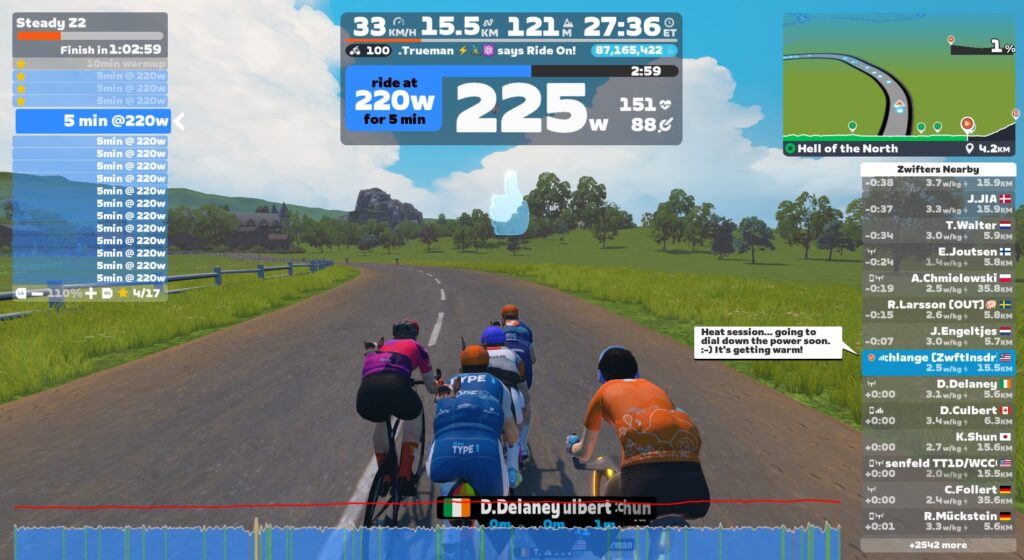
I built a custom ERG workout that was basically 90 minutes of 5-minute zone 2 blocks. I would start with the FTP bias adjusted up to 110% or even 125%, then drop it to keep my heart rate below ~150 (mid zone 3 HR for me).
As the workout progressed, eventually my heart rate would get up over 150 and not want to come down, even at low power numbers. That’s when I knew it was about time to wrap it up. Those ERG sessions would end up looking like this:
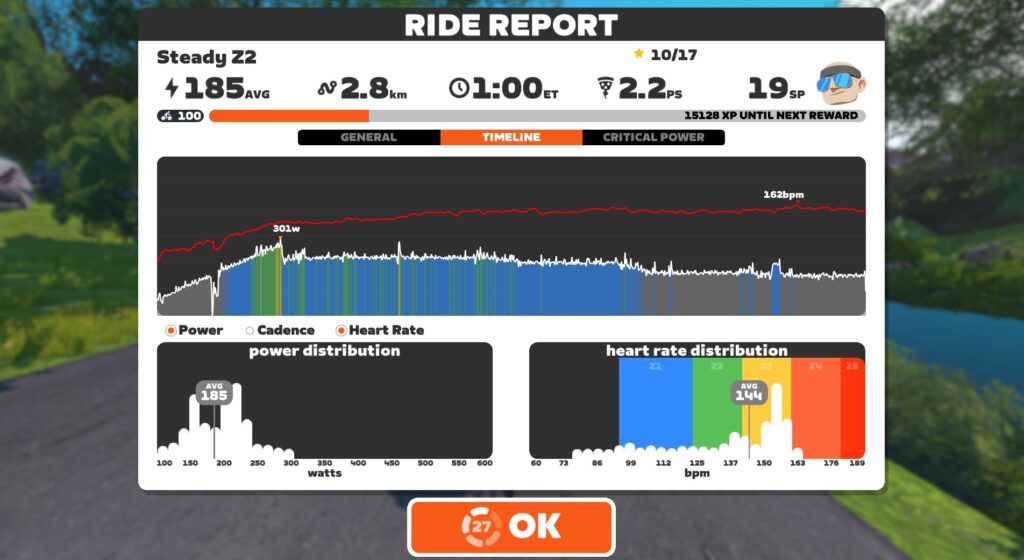
Note how power decreases over time, while heart rate increases. This is what an increasing core temperature does to your performance, and why you should have good ventilation and a good fan running if you want to perform your best on race day!
I’m sure readers will want to know if heat training boosted my performance, and by exactly how much. Unfortunately, I’m going to disappoint you here, because I didn’t go about this in a structured/scientific way.
In hindsight, I should have measured various performance metrics (VO2max, FTP) and even sweat metrics (I have two different sweat sensors sitting here to review) prior to starting my hard heat training block. Then I could have repeated those tests afterward.
But I didn’t do that. In the swirl of testing various trainers, Zwift updates, three different bikes/power meters, enjoying the holidays, and deciding to jump into heat training, I missed that crucial setup step.
So all I can share with you is some anecdotal “evidence.” My feelings. Perceived exertion. Subjective event results. Here they:
There’s a lot of information in my heat training posts, but I think the most useful info is in this section. Here’s why: despite the promises of increased performance, I’ve historically struggled to fit heat training into my weekly schedule. Between ZRL races on Tuesdays, leading a 100km ride on Thursdays, and doing a long outdoor session on Saturdays, every time I decided to work on heat training I gave up because it was just too hard to dedicate enough training time to accumulate meaningful heat adaptation.
But then I booked a call with Brian Maiorano, Performance Coach at CORE. He gave me some tips to maximize my heat training sessions. I also saw that I had a 3-week block I could dedicate to heat training. Serendipity!
Here’s my distilled list of tips to help you train with heat successfully.
Unless you want to heat your Pain Cave to uncomfortable levels, you’ll need to wear warm clothing to get your core and skin temperatures high enough to accumulate a meaningful heat training load. Basically, what you’re looking for is clothing that keeps the air off your skin (which stops evaporative cooling) and keeps heat in.
Finding what works for you may take a bit of experimentation. We each have different clothes in our cycling wardrobes, bodies that work differently, and differing pain cave conditions.
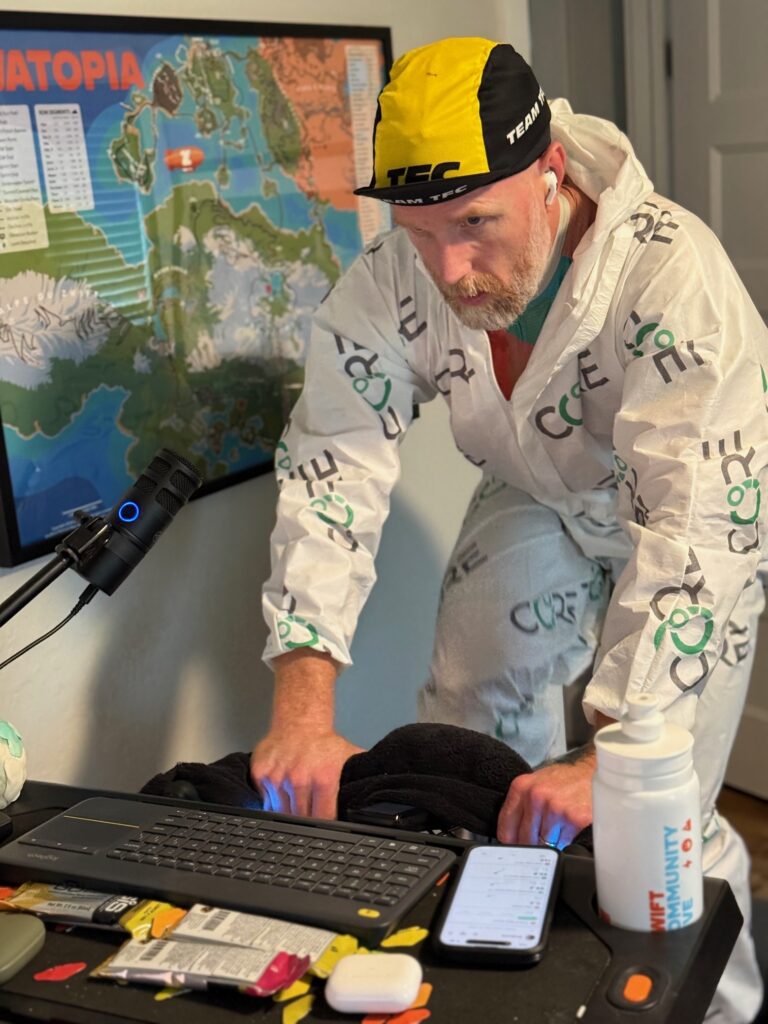
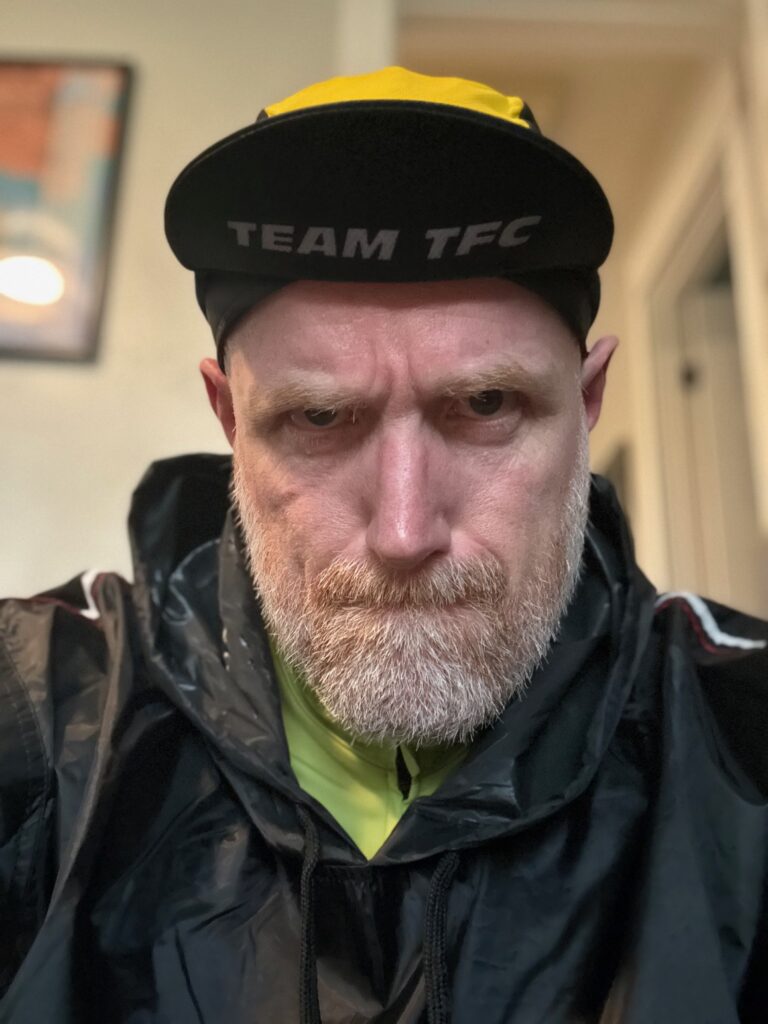
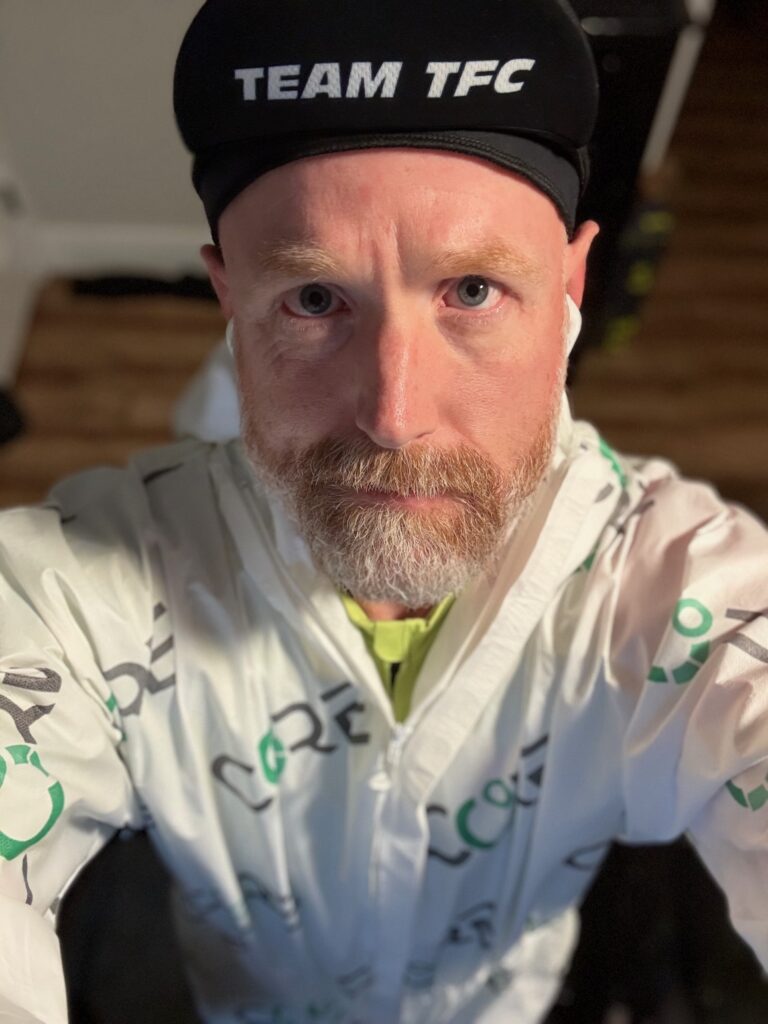
CORE sells a heat training suit, which I’m modeling above. This is what I wore for all my early heat sessions, and I also wore it when I started my big heat training block in December 2025. The suit is nice in that it’s a single article of clothing you can put on over your normal Zwifting kit, and it works, trapping heat and stopping evaporation. The downside of the suit, for me at least, is that it’s not terribly comfortable. The loose fabric can move around and bunch up, the hood can get pulled tight when you sit down after standing up, etc.
Eventually, I bought a cheap “sauna suit” on Amazon. Best $36 I’ve ever spent! The pants I didn’t need, but I wore thermal bibs I already owned, plus an old cycling jersey, plus the sauna suit jacket, a halo headband, and a casquette on top of the headband. Viola! This was the winning combo. It felt fairly comfortable, while also keeping the heat in.
While we’re talking about clothes, let’s give a nod to our poor cycling shoes. Mine would be soaked through by the end of a heat session, a pool of sweat having dripped out the holes in the bottom of the shoes, and I could actually pour sweat out of the shoes when I took them off.
A shoe dryer is handy if you want to wear your shoes the next day. Again, Amazon came to my rescue with a cheap one that works great (so far).
After each heat session I would be so sweaty, and my clothes so sweat-soaked, that I would just climb into the shower fully clothed. Shoes and all! I would let the water wash away much of the sweat, stripping off pieces of clothing and purposely rinsing then ringing them out and hanging them on the shower rack.
This removed most of the sweat from the clothes, so they didn’t sit around stinking all day. It also let me reuse my sauna jacket the next day without having to launder it, since it’s made of a material that doesn’t absorb sweat.
Here are three CORE sensor must-dos:
Heat training shouldn’t involve massive dehydration. You’ll sweat a lot, but you want to be replacing that sweat! Be sure to fill at least two bidons per hour of heat training, and add electrolytes to your water, since you’ll be losing a lot of them.
Weighing myself before and after sessions, I learned that I sweat around 5 bidons worth in 1 hour. Amazing! Your sweat rate may be higher or lower, but I recommend weighing yourself before and after so you know how much you need to drink.
I settled on filling two bidons per hour of riding, along with drinking a lot following each session.
While I tried various electrolyte powders, I used EC Sports’ Electralyte the most due to its good taste, lower cost, and high potassium content. (I tend to be rather potassium-deficient, especially when doing a lot of sweaty training.)
Rehydrating fully/quickly and managing electrolytes isn’t as crucial if you aren’t doing heat training on back-to-back days, but it’s absolutely vital if you’re doing a heavily concentrated heat block like I did. And even then, there were days when it felt like my body was just confused. “You’re sweating out so many electrolytes, and ingesting a lot as well!”
You may not sweat as much as me, but I promise, you will sweat a lot. You’ll want to have some sort of sweat wrangling scheme in place, because it will get everywhere.
Think of what you’d need to do in your pain cave to keep things clean and undamaged if you were going to empty 4-5 bidons worth of liquid above your bike, then do that. You can always change the setup later, but it’s better to avoid regrets.
What I found worked for me was a beach-sized towel on the floor below my bike (beginning in front of my handlebars and ending past the back of my pedal stroke). This towel would be soaked by the end of the session. I would also have four hand towels within reach. Two would be used to dab my face for sweat, and two would be used on my handlebars to catch sweat before it dripped onto my bars or stem. (I used four towels because I would swap to a dry towel about halfway through the session.)
To accumulate maximum Heat Training Load per session, the trick is raising your core and skin temperatures quickly, then keeping them high as long as possible.
Raising them quickly means ramping up your power quickly. The more watts you’re putting out, the more heat your body is dumping into your core. Simple as that. So get on the bike, spin a bit to wake up the legs and heart as long as you need, then ramp up the power for the next 10-20 minutes. This will quickly get your temperatures up.
How high you spike your power in these early minutes is entirely up to you. You could go really high (think race pace), get up into sweet spot territory (~85-95% of FTP), or go lower, perhaps just high tempo. What you do may depend on what sort of effort you’re looking to do that day, because you could do some hard intervals early in your ride, before you get overheated.
Me, I found that during my hard heat training block, I couldn’t hold my power any higher than sweet spot for very long, even early in the workouts. So I would sit in that power window for 10-20 minutes, then settle into zone 2 power, then eventually drop below zone 2 as my core temp continued to rise along with my heart rate.
The big tip CORE’s Brian Maiorano shared with me that helped me get more heat stress is this: when you’re done with your session, don’t just strip everything off and hit the showers to cool down. Instead, sit down and sweat. I would climb off my bike, spread my driest towels on the floor, then sit there for another 15 minutes or so, checking notifications on my phone.
The beauty of this is, you don’t feel like you’re suffering anymore. You’re just sitting there, still sweating, while your temperature and heart rate slowly come down. While this is happening, the CORE app is still recording your metrics, and your elevated temperature and heart rate are still combining to count for more heat training stress, which boosts your session’s Heat Training Load. This added a point or two to each session’s HTL (which is scored from 0 to 10). That’s huge!
One interesting thing about heat training is that you don’t need to time it to “peak” at a particular time. You can maintain your high heat adaptation if you prioritize it and work it into your training schedule.
CORE says, “Once you are adapted to the desired level, you can maintain those adaptations by performing 1–3 heat sessions per week. Failure to continue heat training will result in loss of adaptations. Adaptations decrease by about 2.5% for every day without heat training, disappearing entirely within 5–6 weeks.”
Once I learned I’d been wearing the v2 sensor backward, I was looking forward to doing a session with it worn correctly, to see if I could get my numbers up! Here’s that first session, in late November of 2025, when I jumped into an Off the MAAP event and rode in the CORE suit for 90 minutes, accumulating the maximum Heat Training Load possible in one session: a 10 out of 10!
Have you done any heat training? Have you used the CORE sensor to do so? Share your thoughts, questions, and experiences below!
If you have questions about heat training, I highly recommend checking out CORE’s support articles, which are impressively detailed and thorough. Visit help.corebodytemp.com.
Learn how to use Bash aliases to shorten commands, reduce errors, speed up tasks, and improve your productivity in the Terminal.
Meta is reportedly gearing up to enter another segment of the wearables market. According to The Information, the company is planning to release its first smartwatch sometime this year. Meta has revived its smartwatch initiative internally called “Malibu 2,” The Information says, which will come with Meta AI and health tracking.
The same publication reported back in 2021 that Meta was working on a smartwatch powered by an open-source version of Android. Over the next year, more details of its possible features emerged, including reports that it had a detachable camera and that Meta was developing a model with up to three cameras. But in 2022, the company was believed to have put the project on hold to focus on other wearable devices.
The Information says the decision to pause its smartwatch project was made as part of a broader cut in spending in the Reality Labs division. If you’ll recall, Meta laid off more than 1,000 employees from Reality Labs in January, because the division was hemorrhaging money. Mark Zuckerberg said during an earnings call after the layoffs started that when it comes to Reality Labs, the company was focusing most of its investment “towards glasses and wearables going forward.”
At the moment, Meta’s wearable products are comprised of virtual reality headsets and smartglasses. They include the Meta Ray-Bans, which are a hit in the US. Meta reportedly has four augmented reality and mixed-reality glasses in development, but it’ll take some time until we see them. Based on previous reports, it pushed back the unveiling of its next mixed reality headset model codenamed “Phoenix” to early 2027.
This article originally appeared on Engadget at https://www.engadget.com/wearables/meta-reportedly-plans-to-release-a-smartwatch-this-year-121247838.html?src=rss
Apple Vision Pro is officially getting PC VR foveated streaming, and Samsung Galaxy XR now has the feature via Guy Godin’s Virtual Desktop.
Before you continue reading, note that foveated streaming is not the same as foveated rendering, though the two techniques can be used alongside each other. As the names suggest, while foveated rendering involves the host device actually rendering the area of each frame you’re currently looking at with higher resolution, foveated streaming refers to sending that area to the headset with higher image quality than the rest of the frame.
It’s a term you may have heard in the context of Valve’s Steam Frame, where it’s a fundamental always-on feature of its PC VR streaming offering, delivered via the USB PC wireless adapter by default.
0:00
Valve’s depiction of foveated streaming.
Given that the video decoders in headsets have a limited maximum resolution and bitrate, foveated streaming helps prioritize resolution and compression quality where you’re currently looking.
visionOS 26.4 will bring foveated streaming to Apple Vision Pro, enabling higher-quality wireless VR remote rendering from a local or cloud PC.
Unlike the macOS Spatial Rendering introduced in the main visionOS 26 release last year, which is a relatively high-level system that only supports a local Mac as a host, Apple’s developer documentation describes the new Foveated Streaming as a low-level host-agnostic framework.
The documentation highlights Nvidia’s CloudXR SDK as an example host, while noting that it should also work with local PCs. Apple even has a Windows OpenXR sample available on GitHub, which to our knowledge is the first and only time the company has even mentioned the industry-standard XR API, never mind actually using it.
 UploadVRDavid Heaney
The lead developer of the visionOS port of the PC VR streaming app ALVR, Max Thomas, tells UploadVR that he’s currently looking into adding support for foveated streaming, but that it will likely be “a lot of work”.
Because of how the feature works, Apple’s foveated streaming might even enable foveated rendering for tools like ALVR.
Normally, visionOS does not provide developers with any information about where the user is looking – Apple says this is in order to preserve privacy. Instead, developers only receive events, such as which element the user was looking at as they performed the pinch gesture. But crucial to foveated streaming working, the API tells the developer the “rough” region of the frame the user is looking at.
This should allow the host to render at higher resolution in this region too, not just stream it in higher resolution. As always, this will require the specific VR game to support foveated rendering, or to support tools that inject foveated rendering.
0:00
Clip from Apple’s visionOS foveated streaming sample app.
Interestingly, Apple’s documentation also states that visionOS supports displaying both rendered-on-device and remote content simultaneously. The company gives the example of rendering the interior of a car or aircraft on the headset while streaming the highly detailed external world on a powerful cloud PC, which would be preferable from a perceived latency and stability perspective to rendering everything in the cloud.
We’ll keep an eye on the visionOS developer community in the coming months, especially the enterprise space, for any interesting uses of Apple’s foveated streaming framework in practice.
Meanwhile, Samsung Galaxy XR is getting foveated streaming via Guy Godin’s Virtual Desktop, a $25 third-party app available on Google Play.
Virtual Desktop’s latest update also brings foveated streaming to Meta Quest Pro and Play For Dream MR, though this is less notable as those headsets could already achieve foveated streaming through Valve’s Steam Link.
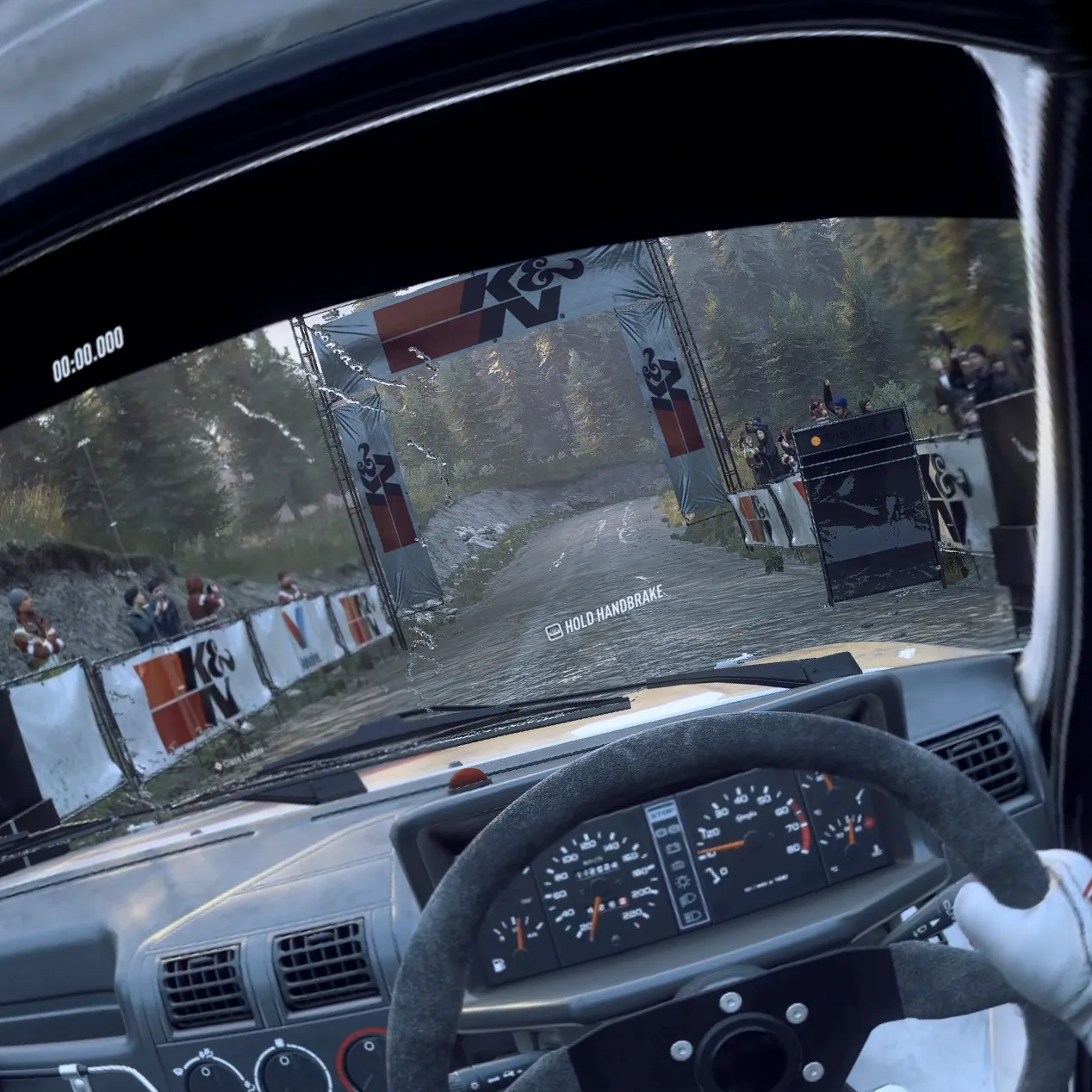
Virtual Desktop without foveated streaming (left) and with it (right).
The feature should also work on any future eye-tracked headset where Virtual Desktop is available, Guy Godin tells UploadVR.
Here’s the full changelog for Virtual Desktop 1.34.16:
• Added Foveated streaming with eye tracked headsets (Quest Pro, PFD & Galaxy XR)
• This uses eye tracking to improve the quality of the image where you are looking.• Improved color gradients and color accuracy with all codecs by using the full RGB color range instead of limited range (for desktop and PCVR)
• Added 96 fps and 100 fps support on Quest 2, 3/3S (only available on Quest v85 PTC)
• Added Gamepad vibration support (also for controllers when emulating gamepad)
• Added adaptive quantization support with AMD GPUs using H.264/H.264+
• Improved initial connection reliability (for real this time)
• Added 21:9 resolutions for virtual monitor on macOS
• Improved thumbstick scroll on macOS and now it respects the natural scrolling option
• Fixed distorted image with some laptop monitor resolutions
• Fixed rare black flash issue when playing some PCVR games
• Fixed hand joints offsets and interference with other drivers in SteamVR
• Fixed compatibility with Roblox anti-cheat
• Fixed more issues with AndroidXR invalid controller poses
• Fixed button support for some recent UE5 games
• Fixed reprojection stutters with some Unity (OVRPlugin) games