Entry is open for Coolest Projects 2025

Coolest Projects is our global technology showcase for young people aged up to 18. Coolest Projects gives young creators the incredible opportunity to share the cool stuff they’ve made using digital technology with a global audience. Everyone who takes part will also receive certificates and rewards to celebrate their achievements.
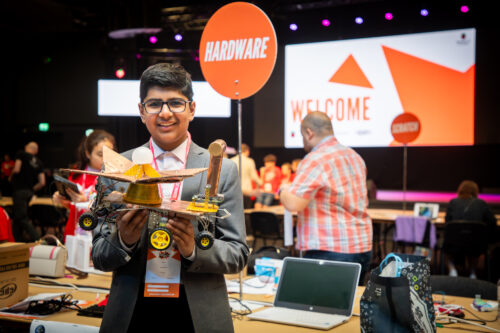
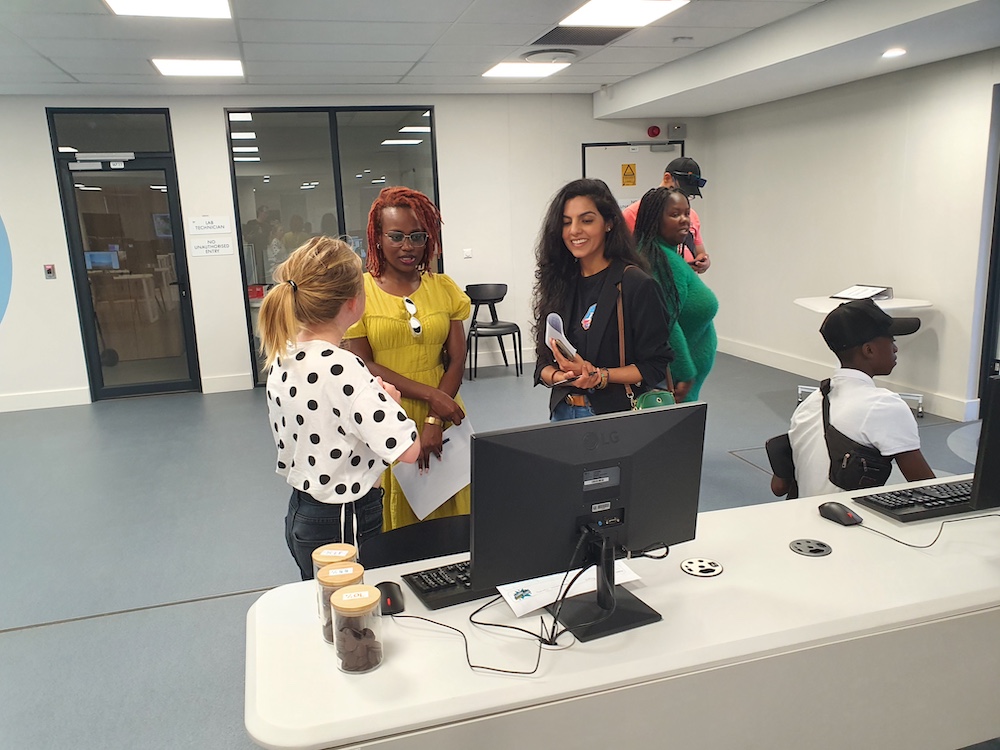
Young creator Jay showcases his Coolest Projects creation at an in-person event.

What you need to know about Coolest Projects

The Coolest Projects online showcase is open to young people worldwide. Young creators can enter their projects to share them with the world in our online project gallery and join our extra special livestream event to celebrate what they have made with the global Coolest Projects community.

By taking part in Coolest Projects, young people can join an international community of young makers, represent their country, receive feedback on their projects, and get certificates to recognise their achievements.

Coolest Projects is completely free to take part in, and we welcome all digital technology projects, from young people’s very first projects to advanced builds. The projects also don’t have to be completed before they can be submitted.
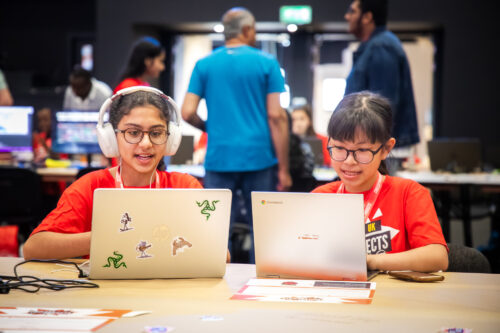
Photo of two young people sitting at laptops at a Coolest Projects event.

Projects can be submitted to one of seven categories: Scratch, games, web, mobile apps, hardware, advanced programming, and AI (new for 2025).

  • Young creators up to age 18 can take part individually or in teams of up to five friends
  • Any young person anywhere in the world can take part in the online showcase, and there are in-person events in some countries for local creators, too (find out more below)
  • Submissions for the online showcase are now open and close on 28 May 2025
  • All creators, mentors, volunteers, teachers, parents, and supporters are invited to the special celebration livestream on 25 June 2025

We know Coolest Projects has a big impact on young people all over the world, and we can’t wait to see your creations for 2025. You can find out more about the incredible creativity and collaboration from mentors and makers worldwide in our 2024 impact report.

How to submit your project
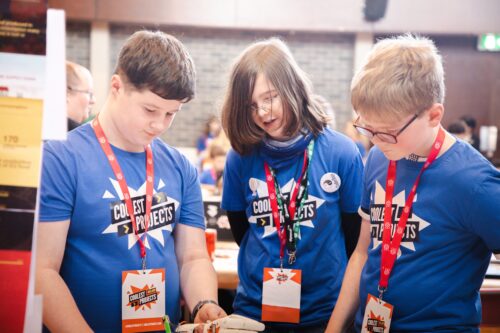
Photo of three young creators discussing their project at an in-person Coolest Projects event.

Taking part in Coolest Projects is simple:

  • Young people think of an idea for their project or choose something they’ve already made and are proud of
  • Young people work with friends to create their project or make it on their own 
  • Creators (with the help of mentors if needed) enter projects via the Coolest Projects website by 28 May
  • Creators’ projects are shared with the world in the online showcase gallery
  • Creators, mentors, and supporters explore the amazing projects in the online gallery and join the livestream on 25 June to celebrate young creators’ achievements with the Coolest Projects community worldwide

Mentors — entering more than one project? Sign up for a group code, and your young people can link their projects to your account.

  1. Sign up or log in. If you don’t have one already, you’ll need to set up a Raspberry Pi account. Click on the ‘sign up’ link in the top right-hand corner of the website to create one, and provide your details. You’ll be emailed a verification code as part of the sign-up process. If you already have an account, you can just log in.
  1. Create a group. Once signed in, you’ll be able to create a group. You’ll be asked questions about your group, including the group name and the country you’re based in, and be asked to agree to some privacy policies before continuing. You will then be able to view your group code and group submissions on your group dashboard. 
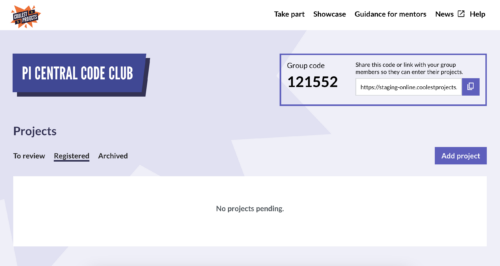
Digital photo of the Coolest Porjects 2025 group code dashboard
  1. Share your group code with your young people. Your group dashboard should look like this, with your group code displayed. The group code is what your young people will need to link their submissions to your account. They’ll be asked to input their group code at the start of the project submission form.

Submit your coolest projects. Every young person who uses your group code will have their project linked to your account. You can review and edit their projects in your group dashboard and submit them from there. There is no limit to the number of young people who can submit entries using your group code.

For a more detailed run-through of how to use group codes, please see our ‘how-to’ video.

Coolest Projects in-person events in 2025

As well as the global online showcase, Coolest Projects in-person events are held for young people locally in certain countries. We encourage creators to take part in both the online showcase and their local in-person event. In 2025, creators can attend the following in-person events, run by the Raspberry Pi Foundation and partner organisations around the world:

  • Coolest Projects Ireland, 1 March 2025 (run by the Foundation) — entry closes on Friday 14 February 
  • Coolest Projects Belgium, 26 April 2025 (run by CoderDojo Belgium)
  • Coolest Projects USA, 5 April 2025 (run by the Foundation) — entry closes on Friday 14 March 2025
  • Coolest Projects UK, 17 May 2025 (run by the Foundation) — entry closes on Friday 2 May 2025 
  • Coolest Projects India, 2025 date coming soon (run by the Foundation)
  • Coolest Projects Ghana, 2025 date coming soon (run by Ghana Code Club)
  • Coolest Projects Malaysia, 2025 date coming soon (run by Penang Science Cluster)
  • Coolest Projects South Africa, 2025 date coming soon (run by CoderLevelUp)
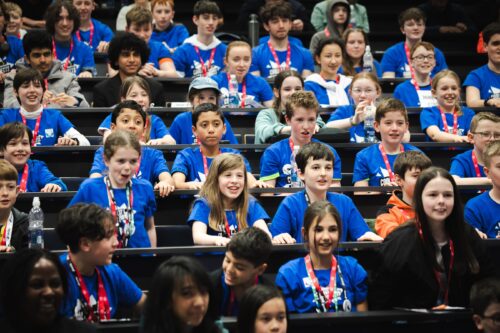
Photo of young creators getting ready to cheer, whilst attending an in-person Coolest Projects event.

More events are on the way, so sign up for the Coolest Projects newsletter to be sure you hear about any in-person events in your country. And if there isn’t an event near you, don’t worry, as the online showcase is open to any young person anywhere in the world.

Need help with your submission? 

Coolest Projects welcomes all digital tech projects, from beginner to advanced, and there are loads of great resources available to help you help the young people in your community to take part. If you’re searching for inspiration, take a look at the 2024 showcase gallery, where you can explore the incredible projects submitted by participants last year.

You’ll find everything you need to know about all seven Coolest Projects categories on our category pages, including our brand new AI category. Our projects site is also a great place for participants to begin — there are hundreds of free step-by-step project guides to help young people create their own projects, whether they’re experienced tech creators or just getting started.
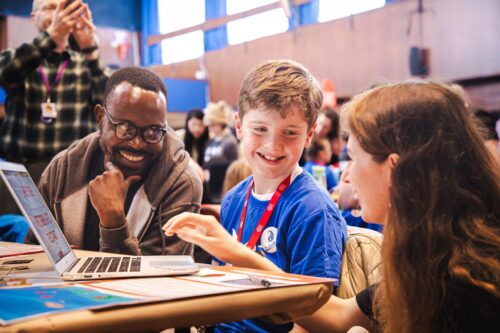
Photo of a young creator showcasing they're project to two Raspberry Pi Foundation judges.

We will also be running a series of online webinars for mentors and young people to help participants develop their creations for each Coolest Projects category. Sign up for the sessions here. All sessions will be recorded, so you can watch them back if you can’t join live.

Be sure to check out the Coolest Projects guidance page for resources to help you support young people throughout their Coolest Projects journey, including a mentor guide and session plans. 

There’s lots more exciting news to come, from the announcement of our VIP judges to details about this year’s swag, so sign up for updates to be the first to know. 

Whether your coders have already made something that they want to share, or they’re inspired to make something new, Coolest Projects is the place for them. We can’t wait to see what they create!

The post Entry is open for Coolest Projects 2025 appeared first on Raspberry Pi Foundation.

Powered by WPeMatico
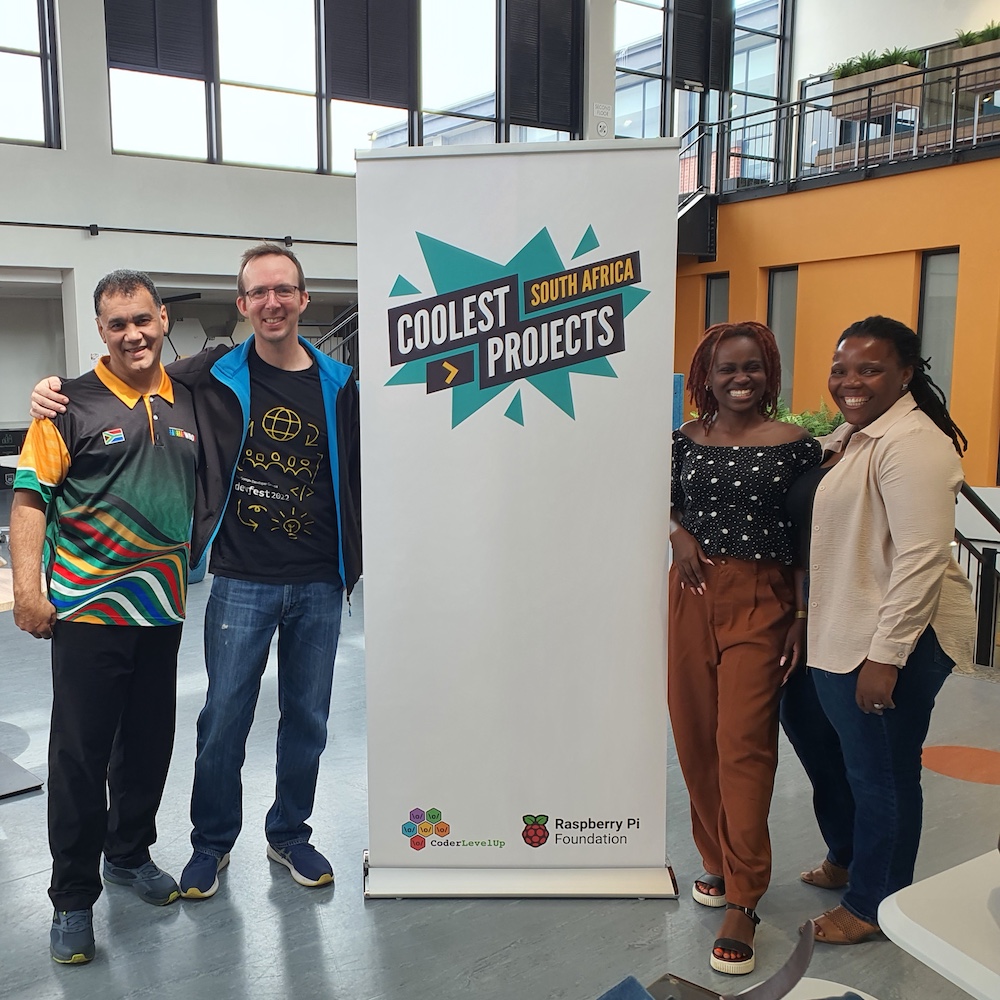
Highlights from Coolest Projects South Africa 2024

Afandi Indiatsi, our Programme Coordinator in Africa, recently attended Coolest Projects South Africa 2024. Read on to hear her highlights.

What happens when creativity, enthusiasm, fun, and innovation come together? You get Coolest Projects South Africa 2024 — a vibrant showcase of students from all walks of life displaying their talent and shaping the future of technology.

Dozens of projects exhibited at the event in Cape Town

Hosted by our partner, Coder Level Up, Coolest Projects South Africa brought together creators, mentors, educators, and industry leaders to celebrate the creativity and ingenuity of young tech enthusiasts from across the country.

A group of educators at the Coolest Projects South Africa event.

With nearly 200 projects submitted and dozens showcased, the event highlighted the impressive talent and potential of South Africa’s next generation of innovators.

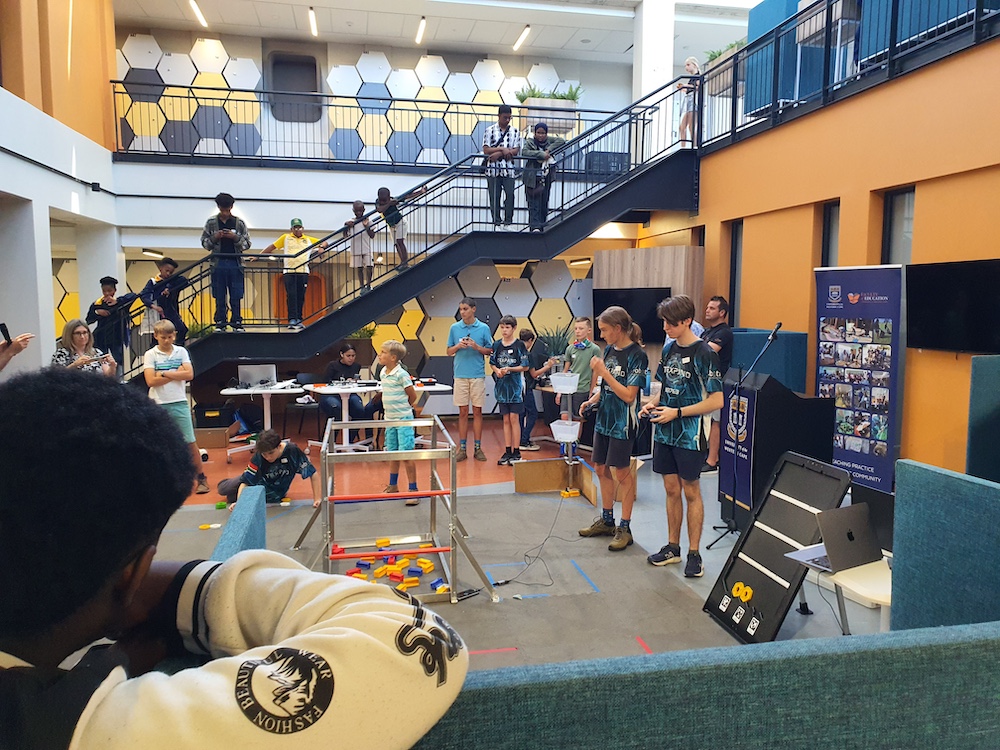
Taking place at the University of Western Cape’s Department of Education in Cape Town, the event was a hub of excitement. Right from the start the venue was buzzing with activity, with the South African World Robot Olympiad (WRO) team kicking things off with a fantastic demonstration of their robotic inventions. Their creations came alive to cheers and applause as they performed flawlessly, leaving attendees in awe — what an inspiration they were!

A group of young people showcases their projects at Coolest Projects South Africa.

Standout projects ranged from garbage collection to chocolate

The participants then presented their projects, each of which was ingenious in its own way. From hardware and visual programming to game development and website creation, there was a wealth of ideas on display — and a demonstration of the boundless potential of young minds when given the right tools and guidance. Adding to the inclusive spirit of the event, participants from Durban and East London joined remotely, their energy resonating through Zoom.

Two young students display their creations at Coolest Projects South Africa.

One standout project was a garbage collection robot created by an all-girls team from Nguzo Saba School. Using a LEGO kit, these creators transformed their idea into a functional invention. What made their project exceptional was their ability to improvise and enhance the kit to achieve their desired functionality. This was a true testament to their creativity, resilience, and problem-solving skills.

A group of young people showcases their projects at Coolest Projects South Africa.

Another memorable presentation came from Emma, who used Scratch to tell the story of the history of chocolate. Her engaging narrative spanned the journey of chocolate from the Olmec civilisation in Latin America to today’s chocolate museums. Emma’s research was extensive, and she captivated the judges not only with her presentation but also with chocolate samples for everyone to enjoy — a sweet touch that left a lasting impression!

Young people display their creations at Coolest Projects South Africa.

How Coolest Projects harnesses the power of education, creativity, and mentorship  

A recurring theme throughout the event was the importance of mentorship. Many of the young people shared that they had sought guidance from mentors, teachers, and family members while developing their projects. This collaborative spirit underscored the role of supportive communities in fostering innovation and creativity among young creators.

Coolest Projects South Africa 2024 was more than a showcase of talent. It was a reminder of the transformative power of education, mentorship, and creativity. Every project had a story of passion and perseverance, and every creator left inspired to dream bigger.

As we reflect on this event — and the many other Coolest Projects events that took place around the world this past year — we are reminded that the future of technology is in capable, imaginative hands.

Get involved with Coolest Projects in 2025

Coolest Projects will be back and bigger than ever before in 2025. 

The Coolest Projects online showcase is open globally to any young person up to age 18. Registration opens 14 January, and we’ll host a celebratory livestream on 25 June.

Thanks to an incredible network of partners, Coolest Projects events will also be hosted in person in many countries around the world. Go to the Coolest Projects website for more event dates and details.

The post Highlights from Coolest Projects South Africa 2024 appeared first on Raspberry Pi Foundation.

Powered by WPeMatico
Ready to remix? Favourite projects to tinker with

From crafting interactive stories to designing captivating games, the Raspberry Pi Foundation’s coding projects offer a hands-on approach to learning, igniting creativity and developing the skills young people need, like perseverance and problem-solving. In this blog, I explore two of my favourite projects that young coders will love.

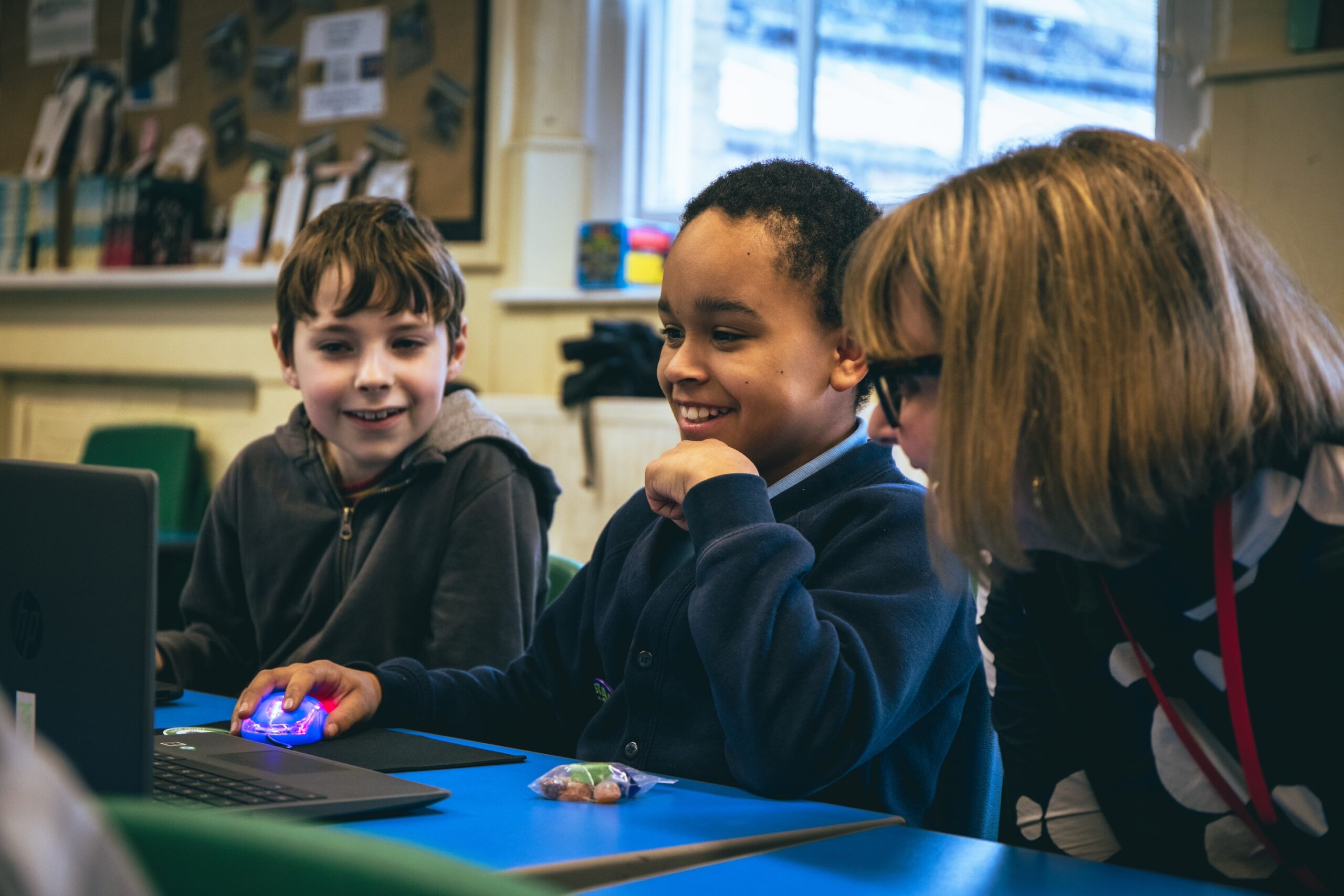
An educator helps two young learners with a coding project in a classroom.

Our projects are free and open to all. They are easy-to-follow, step-by-step guides that young people use to make their own games, animations, and websites using coding languages such as Scratch, HTML/CSS, and Python. The projects introduce coding concepts one by one and allow young people to build their knowledge progressively. As such, educators and volunteers running clubs don’t need to be experienced coders, and many volunteers in our community enjoy learning alongside their club members.

The power of remixing

One of the brilliant things about our projects is how easy it is to adapt them. This is called remixing, and it gives the learner the opportunity to create and modify a brand-new project that is personal to them. 

“Remixing allows beginners to tinker with a pre-existing project and make increasingly complex modifications”

Do you have the reaction speeds of an astronaut?

My favourite project brings space into the classroom. Space is such an intriguing and mysterious thing, but aspects like the extremely high speeds that satellites and the International Space Station (ISS) travel at are difficult concepts for young people to understand. 

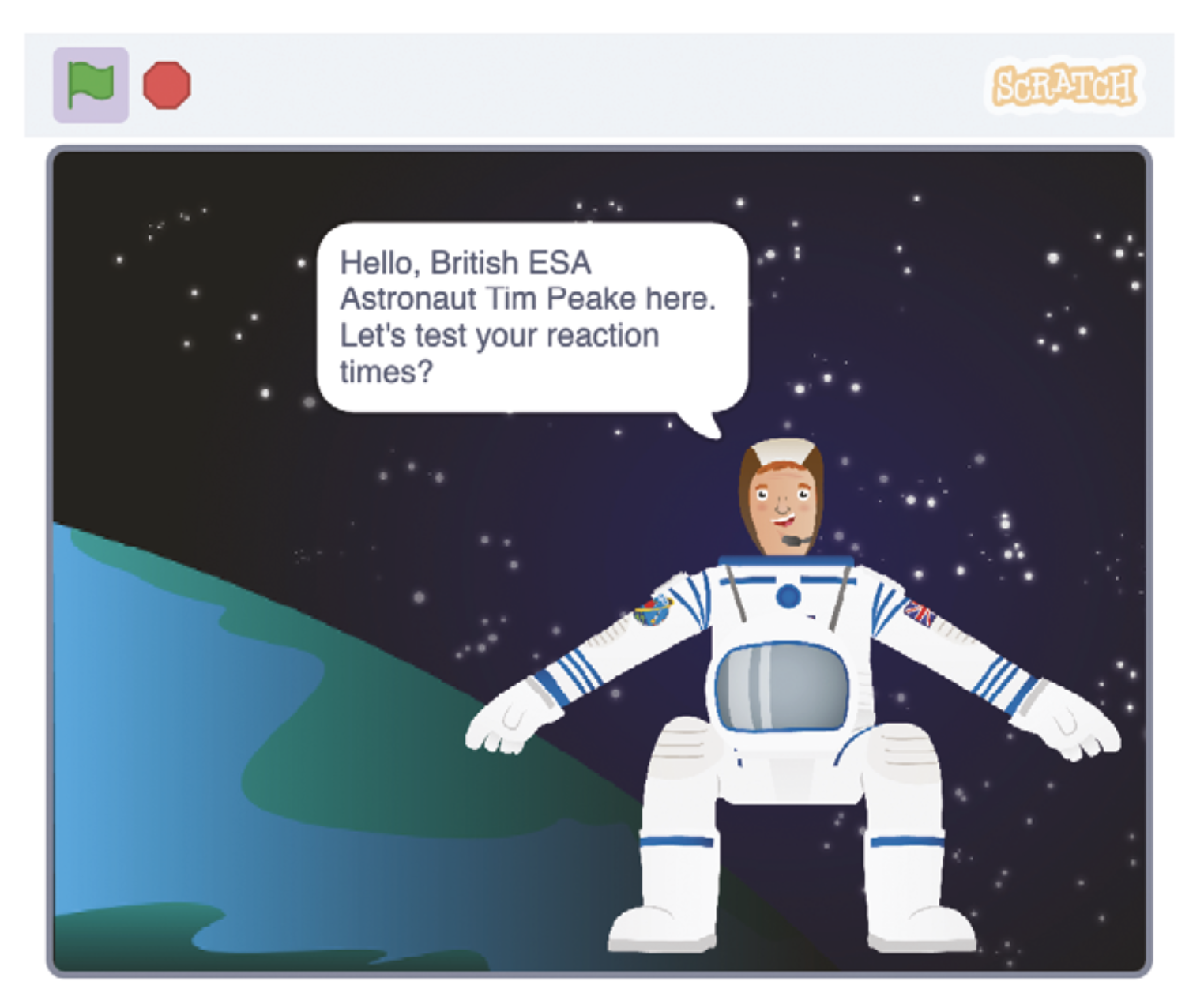
The Astronaut Reaction Time Game in Scratch introduces young people to the fact that things happen very quickly at the speed the ISS travels. It includes links to maths and science (speed, distance, time, velocity, units, calculations, operators) and, for older learners, prompts discussions on computational abstractions and problem-solving.

The Astronaut Reaction Time Game in Scratch.

The project tests reaction speeds, something that real astronauts have to do as part of their training. NASA has found that reaction speeds are slower on the ISS than on Earth, possibly as a result of the stress of zero gravity. It’s also a fun activity young people can share and play with their friends. Sharing is a key part of the club environment, and this project is ideal for generating a little bit of competition. 

As with all projects, a scaffolded approach is taken, with challenges set for learners so that they can complete part of the project independently. If someone is stuck, they can get a hint in the form of an explanation or sentence, which then turns into the code blocks they need to solve the problems, finally giving them the solution if they really need it.   

Remix: Exploring speed on planet Earth

Club volunteers can also introduce their learners to some of our physical computing projects, or they could design their own race track that measures the speed of a vehicle. They could even develop a program on a microcontroller like a Pico or micro:bit to measure the speed of young athletes on a running track. If learners are inspired to do more space-themed projects, we have that covered in our project collection. 

Unleashing the creativity of coding through colour

My other go-to project is Colourful Creations. Coding is an excellent vehicle for self-expression, and this project showcases the ways programming can be used to create digital art. It uses the turtle library, which is an excellent tool for creating designs and patterns. 

An example of a colourful poster.

The name “turtle” stems from the Logo programming language created in the 1960s. Logo is mainly known for drawing lines, shapes and patterns on the screen and using a “turtle” on the floor to draw them on paper. The turtle library is, therefore, a selection of functions that can be used for drawing. 

Part of the project’s appeal is that learners are given a blank canvas to which they can apply any theme. There are limited instructions, leaving lots of space for creativity. Whether it be climate change, a period in history, or some other topic, learners can work on their own poster or in pairs to create something bigger.

Remix: From project to presentation

The possibilities for remixing are almost endless, as learners can add more screens and turn their project into a mini presentation or unleash their artistic side and go wild with colours. The learning in this project leads perfectly to more complex turtle drawing projects like Robo-Trumps, providing a solid foundation in creative computing for you to build on later.

We want you to create your own versions of these projects. You could organise a themed day, which can give learners more freedom, or link with other projects such as Astro Pi. Try remixing the projects to start with, then building up to develop new and exciting projects based on the skills that have been learnt. Happy coding!

A version of this article also appears in Hello World issue 24.

The post Ready to remix? Favourite projects to tinker with appeared first on Raspberry Pi Foundation.

Powered by WPeMatico
Computing Curriculum Framework: Adapting to India’s diverse landscapes

The digital revolution has reshaped every facet of our lives, underscoring the need for robust computing education. At the Raspberry Pi Foundation our mission is to enable young people to realise their full potential through the power of computing and digital technologies. Since starting out in 2008 as a UK-based educational charity, we’ve grown into a global leader in advancing computing literacy.

An educator and students working on a coding task.

At the heart of our efforts lies a simple yet powerful vision: to ensure every young person develops the knowledge, skills, and confidence to use digital technologies effectively. This includes understanding societal and ethical issues, using technology for creative problem solving, and fostering a mindset of adaptability that will enable them to thrive amid rapid technological change.

A vision for global computing education

To realise this vision, we developed The Computing Curriculum (TCC). Launched in 2018 as part of the UK’s National Centre for Computing Education, TCC is a comprehensive set of free teaching resources tailored for students aged 5–16. Over the years, the curriculum has evolved through rigorous testing and teacher feedback, which has helped to make it one of the most effective and inclusive computing education tools globally.

A group of students in a classroom.

Contextualising computing education for India

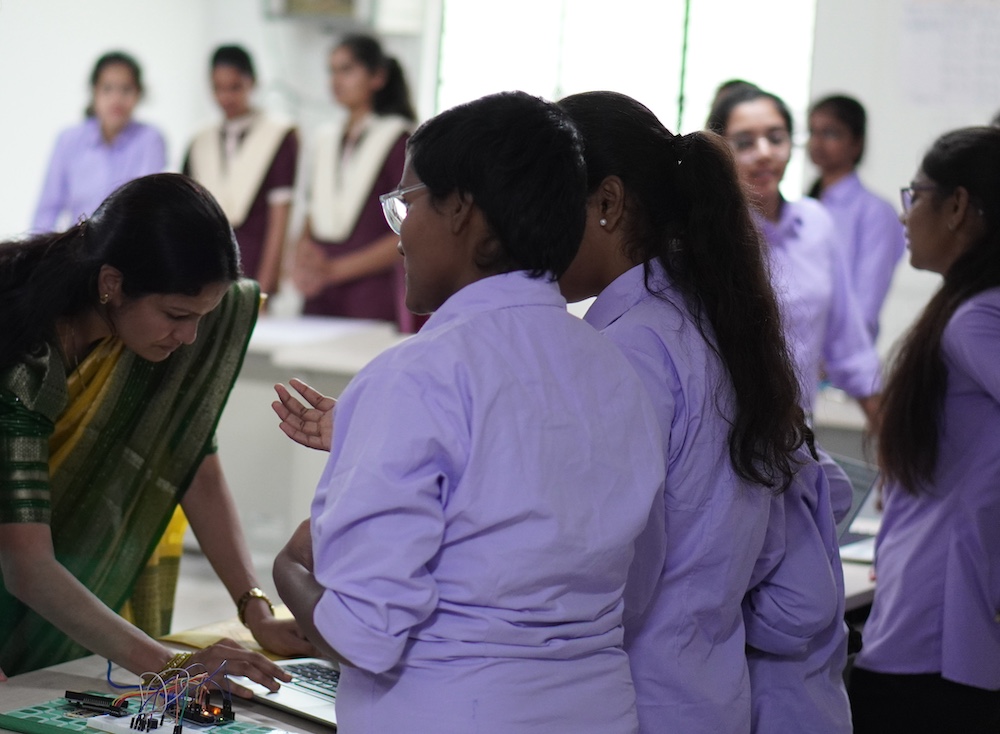
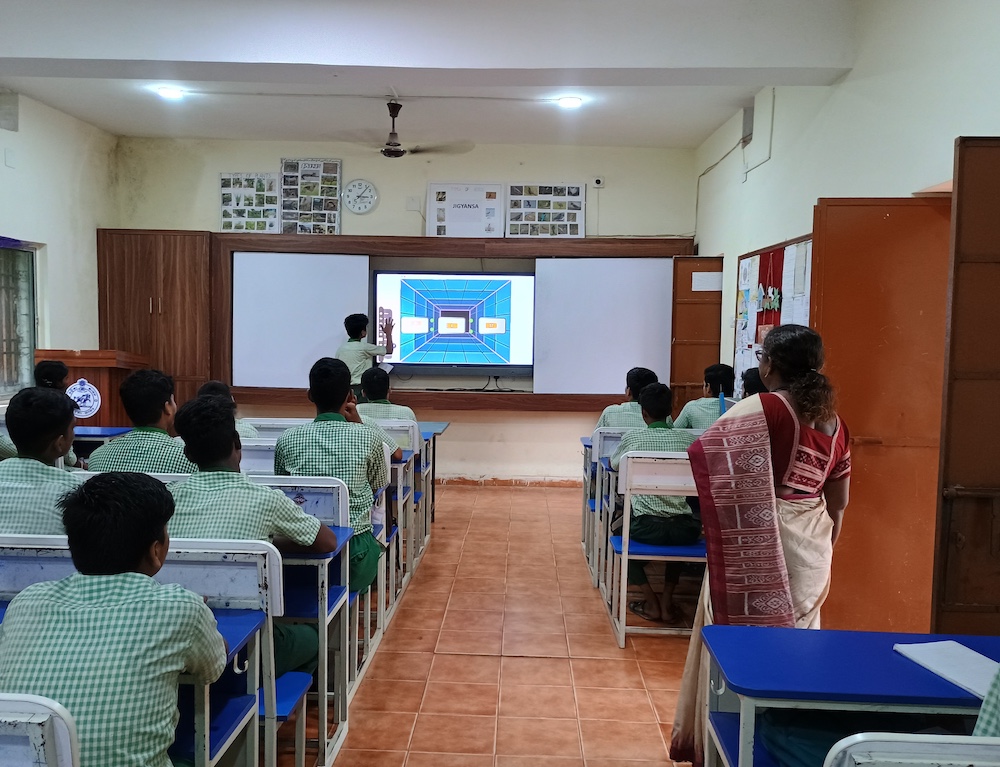
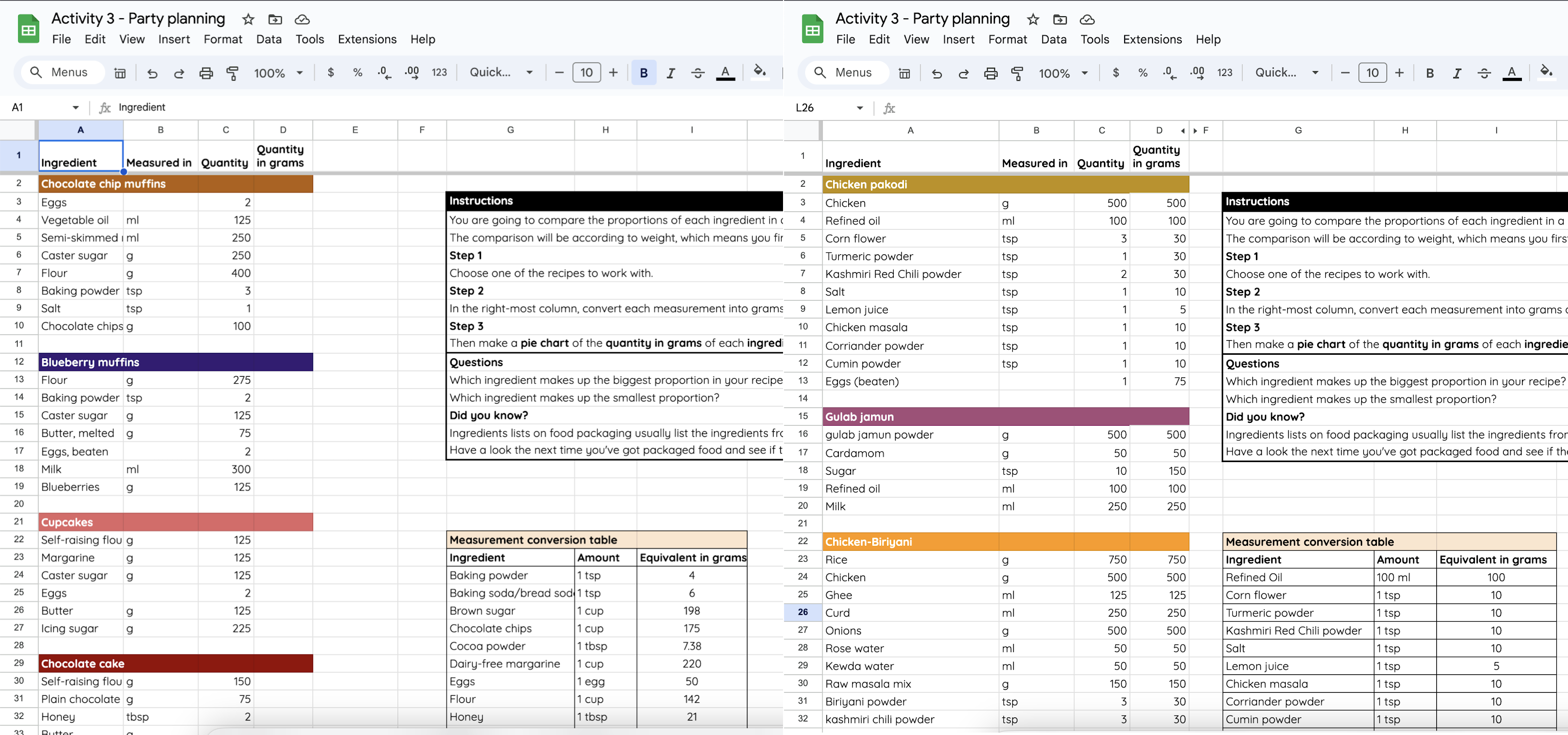
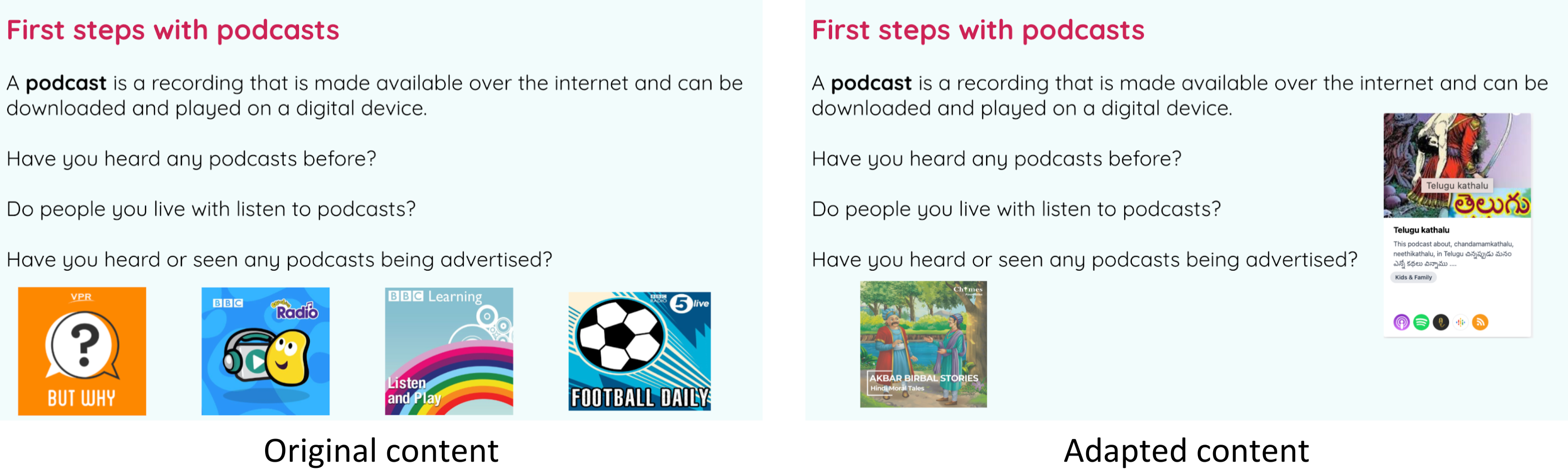
India’s vast diversity — in languages, social and economic contexts, and educational infrastructure — creates unique challenges and opportunities. As a result, we at the Raspberry Pi Foundation have adapted and localised our computing curriculum to meet the needs of Indian students. Collaborations with the Telangana Social Welfare Residential Educational Institutions Society (TGSWREIS) and the Odisha Mo School programme have been pivotal in this endeavour.

Modelling data using a spreadsheet (Grade 9)
Creating media — audio production (Grade 7)

In Telangana, we adapted TCC to create a 70+ hour computing curriculum designed for government schools with limited resources. Similarly, in Odisha, elements of this curriculum have been tailored to develop Kaushali, an IT and coding curriculum for over 8,000 state schools. This localised approach ensures that computing education becomes accessible and relevant for students across India.

A curriculum designed for impact

The computing curriculum for India spans Grades 6 to 10 (age group 11-16) and is structured to ensure progressive learning. Students revisit foundational concepts repeatedly, building on prior knowledge as they advance through the grades. The curriculum emphasises forming a strong understanding of concepts over rote learning and integrates research-informed pedagogical approaches.

Students using computers in a classroom.

We tested our localised curriculum resources in Telangana Coding Academy, and there was lots of positive feedback from educators and observers. Overall, the educators were happy with the content format, and the observers noted that students enjoyed learning and completing the activities. This was also evident from the student discussion notes and student survey responses.

“[…] this content is more than what we are expecting for the school years[…] this time they [are] having [a] practical session. So they are very happy to do it and whenever they are free[,] they will come and ask us. ‘[C]an you take [an] extra class for us?’” – Educator

“[…] They are very [appreciative of] the content and [t]hey [are] learning very well, and the response is very good.” – Educator

Key features of the curriculum:

  • Tailored content: Materials are customised to align with the proficiency levels and contexts of Indian students, ensuring accessibility
  • Localised examples: By incorporating culturally relevant examples, students find the learning experience relatable and engaging
  • Simplified language: Designed for students who may lack confidence in English, the curriculum employs clear and concise language for better comprehension
  • Hands-on learning: Practical activities, including projects and model creation, solidify understanding and foster creativity
  • Ready-to-use resources: Teachers are equipped with lesson plans, presentations, worksheets, and activity sheets, reducing preparation time and enhancing delivery

Learning objectives:
The curriculum focuses on equipping students with:

  • An understanding of digital systems and their impact on people and society
  • Computational thinking and problem-solving skills for real-world applications
  • Confidence and knowledge to become creators and innovators
  • Awareness of digital citizenship and responsible technology use

Curriculum structure:
Each academic year includes 30–34 sessions, each lasting 45–60 minutes. Lessons are structured into deliverable units comprising detailed plans, presentations, and worksheets. Both plugged (computer-based) and unplugged (activity-based) learning methods are used, with a 60:40 ratio, ensuring balanced and inclusive learning experiences.

Sample progression across grades:

Curriculum highlights

Grade 6: Building a foundation

Students develop foundational computer skills, learn basic text formatting, and explore introductory programming concepts using Scratch. They also begin to understand how to group and describe objects based on their properties.  

Grade 7: Expanding horizons

Students delve into computer networks, the internet, and the World Wide Web. They learn to use loops in Scratch programming and explore data organisation using flat-file databases and spreadsheets.  

Grade 8: Deepening understanding

Students gain a deeper understanding of how computer systems function and use spreadsheets for data analysis. They continue to build their programming skills in Scratch, focusing on sequences, variables, and selection. They are also introduced to HTML and CSS for basic web development.  

Grade 9: Exploring advanced concepts

Students learn about data representation, including binary and character coding schemes. They design and create websites using HTML and CSS, incorporating accessibility and good web design principles. They also explore the layers of computing systems, including hardware, operating systems, and logic circuits.  

Grade 10: Applying knowledge and skills

Students explore advanced data representation, including image and sound representation. They are introduced to cybersecurity concepts and delve deeper into Python programming, focusing on selection and iteration. They also learn about data science and how to create a blog to support a cause.

Assessment framework:
To measure student progress effectively, the curriculum incorporates both formative and summative assessments:

  • Formative assessments: Embedded in lessons to monitor progress and identify misconceptions early.
  • Summative assessments: Provide a holistic overview of learning outcomes through tools like multiple-choice quizzes and rubrics. These assessments focus on understanding concepts and skills, moving beyond mere code writing.

Bridging the digital divide

Our localised computing curriculum is more than a technical education initiative — it is helping to bridge the digital divide. By empowering students with essential digital skills, it fosters innovation, enhances employability, and enables young people to participate actively in the global digital economy.

The road ahead

As technology continues to evolve, so does the need for adaptive and inclusive computing education. We remain committed to supporting governments, educators, and students in this journey. By fostering a generation of digitally literate and empowered individuals, we can create a future where technology serves as a force for good in society.

Through collaborations and localised efforts, the dream of making computing education accessible to every corner of India is steadily becoming a reality. Together, we can equip students with the skills and mindset needed to navigate the complexities of the digital age and shape a brighter, more inclusive future.

The post Computing Curriculum Framework: Adapting to India’s diverse landscapes appeared first on Raspberry Pi Foundation.

Powered by WPeMatico
Kernel prepatch 6.7-rc7

The 6.7-rc7 kernel prepatch is out for
testing.

Anyway, rc7 itself looks fairly normal. It’s actually a bit bigger
than rc6 was, but not hugely so, and nothing in here looks at all
strange. Please do give it a whirl if you have the time and the
energy, but let’s face it, I expect things to be very quiet and
this to be one of those “nothing happens” weeks. Because even if
you aren’t celebrating this time of year, you might take advantage
of the peace and quiet.


Source: LWN.net – Kernel prepatch 6.7-rc7

LLVM Moves To A Versioning Scheme Like GCC – N.1 Version For Stable Branch

Following discussions with upstream developers, LLVM is changing its versioning as part of the branch creation process to better distinguish mainline development builds of LLVM against those from stable (or soon to be stable) release branches…

Source: Phoronix – LLVM Moves To A Versioning Scheme Like GCC – N.1 Version For Stable Branch

KDE Developers Prepare For Christmas With More Bug Fixes & Qt 6 Porting

This week brought the second beta of KDE Plasma 6.0 along with KDE Gear and KDE Frameworks updates too. The holidays haven’t resulted in KDE development slowing down too much with still a number of bug fixes being merged this week and other minor enhancements…

Source: Phoronix – KDE Developers Prepare For Christmas With More Bug Fixes & Qt 6 Porting