After years of threatening to do so, I have finally joined the Costco community. I did it mostly for the reasonably priced dog food and Diet Coke, but I would be lying if I said the prospect of $5 rotisserie chickens had nothing to do with my decision. I love that chicken, and always have. I get four meals out of that…
You’ve heard of “long COVID,” but COVID isn’t the only illness that can cause lasting symptoms. Other respiratory infections, including colds, flu, and pneumonia, seem to sometimes trigger a “long” version as well.
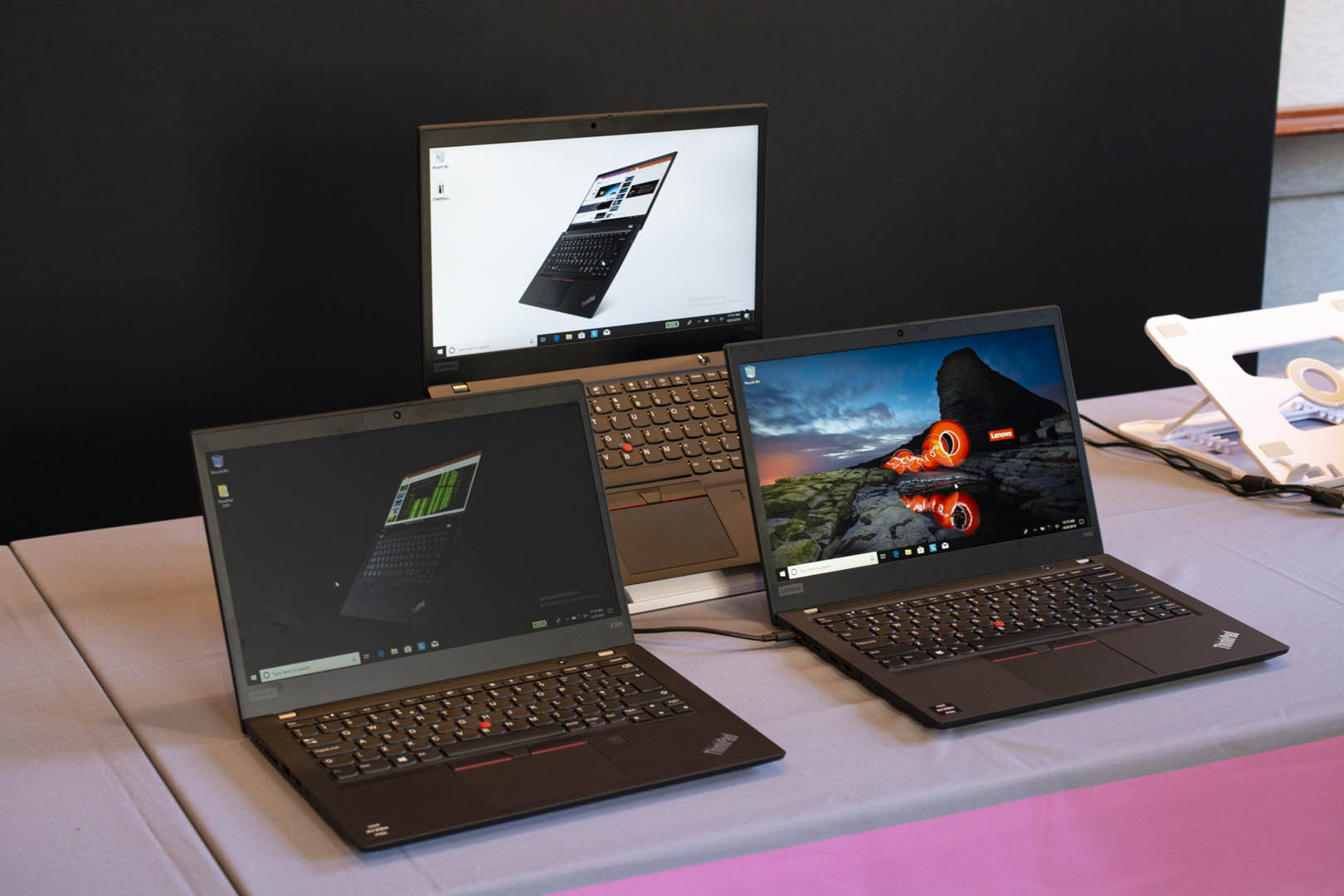
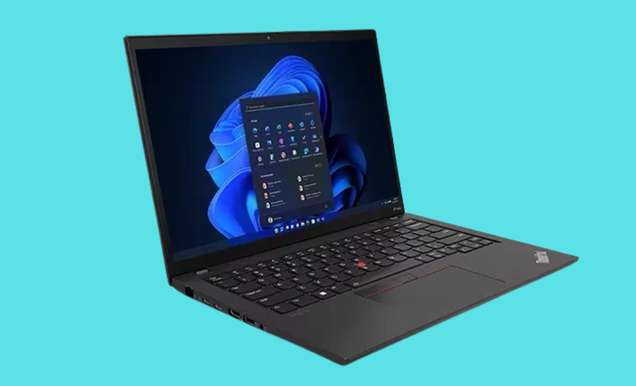
Amazon’s second big sale-a-thon of the year is coming this week, but you don’t have to wait for the savings to drop during the retailer’s Prime Big Deal Days. There are plenty of bargains to be found from Amazon rivals, including laptops from Lenovo, tech gear and gadgets from Best Buy, and vacuums from Target. Whether you need a new ThinkPad laptop or an Apple MacBook, this list has you covered. Of course, Amazon is inescapable, so we’ve also included a few pre-Prime Day deals as well.
Lenovo deals
Lenovo ThinkPad X1 Carbon Gen 11 (14-inch, Intel Core i7-1365U) for $1,615 (was $3,229) at Lenovo
Lenovo Yoga 7i (16-inch, Intel Core i5-1340P) for $855 (was $1,140) at Lenovo
Lenovo ThinkPad L13 Gen 2 AMD (13-inch, AMD Ryzen 5 Pro 5650U) for $389 (was $1,639) at Lenovo
Lenovo IdeaPad 1 (15-inch, AMD Athlon Gold 7220U) for $280 (was $400) at Lenovo
Lenovo ThinkBook 15 Gen 4 (15-inch, Intel Core i5-1235U) for $780 (was $1,499) at Lenovo
Lenovo Legion Slim 7 Gen 8 (16-inch, AMD Ryzen 7 7840HS and RTX 4060) for $1,400 (was $1,680) at Lenovo
Lenovo ThinkPad X1 Carbon Gen 10 (14-inch, Intel Core i7-1270P) for $1,443 (was $3,609) at Lenovo
Lenovo ThinkPad P16 Gen 2 (16-inch, Intel Core i9-13950HX and RTX A5000) for $5,469 (was $9,939) at Lenovo
Lenovo Slim Pro 7 (14-inch, AMD Ryzen 7 7840HS and RTX 3050) for $1,085 (was $1,450) at Lenovo
Lenovo Legion Pro 5i Gen 8 (16-inch, Intel Core i5-13500HX and RTX 4050) for $1,100 (was $1,480) at Lenovo
Lenovo ThinkPad E16 Gen 1 (16-inch, Intel Core I5-1335U) for $797 (was $1,449) at Lenovo
Lenovo ThinkBook 15 Gen 4 (15-inch, AMD Ryzen 7 5825U) for $764 (was $1,469) at Lenovo
Lenovo ThinkPad P14s Gen 4 (14-inch, Intel Core i7-1360P and RTX A500) for $1,859 (was $3,389) at Lenovo
Lenovo IdeaPad Slim 3 (15-inch, AMD Ryzen 3 7330U) for $440 (was $650) at Lenovo
Lenovo 3i Chromebook (15-inch, Intel Pentium Silver N6000) for $310 (was $440) at Lenovo
Lenovo IdeaPad Slim 3i Chromebook (14-inch, Intel Core i3-N305) for $425 (was $550) at Lenovo
Lenovo ThinkPad X13 Yoga Gen 2 (13-inch, Intel Core i5-1145G7) for $739 (was $3,129) at Lenovo
Lenovo ThinkPad T14s Gen 2 (14-inch, Intel Core i5-1145G7) for $869 (was $3,629) at Lenovo
Lenovo ThinkPad X13 Yoga Gen 2 (13-inch, Intel Core i5-1145G7) for $729 (was $3,089) at Lenovo
Lenovo ThinkBook 14 Gen 4 (14-inch, Intel Core i5-1235U) for $730 (was $1,404) at Lenovo
Lenovo LOQ (16-inch, Intel Core i5-13500H and RTX 4050) for $850 (was $1,200) at Lenovo
Lenovo ThinkPad T14s Gen 4 (14-inch, AMD Ryzen 5 Pro 7540U) for $907 (was $1,649) at Lenovo
Lenovo LOQ (15-inch, Intel Core i7-13700H and RTX 4050) for $1,050 (was $1,400) at Lenovo
Lenovo ThinkPad X13 Gen 4 (13-inch, Intel Core i7-1355U) for $1,094 (was $2,189) at Lenovo
Lenovo ThinkPad E14 Gen 4 (14-inch, AMD Ryzen 7 5825U) for $1,204 (was $2,189) at Lenovo
Lenovo Legion Slim 5i Gen 8 (16-inch, Intel Core i5-13500H and RTX 4050) for $1,050 (was $1,350) at Lenovo
Lenovo ThinkPad T14s Gen 4 (14-inch, Intel Core i5-1345U) for $1,490 (was $2,709) at Lenovo
Lenovo ThinkPad P16s Gen 2 (16-inch, Intel Core i7-1360P and RTX A500) for $1,529 (was $2,789) at Lenovo
Lenovo ThinkPad P16 Gen 2 (16-inch, Intel Core i7-13700HX and RTX A1000) for $2,139 (was $3,899) at Lenovo
Lenovo ThinkPad P1 Gen 6 (16-inch, Intel Core i7-13700H and RTX A2000) for $2,409 (was $4,389) at Lenovo
Logitech MX Keys Mini Combo for $150 (was $200) at Lenovo
Logitech MK750 Wireless Solar Keyboard and Mouse for $68 (was $85) at Lenovo
Logitech Lift for Business (Graphite) mouse for $56 (was $70) at Lenovo
Best Buy
Apple MacBook Air 15-inch Laptop – M2 chip for $1,049 (was $1,299) at Best Buy
Apple 10.2-Inch iPad (9th Generation) for $270 (was $330) at Best Buy
Apple 10.9-Inch iPad Air (5th Generation) for $500 (was $600) at Best Buy
Bose Headphones 700 Wireless Noise Cancelling Over-the-Ear Headphones for $299 (was $379) at Best Buy
Microsoft Surface Laptop 4 (13.5-inch, AMD Ryzen 5 Surface Edition) for $700 (was $900) at Best Buy
Microsoft Surface Laptop 5 (13.5-inch, Intel Evo Platform Core i5) for $900 (was $1,000) at Best Buy
Microsoft Surface Laptop Go 2 (12.4-inch, Intel Core i5) for $600 (was $700) at Best Buy
Microsoft Surface Laptop Studio (14.4-inch, Intel Core i5) for $1,100 (was $1,600) at Best Buy
Alienware AW2523HF 24.5-inch IPS LED FHD monitor for $300 (was $450) at Best Buy
Dell S2722QC 27-inch 4K IPS LED UHD monitor for $300 (was $400) at Best Buy
Alienware AW3423DWF 34-inch Quantum Dot OLED Curved Ultrawide Gaming Monitor for $900 (was $1,000) at Best Buy
Nest Hub 7-inch Smart Display with Google Assistant (2nd Gen) for $60 (was $100) at Best Buy
eero Pro 6 AX4200 Tri-Band Mesh Wi-Fi 6 System (3-pack) for $240 (was $400) at Best Buy
eero 6+ AX3000 Dual-Band Mesh Wi-Fi 6 System (3-pack) for $195 (was $300) at Best Buy
eero Pro 6E AXE5400 Tri-Band Mesh Wi-Fi 6E System (3-pack) for $400 (was $550) at Best Buy
Amazon Echo Show 8 (2nd Gen, 2021 release) for $60 (was $130) at Best Buy
Walmart deals
Apple Watch SE (1st Gen) GPS, 44 mm Space Gray Aluminum Case for $149 (was $309) at Walmart
Amazon pre-Prime Day deals
Amazon Kindle Scribe (16 GB) with Basic Pen for $265 (was $340) at Amazon
iRobot Roomba Combo i5 for $249 (was $350) at Amazon
LG UltraWide WFHD 29-Inch FHD 1080p Computer Monitor 29WN600-W for $150 (was $200) at Amazon
LG 28MQ780-B 28-Inch SDQHD (2560×2880) Nano IPS DualUp Monitor for $653 (was $700) at Amazon
LG UltraFine 31.5-Inch Computer Monitor 32UP83A-W for $300 (was $400) at Amazon
LG 32-inch Ultragear 4K UHD (3840×2160) Gaming Monitor for $650 (was $700) at Amazon
LG gram (2022) Laptop 16Z90Q 16-inch, Intel Evo 12th Gen Core i7 for $1,055 (was $1,200) at Amazon
LG 32UN500-W Monitor 32-inch UltraFine (3840×2160) Display for $250 (was $300) at Amazon
Dyson Outsize Cordless Vacuum Cleaner for $449 (was $528) at Amazon
DeWalt 20V MAX XR Impact Driver, Brushless for $99 (was $149) at Amazon
DeWalt 20V MAX Cordless Drill and Impact Driver for $139 (was $239) at Amazon
Apple AirPods Pro (2nd Generation, Lightning) Wireless Earbuds for $199 (was $249) at Amazon
Apple AirPods (3rd Generation, Lightning) Wireless Earbuds for $150 (was $170) at Amazon
Apple AirPods Max Wireless Over-Ear Headphones for $480 (was $549) at Amazon
Apple MacBook Air 13.3-inch Laptop M1 for $750 (was $999) at Amazon
Apple iPad Air (5th Generation) for $500 (was $599) at Amazon
Apple iPad (9th Generation) for $249 (was $329) at Amazon
Apple iPad Mini (6th Generation) for $469 (was $499) at Amazon
Apple iPad Pro 12.9-inch (6th Generation) for $1,049 (was $1,099) at Amazon
AI startup Anthropic, writing in a blog post: Neural networks are trained on data, not programmed to follow rules. With each step of training, millions or billions of parameters are updated to make the model better at tasks, and by the end, the model is capable of a dizzying array of behaviors. We understand the math of the trained network exactly — each neuron in a neural network performs simple arithmetic — but we don’t understand why those mathematical operations result in the behaviors we see. This makes it hard to diagnose failure modes, hard to know how to fix them, and hard to certify that a model is truly safe. Neuroscientists face a similar problem with understanding the biological basis for human behavior. The neurons firing in a person’s brain must somehow implement their thoughts, feelings, and decision-making. Decades of neuroscience research has revealed a lot about how the brain works, and enabled targeted treatments for diseases such as epilepsy, but much remains mysterious. Luckily for those of us trying to understand artificial neural networks, experiments are much, much easier to run. We can simultaneously record the activation of every neuron in the network, intervene by silencing or stimulating them, and test the network’s response to any possible input.
Unfortunately, it turns out that the individual neurons do not have consistent relationships to network behavior. For example, a single neuron in a small language model is active in many unrelated contexts, including: academic citations, English dialogue, HTTP requests, and Korean text. In a classic vision model, a single neuron responds to faces of cats and fronts of cars. The activation of one neuron can mean different things in different contexts. In our latest paper, Towards Monosemanticity: Decomposing Language Models With Dictionary Learning , we outline evidence that there are better units of analysis than individual neurons, and we have built machinery that lets us find these units in small transformer models. These units, called features, correspond to patterns (linear combinations) of neuron activations. This provides a path to breaking down complex neural networks into parts we can understand, and builds on previous efforts to interpret high-dimensional systems in neuroscience, machine learning, and statistics. In a transformer language model, we decompose a layer with 512 neurons into more than 4000 features which separately represent things like DNA sequences, legal language, HTTP requests, Hebrew text, nutrition statements, and much, much more. Most of these model properties are invisible when looking at the activations of individual neurons in isolation.
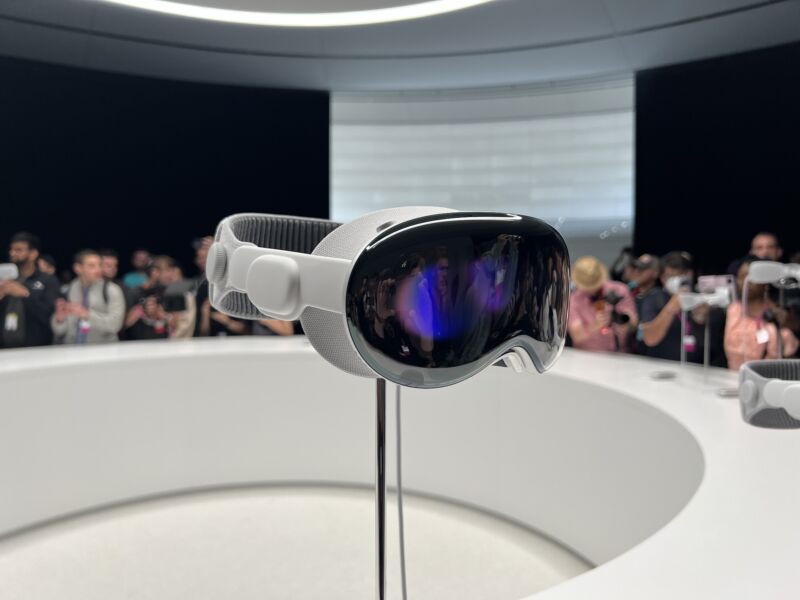
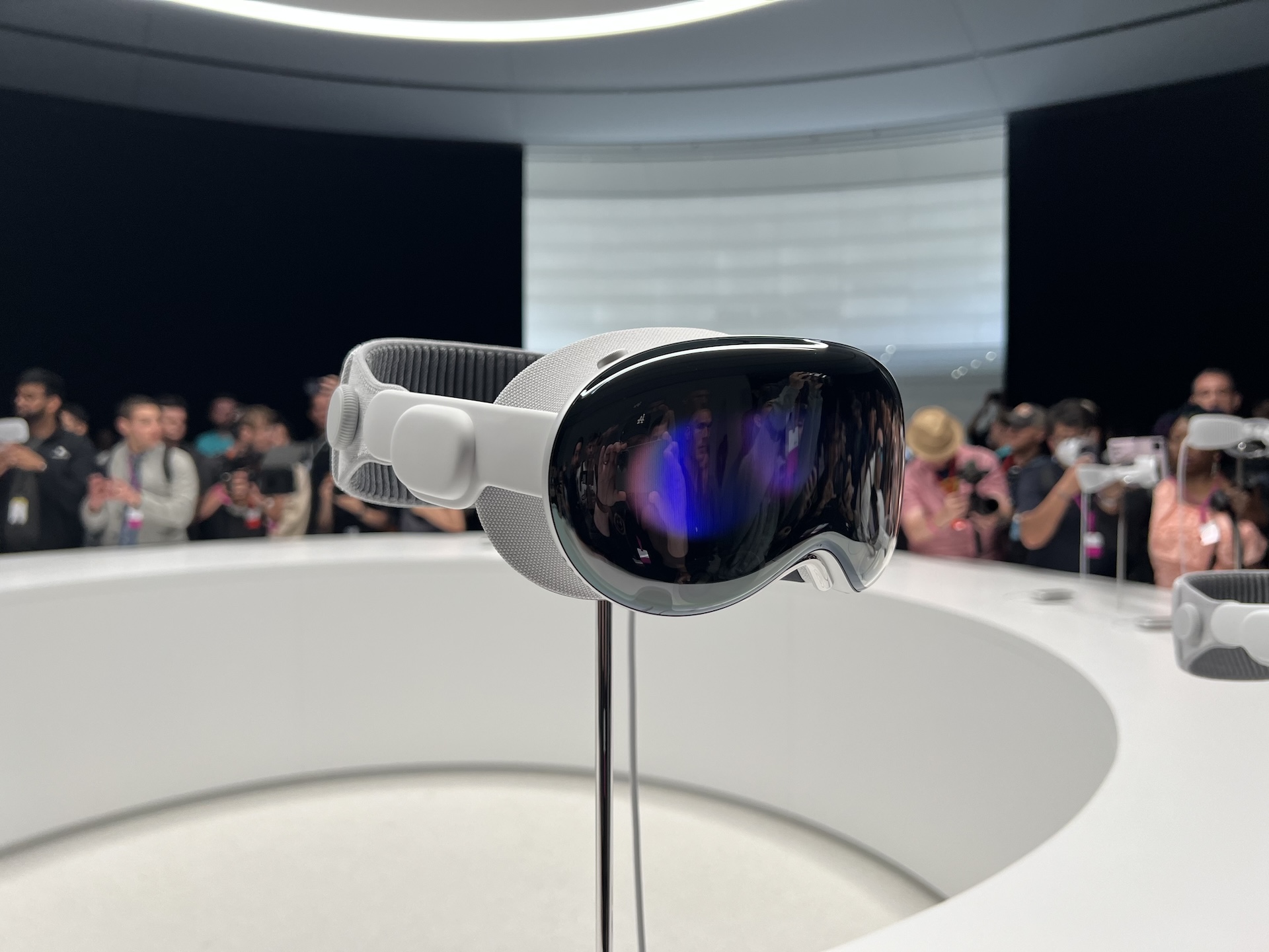
Enlarge/ Apple’s Vision Pro headset. (credit: Samuel Axon)
When it jumps into a new market for the first time, Apple has a long history of releasing intriguing first-generation devices, followed by second- or third-generation revisions that realize the full potential of the original idea. Examples of this phenomenon include the second-generation iPod, which expanded compatibility beyond the Mac; the iPhone 3G refresh that increased cellular data speeds and ushered in the App Store; the 2010 MacBook Air refresh that switched to all-SSD storage and defined the template for the modern laptop; and the long-lived iPad 2, which did most of the same things as the first iPad but in a much faster and lighter package.
Apple is already working on a next-generation version of its Vision Pro headset to address early complaints about the as-yet-unreleased first-generation model, according to Bloomberg’s Mark Gurman. The headset’s roughly 1-pound weight has apparently “caused neck strain” among some testers, and Apple allegedly sees the not-yet-finalized optional top strap as an imperfect solution to the problem. Apple also wants to reduce the device’s size along with its weight.
Apple is also considering changing the way that prescription lenses are built into the headset. The initial version will use interchangeable Zeiss lenses that attach to the headset magnetically, but next-gen versions could have prescription lenses built-in during manufacturing.
Enlarge/ Lidar map of Tikal, Guatemala, showing some of its reservoirs. (credit: Image adapted Tankersley et al. 2020)
The ancient Maya city of Tikal relied on urban reservoirs to supply water during periods of drought. They essentially built “constructed wetlands” that relied upon key minerals and aquatic plants and other biota to keep the water supply potable, a “self-cleaning” approach similar to that employed in constructed wetlands today, according to a new paper published in the Proceedings of the National Academy of Sciences.
“Most major southern lowland Maya cities emerged in areas that lacked surface water but had great agricultural soils,” said author Lisa Lucero, an anthropologist at the University of Illinois Urbana-Champaign. “They compensated by constructing reservoir systems that started small and grew in size and complexity.”
Like many Maya cities, Tikal was built on top of porous limestone, which limited access to drinking water during the seasonal droughts, which typically lasted five months, although more severe droughts also occurred, particularly in the ninth century CE. So the people of Tikal relied on collecting rainwater stored in reservoirs to survive. They quarried the limestone for bricks, mortar, and plaster, all used to construct buildings on site. The resulting depressions were plastered to waterproof them as reservoirs. Eventually, the Maya built a system of canals, dams, and sluices to store and transport water. It’s estimated that Tikal’s reservoirs could hold as much as 900,000 cubic meters of water for a population of up to 80,000 people between 600 to 800 CE.
AMD’s Linux graphics driver engineers continue to be busy working on enabling next-generation graphics processors with their upstream open-source driver…
Popular audio gadget maker Bastle just released an iOS app called Outsidify that lets you capture and transform audio directly from your iPhone’s speakers and microphone. Despite the slightly cringey app name, it looks pretty darned fun, allowing users to explore the ambient noise around them to create some truly unique soundscapes.
Once you capture some audio via the app, use Bastl’s latest creation to make harmonious or discordant feedback, manipulate responses, apply resonant filters and more. You can even use your mouth, speaking directly into the phone’s microphone, to create your own resonant filter.
Additionally, you can capture impulse responses from just about anything, with Bastl using a coffee cup or a construction site pipe as examples. These IRs can then be used to run other audio sources through to create custom reverbs and the like, via a DAW or a standalone piece of hardware. The only caveat here is the phone has to fit inside of the object or the space it’s capturing, so your dreams of having an impulse response from the inside of a toilet paper roll are, sadly, quashed.
The integrated media player allows for full looping and lets you adjust the start and end points. There’s also a speed slider, from ¼ speed to 4x, and a cropping function. As for the recorder, it saves wav files to pass on to other devices, again with adjustable start and end points. You can also speed match recordings, so the recorded speed automatically matches the tempo set in the player while preserving the pitch. Of course, there’s also a countdown timer so you can get in position before the app starts recording.
The audio gets transformed via a feedback pad with adjustment options for amount and tone. There’s even an adjustable delay that changes how long it takes the microphone to reach the feedback pad.
This article originally appeared on Engadget at https://www.engadget.com/bastles-outsidify-app-lets-you-capture-and-transform-sounds-via-a-smartphone-185421887.html?src=rss
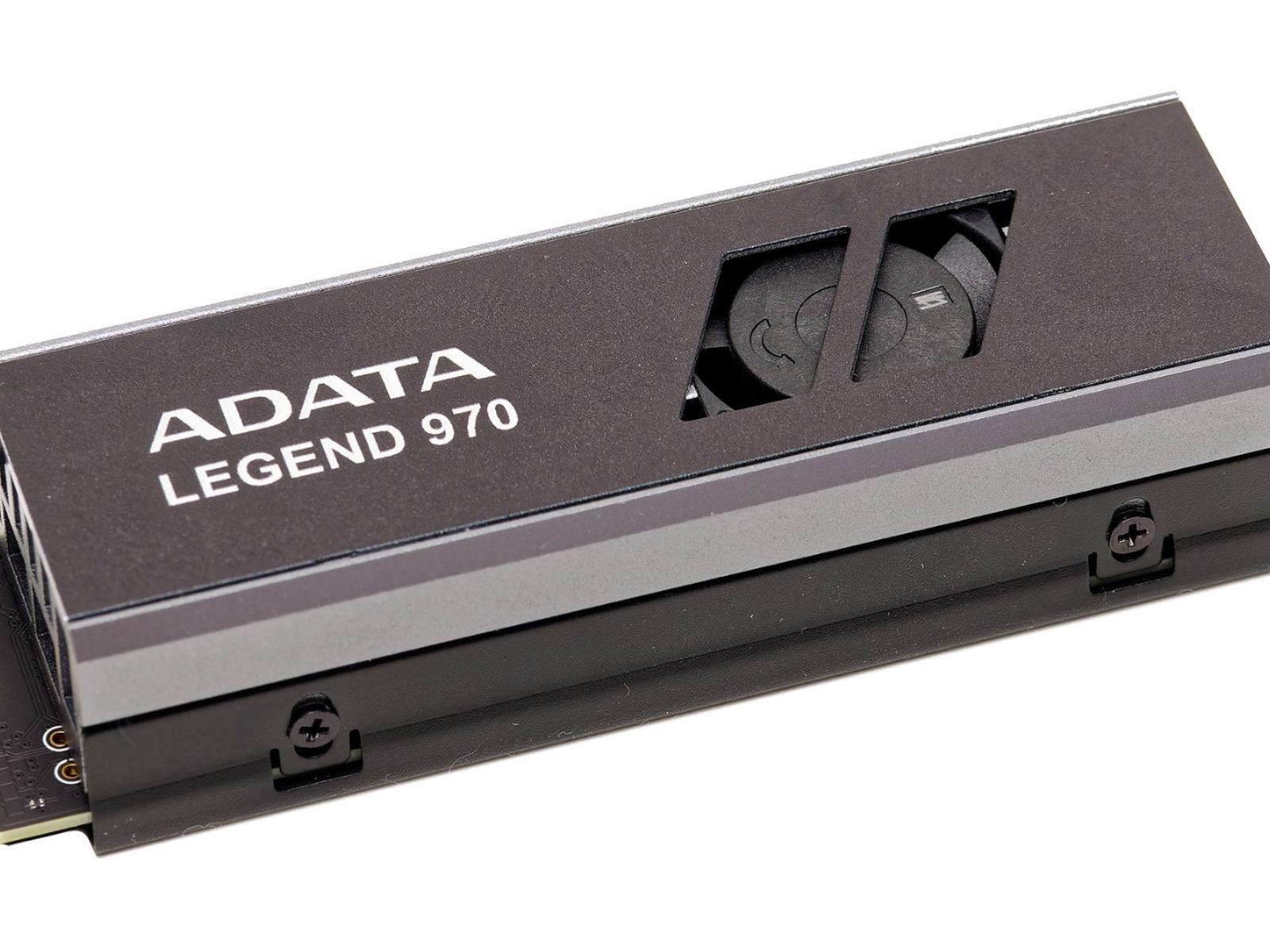
Late last year, sensing a market slowdown, memory manufacturers elected to cut production from earlier estimates. That has turned out to be a wise decision on their parts, as companies like Phison, Adata, Teamgroup, and Winbond all have reported spectacular financials in the most recent quarter.
Microplastics have been found everywhere from the oceans’ depths to the Antarctic ice, and now new research has detected it in an alarming new location — clouds hanging atop two Japanese mountains. From a report: The clouds around Japan’s Mount Fuji and Mount Oyama contain concerning levels of the tiny plastic bits, and highlight how the pollution can be spread long distances, contaminating the planet’s crops and water via “plastic rainfall.” The plastic was so concentrated in the samples researchers collected that it is thought to be causing clouds to form while giving off greenhouse gasses.
“If the issue of ‘plastic air pollution’ is not addressed proactively, climate change and ecological risks may become a reality, causing irreversible and serious environmental damage in the future,” the study’s lead author, Hiroshi Okochi, a professor at Waseda University, said in a statement. The peer-reviewed paper was published in Environmental Chemistry Letters, and the authors believe it is the first to check clouds for microplastics. The pollution is made up of plastic particles smaller than five millimeters that are released from larger pieces of plastic during degradation. They are also intentionally added to some products, or discharged in industrial effluent. Tires are thought to be among the main sources, as are plastic beads used in personal care products. Recent research has found them to be widely accumulating across the globe — as much as 10m tons are estimated to end up in the oceans annually.
Meta’s Threads app, the social media platform that rivals X (formerly Twitter), may get a trending topics section. The potential new feature has come to light after an app developer reposted screenshots of the feature in use that were originally shared by a Meta employee.
The developer that reposted the screenshots, William Max, said that, “Just to be clear: I’m not a “leaker” or anything like that,” in a post. He continued, “I simply follow many engineers and employees working at Meta, and one of them accidentally posted a screenshot that was meant to be private. Fortunately for us, I happened to see it at the right moment. I will not disclose who posted the screenshot for obvious reasons.”
One user, @eddygraphic1, commented, “Is this a concept or real screenshot?” The employee, @willianmax, replied, “It’s real. An employee just posted by accident. 🤫” Another, @brian.g.holm said, “Please god, let this be real, AND SOON.” Max responded, “It’s real. I just don’t know if it’s coming soon (probably not).”
In the screenshots, the feature appears to list trending topics according to the number of threads it received. However, the topics don’t appear to necessarily rank from most popular to least. For example, Drake’s new hit “For All the Dogs” ranked first with 59.4K threads while “Loki Season 2” which had 91K threads, got slotted in fourth. So it’s not exactly clear how the rankings are listed.
According to the screenshots, the trending topics were showcased near the search tab. A trending tool seems like a straightforward embed for any social media app that thrives off of user-generated content. However, it’s for that very reason that trending topics can be a bit problematic. In the past, similar tools have been a place for messy contention on platforms like Twitter and Facebook. In 2018, Facebook killed its trending topics feature due to controversy over it repeatedly resurfacing conspiracy theories and misinformation. Meanwhile, X notoriously had to deal with bots that spammed the trending section with specific agendas.
This article originally appeared on Engadget at https://www.engadget.com/trending-topics-feature-may-be-coming-to-the-threads-app-183412664.html?src=rss
The concept of declaring inbox “bankruptcy” isn’t new. The act of simply deleting or archiving all your old emails and starting fresh has been a welcome one for many of us for years. Personally, I advocate for archiving, never deleting, but even doing that can make a bit of a mess—you’ll have to sort through all your…
While Intel has confirmed its next-generation Meteor Lake chips will arrive just before the end of the year, a recent rumor suggests that the Core Ultra 9 flagships will only be available in 2024. This is according to respected Chinese leaker Golden Pig, who has a good track record when it comes to leaking upcoming Intel CPUs. Obviously, any
In the nearly 25 years since the release of Brad Bird’s The Iron Giant, the film’s history has become legend. Though it’s now considered a classic, when it came out the film bombed at the box office largely because the studio releasing it, Warner Bros., didn’t quite know what it had. That narrative has changed in…
Venture capitalists have been under fresh scrutiny for their role hyping up the crypto industry during the criminal trial of FTX co-founder Sam Bankman-Fried, but new data shows that those investors have pulled back sharply from the industry they once helped build and promote. From a report: Global venture funding for crypto startups plunged to its lowest level since 2020 during the third quarter, tumbling 63% from the same period last year, according to data from research firm PitchBook. VCs invested just $2 billion in crypto worldwide during the quarter, a fraction of the funds they invested during happier times in the crypto world. “We aren’t seeing the big deals anymore,” PitchBook analyst Robert Le said. “That’s one of the drivers of the decline — deals are smaller.”
Mega fundraises during the crypto bull market once benefited companies like exchange FTX, nonfungible token marketplace OpenSea and NFT creator Yuga Labs. Now, the VC pullback could force difficult choices for companies already cutting costs and enacting layoffs. “If they’re not able to raise a round, even a down round, they’re either going to go out of business or get acquired at a valuation that’s much, much lower,” Le said. While crypto deals might still be happening for early-stage companies, Le said, many late-stage tech investors have exited the space completely.
Just one day before Amazon kicks off its October Prime Day, Walmart has launched a Holiday Kickoff sale. We’ve seen retailers host “anti-Prime” sales before, offering their own discounts that go live on or just before the big Amazon sales. We dove in to the deals and searched for the tech savings that are worth your time. One notable plus is that Walmart carries some devices that Amazon doesn’t, like the Google Nest Hub. Other worthwhile deals include the 9th generation iPad for $1 less than it sold for during Amazon’s July Prime Day and an Xbox Elite Series 2 core controller for just $88.
Apple 10.2-inch iPad (Wi-Fi, 64GB, 9th gen)
Apple’s 9th-generation iPad dropped down to $250 in July for Amazon’s first Prime Day of 2023, and it was one of the top sellers. Now Walmart’s sale has dropped that price by a dollar, which makes it the new lowest prices o far. This is the budget pick in our guide to the best iPads and while it doesn’t have the thin bezels and as much accessory support as our favorite, the iPad Air, it’s excellent for light gaming, streaming and browsing the web — and it’s the most affordable way to snag an iPad.
iRobot Roomba j7+
iRobot’s Roomba j7+ is down to $300, which is a huge, $400 discount over the regular price. We named this the runner up model in our robot vacuum tests, though the version we recommended didn’t have a clean base, this one does. It has strong suction power and utilizes advanced obstacle avoidance, which helps it steer clear of furniture and other objects while it’s cleaning.
Google Nest Hub (2nd gen)
The second-generation Google Nest Hub is down to $60, which is about $5 more than Walmart sold it for last time it did a Prime-adjacent sale. This is the top pick for a Google smart display in Engadget’s Engadget’s guide The seven-inch screen lives in an unobtrusive exterior and through it you can watch YouTube, access the Google Assistant, control your smart home devices, and even check in on your cameras around the house. But it doesn’t have a built-in camera itself, so you won’t be able to make video calls from it.
Microsoft Xbox Elite Series 2 Core
The Xbox Elite Series 2 Core wireless controller is down to $88. That beats the low price we saw a few months ago by a healthy $12 and is a $42 discount overall. The Core version of this gamepad is just like the regular Elite Series 2, except without the additional accessories (like extra joysticks and triggers). Both are designed for competitive gamers with a wrap-around grip, 40 hours of rechargeable battery life, adjustable tension sticks and hair-trigger locks.
The Legend of Zelda: Tears of the Kingdom
If you haven’t bought Nintendo’s acclaimed 2023 Zelda game, TOTK for your Switch yet, here’s a good opportunity. It’s a game we thought unlocked “a ton of creative potential” and is now 31 percent off, bringing it down to $48 which is just $2 more than the lowest price we’ve tracked. This is the standard, physical copy of the game.
Apple iPad (Wi-Fi, 64GB, 10th gen)
The 10th generation standard iPad is down to $399. While that’s a $40 savings, it’s still about $20 more than the all time low price we’ve tracked for this model. This one didn’t make the cut in our list of the best iPads. Though it has a bigger screen and a newer chip than the 9th generation, it’s still not Apple’s own M-series silicon and it does away with the home button and headphone jack, which the earlier version retains.
Lenovo is offering a significant deal on their newest ThinkPad P14s 4th generation laptop. It’s currently going for $1,279 (down from the list price of $2,199), but right now, you can get it for $989 when you use the promo code “WSDEAL13″ at checkout.
With Ubuntu 23.10 due for release on Thursday, I’ve been benchmarking a number of systems to look at the Ubuntu 23.10 performance against prior releases like Ubuntu 23.04 and Ubuntu 22.04 LTS. Besides the open-source graphics driver performance for Intel and AMD Radeon graphics always being a stand-out improvement, one area that is particularly exciting with Ubuntu 23.10 is for those with newer AMD processors where there are some nice performance gains to find with this new Ubuntu Linux release. Here are side-by-side benchmarks of an AMD Ryzen 9 7950X desktop along with an Intel Core i9 13900K desktop while testing Ubuntu 22.04.3 LTS / Ubuntu 23.04 / Ubuntu 23.10.
New iPhones tend to be rather boring. Not the pricey Pro models that get most of the fancy new features — I’m talking about the regular versions that are ideal for most of us. Apple has historically taken a trickle-down approach to its mainline phone, adding components and features from the previous year’s Pros as part of the annual update. That’s primarily what we’re dealing with on the iPhone 15, which starts at $799. However, the combination of those hand-me-downs, a revamped camera and the switch to USB-C make this year’s regular iPhone a worthy upgrade.
Design
Apple hasn’t made sweeping changes to the “regular” iPhone design in years, opting instead for subtle tweaks that only a careful observer will notice. For the iPhone 15, the company kept the aircraft-grade aluminum frame but gave it a more contoured edge. For this reason, the new model is more pleasant to hold, but you’ll only enjoy that if you aren’t using a case.
Apple also made a significant tweak to the back of the iPhone 15, choosing “color-infused” glass with a matte finish that it says is a first for smartphones. The issue for me here is the colors. Apple’s selection of black, blue, green, yellow and pink lack the pop of previous iPhone generations and are quite pastel in real life.
Photo by Billy Steele/Engadget
This isn’t a problem if you’re a fan of those shades, but they’re not for me. They’re muted to the point I thought I still had a protective covering on the back of the phone. There’s no white, gold or silver option, so you’re only left with the black – that’s really more of a dark gray – if you want something less Easter-y. The iPhone 15 is just as durable and water-resistant as its predecessor, so there’s no upgrades there. You’ll still get a Ceramic Shield display up front for added protection and an overall IP68 rating.
If a distinguishing factor on the iPhone 14 was the lack of a SIM tray, this year you’ll want to venture to the bottom edge. Apple has finally made the change to USB-C, a slightly larger and more pill-shaped port than its Lightning jack. Of course, there’s still no SIM tray as last year’s model ushered in the era of the eSIM, making transferring your number to a new phone much easier and giving you the option for multiple lines on the same device.
Display
Photo by Billy Steele/Engadget
Apple’s decision to not upgrade the iPhone 14’s display last year was disappointing, and while the company didn’t go as far as I’d like on the iPhone 15, there are some worthwhile changes. There’s a new Super Retina XDR display that offers 2,556 x 1,179 at 460 ppi on the iPhone 15 (2,796 x 1,290 on the 15 Plus). That’s not much different from the iPhone 14, which also had a Super Retina XDR panel. But, Apple now offers 2,000 nits of peak brightness and 1,600 nits of peak HDR brightness – both increases over the previous model. Colors continue to be rich and you’ll get plenty of crisp detail, none of which is surprising.
Unfortunately, we’re still saddled with a 60Hz refresh rate on the iPhone 15s; the higher refresh rate is once again reserved for the Pros. Unless you’ve used a phone with a 120Hz display, you can probably live without it, but it’s worth noting that other companies have given their base model phones a higher rate. The Pixel 8, for example, has a 120Hz display, as does the Galaxy S23. And as my colleague Cherlynn Low pointed out last year, when you go from a Pro model iPhone to the “regular” version, the choppiness of the display becomes apparent when scrolling. Of course, the always-on display is limited to the iPhone 15 Pros, too, so you don’t get ever-present time, widgets and wallpapers on the iPhone 15.
The biggest change to the display is the Dynamic Island. This particular feature debuted on the iPhone 14 Pro last year, when Apple replaced the notch with the handy, informative area around the front-facing camera. Just like it does on the Pro models, Dynamic Island on the iPhone 15 provides easy access to alerts, Live Activities and apps that are running in the background.
When music is playing, you’ll see tiny album art and either an audio waveform or an icon for where the audio is broadcast (HomePod, speaker, etc.). Press and hold and you’ll get playback controls similar to what you typically see on the lock screen – only docked at the top of the display. Live Activities can show you things like flight statuses or Lyft arrival times, and Apple says its dedicated API will allow developers to expand how their apps harness the Dynamic Island. Coming from my iPhone 14 I’ve enjoyed having the extra info or controls always just a long press away. It’s one of this year’s trickle-down features that makes life easier.
Cameras
Photo by Billy Steele/Engadget
One of the biggest changes on the iPhone 15 is the new camera. Apple has replaced the 12-megapixel dual-camera with a 48-megapixel setup and quad-pixel sensor. The company said that its photonic engine combines the low-light performance of 12MP images with large quad pixels with the detail of a 48MP version composed of individual pixels. The result, and the default setting, is a 24MP image with increased clarity and better shots in dim lighting. There’s also a new 2x optical-quality telephoto preset, so the iPhone 15 now has three preselected zoom options.
The headline feature of the new camera is portraits in regular photo mode. The iPhone 15 now captures depth information whenever it detects humans, cats or dogs “prominently” in the frame. This allows you to apply the portrait mode effect afterwards with the editing tools in the Photos app. You no longer have to select it before shooting. An “f” icon will appear whenever the camera is capturing depth and tapping it will allow you to preview and activate portrait mode before you shoot. For photos you’ve already taken, opening the editor will show you an obvious portrait button for all shots where depth info is stored. There’s also a shortcut to activate portrait mode for compatible images when you’re viewing a single photo, so you don’t have to jump into the full edit view.
It’s nice to be able to apply or remove the portrait effect later on from certain shots. Whether you add the effect in edits or while shooting, the results are pretty consistent. Apple’s portrait mode struggles at times with the edges of faces, so there were some pictures where my ears or my beard were blurry. But overall, photos taken with the effect enabled and those with it applied afterward look the same.
Most photos from the iPhone 15 weren’t obviously different from those taken with the iPhone 14. Low-light shots from this year’s model are slightly warmer and more detailed as it handles things like the glare from street lights better. That’s likely due to the way the iPhone 15 combines 12MP and 48MP images. On well-lit or outdoor photos though, it’s hard to distinguish between stills from the two phones without peeking at the metadata or zooming in to see that the iPhone 15 is better with things like hair and textures.
You’ll want to use those new 48MP shots via the HEIF MAX mode sparingly though, opting for these means increased file size and will quickly eat up your phone’s storage. 12MP low-light images are around 1MB each, 24MP stills clock in at about 2.5MB and the 48MP photos are around 5.5MB. So, when shooting at maximum quality, your snaps will be just over double that of the default setting. Thankfully, Apple gives you one-tap access to HEIF MAX on the main camera UI, but you’ll have to enable resolution control in the camera settings to see it in the top right corner.
Performance and battery life
Photo by Billy Steele/Engadget
Another hand-me-down the iPhone 15 received from last year’s Pro is the A16 Bionic. The chip powers all of the “advanced features,” including Dynamic Island, increased outdoor display brightness and the 48MP main camera. Additionally, the A16 Bionic packs a six-core CPU that uses 20 percent less power than the A15 Bionic on the iPhone 14 and a five-core GPU with 50-percent more memory bandwidth than the previous combo. Lastly, the A16 Bionic’s 16-core neural engine is the extra oomph behind features like the updated portrait mode, live voicemail and better autocorrect.
During everyday use, the iPhone 15 performed quickly and smoothly, handling all of the tasks I threw at it without a stutter. That’s doing a mix of Instagram, Gmail, Apple Music, calls, texts and some YouTube TV streaming – all with an Apple Watch connected. The only time I noticed the phone running warm was whenever I was multitasking while streaming video or live TV via picture-in-picture. Even then, the iPhone 15 never got too hot to handle.
Apple has given the iPhone 15 a second-gen Ultra Wideband chip that powers Precision Finding. What’s more, the company has expanded it to Find My friends, so you can get pinpoint directions to someone for the times you might be in a dense crowd. You’ll have to share your location with each other, which can be disabled at any time, and Find My can notify the friend you’re looking for them. I haven’t been able to test this with a fellow iPhone 15 user yet, but having just been to a music festival I can see it replacing the constant barrage of “Where are you?” texts.
In addition to Find My, Apple continues to offer safety features like satellite-powered roadside assistance and emergency SOS, which it introduced last year. The company is making those services free for two years with iPhone 15 so you can still contact AAA via text when you’re out of reach of a cellular signal. Like the previous models, theiPhone 15 also features car crash detection and can also notify your emergency contacts from the Health app. Crash detection also works with emergency SOS via satellite, so it will still contact first responders if there’s no cellular or Wi-Fi connection available. Thankfully, I haven’t had the opportunity to try these. They’re items I’m happy to have, but hope I never use.
Photo by Billy Steele/Engadget
The change to USB-C is a welcome one, albeit long overdue. In addition to giving you a more universal connection consistent with iPad and Mac, you can charge your Apple Watch, AirPods and other compatible devices with the iPhone 15. This came in handy a few times when my Apple Watch Series 7 was running on fumes. It has also been nice to top up my AirPods Pro while in transit if I forgot to charge them before leaving the house. Plus, it’s been nice to remove one cable from my travel stash.
The disappointing thing about USB-C is that Apple has limited data transfers to USB 2.0 speeds of 480 Mbps. I can’t see a scenario where you would use your phone for transporting lots of files, but the low speed does hamper things like transferring data to a new phone. As expensive as the base iPhone is, a faster connection here would be nice.
In terms of battery life, Apple’s claims of “all day” use still hold true. After a day that started at 7AM, the iPhone 15 still had 28 percent left when I plugged it in just before 1AM, with some moderately heavy Instagram scrolling between 8PM and midnight. Even at a music festival where I was constantly using the phone, I never went below 25-30 percent. That’s over three days of running low-power mode for more than 15 hours while shooting a mix of Instagram Stories, photos and video. And in both scenarios, I had an Apple Watch and a Dexcom continuous glucose monitor connected and constantly in use.
Apple says a 20W power adapter can charge the iPhone 15 in about 30 minutes. The phone also supports MagSafe wireless charging with compatible accessories. Despite the shift to USB-C, nothing has changed from the iPhone 14, so if you were hoping for faster charging, that’s not happening (yet, anyway).
Wrap-up
With the iPhone 15, Apple offers enough to make this year’s device a worthwhile upgrade. That’s not always the case, and it certainly wasn’t last year. However, the revamped camera works well, offering higher-quality shots when you need them, and Dynamic Island is genuinely useful. USB-C, even though it’s limited, is a welcome addition too. And since you’re likely going to slap a case on the thing anyway, you can probably live with Apple’s color chemistry experiment if those hues don’t quite excite you. And while it’s nice that the iPhone 15 is a more significant upgrade than we’ve gotten in years, here’s hoping that a complete overhaul is coming soon.
This article originally appeared on Engadget at https://www.engadget.com/apple-iphone-15-review-the-most-substantial-update-to-the-regular-iphone-in-years-173204712.html?src=rss