MSI Prestige 14 Flip AI+ review: An ultraportable for Arc Raiders, thanks to Intel’s Panther Lake

MSI Prestige 14 Flip AI+ is a surprisingly powerful ultraportable held back by a clunky trackpad. It’s a shame, really, because it’s very well-designed and thanks to Intel’s Panther Lake CPU, it can even run games like Arc Raiders without breaking a sweat. It also has more ports than most thin and light machines, its OLED screen is great for productivity work and at three pounds it’s easy to carry around all day. But curse its mechanical trackpad — why does it even exist when Apple, Microsoft and others have been able to implement excellent haptic touchpads for years? Come on now.

Hardware

With its grey case, subdued design and somewhat chunky bezels, the MSI Prestige 14 Flip AI+ doesn’t exactly make a striking impression. From afar, you can tell it’s certainly thin, and it’s also clear that MSI made the most of its slim case by shoving in two USB-A ports, two USB-C connections, a single HDMI port and a headphone jack. It would have been nice to have some sort of SD card slot too, but at least the Prestige 14 can connect to older accessories, monitors and TVs without a USB-C hub. 

Once you pick it up, though, the Prestige 14’s three-pound frame feels downright remarkable. It’s just a tad heavier than the 2.7-pound MacBook Air, but its screen size directly competes with the 3.4- to 3.6-pound 14-inchMacBook Pro. The “Flip” in its name also means it’s versatile, with the ability to rotate its screen into a tablet mode, or a variety of tent configurations.

What makes the MSI Prestige 14 Flip AI+ truly interesting is its Intel Core Ultra X7 358H processor, which features 16 cores and a maximum speed of 4.8GHz. Specifically, it features four P-cores for speedy performance, eight efficient E-cores and four low-power E-cores. The Ultra X7 is also one of the new Panther Lake chips with gobs of graphics power in Intel’s Arc B390 GPU, giving them far more gaming chops than previous ultraportable chips. The laptop also sports 32GB of RAM, which is the ideal amount for serious productivity work, and a roomy 1TB SSD. 
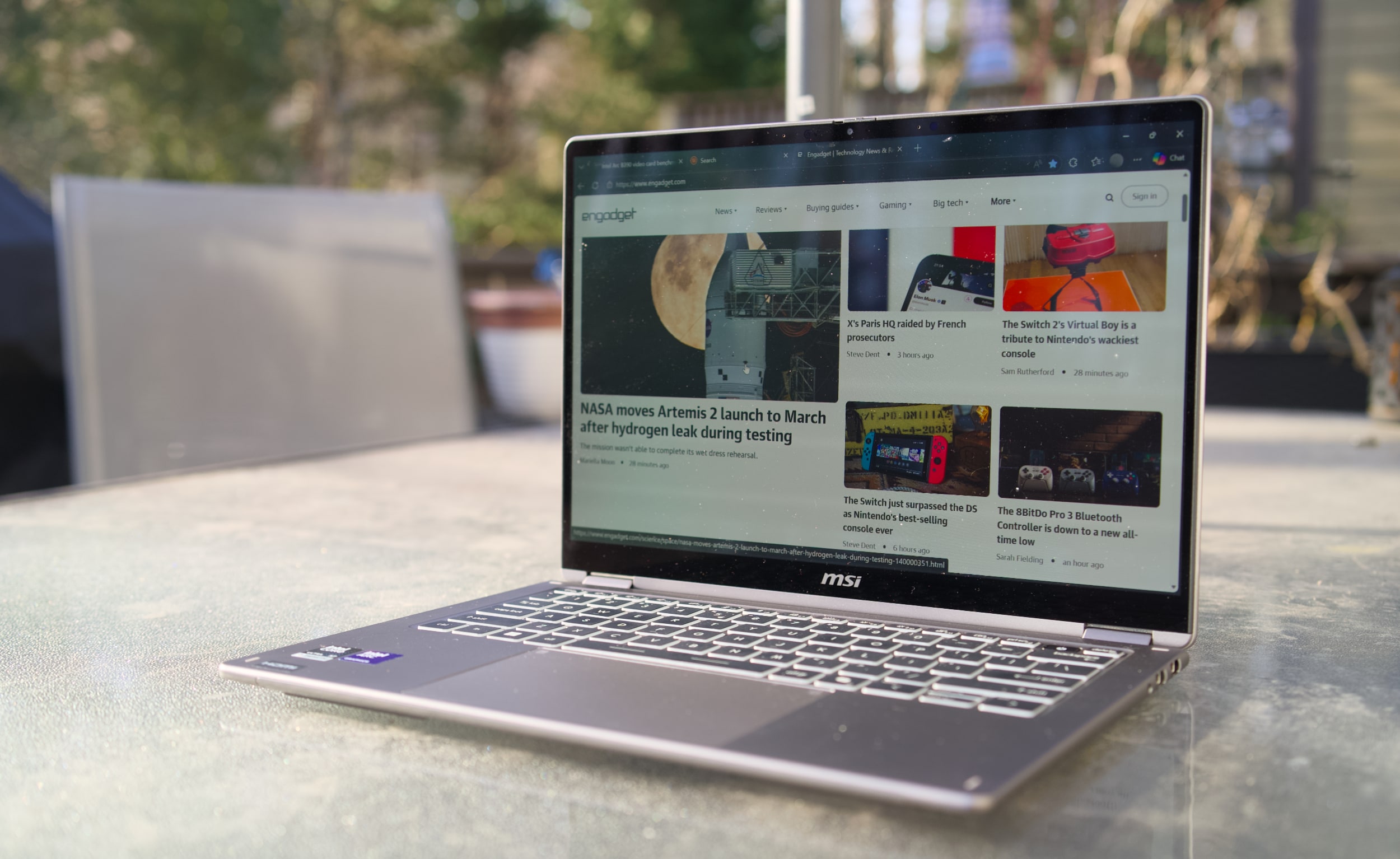
MSI Prestige 14 Flip AI+
Devindra Hardawar for Engadget

The Prestige 14’s stylus-friendly 14-inch OLED screen helps to distract from its mundane case design, with the typical deep black levels and excellent contrast I appreciate from OLED, together with bold 100 percent DCI-P3 color coverage. It makes just about everything look great, though I wish MSI offered more than a 60Hz refresh rate — a 90Hz or 120Hz screen would make scrolling through web pages look far smoother. 

And speaking of the stylus, that’s tucked away at the bottom of the Prestige 14. I didn’t find it particularly useful for notetaking, but for those who do it’s easy to stow away. It’s just too thin for extended handwriting, and anyone doing serious notetaking or digital art would be better off with a larger stylus or dedicated drawing pad. 
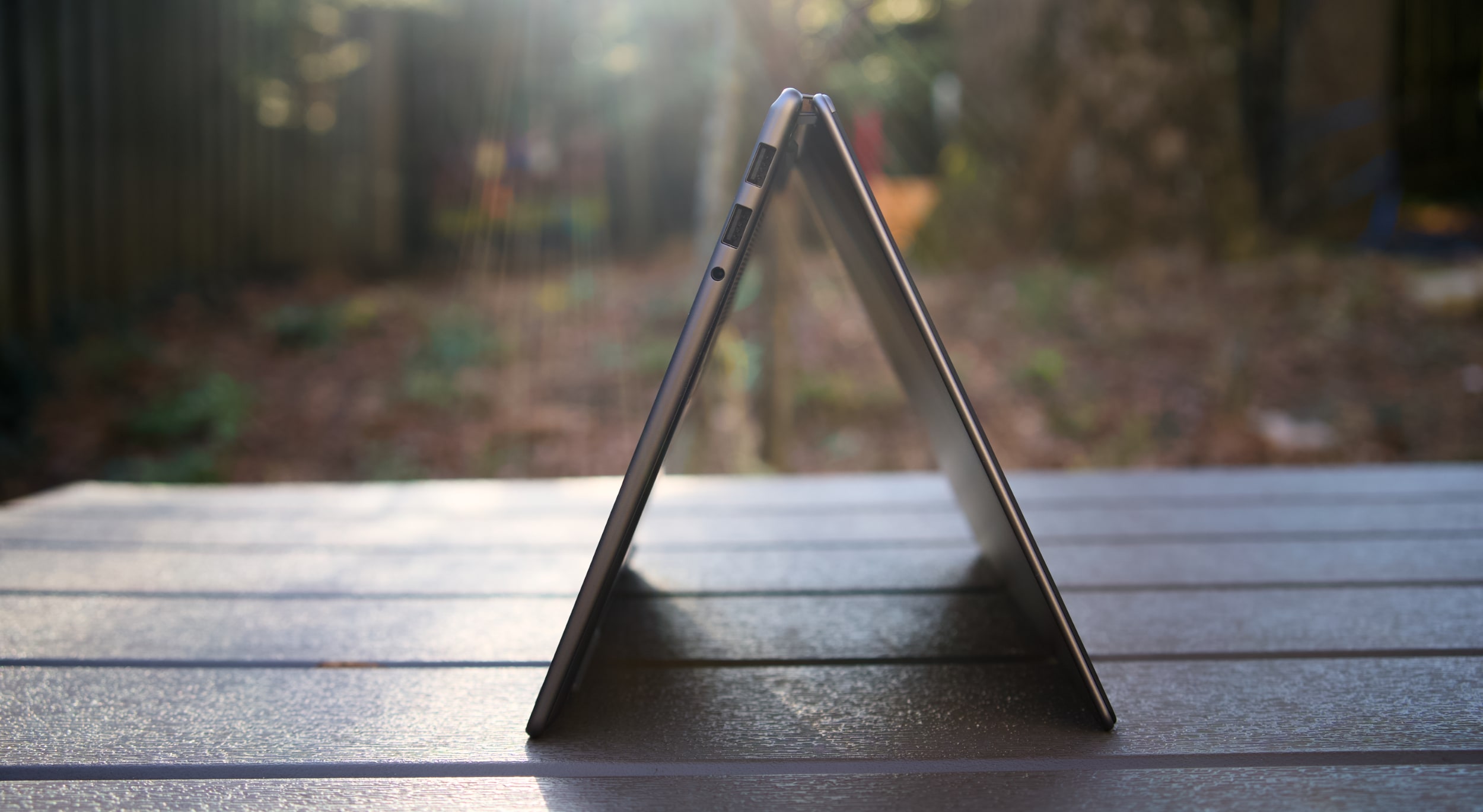
MSI Prestige 14 Flip AI+ in tent mode
Devindra Hardawar for Engadget

In-use: A stealth performer

After seeing a relatively slim Lenovo Panther Lake laptop reaching 190 fps in Battlefield 6, using only Intel’s built-in Arc B390 GPU, I was eager to see how that new hardware would perform in the real world. Simply put, the MSI Prestige 14 Flip AI+ didn’t disappoint. It scored 10,169 points in PCMark 10, the highest score we’ve seen yet on a Windows PC. 

And yes, that includes plenty of powerful gaming systems like the Alienware 16 Area 51 (8,245 points) and the Razer Blade 18 (7,703), both of which were running Intel’s last-gen Core Ultra 9 275HX chip. Of course, those systems have faster GPUs, like NVIDIA’s RTX 5080, but PCMark 10 doesn’t lean too heavily on graphics performance. The Prestige 14 edged close to the M5 MacBook Pro in Geekbench 6’s multi-threaded CPU test, scoring 16,633 points compared to Apple’s 18,003. But the MacBook Pro reigned supreme in the single-threaded test, scoring 4,310 points compared to the MSI’s 2,864. 

Computer

PCMark 10

Geekbench 6

Geekbench 6 GPU

Cinebench 2024

MSI Prestige 14 Flip AI+ (Intel Core Ultra X7 358H)

10,169

2,864/16,633

56,425

117/719

Apple MacBook Pro 14-inch (M5, 2025)

N/A

4,310/18,003

48,840

197/1,034 | GPU: 6,143

Dell 16 Premium (Core Ultra 7 255H, NVIDIA RTX 5070)

7,780

2,711/15,919

109,443

127/1,104

When it came to games, the Prestige 14 reached a surprisingly high 80-95 fps in Arc Raiders while playing in 1080p with medium graphics settings, as well as AMD’s FSR3 upscaling and 2x frame generation. Without those AMD features, Arc Raiders ran at 45-50 fps, which is still respectable for an ultraportable. To my surprise, Intel’s XeSS upscaling technology wasn’t available in Arc Raiders during my testing, but there’s a good chance that tool would eke out even more performance. (I’ve asked Intel about XeSS’s omission, and will update when I hear back.)

In Cyberpunk 2077, The Prestige 14 hit 35 fps while playing in 1080p with default settings. Flipping on Intel’s XeSS frame generation bumped that to 45 fps. If you’re used to the 30 fps performance of consoles, those numbers are still vaguely playable, but they certainly fall short of the 60 fps PC players typically look for. It’s best to think of the MSI Prestige 14 Flip AI+ as a laptop where you can play games sometimes, perhaps while you’re away from your gaming desktop. It’s certainly not a replacement for a dedicated gaming laptop.

For more prosaic productivity tasks, like juggling dozens of browser tabs and editing large images, the Prestige 14 didn’t break a sweat. Its healthy 32GB of RAM gave it plenty of breathing room for multi-tasking, and unlike other ultraportables, I didn’t notice any serious performance dips while running on battery. On that note, the Prestige 14 also lasted a whopping 22 hours and 15 minutes in PCMark 10’s battery benchmark. That’s the highest figure we’ve ever seen from a laptop, and it’s a promising sign of what we can expect from other Panther Lake systems. 
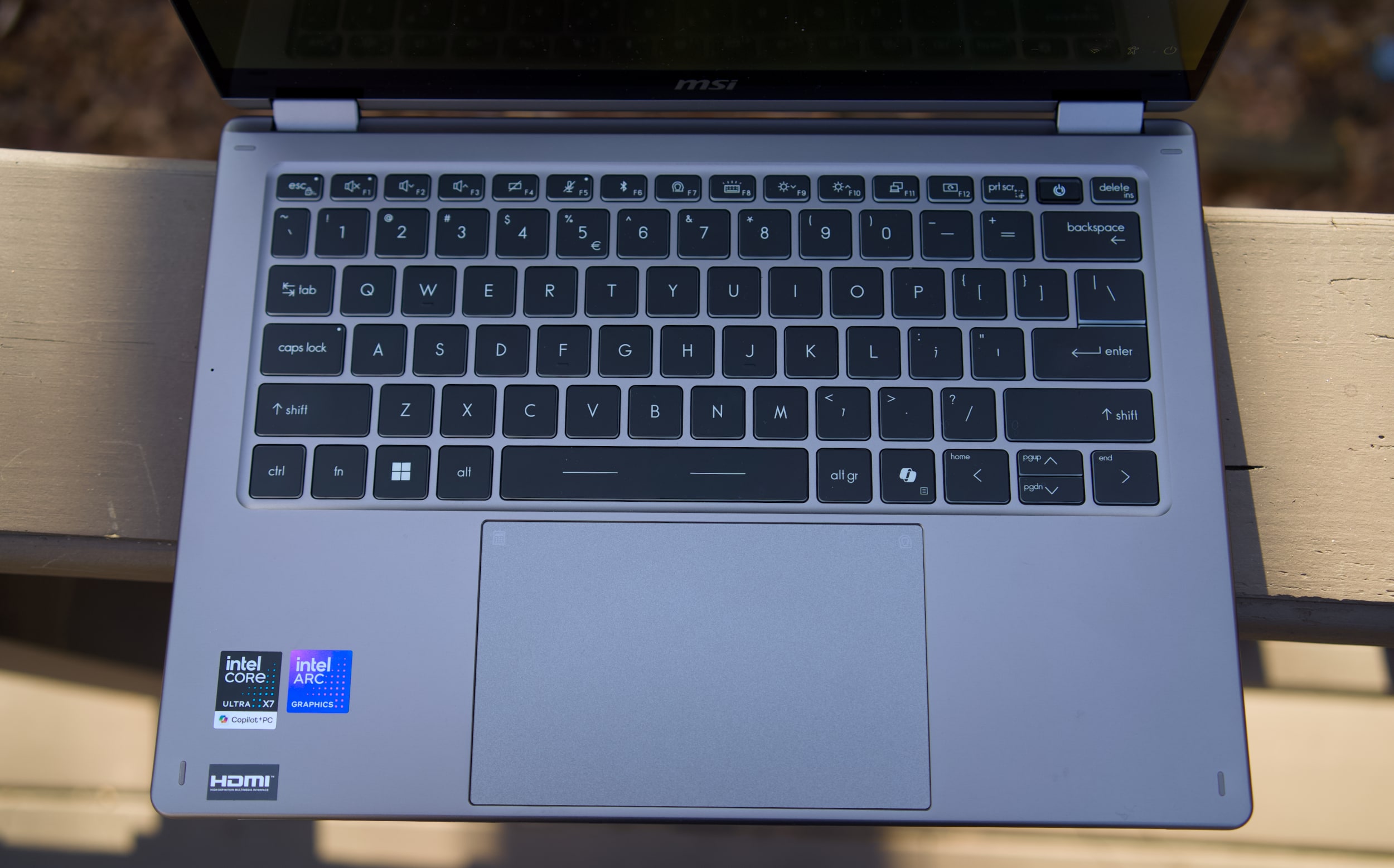
MSI Prestige 14 Flip AI+ keyboard and trackpad
Devindra Hardawar for Engadget

While there’s clearly plenty to love about the MSI Prestige 14 Flip AI+, I was less impressed with its mechanical trackpad and keyboard. Perhaps I’ve been spoiled by the more responsive haptic trackpads from the competition, but the Prestige 14’s old-school trackpad kept slowing me down with missed clicks and other annoyances. The laptop’s keyboard felt similarly cheap, with a lack of depth and comfort that I’ve come to expect from other ultraportables in the $1,299 price range. Even after hours of testing, I had a hard time typing on the Prestige 14 at full speed without errors. It’s a shame that MSI gets so much right, but is hindered by these weak components.
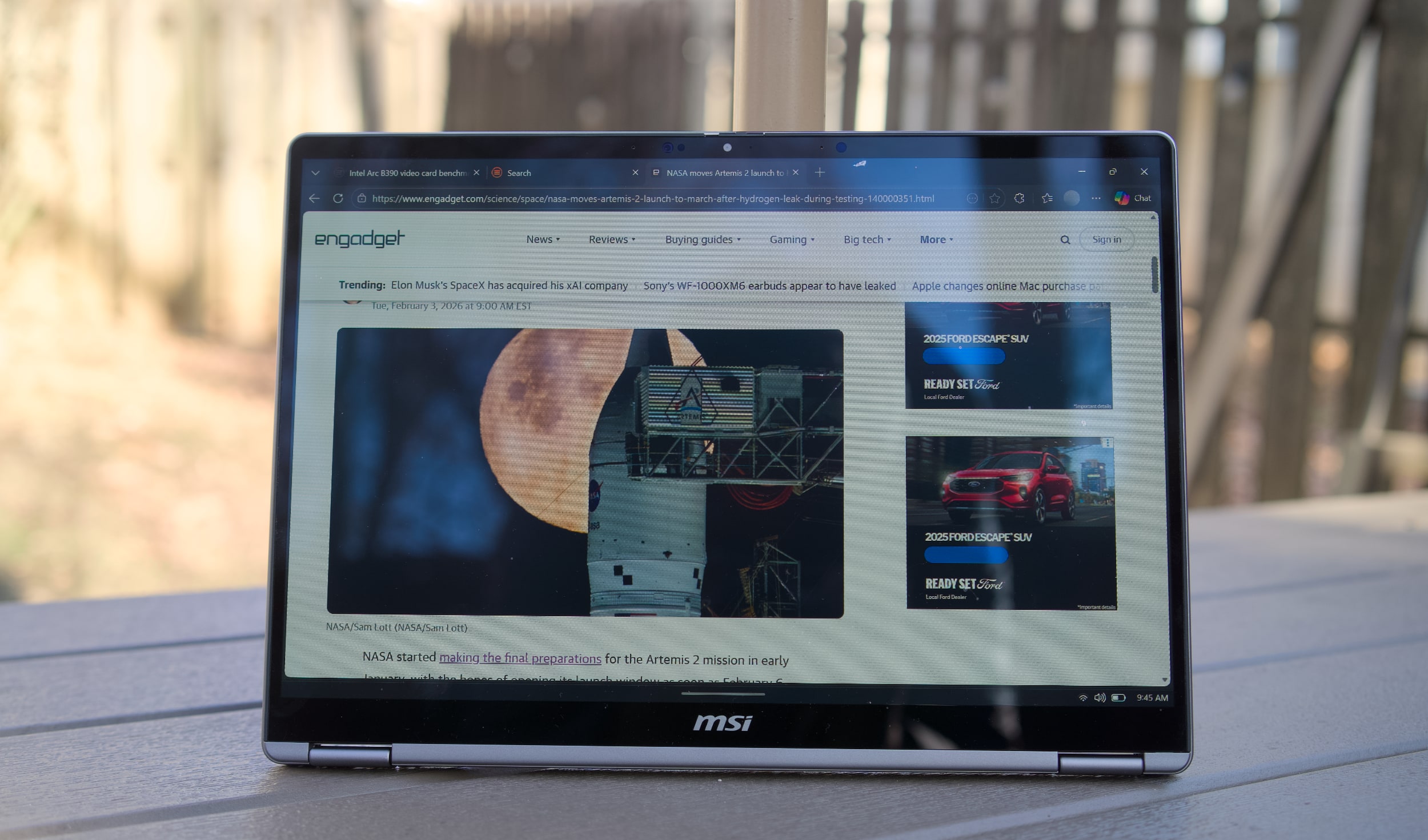
MSI Prestige 14 Flip AI+ in tablet mode
Devindra Hardawar for Engadget

Should you buy the MSI Prestige 14 Flip AI+?

As one of the earliest Panther Lake laptops on the market, the $1,299 Prestige 14 Flip AI+ is a solid machine, if you’re willing to overlook its touchpad flaws. More than anything though, the Prestige 14 makes me excited to see what other PC makers offer with Intel’s new chips. It’s taken a while, but now Intel finally has some decent competition against Apple’s M-series hardware. The era of gaming with ultralight machines is finally here.

This article originally appeared on Engadget at https://www.engadget.com/computing/laptops/msi-prestige-14-flip-ai-review-an-ultraportable-for-arc-raiders-thanks-to-intels-panther-lake-160000606.html?src=rss

PayPal’s CEO Change Blindsided HP’s Board

An anonymous reader shares a report: PayPal said on Tuesday it was booting its CEO and replacing him with its board chair Enrique Lores, sparing no ambiguity as to why: “The pace of change and execution was not in line with the Board’s expectations,” it said in a statement. One group that was blindsided was HP, where Lores was until Tuesday serving as CEO, according to people familiar with the matter.

Lores’ switchup sent them rushing to launch a search process, those people said. HP’s board does have internal candidates which it’s considering for the top job, according to a person familiar with the board’s thinking. As chair of PayPal’s board, Lores played a role in a process evaluating internal and external candidates. It was unclear when or if he recused himself from the final decision to name him as CEO. But HP’s board was only made aware that Lores was taking the CEO role at PayPal in recent weeks, the people said.


Read more of this story at Slashdot.

The first BTS concert in over three years will stream live on Netflix in March

Netflix is back with another livestream production guaranteed to excite K-POP fans worldwide. The streamer has announced that BTS will be performing live on Netflix. It marks the band’s first performance after almost four years — the members took a hiatus to complete South Korea’s mandatory military service. 

The live concert will air on Saturday, March 21, one day after BTS releases their new album Arirang and will be aptly titled BTS The Comeback Live | Arirang. The show will physically take place in Seoul’s Gwanghwamun Square and stream live at 8PM KST/7 AM ET/4 AM ET. Yes, viewers in the US will have to choose between a really early Saturday or a very late Friday night. Alternatively, you can skip out on any potential livestream glitches and likely watch it later (or catch the K-Pop group on their upcoming world tour). 

Plus, come Friday, March 27, Netflix will be releasing BTS: The Return, a documentary all about the making of Arirang. As Netflix puts it: “The film offers rare behind-the-scenes access as the group comes back together and charts an unprecedented path forward together after a nearly four-year hiatus.”

Netflix has leaned further into livestreaming over the last few years — though the BTS concert is arguably their biggest coup. Livestreams have included everything from reality shows to sports, with some serious infrastructure issues along the way. Here’s hoping the BTS concert goes off without a hitch. 

This article originally appeared on Engadget at https://www.engadget.com/entertainment/the-first-bts-concert-in-over-three-years-will-stream-live-on-netflix-in-march-155428505.html?src=rss

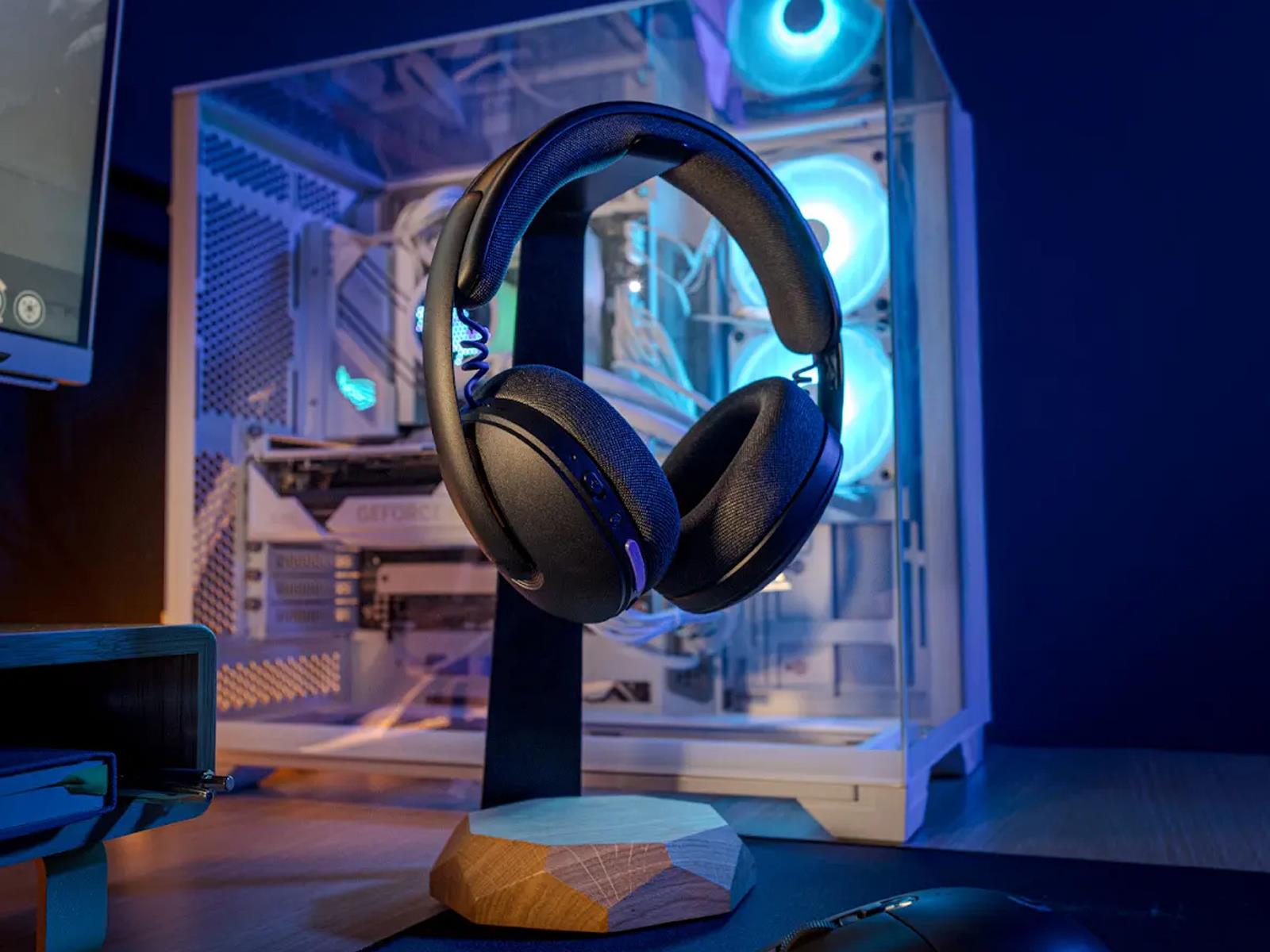
Logitech G325 Wireless Gaming Headset Promises All-Day Comfort For Just $79

Logitech G325 Wireless Gaming Headset Promises All-Day Comfort For Just $79
Logitech is out to prove that you don’t need to spend hundreds of dollars on a wireless gaming headset, or even a hundred dollars for that matter. The company’s new G325 Lightspeed with multi-platform support bucks the general trend of attaching a premium price to anything and everything aimed at gamers, with a budget-friendly $79.99 MSRP.

It’s

China bans all retractable car door handles, starting next year

Flush door handles have been quite the automotive design trend of late. Stylists like them because they don’t add visual noise to the side of a car. And aerodynamicists like them because they make a vehicle more slippery through the air. When Tesla designed its Model S, it needed a car that was both desirable and as efficient as possible, so flush door handles were a no-brainer. Since then, as electric vehicles have proliferated, so too have flush door handles. But as of next year, China says no.

Just like pop-up headlights, despite the aesthetic and aerodynamic advantages, there are safety downsides. Tesla’s handles are an extreme example: In the event of a crash and a loss of 12 V power, there is no way for first responders to open the door from the outside, which has resulted in at least 15 deaths.

Those deaths prompted the National Highway Traffic Safety Administration to open an investigation last year, but China is being a little more proactive. It has been looking at whether retractable car door handles are safe since mid-2024, according to Bloomberg, and has concluded that no, they are not.

Read full article

Comments

Google Shut Down Its Dark Web Monitoring Tool, so Here’s What to Use Instead

Another Google tool is biting the dust: The company’s dark web monitoring tool, launched in March 2023, will be shut down on Feb. 16. According to Google, feedback on the feature suggested it “didn’t provide helpful next steps”—so while it alerted users when their data was out in the wild, it wasn’t clear what to do about it. Now, Google is shifting its focus from the dark web monitoring tool to features like its online Security Check-Up and passkey protection. In other words, instead of flagging when your account credentials appear in a data breach, Google wants to make sure that your accounts stay safe even if a breach has occurred.

There are reasons why you should be keeping an eye on dark web chatter, however—and there are tools to take over the monitoring job now Google has backed out.

What is the dark web—and why do I need to monitor it?

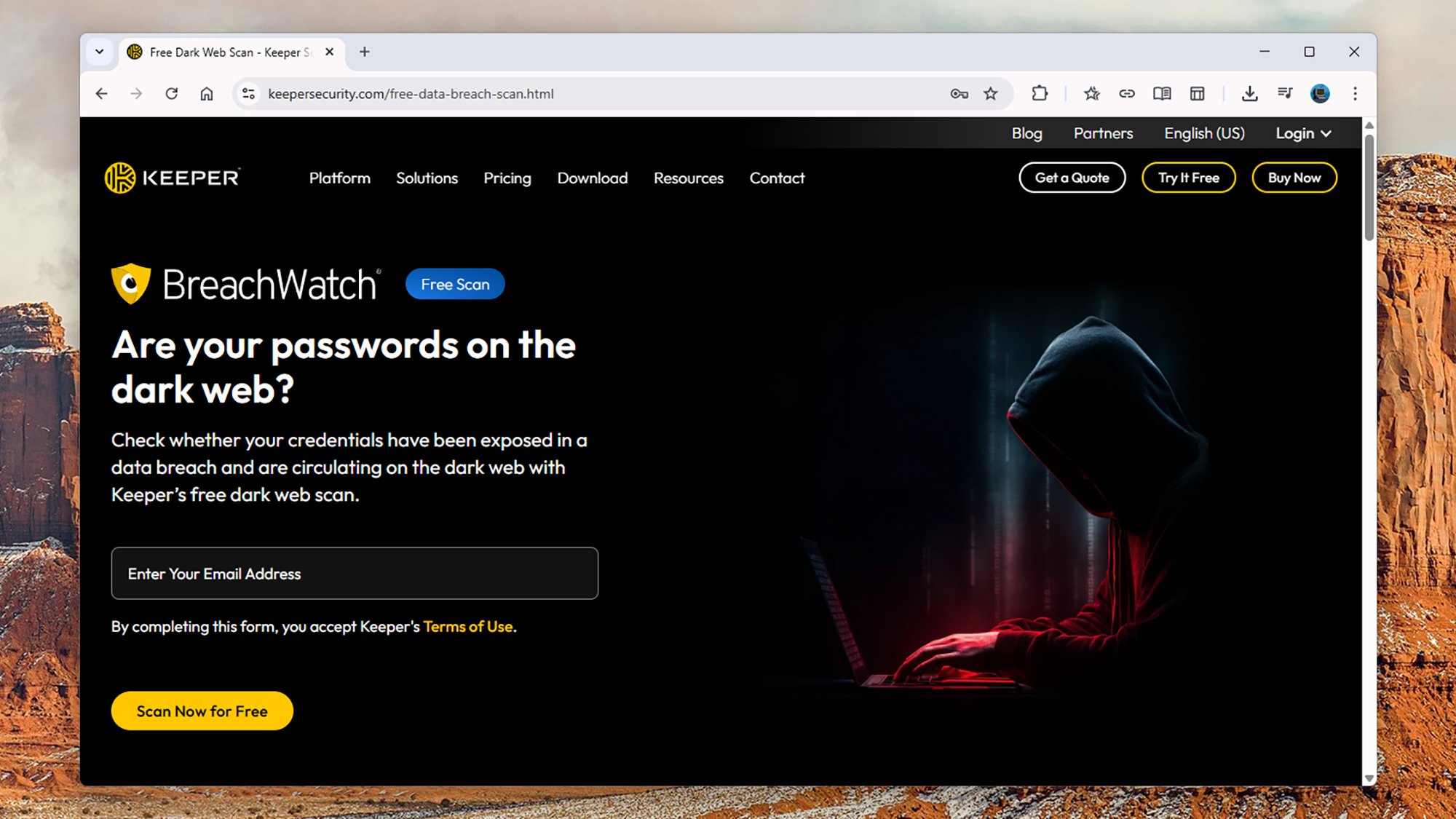
Keeper BreachWatch
Keeper provides a free dark web scan.
Credit: Lifehacker

Essentially, the dark web is made up of online spaces that you can’t get to just by pointing your browser at a web address. You need specialist software and a little bit of technical know-how to find your way into the dark web and to navigate around it. It’s largely hidden from the world at large via encryption and rerouting. Why all the secrecy? The dark web is used to evade both law enforcement and ruling powers, so it’s the perfect place to carry out somewhat illicit activities as well as get around the machinations of oppressive surveillance states. It’s a place where hackers and whistleblowers alike can gather.

Speaking of hackers, dumps of information from data breaches will often find their way on to the dark web, to be traded or given away for free. Whether it’s your email address, phone number, social security number, or passwords, if this data has been exposed by a hack, you’re much more likely to find it on the dark web than on Reddit.

Dark web monitoring tools, like the one Google just shut down, are intended to give you a heads up if your details have appeared in a data dump. You can then do something about it, whether it’s getting in touch with your bank to check for any signs of identity theft, or changing the password for your email service.

Having a dedicated tool for the task saves you from having to trawl the dark web yourself—which isn’t particularly easy or pleasant—and while Google might be closing down its monitoring service, you’ve got several alternatives you can turn to instead.

The best dark web monitoring tools you can try

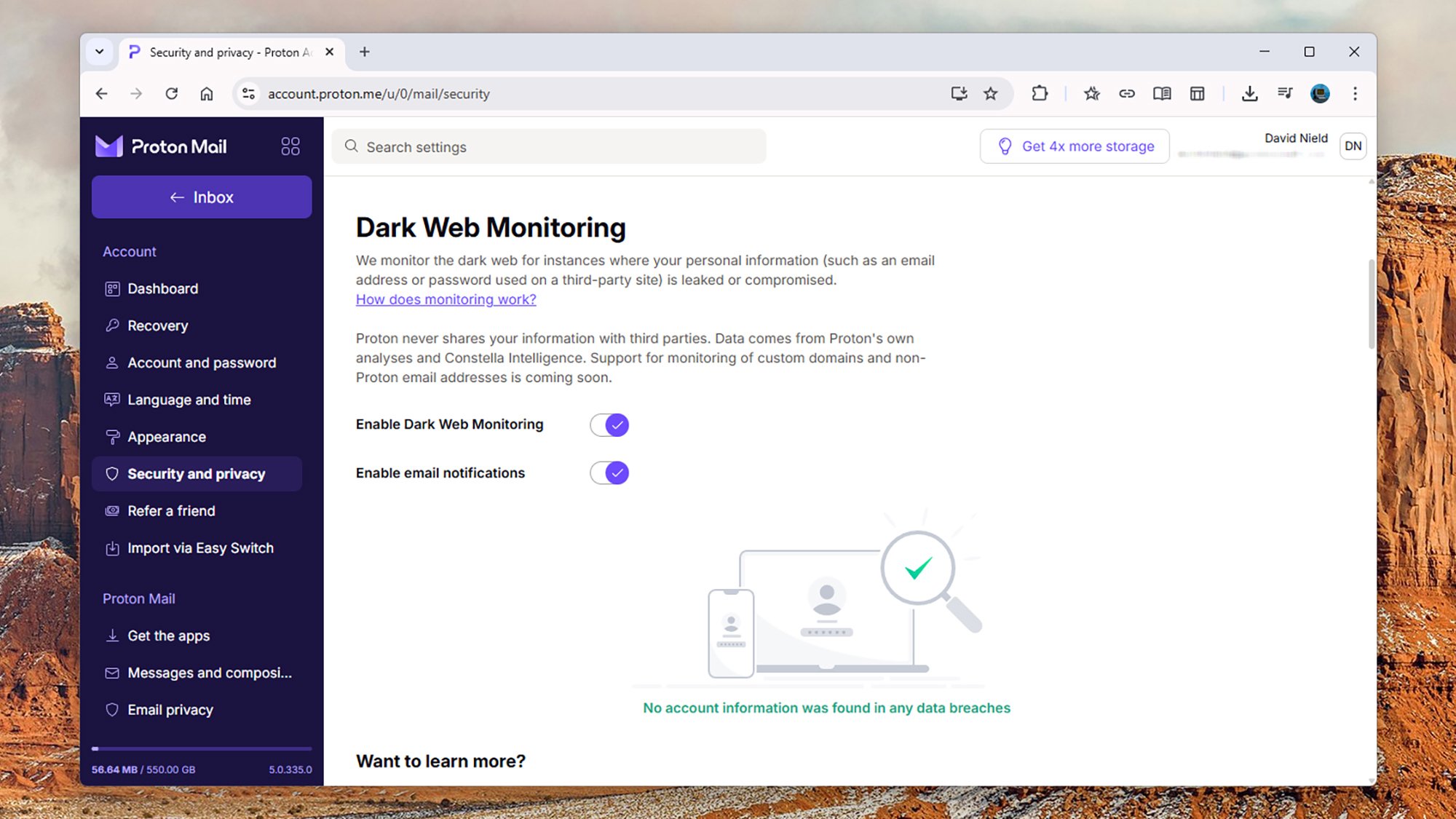
Proton Dark Web Monitoring
Proton’s dark web scanner is part of the Proton Unlimited subscription.
Credit: Lifehacker

Proton is a favorite among privacy enthusiasts, and the privacy-focused company also has a Dark Web Monitoring tool of its own. You do need a paid plan to access it though, from $12.99 a month or $119.88 a year, which includes multiple perks across all Proton’s products. You can find it from the Security and privacy side panel in the Proton Mail app.

Proton uses a variety of intelligence datasets in its dark web sweep, and looks out for details including email addresses, usernames, dates of birth, physical addresses, and government IDs. The leaks will be categorized in terms of how urgently action needs to be taken, and Proton doesn’t give your data to third parties.

Trend Micro has a Data Leak Checker that covers the dark web, which you can use without paying anything or even signing up for an account—though you can only check for mentions of your email address or phone number in leaks. For more comprehensive scans and alerts, you can sign up for a premium account, from $9.99 a month or $49.99 a year—and there’s lots more included besides dark web monitoring.

Keeper Security takes the same approach with BreachWatch: You can run a quick scan for breaches including your email address without paying or signing up, but if you want anything more advanced (including proactive notifications) then you need to sign up for $24.99 a year. The feature can be added to any of Keeper’s other paid-for plans too.

If you currently pay for a security product, such as a password manager or a VPN, you may well find that dark web monitoring is included—so check through your existing subscriptions. For example, the Surfshark Alert dark web monitoring tool comes as part of the Surfshark One VPN bundle, with pricing from $17.95 a month or $40.68 a year.

Notepad++ says it was hijacked by Chinese state-sponsored hackers

Last year, the creator of Notepad++ rolled out an update for the text and source code editor after security experts reported that bad actors were hijacking its update mechanism to redirect traffic to malicious servers. It led to users downloading compromised executables that could infect their devices. Now, Don Ho has revealed that multiple security experts investigated the breach and determined that the threat actor “is likely a Chinese state-sponsored group.” He said it explained why experts observed highly selective targeting during the campaign and why only traffic from certain users were redirected so that they would download malicious files. It’s not clear what kind of users were specifically targeted and what the files did to their devices.

The attackers started redirecting traffic from Notepad++ to their servers sometime in June 2025, and that went on until December 2. Their method involved compromising the system at the hosting provider level, though the exact technical mechanism that allowed them to intercept traffic remains under investigation. In addition to releasing a security patch, Notepad++ also migrated to a new hosting provider with much stronger security practices. Ho now encourages anyone who wants to install the app to download version 8.9.1, which comes with the security update, and running the installer manually.

This article originally appeared on Engadget at https://www.engadget.com/apps/notepad-says-it-was-hijacked-by-chinese-state-sponsored-hackers-153000268.html?src=rss

Firefox Becomes First Major Browser With A Full AI Kill Switch

Firefox Becomes First Major Browser With A Full AI Kill Switch
As with most other software products, web browsers are full speed ahead in implementing AI features. However, Firefox has encountered push-back from a significant portion of its user base who want “nothing to do” with AI. Mozilla is hoping to juggle building in more AI features without alienating users by offering a way to turn these features

Spain set to ban social media for children under 16

Spain will join the growing list of countries banning access to social media for children, Prime Minister Pedro Sanchez announced Tuesday. The law will apply to users under 16 years of age amidst a broader push to hold social media companies accountable for hate speech, social division and illegal content.

Speaking at the World Governments Summit in Dubai, Prime Minister Sanchez excoriated social media, calling it a “failed state” where “laws are ignored and crime is endured.” He spoke to the importance of digital governance for these platforms, highlighting recent incidents like X’s AI chatbot Grok generating sexualized images of children, Meta “spying” on Android users and the myriad election interference campaigns that have taken place on Facebook.

In light of what Sanchez called the “integral” role social media plays in the lives of young users, he said the best way to help them is to “take back control.” Next week, his government will enact a slew of new regulations, with a ban on users under 16 years of age among them. Social media companies will be required to implement what he calls “effective age verification systems” and “not just checkboxes.” A specific timeline on enforcement of the coming ban has not been announced.

Spain will also make “algorithmic manipulation and amplification of illegal content” into a new criminal offense and Sanchez says tech CEOs will face criminal liability for hateful or illegal content on their platforms. The Prime Minister further announced that Spain has formed a coalition with five other unnamed European nations to enact stricter governance over social media platforms.

Sanchez said children have been “exposed to a space they were never meant to navigate alone,” and that it’s the government’s job to intervene. He added social media has fallen from its promise to be a “tool for global understanding and cooperation.”

Australia enacted an under-16s ban on social media last year, which has prompted many nations to follow suit. It is under active consideration in the UK, while Denmark and Malaysia have announced plans to enact similar bans.

This article originally appeared on Engadget at https://www.engadget.com/social-media/spain-set-to-ban-social-media-for-children-under-16-151546884.html?src=rss

Intel Panther Lake Shows Strong Linux CPU Performance & Power Efficiency With Core Ultra X7 358H Benchmarks

For those that have been very eager to hear about the Intel Core Ultra Series 3 “Panther Lake” performance on Linux, today’s the day! Last Thursday the MSI Prestige 14 Flip AI+ Evo laptop arrived that is powered by the Core Ultra X7 358H. Here is a look at how that Intel Core Ultra X7 358H competes for performance and power efficiency against a wide range of other laptops on an up-to-date Linux software stack in with around 300 benchmarks.

This QLED TV Packs Serious Brightness and Gaming Specs for Under $800

We may earn a commission from links on this page. Deal pricing and availability subject to change after time of publication.

The 65-inch TCL QM7K is currently selling for $797.99, down from $999.99, and price-trackers show this is the lowest it has dropped so far. The QM7K isn’t a stripped-down budget model—it’s a mini-LED TV with full-array local dimming, wide HDR format support, and brightness levels that push past 2,000 nits. In practice, that means HDR highlights pop, contrast stays controlled, and the screen remains usable even in rooms with a lot of daylight. It doesn’t reach the extreme peak brightness of TCL’s higher-end QM8, but for most living rooms, the difference is negligible. And if you’re also shopping for a solid gaming and streaming setup without dropping over a grand, the QM7K fits the bill.

TCL has packed this one with gamer-friendly specs: a native 144Hz refresh rate, AMD FreeSync Premium Pro, and input lag under 5ms for 1080p at high frame rates. Even at 4K60, input lag stays under 14 milliseconds, keeping it comfortably below the one-frame delay PCMag uses as a benchmark for solid gaming performance in a TV. Connectivity is solid, too, with four HDMI ports in total, including two that support 144Hz signals and one with eARC for audio passthrough, plus USB, Ethernet, and optical audio. Google TV handles the smarts, with support for Apple AirPlay, Chromecast, hands-free Google Assistant, and all the big-name streaming apps. The included remote is backlit, easy to use, and comes with shortcut buttons for popular apps. And the interface is easy to navigate.

That said, there are some trade-offs. Color tuning leans warm out of the box and may need adjustment, and the panel doesn’t support ATSC 3.0, so you’re missing out on the newer over-the-air broadcast standard. Also, like most LED TVs, you’ll lose some color saturation and contrast when watching from sharp side angles. But those compromises are minor for most people using it as a living room centerpiece or gaming display. PCMag gave the QM7K “excellent” rating, and our own writer, Daniel Oropeza named the 65-inch model one of the best budget QLED TVs to buy.

Deals are selected by our commerce team

Amazon’s Echo Show 8 and 11 are down to new all-time lows

Amazon is running a sale on two of its newest devices. First, there’s the Echo Show 8, which is down to $150 from $180 — a 17 percent discount. Next up is the Echo Show 11, which is more or less the same device, just bigger. This model has dropped 18 percent to $180 from $220. Both deals bring the Echo Shows down to new all-time low prices. 

The Echo Show 8 and 11 came out in mid-November with the main difference being screen size. The Echo Show 8 has an 8.7-inch HD screen that Amazon claims is 15 percent larger than its predecessor. Meanwhile, the Echo Show 11 is, you guessed it, an 11-inch Full-HD display that has 60 percent more viewing area than the Echo Show 8. 

Both of the devices come with an AZ23 Pro chip and Omnisense technology, which Amazon describes as “our custom sensor platform designed for ambient AI.” They also have Prime Video and Netflix apps, while other streamers can be reached through the browser. Each comes with spatial audio, dual full-range drivers and a 2.8-inch woofer. Plus, they have a 13MP camera with auto-framing. 

Follow @EngadgetDeals on X for the latest tech deals and buying advice.

This article originally appeared on Engadget at https://www.engadget.com/deals/amazons-echo-show-8-and-11-are-down-to-new-all-time-lows-150021328.html?src=rss

Adobe Is Killing A Popular Animation And Game Development Program

Adobe has emailed users of Adobe Animate to let them know the popular animation and game development program will be discontinued on March 1, an abrupt decision that has angered animators and game developers who say the tool remains an industry standard in television and game production.

Animate, the successor to the once-popular Flash, is widely used for graphic creation, animation and building games in HTML5. The company has not offered a reason for the shutdown. On BlueSky, artist and animator Julia Glassman wrote that many television productions, games, and animated media still rely on Animate and Flash pipelines and cannot simply pivot to entirely new software.


Read more of this story at Slashdot.

Historic 1976 Apple Check Signed By Jobs And Woz Smashes Auction Estimates At $2.4M

Historic 1976 Apple Check Signed By Jobs And Woz Smashes Auction Estimates At $2.4M
Apple memorabilia tends to fetch exorbitant sums at auction, especially when it’s an item containing a signature by Steve Jobs or Steve Wozniak, two of company’s three co-founders. Even so, a check for $500 signed by both Steves shattered expectations at auction with the winning bid exceeding $2.4 million, which is more than 4,800 times the

[$] The future for Tyr

The

team
behind

Tyr
started 2025 with little to show in our quest to
produce a Rust GPU driver for Arm Mali hardware, and by the end of the
year, we were able to play SuperTuxKart (a 3D open-source racing
game) at the Linux Plumbers Conference (LPC). Our prototype was a joint
effort between Arm, Collabora, and Google; it ran well for the duration
of the event, and the performance was more than adequate for players.
Thankfully, we picked up steam at precisely the right moment: Dave
Airlie just

announced
in the Maintainers Summit that the DRM subsystem
is only “about a year away” from disallowing new drivers written in C
and requiring the use of Rust. Now it is time to lay out a
possible roadmap for 2026 in order to upstream all of this work.

Meta & University Of Utah Explore Using Neural Band For Accessibility

The Utah NeuroRobotics Lab is exploring Meta’s Neural Band as an accessibility tool instead of relying on chin joysticks, head switches, and sip-and-puff controls.

Surface electromyography (sEMG) is already being used to interpret intended hand and finger movements for people with limited mobility, but the technology currently used for research can be bulky, awkward, and relatively expensive. The Neural Band is a slim, stylish mass-produced sEMG wristband bundled with the Meta Ray-Ban Display glasses, making it a great option for future research.

Neural signals captured at the wrist can often be detected even when physical movement is limited or impossible. The research includes participants with spinal cord injuries and motor impairments, exploring how reliably those signals can be translated into digital input across different users. It’s early-stage work, but it targets a long-standing problem in human-computer interaction.

Accessibility Research Areas

The Utah NeuroRobotics Lab develops assistive technologies for people with neuromuscular impairments such as stroke, spinal cord injury, traumatic brain injury, ALS, and limb loss. The possible solutions are quite diverse, ranging from robotics and prosthetic limbs, exoskeletons, adaptive wheelchairs, and adaptive skiing systems that restore mobility or sensation.

The benefits could be substantial. Rather than chin joysticks, head switches, and sip-and-puff controls, the Neural Band could decode a person’s motor intention from nerve and muscle signals to control this technology intuitively. The goal is to leverage the Neural Band to control computers, smart devices, and physical devices, greatly expanding ease and functionality.

The University of Utah partnership is focused on understanding signal quality, consistency, and long-term viability. It’s unclear when or if Meta’s Neural Band will launch as a standalone accessory to connect to computers and assistive devices. However, the data gathered here could influence multiple categories of assistive and adaptive technology in the near future.

Testing this technology with users who have atypical neuromuscular signals could increase adaptability. That kind of robustness benefits accessibility first, but it also improves the experience for everyone else.

The Neural Band Is Already Assistive

We recently covered how Meta’s Neural Band can translate subtle signals into text input, effectively enabling handwriting-style interaction without a physical keyboard. Neural Band handwriting recognition focuses on productivity and AR use cases, but the accessibility implications are already clear.

If a system can detect intent rather than completed physical motion, it could enable users to access a variety of devices to type, navigate menus, and interact with interfaces without touchscreens, controllers, or large hand-waving gestures. Neural input offers a silent, private alternative to voice control, which is important in shared and public spaces.