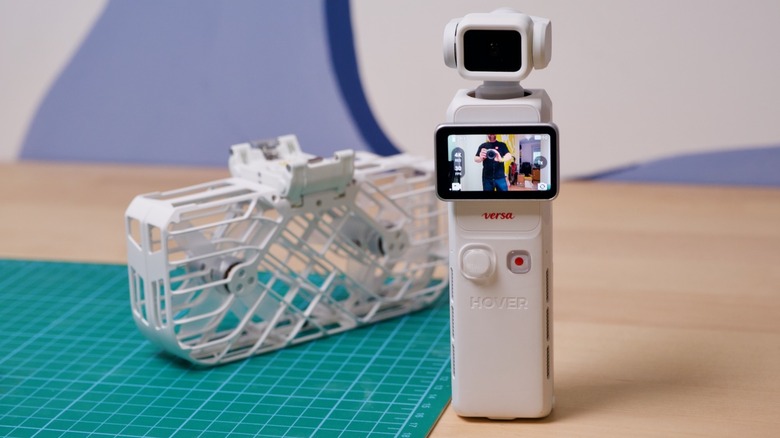
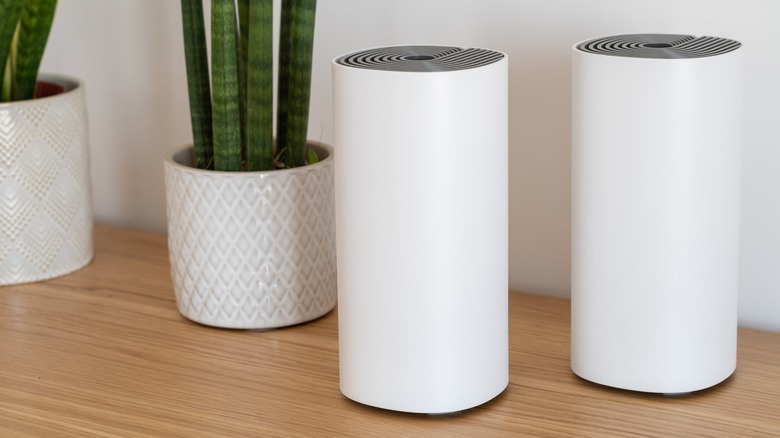
The HoverAir Versa is a clever combination that makes a lot of sense, but don’t expect the best of both worlds.

[Andy Wu, controls engineer for Atlas at Boston Dynamics] trained the system in sim. The system learned all of the behaviors in sim and executed them in real life, with surprising accuracy, according to Wu. Wu said converting Atlas’ locomotion style was “wonderfully simple.” A single custom adapter mounts an off-the-shelf scooter rim onto Atlas’ existing ankle actuator, and that’s the only new part in the whole build. Because Atlas was designed from the start to be produced at high volume and to be easy to service, Wu said the retrofit was about as involved as swapping a wheel on a bicycle. The software side was just as straightforward, he said. Each wheel is modeled as an “ankle” that can spin continuously, so all Wu had to do was take the baseline robot model and swap the feet out for wheels.
The next question that Wu intends to answer is the policy response to failed actuators. This is key to safety and to understanding how the system will respond to a system failure. The primary takeaway for Wu and the controls engineering team at Boston Dynamics is to understand control synergy. The video demonstrates that merging classical motor controls (for baseline stability) with whole-body RL (for reactive adaptation) yields superior real-world agility compared to using either method alone.


Read more of this story at Slashdot.
The FDA said it began looking into a possible link after a 2024 study published in JAMA Ophthalmology that found diabetes patients prescribed semaglutide were four times as likely to develop NAION as those not prescribed the drug. The agency said it reviewed reports of side effects submitted to its adverse event monitoring system and analyzed data from multiple clinical trials. Cases of NAION have been reported for all currently marketed GLP-1 drugs, the FDA found. However, FDA scientists were not able to identify a mechanism for how the drugs could increase the risk of the eye condition. Risk factors for NAION can overlap with conditions seen in people taking GLP-1 drugs, including Type 2 diabetes, obesity, sleep apnea and hypertension. “Patients and caregivers should be aware of a potential increased risk of NAION, a rare condition that can result in acute, painless, decreased vision in one eye, including permanent vision loss,” with GLP-1 use, the FDA said in the release.


Read more of this story at Slashdot.


Read more of this story at Slashdot.
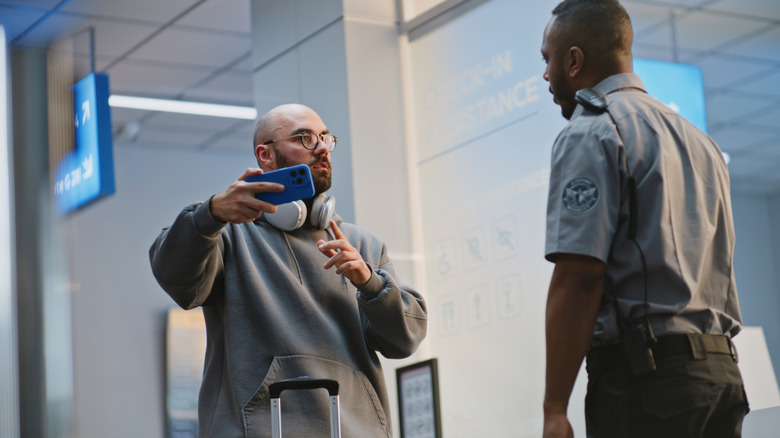
Waze is a crowdsourced navigation app designed to help you get where you’re going as quickly and with as much information about your route as possible. Where Google Maps and Apple Maps offer relatively straightforward directions, Waze tries to outsmart these alternatives by integrating real-time community feedback about hazards, speed traps, road closures, and more. If you are switching to Waze or using it alongside your other navigation tools, these are the hacks to help you maximize everything the app has to offer.
If you find yourself losing track of time or running late for events, Waze can notify you when it’s time to leave—based on your current location and live traffic—so you arrive on schedule. You can set up “Time to leave” reminders in advance for individual planned drives, or you can sync your calendar to receive notifications for scheduled events. Calendar sync connects to your device’s default calendar app, but you can change this to a third-party alternative if you prefer. Calendar events must include a navigable address to trigger reminders, and you must select Plan a drive in Waze for the event.
Waze has a feature called “child reminders,” which are notifications to check for children before you get out of the car. This is clearly an incredibly important use case, but you can also use these alerts for custom messages, like “Don’t forget the groceries!” In Waze, tap the menu button > Settings > Reminders > Child reminder and select Custom message.
Variable speed limits, especially on unfamiliar routes, can result in you speeding when you don’t mean to. But Waze can alert you if you exceed a customized speed threshold so you aren’t caught by surprise or at higher risk of being ticketed. From the menu, go to Settings > Speedometer and turn on Show speedometer. Tap Speeding threshold to select what limit you want to trigger alerts, and turn on Alert at threshold if you want Waze to play a sound.
Waze offers a wealth of information on routes to help drivers navigate obstacles and hazards, but this can clutter your map and distract you from the most critical information, especially in congested, high-traffic areas. Waze says it limits and prioritizes alerts automatically, but you can actually customize which alerts you see based on what’s most important to you. From the menu, go to Settings > Alerts and reports > Reports and select the relevant alerts.
In the same Alerts and reports menu, you can enable Alert while driving, which will give you an audio warning and an onscreen pop-up about your selected hazards. This allows you to run navigation via a different map app (like Google Maps or Apple Maps) in the foreground while still getting Waze data in the background.
Waze integrates with toll road and HOV lane passes, so if you have an express or fast lane subscription, your route will optimize for it. If you don’t, Waze can still account for HOV lane eligibility if you tell it how many passengers are in your car. From the menu, go to Settings > Toll and HOV passes and tap the plus icon to add your pass(es) from the list. If you need to add your passenger count instead, you can do so from View routes and enable the HOV option.
If you’re driving through an unfamiliar, highly congested, or poorly designed area, you can ask Waze to help you avoid tricky maneuvers, such as crossing multiple lanes of traffic or turning left at intersections without lights. This prioritizes ease over speed using protected green arrows, roundabouts, and right turns. From the menu, go to Settings > Navigation, Avoid difficult intersections and select Always. You can also ask Waze to avoid toll roads, ferries, freeways, and unpaved roads.
Waze has a built-in audio player that syncs with your preferred listening platform—such as Spotify, YouTube Music, and Pandora—so you can control your music without having to navigate between apps. (As Waze is a Google product, Apple Music isn’t included.) Simply tap the music icon on the map to select your audio player and hit Accept. If you don’t see the icon, go to Settings > Audio player and turn on Show on the map.
If you want to make audio directions more interesting, you can select a celebrity or character voice to help you navigate. Recent appearances include Bill Hader’s Cat in the Hat and Ziggy Marley. Tap the speaker icon > Current voice to search for the voice or language you want to use. You can also record directions in your own voice.
If you don’t want Waze storing certain types of data—or if you want to keep your activity hidden from other users—you can adjust various privacy settings in the app. You will certainly want to turn off personalized ads (under Settings > Privacy) and consider enabling invisible mode, which keeps your username, mood, photo, and online status hidden from other Waze users. Finally, you can delete recent locations and drives as well as your navigation history at any time.
Trump is slated to meet next week with Chinese leader Xi Jinping in Shenzhen, China, at the Asia-Pacific Economic Cooperation summit, but he was noncommittal about bringing up the situation with Xi. “No, I don’t think so,” Trump said. “I mean, maybe. I’m sure President XI will ask me about it. I just know Jensen very well. I just think he’s a very honorable man.”
Nvidia has launched its own independent investigation into whether Huang was targeted by a foreign intelligence operation. Meanwhile, China has denied the allegations. “The so-called Chinese spy allegation is unsubstantiated. It is nothing but smears against China,” Chinese Foreign Ministry spokesperson Guo Jiakun said during a regular news briefing Monday.
Further reading: Commerce Dept. Chip Inquiry Was Halted After Nvidia Intervention


Read more of this story at Slashdot.