
Blizzard is restricting character creation temporarily to try to even the numbers
Monthly Archives: November 2026
10 Movies Like ‘Interstellar’ You Should Watch Next
We may earn a commission from links on this page.
Christopher Nolan’s 2014 megahit Interstellar has it all: big sci-fi ideas, cool robots, ugly crying, and a Matt Damon character in need of rescuing. Grounded in the intensity of the human experience, this story of humanity’s potential extinction and the sacrifice of one man to save it doesn’t just deliver exotic planets and thrilling spaceship maneuvers; it also provides all the feels as Joseph Cooper (Matthew McConaughey) sacrifices everything he has in an effort to save the entire human race. It’s one of the best science fiction films ever made, with Nolan’s signature complexity, time manipulations, and emotional wallop. If you love this movie, here are ten more that offer a similar viewing experience.
2001: A Space Odyssey (1968)
If you loved both the special effects in Interstellar that make space travel feel viscerally thrilling (and terrifying) and the mind-blowing concepts, this is the film for you. Stanley Kubrick’s 1968 epic (written by sci-fi master Arthur C. Clarke) traces humanity’s development from mildly smart apes to spacefaring capitalists who discover a mysterious obelisk on the Moon that sparks a mission to Jupiter. While it operates in a colder emotional key than Nolan’s film, 2001: A Space Odyssey absolutely delivers on the epic side of things (and the cool—if slightly deranged and deadly—artificial intelligences). Stream 2001: A Space Odyssey on HBO Max or rent it on Prime Video.
Project Hail Mary (2026)
If you’re looking for more existential missions with somewhat reluctant heroes in space, Project Hail Mary is your next stop. When the Sun begins to dim due to the interference of an alien entity, scientists identify the one nearby star that isn’t being similarly affected. Brilliant molecular biologist Ryland Grace (Ryan Gosling) winds up forced to go on what is assumed to be a fatal, one-way mission into deep space to try to find a way to save humanity, unexpectedly assisted by a charming alien he names Rocky. It’s got the same emotional volume and big ideas as Interstellar, and fans of Nolan’s film will love it. Stream Project Hail Mary on MGM+ or Philo, or rent it on Prime Video.

Sunshine (2007)
Part of what makes Interstellar so compelling is the stakes: The human race is slowly dying, and a handful of people must make incredible sacrifices to save it. That’s the vibe of Sunshine, set in a future where the Sun is dimming and a spacecraft is dispatched to deliver an enormous bomb designed to reignite the Sun’s fusion cycle. But the mission is the second attempt after the first ship vanished mysteriously seven years earlier, and when the new crew stumbles on the derelict wreck of the first mission, things quickly descend into violence and madness—but the crew remains determined to save the world, no matter the cost. Rent Sunshine on Prime Video.
Arrival (2016)
Interstellar works in large part because of the emotional dynamics at play. McConaughey’s character leaves his children behind and is forced to witness them growing up without him, missing out on their lives and saddled with the knowledge that they resent him despite the necessity of his mission. Arrival is a First Contact story focused on language—linguist Louise Banks (Amy Adams) is drafted into an effort to understand the strange, complex language of the aliens. As she slowly builds to an understanding of how the aliens communicate and perceive time itself, her own heartbreak and loss come into play, giving this film a similarly devastating emotional punch. Stream Arrival on Kanopy or Hoopla, or rent it on Prime Video.
Ad Astra (2019)
Family dynamics and the toll of lonely space missions fuel Ad Astra, a film with the same emotional core as Interstellar. Twenty-nine years ago, famed astronaut Clifford McBride (Tommy Lee Jones) led the Lima Project, a space station around Neptune searching for intelligent life. Thirteen years ago, Earth lost contact with him. When bursts of energy emanating from Neptune threaten to end life on Earth, his son, Roy (Brad Pitt), is dispatched to try to make contact with his father. It’s an epic journey with a powerful climax that will satisfy fans of Interstellar in every way. Stream Ad Astra on Netflix or rent it on Prime Video.
Prometheus (2012)
Ridley Scott’s prequel to Alien has its flaws, but if you’re looking for a sense of epic spacefaring adventure in the same key as Interstellar, it’s perfect. When two scientists discover a star map apparently left behind by ancient aliens, they secure funding from the Wayland Corporation to organize a space expedition to the indicated planet. Accompanied by a colorful crew and the android David, they discover an apparently abandoned outpost of the species dubbed the Engineers. The story wrestles with questions about humanity’s origins, purpose, and potential—but this being an Alien film, things quickly turn horrifying. Rent Prometheus on Prime Video.
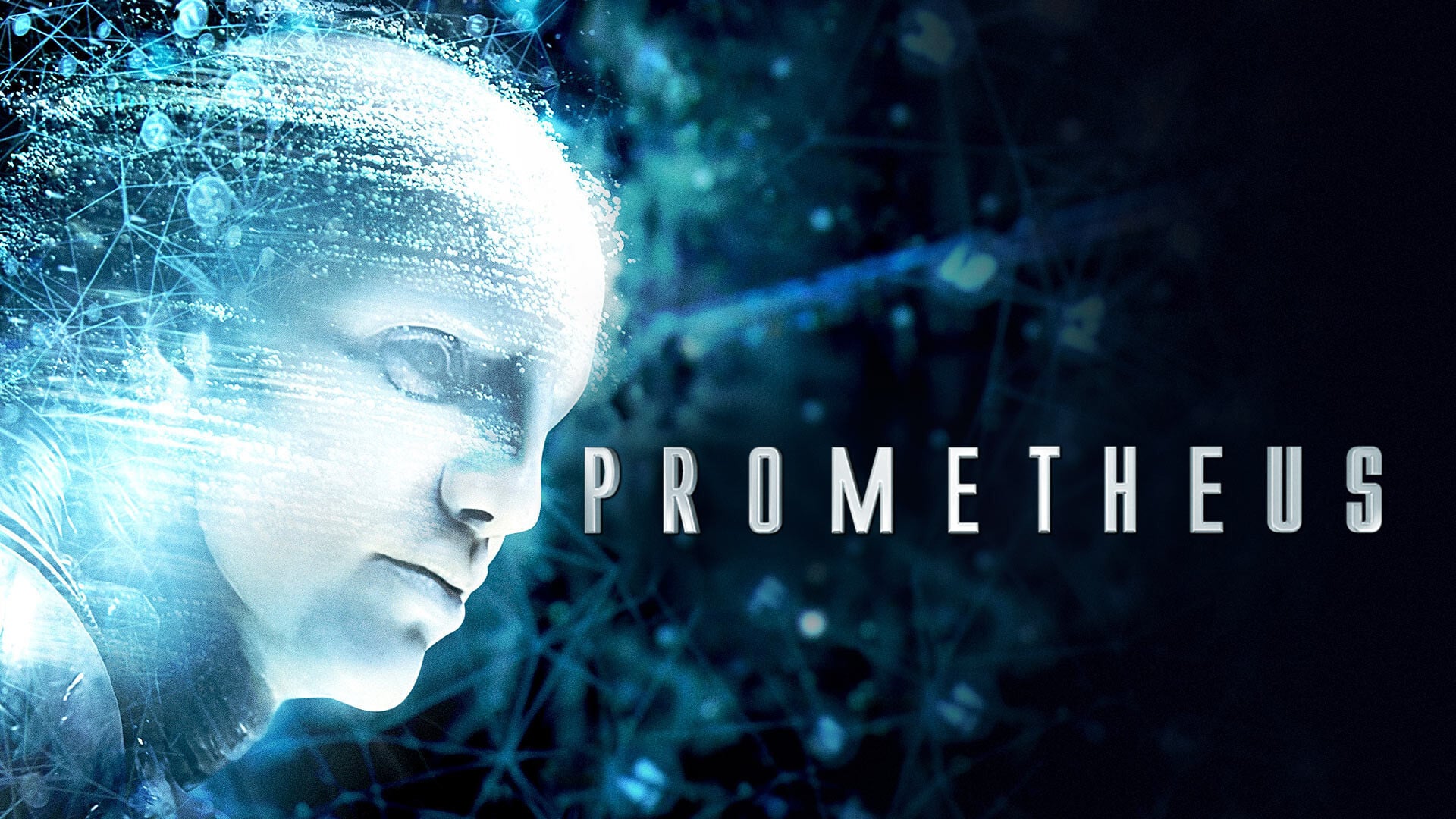
Contact (1997)
Adapted from Carl Sagan’s 1985 novel, Contact follows astronomer Dr. Ellie Arroway (Jodie Foster), who becomes involved with an effort to decipher a signal originating from the star Vega. The signal turns out to be a set of instructions for constructing a one-person spacecraft of some kind, and Arroway is eventually selected as the candidate to take the journey. There’s a sense of courage in the face of the unknown that’s similar to Interstellar, as well as the thrill of strapping into a spaceship and pressing the ignition. Plus, there’s the added bonus of seeing one of the greatest trick shots in cinematic history. Rent Contact on Prime Video.
Solaris (1972)
Stanislaw Lem’s 1961 novel Solaris explores what Lem saw as the impossibility of ever understanding a truly alien life. The two major adaptations—Andrei Tarkovsky’s 1972 version and Steven Soderbergh’s 2002 take starring George Clooney—are both worth watching, but Tarkovsky’s film is a masterpiece of psychological horror. The story is set mainly aboard a space station orbiting a planet covered in what appears to be a sentient “ocean” and chronicles the strange haunting and inexplicable experiences of the humans living on the station. If your favorite part of Interstellar is the ending when things get trippy and weird, you’ll probably love Solaris. Stream Solaris on HBO Max, Plex, or Tubi, or rent it on Prime Video.

Europa Report (2013)
The story of a mission to Jupiter’s moon Europa to search for intelligent life, Europa Report has the same sense of terrifying excitement that accompanies Interstellar’s missions to the different candidate planets. Leaning into the fragility of life in an environment not designed to support it, the mission crew face a steady stream of loss and danger as they work to catch sight of alien life on the frozen, deadly moon, ultimately faced with making terrifying sacrifices in order to provide humanity with the answers that it seeks. Stream Europa Report on Netflix, Kanopy, or Hoopla, or rent it on Prime Video.
Aniara (2019)
A film based on a 1956 epic science fiction poem written by a Swedish Nobel Laureate might seem like an unlikely match for fans of Interstellar, but it’s actually perfect. As the Earth becomes uninhabitable, humanity begins launching ships to colonize Mars. When one such ship, the Aniara, is damaged and veers irreversibly off course, the passengers and crew are faced with the knowledge that they will sail off into the void without hope of rescue. Within a few years, despair has driven some to suicide and madness, while others cling to the possibility that they might yet find a way back. The film offers a different perspective on the existential crisis of humanity’s extinction, exploring the worst-case scenario to its bitter, bleak end. Stream Aniara on Kanopy or Hoopla, or rent it on Prime Video.

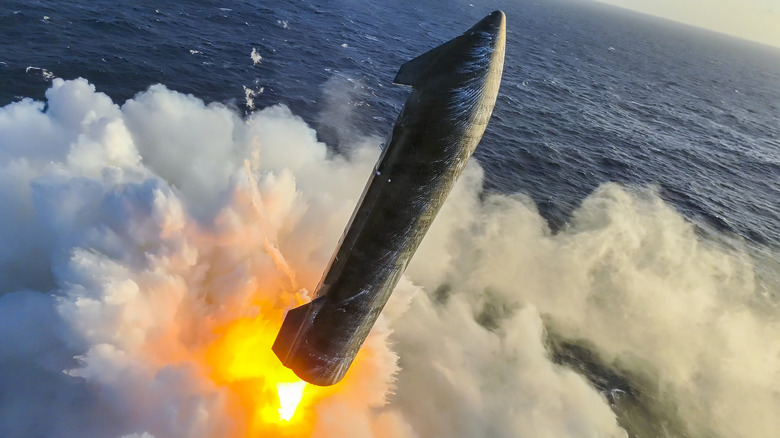
How many SpaceX Starship rocket tests have failed?
Thanks to SpaceX’s unique approach to testing, the answer isn’t so clear-cut.
10 Google Privacy Hacks Everyone Should Know
From managing your Gmail inbox to downloading apps on your Android phone, pretty much every aspect of your digital life has a little bit of Google in it. That is a lot of power in the hands of a company that makes money by selling your data to advertisers. While you can’t fully escape Google’s tracking without quitting a whole bunch of essential online services, you can use these privacy hacks to reduce how the company tracks you, as well as protect the information in your Google account.
Use Gmail aliases to keep your account anonymous
Your Gmail account doesn’t just have one email address. In fact, it has unlimited addresses, but you need a hack to utilize them. When you’re signing up for a new service, you can add another word to your email address, as well as the “+” symbol, to create an alias. For example, if your email is “lifehacker@gmail.com,” and you’re signing up for an Amazon account, you can use “lifehacker+amazon@gmail.com” as your email address. The email will still end up in your main inbox, as if you simply used lifehacker@gmail.com. Not only can this trick turn one Gmail address into an unlimited number of addresses, but it also helps you identify who sold your email address to spammers, because those emails will have the alias in the “To” field.
If you wish to make your emails more private, you can also link your Proton Mail account to Gmail. This lets you send and receive emails via your Gmail address, while using Proton Mail’s privacy protections such as blocking email trackers.
Check session logs and disable unauthorized apps to secure your account
Credit: Pranay Parab
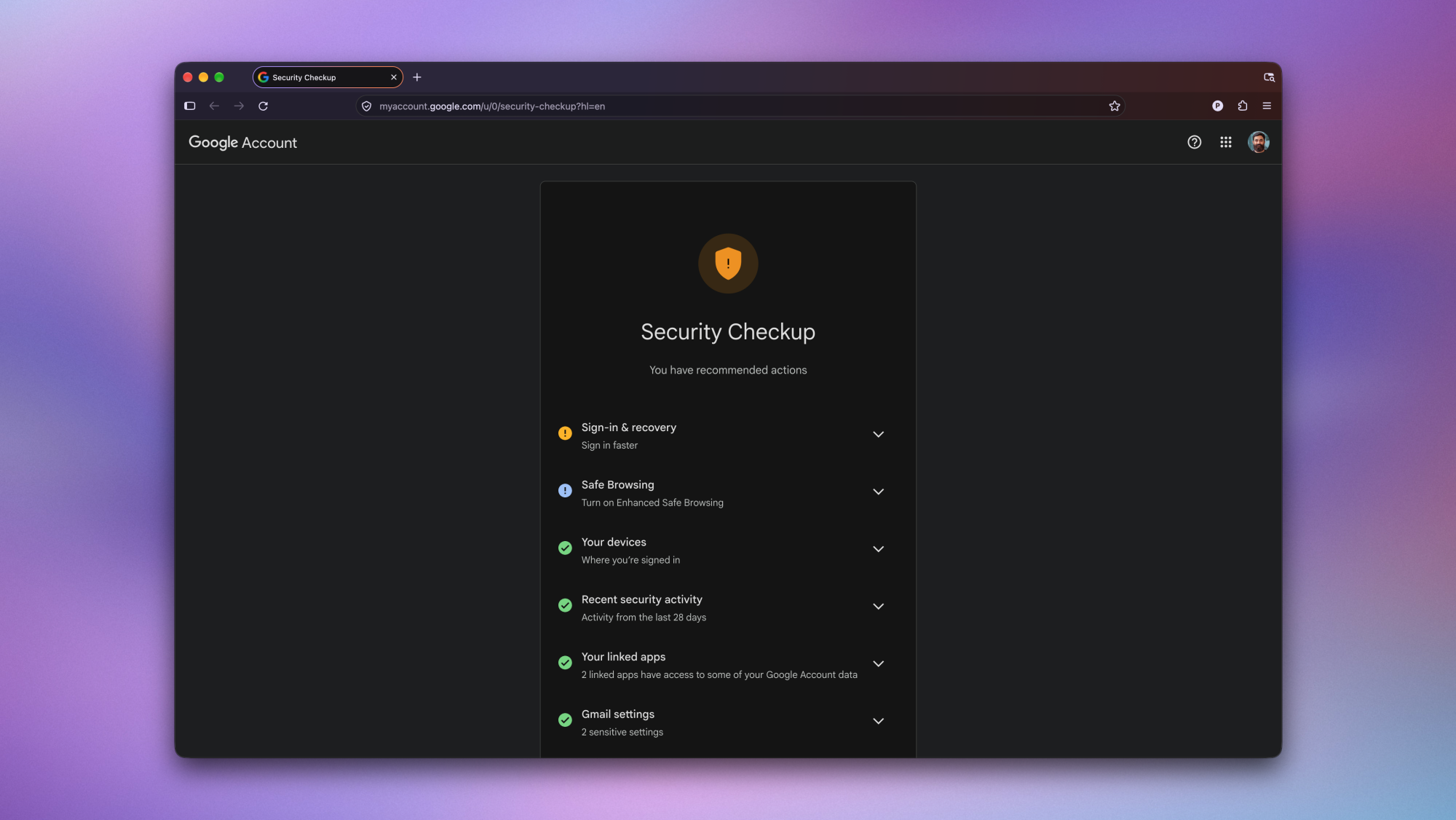
Gmail’s web view has a crucial security feature that lets you view session logs. This feature is inexplicably buried at the bottom of the inbox, and the font size is tiny, so it’s easy to miss. To find it, log in to Gmail on the web, and scroll to the bottom of your inbox. Click the Details button in the bottom-right corner, below “Last account activity.” This will show you a pop-up that lists the devices, apps, and locations you’ve recently logged in from. This makes it easy to see if there’s been any suspicious activity in your Google account, and you can click the Security Checkup link in the pop-up to review this data. Just note that if you use a VPN or a service like iCloud Private Relay, you might not recognize your own device’s location. To check if unwanted apps have access to your Google account, you can visit this settings page.
Turn off personalized recommendations to break out of a search bubble
Google wants to show you personalized search results, which initially feels very helpful, but it also ends up trapping you in an algorithmic bubble. The best way to break out of your search bubble is to periodically use other search engines, but if you wish to stick to Google, you can disable personalized search recommendations in Google Search and the Play Store on Android. Go to this settings page, and turn off Personalized Recommendations and Play Personalization.
Disable web & app activity to stop Google from tracking your location
Google tracks your web and app activity by default, which includes your search history, voice data (if you use the speak-to-search feature), and activity from sites, apps, and devices that use Google services. However, associated information, such as your location data, is also saved to your Google profile, which you might not assume gets included in “Web & app activity.” Fortunately, you can disable this tracking by going to this settings page, scrolling down to “Web & App Activity,” and turning off all options in this section.
Turn off Timeline to stop Google from sharing your location data
Credit: Pranay Parab
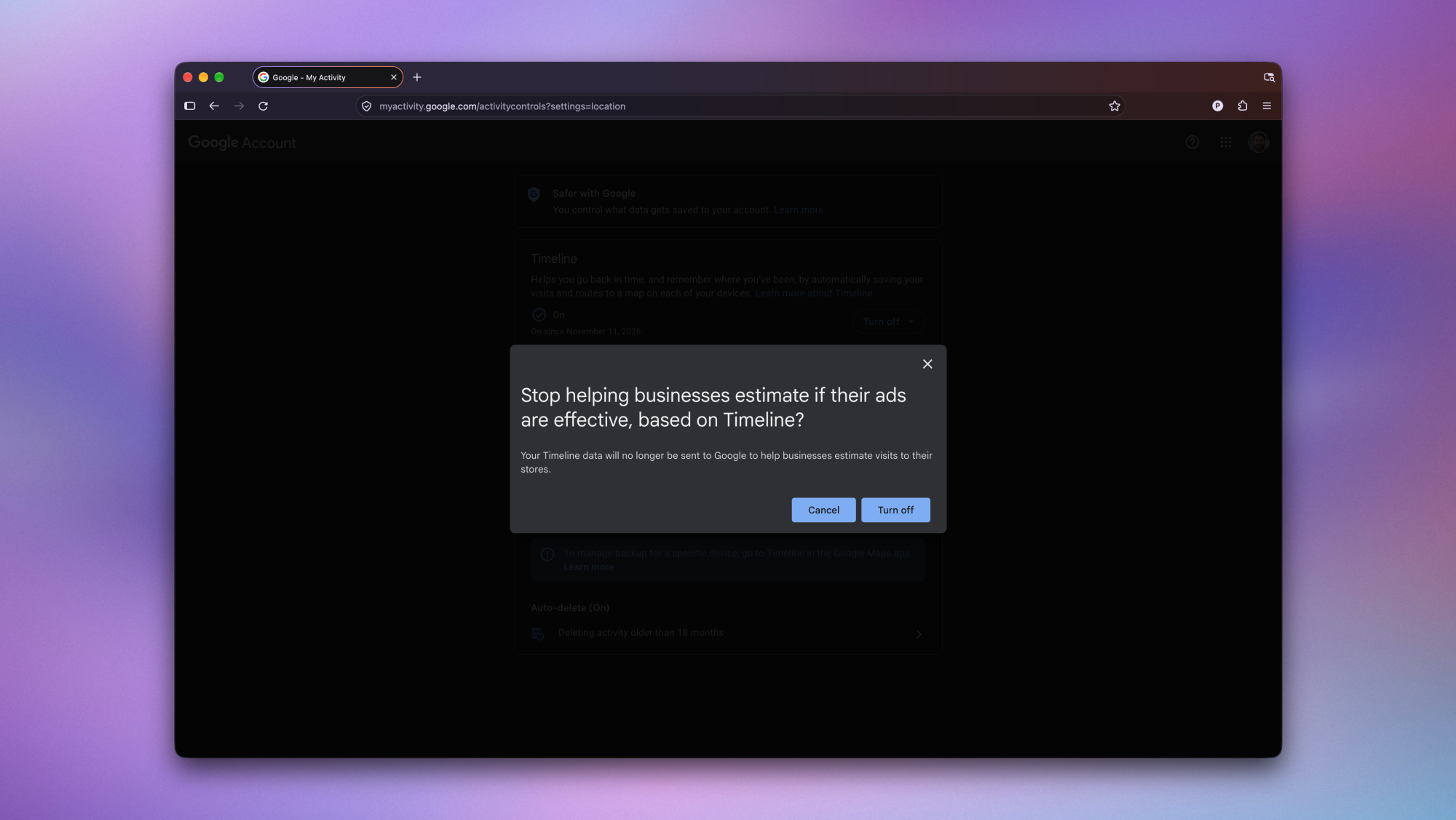
Google’s Timeline feature saves your location in Google Maps to create a map of places you’ve visited. This is useful if you want to keep track of your recent stops; however, Google can use Timeline data to help businesses see how effective their ads were, or how likely you are to visit nearby stores. Its confirmation page confirms this: “Depending on your settings, activity saved as history in your Google Account, including ad interactions, may also be connected to Timeline data to help nearby businesses estimate the likelihood that people will visit their stores. No personal information is shared with businesses.”
Timeline isn’t enabled by default, but in case you enabled it a while ago, and are no longer using it, you can turn it off by going to this settings page. Click Turn off, and delete your activity to remove Timeline data from your Google account.
Get rid of personalized ads to reduce Google’s tracking
You can’t fully escape Google’s ads or tracking, but you can disable personalized ads to stop the company from using your account data to show ads. To do this, go to this settings page, and turn off Personalized ads.
Disable smart features to stop Gmail from offering “Smart Reply” suggestions
While Google claims that it isn’t using your emails to train AI, the company does offer AI features that make your emails feel more robotic than human. One of these is “Smart Reply,” which offers email reply suggestions such as “Got it. See you soon.” I can type that on my own, and I feel uncomfortable with Gmail analyzing the contents of my emails and replies to offer suggestions that I wouldn’t use anyway. You can disable this by going to Gmail Settings > General, or by visiting this settings page. Scroll down to “Smart features,” and turn off the checkbox next to it. This will disable Smart Compose, Smart Reply, suggestions for pending replies and follow-ups, spelling, grammar, and autocorrect.
Use a physical security key to secure your account against data breaches
A physical security key is a great security upgrade. It’s a physical barrier that prevents most ways to hack into your account remotely. Even if someone discovers your email ID and password, and has access to your two-factor authentication code, they won’t get in without physical access to that key. You can check out Google’s support page for physical security keys for more information on compatibility and setting up your security keys.
Remove your credit card from Google and use a virtual card instead
If you’re serious about your online privacy and security, I’d advise against keeping your primary credit card saved to your Google account. If your account is compromised or your device is stolen, you risk exposing your credit card to fraud. Instead, use a prepaid virtual card with your Google account. Sites such as Privacy.com offer single-use or merchant-locked prepaid cards, and they allow you to set spending limits too. You can use such services with your Google account to reduce the chances of losing money if your account gets hacked.
Turn off personal intelligence to stop Google from using your emails and photos for ads
Google uses data from Gmail and Google Drive to target ads, which means that your emails, files, and photos could be used for monetization. To stop this, you’ll need to disable Personal Intelligence. To turn it off, visit this settings page, and click Turn off Personal Intelligence.
Logitech Giving All 7,000 Employees the Day Off to Play GTA 6
Under a new “Logi Game Day” initiative, Logitech is giving all 7,000 of its employees an extra paid day off to play GTA 6 when it launches on November 19. Employees and interns can use the day off anytime over the next year. Tom’s Hardware reports: As for Logitech, the company believes that it’s time for people to move away from the belief that playing games is a waste of time, hence its new initiative. It makes sense for a company that makes gaming accessories to say that, of course, but CEO Hanneke Faber argues that the company sees “how engagement in one sphere supports performance in the other.” The hope will be that, by allowing employees to play games, a productivity boost will follow.


Read more of this story at Slashdot.
VisionQuest Is One Of The Coolest Things Marvel’s Done In A While, And Its First Episode Is Free To Stream
Come meet Vision and all the other AI that live in his head
Microsoft Unleashes Up To 120 FPS Auto SR On Undocked ROG Ally X

Microsoft’s AutoSR super resolution upscaling technology debuted with the original Snapdragon X Elite-based Copilot+ PCs back in 2024. It’s a game-agnostic spatial upscaling technology that uses the system’s NPU to perform the upscaling instead
Sony Strips Cloud Gaming From PC In Sudden PlayStation Plus Shift

Sony’s move into PC gaming didn’t last long, with the company pledging to return to a strategy driven by PlayStation console exclusives earlier this year. As part of its efforts to step back from providing its games or services on the PC, the
Danganronpa Lead Says Day-One Patches Help Keep Physical Media Alive: ’To Be Frank, We Sometimes Submit Builds Where We Think, ‘No One Should Ever Play It In This State’
‘I’m not sure if I should be making such risky confessions in a venue like this’
Garmin Cyclists Can Now Make Themselves Appear on Waze in Real Time
We may earn a commission from links on this page.
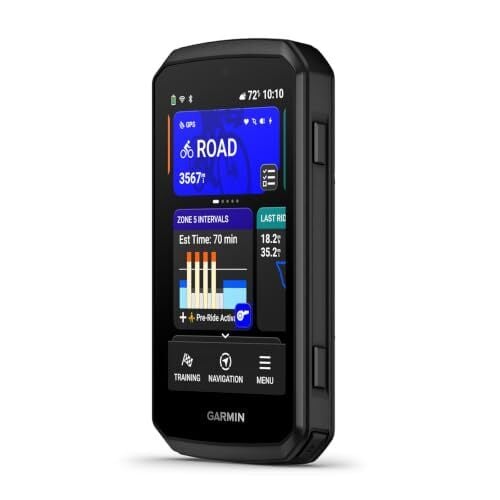
Cyclists who ride with Garmin gear can now appear as live, moving icons on the Waze driving app, and nearby drivers will receive an alert to slow down and watch for them on the road.
For riders already using Garmin devices, opting in costs nothing and adds a new layer of safety, particularly on roads where drivers may not expect cyclists. The feature is rolling out now, but you should be aware of its limitations.
How Garmin cyclists can show up for Waze drivers
Riders can simply opt in once through Garmin Connect. After that, sharing starts automatically when an outdoor cycling activity begins and stops when the ride ends. While a ride is underway, Waze users near the cyclist see a cyclist icon move along the road and receive a Live Cycling Alert reminding them to slow down and stay aware.
The feature runs on LiveTrack, Garmin’s existing live location-sharing tool, which lets friends and family follow a rider’s real-time location, speed, course, and more. Garmin says this collaboration extends that peace of mind to motorists, giving them greater awareness of their surroundings.
Garmin notes its location sharing is temporary and session-based. The rider’s name, identity, and route are hidden, and no personal information is shared or displayed in Waze. Drivers see only an anonymous icon and the alert.
How to use Garmin Connect’s Waze feature
You’ll need a few things to get this feature up and running:
-
A compatible Garmin Edge bike computer or Garmin watch
-
A phone running Garmin Connect with a data connection
-
An outdoor cycling activity (the feature doesn’t apply to indoor rides)
The good news is using the feature is free: LiveTrack costs nothing on compatible Garmin bike computers and watches, and Waze is free for drivers.
The limits of this new safety feature
This new feature is a great safety perk, but there are real-world caveats worth considering:
This feature is for Waze only. Alerts reach drivers only when Waze is open on their phone. Google Maps, which has far more users, is excluded, so a large portion of the drivers you share the road with won’t see you this way.
It depends on your phone’s signal. Your position travels from the Garmin to your phone, then to Garmin’s servers, then to Waze, and finally to the driver’s phone. On a patchy rural signal, a few seconds of lag could put the icon on the wrong side of a bend from where you actually are. A rider who leaves their phone at home or whose phone loses signal simply won’t show up on a Waze map, as a ride without a data connection is invisible to Waze.
Finally, remember to treat this safety feature as an extra perk, not a guarantee. At the end of the day, it isn’t a replacement for bike lights, bright clothing, and defensive riding.
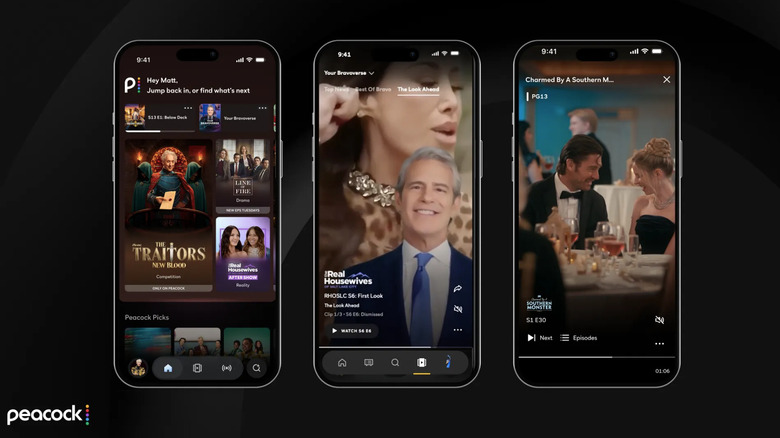
Peacock is redesigning its mobile app to focus more on vertical videos
This is an attempt to “win another hour per user, per month.”
In Memoriam: Tim Peters 1952–2026
Guido van Rossum conveys
the sad (and somewhat delayed) news of the passing of Tim Peters.
the sad (and somewhat delayed) news of the passing of Tim Peters.
It’s hard to overestimate Tim’s influence on Python. He’s probably
best known for writing the Zen of Python (PEP 20), but to me he
was a mentor and language co-designer long before that.Tim found Python not long after its initial release. His first deed
was to convince me that Python should support mixed arithmetic
between int and float, because most users would expect them to work
that way. And he never stopped contributing.
IBM to offer access to a dual-processor quantum system in 2027
IBM’s Quantum Developer’s Conference is being held this week, and the company is using the gathering to provide an update to its roadmap: It is aiming to make error-corrected quantum computers before the decade is out.
The changes greatly expand the scope of its next-generation Nighthawk general-use processors by adding a version with over 500 programmable qubits. At the same time, it’s stepping back a bit on its plan to link multiple Nighthawk processors together, dropping the intended number of linked systems from nine to two.
The total number of qubits planned for next year will remain the same; how the company is getting there, however, will be different.
Apple Is Killing Its Support Community Forum Next Week
Apple is shutting down its Apple Support Community forum on November 20, ending a user-to-user support platform whose history stretches back to the 1998 launch as the Apple Tech Exchange. The forum is already read-only, and Apple has not said whether the nearly three decades of community posts will be preserved or disappear when the site closes. Here’s the full banner notice that’s currently displayed on the website:
“The Apple Support Community will permanently close on November 20, 2026. Starting today, the site will no longer accept new posts and is available in a read-only state. You can continue to find trusted guidance and support on the official Apple Support site. We want to thank the community members who have contributed their time and expertise to help others with their Apple products.” Apple told MacRumors that it decided to sunset the forum after a careful evaluation of strategy and customer needs.


“The Apple Support Community will permanently close on November 20, 2026. Starting today, the site will no longer accept new posts and is available in a read-only state. You can continue to find trusted guidance and support on the official Apple Support site. We want to thank the community members who have contributed their time and expertise to help others with their Apple products.” Apple told MacRumors that it decided to sunset the forum after a careful evaluation of strategy and customer needs.
Read more of this story at Slashdot.
‘GTA 6’ Runs Best on This Console
We may earn a commission from links on this page.
Grand Theft Auto 6 might just be the most anticipated game of all time. It’s been 13 years since Rockstar dropped GTA 5, and after years of rumors, leaks, and official announcements, the sixth mainstream installment in the series is nearly here. In fact, anyone who pre-ordered the game digitally can now pre-load it onto their console, if you want to ensure you’re ready to play the second the game comes out.
Now, few of us will buy a game console specifically for GTA 6—unless you don’t already have a current-generation PlayStation or Xbox. (The PC version of the game isn’t expected until at least early 2027.) But, as it turns out, there’s one specific console that can run GTA 6 better than the rest.
The PS5 Pro is apparently the best way to experience “GTA 6”
Rockstar confirmed as much in a post on Tuesday, which was meant to spread the news about pre-loading the game. But, interestingly, it spurred a discussion about the performance of the game itself, as well as which consoles are best to run it.
No matter which console you play GTA 6 on, Rockstar says that the game will only target 30 fps (frames per second). That’s decided slow for a mainstream game in 2026. GTA 5 also shipped at 30 fps in 2013, but newer consoles can run it at higher frame rates. In fact, most games that launch on the latest generation of consoles can run at 60 fps, if not higher. While it’s certainly not a dealbreaker, it is interesting that Rockstar’s latest game can’t run at a faster frame rate even on the PS5 Pro or the Xbox Series X.
To that point, Rockstar called out the PS5 Pro specifically in its post, announcing, “The PlayStation 5 Pro offers breathtaking visuals, with improved clarity through PlayStation Spectral Super Resolution (PSSR) and ray-traced shadows only available on PlayStation 5 Pro.”
PSSR is Sony’s AI upscaler, similar to options like DLSS from Nvidia, which uses AI to add extra graphical information to games in real time. That allows developers like Rockstar to run the game at a lower resolution to save on processing power, but still boost the visuals to reach a higher perceived resolution. As such, it’s not as ideal as running the game at a higher resolution natively, but it can help improve the visuals without pushing the hardware beyond its limits. Meanwhile, ray-tracing offers realistic lighting effects and can also be graphically intense.
While PlayStation and Xbox players alike will be stuck at 30 fps, it seems only PS5 Pro gamers will be able to play the game with ray-tracing effects and AI upscaling. It’s surprising that Xbox Series X players don’t have similar benefits, as the hardware is more powerful than Xbox Series S. Rockstar didn’t specify why only the PS5 Pro gets these upgrades.
Other console perks for “GTA 6”
In the post, Rockstar also announced that the PS5 version of GTA 6 takes advantage of other PlayStation-exclusive perks, like high-fidelity haptic feedback in the DualSense controller, spatial audio rendering using the PlayStation’s Tempest 3D audio, as well as improved load times—though Rockstar didn’t specify what those load times would be. These perks apply to all PS5 consoles, not just PS5 Pros. Rockstar goes so far as to say that GTA 6 plays best on PlayStation 5 consoles.
That’s not to say that Microsoft’s consoles are totally left out of the perks. Rockstar says that GTA 6 will be available on Xbox Cloud Gaming on both Xbox Series X and S, as well as Xbox One. In addition, both PlayStation and Xbox gamers can play GTA 6 using Remote Play, so no one has to physically play on their console if they want to game on the go.
Again, there’s no reason to go out and buy a specific console for GTA 6, so long as you have something that can run the game. After all, PS5 Pros are difficult to find, especially without wildly overpaying. But it’s interesting that Rockstar has managed to give Sony’s consoles the extra perks here, particularly since the company hasn’t explained why that is.
This Modern Take On A Classic Dungeon Crawler Is Making Me Feel Just So Happy
Underkeep understands what made Dungeon Master feel so very special
Experience Audi’s Journey To F1 On Apple Vision Pro
Entering Formula 1® Racing takes you behind the scenes of the team’s journey to its F1 debut. Now available for free on the Fovii app, this approximately 13 minute immersive sports documentary is created by Emmy Award-winning studio TARGO in collaboration with the Audi Revolut F1® Team. It feels like you are being given a VIP tour through some of Audi’s history and F1 preparations, while also meeting some of the drivers.
Audi’s Motorsport Legacy Gives the Story Its Foundation

Before joining the team’s preparations for Formula 1, you are given a brief look at Audi’s motorsport history and trophy wins, including with Michèle Mouton, the only woman to win a World Rally Championship event. Being in the same room with a driver sharing her story immediately sets the tone that the documentary is about the passionate people behind the wheel and behind Audi’s journey, not just the vehicles.

As you learn more about Audi’s story, you visit a few special locations including inside Audi’s secret garage in Germany, where you have an up-close look at their inventory of vehicles from over the decades. While the backstory is only a few minutes, you understand the significance of entering F1 after so many years.
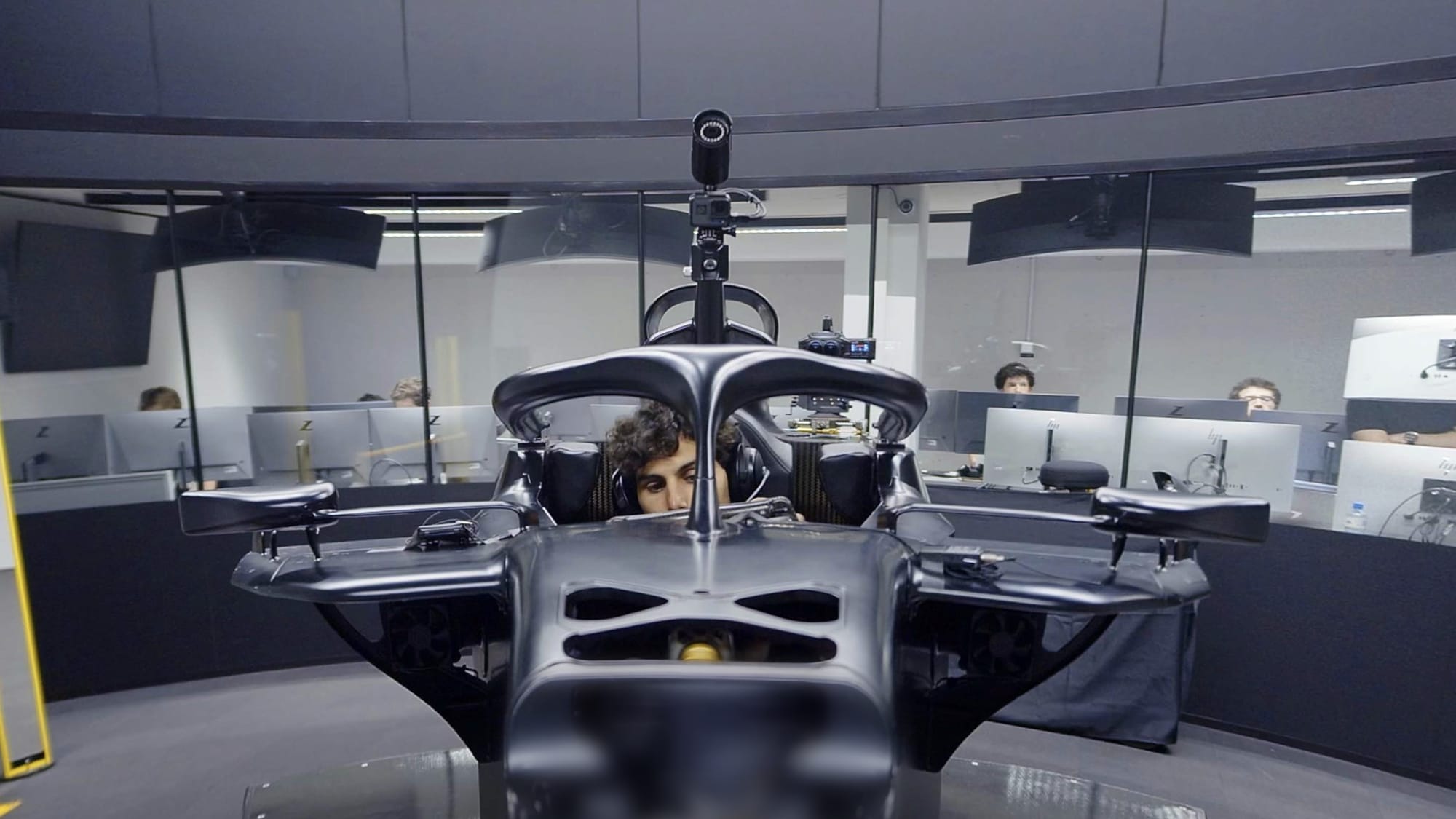
In Switzerland, you meet some key members of the Audi Revolut F1 Team as the vehicle is assembled and then tested just months away from its debut at the Australian Grand Prix. You meet driver Nico Hülkenberg and feel like you are there with driver Gabriel Bortoleto in the driver-in-the-loop simulator. You are even there to take in some of the behind-the-scenes conversations.
Masterful Camera Placement Creates Presence

The TARGO team are masters in immersive documentary storytelling. The choices that director Chloé Rochereuil made around the camera placement give you a seamless feeling of presence throughout the experience, even as you travel between locations. From wide shots to close-ups with the car components, you are consistently positioned where you can best appreciate what’s happening around you as the story unfolds. And, there is just the right amount of time to let you take in the moments from each position.

In some other Immersive Videos, it bothers me when I feel more like I’m simply sitting where the camera was placed as shots unfold. In Entering Formula 1 Racing I feel invited into each scene. When team members are speaking about the journey, it feels like they are speaking to you. And when they are not speaking directly to you, where you are placed makes you feel like an observing member of the team.

Whether you’re an F1 enthusiast, motorsport fan, or simply appreciate great immersive storytelling, I recommend that you experience Entering Formula 1 Racing. It is one of my favorite immersive sports documentaries to date.
Inside Unraid OS 7.4.0: Specialized Linux for NAS
This paid Linux distro takes a different approach to storage, booting from USB and running in RAM—with containers and virtual machines along for the ride.
The post Inside Unraid OS 7.4.0: Specialized Linux for NAS appeared first on FOSS Force.
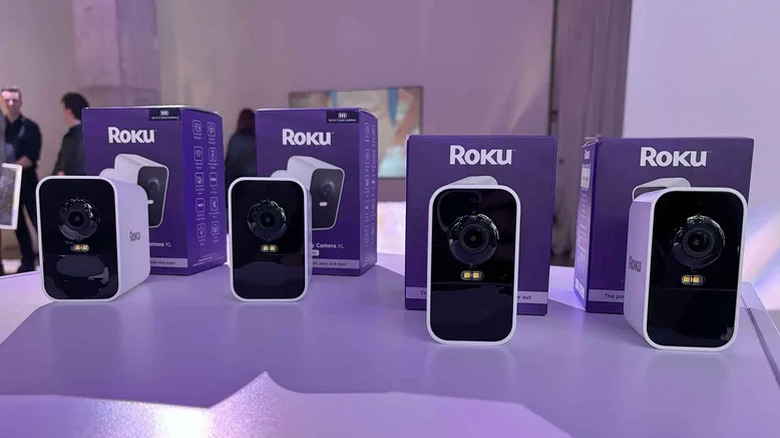
Roku will stop selling smart home devices and refocus on streaming
The company will stop selling video doorbells, its home monitoring system and other products.
Holiday Deal Drops This Ryzen 7 9800X3D And RX 9070 PC To Under $2K

If you want to play Grand Theft Auto VI at launch, then you need a PlayStation 5 or Xbox Series X|S console, or even a now-ancient Xbox One via Xbox Cloud Gaming. While there is no love for the PC platform for the eagerly anticipated game’s