
Emdoor that is a leading manufacturer of rugged laptops and tablets used by various industries is beginning to see improved Linux support thanks to a new platform driver being developed…
Monthly Archives: November 2026
KDE Plasma 6.9 Finally Allows XWayland To Run On-Demand, New Wobbly Windows Presets
This Week in Plasma is out with its latest issue following a week of exciting developments toward the KDE Plasma 6.9 desktop…
FreeBSD 15.2 Beta 2 Delivers Updated OpenSSL, Bug Fixes
FreeBSD 15.2 Beta 1 debuted last week for this updated operating system bringing improved laptop/desktop hardware support, experimental cross-building of base packages on Linux and macOS, updated LLVM/Clang compiler, updated OpenZFS file-system support, and other improvements. Released overnight was FreeBSD 15.2 Beta 2…
Modular GPS smartwatch with STM32 MCU and open-source SDK
Pimoroni now lists the UNA Watch, a modular GPS smartwatch built around an open-source software platform and replaceable hardware components. The wearable combines an STMicroelectronics STM32U595 microcontroller, multi-satellite GPS, fitness sensors, and a public C++ SDK for developing custom applications. Originally introduced through a Kickstarter campaign in April 2025, the UNA Watch also…
Outage at HR platform Workday locks millions of employees out of their account
Workday outage leaves employees of thousands of businesses unable to access workplace tasks.
Open Open and openALT 2026 in Brno
This was a busy weekend in Brno! It started on Friday with Open Open and continued on Saturday with openALT 2026. Two events, new partnership opportunities for openSUSE and SUSE, and this time my kids came along too. Open Open 2026, Brno Friday started at 9am with Open Open, an…
Amazon’s Plan to Index the World’s Online Shopping Data
Amazon is considering a “World Product Graph” that would index information about products sold across the internet in an effort to keep shoppers and AI agents from turning to Google, Reddit or other sources for product research. The proposed database could also improve Amazon’s AI shopping assistant by addressing inaccurate or incomplete answers and allowing it to use cheaper models.


“Amazon cannot be the go-destination for every shopping mission if customers must leave to research product relationships on Google, brand websites, and review sites,” according to an internal Amazon document. “These answers exist, but the only way to find them has been to leave Amazon for painstaking research on brand websites, third party review sites and tech forums.” Reuters could not determine if or when this plan may be implemented, though the document, written like a press release, has an aspirational future release date of October 1, 2027.
Amazon said in a statement: “Draft, outdated documents often paint an incomplete picture and the existence of a brainstorming document such as this one doesn’t necessarily reflect our current plans. We’re constantly working on new ideas and technologies to make Amazon’s product catalog comprehensive, accurate, and helpful for customers.”
Read more of this story at Slashdot.
FAA allows flights to resume after hours-long ground stop across the US
The FAA grounded flights for hours on November 13, and the transportation secretary blamed it on old and malfunctioning air traffic control system.

Slim industrial panel PC lineup spans 10.1 to 21.5 inches
Cincoze recently expanded its CV-200/P Series of industrial panel PCs with 28 new configurations spanning 10.1-inch to 18.5-inch displays. The additions complement the existing 21.5-inch models, combining Intel Core, N-series, and Atom processors with modular display technology for industrial HMI and automation applications. The lineup includes high-performance CV-200/P2000 models powered by…
Installing the official Claude Desktop Linux beta on Fedora Linux
Anthropic ships its Claude Desktop beta for Linux only as a .deb. This article shows how to install that same package on Fedora with a small MIT-licensed script that verifies it first, installs it without root, and removes it cleanly.
Beyond AI Applications: How openEuler Is Rethinking the Agentic Infra OS
From secure execution and intelligent caching to persistent memory and elastic data services, openEuler is building an infrastructure foundation for large-scale, production-ready AI agents.
Wine 11.22 Introduces x86 AVX Emulation On ARM64
Wine 11.22 is out today as the latest bi-weekly development release and inching quite closely toward the Wine 12.0 stable release preparations…
FAA Lifts Nationwide Ground Stop for All Aircraft [UPDATE]
Longtime Slashdot readers cold fjord and sinij share news that the FAA grounded flights nationwide after a communications failure disrupted air traffic control centers across the country. By Friday evening, the outage had resulted in nearly 5,000 flight cancellations and roughly 10,000 delays, with no timeline for restoring normal operations. Rumors are swirling that this could be related to the FAA’s newly deployed SMART AI system or Microsoft’s recent global outage, but both the agency and Microsoft said they had no indication that their technology was responsible. Business Insider reports: US Transportation Secretary Sean Duffy said just after 4:15 pm. Eastern time that the nationwide flight traffic halt came “following a communication issue impacting all Air Route Traffic Control Centers.” “FAA technicians are investigating the issue,” he said in a post on X. The outage comes the same week as the FAA deployed SMART, a new AI tool to help air traffic control. ASI, the company that makes the SMART system for the FAA, said that Friday’s issues weren’t “based on or a result of the SMART system, any product of ASI or our integration with FAA and ATC.”


Homeland Security Secretary Markwayne Mullin said in a press conference Friday, when asked if the AI system might be related to the outage: “That’s what we’re looking at.” Microsoft, which faced massive issues across its services this week, also said that it had “no indication” the ground stop was related to any Microsoft services. Meanwhile, the FAA said that the ground stop was due to “extraordinary circumstances and for reasons of safety.” UPDATE 1:33 UTC: Secretary Mullin and Secretary Duffy are currently briefing members of the press on the issue.
UPDATE 1:46 UTC: The FAA has lifted the nationwide ground stop after more than four hours. Officials said the disruption appears to have stemmed from a network router issue that cascaded nationwide, with no evidence of a cyberattack or connection to Microsoft’s recent outage. Airlines warned that disruptions could continue in Saturday.
Read more of this story at Slashdot.
FAA Orders Nationwide Ground Stop for All Aircraft
Longtime Slashdot readers cold fjord and sinij share news that the FAA grounded flights nationwide after a communications failure disrupted air traffic control centers across the country. By Friday evening, the outage had resulted in nearly 5,000 flight cancellations and roughly 10,000 delays, with no timeline for restoring normal operations. Rumors are swirling that this could be related to the FAA’s newly deployed SMART AI system or Microsoft’s recent global outage, but both the agency and Microsoft said they had no indication that their technology was responsible. Business Insider reports: US Transportation Secretary Sean Duffy said just after 4:15 pm. Eastern time that the nationwide flight traffic halt came “following a communication issue impacting all Air Route Traffic Control Centers.” “FAA technicians are investigating the issue,” he said in a post on X. The outage comes the same week as the FAA deployed SMART, a new AI tool to help air traffic control. ASI, the company that makes the SMART system for the FAA, said that Friday’s issues weren’t “based on or a result of the SMART system, any product of ASI or our integration with FAA and ATC.”


Homeland Security Secretary Markwayne Mullin said in a press conference Friday, when asked if the AI system might be related to the outage: “That’s what we’re looking at.” Microsoft, which faced massive issues across its services this week, also said that it had “no indication” the ground stop was related to any Microsoft services. Meanwhile, the FAA said that the ground stop was due to “extraordinary circumstances and for reasons of safety.” UPDATE 1:33 UTC: Secretary Mullin and Secretary Duffy are currently briefing members of the press on the issue.
Read more of this story at Slashdot.
SpaceX Falls Short of Historic Double Starship Catch
SpaceX’s 15th Starship test flight successfully reached orbit Friday, but its historic attempt to catch both stages at the launch tower was derailed when the Super Heavy booster malfunctioned, forcing controllers to abort its return before it exploded after splashing down in the Gulf of Mexico. The upper-stage Starship did, however, successfully deploy 26 Starlink satellites and is scheduled to complete 15 orbits before attempting an unprecedented tower catch on Saturday. If successful, it would mark the first time a spacecraft has returned from orbit to land vertically at a launch tower. The Bakersfield Californian reports: The original goal was to retrieve every single piece of the rocket for the purpose of future recycling, something yet to be achieved anywhere in the world. Musk sees this leading to the kind of fast and consistent launch rates necessary for building moon bases and sending people to Mars. Shortly after reaching orbit, Starship dropped off 26 of the company’s most advanced Starlink satellites. The plan is for Starship to complete 15 laps around the world at an altitude of around 170 miles (275 kilometers) before heading back to the launch site for Saturday’s grand finale.


SpaceX had already made three booster grabs at the company’s sprawling Starbase near the U.S.-Mexico border. That made Friday’s miss all the more surprising. “Well, that certainly isn’t the news that we had hoped to hear for today,” observed SpaceX launch commentator Kate Tice, adding that it was in line with the many rigorous safety checks to protect the pad. No explanation was provided for what went wrong. This was the first attempt to capture the upgraded version of the booster that stretches 236 feet (72 meters) — the production model for moon and Mars expeditions. It will also be the first time the company attempts to catch the spacecraft, which spans 171 feet (52 meters). Together, they form the world’s biggest and most powerful rocket — an astounding 407 feet (124 meters) in height.
The spacecraft portion of the 14 previous Starships ended up in the ocean, either by design at flight’s end or by accident in a stream of flaming wreckage. During the first full-scale test flight in 2023, multiple engines failed to ignite and the tumbling rocket’s self-destruct system was activated. The last test, in September, was the first to reach orbit, but SpaceX did not try to recover any of the rocket stages. You can watch a recorded livestream of the launch on YouTube.
Read more of this story at Slashdot.
Starship flight 15 powers to orbit—setting up a possible catch on Saturday
STARBASE, Texas—Starship lifted off right on schedule Friday from South Texas, making its 15th test flight in more than three years.
The largely successful launch took place in the early evening; as the massive rocket rose into the atmosphere, the Sun sank toward the western horizon. Conditions were ideal for the launch, with the atmospheric winds so calm the rocket’s white plume did not dissipate for many minutes. The weather in South Texas is not always comfortable; summers are long and hot. Friday evening was perfect at Starbase.
The first stage ascended toward space flawlessly, releasing the upper stage above the Gulf of Mexico. From there, the Starship upper stage ignited its Raptor engines and powered its way into a nominal orbit. This was the second time SpaceX has flown Starship into low-Earth orbit.
From desktop to cloud to road
In an era where software defines vehicle value, engineering teams face a friction bottleneck. They spend hours fighting dependency conflicts, toolchain mismatches, and integration failures instead of writing vehicle features. As vehicles effectively become data centers, teams waste hours resolving dependency conflicts across desktop workstations, cloud, and physical targets. This article explores…
I Analyzed the Seven Biggest AI Chatbots to Determine How Safe They Are for Kids
AI safety for both adults and children is under greater scrutiny than ever before, with a growing number of questions and concerns appearing around how beneficial or otherwise these conversational bots actually are for our mental well-being—even without considering their energy use, ethics, or economic implications. At the same time, an increasing number of apps and services are becoming age-gated in a growing number of countries around the world, as governments realize that letting kids loose on AI apps, social media platforms, and the web at large might not be the best idea for their ongoing development and prosperity.
The big AI apps, such as ChatGPT and Gemini, are right in the center of these trends, and the companies behind them are taking steps that they promise will keep children safe. If you want to know what youngsters in your family may be getting exposed to, and what you can do about it, here’s the rundown.
ChatGPT
OpenAI’s ChatGPT has one of the more comprehensive setups in terms of parental controls. The minimum age for users is 13, and if you’re under 18, you need to have parental consent to open an account—age is predicted via several signals, including what times of day you use ChatGPT and what you talk about.
Accounts for under-18s automatically become ChatGPT for Teens accounts. There’s more of a focus on learning and study (with a dedicated study mode), as well as “age-appropriate safeguards to help reduce exposure to sensitive or potentially harmful content.” There are built-in protections for “harmful topics,” including sexual, romantic, or violent roleplay, graphic violence, and self-harm. These work on top of the safeguards for all users that limit chats about physical harm and illegal activity.
These ChatGPT for Teens accounts can also be linked to a parental account—but while parental consent is required for under-18s to use the service, ChatGPT clearly says that teens do have the option to break the link if they want. If you do persuade your kid to keep your accounts connected, you can set time limits on when the AI bot can be used, and tweak some of the sensitivity settings. However, you can’t view any conversations.
To set up parental controls from ChatGPT on the web, click your profile icon (bottom left), then Settings > Parental controls > Add family member and follow the instructions. It’s also worth bearing in mind that ChatGPT app can also be used for free, anonymously, in any web browser, though OpenAI says users accessing the AI this way are subject to the default under-18s limits (and can’t save chats or access an archive).
Gemini
Gemini is tied into everything else Google does, and follows the broader rules for Google accounts: No under-13s, unless you’re part of a family group and using an account managed by an adult. You can manage your family through the Family Link portal on the web, though as far as parental controls specific to Gemini go, you can only enable or disable access to the AI (settings like screen time apply across all enabled apps).
For all under-18s (partly identified through age estimation), whether or not they’re part of a managed family group, Google applies some additional protections. They include preventing the AI from taking on a persona, guarding against emotional dependence on the AI, and discouraging bullying and other forms of harassment. There are also safeguards to limit chats about age-restricted substances like alcohol or vapes, and mental health issues like eating disorders.
These protections for minors are applied in addition to the usual guardrails in Gemini for everyone. The guardrails should lead you away from conversations about self-harm, suicide, violence, and illegal activities, and offer quick links to support in times of crisis. However, Google itself admits that these filters aren’t perfect.
As with ChatGPT, there’s a loophole of sorts in that anyone can start chatting with Gemini, for free inside a web browser, with no checks at all. These conversations can’t be saved and come up against usage limits fairly quickly, but they’re only protected by the general restrictions for all accounts, not the ones specific to minors.
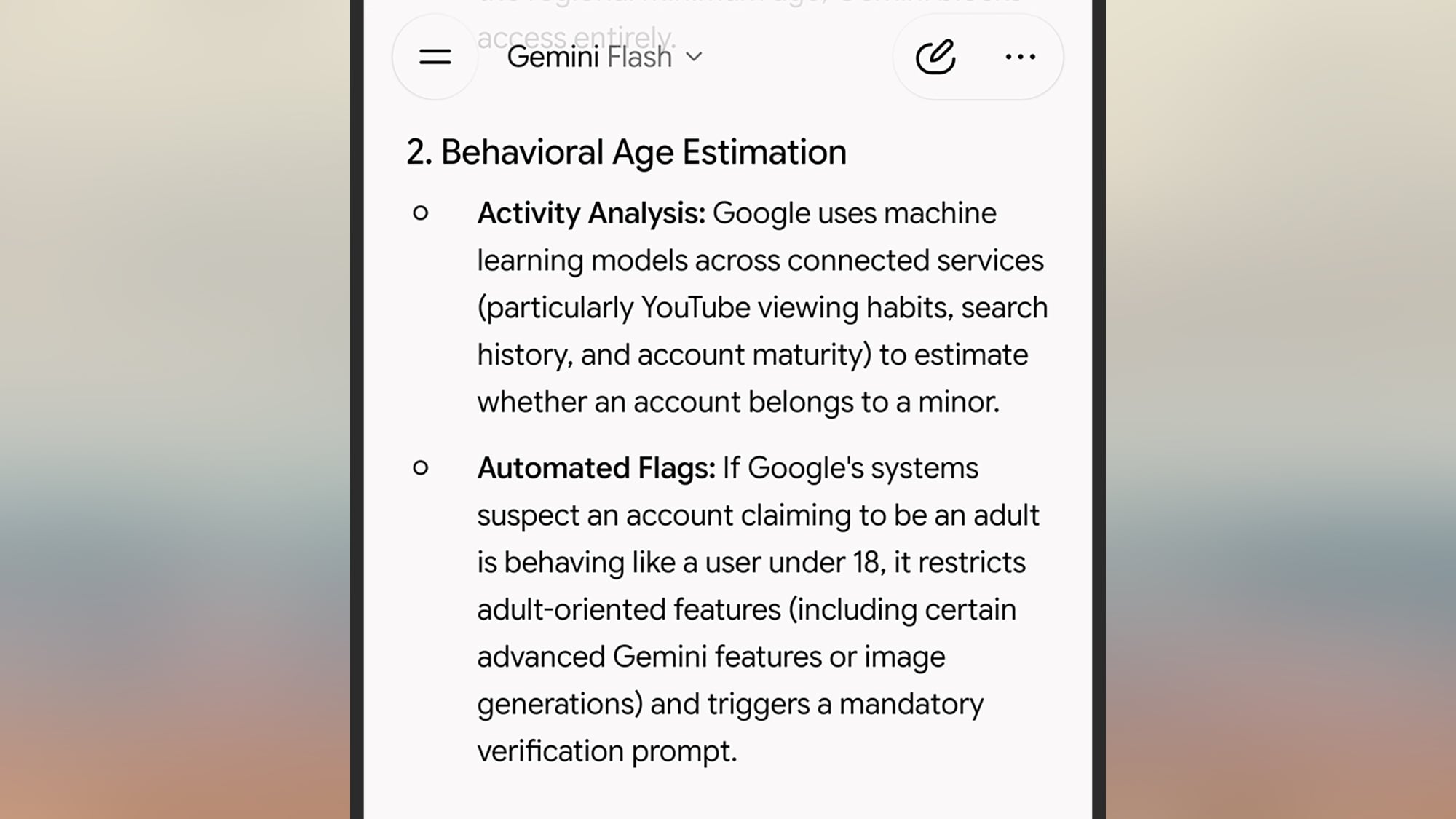
Google has ways of telling if you’re lying about your age.
Credit: Lifehacker
Meta AI
Meta AI will show up in several apps that young people and children are likely to use, including WhatsApp and Instagram, as well as having its own separate app on the web and on phones. The standard restrictions for Meta’s social media accounts apply to its AI too: A minimum age of 13, and restrictions for all under-18s. Like many other platforms, it uses some AI magic to flag up accounts being used by minors.
If you’re under 18 and on a Meta Teen account, you’ll come up against blocks if you try to get Meta AI to engage in sexual or romantic roleplay, or discuss alcohol or substance misuse. Chats on topics such as eating disorders and self-harm will prompt the AI to offer guidance towards relevant support services.
Meta offers a comprehensive parental control setup for its apps, including Meta AI, but connecting a parent account isn’t compulsory for teens. This is handled through the Meta Family Center portal, and parents can get reports on the general topics that kids are chatting about with AI—though they don’t get the exact transcripts or prompts. Any self-harm or suicide discussion can trigger an alert to the connected parent account.
All users, under 18 or over 18, get support and crisis intervention responses when chatting about suicide and self-harm, and there are strict limits on discussing illegal and harmful acts, including drug use and cyberbullying, as well as sexual and adult content.
Siri AI
Apple users have to be 13 or over to have an account, which is required to access Siri AI—anyone younger needs to have an account created for them by an adult, and these accounts can only get at the basic, older Siri. Date of birth must be declared when opening an Apple account, with tighter checks rolling out in many parts of the world.
Anyone over the age of 13 can have an Apple account and use the Siri AI app, with or without a connected parent account, as it stands in most U.S. states. This means the well-being safeguards are essentially the same for teens as they are for adults: There are safeguards around self-harm, suicide, sexual and violent content, and illegal commands. It’s one of the more conservative AIs when it comes to what it will talk about.
The new and improved Siri AI can be managed to some extent by the new parental controls available in iOS 27 and Apple’s other software updates for 2026—Apple has clearly seen the way the wind is blowing—but this is optional for teens. It depends on whether or not you can corral your kids into a Family Sharing group.
If your teens are in your family group of users, then the standard Screen Time rules apply for controlling app usage limits and device access (in iOS Settings, tap your name, then Family to get at them). There are also options for disabling certain Siri AI features, such as the writing tools or the image creation capabilities.
Copilot
Like Gemini/Google and Apple/Siri, Copilot is tied into the wider Microsoft ecosystem, and access for under-18s can be managed through it. Users must be 13 or older to hold a Microsoft or a Copilot account—and again, there’s some underlying tech in place to detect anyone who might be deliberately lying about their age.
If you’ve got a teen using Copilot, you can manage their access through the standard Microsoft Family Safety portal. You’re able to enable or disable Copilot access, set times during which Copilot can and can’t be used, and disable certain features like image generation or voice mode. Parents can’t read the Copilot chats of their kids, though.
Parental supervision is optional—a teen aged 13–17 can use Copilot without linking their account to an adult one. Microsoft says users identified as under 18 won’t see personalized results or ads, and will get age-appropriate responses regarding risky or harmful content, though there’s not much detail on what that entails.
More generally, content around self-harm, violence, adult content, harassment, and harmful or illegal activity is banned on the AI platform. Any prompts about suicide or drugs will bring up support options rather than answers, whether you’re an adult or a young person using the service.
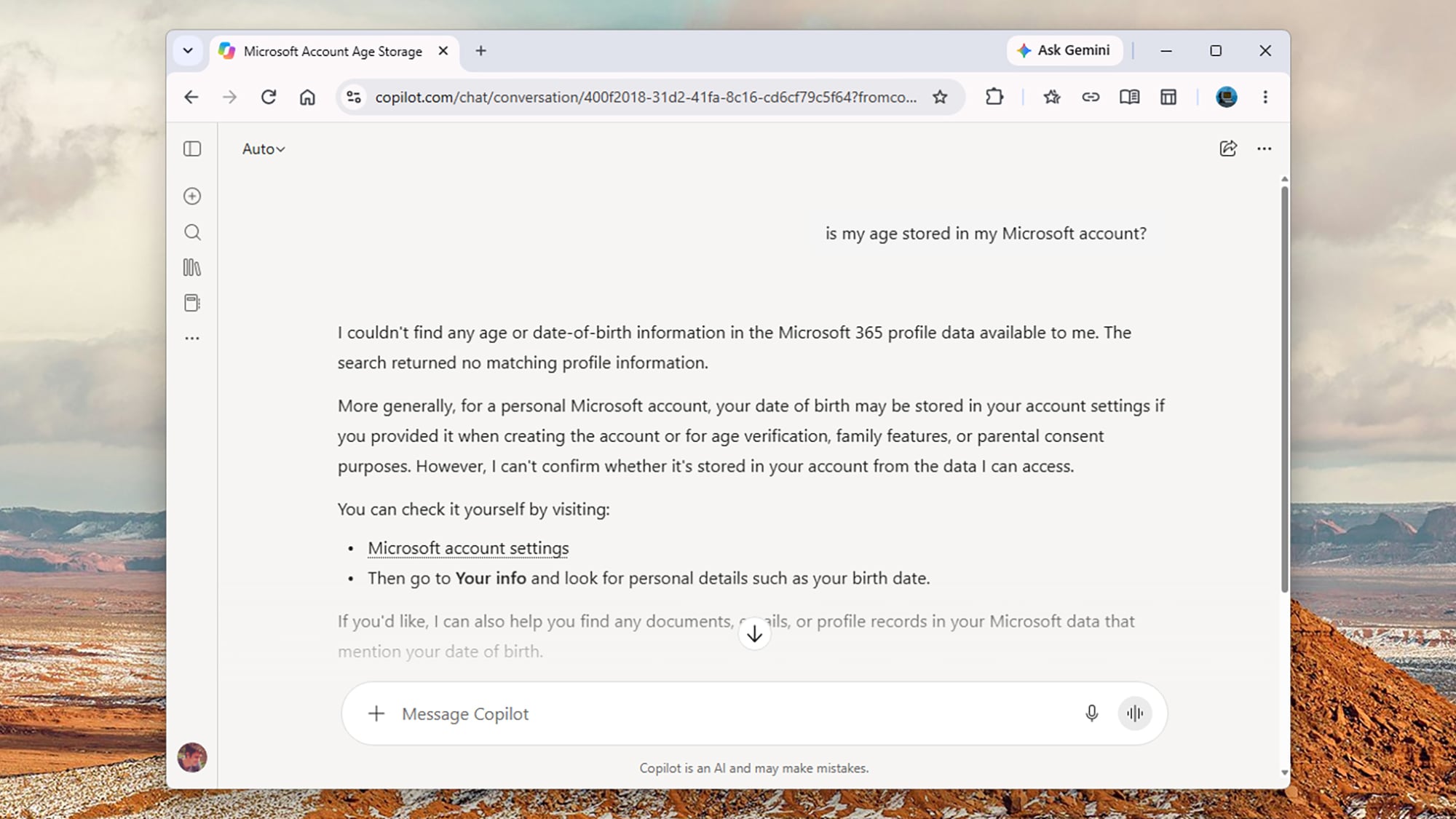
Copilot can no longer be accessed anonymously on the web—you need an account.
Credit: Lifehacker
Grok
Out of the bigger AI chatbots out there, Grok is very much the worst at protecting minors. It can be accessed through X or as its own standalone app, and while its terms of use indicate there’s a minimum age requirement of 13, a recent report by Common Sense Media says the platform’s age checks aren’t effective.
Ultimately that means that minors have the same access to Grok as adults, if they want it—an AI platform that combines “weak safety guardrails” and “a range of extremely harmful content” that includes “explicit sexual content, mental health risks, violent content, and inappropriate responses to… offensive content” (that’s the Common Sense Media Report again).
Yes, this is the AI chatbot that has previously had a problem with deepfake porn imagery, and which has traditionally taken a rather casual attitude towards safety concerns, led by SpaceXAI CEO Elon Musk. While illegal and harmful content is supposedly banned from Grok, its own FAQs admit that certain chats can result in “dialogue that may involve coarse language, crude humor, sexual situations, or violence.”
There is actually a Grok Kids Mode that limits the kind of content that can be shown and the conversation topics that can be added, but it requires users to self-declare themselves as minors and is easy to bypass. The advice from Common Sense Media seems to be the way to go with Grok: Do not let your teens access it.
Claude
Claude’s approach to child safety is straightforward: You can only register for an account if you’re over 18. It is possible to lie about your age when signing up, but like the other platforms, Anthropic looks at various “signals” in behavior to spot minors—if your account gets flagged, you have to verify your age using an option like face age estimation or Yoti.
There’s no free web access to the chatbot, like there is with ChatGPT and Gemini, so if you’re under 18, you’re locked out from the service unless you know the behavioral tricks to get past Claude’s detection systems.
In terms of more general well-being protections on Claude, any chat around self-harm or suicide will guide users towards helplines and other resources for support. Conversations about illegal activities, disallowed speech, and explicit sexual content are banned from the platform. In recent months, Anthropic says it’s also reduced AI sycophancy.
That’s something of a whistle-stop tour of the big seven AI chatbots, but if you’re a parent, it should give you some idea of what’s out there and how easy it is to access. Besides the parental controls built into these AIs (or not), you also have the settings available at the platform level—Android, iOS, Windows, macOS—to restrict the use of any potentially harmful apps.
Lego’s BrickLink Marketplace Back Online After Week-Long Outage Caused By ‘Cyber Incident’
LEGO’s BrickLink marketplace is back online after a week-long outage caused by what the company described as a “cyber incident,” during which an unauthorized third party accessed some user data. Details about exactly what data was accessed remain unclear. The site went offline on November 5 and remained unavailable until November 12, preventing users from buying or selling LEGO sets and parts during the busy holiday shopping season. According to Brick Fanatics, LEGO initially described the outage as “necessary work” before confirming that the platform had suffered a security incident.


In an email to users, LEGO acknowledged that “some of the information associated with your account was accessed and disclosed by an unauthorized party,” including potentially usernames and IP addresses. However, the company insisted that “your password, postal address, and financial information were not disclosed.” Those assurances have since come under scrutiny following reports of convincing phishing emails containing detailed personal and purchase information.
The outage also dealt a significant blow to independent sellers who rely on BrickLink for income. Simon Webster, who operates stores on both BrickLink and rival marketplace Brick Owl, reported that his overall sales revenue fell 52% over a four-day period, even as sales through Brick Owl rose 79%. “Their comms are amateur at the best of times, but surely they should be able to send an email to let sellers and buyers alike know what is happening and what they’re doing to rectify it,” Webster said. “But no, we’re all left in the dark.”
The incident has renewed concerns about BrickLink’s aging infrastructure. Founded in 2000 and acquired by LEGO in 2019, the marketplace reportedly runs on a complex collection of interconnected systems that makes modernization difficult. The Brick Fanatics report questions whether the 25-year-old platform remains fit for purpose and whether prolonged outages and security concerns could push sellers toward competing marketplaces like Brick Owl.
Read more of this story at Slashdot.
Linus Torvalds Says AI-Assisted Linux Kernel Fixes Are Becoming the Norm
Linux kernel 7.4-rc2 includes numerous AI-assisted fixes, as Torvalds highlights encouraging progress in reducing kernel bugs.