Six Things You Should Do Now to Optimize Your Setup for GTA 6

We may earn a commission from links on this page.

You’re almost ready for Grand Theft Auto VI. You’ve preloaded the game on your console, you’ve taken the next month off work, and you’ve locked your phone in a Faraday cage and set it adrift at sea. You’re prepared to lock in, and you haven’t forgotten a thing…right? Well, just to make sure, here are the most important tips to optimize your setup before you fire up the most anticipated game of the decade.

Install another SSD for extra storage

GTA 6 is absurdly large. According to Rockstar, you’ll need up to 212GB of storage space. For high-end consoles like the PS5 Pro, that’s more than 10% of the available storage space, and close to half the space on the more budget-conscious Xbox Series S. There’s a good chance you’ll have to delete something to make room.

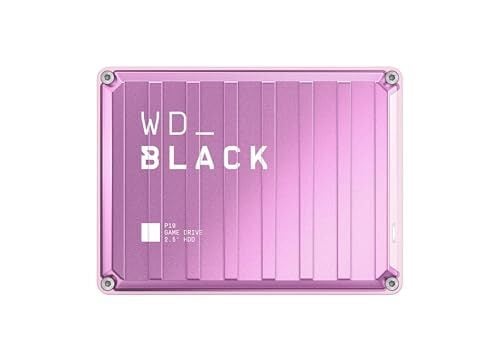
Alternatively, it’s pretty easy to add more storage (if you can afford it). External SSDs are probably the cheapest route, though you’ll want to make sure to use a high-speed USB cable to connect it. It’s even worth shopping around for alternate models of SSD. For example, at the time of writing, the popular 2TB WD_BLACK external drive was close to $200, but the exact same drive in pink was $132.

You can also directly upgrade the storage of your console with expansion drives. The Xbox Series X|S supports proprietary expansion cards, while the PS5 and PS5 Pro can accept most M.2 internal SSDs. These will generally be faster, since they plug directly into the console via higher-speed connections than a drive hooked up via USB. 

Leave extra space for recording your gameplay

Let’s face it: Half the fun of any sandbox game is the weird, unique stuff that happens to only you. So you’re probably going to be hitting that “record recent gameplay” button more often than usual. While you’re cleaning up your storage space (or adding more), make sure to account for all the video clips you might want to save.

File size of video clips depends on a lot of factors, but 4K recordings can generally take up to 0.5GB per minute of footage. You can cut that down by saving footage in 1080p instead, but either way you’ll want to leave a little extra space.

Game footage is also a pretty good place to look if you need to make room on your console and don’t want to delete any games. Be honest with yourself: You don’t need all those clips from Horizon Forbidden West you saved four years ago. Dive into the settings on your console and find the biggest media files you forgot you even had on there.

Check your display’s settings

According to Rockstar, GTA 6 will be targeting 30fps across consoles at launch, which is pretty low as modern AAA games go. Part of the reason for that is all the processing power going to rendering a complex environment, but it also means you won’t need a fancy high frame rate TV or monitor any time soon to get the most out of it. Still, it couldn’t hurt to check a few settings on your display.

First, make sure you’re using a higher refresh rate than 30Hz. While the game is targeting 30fps, it is technically capable of more, so if your console can keep up, you don’t want to accidentally bottleneck your frames. This setting will vary by device, so check the manual that came with your screen.

Also, make sure you have HDR enabled on your hardware. There’s a good chance this is already turned on for your TV, but sometimes other devices can switch display modes if they only support SDR. The game will help you calibrate your HDR settings for GTA 6 specifically when you launch it, but only if it detects HDR compatibility in the first place.

Get a few extra graphical features with the PS5 Pro

If you’re planning to buy a console specifically for GTA 6, this might be one of those rare instances where a PS5 Pro really is worth the upgrade. According to Rockstar, certain features like ray-traced shadows will only be available on the Pro version of Sony’s console.

More importantly, the PS5 Pro version supports PlayStation Spectral Super Resolution (or PSSR), which upscales lower-resolution images to get better detail and higher frame rates out of the same hardware. Given that GTA 6 is already starting at a meager target of 30fps on most consoles, anything that can give your frame rate a boost is probably going to feel like a welcome improvement over the baseline.

Consider a pro controller

I’ll tell you a secret as someone who’s spent a lot of time testing different game controllers: Most of the time, you really don’t need an expensive “elite” controller. Most of the time. I don’t buy into the idea that a taller control stick is going to make you an esports athlete. It can be nice to have, but it’s not a game changer. What does matter is customizing your controls, especially for long gaming sessions.

The DualSense Edge wireless controller is a favorite of mine, mainly because of the rear paddles and adjustable triggers. The former lets you map any button to a rear lever that you can access with your fingers underneath the controller, which can often ease some of the wrist strain of awkward button combos. And the adjustable triggers let you activate the buttons with less motion, again reducing repetitive stress.

The Xbox Elite Series 2 controller has similar features for the Xbox, as well as custom caps for the D-pad. Both consoles’ versions of pro controllers are more expensive than the standard ones, but if you’re planning to game for many hours, it can be worth it to get a controller that’s more comfortable for you.

Optimize your network for streaming (for Xbox One)

If you have an Xbox One, you don’t necessarily have to upgrade your console to play GTA 6, but you might want to take a look at your network. GTA 6 will be available on Xbox Cloud Gaming on day one, and you’ll be able to stream the game to an Xbox One console (as long as you purchase Cloud playtime as well or get some with your Game Pass subscription). This is the only way to play on a console older than the current generation, so if you don’t want to shell out for new hardware, this might be your best bet.

Xbox recommends a minimum of a 20Mbps connection to run cloud gaming, but more is obviously better. If you can connect your console to a wired Ethernet connection, that would be better and provide more stability. If you can’t connect a cable, then at least make sure you’re well within range of your wifi router, and try to limit any other bandwidth-hogging applications on the network while you’re playing.


Four PHP security releases including fixes for critical vulnerabilities

The PHP Project has announced the release of PHP 8.5.13, 8.4.28, 8.3.37, and 8.2.36. Each contains a
number of security and bug fixes, including several fixes for critical
vulnerabilities that could allow remote-code execution. According to the
project’s pre-release
announcement
on November 18, all of the vulnerabilities of critical
severity “require either non-default configuration or uncommon
setups
“. See the release notes for details; Linux vendors and projects
should be releasing updated packages soon.

Mouse fight club might explain why we like to watch violent things

Credit: J.M. Iravedra-Garcia et al., 2026

There’s something about watching violent events that broadly appeals to us, whether it’s the latest John Wick movie, a video game, or a live UFC bout. Scientists have debated whether watching violent things could make us more aggressive, but it could also be an adaptive survival strategy. Male mice, for instance, who watch other mice fighting learned enough about how to fight to better protect themselves (compared to mice who didn’t watch fights) when pitted against stronger, more aggressive opponents, according to a paper published in the journal Nature.

The team assigned male mice randomly to three different groups—fighters, spectators, or novices—and then subjected each group to eight days of training involving three 10-minute sessions per day. The novices played with stuffed mice in isolation, while the spectators watched various pairs of fighter mice battle it out from a raised platform behind a transparent barrier—a set-up chosen to let them smell and listen to the fights as well as observe them.

The ninth day was “fight night,” when all the mice had to face a daunting opponent in three 4-minute rounds. Each fight was filmed from above so that the mouse behavior could be analyzed. To monitor corresponding changes in brain activity, the team engineered the rodents’ excitatory brain cells to glow green whenever they were activated, while inhibitory brain cells glowed red. They also implanted tiny optical fibers into 12 interconnected brain regions so they could track changing activity in every brain region simultaneously.

Read full article

Comments

NASA’s new Moon plans have a problem: Orion wasn’t designed to fly this way

NASA recently announced a significant shakeup to the Artemis program that will land humans on the Moon.

The moves were designed to give the agency’s lunar lander providers—SpaceX with its Starship vehicle, and Blue Origin with Blue Moon—more flexibility in reaching the Moon. For Starship, this means docking with Orion in Earth orbit, and then traveling to the Moon in tandem. For Blue Moon, it shifts the rendezvous with Orion all the way to low-lunar orbit.

These changes benefit the lunar landers, but in turn impose more of a burden on the Orion spacecraft, which is built for NASA by Lockheed Martin. To understand the implications for the spacecraft, Ars spoke with Kirk Shireman, Human Spaceflight Exploration and Orion program manager at Lockheed.

Read full article

Comments

The Best Early Black Friday Smart Home Deals

We may earn a commission from links on this page. Deal pricing and availability subject to change after time of publication.

Amazon’s early Black Friday 2026 sale is already bringing some substantial discounts on smart home devices, with savings ranging from $23 to $700 across security cameras, video doorbells, smart locks, home security systems, thermostats, and robot vacuums. Several products are more than 50% off, including indoor security cameras from Blink, Ring, and Arlo, while higher-end devices from Eufy and Roborock are seeing price cuts of hundreds of dollars.

You can also check out our other Black Friday coverage for more tech deals as the sale continues. For now, here are some of the best early Black Friday 2026 smart home deals worth checking out.

Black Friday outdoor security camera deals

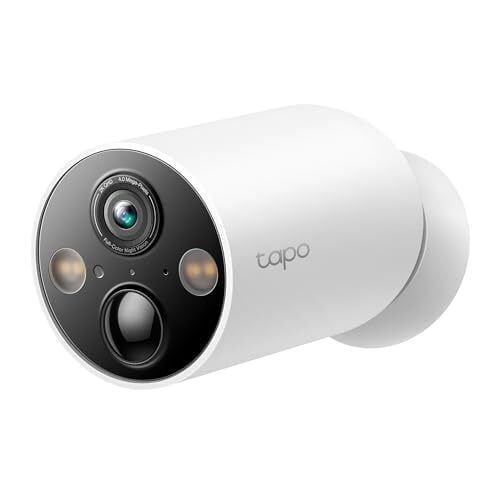
The Tapo MagCam 2K+ C425 for $54.99 (save $35)

Named the best security camera of 2024 by PCMag, TP-Link’s Tapo MagCam C425 is now down to $54.99 from $89.99, making it an affordable option for keeping an eye on your driveway, backyard, or front entrance without having to run power cables. It records in 2K resolution and runs on a rechargeable battery, while support for microSD storage lets you save footage locally without paying for a cloud subscription.

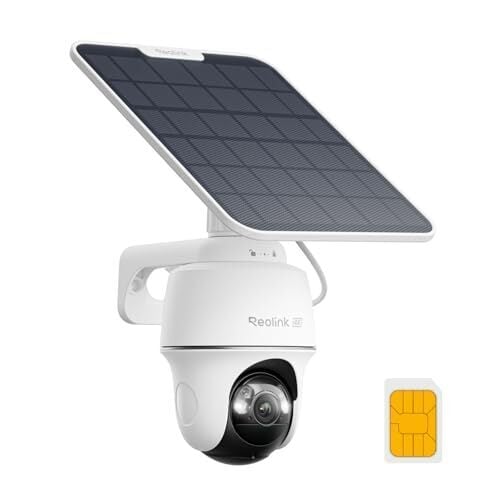
The Reolink 4K Solar Security Camera with cellular connectivity for $144.99 (save $85)

Reolink’s 4K Solar Security Camera is down to $144.99 from $229.99, saving you $85. It connects over 4G LTE, so it can keep watch over a barn, vacation home, construction sites, or other areas where a regular wifi security camera won’t work because there’s no home network to join. Its microSD support lets you save footage locally without a cloud subscription—you will, however, need an active cellular data plan to get the camera online.

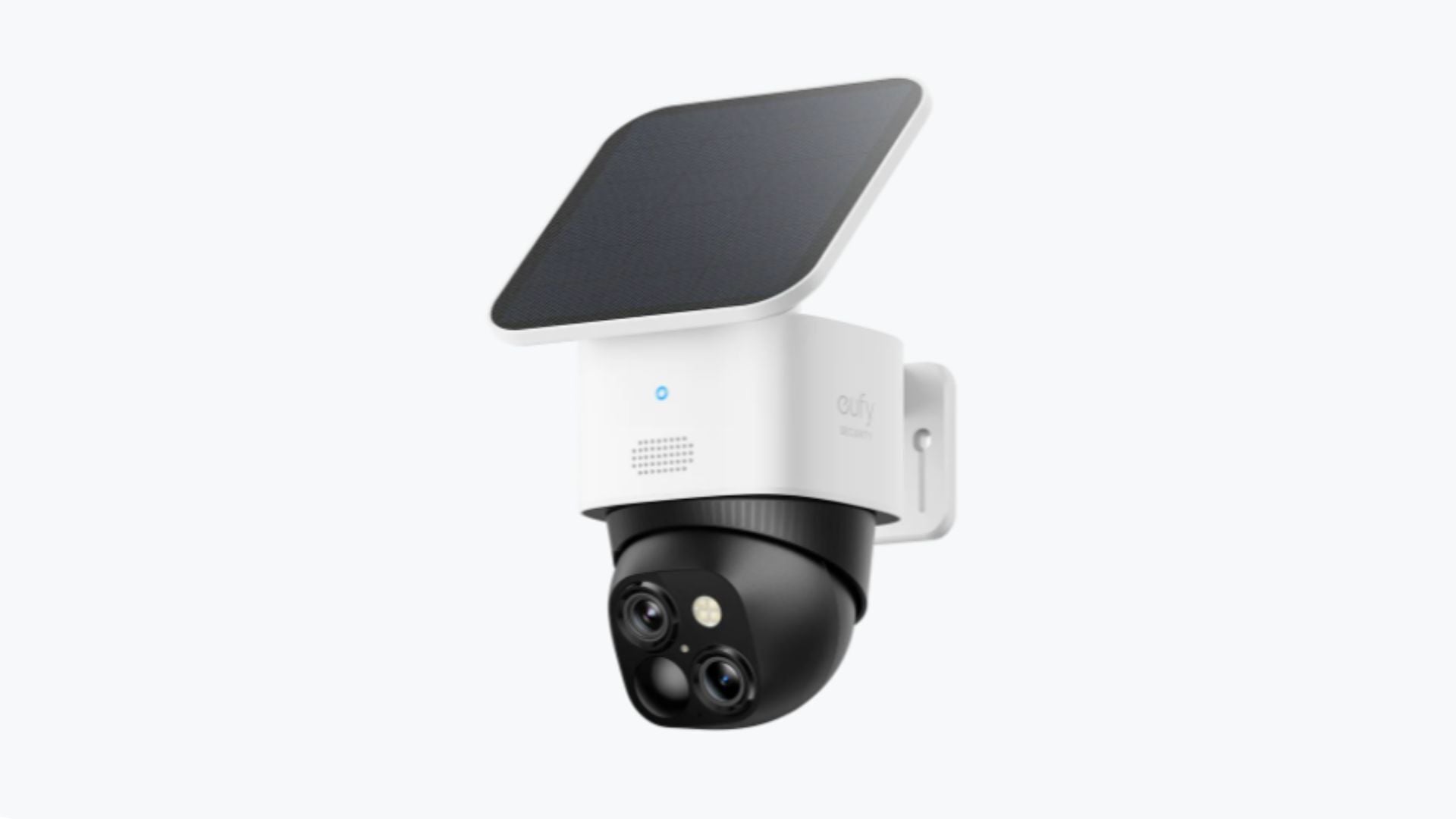
The Eufy SoloCam S340 for $119.99 (save $100)

Eufy’s SoloCam S340 is $119.99, down from $219.99, and it pairs a 3K wide-angle lens with a 2K telephoto lens, giving you a view of the whole yard and a closer look at faces or packages at the same time. The camera pans a full 360 degrees and tilts to follow people as they move, and the included solar panel keeps it charged in a sunny spot. Footage is stored on 8GB of built-in storage with no monthly fee—one of the reasons why the S340 earned an Editors’ Choice award in PCMag’s review.

Black Friday video doorbell deals

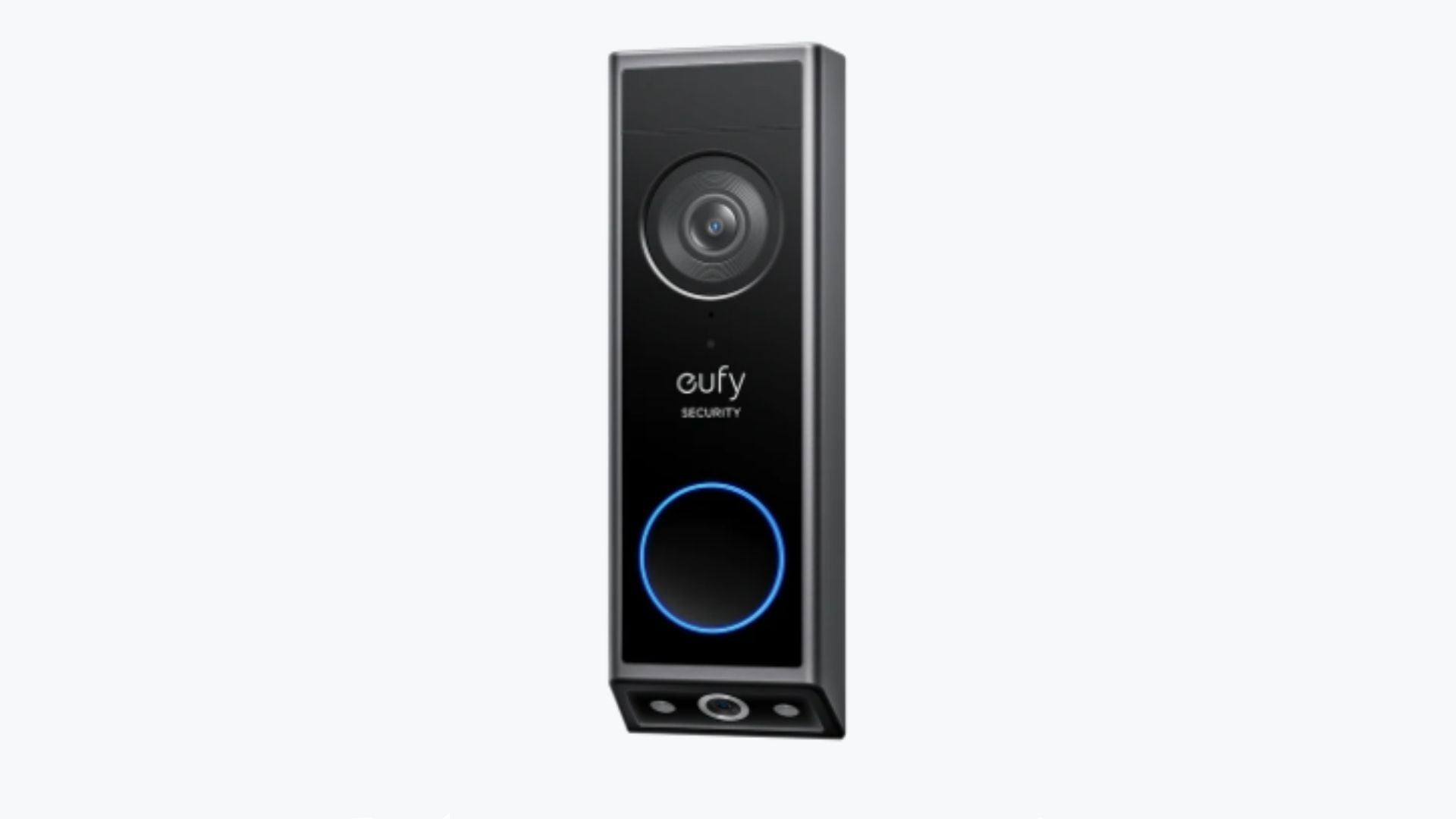
The Eufy Video Doorbell E340 for $99.99 (save $70)

Eufy’s Video Doorbell E340 is $99.99, down from $169.99, and it uses two cameras to cover your front door, with one recording visitors in 2K and the other pointing down at the doorstep to keep an eye on deliveries. It also has color night vision, a removable rechargeable battery, and 8GB of built-in storage for recording footage without a cloud subscription. You can read more about its performance in PCMag’s review.

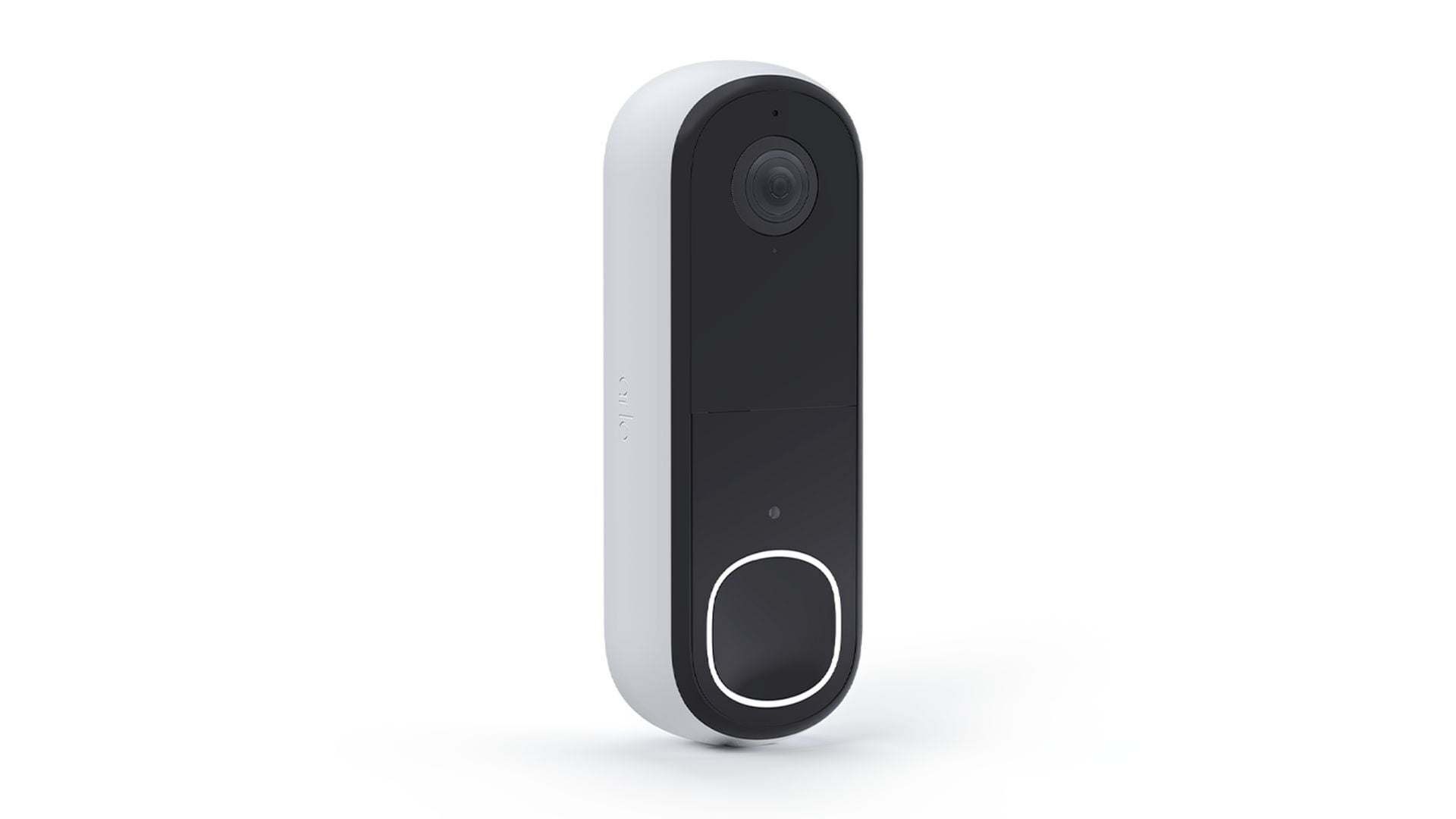
The Arlo Wireless Video Doorbell 2K (2nd Gen) for $28 (save $51)

At $28, down from $79.99, the second-generation Arlo Wireless Video Doorbell 2K is one of the more affordable ways to keep an eye on your front door. Its 2K camera provides a detailed view of visitors, while the wide field of view helps capture packages left near your doorstep—making it easy to see why PCMag named it the best video doorbell of 2024.

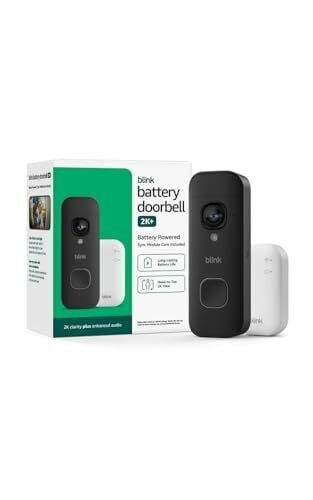
The Blink Battery Doorbell 2K+ for $34.99 (save $45)

The Blink Battery Doorbell 2K+ is down to $34.99 from $79.99. It records in 2K resolution and offers a head-to-toe view, so you can see who’s at the door as well as any packages left on your doorstep. And since it runs on batteries, installation is relatively simple, especially for renters or anyone who doesn’t want to deal with doorbell wiring. For more on it, check out PCMag’s review.

Black Friday smart lock deals

The Eufy FamiLock E34 for $179.99 (save $100)

The Eufy Security FamiLock E34 is down to $179.99 from $279.99, saving you $100 on a smart lock that uses palm vein recognition to unlock your door, which Eufy says takes just 0.6 seconds. It can store palm data for up to 50 people locally, making it convenient for households with multiple users, while PIN codes and app-based controls give you other ways to get inside. You also get built-in wifi and compatibility with Apple Home, Alexa, Google Home, and Matter.

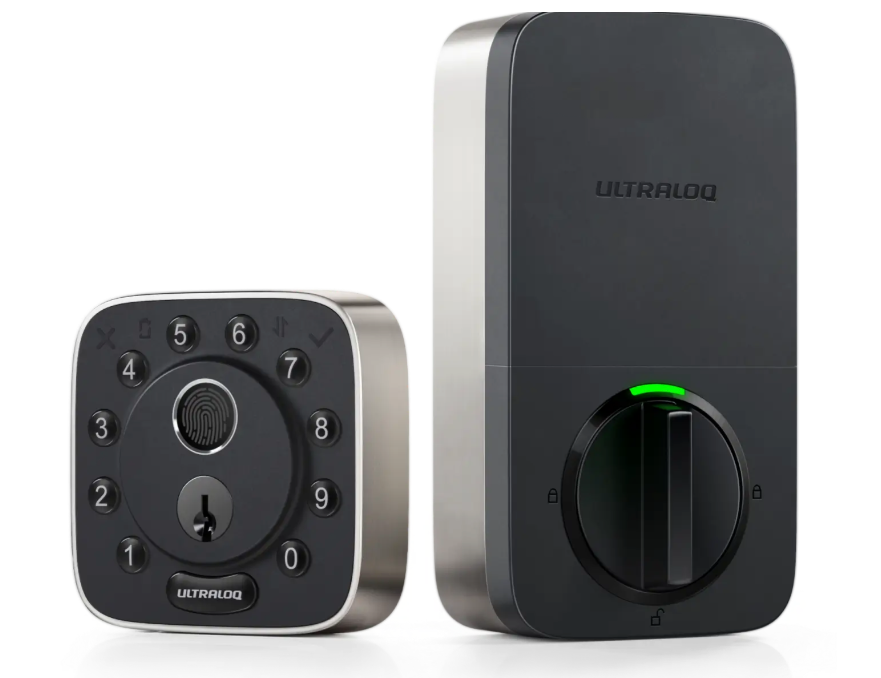
The Ultraloq Bolt Fingerprint Smart Lock for $139.99 (save $60)

The Ultraloq Bolt Fingerprint smart lock is $139.99, down from $199.99, and it replaces your deadbolt with a lock you can open using a fingerprint, a keypad code, or the U Home app over built-in wifi. It can also unlock automatically as you walk up to the door, using your phone’s location. PCMag named it the best smart lock of 2024.

Black Friday smart home security system deals

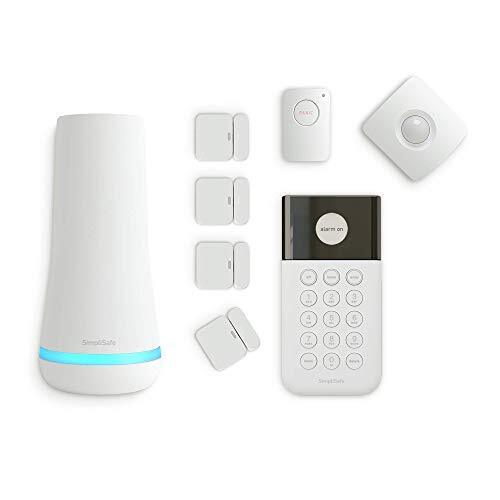
The SimpliSafe 8-Piece Wireless Home Security System for $119.99 (save $90)

SimpliSafe’s DIY 8-piece Wireless Home Security System is down to $119.99 from $209.99, making it a relatively affordable starting point for securing multiple entry points around your home. The kit includes a base station, keypad, entry sensors, a motion sensor, and a panic button, so you can monitor doors, windows, and movement inside the house. For more details, check out PCMag’s in-depth review.

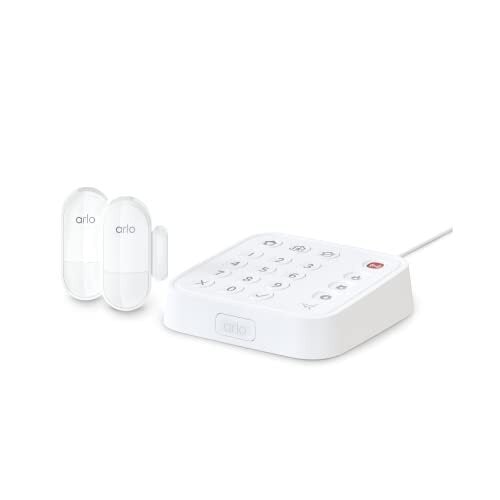
The Arlo Home Security System SS1201 for $142 (save $57)

The Arlo Home Security System is $142.49, down from $199.99, and this starter kit pairs a Keypad Sensor Hub with two All-in-One Sensors, each of which can be set to detect motion, open doors and windows, water leaks, and other events across eight functions. It runs in the same Arlo Secure app as Arlo’s cameras and doorbells, which makes it a natural addition for homes that already use them. For more on its features and performance, check out PCMag’s review.

Black Friday indoor security camera deals

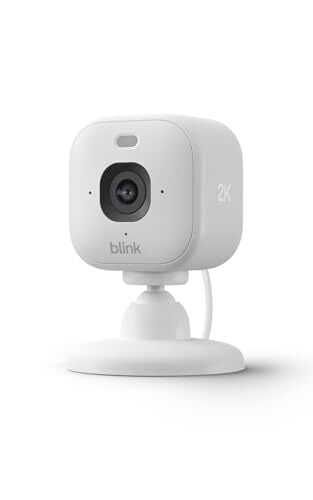
The Blink Mini 2K+ for $15.99 (save $24)

At just $15.99, down from $39.99, the Blink Mini 2K+ is one of the cheapest ways to add indoor monitoring to your smart home. This compact plug-in camera records in 2K resolution, and also supports motion alerts, two-way audio, and Alexa integration. PCMag has a review of the Blink Mini 2K+.

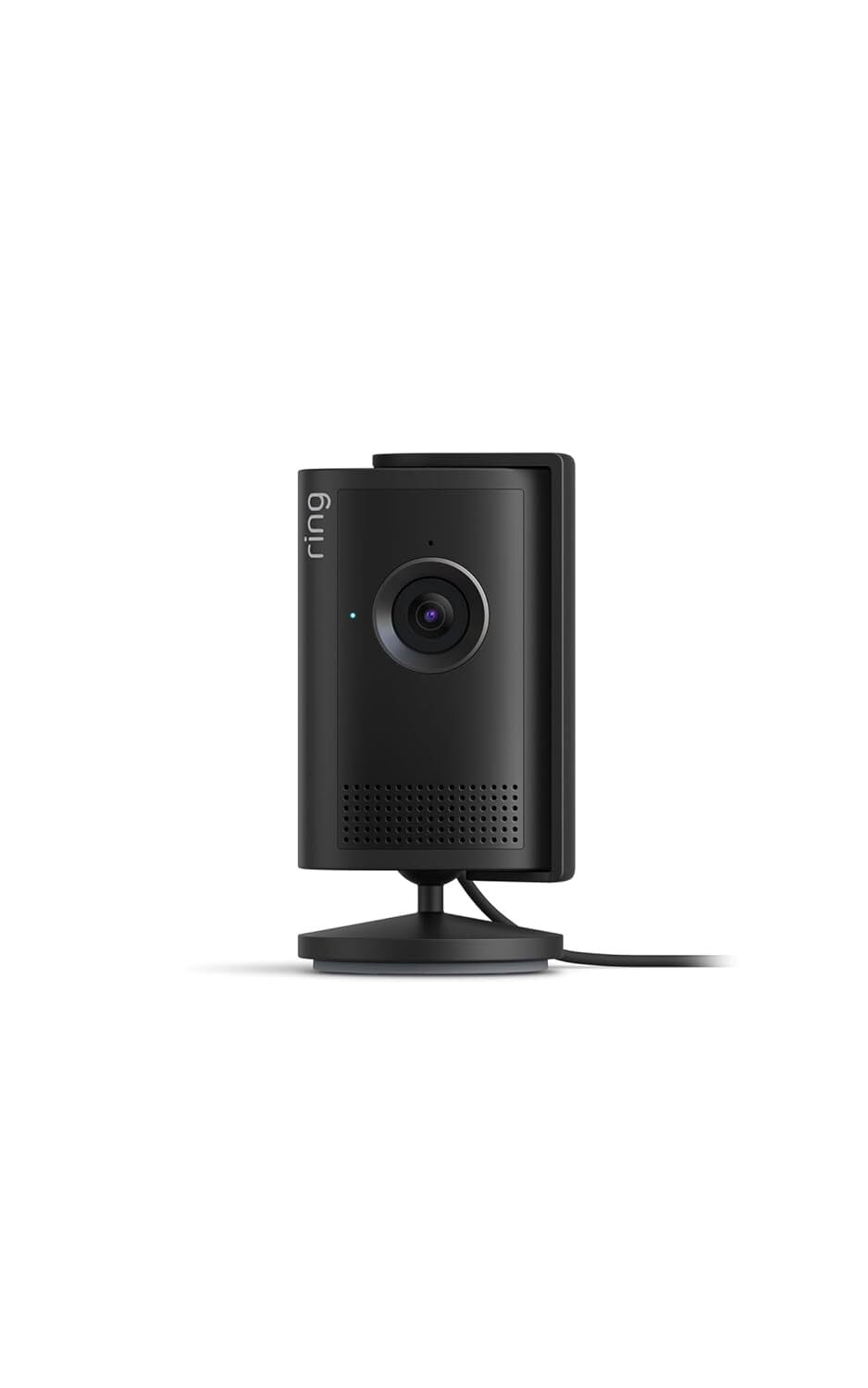
The Ring Indoor Cam 2K for $24.99 (save $35)

The Ring Indoor Cam 2K is seeing a substantial discount, dropping from $59.99 to $24.99. It records in 2K resolution, giving you a clear view of rooms and hallways, while two-way audio lets you speak to family members or pets through the Ring app. There’s also a built-in privacy cover that blocks the camera when you don’t want it recording, along with support for other Ring and Alexa devices. You can read more about its features and performance in PCMag’s review.

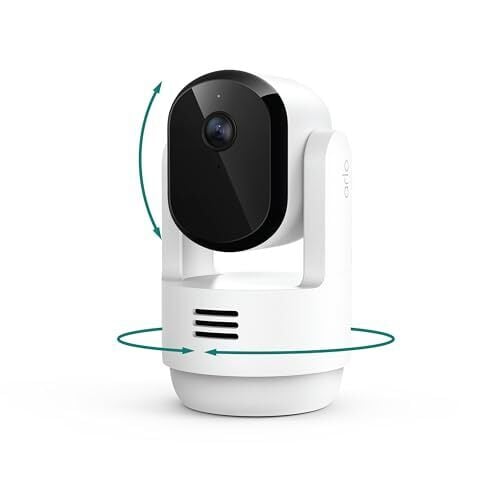
The Arlo Essential Pan Tilt Indoor Cam 2K for $18.99 (save $31)

Arlo’s Essential Pan Tilt Indoor Cam 2K is $18.99, down from $49.99, and it’s part of the lineup Arlo released in 2025, with a motorized head that rotates a full 360 degrees and tilts 180 degrees so one camera can cover an entire room. This PCMag review goes into more detail on how it performs.

Black Friday smart thermostat deals

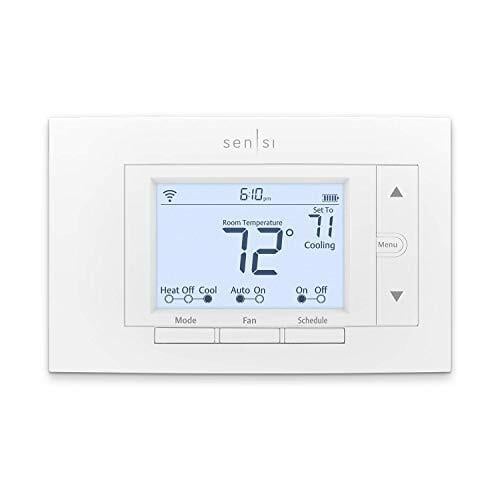
The Sensi Smart Thermostat ST55 for $79 (save $50)

The Sensi Smart Thermostat ST55 is currently $79, down from $129.99, and is a good option for anyone looking to control their home’s heating and cooling from a phone—it lets you create schedules, adjust temperatures remotely, and use geofencing to make changes based on whether you’re home or away. It also works with several popular smart home platforms, including Alexa, Google Assistant, and Samsung SmartThings, plus Apple HomeKit when a C-wire is connected, notes this PCMag review.

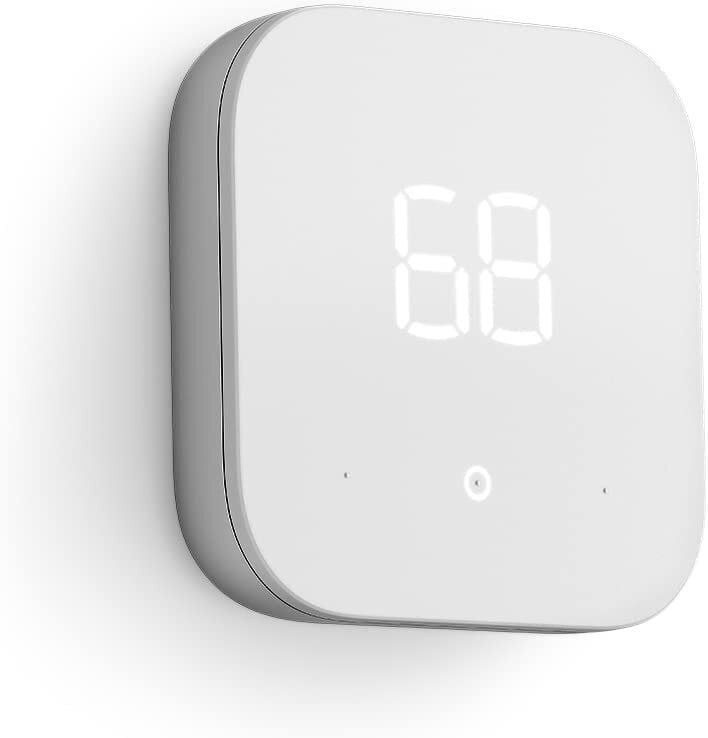
The Amazon Smart Thermostat for $56.99 (save $23)

The Amazon Smart Thermostat is a more affordable alternative at $56.99, down from $79.99. It works with Alexa to let you adjust temperatures through voice commands or the Alexa app, where you can also set schedules and automate temperature changes based on your routines. For more on its setup and features, check out PCMag’s review.

Black Friday robot vacuum and mop deals

The Ecovacs Deebot X8 Pro Omni for $699.99 (save $400)

Ecovacs’ Deebot X8 Pro Omni is down to $699.99 from $1,099.99, saving you $400 on a robot vacuum that takes care of both vacuuming and mopping. It uses a roller mop that continuously rinses itself with clean water as it works and extends outward to clean along walls and furniture. You also get 18,000Pa of suction and a self-maintaining dock that empties the dustbin, washes the mop with hot water, and dries it afterward. For more on its cleaning performance, check out PCMag’s review.

The Roborock Qrevo CurvX for $799.99 (save $700)

The Roborock Qrevo CurvX has dropped to $799.99 from $1,499.99, saving you $700. It’s a 2025 update to the Qrevo Curv that raises suction from 18,500Pa to 22,000Pa and slims the robot to 3.14 inches tall so it fits under more couches and beds, while keeping the AdaptiLift chassis for climbing thresholds and a dock that washes the mop pads with hot water. This PCMag review covers the original Qrevo Curv, which should be a useful reference for the design and dock the two models share.

Black Friday FAQs

What stores have the best sales on Black Friday?

Nowadays, both large retailers and small businesses compete for Black Friday shoppers, so you can expect practically every store to run sales through Monday, Nov. 30, 2026. The “best” sales depend on your needs, but in general, the biggest discounts tend to come from larger retailers who can afford lower prices: think places like Amazon, Walmart, Target, Best Buy, and Home Depot. You can find all the best sales from major retailers on our Black Friday coverage.

How do I make the most of Black Friday? 

Follow our Black Friday coverage for the latest and best deals our team finds. Another good tip is to only buy what you need. It sounds simple, but making a list of the things you want before jumping into a sale with millions of products helps you focus and make smarter decisions.

Should I wait until Cyber Monday to shop online?

No. If you find the product you’re looking for with a major discount right now, get it. It’s not likely to drop any lower, but it could always run out of stock. Take advantage of price matching or guarantees instead of waiting. Remember, you can always return products later if you change your mind. For the majority of products, the deal from Black Friday will be the same one on Cyber Monday.


Our Best Editor-Vetted Early Black Friday Deals Right Now

Deals are selected by our commerce team

Agama Unattended installation openSUSE Tumbleweed hosts via multi-threaded agama-proxyV2.py on top of F45 Server

This particular setup may be tested on Tumbleweed KVM Guests running at remote KVM Hypervisor keeping to provide reliable results. This post is an immediate follow up for Agama Unattended installation openSUSE Tumbleweed hosts via remote Agama-Proxy.service on top of F45 Server (bare metal) Daemon been built now provides Multi-Threaded: Handles multiple simultaneous KVM guest requests without locking. Decoupled: Running safely as a background daemon via nohup and disown. Optimized: Running at full line rate without hidden network or DNS latency.

College Board Delivers Another AI Ultimatum: No AI, No AP CS Principles Course

Longtime Slashdot reader theodp writes: Just days after news broke of Google’s no AI, no Search ultimatum — prompting school districts to weigh breaking up with Google Search (source paywalled; alternative source) — the College Board quietly delivered another AI ultimatum to the nation’s AP Computer Science Principles teachers, suggesting that their days of teaching AP CSP might be over unless their school districts put an end to their anti-AI ways.

“Effective in fall 2027,” The College Board explained, “AP Computer Science Principles has been reimagined as the course for teaching students how to work with AI responsibly, safely, and confidently. AI is integral to the world of computer science. Software engineering remains one of the largest professional job categories, and employers now expect software engineers to be fluent in AI. What sets candidates apart is a deeper understanding of AI for designing, debugging, and evaluating code, and the ability to determine when AI is wrong. The redesigned course develops these skills, empowering students to build with AI, not just learn about it. […] Students also complete an AI Create Project, in which they build an AI application. The AP Exam includes free-response questions about the project, so students who earn a qualifying score for college credit have demonstrated their ability to design, build, and understand an AI-powered application. […] Students need access to a district-approved AI tool that accepts a student’s own written instructions and returns a response. Schools will need to make sure every student has access to one.”

The College Board also announced a planned ban on the use of block-based programming languages like Snap!, Scratch, Blockly, and MIT App Inventor for students’ “AI Create Project” (which replaces the current “Create Performance Task” that counts for 30% of a student’s AP exam score): “Beginning with the 2028-29 school year, students will submit their AI Create Project in one of a limited number of text-based languages. This change aligns the course with introductory college computer science courses, where text-based languages are most commonly used. If you currently teach programming with block-based tools, you can continue to use them in your teaching while introducing text-based languages throughout the year. Students will need to be working in an approved text-based language by the time they submit their AI Create Project in 2028-29.”


Read more of this story at Slashdot.

How to tell a cyberattack from a plain old outage

Over the past week, anyone could be forgiven for wondering whether a Diehard IV–style cyberwar had finally arrived in the US.

Across just four consecutive business days, a mass Microsoft exchange outage broke IT services for thousands of companies, a Federal Aviation Administration tech screw-up grounded airplanes across the country, a software problem affecting JPMorgan Chase caused another round of disruption, a United Airlines system glitch delayed flights yet again, and an NSA classified network’s downtime left the agency’s staff sitting at home waiting to return to their office at Fort Meade. In the midst of a US war with Iran and rising fears of AI-enabled hacking, this still-unfolding comedy of IT errors colliding across American infrastructure felt to plenty of observers like more than a coincidence.

Yet there’s still no evidence that any one of these clustered technological failures were related, much less caused by hackers. Their improbable, sequential timing left Americans anxiously doomscrolling for signs of foul play. But in cases like these, it’s the job of cybersecurity analysts (and reporters at WIRED) to determine—vibes aside—whether the latest tech outage was actually an accident or the result of a cyberattack.

Read full article

Comments