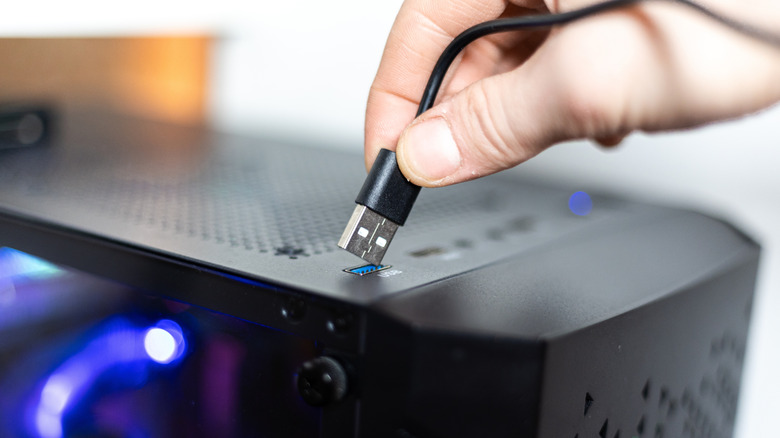
The front USB ports of your computer are useful, but they often can’t compete with the rear ports.

[…] Apple is adding Adaptive Dark Mode for websites that don’t have a dark mode design option by default. If you use Dark Mode and then browse to a website with a bright background color, Safari will offer an option to “Try” Adaptive Dark Mode. After tapping Try, Safari renders a Dark Mode version of the page that makes the background darker, changes text contrast, inverts logos and graphics, recolors vector artwork, lifts raised surfaces, and rebalances layered shadows.
Each website will be adapted based on what’s needed to make it readable, so not every tweak is applied to every site. You can opt to turn Adaptive Dark Mode on for all sites or on a site-by-site basis after using it. If a site has a native dark mode or has a dark design already, Adaptive Dark Mode won’t activate. Developers can also add a tag that causes Safari to ignore Adaptive Dark Mode and show the website as the developer intended.


Read more of this story at Slashdot.
California is accepting $1.42 billion in broadband grant funding from the Trump administration, but the state is not accepting the Trump administration’s demand that it stop enforcing a net neutrality law and other telecom regulations.
California’s stand against the Trump administration could result in multiple legal battles involving the state, federal government, and Internet providers seeking government funds. Although California told the federal government it would accept the money, it is reserving the right to challenge the condition imposed by the US. The state could delay or cancel plans to distribute broadband grants depending on how the process unfolds.
The National Telecommunications and Information Administration (NTIA) decided last year that states must agree not to enforce any rate regulation or net neutrality rule on ISPs that receive money from the $42 billion Broadband Equity, Access, and Deployment (BEAD) program. California had to decide whether to accept its share of the fund despite that restriction. California is slated to spend $1.42 billion to deploy broadband to 270,571 locations and may ultimately receive up to $1.86 billion from BEAD for a mix of deployment and non-deployment projects.

“When an LLM (large language model)-driven chatbot retrieves a publication from a press publisher’s website, reuses that publication to generate an answer, and provides that answer to the user, the press publisher’s right may be infringed in certain circumstances,” Advocate General Maciej Szpunar said. Gemini’s answers fall under the publishers’ right of reproduction when chatbots access publications by unlawfully “circumventing paywalls or other technical barriers, or when they reuse “the form of expression of that publication in a recognizable manner,” he said.
Copyright rules do not protect the “mere facts” reported by press publications, but “only the specific form of expression,” he added. On the other hand, he said, the use of material protected by copyright to train LLMs — AI systems that use vast amounts of text to generate human-like responses and summarize information — is “freely permitted under the text and data mining exception.” Szpunar said there was no evidence that Google had used the Hungarian publisher’s articles to train Gemini. The court, which follows the majority of its advisers’ non-binding opinions, will rule in the coming months. “Google’s powerful gatekeeping role in search makes this particularly important. Publishers depend on Google to reach readers, while Google increasingly delivers AI-generated answers directly to users,” said Angela Mills Wade, the council’s executive director.
“Publishers should not have to choose between search visibility and protecting their rights. Nor should Google’s control over access to audiences become leverage to secure publishers’ content for AI services,” she said.


Read more of this story at Slashdot.

And so even though yes, we’re looking back, we’re also looking forward to all we’re doing, particularly with the Fallout franchise and obviously The Elder Scrolls. You know, everybody’s always asking about Elder Scrolls 6. And we thought, hey, given the the moment, what a perfect time to tell you what The Elder Scrolls 6 is actually called.” The video then showed the logo for the game.


Read more of this story at Slashdot.
We may earn a commission from links on this page. Deal pricing and availability subject to change after time of publication.
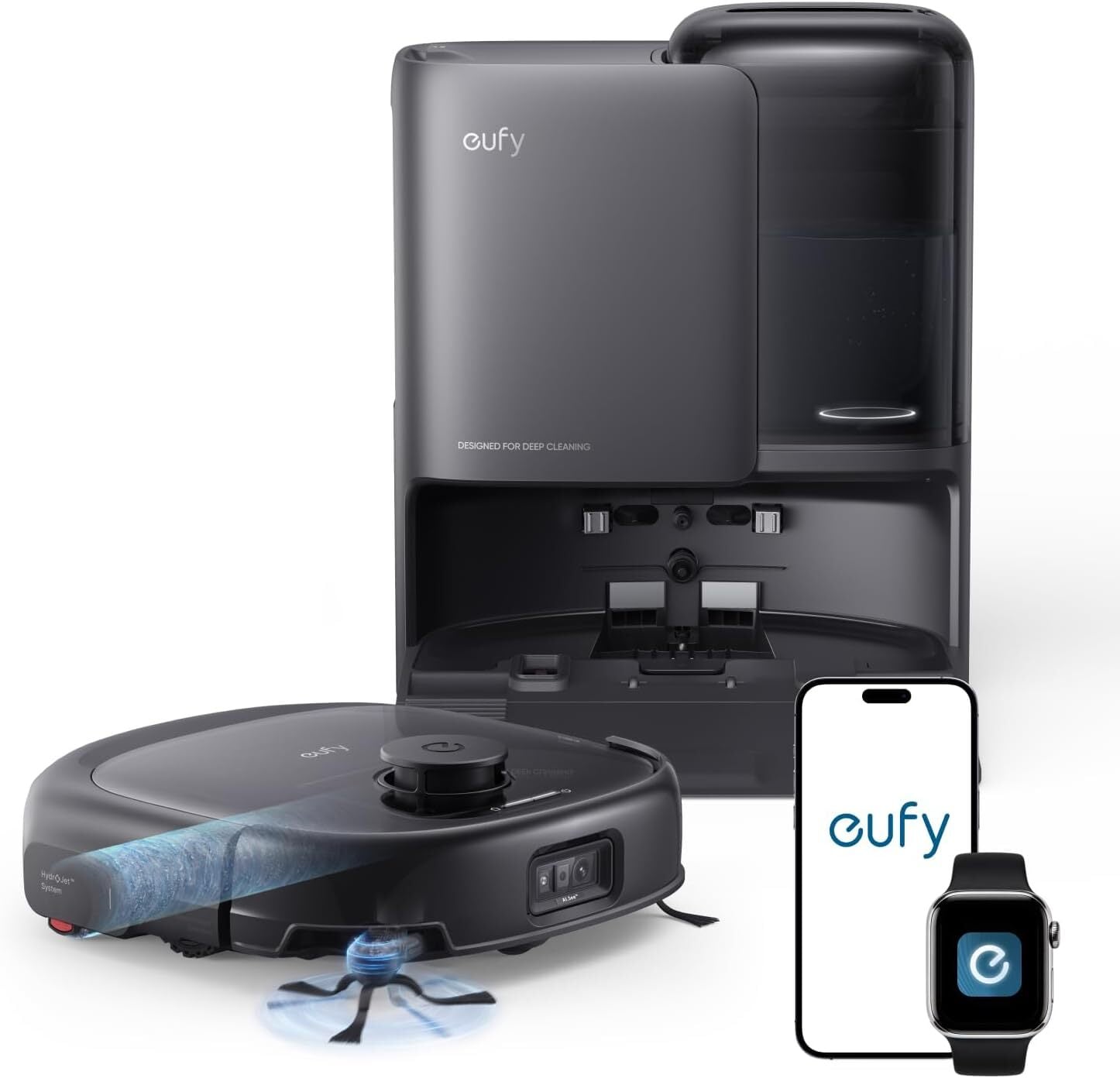
Robot vacuums have been around a while, but it can still be tough to find one that is also good at mopping. But unlike many robot vacuum and mop combos that use spinning pads, the all-in-one Eufy E25 robot vacuum and mop has a self-cleaning roller mop: The roller is rinsed with clean water as it mops, then cleaned at the dock, meaning you don’t need to spend as much time cleaning it yourself. It’s a smart design, and it’s a great time to pick one up: Right now, the E25 is 40% off in an early Black Friday deal at Amazon, taking it down to $599.98 (originally $999.99).
Another perk is that the E25 is equipped with an anti-tangle brush and multiple side brushes that get into tight corners; this is a valuable feature at this price point, as is the 20,000 Pa suction power, which results in a deeper clean on both hard flooring and carpeting, features that are especially appealing for pet owners.
Users can map an area, set zones, schedule cleans, and define different features via the Eufy Clean app; the customizable options include cleaning intensity, suction power, water level, and deciding whether you want the E25 to make multiple passes in an area. It uses LiDAR mapping and AI for obstacle detection and is highly automated, with a dock that empties the robot, washes and dries the roller mop, and refills its water supply. If you live in a home with pets and want a low-maintenance robot vacuum and mop that can handle routine floor cleaning with minimal intervention, the Eufy E25 can cut some serious time from your cleaning routine.
Easily my new favorite feel-good video, this is a clip of three-banded armadillo Roswell chasing down and wrapping himself around an apple (I’ve actually been meaning to post this for a while but it kept getting lost in my 400 tabs). How precious is that? Way more valuable than any gold or jewels, so I will take those off your hands if you have any. I SAID PUT THE RING IN THE BAG. Roswell lives at Conservation Ambassadors, where I also hope to live one day. I could watch Roswell apple roll all day. Do we have the technology to tattoo videos on the insides of eyelids yet? Because that’s what I want. Anytime I close my eyes, there’s Roswell with his apple. *sigh* Anything’s better than replaying the latest life mistake I’ve made. And I’ve made a lot of them. If I had a dollar for even just the recent ones I could be swimming in a pool of losing lotto scratchers right now.
Russian tech companies are scrambling to harden and hide their data centers underground after Ukrainian drone strikes damaged facilities housing AI supercomputers and disrupted cloud services for millions of Russian users. Meanwhile, the Kremlin is requiring data center owners to reserve computing capacity for emergency state needs and has even authorized possible use of foreign data centers.
These consequences of Russia’s war against Ukraine come as the Russian military has bombarded Ukrainian cities with drones and missiles nearly night and day in recent months, along with specifically targeting Ukrainian data centers since late September. But Ukraine has retaliated with its own drone strikes on military and infrastructure targets across Russia, degrading or knocking out data centers operated by Russian tech giant Yandex, the state-owned bank Sberbank, social media site VKontakte, and the Russian Ministry of Finance.
Now, state-owned telecommunications company Rostelcom has raised the possibility of moving some Russian data centers underground in talks with the nickel and palladium mining company Norilsk, according to Russian newspaper Vedomosti. The industry publication Data Center Dynamics also pointed to a recent proposal by a Russian regional governor to build data centers within open-pit coal mines while planting green public parks above as camouflage.

On top of that (pun intended), the Mini Window stays on top of other Firefox windows, so I can have that popped-out content always in focus while I work on other things. This feature comes in handy when I’m working with limited display space (say, on a laptop) and need to reference a page while working on another. For multitasking, it comes in very handy. […] Let’s say I’m writing a paper on Linux and need to read a particular article for background information. I could have my document open in the main window, and then open the article in question in a Mini Window. I could then reference the article without having to click back and forth between them — even when working on a smaller display.
Here’s another use case I’ve found: When using MacOS’s Stage Manager feature, I only have one window available at a time. The Mini Window bypasses that limitation, so I can have my main browser window focused as well as the page open in the Mini Window. Another handy way I like to use Mini Window is to open a favorite search engine, move it to a Mini Window, and then I have an always-ready search tool at my fingertips. I could also open my favorite AI service and use it in the same way.


Read more of this story at Slashdot.
We may earn a commission from links on this page.
Apple dropped the first developer beta for iOS 27.3 on Tuesday. While this update isn’t as large as iOS 27 proper, it’s surprisingly feature-filled for a 0.3 update. This is only a beta, so anything could (and likely will) change before Apple officially launches the update. But, as it stands, iOS 27.3 tests 10 new features—including one feature the company trialed in the previous beta.
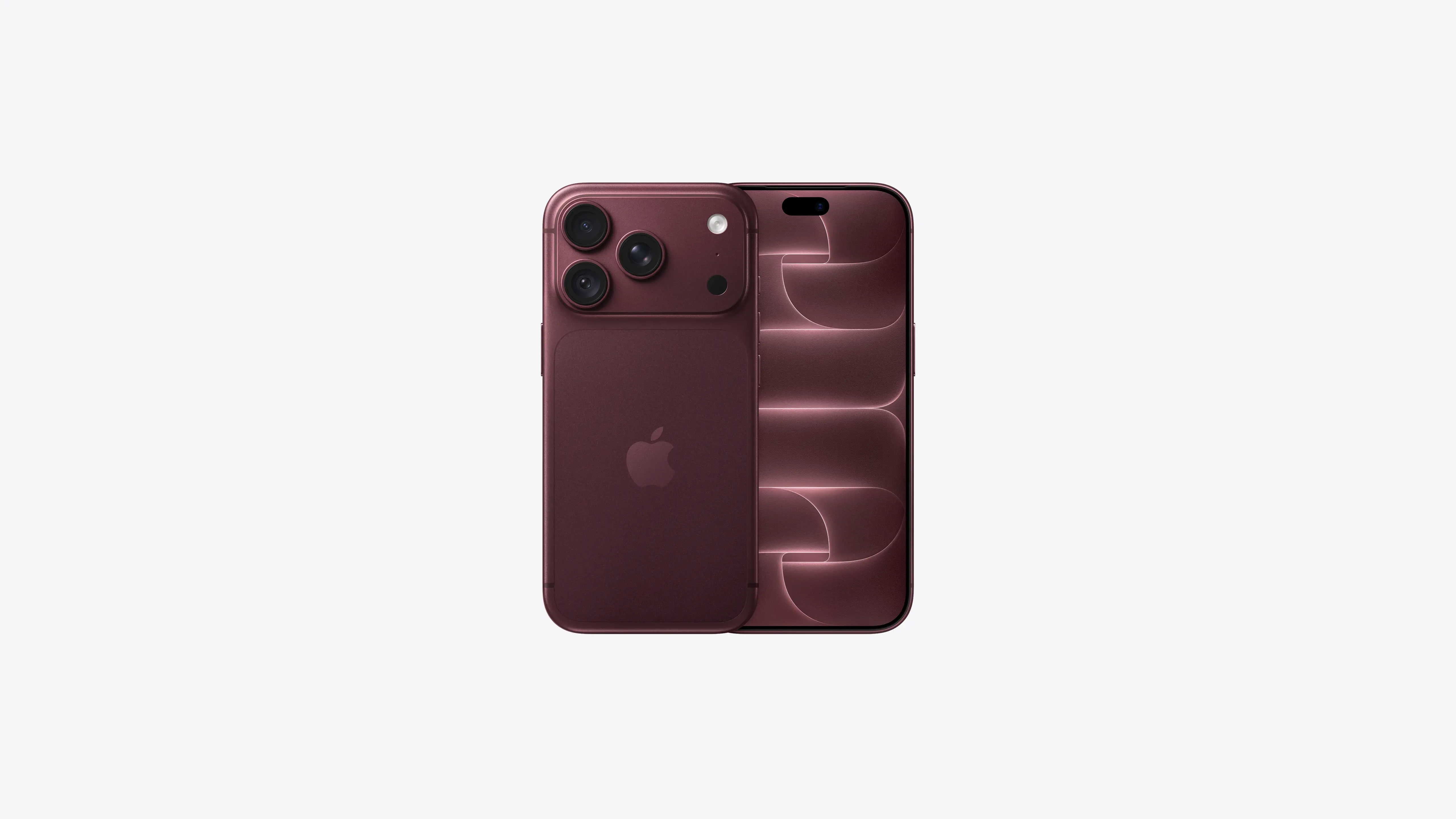
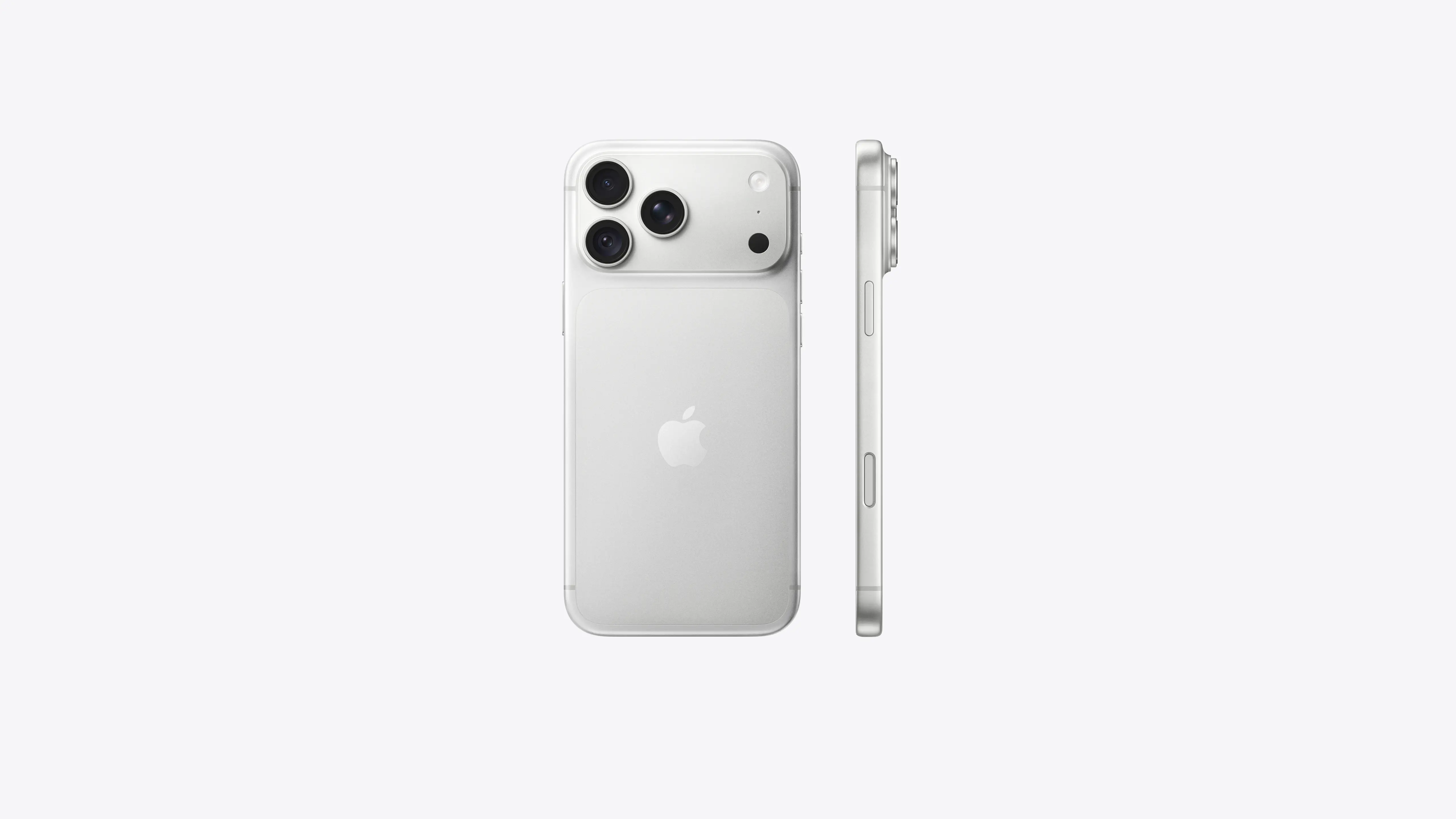
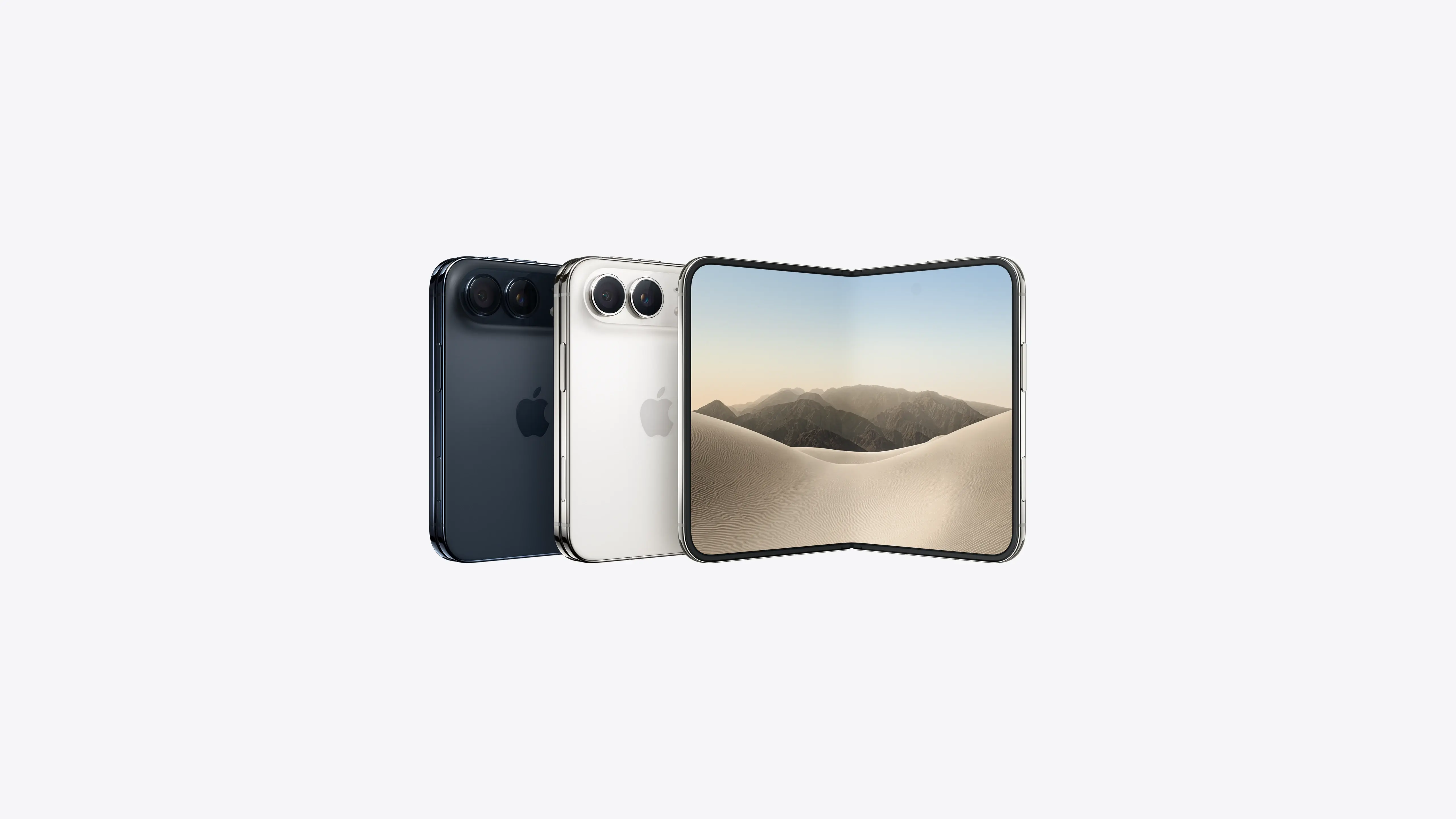
Technically, anyone with a compatible iPhone can try out iOS 27.3 right now—assuming you enroll your Apple Account in the developer program. But a word of warning: Betas can be temperamental, and could be risky. As such, I’d recommend avoiding the beta until Apple releases the public beta, which comes after a bit more testing to iron out larger issues. Either way, make sure to make a full backup of your iPhone to a Mac or PC first, as issues with the beta could result in permanent data loss.
With watchOS 27, Apple released “Audio Intelligence,” a new set of features for Apple Watch Series 12 and Ultra 4. Audio Intelligence uses the watches’ new S11 chip, along with on-device AI and cloud-based AI, to run new features, like Sound Recognition and Shazam (music recognition).
With iOS 27.3, however, the company is now officially testing the other two Audio Intelligence features it originally announced with watchOS 27. First, there’s Live Rewind: By double-clicking the watch crown, you can pull up a transcript of the last 15 seconds of a conversation. Siri Recap, on the other hand, displays summaries of conversations you had that day, in case you need a refresher on any chats you might have otherwise forgotten about,
The company generated some controversy when it first announced these two Audio Intelligence features, since, on the surface, it sounds like these new Apple Watches are essentially spying on people all day long. According to Apple, however, that isn’t really the case. The company says Audio Intelligence is private, and never records or stores any audio. No speakers are ever identified, and text results (both transcripts and summaries) are deleted automatically after a set period of time unless the user saves them to the Siri app. You can read more about how Audio Intelligence works here.
Despite their claims, I’m sure there will still be strong feelings surrounding these Audio Intelligence features. We’ll have to see whether Apple can prove Live Rewind and Siri Recap aren’t all that creepy throughout the iOS 27.3 beta process.
iOS 27.3 also introduces app actions for Siri AI. Apple is testing new abilities for Siri AI, including organizing files, planning events, or adding photos to albums. You could ask Siri to organize your Downloads folder, or delete files that haven’t been opened in more than a year. You could ask Siri to find a coffee shop you went to last week, or to save an article to your Reading List in Safari. You could ask Siri to check your calendar and set up a time for an event based on when you’re free. You can even ask the assistant to schedule, edit, or unsend messages.
For example, you could ask Siri AI to help you plan a trip with your friends. You could ask the AI to put together a themed playlist in Apple Music, schedule a message to a group about an upcoming trip, organize the websites you’ve been visiting in Safari into a tab group, and, after the trip, ask Siri to move your best photos to your favorites album. These new actions work in the following apps: Calendar, Files, Finder, Journal, Mail, Maps, Messages, Music, Notes, Photos, Preview, Reminders, Safari, Shortcuts, and Weather. Developers can also add Siri AI app actions support to their own apps.
Apple started testing its new Health app with the iOS 27.2 beta, but pulled the redesign before the official release. Now, with iOS 27.3, the new app is back. The new Health app has a health dashboard for the first time, as well as new features like Health Age and movement assessments. It seems to be pulling from some popular competitor services, hopefully, for the better. For more on the new Health app, check out Lifehacker health editor Beth Skwarecki’s explainer.
Continuing on the Health track, iOS 27.3 also introduces “Gym Strength.” This is a new Fitness+ feature that offers a personalized four-week strength-training plan. You can customize these plans to meet your goals, experience level, and schedule, and they adapt as you progress. You’ll get recommendations based on your experience with exercises, reps, and sets, including video demos for exercises. You can access Gym Strength on both iPhone and iPad, and Apple Watches are optional—though you can log your progress with the wearable if you have it.
Vertical tabs have been a favorite among browser aficionados, as they give you more screen real estate in your browser while keeping your tabs off the side. Apple hasn’t made the jump—until now. This feature works with iPads running iPadOS 27.3 as well as Macs running macOS 27.3.
Another new Safari feature in testing is “Adaptive Dark Mode.” This feature forces websites into a dark theme, if they don’t have a native theme of their own. There are third-party apps that can do this, but this is the first time Apple has offered this feature built into Safari.
Apple is also testing new StandBy experiences with iOS 27.3, which were previously only available on the iPhone Duo. When you turn your iPhone sideways while plugged in, you’ll find new Analog and Digital Clock faces with new customization options. There’s also a new Photos face, with the option to pull images from Shared Albums.
“Reachability” pulls your iPhone’s display down towards the bottom of the screen, so you can access items towards the top of the display with one hand. It’s a useful feature for those of us with big iPhones, and now, there’s no iPhone bigger than the Duo. With iOS 27.3, Apple is testing Reachability for its first foldable phone. It’s a bit like the inverse of how Reachability currently works: You can swipe on the left or right side of your Duo’s display to shift the other side of the screen towards your current position. If you’re holding your Duo in your left hand, a swipe of the left side will pull the right side over to the left, and vice versa.
Apple is also rolling out new languages for Siri AI in iOS 27.3. Now, Apple’s smart assistant supports Traditional Chinese, Vietnamese, Turkish, and Norwegian.
If you have an Apple Intelligence-compatible iPad running iPadOS 27.3, you now have access to Siri Mode in Camera. As with iOS, you can open the Camera app on iPadOS to access Siri Mode, and ask Siri about your surroundings.
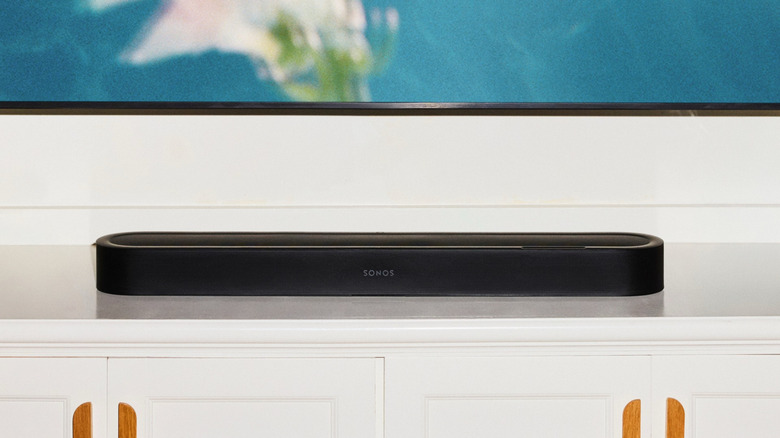
The investment in Fujifilm’s Kanagawa Factory, Odawara site will make it “the largest investment Fujifilm has made to date in dedicated LTO tape facilities.” The project will run from fiscal years 2026 through 2028 to fund manufacturing expansion and additional personnel, primarily to produce the latest-generation “FUJIFILM LTO Ultrium10” tape. […]
According to Fujifilm, “major cloud service and data center operators” have been expanding their use of magnetic tape because it can store large data volumes at relatively low cost. Tape backups can be easily disconnected and stored in a drawer, a vault, or a separate facility. Fujifilm highlights the ability to air-gap tape cartridges as a last defense for user data: “Given the sophistication of cyberattacks, magnetic tape is attracting increasing attention as a means of protecting data from threats such as ransomware.”


Read more of this story at Slashdot.
We may earn a commission from links on this page.
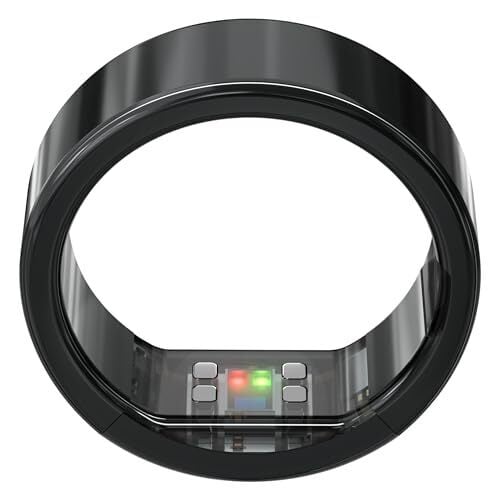
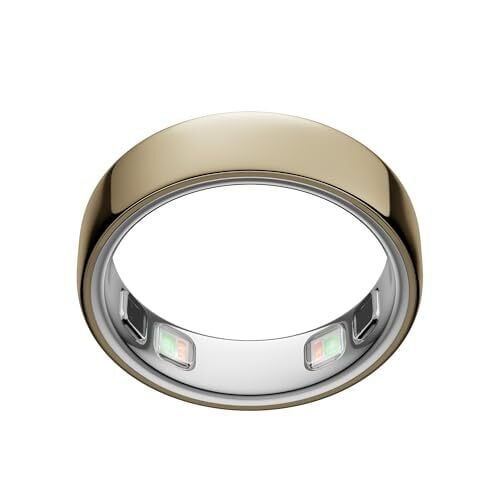
Ultrahuman’s Ring Pro is now officially on sale in the U.S., which makes this the perfect time to consider how this new device compares to the reigning champ in the smart ring market, the Oura Ring 5. Here’s the short answer: While there’s a lot to like in the Ultrahuman Ring Pro, ultimately I think the Oura Ring 5 is just better at doing its job.
I’ve spent plenty of time with both rings, and admittedly, many of the differences between the two will come down to personal preference—for example, do you like the biohacking concept and the “next best actions” suggestions in the Ultrahuman app, or do you favor the soothing vibes of the Oura app? But when it comes to the devices themselves, there are big differences between them in terms of size, cost, and overall ease of use. Here’s my take on each, and why Oura is still my top choice.
The Oura Ring 5 is impressively small, and when you have to wear something on your finger, size matters a lot—and generally, smaller is better. The Oura Ring 5 is the smallest and most comfortable smart ring I’ve ever worn. I have a ton of photos here comparing it in size to other smart rings (including RingConn, older Oura rings, and an older Ultrahuman); suffice it to say, the Oura Ring 5 wins this category easily.
When it comes to the interior fit, both rings are similar: mostly smooth on the inside, without any intrusive bumps. But considering the overall shape and feel, the Oura Ring 5 is just more comfortable to wear throughout an entire day.
The Oura Ring 5 comes with a plug-in charger, which isn’t very convenient, but will get the job done. You can buy a slim, rounded charging case that easily fits in your pocket for $99. You need to match the size of the case to the size of your ring, and the charging case is not compatible with earlier versions of the device. It’s good for 30 days of charge, according to Oura.
The Ultrahuman Ring Pro comes with a charging case that is heavy and bulky with prominent corners, but good for an extra 45 days of battery life. The case fits any size of Ultrahuman Ring Pro, but is not compatible with previous versions. You can have the case play sounds if you’ve misplaced it.
The Ultrahuman ring lasts slightly longer on a charge: eight to 10 days, according to the company, versus six to nine for the Oura Ring 5. The Ultrahuman ring also has several different battery modes, with “chill mode” lasting me about two weeks.
To sum up: the Ultrahuman ring lasts longer on a charge and has more capacity in its charging case. You also get the charging case for free. But the Oura Ring 5’s charging case is smaller and much easier to carry around. Once again, we’re looking at two decent options: The Oura case is more expensive for what you get, but it’s also nicer to use.
Oura is the most expensive smart ring out there, and it requires a subscription. That makes it the priciest option, giving Ultrahuman an opening to beat it simply by virtue of being cheaper. But this one is closer to a wash, depending on the choices you make. If you’re looking for the cheapest possible smart ring, well, you’d probably end up with something else entirely, like a RingConn Air. But between the Oura Ring 5 and the Ultrahuman Ring Pro, the latter is cheaper than the Oura Ring 5…but only if you’re saying no to all the extras. Let me break it down.
The Oura Ring 5 costs $399 for the shiny black and silver models, and $499 for gold, rose, and the matte versions of the black and silver. The subscription costs $5.99/month (or $69.99/year, which is only a $2 savings), and the Oura is basically useless without the subscription.
Here’s how the cost works out on an annual basis:
Oura Ring 5 in black or silver: $399 + $5.99/month subscription = $470.88 for one year, $542.76 for two years
Oura Ring 5 in other colors: $499 + $5.99/month subscription = $570.88 for one year, $642.76 for two years.
The Ultrahuman Ring Pro is $479 for all colors, and there is no subscription for basic use of the ring. But you can’t necessarily stop there, because the Ultrahuman app includes “PowerPlugs” that will give you extra features or analysis screens. Some are totally free, including the caffeine window, smart alarms, a new parent mode, and a limited version of the cycle and ovulation tracker, but others carry a monthly fee. And if you consider all the optional subscription fees for different PowerPlugs, they can quickly add up:
Respiratory health: $3.99/month
Cardio adaptability: $2.90/month
Cycle & ovulation pro: $3.99/month
HealthEx, to connect medical records: $4.99/month
UltraSync for Tesla: $6.90/month
Most people probably wouldn’t choose all of them, but even if you just wanted, say, respiratory health and cycle & ovulation pro, you’d quickly outstrip the price of an Oura Ring’s subscription. On the other hand, Ultrahuman also offers an Ultrahuman Max plan for $9.99/month or $99.99/year that includes all the PowerPlugs mentioned above, plus the Les Mills workouts that normally run $11.99/month. That’s cheaper than subscribing to all of the options individually, but it will also make the Ultrahuman Ring Pro more expensive than the Oura Ring 5: $578.99 total for one year, or $678.98 for two years. In short, if you want everything that each ring has to offer, the Ultrahuman will cost you more.
Here’s the big caveat: I wouldn’t recommend bothering with most of the PowerPlugs. For example, “UltraSync for Tesla” recommends settings for your car based on how rested you are, which will be useless if you don’t have a Tesla, and probably even if you do. “Cardio adaptability” measures a metric that Ultrahuman says is subtly different from HRV; Oura doesn’t measure this adaptability metric, but it’s not clear to me whether it’s even worth measuring at all (I’d argue probably not).
As for the others:
Ultrahuman’s respiratory health PowerPlug ($3.99/month) records sounds while you sleep, which Oura doesn’t do; but Oura reports breathing disturbances based on the ring’s data, which Ultrahuman doesn’t do. Ultrahuman’s feature is more expensive.
Ultrahuman offers a premium version of its cycle tracker for $3.99/month, while Oura has a partnership with Natural Cycles that cost $149.99/year. Either will provide more detailed (and, each company says, more accurate) cycle tracking than the basic tracking each app provides without the extras. Oura’s option is more expensive.
Ultrahuman’s HealthEx Powerplug ($4.99/month) displays information from your medical records throughout the app; Oura lets you import your medical records for free, but uses them mainly in the Advisor (chatbot) and dedicated areas of the app. Ultrahuman’s option is more expensive.
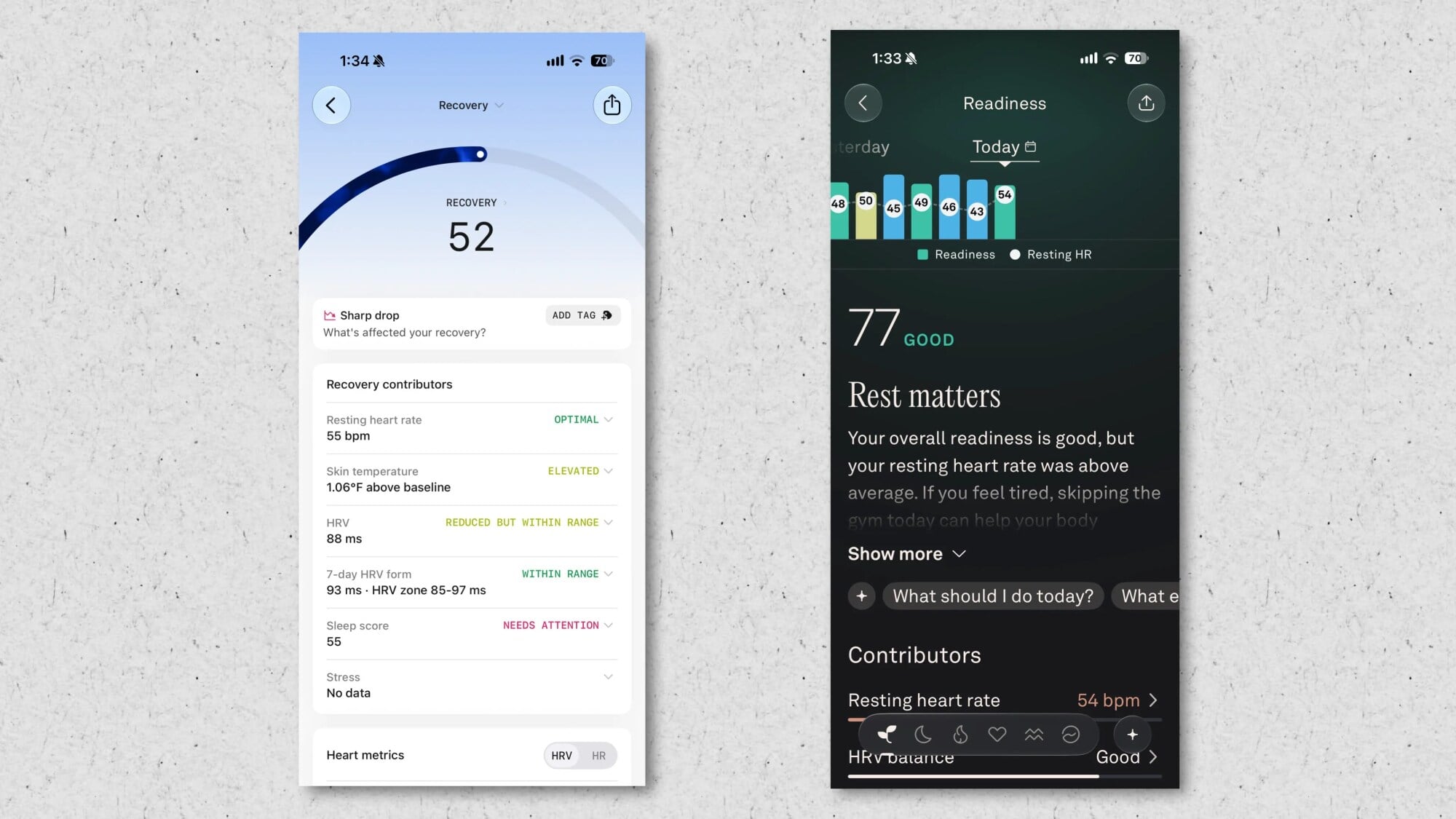
Oura’s app gives you scores for your readiness, sleep, and recent activity, and it tracks how stressed you seem to be throughout the day. A message at the top of the main screen gives you advice for what to do that day—for example, scaling back your workouts if you seem to be tired or stressed. Ultrahuman does pretty much the same thing, giving you a “next best action” that changes throughout the day, but tends to stick to predictable themes: get more activity if you’ve been sitting, and that sort of thing.
Both give detailed breakdowns of the factors that contribute to your scores, and both likely overstate how useful their scores are (you don’t actually need to change your workout plans just because you had a less-than-perfect night of sleep). But the apps handle the basics pretty similarly: Both have partners and integrations, and you can book blood tests through either app, if you want to do that for some reason.
Ultrahuman gives you a bit more guidance on circadian rhythms, urging you to get in extra steps during certain times of day, and offering to micromanage your caffeine intake. It has a “longevity” tab that puts your long-term habits in terms of how many years they are supposedly subtracting from (or adding to) your lifespan, including measurable metrics like VO2max and a few things that are more inscrutable, like arterial stiffness.
Oura has a whole tab of “vitals” that it calculates from your day-to-day data, which I find more useful than Ultrahuman’s data views. The items here include “resilience,” which compares your stress to your recovery; a “symptom radar” that can sometimes flag when you’re sick; and metrics of sleep regularity and how you’re breathing. And, of course, you can check your “cardiovascular age” to see how much younger (or older) you should feel.
Overall, I prefer Oura’s approach because the metrics make more sense, are easier to find, and are less likely to feel like they’re going way out on a limb relative to the underlying science. Ultrahuman wants you to feel like a cutting-edge biohacker; Oura does a bit more to keep things down to earth. It is a bit funny to remember that both apps, and their wealth of data, are basically just pulling from heart rate readings throughout the day and night. Neither app gives you any truly important information the other doesn’t, but Oura’s makes more sense to me.