The company wants to help advertisers reach users who show a “high purchase” intent.


On top of that (pun intended), the Mini Window stays on top of other Firefox windows, so I can have that popped-out content always in focus while I work on other things. This feature comes in handy when I’m working with limited display space (say, on a laptop) and need to reference a page while working on another. For multitasking, it comes in very handy. […] Let’s say I’m writing a paper on Linux and need to read a particular article for background information. I could have my document open in the main window, and then open the article in question in a Mini Window. I could then reference the article without having to click back and forth between them — even when working on a smaller display.
Here’s another use case I’ve found: When using MacOS’s Stage Manager feature, I only have one window available at a time. The Mini Window bypasses that limitation, so I can have my main browser window focused as well as the page open in the Mini Window. Another handy way I like to use Mini Window is to open a favorite search engine, move it to a Mini Window, and then I have an always-ready search tool at my fingertips. I could also open my favorite AI service and use it in the same way.


Read more of this story at Slashdot.
We may earn a commission from links on this page.
Apple dropped the first developer beta for iOS 27.3 on Tuesday. While this update isn’t as large as iOS 27 proper, it’s surprisingly feature-filled for a 0.3 update. This is only a beta, so anything could (and likely will) change before Apple officially launches the update. But, as it stands, iOS 27.3 tests 10 new features—including one feature the company trialed in the previous beta.
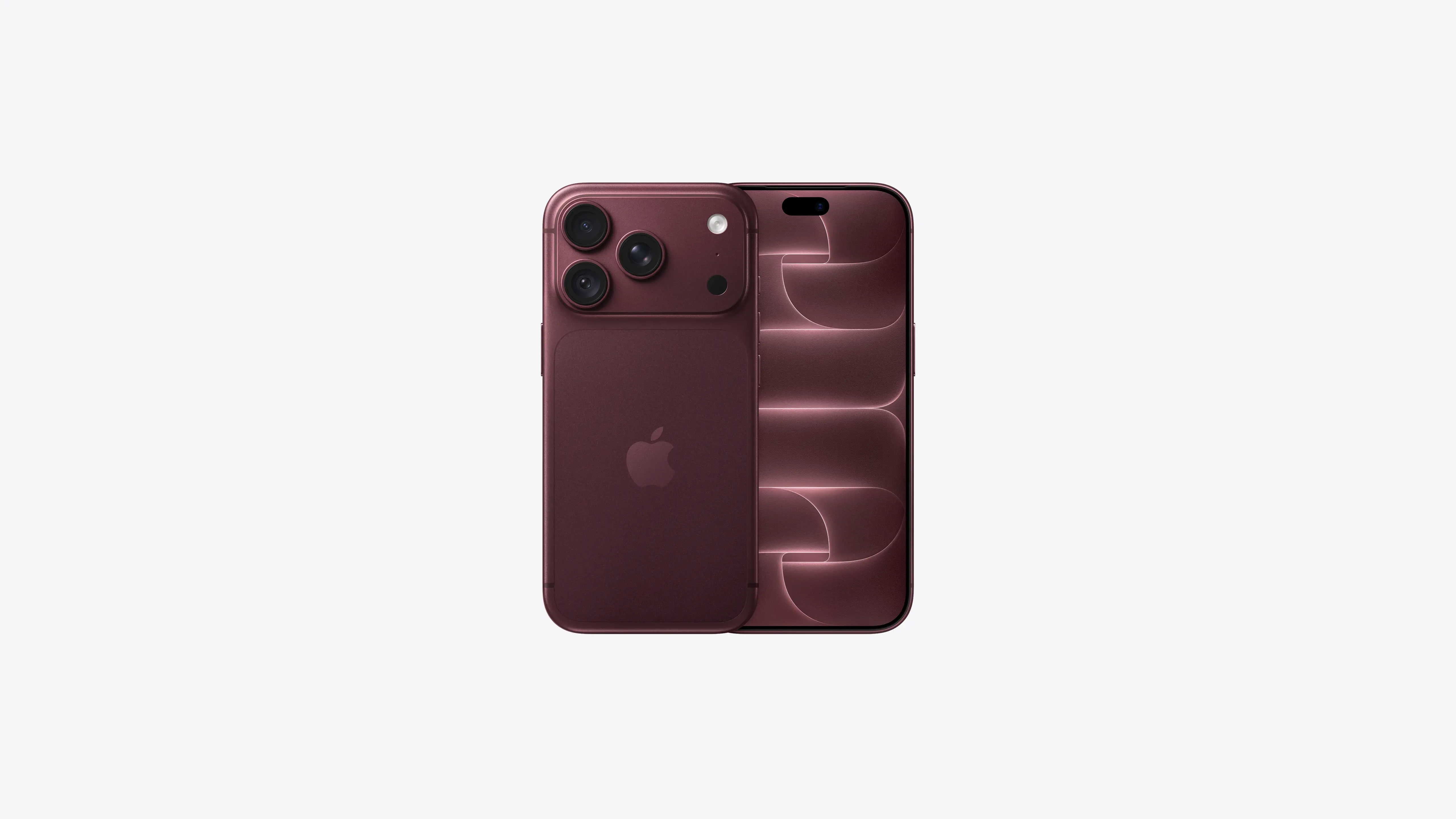
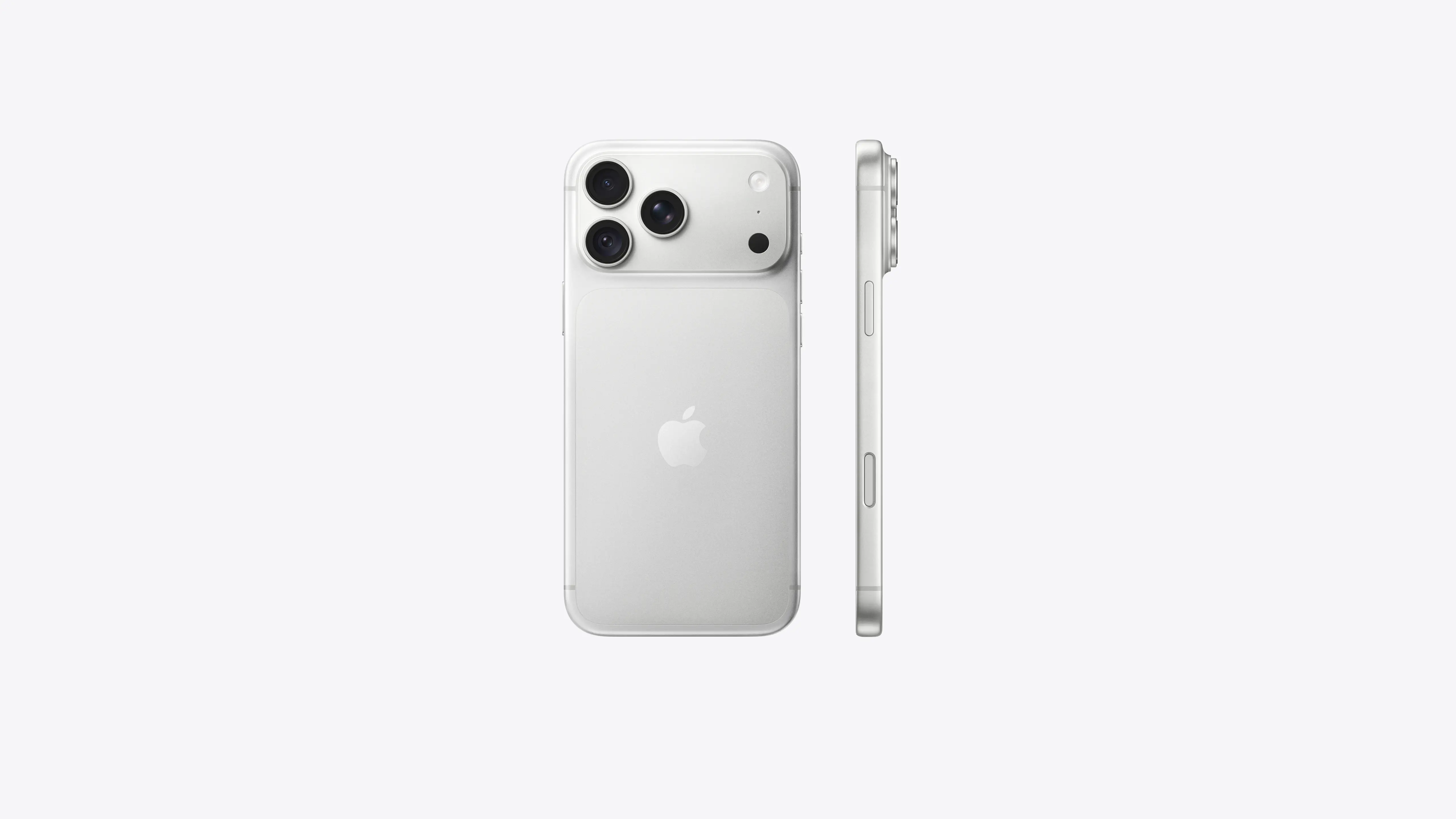
Technically, anyone with a compatible iPhone can try out iOS 27.3 right now—assuming you enroll your Apple Account in the developer program. But a word of warning: Betas can be temperamental, and could be risky. As such, I’d recommend avoiding the beta until Apple releases the public beta, which comes after a bit more testing to iron out larger issues. Either way, make sure to make a full backup of your iPhone to a Mac or PC first, as issues with the beta could result in permanent data loss.
With watchOS 27, Apple released “Audio Intelligence,” a new set of features for Apple Watch Series 12 and Ultra 4. Audio Intelligence uses the watches’ new S11 chip, along with on-device AI and cloud-based AI, to run new features, like Sound Recognition and Shazam (music recognition).
With iOS 27.3, however, the company is now officially testing the other two Audio Intelligence features it originally announced with watchOS 27. First, there’s Live Rewind: By double-clicking the watch crown, you can pull up a transcript of the last 15 seconds of a conversation. Siri Recap, on the other hand, displays summaries of conversations you had that day, in case you need a refresher on any chats you might have otherwise forgotten about,
The company generated some controversy when it first announced these two Audio Intelligence features, since, on the surface, it sounds like these new Apple Watches are essentially spying on people all day long. According to Apple, however, that isn’t really the case. The company says Audio Intelligence is private, and never records or stores any audio. No speakers are ever identified, and text results (both transcripts and summaries) are deleted automatically after a set period of time unless the user saves them to the Siri app. You can read more about how Audio Intelligence works here.
Despite their claims, I’m sure there will still be strong feelings surrounding these Audio Intelligence features. We’ll have to see whether Apple can prove Live Rewind and Siri Recap aren’t all that creepy throughout the iOS 27.3 beta process.
iOS 27.3 also introduces app actions for Siri AI. Apple is testing new abilities for Siri AI, including organizing files, planning events, or adding photos to albums. You could ask Siri to organize your Downloads folder, or delete files that haven’t been opened in more than a year. You could ask Siri to find a coffee shop you went to last week, or to save an article to your Reading List in Safari. You could ask Siri to check your calendar and set up a time for an event based on when you’re free. You can even ask the assistant to schedule, edit, or unsend messages.
For example, you could ask Siri AI to help you plan a trip with your friends. You could ask the AI to put together a themed playlist in Apple Music, schedule a message to a group about an upcoming trip, organize the websites you’ve been visiting in Safari into a tab group, and, after the trip, ask Siri to move your best photos to your favorites album. These new actions work in the following apps: Calendar, Files, Finder, Journal, Mail, Maps, Messages, Music, Notes, Photos, Preview, Reminders, Safari, Shortcuts, and Weather. Developers can also add Siri AI app actions support to their own apps.
Apple started testing its new Health app with the iOS 27.2 beta, but pulled the redesign before the official release. Now, with iOS 27.3, the new app is back. The new Health app has a health dashboard for the first time, as well as new features like Health Age and movement assessments. It seems to be pulling from some popular competitor services, hopefully, for the better. For more on the new Health app, check out Lifehacker health editor Beth Skwarecki’s explainer.
Continuing on the Health track, iOS 27.3 also introduces “Gym Strength.” This is a new Fitness+ feature that offers a personalized four-week strength-training plan. You can customize these plans to meet your goals, experience level, and schedule, and they adapt as you progress. You’ll get recommendations based on your experience with exercises, reps, and sets, including video demos for exercises. You can access Gym Strength on both iPhone and iPad, and Apple Watches are optional—though you can log your progress with the wearable if you have it.
Vertical tabs have been a favorite among browser aficionados, as they give you more screen real estate in your browser while keeping your tabs off the side. Apple hasn’t made the jump—until now. This feature works with iPads running iPadOS 27.3 as well as Macs running macOS 27.3.
Another new Safari feature in testing is “Adaptive Dark Mode.” This feature forces websites into a dark theme, if they don’t have a native theme of their own. There are third-party apps that can do this, but this is the first time Apple has offered this feature built into Safari.
Apple is also testing new StandBy experiences with iOS 27.3, which were previously only available on the iPhone Duo. When you turn your iPhone sideways while plugged in, you’ll find new Analog and Digital Clock faces with new customization options. There’s also a new Photos face, with the option to pull images from Shared Albums.
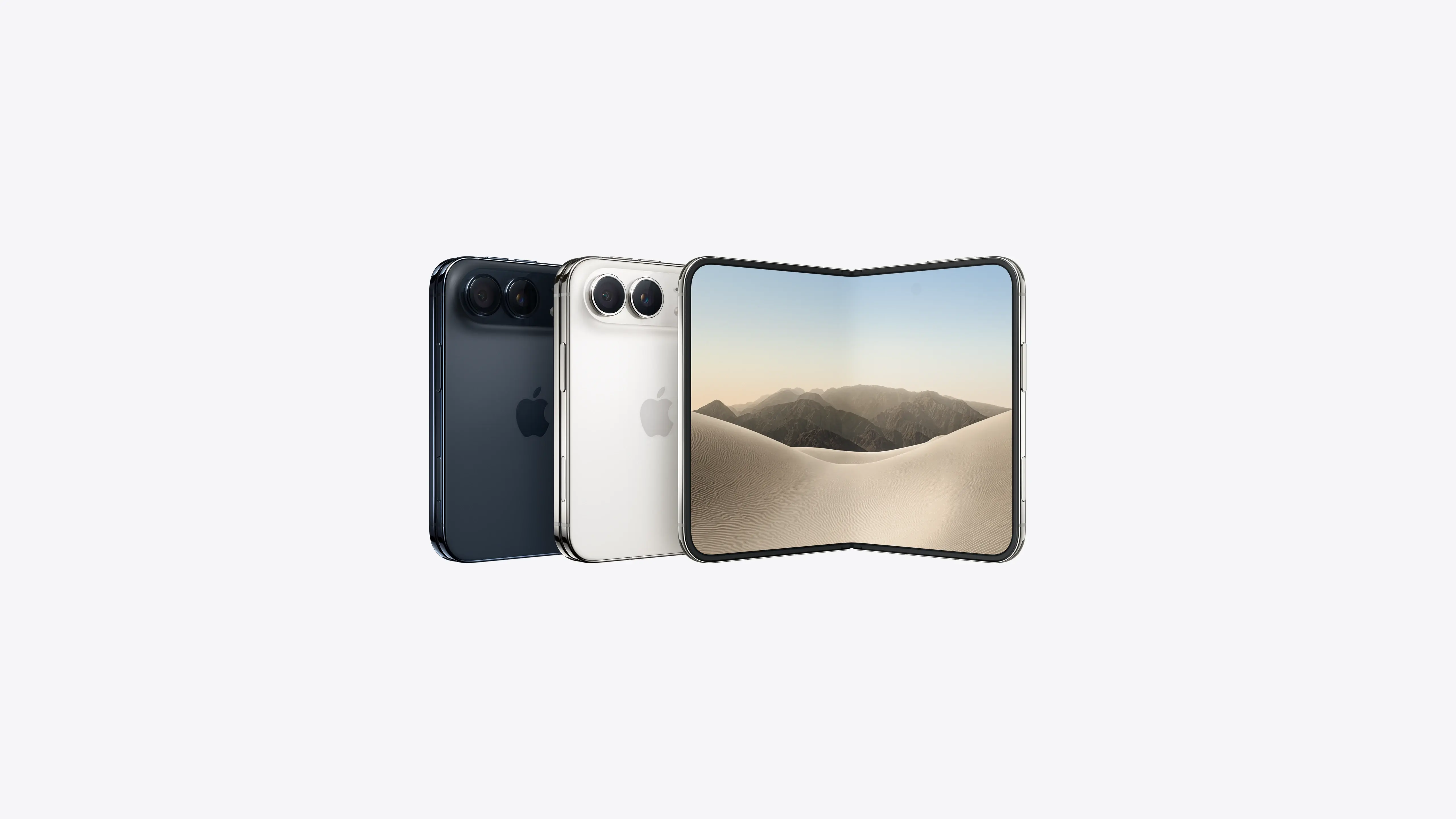
“Reachability” pulls your iPhone’s display down towards the bottom of the screen, so you can access items towards the top of the display with one hand. It’s a useful feature for those of us with big iPhones, and now, there’s no iPhone bigger than the Duo. With iOS 27.3, Apple is testing Reachability for its first foldable phone. It’s a bit like the inverse of how Reachability currently works: You can swipe on the left or right side of your Duo’s display to shift the other side of the screen towards your current position. If you’re holding your Duo in your left hand, a swipe of the left side will pull the right side over to the left, and vice versa.
Apple is also rolling out new languages for Siri AI in iOS 27.3. Now, Apple’s smart assistant supports Traditional Chinese, Vietnamese, Turkish, and Norwegian.
If you have an Apple Intelligence-compatible iPad running iPadOS 27.3, you now have access to Siri Mode in Camera. As with iOS, you can open the Camera app on iPadOS to access Siri Mode, and ask Siri about your surroundings.
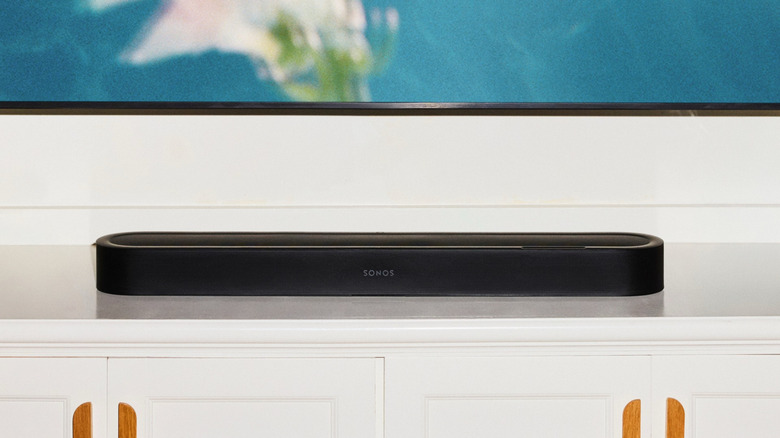
The investment in Fujifilm’s Kanagawa Factory, Odawara site will make it “the largest investment Fujifilm has made to date in dedicated LTO tape facilities.” The project will run from fiscal years 2026 through 2028 to fund manufacturing expansion and additional personnel, primarily to produce the latest-generation “FUJIFILM LTO Ultrium10” tape. […]
According to Fujifilm, “major cloud service and data center operators” have been expanding their use of magnetic tape because it can store large data volumes at relatively low cost. Tape backups can be easily disconnected and stored in a drawer, a vault, or a separate facility. Fujifilm highlights the ability to air-gap tape cartridges as a last defense for user data: “Given the sophistication of cyberattacks, magnetic tape is attracting increasing attention as a means of protecting data from threats such as ransomware.”


Read more of this story at Slashdot.
We may earn a commission from links on this page.
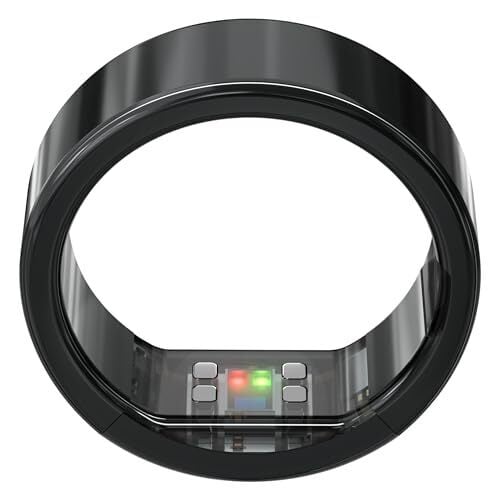
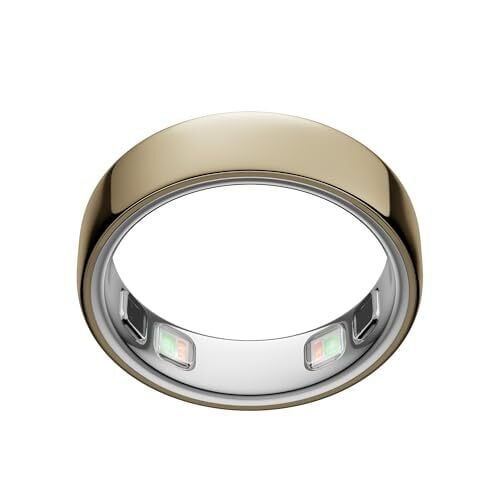
Ultrahuman’s Ring Pro is now officially on sale in the U.S., which makes this the perfect time to consider how this new device compares to the reigning champ in the smart ring market, the Oura Ring 5. Here’s the short answer: While there’s a lot to like in the Ultrahuman Ring Pro, ultimately I think the Oura Ring 5 is just better at doing its job.
I’ve spent plenty of time with both rings, and admittedly, many of the differences between the two will come down to personal preference—for example, do you like the biohacking concept and the “next best actions” suggestions in the Ultrahuman app, or do you favor the soothing vibes of the Oura app? But when it comes to the devices themselves, there are big differences between them in terms of size, cost, and overall ease of use. Here’s my take on each, and why Oura is still my top choice.
The Oura Ring 5 is impressively small, and when you have to wear something on your finger, size matters a lot—and generally, smaller is better. The Oura Ring 5 is the smallest and most comfortable smart ring I’ve ever worn. I have a ton of photos here comparing it in size to other smart rings (including RingConn, older Oura rings, and an older Ultrahuman); suffice it to say, the Oura Ring 5 wins this category easily.
When it comes to the interior fit, both rings are similar: mostly smooth on the inside, without any intrusive bumps. But considering the overall shape and feel, the Oura Ring 5 is just more comfortable to wear throughout an entire day.
The Oura Ring 5 comes with a plug-in charger, which isn’t very convenient, but will get the job done. You can buy a slim, rounded charging case that easily fits in your pocket for $99. You need to match the size of the case to the size of your ring, and the charging case is not compatible with earlier versions of the device. It’s good for 30 days of charge, according to Oura.
The Ultrahuman Ring Pro comes with a charging case that is heavy and bulky with prominent corners, but good for an extra 45 days of battery life. The case fits any size of Ultrahuman Ring Pro, but is not compatible with previous versions. You can have the case play sounds if you’ve misplaced it.
The Ultrahuman ring lasts slightly longer on a charge: eight to 10 days, according to the company, versus six to nine for the Oura Ring 5. The Ultrahuman ring also has several different battery modes, with “chill mode” lasting me about two weeks.
To sum up: the Ultrahuman ring lasts longer on a charge and has more capacity in its charging case. You also get the charging case for free. But the Oura Ring 5’s charging case is smaller and much easier to carry around. Once again, we’re looking at two decent options: The Oura case is more expensive for what you get, but it’s also nicer to use.
Oura is the most expensive smart ring out there, and it requires a subscription. That makes it the priciest option, giving Ultrahuman an opening to beat it simply by virtue of being cheaper. But this one is closer to a wash, depending on the choices you make. If you’re looking for the cheapest possible smart ring, well, you’d probably end up with something else entirely, like a RingConn Air. But between the Oura Ring 5 and the Ultrahuman Ring Pro, the latter is cheaper than the Oura Ring 5…but only if you’re saying no to all the extras. Let me break it down.
The Oura Ring 5 costs $399 for the shiny black and silver models, and $499 for gold, rose, and the matte versions of the black and silver. The subscription costs $5.99/month (or $69.99/year, which is only a $2 savings), and the Oura is basically useless without the subscription.
Here’s how the cost works out on an annual basis:
Oura Ring 5 in black or silver: $399 + $5.99/month subscription = $470.88 for one year, $542.76 for two years
Oura Ring 5 in other colors: $499 + $5.99/month subscription = $570.88 for one year, $642.76 for two years.
The Ultrahuman Ring Pro is $479 for all colors, and there is no subscription for basic use of the ring. But you can’t necessarily stop there, because the Ultrahuman app includes “PowerPlugs” that will give you extra features or analysis screens. Some are totally free, including the caffeine window, smart alarms, a new parent mode, and a limited version of the cycle and ovulation tracker, but others carry a monthly fee. And if you consider all the optional subscription fees for different PowerPlugs, they can quickly add up:
Respiratory health: $3.99/month
Cardio adaptability: $2.90/month
Cycle & ovulation pro: $3.99/month
HealthEx, to connect medical records: $4.99/month
UltraSync for Tesla: $6.90/month
Most people probably wouldn’t choose all of them, but even if you just wanted, say, respiratory health and cycle & ovulation pro, you’d quickly outstrip the price of an Oura Ring’s subscription. On the other hand, Ultrahuman also offers an Ultrahuman Max plan for $9.99/month or $99.99/year that includes all the PowerPlugs mentioned above, plus the Les Mills workouts that normally run $11.99/month. That’s cheaper than subscribing to all of the options individually, but it will also make the Ultrahuman Ring Pro more expensive than the Oura Ring 5: $578.99 total for one year, or $678.98 for two years. In short, if you want everything that each ring has to offer, the Ultrahuman will cost you more.
Here’s the big caveat: I wouldn’t recommend bothering with most of the PowerPlugs. For example, “UltraSync for Tesla” recommends settings for your car based on how rested you are, which will be useless if you don’t have a Tesla, and probably even if you do. “Cardio adaptability” measures a metric that Ultrahuman says is subtly different from HRV; Oura doesn’t measure this adaptability metric, but it’s not clear to me whether it’s even worth measuring at all (I’d argue probably not).
As for the others:
Ultrahuman’s respiratory health PowerPlug ($3.99/month) records sounds while you sleep, which Oura doesn’t do; but Oura reports breathing disturbances based on the ring’s data, which Ultrahuman doesn’t do. Ultrahuman’s feature is more expensive.
Ultrahuman offers a premium version of its cycle tracker for $3.99/month, while Oura has a partnership with Natural Cycles that cost $149.99/year. Either will provide more detailed (and, each company says, more accurate) cycle tracking than the basic tracking each app provides without the extras. Oura’s option is more expensive.
Ultrahuman’s HealthEx Powerplug ($4.99/month) displays information from your medical records throughout the app; Oura lets you import your medical records for free, but uses them mainly in the Advisor (chatbot) and dedicated areas of the app. Ultrahuman’s option is more expensive.
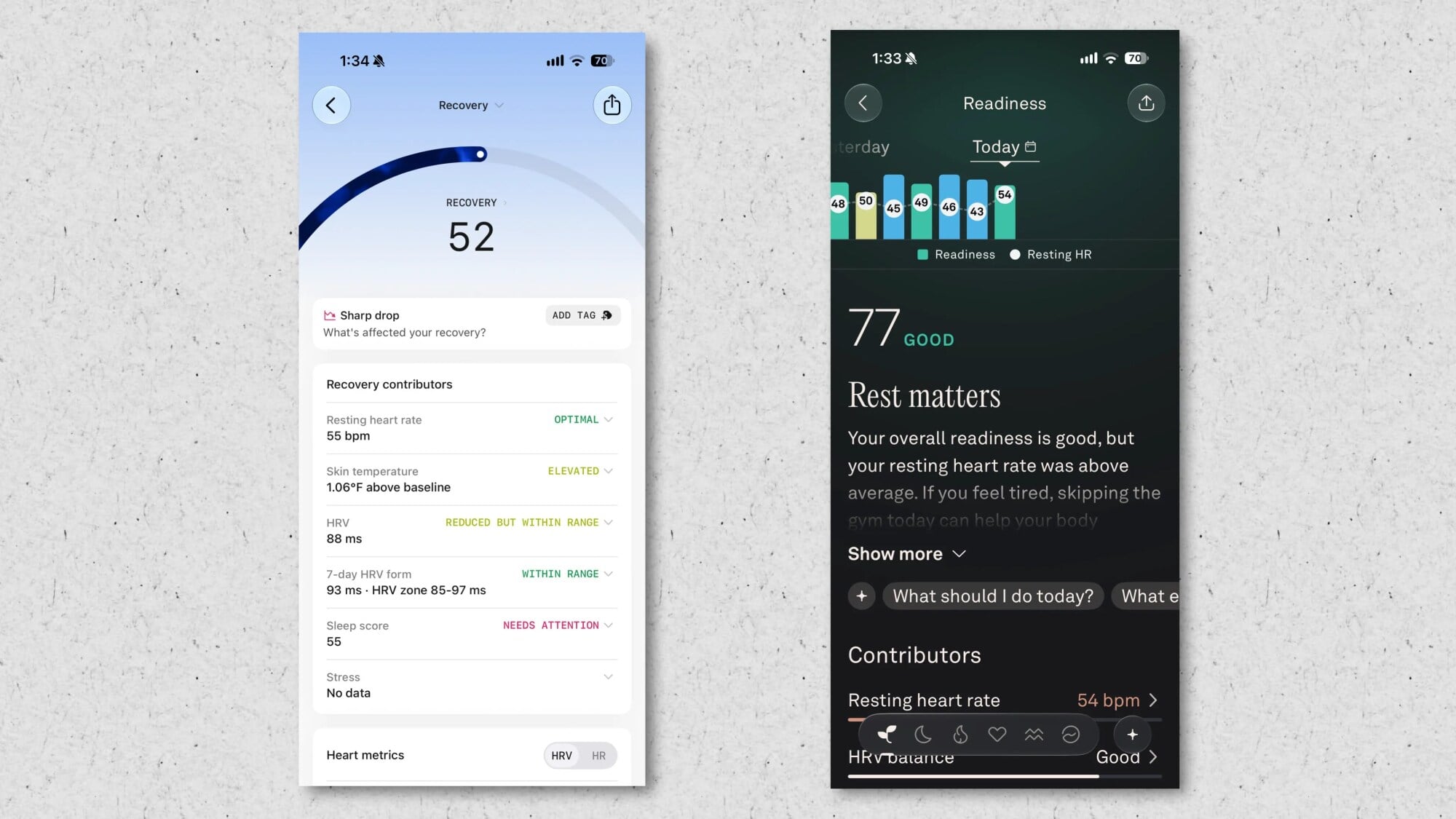
Oura’s app gives you scores for your readiness, sleep, and recent activity, and it tracks how stressed you seem to be throughout the day. A message at the top of the main screen gives you advice for what to do that day—for example, scaling back your workouts if you seem to be tired or stressed. Ultrahuman does pretty much the same thing, giving you a “next best action” that changes throughout the day, but tends to stick to predictable themes: get more activity if you’ve been sitting, and that sort of thing.
Both give detailed breakdowns of the factors that contribute to your scores, and both likely overstate how useful their scores are (you don’t actually need to change your workout plans just because you had a less-than-perfect night of sleep). But the apps handle the basics pretty similarly: Both have partners and integrations, and you can book blood tests through either app, if you want to do that for some reason.
Ultrahuman gives you a bit more guidance on circadian rhythms, urging you to get in extra steps during certain times of day, and offering to micromanage your caffeine intake. It has a “longevity” tab that puts your long-term habits in terms of how many years they are supposedly subtracting from (or adding to) your lifespan, including measurable metrics like VO2max and a few things that are more inscrutable, like arterial stiffness.
Oura has a whole tab of “vitals” that it calculates from your day-to-day data, which I find more useful than Ultrahuman’s data views. The items here include “resilience,” which compares your stress to your recovery; a “symptom radar” that can sometimes flag when you’re sick; and metrics of sleep regularity and how you’re breathing. And, of course, you can check your “cardiovascular age” to see how much younger (or older) you should feel.
Overall, I prefer Oura’s approach because the metrics make more sense, are easier to find, and are less likely to feel like they’re going way out on a limb relative to the underlying science. Ultrahuman wants you to feel like a cutting-edge biohacker; Oura does a bit more to keep things down to earth. It is a bit funny to remember that both apps, and their wealth of data, are basically just pulling from heart rate readings throughout the day and night. Neither app gives you any truly important information the other doesn’t, but Oura’s makes more sense to me.
[…] As of Tuesday Binance has rebuilt the affected wallet system and internal AI tool, replaced compromised devices, decommissioned credentials and tokens associated with the affected engineers and expanded security scans across employee devices, Teng told “Squawk on the Street.”
“We’re also getting an independent expert to review everything that we have done, and we’ll keep strengthening our defenses as the investigation continues,” Teng said. “We’re working around the clock with law enforcement agencies and with industry partners to trace and freeze the stolen funds for that front.”


Read more of this story at Slashdot.
The New York Times and other newspaper companies sued Brave Software yesterday, alleging that the browser maker illegally bypasses paywalls and sells stolen news content to AI companies.
“Brave is the supplier, dealer, and distributor of stolen copyrighted content for its own users and many of the most prominent GenAI companies, including Anthropic, Perplexity, Mistral, xAI, and Cohere,” the NYT alleged in a lawsuit filed in US District Court for the Southern District of New York. Citing third-party revenue estimates, the suit claimed that “Brave has made more than $100 million by copying and reselling publishers’ work without consent or permission,” while “publishers have received nothing.”
The lawsuit said, “AI companies pay Brave to provide them with real-time online content from the Brave search index,” and use content from the Brave index “to train their own AI models” and “to respond to specific user queries.” The NYT lawsuit points to Brave’s website, which says the Brave Search API is “used by some of the biggest names in AI, including Cohere, Mistral, Perplexity, and You.com.”
As with interior design for houses, interior design for vehicles is also subject to fashion trends. And like any fashion trend, even the best ideas can become stale and played out with overuse. Some ideas weren’t the best, either, like demonstrably worse human-machine interfaces that add to driver distraction; yet, they still proliferated throughout the industry and across the cars offered for sale. But the good news is that the pushback seems to be working.
“When the trend of the Piano Black and the switchless interior was happening, it was during a time when designers and companies and engineers and everybody were thinking that, ‘Hey, we can just get rid of all these switches on the interior. We can put it all in the software. It’ll save money. It’ll save us tooling up all these extra parts for unique cars and all this stuff and make the interior more like a software experience.’ And it was done with those intentions,” said Hiren Patel, senior design manager at Nissan.
That resulted in cars with minimalist interiors that looked good in the dealership. But people drive their cars on roads; they don’t just sit inside them, parked inside a dealership. “So lots of people were complaining about it and saying, ‘Hey, it takes my eyes off the road to change the temperature or to adjust my seat or do whatever.’ It’s not as easy as doing something on your phone where it’s just right at your fingertips and intuitive,” Patel said.
While Google is trying to move beyond Chromebooks, the ubiquity of these devices has made the company’s education products huge in schools. Now, Google says it will let educators choose whether to allow its AI tools in the classroom. However, blocking AI tools also means giving up search, leaving schools with a difficult decision.
Google’s new overarching approach to AI in K-12 classrooms sounds good on the surface. After consulting educators, researchers, and lawmakers, Google has decided that schools using its education products will be opted out of AI tools by default. It will be up to administrators to manually enable them when these changes roll out in the coming months.
When you look at what Google considers to be an AI tool, the nature of the Faustian bargain becomes clear. The affected products are Gemini, Gemini Notebook, Gemini in Classroom, and Google Search. There’s no picking and choosing—you either allow all the AI or none of it.
A child in New York has died of measles, health officials in the state announced late Monday. It marks the first reported measles-associated death in New York in more than 30 years. It is the seventh measles-linked death reported in the US this year; all six of the other deaths were reported in Pennsylvania, which is experiencing a dramatic measles outbreak that has stricken over 1,430 people this year. Prior to the deaths, Pennsylvania hadn’t seen a measles-related death in 35 years.
The boom in vaccine-preventable outbreaks, cases, and tragic deaths is being fueled by slipping vaccination rates nationwide as health misinformation and anti-vaccine sentiments have taken hold. One of the most prominent anti-vaccine activists in the US currently serves as the US health secretary; Robert F. Kennedy Jr. spent decades prior to taking office attacking vaccines and spreading misinformation. He and his anti-vaccine organization, Children’s Health Defense, have been one of the most prolific sources of anti-vaccine content.
Since taking office, Kennedy has waged a multi-front war on vaccines that has included dismantling and obstructing federal vaccine recommendations; launching dubious studies to look for alleged, unspecified harms of vaccines; promoting alleged vaccine injuries; and continuing to spread misinformation about vaccines and vaccine-preventable illnesses.
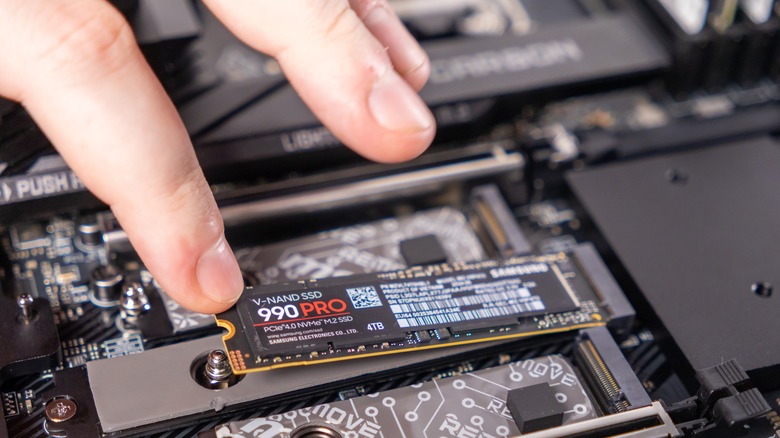

The investment in Fujifilm’s Kanagawa Factory, Odawara site will make it “the largest investment Fujifilm has made to date in dedicated LTO tape facilities.” The project will run from fiscal years 2026 through 2028 to fund manufacturing expansion and additional personnel, primarily to produce the latest-generation “FUJIFILM LTO Ultrium10” tape. […]
According to Fujifilm, “major cloud service and data center operators” have been expanding their use of magnetic tape because it can store large data volumes at relatively low cost. Tape backups can be easily disconnected and stored in a drawer, a vault, or a separate facility. Fujifilm highlights the ability to air-gap tape cartridges as a last defense for user data: “Given the sophistication of cyberattacks, magnetic tape is attracting increasing attention as a means of protecting data from threats such as ransomware.”


Read more of this story at Slashdot.
We may earn a commission from links on this page. Deal pricing and availability subject to change after time of publication.
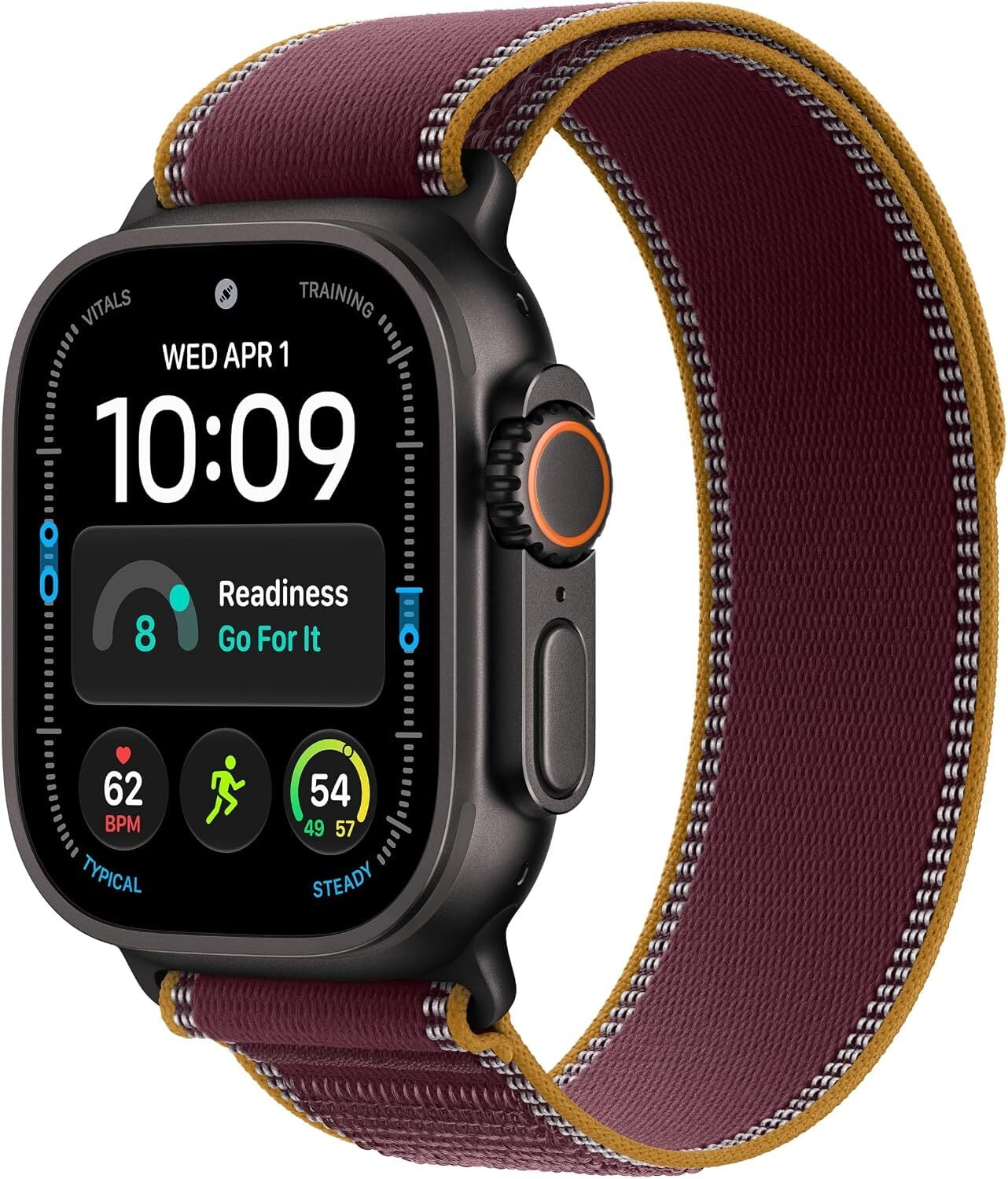
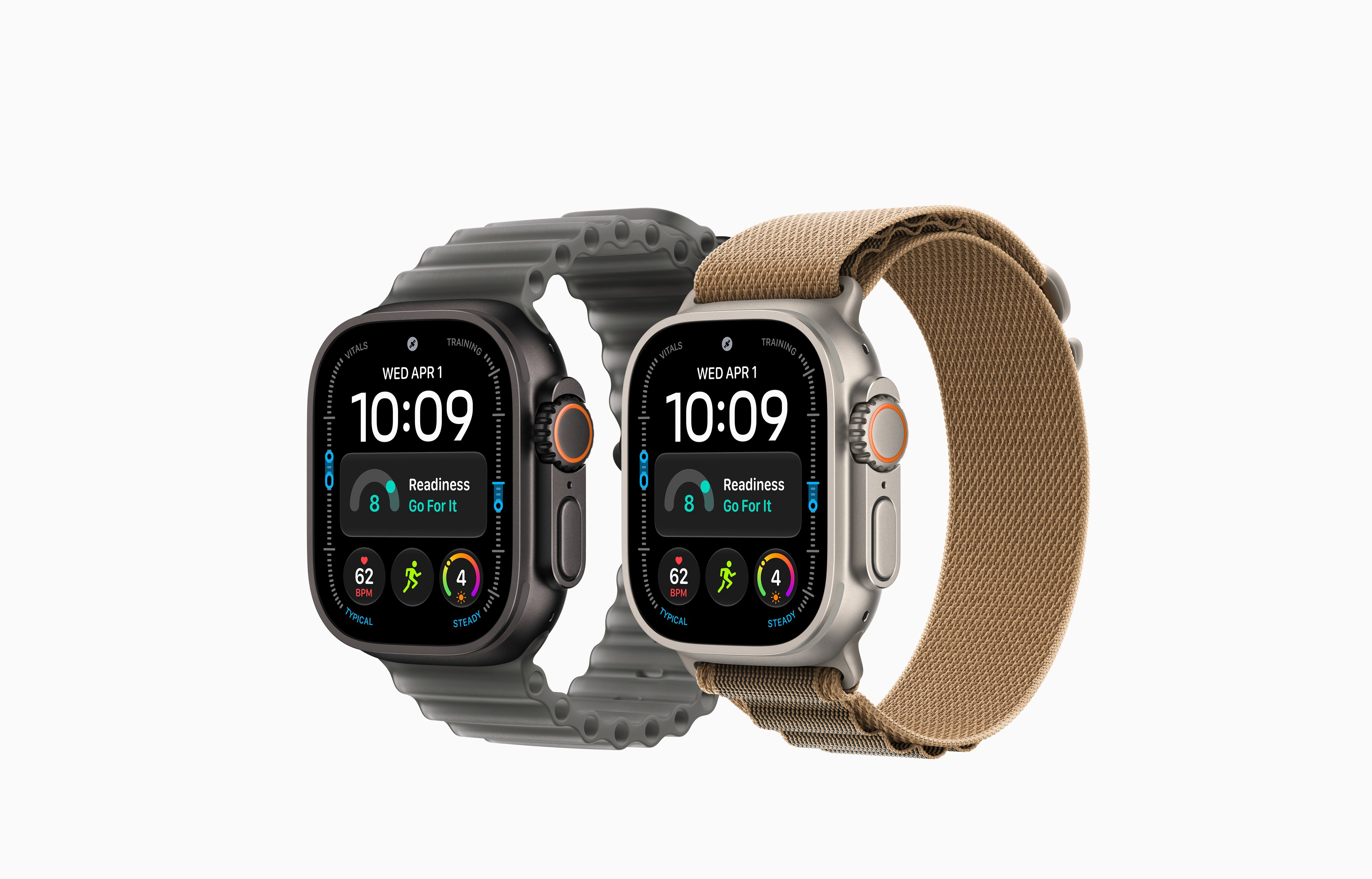
The Apple Watch Ultra 4 only launched in September, and it’s already seeing an early Black Friday discount of $100 on Amazon, bringing it down to $699.99 (originally $799) and matching its record-low price. This early deal on Apple’s rugged smartwatch includes perks like multi-day battery life and dual-frequency GPS. Note that only the large size is on sale.
PCMag called it a “battery beast” in its review of the Ultra 4, giving it an “Excellent” rating and citing its “jaw-dropping 74-hour battery life” in testing. Apple rates the watch for up to 50 hours of normal use and up to 84 hours in Low Power Mode. The updated Ultra 4 also has a faster S11 chip and precision health tracking, making it a more capable competitor to rugged outdoor watches from brands like Garmin. It’s designed for people who want a durable companion for adventures and endurance workouts.
While the design and display remain largely unchanged, the S11 chip supports new software and health features, including a Readiness Score that assesses the user’s recent activity, sleep, and health data, then offers a daily recommendation. It also has updated heart-rate monitoring and step counting. This model comes with cellular connectivity and dual-frequency GPS. If you’re an Apple user looking for a rugged watch with multi-day battery life and detailed health tracking, the Apple Watch Ultra 4 could suit everyday users and serious adventurers alike.
We may earn a commission from links on this page.
It has been a big year for Apple. There’s a new CEO, prices have increased across the board, and there’s been a seemingly endless rollout of new devices, including two new Apple Watches: the Series 12 and the Ultra 4. All things considered, these watches offer only minor upgrades over the previous models, shipping with new heart rate monitors and the latest S11 processor. But one of the biggest new watch features, “Audio Intelligence,” is also the most controversial—and it’s rolling out in beta today.
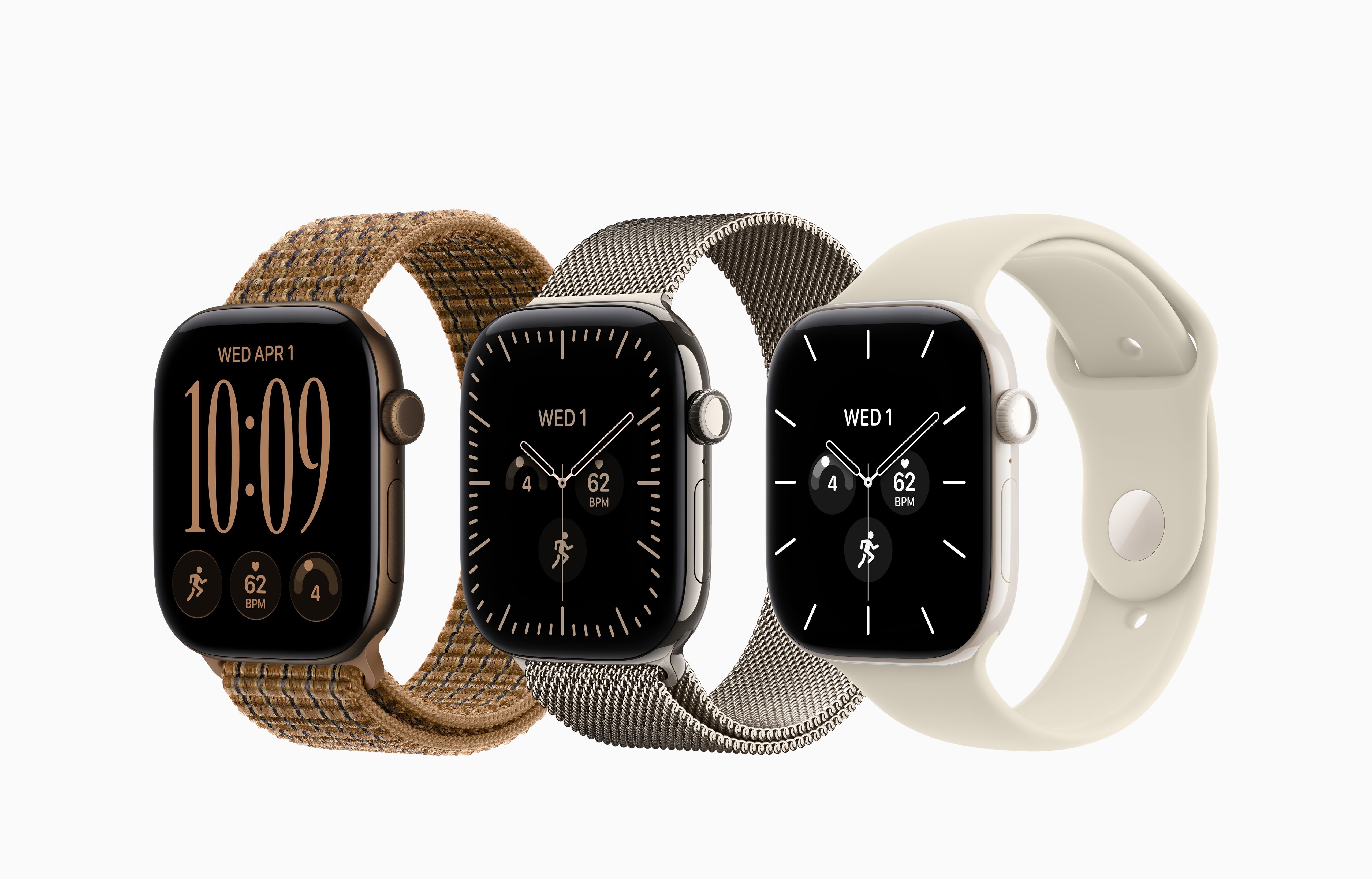
Audio Intelligence is Apple’s branding for a new set of features exclusive to the Series 12 and Ultra 4. These features use the new Apple Watches’ hardware, along with on-device and cloud-based AI, for tasks like sound and music identification as well as dictation. “Sound Recognition” can alert you to important sounds, like alarms and doorbells, while “Music Recognition” can automatically display songs playing around you—but these aren’t the features you’ll hear talked about in discussions of Audio Intelligence.
Rather, everyone is up in arms about “Live Rewind” and “Siri Recap.” These Audio Intelligence features passively “listen” to your conversations throughout the day, and, using AI, deliver summaries of what was said. When you double-click your Apple Watch’s crown to use Live Rewind, you’ll get a loose transcript of the last 15 seconds of conversation it overheard, while Siri Recap can show summaries of all your in-person chats throughout the day. You can even configure a schedule for when your watch is “listening” for recaps—e.g., only run during work hours. Apple suggests each is intended to help jog your memory; maybe you use Siri Recap to remember important discussions you had that morning, while Live Rewind is meant for moments where you forget what someone just said. (As opposed to asking them to repeat themselves, I suppose.)
These features sparked some controversy following their announcement, since the idea of Apple Watches quietly recording everything said throughout the day doesn’t sit well with many people. Apple is adamant, however, that Audio Intelligence preserves your privacy. The company emphasizes that the Apple Watch never actually records anything; instead, it processes an audio stream through the Secure Enclave, a part of the S11 chip that even watchOS itself can’t access, before sending it to your iPhone’s Secure Enclave for further processing. This lets your Apple Watch produce both transcripts (Live Rewind) and summaries (Siri Recap) without ever actually recording or storing audio. Apple says speakers are never identified in this process, and both Siri Recap and Live Rewind data are automatically deleted, unless you wish to save any of these text results to the Siri app.
Apple’s claims may or may not assuage your fears, but it seems the company is pushing on ahead regardless. Apple is releasing Audio Intelligence as part of iOS 27.3, which launches in beta on Tuesday. If you have an Apple Watch Series 12 or Ultra 4, you can try it out today, assuming you enroll in Apple’s latest beta version.
To do so, you’ll need to sign up for the Apple Developer program, since iOS 27.3 is rolling out first for devs. This program used to require a $99 fee, but you can skip it now if you opt for the free account. Once you enroll your Apple Account in this program, you can open your iPhone, head to Settings > General > Software Update > Beta Updates, and choose “iOS 27 Developer Beta.” Go back one page, then follow the on-screen instructions to download and install iOS 27.3 when it’s available.