
Rust’s compiler team has been working on a long-term project to
rewrite the trait solver — the part of the compiler that determines which
concrete function should be called when a programmer uses a trait method that is
implemented for multiple types. The rewrite is intended to simplify
future changes to the trait system, fix a handful of tricky soundness bugs, and
provide faster compile times. It’s also nearly finished, with a relatively
small number of remaining blocking bugs.
Monthly Archives: March 2026
Intel FRED Appears Ready To Enable By Default With Linux 7.1
Last week I ran benchmarks quantify the performance benefit to Intel FRED for Flexible Return and Event Delivery initially found with the new Core Ultra Series 3 “Panther Lake” processors and also for upcoming Nova Lake and Diamond Rapids CPUs. The FRED performance impact was very beneficial across a variety of workloads but rather strangely was not enabled by default. Mere hours after publishing that article, an Intel engineer posted a patch to enable FRED by default. Now this week that patch appears all-set for merging with the upcoming Linux 7.1 merge window…
April Pink Moon 2026: First Full Moon Of Spring Gets Ready To Peak

As the spring air turns crisp, the evening of April 1 will host the first major celestial event of the season. On Wednesday, the Pink Moon will reach peak illumination at 10:12 p.m. EDT, serving as a traditional herald of the changing seasons.
Despite its name, the Pink Moon doesn’t actually have a rose-colored hue. Instead, the title originates
Windows PCs Crash 3x More Often Than Macs If This Study Is Accurate
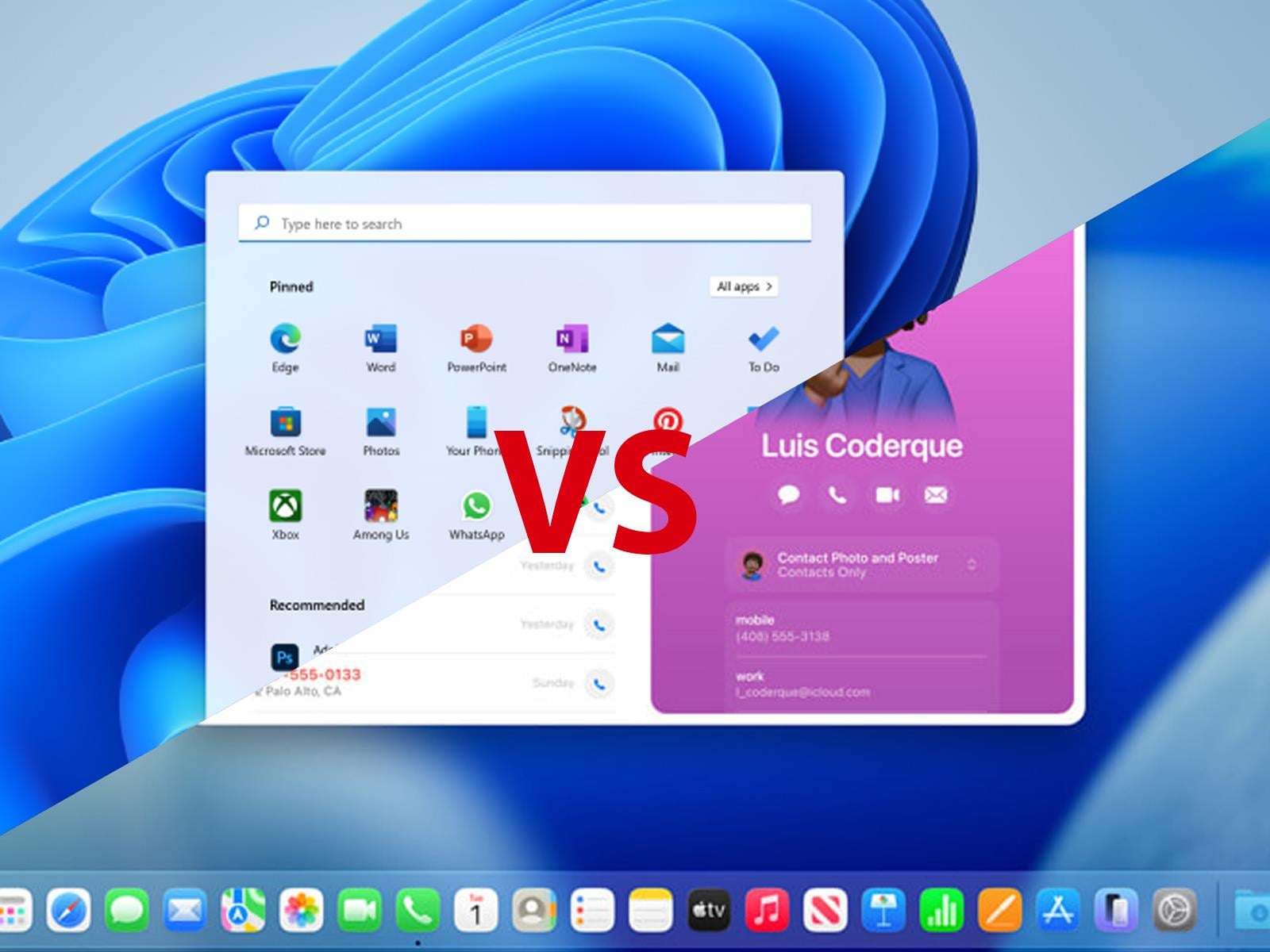
A new study focusing on shadow AI, security gaps, and device instability has found that systems running macOS are far more stable than PCs with Windows installed, resulting in significantly fewer application crashes and being less prone to freezing, among other so-called “micro-frictions” that can cause a cause a productivity gap in the enterprise.
Legendary Tales: Dawn of History Review – A Rich Dungeon-Crawling Expansion
Shadowdropped last week, the Dawn of History DLC of Legendary Tales has arrived to PC VR and PlayStation VR2 with a slew of new content.
Legendary Tales is, first and foremost, a classic dungeon crawler in virtual reality. Its obtuse RPG systems and nonexistent story mean, as our less-than-enthused reviewer wrote, “you have to grit your teeth to enjoy it all.” Fortunately, the reception to feedback from developer Urban Wolf Games means that Dawn of History, its first full-fledged expansion, addresses many of the issues of that first outing. Delivering an incredibly robust variety of builds, friendlier onboarding, and dangerous areas to explore, this DLC fundamentally changes the game for the better.
The Facts
What is it?: An expansion to Legendary Tales, a VR dungeon crawler.
Platforms: Steam and PlayStation VR2 (Reviewed on PS VR2)
Release Date: Out now
Developer/Publisher: Urban Wolf Games Inc.
Price: $19.99 (Base game: $39.99)
The narrative serves as an excuse for players to hack and slash their way through underground mazes. An alarmed goblin has arrived in the town, your hub area, explaining that trouble is brewing in the depths of a cathedral’s ruins. The game smartly stays out of its own way by adding simple but clear objectives in your quest to face the darkness below: destroy a magic crystal, eliminate ten enemies in a certain area, break a cursed tablet.
0:00
/0:45
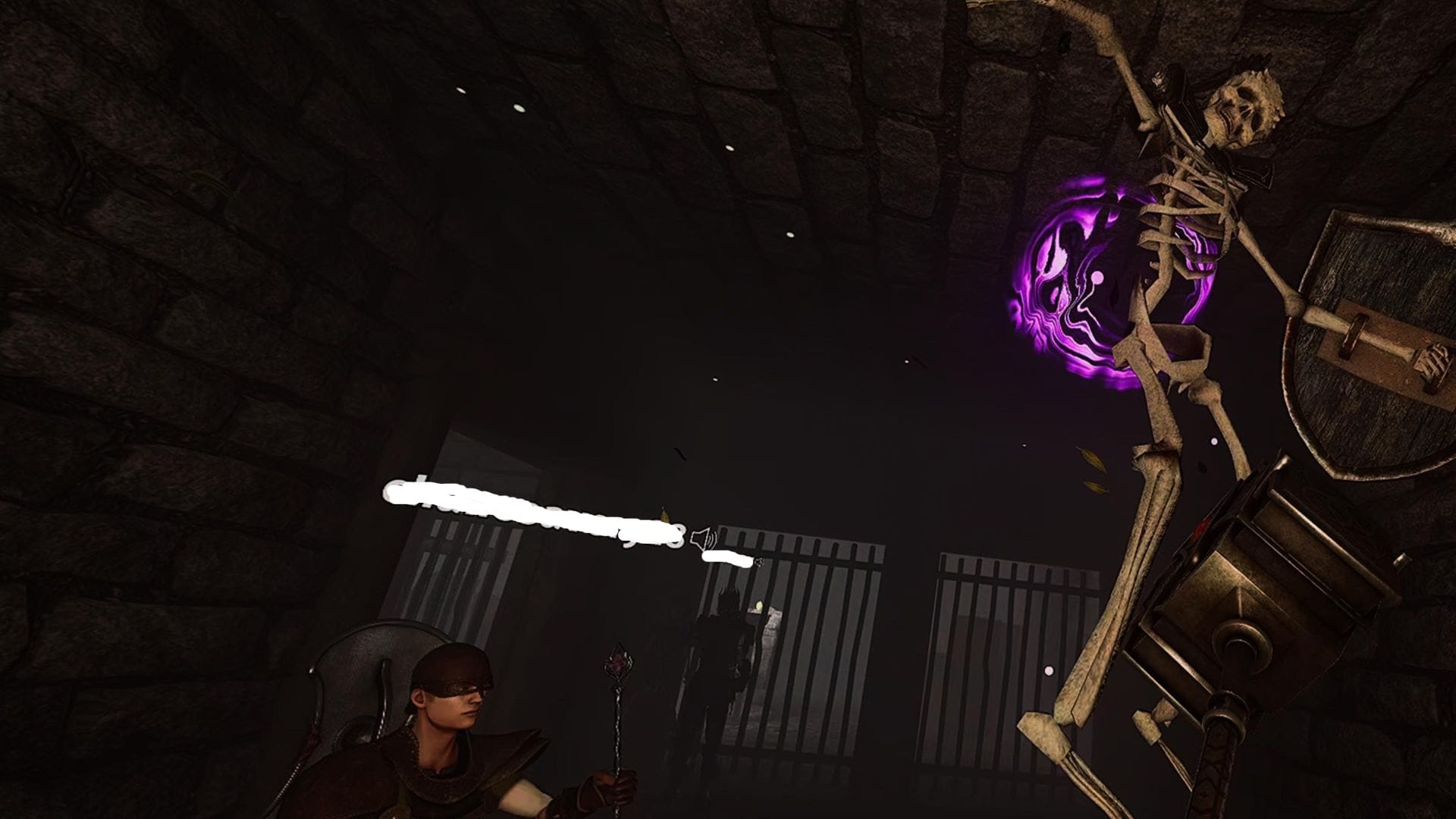
A gameplay video of my tank and a mage fighting skeletons.
What is clearly impressive from the get-go is how expansive these areas are. Depending on how effective you are at clearing each enemy-filled room, each level could take about one to two hours. Although not fundamentally changing the objective of the quests, the level layout changes per player; I found out as I played what I thought would be the exact same maps in multiplayer. While this is mostly an aesthetic choice, it adds to the replayability.
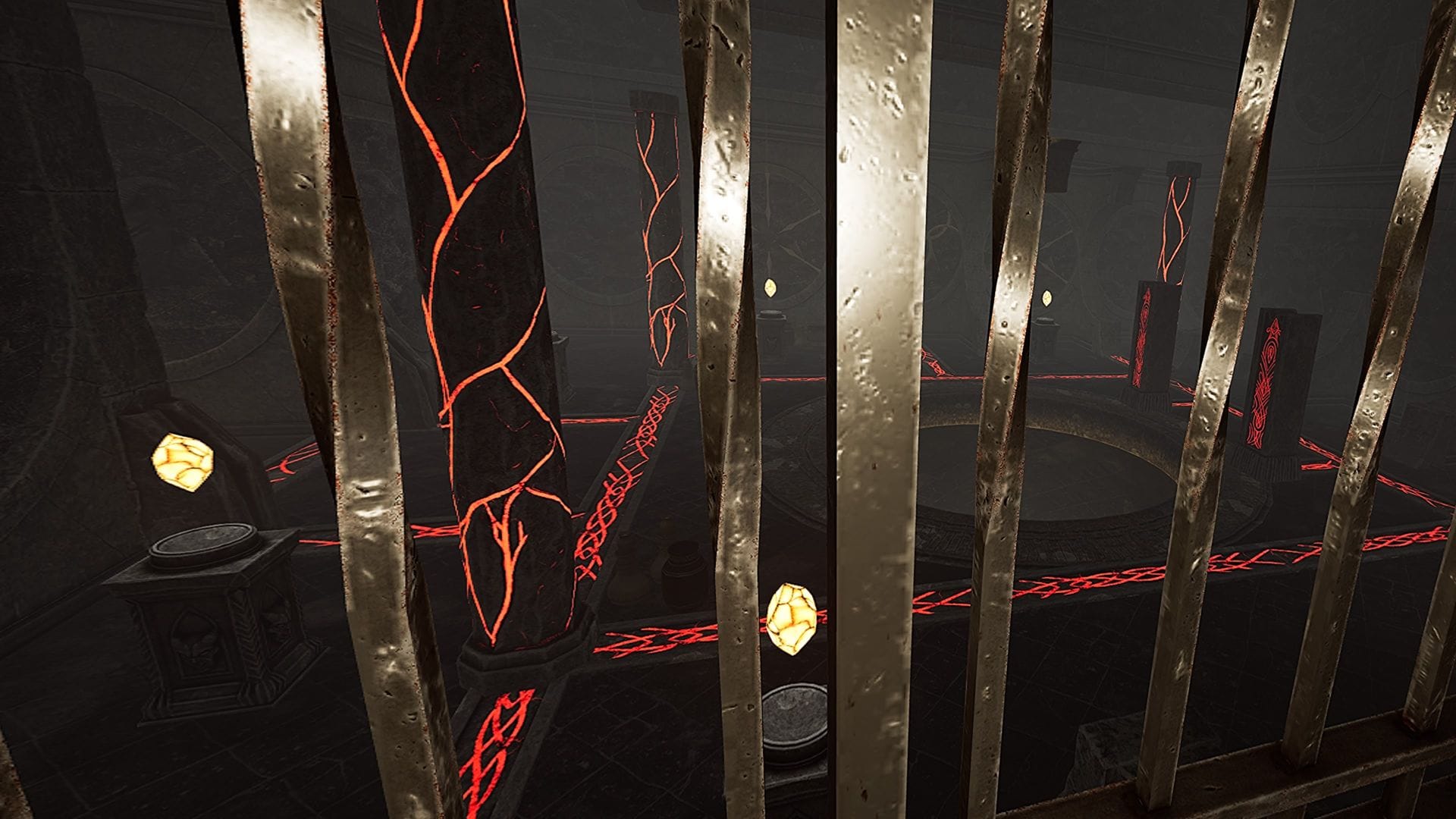
Dawn of History is sinisterly playful in the way these levels are presented. The starting areas might be straightforward, with the familiar skeletons and new hellraiders assaulting you as you explore for loot. Soon you will find that it is in fact riddled with traps. Buzzsaws hanging from ceilings will end your journey short if you are not careful. Mimics, or fake chests, will bite the hand of greedy adventurers. At one point, I was in front of three doors to choose from, two of which were deadly traps as well.
Commonly criticized in the original release, there is still no map to speak of. As expected, this resulted in getting lost in these mazes often. Thankfully, this is circumvented by using wisps that show the correct path called “Guide Spirits,” found by breaking wooden boxes or vases. Advancing each floor by falling down further into the caves signals the increase in danger.
An approachable design choice, Dawn of History can be accessed in two ways: through a quest in town with your longtime character or by simply creating a level 50 character ready for the action from the main menu. This allows returning players who would want to play the fresh content to easily get there. Not only that, but it also gives players 100 thousand gold to flexibly customize and try their hand at the various builds on deck.
Quite clearly made for veterans of the game—there are no difficulty settings—I found it better to play with others. Luckily granted a legendary hammer by a crystal spawning random weapons bought in the main hub, I decided to go for a tank build, focusing mainly on blunt strength and vitality. This worked surprisingly well when I ventured with a powerful mage who had a legendary wand in turn. Its special skill to levitate powerful enemies while I beat them like a piñata meant we had a type of fun I did not know this otherwise gritty game had.
Our collaboration worked in more ways than one. He could enchant my hammer to cause frost elemental damage, enhancing each hit. With his divine build, he was able to heal and revive me. It is clear Legendary Tales harkens back to the days of olden RPGs such as EverQuest or Tibia, where the synergy between builds instilled a winning formula. Playable online with up to four players, I can definitely imagine a group of seasoned warriors with two tanks, an archer, and a mage obliterating everything in their way.
Preset builds are saved from the menu to face every scenario depending on what is required. This makes respeccing, or changing your character stats, quick and easy. Swinging your arms around for extended periods is tiring, so to be able to change your skill tree and ability points from warrior to mage is useful. Its physics-based combat allows for precision parries that sometimes stun the enemy, which the punch build, famous among the community, can make short work of.
This helps plenty since Dawn of History is not messing around. There is only one boss in this expansion, and he is at the end of the four available dungeons. Teleporting on a whim behind players’ backs, every player needs to be at the top of their game to be able to defeat him. To even reach it, there are so-called Champions found randomly in every level. Boasting a greater health pool, these swift subbosses require great effort to be defeated with no casualties.
Comfort
There are a few options to increase accessibility. Smooth or Snap turning is available, and so is changing the dominant hand. There is calibration for playing either sitting or standing. No teleport option exists.
On PlayStation VR2, eye-tracking can be turned on or off. Legendary Tales is a very physically demanding game, so that should be taken into account when playing as well.
The last but most important improvement that I noticed compared to the base game was the improved tutorials. Everything needs to be done manually, so even though it enhances the immersion, it used to be confusing. From creating potions with alchemy to grinding sharp weapons, it all requires an exact gesture that the game now implements a short video and written explanation for. The novel Seal system that buffs weapons is comfortably applied because of it.
Legendary Tales: Dawn of History – Final Verdict
Legendary Tales was a solid dark fantasy akin to Dark Souls, but it failed in many aspects to be crowned a true classic RPG in VR. The hostile onboarding, the flimsy hitboxes, the lack of reliable multiplayer. Two years on, Dawn of History course corrects to offer one of the richest role-playing experiences on the medium. With new and revamped systems, it can now be recognized as a best-in-class dungeon crawler. The frankly baffling amount of builds alone makes for an equally cutthroat and entertaining sandbox to create your own legendary tale.

UploadVR uses a 5-Star rating system for our game reviews – you can read a breakdown of each star rating in our review guidelines.
How to Build a Music Library That You Actually Own
We may earn a commission from links on this page.
It’s ridiculous that the pace of my day can be ruined by the realization that a beloved song is no longer on the streaming platform I pay for. As someone who vividly remembers cassette tapes, CDs, and hoarding hard drives full of MP3s, it’s a reminder of what we traded in when we said “yes” to streaming services years ago.
I’ve been working on my Warped Tour playlist for the summer, but I keep running into a ton of licensing holes and grayed-out deep cuts. The gaps are everywhere, and it’s harshing the vibe. It’s another harrowing reminder that I merely rent whatever Spotify offers in its music library. That’s why I started building my music library from scratch again. Here’s how to find, buy, and own music in a world that has gone purely streaming.
The best places to buy MP3s
Buying and owning MP3s depends entirely on the type of music you like. If you’re into mainstream mega hits or your favorite grungy band is on a big label, you can look to the major players to buy music: Apple and Amazon. Apple’s iTunes Store (it’s still called that!) remains one of the most robust among the “available everywhere” sect. It’s also easy to buy high-quality 256 kbps AAC files, which are technically more efficient than regular MP3s and offer CD-like sound quality without being massive files. Just make sure you’re purchasing the music through the purple iTunes icon and not the red one. Amazon’s MP3s are DRM-free, usually 256 kbps, and you can usually find what you need there, even some more obscure offerings.
If you’re hoping to own digital and physical media, Amazon offers AutoRip. When you buy a physical CD or vinyl marked with the AutoRip logo, Amazon adds the digital version to your cloud library for free. You can stream these purchases through the Amazon Music app without needing a monthly subscription. Apple also lets you stream your iTunes purchases directly within the Apple Music app. Even if you don’t pay for the monthly streaming service, you can dig into your legacy library and stream what you own within the platform.
7digital is greatly heralded as a long-standing hidden gem of the MP3-buying world. The service itself is a backend provider for other global music services, which is why they have so much access to music licenses. It’s a British company, so if you listen to more international artists, this is a viable solution, as Amazon and Apple’s offerings can be region-locked. 7digital also allows you to choose between MP3 and high-resolution FLAC files at checkout.
All three of these services have been around long enough to have a legacy of longevity. If you lose your digital files, Amazon, Apple, and 7digital will let you re-download them through your account.
How to buy music directly from artists
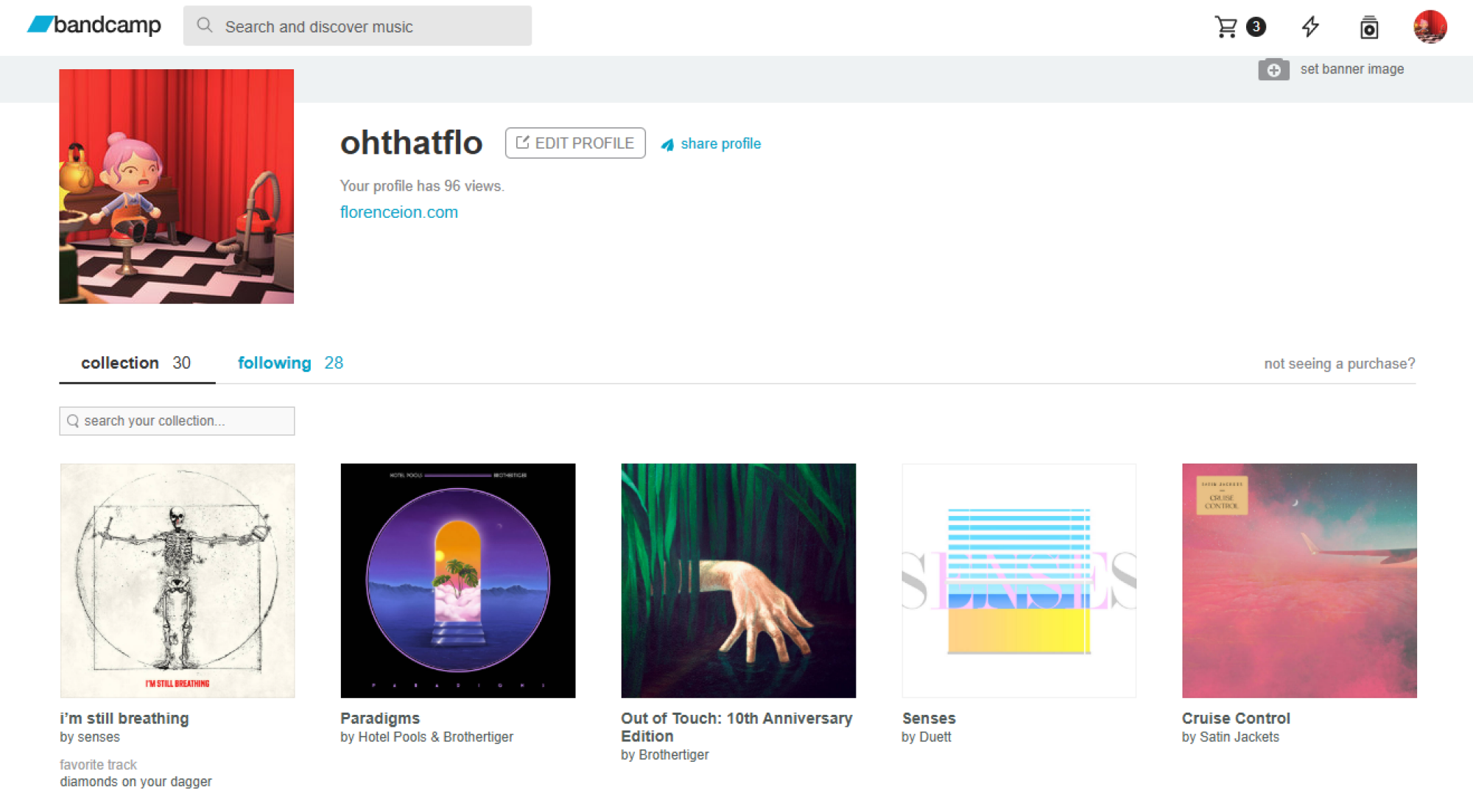
Bandcamp remains the defacto standard for buying music directly from an artist.
Credit: Screenshot by Florence Ion/Lifehacker
Credit: Screenshot by Florence Ion/Lifehacker
If you’re buying digital music to support the band or artist you love directly, try Bandcamp before you go anywhere else. It’s one of the few music marketplaces where you can choose your flavor of file—MP3, FLAC, or WAV, in some cases—within a single transaction. Sometimes there is even merch and physical media, like LPs and CDs, that you can add to the cart. Bands like the site because it doesn’t take a huge cut of what you’re paying the artist for an album. The Bandcamp app also acts like a cloud locker for everything you’ve bought on the platform, so if you get a hankering for music you don’t have on you, you can access it through the mobile app.
Some bands and artists get around their labels by using platforms like Patreon or Substack to distribute music files directly to a monthly “fan club.” Others lean into their labels by using direct-to-consumer online shops, like Polyvinyl, which notoriously prioritizes a 50/50 profit-sharing model with their artists. The digital store also features high-res, DRM-free files, ensuring the artist gets a fair share while you get a file you actually own.
Where to buy higher quality digital music
Even if you aren’t trading your Apple AirPods for a dedicated DAC (Digital-to-analog converter) and a pair of serious headphones, you may want to own even higher quality digital music, beyond 256Kbs. You’ll want to seek 24-bit/192kHz FLAC files, which aren’t available in mainstream digital music stores.
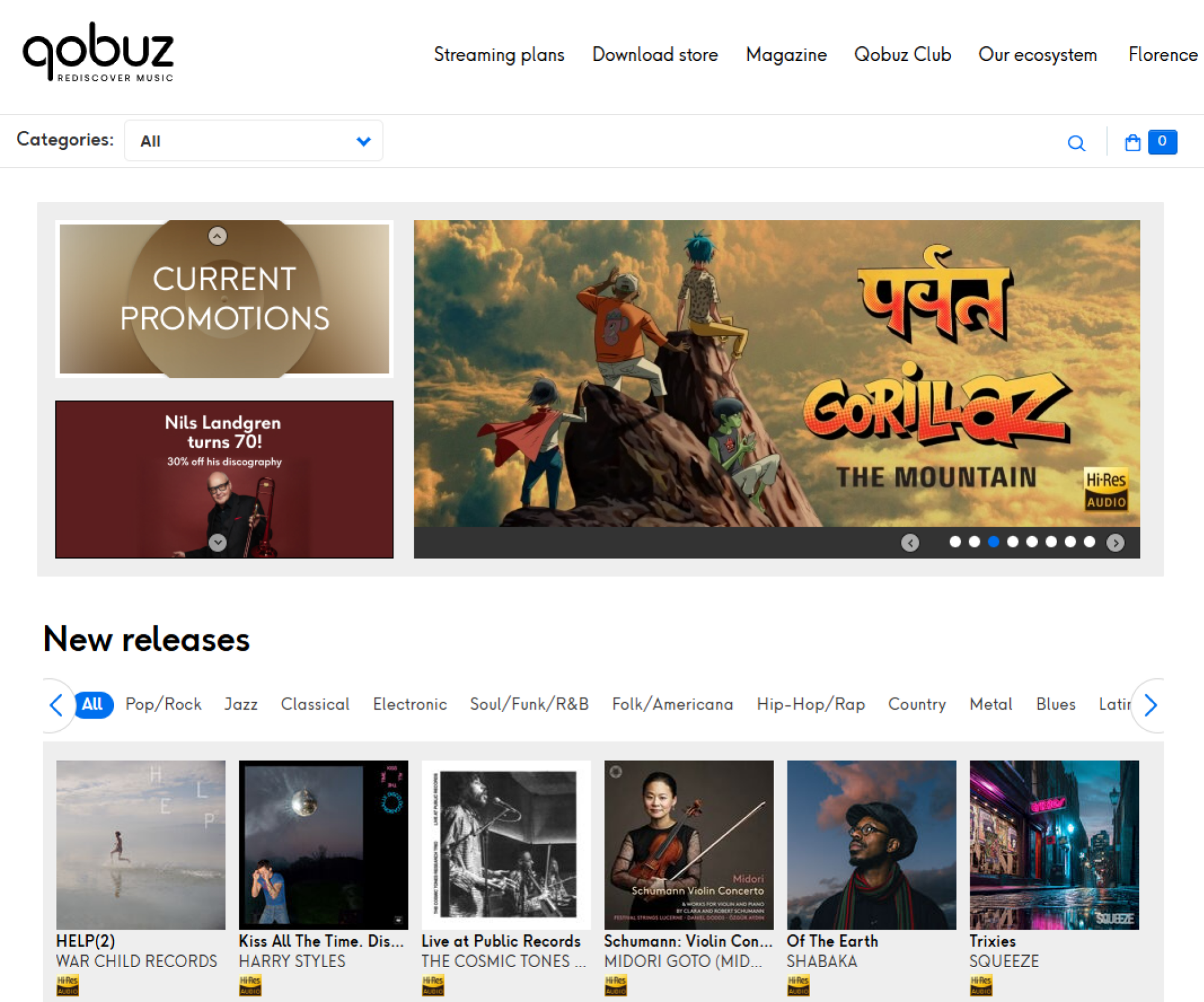
Qobuz is a global streaming service that also lets you buy high-res tracks.
Credit: Screenshot by Florence Ion/Lifehacker
Credit: Screenshot by Florence Ion/Lifehacker
Qobuz is a global favorite for buying high-res tracks, and it’s one of the easiest to use. You can buy what you want in the browser and then use one of the companion desktop apps to batch-download files. Qobuz even offers a streaming subscription that gives you massive discounts on future high-res albums and EPs you purchase. It’s a good deal if you’re actually planning to collect MP3s, and the streaming ability lets you preview an album before you commit.
Other popular services include HDtracks, which has been around since 2008. Founded by a pair of audio engineers, the site specializes in definitive masters. It’s a good choice if you have a more classical or legacy rock taste in music, as 24-bit remasters are usually available to own. Bleep is another service geared toward electronic and alternative music lovers, while Boomkat serves the more experimental and underground niche.
How to RIP your own CDs
Part of the fun of getting back into digital music is remembering that another way to collect it—and really solidify your ownership—is to go to your local record store or second-hand market for CDs. Yes, CDs, the compact discs that somehow endure even though the players aren’t even standard in cars anymore.
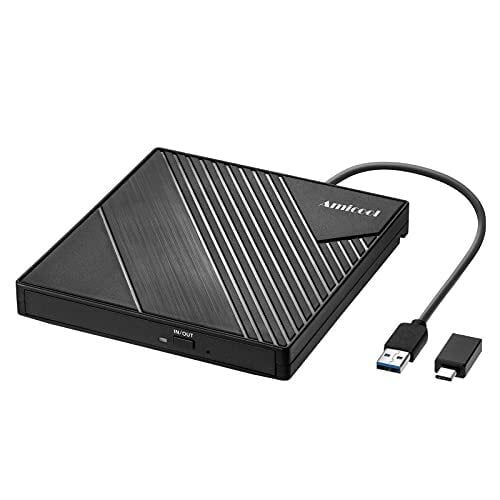
Since most modern laptops and computers no longer ship with optical drives in favor of slim, svelte designs, you will need a simple external CD/DVD drive that connects via USB-C or another method. Brands like Asus and LG still make these combination drives. They’re easy to buy and aren’t too pricey.
Next, you’ll need ripping software. For Mac users, the Apple Music app features the same built-in ripper that shipped with iTunes all those years ago, and it’s still a viable option. If you want something more robust, there’s X Lossless Decoder. It’s simple, handles album art and track names quite nicely, and is a good idea if you’re a stickler for metadata.
If you’re willing to spend a little money, dBpoweramp costs about $40 and works for both Mac and PC. Users like it because it pulls track information from multiple databases simultaneously to ensure metadata is solid.
Windows users also have a plethora of options. Exact Audio Copy is one of the more popular free ripping suites. It cross-references global metadata to ensure you’re grabbing audio that sounds like the original, though it does have a learning curve. I use Express RIP CD Ripper because I paid for a license long ago (around $40). It’s fairly plain and works fine on most of the albums I recover from Goodwill. However, it doesn’t handle compilations very well. I’m still working through a couple of albums in Mp3tag to get them to display the correct song titles.
One major thing to keep in mind if you decide to become CD-obsessed: Always rip to a lossless format like FLAC (Windows) or ALAC (Mac). You can convert a high-quality file into a smaller MP3 later. But you can never expand an MP3 back into the full-fidelity sound of the original CD.
How to stream your musical library now that you own it
Now that you own your own digital music, you’ll likely want to play back those files away from the tethers of your home computer. If you’ve got a centralized storage solution at home and you want to connect your library to the internet, Plexamp lets you create your own private streaming service. You can log in to it from anywhere in the world with the mobile app and stream the files you own in high resolution.
If you don’t want to deal with home servers and want to carry your music with you, apps like Prism on iOS and Symfonium on Android are primed for power users. Prism connects to cloud services like Plex and iCloud and features an Apple-worthy interface, while Symfonium supports almost every music format and even lets you cast to other devices. You could also invest in a dedicated mp3 player, either an off-brand one or a revived old favorite, to carry your music with you.
Finally, keep the 3-2-1 rule of file ownership in mind when managing your music collection: If the song doesn’t exist in three places, it doesn’t exist at all. There should be one copy on your main computer or home server, one on an external backup drive, and one in the cloud or physically stored on a bookshelf. Yes, it’s maintenance work, but the trade-off is that you own what you listen to.
Vividnode Mobile AI Packs RISC-V Processor and 60 TOPS AI Engine
A compact system from ZUIKI based on a K3 RISC-V processor has appeared on the Japanese crowdfunding platform Kibidango. The Vividnode Mobile AI is presented as a small form-factor system for local inference and development. The system is based on an 8-core RISC-V processor (K3 platform) paired with an AI engine rated at up to […]
Bloxer Is A VR Fitness Take On Tetris
Bloxer is a VR fitness take on Tetris that combines the classic block-lining gameplay with boxing.
It’s developed by Incuvo Inc, the studio behind titles like Pirates VR: Jolly Roger, TRACKED: Shoot to Survive, and VR versions of such existing games as Green Hell and Bulletstorm.
As the description above suggests, Bloxer’s core gameplay is immediately familiar to anyone who’s ever played Tetris or its many clones: colored blocks fall down across a vertical field, and you have to arrange them into matching rows in order to clear up room for more blocks and prevent the screen from being filled. The twist, of course, is how you go about moving those falling blocks: by punching a robot control box in front of you.
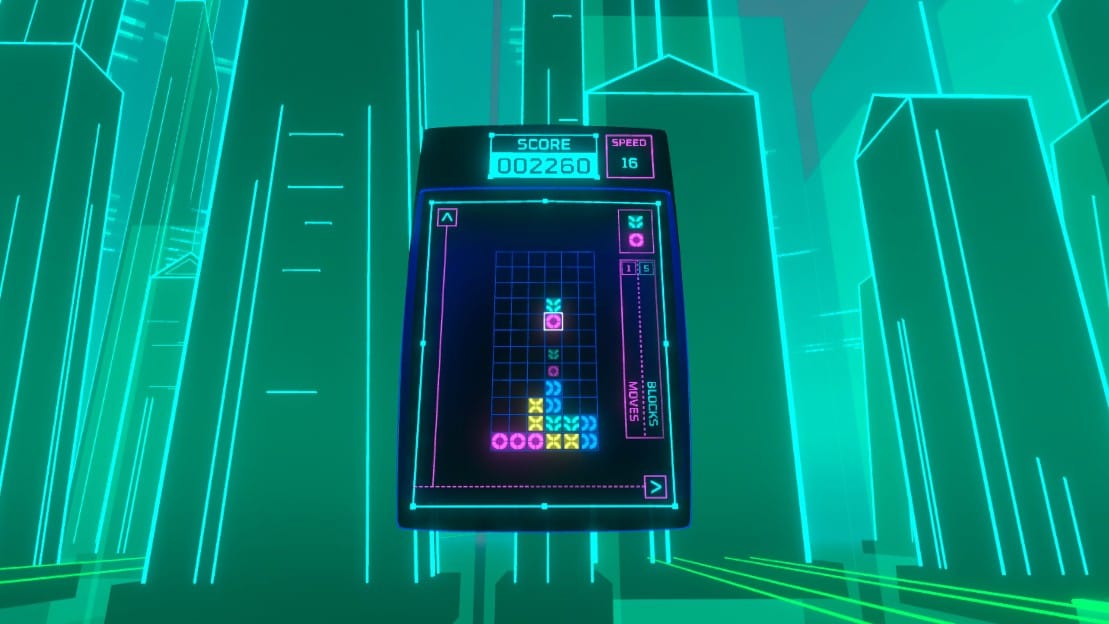
Blocks are moved left and right by performing hooks, uppercuts rotate them, and punching down makes them fall faster once you’ve got the position right. There is also an alternate control scheme that has you jab with your left and right hands to move the blocks and perform hooks to rotate them, but I mainly just stuck with the default setting. Just like in regular Tetris, games can get increasingly frantic as the falling speed increases, with the added element of punching making gameplay feel more like a genuine workout as the game goes on.
There are two single-player modes: Endless, where the game keeps going until the blocks reach the top, and Time Attack, in which you try to build up a High Score before the clock runs out. You can check your scores and compare them with those of other players around the world from the menu screen.
Users can also compete online in 9-player matches to see who can rack up a high enough score. In addition to all the usual punches and combos, players can sabotage their opponents by placing “Garbage Blocks” on their field, hindering their ability to avoid a game over. Players can also counterattack, adding another layer of strategy to the fast-paced action.
0:00
/0:20
Not quite the same as you remember…
If you want to take a break, there is a VR hub outside the main game filled with physical objects to pick up and minigames like a punching speedbag, a basketball net, whack-a-mole, and even dart guns. These have nothing really to do with the primary game, but they are a fun distraction nonetheless. It’s a pleasant surprise just how much detail and effort went into something like this, when a simple menu screen would have sufficed.
Bloxer’s visual and audio presentation is decisively retro, with neon colors and a synthesized announcer voice that fits the idea of this being an updated version of the Tetris games that have been a staple of arcades and other platforms since the 1980s. You can also hear the control box react in pain when it’s being hit, which is a cute novelty.
For the most part, Bloxer is a solid, motion-controlled take on the classic Tetris formula that most gamers are already familiar with, with the added element of punching to move or rotate the falling blocks making it as much of a physical challenge as it is a mental one. Fitness-focused players might find some use for Bloxer in their next VR workout, and there is plenty of nostalgic charm for people of any age.
Views Of Debut At The BBC Proms In Apple Immersive Video
You can now attend Debut at the BBC Proms in Apple Immersive for free on the Apple Vision Pro.
The 35-minute performance takes you through multiple perspectives, from various points on stage with pianist Lukas Sternath and the BBC Symphony Orchestra, led by Sakari Oramo, to sitting among the audience inside the Royal Albert Hall in London.
What Is Apple Immersive Video?
The Apple Immersive Video format is 180° stereoscopic 3D video with 4K×4K per-eye resolution, 90FPS, high dynamic range (HDR), and spatial audio. It’s typically served with higher bitrate than many other immersive video platforms.
We highly praised Apple Immersive Video in our Vision Pro review. It’s not possible to cast or record Apple Immersive Video though, so you’ll have to take our word for it unless you have access to a Vision Pro.
Close Premium Access
The opening moments place you backstage as a narrator introduces the experience and you hear some commentary from Sternath as he walks to his performance. He doesn’t speak directly to you or to anyone in the scene, but with his back to you as he’s walking it’s still clear that it is him and it complements the narrator in setting the scene. Despite some slightly speedy camera movement that carries you forward as you follow Sternath, I found this introduction enjoyable because of the story that was starting, and interesting access to be able to feel what it’s like to enter a show from a performer’s view.
But then, the story ended. I would have liked to spend more time ahead of the performance to understand the compelling stories behind it. The focus shifted to the experience for the rest of the immersive video. I would not expect a narration to interrupt a performance, but this is where elements like views that increase my connection to Sternath, Oramo, members of the BBC Symphony Orchestra or a shared experience with the audience could have worked harder.
Edits that Compete with the Performance
Debut at the BBC Proms places visitors in multiple views throughout the performance. The beautiful resolution of each shot helps create a sense of presence within the 180-degree view. You can see details in the sheet music through to the shine of Sternath’s shoes. At the end of the performance, you can even see the sparkle in his eyes which creates a deeper sense of connection to the moment.
The experience frequently shifts between positions on stage and in the concert hall – From multiple points at the front of the stage where you are up close with Sternath, Oramo and several symphony members who are within the frame, to behind the orchestra facing the audience, to several points at different levels as if you were a part of the crowd.
While the views themselves are interesting, the frequency and speed of the edits often end up competing with the performance. Just as you begin to take something in, you’re moved again. Returning briefly to the same positions doesn’t help either, as it takes a moment to reorient before being pulled away once more. Over time, it starts to feel less like a continuous presence within the space and more like being moved between camera placements. That becomes even more apparent when you can spot other cameras in certain shots, including a camera operator near the front of the stage, which helps explain some of the unnatural horizontal movement experienced moments earlier. I appreciated the different views but not the frequency of the changes.
Audio That Sounds Beautiful but Feels Disjointed
The Spatial Audio enhances the experience and it of course sounds beautiful throughout. But it also remains consistent no matter where you’re placed. Whether near the piano, behind the orchestra, or further back with the audience, my ear didn’t pick up a meaningful change in how it behaved.
That consistency keeps things stable, but it also makes the experience feel disjointed. The visuals shift frequently, but the audio does not follow those changes. I closed my eyes at one point just to focus on it, and that contrast became even clearer.
Being able to stay in one position for an extended period of time to hear how it changes from that perspective would add more to the experience.
Apple Immersive presents a rich opportunity to give visitors access to experiences that would otherwise be out of reach. The strongest ones go beyond impressive views and create a sense of presence, with a clear sense of who you are in the experience, strong storytelling, and a feeling of agency even when you’re not in control of where you move.
This year’s Xbox Games Showcase is set for June 7
Microsoft has confirmed exactly when this year’s Xbox Games Showcase will take place. It will air at the usual time, 1PM ET on the Sunday (June 7) of Summer Game Fest weekend. In recent years, the company has offered a deeper dive into one particular game straight after the showcase, and it’s sticking to that format this time with a closer look at Gears of War: E-Day.
The showcase and Gears of War: E-Day Direct will be available in more than 40 languages, including American Sign Language and British Sign Language. A stream with English audio descriptions will be available as well. You can watch it on several of Xbox’s various social channels, including YouTube, Twitch and Facebook.
This is typically Xbox’s biggest showcase of the year. It will be the first Xbox Games Showcase with Asha Sharma at the helm of Microsoft’s gaming division. Perhaps we’ll hear some more details on the next Xbox (aka Project Helix), which is confirmed to be a system that will run PC games — much like the upcoming Steam Machine.
Along with more details about a brand-new Gears of War game, it seems likely that we’ll learn the release date for Fable during the Xbox Games Showcase. That game is slated to arrive this fall.
We don’t yet have exact release dates for Minecraft Dungeons 2 or Halo: Campaign Evolved, a remake of the first Halo game’s campaign. Those are scheduled to debut this year as well, so they seem like prime candidates for showcase appearances. Microsoft also has Clockwork Revolution, State of Decay 3, OD (from Kojima Productions) and something new from Toys for Bob in the hopper.
In addition, Microsoft is promising the return of Xbox FanFest, an in-person fan event, to help mark the brand’s 25th anniversary. Sharma confirmed this will take place in Los Angeles, where all of the Summer Game Fest events are going down. “This year’s experience will include a look back at the last 25 years, alongside a forward view of what’s next,” according to an Xbox Wire blog post.
This article originally appeared on Engadget at https://www.engadget.com/gaming/xbox/this-years-xbox-games-showcase-is-set-for-june-7-134942027.html?src=rss
An Immersive Perspective of Artistic Masterpieces in Apple Vision Pro
There’s a sense of luxury in having virtual private access to artistic masterpieces and historical artifacts. It’s elevated by the visual fidelity of Apple Vision Pro and Museas’ thoughtful options to engage with them.
With ongoing updates, Version 3.0 of Museas adds support for the widgets system introduced in visionOS 26, letting you virtually place selected priceless art around your home, along with new exhibitions, environments and ways to explore the works. The exhibitions and environments can also be downloaded and stored for off-line use.
Whether you enjoy galleries and museums or not, Museas offers a way to experience art, artifacts, and their stories that made me feel more connected to them, even after seeing some of the works in person before. While nothing compares to viewing the real thing in person with its historical significance and detail in a shared space, this offers something different. It’s complementary because of how close you can get to each work and how free you are to explore and spend as much time as you like, with an optional audio guide adding context along the way, all without lineups, glass cases, travel, or in some cases any ticket at all.
Exploring and Experiencing the Art
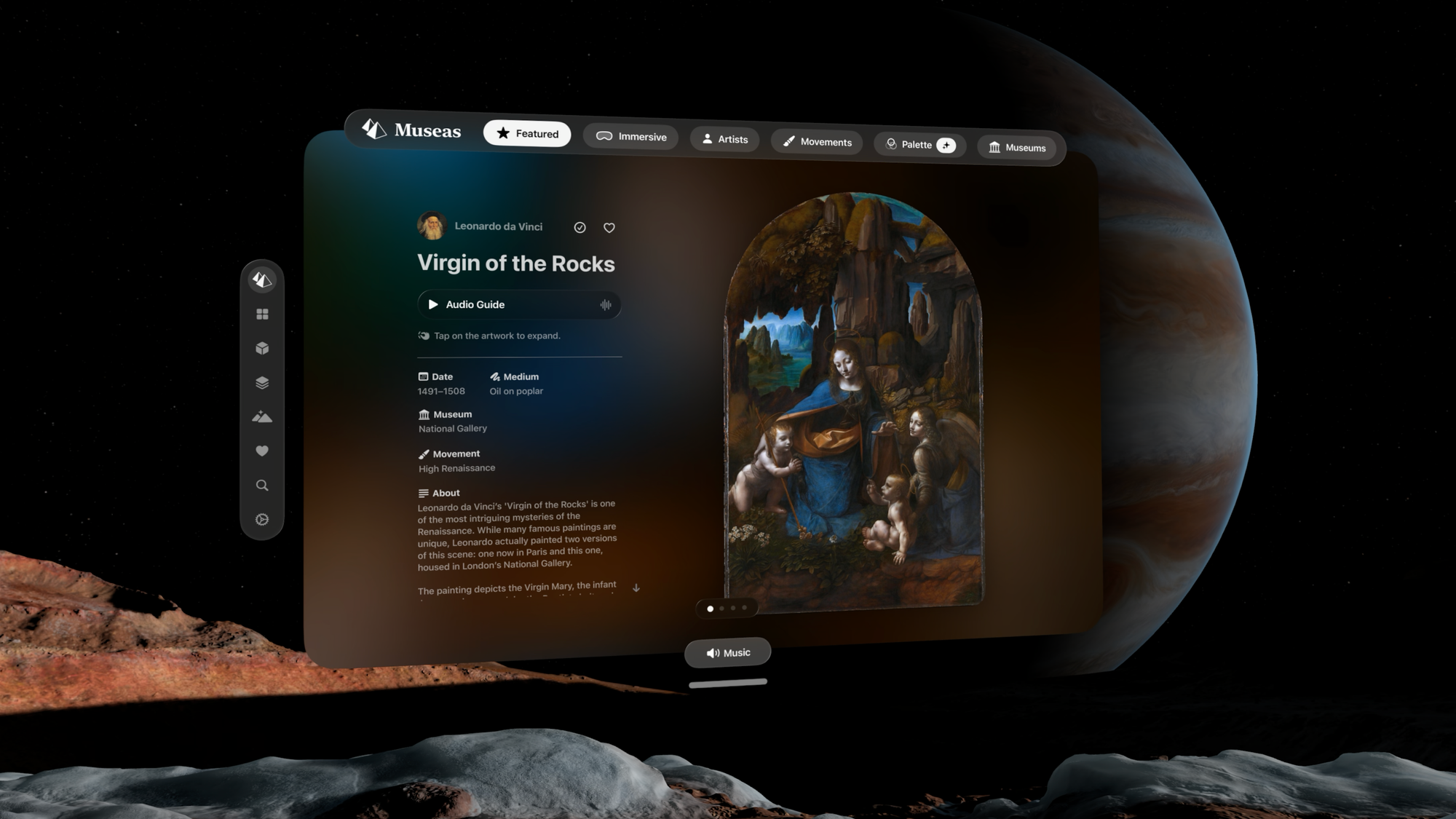
Museas offers multiple ways to explore the art itself. You can move through works by artist, movement, institution, or even color palette, following what naturally draws your attention rather than a fixed path. The options feel considered, supporting curiosity instead of directing it, while also drawing attention to different aspects of the story behind each work.
As you spend time with a piece, you can choose how much context to bring in. An optional audio guide can speak through background on the work, either automatically or when you’re ready. Additional details reveal information like its origin, time period, and where it’s currently held. Curated music can also accompany your exploration.
There is no barrier or risk of a security intervention preventing you from getting as close to the work as you’d like. You can move in to examine brushstrokes, fine details, and even elements like written marks or subtle textures, along with the techniques used by the artist to create realism and light. You can intuitively expand the work to reveal details that would be difficult, if not impossible, to access in a gallery setting.
The way you experience the art is also up to your preference at the moment. The immersive view option available for some works places you within a somewhat matching immersive environment instead of your living room (or wherever you are experiencing Museas) but not within the painting itself. If you prefer being fully immersed in an environment while viewing any of the art, there are some selections to choose from although they will not necessarily pair perfectly. I prefer seeing the art in my living room as the details I can view on the Apple Vision Pro appear to match the details of my reality surrounding it, supporting the illusion that the experience is actually authentic. Several paintings currently offer spatial view options but those seem to only be for select portraits at the moment. This option adds an interesting depth to the art that makes the subjects feel slightly more alive as if captured with an iPhone Spatial Photo. Toggling between this and the standard view, however, showcases the mastery of the original works that already create illusions of depth without the magic of technology.
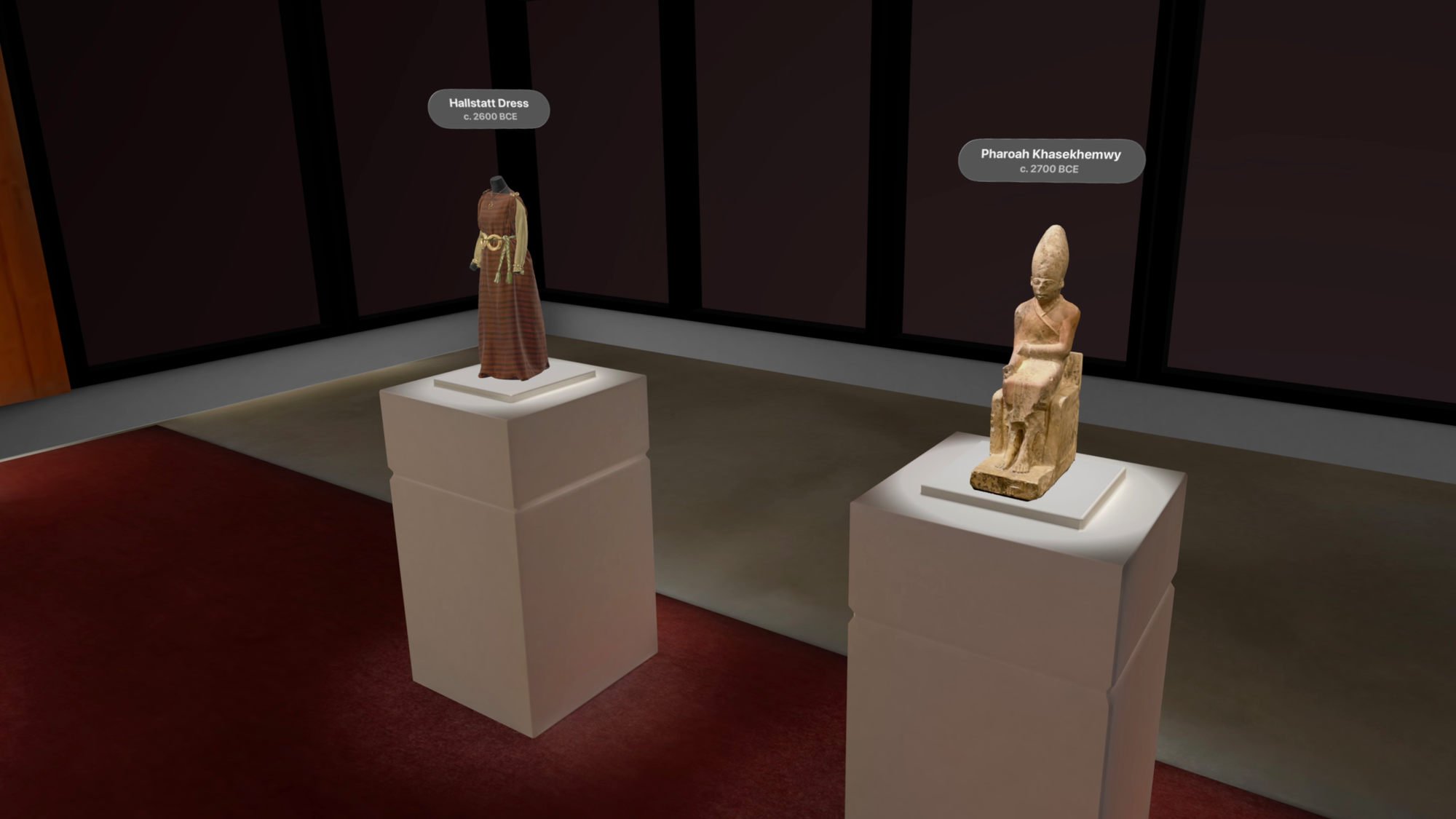
Picking Up What You Normally Can’t Touch
The app also includes high resolution digital reconstructions of ancient artifacts in 3D. The surface detail is so clear that I could almost feel the textures.
Sculptures and objects appear in your space as fully formed 3D pieces that you can scroll through and select for closer inspection and to learn their story. They rotate, can be picked up and even expanded. However, the objects do not stay locked in a size that you may prefer, and unlike the artworks, these artifacts aren’t yet integrated into widgets, which leaves room for how they might be experienced next.
Bringing Masterpieces Home without Spending Millions
Thanks to Museas, my condo decor now includes several priceless works, without spending a dime or pulling off a heist.
Placing artworks directly into your space as visionOS widgets lets them remain there even when the app is closed, adding an ongoing sense of presence and experience with the art of your choice. You’re not navigating an app to view your favorites. You’re simply spending time with the work between other moments in your Apple Vision Pro. Seeing the art in your own environment creates a sense of familiarity, and as you move around, you naturally view it from different vantage points, expanding your perspective of it.
Having these works persist in your space also acts as a subtle reminder to return, whether to revisit what’s already there or explore more within Museas, including both the free works and paid exhibitions. That’s a benefit of visionOS widgets both for users and developers.
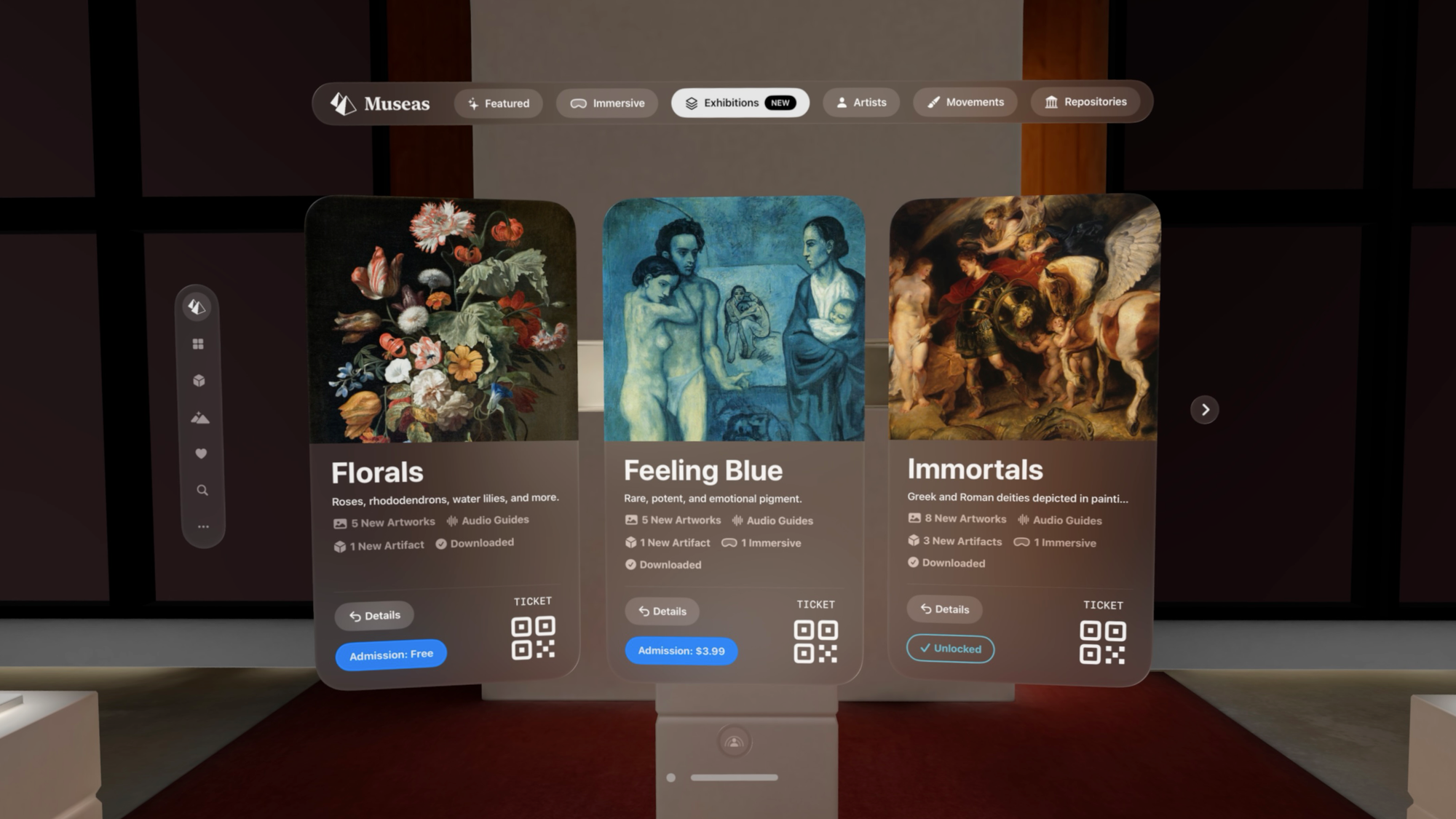
Free Access and Paid Exhibitions
Museas includes a substantial amount of content for free, with additional exhibitions available through paid admission currently ranging from $5.99 USD to $8.99 USD. These group together a small number of artworks, artifacts, audio guides and sometimes immersive art. While the cost is lower than typical in-person exhibition tickets, so is the number of works included although you’re able to get much access to them. A bundled or loyalty-style offering over time could be beneficial as the catalogue continues to expand across institutions.
Exhibitions can be downloaded for offline use, and selected works can be saved as widgets in your space, extending their presence beyond the app. As more content is added, it continues to build on a format that gives you more access, time and freedom to engage with priceless art and artifacts in ways that aren’t possible otherwise.
The Voice Behind Crimson Desert’s Hero Had To Fight For His Character’s Story

‘It’s very, very hard to play 150 hours with somebody who doesn’t give anything away ever,’ said actor Alec Newman
RVCC Proposed As An LLVM Incubator For High Performance RISC-V Optimizations
A proposal was submitted today for launching the RISC-V Compiler Collaboration “RVCC” as an LLVM Incubator project to focus on compiler optimizations for better performance on RISC-V. But before getting too excited, there is already some opposition to the proposal…
Xbox’s Big Summer Showcase Returns With Deep Dive On Gears Of War: E-Day

Microsoft’s new gaming boss says she hears the community on the importance of Xbox FanFest
Trump convenes “God Squad” to override Endangered Species Act, up oil production
The Trump administration is turning to the nuclear option on endangered-species protections in the name of national security.
A rarely tapped panel nicknamed the “God Squad” will meet Tuesday to discuss whether overriding Endangered Species Act regulations for all federally regulated fossil fuel operations in the Gulf of Mexico is more important than preventing the extinction of several imperiled species. That includes sea turtles and a whale species down to its last 51 individuals.
Interior Secretary Doug Burgum announced the upcoming Endangered Species Committee meeting last week, with no details on specific projects in the Gulf or the basis for what would constitute an extraordinary action. Only twice in the panel’s nearly half-century has it ever lifted restrictions.
Why You Need an MP3 Player in 2026 (and What to Buy)
We may earn a commission from links on this page.
One of the easiest ways to turn off the noise of the world is to outsource what the phone does to other devices—ones that aren’t perpetually online or requiring a subscription to function. This led me to rediscover an old favorite: the MP3 player.
MP3 players are now, not surprisingly, far more capable than they were two decades ago. They come in a variety of shapes and sizes, many of which emulate the design of favorite legacy MP3 players, and are manufactured by companies you’ve likely never heard of, like FiiO and AGPTEK. They come with support for the latest music codecs, Bluetooth, FM Radio, built-in speakers, and even features that smartphone manufacturers have long since dropped, like expansion slots and the standard headphone jack.
But if you’re really nostalgic for the old days, you can recommission a vintage Apple iPod or a Microsoft Zune. There are even creative modders who will customize a traditional one.
Whatever way you decide to participate, embracing the standalone MP3 player means joining a movement in defiance of the current trend of streaming everything. Here’s how I got started with an MP3 player, and where to start if you’re interested in reviving your own for modern-day use.
These MP3 players are a turnkey solution
Let’s be realistic: MP3 players are no longer the de facto gadget category they once were. You can’t find them at brick-and-mortar stores or online the way you used to. But you can find some reasonably priced ones on Amazon and other global gadget markets.
The most common and well-rated brand you’ll see pop up on Amazon is AGPTEK. The company is based in Brooklyn and sells nearly everything in the gadget spectrum. It’s one of those “parts bin” brands, which have access to reliable, off-the-shelf components to make reasonably priced gadgets without the high cost.
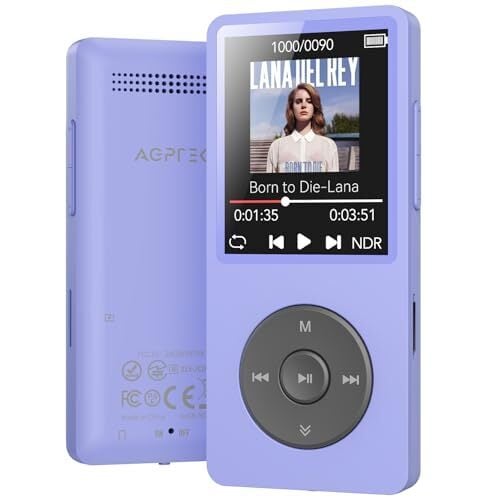
AGPTEK offers several music players, but its most popular is the A02. It became a legend for its 70-hour battery life, and it’s the one I brought home because of its impressive feature set. The AGPTEK A02 uses the latest Bluetooth 5.3 codec. I can move around the house with the player in my pocket or leave it on my desk, and I still have clear sound on the other side of the house. It uses USB-C for charging and data transfer, and there’s a microSD slot that supports up to 128GB of storage if you need more than its 64GB internal storage. There’s a physical lock switch to keep you from accidentally skipping a track, too.
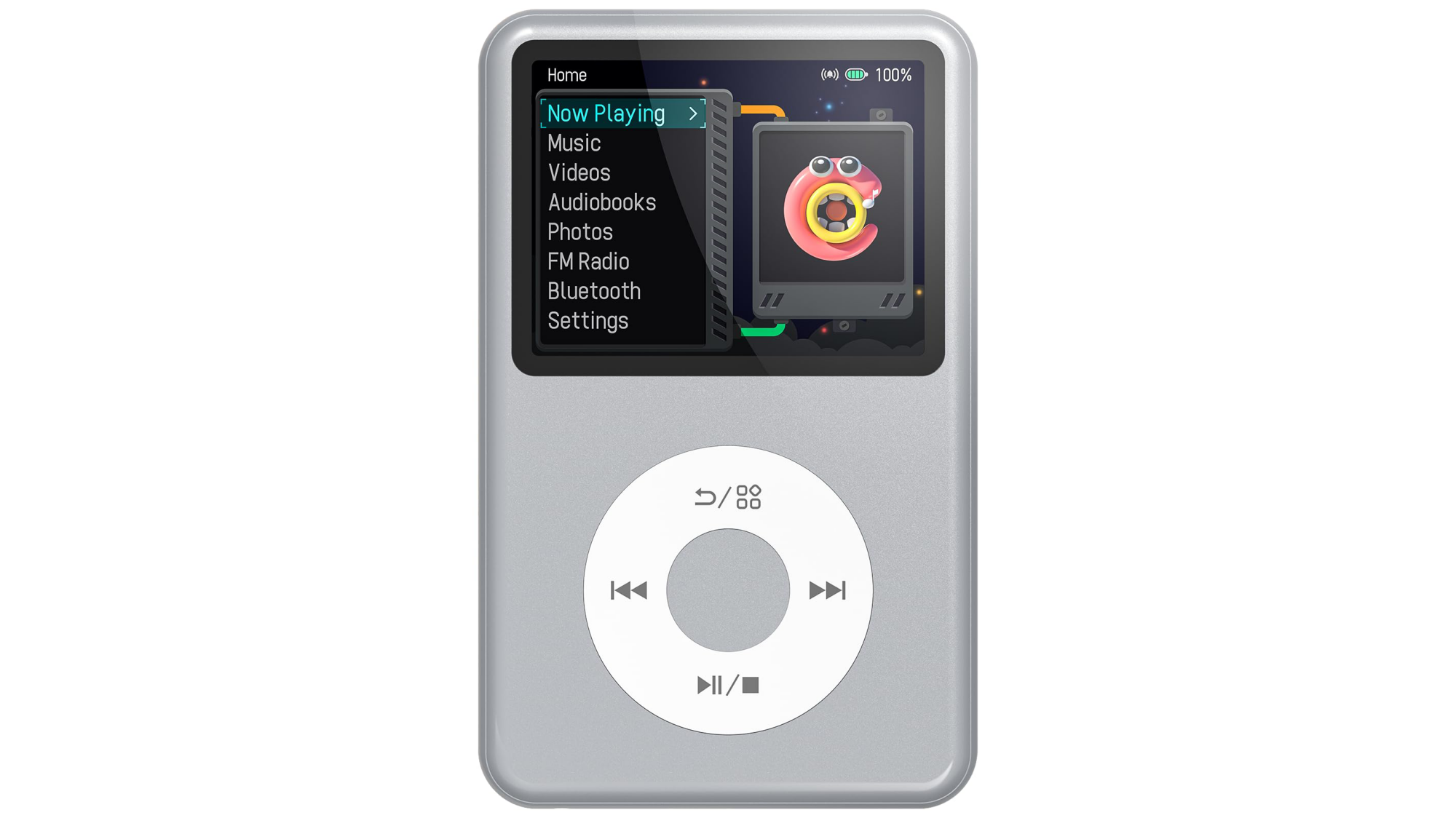
The Innioasis Y1.
Credit: Innioasis/Amazon
Credit: Innioasis/Amazon
Innioasis is another brand you’ll see floating around—they’re known for their iPod knockoffs. They sell touchscreen MP3 players, too, but it’s the “iPod tribute” ones that get the most traction. The most popular model is the Y1, which looks like an iPod Classic. The $50 device comes with USB-C and Bluetooth, rather than relying on a 30-Pin proprietary charging cable like back in the day. You don’t need special software to drag and drop music onto the device. Most models come with 128GB of internal storage.
Innioasis’s touch-screen models are hybrid digital music players: They have wifi access so that you can download Spotify playlists and Audible audiobooks. They can’t access the internet outside of that hot zone, however, so if you want new music and you’re out on a run, you’ll have to wait until you get back to the internet.
These high-end options for great for audiophiles
The Sony Walkman NW-A306 is a premium digital music player. It has high-end internals like Sony’s proprietary S-Master HX digital amplifier, which reduces distortion and noise across different frequencies, and high-quality film capacitors that make audio sound clearer than a phone’s standard DAC (digital-to-analog converter). These are usually parts reserved for Sony’s high-end home stereo systems, but here they’re shrunk into a smaller footprint.
For those on a tighter budget who still want a full-featured MP3 player, the brand FiiO is the current darling of the audiophile community. The JM21 player is slim and runs a Qualcomm Snapdragon 680 chip, which you’d typically find in an Android phone. It has Dual Cirrus Logic CS43198 DAC chips, which means it delivers music with fully balanced audio, the same way Sony’s music players do. It also features both a standard 3.5mm and a 4.4mm headphone jack if you have high-end studio cans you’d rather listen through.
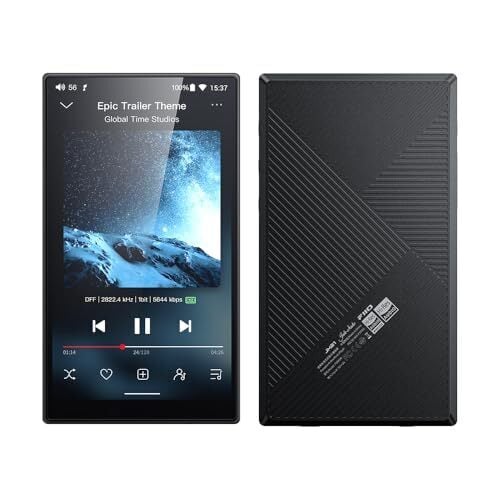
Deciding between these two depends on whether you prioritize usability or power. Sony’s players, like the NW-A306 and the slightly larger NW-ZX707, are small and offer up to 36 hours of battery life. They also feature a Sony-piloted AI-powered tool called DSEE Ultimate, which upscales low-quality audio to sound more high-resolution. That said, Sony users have complained that the device can feel sluggish compared to even a modern midrange Android device. It’s not exactly high-powered.
The FiiO is an easier sell because it just got refreshed. The JM21 has a 700 mW output, so it won’t start crackling as your headphones get louder. Users prefer the interface to that of the Sony MP3 players, too. They’ve also mentioned that the soundstage, or the perceived “distance” between instruments, feels much wider. However, the MP3 player is a bit of a “brick” compared to Sony’s lighter builds. The battery life is only 12-15 hours, and it doesn’t have Sony’s AI-assisted audio processing, so if your audio files are bad, you’ll hear it all.
Should you resurrect your iPod?
If you aren’t interested in buying something new, you might find yourself drawn to the do-it-yourself world of MP3 player revival. You take a twenty-year-old device, gut it, replace its parts with modern components, and then you have yourself Frankenstein’s digital music player for the new age.
Right now, iPods are the ones getting the most modding. The fragile, spinning mechanical hard drive of the original iPod Classic is typically the first thing to fail, so modders use iFlash adapters to load music from microSD cards instead. By removing that hard drive, you also make space for a battery, which can add more life to the iPod—some modders figured out how to run it for over 100 hours of continuous play. If you do decide to go this route, there are kits you can buy, like the Classic Connect 2, which lets you add Bluetooth, USB-C charging, and wireless charging to the classic iPod shell.
Even if you have an older iPod lying around that’s still working, you can break free from the ghost of iTunes by installing Rockbox. This open-source firmware, which finally landed a stable release in 2025, enables vintage iPods to play lossless FLAC files, add custom themes, and other shenanigans that you wouldn’t consider doing to an mp3 player, but you can.
People are also reviving Microsoft’s original attempt at the “iPod Killer”: the Zune. The Zune 30 is particularly popular for these modding projects because its internal layout is spacious. Modders can swap the original hard drive for a larger-capacity solid-state drive and drop in a bigger battery. And yes, they’re bringing wireless charging to the Zune through aftermarket hacks, too.
I am personally on a journey to attempt to revive a Sony Walkman NW-HD5. It has its own community of modders who have figured out how to replace the 1.8-inch drive with flash storage. That model also had a user-replaceable battery from the get-go, and you can find higher-capacity batteries on places like AliExpress to fully revive it. Rockbox also works with the Sony NW-HD5. It’s a tinkering hobby that will keep me busy for a while.
Ubuntu MATE Leader Stepping Down, Seeking New Contributors
After starting and leading the Ubuntu MATE flavor since 2014, Martin Wimpress announced he’s looking to step down from leading this flavor of Ubuntu Linux with the MATE desktop environment. He’s hoping for new passionate contributors to keep it going…
Rspamd 4.0 Released For Open-Source Spam Filtering
Rspamd 4.0 is out today as a big update to this powerful open-source spam filtering system…
This Wearable Action Camera Is $70 Off for Amazon’s Big Spring Sale
We may earn a commission from links on this page. Deal pricing and availability subject to change after time of publication.
Action cameras usually ask you to choose between size and capability—smaller ones are easier to wear but often compromise video quality or controls. The Insta360 Go Ultra tries to bridge that gap. It’s a tiny, wearable camera that can also behave like a more traditional action cam when you need it to. Right now, it’s down to $379.99 (originally $449.99) during Amazon’s Big Spring Sale (ending March 31), which is its lowest price yet, according to price trackers. It also helps that it earned an “excellent” rating from PCMag, which gives some context to what you’re getting here.
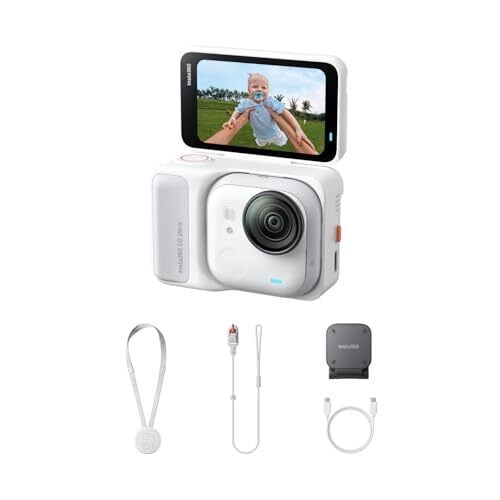
What makes this camera interesting in daily use is how flexible it feels. The main camera unit is small enough to clip to your shirt or wear on a magnetic pendant, so you can record hands-free without thinking about framing. When you want more control, you snap it into the Action Pod, which adds a 2.5-inch flip-up touchscreen and turns it into something closer to a GoPro-style setup. Video quality is a clear step up from older Go models—it shoots stabilized 4K at 60fps, and the larger 1/1.28-inch sensor helps in low light, so evening clips or indoor footage don’t fall apart as quickly. Stabilization, too, works well for walking or biking, and the wide field of view keeps things immersive.
The Go Ultra also supports HDR, multiple shooting modes, and a tutorial-led app-based editing, so putting together a usable clip doesn’t take much effort, even if it takes a bit of getting used to. Video is limited to 8-bit color, so there’s not much room for heavy editing or color grading. You’ll also need a microSD card since there’s no built-in storage.
Audio is decent for casual use, but wind and distance can affect clarity unless you connect an external mic or supported earbuds. Also, its battery life depends heavily on how you use it—the standalone camera lasts around 30 to 36 minutes at 4K60 before heating becomes an issue, while the Action Pod stretches that to about two hours, according to the PCMag review. Compared to something like the DJI Osmo Action 5 Pro, what you’re paying for here is the compact, wearable design rather than raw video flexibility.
Our Best Editor-Vetted Amazon Big Spring Sale Deals Right Now
Deals are selected by our commerce team
Microsoft Confirms ‘This Is An Xbox’ Campaign Is Dead And Reveals Why

Microsoft has been quietly removing references to its viral ‘This is an Xbox’ marketing campaign and lest there was any doubt about why, the company confirmed in a statement the reasoning behind its decision to move on. Simply put, new Xbox boss Asha Sharma made the decision to abandon the controversial campaign because it did not align with