Legendary Tales: Dawn Of History DLC Shadow Drops Today

Legendary Tales: Dawn of History major expansion adds new dungeons, maps, enemy types, weapons, and skills on PlayStation VR2 and Steam today.

Legendary Tales has shadow dropped a major DLC today. The Dawn of History expansion adds a massive amount of content to the co-operative, physics-driven dungeon crawler including new maps, enemies, weapons, skills, items, and stats.

Players can expect more legendary weapons which grant special abilities, such as a sword that produces area of effect attacks, a hookshot-style weapon, and magical daggers that will return to your hand when thrown. A new skill tree has been added, which allows you to heal friends in dungeon raids, the level cap has been increased to 60, and the game’s stat system has been totally overhauled.

0:00

/2:21

Developed by Urban Wolf Games, Legendary Tales is a dark fantasy RPG with physics-based combat and a quest-driven storyline. It’s a game that has been described on our pages as “Dark Souls in VR.”

The Legendary Tales: Dawn of History DLC is available now on PlayStation VR2 and SteamVR. The base game is also available on those platforms, and on Meta Quest.

What People Are Getting Wrong This Week: Teleportation

This week, people are wrong about teleportation. A common science fiction trope, teleportation is the transfer of matter or energy from one point to another without traversing the physical space between them. Widely repeated claims of teleportation have been cropping up since at least 1583, when occultist John Dee supposedly vanished from his home in England and reappeared at the same moment in Prague. The most recent report comes from Gregg Phillips, who was appointed to lead FEMA’s office of response and recovery in December.

On a January episode of the Onward podcast, Phillips said, “I was with my boys one time, and I was telling them I was gonna go to Waffle House…this was in Georgia, and I end up at a Waffle House like 50 miles away from where I was… they said: ‘That’s not possible, you just left here a moment ago.’ But it was possible. It was real.”

Teleportation is fairly common to Phillips. He recounted another instance where he and his car were teleported 40 miles into a ditch near a Baptist Church. “Teleporting is no fun,” Phillips concluded. Phillips, sadly, doesn’t control the teleportation, or he could use it in his work.

Some explanations for people claiming they’ve teleported

There are a number of possible explanation for Phillips’ story that aren’t “he’s nuts” or “he’s lying.” About 10% of people report having had an out-of-body experience, the sensation that one’s consciousness has separated from their physical body. According to research published in The British Medical Journal, OBEs are often linked to a glitch in the temporo-parietal junction (TPJ), the part of the brain that integrates sensory information to orient you in space. If the TPJ is disrupted—by exhaustion, stress, or biological causes like epilepsy or migraines—a sensory “misfire” can result, where you no longer feel moored to the physical space your body occupies. It’s not teleportation, but it might feel like teleportation if it happens to you.

There might be a less esoteric explanation for Phillips’ teleportation: “highway hypnosis.” Just about everyone can relate to your mind “checking out” while you’re doing something repetitive; on a long car trip, you suddenly realize you’ve covered 50 miles with no memory of it. “Snapping out of it” can feel like you’ve teleported, as you’re suddenly in a new place without conscious memory of how you arrived there, and could account for the fact that Phillips’ car seems to teleport with him.

Another possible cause: microsleep, a sudden temporary episode of sleep or drowsiness where an individual fails to respond to sensory input and becomes unconscious. Drowsy driving accounts for over 600 fatalities annually in the U.S., and could explain ending up in a ditch in front of a Baptist church with no memory of how he ended up there.

OK, but what if it was teleportation?

None of that takes all of Phillips’ story into account though. He says he left his house then suddenly was 50 miles away, much to the surprise of his family who confirmed that he “just left here a moment ago.” So was it teleportation?

No one can prove a negative, but, like historical claimants John Dee, Gil Perez, Heraldo Vidal, and every other person who has ever said they teleported, there were no reliable witnesses to Phillips’ improbable journeys. No one saw him blink out of existence and no one saw him appear at the Waffle House. There’s no other evidence either, so I feel confident saying that Mr. Phillips is extremely unlikely to have teleported, but let’s explore the possibility.

The one (kind of) exception: quantum teleportation

Teleportation is possible in the quantum world. In the realm of tiny things—atoms, electrons, photons, etc.—the laws of classical physics don’t work. Light can be a particle and a wave, theoretical cats can be alive and dead, and the cause and effect we take for granted are a roll of the dice. It’s a mess, but a mess that allows a limited kind of teleportation.

Quantum teleportation is a method of instantly transmitting information using two “entangled” particles. Measuring one particle immediately determines the state of its partner no matter where it is in space—could be a million miles away, the particle does not care. But there’s a catch: You have to read the result. The data needed to complete the transfer has to be sent via a normal signal, like a radio wave or a fiber-optic cable. Since those signals are capped at the speed of light like everything else, it’s not instant from our point of view.

Scientists have successfully teleported single photon states over distance, but it doesn’t work at a larger scale for a number of reasons. First, there’s the logistics. Here’s how Columbia University theoretical physicist Brian Greene described the problem of teleporting a person from New York to Los Angeles to Science Times:

“We’d have to have a huge number of these entangled particles to bring a human being, and have the human being be co-mingled with this collection of particles that are entangled with the ones in L.A…It’s the huge number problem that gets in the way of doing it.”

The word “huge” isn’t big enough: there are roughly 7 octillion atoms currently calling themselves “Gregg Phillips.” Monitoring the quantum state of each of them would require more computing power than has ever existed on Earth. For context, the best modern science has done is teleporting a single photon state to a satellite over 870 miles away. You can’t scale that up to a 200-pound man.

What, exactly, is Gregg Phillips?

That’s the logistical problem. There’s a larger conceptual/philosophical question to teleportation. In quantum teleportation, the original particle is destroyed to complete the transfer. The quantum state is read, transmitted, and reconstructed elsewhere, but the source is gone. So who (or what) really arrives at the Waffle House?

A Fema spokesperson responded to the controversy to CNN, saying, “This is so silly it’s barely worth acknowledging,” but the question of who is actually running FEMA’s disaster response is not silly, because if Gregg Phillips really did teleport, whatever is currently running FEMA’s disaster response is not Gregg Phillips. A collection of atoms that look and talk like Gregg Phillips appeared at a Waffle House, while actual Gregg Phillips blinked out of existence back on the highway.

Google’s Android Automotive Is Moving From the Dashboard To the ‘Brain’ of the Car

Google is expanding Android Automotive from the infotainment screen into the broader non-safety “brain” of software-defined vehicles. With its new Android Automotive OS for Software-Defined Vehicles, the in-car experience will feel “much more cohesive and the latest features will reach your driveway faster,” Matt Crowley, Android Automotive’s group product manager, writes in a blog post. “From a truly integrated voice experience to proactive maintenance reminders, your car will become a true extension of your digital life,” Crowley adds. The Verge reports: With its new software, Google is promising faster over-the-air software updates, better voice assistants, and more proactive vehicle maintenance alerts. Non-driving functions like climate control, lighting, and seating adjustment would fall under Android’s control. And the system would move beyond basic infotainment to create a unified ecosystem for features like remote cabin conditioning, digital key management, and personalized driver profiles.

For automakers, the new system promises less expensive software development costs and an opportunity to focus on what matters most to them: branding. By providing the “foundational code and a common language for their software,” Google says automakers will be free to design cool experiences for their customers. Google says its already working with companies like Renault Group and Qualcomm to bring its new software-defined vehicle version of Android Automotive to more cars. A variety of automakers already use regular Android Automotive, like Volvo, Polestar, General Motors, Nissan, and Honda.


Read more of this story at Slashdot.

Sony is reportedly shutting down Dark Outlaw Games, run by former Call of Duty director

Sony is shutting down Dark Outlaw Games, a first-party game studio led by former Call of Duty producer Jason Blundell, Bloomberg‘s Jason Schreier reports. Before leading Dark Outlaw Games, Blundell was the head of Deviation Games, which was an independent studio, but also happened to be developing a PlayStation game before it shut down, Schreier says.

Dark Outlaw Games had yet to announce what it was working on, but considering Blundell’s experience with the Call of Duty franchise, it seems likely the studio was developing a multiplayer project for PlayStation. Blundell was a programmer and producer at Activision before making the jump to Treyarch to work on Call of Duty 3, and he contributed to multiple Call of Duty: Black Ops games after that, including serving as the director for the campaign and Zombies mode of Call of Duty: Black Ops III and the career and Zombies modes of Call of Duty: Black Ops 4.

Engadget has contacted Sony for more information about the fate of Dark Outlaw Games. We’ll update this article if we hear back.

The studio’s shutdown is being paired with cuts to staff at PlayStation focused on mobile development, according to Schreier. Sony has made a habit of laying off staff and shutting down studios in the last year, seemingly as a way to retreat from an earlier investment in online, live-service multiplayer games. The company shut down Bluepoint Games in February following attempts to get a live-service God of War game off the ground. Sony also closed Firewalk Studios after the spectacular failure of multiplayer shooter Concord in October 2024. And a year before that, Naughty Dog officially abandoned work on a standalone multiplayer version of The Last of Us in December 2023.

That leaves Sony with at least two Horizon Zero Dawn spin-offs, a co-op game from original developer Guerilla Games and a MMO from developer NCSoft; Fairgame$, which is still in active development despite the departure of Haven Studios head Jade Raymond; Arrowhead Game Studios’ Helldivers 2; Bungie’s Destiny 2 and Marathon; and if you really want to stretch, Gran Turismo 7. Sony clearly hasn’t given up on producing online multiplayer games, but it’s not hard to characterize its attempt to expand into the space as a disaster.

This article originally appeared on Engadget at https://www.engadget.com/gaming/playstation/sony-is-reportedly-shutting-down-dark-outlaw-games-run-by-former-call-of-duty-director-215634410.html?src=rss

Baltimore sues xAI over Grok deepfakes

Grok has already taken extensive heat after the AI chatbot’s image generation tool was used to create an estimated 3 million sexualized images over 11 days, including 23,000 of minors, according to the Center for Countering Digital Hate. Regulators around the world have limited access or launched investigations into the platform’s potentially illegal and nonconsensual image generation. The US government hasn’t made any moves against xAI or its platform at the federal level, but today, the city of Baltimore began a municipal lawsuit against the company. 

The lawsuit takes a different tactic, arguing that Elon Musk’s businesses violated the city’s Consumer Protection Ordinance. This complaint, as reported by The Guardian, said that xAI marketed Grok as an all-purpose AI assistant without disclosing the risks and exposure to harm of using both Grok and the X social network. 

“Baltimore’s consumer protection laws exist to safeguard residents from exactly this kind of emerging harm,” City Solicitor Ebony M. Thompson said. “When companies introduce powerful technologies without adequate guardrails, the City has both the authority and the obligation to act. We are stepping in now to protect our residents, hold these companies accountable, and prevent these harms from becoming further entrenched as this technology continues to evolve.”

The other notable action against Grok within the US stemmed from a potential class action filed by three teenagers who alleged that photos of them were used to create child sexual abuse material.

This article originally appeared on Engadget at https://www.engadget.com/ai/baltimore-sues-xai-over-grok-deepfakes-214135922.html?src=rss

Mozilla dev’s “Stack Overflow for agents” targets a key weakness in coding AI

Mozilla developer Peter Wilson has taken to the Mozilla.ai blog to announce cq, which he describes as “Stack Overflow for agents.” The nascent project hints at something genuinely useful, but it will have to address security, data poisoning, and accuracy to achieve significant adoption.

It’s meant to solve a couple of problems. First, coding agents often use outdated information when making decisions, like attempting deprecated API calls. This stems from training cutoffs and the lack of reliable, structured access to up-to-date runtime context. They sometimes use techniques like RAG (Retrieval Augmented Generation) to get updated knowledge, but they don’t always do that when they need to—”unknown unknowns,” as the saying goes—and it’s never comprehensive when they do.

Second, multiple agents often have to find ways around the same barriers, but there’s no knowledge sharing after said training cutoff point. That means hundreds or thousands of individual agents end up using expensive tokens and consuming energy to solve already-solved problems all the time. Ideally, one would solve an issue once, and the others would draw from that experience.

Read full article

Comments

OpenAI announces plans to shut down its Sora video generator

OpenAI is preparing to shut down Sora, the video generation app that drew widespread attention when it launched in late 2024.

OpenAI announced the move in a social media post Tuesday just after a Wall Street Journal story broke the news. The company said it will have more to share soon on “timelines for the app and API and details on preserving your work.”

“To everyone who created with Sora, shared it, and built community around it: thank you,” OpenAI wrote. “What you made with Sora mattered, and we know this news is disappointing.”

Read full article

Comments

OpenAI Just Killed Sora

It’s the end of an (albeit short) era: OpenAI is reportedly shutting down Sora, the company’s once-viral AI video generation app. The Wall Street Journal was the first to break the story, and reports that the company is shuttering the app as part of a grander plan to streamline OpenAI ahead of a potential IPO (initial public offering) later this year.

OpenAI CEO Sam Altman addressed the news first with company staff on Tuesday, the Wall Street Journal says. It seems the move goes beyond just shutting down the Sora app itself: In addition to axing a developer-version of Sora, Altman reportedly told staff that OpenAI would not incorporate its AI video models in other company products going forward, including ChatGPT.

Sora’s official X account posted to confirm the news:


This Tweet is currently unavailable. It might be loading or has been removed.

The brief history of Sora

OpenAI only launched Sora in October of last year, and in that short period of time, the app helped propel AI-generated slop across social media feeds, including Instagram, TikTok, and YouTube. Sora is far from the only tool people use to make to AI video content, but it offered an easy solution for generating hyper-realistic short-form video content. If you encountered AI versions of the types of videos you tend to scroll past on social media, chances are it came from Sora.

Sora also made it possible to generate “Cameos,” or make videos with the likeness of real people. The company was adamant its privacy and security policies were significant enough to ensure it wouldn’t be used for ill, but the potential for deepfakes was so great, it seemed like a pandora’s box waiting to be opened.

Still, Sora gained some legitimacy in the eyes of traditional media, too: In a perplexing move, Disney partnered with OpenAI to let users generate videos featuring over 200 Disney characters. You might assume OpenAI paid for that integration, but on the contrary, Disney made an equity investment of $1 billion into the company. (That is not a typo.) But with Sora’s sunsetting, Disney officially exited the deal on Tuesday.

Is this the end of AI videos for OpenAI?

This announcement has implications beyond Sora the app. If OpenAI largely abandons AI video generation in general, it will be exiting a tight race amongst competition from companies like Google (Veo) and ByteDance (Seedance). The Sora app uses OpenAI’s Sora video model, which the company announced two years ago. Back then, OpenAI’s concept video scared the bejeezus out of me; since then, the AI video market has only exploded. While Sora might’ve been the go-to for short-form nonsense, there’s plenty of other AI slop across the internet being made with other tools—some of which is getting extremely difficult to discern from reality.

OpenAI seems to have a difference focus going forward. The company previously announced a new “super app” that combines its web browser (Atlas), ChatGPT, and Codex coding app into one program. I guess Sora didn’t fit into that equation.

(Disclosure: Lifehacker’s parent company, Ziff Davis, filed a lawsuit against OpenAI in April 2025, alleging it infringed Ziff Davis copyrights in training and operating its AI systems.)

OpenAI is shutting down its Sora video generation app

OpenAI is shutting down its Sora video generation app. “We’re saying goodbye to Sora,” the company wrote in a X post published Tuesday afternoon. For now, OpenAI has yet to say when the app and its related API service would become unavailable. Instead, promising to share those details at a later date.   

“We’ve decided to discontinue Sora in the consumer app and API. As we focus and compute demand grows, the Sora research team continues to focus on world simulation research to advance robotics that will help people solve real-world, physical tasks,” an OpenAI spokesperson told Engadget.  

We’re saying goodbye to Sora. To everyone who created with Sora, shared it, and built community around it: thank you. What you made with Sora mattered, and we know this news is disappointing.

We’ll share more soon, including timelines for the app and API and details on…

— Sora (@soraofficialapp) March 24, 2026

While today’s news might come as a surprise for some, there were warning signs Sora was heading in this direction since the start of the year. While Sora hit the top of the US App Store charts shortly after its debut, interest in the platform appears to have quickly fizzled out thereafter. At the start of 2026, data from analytics firm Appfigures suggested the app was seeing successive month-over-month declines in both new installs and user spending. In December alone, a time of year when most apps typically flourish, Sora reportedly saw a 32 percent decline in new downloads from November. 

The shutdown also aligns with OpenAI’s recent shift in strategy. Since the release of GPT-5.2, the company’s “code red” response to Google’s Gemini 3 Pro model, OpenAI has tried to court professionals like coders and data analysts with systems that excel in those domains, seeing enterprise customers as a route toward profitability. However, today’s shutdown does appear to come with an additional cost for OpenAI. According to The Hollywood Reporter, Disney is exiting the deal it signed with the AI lab at the end of last year, and won’t, as a result, invest $1 billion into it.

This article originally appeared on Engadget at https://www.engadget.com/ai/openai-is-shutting-down-its-sora-video-generation-app-211023358.html?src=rss

Electronic Frontier Foundation to swap leaders as AI, ICE fights escalate

Back in 2022 when Cindy Cohn, the executive director of a US digital rights nonprofit called the Electronic Frontier Foundation, started writing her memoir, Privacy’s Defender, she worried that people would think she was an “old fuddy duddy” still sounding alarms about government spying online.

As one of EFF’s first litigators and then its longtime leader, Cohn witnessed firsthand how government surveillance became one of the earliest concerns for civil rights advocates when the Internet became mainstream in the 1990s. Since then, attention has pivoted away from caring about government’s Internet abuses to focusing much more on Big Tech harms, she said.

But then Donald Trump’s second term started, launching aggressive Immigration and Customs Enforcement (ICE) operations nationwide that depended on abusing tech to support its goals of mass deportation. Railing against ICE raids, communities have quickly mobilized to defend online privacy, even banding together across political divides to tear down Flock cameras that can aid in arrests. Maybe even more concerning, as the Department of Homeland Security (DHS) has increasingly sought to unmask ICE critics on social media—and largely failed—EFF has filed and backed lawsuits fighting to protect Americans’ rights to track ICE activity and share information anonymously online.

Read full article

Comments

10 Hacks Every Nvidia GPU Gamer Should Know

We may earn a commission from links on this page.

Nvidia might be courting controversy with its recent DLSS 5 tech, but the company’s GPUs are still pretty powerful devices for running your games. If you have an RTX card in your desktop or laptop, you might be able to get even better performance out of it than you’re already seeing. Here are some of my favorite hacks to optimize your Nvidia GPU. 

Enable DLSS to boost your frame rates (or disable to save on performance)

Nvidia’s Deep Learning Super Sampling (or DLSS) is actually a suite of features collectively aimed at improving the resolution and frame rate of your games. Some of this involves rendering lower-resolution frames and using machine learning to upscale them, while the more recent DLSS 4 and 4.5 models can generate intermediate frames between traditionally rendered ones. In most cases, this means a smoother frame rate, at a lower computational cost.

Of course, DLSS doesn’t come at zero computational cost, and that trade-off might not be worth it for you. Competitive online games or fast-paced action shooters often benefit from smoother frame rates, but some games are perfectly fine at 60 fps or so. In some games, you can turn off DLSS specifically, or you might find a more simplified toggle between Performance and Quality modes. It’s worth experimenting with these settings to see whether your prefer higher visual fidelity, or smoother frame rates.

I should also briefly discuss DLSS 5, which isn’t currently available, but is expected to arrive on newer Nvidia GPUs later in 2026. This is the first version of DLSS demoed that substantially alters the content of what appears on screen. Nvidia insists that developers are in control of how it makes games look, though many developers aren’t exactly thrilled about it. When DLSS 5 eventually drops, you might want to explore disabling it just to see whether it affects the aesthetics of the game, on top of any performance changes.

Use DLAA for anti-aliasing in games you don’t use DLSS with

Nvidia’s Deep Learning Anti-Aliasing (or DLAA) is in a similar family to DLSS features, but comes at the problem from the opposite angle. Anti-aliasing is a cornerstone bit of graphical technology that helps prevent the “stair-stepping” effect that can occur when rendering angled or curved lines. Where DLSS renders lower-resolution images and upscales them, DLAA takes full-resolution frames and uses machine learning to clean them up to produce smoother lines, without as much of a computational lift.

In general, DLAA and DLSS are mutually exclusive. If you have DLSS enabled, you can’t use DLAA and vice versa. There are other anti-aliasing methods you might find buried in your game’s settings, and most of the older ones don’t rely on machine learning. But this is one area where using machine learning techniques can provide a tangible benefit without altering the creative design of your games.

Disable ray-tracing to increase your frame rates

Another of Nvidia’s marquee features, real-time ray tracing, is an incredibly powerful tool to get photorealistic lighting and shadows. This is the same method that CGI workflows have been using for decades in movies to get realistic images, but it requires so much processing power that it’s only become feasible for games in recent years.

That massive computational cost also means that, unless you’re running a game on exceptionally overpowered hardware, you’ll probably notice a frame rate drop in exchange for reflective puddles. Again, this will come down to personal preference, but if you’re finding that you’re struggling to get smooth motion in your games, consider turning off any ray tracing features in your game’s settings.

Tune your GPU to prioritize either performance or battery life

Overclocking your GPU is a common way to get a little performance boost, but if done the wrong way, it can potentially damage your hardware. So, Nvidia offers an official way to do it that’s designed to minimize that risk. In the official Nvidia app, head to the System tab, and enable “Automatic Tuning.” This will let you get some extra speed out of your GPU, while still staying within your graphics card’s warranty.

However, you might also want to consider under-clocking your GPU. For this, you’ll need third-party tools like MSI’s Afterburner. Rather than running your GPU faster than its default, you can set it to run slightly slower. Why on earth would you want to do that, though? Well, in many cases, you often won’t notice much of a difference in performance from a GPU that’s running 5% slower. But for that trade-off, you can make your system run quieter and, on a gaming laptop, get longer battery life.

Pick up a monitor that supports G-Sync

Most gaming-focused monitors (and many that aren’t) support Nvidia’s G-Sync, but if you haven’t double-checked yours, it’s worth looking into. G-Sync is Nvidia’s version of variable refresh rate (or VRR) tech that reduces screen-tearing. This is an effect that can happen when the number of frames being rendered by your GPU don’t perfectly sync up with the frame rate of your display. Tools like G-Sync allow your GPU to vary the number of frames sent to your monitor each second, to avoid accidentally sending half-frames.

There are plenty of great G-Sync compatible monitors out there, from budget-friendly models like this one from LG, to some higher-end models like this one from Alienware. You can usually find G-Sync listed among the top-line specs for monitors while shopping, but if you’re not sure about your current display, find its model number and search for its specs online. If your monitor doesn’t officially support G-Sync, but does support AMD’s competing FreeSync, it’s sometimes possible to still get G-Sync working for you too.

Enable G-Sync Pulsar for even better motion clarity

This one is much more rare, but if you have one of a handful of compatible monitors, then Nvidia’s newer G-Sync Pulsar feature can get you even better motion clarity. This new tech pulses the backlight on a supported monitor at a variable frequency to render motion more clearly. Nvidia claims it’s the equivalent of, effectively, a 1,000Hz refresh rate.

That’s a bit of a bold claim, and at a certain point it might be impossible for the human eye to tell the difference anyway. That said, if you have a monitor that supports it, you may as well turn the feature on to maximize the motion clarity in your games.

Enable Reflex to reduce input latency

When you’re playing a competitive online game, there are a lot of steps between when you click a button, and when the game registers what you’ve done. And that delay can mean the difference between clicking heads and getting your own head clicked. That’s where Nvidia’s Reflex tech can help. 

This feature tightens the pipeline between your mouse clicks, your GPU, and your CPU, shaving milliseconds off your input latency. That might not sound like a lot, but it can make a difference. Most online games operate on a tick rate (meaning how often per second the game’s state is updated) of around 60-64Hz. That means the game is checking your position, aim, and inputs every 15-17 milliseconds or so. If your input latency is over 20ms, that can mean you’re essentially missing a “turn” or two in the game, just waiting for your input to register. Reflex can shave that down.

You’ll find the option in the input setting for most games under “Nvidia Reflex Low Latency.” Here, you can choose between “Off,” “On,” or “On + Boost” (though usually you can just go for “On + Boost” unless you’re facing some niche technical problem).

Enable Video Super Resolution for better streaming video

We tend to think of GPUs as mostly being aimed at gaming graphics, but regular old streaming video can benefit from some of Nvidia’s special features too. For example, RTX Video Super Resolution (or VSR) can upscale video from sites like YouTube, Netflix, or Twitch. To turn it on, head to your Nvidia Control Panel or the Nvidia app and look for “Super Resolution” under the Video tab in Settings.

This feature is particularly useful when you’re watching older or lower-resolution video, particularly 720p or lower. For higher-resolution, 1080p streaming video and up, you might not notice much of a difference, because those videos are already pretty high quality, but it can be a nice boost for lower-quality stuff. Keep in mind the usual caveats with machine learning-powered upscaling, though. It’s never perfect, and if you want to avoid artifacts or get the most accurate source image, you might want to disable this feature instead. But it’s a good hack for bumping the sharpness of lower-resolution media.

Use the Broadcast app to improve your streaming setup

If you stream online, or even if you just spend a lot of time in Zoom meetings, the Nvidia Broadcast app can potentially help clean up your audio and video feeds. In one of the better use-cases for machine learning, this app has a suite of tools that can help eliminate background noise your microphone picks up, cut out the background from your webcam, or clean up your video.

Some of the app’s features are a bit more, let’s say, ambitious than just cleaning things up, though. The “Eye Contact” feature, for example, will artificially make you appear as though you’re looking directly into the camera, even when you’re not. That can be more off-putting than helpful, so maybe don’t turn that particular feature on.

Update your drivers to make sure your games run smoothly

When it comes to solving technical problems, updating your drivers is right up there with “turn it off and on again.” Even if nothing is broken, though, it’s a good idea to check for new drivers any time you download a new game, or one of your favorites gets a big update.

Often, after a major game gets a new release or update, the Nvidia app will have updated drivers specifically tailored for it. These usually include bug fixes for specific games, as well as updates to the DLSS models that are trained on individual titles. Around the time of writing, for example, Nvidia is touting updates for Crimson Desert and the PC release of Death Stranding 2. If you haven’t checked for driver updates in a while, especially if you’re trying to play something new, make sure to hit that check for update button.

OpenAI Discontinues Sora Video Platform App

OpenAI is shutting down Sora, its generative-AI video creation platform it launched in December 2024. “The move is one of a number of steps OpenAI is taking to refocus on business and coding functions ahead of a potential initial public offering as soon as the fourth quarter of this year,” reports the Wall Street Journal.

CEO Sam Altman announced the changes to staff on Tuesday. “We’re saying goodbye to Sora,” the Sora Team said in a post on X. “To everyone who created with Sora, shared it, and built community around it: thank you. What you made with Sora mattered, and we know this news is disappointing. We’ll share more soon, including timelines for the app and API and details on preserving your work.”

Last week, OpenAI announced plans to combine its Atlas web browser, ChatGPT app, and Codex coding app into a singular desktop “superapp.” “We realized we were spreading our efforts across too many apps and stacks, and that we need to simplify our efforts,” said CEO of Applications, Fidji Simo. “That fragmentation has been slowing us down and making it harder to hit the quality bar we want.” This could behind the decision to kill Sora as the company redirects its resources and top talent towards productivity tools that benefit both enterprises and individual users.


Read more of this story at Slashdot.

The Newest 11-Inch Apple iPad Is $150 Off Ahead of Amazon’s Big Spring Sale

We may earn a commission from links on this page. Deal pricing and availability subject to change after time of publication.

As part of an early Amazon Big Spring Sale deal, you can get the Apple iPad (11th Gen, 2025) with wifi and cellular capability for $651 (originally $799)–its lowest price ever, according to price trackers. Available in four colors, this capable tablet won a PCMag Best of the Year Award in 2025.

The Apple iPad (11th Gen, 2025) comes with 512GB storage and has many of the same specs as its predecessor, with the main difference being a new processor. It has a 5-core CPU A16 for faster performance, and while it doesn’t come equipped with Apple’s AI tools, it handles everyday tasks like web browsing, streaming media, and playing games with ease–better than most competitors in its class. That said, if you want more advanced processing power, you’ll want to upgrade to the pricier iPad Air or iPad Pro, which are also on sale right now. 

Design-wise, this iPad is similar to the 2022 model, which is typical for Apple’s 11-inch tablets, complete with Touch ID (not Face ID), requiring a fingerprint to unlock. It has a 2,360-by-1,640 resolution, a pixel density of 264ppi, and a 60Hz refresh rate. Compared to the older model, the screen is slightly larger (11 inches vs 10.9 inches), and uses a Liquid Retina display with an LED-backlit panel reaching up to 500 nits of brightness, though it can still show some glare outdoors. Battery life is around 10 hours when using a wifi connection and 9 hours over cellular. The tablet supports Wi-Fi 6 (but not Wi-Fi 6E) as well as Bluetooth 5.3, sub-6GHz 5G, gigabit LTE, and GPS.

It has a 12MP rear camera with an f/1.8 aperture, up to 5x digital zoom, 4K video recording, and support for Apple’s Smart HDR 4 processing. The cameras far outperform cheap or similarly priced tablets from other brands. While this isn’t Apple’s most advanced tablet, it hits the sweet spot in most areas, making it the one that “most people should buy,” according to PCMag, especially at just $651.20. That said, if you need a more powerful processor, a higher-end display, Wi-Fi 6E, or Apple Intelligence features, you may want to upgrade to the iPad Air, which is also 18% off ahead of Amazon’s Big Spring Sale.

Our Best Editor-Vetted Amazon Big Spring Sale Deals Right Now

Deals are selected by our commerce team

Apple could give Siri a standalone app and an ‘Ask Siri’ button in iOS 27

Bloomberg‘s Mark Gurman has been sharing every incremental update about what Apple’s long-awaited Siri overhaul will and won’t include. His latest article claims that the AI assistant will have a standalone app and will introduce an “Ask Siri” feature that could mark a decidedly different direction in how users will interact with the platform. 

Gurman reports that Siri is being designed to leverage personal data from messages, emails and notes to complete requests. Siri will also allegedly be able to execute tasks within apps, access news and conduct web searches. The “Ask Siri” angle means people will be able to make their requests in conversational, natural language formats by either text or voice, which has not been an option in Apple’s platform and appears to confirm that the company wants Siri to function akin to other AI chatbots. These improvements are still expected to be a part of the iOS 27 and macOS 27 updates.

The official announcement of the reimagined Siri is expected to happen during WWDC 2026. Apple’s summer showcase is happening over June 8-12, with the keynote and Siri news likely happening on June 8. There have already been so many delays, even just in the past two months, that it’s hard to know how substantive the first parts of the Siri overhaul will be. We know direct from the company that Google Gemini will be powering the new Siri, but that’s the only real confirmation Apple has offered as the redesign process has dragged on.

This article originally appeared on Engadget at https://www.engadget.com/ai/apple-could-give-siri-a-standalone-app-and-an-ask-siri-button-in-ios-27-202802492.html?src=rss

Arm Unveils New AGI CPU With Meta As Debut Customer

Arm unveiled its first self-developed data center chip, the AGI CPU, designed for handling agentic AI workloads. The new chip was built in partnership with Meta and manufactured by TSMC. Other customers for the new chip include OpenAI, Cloudflare, SAP, and SK Telecom. Reuters reports: The new chip, called the AGI CPU, will address data-crunching needed for a specific type of AI that is able to act on behalf of users with minimal oversight, instead of responding to queries as part of a chatbot. For years, Arm, majority-owned by Japan’s SoftBank Group has relied only on intellectual property for revenue, licensing its designs to companies such as Qualcomm and Nvidia and then collecting a royalty payment based on the number of units sold.

“It’s a very pivotal moment for the company,” CEO Rene Haas said in an interview with Reuters. The new chip will be overseen by Mohamed Awad, head of the company’s cloud AI business, and Arm has additional designs in the works that it plans to release at 12- to 18-month intervals. TSMC is fabricating the device on its 3-nanometer technology and is made from two distinct pieces of silicon that operate as a single chip. Arm plans to put it into volume production in the second half of this year but has received test chips that function as expected. In addition to the chip itself, Arm is working with server makers such as Lenovo and Quanta Computer to offer complete systems.


Read more of this story at Slashdot.

Zoox is bringing its robotaxi to new cities and expanding coverage in Las Vegas and San Francisco

Zoox has announced plans to bring its robotaxi to Austin, Texas and Miami, Florida for the first time, along with offering expanded service in San Francisco and Las Vegas. The company formally launched its robotaxi service in September 2025, and shared earlier in March that it would begin testing in Dallas and Phoenix.

A “Zoox retrofitted testing fleet” has been operating in Austin and Miami since 2024, but offering rides with company’s purpose-built robotaxi — designed to be more of a rolling social space with seats facing each other — is an important step towards Zoox running its full service in both cities. At least to start, rides will be available in a small part of both cities and only for “Zoox employees, their families and friends,” but the company says it’ll expand who can hail a ride as testing continues.

For anyone who lives in San Francisco or Las Vegas, Zoox’s coverage area and options for pick-ups and drop-offs are also becoming more convenient. Zoox is now able to pick up riders from more locations in Las Vegas, including the Las Vegas Convention Center and “a majority of the major hotels along the Strip.” The company will also provide limited service to high-traffic events at The Sphere and T-Mobile Arena, and eventually plans to send its robotaxi on trips to Harry Reid International Airport. Starting this spring, Zoox is also expanding where it will offer rides in the eastern half of San Francisco, covering “the Marina, North Beach, and Chinatown, as well as Pacific Heights and along the Embarcadero.”

Besides being able to pick up riders in more places, Zoox is rolling out two product updates to improve the experience of riding in its robotaxis. “Find My Zoox” will let the company’s robotaxis use “distinct lighting and sound cues,” to signal to riders which robotaxi is theirs, and “Zooxcast” will let riders play their audio over Bluetooth while they’re in a robotaxi.

In comparison to all the cities Waymo currently offers its robotaxis, Zoox is playing catch-up, but the company is also approaching its business a bit differently. Zoox is focused on using custom robotaxi for rides, while Waymo has expanded quickly on the back of cars retrofitted with the sensors that makes its Waymo Driver software work. Waymo plans to incorporate its own robotaxis co-developed with Geely into its fleet over time, but for now, rides with Zoox are a bit more bespoke.

This article originally appeared on Engadget at https://www.engadget.com/transportation/zoox-is-bringing-its-robotaxi-to-new-cities-and-expanding-coverage-in-las-vegas-and-san-francisco-195410391.html?src=rss

What Sleep Scores Are Good for (and When They Should Be Ignored)

We may earn a commission from links on this page.

Sleep tracking apps promise better rest through data. But what happens when the pursuit of a perfect score keeps you up at night? For a growing number of people, that Apple Watch, Oura Ring, or whatever device meant to improve your sleep quality may be doing just the opposite. Here’s what to know about how sleep scores really work, and what you can do to make the most of your sleep tracker.

The benefits (and accuracy) of sleep tracking

Sleep is foundational to almost every dimension of health, including “improved mood, heart health, and cognitive function,” according to Dr. Rebecca Robbins, Assistant Professor in the Division of Sleep Medicine at Harvard Medical School and an Associate Sleep Scientist at Brigham and Women’s Hospital. On the flip side, chronic sleep deprivation is linked to increased risk of cardiovascular disease, metabolic dysfunction, impaired immune response, and mood disorders.

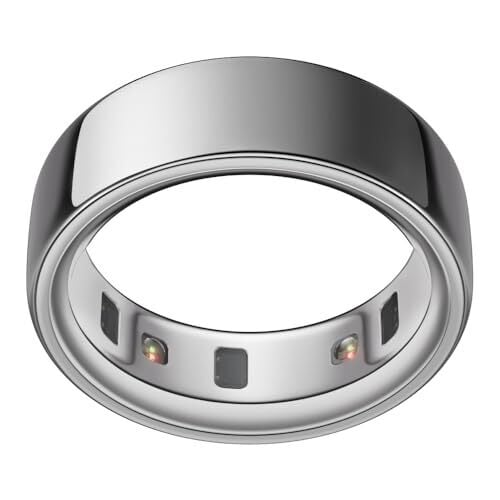
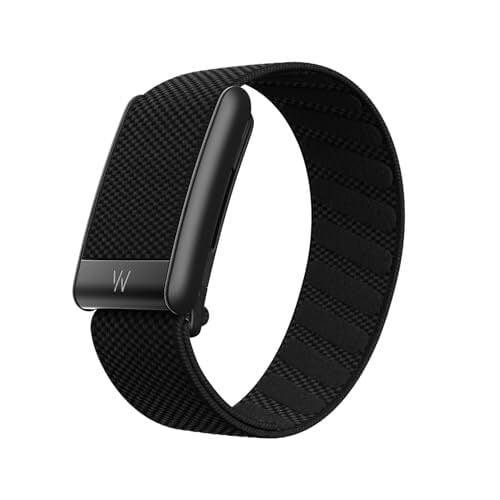
For decades, however, people had a surprisingly poor grasp on how much they were actually sleeping. Self-reporting is notoriously unreliable; we tend to round up, conflate time in bed with time asleep, and forget our nighttime wake-ups entirely. “Consumer sleep tracking has begun to close that gap with significantly increased precision and accuracy in recent years, providing more insights from home,” Robbins says. The Oura Ring and Whoop band dominate the scene, but watches like Fitbit or Apple Watch work too.

According to Robbins, wearables (like wrist- or ring-based devices) are equipped with multiple increasingly precise sensors: a temperature sensor, an accelerometer for movement, light sensors, and photoplethysmography (PPG) technology. (PPG uses pulses of light to detect blood movement beneath the skin, allowing the device to calculate heart rate and approximate blood oxygen saturation).

Your device tracks how long you seemed to be asleep, and makes guesses as to how much of that time was spent in light sleep, deep sleep, and REM sleep. Then, it distills it into a single composite score. It’s a cool number to have, but it’s important to remember that this number is an approximation, and each company has its own grading system of sorts.

There’s also the question of what “quality sleep” even means. The clinical definition centers on adequate duration (most adults need between seven and nine hours), sufficient continuity, appropriate sleep stage distribution, and, critically, how you actually feel upon waking and throughout the day. That last part is, ultimately, a subjective experience—in other words, something no wearable can measure. The person who wakes from an uninterrupted eight hours feeling groggy and unrested is not having quality sleep, regardless of what their app says. And conversely, someone who wakes feeling sharp and energized after a night their tracker graded a 65 should probably trust their body over the algorithm.

This is why it’s impossible for a sleep score to be truly “accurate.” Yes, all the data that going into your score (like your heart rate) might be accurate, but it’s important to understand that the score itself is a made up number. Different companies have different definitions of “good” sleep, which vary from device to device. For instance, Oura and Apple both give scores ranging from 0-100, but where Oura labels a score of 70-84 as “Good,” Apple has a range of 61-80 labeled as “OK.” These scores aren’t what you’d call clinical precision.

Still, for most people, clinical precision isn’t the point. If the point is to get some behavioral feedback, then your smartwatch or sleep tracker is a great tool.

Wearables can be useful to facilitate changes in habit

Sleep tracking, at its best, functions less like a medical test that you pass or fail, and more as a way to see patterns over time. Maybe you’ll start to notice the creeping effect of a late-night glass of wine on your deep sleep percentage, or the way your resting heart rate climbs after three nights of cutting things short, or perhaps the concrete difference a consistent bedtime makes over weeks.

“People are highly motivated by their scores,” Robbins says. “Wearables can foster intrinsic motivation for behavior change by providing daily feedback.” In other words, your score (good or bad) can prompt you to reflect on your actions: What did I do yesterday? What can I do differently tonight?

What matters most here is that you don’t need to “optimize” every little stage of your sleep architecture to benefit from this kind of tracking. “The most powerful use of this data is when people can monitor their progress over time,” Robbins says. Rather than obsessing over your score night-to-night, you should focus on whether you’re trending in the right direction.

There’s also a coaching element in some of these devices, like with the Oura Advisor. In these cases, wearables might go beyond passive monitoring to actively flag inconsistencies, like alerting you to irregular bedtimes (which disrupt the body’s circadian rhythm over time). I could see myself genuinely not realizing my weekend schedule is undermining my weekday sleep, and that kind of alert would help me make a necessary change. These devices are particularly powerful “for individuals who are far from a healthy sleep routine, such as those with inconsistent schedules or insufficient sleep, by providing behavioral feedback and personalized recommendations,” Robbins says. 

For people who respond to positive reinforcement, the gamification built into many platforms—streak counters, badges—can also help them resist the small choices that erode sleep quality. Of course, there’s a dark side to gamification. What happens when your obsession with sleep is exactly what keeps you up at night?

Orthosomnia and sleep-tracking anxiety

Not everyone responds to data feedback with motivation. For some, daily sleep scores lead to something closer to dread.

Researchers have given this phenomenon a name: orthosomnia. The term, coined in a 2017 paper published in the Journal of Clinical Sleep Medicine, describes a preoccupation with achieving perfect sleep data that paradoxically makes sleep worse. (To be clear, this term isn’t actually a formal clinical diagnosis.)

“This phenomenon typically affects individuals already prone to anxiety about judgment, where receiving daily feedback can trigger a spiral of rumination and worry that ultimately limits their ability to get good sleep the following night,” Robbins says. You slept poorly, your score reflects it, anxiety about the score increases, that anxiety disrupts the next night, which produces another poor score, and so on. The stress from receiving poor scores creates a snowball effect of more poor scores. 

This is compounded by another issue that I see again and again in the wellness space: information overload. If you’re presented with sleep stages, respiratory rate, HRV, skin temperature deviation, body battery, readiness scores, and more, it’s natural to get overwhelmed. Instead, “the most beneficial metrics for most people are often the most [simple], such as the total amount of sleep and a summary score indicating if it was a good night,” Robbins says. 

How to actually track your sleep

If you’re going to use a sleep tracker, the goal is to look at broad patterns, rather than obsessing over nightly scores. Hey, sleep is variable by nature, and even healthy sleepers have bad nights. What matters is whether your weekly average is moving in the right direction. Use monthly views, not daily ones, as your primary frame of reference.

Second, identify the metrics that are actually actionable for you. If you know that your deep sleep tanks when you drink alcohol, that’s useful. If you’re anxiously refreshing your HRV trend without knowing what to do with it, you’re probably stressing yourself out for no real reason. Robbins recommends keeping it simple: total sleep time and an overall score for whether it was a good night are often enough for most people. Another data point to start tracking: Are you lethargic throughout the day? It may be subjective, but it’s a clear sign as to whether you’re getting enough quality sleep. 

Finally, know when to put the device down. “If tracking causes worry, take a break from the device, or avoid looking at the data,” Robbins says. Maybe taking a week or two away from your sleep score, or simply not checking the app first thing in the morning, can break the anxiety spiral and let you approach sleep with less psychological warfare.

Some tips for getting better sleep

If you have found yourself overly reliant on sleep scores in pursuit of more restful sleep, try some other techniques instead. The fundamentals of sleep hygiene are classic for a reason.

Avoid screens before bed

We all know this one by now, but still, it’s a tough habit to break. The blue light emitted by phones and laptops suppresses melatonin production; beyond the light, the mental toll of scrolling or responding to messages keeps the nervous system in an activated state that makes it tough to fall asleep.

Replace screens with something genuinely restful

Rather than simply eliminating behaviors, adding one or two new habits might help. Robbins suggests “soothing activities such as reading a book, taking a warm shower, or practicing a mindfulness exercise.”

Build in active relaxation

You don’t have to wait to feel tired and hope sleep follows. Instead, try to consciously build in ways to power down. Breathing exercises, light stretching, or perhaps a simple body scan meditation can all work wonders.

Stick to your sleep schedule

Consistency around sleep and wake times is one of the strongest predictors of sleep quality, because it keeps the circadian rhythm running smoothly. 

Be honest with yourself about stimulants

This is a tough one for me, but a 3 p.m. coffee can meaningfully disrupt your 10 p.m. sleep. Alcohol, meanwhile, may speed sleep onset at first, but it hurts the second half of the night.