10 Hacks Every Dark Web User Should Know

The dark web has a sinister and foreboding name for a reason. This is a place where all manner of illegal and underhand activity takes place, as well as somewhere internet users can free themselves from government censorship and draconian surveillance. Getting on the dark web isn’t particularly difficult, but it’s not somewhere you should head without doing your research first. If you visit an unfamiliar location in real life, you’ll want to make sure you know how to stay safe and make the most of your trip, and it’s the same with the dark web. As such, follow these hacks and tips to maximize your chances of staying safe and getting the most out of what the dark web has to offer.

Use IP Leak to make sure your IP address stays hidden

As with the general web, using a VPN with the dark web isn’t essential, but is recommended. However, you should also check for IP leaks before you start doing any dark web browsing, even with a VPN up and running.

In simple terms, an IP leak is where your actual internet location is revealed to the sites you’re connecting to—something you want to avoid on the dark web. This might be caused by a rogue website script or browser extension, for example. It’s easy to do: Just head to IP Leak and check the IP address that’s being reported isn’t actually where you are. As an added bonus, the site checks for leaks through the WebRTC and DNS protocols, which can also reveal your location in a more roundabout way.

Avoid leaving fingerprints by resizing your browser window

Tor and a VPN of your choice can hide a lot about your identity, but you’re still vulnerable to fingerprinting when you’re on the dark web. That’s where information being reported by your computer—such as the operating system, the system time, and even the fonts you have installed—is used to recognize you as an individual.

Another key piece of information used in fingerprinting is the size of your monitor display: If your browser window fills your screen, a bad actor can infer what monitor or device you may be using. Tor does use some tricks to try and obfuscate this, but you can help by not maximizing your browser window (and perhaps randomly resizing it from time to time).

Tor browser
An identity reset in Tor.
Credit: Lifehacker

Use “New Identity” to hide who you are online

Tor includes a feature that isn’t immediately obvious, but which can help you switch identities in a couple of clicks. It’s like disappearing into a rest room and then remerging with a different disguise—disconnecting you from whatever you were doing through the browser before.

Click the menu button (three horizontal lines, top right), then pick New identity. All currently open tabs will be closed, and the browser restarts. You’ll be rerouted through different Tor circuits to get back online, and all previous browsing data and cookies will be wiped away.

Use Dangerzone to securely open files on the dark web

Generally speaking, you don’t really want to be downloading anything from the dark web, if you can help it: The dark web waters are swimming with malware, scams, and otherwise unwholesome material. However, there may be times when you need to open a document given to you by a trusted contact.

Anything you do need to open should be opened through Dangerzone. It basically puts a security sandbox around PDFs, images, and office documents, and strips out any kind of malicious or tracking data embedded in the file. You’re then left with a sanitized file that’s passed security clearance and can be opened as normal.

Add a bridge for extra security

For ease of use, you can have Tor connect to the web through a path of its choice, concealing your identity and location through a series of recognized nodes. If you want to take this a step further, you can add a bridge into the connection chain as well.

Standard Tor nodes (or relays) still report an IP address, though it won’t be your actual one. Bridges don’t share IP addresses at all, which makes it even harder for someone else to track who you are and what you’re doing. They’re particularly useful in countries where known Tor relays might be blocked by the authorities.

In the Tor browser, click the menu button (three horizontal lines, top right), then Settings > Connection to configure a bridge. Use Request bridges to ask for a bridge link from the official Tor bot, or use the web or Telegram links to find one.
Tor browser
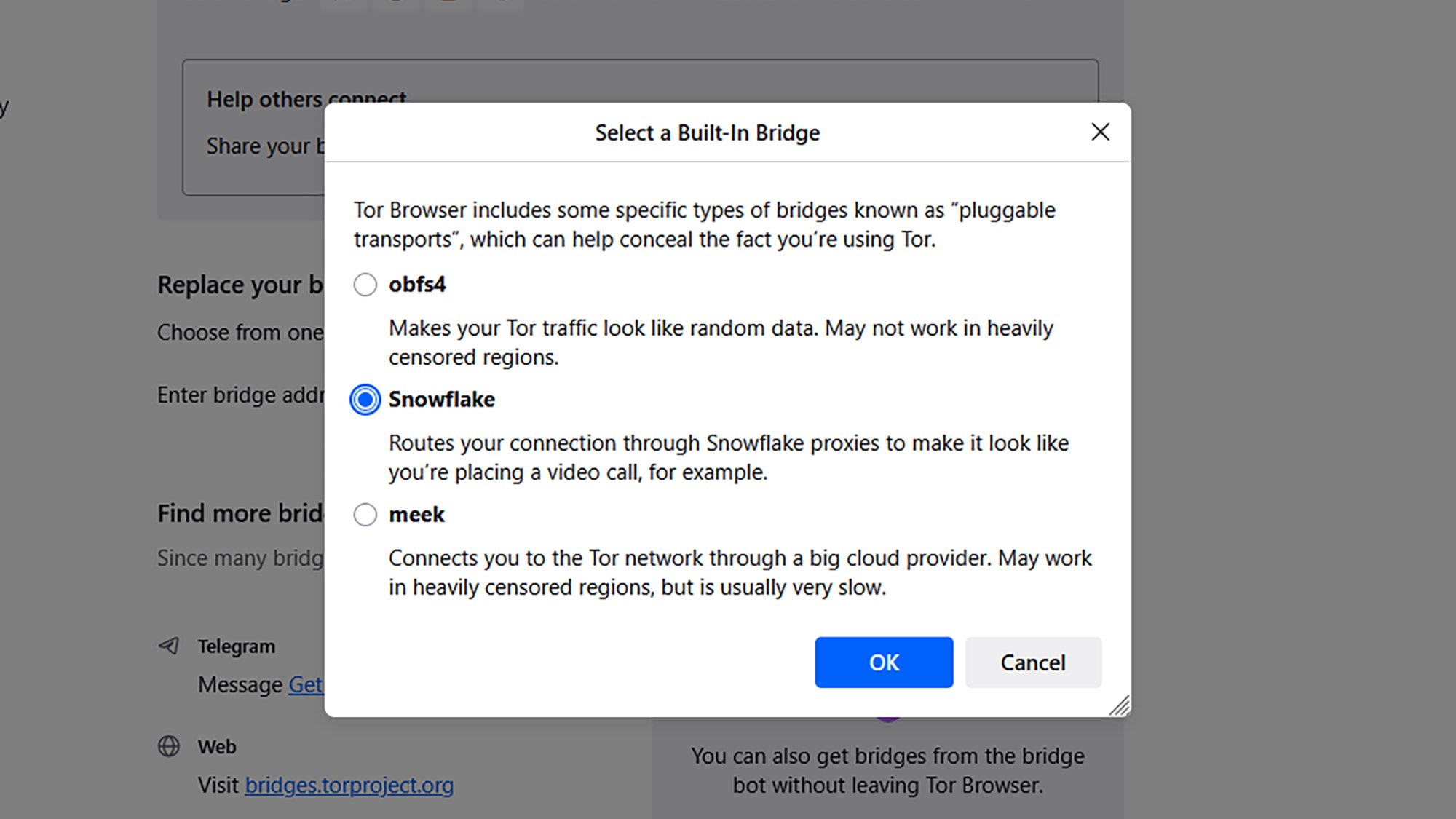
Setting a pluggable transport.
Credit: Lifehacker

Use pluggable transports to hide from your internet provider

Pluggable transports are a specific type of Tor bridge: As well as additional IP address cloaking and anti-censorship measures, pluggable transports hide the fact that you’re actually using Tor from your internet provider as well. They’re often used as a next-level step wherever the Tor network has been banned.

To configure a pluggable transport bridge inside Tor, click the menu button (three horizontal lines, top right), then pick Settings > Connection. Click Select a built-in bridge to choose from one of the available pluggable transports, which each come with a description of how they work.

Kill your other tasks and apps before surfing the dark web

If you’re accessing the dark web through Tor, shut down everything else on your system: Clear out all the apps that are in memory, even if they’re only running in the background (Task Manager on Windows and Activity Monitor on macOS can help with this).

Not only can running apps help to identify your system for fingerprinting (see the window resizing tip above), they can also make you more vulnerable to malicious websites and malware you might come across on the dark web. The more programs you’ve got running besides Tor, the bigger the target area for bad actors.

Use tools to create a “dark web persona”

All of the security and anonymity measures that go into Tor and VPNs are compromised to an extent if you then log into your regular accounts (like Amazon and Instagram) while you’re also browsing the dark web. It makes it more likely that your credentials will be stolen, and that you can be identified as an individual user.

Some dark web users set down rules for a whole new internet persona to make it harder to reveal their real identities. This might involve going online at different times, using different devices, and maybe even different wifi networks. Any overlap with your “regular” internet use puts you at more risk.

This extends to email addresses and login names too: Use different ones on the dark web to the ones that you normally use. You can get burner email addresses from plenty of providers, including DuckDuckGo and Apple.
Tor browser
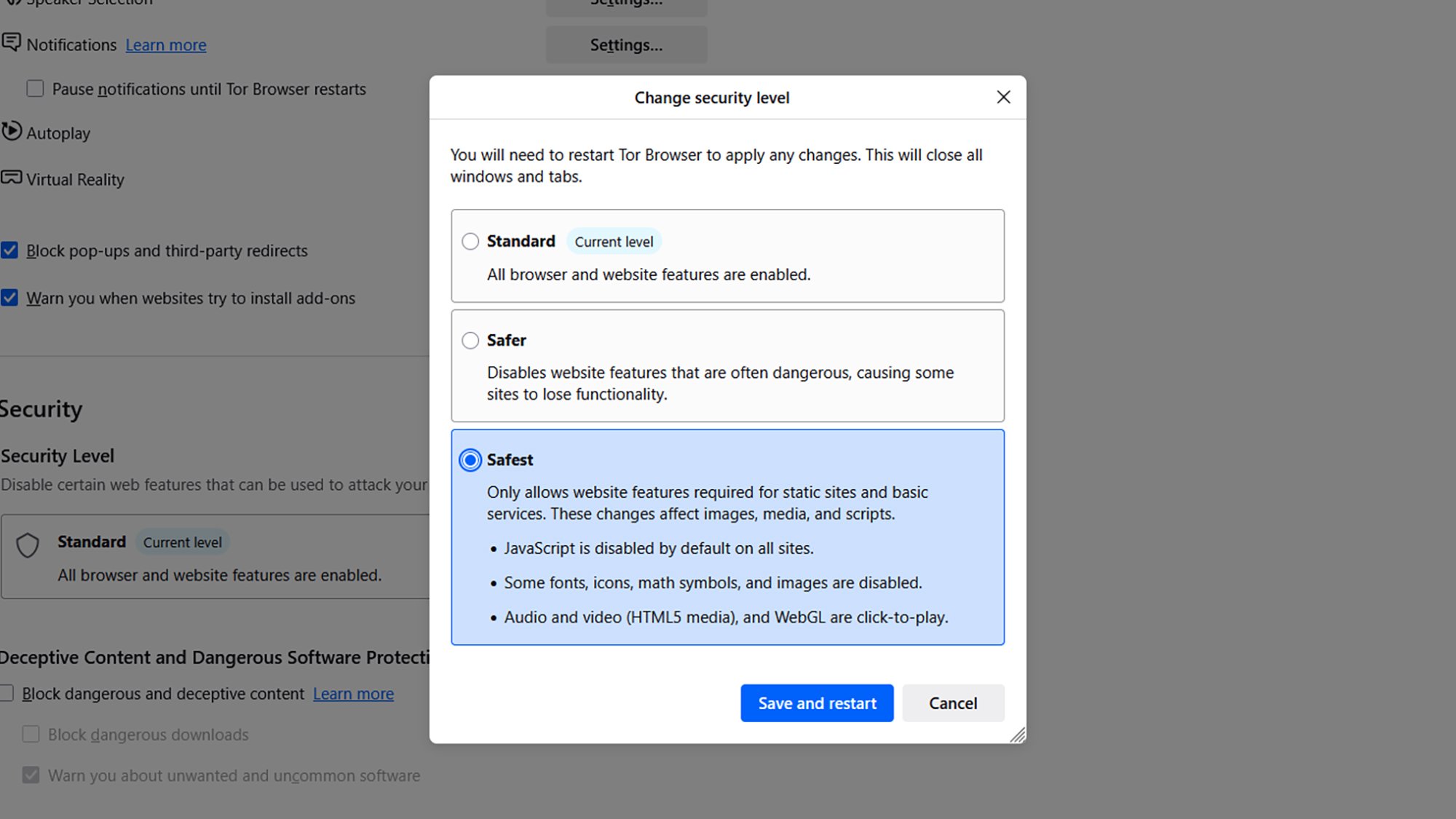
Ramping up browser security.
Credit: Lifehacker

Use Tor’s “Safest” mode to restrict what websites can do

The Tor browser includes a “maximum security” level that shuts down a lot of website activity like scripts and media playback. It’s not on by default, and it can affect the functionality of sites (they’ll typically look a lot more barebones), but if you want to stay as safe as possible then it’s available as an option.

Click the menu button (three horizontal lines), then Settings > Privacy & Security and Change under Security. Select Safest to put Tor into maximum security mode, then click Save and restart.

Connect through Tails OS for an extra security layer

Access the dark web through Tor on Windows or macOS, and you’re well protected from harm. Access it through the portable, Linux-based operating system Tails, and that protection goes up another level.

Tails runs from either a USB stick or through a virtual machine, which means any malware that does sneak through your defenses can’t reach your main operating system and everything on it. (Everything on the OS runs through the Tor platform, not just the browser.) You will need to set aside some time for this, but it’s worth the additional effort if you want to stay as safe as possible. Tails offers a full guide explaining how to get started.

US Military Tested Device That May Be Tied To Havana Syndrome On Rats, Sheep

An anonymous reader quotes a report from CBS News: Tonight, we have details of a classified U.S. intelligence mission that has obtained a previously unknown weapon that may finally unlock a mystery. Since at least 2016, U.S. diplomats, spies and military officers have suffered crippling brain injuries. They’ve told of being hit by an overwhelming force, damaging their vision, hearing, sense of balance and cognition. but the government has doubted their stories. They’ve been called delusional. Well now, 60 Minutes has learned that a weapon that can inflict these injuries was obtained overseas and secretly tested on animals on a U.S. military base. We’ve investigated this mystery for nine years. This is our fourth story called, “Targeting Americans.” Despite official government doubt, we never stopped reporting because of the haunting stories we heard […]. 60 Minutes interviewed Dr. David Relman, a scientific expert and professor from Stanford University who was tasked by the government to lead two investigations into the Havana Syndrome cases. What he and his panel of doctors, physicists, engineers and others found was that “the most plausible explanation for a subset of these cases was a form of radiofrequency or microwave energy,” the report says.

According to confidential sources cited in the report, undercover Homeland Security agents bought a miniaturized microwave weapon from a Russian criminal network in 2024 and tested it on animals at a U.S. military lab. The injuries reportedly matched those seen in the human cases. “Our confidential sources tell us the still classified weapon has been tested in a U.S. military lab for more than a year,” says Dr. Relman. “Tests on rats and sheep show injuries consistent with those seen in humans.”

He continues: “Also, as a separate part of the investigation, security camera videos have been collected that show Americans being hit. The videos are classified but they were described to us. In one, a camera in a restaurant in Istanbul captured two FBI agents on vacation sitting at a table with their families. A man with a backpack walks in and suddenly everyone at the table grabs their head as if in pain. Our sources say another video comes from a stairwell in the U.S. embassy in Vienna. The stairs lead to a secure facility. In the video, two people on the stairs suddenly collapse. Those videos and the weapon were among the reasons the Biden administration summoned about half a dozen victims to the White House with about two months left in the president’s term.”

Former intelligence officials and researchers claim elements of the U.S. government downplayed or dismissed the theory for years, possibly to avoid political consequences of accusing a foreign state like Russia of conducting attacks on American personnel.


Read more of this story at Slashdot.

digiKam 9.0.0 released

Version
9.0.0
of the digiKam photo-management system has been
released. “This major version introduces groundbreaking
improvements in performance, usability, and workflow efficiency, with
a strong focus on modernizing the user interface, enhancing metadata
management, and expanding support for new camera models and file
formats.
” Some of the changes include a
new survey tool
, more advanced search and sorting options, as well
as bulk
editing of geolocation coordinates
.

iPad Air M4 review: Still Apple’s best overall tablet, with a few caveats

Perhaps one of the most surprising things about the Apple Silicon era is how quickly Apple now updates its products. Take the iPad Air, for example. It’s been less than two years since the company released the M2-powered iPad Air in 11- and 13-inch sizes. We’re already on our third iPad Air iteration, one with the M4 inside. That’s the same chip that was inside the iPad Pro that was unveiled alongside that M2-powered Air in 2024. (The Pro was updated with an M5 last fall.)

Just as I said a year ago when Apple unveiled the iPad Air M3, this latest model doesn’t fundamentally change the formula. The Air is a notable step up over the basic iPad, with a more powerful processor, more RAM, a better display and superior accessories like the Apple Pencil Pro and Magic Keyboard. The Air line is also the only way to get a 13-inch iPad without spending $1,300 or more. 

But without more substantial updates this year, I find myself less enthused by it than I was when the 13-inch model M2 model arrived in 2024. That’s primarily because Apple has stuck with the same display for another year. As best I can tell, the 11-inch iPad Air that I’m reviewing has the same screen in 2026 as it did when the redesigned version with no Home button was released in late 2020. Other features that feel like they should be table stakes at this point, like Face ID, are also restricted to iPads that cost at least $1,000. For better or worse, the Air is a very mature product with few surprises. But on the other hand, if you have an iPad older than the 2024 refresh, the iPad Air M4 will provide a solid performance improvement.

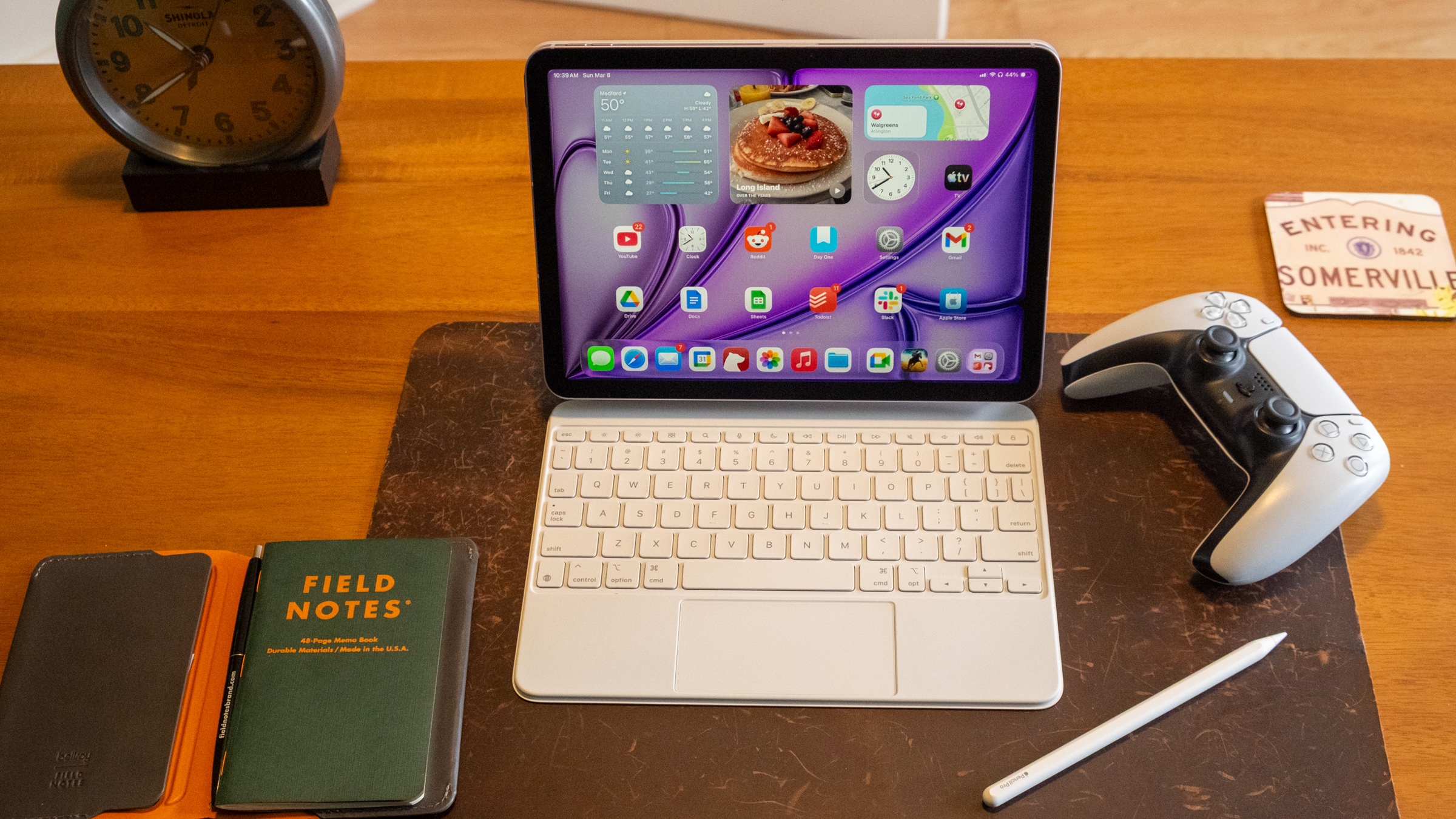
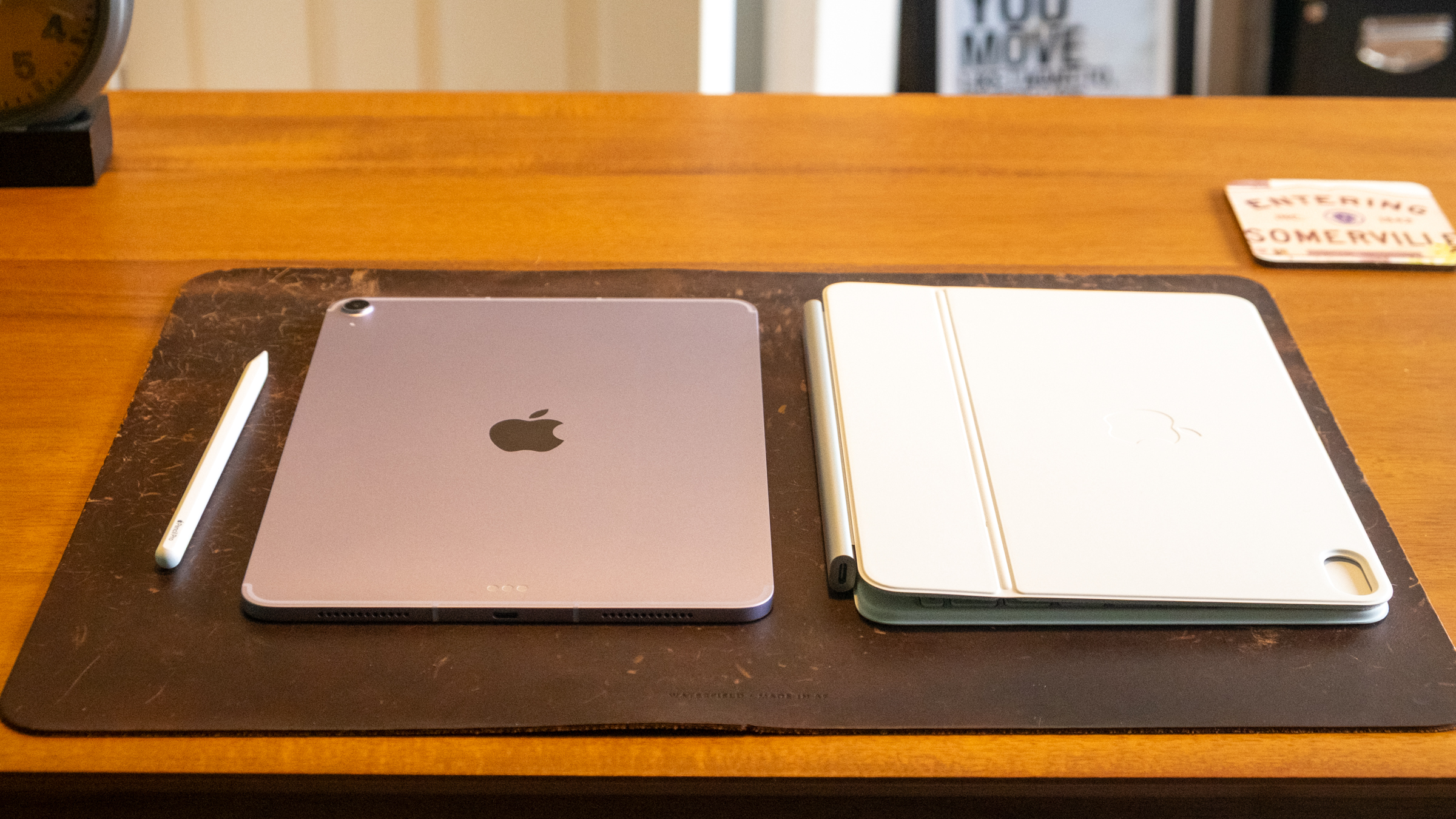
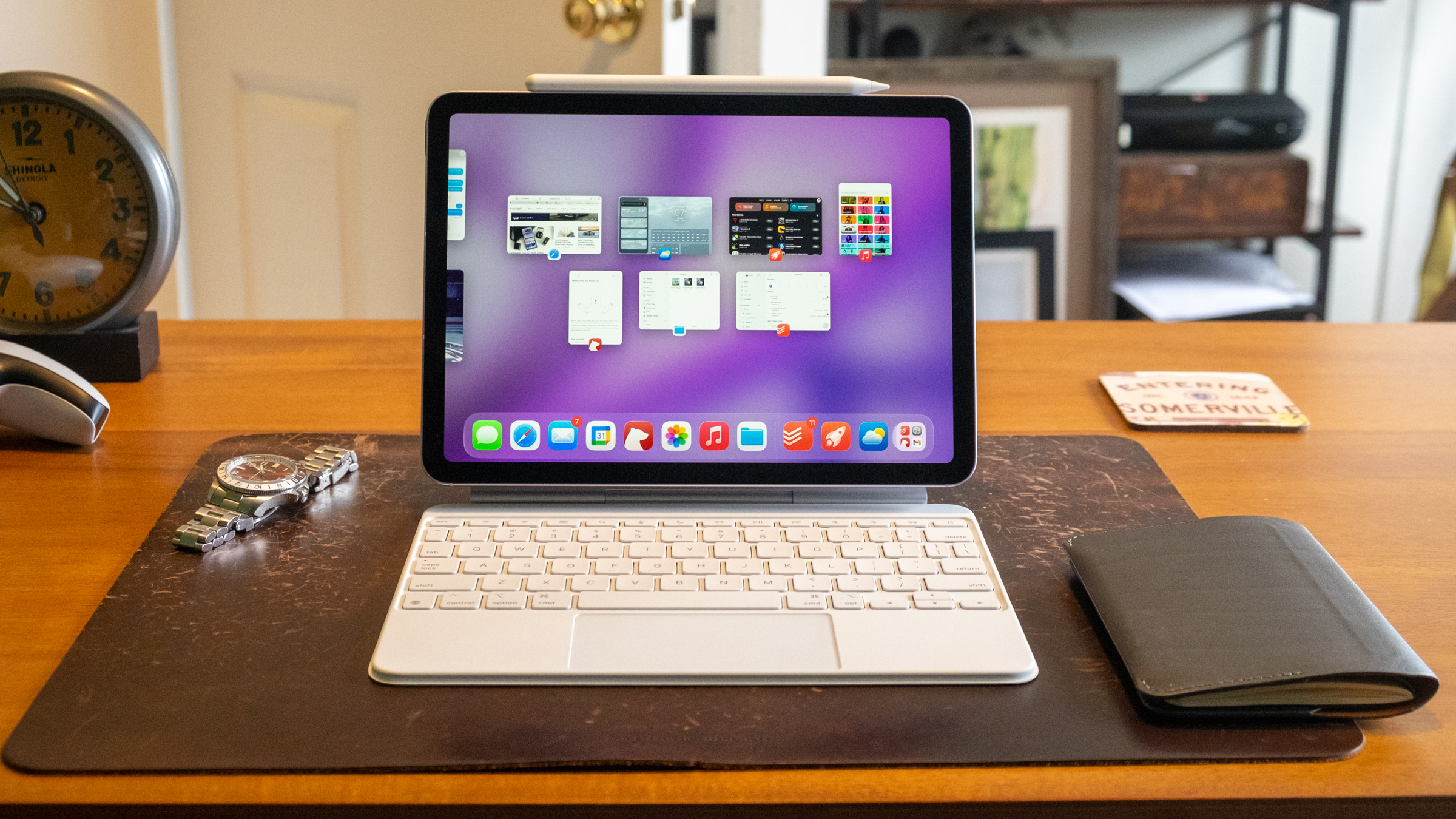
Apple's iPad Air M4 and the Magic Keyboard accessory.
Apple’s iPad Air M4 and the Magic Keyboard accessory.
Nathan Ingraham for Engadget

The M4 still has power to spare

Before we start answering existential questions, though, let’s quickly recap what’s new with the iPad Air. It still starts at $599 for an 11-inch version with 128GB of storage; the 13-inch models starts at $799. The one I tested came in an extremely light purple color with 1TB of storage and 5G connectivity and costs $1,249. Seriously Apple, don’t be afraid of putting a little more saturation in these colors next time! As mentioned, the iPad Air now has a more powerful M4 chip as well as 50 percent more system memory (12GB, up from 8GB on last year’s model). If you’re coming from an iPad older than the 2024 model, you’ll likely notice solid performance gains, and the M4 is so performant that I imagine this iPad will be more than powerful enough for years to come. 

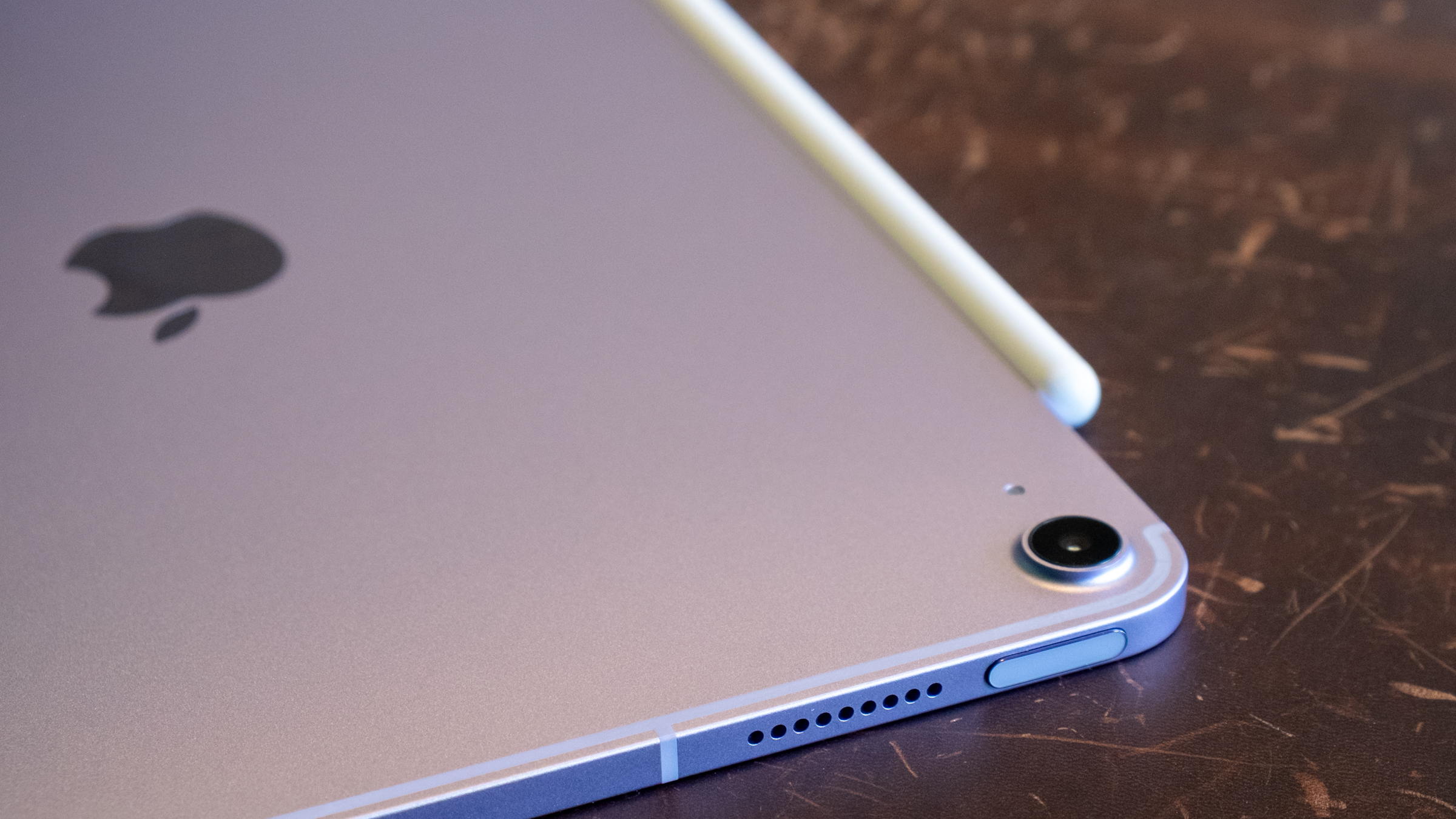
It looks purple-ish in the right light, I swear.
Nathan Ingraham for Engadget

I ran some Geekbench 6 benchmarks to quantify the difference between the iPad Air M4 and last year’s M3 model — unsurprisingly, the biggest gains came in the GPU. Single-core and multi-core scores were 23 percent and 12 percent higher, respectively. But the GPU score was a whopping 39 percent higher with the M4 compared to the M3. Don’t get me wrong, the single-core and multi-core performance improvements the M4 offers are impressive. But tasks that hit the GPU hard, like gaming and AI (of course) should see notable improvements. 

In practice, the iPad Air M4 feels quite similar to the M3 model. That’s due in large part to my relatively modest workflow. I jump between numerous apps all day, but none of them are exactly taxing to a chip like the M4. My day mostly consists of Slack, Google Docs, a ton of Safari tabs, utilities like Messages and Todoist, constant streaming music and other lightweight apps like Gmail and Trello. But if you’re coming from an M1 iPad Air, the M4 should feel significantly faster for almost everything you do. 

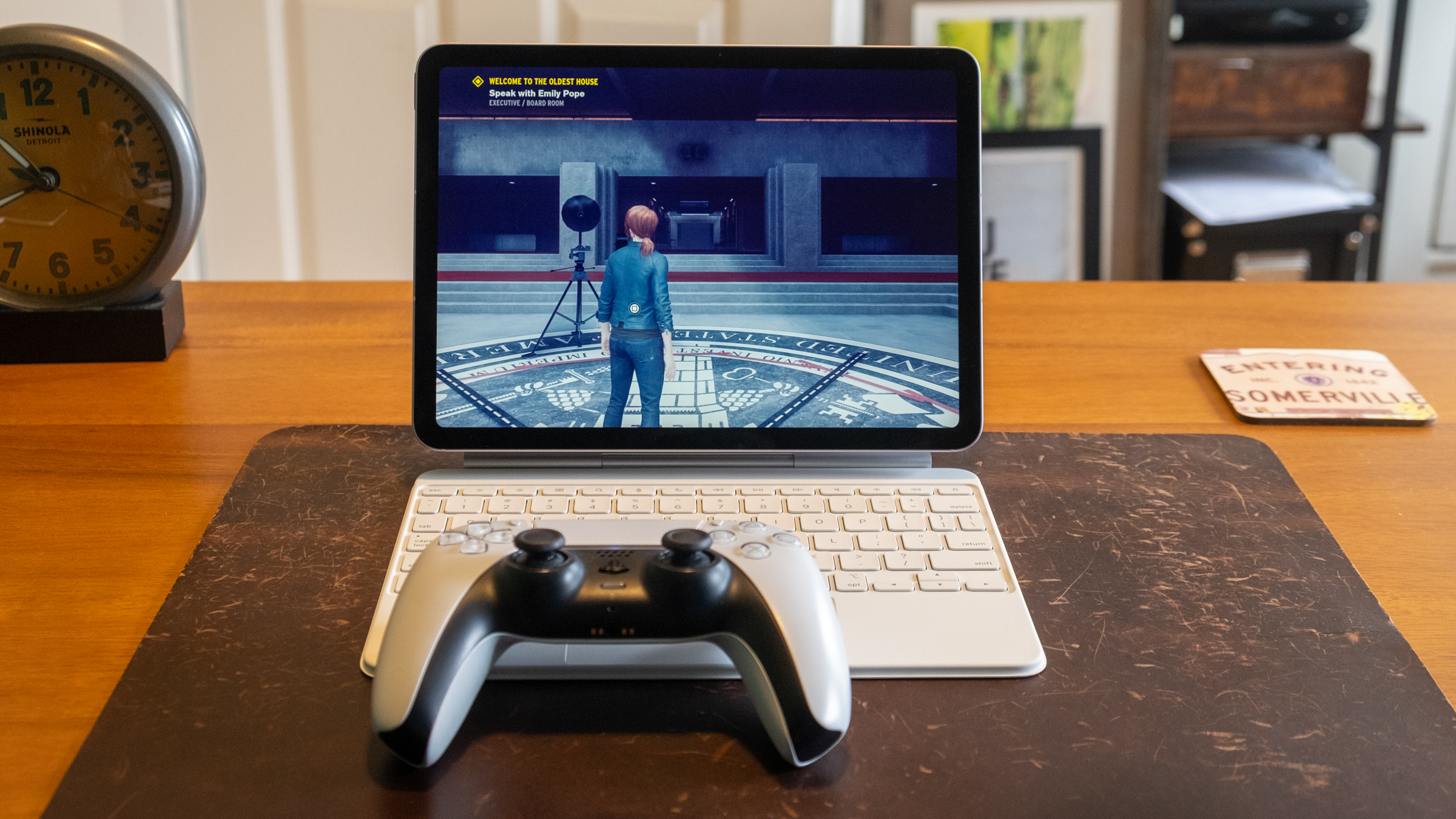
Apple's iPad Air M4 playing the video game 'Control.'
Apple’s iPad Air M4 playing the video game ‘Control.’
Nathan Ingraham for Engadget

Unsurprisingly, the iPad Air flies through games from the App Store as well. I tried my usual more casual fare like Balatro, Mini Motorways and Powerwash Simulator from Apple Arcade and those were all quite smooth. But I wanted to push things a bit more, so I downloaded Resident Evil 2 as well as a pre-release build of Control Ultimate Edition which is slated to hit iOS in the coming months. Both games looked and played great, with highly detailed environments and pretty quick action that didn’t slow the iPad Air down in the least. I could tell the graphics aren’t as sharp as on my PS5, but both games were impressive considering they’re running on extremely portable hardware with no fans. 

I also tried some generative AI apps, even though that’s not really something I’m interested in. For apps like Apple’s own Image Playground, the M4 is extremely speedy. It ripped through my goofy queries (an orange kitten dressed up like an astronaut) in a matter of seconds. When I compared it to the iPad Pro M5, the Air barely lagged behind it. However, the M4 couldn’t quite keep up with more advanced image generation tools. The Draw Things iPad app lets you download and run a host of local models to create images, and the M4 definitely couldn’t keep up with the M5. The iPad Pro M5 was typically more than twice as fast as the Air. We already knew the M5 was an AI beast, so I’m not knocking the Air for its performance at all — it’s just worth knowing that if you really want to push the envelope, you’ll probably be better off with an iPad Pro.

Apple's iPad Air M4, Apple Pencil Pro and Magic Keyboard.
Apple’s iPad Air M4, Apple Pencil Pro and Magic Keyboard.
Nathan Ingraham for Engadget

The other main change is Apple’s in-house networking chips are on board here. The N1 covers Wi-Fi 7, Bluetooth 6 and Thread, while the C1X handles cellular connectivity if you buy a 5G-capable model. Again, this doesn’t change the experience of using the iPad Air in any major way, but having the newest Wi-Fi and Bluetooth protocols on board is good for future usage, regardless of who built the chip. In my testing, the C1X on Verizon’s 5G network was extremely fast around the suburbs of Boston and didn’t seem any slower (or any faster) than other devices I have running on the same carrier. That’s fine, as other Apple devices I’ve tried with the C1X (like the iPad Pro) are solid and reliable, which is the most important thing. 

A very familiar experience

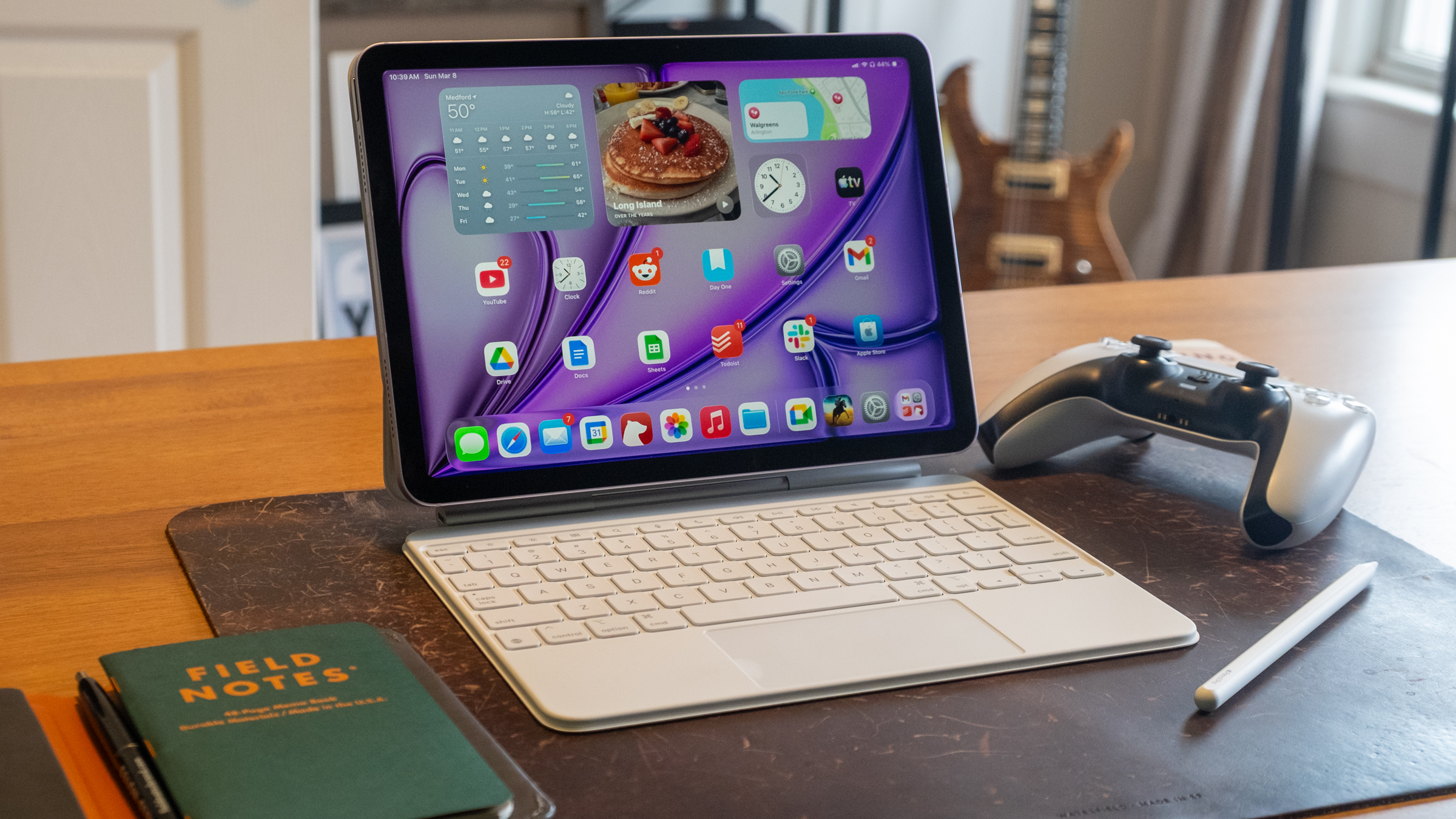
Other than these new chips, the iPad Air is identical to the last two models I’ve reviewed. (This year, Apple sent an 11-inch Air M4 to review, while the last two were the newer 13-inch. But other than the larger screen, those tablets are the same.) Same screen, same cameras, same 10-hour estimated battery life, same USB-C 3 port. Naturally, it supports the $129 Pencil Pro that Apple introduced alongside it in 2024, and it works with the revamped Magic Keyboard Apple released last year. That keyboard remains quite expensive at $269 ($319 for the 13-inch model), but for me it’s a must-buy accessory if I want to use my iPad for any “real work.” The Pencil, on the other hand, is not something I personally need, but it’s an excellent tool for anyone interested in visual art or written notes. There are a plethora of excellent apps in both categories, and the iPad app ecosystem at large remains unmatched.

Battery life also hits what I’d expect out of an iPad. I don’t get 10 hours the way that I test it — I used the iPad Air as my main machine, all day for several days. In that scenario, I got between seven and eight hours of battery life. That’s more than enough that I’d take it with me for half a day or more and not worry about charging, but not so long that I’d be totally comfortable without a charger for much longer. In a more casual, mixed-use setup, most iPads get closer to the 10-hour mark and I expect that’ll be the case here as well. Of course, if you’re playing games, editing videos or doing heavier generative AI tasks, expect battery life to drop noticeably. 

I’d be remiss if I didn’t quickly mention iPadOS 26, which arrived last fall. It runs on iPad Air models all the way back to 2019, so it’s not a reason alone to upgrade. But, it improved the multitasking experience on iPads to a significant degree. It still feels native to the iPad, but there are so many Mac-like flourishes that it’s a lot easier for me to use as my main computer now. That said, it really shines on larger-screen iPads; the 11-inch model still feels best to me when running an app fullscreen or two apps side-by-side feels most comfortable to me.

Apple's iPad Air M4 and Magic Keyboard.
Apple’s iPad Air M4 and Magic Keyboard.
Nathan Ingraham for Engadget

My major lament for the iPad Air remains the screen. Apple’s LCD Retina display still looks great in a vacuum — it’s a lovely standard screen, with bright colors and sharp text. But Apple’s continued insistence on gatekeeping a screen with a higher refresh rate for iPads that cost $1000 or more gets more frustrating every year. It bothers me less on a product like the MacBook Air. But with an iPad, you’re literally touching and interacting with that screen as the main interface. Having the fluidity of a 120Hz refresh rate simply makes everything feel more responsive to your touch. 

The consolation is that even Apple’s standard displays still feel very smooth, so unless you’re directly comparing an iPad Air to an iPad Pro you likely won’t notice the difference. I mostly forgot about it in my time reviewing this device, only reminded of it when I went back to the iPad Pro.

I also wish that Apple would implement more advanced display tech. Last year, I imagined that the mini-LED display used in the iPad Pro in 2021 and 2022 would be a great step up for the Air. It wouldn’t be as good as the tremendous OLED screen in the iPad Pro, but it would still offer HDR and significantly increased brightness and contrast. Alas, we’re stuck with a plain old LCD again this year. Again, that’s mostly fine, but playing games like Control made me wish for more contrast, and movies do not have nearly the same visual pop on the Air as they do on the Pro.

Apple's iPad Air M4.
Apple’s iPad Air M4.
Nathan Ingraham for Engadget

Wrap-up

If it’s not obvious, I very much wish that Apple would bring some of its more advanced technology to the iPad Air. But at this point, I have to accept that the Air is what it is. In the same way that the MacBook Air hasn’t changed substantially since the M2 model arrived in 2022, the same goes for the iPad Air. Both products still have displays that haven’t been cutting edge for years, and that’s just the way it is.

Once I started comparing the iPad Air to its Mac counterpart, my negative feeling mostly subsided. I think the MacBook Air is a great laptop and wouldn’t hesitate to recommend it to many people. Sure, its screen isn’t cutting edge, but it’s good enough for its target audience. And the many positives that it has outweigh a few places where Apple cut corners. The same can be said for the iPad Air.

The iPad Air offers a lot of important upgrades over the basic $349 iPad, which is saddled with the A16 chip from 2022. The Air will be a better performer for much longer, and other niceties like a better screen and accessory support are worth considering. And it doesn’t threaten the iPad Pro, which costs $400 more; between its screen, improved performance, superior industrial design and numerous other small benefits, it’s pretty easy to see what you get for your money in all cases. 

So while I wish Apple would push the envelope with the iPad Air and give me something that feels more like a Pro-lite, I understand why it hasn’t yet. The iPad Air isn’t an exciting gadget at this point, but I still think it’s the best iPad for most people.

This article originally appeared on Engadget at https://www.engadget.com/mobile/tablets/ipad-air-m4-review-still-apples-best-overall-tablet-with-a-few-caveats-130000409.html?src=rss

Chevrolet killed it then brought it back, now we drive it: The 2027 Bolt

WESTLAKE VILLAGE, Calif.—When the Chevrolet Bolt debuted in 2017, the electric hatchback stood out: Here was an electric vehicle with more than 200 miles of range for less than half the price of a Tesla Model S. The Bolt had its ups and downs, though. A $1.8 billion recall saw the automaker replace the battery packs in more than 142,000 cars, which wasn’t great. COVID delayed the Bolt’s midlife refresh a little. It got a price cut—the first of several—plus new seats, infotainment, and even the Super Cruise driver assist, plus a slightly more capacious version called the Bolt EUV.

Along the way, the Bolt became GM’s bestselling EV by quite some margin, even as the OEM introduced its new range of more advanced EVs using the platform formerly known as Ultium. But as is often the way with General Motors, a desire to do something else with the Bolt’s assembly plant saw the car’s cancellation, as GM wanted to retool the Orion Township factory as part of its ill-judged bet that American consumers would embrace full-size electric pickups like the Silverado EV. And thus, in 2022, GM CEO Mary Barra announced the Bolt’s impending demise.

This was not well-received. Even though Chevy promised an almost-as-cheap Equinox EV, Bolt fans besieged the company and engineered a volte face. At CES in 2023, Barra revealed the Bolt would be brought back, with an all-new lithium iron phosphate battery in place of the previous lithium-ion pack. When GM originally designed the Bolt, it was the company’s sole EV, but now there’s an entire (not-) Ultium model range. The automaker also has a giant parts bin to pick from, so the Equinox EV donates its drive motor, plus there’s a new Android Automotive OS infotainment system.

Read full article

Comments

iPhone 17e review: The economical choice

By introducing the iPhone 17e just a year after the iPhone 16e, Apple is closing some gaps. Before, the company would only roll out a new entry-level iPhone every few years, with the iPhone 5c (2013), iPhone XR (2018) and iPhone SE (2016, 2020, 2022) all having two to four years between their releases. But Apple is getting into an annual groove now, and having renamed the device to integrate better with the rest of the iPhone lineup, Apple is making a clear statement: It cares about the midrange now. 

With the current state of global economics, Apple’s focus on lower cost devices like the iPhone 17e and newly launched MacBook Neo is timely. Most people probably don’t make full use of the high-powered machines in their pockets and on their laps, and might be reconsidering whether they need to spend as much money on the Pros and the Airs of Apple’s product lineup. At $599, the iPhone 17e is about half the price of an iPhone 17 Pro or the iPhone Air. It’s $200 cheaper than the base iPhone 17, too.

Since I reviewed the iPhone 16e last year, I’ve been using it as a work phone, mostly for Slack, email and light editing in Docs. The way I see it, most people considering the iPhone 17e are likely in a similar situation — either thinking of getting a supplementary device or looking for a good enough phone for a child or other dependent. For this review, I’ve tried to cover most of those scenarios whether it be a person that would spend most of their phone time on social media and games like a teenager or someone that’s largely using it for administrative work purposes. I mostly want to answer this question: If you’re getting your first iPhone or buying one for someone else, should you get the iPhone 17e or the iPhone 17?

iPhone 17e vs iPhone 16e, for testing’s sake

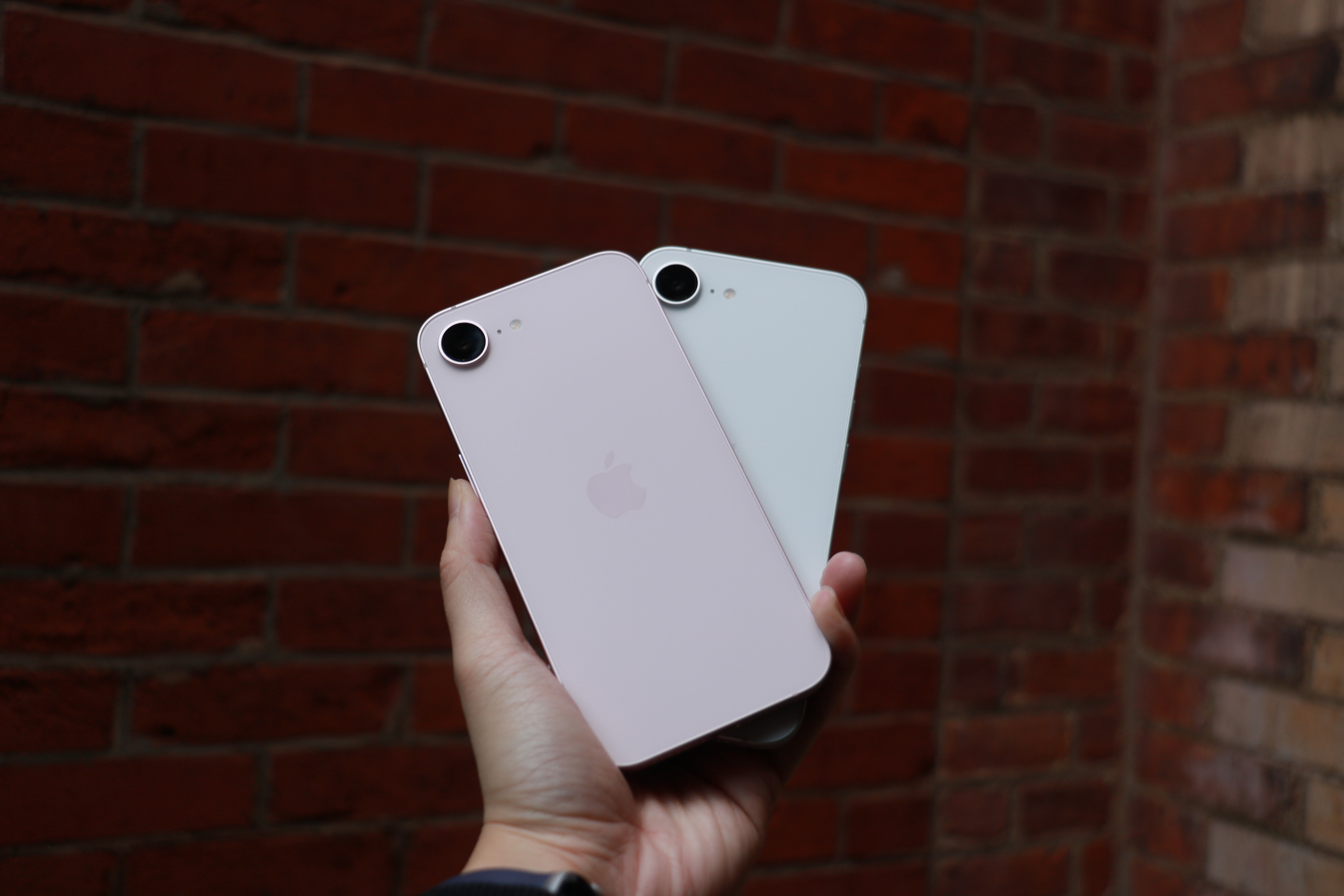
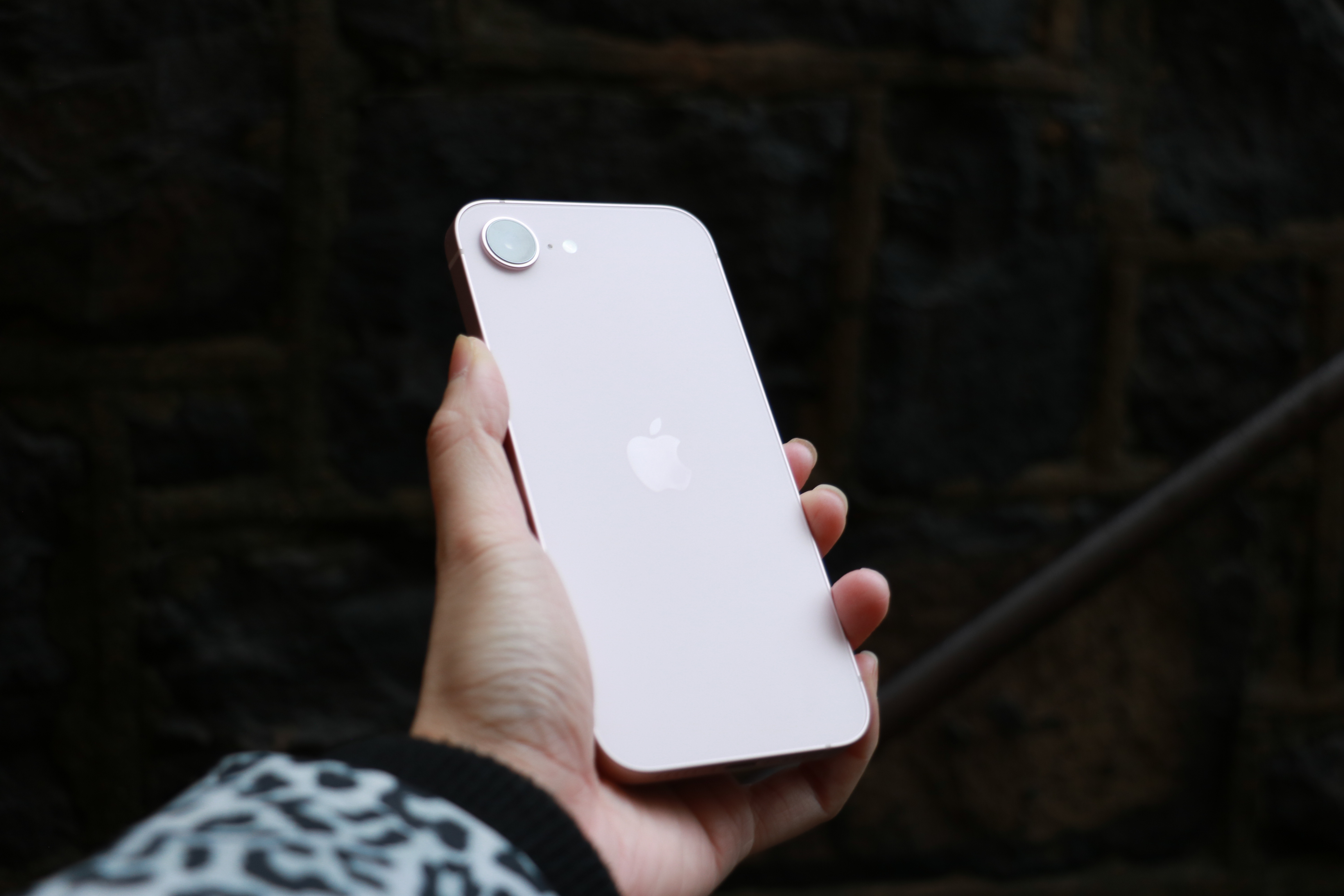
It’s very clear from Apple’s website that it doesn’t want you comparing the iPhone 17e to the iPhone 16e. The company doesn’t allow you to do so in the comparison tool on the iPhone 17e product page, limiting you to the iPhone 11, iPhone 12 and the iPhone SE (second and third generations). Sure, I understand that no one is really thinking about getting an iPhone 17e after just buying the 16e last year. But for the purposes of this review, it makes sense for me to shout out what’s new from the previous generation. The most significant additions this year are the A19 chip, double the storage, improved Portrait photography and MagSafe with faster wireless charging. Oh, and a new pink color option, adding an ever so subtle splash of color to the previously monochromatic lineup. 

The A19 chip is supposed to make AI processes faster, thanks to the neural accelerators in its GPU. In my testing so far, the difference has been negligible at best. Initially I was seeing the iPhone 17e perform slower than the 16e, but after a software update, the iPhone 17e caught up. In Apple Intelligence-powered tools like Cleanup, the iPhone 17e was a split second faster at identifying unwanted objects in photos and erasing them than the 16e. If you’ve just received your iPhone 17e and run into issues where image generation or cleanup is slow or stalling, give it a day or so for the software to stabilize. 

Oddly, in some side-by-side Image Playground testing, the iPhone 17e and iPhone 16e were neck and neck. Sometimes, the iPhone 16e was faster. Occasionally, the iPhone 17e was ahead. I’ll continue to keep an eye on how both phones do here, as it could still be due to some early software issues, but for now the improvements from the A19’s GPU seem to be hit or miss.

The pink iPhone 17e and the white iPhone 16e held up in one palm in front of a red brick wall.
Cherlynn Low for Engadget

Improved portraits on the iPhone 17e

Of all the improvements to the iPhone 17e, to me, one of the most important is in portraits. In my review of the iPhone 16e, I said that the majority of my grievances with the single camera setup was the fact that Apple ended up using an older version of Portrait mode.

That version was much more limited and didn’t allow for applying a background blur to pictures of non-human subjects. This time, Apple borrowed the algorithms it developed for the iPhone Air for the iPhone 17e’s rear and front cameras. This not only delivers a general improvement to portraits, with better segmentation and a more natural-looking bokeh effect, but also allows for depth information to be captured when applicable. For instance, when a person, cat or dog is detected, the iPhone 17e will automatically capture depth information so you can apply a blur after the picture is taken, even if you didn’t use Portrait mode initially. 

Importantly, these “next-gen portraits” also allow you to edit the level of blur and change up the focal point of the picture after you’ve taken the shot. In some photos of my neighbor’s grumpy shih-poo, I was shocked that my colleagues actually preferred the samples I shared from the iPhone 16e over the ones from the iPhone 17e. But their critique was fair: the newer phone blurred out Oreo’s tail, keeping only his face in focus. I was able to address this by going into the editing tools and dragging the slider for aperture to bring more of the dog into focus. I also played around and tapped on Oreo’s tail to make it clear, and the iPhone 17e blurred up his face instead. 

Two photo samples side by side, featuring a dog on a blue leash staring up into the camera.
Cherlynn Low for Engadget

When using Portrait mode to photograph people, the iPhone 17e did indeed deliver more pleasant bokeh than its predecessor. In pictures of my friend Brenda Stolyar, with the “depth” or aperture set to f/4.5 across both devices, there was more softness in the brick wall behind her on the new phone. I was slightly confused since it seemed like the older iPhone actually delivered a sharper picture, until I realized it was actually just softer bokeh. 

For those coming from older phones like the iPhone 11, 12 or SE, the addition of next-gen portraits should feel like a major step up. Even when compared to the iPhone 16e, the fact that I was now able to apply the effect on photos of food and other inanimate objects with no faces made me happier. It makes the camera more versatile, and feels like a noteworthy update that makes your photos feel more modern. 

But that is definitely because I like pictures with the artificial depth of field effect. If you don’t care for bokeh and really only want a phone’s cameras to be good enough to snap pictures of menus or receipts, for instance, the 17e’s improvements here won’t mean much.

MagSafe and wireless charging

The rear of the iPhone 17e catches the light in front of a stone wall.
Cherlynn Low for Engadget

What might matter more, then, is this generation’s wireless charging speeds. While the iPhone 16e could only support up to 7.5W, the iPhone 17e goes up to 15W (with adapters of 20W or higher) and also works with MagSafe accessories. I can’t imagine anyone considering a new iPhone 17e already has magnetic cases or stands, but if you decide to invest in those accessories, you’ll find them convenient and satisfying. 

I placed both models on my wireless charging stand — the 17e snapped on and started charging, while the 16e clattered helplessly off the stand. I placed it on the charging pad at the base instead and noted how much power each of them gained in 15 minutes. The improvement is clear: the iPhone 17e went up by 16 percent (30 percent to 46 percent), while the 16e only gained 3 percent (69 percent to just 72 percent).

Beyond the numbers, what this means is that when you’re in a pinch and trying to quickly top up your phone on, say, a wireless charger you found at a cafe, you won’t need to sit around as long with the iPhone 17e. For those of you that simply leave your phone on a stand overnight, this is less likely to meaningfully impact you. 

There are a few other updates that I haven’t really tested in this review, like the improved durability with Ceramic Shield 2 on the iPhone 17e’s screen. The new display also has a treatment that is supposed to reduce glare, and considering the week of wonderfully gloomy weather we’ve had here in New York, this isn’t something I’ve truly had a chance to evaluate. Also, while I do appreciate the doubled storage, which is sure to please the media hoarders among us, I will say I’ve already been served warnings about my iCloud storage running out. It still feels like something else Apple might need to address, but for newcomers to the iOS world, the higher base storage is absolutely a positive.

Elsewhere, there are virtually no differences between the iPhone 17e and iPhone 16e. They have the same size displays with the same resolution, brightness, refresh rate, contrast ratio and color gamuts. Both are rated IP68 for dust and water resistance, and have similar battery lives (up to 26 hours of video playback, according to Apple). They also have the exact same dimensions of 5.78 x 2.82 x 0.31 inches, although the iPhone 17e does weigh a whole 2 grams (0.8 ounces) more than the 16e, which is almost definitely attributable to the addition of MagSafe. Unless you have weighing scales for hands, though, this difference is negligible.

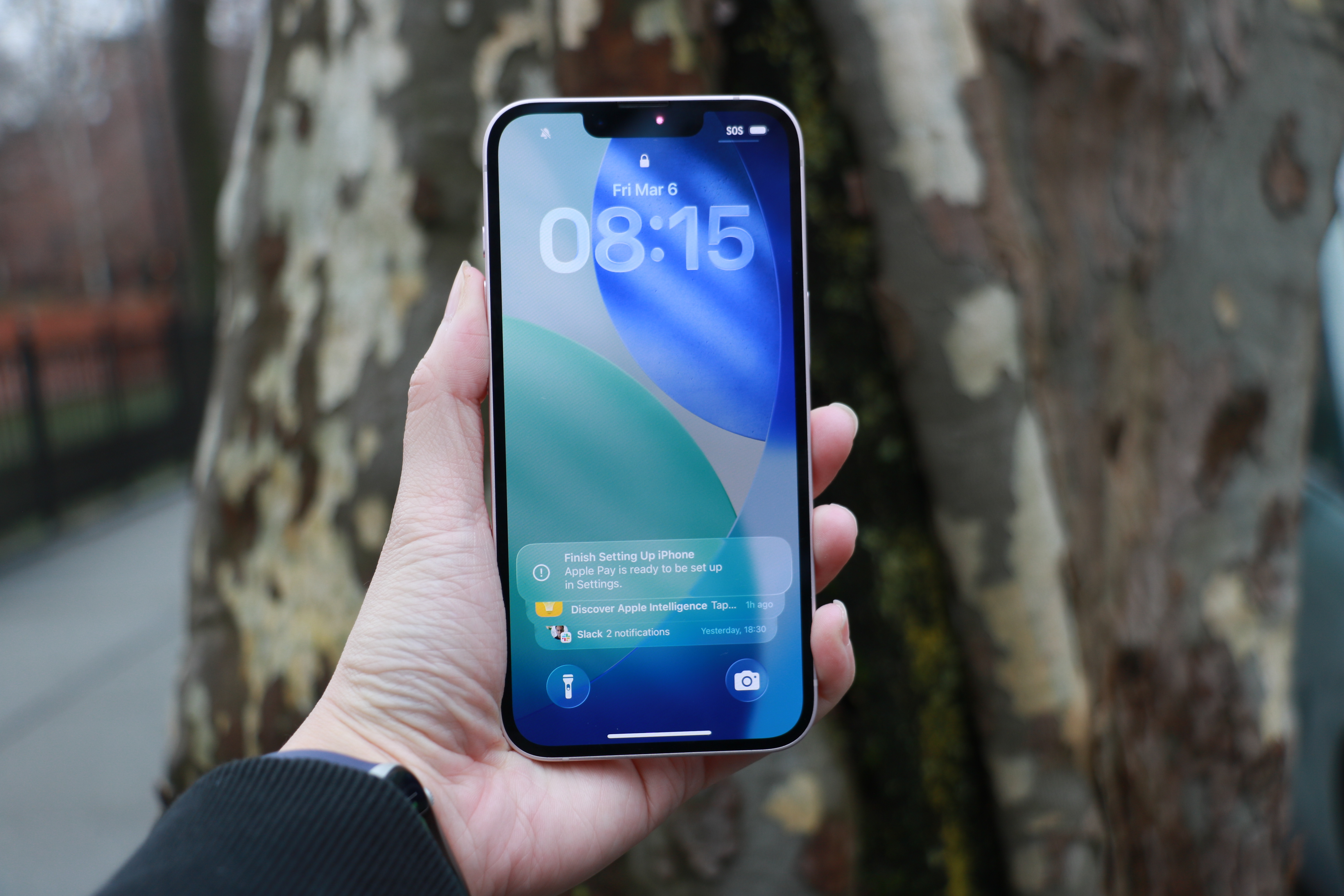
An iPhone 17e held up in front of a tree trunk.
Cherlynn Low for Engadget

Should you get the iPhone 17e or the iPhone 17?

Where you might find more meaningful distinctions is when comparing the iPhone 17e to the iPhone 17. For $200 more, you’ll get longer battery life and slightly better performance thanks to one more GPU core. The iPhone 17 also has a larger, sharper and brighter display that’s 6.3-inches, with higher refresh rates and a full-screen design incorporating the Dynamic Island. It also supports the Always On Display and has an 18MP front camera with the Center Stage feature that allows for easy switching between landscape and vertical orientations in your selfies without having to rotate your phone. 

In fact, the camera upgrades alone on the iPhone 17 might be worth the money. On top of getting the additional ultrawide camera, you’ll also gain the dedicated camera control button on the right edge, the latest generation of Photographic Styles, support for macro photography, Cinematic mode and Dual Capture in videos as well as spatial and macro recording capabilities. It also comes with sensor-shift optical image stabilization, which is more advanced than the OIS on the iPhone 17e. Rounding out that long list of differences is higher recharge speeds (with compatible chargers) and Apple’s second-generation Ultra Wideband chip for more precise Find My support. The iPhone 17 also offers dual-frequency GPS and works with the latest standards in connectivity, like Thread, Wi-Fi 7 and Bluetooth 6 (whereas the iPhone 17e only gets to Wi-Fi 6 and Bluetooth 5.3). 

Sure, the iPhone 17 is slightly taller and heavier, but considering all the bonuses and the extra camera, that feels like a tradeoff that is more than fair. It’s a lot more advanced for $200, and feels like a better starter phone than the iPhone 17e. But if your budget is tight and camera performance isn’t a priority, you’ll get a great experience from Apple’s latest.

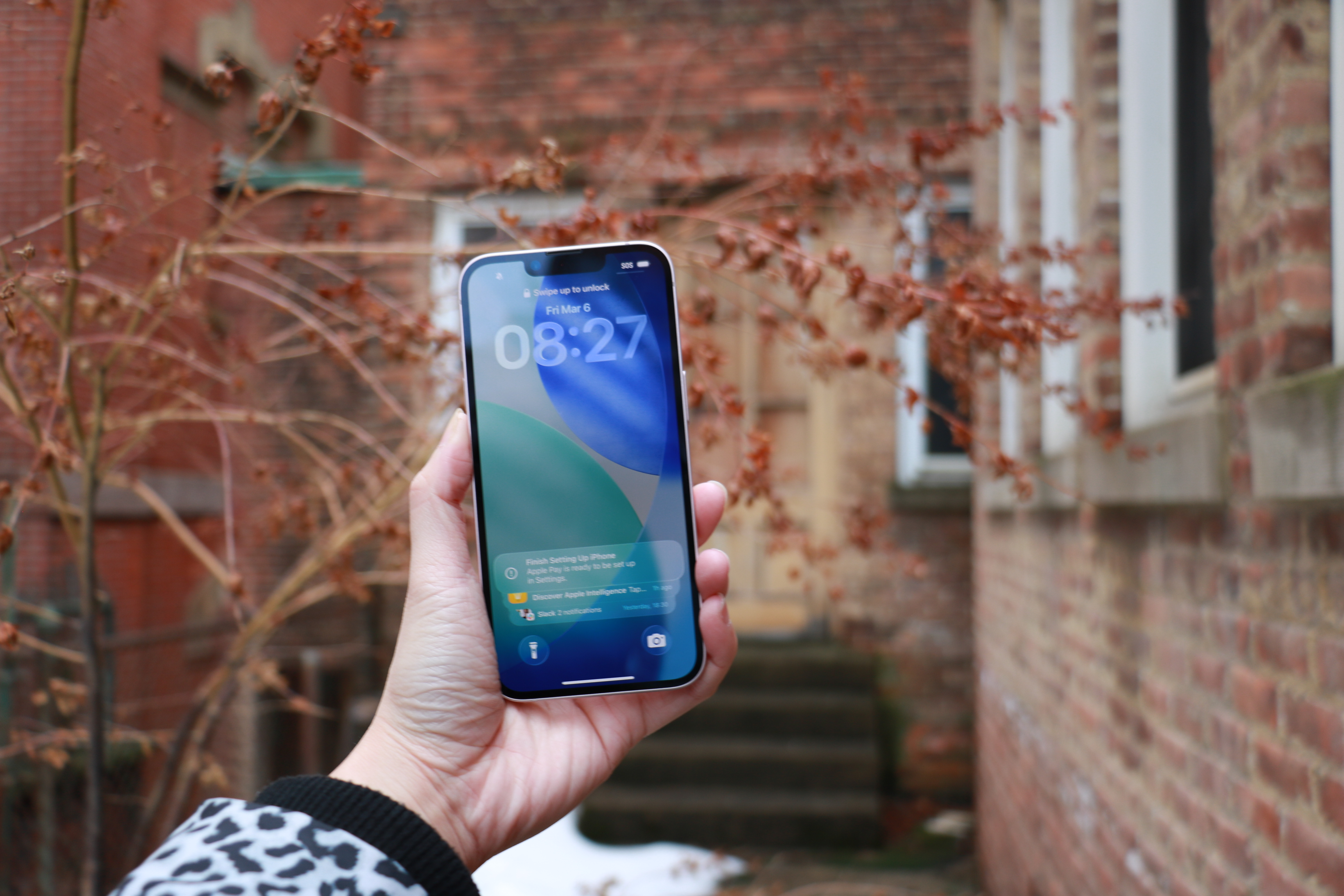
The iPhone 17e held up in mid-air in front of some red foliage.
Cherlynn Low for Engadget

Wrap-up

In 2026, it feels like Apple has done the impossible. It’s managed to serve up multiple iPhones at various price points with enough meaningful differentiations to justify each tier. Meanwhile, each iPhone 17 in the full lineup is a capable and satisfying device for its price. Upgrading to the iPhone 17e from the iPhone 11, 12 or SE will certainly feel significant, although getting almost any current-gen phone will feel modern compared to those. 

In fact, if you’re platform agnostic and wouldn’t mind an Android device, there are options out there with significantly superior screens and cameras. The Pixel 10a, for instance, offers a larger display with a 120Hz refresh rate and a dual-camera system all for $100 less. With Apple seeming to be setting its sights on the midrange market, it should seriously consider stepping up in those two areas in the next e-series iPhone.

But of course, the name “iPhone” carries its own premium, and the iPhone 17e is a solid entry-level handset for those who need a basic, no-frills path into the Apple ecosystem.

This article originally appeared on Engadget at https://www.engadget.com/mobile/smartphones/iphone-17e-review-the-economical-choice-130000647.html?src=rss

This Arlo Outdoor Camera Two-Pack Is Over $100 Off Right Now

We may earn a commission from links on this page. Deal pricing and availability subject to change after time of publication.

Outdoor security cameras have become common, but the ones that balance good video quality with simple setup still tend to cost a fair bit. That’s why this deal is worth a look. Right now, a two-pack of Arlo Essential Spotlight Cameras is $151.29 at Woot, compared with $259.99 on Amazon for the same bundle. If you have Amazon Prime, you’ll get free standard shipping; otherwise, shipping costs $6. Woot doesn’t ship to Alaska, Hawaii, PO Boxes, or APO addresses. The deal is scheduled to run for a week, though it could end earlier if the cameras sell out.

Physically, the cameras are small and designed for outdoor use, with an IP65 weather-resistant body that can handle rain and dust. They run on a rechargeable battery rated for up to six months, although the exact lifespan depends on how often motion events occur. Also, the battery isn’t removable, so you’ll need to take the whole camera down and bring it inside when it’s time to recharge, notes this PCMag review.

The camera records 1080p video with a 130-degree field of view, which gives you a wide look at driveways, yards, or entryways without needing multiple cameras. Daytime footage looks crisp and detailed, and the camera includes 12× digital zoom if you want to inspect something in the frame more closely. As for its nighttime footage, when motion is detected, a built-in LED spotlight can turn on and light up the scene so the camera records color night video instead of the usual black-and-white view. It also works with Amazon Alexa, Google Assistant, and IFTTT, which means you can view the feed on a smart display or trigger other smart home devices when motion is detected. This camera does not support Apple HomeKit.
Motion alerts show up quickly on your phone, and the system can identify people, animals, and vehicles with Arlo’s advanced detection features. The catch is that those smarter alerts and recorded clips require an Arlo Secure subscription. Without it, you still get live viewing and basic alerts, but saved video and some detection tools are locked behind a monthly plan starting at $7.99 per month for one camera.


Our Best Editor-Vetted Tech Deals Right Now

Deals are selected by our commerce team

Tinker Pilot Early Access Impressions: Tweakness Is Its Strength

Customization is the name of the game in Tinker Pilot, where everything in the cockpit is literally up for grabs – even if there’s not a whole lot beyond it.

Tinker Pilot is a curious thing. It starts with the name, of course, which, just so we’re clear, refers to the fact that you can move and tweak everything around you in your virtual cockpit so that you have your controls just so. Ideally that means having them represented in game just how they exist in physical space, whether they are on a desk, duct taped to the arms of your dining room chair, or you happen to own a fully tricked out motion rig that marks you out as a valid target for online jealousy. ‘Tinker’ absolutely does not refer to you being an itinerant mender of housewares, which is the definition of the word that first comes to my 16th Century-attuned mind.

The Facts

What is it?: Early access space sim that supports a broad range of control options and offers extensive cockpit customization
Platforms: PCVR (Played on Quest 3)
Release Date: Out now
Developer: Lluís Garcia Lamora
Price: $24.99

The piloting part of the name needs less of an explanation. Unfortunately, while the gameplay is smooth, the controls tight and the sense of being a bad-ass space jock is initially palpable, there isn’t much of a game to actually talk about. There are a handful of scenarios that between them offer some semblance of progression, but it feels like it was put together to showcase the extent of the customization you can perform, and thus the degree of control you have over your nimble ship. As such, the missions prioritise speed and maneuverability above all things, and drama and narrative barely at all.

After a tutorial, during which you’ll take out a couple of crates in an asteroid field, you’ll jump to the surface of a desert world to blow up some drones, then the final scenario, which is a classic time trial through some hoops. Truth be told there’s less than an hour of content here and it’s not a particularly thrilling way to pass the time either. There is an online leaderboard, so if “getting gud” appeals, you might be able to squeeze more enjoyment from it than I was able to.

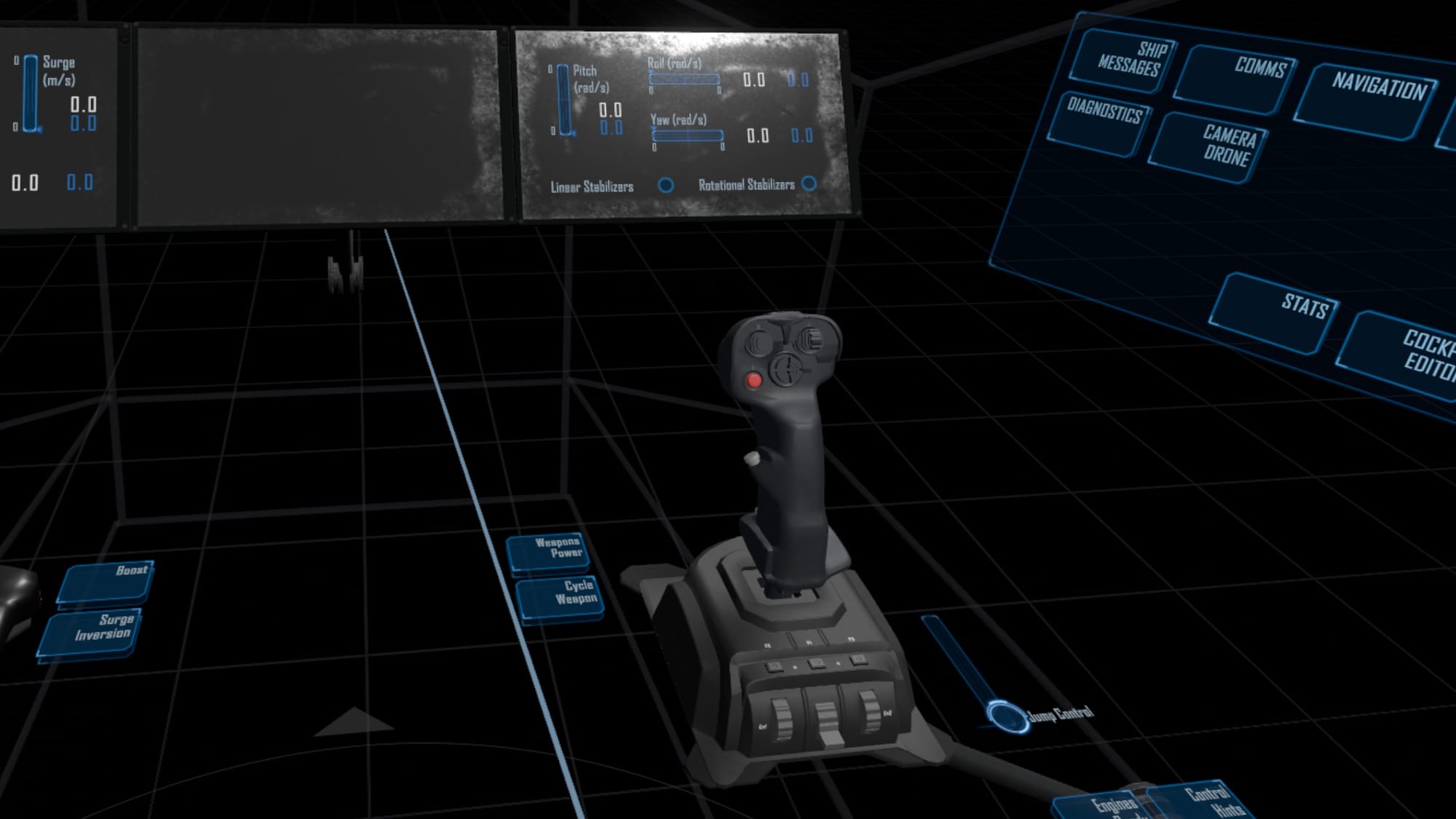
If you own a joystick, chances are it’s been recreated for your viewing pleasure.

The only area where Tinker Pilot feels substantial enough to justify its early access price is back where we began, making the cockpit your very own. You can move button panels around, choose from a wide range of controllers to replace the virtual sticks – essentially allowing you to copy your current physical set-up so that it exists in-game, or create one anew that is perfectly attuned to the way you like to play or any accessibility needs you might have. As is often the case when such levels of fine tuning is offered, it can be a fiddly and time-consuming process, but on the intersection between space combat and interior design, Tinker Pilot is unrivalled. A recent patch even allows telemetry data to be exported, although I’m not sure how useful such a feature is for most VR users.
Comfort

For a game where up can become down very quickly and you’re constantly having to get your bearings, Tinker Pilot is surprisingly easy on the digestive system. No doubt this is entirely down to the pleasing frame rate and latency rather than the default comfort options, because, well, there are no comfort options as yet.

It’s worth noting that if you lack the high-end controls requisite to space combatry – namely a joystick – the virtual controls here work really well. Normally I find them terrible. In fact, until playing Tinker Pilot I was of the opinion that they could only be terrible, but this game nails its default controls very well. Partly for two reasons, I think. One is that sticks aren’t given a physical representation, they are displayed as holographic, which means your brain isn’t being tricked and thus you subconsciously don’t expect or indeed miss the lack of any haptic feedback when wiggling them about. The other aspect is that the degree of travel needed to affect any movement in 3D space is very small. Small twitches of the wrist are all that’s required, which means you don’t get nearly as tired as you might in other games pretending they are doing things they’re not.

0:00

/0:44

Launching into the asteroids. Literally.

Sadly, despite nailing the control side of things, Tinker Pilot is almost entirely lacking in entertainment. It’s all well and good to be able to move button panels about and have your shiny new VKB Gladiator rendered before you, but there are fans of the genre – myself among them – who are happy to operate within whatever cockpit the designer has created. Just as I don’t need to move the climate controls in my car, or have the steering column set six inches lower, I’m usually fine with how things are. I’ll either get used to them or play something else, which has been my experience with every first-person spaceship game I’ve played. Sure, some cockpits are more conveniently arranged than others, which is especially true in VR, but it’s never bothered me that only one game to my knowledge, 1986’s Academy, has given me the option to move things around. (If you can think of any others, put them in the comments below.)
It’s a cliche to say it, but Tinker Pilot feels like a tech demo looking for someone to turn it into a game. What missions exist are designed first and foremost around promoting the degree of control and maneuverability the game systems allow. There’s no attempt at world-building, there’s no storyline, no meaningful sense of progression, it’s essentially a showcase; the kind of vertical slice that a developer would take to publishers or patreon to show the kind of thing that could be done with either a team, a budget, or both. There’s a framework to greatness here, no doubt, but I would urge interested parties to seek more evidence of there being a greater emphasis on in-game piloting and less perhaps on future tinkering before parting with their disposable income.

Valve Confirms Steam Frame is Still Coming This Year, Now Marked as “coming soon”

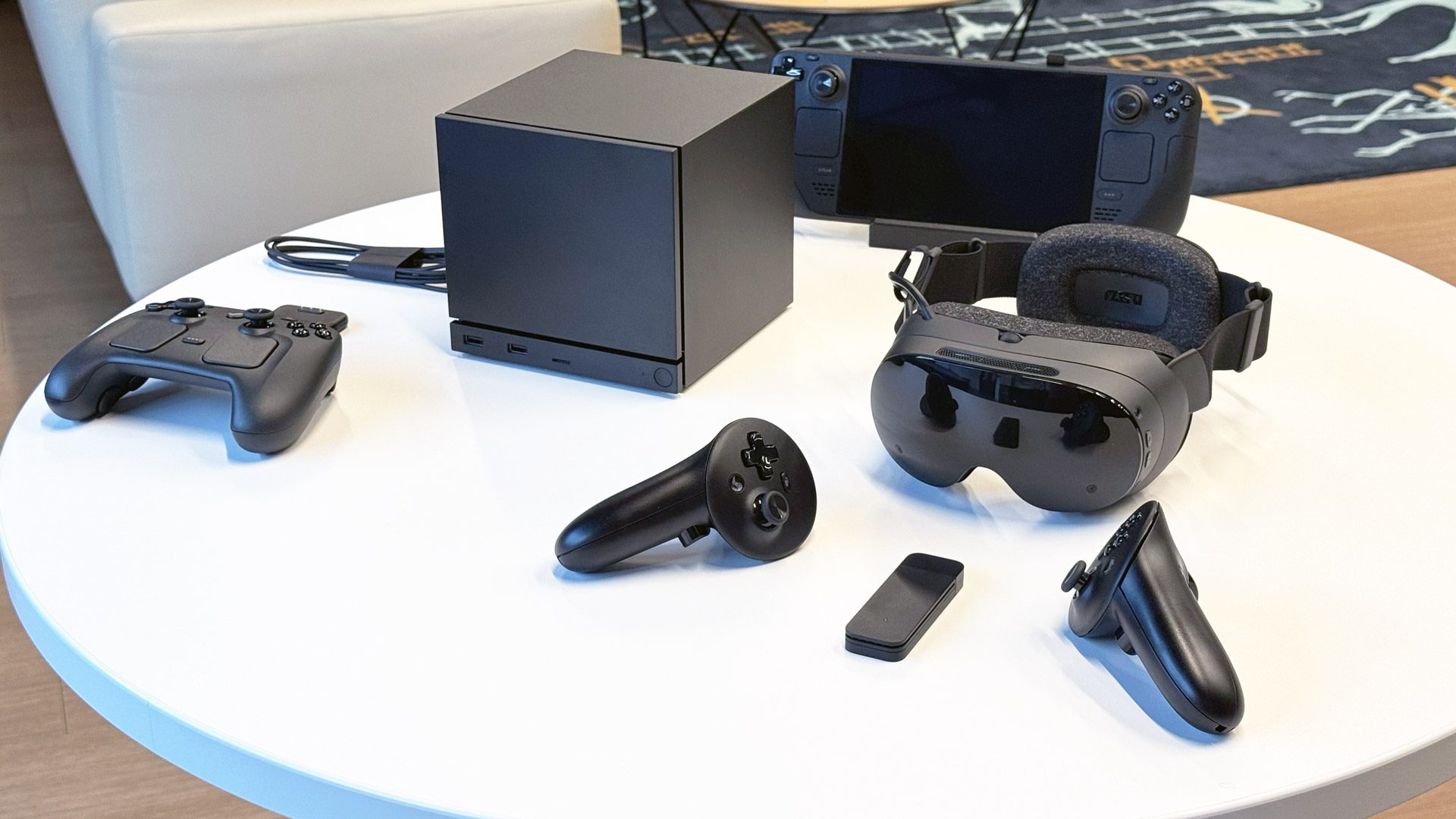
Valve’s upcoming standalone VR headset Steam Frame is still shipping sometime this year, the company says, as it is now marked as “coming soon” on the Steam backend.

In a hardware news update last month, Valve announced that Steam Frame, Steam Machine, and Steam Controller are all being affected by the wider RAM and storage component shortage. Parts woes notwithstanding, Valve said in February that its goal was still to ship in the first half of 2026.

Now, according to the Steam backend (via SteamDB), Valve ha marked all three of its forthcoming products as “coming soon.”

Whether that means “soon soon” or “Valve soon” remains to be seen, although the company gave another vote of confidence in release plans in last week’s 2025 Year in Review.

Photo by Road to VR

“We shared recently that there have been challenges with memory and storage shortages, but we will be shipping all three products this year. More updates will be shared as we finalize our plans,” the company says.

Notably, Valve still hasn’t indicated prices for Steam Frame, Steam Machine, or Steam Controller. At its November reveal, Valve told Road to VR that it expects Steam Frame to be ‘cheaper than Index’, although the company didn’t qualify its pricing logic. This could put it somewhere between $1,000 (Index headset, controllers, SteamVR trackers) and $500 (Index headset only).

As for Steam Machine, YouTuber ‘Skill Up’ confirmed with Valve back in November the PC won’t be subsidized like a console. Alternatively, Linus Tech Tips has suggested the lowest configuration could fetch somewhere around $700, which was based on a custom PC built on comparable parts.

Whatever the case, we expect a ‘buy now’ button to unceremonious appear on the Steam Frame page at some point, as Valve isn’t exactly known for the typical sort of fanfare seen with other companies.

Looking for more Steam Frame news?

Valve Unveils Steam Frame VR headset to Make Your Entire Steam Library Portable: Valve shows off Steam Frame, the standalone headset that can stream and natively play your entire Steam library—with only a few caveats right now.

Hands-on: Steam Frame Reveals Valve’s Modern Vision for VR and Growing Hardware Ambitions: We go hands-on with Valve’s latest and greatest VR headset yet.

Valve Says No New First-party VR Game is in Development: Valve launched Half-Life: Alyx (2020) a few months after releasing Index, but no such luck for first-party content on Steam Frame.

Valve is Open to Bringing SteamOS to Third-party VR Headsets: Steam Frame is the first VR headset to run SteamOS, but it may not be the last.

Valve Plans to Offer Steam Frame Dev Kits to VR Developers: Steam Frame isn’t here yet; Valve says it needs more time with developers first so they can optimize their PC VR games.

Valve Announces SteamOS Console and New Steam Controller, Designed with Steam Frame Headset in Mind: Find out why Valve’s new SteamOS-running Console and controller will work seamlessly with Steam Frame.

Steam Frame vs. Quest 3 Specs: Better Streaming, Power & Hackability: Quest 3 can do a lot, but can it go toe-to-toe with Steam Frame?

Steam Frame vs. Valve Index Specs: Wireless VR Gameplay That’s Generations Ahead : Valve Index used to be the go-to PC VR headset, but the times have changed.

The post Valve Confirms Steam Frame is Still Coming This Year, Now Marked as “coming soon” appeared first on Road to VR.

Golf+ Tees Up New Valley Links DLC Course And Multiplayer Updates

Northern Ireland’s Valley Links joins the ever-growing roster of real-life courses recreated to play in VR in Golf+.

Golf+ features over forty paid DLC courses, including dozens of real golf courses from all over the world. Valley Links is part of the Royal Portrush Golf Club alongside sister course Dunluce. The course is described in the developer’s blog post as “defined by rolling fairways, rumpled terrain, and ever-changing coastal winds.” Dunluce was previously added to Golf+ in March 2025.

0:00

/0:30

Golf+ Valley Links DLC Trailer

The Golf+ multiplayer user interface was also updated with new quality of life features to help players find a game to their liking faster. Public lobbies now have filters for settings and play style, hosts can set minimum and maximum handicap requirements when setting up public games, and the create-and-join UI has been streamlined for better usability.

The Valley Links course can be purchased as an add-on for $11.99. Alternatively, all courses can be accessed as part of the Golf+ Pass for a $9.99 monthly fee.

Golf+ is out now on Quest for $29.99. At the time of this article, the base game is also available as part of the Horizon+ subscription service’s games catalog. A PC VR port is in development.

Alien: Rogue Incursion Surges To First Place On PlayStation VR2’s Top Downloads Chart

The xenomorph-filled story-based shooter Alien: Rogue Incursion rode an aggressive discount during Sony’s recent sale to the number one spot in downloads for February 2026.

Every month, Sony publishes a blog detailing the top ten downloads of the month on all of its platforms, with separate lists for US/Canada and the EU. On PS VR2, there are some games that appear every month: Beat Saber, Job Simulator, and Pavlov are mainstays on this list, with others like Horizon Call of the Mountain, Metro Awakening, and Creed: Rise To Glory drifting in and out of the top ten month to month.

Alien: Rogue Incursion Review – A Promising Yet Imperfect Entry
Alien: Rogue Incursion delivers tense, atmospheric narrative-focused VR action horror that falters in its repetition. Here’s our full review.
UploadVRDon Hopper

Alien: Rogue Incursion, from developer Survios (Creed, Puzzle Bobble, The Walking Dead: Onslaught), has also been a steady presence in the top 10 since its release in December 2024. It ranked fourth in the US/Canada and fifth in the EU in January 2026, and fifth on both lists for December 2025.

From January to February, Zero Caliber VR, Horizon Call of the Mountain, Vampire: The Masquerade Justice, and Creed made their way into the top 10, replacing Arizona Sunshine: Remake, Metro Awakening, Swordsman VR, and The Walking Dead: Saints and Sinners.

In February, as part of a PlayStation sale, Rogue Incursion (the deluxe edition) was discounted seventy-five percent off to $12.49, one of the biggest VR game discounts by percent in the sale.

This isn’t the first time a steep discount has rocketed a game up the charts. Max Mustard briefly became the best selling game on the Meta Quest after announcing a ninety percent discount, kicking off a series of games from other developers on the platform also doing ninety percent off offers. Developer Toast Interactive said in a Reddit post that the discount was a marketing move to increase visibility on the store.

Alien: Rogue Incursion is available on PS VR2, Steam, and Quest. A flatscreen port, subtitled the ‘Evolved Edition’ is also available on Steam, Xbox, PlayStation 5, and the Epic Games store.

Schell Games To Step Away From Among Us 3D Later This Month

I Expect You To Die developer Schell Games is ending its involvement with Among Us 3D later this month.

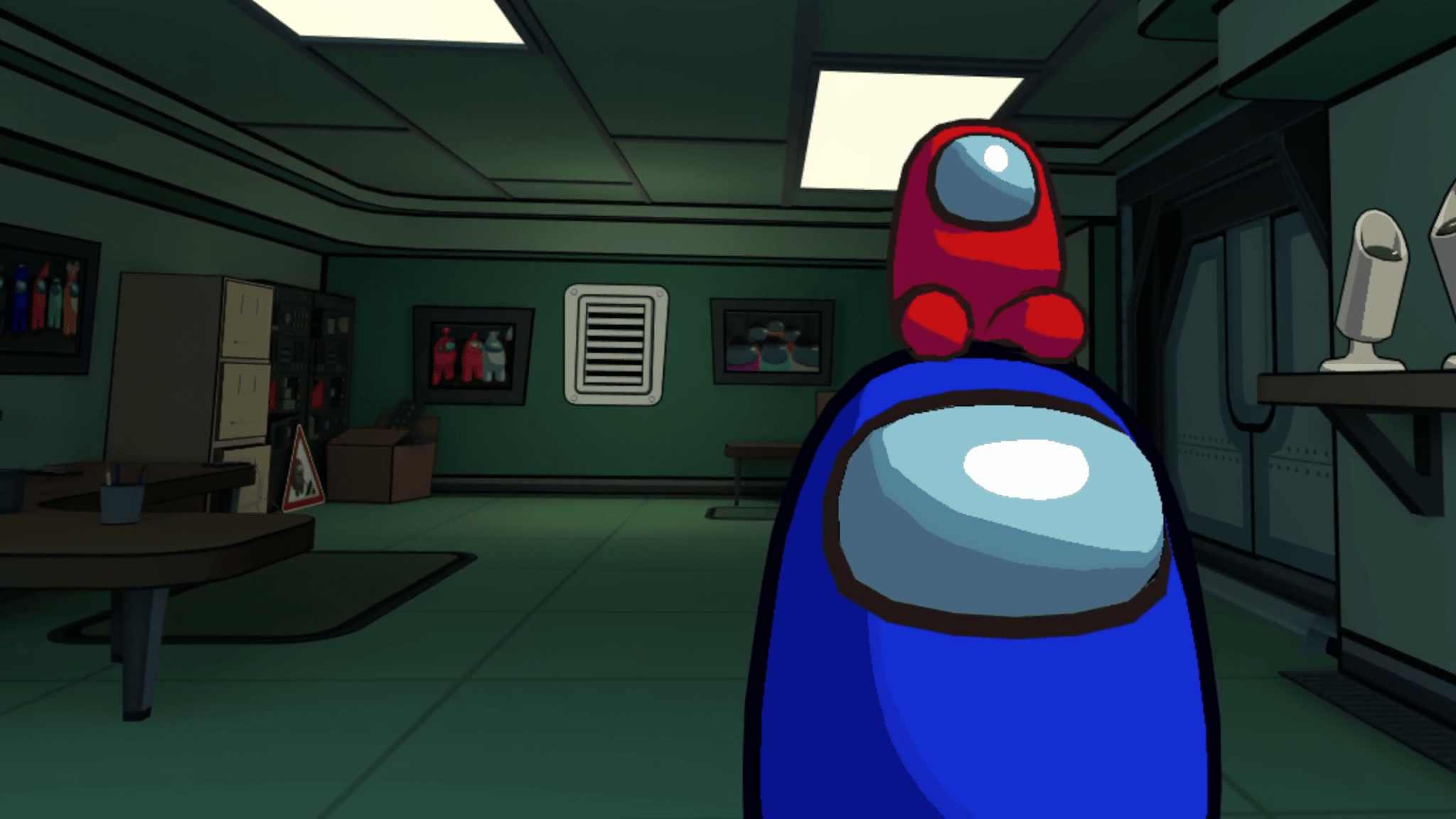
Schell Games has announced it is “handing off” active development of Among Us 3D (formerly Among Us VR) back to original Among Us developer, Innersloth, on March 24. Per its developer post on Steam, this was always planned to happen.

Among Us VR Review: Deception & Detection In Another Dimension
Among Us VR is available now on Steam and the Quest Store from Schell Games. Is this VR’s new party game or will it become a ghost ship? Read our full review below. Schell Games is about as veteran a VR game studio as you can find. Its two
UploadVRIan Hamilton

Among Us VR first released in November 2022 as a completely separate title from the original hit game of murder and deception. Since release, the game has seen multiple limited-time events with new gameplay modes, crewmate roles, and a new map, Polus Point.

0:00

/1:35

Among Us VR Original Trailer

In February 2025, the developers announced that the game would be converted into a hybrid title, renamed Among Us 3D: VR, with full crossplay support between flatscreen and VR. This change was made official in April 2025, with the VR store listing changing names and a new, separate Steam listing for the flatscreen port.

As a final send-off, March 24 will see a “definitive edition” release of the game, with previous limited-time-event features and cosmetics returning to the game permanently.

Among Us 3D: VR is available now on Steam, Quest, Pico, and PS VR2.

Chaotic Supermarket Sim Shop & Stuff Bags A PlayStation VR2 Release Later This Month

The comedic sandbox simulator Shop & Stuff comes to PlayStation VR2 in late March.

HyperVR Games has announced its third entry to the PS VR2 catalog, Shop & Stuff, is scheduled for release on March 27. This follows previous ports of Shave & Stuff in May 2024 and Pets & Stuff in December 2024.

Shop & Stuff continues the ‘& Stuff’ franchise’s brand of comical life simulators, challenging players to manage and grow their own supermarket. In addition to maintaining product stock levels and equipment, unruly shoplifters can be physically ejected from the store or run off with a flamethrower. Profits can be reinvested into the business to add new items like self checkout lanes and coffee machines.

Shop & Stuff Boss Update Trailer

The PS VR2 port will include the recent Boss update that dropped on Quest, adding a cantankerous manager who offers helpful tips to maximize profits and tasks to complete throughout the store.

At the time of this article, there is no news on a PC VR release. Shave & Stuff and Pets & Stuff were previously released on Steam in November 2024 and May 2025 respectively.

Shop & Stuff is available now on Quest in Early Access for $13.99. It can be wishlisted on PS VR2 now ahead of its release.

Surviving a Terrorist Attack – Stephen and Cara Lockwood

It was March 2017, and Cara and Stephen Lockwood had been married six months. Stephen’s 40th birthday was coming up on the 22nd, and Cara wanted to do something special for him. “I wanted to plan something fun to do.”

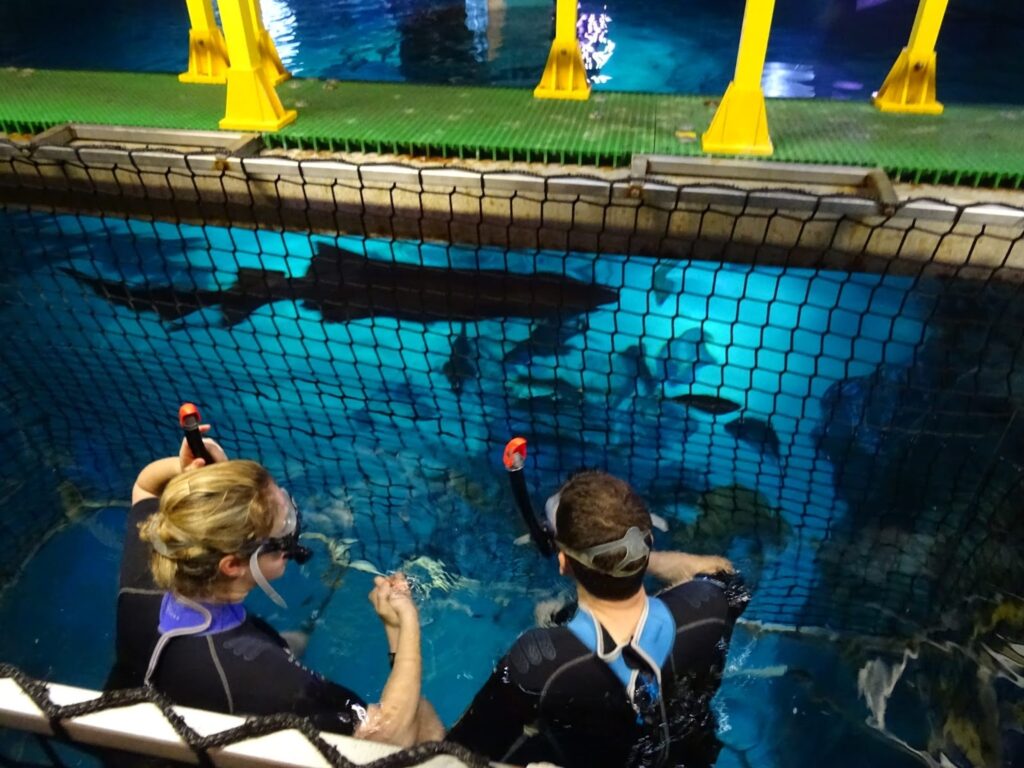
What could be more fun than swimming with sharks at the London Aquarium? “You basically get into a shark cage made of string and have sharks swim at you,” she says. Stephen quickly corrects her, “Rope! Not string. It was something we always wanted to do.” 

They both laugh. It’s a subdued laugh, though, because that special day would turn into a nightmare. 

After swimming with sharks, they planned to go to The Berkeley, a high-end hotel with an amazing restaurant. Cara, who has always been a bit sociophobic, was nervous about taking the London Tube because of all the people. Plus, there had been terrorist scares recently, so the city was on high alert, which really ramped up her anxiety. They decided to take a stroll across Westminster Bridge and get a taxi on the Big Ben side. 

She remembers walking with Stephen up the steps onto the bridge, feeling a bit off. It was a fairly nice day, and there were a few other people farther across the bridge, and four or five behind them. She and Stephen were halfway across the bridge when she heard a vehicle accelerating behind her. At first, she thought it was one of the smaller maintenance vehicles that buzz across the bridge occasionally. But why was it accelerating? 

Suddenly, both she and Stephen were hit from behind by an SUV. She flew up into the air and fell to the ground. She was stunned, but realized she was okay; she could still walk and run. But where was Stephen? She scanned the bridge. He was lying in the road, not moving. She ran to him. 

Stephen has no memory of what happened. 

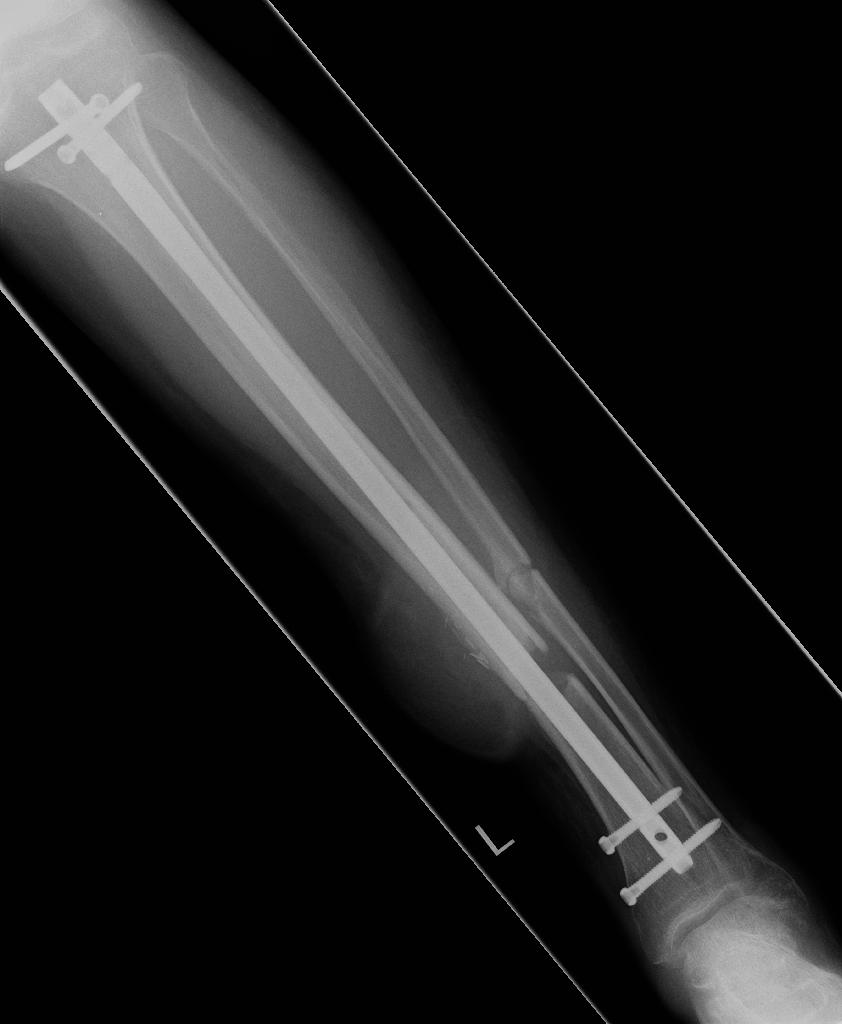
From news reports, Stephen was scooped up onto the hood of an SUV that was barreling down the bridge, flew into the air, thrown into the back end of a bus, and was dumped onto the road, hitting his head, fracturing his skull, neck, back, ribs, puncturing his lung – and shattering bones in his left leg, ripping part of his calf open. 

This was the Westminster Bridge terrorist attack. The aftermath of the attack is well-documented in a BBC series called Hospital as the victims, including Stephen and Cara, arrive at St. Mary’s Hospital. You can watch it here.

Recovery: “It was heartbreaking.”

Recovery was long and slow, taking years of physical therapy for Stephen to be able to walk again. He had seven operations on his leg. They had to keep repeating the surgery in order to get the bone to grow properly. A skin flap had to be taken from his right thigh to reconstruct his calf, which was completely ripped open.“The repetition was heartbreaking,” says Stephen. “We’d get our hopes up and then have to go back into surgery over and over again.”

That was just the physical side. “The mental side was torture,” says Cara. “We were completely unprepared for this, both individually and as a couple. Trying to move back to normalcy. You feel different in the world. How do you reconnect?” 

“Watching people pass away and your husband nearly dying,” says Cara. “Steve would sometimes say that he had it better than me. All he’s got to do is lie there, medicated, and get operated on.” 

Husband and wife became Patient and Nurse. Cara had to lift, carry, and wash Stephen during his long recovery. She had no background in this. To add to the immense pressure, within a few months of the attack, Cara’s father was diagnosed with cancer and was slowly dying. He sadly lost his battle in February 2018.

“We lost our identity. We went to therapy to help deal with the ordeal. To understand this new normal. And to try to realize there is a future.”

Finding Zwift

In September of 2021, after Stephen’s last operation and recovery, they decided to move to the French countryside.

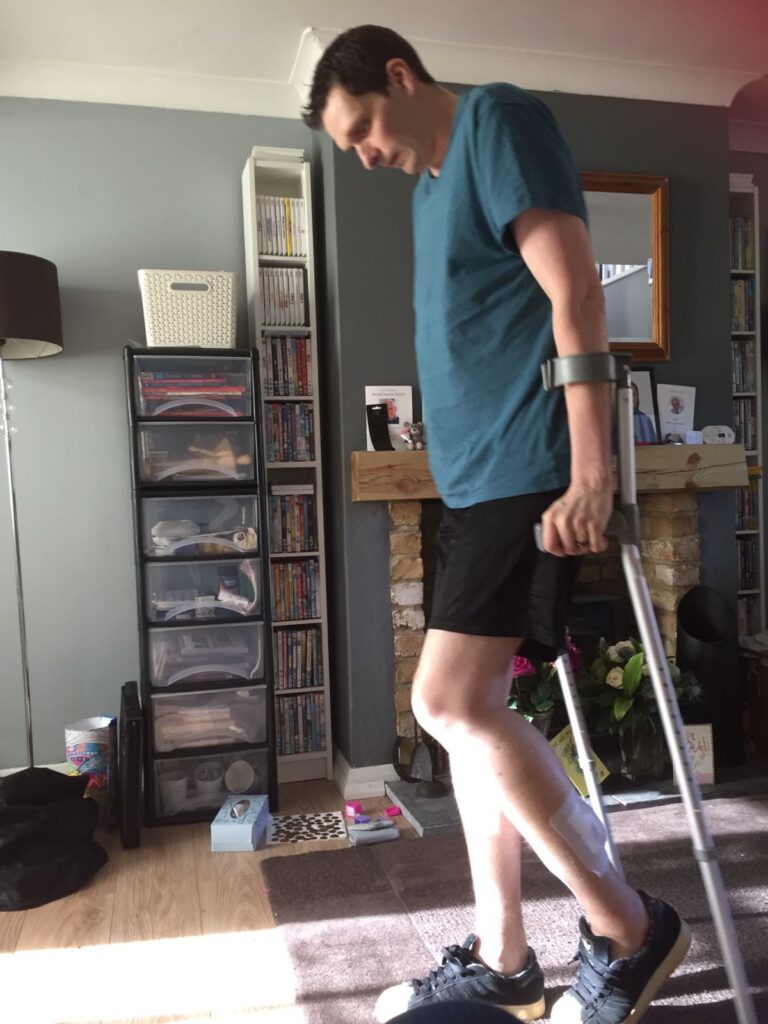
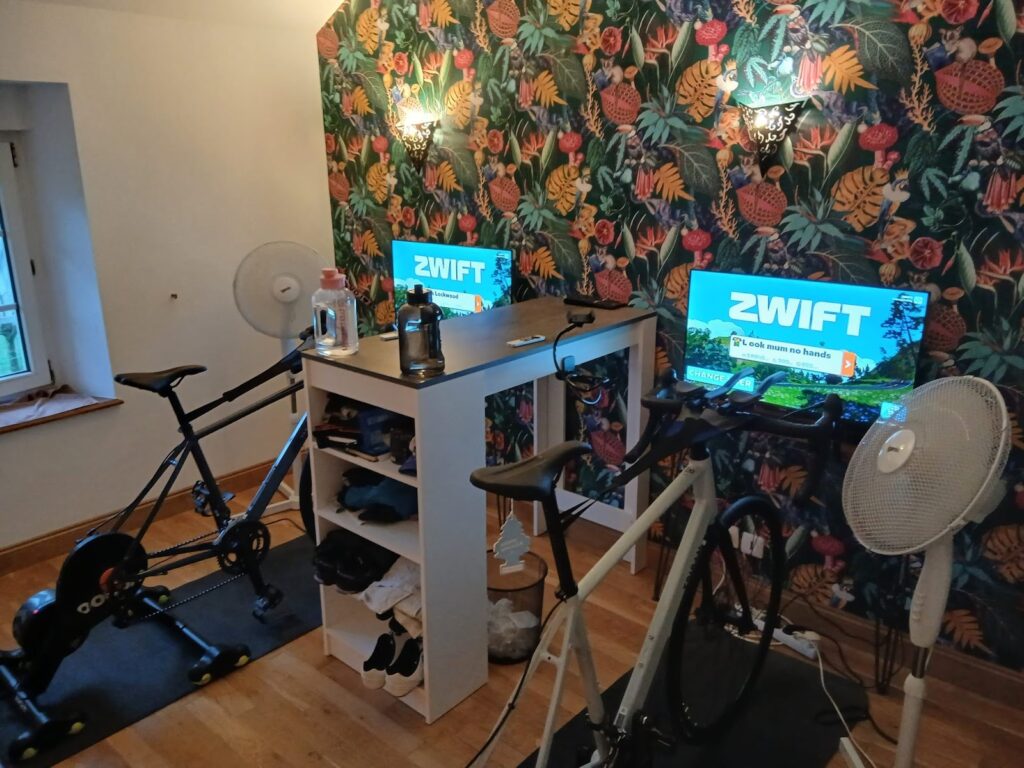
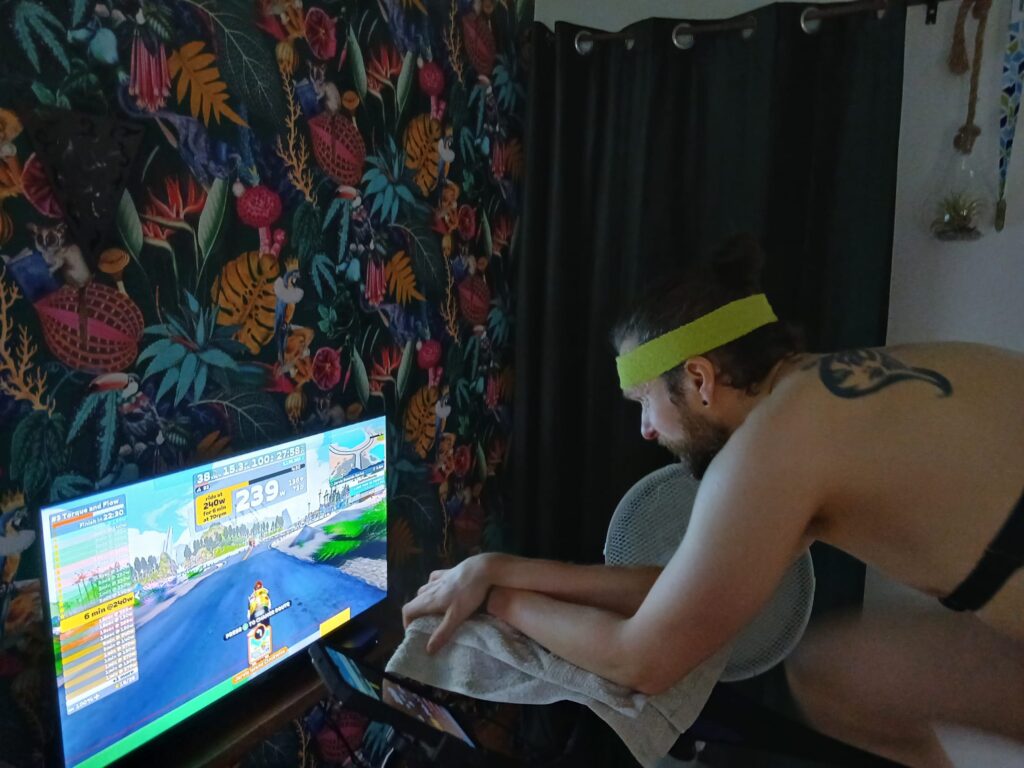
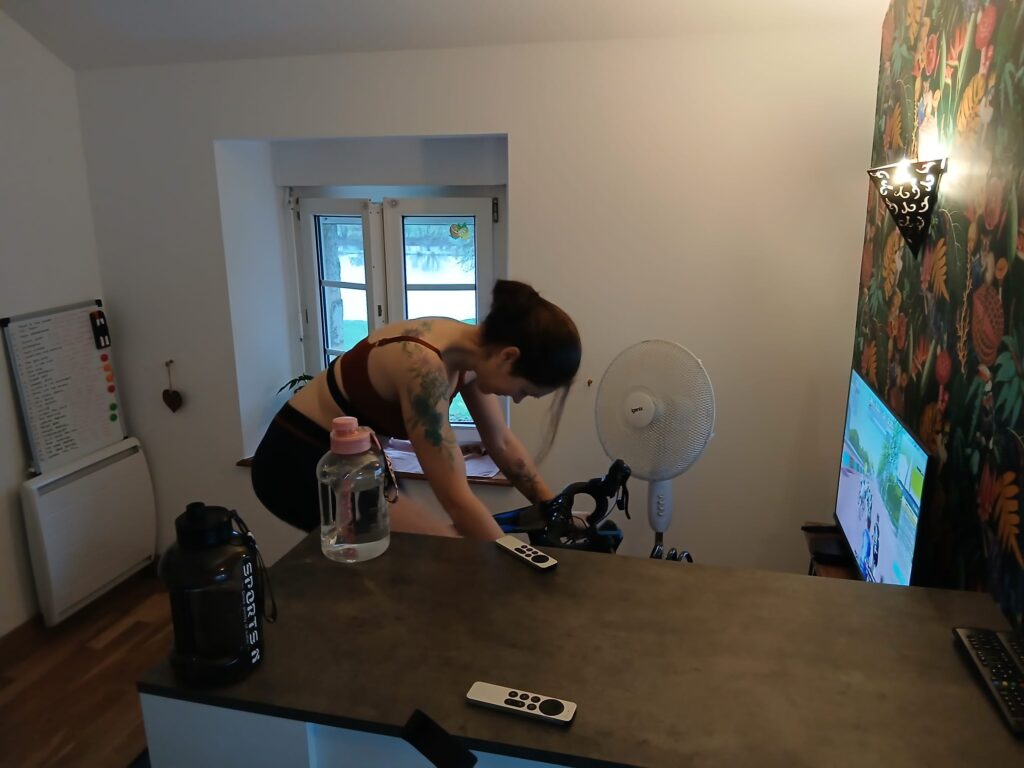
One day in France, Stephen was watching YouTube and Zwift popped up. Because of the incident, they both struggled to be in crowded places. They had tried running, but with the high impact on Stephen’s leg and the increasing anxiety of hearing vehicles coming from behind, they felt it wasn’t the right fit. But Zwift looked interesting to him. He investigated it a bit more and thought it looked safe. He started watching Zwift streamers. He asked Cara if it was okay for him to invest some money into it. Cara checked it out and said, “Only if I can do it too!” So, in January 2024, they went to the local bike shop, got the cheapest bikes they could afford, and started Zwifting. 

“Zwift is a big part of our lives now,” says Stephen.

They Zwift together five to six times a week. “We love it! Especially the epic races. It feels so good to work your butt off and finish – and maybe have a bit of a cry when you achieve a big goal.”

Over Christmas 2025, Cara joined Christoffer Wikman’s charity ride for cancer and helped raise funds by riding 100 km a day. The ride was also a personal connection for Cara to remember her father who had passed away from cancer. 

They love racing and doing the long rides and challenges, like riding Zwift’s 30 longest routes in 30 days.

“It’s helped build up strength in my legs,” says Stephen. “It gives me a mental lift – a sense of fulfillment. I’ve lost weight and I’m eating right. We haven’t had a drink of alcohol in over a year.”

They have dark days. “Zwift and the wonderful community give you a sense of goodness, camaraderie. If I drop out of a group, people come back and help me get back in. That’s kindness. It’s encouraging,” says Cara.

“We can’t tell you how important Zwift is to us. We are so grateful. So full of gratitude. It has helped us reconnect and have hope again.”

Ride on, Stephen and Cara! We are grateful for you two as well. 

You can follow them on Zwift at:

  • Cara: CaraLockwood
  • Stephen: LookMumNoHands

New SETI Study: Why We Might Have Been Missing Alien Signals

After decades of searching for extraterrestrial intelligence, the nonprofit SETI Foundation has an announcement. “A new study by researchers at the SETI Institute suggests stellar ‘space weather’ could make radio signals from extraterrestrial intelligence harder to detect.”
Stellar activity and plasma turbulence near a transmitting planet can broaden an otherwise ultra-narrow signal, spreading its power across more frequencies and making it more difficult to detect in traditional narrowband searches. For decades, many SETI experiments have focused on identifying spikes in frequency — signals unlikely to be produced by natural astrophysical processes. But the new research highlights an overlooked complication: even if an extraterrestrial transmitter produces a perfectly narrow signal, it may not remain narrow by the time it leaves its home system… “If a signal gets broadened by its own star’s environment, it can slip below our detection thresholds, even if it’s there, potentially helping explain some of the radio silence we’ve seen in technosignature searches,” said Dr. Vishal Gajjar, Astronomer at the SETI Institute and lead author of the paper.

The researchers created “a practical framework for estimating how much broadening could occur for different types of stars” — and accounting for space weather — by “using radio transmissions from spacecraft in our own solar system, then extrapolated to other stellar environments.”

The study’s co-author (a SETI Institute research assistant) suggests this coud lead to better-targetted SETI searches. (M-dwarf stars — about 75% of stars in the Milky Way — actually have the highest likelihood that narrowband signals would get broadened before leaving their system…)


Read more of this story at Slashdot.