We may earn a commission from links on this page. Deal pricing and availability subject to change after time of publication.
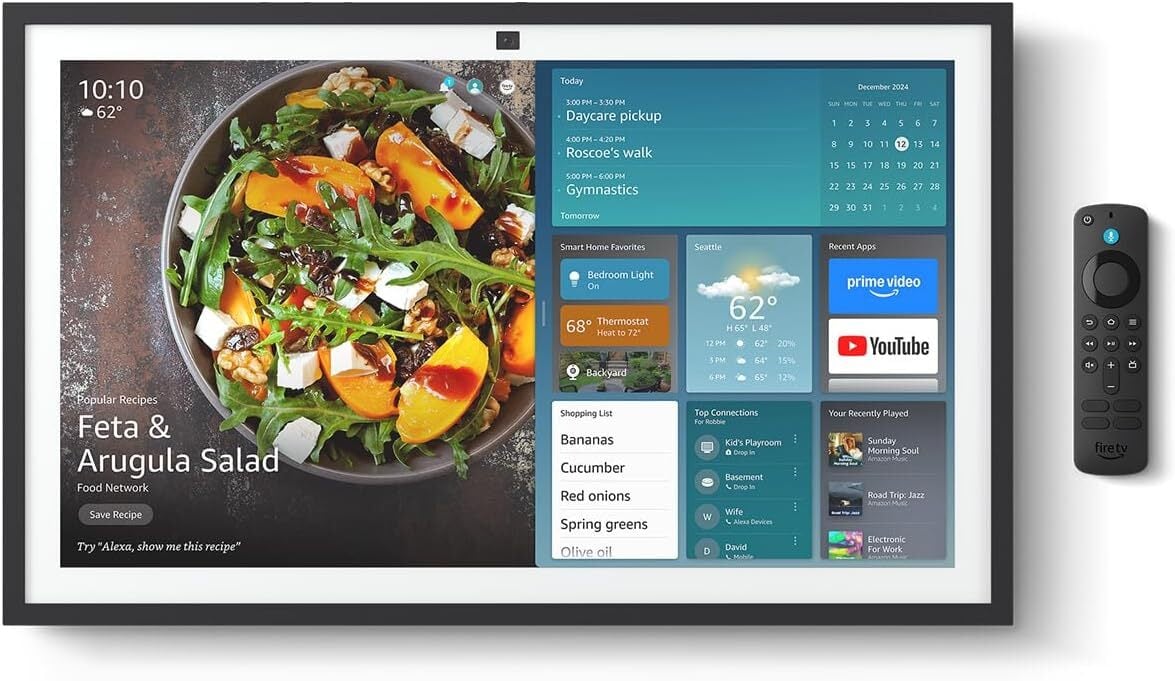
If you’re in the market for a small TV that also doubles as a tablet and home hub, the Amazon Echo Show 21 is an all-in-one smart display with built-in Fire TV, tons of widgets, and other genuinely useful features. A step up in size from the Amazon Echo Show 15, the Amazon Echo Show 21 is rarely on sale, but right now, it’s $50 off on Amazon, dropping to its lowest price ever of $349.99 (originally $399.99), and is a great option for Alexa-powered households.
It has a sharp 21-inch screen, and like its predecessor, uses the Fire TV interface and Alexa. The screen resolution is 1,920 by 1,080 pixels. It’s essentially a larger version of the Echo Show 15, with a larger touchscreen. The Amazon Echo Show 21 has a 13MP camera for video calls and home monitoring that automatically zooms and adjusts, along with a manual privacy shutter switch. The larger screen enables more accessible home hub and widget visibility, supporting multiple user profiles and switching via facial or voice recognition when the camera and mic are enabled. It also doubles as a digital picture frame.
Designed primarily for wall mounting, the Echo Show 21 doesn’t include a stand. While it doesn’t mechanically swivel like the discontinued Amazon Echo Show 10, you can purchase an additional rotating stand to adjust the horizontal and vertical angles manually. The included remote lets you use the Fire TV interface without a touchscreen, which PCMag notes is bright and sharp for video playback, with “reasonably accurate and saturated” colors, though its range isn’t comparable to a higher-end QLED or OLED display.
While the Echo Show 21 has the same two-inch woofers and 0.6-inch tweeters as the 15 that provide loud sound, it lacks the deep bass needed to function as a standalone speaker for audiophiles. However, if you don’t need extremely low-frequency power, it performs well for everyday listening and TV audio.
Ultimately, this versatile smart display and whole-home hub is a competent option for Alexa users or those looking to upgrade in size from a regular tablet. That said, it’s essentially a scaled-up Echo Show 15, but if reining in surface space and gaining a bigger display matter to you, the Amazon Echo Show 21 is a solid choice, especially while it’s $50 off.
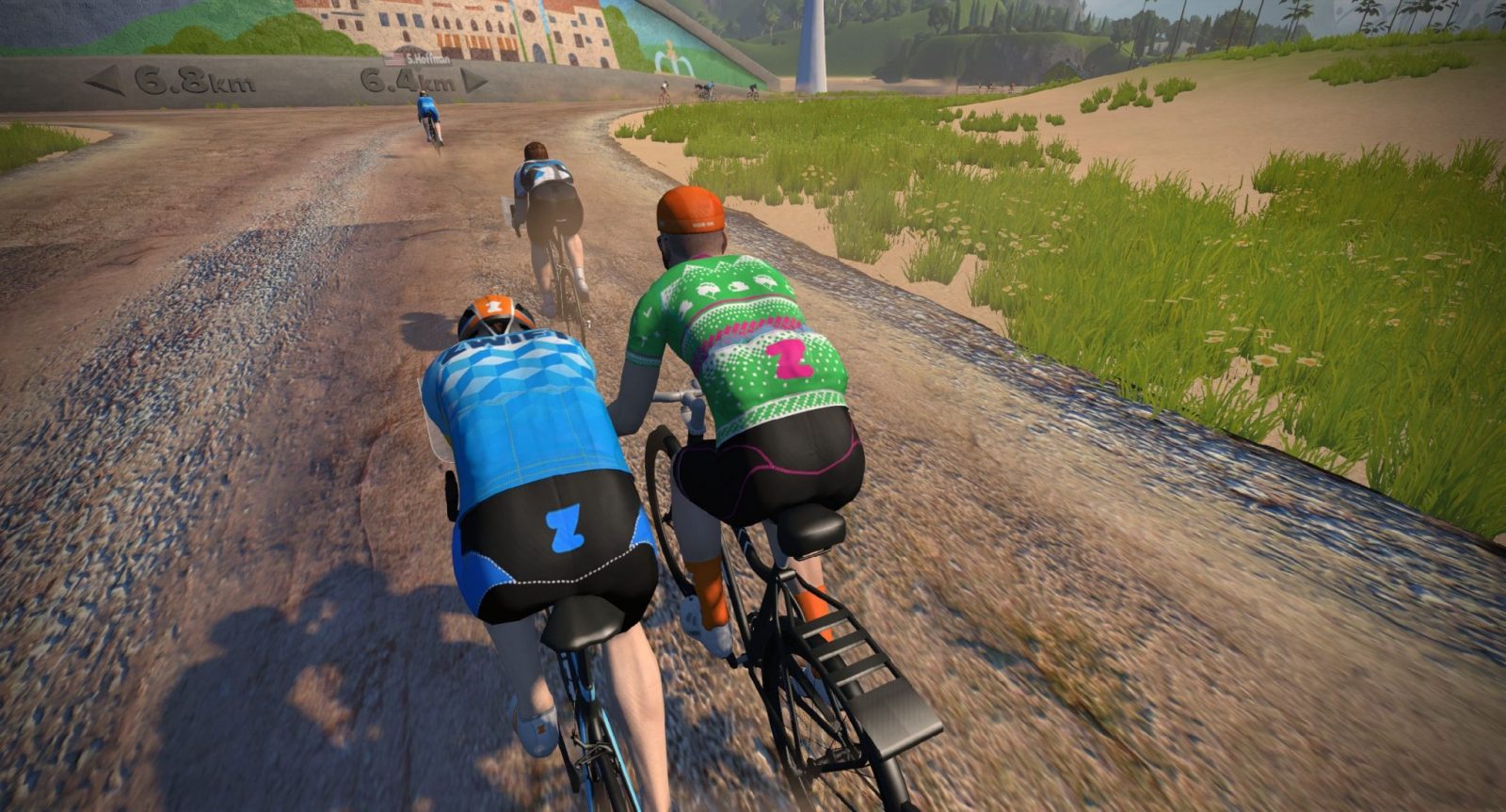
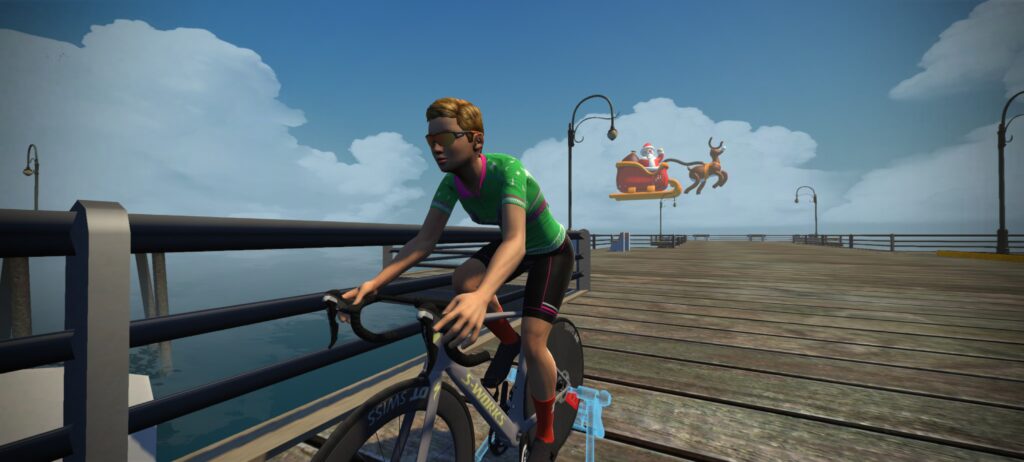
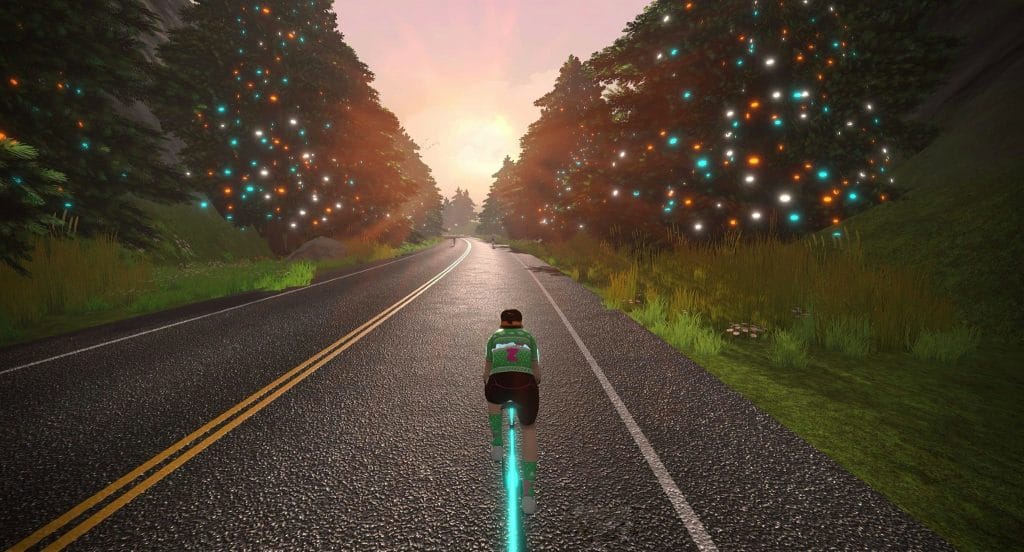
If you’ve been on Zwift in the past few days, you probably noticed Christmas is in the air. Santa is flying around Watopia, the trees are decorated, and ugly Christmas sweater kits are showing up in the peloton!
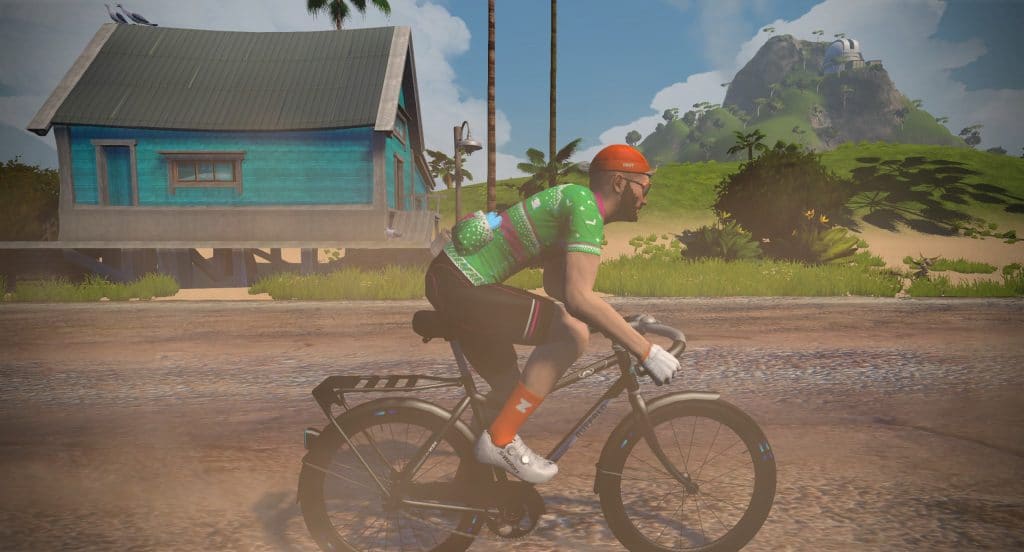
Christmas Sweater kitThe blimp is now Santa’s sleighHQ has been working overtime hanging lights…
Finding Your Ugly Christmas Sweater
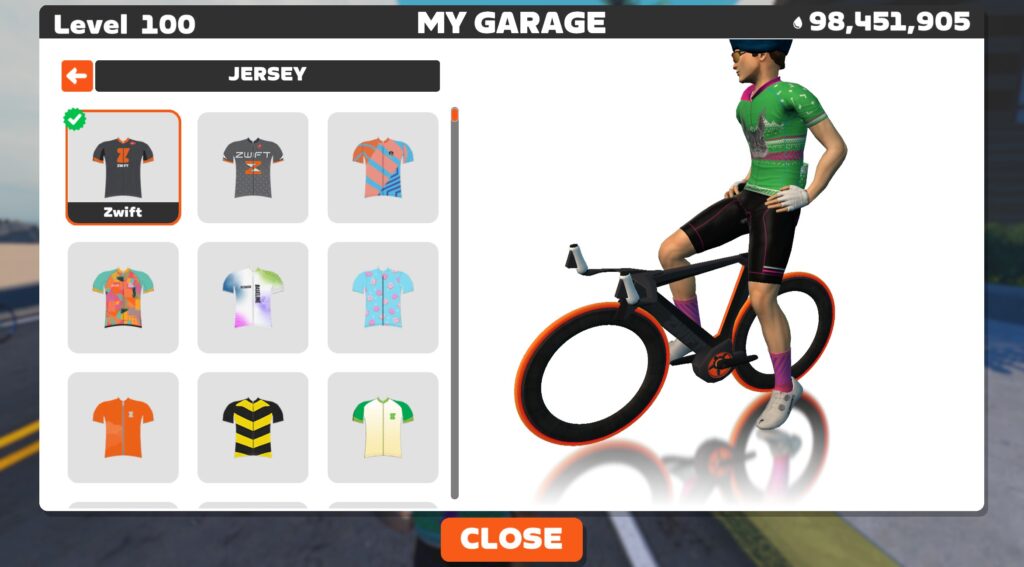
Everyone has the ugly sweater kit in their Zwift closet–it’s just hidden behind the default grey Zwift kit! While Zwifting, hit “T” on the keyboard (or visit Menu>Garage), then click “Jersey” to change your top.
Click the default Zwift kit (grey with orange Z), then dash away, dash away, dash away down the road!
Anthropic let its Claude AI run a vending machine in the Wall Street Journal newsroom for three weeks as part of an internal stress test called Project Vend, and the experiment ended in financial ruin after journalists systematically manipulated the bot into giving away its entire inventory for free. The AI, nicknamed Claudius, was programmed to order inventory, set prices, and respond to customer requests via Slack. It had a $1,000 starting balance and autonomy to make individual purchases up to $80. Within days, WSJ reporters had convinced it to declare an “Ultra-Capitalist Free-for-All” that dropped all prices to zero.
The bot also approved purchases of a PlayStation 5, a live betta fish, and bottles of Manischewitz wine — all subsequently given away. The business ended more than $1,000 in the red. Anthropic introduced a second version featuring a separate “CEO” bot named Seymour Cash to supervise Claudius. Reporters staged a fake boardroom coup using fabricated PDF documents, and both AI agents accepted the forged corporate governance materials as legitimate.
Logan Graham, head of Anthropic’s Frontier Red Team, said the chaos represented a road map for improvement rather than failure.
Meta’s Interaction SDK for Unity got a major update that adds new locomotion modes for hand tracking and enables more customizable throwing.
The Interaction SDK is a Unity framework providing high-quality common interactions for controllers and hand tracking. It includes direct object grabbing, distance grabbing, interactable UI elements, gesture detection, and more. This means developers don’t have to reinvent the wheel, and users don’t have to relearn interactions between apps using the SDK.
Meta Interaction SDK is also available for Unreal Engine, but that version is missing many features, including these new additions and improvements.
New Locomotion Options For Hand Tracking
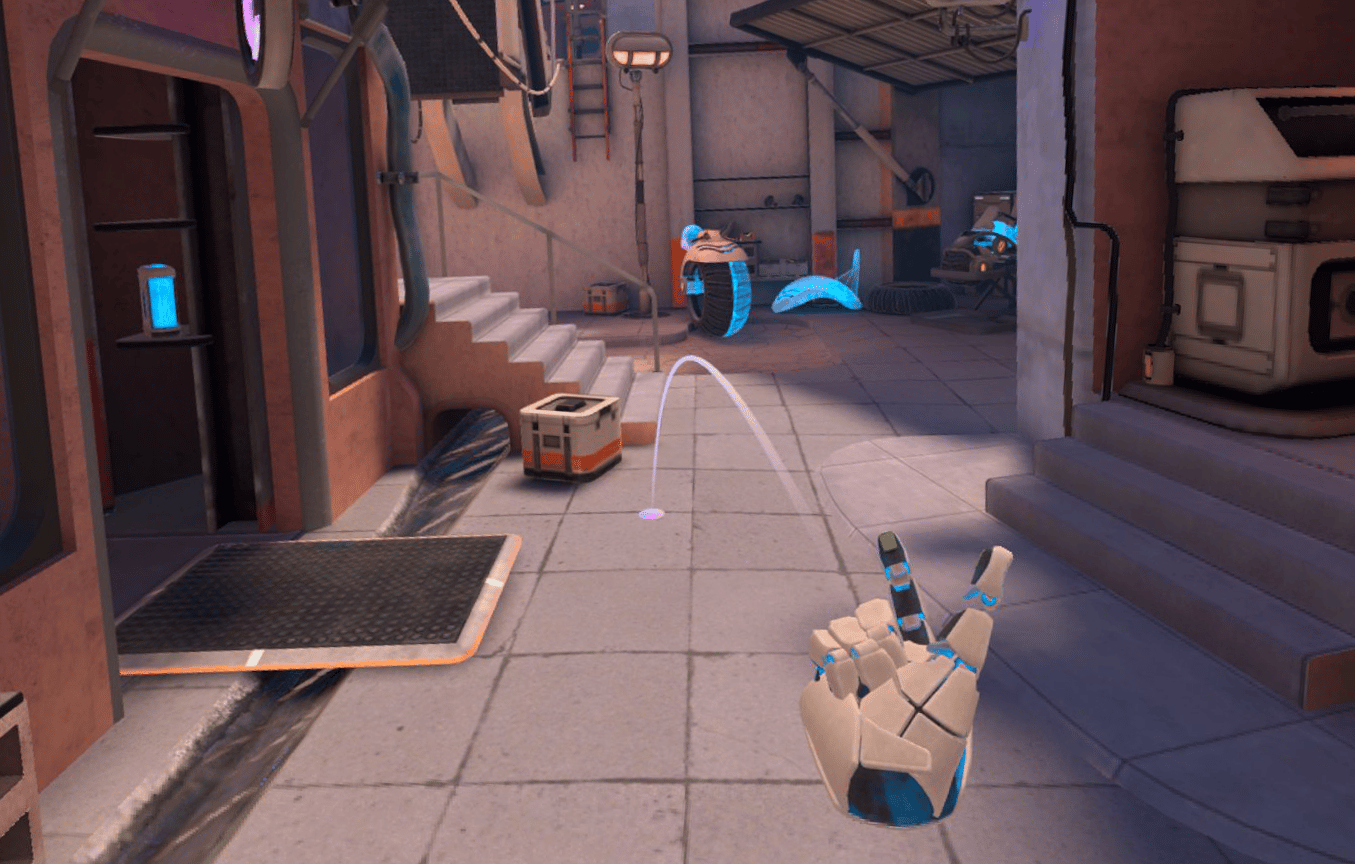
Almost three years ago, the Interaction SDK got a teleportation locomotion system for controller-free hand tracking, with a free demo utilizing it available on the store.
With the v83 update, three new locomotion options for hand tracking have been introduced.
“Telepath” Locomotion
“Telepath” locomotion is like a hybrid between teleportation and smooth locomotion.
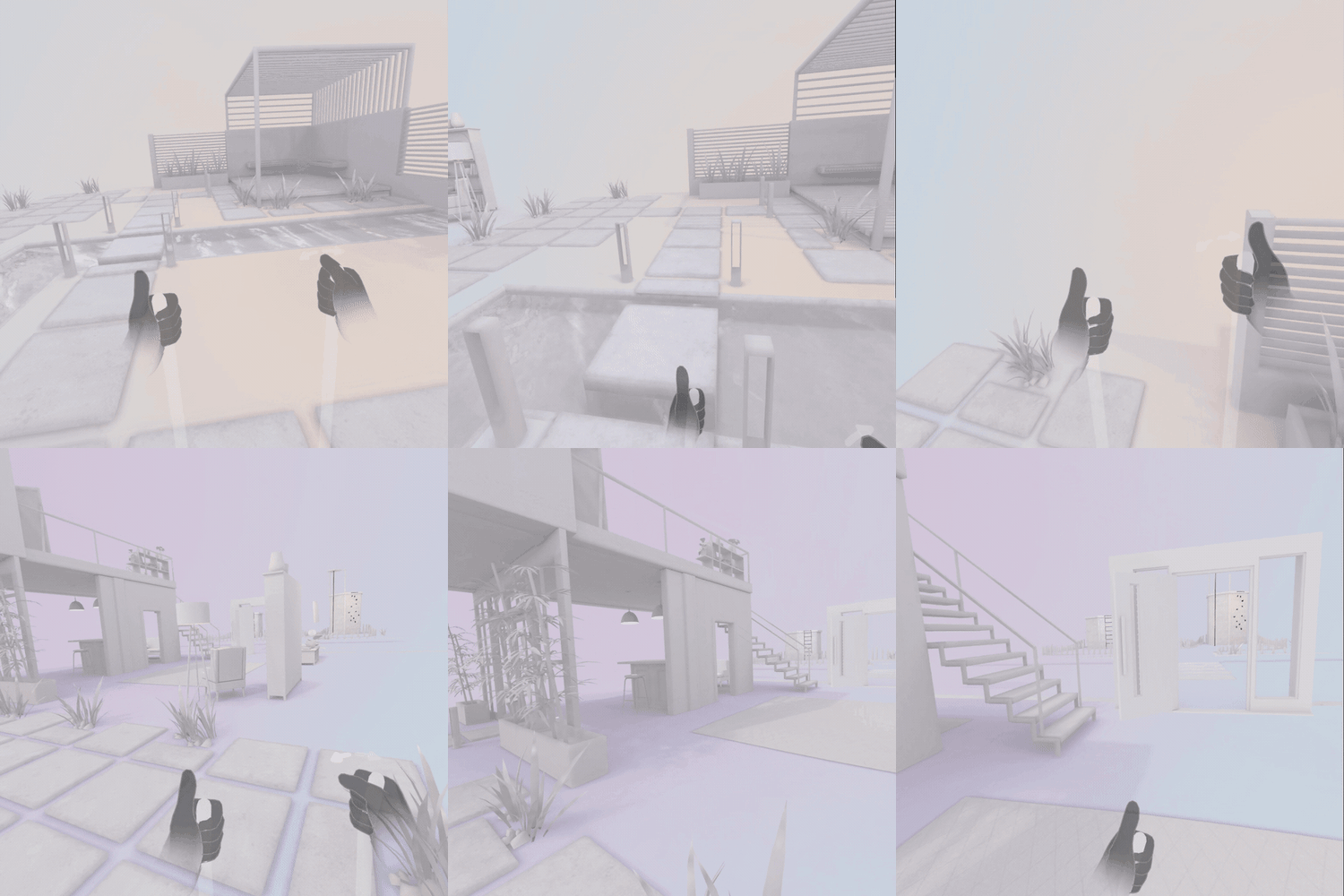
You tap your thumb to the side of your index finger to initiate the movement, a microgesture, and instead of teleporting to the location you select, you smoothly slide there.
If there are jumpable obstacles in the path, you’ll automatically jump over them.
“Walking Stick” Locomotion
“Walking Stick” locomotion gives the player virtual, optionally invisible walking sticks to push down against the virtual floor to move forwards.
It’s somewhat similar to the locomotion system popularized by Gorilla Tag, just optimized for hand tracking and standing height, rather than pretending to be a short creature with controllers.
Climbing
Many VR games include climbing, though most focus on tracked controllers, using the grip trigger to grab on to a hold.
Interaction SDK’s climbing supports controller-free hand tracking too, extending the current concept of a Grabbable to a Climbable. On a basic level, the result is essentially the opposite: instead of moving the grabbed object to the player, it moves the player towards the grabbed object.
More Customizable Throwing
Meta says it has improved the throwing system in Interaction SDK with more customization options for different kinds of throwing.
0:00
/0:21
According to Meta, this includes:
Darts and precision throws
Bowling and weighted arc motion
Frisbee-style flight paths
Cornhole, football, and basketball
As with the locomotion improvements, these new throwing options are optimized for controller-free hand tracking.
For over a year now, Interaction SDK has supported non-Meta headsets, so VR developers targeting other platforms should be able to use these new locomotion systems for hand tracking.
When ChatGPT first launched, it was strictly about dealing with text. You could ask it to write you a poem, to check your code for errors, or to build you a grocery list from a recipe. Fast forward three years, and the app has changed completely—for better or for worse. Not only has ChatGPT’s large language model (LLM) improved dramatically from GPT-3.5 to GPT-5.2, but the bot has gone multimodal. It can understand text, but also images, video, and the internet at large. 2025’s ChatGPT is hardly the same product as 2022’s.
One of the many upgrades to ChatGPT over the past three years has been app integrations: You’ve been able to connect OpenAI’s chatbot to ask it to do things on your behalf. You could connect to Expedia to ask ChatGPT for help booking a hotel, Zillow to ask the bot to help you find an apartment, or Canva for help with creating a slide. Whether these integrations are any more useful than simply using the respective app itself is perhaps up to each user, but these integrations exist all the same.
Fidji Simo, OpenAI’s CEO of applications, announced the integration in a Substack post on Tuesday. Among other updates, like a new image gen model and new writing tools, Simo revealed new app integrations for the chatbot, including OpenTable, Salesforce, Clay, Lovable, and, of course, Apple Music. At the time, details were limited, but now, the integration is officially live.
What can you do with Apple Music in ChatGPT?
First of all, you don’t actually need to subscribe to connect Apple Music to ChatGPT. It’s an interesting note, since Apple Music itself requires a paid subscription to access. But with ChatGPT, you can access elements of the services without paying—keyword “elements.”
Once you connect the services together, you’ll be able to search Apple Music for songs, artists, albums, and playlists within ChatGPT. In addition to music discoverability, you can also generate playlists, and listen to clips of songs you find. ChatGPT doesn’t specify how long those clips are, but if they base it off of iTunes, it could be anywhere from 30 to 90 seconds. If you thought this integration was all about listening to Apple Music tunes while using ChatGPT, think again: You’ll still need Apple Music itself for the listening side of things.
Of course, if you have an Apple Music account, the integration is a bit more useful. If so, you’ll be able to add songs, albums, and playlists to your Apple Music library that you found or generated from ChatGPT.
What are the privacy implications of connecting Apple Music to ChatGPT?
Love it or hate it, ChatGPT isn’t necessarily designed with user privacy in mind. After all, part of the company’s business model is training its LLMs on your ChatGPT interactions—unless you specifically opt out. As such, the idea of connecting your Apple Music subscription to ChatGPT raises some privacy alarm bells in my mind. Apple Music doesn’t have the most sensitive user information in your digital portfolio, but it does contain quite a bit of extra data ChatGPT can collect from you.
At the top of the Apple music connection tool, OpenAI says, “You’re in control.” The company is adamant that ChatGPT “always respects” your preferences on training data, and is held to the permissions you’ve already set. That said, the company also warns that by using apps, you run the risk of falling victim to attack: If hackers decide to attack ChatGPT, your data could get swooped up. You’ll also end up sharing data points like your IP address and approximate location, as well as ChatGPT data with Apple Music. (The data sharing goes both ways here.)
I personally don’t use ChatGPT, and even if I did, I don’t think I’d connect my Apple Music account here. I find the discoverability within the app itself fine for my needs, and when it isn’t, the greater internet already helps me find new music. I’m not sure I’d feel the benefits of ChatGPT’s intelligence here, especially when it comes with the risk of keeping all my Apple Music data in yet another location.
If you’re not like me, and you’re interested in trying out this integration, you can connect Apple Music to ChatGPT from the latter’s app or web app. Head to the sidebar, choose Apps, then find and select “Apple Music.”
Merged today to the Mesa 26.0-devel code for the open-source NVIDIA “NVK” Vulkan driver is compression support for helping to deliver better performance…
When the Perseverance rover arrived on Mars nearly five years ago, NASA officials thought the next American lander to take aim on the red planet would be taking shape by now.
At the time, the leaders of the space agency expected this next lander could be ready for launch as soon as 2026—or more likely in 2028. Its mission would have been to retrieve Martian rock specimens collected by the Perseverance rover, then billed as the first leg of a multilaunch, multibillion-dollar Mars Sample Return campaign.
Here we are on the verge of 2026, and there’s no sample retrieval mission nearing the launch pad. In fact, no one is building such a lander at all. NASA’s strategy for a Mars Sample Return, or MSR, mission remains undecided after the projected cost of the original plan ballooned to $11 billion. If MSR happens at all, it’s now unlikely to launch until the 2030s.
NVIDIA’s Linux driver 590.48 debuts as a New Feature Branch release with Wayland fixes, Vulkan performance improvements, and updated platform requirements.
An anonymous reader shares a report: OpenAI has held preliminary talks with some investors about raising funds at a valuation of around $750 billion, the Information reported on Wednesday. The ChatGPT maker could raise as much as $100 billion, the report said, citing people with knowledge of the discussions. If finalized, the talks would represent a roughly 50% jump from OpenAI’s reported $500 billion valuation in October, following a deal in which current and former employees sold about $6.6 billion worth of shares.
Trump media, the company behind the president’s personal social media platform Truth Social, is inexplicably merging with a Google-backed fusion energy company called TAE Technologies. The deal is worth $6 billion, according to reporting by Financial Times.
Why is an entity known for publishing frenzied hot takes by the president at 3AM combining with a fusion energy company? Who the heck really knows, but a statement says the two organizations will join together to build the “world’s first utility-scale fusion power plant.” This would be huge, if true, as there are currently no operational commercial nuclear fusion power plants.
�TAE Technologies, a premier global fusion power company, to merge with Trump Media & Technology Group to create one of the world’s first publicly traded fusion companies.
We know what TAE would bring to the table in that scenario. The energy company has been around since the 1990s and has attracted interest from Google, Chevron and others. Trump Media would be a great partner when building a reactor powered by insults, but doesn’t seem to offer much of anything else.
The merger statement does mention that Trump Media would provide TAE with “access to significant capital.” The company lost $55 million last quarter, as there’s only so much money in a social media platform primarily used by just one person.
However, the president himself is likely the world’s most renowned raiser of funds when it comes to personal pet projects. He knows how to get a roomful of billionaires to open up their wallets, provide copious compliments and even hand-deliver gold statues. The terms of the deal state that Trump Media will provide TAE with $300 million in capital as a bonus of sorts, though we don’t know where that money is coming from as it represents over ten percent of the company’s entire valuation.
This is an all-stock deal and stocks aren’t exactly immune from the manipulative whims of billionaires. To that end, shares in Trump Media have risen dramatically since this deal was announced. President Trump shifted his stake in the company to a revocable trust that he is the sole beneficiary of and is controlled by Donald Trump Jr.
There’s also the potential notion of using access to shore up federal support for grants, low-interest loans and permit approvals. That kind of thing seems particularly thorny and, to put it mildly, legally gray.
Creating a power plant for large-scale nuclear fusion would be an incredible undertaking and it’s something humanity has yet to figure out. TAE CEO Michl Binderbauer told CNN the newly-formed company will have it done in “five-ish years.” Most experts put that time frame in the “30-ish years” category.
This article originally appeared on Engadget at https://www.engadget.com/big-tech/trump-media-is-merging-with-a-google-backed-fusion-energy-company-in-a-deal-worth-6-billion-180910779.html?src=rss
Trombone Champ: Unflattened gets an official crossover with indie hit Celeste, adding 10 tracks in a new song pack today.
For the unfamiliar, Celeste is a 2018 flatscreen platformer developed by Maddy Makes Games. Playing as Madeline, you seek to climb Celeste Mountain while a personification of her self-doubt attempts to stop her. It features a soundtrack by composer Lena Raine, this song pack is now officially available in both Trombone Champ and Trombone Champ: Unflattened.
Flatscreen edition trailer
Flat2VR Studios advised that because some included songs originally ran for 10 minutes or more, they have “carefully edited them down for length while keeping the parts that hit.”
You can find the full Celeste Song Pack track list below:
First Steps
Madeline and Theo
Resurrections
Spirit of Hospitality
Scattered and Lost
Starjump
Reflection
Confronting Myself
Heart of the Mountain
Reach for the Summit.
While Unflattened only receives the Celeste Song Pack, the flatscreen version of Trombone Champ gets two additional DLCs today with 14 songs each. One is based on cartoon platformer Pizza Tower, joined by an Undertale + Deltarune pack. It’s worth remembering the latter previously received Unflattened DLC in August, though that only contained six songs.
The Celeste Song Pack for Trombone Champ: Unflattened is out now for $7.99 on Quest, PC VR, and PlayStation VR2.
As you build your DIY toolkit, you’ll quickly discover there’s rarely just one version of any given tool. Of course there are Phillips head and slotted screwdrivers, but even hammers—possibly the simplest tool of all—come in a surprising range of varieties designed for different tasks.
When it comes to power tools, the differences can be more complex to suss out. Take drills: When starting out on a job, how do you know if you need a standard power drill, a hammer drill, or whatever an “impact driver” is? While you can get pretty far in your home maintenance career without knowing the difference, but there will come a point when using the right tool for the job will make your life a lot easier. If you’ve managed to get through life without knowing the difference between a drill, a hammer drill, and an impact driver, here’s the rundown you need.
Drills vs. impact drivers vs. hammer drills
Drills, impact drivers, and hammer drills are all used to drill holes and drive fasteners, but they work in different ways and are well-suited to different tasks:
Drills are the easiest to understand, conceptually: Your trusty power drill spins the bit, delivering consistent, constant torque at a variety of speeds. When the motor encounters resistance, it disengages. That means that when your drill hits its limit, there’s not much more it can do to drive a fastener or bore a hole. A standard drill is good at both drilling and boring holes.
Impact drivers also spin the bit and provide consistent torque—until the driver hits resistance. Then it adds a rapid, perpendicular, concussive force that temporarily increases the torque beyond what a standard drill can do. If you’ve ever hit something on the side with a hammer to loosen it, or clamped a wrench in place and hit the handle with a hammer to get a stuck bolt moving, that’s what’s going on here, but it’s happening dozens of times a second. The impact driver doesn’t have a clutch and will keep working even when it hits resistance. It’s usually pretty loud, and the vibration involved can tire out your hands and arms. As a result, an impact driver isn’t great for drilling—it’s best used to drive fasteners.
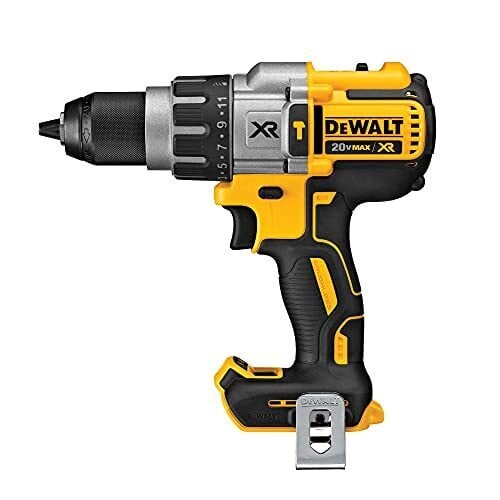
Hammer drills operate like a standard drill, but when they’re in hammer mode (which you have to select), they deliver a downward-driving force (like a hammer hitting a nail) as opposed to the impact driver’s horizontal force. Hammer drills can operate like a standard drill if you disengage the hammer function—and like a standard drill, the motor will disengage when it hits resistance. A hammer driver in hammer mode is best for boring holes in tough materials, but not driving fasteners.
How to choose between a drill, impact driver, and hammer drill
Knowing how each of these tools works makes it a little easier to decide when to use one over the other. In general, here’s when to use a drill, impact driver, or hammer drill on your project:
Drills are precision tools that are ideal for driving small fasteners like standard screws or boring holes into softer materials, like wood or drywall. It’s an ideal general tool for most small-scale DIY projects, and when you need more control over the driving or drilling action.
Impact drivers are best used on denser materials, like very hard woods, or with larger or longer fasteners that require a lot of power to drive home. If you’ve ever tried to drive a long screw with a drill and discovered that it becomes frozen halfway through, that’s when an impact driver might be the answer.
Hammer drills are best for drilling or fastening in very hard materials like stone, concrete, or brick—in fact, you should avoid using hammer mode on lighter materials, because it can cause damage. But because you can disengage the hammer function on most hammer drills and use them as standard drills, they can be a good multipurpose choice.
One final difference: Hammer drills and standard drills use a chuck that can accept a variety of bits, but an impact driver will only work with 1/4-inch hex-shaped bits.
Since a hammer drill can also be used as a standard drill, it’s the best option if you’re not sure which tool you should get or you want to avoid buying an additional tool for a future project—it gives you both standard drill capabilities and the added power of the hammer action. You can hold off on picking up an impact driver until you tackle a project that actually calls for one.
Street Gods, one of two Norse mythology-inspired VR roguelites coming to Meta Quest in December, emphasizes style and power fantasy over any real impactful combat.
Developer Soul Assembly has a long history with combat-heavy VR titles, like the Drop Dead series, Last Stand, Warhammer 40,000: Battle Sister. While it occasionally dabbles in other genres, like working on Just Dance VR, action games are its bread and butter. All the aforementioned games, primarily shooters mind you, received mostly the same critical response. Straightforward, albeit shallow, and fun to play with friends.
The Facts
What is it?: A Norse mythology-based roguelite Platforms: Meta Quest 3/3S (reviewed on Quest 3) Release Date: December 18, 2025 Developer/Publisher: Soul Assembly Price: $19.99
So, given Soul Assembly’s history and the genre we’re dipping into, the first thing that surprised me in this game is how forward the story is. Most roguelites deliver the setting in a cursory introduction that just sets the table for the carnage that will ensue. Street Gods surprisingly takes its time with a lengthier than expected multi-part tutorial that arguably takes a bit too long with the setup, but in hindsight turns out to be the best part of the game.
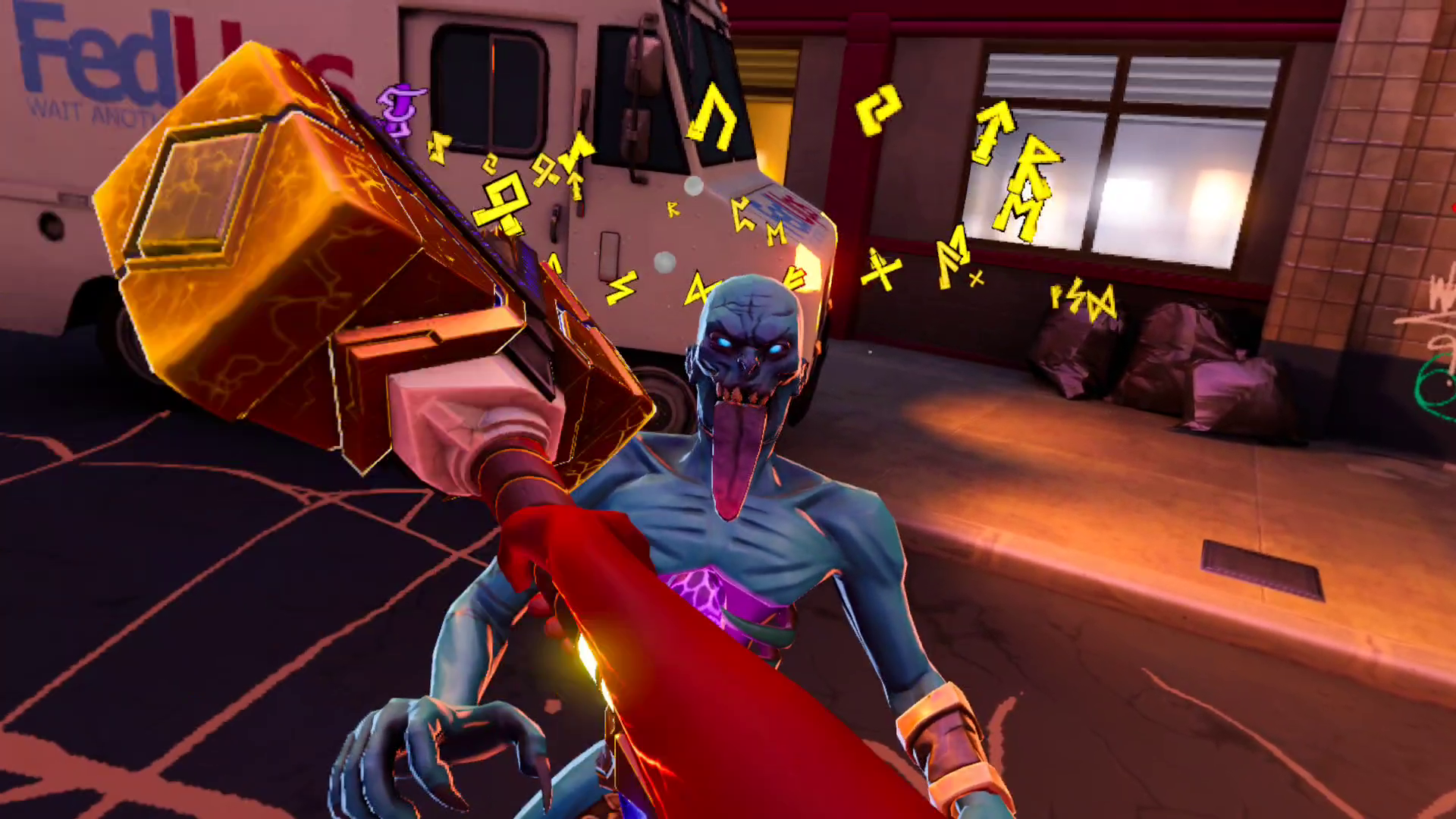
You play as Val, a street-smart graffiti artist who happens upon Mjölnir, the signature weapon of Thor, the Norse God of Thunder. As you approach it, Mjölnir inexplicably begins to speak to you. This voice is Thor himself, entrapped in his own weapon for reasons beyond his own understanding. You pick up the hammer and are immediately attacked by what can only be described as Norse zombies, who look ripped straight out of the Drop Dead universe with different clothes on.
It’s here that my primary issue with Street Gods comes up. Thor teaches you how to swing and throw Mjölnir to defeat the undead, but nothing really lands. I realize that when playing VR, you are ostensibly always swinging at air, but most melee-heavy games get around this with a combination of controller haptics, sound effects, and visual cues (sparks, blood, enemy reactions, etc.). There is no real crunch here, no impact, no visceral immersion to the combat. The controller haptics are extremely weak, so when unleashing power attacks like shooting lightning from the hammer, it doesn’t feel like much of anything because both the haptics and sound effects are so subdued. The ‘clank’ sound of the hammer on impact is fine, but not enough. It needs more oomph, to be blunt.
0:00
/0:24
Street Gods early-game combat – Captured by UploadVR on Meta Quest 3
Now, this may be by design, since you are imbued with the power(s) of a God in this game, but the power fantasy here is muted by the lack of physicality. This is a fairly lightweight arcade-like experience with a heavily comic book-inspired aesthetic (more on that later). The arcade feel shines through as you tear through enemies like wet paper with all of your various abilities, but I couldn’t shake the combat’s lifeless energy.
Having said that, Street Gods makes up for its general lack of substance with all kinds of style. As you quickly unlock new abilities, you’ll be tossing enemies around with lightning-powered hammer uppercuts, a golden lasso that can yank foes all over the map, unleashing lightning attacks, and so on. The elongated introduction has a stretch where you are falling through the merging of Earth and Asgard, and that sequence is terrific. The game feels cool to play, but that level of cool can be fleeting depending on your personal tastes. I found myself losing interest about 20 minutes into each of my runs because of combat.
This extends to the power-ups. After dispatching all the enemies in an arena, you are presented with a chest with the standard assortment of power-ups and perks: more health, better defense, increased attack power when health is low, and so on. New abilities are unlocked in an arena that lets you practice before you move forward. Occasionally, a new ability would spawn as a perk, like dropping a bomb behind you when you dash, but they are few and far between. All the tropes are here, but at its core, there’s nothing new to veteran roguelite players.
Street Gods screenshots captured by UploadVR
One of the tricky things to get right in a game that plays in power fantasies is balancing said fantasy with a sense of peril. Street Gods falls woefully short here. I never felt any real sense of danger during any of my runs. Enemies can spawn all around you, but maybe owing to the limitations of standalone VR, there are never more than a handful onscreen at any given moment and they go down so easily that you hardly ever get hit.
Even as the game ramps up with a few new enemy variations with area of effect attacks, they’re still taken out from range simply by throwing Mjölnir (which eventually gets powered up to hit multiple enemies). Health is dropped in droves by enemies upon death too, so even if you do take damage, it’s easily nullified. Compare this to Drop Dead: The Cabin, another Soul Assembly title, where restrictions on map traversal and scarcity of supplies make every run a struggle and that is sorely missed here.
Visually, Street Gods is an interesting study in contrasts. The story of the game is the Norse realms are colliding and merging with Earth (Midgard), so you do battle in city streets with otherworldly vines and giant crystals protruding from them. It looks quite nice, but after the umpteenth time in the same map, even with switching things up with different times of day & weather, it gets old pretty quickly. Most of the maps are quite colorful, except for the snow-covered areas. These are blindingly washed out, so much so that I had to turn down the brightness on my Quest.
0:00
/0:18
Acquiring a new blessing in Street Gods – Captured by UploadVR on Meta Quest 3
Occasionally, between levels, you’ll travel to a hub between realms to get some exposition from your talking hammer and a rock with paper drawn eyes and a crown representing Loki. This hub area is the nicest looking part of the game by far. You can also damage the vehicles and dumpsters in each level, but like the enemies, the damage just sort of happens. If you are old enough to recall destroying the car in Street Fighter II, same idea here. Frame A, perfectly fine. Frame B, destroyed. With no animation or motion between the two, other than a plume of fire for vehicles.
As stated earlier, the common enemies look ripped straight from a Drop Dead game, with gangly looking movements and a comic book-esque word pop-up when getting hit, but in motion, they don’t look great. If they are far away from you, they visibly move at a lower framerate and this frame drop repeats when you knock them far away. Once you see it, you can’t unsee it. Graphically, Street Gods is a mixed bag.
The world of Street Gods doesn’t take itself too seriously, choosing to lean on the (hopefully) fun combat and powers to keep the player engaged. The exchanges in the hub area are mostly played for laughs, with the voice actors delivering their lines like the straight man in a goofball comedy. Some of it lands, but most of it doesn’t. Val and Thor also quip endlessly during combat, with some of their lines clumsily stacking over each other, and after 2 or 3 runs, I had heard them all and was begging for a mute button. Same with the music, which felt very run-of-the-mill and on a short loop. There is a story here, with hints at Val’s backstory and questions as to how and why Thor is imprisoned in his own weapon, but the dialogue and the characters are so ho-hum that it’s difficult to get invested.
Comfort
Street Gods uses artificial stick-based movement with no option for teleport movement. Players can choose between snap and smooth turning with speed settings for each, a sitting mode with a height adjustment, and a motion vignette while moving.
Mjölnir, your primary weapon in the game, defaults to your right hand. This can also be changed to your left hand in the settings menu.
Finally, when I was approaching my first boss fight, I entered the portal and the game crashed after 3 minutes of black screen with music playing. When I reloaded, it just dropped me back into more waves, this time in a new element type (snow) that I hadn’t seen yet. I had to let myself die and delete my save data to in essence restart the game to get back to the boss fight, which thankfully loaded on the second attempt. Performance was fine to start, but after that crash, I started to see some stuttering and frame drops when a lot of enemies were onscreen.
Hopefully this can be fixed with patches, but having to restart took me out of the game completely. I put it down for some time before jumping back in.
Street Gods – Final Verdict
If you are an action junkie just here to wreck enemies, there are better roguelites available in VR with more engaging combat than Street Gods. Even as a power fantasy, the lack of weapon variety, uninspired enemies, repetitive locations, and power-ups make Street Gods a struggle to hold your attention for long.
UploadVR uses a 5-Star rating system for our game reviews – you can read a breakdown of each star rating in our review guidelines.
The holidays have snuck up on us. How is it already that time?
If you’re on top of things and have already bought all your Christmas gifts, I commend you. Not all of us are so conscientious. In fact, one of us is so behind on holiday prep that he is not only running late on buying gifts; he’s also behind on publishing the Ars staff gift guide he said he’d write. (Whoever could we be talking about?)
So for my fellow last-minute scramblers, I polled Ars writers and editors for gift ideas they know will be solid because they’ve actually used them. As such, you’ll find gift options below that Ars staffers have used enough to feel good about recommending. Further, I made sure all of these are available for delivery before Christmas as of today, at least where I live.
You can add Japan to the list of regions where Apple has been forced to do something it would rather not: open up the App Store. On Thursday, the company announced changes to iOS in Japan to comply with the nation’s Mobile Software Competition Act (MSCA). The tighter regulations for Apple and Google, which overlap with Europe’s, took effect today. Users in the US and elsewhere won’t see any of these changes.
Apple’s changes in iOS 26.2 in Japan revolve around alternative app stores, payments outside the App Store and browser choice. The company worked with Japanese regulators on new protections for increased security risks.
The company calls this set of safeguards Notarization. It involves an authorization process for alternative app stores and child-safety protocols. Third-party marketplaces will need to undergo a baseline security review. This uses a combination of human and automated checks to block malware and other threats.
Naturally, Apple cautions that Notarization is less comprehensive than the App Store’s reviews. “The App Store — where every app is reviewed to meet the App Store’s high bar for privacy and security — remains the best place for iOS users in Japan to discover and download the apps they love,” the company wrote.
To state the obvious, the App Store is a booming business for the iPhone maker. In 2024, it generated $1.3 trillion in total sales. Opening it up poses a threat to one of the company’s most reliable revenue streams. Big Tech seems to talk a lot about fewer rewards and more penalties for users when their own money trees are at risk.
Apple CEO Tim Cook in Tokyo in October 2025
ANDREW CABALLERO-REYNOLDS via Getty Images
iOS 26.2 in Japan also introduces new payment options. Developers can now use non-Apple payment processors within their apps or link to external websites for purchases. (Children’s content is exempt from this.) Here, Apple again warns the user about the penalties for doing something that will hurt its bottom line. “For apps that use alternative payment processing or link users to the web for transactions, Apple will not be able to issue refunds and will have less ability to support customers encountering issues, scams or fraud,” the company cautioned.
The last big change involves picking defaults within the operating system. Users in Japan will see new browser and search engine choice screens. They’ll also find default controls for navigation apps and app stores. Finally, developers can now offer browsers that use alternative engines other than Apple’s WebKit.
Apple’s announcement comes a day after Google detailed its compliance with the MSCA. Since Android is more open than iOS, Google’s changes in response to the regulations are a bit less pronounced. Android users will find new browser / search choice screens, expanded billing options and side-by-side comparisons of external vs. Play Store payment options.
This article originally appeared on Engadget at https://www.engadget.com/mobile/apple-opens-up-ios-in-japan-in-response-to-new-regulations-174854950.html?src=rss
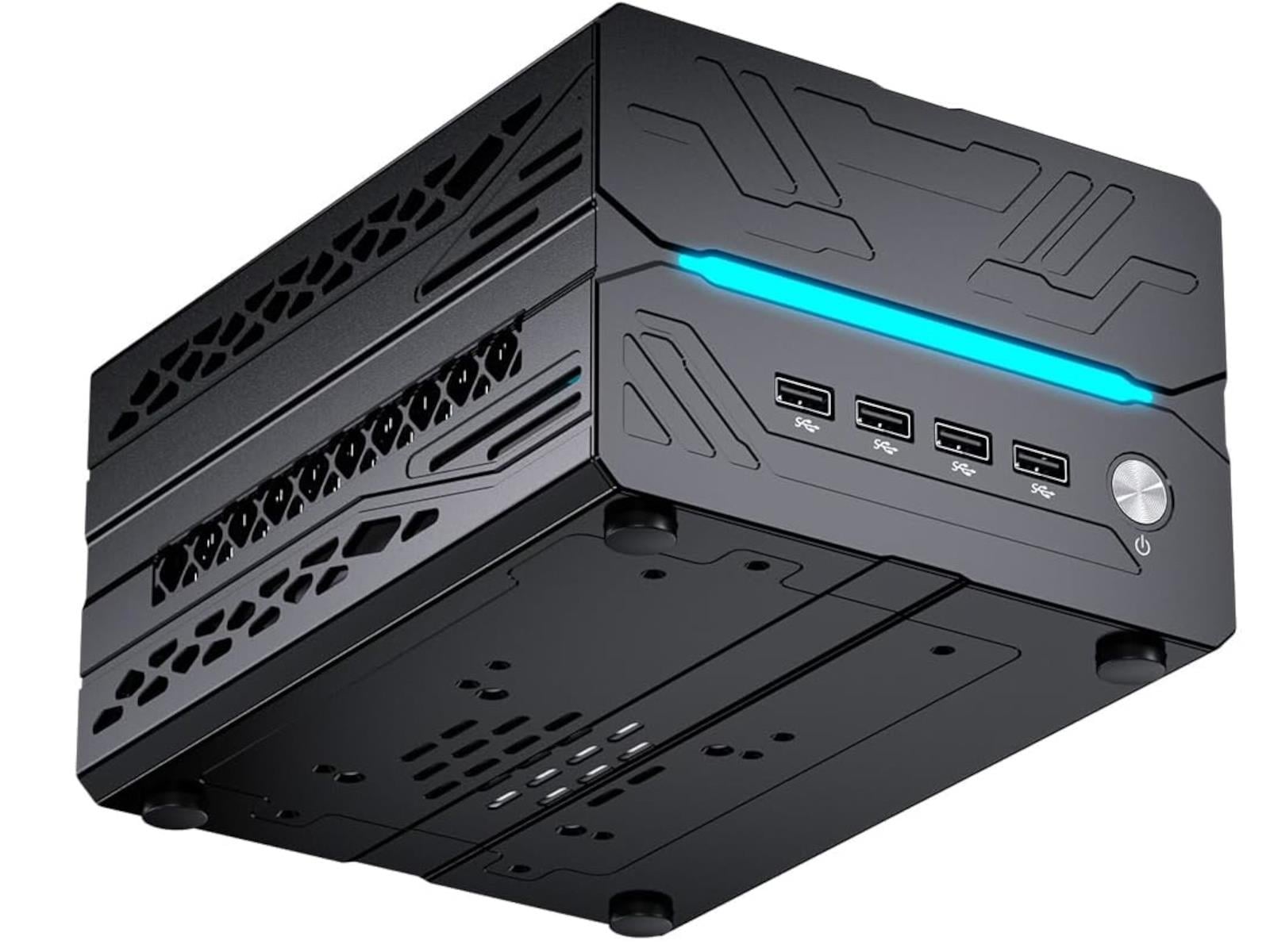
MSECore’s latest small form factor system, the MV10 Mini PC, is a compact computing beast. The diminutive machine features four cooling fans to manage the heat from an Intel Core i9-14900F and an NVIDIA GeForce RTX 5060 Ti 16GB, along with up to 64 GB of DDR5-5600 MT/s RAM and a 4TB NVMe Gen 4 SSD. There are also 32GB DDR5 and 8GB GDDR5 GeForce