Do This Quick (and Quiet) Circuit Workout When You Need a Break From Holiday Family Gatherings

The holidays are for rest, relaxation, and eating your weight in cookies shaped like reindeer. Your fitness goals can absolutely wait until the new year. But if you find yourself trapped in a house where someone just said, “well, actually” for the third time in ten minutes, and you need to escape to your old bedroom before you say something you’ll regret—here’s a quick (and quiet) bodyweight circuit you can do surrounded by your high school participation trophies.

The circuit workout

These are my favorite beginner-friendly exercises to efficiently blow off some steam. Hopefully you have some floor space next to your twin bed.

Tactical door-closed push-ups (10-15 reps)

These are classic push-ups, but you’re listening intently for footsteps. Is someone coming to ask why you fled the living room? This adds an element of anxious anticipation that really engages your core. Modify on your knees if needed.

Spite squats (20 reps)

Do some deep squats while internally composing the perfect rebuttal you’ll never actually say. Feel the burn in your quads and your self-restraint. Make sure you’re pushing your hips back until your thighs are parallel with the floor, looking to keep your knees bent at 90 degrees and in line with your toes. Bonus points if you can do these silently enough that no one downstairs hears the floorboards creaking.

Frustration lunges (10 per leg)

Lunge from your bed to your old dresser (the one still covered in stickers, right?). Consider each lunge as representing a point in the argument you’re nobly choosing not to make. You’re not avoiding conflict; you’re being the bigger person. And getting stronger glutes!

Remember, when you lunge, keep your front knee over your ankle, not your toes. Keep your torso upright and your core engaged.

Diplomatic plank hold (30-60 seconds)

Hold a plank while contemplating how you’ve become the most emotionally mature person in your family. This is harder than it sounds, both physically and existentially. If you need to drop to your knees after 20 seconds, that’s fine—you’re still doing better than the conversation downstairs. My top tip for keeping your body in a straight line is to engage your glutes more than you might think.

Passive-aggressive mountain climbers (30 seconds)

Quick, quiet mountain climbers that let you burn off steam without making enough noise to alert anyone that you’ve rage-quit the family gathering. Imagine you’re running away from the discussion, but in place, silently, on your childhood floor.

Peacekeeper glute bridges (15-20 reps)

Lie on your back (hey, you’re already thinking about taking a nap anyway), feet flat, and lift those hips. Each bridge is you rising above the drama. You’re literally elevating yourself. Metaphorically and gluteally.

Zen bicycle crunches (20 total)

Finish with bicycle crunches while pretending you’re pedaling away from this entire situation. Alternate elbow to opposite knee and find your center.

Cool down

Sit on the edge of your too-small bed, breathing deeply, feeling virtuously exercised and only slightly guilty for abandoning your family. Check your phone. Consider going back downstairs. Hear a raised voice mention “fake news” or “snowflake” or whatever the discourse is today. Do another round.

Ryanair Fined $301M Over ‘Abusive Strategy’ To Limit Ticket Sales By Online Travel Agencies

Speaking of Italy’s competition authority , it has fined Ryanair $301 million for abusing its dominant market position to limit sales of tickets by online travel agents. The Guardian: The authority said Europe’s largest airline had “implemented an abusive strategy to hinder travel agencies” via an “elaborate strategy” of technical obstacles for agents and passengers to make it difficult for online travel agents to sell Ryanair tickets and instead force sales through its own website.

The fine related to Ryanair’s conduct between April 2023 and at least until April 2025, the authority said on Tuesday. It said Ryanair had prevented online travel agents from selling tickets on its flights in combination with other airlines and services, weakening competition. Ryanair said it would immediately appeal against the “legally flawed” ruling.


Read more of this story at Slashdot.

Xbox cloud gaming comes to newer Amazon Fire TV models

Xbox has brought cloud gaming gaming to some Amazon Fire TV models. These include the Fire TV 4-Series and the Fire TV Omni QLED Series. This lets people play Xbox games directly on the television, without needing a bulky console or even something like a Fire TV stick. 

Gamers do need a couple of things. First and foremost, this service requires a subscription to Game Pass. Plans start at $10 a month and shoot all the way up to $30 per month. They’ll also need a compatible wireless controller, though most Bluetooth-enabled gamepads should work.

Two TVs.
Amazon

The feature works for every game on the Game Pass platform and will also stream many titles that people own outright via the “stream your own game” feature. This won’t work with everything, but hundreds of titles are supported. 

Amazon says this is just the beginning and that more TV models will receive the functionality in the future. Xbox Game Pass became available on select Amazon streaming devices earlier this year. Today’s move makes sense, given that Fire TVs and the company’s streaming sticks use the same OS. 

This article originally appeared on Engadget at https://www.engadget.com/gaming/xbox/xbox-cloud-gaming-comes-to-newer-amazon-fire-tv-models-163517432.html?src=rss

10 of the Best iPhone Privacy Hacks Everyone Should Know

We may earn a commission from links on this page.

When you’re using devices that are always connected to the internet, it’s difficult to completely protect your privacy. Luckily, there are plenty of great privacy hacks for your iPhone, which you can use to make it hard for trackers and spies to collect your data and snoop on your business. From built-in solutions, like adjusting app permissions, to purchasing privacy screen protectors, here are 10 hacks every iPhone user should consider to protect their privacy.

Get yourself a privacy screen protector

No software privacy hack can protect you from people looking over your shoulder to memorize your password, or from peeking to see what you’re up to. What can protect you, however, is a privacy screen protector. I saw this first-hand: One of my friends recently tried to show me something on her iPhone, and I realized that I couldn’t see anything at all until her phone was directly in front of me.

These screen protectors can make it easier to use your phone in public spaces without worrying about who’s looking at its screen. That said, there are a few potential dealbreakers. These screen protectors are rather plasticky, and don’t feel as nice or smooth as your iPhone’s touchscreen. These products also lower your screen’s brightness. I don’t mind, but it can be a problem if you’re trying to use your phone in bright lighting. If you can live with these cons though, this is a cheap privacy hack that’s definitely worth considering.

Stop Apple from collecting your data (as much as you can)

Privacy settings on an iPhone.

Credit: Pranay Parab

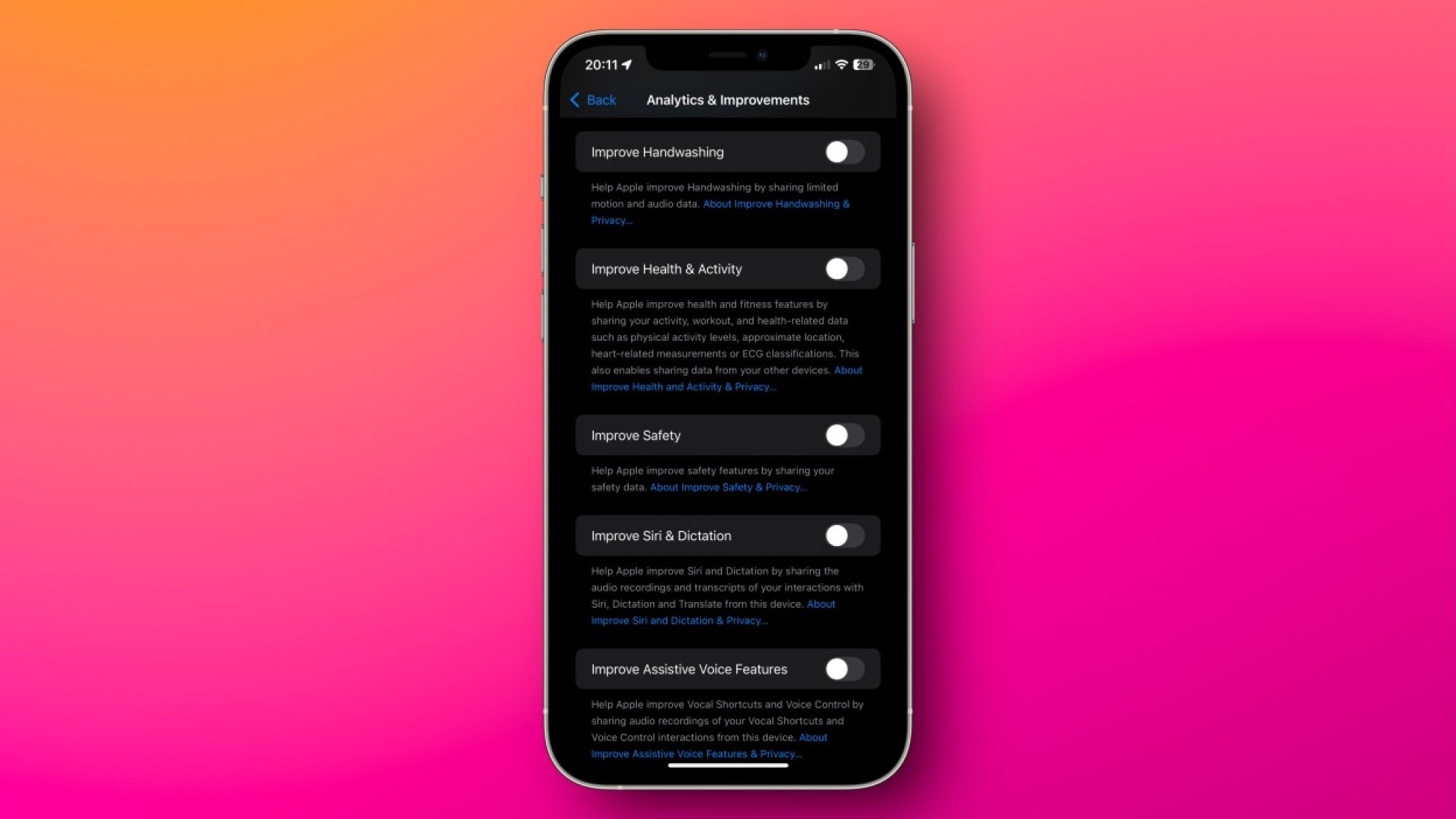
Apple is known for its privacy policies, but in recent years, its resolve seems to be weakening a bit. The company is pushing ads into its apps and your notifications, and it’s aggressively encouraging iPhone users to subscribe to Apple services. There’s not much you can do to block promotional materials coming from the company directly, but it’s still worth changing a few settings to limit Apple’s own ads. This includes reducing Apple’s data collection, too. Many of these options are available under Settings > Privacy & Security on your iPhone. On that page, you can navigate to these pages to disable quite a bit of tracking:

  • Analytics & Improvements

  • Apple Advertising

  • Location Services > System Services

Carefully reviewing all options on these pages and disabling unnecessary features goes a long way in limiting Apple’s data collection.

Deny (or limit) app permissions whenever you can

I used to allow all permissions an app requested when I first opened it. Over time, I realized that this led to a lot of notification spam, unnecessary data collection, and significant battery drain if the app was tracking my location. That’s why I developed a new strategy: deny all permissions unless an app absolutely needs it. In general, I almost always deny permission to send notifications, access to contacts, location, camera, microphone, and photos.

Newer versions of iOS allow you to share just a few contacts or photos, and even restrict GPS access to an approximate location instead of a precise marker. All of these are available under Settings > Privacy & Security in case you missed them while setting up an app.

Consider deleting apps known to track you

While the App Tracking Transparency option on your iPhone does reduce data collection from many apps, it’s far from foolproof. In general, apps have access to far more data than their web versions, so if you can, you should try switching from apps to mobile websites wherever possible. If you delete apps such as Instagram, Facebook, or TikTok, and switch to logging in via Safari, you’ll give away much less data, and some of the data you would otherwise give to the web apps will be blocked or spiked by Safari’s privacy features, further protecting your data. As an added bonus, since web apps are generally a worse experience than dedicated apps, you’re also far less likely to fall into a doomscrolling trap. I’ve used this fairly effectively with social media apps, but you can’t always delete apps, like WhatsApp.

Install an adblocker (or use a better DNS)

uBlock Origin in Safari on a Mac

Credit: Justin Pot

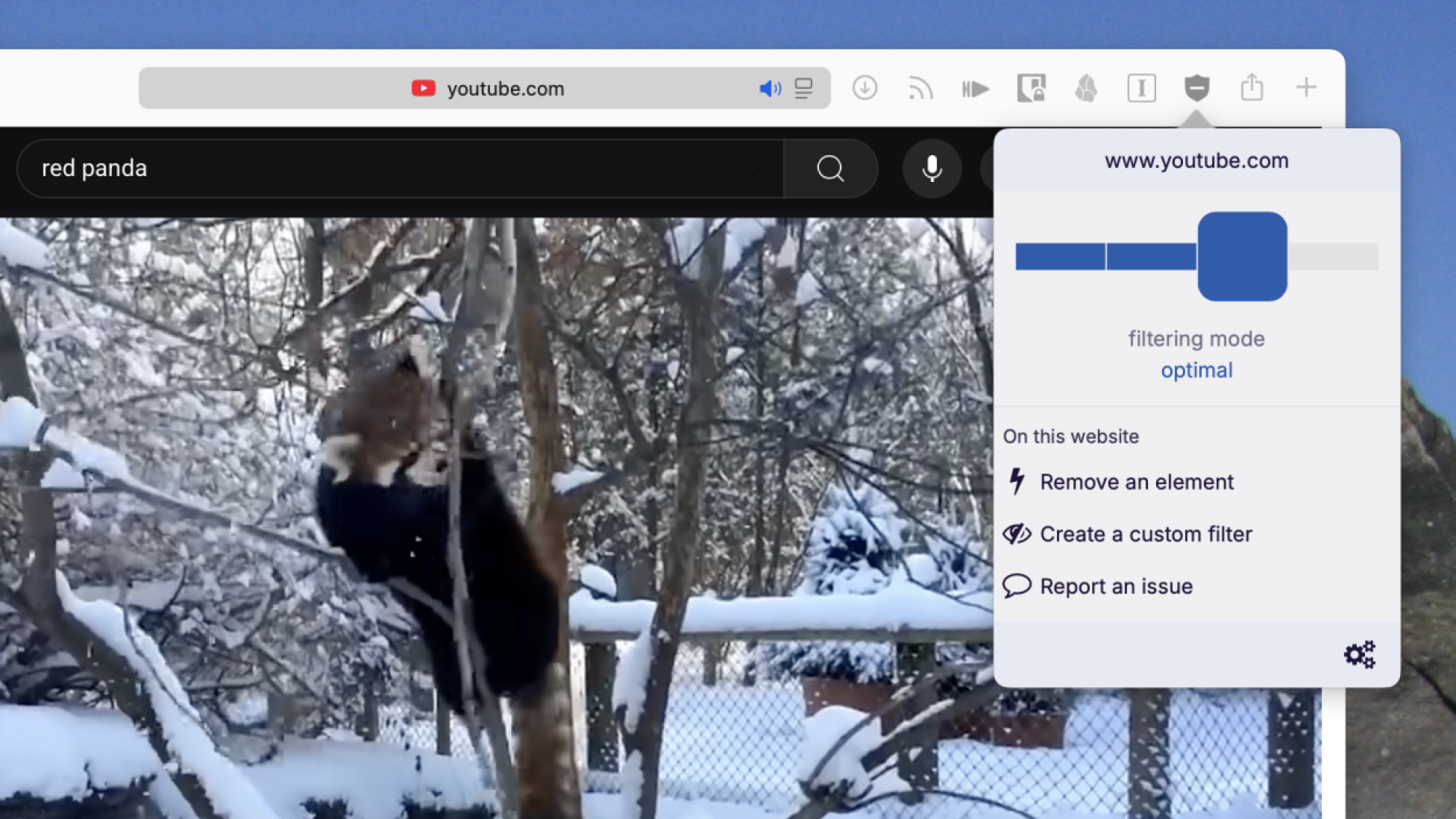
Installing an adblocker and a DNS app can do wonders for your iPhone privacy. Adblockers such as uBlock Origin are pretty good at blocking invasive tracking on your iPhone, but their effect is limited to Safari. To enhance the privacy of your internet traffic, you should consider installing an encrypted DNS app such as NextDNS, AdGuard DNS, or ControlD. All of these will block ads or trackers in most apps on your iPhone and safeguard you from some types of online security threats as well.

Safety Check is a must-have

Everyone should be using Safety Check on iPhone. This feature immediately lets you identify who you’re sharing what with, including passwords, fitness activity, your current location, calendars, notes, and other data. To check on it, head to Settings > Privacy & Security > Safety Check > Manage Sharing & Access. You can go through the prompts to review app permissions, and set up an emergency contact, which ensures that your data (and you) are safe. While you can manually access all these options in the Settings app, the Safety Check prompt lets you find all features without combing through multiple pages, which will save you a lot of time.

A password manager is a great privacy tool

Apple Passwords on Mac

Credit: Lifehacker

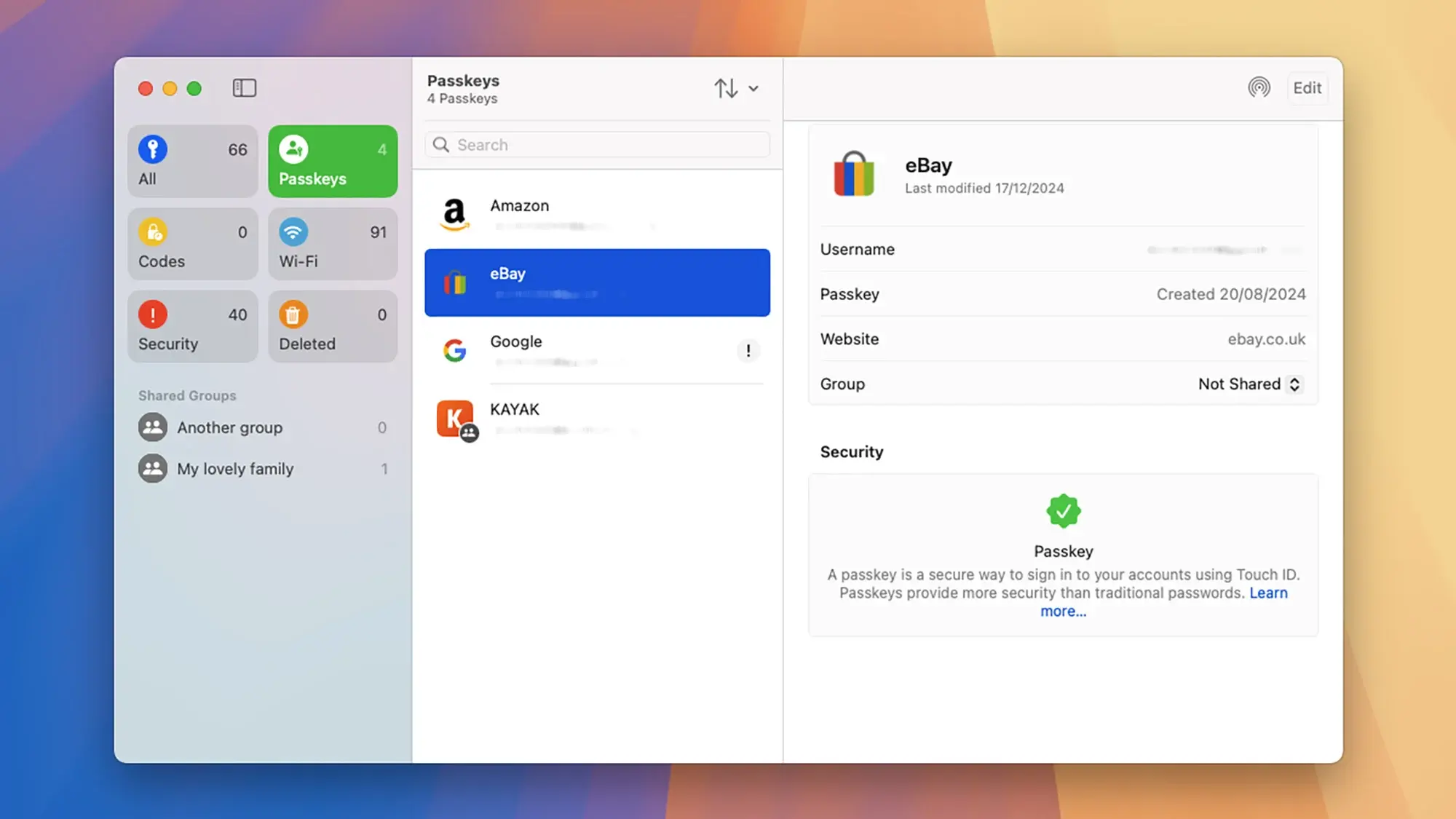
A good password manager is also a must. Free password managers, such as the built-in Passwords app or BitWarden allow you to create unique, strong passwords for each website, which makes it far less likely to compromise your accounts. You can also use these apps to store your two-factor authentication codes to add an extra layer of security to your accounts.

Even better, these apps can manage passkeys to help you log in to your online accounts. Passkeys eliminate the need to remember passwords, and are far more resistant to phishing attacks that could compromise your accounts. For more information on passkeys, check out our full guide here.

Encrypt your data backups responsibly

You should strongly consider enabling encryption on your data backups. This includes your iCloud Backup, and backups of your messaging apps such as Telegram or WhatsApp. Encryption makes it far less likely for an unauthorized party to read what’s on your iPhone, as the data is totally scrambled without the key—which, in this case, is either your password or PIN. However, this is also where the danger lies. If you forget your backup password, even you won’t be able to access the backup to restore data if you need to. Again, use a password manager to store these passwords so you’ll never really forget.

Remove identifying information from social media photos

This isn’t necessarily an iPhone privacy tip as much as it is a general privacy hack, but it’s worth mentioning. These days, trackers and hackers effectively use social media posts, photos, and videos to profile you. While there are plenty of steps you can take to limit the data you share on social media, you might not know you can remove identifying data from photos you post online. “Exif” data includes a host of stats about the hardware that took the image, including your camera make and model, shutter speed, focal length, and, perhaps most importantly, location. You don’t have to avoid sharing photos to protect this data, however: just remove the exif data before posting.

Lockdown Mode protects you from extreme attacks

Most people are never going to need to use Lockdown Mode, because it’s designed to protect your data when it’s under attack from government surveillance or from espionage. That said, it’s still worth knowing about this tool in case you ever face a cyberattack or if you suspect that your iPhone has been infected with spyware. Lockdown Mode disables message attachments, links and link previews, most incoming FaceTime calls, many Apple services, certain web technologies and fonts in Safari, and many other features.

I repeat that this level of extreme protection is unnecessary for most people, but if you do need it one day, you can go to Settings > Privacy & Security > Lockdown Mode to enable it.

“Yo what?” LimeWire re-emerges in online rush to share pulled “60 Minutes” segment

CBS cannot contain the online spread of a “60 Minutes” segment that its editor-in-chief, Bari Weiss, tried to block from airing.

The episode, “Inside CECOT,” featured testimonies from US deportees who were tortured or suffered physical or sexual abuse at a notorious Salvadoran prison, the Center for the Confinement of Terrorism. “Welcome to hell,” one former inmate was told upon arriving, the segment reported, while also highlighting a clip of Donald Trump praising CECOT and its leadership for “great facilities, very strong facilities, and they don’t play games.”

Weiss controversially pulled the segment on Monday, claiming it could not air in the US because it lacked critical voices, as no Trump officials were interviewed. She claimed that the segment “did not advance the ball” and merely echoed others’ reporting, NBC News reported. Her plan was to air the segment when it was “ready,” insisting that holding stories “for whatever reason” happens “every day in every newsroom.”

Read full article

Comments

New York Times reporter files lawsuit against AI companies

Investigative reporter John Carreyrou of the New York Times filed a lawsuit against xAI, Anthropic, Google, OpenAI, Meta and Perplexity on Monday for allegedly training their AI models on copyrighted books without permission. Carreyrou is perhaps best known for exposing the Theranos fraudulent blood test scandal.

According to Reuters, the lawsuit was filed alongside five other writers who all claim big tech companies have been violating their intellectual property rights in the name of building large language models.

This comes after a banner year for IP lawsuits against AI companies brought by rights holders. Just about every type of entity that deals in protected content has gone to court against AI companies this year, from movie studios like Disney and Warner Bros. to papers like the New York Times and the Chicago Tribune. Some of these cases have led to settlements in the form of partnerships, such as the licensing deal between Disney and OpenAI.

It’s notable that this case is being brought by a small group of individuals instead of as a class action, something the authors involved say is no accident. “LLM companies should not be able to so easily extinguish thousands upon thousands of high-value claims at bargain-basement rates,” the complaint reads. This is also the first case of its kind to list xAI as a defendant.

A spokesperson for Perplexity told Reuters that the company “doesn’t index books.” Anthropic, for its part, is no stranger to lawsuits from book publishers, having recently settled a class-action lawsuit brought by half a million authors for $1.5 billion. Apple was also sued earlier this year amid similar allegations. This latest complaint mentions the Anthropic settlement specifically, saying that class members in that case will only receive “a tiny fraction (just 2 percent) of the Copyright Act’s statutory ceiling of $150,000.”

Engadget has reached out to xAI, Anthropic, Google, OpenAI, Meta and Perplexity for comment and will update with any response.

This article originally appeared on Engadget at https://www.engadget.com/ai/new-york-times-reporter-files-lawsuit-against-ai-companies-161624268.html?src=rss

Apple and Google Asking Some Employees With H-1B Visas To Avoid International Travel

Tech giants Google and Apple are asking some employees with H-1B visas to reconsider international travel, as their legal teams warned that visa processing delays could keep employees abroad for months, according to Business Insider. From a report: Law firms representing the tech giants sent memos advising staff who require visa stamps for reentry to stay in the U.S., warning that international travel could entangle them in visa screening delays following the introduction of a new social media screening requirement, according to the news agency. The policy subjects H-1B workers and their dependents to reviews of their social media histories.

“Please be aware that some US Embassies and Consulates are experiencing significant visa stamping appointment delays, currently reported as up to 12 months,” BAL Immigration Law, which represents Google, said in a memo obtained by Business Insider. The law firm said the delays were affecting H-1B, H-4, F, J and M visas.


Read more of this story at Slashdot.

How to Install Git on AlmaLinux 10

In this tutorial, we will install Git on AlmaLinux 10. Git is a free and open-source distributed version control system. It was created by Linus Torvalds(The inventor of the Linux Operating System) for version control in the development of the Linux kernel. Git is designed to track changes in code and other files throughout the software development process.

NATO Warns Russia Is Building A Weapon To Obliterate Elon Musk’s Starlink Satellites

NATO Warns Russia Is Building A Weapon To Obliterate Elon Musk’s Starlink Satellites
Two intelligence services from at least two NATO nations have raised alarms over a potential “weapon of fear” currently under development by Russia. This anti-satellite system is reportedly being developed to target Elon Musk’s Starlink constellation, which has become a critical backbone for Ukrainian military communications and battlefield

Lenovo Yoga 7 OLED Ryzen Laptop Drops To $499 — Don’t Miss This Deal

Lenovo Yoga 7 OLED Ryzen Laptop Drops To $499 — Don't Miss This Deal
Are you still shopping for a holiday gift? First and foremost, check out our staff picks of ho-ho-hot tech selections, then have a gander at our roundup of last minute stocking stuffer deals. Of course, it’s a bit late in the game with Christmas now just two days away, but if you’re shopping for yourself (or are okay with printing a picture

Elementary OS 8.1 released

Version
8.1
of elementary OS has been released. Notable changes in this
release include making the Wayland session the default, changes to
window management and multitasking, as well as a number of
accessibility improvements. The 8.1 release is the first to be made
available for Arm64 devices, which should allow users to run
elementary on Apple M-series hardware or other Arm devices that can
load UEFI-supporting firmware, such as some Raspberry Pi models. See
the blog post for a full list of changes.

[$] A high-memory elimination timeline for the kernel

Arnd Bergmann began his 2025 Linux
Plumbers Conference
session on the future of 32-bit support in the
Linux kernel by saying that it was to be a followup to his September talk on the same topic. The
focus this time, though, was on the kernel’s “high memory” abstraction, and
when it could be removed. It seems that the kernel community will need to
support 32-bit systems for some time yet, even if it might be possible to
remove some functionality, including support for large amounts of memory on
those systems, more quickly.

AMD Krackan Point Sub-$500 Laptop Linux Performance Improves By ~8% In Just Six Months

As an end-of-year tradition at Phoronix for running a lot of year-over-year comparison performance benchmarks and other long-term performance evaluations, it’s typically done on the higher-end hardware. That’s done for a matter of time savings with maximum performance when running often 100~200+ benchmarks per article, the highest-end hardware typically being the most interesting in terms of features and capabilities, and more often than not getting flagship hardware review samples as opposed to the lower-end hardware. There have been benchmarks recently showing the big gains for AMD EPYC from a one year Linux LTS kernel upgrade, Intel Granite Rapids over the past year, and even the AMD Milan-X performance over the last four years, among other end-of-year 2025 articles. Today is a look at how the AMD Ryzen AI 5 “Krackan Point” CPU/iGPU performance has evolved simply over the last six months. It was a rather surprising twist how much better the Linux performance is over simply the past six months.