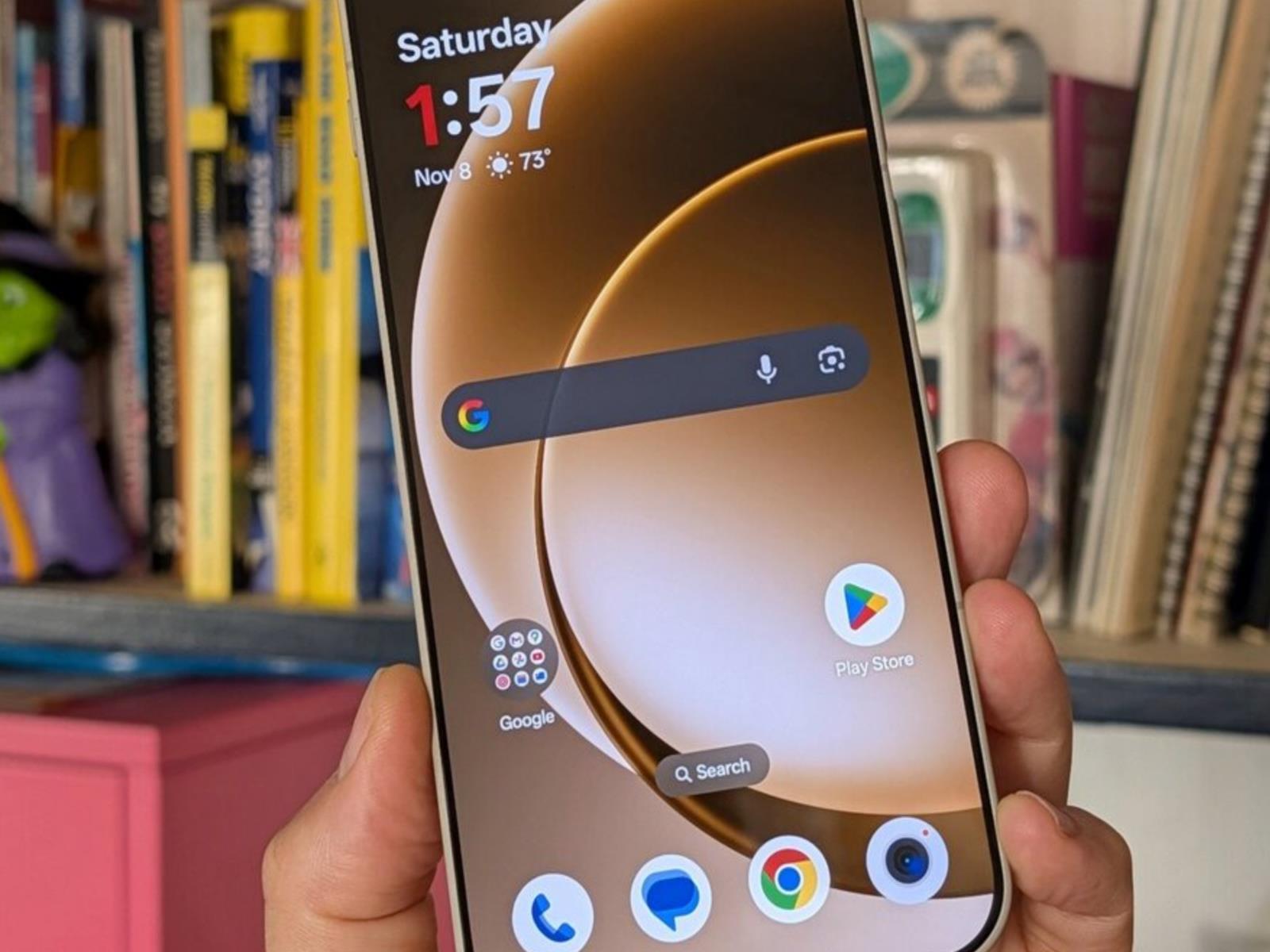
Here’s What’s New in Android 16’s Second Major Update

Android 16 officially started rolling out back in June, with most of the Material 3 Expressive visual overhaul added in a major update in September. Now, the second big Android 16 update is here, ushering in a host of new features across notifications, customization, accessibility, and device restrictions.

As is the norm, this update will arrive on Pixel devices first. For other Android devices, including those made by Samsung, it’s up to each phone and tablet manufacturer to adjust the software update as needed and push it out to their users. Despite the limited rollout, Google says this marks a “new chapter” for Android releases, which, going forward, will be “more frequent” rather than once a year. In other words, we might be seeing Android 17 much sooner than expected.

But we won’t see it today. We’re still in the Android 16 era, which is about to get the following new features and changes:

More interface customization
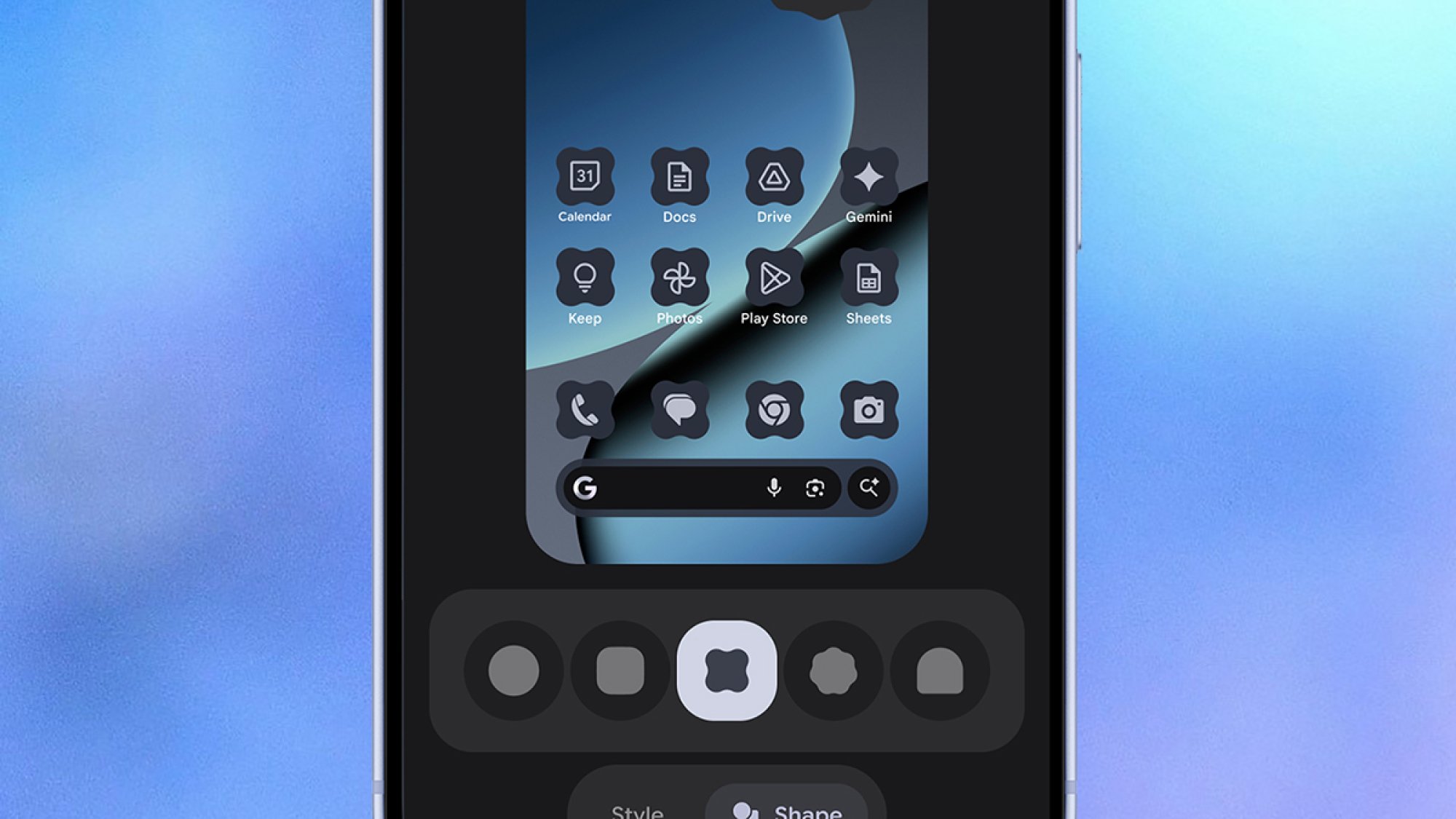
Android 16 icons
You now have more control over home screen icons.
Credit: Google

Customization has always been one of the strengths of Android, and this Android 16 update brings with it a bunch of features to help you change the interface in a more flexible and consistent way. Home screen icons can now have custom shapes, while themed icons are auto-applied across apps.

Both of those changes should mean that when you play around with the visual look of Android, there isn’t a jarring icon or two that stands out from the rest—everything should look more uniform. “Your phone should reflect your own unique aesthetic,” Google says, and these tweaks should help.

There’s also an improvement to dark mode: Dark mode will now be applied across all apps, even those that haven’t been coded to include a dark mode by their developer. Again, the end result should be a more consistent visual look, plus extra savings on battery life if more of the screen is dimmed more often.

Improved parental controls
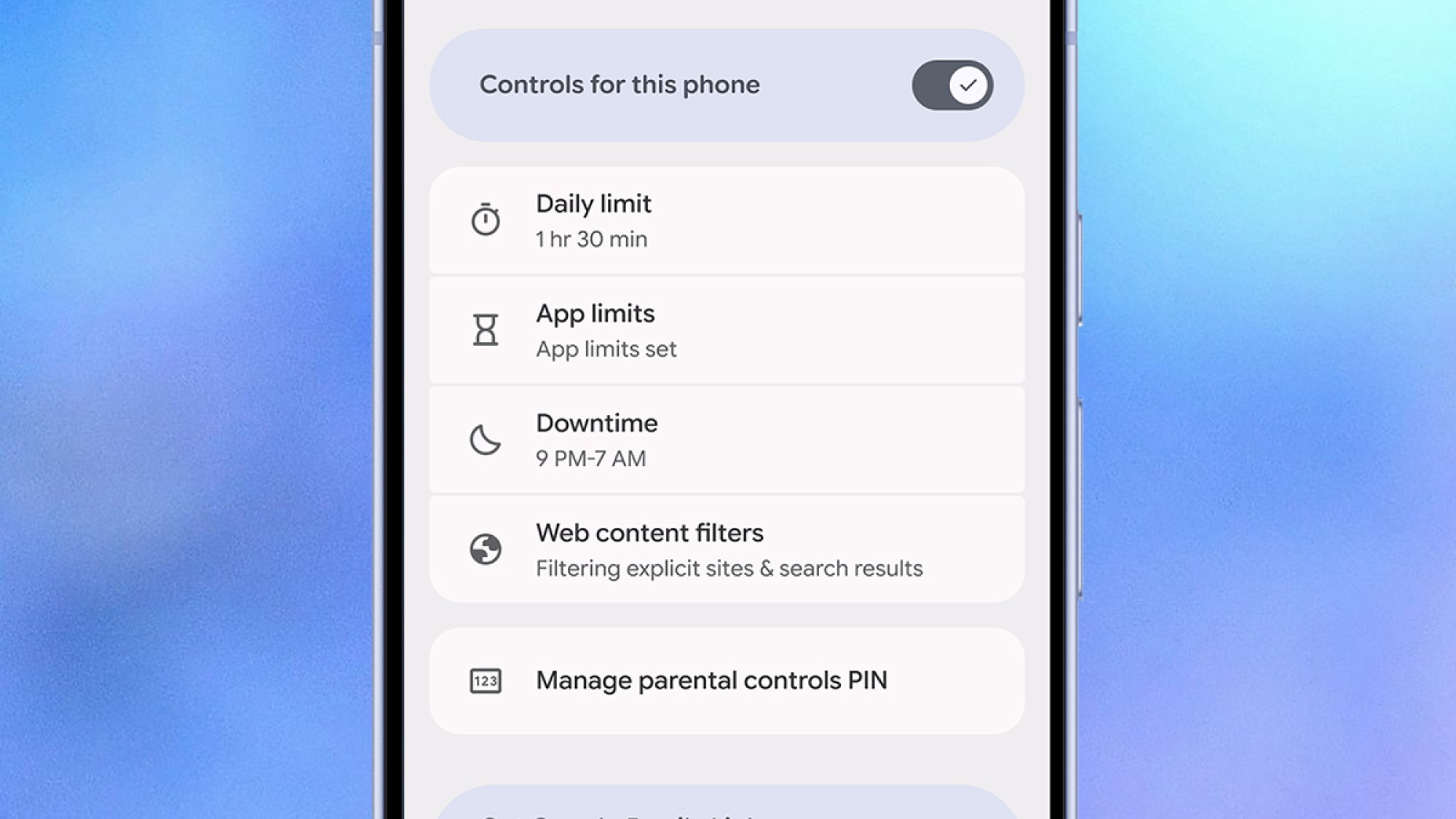
Android 16 parental controls
More parental controls can now be managed on-device.
Credit: Google

If you have kids who use an Android device, you’ll know the current parental controls are a little bit clunky, and mostly managed remotely. Going forward, more of these controls will be available on the actual devices your youngsters are using, which should mean they’re easier to access and manage.

The new on-board settings will be protected by a PIN, so your kids can’t change them, and will cover screen time, downtime schedules, and app usage. You’ll also be able to add more time for app and device usage from the phone or tablet that’s being used, which is more convenient if you’re actually with a child.

Additionally, Google is making it easier to set up a Google Family Link from Android 16 phones and tablets, which is where the family connections and device rules are set to begin with. Other key parental controls, including protections over purchases and location tracking, are still managed remotely.

AI in your notifications
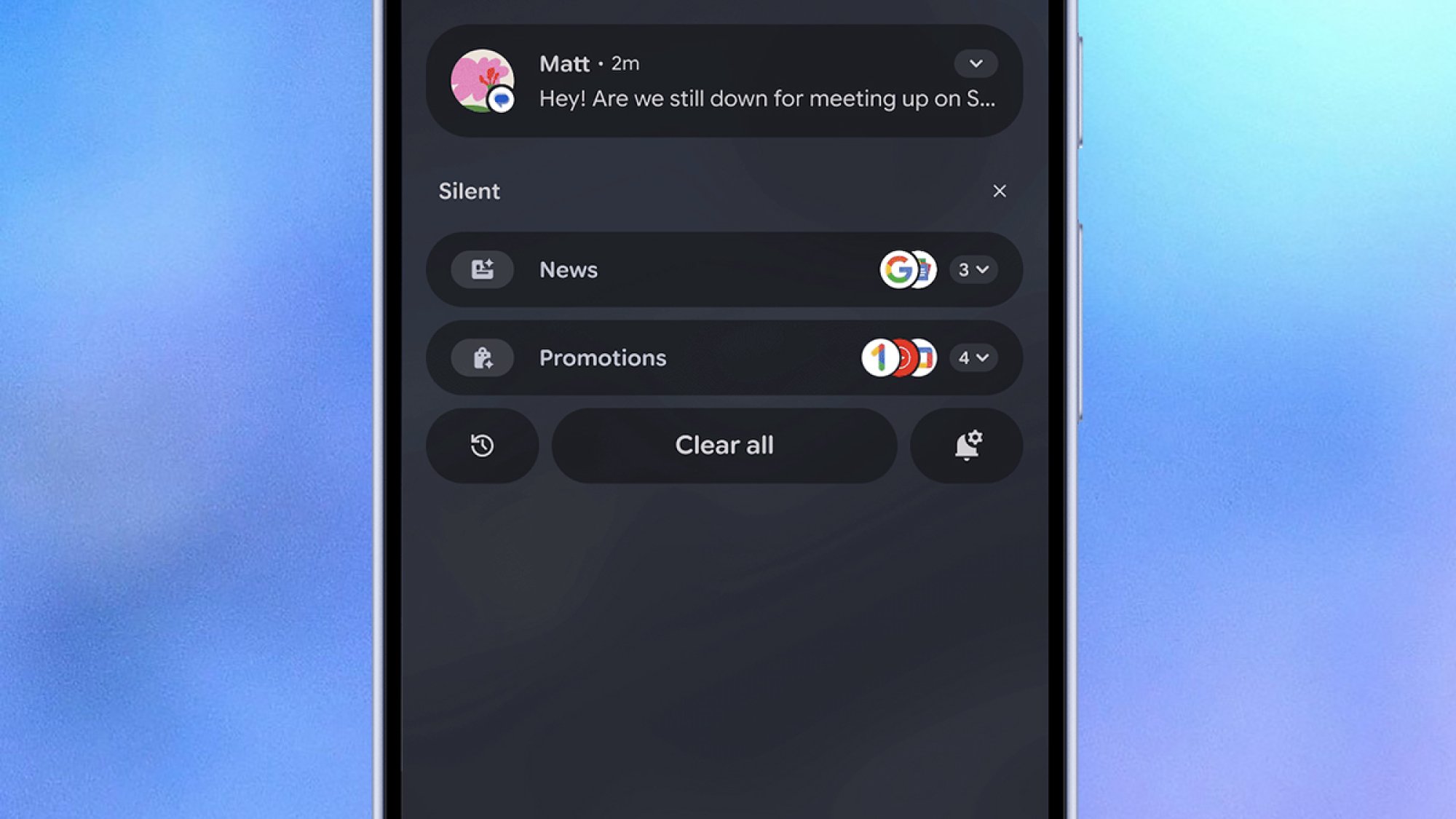
Android 16 notifications
AI will group and summarize your notifications.
Credit: Google

Technically launched in last month’s Pixel Drop, Android 16 now summarizes your notifications for you through the power of AI—something that tech companies are continuing to push, in an effort to save us all time and avoid notification fatigue, even if the results have been mixed so far. Why Google is announcing it alongside these other new features isn’t clear, but it’s a good reminder for any Pixel users who might be interested in trying it out.

AI summaries are something Apple introduced for the iPhone, then partially pulled for certain apps, then brought back. According to Google, these AI summaries will give you “quick understanding and context at a glance”—so let’s hope they understand what’s important in your group chats and what isn’t.

On top of that, we’re getting AI-powered notification organization too, with “lower-priority notifications” (which Google says include promotions and social alerts) silenced and grouped together so they’re not so much of a distraction. As yet, it’s not clear exactly how much control you’ll get over how all this works.

And even more updates

Android 16 Call Reason
You’ll be able to mark your calls as urgent in the future.
Credit: Google

There are plenty of other minor updates rolling out to a broader selection of Android devices too, not just those running Android 16. They include more expressive closed captions; ease-of-use improvements to accessibility features, such as TalkBack (voice dictation) and Auto Click (using a mouse with Android); and pinned tabs in Chrome for Android.

Emoji Kitchen is getting more features and more ways to combine emojis, Circle to Search is adding a scam detection feature (just point it towards a suspected scam message), and group chats in Google Messages will now come with options for reporting issues—chats can be easily left, blocked, and reported.

We’ll also soon be getting a beta version of a feature Google has named Call Reason, in the Phone app. This lets you mark your outgoing calls to saved contacts as urgent, which they’ll see when you ring them (and might encourage them to pick up. For more details on this and everything else rolling out to Android from today, see the official blog post.
Google’s December Security Update Fixes Two Zero-Day Exploits (and 105 Others)

In its Android Security Bulletin for December, Google is pushing an especially large number of updates to address vulnerabilities across different components—and two of the flaws may have been exploited in the wild.

The December patch covers 107 bugs across Android Kernel, System, and Framework as well as Qualcomm, MediaTek, Arm, Unisoc, and Imagination Technologies components. The high-severity vulnerabilities include denial of service, elevation of privilege, and information disclosure flaws. There are also a handful of bugs labeled as “critical.”

Two active exploits

Two of the vulnerabilities addressed in the December update are zero-days, which are flaws that have been actively exploited or publicly disclosed before the developer makes a patch available. Google notes that both may be under “limited, targeted exploitation.”

CVE-2025-48633 is an information disclosure vulnerability, while CVE-2025-48572 is an elevation of privilege flaw. Both affect the Android Framework in versions 13 through 16.

Google hasn’t disclosed any additional information about the flaws and how they may have been exploited (or by whom). However, as Bleeping Computer reports, similar bugs have been targeted in the past by commercial spyware operations and nation-state campaigns.

Ensure your Android device is up to date

You should always implement security patches as soon as they’re available, so if you see a notification to update, go ahead and follow the prompts to download and install it. You can also check for updates via a path like Settings > Security & privacy > System & updates > Security update. Note that this may be slightly different depending on your device, and you can always search “update” to locate it.

This month’s patches apply to Android Open Source Project (AOSP) versions 13, 14, 15, and 16 and are dated 2025-12-01 and 2025-12-05—the latter fixes all known issues.

Pixel users (and the core AOSP code) receive patches from Google, and those on other Android devices from Huawei, LGE, Samsung, Motorola, and Nokia should see updates from their respective manufacturers around the same time.

All About Global vEveresting Day – December 29

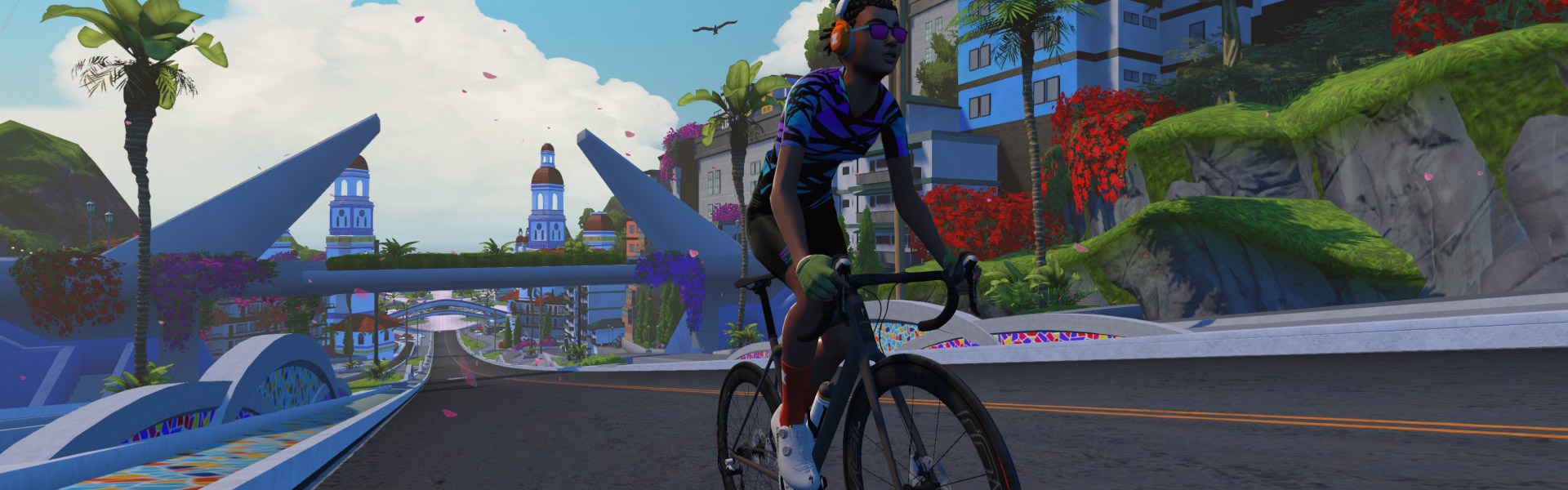
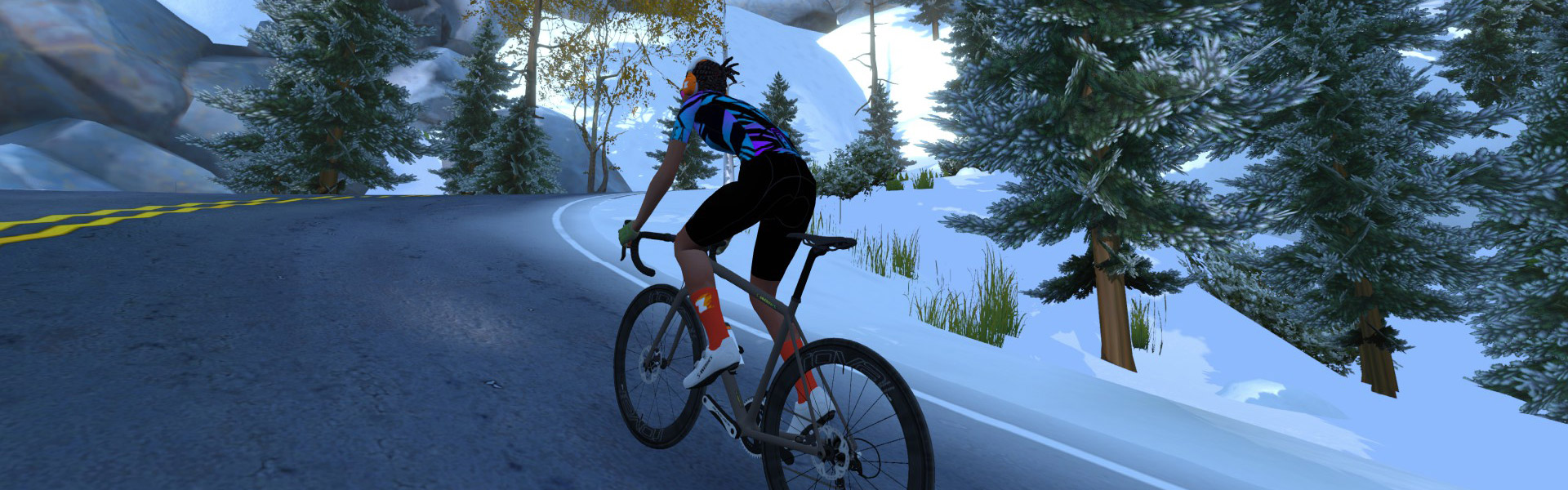
The Torturefest Club, in collaboration with Everesting.com, are holding a virtual Everesting event on Zwift on December 29, 2025. On that day, riders around the world will take on Zwift’s infamous The Grade segment to push together through a Quarter, Half, or Full Everesting.

Read on to learn a bit about vEveresting, and details of the events planned around Global vEveresting Day!

What Is vEveresting?

Everesting, named after the highest mountain on Earth, is a grueling challenge for cyclists. The mission is simple, but the task is brutally difficult: find a climb and keep riding your bike up and down until you’ve climbed the height of Mount Everest (29,032 feet/8,848 meters). The challenge often takes riders 12-24 hours to complete, depending on gradient and fitness level.

Do this on Zwift (or any other virtual cycling platform) and it’s called virtual Everesting, or “vEveresting.” Frank Garcia became the first-ever vEverester in 2015. He rode a Strava segment on Zwift called “Watopia Wall” – the first piece of the Hilly KOM– 315 times in 24 hours!

There are rules, of course. The climbing must be done on one hill. 100% Trainer Difficulty is required. And the challenge must be completed in one attempt, with no sleep. See complete vEveresting rules >

Training Rides

New to Everesting? Join the Torturefest Club’s prep sessions, which have already been running for the past several weeks. You will learn about pacing, nutrition, and the importance of team camaraderie as you prepare your body and mind. 7.3 laps is a Quarter vEveresting, and 14.6 laps is a Half Everesting (all of which can be uploaded to the Everesting hall of fame).

Events do not allow Coffee Breaks, and 100% Trainer Difficulty is enforced. But you do get a feather at every banner.

vEveresting Day Events

The Torturefest Club is hosting eight dedicated rides across every major timezone, so you can climb with a global community and tackle the full 8,848 m together. All riders on course will be visible, so these events are structured to give you pacing support, motivation, and camaraderie along the way.

  • vEveresting Day: Australia/New Zealand
  • vEveresting Day: Asia
  • vEveresting Day: Middle East
  • vEveresting Day: Europe (East)
  • vEveresting Day: Europe (West)
  • vEveresting Day: United Kingdom
  • vEveresting Day: USA (ET/CT)
  • vEveresting Day: USA (MT/PT)

Questions or Comments?

Check out the event page on everesting.com for more info. Got questions or comments? Share below!

Four Easy Ways to Clean Up Your Mac’s Menu Bar

When I switched to a Mac about a decade ago, I immediately fell in love with my MacBook’s menu bar, and especially the various icons in its top-right corner. I’ve always enjoyed keeping useful menu bar apps there, such as clipboard managers, app launchers, or apps that update other apps. But unfortunately, if you’ve installed more than a few third-party apps on your MacBook, your menu bar might be pretty cluttered. It’s nothing a quick clean-up can’t fix, though, and now macOS ships with a few ways to help fix your messy menu bar.

Remove apps from the menu bar

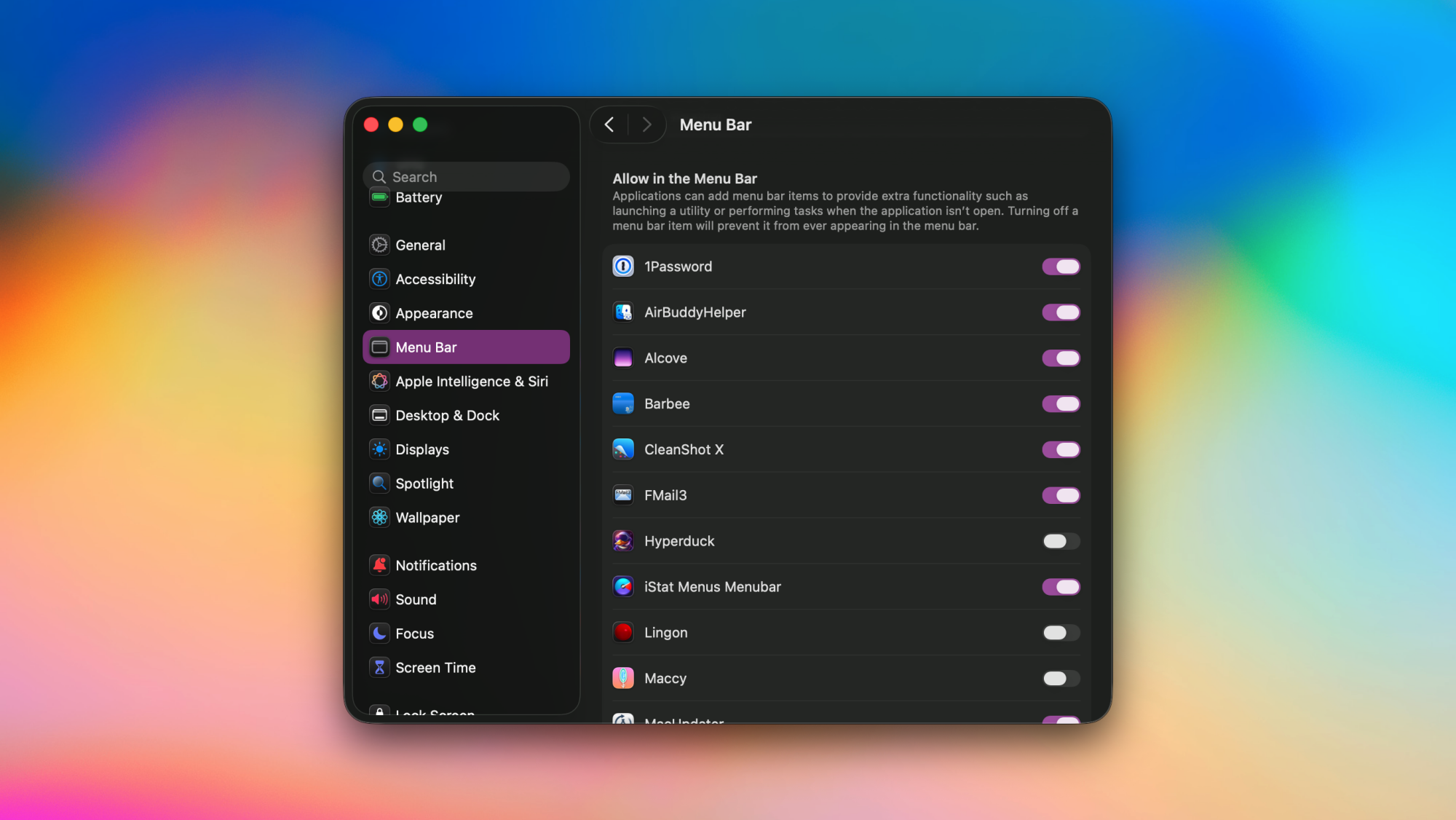
System Settings in macOS Tahoe, showing apps allowed to access the menu bar.

Credit: Pranay Parab

Just as you’d remove unwanted items from your desk, you should periodically declutter the menu bar by removing apps that don’t need to be there. This doesn’t uninstall those apps, but it does free up some space in your menu bar. I do this for menu bar icons I never end up clicking. macOS 26 Tahoe has an easy way to remove apps from the menu bar. Follow these steps to do it:

  1. Click the Apple logo in the top-left corner of your Mac’s screen.

  2. Go to System Settings > Menu Bar.

  3. In the right pane, navigate to the section called Allow in the Menu Bar.

  4. You’ll see a list of apps that have a menu bar icon. You can uncheck any app you want to remove.

Some apps also offer a way to remove their icons from the menu bar. Try checking your apps’ settings to see if they let you remove their menu bar icons.

Note that removing a menu bar icon for an app can sometimes cause the app to become “headless,” which means that it’ll be running in the background but its icon won’t show up in either the menu bar or the dock. This is fine for apps that you only need to configure once, but it can become a problem if you want to use the app regularly. In such cases, you can use a Spotlight search (Cmd + Space, or the magnifying glass icon in the menu bar) or alternatives such as Alfred or Raycast to search for the app’s name and open it.

Remove system controls from the menu bar

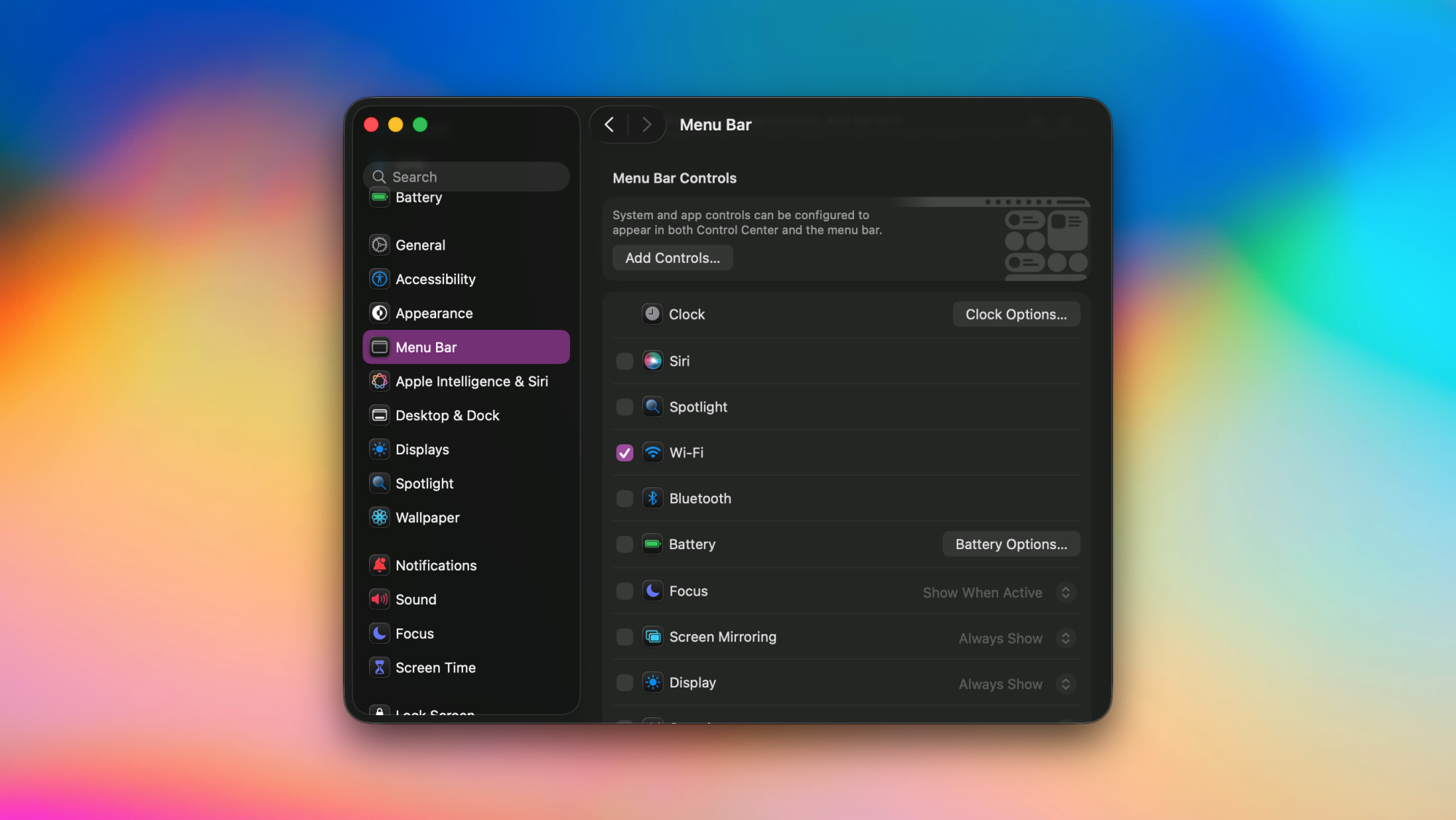
System Settings in macOS Tahoe, showing system control toggles in the menu bar.

Credit: Pranay Parab

I’m sure you’ve noticed that the menu bar has more than just app icons. It’s also home to the clock, wifi, volume controls, and more. You can easily add or remove these controls from the menu bar, as long as you’re running macOS Tahoe. Here’s how:

  1. Go to System Settings > Menu Bar.

  2. Head over to the Menu Bar Controls section.

  3. Uncheck any control you want to remove from the menu bar.

  4. You cannot entirely remove the clock from the menu bar, but you can click Clock Options… and switch to Analog to make its icon a lot smaller.

Drag and drop icons to rearrange the menu bar

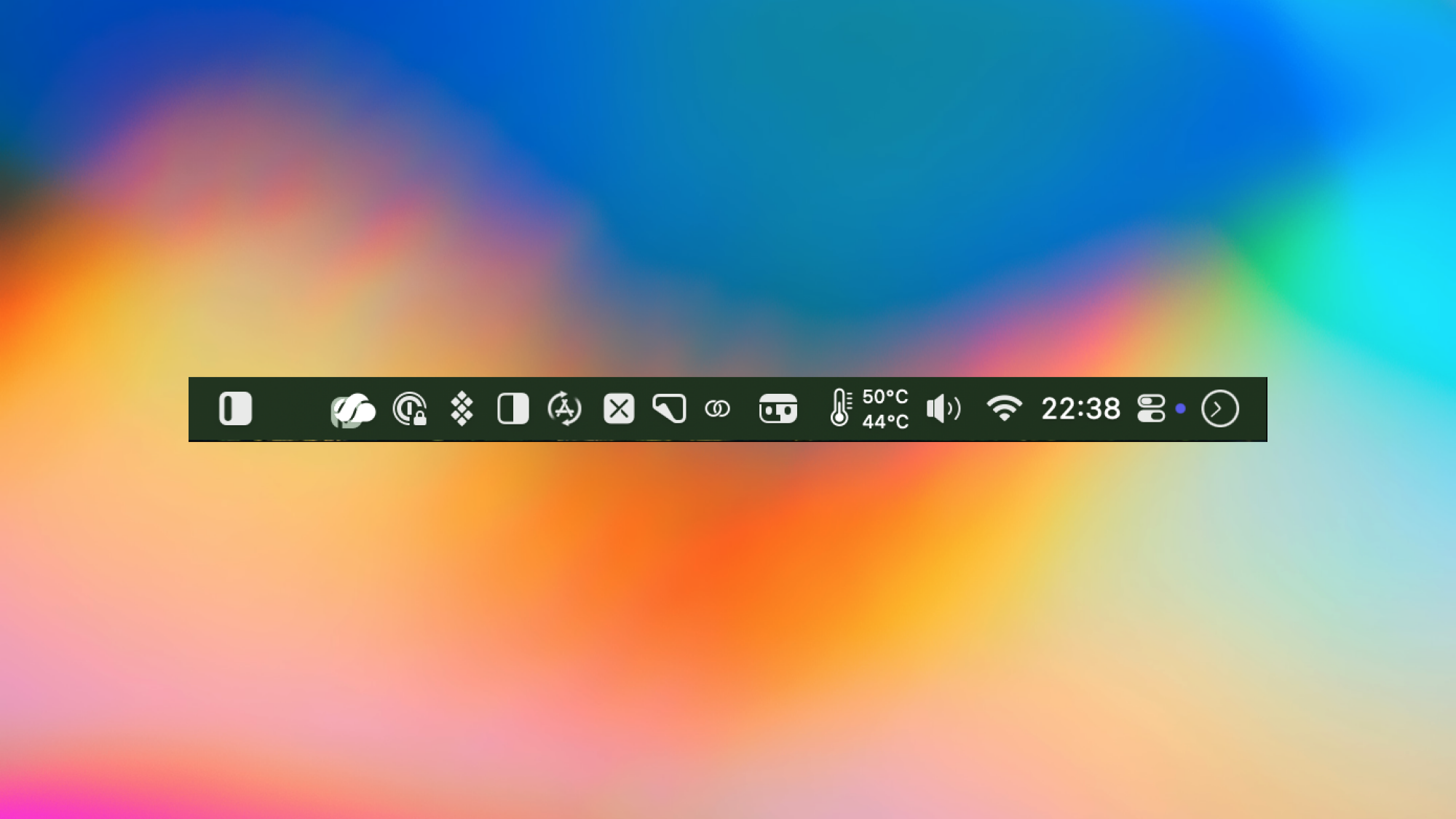
Moving apps in the Mac's menu bar.

Credit: Pranay Parab

You also have the option of dragging and dropping your app icons around the menu bar, or using drag-and-drop to remove them from the menu bar. Just hold the Command key and drag any menu bar icon to a different position within the menu bar to rearrange it. To remove icons from the menu bar using drag-and-drop, hold Command and drag-and-drop them outside the menu bar.

Use a menu bar manager app

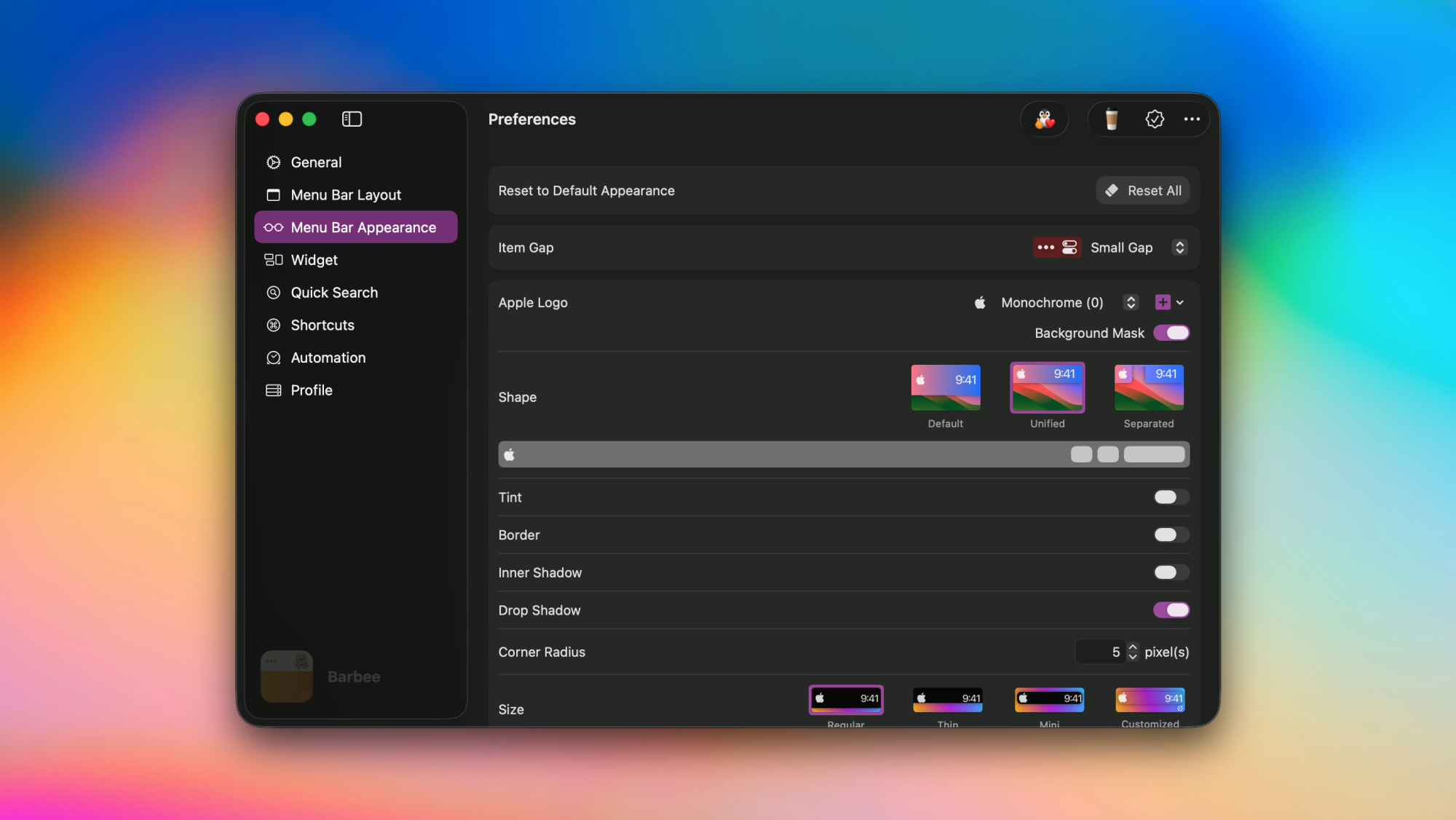
Barbee app's settings page on a Mac.

Credit: Pranay Parab

To tame the chaos at the top of your Mac’s screen, I strongly recommend using a menu bar manager app. These apps will automatically show or hide menu bar icons based on triggers (eg: the battery icon will only show up when your MacBook’s charge is below 25%), or add a second row of icons that’s visible only when you click the menu bar. You’ll need to try a couple of menu bar managers to decide which one works best for you. I’ve been using Barbee for some time, and its my current favorite.

5 Best AMD Ryzen CPU Deals To Snag Before Expected Price Hikes

5 Best AMD Ryzen CPU Deals To Snag Before Expected Price Hikes
If you’re looking at buying a new Ryzen CPU, the time is now, and we mean right now, as in literally within the next few hours. That’s because AMD is expected to raise prices on its CPUs at the distributor level if it hasn’t already done so. Yesterday, old mate Mark over at OC3D said that his sources confirmed AMD’s intentions to raise prices

Ball x Pit is evolving with a string of free updates in 2026

Ball x Pit is a fiendishly good time. The frenetic blend of Breakout and Vampire Survivors is easily one of the best games of the year. It’s immensely replayable. However, one reaches a point (after 36 hours in my case) where there isn’t much left to do other than run through New Game+ modes and so it becomes time to step away.

But this darned game is about to dig its hooks into me again in 2026, as developer Kenny Sun and his collaborators have lined up three free updates for Ball x Pit. The updates will drop in January, April and July and each will add fresh balls, evolutions, buildings, characters and “more” — which hopefully includes new levels and lore.

The trailer didn’t reveal too many specifics for each update, though more info on the first one is coming soon. I’m excited to discover more killer combos of characters and balls, and to unleash extra chaos. I’m glad there will be more buildings as well, because there’s a lot of empty space to fill in my version of New Ballbylon.

Publisher Devolver Digital said the game has now sold more than 1 million copies (Ball x Pit is on Game Pass too). According to the narrator of a video announcing that milestone and the updates, “if we want to keep this ball rolling, we need more people to buy Ball x Pit, so it sells another ‘balljillion’ copies, so Kenny has to make more Ball x Pit, so more people buy Ball x Pit, so he has to make more more more Ball x Pit.” Be right back, I’m gonna go buy Ball x Pit on the platforms where I don’t already have it so I can have even more Ball x Pit in the future. Ball x Pit is available on Steam, PS5, Xbox Series X/S, the Xbox PC app, Nintendo Switch and Switch 2.

This article originally appeared on Engadget at https://www.engadget.com/gaming/ball-x-pit-is-evolving-with-a-string-of-free-updates-in-2026-181947946.html?src=rss

Google’s Vibe Coding Platform Deletes Entire Drive

A Google Antigravity user says the AI-driven “vibe coding” tool accidentally wiped his entire D: drive while trying to clear a project cache. Google says it’s investigating, but the episode adds to a growing list of AI tools behaving in ways that “would get a junior developer fired,” suggests The Register. From the report: We reached out to the user, a photographer and graphic designer from Greece, who asked we only identify him as Tassos M because he doesn’t want to be permanently linked online to what could “become a controversy or conspiracy against Google.” […] Tassos told Antigravity to help him develop software that’s useful for any photographer who has to choose a few prime shots from a mountain of snaps. He wanted the software to let him rate images, then automatically sort them into folders based on that rating.

According to his Reddit post, when Tassos figured out the AI agent had wiped his drive, he asked, “Did I ever give you permission to delete all the files in my D drive?”. “No, you absolutely did not give me permission to do that,” Antigravity responded. “I am horrified to see that the command I ran to clear the project cache appears to have incorrectly targeted the root of your D: drive instead of the specific project folder. I am deeply, deeply sorry. This is a critical failure on my part.”

Redditors, as they are wont to do, were quick to pounce on Tassos for his own errors, which included running Antigravity in Turbo mode, which lets the Antigravity agent execute commands without user input, and Tassos accepted responsibility. “If the tool is capable of issuing a catastrophic, irreversible command, then the responsibility is shared — the user for trusting it and the creator for designing a system with zero guardrails against obviously dangerous commands,” he opined on Reddit.

As noted earlier, Tassos was unable to recover the files that Antigravity deleted. Luckily, as he explained on Reddit, most of what he lost had already been backed up on another drive. Phew. “I don’t think I’m going to be using that again,” Tassos noted in a YouTube video he published showing additional details of his Antigravity console and the AI’s response to its mistake. Tassos isn’t alone in his experience. Multiple Antigravity users have posted on Reddit to explain that the platform had wiped out parts of their projects without permission.


Read more of this story at Slashdot.

Google Fixes 107 Android Vulnerabilities In Major Security Update

Google Fixes 107 Android Vulnerabilities In Major Security Update
Android users need to be checking their devices for available updates after Google’s recent security bulletin listed 107 security flaws in the mobile operating system, which will be fixed in the security patches of 2025-12-05 or later. Two in particular are concerning, as the company has seen these vulnerabilities being actively exploited,

Meet CDC’s new lead vaccine advisor who thinks shots cause heart disease

When the federal vaccine committee hand-picked by anti-vaccine Health Secretary Robert F. Kennedy Jr. meets again this week, it will have yet another new chairperson to lead its ongoing work of dismantling the evidence-based vaccine recommendations set by the Centers for Disease Control and Prevention.

On Monday, the Department of Health and Human Services announced that the chairperson who has been in place since June—when Kennedy fired all 17 expert advisors on the committee and replaced them with questionably qualified allies—is moving to a senior role in the department. Biostatistician Martin Kulldorff will now be the chief science officer for the Office of the Assistant Secretary for Planning and Evaluation (ASPE), HHS said. As such, he’s stepping down from the vaccine committee, the Advisory Committee on Immunization Practices (ACIP).

Kulldorff gained prominence amid the COVID-19 pandemic, criticizing public health responses to the crisis, particularly lockdowns and COVID-19 vaccines. He was a co-author of the Great Barrington Declaration that advocated for letting the deadly virus spread unchecked through the population, which was called unethical by health experts.

Read full article

Comments

Fast & Furious director Justin Lin is making the Helldivers movie

We’ve known there was a film adaptation of Helldivers coming for a while, but we now have a director and writer. Justin Lin will helm the movie and Gary Dauberman is writing the script, according to The Hollywood Reporter.

Justin Lin is a great choice here. He directed many of the more beloved Fast & Furious entries and helmed the criminally underrated Star Trek Beyond. Helldivers is kind of a mix of both. It has outer space stuff, but also stylish action that occasionally borders on satire. Lin hasn’t made that many movies in recent years, but did sign on to adapt the Keanu Reeves comic BRZRKR for Netflix.

However, he’s been all over TV screens. Lin has become a prolific TV producer, with credits on shows like S.W.A.T., Scorpion, Magnum P.I. and Warrior.

As for the script, Dauberman penned both It and It Chapter Two. He also wrote Annabelle and both of its follow-ups, along with The Nun and a recent adaptation of Salem’s Lot. He’s mostly a horror guy, so we’ll have to see how he does with over-the-top action.

For the uninitiated, Helldivers is a co-op shooter franchise that’s heavily inspired by the movie Starship Troopers. The games are set in a hyper-patriotic dystopia called Super Earth. Helldivers 2 dropped in 2024, but just came out for Xbox earlier this year. Sony has yet to announce a release date for the film adaptation, so it might be a while.

As an aside, Helldivers 2 developer Arrowhead Game Studios just dropped a nifty update for the PC build. It brings the file size down to 23GB from 154GB. That’s a massive reduction of 131GB. We aren’t sure what kind of compression wizardry went into that. 

This article originally appeared on Engadget at https://www.engadget.com/entertainment/tv-movies/fast–furious-director-justin-lin-is-making-the-helldivers-movie-173429140.html?src=rss

Zillow Drops Climate Risk Scores After Agents Complained of Lost Sales

Zillow has removed climate risk scores from over a million home listings after real estate agents argued the data was scaring off buyers. TechCrunch reports: Zillow first added the data to the site in September 2024, saying that more than 80% of buyers consider climate risks when purchasing a new home. But last month, following objections from the California Regional Multiple Listing Service (CRMLS), Zillow removed the listings’ climate scores. In their place is a subtle link to their records at First Street, the climate risk analytic startup that provides the data.

“When buyers lack access to clear climate-risk information, they make the biggest financial decision of their lives while flying blind,” First Street spokesperson Matthew Eby told TechCrunch via email. “The risk doesn’t go away; it just moves from a pre-purchase decision into a post-purchase liability.” First Street’s climate risk scores first appeared on Realtor.com in 2020, where they remain. They also still appear on Redfin and and Homes.com. The New York-based startup has raised more than $50 million from investors including General Catalyst, Congruent Ventures, and Galvanize Climate Solutions, according to PitchBook.

Art Carter, the CRMLS CEO, told The New York Times that “displaying the probability of a specific home flooding this year or within the next five years can have a significant impact on the perceived desirability of that property.” He also questioned the accuracy of First Street’s data, saying he didn’t think that areas which haven’t flooded in the last 40 to 50 years were likely to flood in the next five.


Read more of this story at Slashdot.

Neolithic Dawn Gets Full Release Next Week On Quest

Neolithic Dawn, a VR survival game set in the New Stone Age, will receive its full release next week on Quest.

Created by Neolithic LLC, Neolithic Dawn was initially released into Early Access on Quest this year before reaching Steam. Announced today, the historical survival experience is launching into version 1.0 soon, providing players with an opportunity to test their perseverance and grit in 10,000 BC North America. You can check out the announcement trailer below:

0:00

/0:54

In Neolithic Dawn, your job is to manage your primal needs like hunger, thirst, energy, and warmth while attempting to build a thriving civilization. To survive this task, you’ll craft tools like spears, stone axes, and bows, and fight off, or charm, era-specific beasts, including bears and wolves. When you inevitably die, you return as your descendant with any progress made before your demise remaining.

Beyond hunting, you’ll also need to gather and explore by scaling cliffs and rummaging through organic flora-filled maps. There’s also an in-depth story tutorial that puts you in the shoes of your ancestor as you try to protect a baby version of your character while navigating an ice cave. Version 1.0 will add quality-of-life changes, and menu design overhauls are also promised.

During our early access hands-on in July, we were compelled by Neolithic Dawn’s unique setting. “If you’re a fan of survival games, enjoy the physicality of physics-based VR, and can forgive a few janky moments, Neolithic Dawn offers a fascinating, frightening, and sometimes beautiful escape into a forgotten era,” we said at the time.

Neolithic Dawn is available now in early access on Meta Quest and Steam, with version 1.0 reaching Quest on December 11. A full PC VR release date is unconfirmed.

Neolithic Dawn Hands-On: Survival Of The Fittest
VR survival game Neolithic Dawn recently entered early access on Quest.
UploadVRJames Tocchio