How I Turned My Laptop Into a Distraction-Free Writing Device

There are plenty of distractions to deal with in our modern digital age—see if you can manage to get all the way through this article without turning your attention elsewhere at least once, for example. All that surrounding noise can make it difficult to stick to the task at hand, and actually get some solid work done.

I enjoy browsing social media and exploring the web as much as the next person, but I’ve also got plenty of writing to get through every day, and distractions can seriously slow me down. Studies have shown that we do much better when we focus on one task at a time, which for me is writing guides and articles.

While distraction-free devices such as the Freewrite Smart Typewriter have always appealed, I wanted to be more focused while using my MacBook Air. To that end, I’ve come up with a strategy for minimizing distractions as much as possible, and it’s something you might find helpful for your own work.

These steps apply specifically to macOS and Google Docs, which is what I use for most of my writing, but you can adapt them for Windows and other word processors too.

Turn off notifications
macOS System Settings
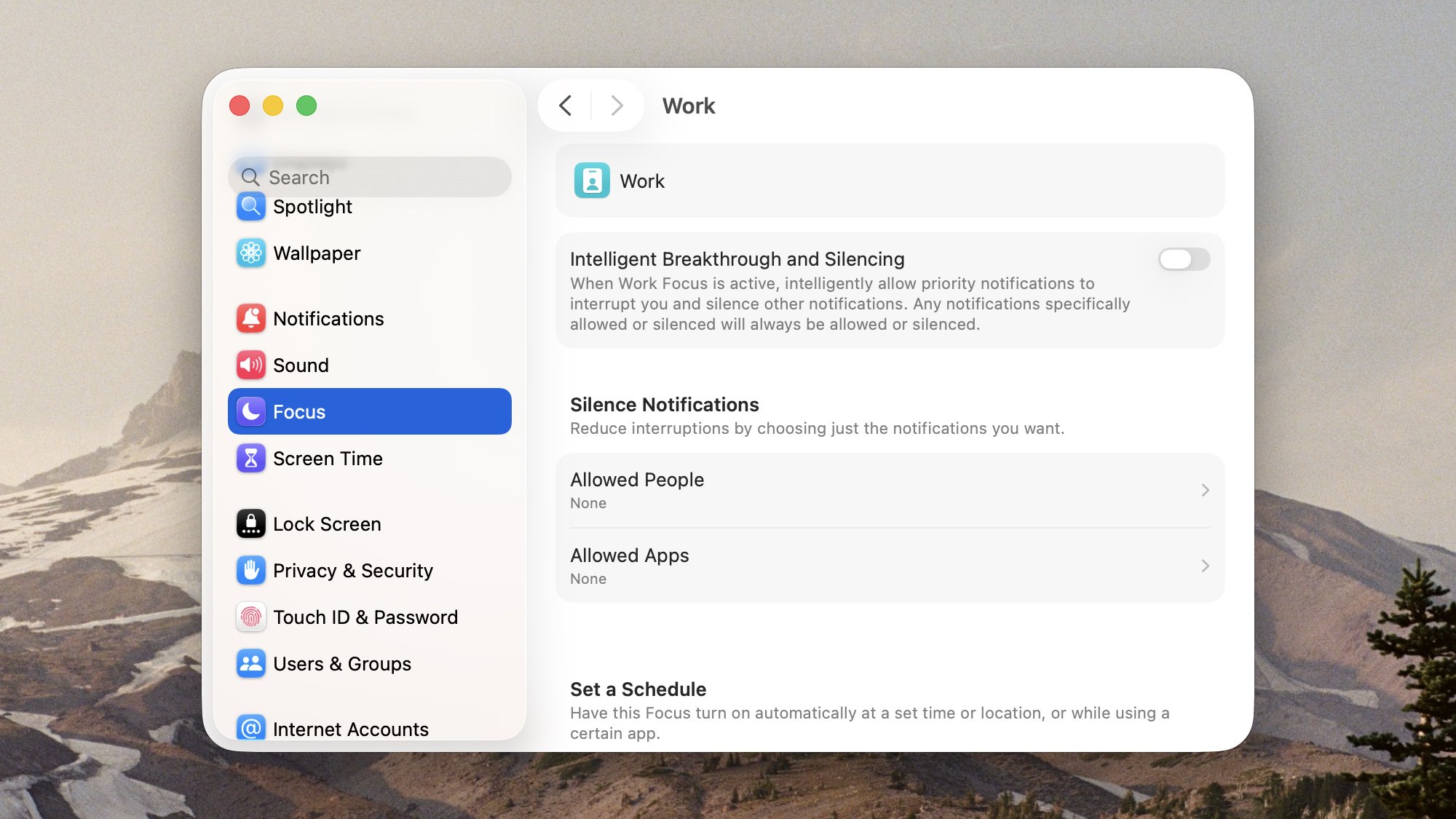
Focus modes are an easy way to manage notifications.
Credit: Lifehacker

Notifications is a good place to start—if your laptop is continually pinging and alerting you to other things, it’s hard to get anything done. On macOS, notification settings can be handled by clicking the Apple icon (top left), then System Settings > Notifications. Here you can set alerts on an app-by-app basis.

For me, the Focus entry in System Settings is even more useful. Here I’ve set up a dedicated Work focus mode that blocks all notifications from all apps, and leaves me in peace. To create your own mode, click Add Focus on the main list—you can either set them to run on a schedule, or enable them manually via Focus in the Control Center (click the toggle switches on the menu bar, top right, to access them).

For the best results, you need to silence your phone as well, which is likely to be interrupting you even more than your laptop. If you’re using an iPhone, you can sync Focus modes across both macOS and iOS, by enabling the Share across devices toggle switch on the main Focus options screen.

Tweak your writing software
Google Docs
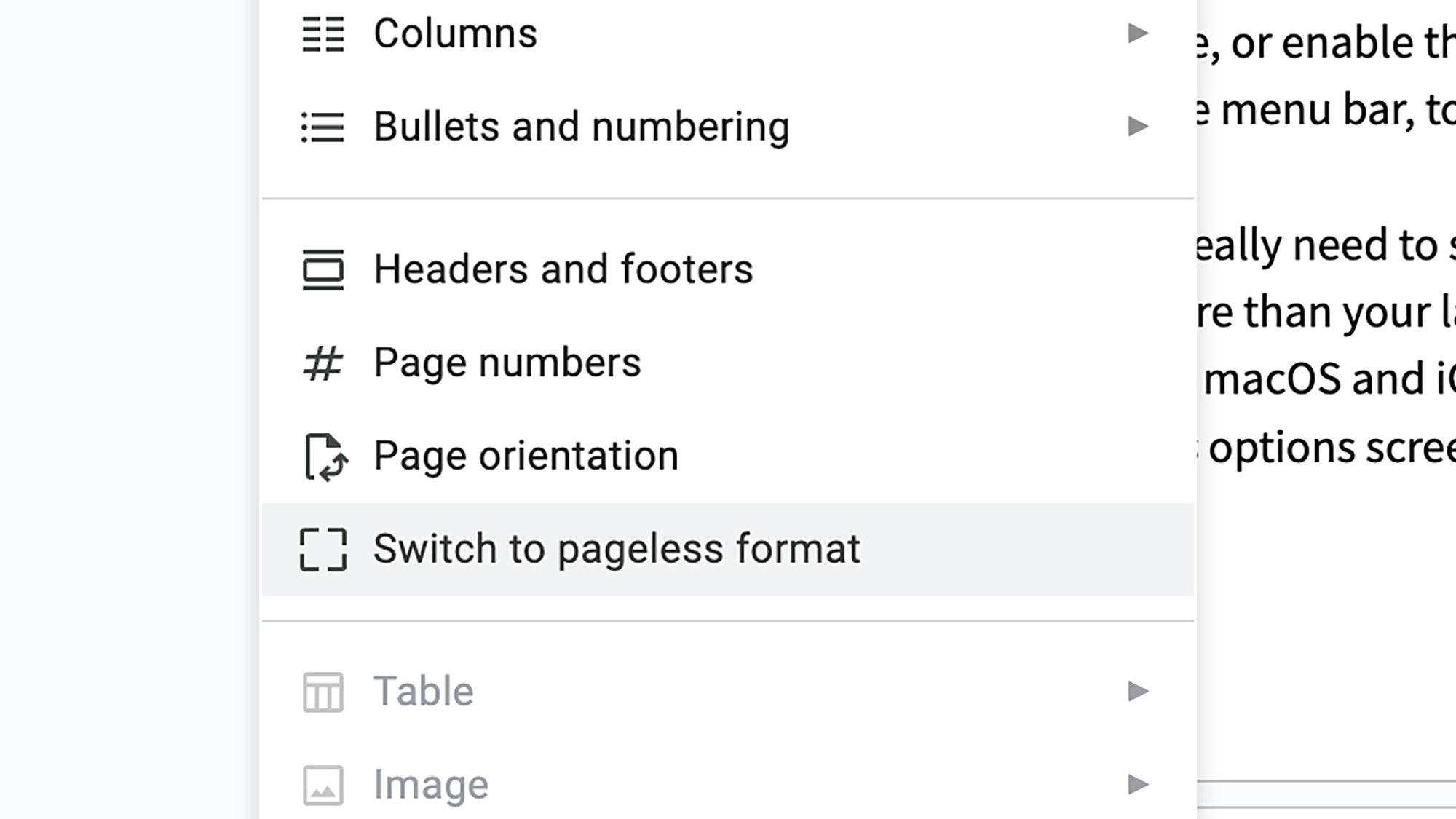
Google Docs has a few tricks for distraction-free writing.
Credit: Lifehacker

Even without notifications enabled, it’s easy to catch sight of something else you could be doing on your laptop, rather than concentrating on a single task. Explore the various options available within your word processor of choice to make the interface as minimal as possible—which in my case involves tweaking the look of Google Docs.

To get the same effect on your own Google Docs documents, first head to the View menu and make sure the ruler, equation toolbar, and spelling and grammar suggestions are all hidden (for me, they just add to the on-screen clutter). Then, open the Format menu and choose Switch to pageless format to get one long, flowing page.

Next, select View and pick Full screen, and then maximize the browser window in macOS using the green button up in the top left corner. Hey presto—all you’ve got on screen now are your words, with nothing else to distract you. To bring back the Google Docs menus and toolbars, press Esc to exit maximized mode, move the cursor to the top of the screen and click the green button again.

Turn off the internet
macOS Wi-Fi
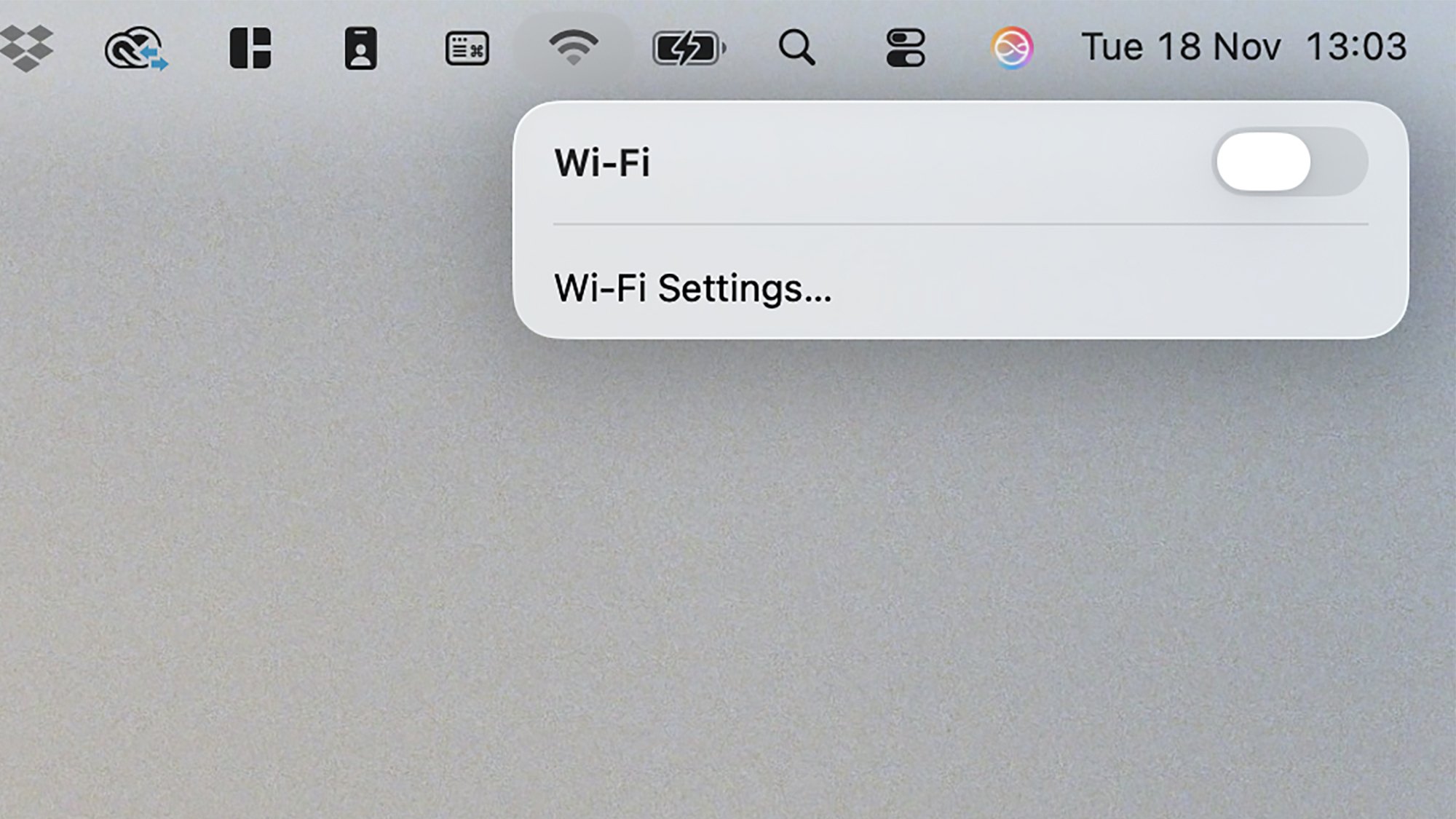
Turn off wifi to reduce distractions further.
Credit: Lifehacker

For the most extreme version of a distraction-free writing device—heading back to the days of the typewriter—I block internet access on my laptop too (on macOS, you can just click the wifi symbol on the menu bar, top right, then toggle off Wi-Fi). Sure, it’s not the most comprehensive way of blocking the internet, but it works for me, and makes me think twice about going online (yes, Google Docs can work offline).

I find it makes me less likely to check the news, social media, or email when I should be writing. The obvious problem is that I can’t look up anything online either, so it’s a bit of a soft rule I have—I try to at least write certain chunks of articles while offline, then do all my online research at once, and without opening dozens of browser tabs.

You can tailor this to suit yourself, but I’ve found switching off the internet makes me more likely to rely on my own thoughts and word choices—without recourse to a dictionary or thesaurus. Sometimes it’s good to give your brain a bit of exercise, and get it to slow down and focus for a while.

A Simple WhatsApp Security Flaw Exposed 3.5 Billion Phone Numbers

Researchers at the University of Vienna extracted phone numbers for 3.5 billion WhatsApp users by systematically checking every possible number through the messaging service’s contact discovery feature. The technique yielded profile photos for 57% of those accounts and profile text for 29 percent. The researchers checked roughly 100 million numbers per hour using WhatsApp’s browser-based app.

The team warned Meta in April and deleted their data. The company implemented stricter rate-limiting by October to prevent such mass enumeration. Meta called the exposed information “basic publicly available information” and said it found no evidence of malicious exploitation. The vulnerability had been identified before. In 2017, Dutch researcher Loran Kloeze published a blog post detailing the same enumeration technique. Meta responded then that WhatsApp’s privacy settings were functioning as designed and denied him a bug bounty reward. The researchers collected 137 million U.S. phone numbers. In India, they found nearly 750 million numbers. They also discovered 2.3 million Chinese numbers and 1.6 million Myanmar numbers, despite WhatsApp being banned in both countries. The researchers analyzed the cryptographic keys and found some accounts used duplicate keys. They speculate this resulted from unauthorized WhatsApp clients rather than a platform flaw.


Read more of this story at Slashdot.

PlayStation 2025 Black Friday deals announced: Sony is taking $100 off PS5 consoles starting on Friday

The PlayStation 5 is getting a major Black Friday discount, with $100 off all models starting November 21. That will bring the PS5 Digital Edition down to $399, the standard PS5 to $449 and the new PS5 Pro to $649. If you’ve been holding out for the right time to upgrade or buy your first console, this is the deal to beat. You’ll find the deals direct at Sony and from other retailers including Amazon and Walmart.

Sony’s flagship console remains one of the most popular gaming systems available, and this Black Friday discount makes it even easier to jump in if you haven’t already. The standard PS5 and the slimmer PS5 Digital Edition both offer fast load times, smooth frame rates and crisp visuals powered by the custom AMD Zen 2 processor and RDNA 2 GPU. The difference between them comes down to the disc drive — the standard model includes one, while the Digital Edition relies entirely on digital downloads.

For those who want top-tier performance, the PS5 Pro is also getting a rare $100 discount. It features upgraded specs and enhanced ray tracing for sharper graphics, along with improved cooling to handle more demanding titles. Whether you play cinematic single-player hits or fast-paced competitive games, the PS5 lineup remains one of the strongest options on the market for next-gen gaming.

Each console supports 4K output, 3D audio and access to PlayStation Plus, which unlocks online multiplayer and a rotating library of free games. The DualSense controller remains a highlight, with adaptive triggers and haptic feedback that make everything from racing to combat feel more immersive.

If you’re already set with a console, there are also a few solid accessory deals to consider for Black Friday. Also starting November 21, the DualSense Wireless Controller will be down to $60, a $20 discount available in multiple colors. The premium DualSense Edge controller, which adds customizable buttons and replaceable stick modules, drops to $170 during Black Friday. Meanwhile, the PlayStation Portal — Sony’s portable Remote Player that lets you stream games from your PS5 — gets discounted to $180.

This article originally appeared on Engadget at https://www.engadget.com/deals/playstation-2025-black-friday-deals-announced-sony-is-taking-100-off-ps5-consoles-starting-on-friday-145622599.html?src=rss

ChatGPT, X, and Other Sites Affected During the Cloudflare Outage

On Tuesday morning, much of the internet was inaccessible. If you tried to follow your feeds on X, or engage with ChatGPT, you were only met with error messages. Compare those error messages to one another, however, and you’d likely notice a similar name affixed to them all: Cloudflare.

Cloudflare’s massive Tuesday morning outage had sweeping implications for much of the web. While it’s not clear what caused the outage at this time, we do know whether the outage was responsible for a website’s downtime. (When an error page says “Cloudflare: Error,” it’s not difficult to track down the source of the problem.) As Cloudflare offers web infrastructure services to a huge number of sites, the true list of affected sites is likely massive. As an example, I wanted to convert the timezone Cloudflare uses in its status reports, UTC, to ET, and the first website I clicked on in my Google search returned an error.

While there’s no central repository listing each and every affected website, we can look at the sites with the largest number of user reports indicating issues this morning through Downdetector. (Disclosure: Downdetector is owned by Ziff Davis, the same parent company as Lifehacker.) Ironically, Downdetector itself was down this morning—it too uses Cloudflare.

Downdetector is not a service that investigates and reports websites that are down. Instead, users can self-report issues with sites on Downdetector. As such, it can be illuminating to see which sites visitors were having issues with during the period of time Cloudflare was down. At this time, that includes the following:

  • X

  • Cloudflare

  • OpenAI

  • ChatGPT

  • Grindr

  • Archive of Our Own

  • AWS

  • Spotify

  • League of Legends

  • eClinicalWorks

  • Quizlet

  • Uber

  • Character.ai

  • Canva

  • Claude

  • Varo

  • Indeed

  • Procore

  • Truth Social

  • FanFiction

  • Arlo

  • DoorDash

  • Valorant

  • Runescape

  • Dayforce

  • NJTransit

  • Sniffies

  • Square

  • Google

  • Zoom

  • Rover

  • CollegeBoard

  • Letterboxd

  • Bet365

  • MoneyLion

  • DayZ

  • BetMGM

  • YouTube

  • Microsoft

  • IKEA

  • Suno

  • Microsoft 365

  • Canvas by Instructure

  • Microsoft Teams

  • Amazon

  • Grok

  • Instagram

  • Gemini

Again, this list is not definitive, nor is it official. However, users had trouble accessing them at the same time Cloudflare was down.

Apple N1 Modem Battles Android Flagships in 5G Benchmark Brawl

Apple N1 Modem Battles Android Flagships in 5G Benchmark Brawl
According to crowdsourced data from Ookla, Google’s Pixel 10 Pro barely pipped out Apple’s iPhone 17 series in terms of global median Wi-Fi speeds. The margin was wafer-thin, with the Pixel securing the lead at 335.33 megabits/second, just edging out the iPhone 17’s 329.56 Mbps. Xiaomi’s 15T Pro led the pack in peak Wi-Fi performance, maxing

[$] Pouring packages with Homebrew

The Homebrew project is an
open-source package-management system that comes with a repository of
useful packages for Linux and macOS. Even though Linux distributions
have their own package management and repositories, Homebrew is often
used to obtain software that is not available in a distribution’s repository
or to install more current versions of projects than are available
from long-term-support (LTS) distributions. Homebrew 5.0.0,
released on November 12, 2025, expanded Linux support to include
64-bit Arm packages in addition to x86_64, and turned on concurrent
downloads by default to speed up package downloads.

Alienware Area-51 Gaming PC Levels Up: AMD Ryzen 9000X3D For Big Gaming Gains

Alienware Area-51 Gaming PC Levels Up: AMD Ryzen 9000X3D For Big Gaming Gains
You spoke and Dell’s Alienware division heard you—the latest-generation AMD Ryzen processors based on Zen 5 are now an option on the Alienware Area-51 desktop gaming PC, the same one we reviewed in May and which earned our coveted Editor’s Choice badge. And yes, the expanded processor options included X3D models with 3D V-Cache.
AMD Ryzen

Mastodon’s founder is no longer its CEO

Mastodon’s founder Eugen Rochko has officially stepped down as CEO. The move comes ten months after the company announced it would transition into a nonprofit entity and that Rochko would leave his post. Rochko will take on an advisory role with the company. 

In a blog post about this decision, Rochko pointed to a desire for guardrails to avoid becoming another egotistical founder “sabotaging thriving communities.” He added, “But it would be uncouth for me to pretend that there isn’t some self-interest involved. Being in charge of a social media project is, turns out, quite the stressful endeavour, and I don’t have the right personality for it.” 

In his place, Felix Hlatky has taken on the role of executive director. Hlatky has worked at Mastodon since March 2020 and plans to focus on expanding the team, long-term financial stability and making it easier to run servers safely and efficiently.

Currently, Mastodon is operating as a nonprofit in the US, but aims to set up a permanent home base as a nonprofit in Belgium, known as an AISBL. Mastodon previously held nonprofit status in Germany but lost that it last year. 

Mastodon has pursued outside funding since its announced transition to a nonprofit. It shared that Stock Exchange co-founder Jeff Atwood and his family gave the organization €2.2 million ($2.5 million). Part of that influx of cash has gone toward hiring new employees in its engineering, marketing, operations and product teams. Rochko also received a one-time €1 million ($1.2 million) compensation after ten years of “taking less than a fair market salary.” 

This article originally appeared on Engadget at https://www.engadget.com/social-media/mastodons-founder-is-no-longer-its-ceo-143011438.html?src=rss

Google Boss Says Trillion-Dollar AI Investment boom Has ‘Elements of Irrationality’

Every company would be affected if the AI bubble were to burst, the head of Google’s parent firm Alphabet has told the BBC. From the report: Speaking exclusively to BBC News, Sundar Pichai said while the growth of artificial intelligence investment had been an “extraordinary moment”, there was some “irrationality” in the current AI boom. It comes amid fears in Silicon Valley and beyond of a bubble as the value of AI tech companies has soared in recent months and companies spend big on the burgeoning industry.

Asked whether Google would be immune to the impact of the AI bubble bursting, Mr Pichai said the tech giant could weather that potential storm, but also issued a warning. “I think no company is going to be immune, including us,” he said. In a wide-ranging exclusive interview at Google’s California headquarters, he also addressed energy needs, slowing down climate targets, UK investment, the accuracy of his AI models, and the effect of the AI revolution on jobs.


Read more of this story at Slashdot.

These Noise-Canceling Bose Earbuds Are $50 Off Right Now

We may earn a commission from links on this page. Deal pricing and availability subject to change after time of publication.

AirPods can fall short if you swap between different devices or want more than a single color option. That is where the currently discounted Bose QuietComfort Earbuds start to feel like a practical alternative. They’re sitting at $129 right now, which price trackers confirm as their lowest price so far and a noticeable drop from their usual $179. You also get more color options than normal, with black and white sitting alongside two limited shades, petal pink and twilight blue. And while Bose sells a higher-end QuietComfort Ultra model for $229 (down from $299), the standard QuietComfort buds don’t feel like a downgrade. PCMag’s 4/5 review backs that up, praising their sound, everyday ANC, and easy two-device pairing.

In everyday use, the sound has a warm depth that works well for long playlists and podcasts without fatigue. If you want to fine-tune it, the companion app offers an adjustable EQ that actually changes how your music sounds, rather than making tiny, barely noticeable tweaks. The noise cancellation isn’t as strong as what you get on the Ultra buds, but it does reduce enough steady background noise to make commutes and office work less distracting. As for connectivity, Bluetooth 5.3 keeps the connection steady, but codec support is limited to AAC and SBC, so Android users who want high-resolution codecs may notice the gap. Battery life feels practical, too. Bose claims 8.5 hours on the buds and 31.5 more hours in the case, which outlasts many earbuds in this price range and even outlasts Bose’s own higher-end Ultras.

The one drawback is the size. The QuietComfort earbuds are bulkier than AirPods, and some reviewers noted that they can shift during workouts, even with the included wings and multiple ear tip options. Everything else about using them stays simple. These earbuds will not be the best choice for someone who wants the strongest possible Bose noise cancellation or a slim, stem-style design. But at $129, they fall into a comfortable middle zone with fuller sound than standard AirPods, more control over your audio, strong battery life, and a price that makes them easy to consider.


Our Best Editor-Vetted Tech Deals Right Now


Apple AirPods 4 Wireless Earbuds


—
$117.00

(List Price $129.00)


Amazon Fire HD 10 (2023)


—
$69.99

(List Price $139.99)


Sony WH-1000XM5


—
$248.00

(List Price $399.99)


Amazon Fire TV Stick 4K Plus


—
$24.99

(List Price $49.99)

Deals are selected by our commerce team