A fresh rumor surrounding NVIDIA’s upcoming (or perhaps, no longer upcoming) GeForce RTX 50 Super series refresh is circulating like wildfire this morning. According to the latest unofficial chatter, NVIDIA has outright pulled the plug on its Super refresh for Blackwell due to a “crazy shortage” of memory products, including 3GB GDDR7 chips.
The Fedora community is coming together once again to celebrate the release of Fedora Linux 43, and you’re invited! Join us on Friday, November 21, 2025, from 13:00 to 16:00 UTC on Matrix for our virtual Fedora 43 Release Party. This is our chance to celebrate the latest release, hear from contributors across the project, […]
Ahead of its 21st anniversary, World of Warcraft is dealing with some controversy around its latest update. Developer Blizzard has confirmed that WoW is introducing a new “Hearthsteel” housing-related virtual currency with its upcoming Midnight expansion, and users are worried that it could become a microtransaction trap on a game that already costs $15 a month to play.
In its post, Blizzard said the aim of the new currency is to allow players to purchase “multiple items at once” while offering “financial protections” for the parties involved. “You may want a full set of chairs to place around a dining table, multiple place settings for your invited guest [or]… many candles,” the company wrote. “Using an in-game currency can help make the process of obtaining many of these types of inexpensive items more efficient.”
Blizzard clarified that players will be able to buy Hearthsteel with their Battle.net balance and in-game gold via WoW tokens. It will also keep the catalog of Hearthsteel items small relative to what you can earn through gameplay. “Housing items tied to core fantasies of a player’s race or class, or that already exist in Azeroth, won’t be sold in the shop,” the blog post states. “Thematically important decor that players know and love will also not appear in the shop.”
The Hearthsteel currency was first uncovered by dataminers, and now that Blizzard has confirmed it, players are concerned. “It’s not even about the currency,” said one WoW Reddit user. “It’s about a large, dedicated portion of the player base crying out for years that we don’t want the game to head this direction and here it is.”
It’s hard to look at the new currency and not think of Microsoft’s recent edict to its Xbox division. Last month, the software giant reportedly implemented an “across-the-board goal” of 30 percent profit margins for its gaming division, which it internally called “accountability margins.” That’s a huge amount above Xbox’s own average in the last six years of between 10 and 20 percent.
This article originally appeared on Engadget at https://www.engadget.com/gaming/blizzard-confirms-its-adding-a-virtual-currency-for-world-of-warcraft-133007304.html?src=rss
Texas Attorney General Ken Paxton has filed a lawsuit against Roblox, accusing it of ignoring state and federal safety laws. In his announcement on X, Paxton said the children have been “repeatedly exposed to sexually explicit content, exploitation and grooming” on the online game platform, because it chose to prioritize “pixel pedophiles and corporate profit” over the safety of children. “Thank you,” Schlep posted in the comments of his announcement. Schlep was a popular Roblox user who was known for staging sting operations à la To Catch a Predator on the platform, which had led to multiple arrests. He was controversially banned from Roblox in August, because he violated the company’s new rule that prohibits “vigilante behavior.”
“We share Attorney General Paxton’s commitment to keeping kids and teens safe online,” the company said in a statement. “We are disappointed that, rather than working collaboratively with Roblox on this industry-wide challenge and seeking real solutions, the AG has chosen to file a lawsuit based on misrepresentations and sensationalized claims.”
BREAKING: I’m suing Roblox for putting pixel pedophiles and profits over the safety of Texas children.
We cannot allow platforms like Roblox to continue operating as digital playgrounds for predators where the well-being of our kids is sacrificed on the altar of corporate greed. pic.twitter.com/Jj2kHEJM75
Roblox has implemented several measures meant to protect children over the past few years. It blocked any user under 13 from being able to play, search or discover any unrated experiences on the platform, and it restricted DMs for that segment of users, as well. It also added an age estimation feature that requires a video selfie for a user to be able to prove that they’re 13 or older. The company intends to roll it out to everyone by the end of this year.
Texas isn’t the only state suing Roblox and accusing it of failing to protect children from predators, though: Kentucky and Louisiana had previously filed their own lawsuits against the company. Louisiana argued that the platform contains user-created experiences with troubling themes, such as “Escape to Epstein Island” and “Diddy Party,” despite the majority of its users being under 16. It also pointed out that it was possible to initiate voice chats within Roblox’s experiences, even between users who weren’t friends, until November 2024. In one instance, a man who was arrested for possession of child sexual abuse materials was discovered to have used voice altering software to pretend to be a young girl in order to exploit children on the platform.
“Roblox must do more to protect kids from sick and twisted freaks hiding behind a screen,” Paxton wrote. “Any corporation that enables child abuse will face the full and unrelenting force of the law.” To note, the Texas AG also previously sued TikTok, alleging that it has insufficient parental controls, as well as Meta and Character.AI for potentially misusing data collected from underage users.
This article originally appeared on Engadget at https://www.engadget.com/texas-ag-ken-paxton-sues-roblox-over-alleged-child-safety-lapses-131500288.html?src=rss
Over the past couple years, I’ve tested around 60 different power banks for Engadget. In that time, battery manufacturers have given their products features with varying degrees of usefulness, ranging from smart (straps and built-in cables) to handy (displays and wireless charging pads) to really not necessary (Bluetooth connectivity, specialized recharging bases).
Anker’s Laptop Power Bank (25K, 165W) manages to combine all the cleverest new features into one sleek-looking charging brick — and it costs less than some other banks in its class. There’s a built-in display that not only lets you know how much charge the bank has left, it also tells you how many watts are flowing through each port to your devices. Pressing the button on the side cycles through the battery’s current temperature and the overall health of the bank, including how many charge cycles it’s gone through. All of those bits of info should help prolong and gauge the bank’s longevity.
Big capacity in a tidy package
The 25,000 mAh capacity puts it well within the TSA’s 100Wh capacity limit and I have taken this battery on two flights in my carry-on with no issue. The capacity is enough to fill my tester smartphones (an iPhone 15 and a Galaxy S23 Ultra) around four times each. Separately, it pushed my aging 16-inch MacBook Pro from 10 percent to 78 percent. That translates to around nine additional hours of use for my typical workload (Wi-Fi, VPN, too many Chrome tabs and other basic productivity apps).
My only gripe with the design is that the very shiny screen has become slightly dull with use. It doesn’t look bad, just not as mint-fresh as when it was unboxed. That’s to be expected, and I’ll take the luxe finish over some ruggedized enclosure any day.
Two built-in cables and a big capacity let you charge two devices at once.
Amy Skorheim for Engadget
Sure, forget your cables at home
Possibly the power bank’s most useful features are the two built-in USB-C cables, and one even loops around to create a handy carry strap. It feels robust and well-anchored enough that I don’t fear lugging it around like that. The other cable retracts into the unit and extends up to two feet when needed. The end stays neatly tucked into a well in the body and stays magnetically in place. The cords not only look tidy, their inclusion means you’ll never find yourself in the ironic position of having a dead device and a full battery pack, but no way to connect the two.
Both cables serve in-out functions so you can easily plug them into any USB-C power adapter for a refill. There are also two additional USB (one Type-A and one Type-C) ports, so if you’ve got a specialized cable, such as Lightning, smartwatch or microUSB connector, you’ll be able to charge those devices too.
Admirable speeds
The 165-watt rating, as with any power bank, doesn’t mean you’ll get that power out of a single port. The rating is a combined, almost theoretical total, achieved with all four ports engaged. The three USB-C outlets are rated at a max of 100W, but to get to that speed, you’ll need a device capable of taking it — my biggest energy hog is my laptop and it maxed out at around 90 watts using the power bank. But for all but the most extreme cases, that’s plenty fast.
My tester iPhone 15 went from near-dead to 70 percent refilled in around 40 minutes. The Galaxy S23 Ultra powered up from five to 100 percent in under an hour, and my 16-inch MacBook got a 68 percent refill in just over 50 minutes. That’s not the fastest performance I’ve tested, but it’s better than most other banks and plenty quick enough to get you back in action in a decent amount of time.
Amy Skorheim for Engadget
Wrap-up
It’s gratifying when, after years of testing one type of product, you get one that is, more or less, an ideal example of the category. This is the battery I grab when I’m heading to get some work done at the coffee shop. I’ve taken it with me on road trips and on flights, and it hasn’t let me down once. The fact that you don’t need to remember to grab a cable takes away an extra bit of stress, and the accurate display means you know just about how much more you can squeeze out of the bank’s rather sizable depths.
This article originally appeared on Engadget at https://www.engadget.com/computing/accessories/anker-laptop-power-bank-review-all-my-favorite-battery-features-together-at-last-130036854.html?src=rss
Studies have shown that a decluttered workspace can decrease stress and increase focus—and that stress at work can actually result in more clutter. It’s important to clean up your environment so the place you work is comfortable, calm, and sanitary. If you want to get more done, you need to be working in a tidy, welcoming space. Borrow the 5S method to get it done most efficiently.
What is the 5S method of workspace cleaning?
The 5S method, like Kanban and Kaizen, comes from Japan, where organizational processes developed in factories and were so useful that their use expanded well beyond Toyota and other manufacturers. The method refers to the five s-words it relies on: seiri, seiton, seisō, seiketsu, and shitsuke, but if you don’t speak Japanese, don’t worry. They’ve been translated into five s-words in English, too:
Sort
Set in order
Shine
Standardize
Sustain
Occasionally, there’s a sixth “s,” safety, and that makes sense when you consider the uses of the system within factory settings, but it’s not quite as relevant if you’re putting in your time in a cubicle. The technique has a variety of applications outside of factories and is especially useful in healthcare settings, construction sites, and classrooms. For you, however, it may just be all about your desk, and that’s fine. The 5S system is adaptable.
How to make 5S work for you
The five pillars of the technique provide a framework for organizing and cleaning in a way that minimizes waste and increases productivity. Instead of thinking of the five steps in order as a one-and-done operation, consider them a cycle you’re always repeating. When you’re done with the fifth (or, in some cases, sixth) one, you go back to the first. You should start with sorting for the most part, but at any given time, you can employ one of them and start moving through the cycle. Here’s what to do:
Sort: Get rid of anything that isn’t necessary in the workspace. If it’s not needed for what you’re doing, put it away. Utilize drawers, storage bins, or under-desk organizers to keep the things that you don’t immediately need out of your sight. When possible, keep the storage bins opaque so you aren’t distracted by the contents. I prefer simple, easy-to-install organizers, like this clip-on drawer system that hides unwanted items under your desk. All you need is something that will obscure what you’re not using when you’re not using it. The sorting period is also when you should clear out clutter anything you don’t use regularly. (If this is unfamiliar territory for you or you just need some ideas, I compiled my 17 favorite decluttering methods here.)
Shine: With the space tidied up and freed of anything unnecessary, it’s time to clean. This can be as easy as running a disinfectant wipe over your surfaces or brushing crumbs into the trash, but cleaning for sanitary reasons is different from decluttering, so don’t skip it. Check out this list of gadgets to clean your desk thoroughly—but make sure you have space in those storage bins for them.
Set in order: Now, look back at the storage bins. During the sorting period, you can just throw everything that isn’t necessary into those, but when you’re setting in order, you need to make them more efficient. Designate bins for different categories, like office supplies, reference materials, specific job tools, etc. Make sure the things you need most often are in a convenient location, like the under-desk drawer, and things you need less often are still available but more removed. It helps to use labels here for maximum efficiency.
Standardize: This step is a little different from the first three, which are all about organizing and cleaning. Standardizing is about creating a protocol to keep everything organized and clean, plus integrating it into your actual workflow. You already started when you began labeling storage containers, but now it’s time to get serious about implementing these changes consistently, and making the most of what you did in the first three steps. The easiest way to do this is building time into your schedule for regular 5S maintenance and desk cleaning. It should be part of your regular to-do list. For instance, if you’re using the 1-3-5 method of to-do list creation, 5S maintenance can be one of your five smaller tasks for the day. Make sure to carve out time for it at least once a week, ideally by putting time on your calendar when you’re timeboxing. When going through the 5S cycle going forward, you can always make changes to your standardization if you’re not cleaning enough, if things are piling up, or if your technique is otherwise not working, so don’t just skip the fourth step on your next time through.
Sustain: This step is all about keeping with it. Commit to following the standardization protocol you set in the fourth step and working through all of the s-words regularly and in order. The more you do it, the more of a habit it will become and the more efficient your workspace will be.
Again, sometimes this framework is expanded to include the sixth “s,” safety. A clean, organized environment isn’t just efficient and good for your focus; it’s safer, too. When you’re working through the five steps above, look for anything that could be a hazard, like tangled cords under your desk, items stacked too haphazardly on your shelves, or liquids too close to your electronics.
Keep in mind that when sorting, your goals are not only to make more space available to work, but to decrease distracting items and reduce the amount of time you spend looking for what you need when you need it. When you shine, you want to reduce waste and keep the area safe, but also keep it pleasant to work in, which is an important element of productivity. Setting in order is all about making your work easier by making things available to you when you need them and finding them where you expect them to be, which wastes less time. Standardizing and sustaining will help you make sure the procedure is followed and is working for you, so eventually, you’ll even spend less time thinking about all of this stuff, and more time focusing on your work.
An anonymous reader quotes a report from BleepingComputer: The U.S. Congressional Budget Office (CBO) confirms it suffered a cybersecurity incident after a suspected foreign hacker breached its network, potentially exposing sensitive data. In a statement shared with BleepingComputer, CBO spokesperson Caitlin Emma confirmed the “security incident” and said the agency acted quickly to contain it. “The Congressional Budget Office has identified the security incident, has taken immediate action to contain it, and has implemented additional monitoring and new security controls to further protect the agency’s systems going forward,” Emma told BleepingComputer.
“The incident is being investigated and work for the Congress continues. Like other government agencies and private sector entities, CBO occasionally faces threats to its network and continually monitors to address those threats.” The Washington Post first reported the breach, stating that officials discovered the hack in recent days and are now concerned that emails and exchanges between congressional offices and the CBO’s analysts may have been exposed. While officials have reported told lawmakers they believe the intrusion was detected early, some congressional office have allegedly halted emails with the CBO out of security concerns.
Signup numbers are looking strong this weekend, so we picked some of the most popular rides and crazier events (6-hour group rides or banded PRL Full events, anyone?) See our five favorites below!
DBR x Canyon x Cykelnerven Ultra Charity Ride
Good Cause Endurance Challenge Popular
Are you ready for a mega endurance challenge? This event is 6 hours long and open-paced. DBR organized it on Watopia’s Flat Route Reverse (10.2km, 61m) so you’ll always have riders nearby and can even take a break if needed.
This is a charity ride, held to support Cykelnerve, raising awareness and funds for a world free of multiple sclerosis. Every donation helps in the fight against multiple sclerosis.
VirtuSlo’s popular 4Endurance League starts this weekend with a 49km, 502m race on France’s Gentil 8. With over 200 riders signed up when we put this post together, this is the most popular ride on our list!
The 4Endurance League is a 6-race series held over a 6-week period. This is race 1. You can find out about the other races and more league info in the event description.
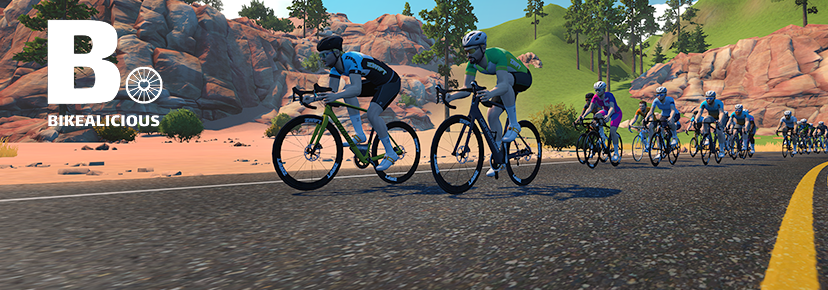
Always a popular ride, this week’s Rubberband Joy Ride is a special one, since it’s on Zwift’s longest route: London’s PRL Full (173.5km, 2625m)!
The Bikealicious crew is always friendly, and this is a “keep together” ride, so as long as you keep pedaling you’ll stay with the group. It’s a good chance to grab this route badge if you haven’t done so yet, which comes with a whopping 3460 XP!
RiZZRL Veterans / Remembrance Day: Salute to Soldiers
Unique Event Newish Route
The RiZZRL races are always epic showdowns, and this week race organizer Ben has fired up a Veterans/Remembrance Day Salute event on Watopia’s Southern Coast Cruise (26.3km, 147m).
Riders are grouped by Racing Score, but these are mass start events.
The Rocacorba Triple Dash combines three mini races into one fierce competition. There are two timeslots: 15:30 UTC/10:30 EST/7:30 PST for women’s only races, and 17:30 UTC/12:30 EST/9:30 PST for mixed. And there are prizes!
We choose each weekend’s Notable Events based on a variety of factors including:
Is the event unique/innovative in some way?
Are celebrities (pro riders, etc) attending/leading?
Are signup counts already high, meaning the event is extra-popular?
Does the ride include desirable unlocks or prizes?
Does the event appeal to ladies on Zwift? (We like to support this under-represented group!)
Is it for a good cause?
Is it just plain crazy (extra long races, world record attempts, etc)?
Is it a long-running, popular weekly event with a dedicated leader who deserves a shout out?
In the end, we want to call attention to events that are extra-special and therefore extra-appealing to Zwifters. If you think your event qualifies, comment below with a link/details and we may just include it in an upcoming post!
The tier will depend on several factors, including whether a bike is in an “over-supplied” parking bay and if it has been idle for an extended period of time.
As a result, Forest says this scheme will help balance supply across the capital.
“Unlike pricing models that increase prices during peak demand, Forest’s approach works by rewarding riders for choosing bikes in high density areas to reduce overcrowding at parking bays, and aid fleet rebalancing,” Forest says.
The new tiering follows a recent pilot by the dockless ebike provider, where bikes that had been idle for more than five days were offered with 30 minutes of travel for £1.
“The trial saw discounted bikes being ridden on average 20% sooner, helping keep Forest’s fleet in motion across London,” Forest says.
“To build on this success, Forest will use real-time fleet data to determine when and where bikes should be relocated, while working closely with local authorities, residents, and riders to deliver a system that benefits the whole city.”
“In addition to improving fleet distribution, the new pricing structure will also help Forest reduce its operational energy consumption. By incentivising riders to move bikes rather than relying solely on support vehicles, Forest expects to improve the energy efficiency of the fleet’s support vehicles by 50%,” Forest adds.
To mark the launch, all Forest bikes in London will offer 30 minutes of riding for £1 on Wednesday 12 November.
Helping companies pay ransoms to digital extortionists is kind of a weird business.
On the one hand, you “negotiate” with cybercriminals and in so doing may drive down the costs of recovering from a particular ransomware incident. On the other hand, you’re helping criminals get paid, funding their operations and making further attacks more likely.
And there’s always a temptation built in to this kind of work. Seeing lucrative sums being whisked away through cryptocurrency exchanges and “mixing services”… Realizing from up close just how vulnerable companies are… Learning that modern ransomware can operate as a service where you essentially “rent” the code from its developers in return for a cut of the profits…
Rockstar Games has announced Grand Theft Auto VI ‘s launch is being delayed once again to November 19, 2026. That’s roughly a year from now. It was previously delayed from its 2025 launch window to May 26, 2026. And now again.
If you have the feeling it’s been a while since the last GTA game, you’d be right. GTA V was originally released in 2013 and has been re-released multiple times since then. In fact, it’s a rare game that’s spanned PS3, PS4 and PS5.
Rockstar is likely self-assured that the game will do fine. Grand Theft Auto Online, a multiplayer mode for GTA V that can also be downloaded as a standalone game, remains a hit.
“We continue to supply content to GTA Online, and in fact we’ve had terrific results there. And GTA+ continues to grow its membership. In fact, it’s had 20 percent growth year-over-year. And GTA V has sold more than 220 million units,” said Take-Two CEO Strauss Zelnick in an interview with The Game Business.
The budget-friendly system is in early production.
Apple may debut a low-cost Mac laptop in the first half of 2026. According to a Bloomberg report, it’s in early production, and Apple is testing the devices internally. The idea may be to create a rival to cheap Chromebooks and Windows PCs, nudging folks into that money-spinning ecosystem. The company is said to be making the system with casual users, students and businesses in mind. (I’d guess many of those users are paying more for MacBooks with power they’ll never really tap into.)
The report suggests it’ll have a “lower-end LCD display,” and it’s expected to run on an A-series iPhone processor that would still, apparently, deliver better performance than the M1.
Everything you need to know about the Chinese company’s future in America.
DJI drones still face a potential US ban, due to national security concerns. It’s a combination of the company’s Chinese origins and laws compelling cooperation with state intelligence services. It’s also a very visible, notable drone maker — and flying robots understandably make folks nervous. After losing a recent lawsuit and an appeal, DJI is nearing a key December 23, 2025, deadline under the National Defense Authorization Act (NDAA), which could trigger an automatic ban. A recent FCC vote and pending legislation could also block sales and even theoretically prevent people from using already-purchased drones by cutting off radio access.
DJI might have to hope a ban will create enough customer outcry to stimulate a political response in its favor.
Honda revealed its new hybrid car tech, and it’s lighter, faster and… actually fun. That’s accomplished by massive weight savings and a surprising S+ Shift mode, which simulates an eight-speed transmission for manual driving fans. We got a first look at the platform that will transform the next-gen Civic and Prelude, officially, hopefully marking the end of the slow, droning hybrid car.
This article originally appeared on Engadget at https://www.engadget.com/general/the-morning-after-gta-6-is-delayed-until-november-2026-121525547.html?src=rss
Peloton has recalled 830,000 of its Original Series Bike+ Model PL02 because the indoor bike’s seatpost assembly can break, posing a fall and injury hazard to users.
The recall, issued on 6 November in the USA, says consumers should stop using the indoor bike immediately and contact Peloton for a free repair. “Peloton is offering consumers a free seat post that can be self-installed,” it says.
The exercise equipment company, which also makes treadmills and rowing machines, says it has received three reports of the seatpost breaking and detaching from the bike during use, including two reports of injuries due to falls.
The recall states: “This recall involves Peloton Original Series Bike+ units, with model number PL02 and serial numbers beginning with the letter “T”.
“The bike measures 4 ft. long by 2 ft. wide and has an adjustable seat and handlebar. The bike’s serial number is located inside the front fork, behind the front fork, or behind the flywheel.”
Additional information to help locate a Bike+ serial number is on Peloton’s website.
Peloton says the Bike+ was sold at its own stores and Dick’s Sporting Goods across the USA. It was also sold at onepeloton.com, ebay.com, Amazon.com and Dickssportinggoods.com from January 2020 until April 2025.
Since March of this year, it’s been possible to generate images directly within ChatGPT. Following a period where it briefly wasn’t available to free users, you now don’t even pay for one of OpenAI’s subscriptions to use the tool. And while making images inside of ChatGPT is easy, there are some nuances worth explaining. For example, did you know you can ask ChatGPT to edit photos you’ve taken? It’s more powerful than you might think. Here’s everything you need to know about generating AI images with ChatGPT.
How to create images with ChatGPT using text prompts
To begin making an image in ChatGPT, you can start by typing in the prompt bar.
Igor Bonifacic for Engadget
To begin generating images in ChatGPT, start typing in the prompt bar what you want to see. There’s no need to overthink things; as long as you have some version of “generate an image” followed by a description of your idea, ChatGPT will do the rest.
Depending on the complexity of your prompt, it may take up to two minutes for ChatGPT to complete your image request. Sometimes the process can take longer if OpenAI’s servers are experiencing greater traffic than usual.
How to create images with ChatGPT using existing photos
You can also upload images to ChatGPT.
Igor Bonifacic for Engadget
In addition to generating images from text prompts, ChatGPT can modify existing photos or images you upload. This is my preferred way of making images with ChatGPT; I don’t need to describe the composition, I can use an existing one to guide the chatbot. To use a photo as a starting point for a new generation, follow these steps:
Tap the “+“icon, located to the left of the prompt bar.
Select Add photos & files.
Select the image you want ChatGPT to edit.
If uploading an image from your phone, you’ll need to grant ChatGPT access to your camera roll.
Write a prompt describing the changes you want.
Keep in mind any photos you upload to OpenAI’s servers may be used by the company to train future models. You can opt out of allowing your data to be used for training by following these steps:
Open the sidebar menu. On mobile, tap the two lines on the top left of the interface. On desktop, click on the OpenAI logo.
Tap your name to access account settings.
Tap Data controls.
Toggle off Improve the model for everyone.
How to edit the images ChatGPT generates
ChatGPT gives you a few different ways to modify an image to your liking.
Igor Bonifacic for Engadget
If you’re unhappy with ChatGPT’s output, you have two options. You can either prompt it to create an entirely new image, or edit parts of the picture it just generated. As before, you can simply write what changes you want to see in the prompt bar. OpenAI also gives users a few different shortcuts to accomplish the same task.
To generate an entirely new image:
On mobile, tap the two arrows icon below the image ChatGPT created.
Select Try again, Add details or More concise.
Alternatively, tap the image ChatGPT created and select Edit.
Describe what you want ChatGPT to add, remove or replace through the prompt bar.
To edit part of an existing image generation:
Tap the image ChatGPT created.
Tap Select. On desktop, instead click on the paintbrush icon on the top right.
Use your finger to mask the section of the image you want ChatGPT to tweak. The slider on the left allows you to adjust the size of the masking brush.
Describe what you want ChatGPT to add, remove or replace through the prompt bar.
Like all AI systems, ChatGPT is non-deterministic, meaning even if you prompt it in the same way multiple times, it won’t generate the exact same response each time.
Tips to create better images with ChatGPT
The best advice I can offer is to be specificwhen prompting ChatGPT. The more detail you can provide when describing what you want from it, the better the results. And remember: ChatGPT can hallucinate — as you may have noticed from one of the example pictures I included above. In the image of the tortoiseshell cat, not only is the tortie not sitting on the window sill as instructed, it’s sitting on a table that doesn’t make much sense. So, most of all, be patient. Prompting an AI model is not exact science, and it can take a few tries before it creates the result you want.
FAQs
How do you access ChatGPT?
ChatGPT is available on the web, desktop and mobile. To access it on your computer, open your preferred browser and navigate to chatgpt.com. OpenAI also offers dedicated Mac and Windows apps you can download from the company’s website. On iOS and Android, you’ll need to download the ChatGPT app from either the App Store or Google Play before you can start using the chatbot.
Since ChatGPT runs on OpenAI’s servers, as long as you can access the chatbot, you’ll be able to use it to create images no matter the age of your phone or computer.
Can ChatGPT generate images for free?
Yes, ChatGPT can generate images for free, as long as you have an OpenAI account. However, there is a daily rate cap and GPT-5 will take longer to make an image. Following March 27, 2025, OpenAI briefly limited free users to three image generations per day. The company has since relaxed that restriction, though it doesn’t list a specific limit on its website. In my experience, you’ll be able to generate about six to seven images every 24 hours.
OpenAI’s $20-per-month Plus plan offers “expanded and faster image creation,” while its $200-per-month Pro tier includes unlimited image generation as a perk.
Can ChatGPT recreate an existing photo?
No. For copyright reasons, ChatGPT can’t replicate photos or exact real world events. For example, when I asked it to recreate the photo of Zinedine Zidane’s iconic 2006 World Cup headbutt, ChatGPT refused.
“I can make an artistic reinterpretation inspired by the emotion or energy of that moment — for example, a stylized painting showing the tension and intensity of competition, without depicting real individuals,” it told me.
This article originally appeared on Engadget at https://www.engadget.com/ai/how-to-generate-ai-images-using-chatgpt-120000560.html?src=rss
Trace, a startup founded by former Magic Leap engineers, today announced the launch of a new augmented reality creation platform the company hopes will become the “Canva of AR”.
The News
Trace says it’s targeting everyone from global brands to independent creators wanting to build location-based immersive AR content, according to a recent press statement.
Notably, the platform doesn’t require coding or advanced design expertise, allowing users to design, drop, and share interactive AR experiences across mobile devices, headsets, and AR glasses.
To boot, Trace says it’s launching the platform at a pivotal moment; Adobe has officially discontinued its Aero AR platform, and Meta’s Spark AR platform was retired in January 2025. To seize the moment, Trace is offering three free months of its premium plan to Aero and Spark users who migrate to its platform.
“Even as XR devices become more capable, the creator ecosystem is still really limited,” said Martin Smith, Trace’s CTO and co-founder. “Empowering creators to build and share their vision is such an important part of the picture, whether they’re an educator, an artist, or a Fortune 500 brand. Trace runs anywhere, scales instantly, and supports the fidelity AR deserves.”
Founded in 2021, Trace has already worked with a host of early enterprise adopters, including ESPN, T-Mobile, Qualcomm, Telefónica, Lenovo, and Deutsche Telekom, who have used Trace for marketing, visualization, employee training, and trade show installations at Mobile World Congress and the Hip Hop 50 Summit.
Trace’s creation platform is available to download for free on iPhone and iPad through the App Store, with an optional premium subscription available starting at $20 per month. Creations can currently be viewed through the Trace Viewer app available for free on the App Store and Google Play, and users can import their existing 3D assets in the Web Studio, available at studio.trace3d.app.
My Take
There’s a reason Meta and Adobe haven’t put a massive amount of effort into their respective AR creation platforms lately: all-day AR glasses are still relatively far away, as the usual cadre of XR headset and glasses creators are only now stepping into smart glasses ahead of what could be a multi-year leadup to all-day AR glasses of the future.
Still, enterprise-level AR activations on mobile and mixed reality headsets, like Apple Vision Pro and Quest 3, can turn more than a few heads, making a quick and easy no-code solution ideal for companies and independent creators looking for a selective reach.
Quest 3 (left) and Apple Vision Pro (right) | Based on images courtesy Meta, Apple
I would consider Trace’s strategy of offering former Adobe Aero AR and Meta Spark AR a pretty shrewd move to get some market share out of the gate too, which is increasingly important since it’s the company’s sole occupation—and not a side project like it was for Adobe and Meta.
The more challenging test will be to see how Trace grows in that interminable leadup to wide-spread AR glasses though, and how it weathers the competition sure to come from platform holders looking to offer similarly easy-to-use AR creations suites of the future.
While the platform’s wide target and ease of use are big pluses, I can see it more squarely fitting in the enterprise space than something regular consumers might latch onto—which is probably the ideal fit for a company founded by Magic Leap alumni, who have undoubtedly learned a sharp lesson first hand. Magic Leap’s early flirtations with prosumers in 2018 with the launch of Magic Leap One eventually forced the company to pivot to enterprise two years later.
Vulkan 1.4.332 is out today as the latest weekly update to this high performance graphics and compute API specification. Besides a number of documentation clarifications/corrections, there is one new extension this week in the name of AI / machine learning…
Merged overnight to Mesa 26.0-devel and likely to be back-ported for the upcoming Mesa 23.3 release are a few fixes around high dynamic range (HDR) support within the common Vulkan windowing system integration (WSI) / display code…




 DBR x Canyon x Cykelnerven Ultra Charity Ride
 Good Cause
  VirtuSlo 4Endurance League 2025