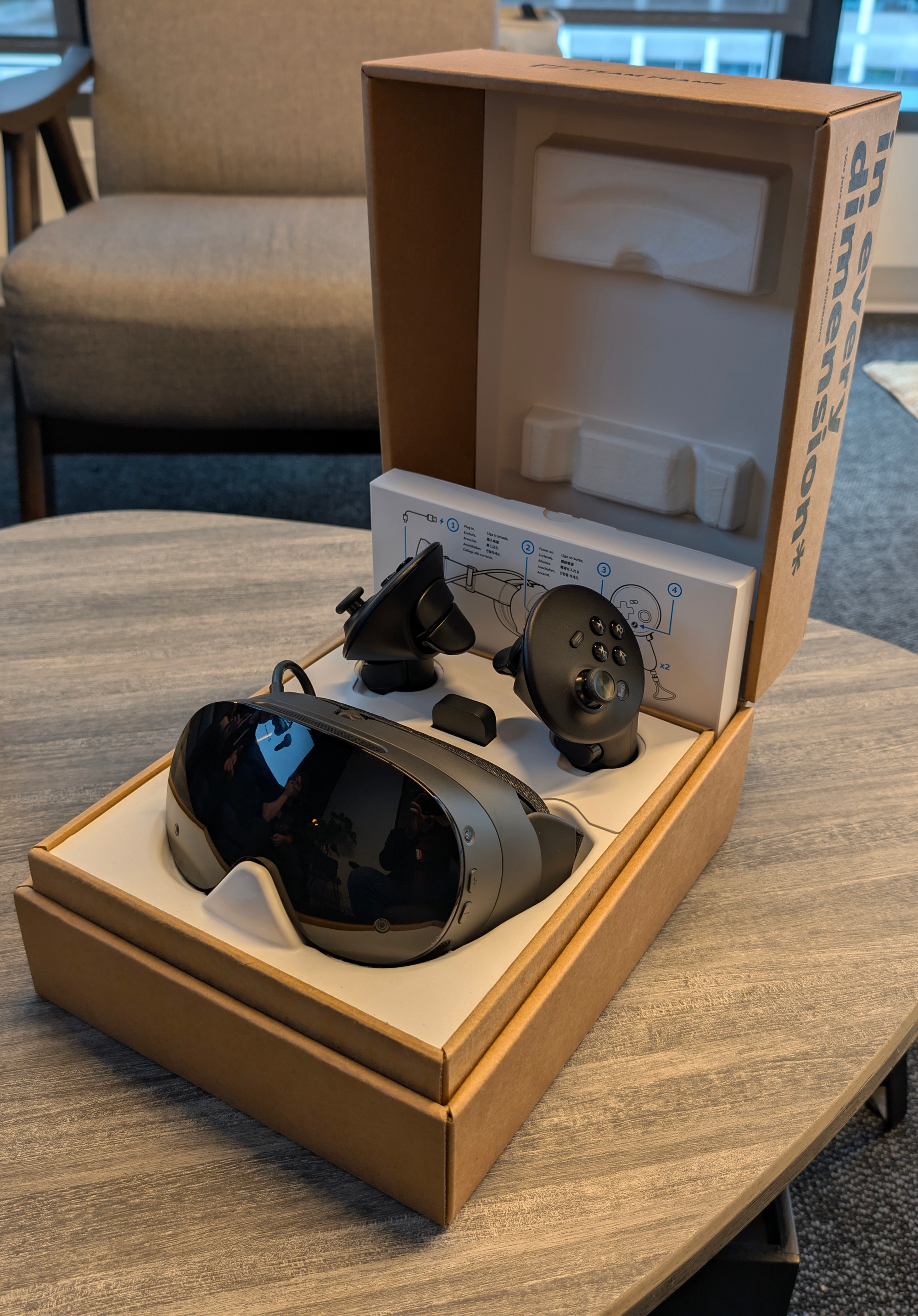
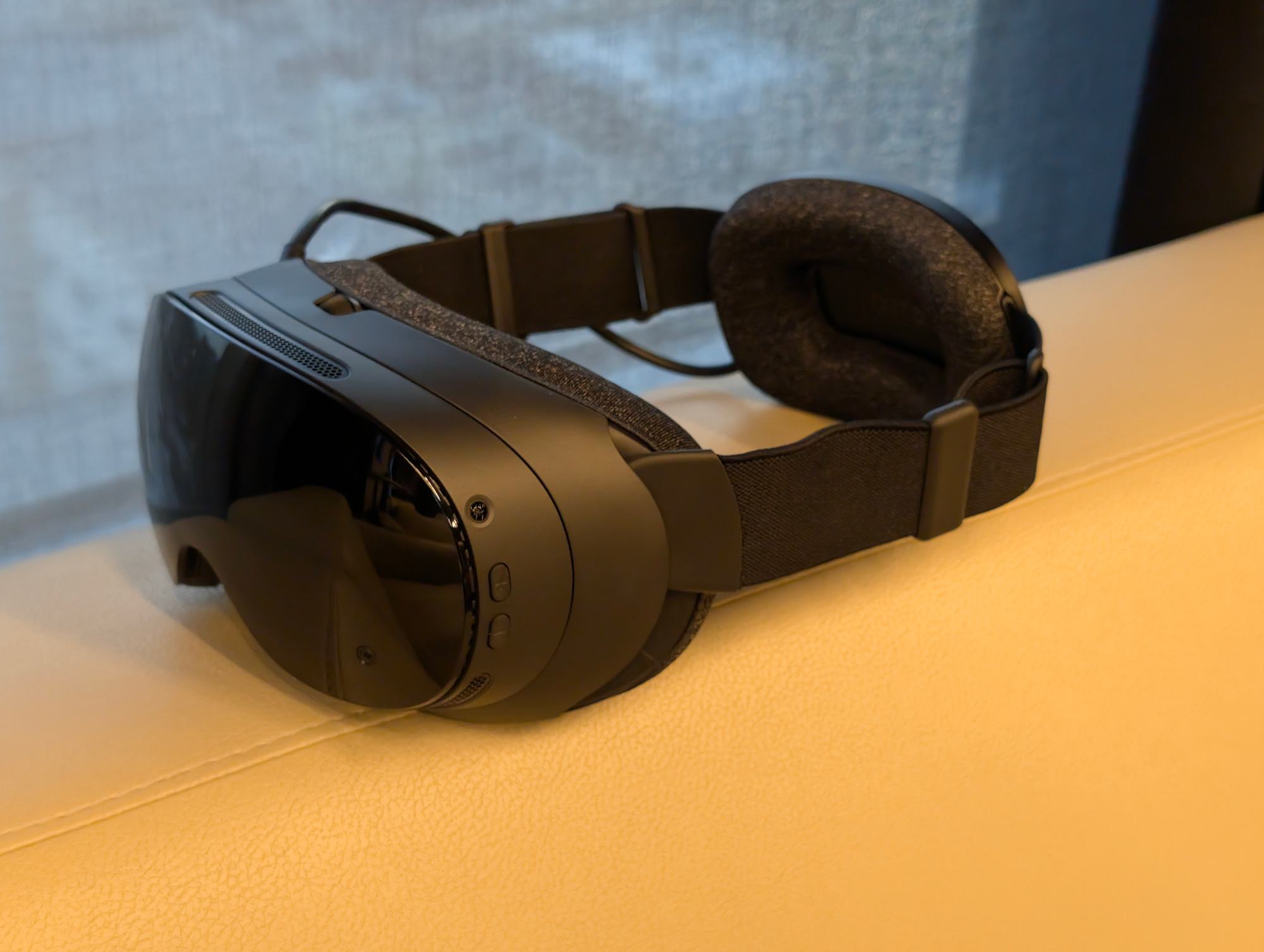
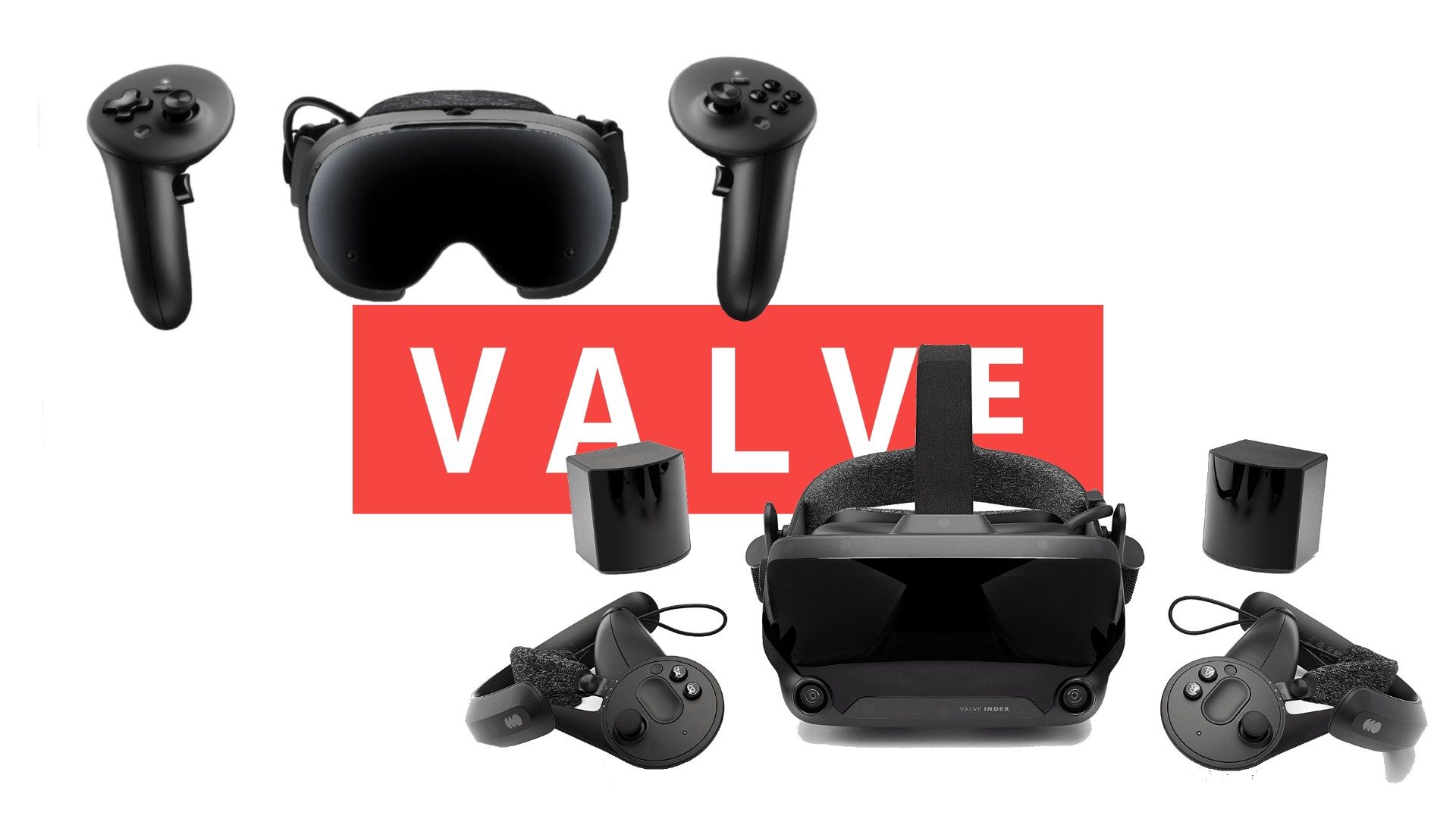
Valve Made Steam Frame To Increase The Value Of Your Library

If you’ve spent money on games from Steam, Valve’s aim with Steam Frame is to make that library more valuable.

50 percent of Steam users still run their games at 1080p, according to the latest Steam Hardware Survey. How many of those gamers have never seen a monitor refreshing faster than 60Hz? Or a modern VR display running its content at 120Hz?

Ignoring the subset of people, mainly gamers, who have a concept of the difference between 30Hz and 60Hz, how many people worldwide have never seen motion displayed on a screen faster than 60Hz?

In 2026, Valve will follow the Steam Deck by starting to sell its most portable standalone PC ever. You wear Steam Frame on your face with experimental display support up to 144Hz.

What Is Steam Frame?
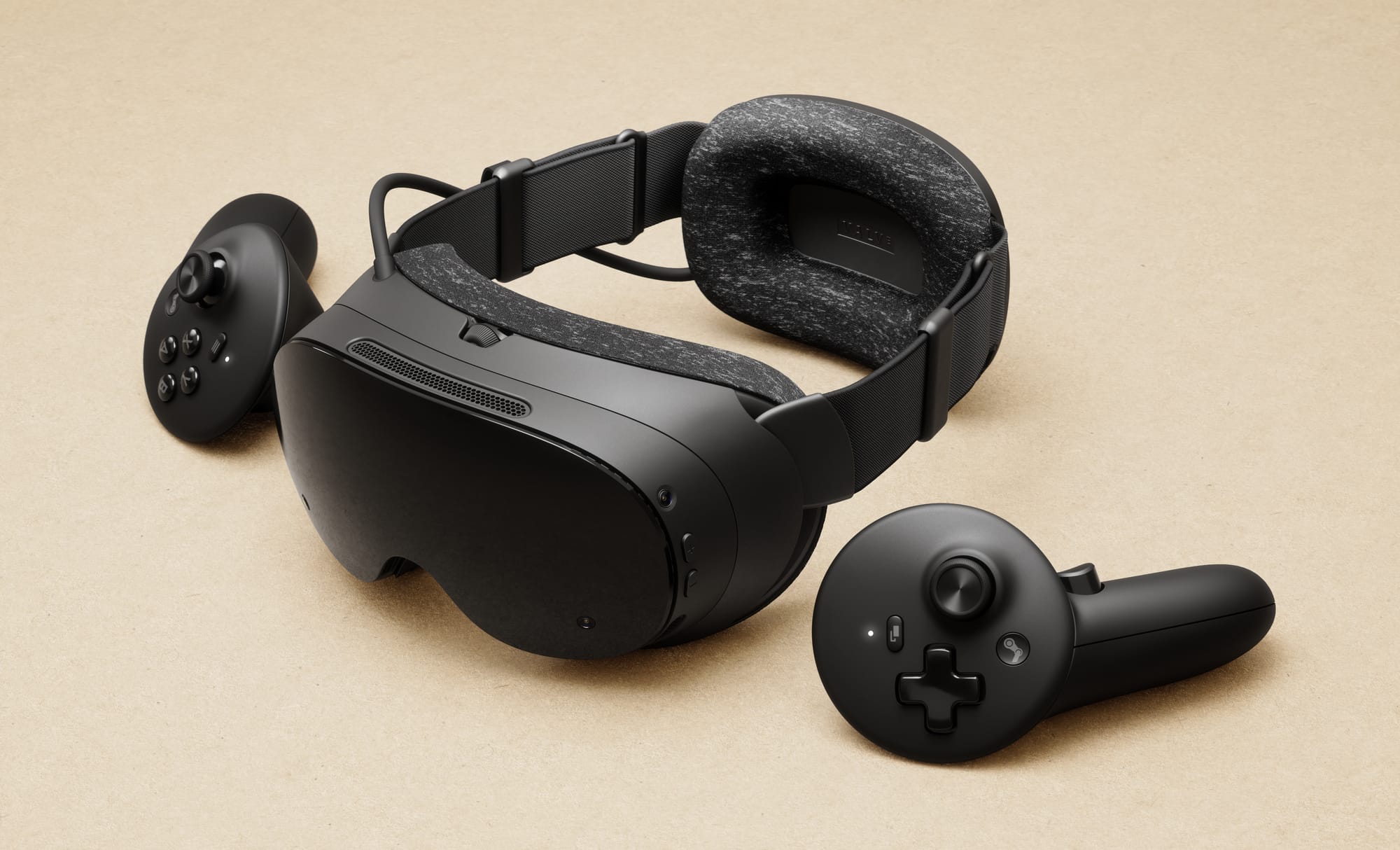
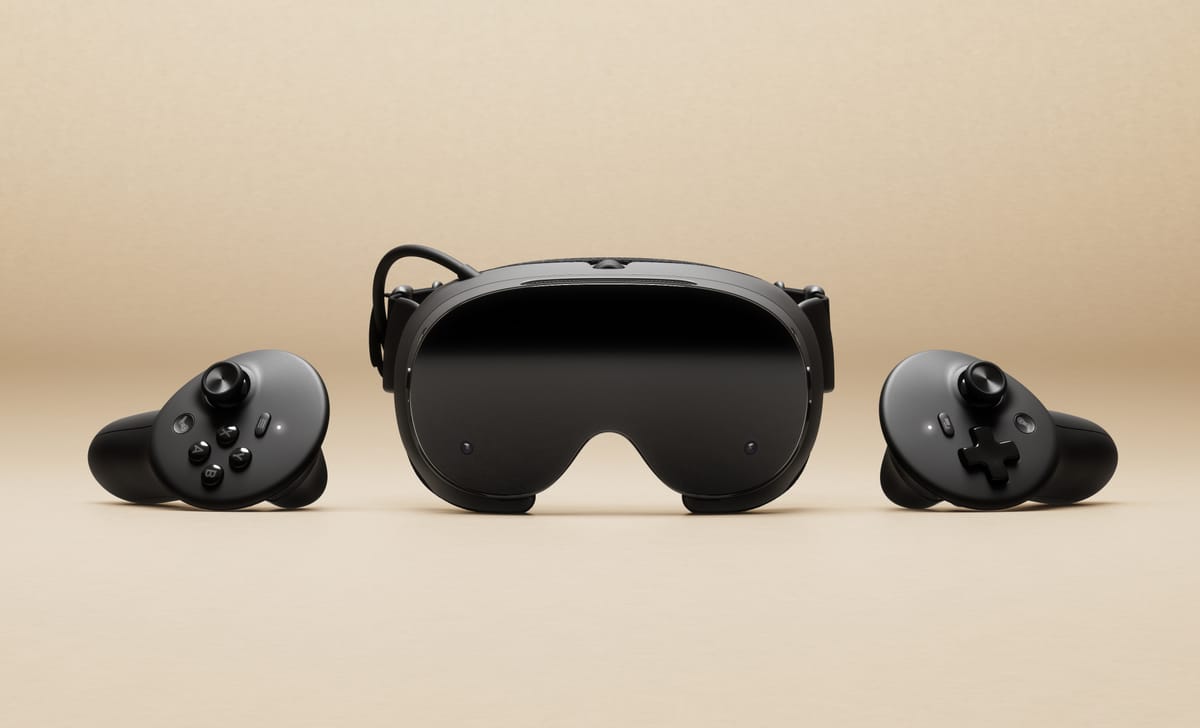
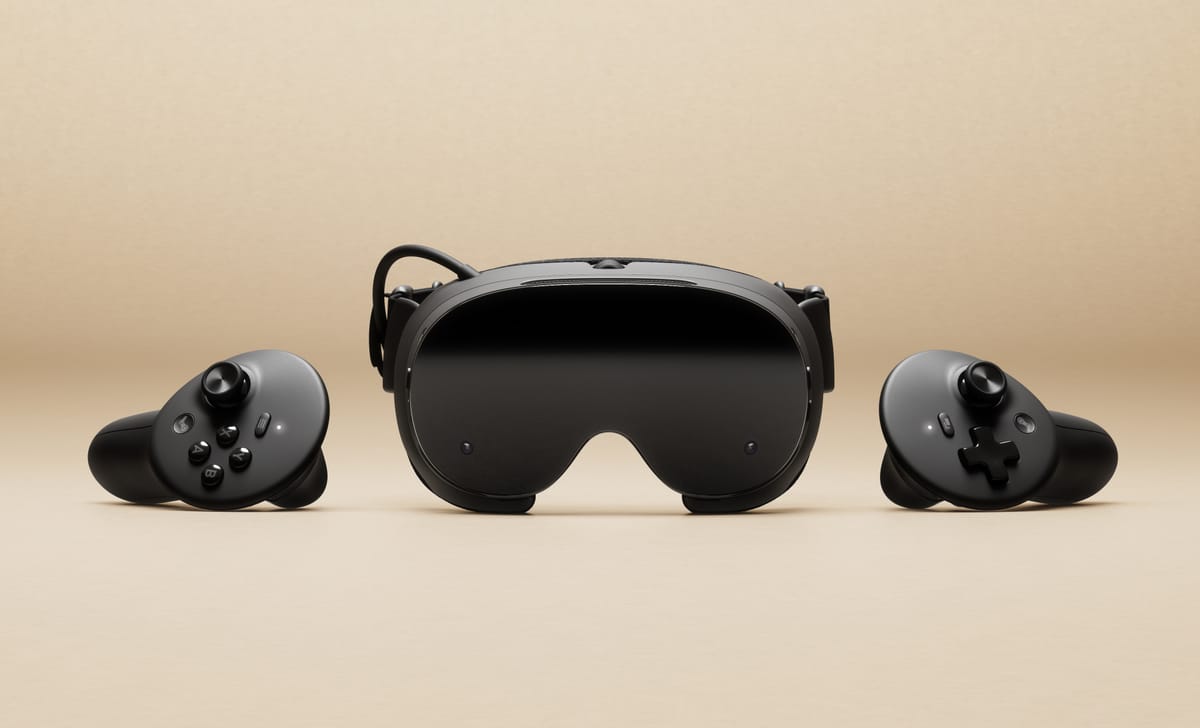
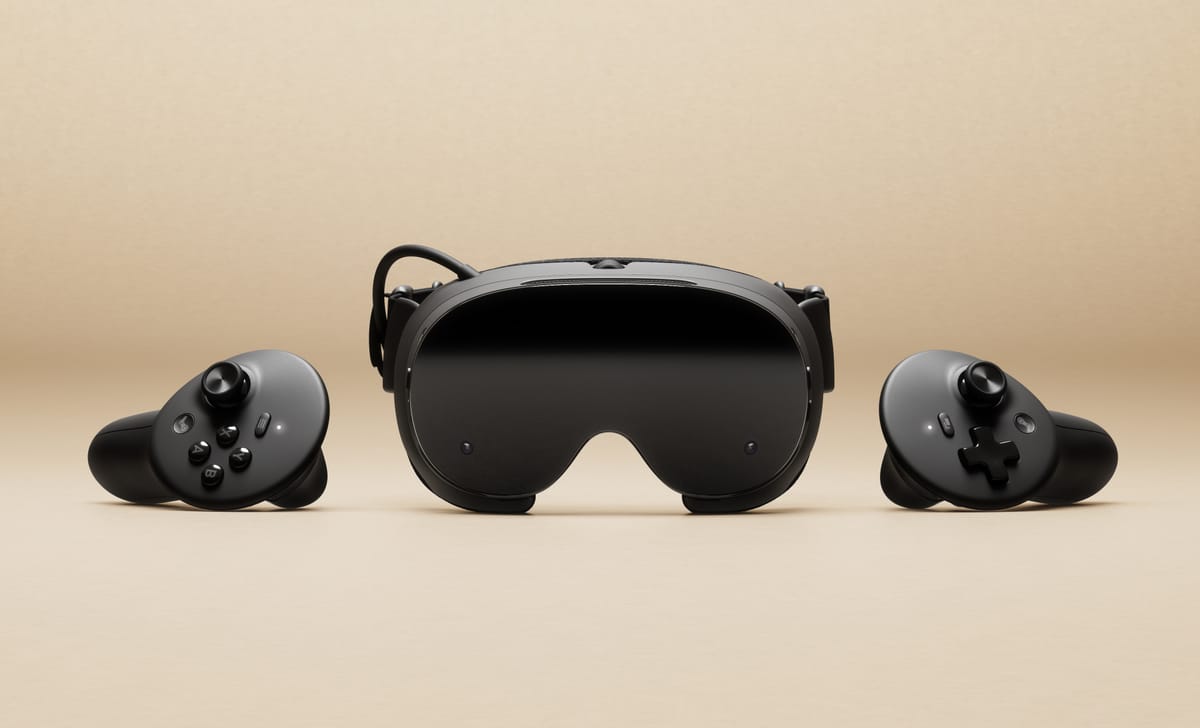
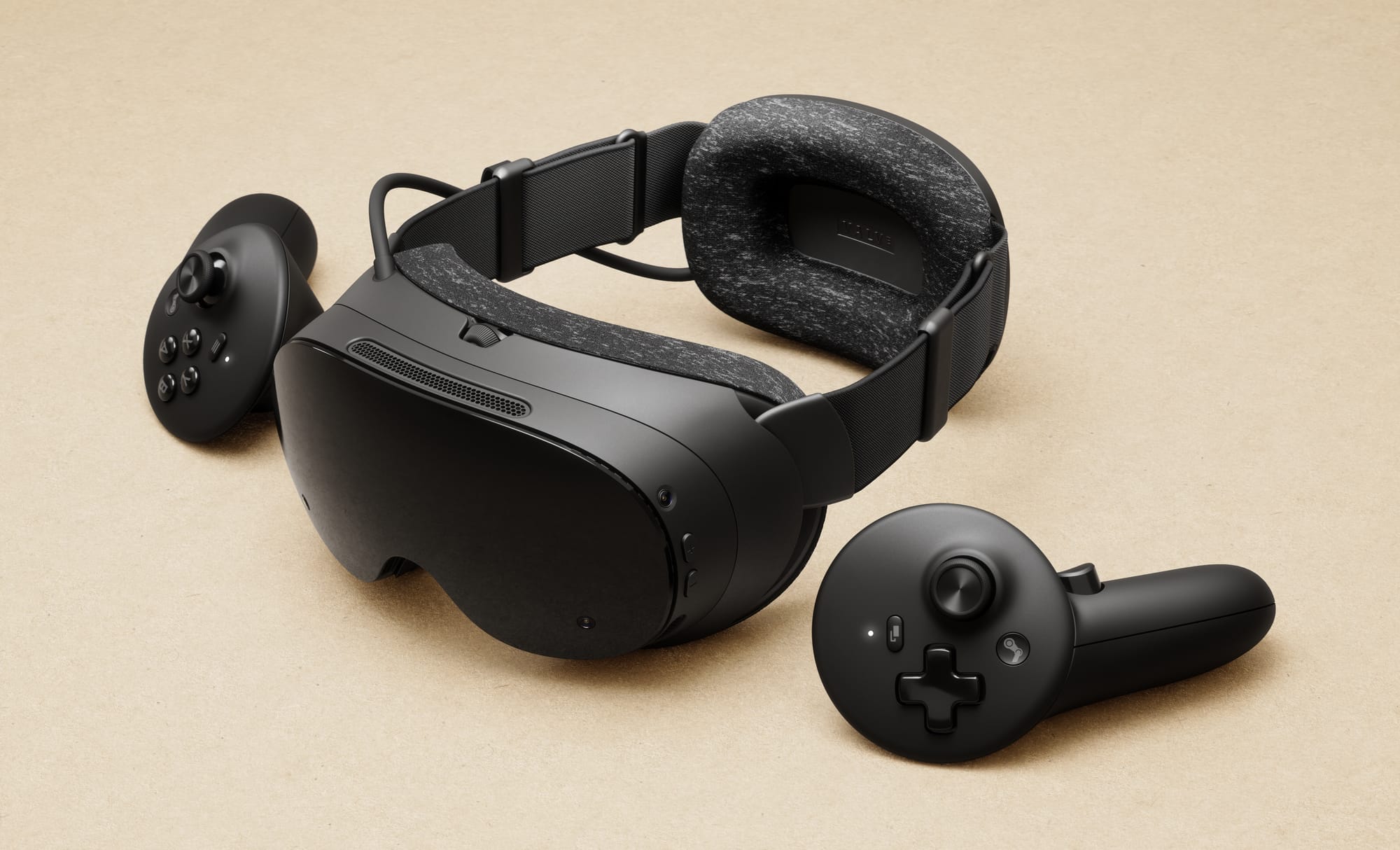
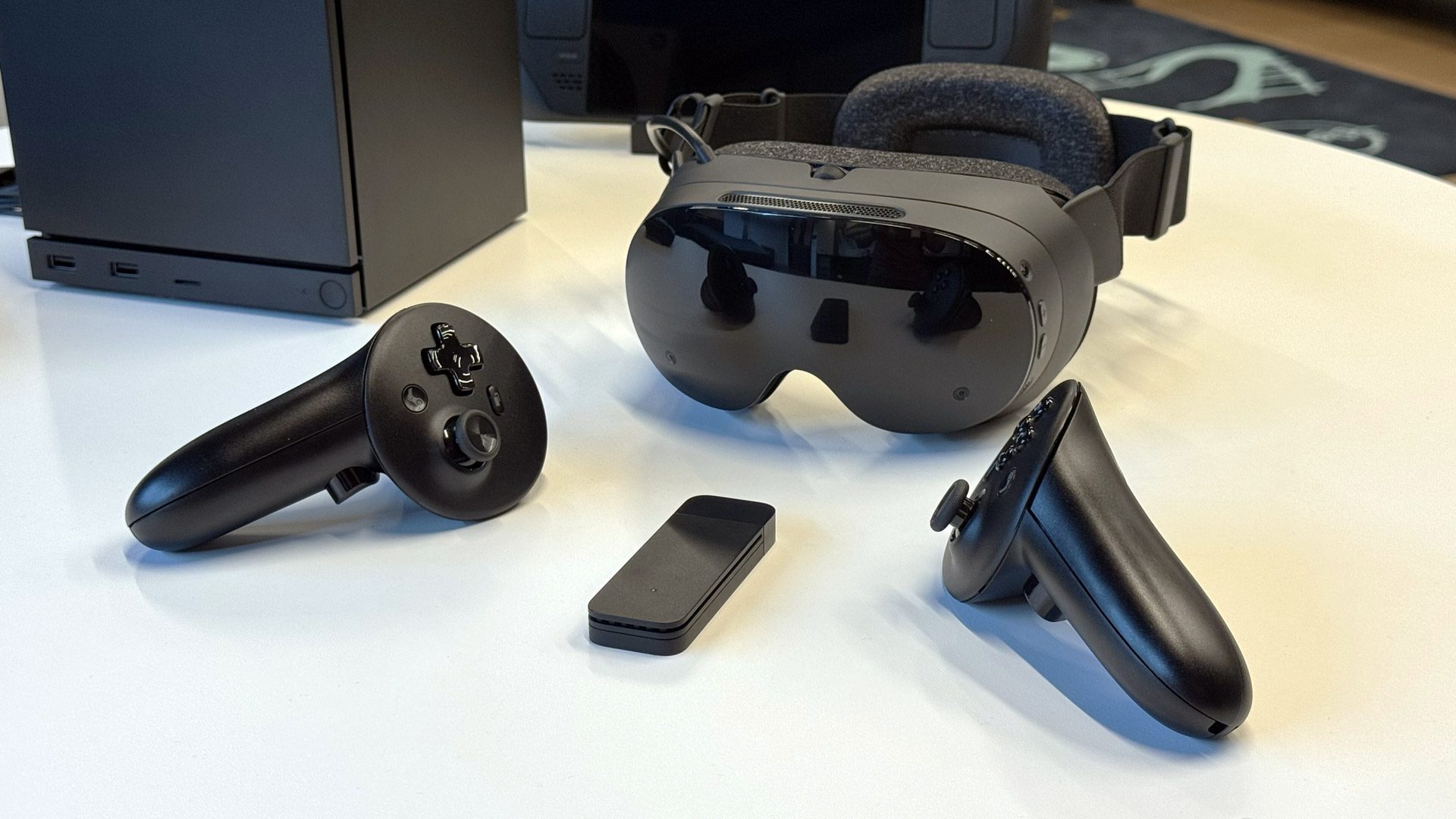
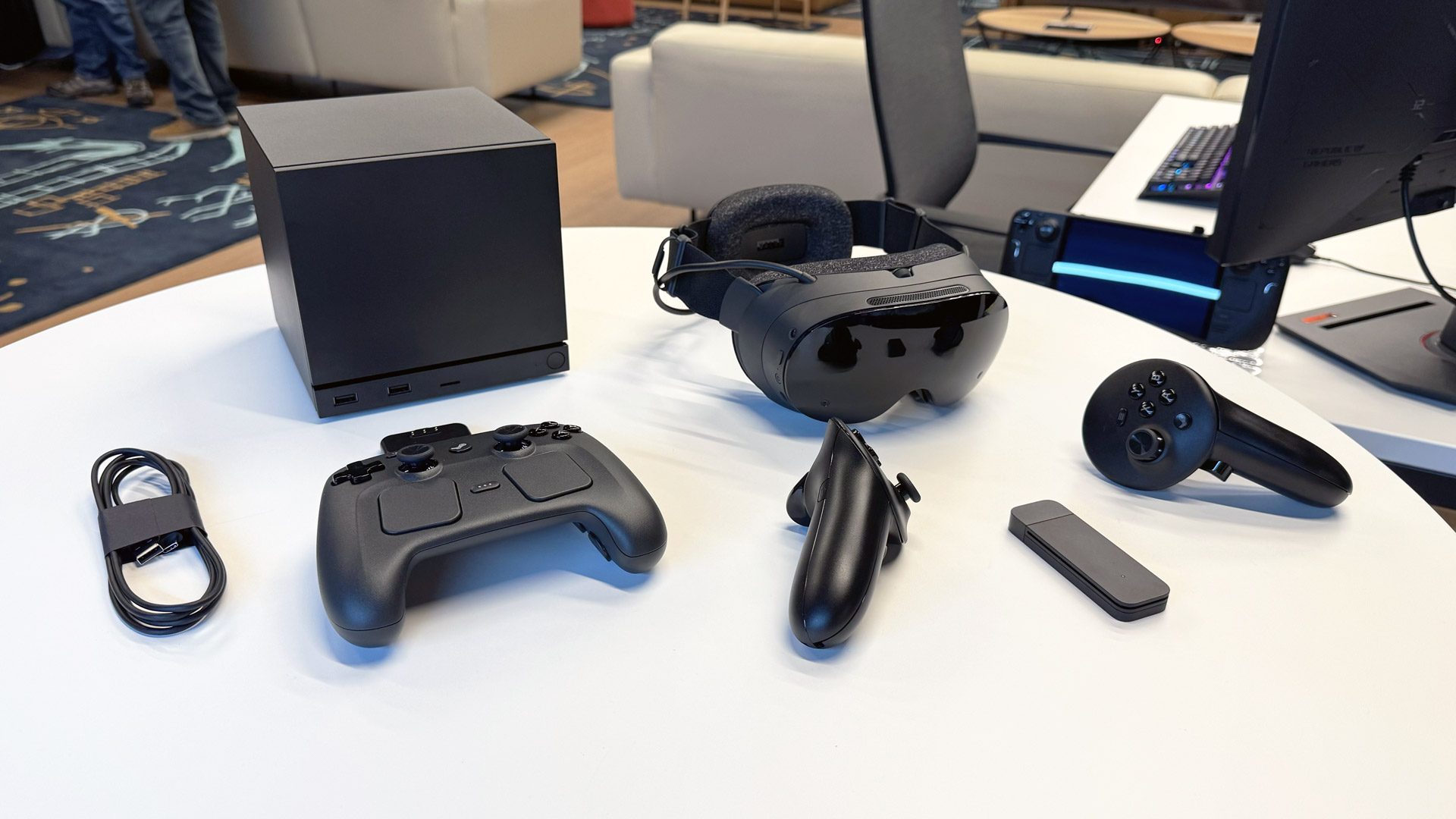
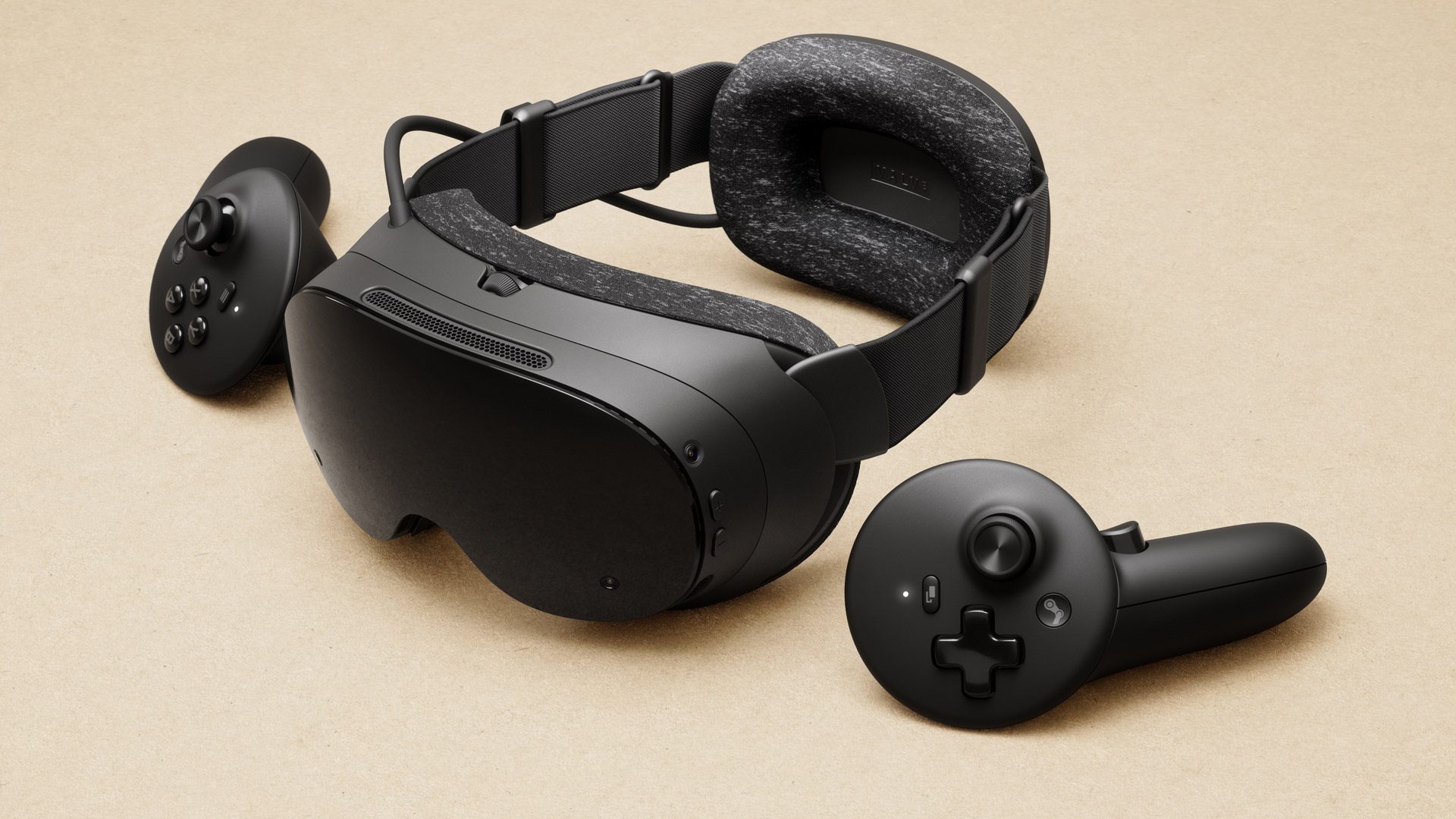
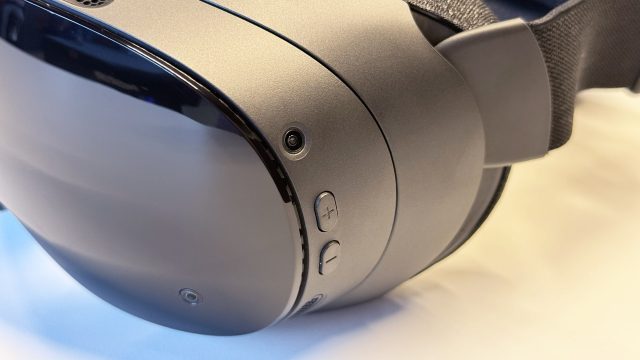
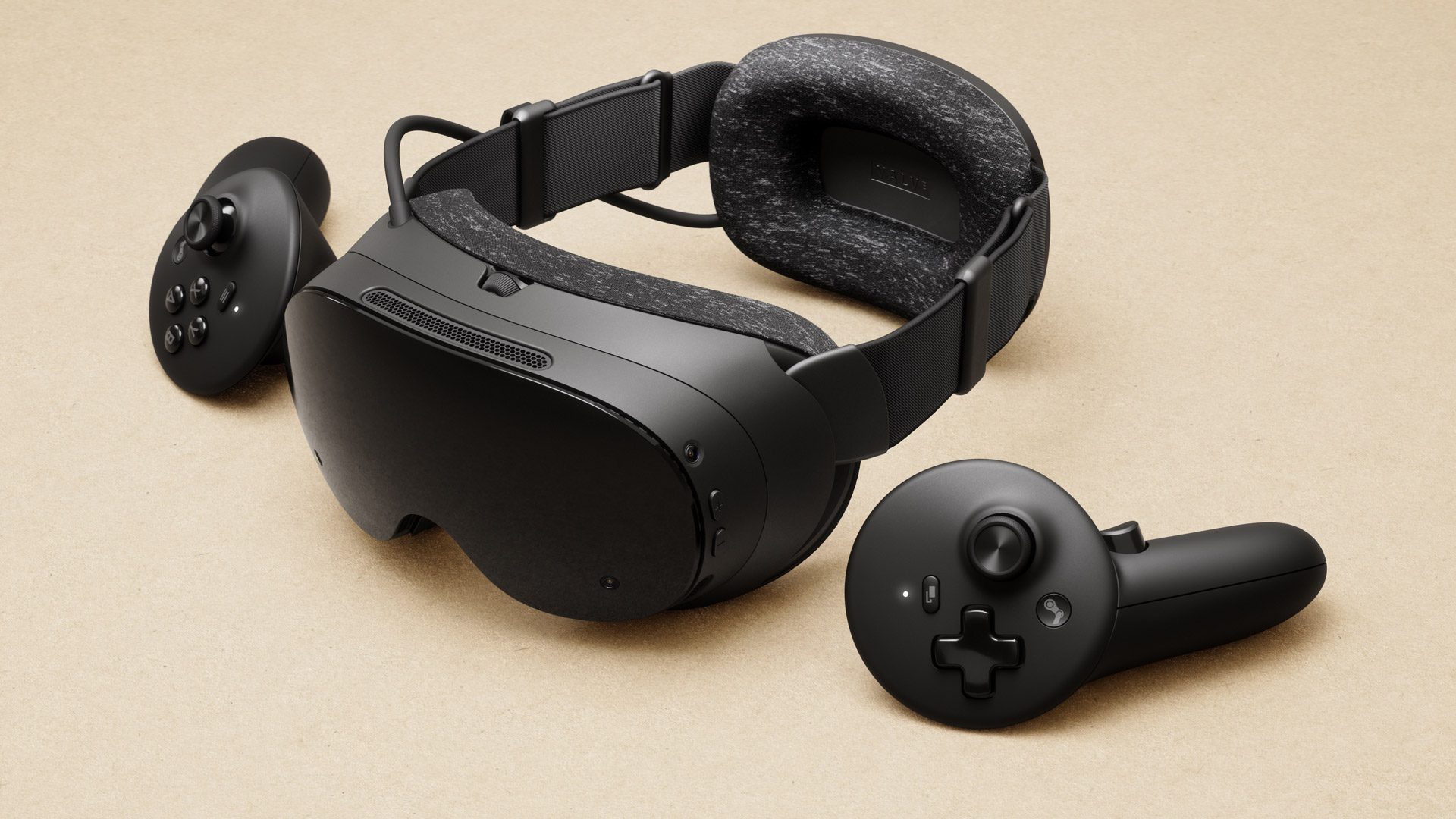
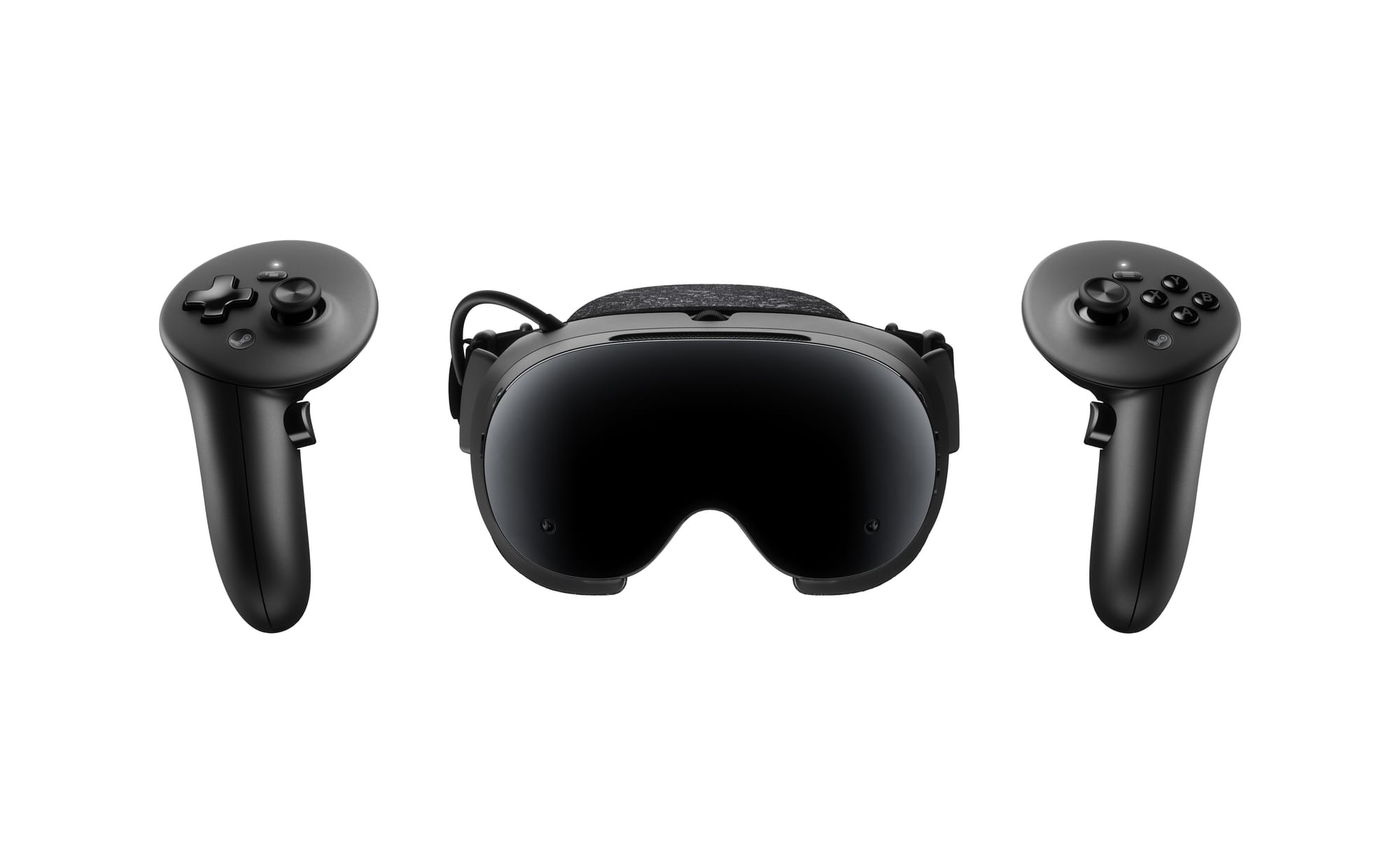
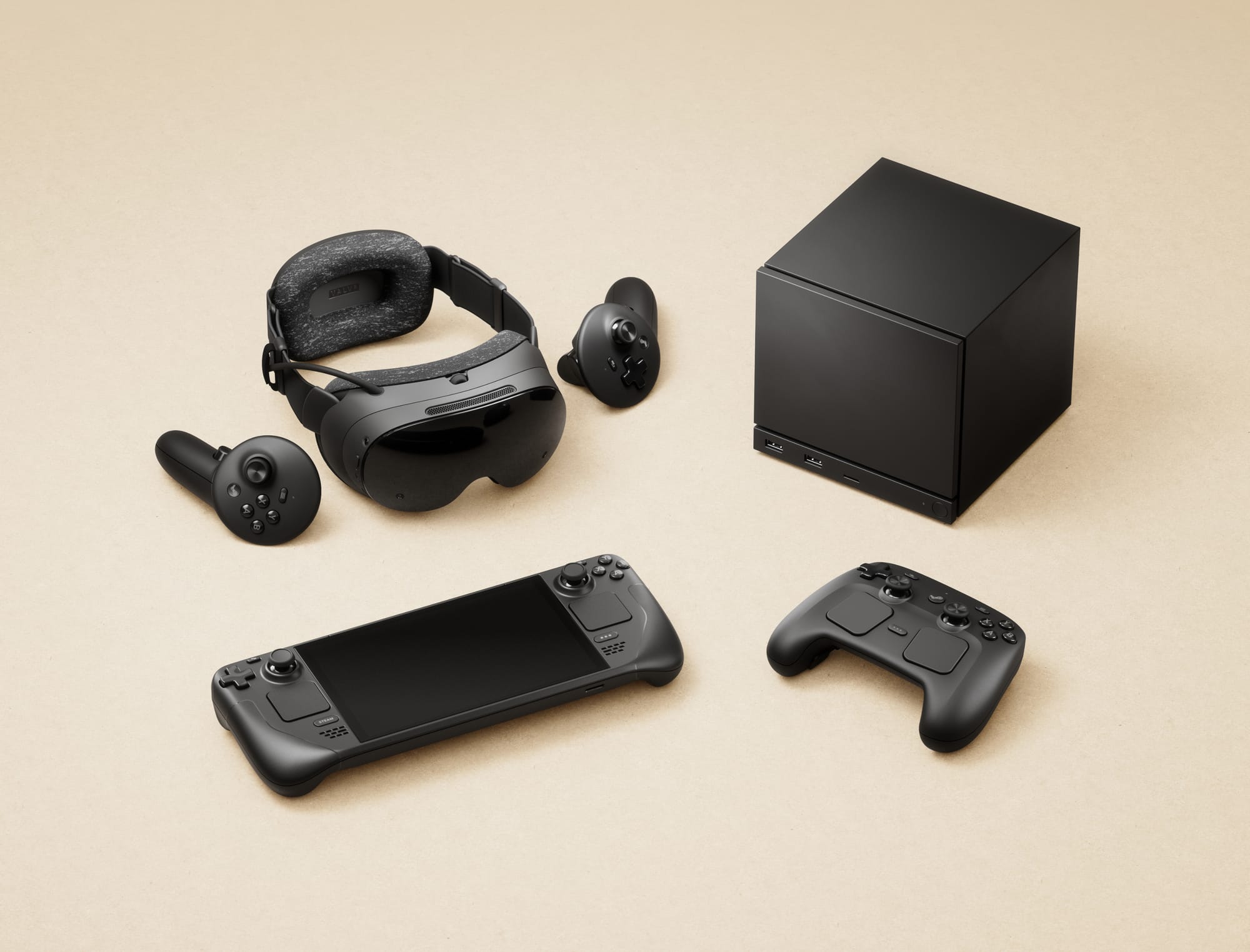
Steam Frame and controllers, image provided by Valve.

Steam Frame is a VR headset, personal computer, and probably a whole lot of other things once its community verifies Valve’s claims that you can swap out the operating system or plug in other accessories into its high-speed nose port.

“We don’t block anyone from doing what they want to with their device,” Valve’s Lawrence Yang said.

Valve Officially Announces Steam Frame, A “Streaming-First” Standalone VR Headset
Steam Frame has an included wireless adapter, and is launching “early 2026”. Read the full specs, features, and details here.
UploadVRDavid Heaney

Developers and Steam Frame buyers can use high frame rates in different ways, but at its core this headset features a stereoscopic portable display as its compute unit. There’s dedicated hardware to enable high quality streaming from nearby PCs also running Steam and, while in standalone mode, you can still get something like a 1440p picture on what feels like a 70-inch virtual display running at 90, 120 or potentially 144Hz.

UploadVR played Hades 2 at Valve HQ in a demo that conveyed the power of having a virtual display comfortably floating anywhere with smoothly animated content displaying in the Steam Frame at rates usually only associated with high end gaming monitors tethered to desks. Arms at your sides with a controller in each hand, Valve says Steam Frame works in the dark too.
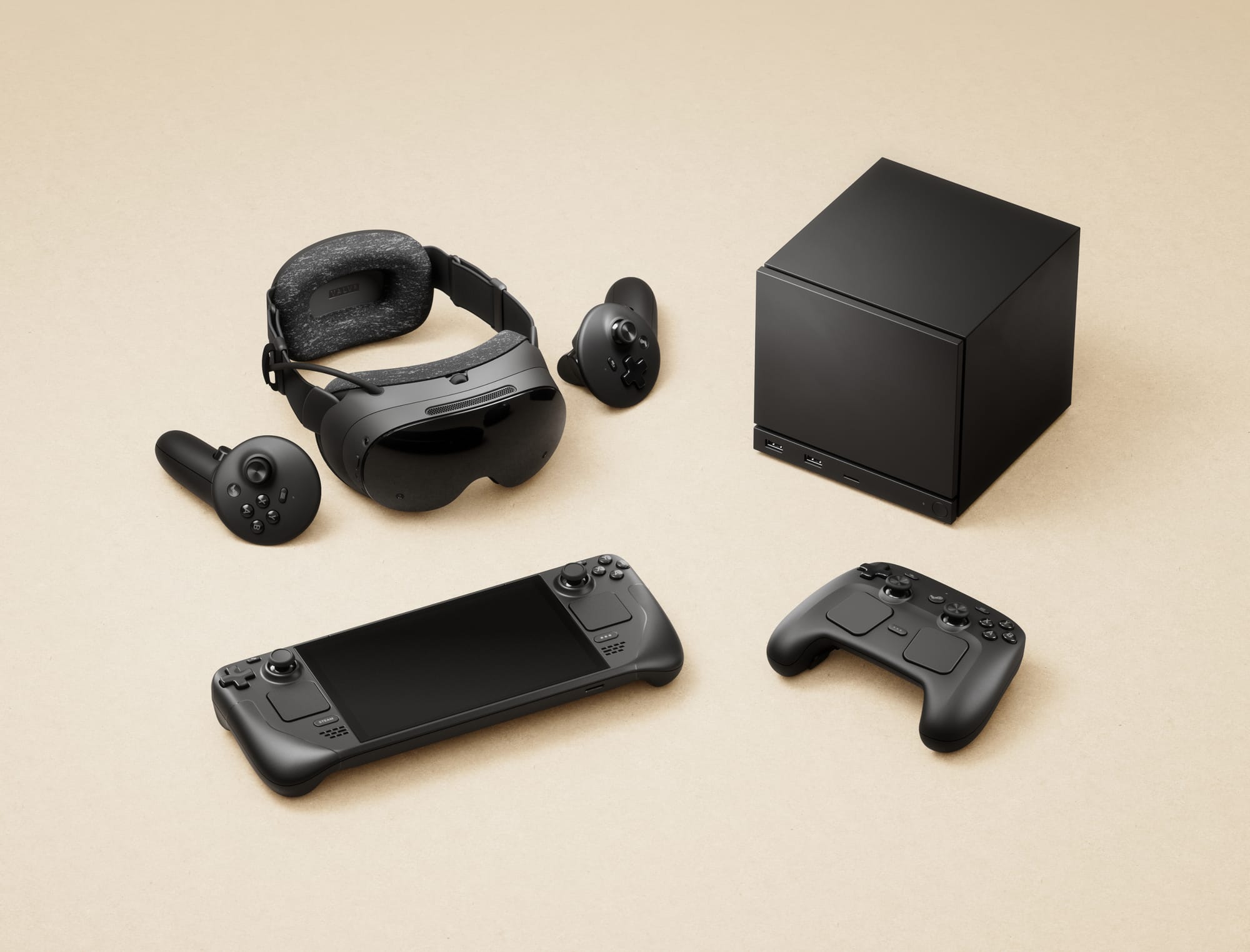
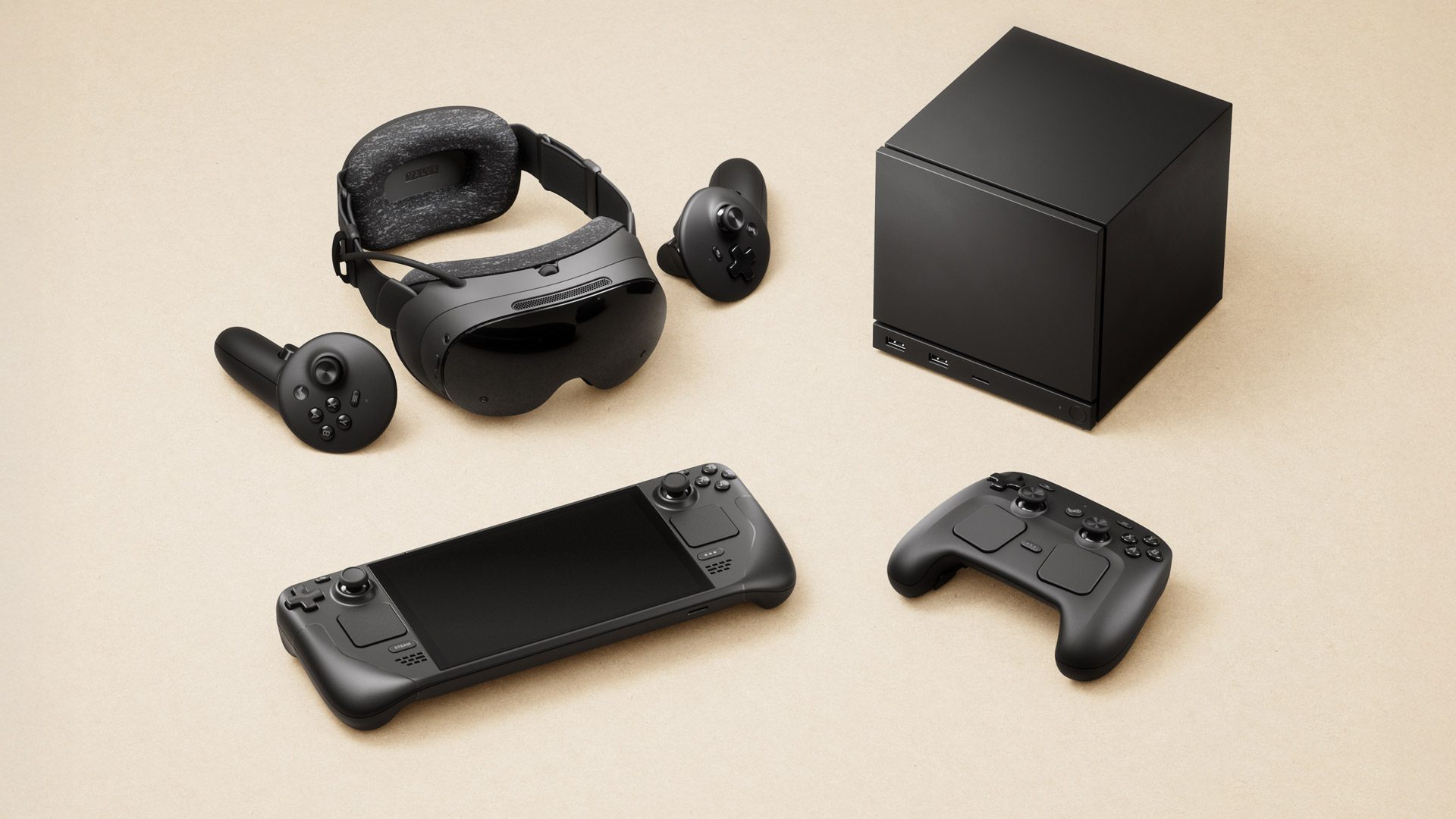
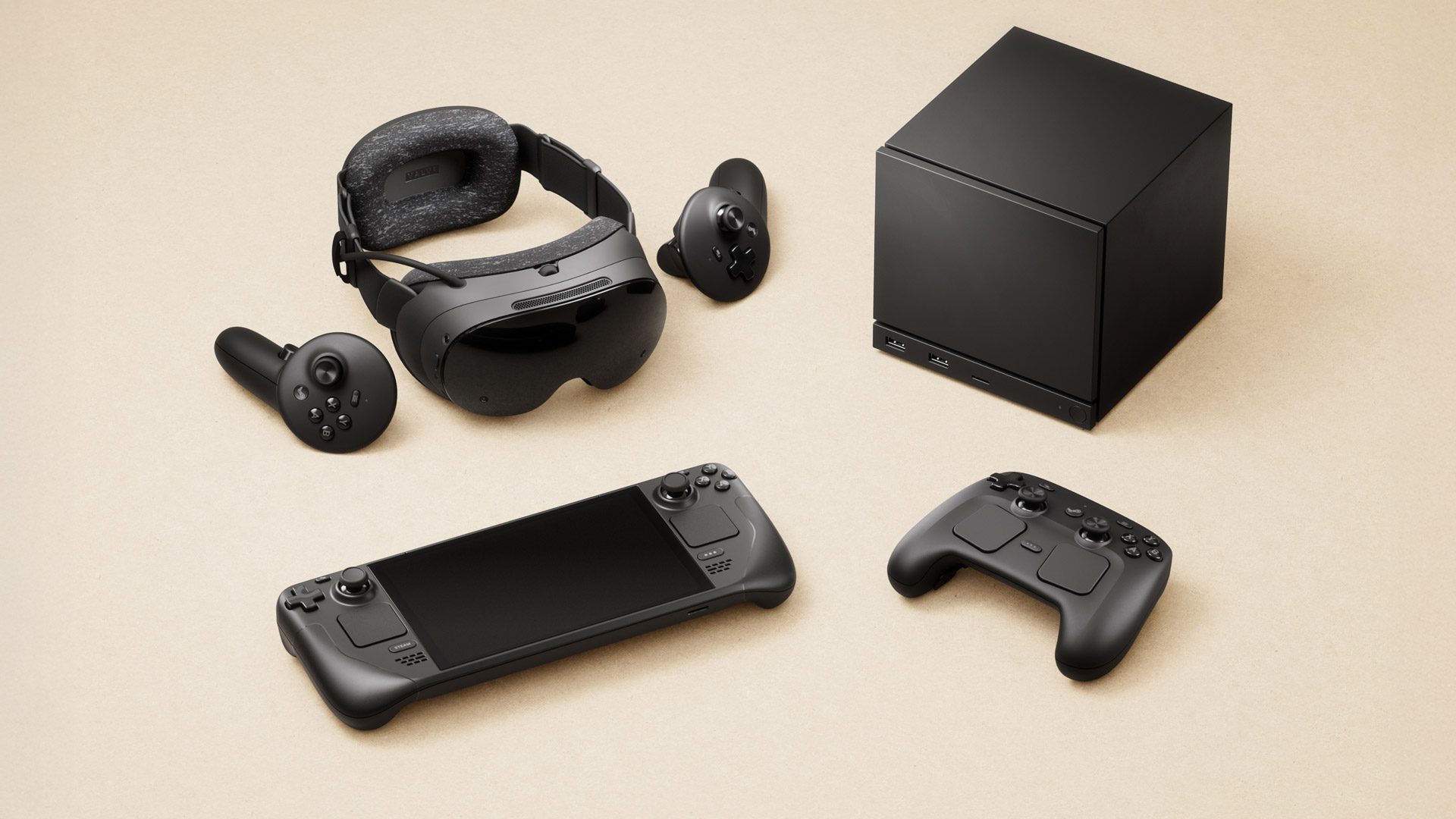
Steam Frame, Steam Machine, Steam Controller, and Steam Deck, image supplied by Valve

“All of these games can support arbitrary resolutions and refresh rates,” Valve’s Jeremy Selan said during our briefing. “We’re thinking about it as very much a per-game setting. Some games just by the nature of the play want to be very high refresh and more modest res. When we were showing you Hades, it was at 1440p at 90 Hertz.”

Hades remains a strong memory from my time in Steam Frame at Valve headquarters because of that high frame rate, and it bears calling out amid all our coverage that having some “VR and non-VR” games running at an extremely high frame rate – even reclined on a couch or bed – will be an eye-opening experience for many people, including Steam Deck owners.

“While it is a wireless streaming first headset,” Yang told UploadVR. “We did want you to be able to play your Steam library when you’re not next to your PC or laptop, so we made Steam Frame a PC by itself. It has an ARM chip that’s running SteamOS.”

Could playing existing games at high frame rates in a lightweight standalone headset make it hard to go back to 60 or 30 fps screens entirely?

For long-time UploadVR readers as well as newbies learning about the market for the first time, it’s important we convey just how meaningful this feature alone might be in daily use as Valve works to optimize the system and rally developers into supporting new surfaces for their games on Steam.
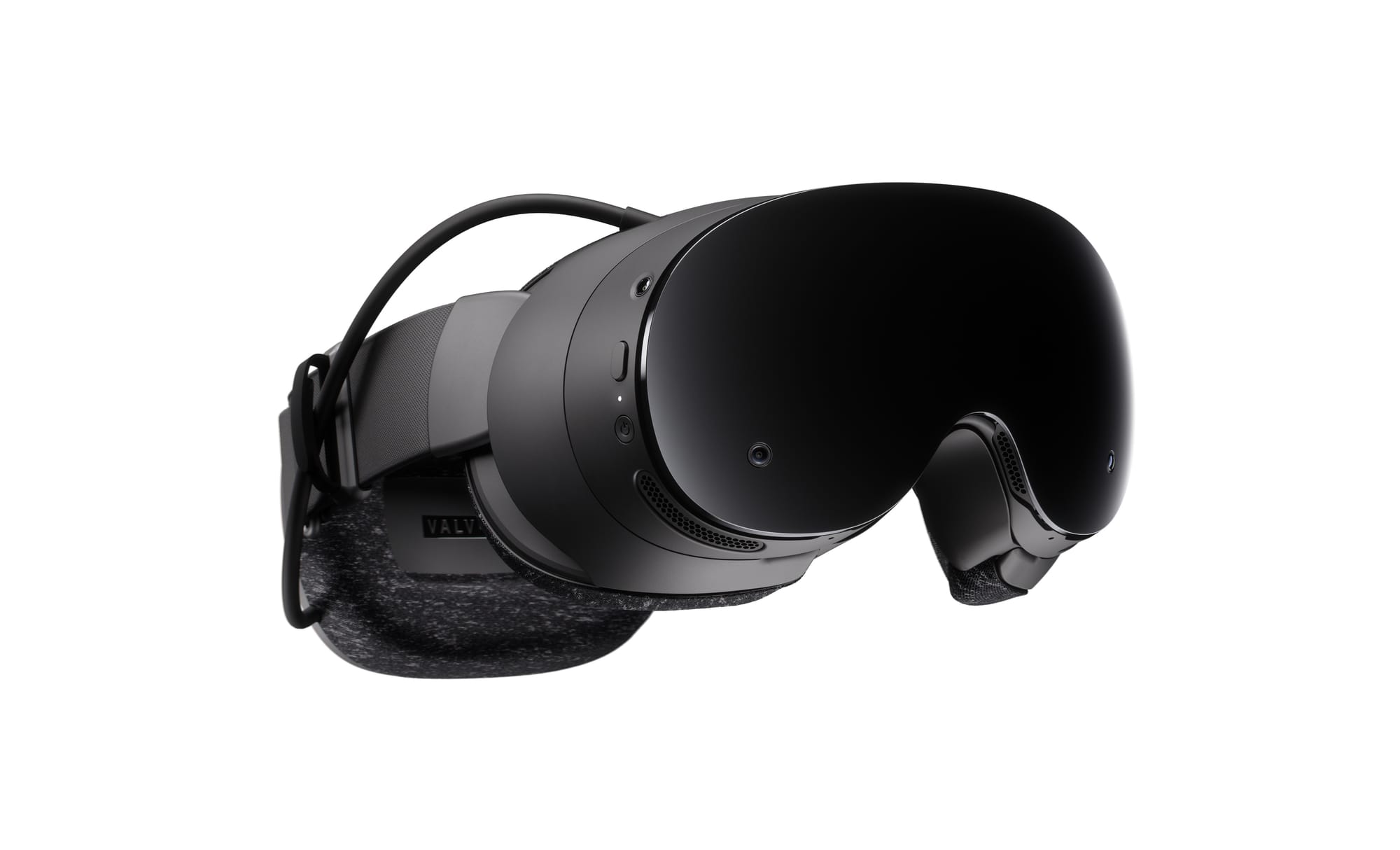
Steam Frame, image supplied by Valve

During our time with Valve I dug into questions of openness, tracing the path from the Vive and wired PC VR-only Index to the standalone Steam Frame with wireless streaming.

“This is a Linux OS, this is SteamOS brought to ARM. If there are other operating systems, for instance, that support these chip sets, you’re welcome to do so,” Selan said. “You’d at that point be responsible for the tracking stack and everything else, but very much in the spirit of Steam Deck, this is your device, your computer, you own it, you can mod it and extend it in any way.”

Steam Input Alignment
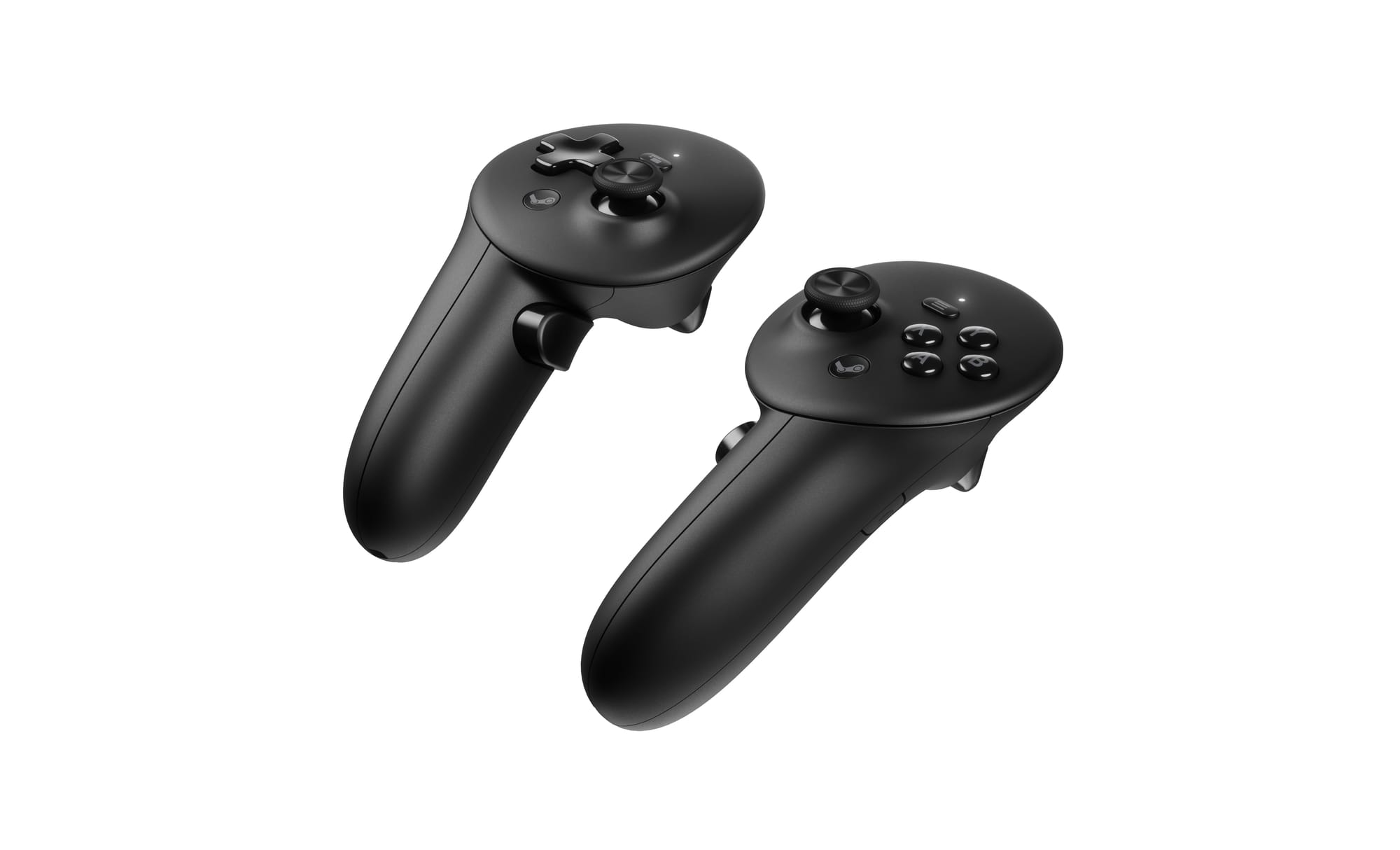
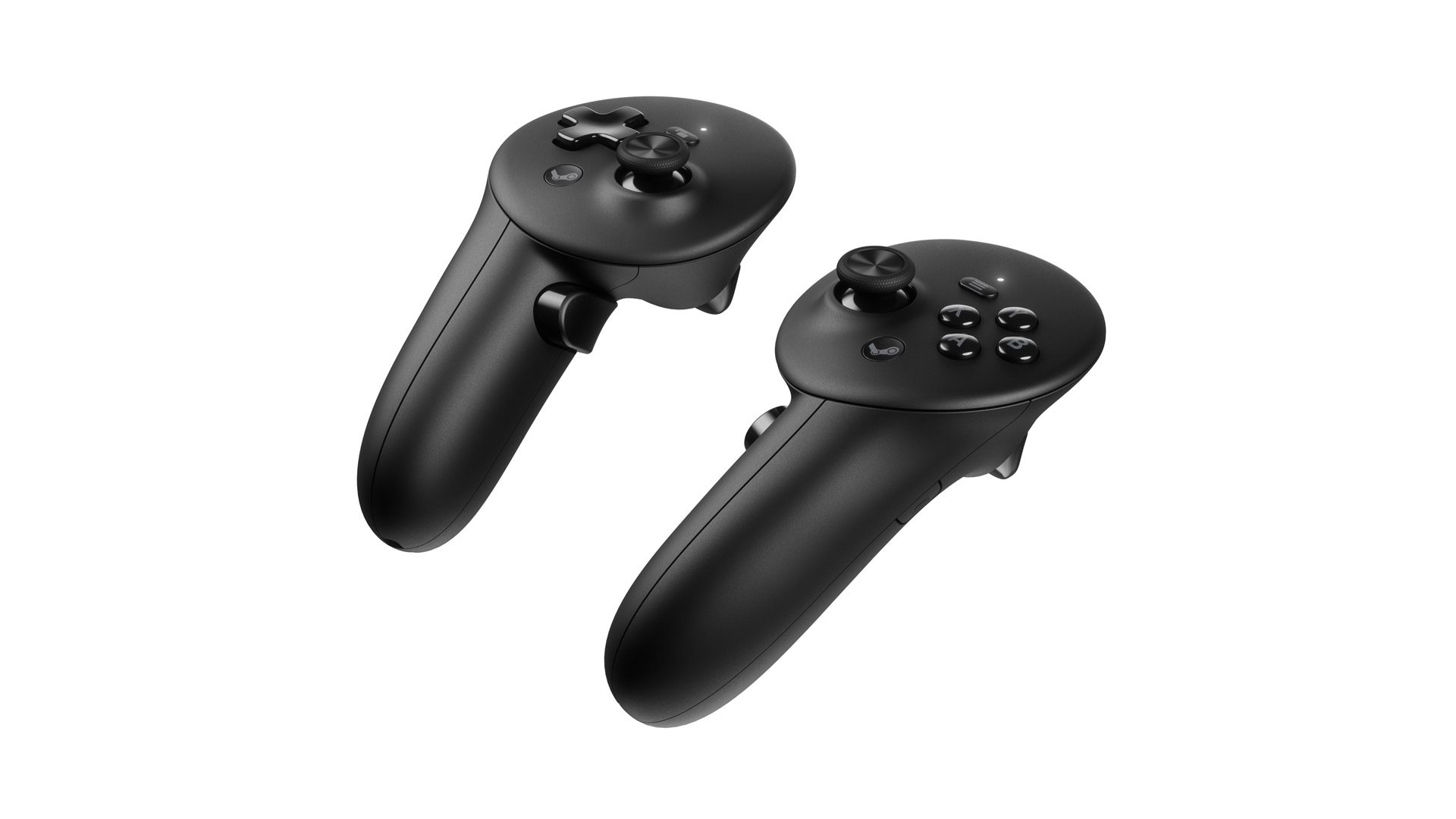
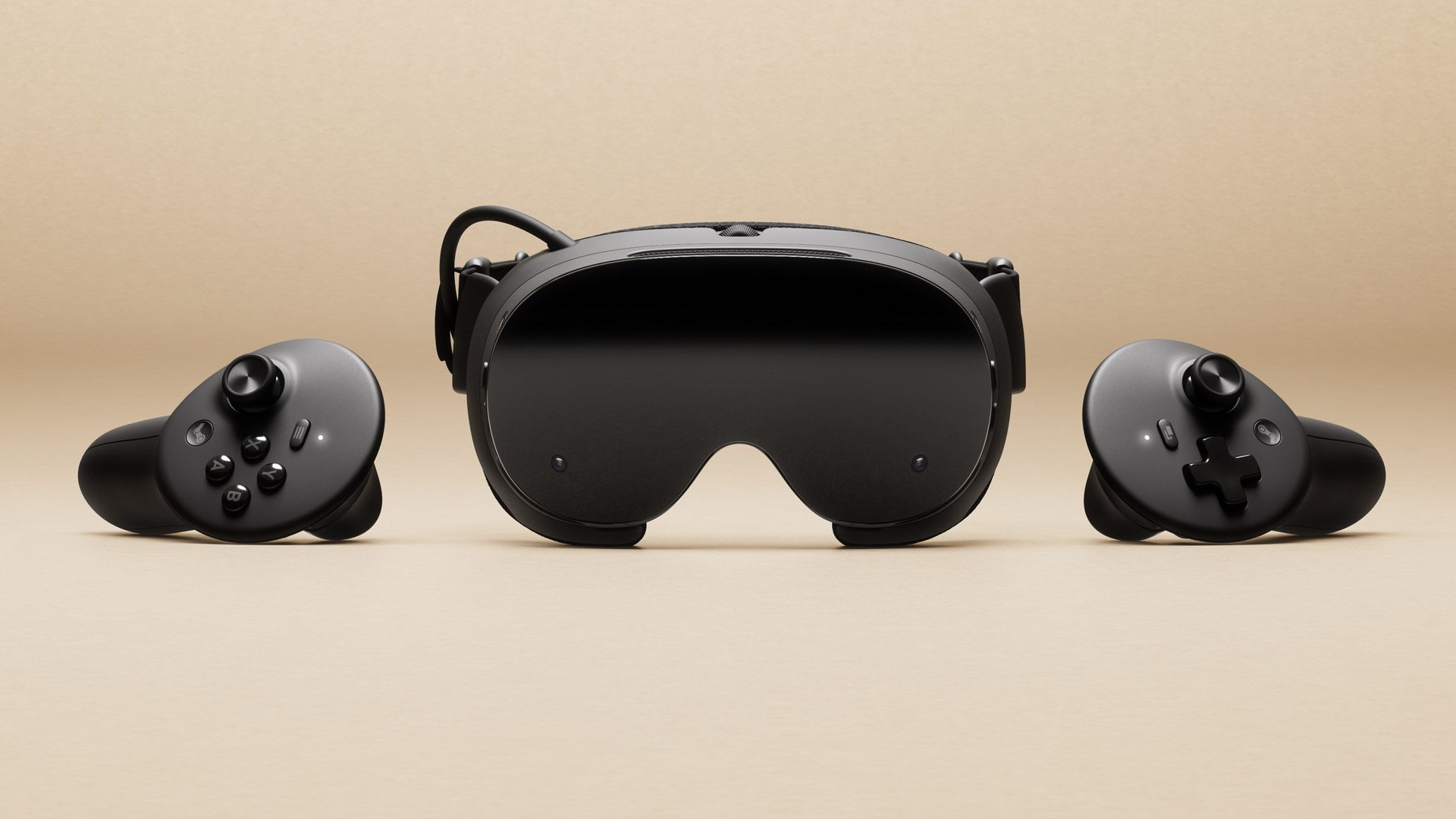
Steam Frame Controllers that ship with Steam Frame.

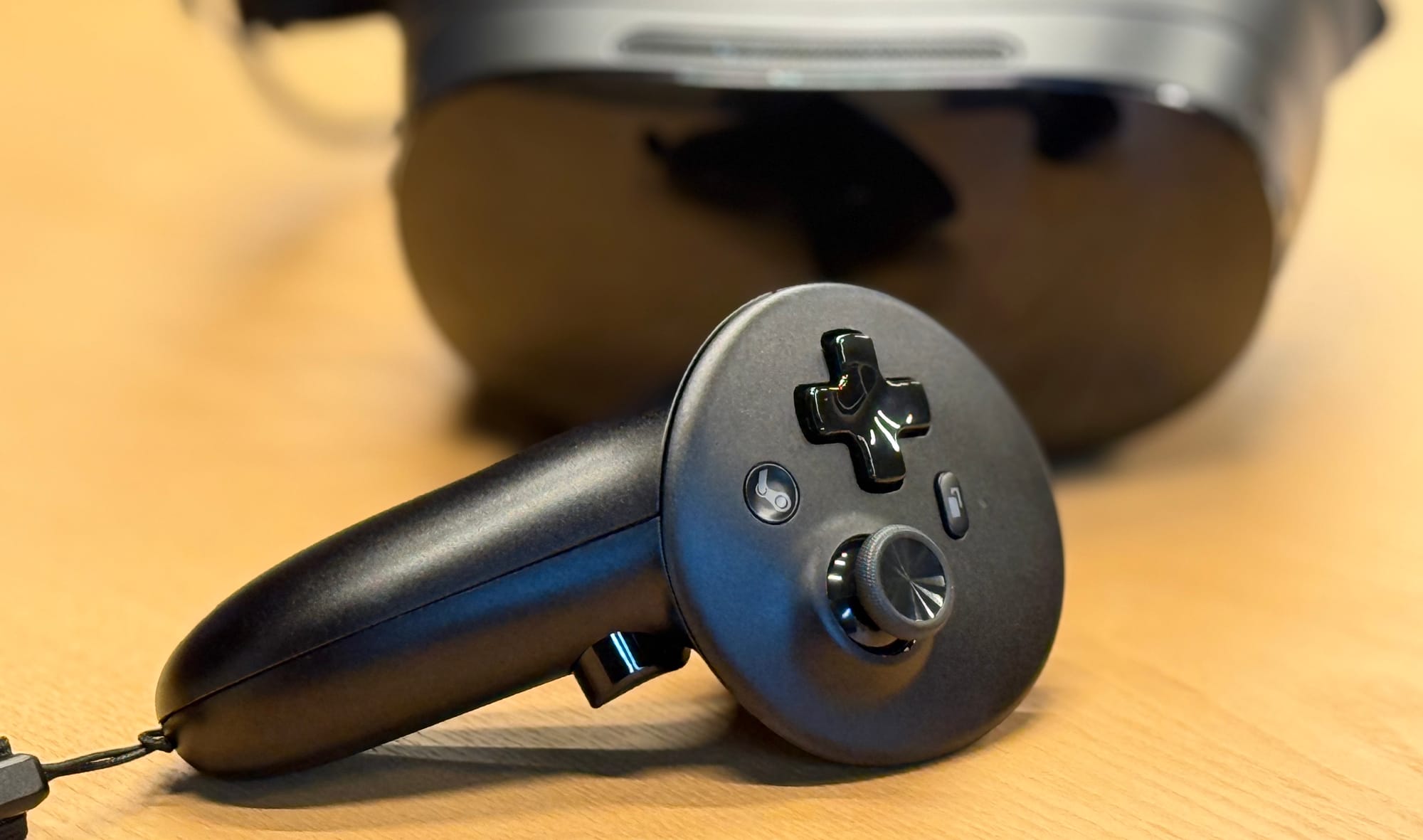
Valve looks to align controller input in Steam Frame with traditional gamepad and Steam Deck, with backward compatibility to existing VR content on both Quest and PC. That’s why there are two index buttons instead of one on each controller, matching the shoulder and trigger buttons on traditional gamepads.

Valve’s Jeff Leinbaugh introduced the controllers by saying their design is “going along with all the goals of the headset and a lot of our hardware. We want this device to work with all of your VR games but also all of your non-VR games and just make your whole Steam catalog more valuable, deliver you a bunch of value no matter what you happen to be playing.”
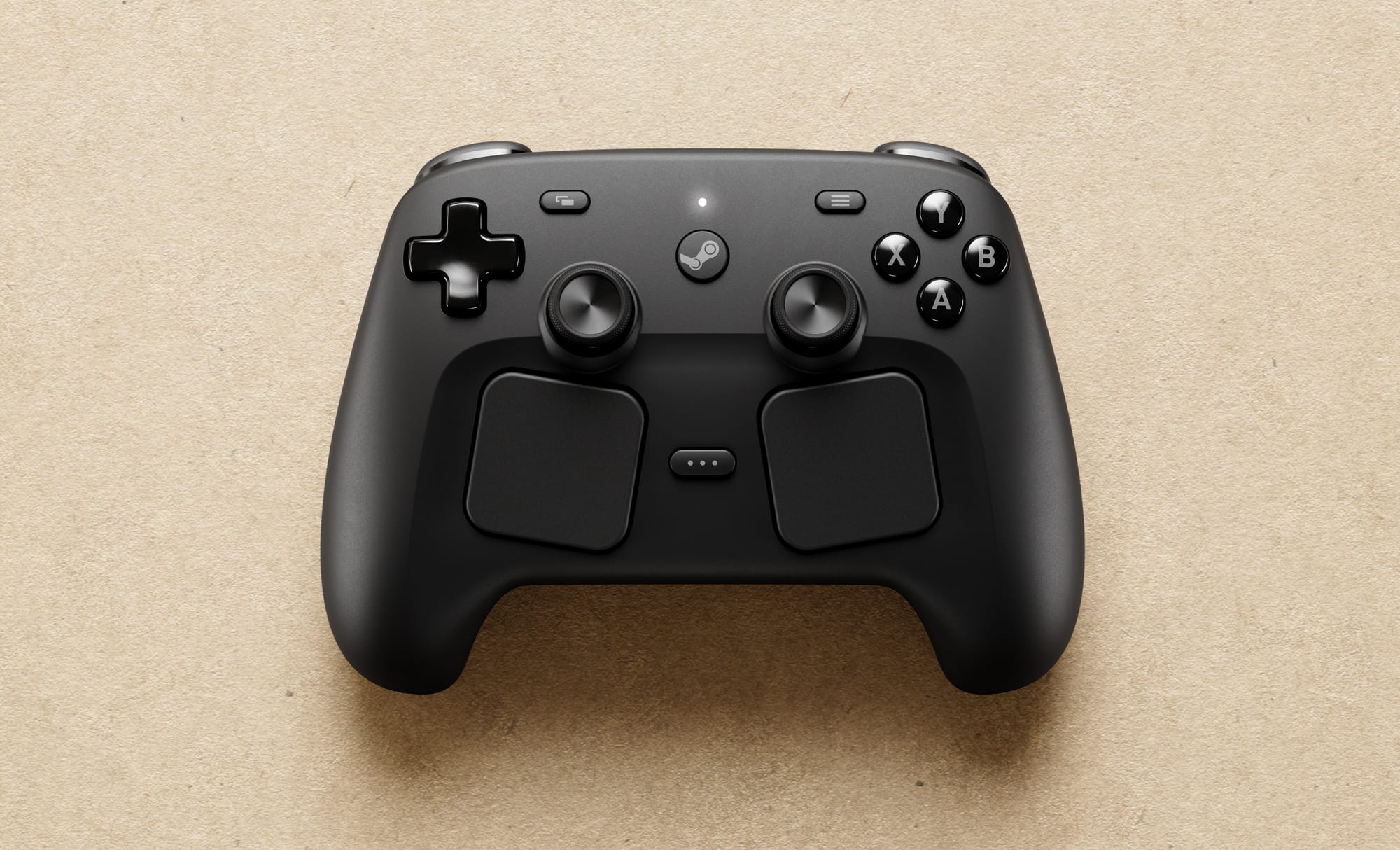
For flat games, the new Steam Controller can be used with Steam Frame instead of the tracked controllers.

What Is Steam Frame’s Price?

“It’s a premium headset, but we’re really aiming to be cheaper than Index,” Selan said. “While I said we’re gonna be premium, we’re still trying to be very cost considerate.”

We’re due for months of debate over the definition of “cheaper than Index” not due to any fault of Valve, but because that’s not a comparison many people know how to make conceptually.

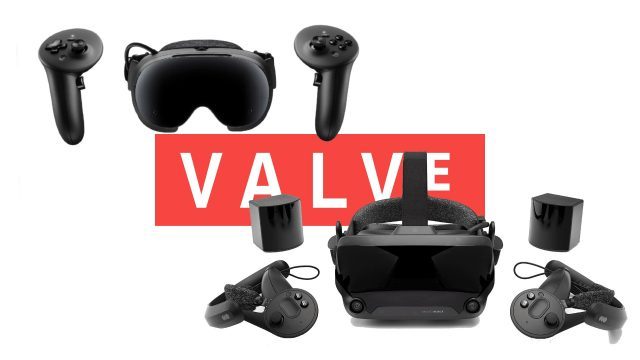
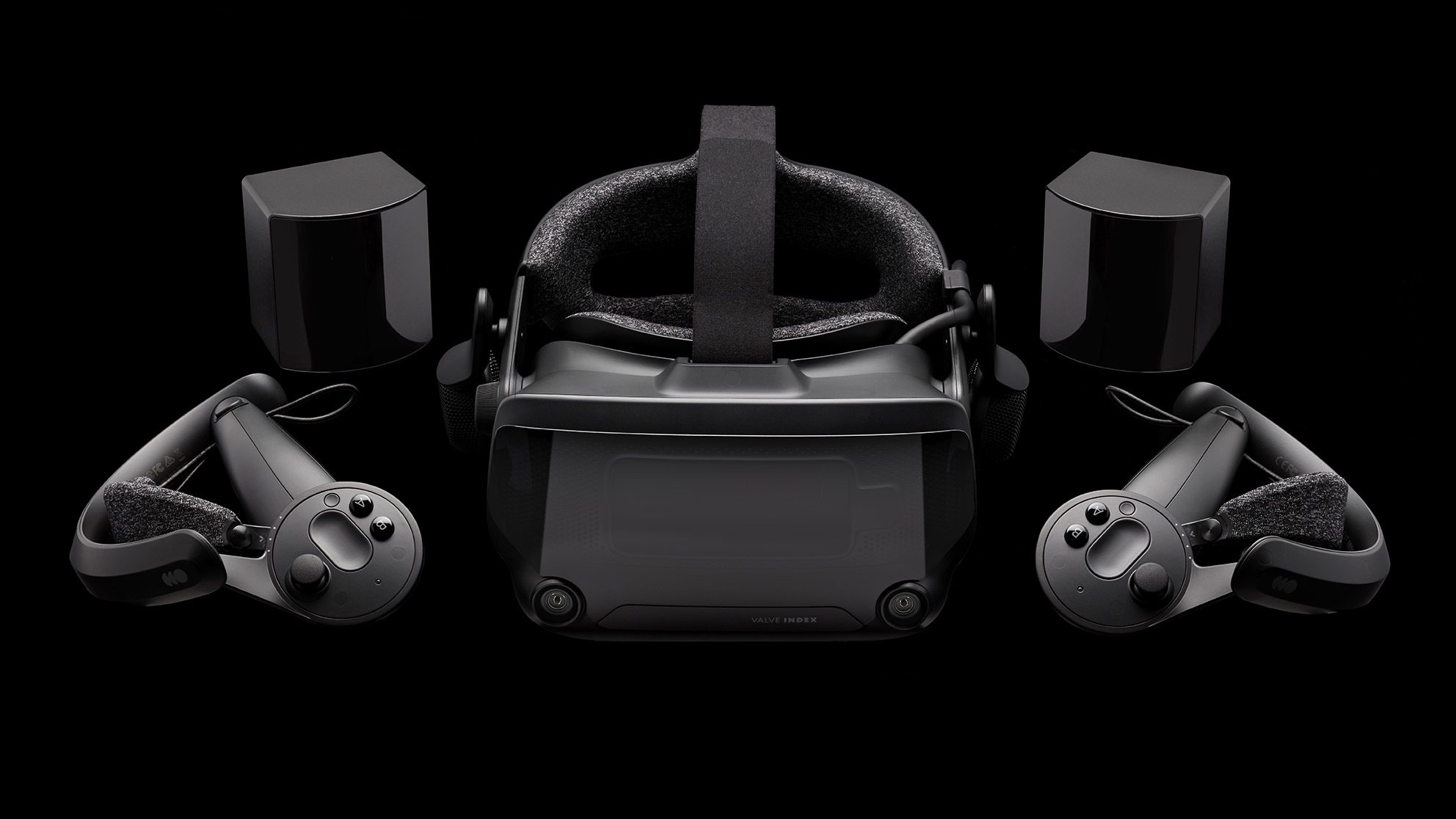
Valve Index was $999 for a room-scale VR kit plus a user-provided Windows PC to drive it. Steam Frame is a standalone headset from Valve. Many people, in their heads, will be comparing the price of a component to a computer.

Trade-Offs: Wi-Fi & Display
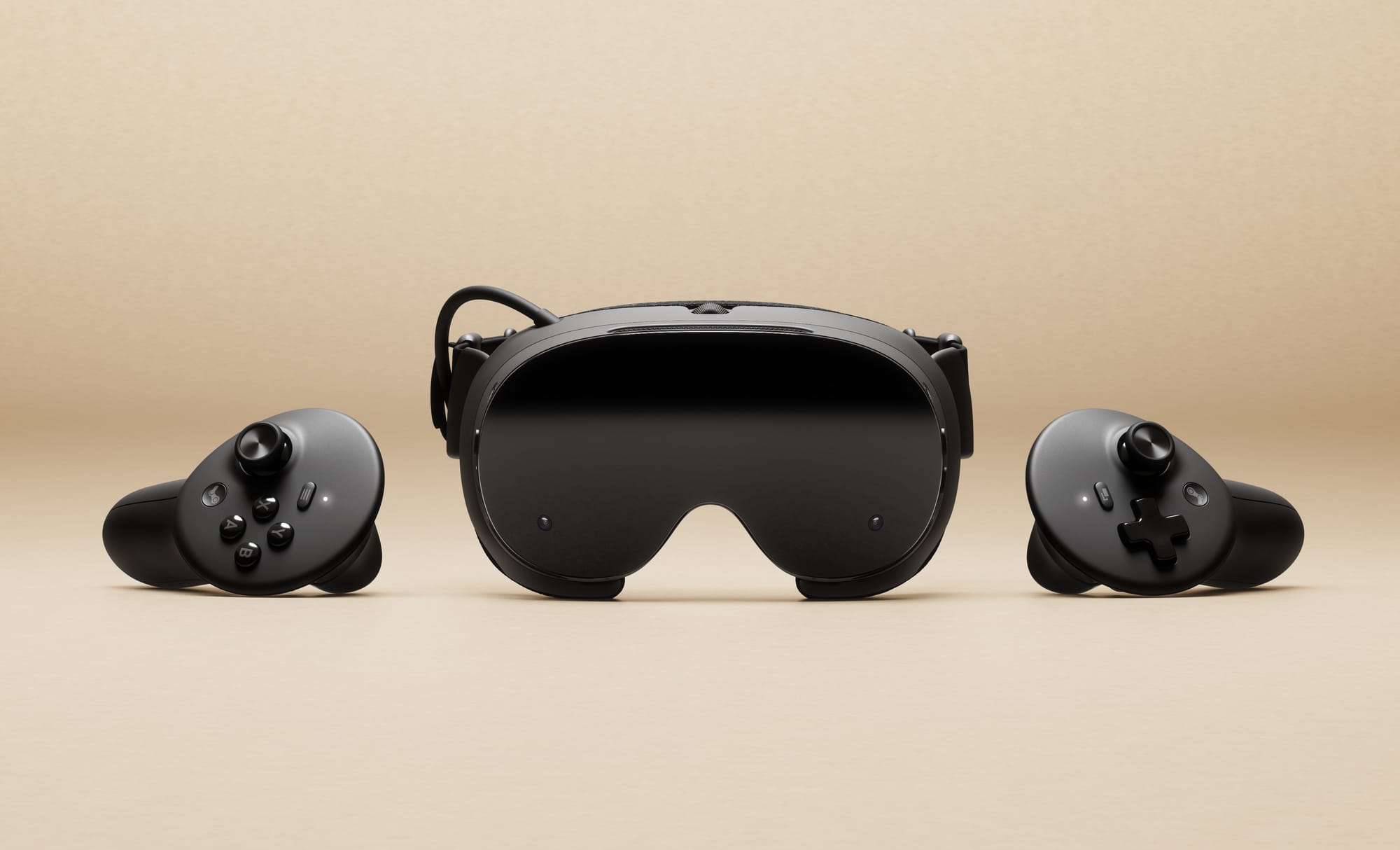
Steam Frame and controllers.

Steam Frame’s creators acknowledge trade-offs in its design, like the lack of HDR or a true-black display technology like the Steam Deck OLED. My colleague David Heaney asked about the potential of a higher end headset one day exchanging the LCD in its design for OLED or HDR.

“I think about HDR every day,” Selan said.

Where Apple brings to Vision Pro its iPad app and Apple TV content libraries as the cornerstone of its leap into VR — while building new Apple Immersive Video content along the way — Valve representatives declined to talk about content made for Steam Frame by their developers.

Valve is “optimistic” about bringing Half-Life: Alyx to standalone at some point. Until then, that’s what the streaming focus is about. The story now from Valve is about putting its hardware in end-to-end wireless control of Steam games in more places while improving frame rates, latency and resolution wherever possible along the way.

What makes good Apple Immersive Video so powerful is the amount of photons hitting camera sensors and then reconstructed for your view on a virtual display at a high resolution and frame rate. Almost nobody notices when an iPad app that typically runs at 30 fps on a physical tablet also runs at 30 fps on a virtual display, but you’ll jump when something comes at you in 180-degree video delivered in Apple Immersive Video at Apple Vision Pro’s frame rates and quality levels. You’ll have to stay tuned for our review of the M5 Vision Pro, released in 2025, to see if that specification bump from the M2 of 2024 has a meaningful effect on frame rates across the broader Apple software ecosystem. Still, you should keep some of this in mind as Valve seeks to make an impact with new hardware centered on Steam games in 2026.

“We ask ourselves at Valve, what can we do well?” Selan said. “We keep coming back to the Steam games that you already own.”

Developer Feedback & Community

Valve is looking to its developer and user communities to do the lifting here in centering Steam in the market for VR games running on ARM. Developer applications for Steam Frame kits are open today.

The market for VR content on ARM is currently dominated by Quest, but many top apps have ports of their Android-based software packages on other storefronts, like those from Pico or HTC. As of last month, this is a market also being formally chased by Android XR for the Google Play Store.

“The same way Steam OS has been fully expanded and extended by the community. Our hope is to do that same thing for VR. So this would be considered an open PC,” Selan said. “This would be like the biggest open VR headset device, and like everyone can richly work together to make that better and better.”

The Best Headset Demo Ever?
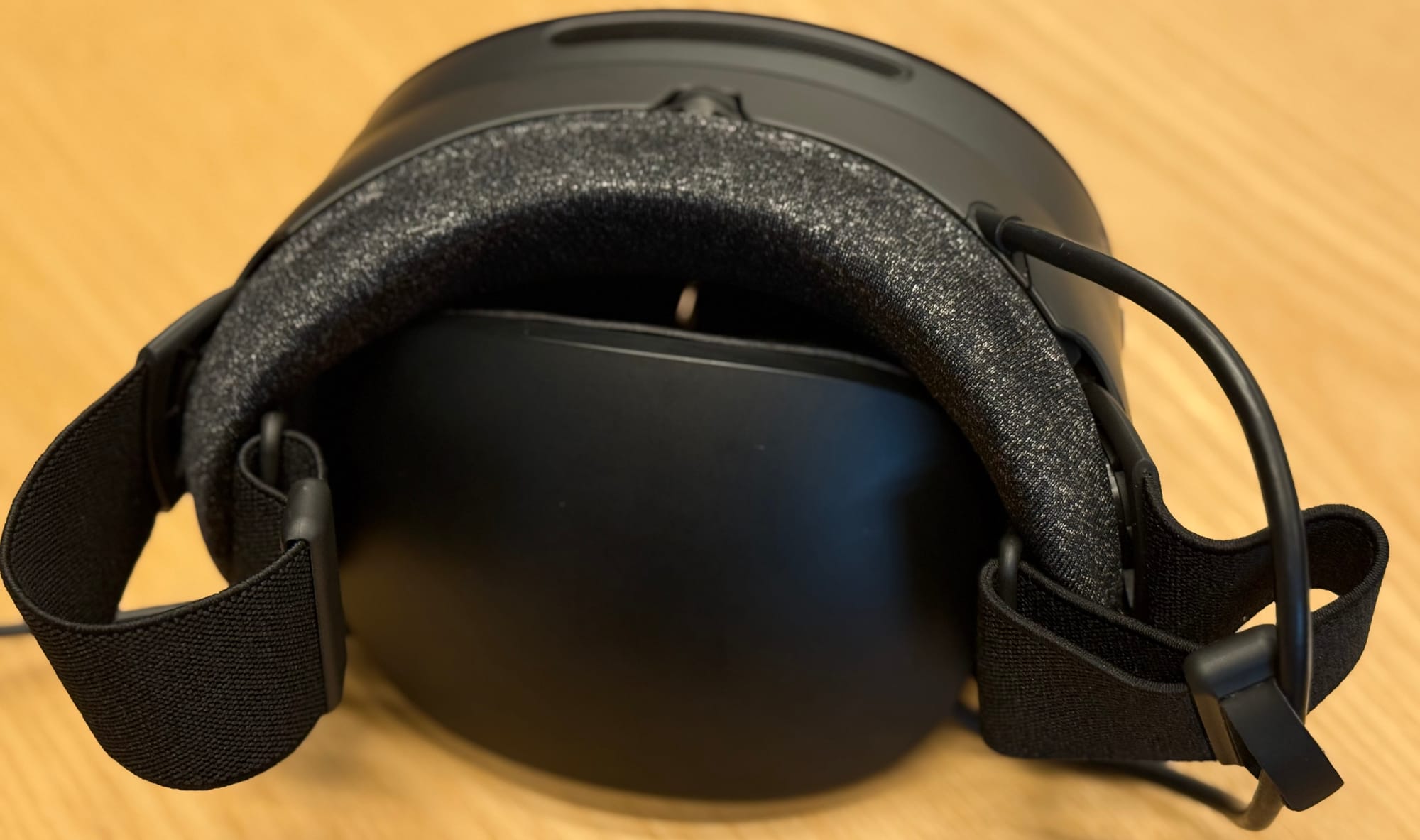
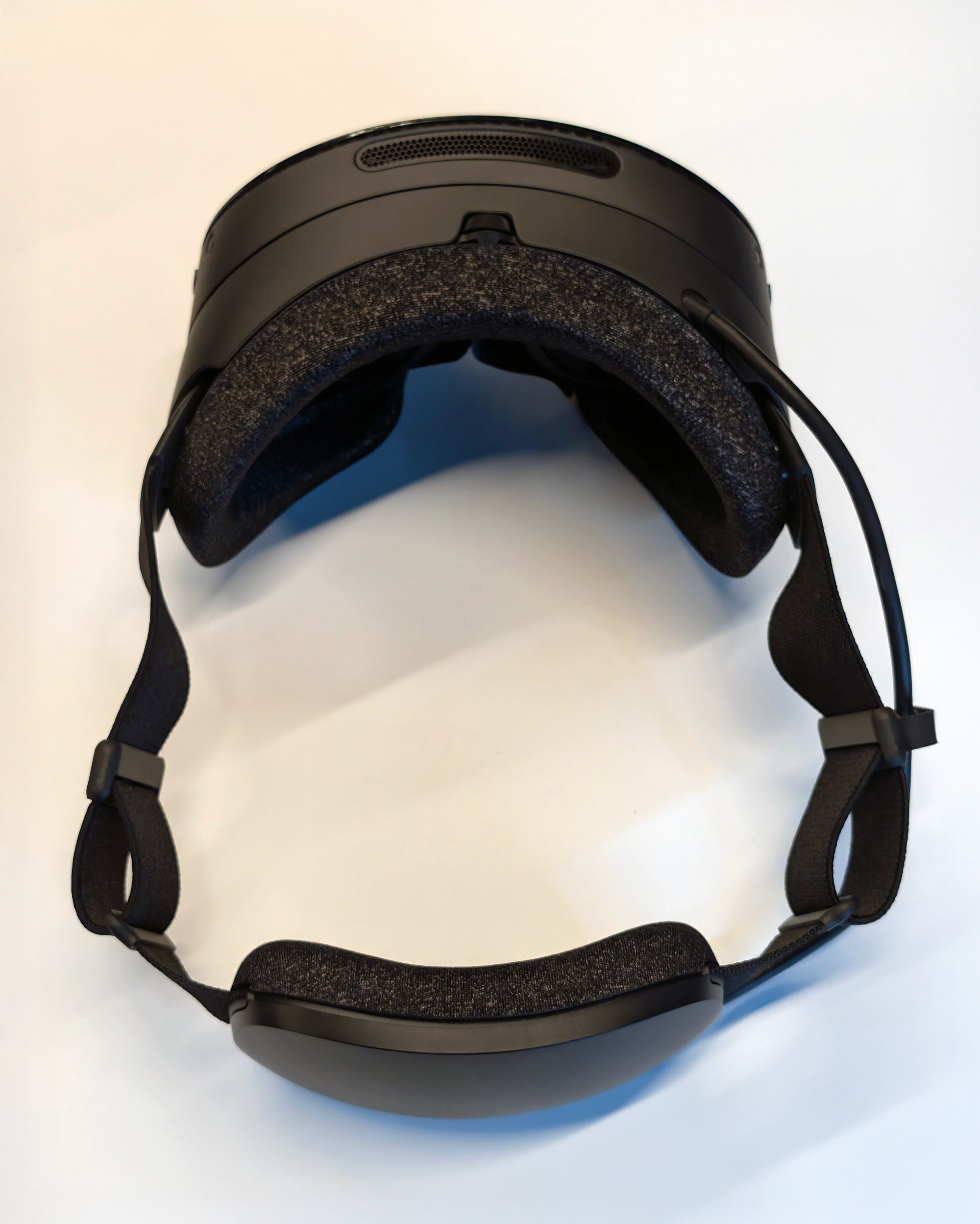
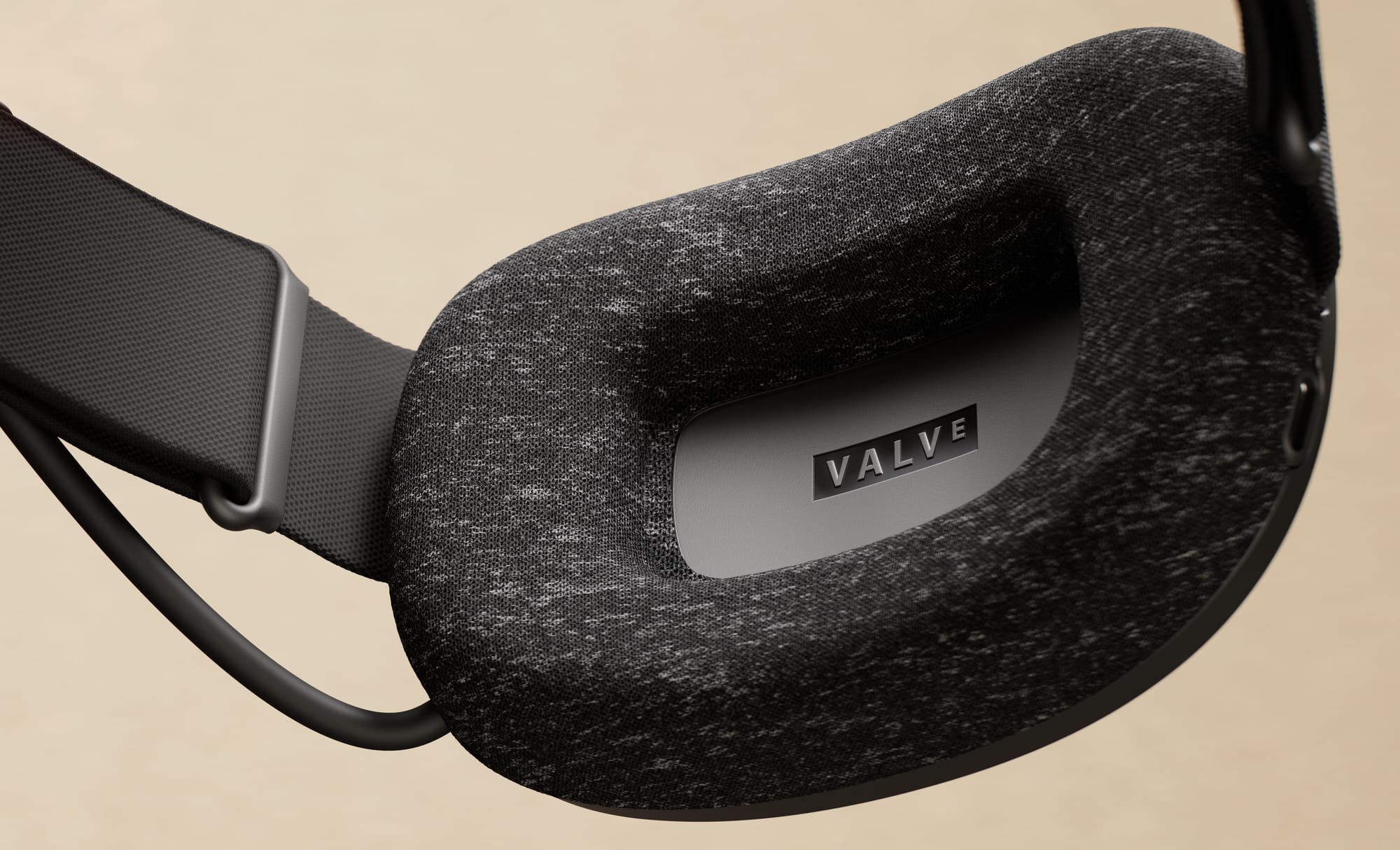
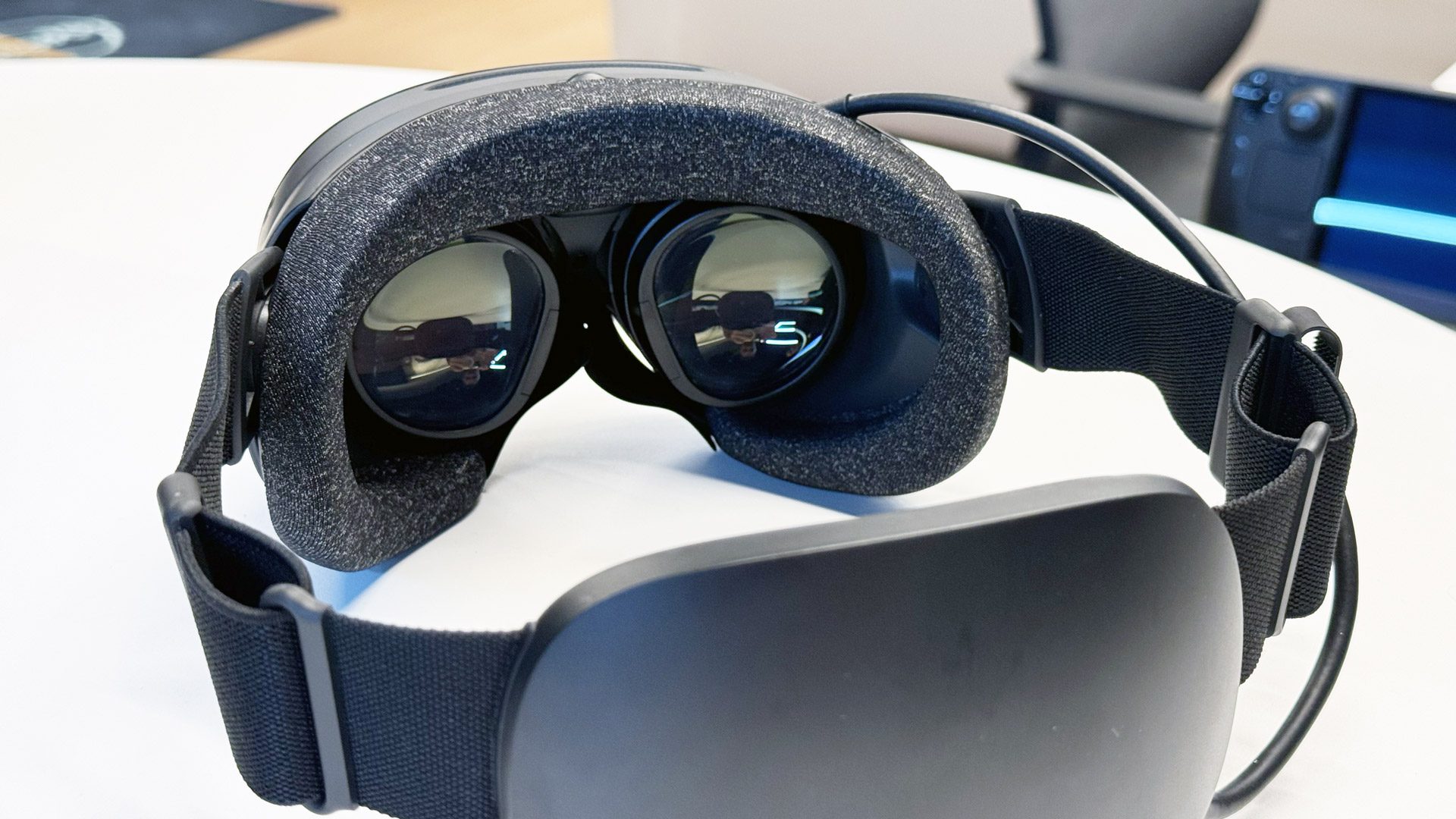
Steam Frame’s soft-back battery pack slips into the facial interface for tight packing.

Valve didn’t show experiences like The Lab with mini games like Longbow from 2016, or even Beat Saber from 2018, that might’ve indicated tracking regressions compared with the Valve Index or HTC Vive laser base stations surrounding a play area. We didn’t even see SteamVR Home, just a compositing system for content in SteamOS on ARM.

Apple planted its flag in VR hardware as the future of personal computing with its first public demo of Vision Pro in the middle of 2023, with software showing full control over photos, videos, FaceTime and more. Plenty of software Apple is known for, like Final Cut Pro and GarageBand, still isn’t present in its headset from 2025.
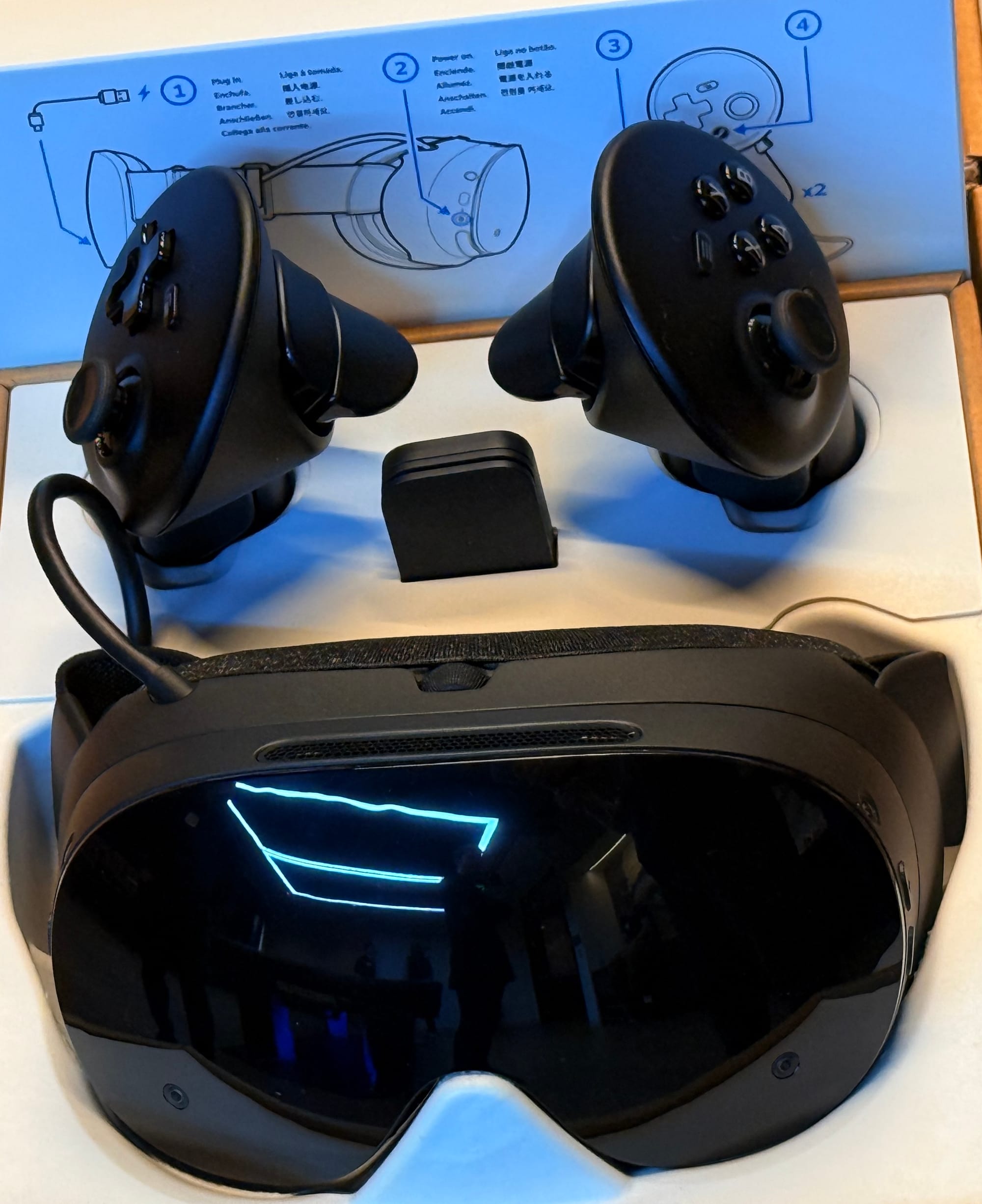
Valve plants a flag for all of Steam in VR with its first public demo of Steam Frame near the end of 2025. There’s a long path of optimization ahead to make Steam games of all kinds run well with Valve’s new headset and input.

Pulling up a Linux desktop in VR for the first time in a headset as lightweight as Steam Frame conveys something about this medium and its steadfast believers that I felt in awe to see with my own eyes. You can use whatever terminology you want to describe this medium, but progress never stops.

We’ll be watching Valve’s optimization developments closely across all platforms.

Closed vs. Open

The latest generation of VR headsets sees us logging into Samsung, Google, Steam, Apple or Meta accounts to access large quantities of digital content. That doesn’t feel truly “open”, even if along the way we’re getting some unlocked bootloaders and the promise of OS-swapping.

Earlier this year, I did the absurd thing of purchasing a 2 terabyte microSD card which I stuck into my Steam Deck. I’ve installed everything I could possibly want onto it, including 100s of gigabytes of content I don’t expect to work properly in Deck mode ever. Now, instead of waiting hours downloading a 100 gigabyte game from Valve’s network to a freshly reformatted PC, I can simply transfer it locally right from the Deck.

I had that card with me at Valve HQ because I had another hope in putting my Steam library on that card. They warned “no screwdrivers” ahead of our demos and said not to take anything apart. So, while deeply curious, I didn’t take the step of sticking my card into the headsets there and trying to log myself into Steam Frame.

That said, I look forward to the day I can pop that card out of my Deck and into a Steam Frame and see what experiences work smoothly as I click play on absolutely everything. Valve told us they’re planning to distribute review units sometime early in 2026.
Near the end of my time at Valve HQ in 2025, six years after I first visited their offices in 2019, I asked them to frame for me the difference between a computer that’s “closed” and one that’s “open.”

Valve’s Pierre-Loup Griffais responded.

“If folks on an experience that’s more curated and more closed off are having a good experience, that’s fine. But in general, we see that people that are trying to experience a variety of games in different ways, there’s a bunch of stuff that they might wanna do that we haven’t thought of. And what we always observe is that there’s a ton of value that is usually distributed laterally in the community, where users between themselves will share stuff that will make the experience better. And that is only possible in an open platform. Like we don’t want all the value in a platform like that to be flowing up and down through us, and for us to be determining what’s a good experience or not on behalf of all those users that might have different opinions and different aspirations.”

“So it’s really important for us to keep that open because it creates those kinds of effects that eventually leads to a better experience. Also, anyone that’s using this stuff can also go and contribute patches and develop on it. And so we’re excited to be able to have stuff get even better because people now want to contribute to it.”

“In fact, a lot of the developers that are working on open source have started because they were users and they just want to improve a specific aspect and they go deep into it.”

“The lines between user and developer has always been very blurry for us. We’ve come from a world where some of our most popular game properties actually started out as mods. And modding on PC was always like a strong thing that we were always trying to support. Because so many good concepts and new game genres, you know, free to play, mobile, all that stuff came through mods, initially. If you look at the history of video games, different genres, different ways to experience games, different peripherals, a lot of it came from PC because PC was an open platform where different companies could innovate in different ways, but also users could mod. People that created closed off platforms based on some of those concepts, they’re gonna take some of those concepts and kind of freeze them in time. And then PC’s gonna keep moving forward because it’s open and we have all this value. And we are just applying PC to VR. So it’s nothing new for us. We’ve always applied PC to VR. It’s just some folks have opted to like branch it off in different directions, but I think we’re just doing the same thing as we’ve always been doing.”

From Valve Index To Steam Frame

In 2019, when I first tried the Index, a Valve representative told me “this is going to ruin you” before I tried Beat Saber running at 144Hz.

Beat Saber was later acquired by Facebook that same year and, sure, at some point in Steam Frame I’d like to see how Meta’s cornerstone title performs in terms of tracking and frame rate.

In retrospect, Beat Saber at 144Hz did ruin me in the sense that, when I invited Index into my home, I don’t think I really experienced those frame rates in any substantial way running an NVIDIA RTX 2080 for most of the lifetime of the headset.

In Steam Frame, Valve manages end-to-end controller inputs and frame delivery not just in the standalone mode, but when streaming from PCs like Steam Machine too. Even a few minutes playing your favorite game with a few milliseconds less lag in input, or higher frame rates visually, will feel like invisible magic while meaningfully adding value to your day. Ultimately, that’s exactly why Valve is making Steam Frame.

Apple Study Finds Mandated Fee Reductions Never Reached European Consumers

Apple said Wednesday that European Union developers pocketed the savings from mandated commission reductions rather than lowering prices for consumers. The iPhone maker commissioned Analysis Group to study pricing behavior [PDF] after the Digital Markets Act forced Apple to cut its App Store fees from up to 30% to an average of 20%. The research examined 41 million transactions across 21,000 products between March and September 2024, generating 403 million euros in sales. Developers maintained or raised prices on nine out of 10 products. Non-EU developers captured 86% of the 20.1 million euros in reduced commissions. Price cuts occurred on 9% of products, but the study attributed these to normal pricing patterns unrelated to the fee reduction.

Apple argued the regulation creates barriers for innovators and exposes consumers to risks without delivering promised benefits.


Read more of this story at Slashdot.

Steam Frame Hands-On: UploadVR’s Impressions Of Valve’s New Headset

UploadVR’s Ian Hamilton and David Heaney went hands-on with Steam Frame at Valve HQ.

If you missed it, Valve just officially announced Steam Frame, a “streaming-first” standalone VR headset launching in “early 2026”.

Steam Frame has a lightweight modular design and runs a VR version of Valve’s SteamOS, the Linux-based operating system used in Steam Deck. With an evolved version of the Proton compatibility layer it can run almost any Linux, Windows, and Android game, including SteamVR games. Many titles won’t perform well on the mobile chipset, though, so Steam Frame has a wireless dongle in the box to leverage the power of your gaming PC – hence Valve’s “streaming-first” positioning.

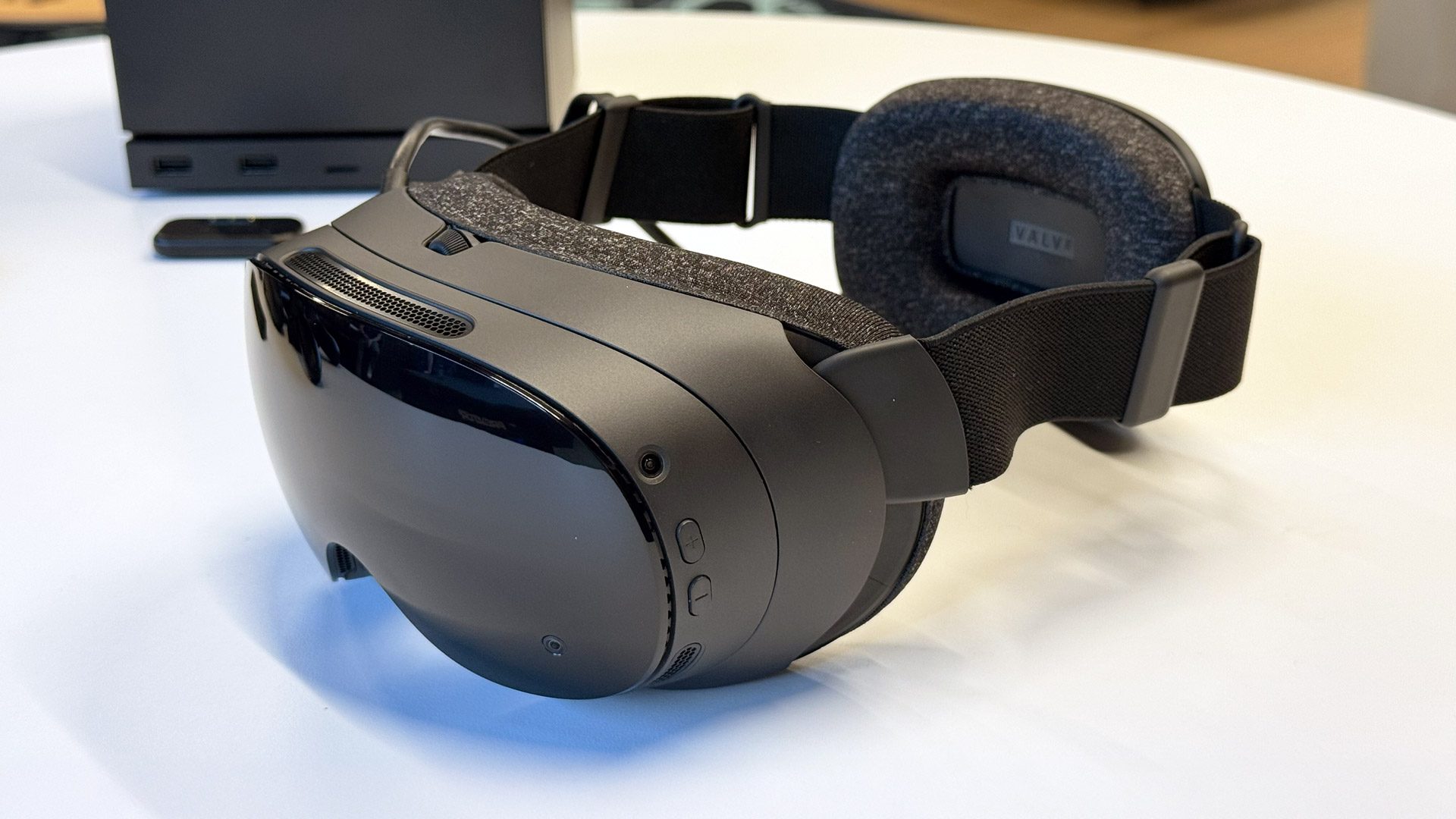
The headset does not require or support base stations. It tracks itself and its included controllers using four onboard greyscale tracking cameras, two of which can be used for monochrome passthrough, and it also has eye tracking for foveated streaming.

Steam Frame will replace Valve Index on the market, which the company confirmed to UploadVR is no longer in production, and joins Valve’s “family” of hardware products, which will also soon include a Steam Machine consolized PC and a new Steam Controller.

Valve Officially Announces Steam Frame, A “Streaming-First” Standalone VR Headset
Steam Frame has an included wireless adapter, and is launching “early 2026”. Read the full specs, features, and details here.
UploadVRDavid Heaney

You can find a full rundown of the design, features, and specifications of Steam Frame in our news article here. This article describes our impressions of using the headset at Valve HQ, where we were invited to a hardware briefing that included hands-on time with the new Steam Controller, Steam Machine, and the Steam Frame headset.

Ian’s time with Steam Frame was mostly spent in standalone titles on SteamOS, while David’s time was entirely in Half-Life: Alyx streamed from a nearby gaming PC using the wireless adapter included in the Steam Frame box. Here’s what they thought of their time with Steam Frame.
Ian’s Impressions: Standalone Use

In quick succession I played Ghost Town, Walkabout, Moss 2, and Gorn 2 in the lightweight standalone SteamOS headset, and I also briefly tried some Half-Life: Alyx streaming from a nearby Windows PC.

Ghost Town is one of the best VR games of the year and Valve says I played the PC VR version – the version made for x86 processors – completely in standalone through a compatibility layer. Walkabout Mini Golf’s build was more fully featured than the one shown during the demo day at Samsung a couple weeks earlier, allowing me to putt with one controller in full VR joined by an iPhone player logged into the same room code via the Pocket Edition of the game. I enjoyed waving at Quill in Moss 2 and, in Gorn 2, I punched barbarians with my fists using the analog sticks to move myself out of the way of their attempts to hit me. Playing mostly seated, they all worked smoothly with Steam Frame running as a standalone personal computer – no streaming from a PC.

Photo by UploadVR at Valve HQ.

Portal 2 ran on a large virtual display, as if on a giant Steam Deck, with what seemed like a very high frame rate. That was a really nice, responsive experience. So was stretching out my farm in Stardew Valley to keep an eye on most of the farm at once. Both of these flat games are pretty powerful to see running well directly on such a lightweight device alongside any number of standalone VR games.

I opened the Linux desktop, went to Chrome and voice searched for the No Time For Caution scene from Interstellar on YouTube. I kicked off my shoes at Valve HQ (apologizing for doing so) and stretched out horizontally on a couch. I propped up a pillow behind my head and left the controllers on my stomach with the screen stretched across the sky. Matt Damon said “there is a moment” and I watched him blast into the gray of space with my controller drifting off with him.

Regressions in controller tracking compared with Valve Index and its SteamVR 2.0 base stations may grate against developers and players who’ve come to expect rock-solid tracking from Steam-based laser systems outside the play area. I tried nothing like Longbow, for example, from Valve’s original Lab experience, nor something with lots of physics objects like Boneworks, nor anything with fast motion like Beat Saber.

Steam Frame controller (photo by UploadVR at Valve HQ).

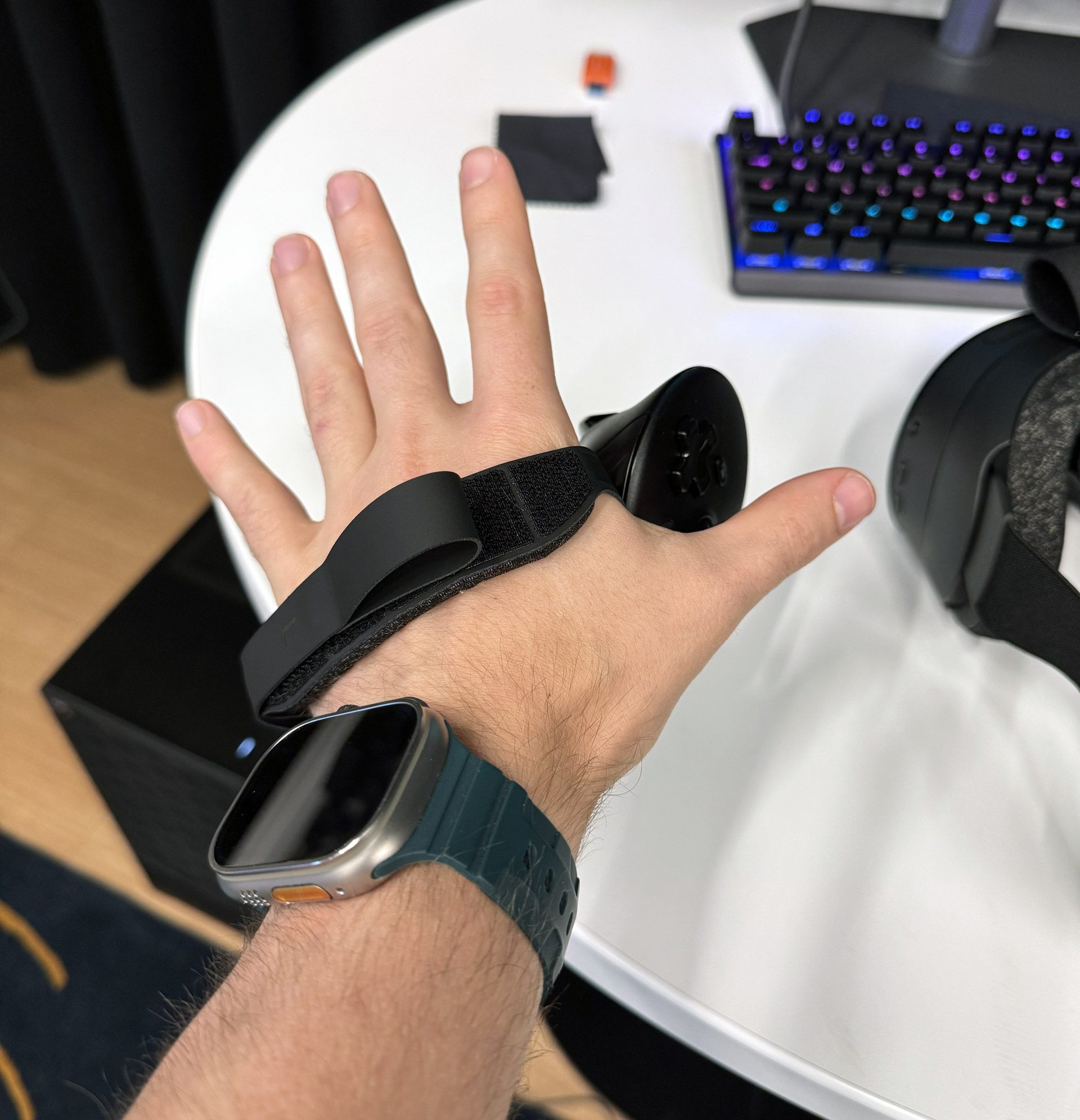
With the controller in my hand, my index finger had some difficulty reaching both the index shoulder and trigger buttons while also keeping my middle finger on the grip button. Grip straps should be sold optionally at launch and there are capacitive sensors along the base of the controller intended to see when the 4th and 5th fingers release. I saw it in action in Half-Life: Alyx, with Alyx’s pinky and ring finger occasionally moving as I released my grip from that part of the controller. It didn’t seem super responsive, but it also wasn’t strapped to my hand and the grips of the Index controllers were never particularly responsive either. The input from the 4th and 5th digits hasn’t proved necessary to game developers for half a decade, so I’m not too worried about it being well supported here. Still, we will closely watch what developers say about their feedback on the Steam Frame controllers.

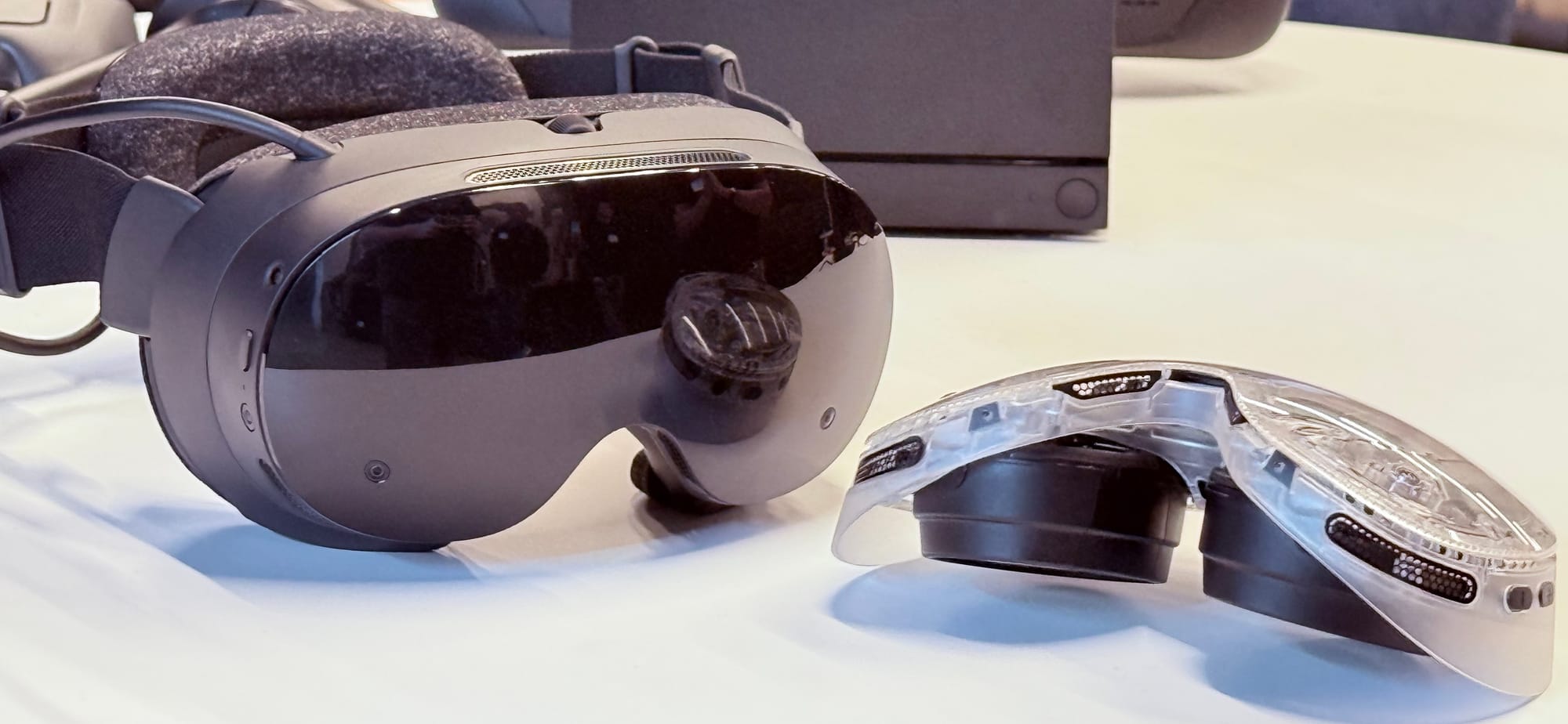
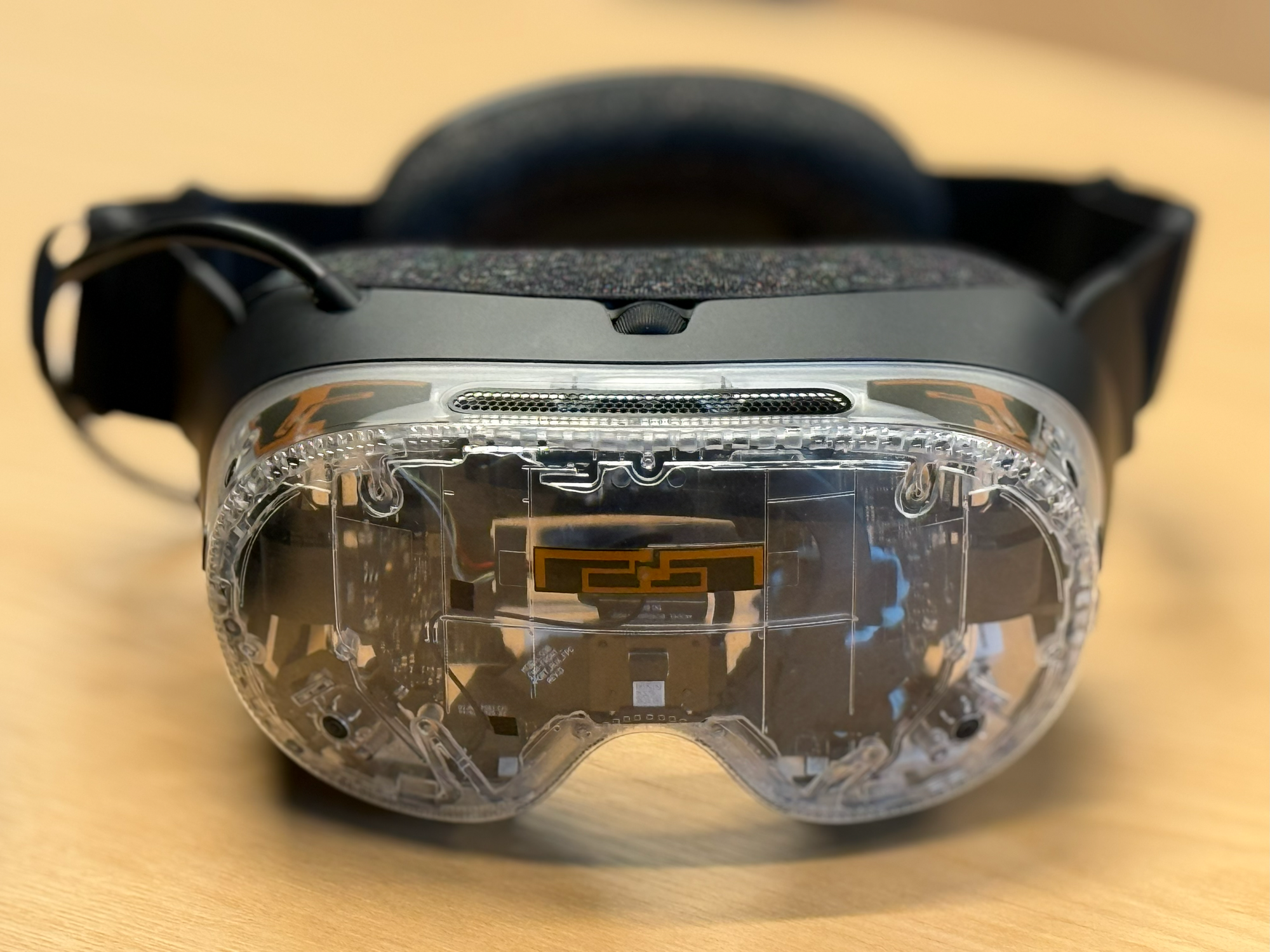
Steam Frame with a non-shipping clear prototype of the modular compute unit to show the components at right (photo by UploadVR at Valve HQ).

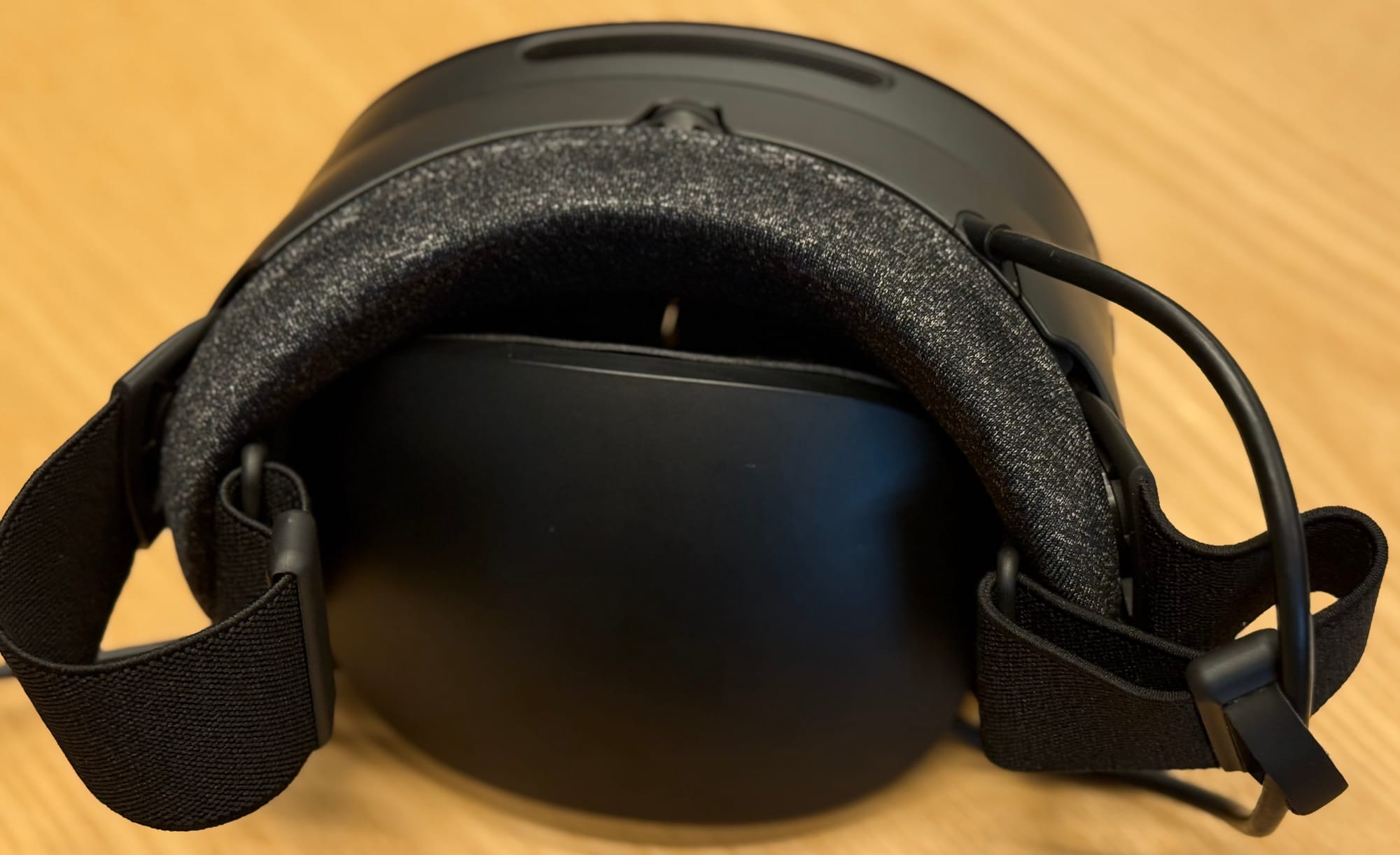
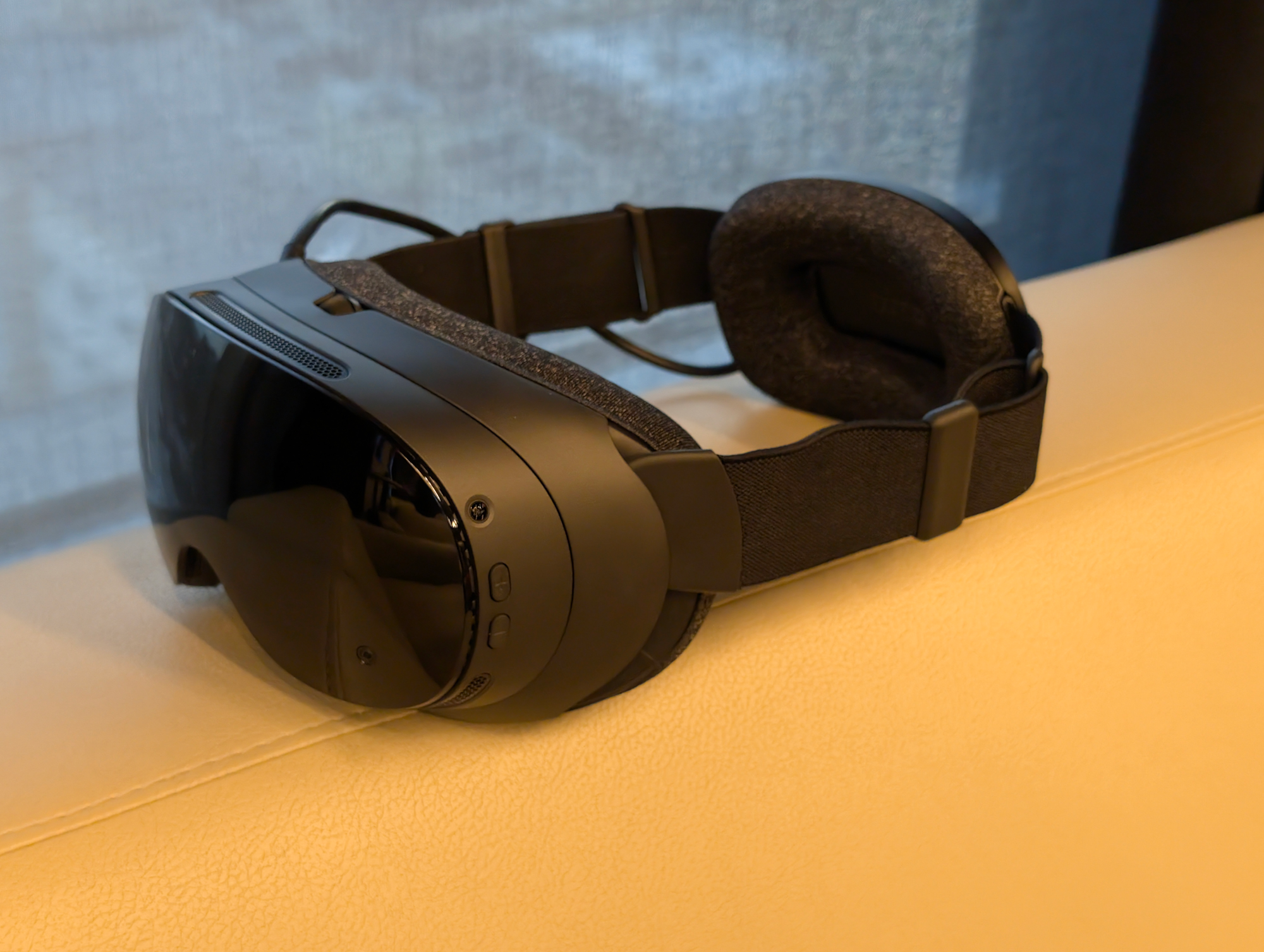
IPD adjustment is done via a wheel on the top of the headset and, after I got it set right, I largely forgot the headset’s weight as it disappeared split between the rear and front in a remarkable feat of engineering. There’s no battery up front but no adjustment knob at the back — you pull on the soft straps at the side to adjust fitting — with the dual-cell thin battery on the back held behind a cushy foam. In hand, the compute unit feels a bit like I imagine a mainline Apple Vision might, with the rear component of Valve’s headset able to collapse inside of the front for more compact travel than any other headset I’d want to use.

The back half of the Steam Frame can fit inside of the facial interface for transport, making this the most compact design for travel (photo by UploadVR at Valve HQ).

On head, Steam Frame is a relief compared to all headsets with a battery hanging on the front of your face. The absence of the battery there is easily the most impactful feature of its design. Even though Google and Samsung hang the battery in a pack in Galaxy XR like Vision Pro, I found Steam Frame’s cushy back-mounted battery design to be an enormous relief particularly after spending four days in Android XR’s first headset.

Of course, that’s only after a few minutes watching a movie reclined on a couch while missing OLED displays every second, but Steam Frame feels like glasses or perhaps even a sleep mask because of how well spread out its weight feels across the head.

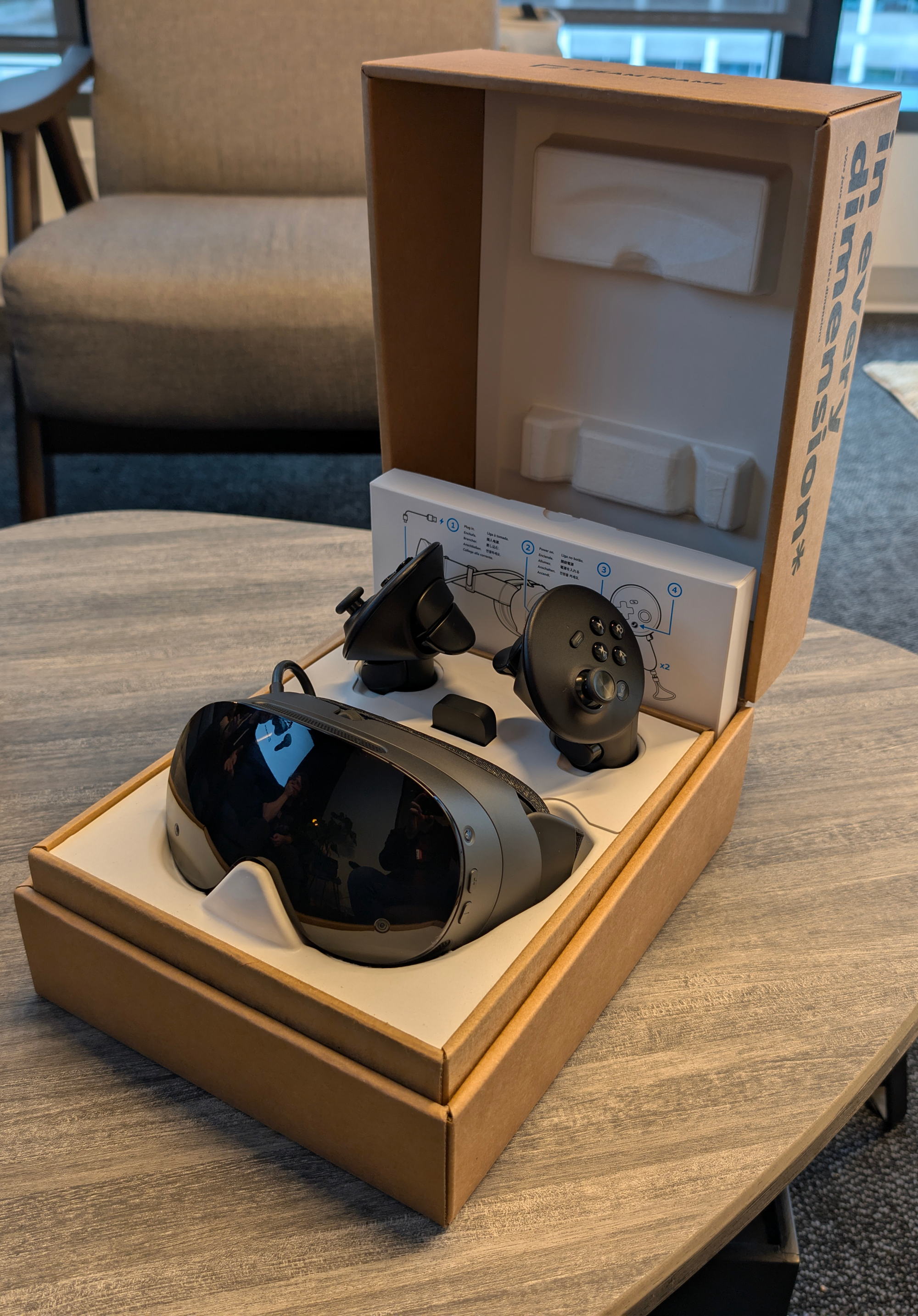
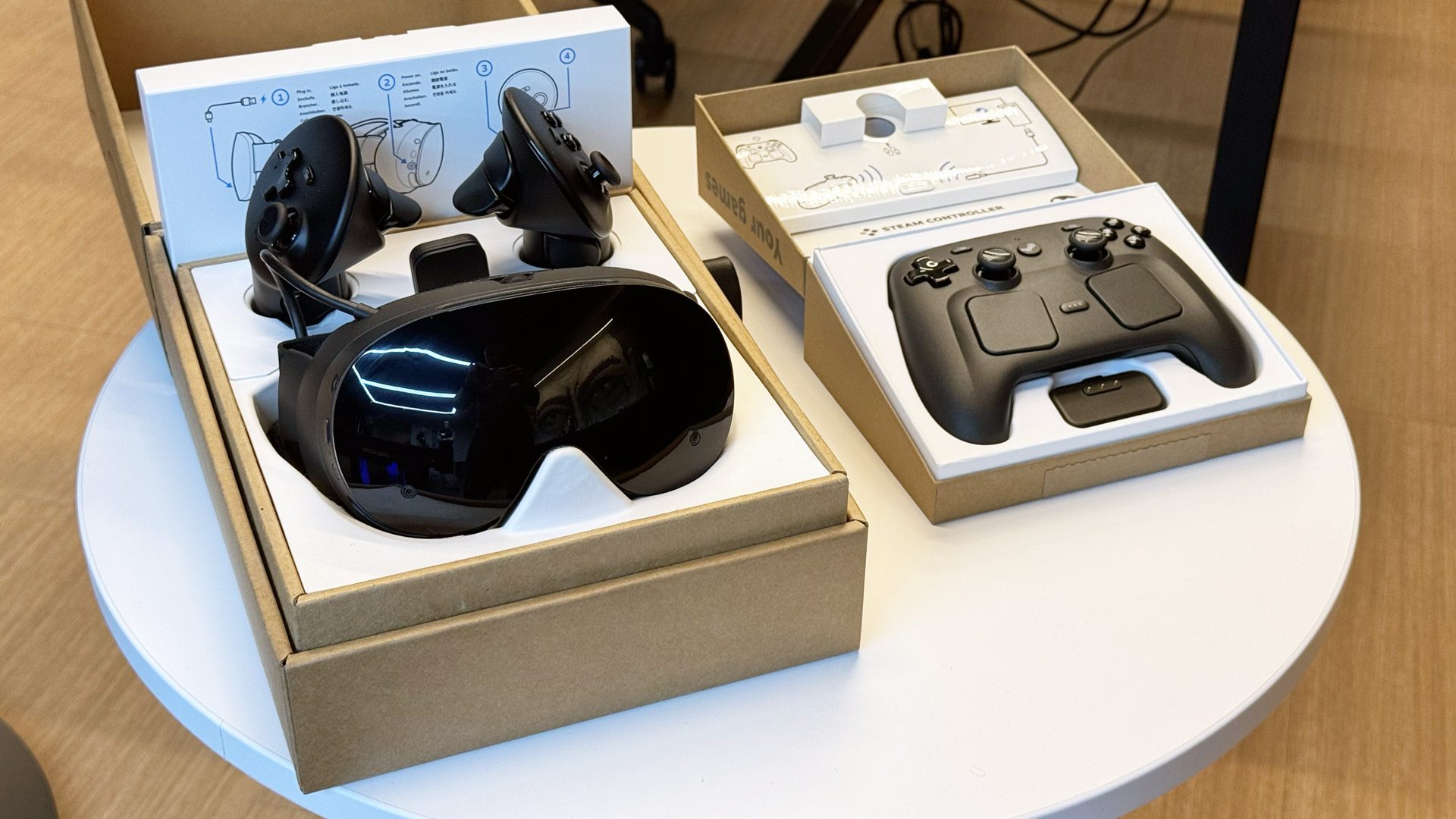
A Steam Frame Wireless Adapter comes in the box with each headset intended to manage the link to a nearby PC, including to the planned Steam Machine. We’ll be looking for the Steam Frame-verified label on VR games for Steam in the year ahead, and looking to test what it means to truly pump Steam throughout the home with dedicated Valve-managed wireless connections. There’s a lot of space for developers to play here in SteamOS, jumping off a Steam Machine or Deck and into a Frame.

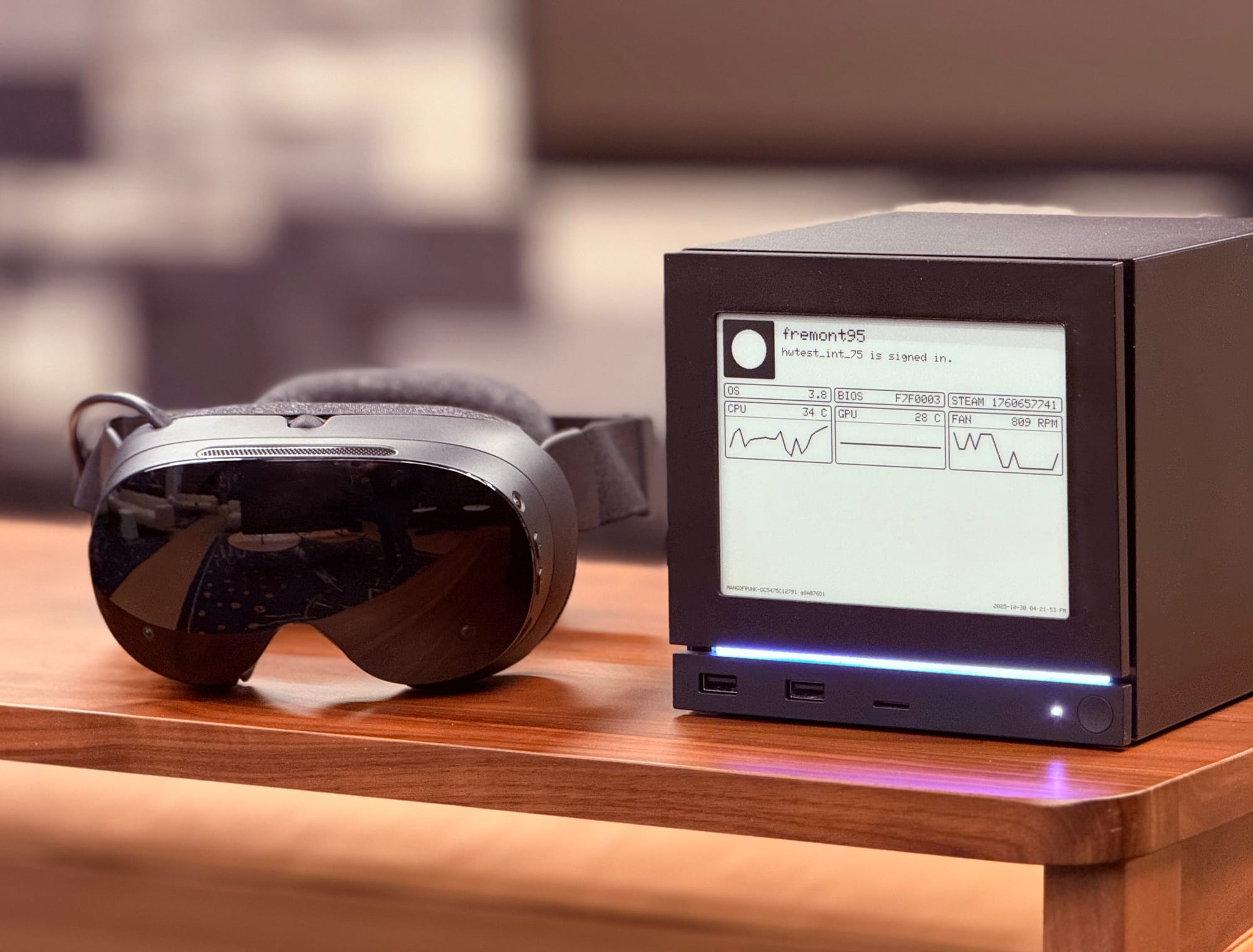
Steam Frame next to the Steam Machine with e-paper faceplate (photo by UploadVR at Valve HQ).

Valve has a lot to accomplish here during a turbulent time in global relations and specifics like cost and availability aren’t finalized. Valve representatives think they can get Half-Life: Alyx running performant in standalone, but they’re not promising it yet and it’s clear there’s still a lot for them to do.


David’s Impressions: Wireless PC VR

My two Steam Frame demo sessions involved streaming Half-Life: Alyx from a nearby gaming PC that had the headset’s included wireless adapter connected to a USB port.

A hands-on demo can never definitively reveal whether a headset is comfortable to wear for hours, but even in the relatively short time I used Steam Frame it felt significantly lighter and less burdensome than any other fully-featured standalone headset. The visor itself weighs just 185 grams, a remarkable achievement, and the entire unit including the rear battery just 440 grams, meaning the weight is incredibly well distributed across your head.

Further, the material Valve is using for the facial interface and rear padding is an evolved version of the ultra-snug fabric used in the Index, which even six years and dozens of aftermarket accessories for other headsets later, I still find feels the softest on my face.

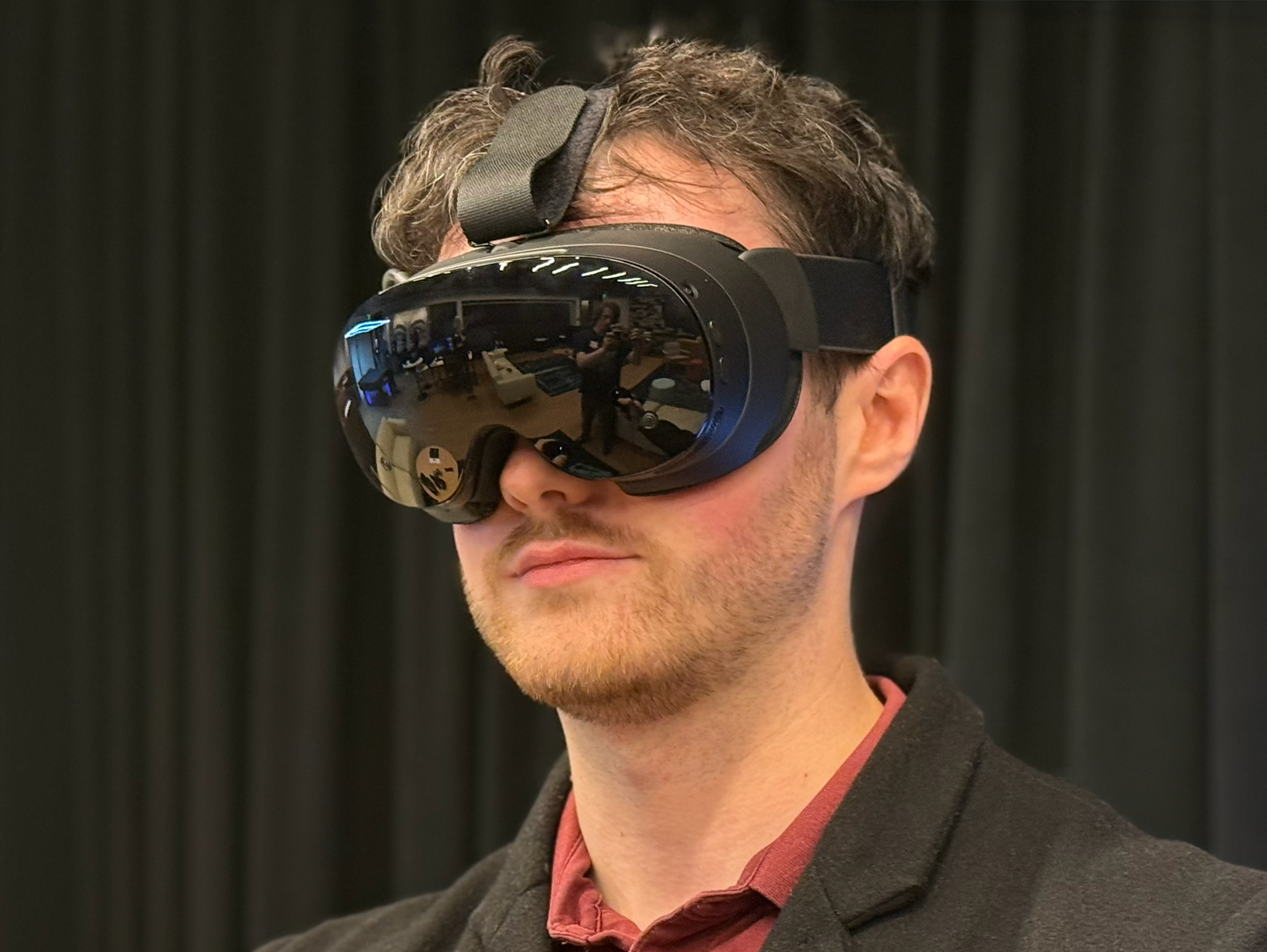
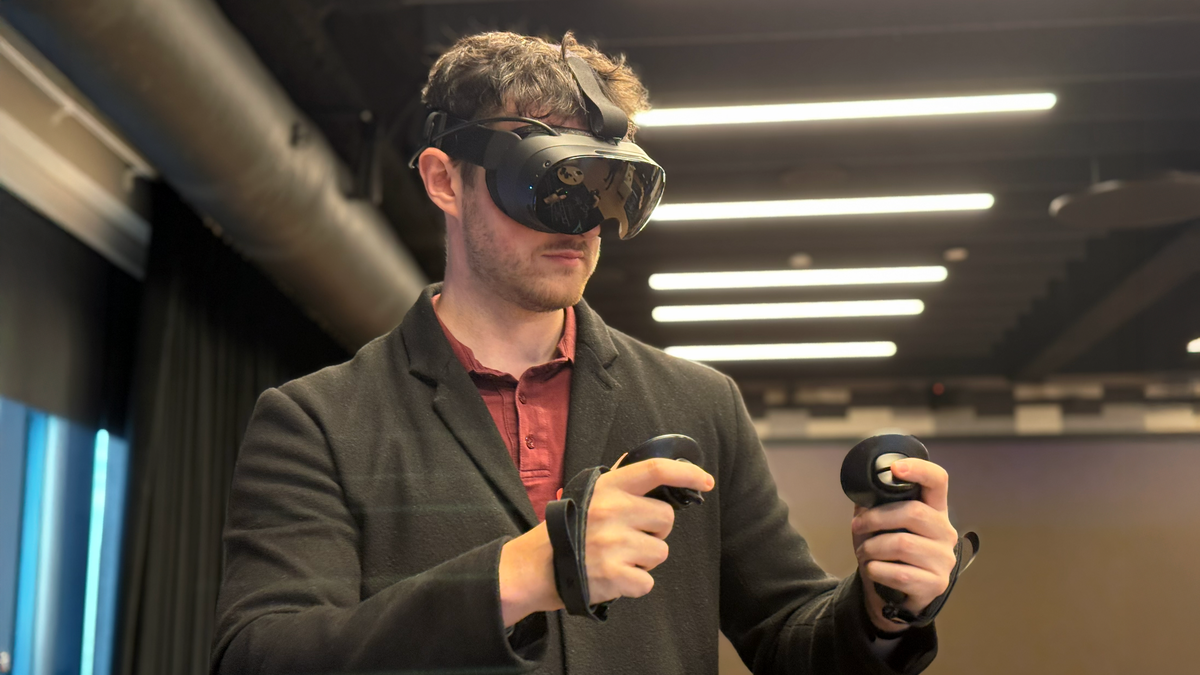
Me wearing Steam Frame at Valve HQ.

While I’m cautious about making sweeping conclusions until I have the headset in my home, my initial impression is that Steam Frame is the most comfortable VR headset yet, for my face at least.

When it comes to making Steam Frame an ideal headset for connecting to SteamVR on your PC, Valve is using a combination of both hardware and software cleverness to refine the compressed wireless streaming experience.

Steam Frame has two separate wireless radios. One is used as a client, connecting to your home Wi-Fi network on the 5GHz band for the general internet connection of SteamOS. The other is for a 6GHz Wi-Fi 6E hotspot, created by the headset, that SteamVR on your PC automatically connects to via the USB adapter included in the box. It’s a dedicated point-to-point connection between Steam Frame and your PC.

This gives Valve precise firmware-level control over the entire network stack for wireless PC VR, and eliminates the problems you might experience using other standalone headsets for this, such as being bottlenecked by a router that’s either too far away, blocked by too many walls, congested by other traffic, or just supplied by your ISP because it was cheap, not because it’s any good.

The other feature Valve has implemented to make the wireless PC VR experience as good as it can possibly be is foveated encoding. Steam Frame has built-in eye tracking, and when you’re using PC VR it’s always used to encode the video stream in higher resolution where you’re currently looking.

Steam Frame has the wireless adapter in the box (photo credit UploadVR).

The result of this hardware and software effort, in my demos, was a relatively high detail and stable image that felt as if it could have been arriving from a DisplayPort cable.

The exception to this stability was that in the second demo room, I saw a frame skip issue at a regular interval. Asking Valve’s staffers about this, they debugged it as an unexplained frame spike on the Windows PC side, showing me the SteamVR performance graph on the PC monitor so I could visually confirm this. The issue didn’t occur in the first demo room, and is unlikely to be inherent to the product.

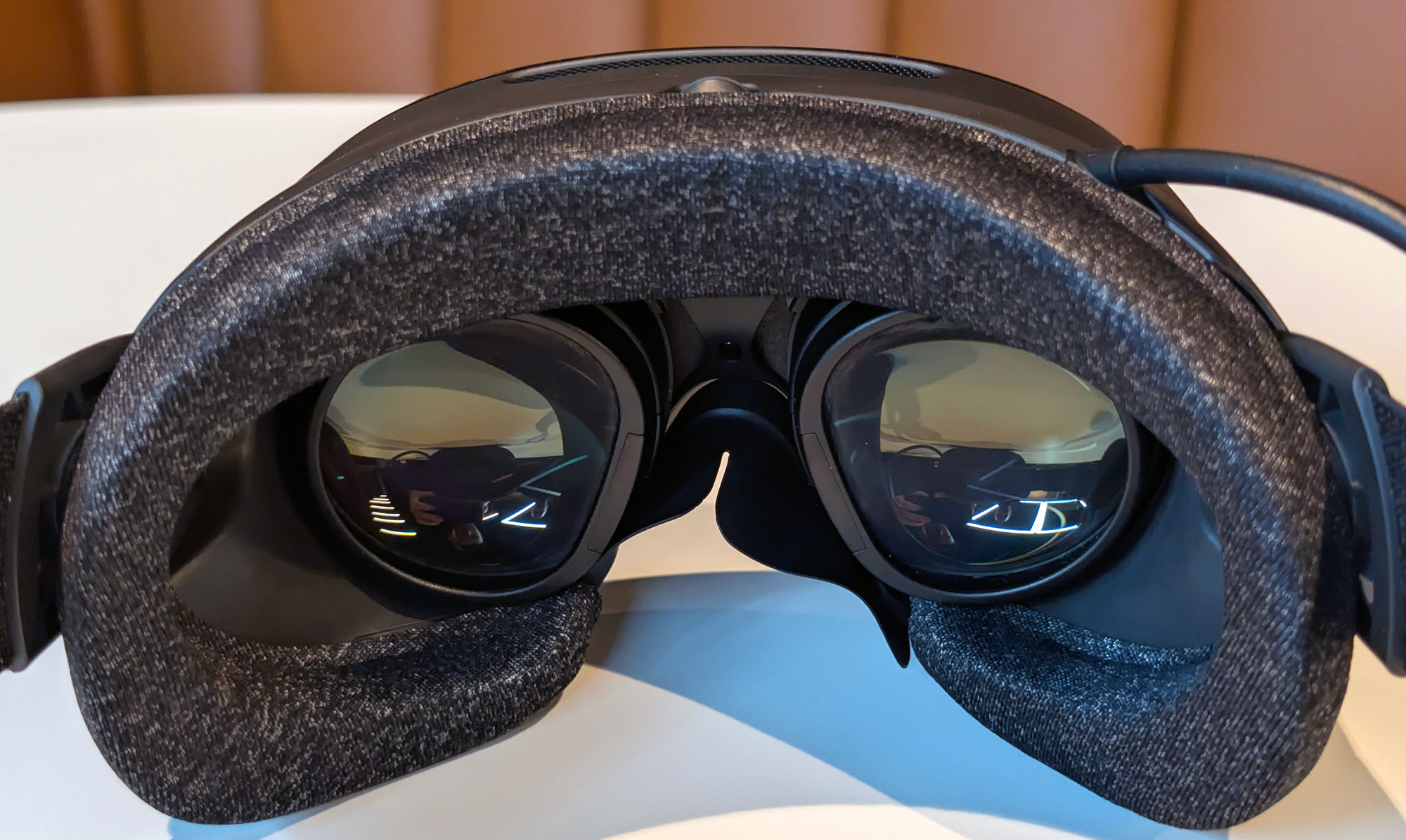
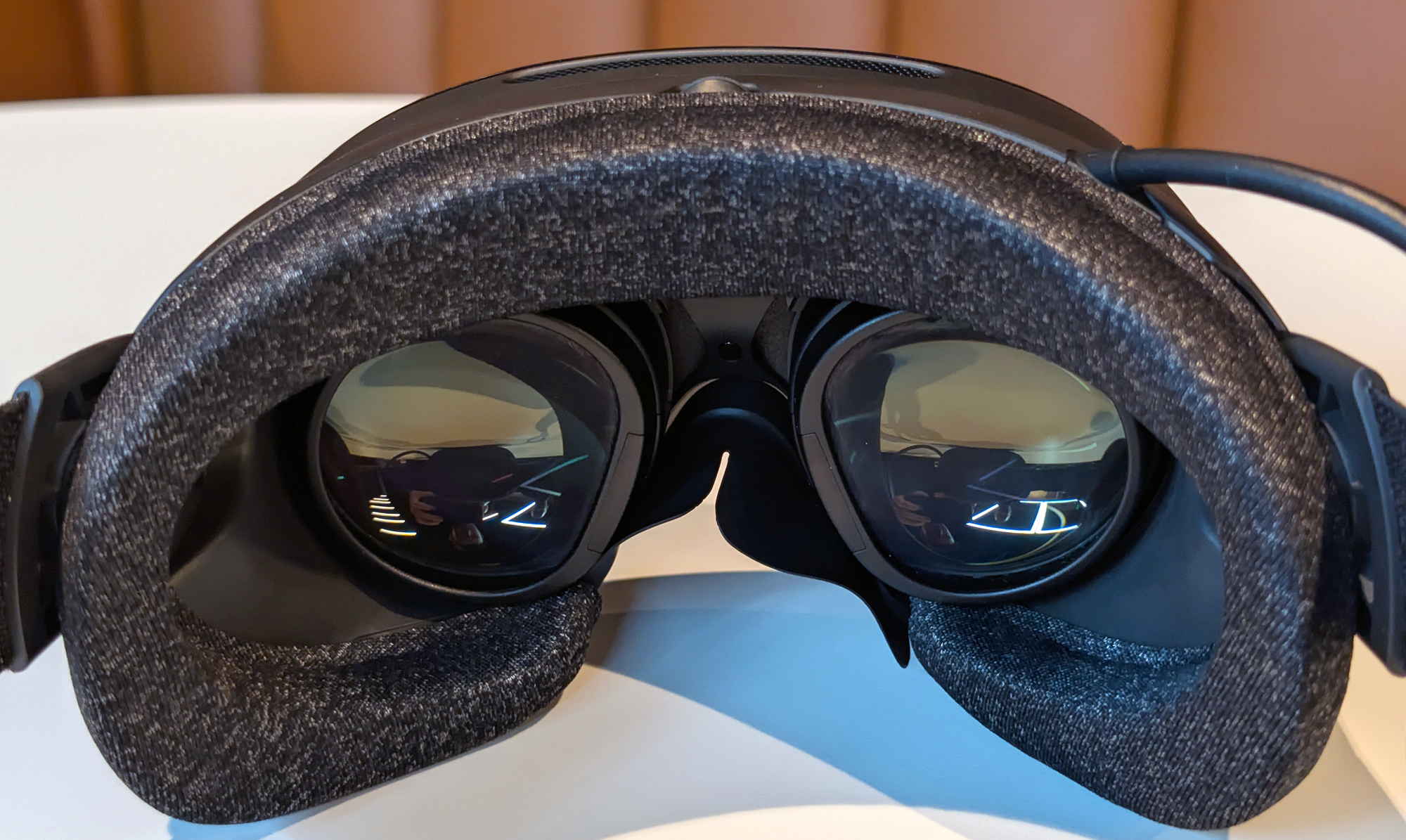
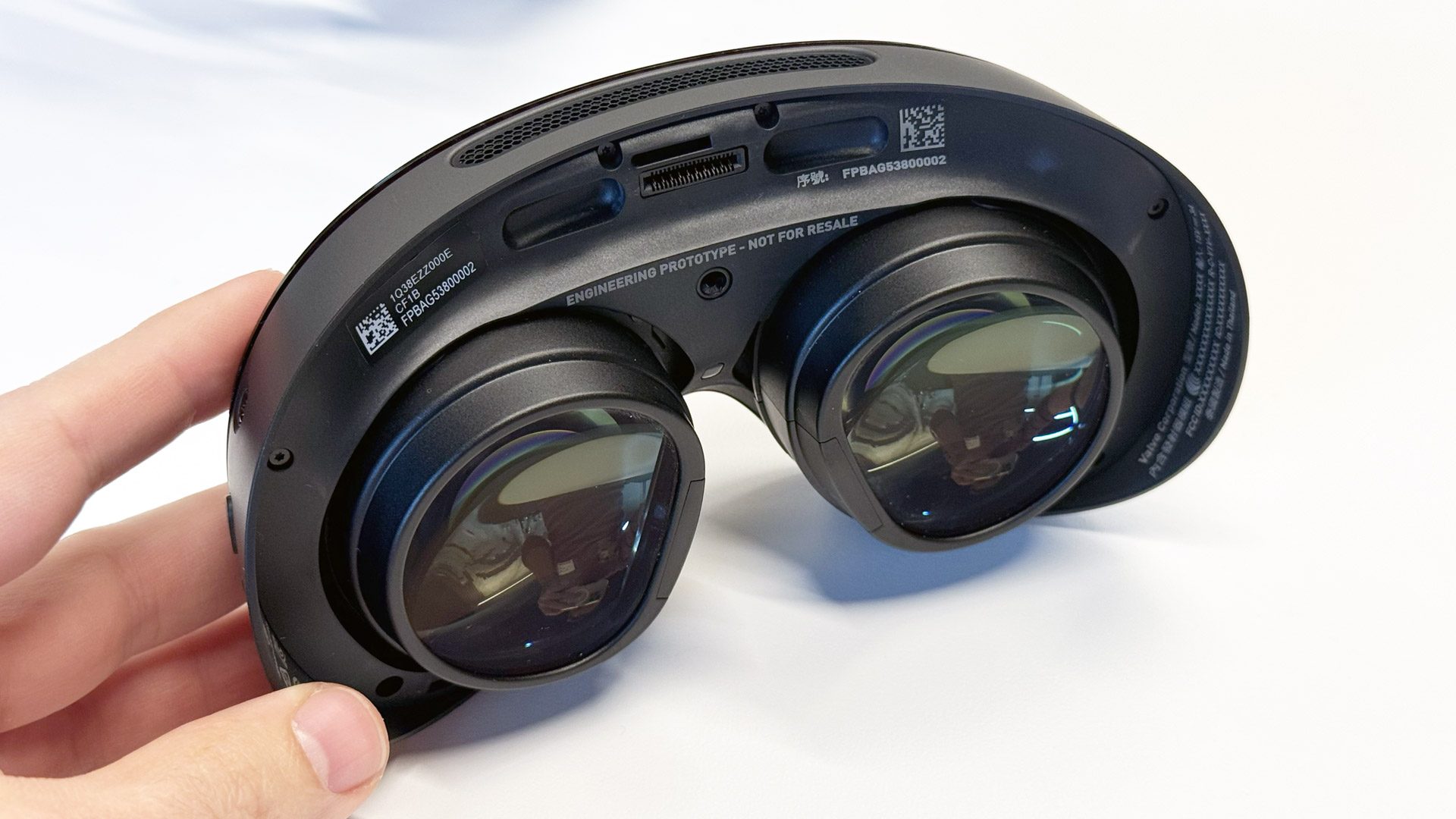
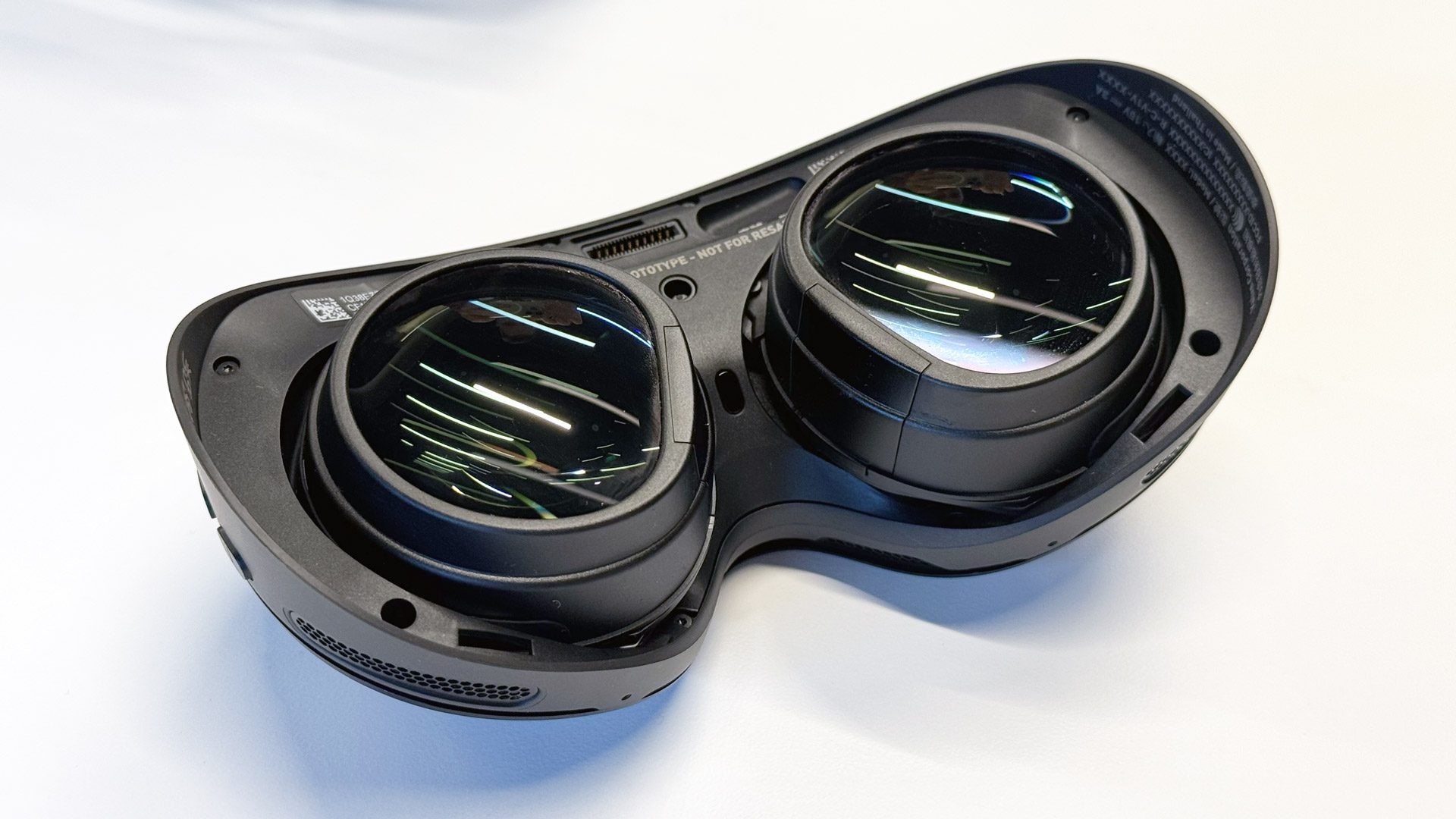
Steam Frame’s pancake lenses made the image look clear and sharp throughout, with a similar feeling to Quest 3’s lenses (including the wide eyebox) but with a slightly taller field of view, and that increased vertical field of view meaningfully contributed to an increased feeling of immersion. There did appear to be some minor pupil swim, however, meaning the geometric stability of the scene ever so slightly shifted as I panned my head.

I asked Valve’s Jeremy Selan about the idea of using dynamic distortion correction, having the eye tracking continuously update the lens distortion coefficients, and he told me that they “haven’t found the need” but “could if we wanted to”. It probably isn’t a big enough issue for most people to notice or care.

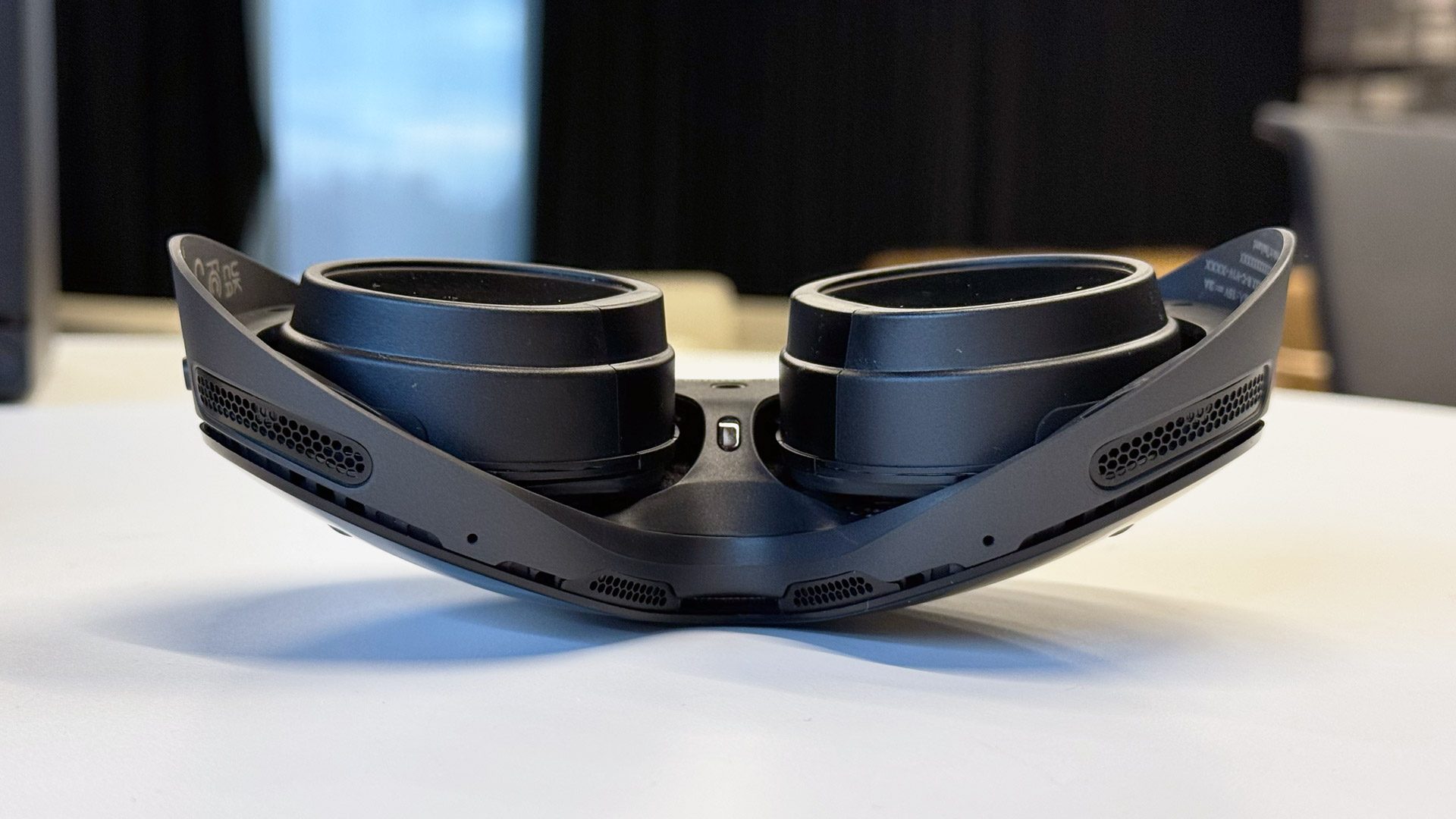
Steam Frame’s lenses (image by UploadVR at Valve HQ).

The only real problem with the image I saw was its poor contrast, given Valve’s description of Steam Frame as a “premium headset”.

If you currently use an OLED or micro-OLED headset for PC VR, or even LCDs with Mini-LED backlighting, Steam Frame’s contrast would be a huge downgrade. Valve is using regular 2160×2160 LCD panels, with no local dimming of any kind, and in the dark sewers of City 17 I saw the same detail crunch I see with any other plain LCD headset.

To be clear, this is the contrast experience that the majority of SteamVR users have today. But much of this usage comes from headsets that were bought for around $300. Valve isn’t yet giving a price for Steam Frame, but said it’s aiming to sell it for less than the $1000 Index full-kit. To what degree the regular LCD panels are an acceptable tradeoff will depend on exactly where Steam Frame’s price lands.

Photo by UploadVR at Valve HQ.

Overall, Steam Frame felt like a device optimized to be the ideal wireless PC VR experience but without being unaffordable for too many people. It’s incredibly comfortable, its wireless adapter bypasses the common issues of home Wi-Fi networks, and its lenses are sharp and clear. It lacks the ultra-high-detail and rich contrast of 4K micro-OLED headsets, but it’s also set to lack their multi-thousand-dollar price tag.

I suspect Steam Frame could be the headset to finally convince many tethered PC VR diehards to make the leap to wireless, and I’m eager to spend more time with the headset to see how it performs over multi-hour sessions in a real home environment.

Valve Officially Announces Steam Frame, A “Streaming-First” Standalone VR Headset
Steam Frame has an included wireless adapter, and is launching “early 2026”. Read the full specs, features, and details here.
UploadVRDavid Heaney

Valve rejoins the VR hardware wars with standalone Steam Frame

Six years ago, Valve made its second big virtual reality push, launching the Valve Index headset alongside VR blockbuster Half-Life Alyx. Since then, the company seems to have lost interest in virtual reality gaming, letting competitors like Meta release regular standalone hardware updates as the PC-tethered Index continued to age.

Now, after years of rumors, Valve is finally ready to officially rejoin the VR hardware race. The Steam Frame, set to launch in early 2026, will run both VR and traditional Steam games locally through SteamOS or stream them wirelessly from a local PC.

Powered by a Snapdragon 8 Gen 3 processor with 16 GB of RAM, the Steam Frame sports a 2160 x 2160 resolution display per eye at an “up to 110 degrees” field-of-view and up to 144 Hz. That’s all roughly in line with 2023’s Meta Quest 3, which runs on the slightly less performant Snapdragon XR2 Gen 2 processor. Valve’s new headset will be available in models sporting 256GB and 1TB or internal storage, both with the option for expansion via a microSD card slot. Pricing details have not yet been revealed publicly.

Read full article

Comments

Steam Deck minus the screen: Valve announces new Steam Machine, Controller hardware

Nearly four years after the Steam Deck changed the world of portable gaming, Valve is getting ready to release SteamOS-powered hardware designed for the living room TV, or even as a desktop PC gaming replacement. The simply named Steam Machine and Steam Controller, both planned to ship in early 2026, are “optimized for gaming on Steam and designed for players to get even more out of their Steam Library,” Valve said in a press release.

A Steam Machine spec sheet shared by Valve lists a “semi-custom” six-core AMD Zen 4 CPU clocked at up to 4.8 Ghz alongside an AMD RDNA3 GPU with 28 compute units. The motherboard will include 16GB of DDR5 RAM and an additional 8GB of dedicated DDR6 VRAM for the GPU. The new hardware will come in two configurations with 512GB or 2TB of unspecified “SSD storage,” though Valve isn’t sharing pricing for either just yet.

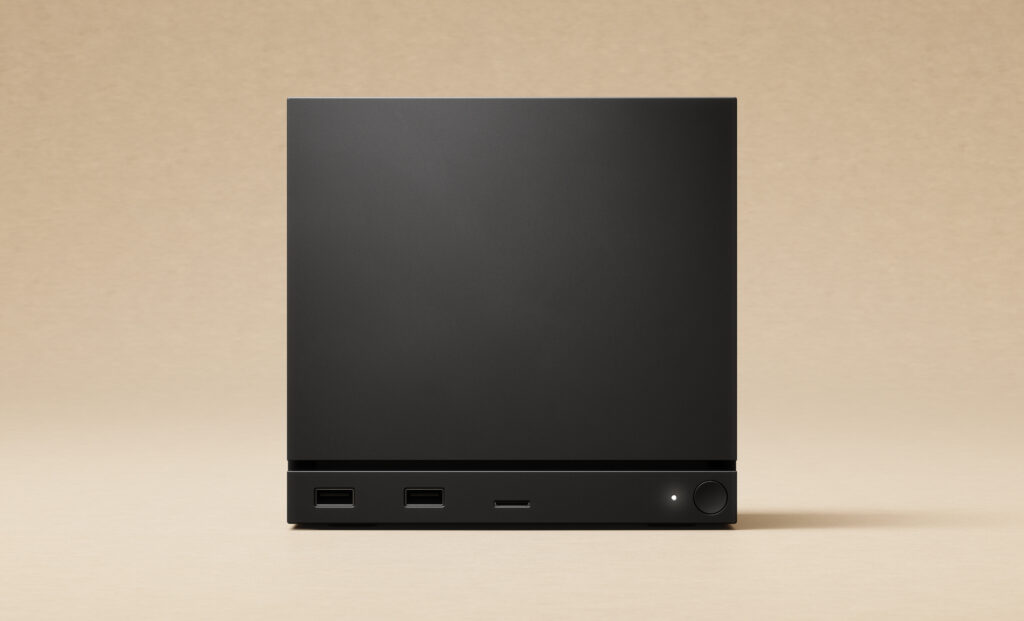
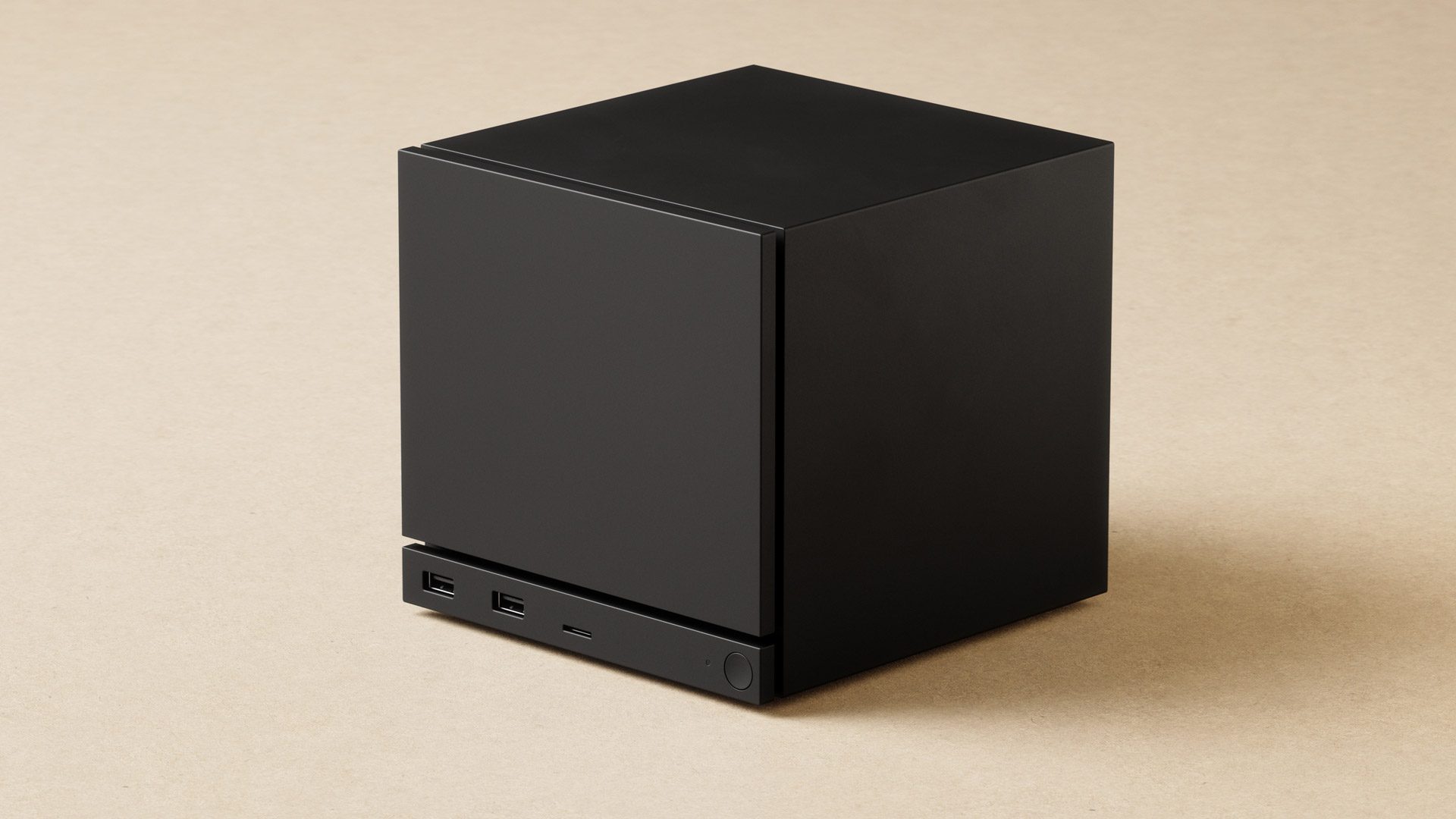
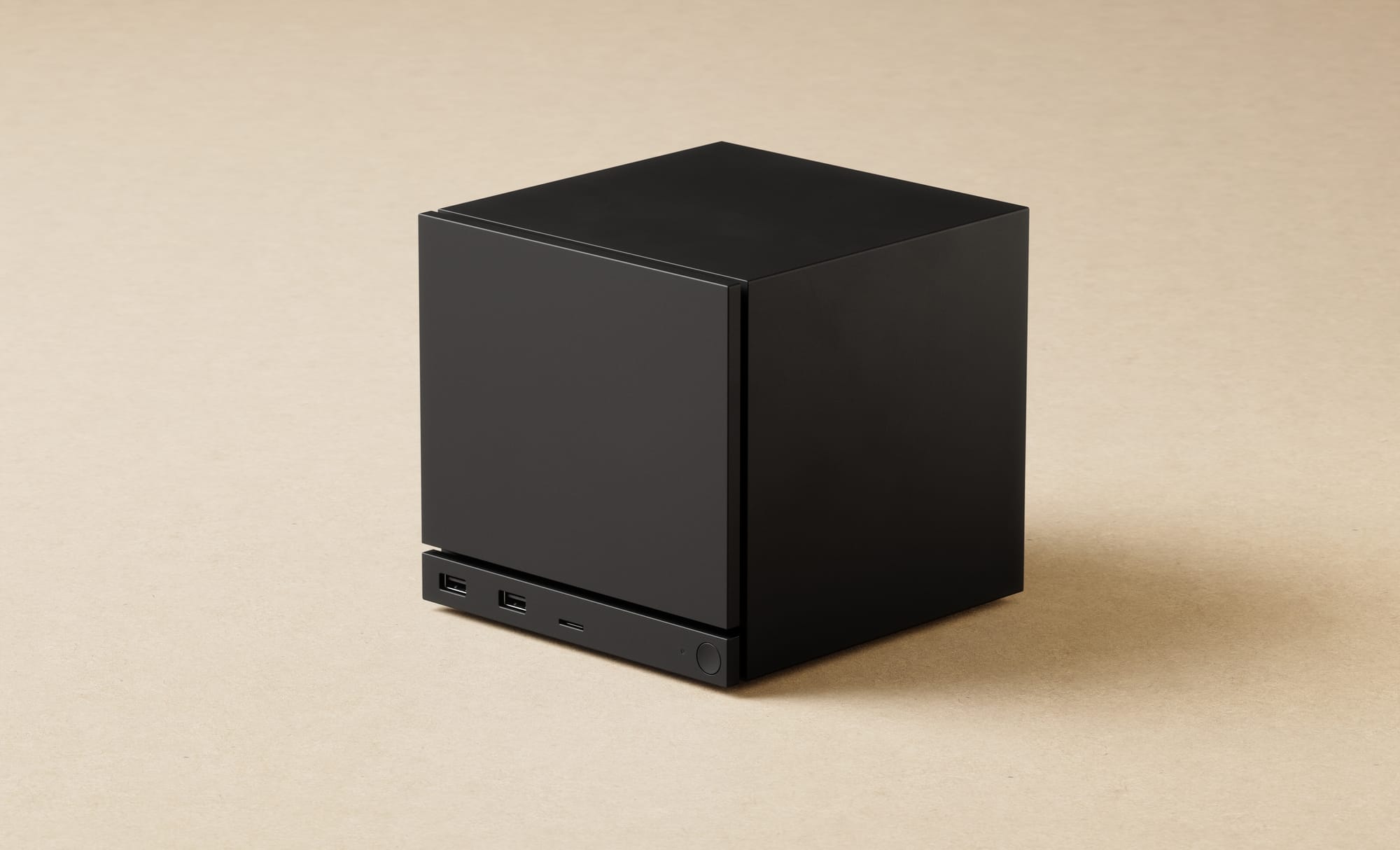
If you squint, you can make out a few ports on this unmarked black square.


Credit:

Valve

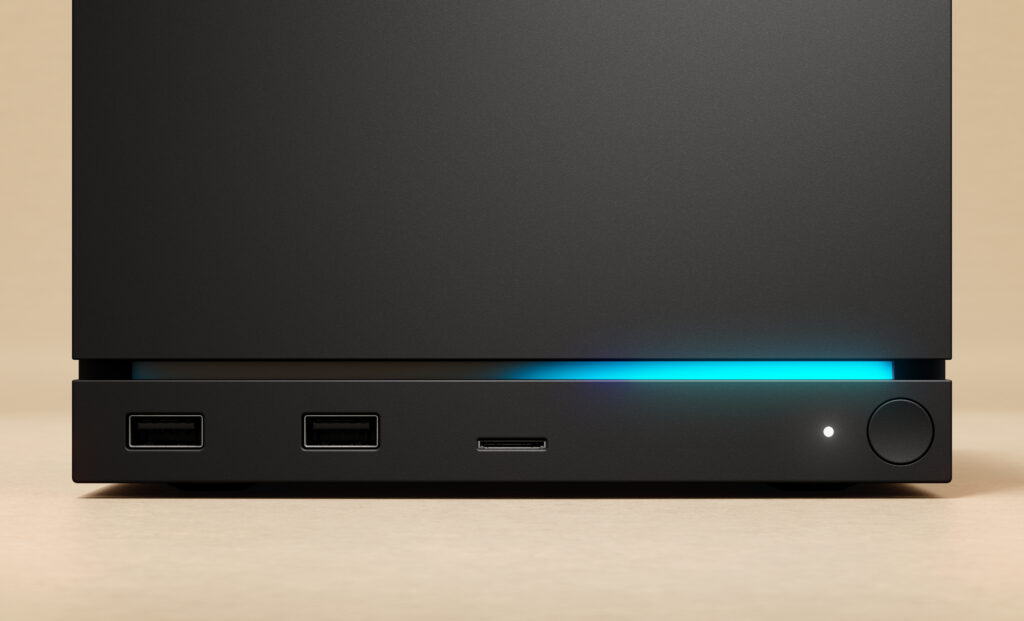
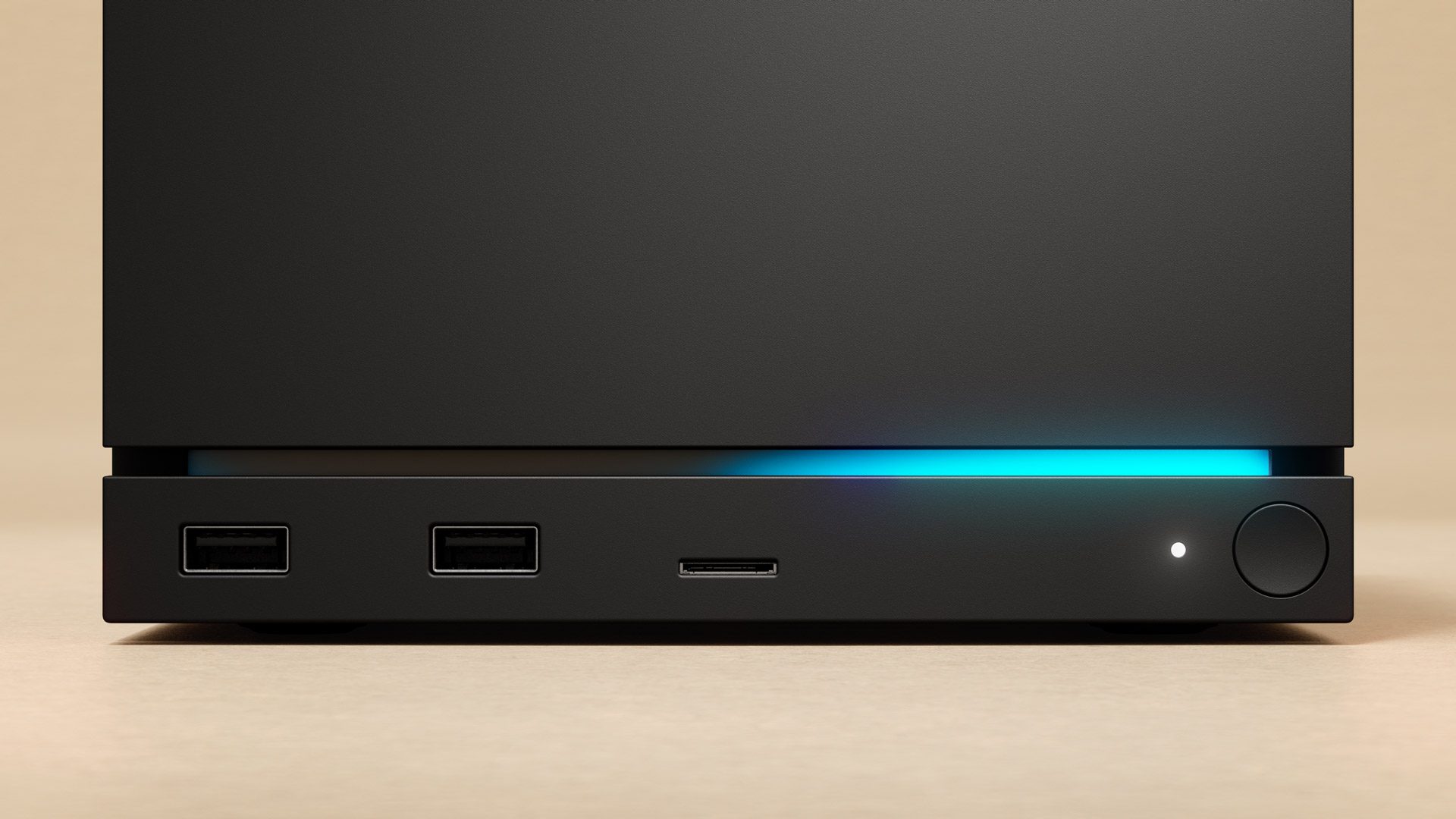
A strip of LEDs adds a touch of color to the front face of the Steam Machine.

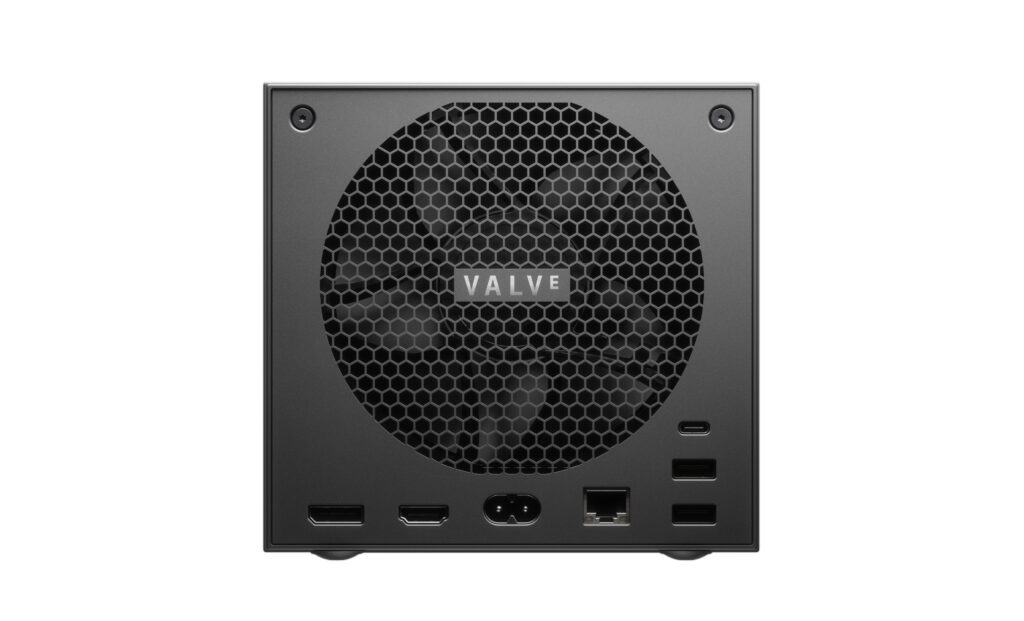
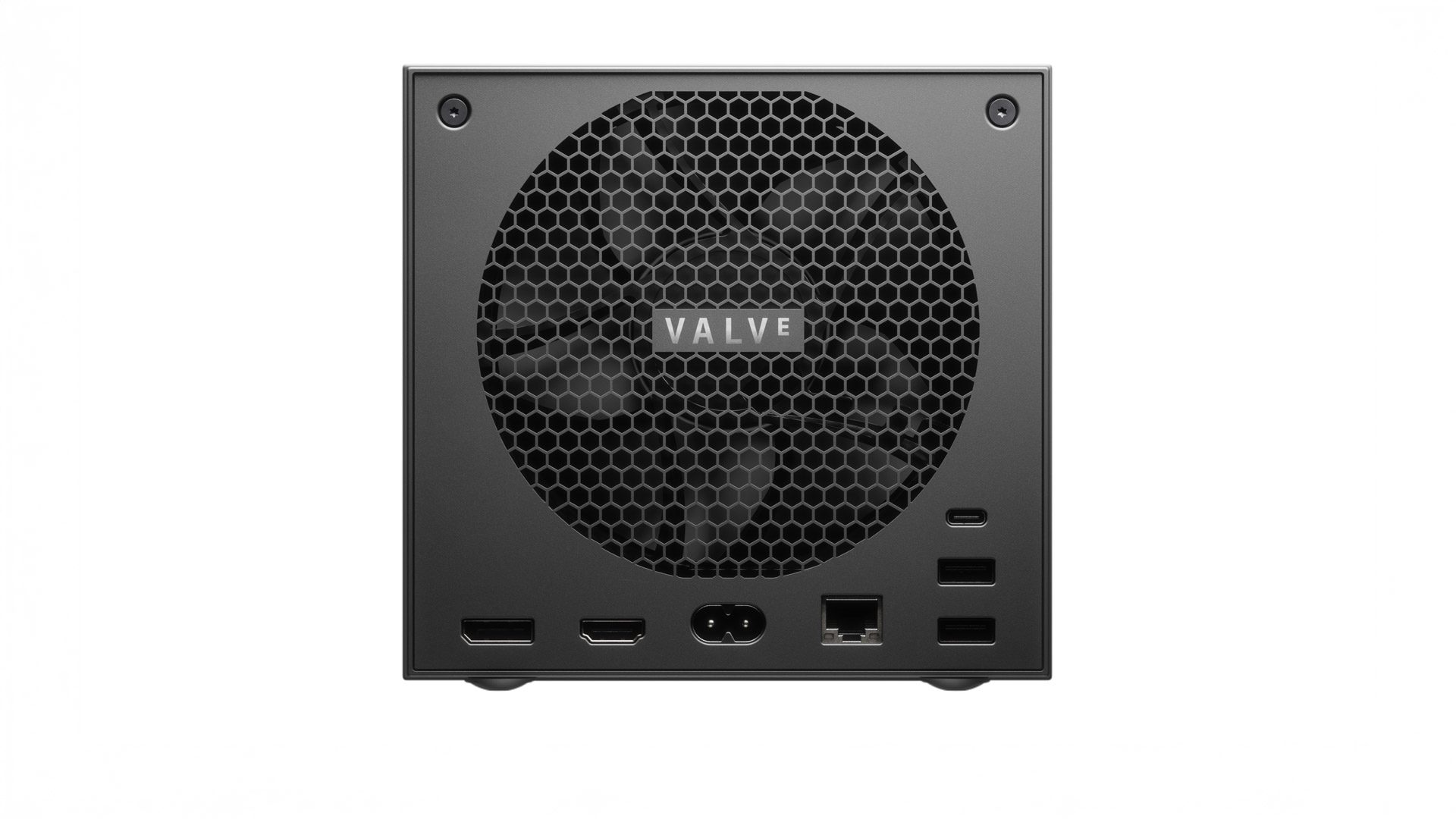
I’m a fan of the big fan.


Credit:

Valve

Those chips and numbers suggest the Steam Machine will have roughly the same horsepower as a mid-range desktop gaming PC from a few years back. But Valve says its “Machine”—which it ranks as “over 6x more powerful than the Steam Deck”—is powerful enough to support ray-tracing and/or 4K, 60 fps gaming using FSR upscaling.

Read full article

Comments

Valve Officially Announces Steam Frame, A “Streaming-First” Standalone VR Headset

Valve just officially announced Steam Frame, a “streaming-first” standalone VR headset launching in “early 2026”.

Steam Frame has a lightweight modular design and runs a VR version of Valve’s SteamOS, the Linux-based operating system used in Steam Deck. With an evolved version of the Proton compatibility layer it can run almost any Linux, Windows, and Android game, including SteamVR games. Many titles won’t perform well on the mobile chipset, though, so Steam Frame has a wireless dongle in the box to leverage the power of your gaming PC – hence Valve’s “streaming-first” positioning.

0:00

/0:08

The headset does not require or support base stations. It tracks itself and its included controllers using four onboard greyscale tracking cameras, two of which can be used for monochrome passthrough, and it also has eye tracking for foveated streaming.

Steam Frame will replace Valve Index on the market, which the company confirmed to UploadVR is no longer in production, and joins Valve’s “family” of hardware products, which will also soon include a Steam Machine consolized PC and a new Steam Controller.

Steam Frame Hands-On: UploadVR’s Impressions Of Valve’s New Headset
UploadVR’s Ian Hamilton and David Heaney went hands-on with Steam Frame at Valve HQ, trying both standalone use and PC VR.
UploadVRIan Hamilton

My colleague Ian Hamilton and I went hands-on with Steam Frame at Valve HQ, and you can read our impressions here. This article, on the other hand, provides a full rundown of the design, specifications, and features of Steam Frame, based on the information provided to us by Valve.

Lightweight Modular Design

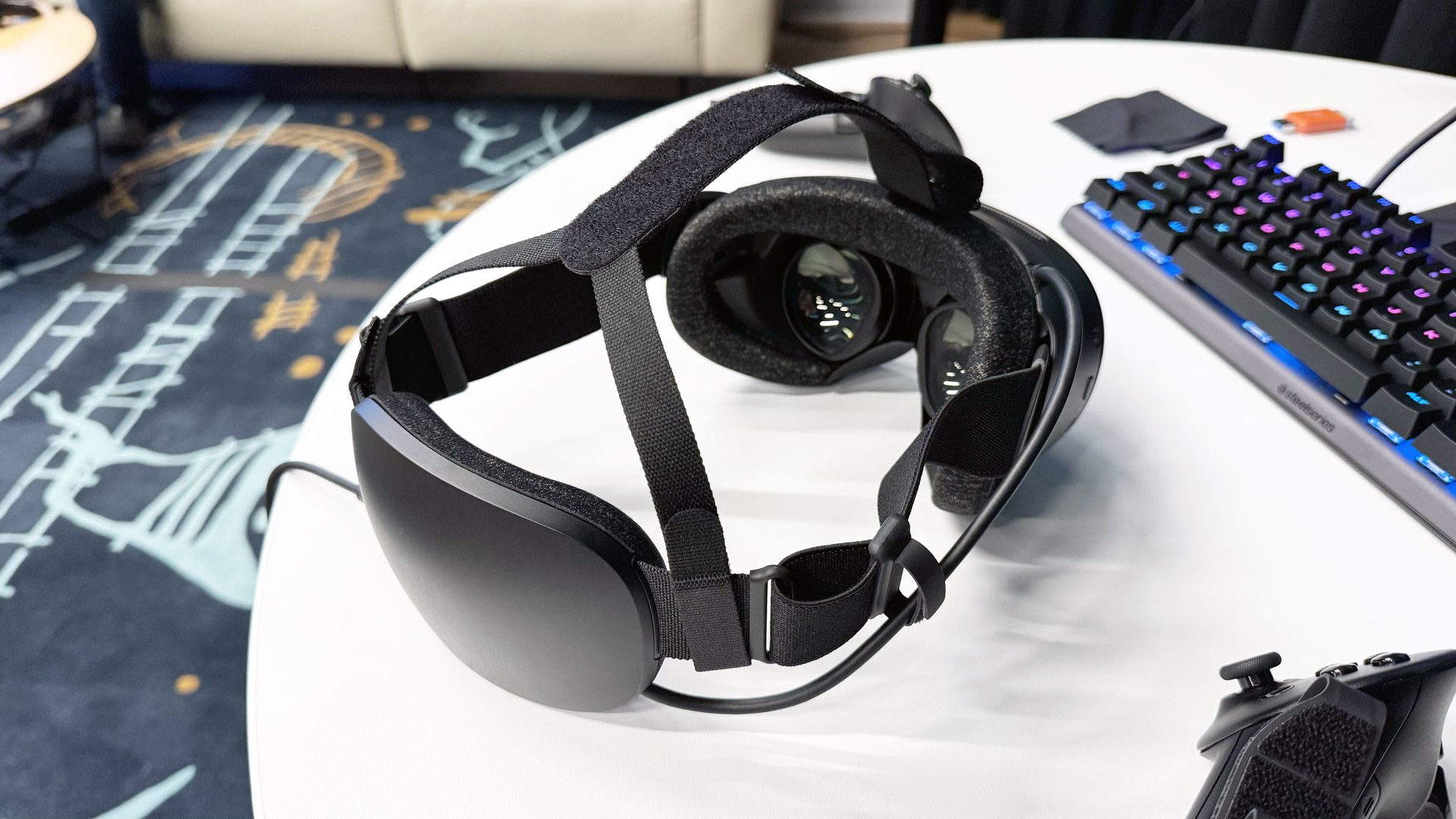
Steam Frame will come with a replaceable battery strap, with built-in dual driver speakers and a 21.6 Wh rear battery.

The strap itself is fabric and the rear battery unit has soft padding, meaning it can “collapse” against the lenses for portability and naturally deform when your head is resting on a chair, sofa, or bed.

There’s an optional front-to-back top strap, but it’s not attached by default.

Steam Frame and the Steam Frame Controllers (image from Valve).

The core frontbox of Steam Frame weighs just 185 grams, Valve says, while the entire system with the default included facial interface, speakers, strap, and rear battery weighs 440 grams.

That makes Steam Frame the lightest fully-featured standalone VR headset to date.

The rear battery of Steam Frame’s included default strap (image from Valve).

Steam Frame is a modular system, and Valve will make the CAD and electrical specifications available to third parties to build custom facial interfaces and headstraps. Someone could, for example, build a rigid strap with an open interface, or a fully soft strap with a tethered battery. Expect a range of accessories.

2K LCDs & Pancake Lenses

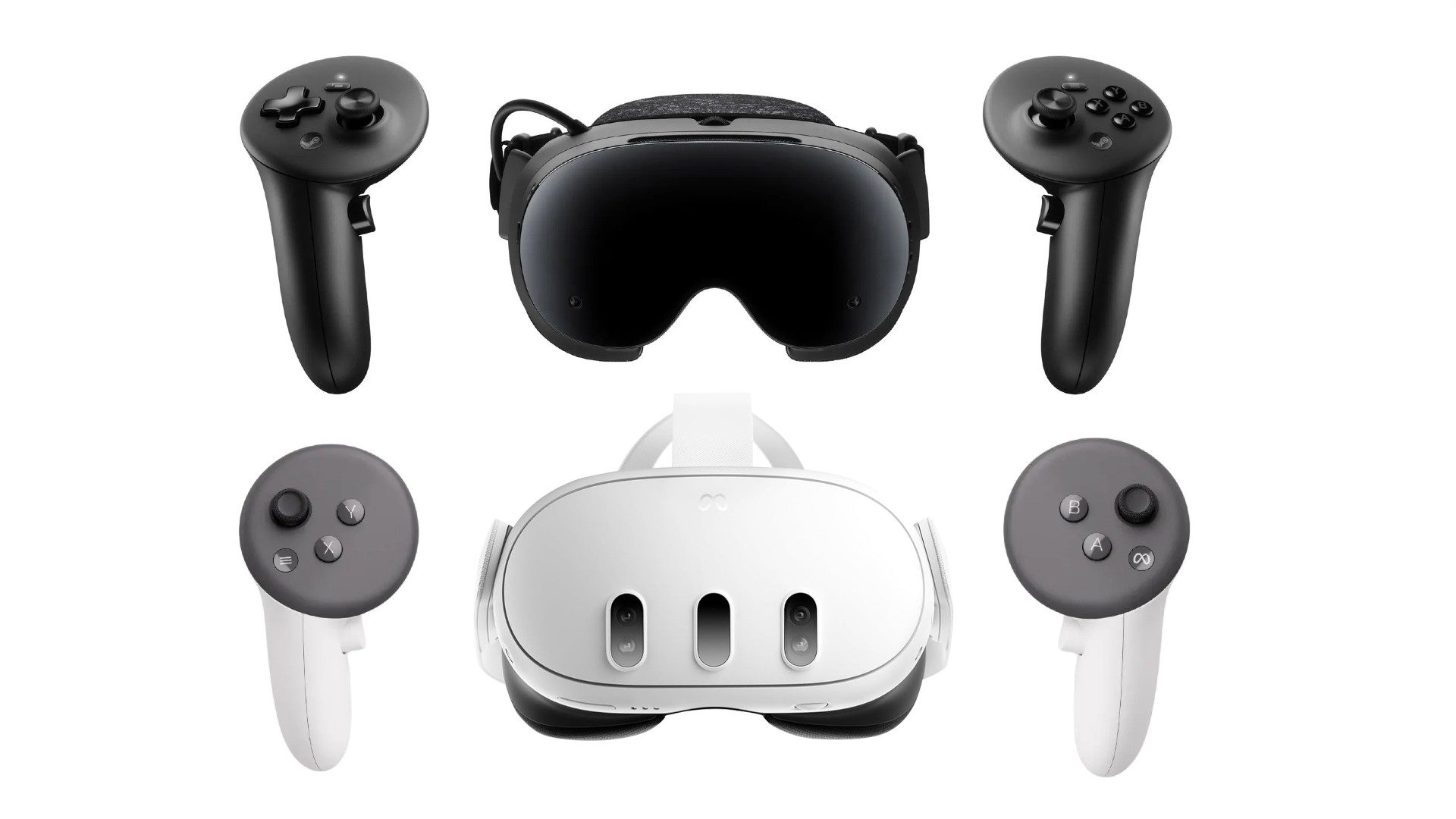
Steam Frame features dual 2160×2160 LCD panels, meaning it has twice as many pixels as the Valve Index and roughly the same as Meta Quest 3.

The panels have a configurable refresh rate between 72Hz and 120Hz, with an “experimental” 144Hz mode, just like the Index.

Steam Frame’s lenses (image by UploadVR at Valve HQ).

Valve says the multi-element pancake lenses in front of the panels offer “very good sharpness across the full field of view”, which the company describes as “slightly less than Index”, and “conservatively” 110 degrees horizontal and vertical.

Lens separation is manually adjusted via a wheel on the top of the headset, letting wearers match their interpupillary distance (IPD) for visual comfort.

Wireless PC Adapter With Foveated Streaming

Steam Frame does not support DisplayPort or HDMI in. It is not a tethered headset. Instead, Valve is going all-in on compressed wireless streaming, aiming to perfect it with a combination of clever hardware and software.

The headset has two separate wireless radios. One is used as a client, connecting to your home Wi-Fi network on the 5GHz band for the general internet connection of SteamOS. The other is for a 6GHz Wi-Fi 6E hotspot, created by the headset, that SteamVR on your PC automatically connects to via the USB adapter included in the box. It’s a dedicated point-to-point connection between Steam Frame and your PC.

The wireless adapter is included in the box (photo by UploadVR at Valve HQ).

This gives Valve precise firmware-level control over the entire network stack for wireless PC VR, and eliminates the problems you might experience using other standalone headsets for this, such as being bottlenecked by a router that’s either too far away, blocked by too many walls, congested by other traffic, or just supplied by your ISP because it was cheap, not because it’s any good.

Of course, some enthusiasts already have a high-quality Wi-Fi setup for PC VR, with a high-end router or access point in the room where they play. Valve tells us that such people can continue to use their setup instead of the adapter if they really want, but suspects they won’t choose to.

The other feature Valve has implemented to make the wireless PC VR experience as good as it can possibly be is foveated encoding. Steam Frame has built-in eye tracking, and when you’re using PC VR it’s always used to encode the video stream in higher resolution where you’re currently looking.

0:00

/0:05

While this feature has existed as part of Steam Link VR for Quest Pro since the app launched in December 2023, Valve says on Steam Frame the foveated streaming has lower latency and greater precision, thanks to the company controlling the entire rendering stack on the headset side.

Linux, Windows & Android Apps Standalone

Steam Frame can run Linux, Windows, and Android applications through a combination of compatibility layers and emulation.

As with other SteamOS devices such as Steam Deck, Steam Frame can run Linux titles natively as well as Windows applications via Proton, the compatibility layer Valve has been working on for almost a decade now in collaboration with CodeWeavers.

But while Steam Deck is an x86 device, the same CPU architecture as a gaming PC, Steam Frame uses the mobile-focused ARM architecture. That supports a huge advantage: Steam Frame can natively run Android APKs, including those you download in the web browser, as long as they don’t require Google Play Services. But it also means that Steam Frame can’t natively run x86 applications, which the majority of Steam games are.

Photo by UploadVR at Valve HQ.

To solve this, Valve has been investing in FEX, an open-source tool for emulating x86 applications on ARM Linux devices that it has integrated into Proton on Steam Frame. The company tells UploadVR that the performance impact here is “shockingly small” – on the order of a few percent.
The ability to run x86 Windows applications means that Steam Frame can, in theory, run almost any VR title on Steam.

However, the key word here is “run”. Steam Frame features a roughly 10-watt chipset originally designed for use in smartphones, and has only a fraction of the power of the gaming PC hardware that most SteamVR titles were designed for. Thus, while you can run visually simplistic and well-optimized titles at relatively low graphics settings, and there’ll be a “Steam Frame Verified” tag for such titles, for high-fidelity VR gaming, such as playing Half-Life: Alyx you’ll want to leverage your PC.

Snapdragon 8 Gen 3 + 16GB RAM

Steam Frame is powered by Qualcomm’s Snapdragon 8 Gen 3 chipset, paired with 16GB of LPDDR5X RAM.

Two models will be sold, one with 256GB UFS storage and the other with 1TB, and there’s also a microSD card slot for expanded storage. In fact, you can even transfer the microSD card from your Steam Deck or Steam Machine, and your games will automatically be available to play.

Non-shipping transparent internal prototype (photo by UploadVR at Valve HQ).

So just how powerful is Steam Frame’s chip? Well, the XR2 Gen 2 series used in pretty much every other non-Apple headset features the Adreno 740 GPU from the 8 Gen 2 smartphone chip, and the 8 Gen 3 is the successor from the year after with the newer Adreno 750.

On paper, Steam Frame’s Adreno 750 GPU is 25% more powerful than the Adreno 740 in Meta Quest 3, and this difference increases to over 30% when you factor in the fact that Quest 3 slightly underclocks its GPU, while Valve confirmed that Steam Frame does not. Further, the effective performance difference will be even greater in titles that leverage eye-tracked foveated rendering.

The CPU, on the other hand, is much more difficult to compare, as the XR2 Gen 2 uses a non-standard core configuration and 2D benchmarks run on headsets don’t induce the maximum clock speed. But based on what we know about the chips, expect Steam Frame to have around 50% improved single-threaded performance compared to Quest 3 and around 100% greater multithreaded.

Essentially, from a standalone performance perspective Steam Frame is notably more powerful than other non-Apple standalone headsets, though still significantly less powerful than a gaming PC.

SLAM Tracking & Monochrome Passthrough

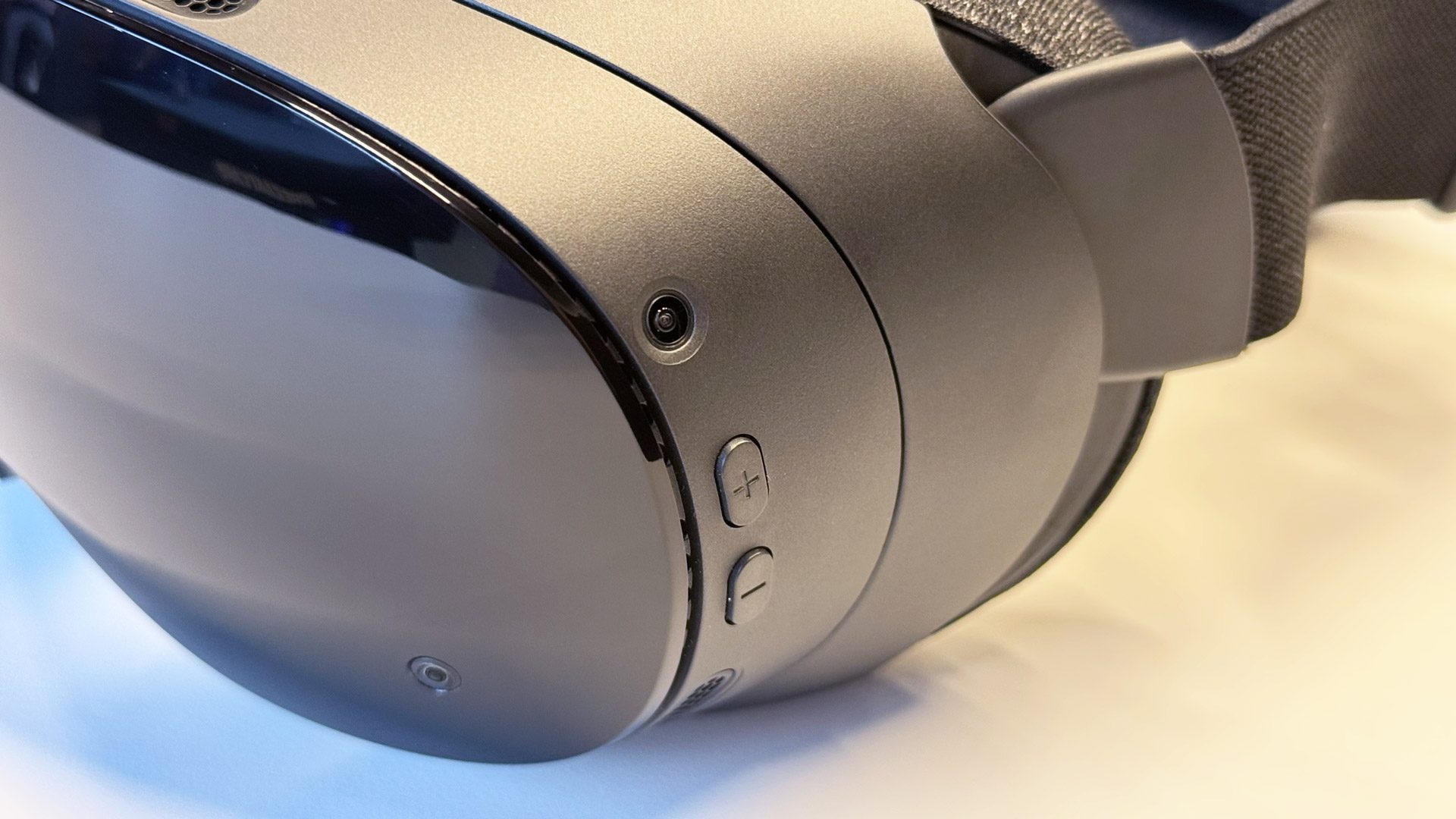
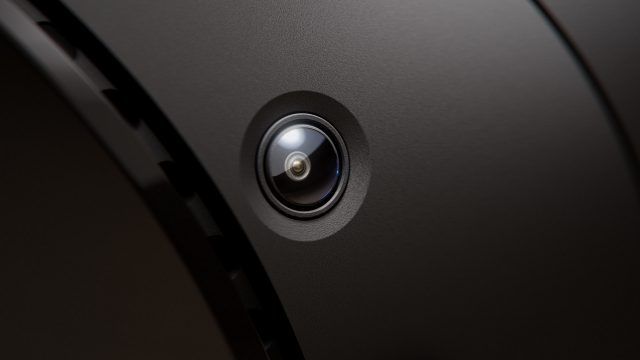
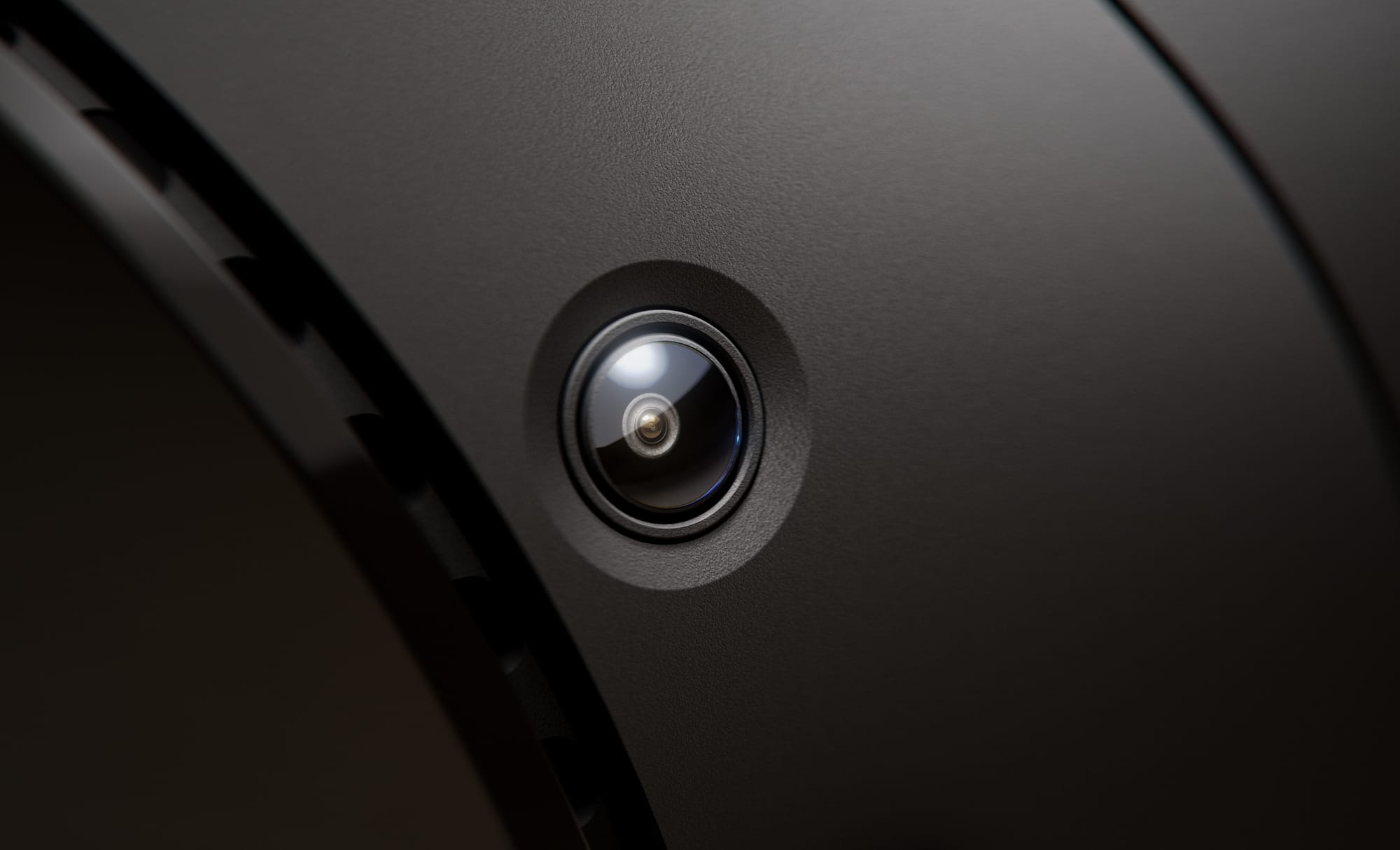
Steam Frame has four outwards-facing greyscale fisheye cameras for inside-out headset and controller tracking via computer vision. You don’t need SteamVR base stations, and the headset doesn’t support them anyway.

Two of the cameras are on the top corners, and the other two are on the front, near the bottom, widely spaced.

One of Steam Frame’s greyscale fisheye tracking cameras (image from Valve).

To make headset tracking work in the dark, Steam Frame also features infrared illuminators, bathing your environment in IR light that the cameras can see.

You can choose to see the real world around you via the two front cameras at any time, though the view is monochrome, and lower resolution than the passthrough on headsets with dedicated mixed reality cameras. But combined with the IR illuminators, the advantage is that it lets you see in the dark.

Front Expansion Port

While Steam Frame has only low-resolution monochrome passthrough by default, it has a user-accessible front expansion port
that in theory enables color cameras, depth sensors, face tracking sensors and more to be added.

Valve says the port offers a dual 2.5Gbps MIPI camera interface and also supports a one-lane Gen 4 PCIe data port for other peripherals.

“There is certainly enough flexibility in this port to do anything people are interested in doing”, Valve’s Jeremy Selan told UploadVR.

Included Controllers With Gamepad Parity

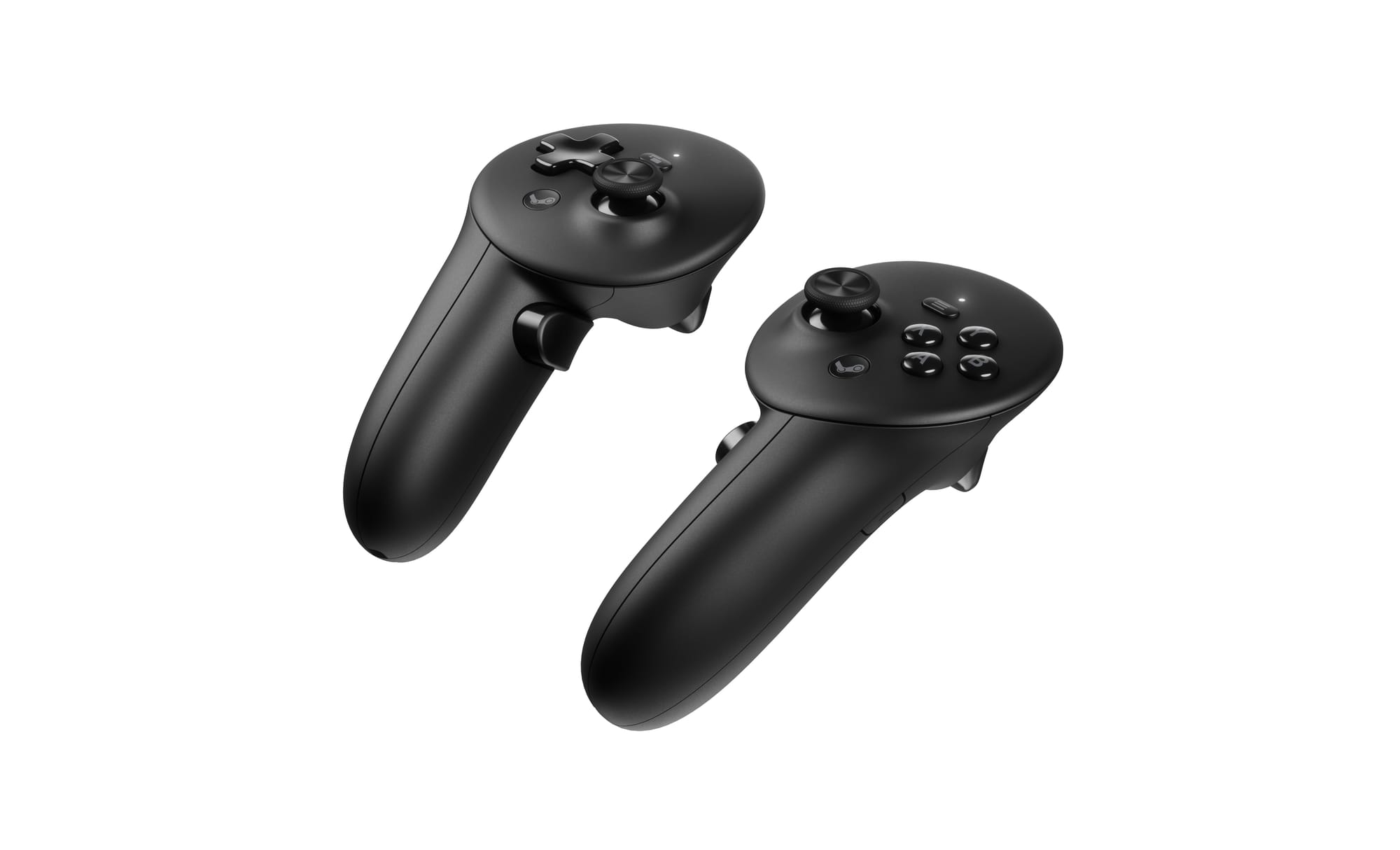
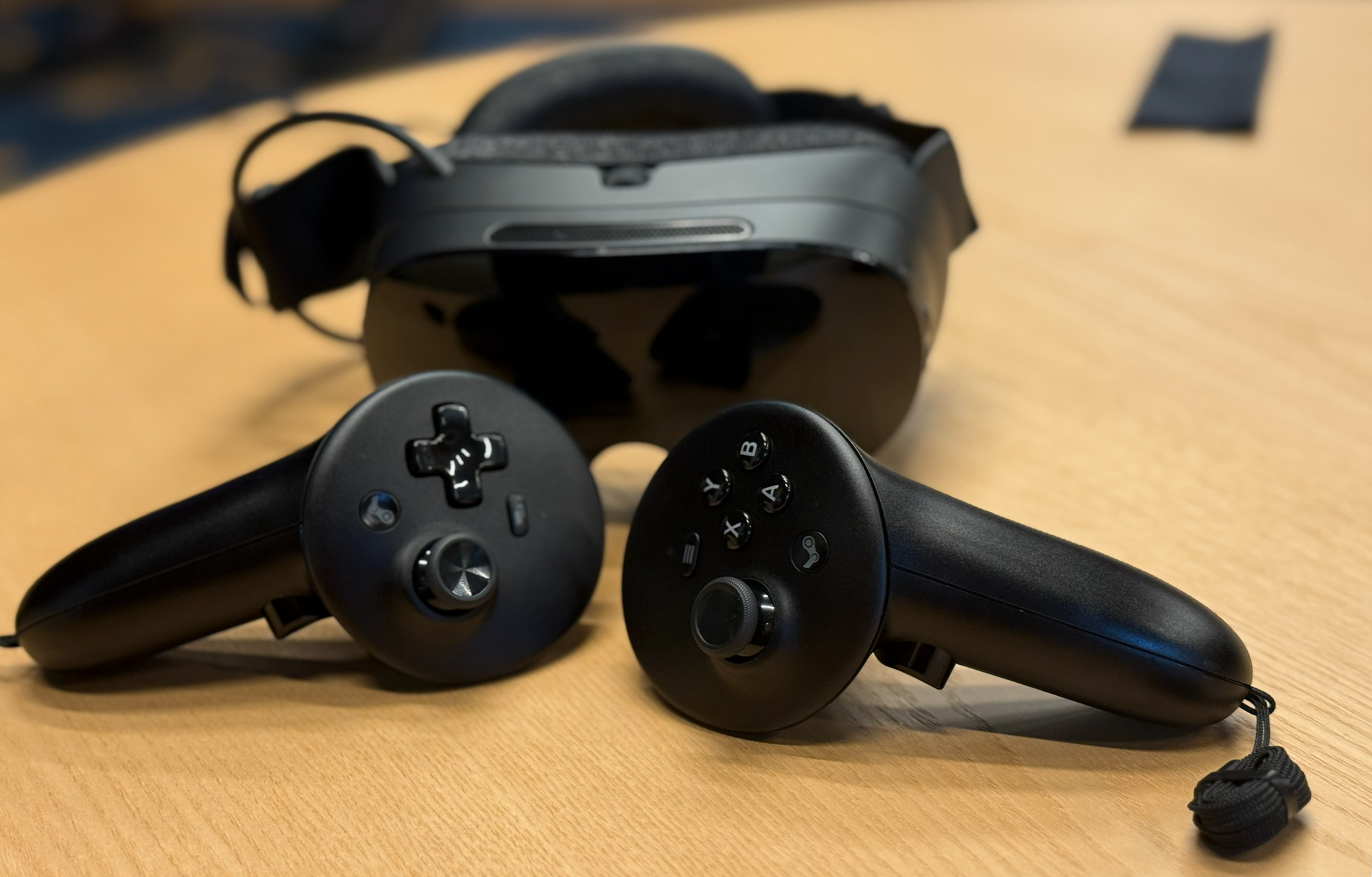
The included Steam Frame Controllers have a relatively similar ringless design to Meta’s Touch Plus controllers, and are also tracked by the headset via infrared LEDs under the plastic. However, while Touch Plus controllers have 8 IR LEDs each, 7 on the face and 1 on the handle, Steam Frame Controllers have 18 each, dispersed throughout the face, handle, and bottom, which should make them more resistant to occlusion.

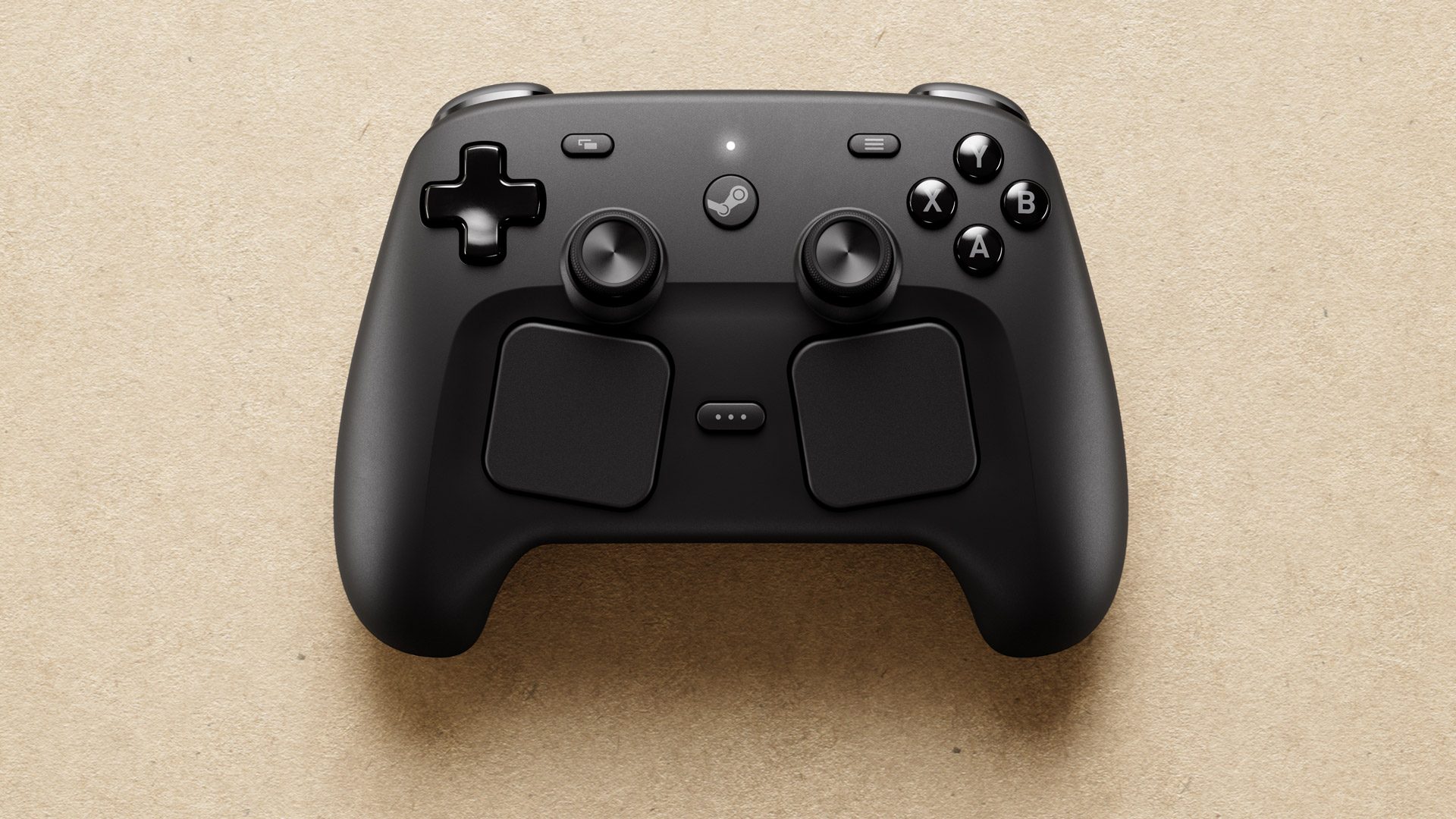
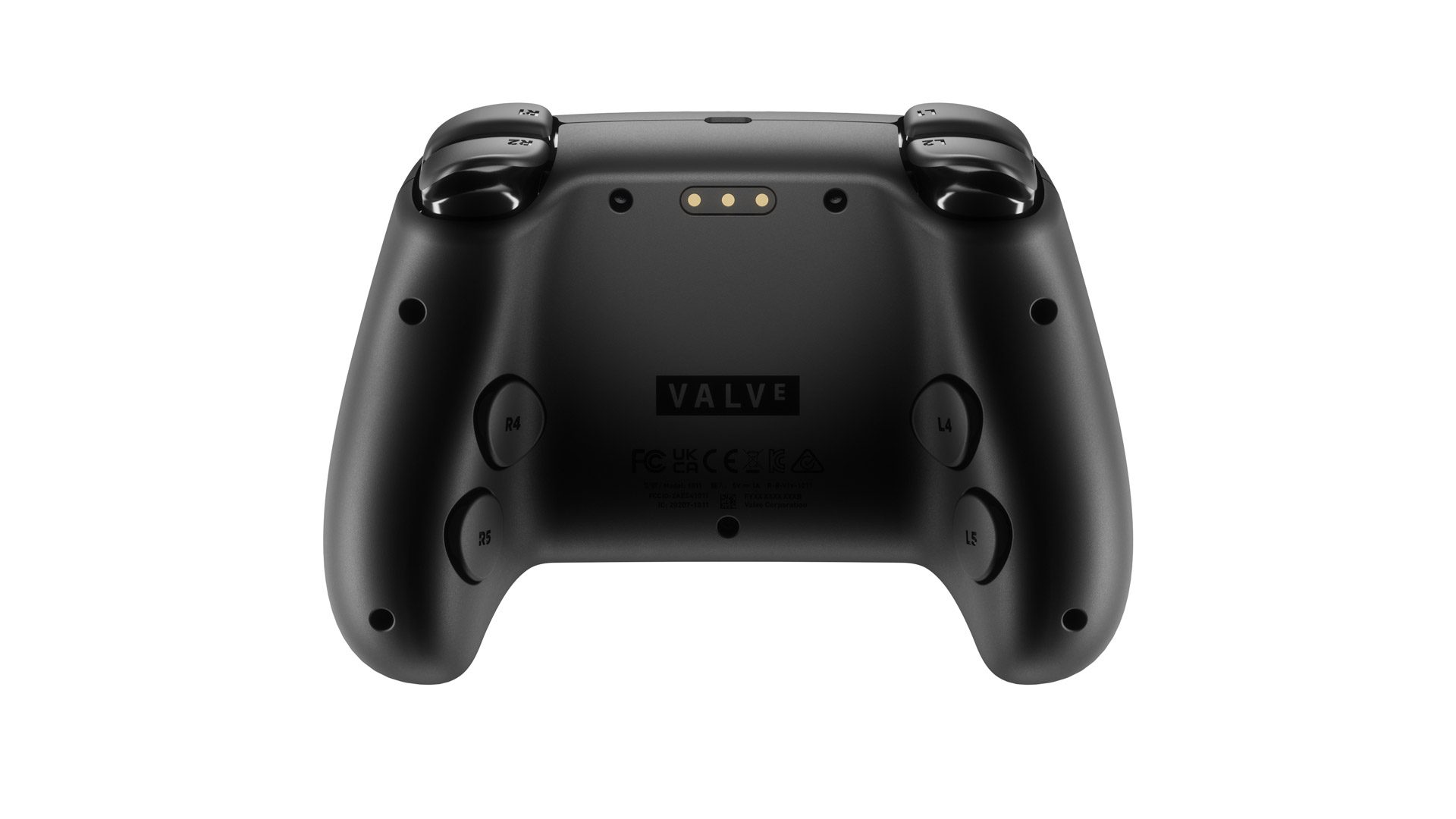
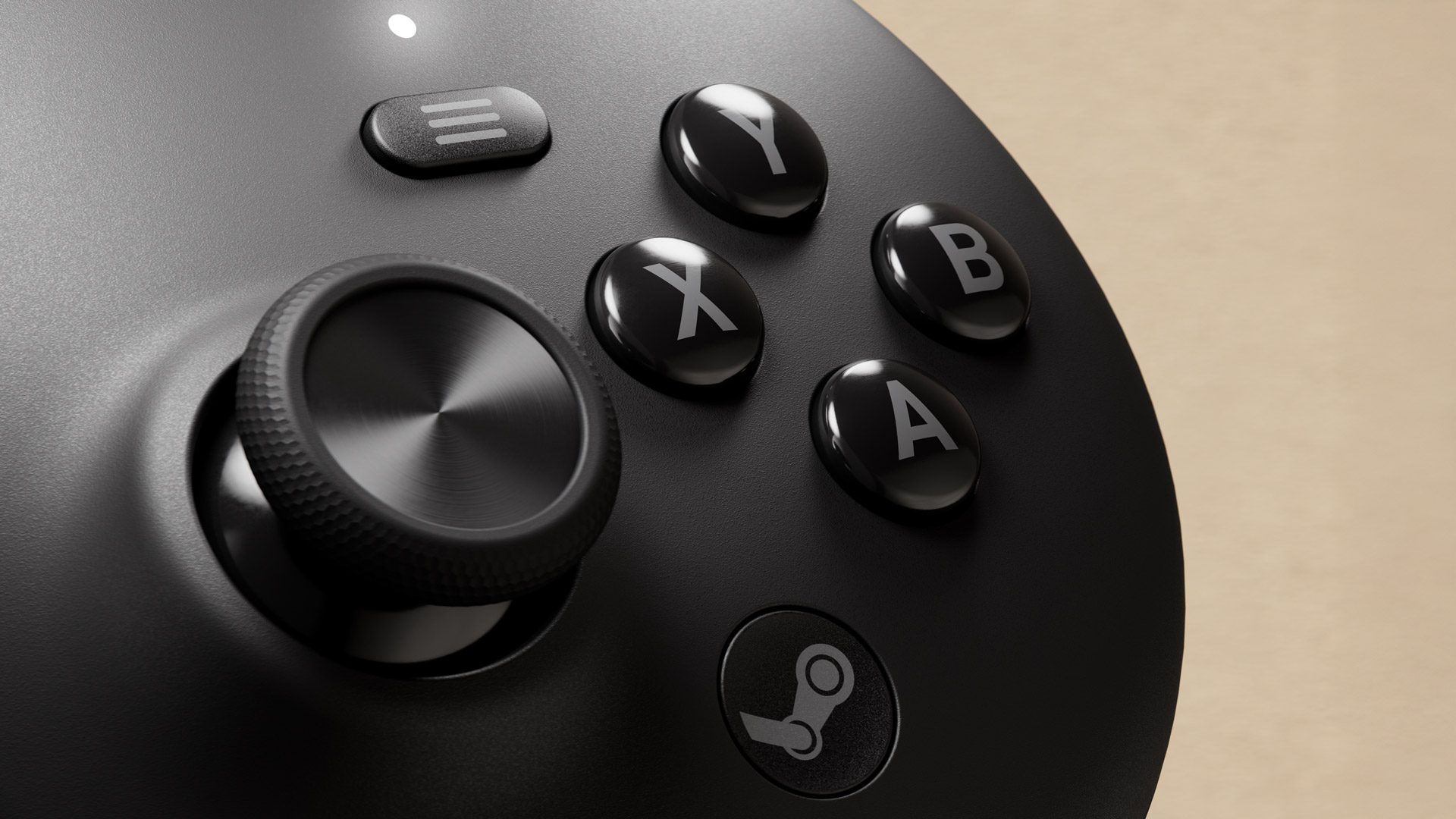
The bigger difference between Touch Plus and Steam Frame Controllers is the inputs. Valve has put all four A/B/X/Y buttons on the right controller and a D-Pad on the left controller, while both have an index bumper in addition to the index trigger.

Steam Frame Controllers (image from Valve).

The idea here is that the Steam Frame Controllers have all the same inputs as a regular gamepad, meaning they can be used for both VR and flatscreen gaming. You can switch between VR and flatscreen seamlessly, and you’ll need less space in your bag when traveling.

Steam Frame Controllers feature capacitive finger sensing on all inputs and the handle, as well as advanced tunneling magnetoresistance (TMR) thumbsticks. TMR technology means they should have improved precision and responsiveness compared to traditional potentiometer thumbsticks, and should be significantly more resistant to drift – an issue that plagued the Valve Index Controllers.

Unlike the Index controllers, Steam Frame Controllers don’t have built-in hand grip straps. But Valve says it will sell them as an optional accessory for people who want them, a similar strategy to Meta.

Steam Frame and the Steam Frame Controllers (photo by UploadVR).

As with Touch Plus controllers, the Steam Frame Controllers are powered by a single AA battery. They should last roughly 40 hours, though this is highly dependent on how much the haptic actuator gets activated.

Spec Sheet & Competitors Comparison

Here’s a full list of Steam Frame’s specs, directly compared to Meta Quest 3 and Samsung Galaxy XR for context:

Valve
Steam Frame
Meta
Quest 3
Samsung
Galaxy XR
Displays 2160×2160
LCD
2064×2208
LCD
3552×3840
micro-OLED
Refresh
Rates
72-120Hz
(144 Experimental)
60-120Hz
(90Hz Home)
(72 App Default)
60-90Hz
(72Hz Default)
Stated
FOV
110°H ×110°V 110°H × 96°V 109°H × 100°V
Platform SteamOS
(Valve)
Horizon OS
(Meta)
Android XR
(Google)
Chipset Qualcomm
Snapdragon
8 Gen 3
Qualcomm
Snapdragon
XR2 Gen 2
Qualcomm
Snapdragon
XR2+ Gen 2
RAM 16GB RAM 8GB 16GB
Strap Soft + Battery
(Modular)
Soft
(Modular)
Rigid Plastic
(Fixed)
Face Pad Upper Face
(Enclosed)
Upper Face
(Enclosed)
Forehead
(Open Default)
Weight 185g Visor
440g Total
397g Visor
515g Total
545g Total
Battery Rear
Pad
Internal Tethered
External
IPD Manual
(Dial)
Manual
(Dial)
Automatic
(Motorized)
Hand
Tracking
❌ ✅ ✅
Eye
Tracking
✅ ❌ ✅
Face
Tracking
❌ ❌ ✅
Torso & Arm
Tracking
❌ ✅ ❌
Color
Passthrough
❌ 4MP 6.5MP
IR
Illuminators
✅ ❌ ✅
Active
Depth Sensor
❌ ❌ dToF
Wi-Fi 7
(Dual Radios)
6E 7
PC
Wireless
Adapter
✅
(6GHz Wi-Fi 6E)
Discontinued
(5GHz Wi-Fi 6)
❌
Default
Store
Steam Horizon Store Google Play
Unlock PIN PIN Iris
Data Ports 1x USB-C
(USB2)

+

2x MIPI /
Gen 4 PCIe

1x USB-C
(USB 3.0)
1x USB-C
Storage 256GB / 1TB 512GB 256GB
MicroSD Slot ✅ ❌ ❌
Controllers Steam Frame
Controllers
Touch Plus +$250
Price TBD $500
(512GB)
$1800
(256GB)

Steam Machine

While Steam Frame supports any gaming PC that can run SteamVR titles, Valve is also releasing its own desktop PC running SteamOS, which, as well as being able to act as a living room console, could make getting into PC VR a more streamlined experience than ever.

Steam Machine is more than 6 times more powerful than Steam Deck, Valve tells UploadVR, with a discrete CPU and GPU, not a unified APU architecture.

Steam Machine (image from Valve).

Here are the full specs of Steam Machine:

  • CPU: Semi-custom AMD Zen 4 6C / 12T
    • up to 4.8 GHz
    • 30W TDP
  • GPU: Semi-Custom AMD RDNA3 with 28 CUs
    • 110W TDP
    • 2.45GHz max sustained clock
    • 8GB GDDR6 VRAM
    • Ray tracing supported
  • RAM: 16GB DDR5
  • Storage: 512 GB & 2 TB SSD models + microSD card slot
  • Internal power supply, AC power 110-240V

The RAM and storage are user-upgradable, Valve confirmed, while the CPU and GPU are soldered on.

You’ll “eventually” be able to wake Steam Machine via a Steam Frame, without needing a physical display or other peripherals attached, though Valve couldn’t say whether this functionality will be available at launch. When this does arrive, it means you’ll be able to just grab your Steam Frame and jump straight into high-performance PC VR at any time in seconds.

Steam Frame Cheaper Than Index?

Valve isn’t yet giving a specific price for Steam Frame or Steam Machine, saying that it doesn’t yet know and referencing the volatility of the current macroeconomic environment.

The company did however tell UploadVR that it’s aiming to sell Steam Frame for less than the $1000 Index full-kit.

“As soon as we know pricing, we’ll be sharing”, Valve said.

The soon-to-be Steam hardware family (image from Valve).

Steam Frame is set to launch in “early 2026”, alongside the new Steam Machine and Steam Controller. It will be available in all the same countries where Steam Deck is sold today, and fully replaces Index in Valve’s lineup.

If you’re a developer, you can apply for early access to a Steam Frame kit today, though there are limited units available.

Steam Frame Hands-On: UploadVR’s Impressions Of Valve’s New Headset
UploadVR’s Ian Hamilton and David Heaney went hands-on with Steam Frame at Valve HQ, trying both standalone use and PC VR.
UploadVRIan Hamilton

Valve Unveils Steam Frame VR Headset to Make Your Entire Steam Library Portable

Valve has finally unveiled its long-awaited standalone VR headset, Steam Frame (aka ‘Deckard’). While pricing and release date are still pending, the company says we’re due to learn more “in early 2026” following the release of developer kits.

Steam Frame is a compact standalone VR headset running a Qualcomm Snapdragon Series 8 Gen 3 (2023) CPU ARM processor, which natively runs SteamOS, Valve’s Linux-based operating system featured on the Steam Deck handheld.

Like Deck, Frame has wide compatibility to run most Steam content, including flat or PC VR games. That means you’ll be able to run modern flatscreen games, like Hades II (2025), as well as some PC VR games like Ghost Town (2025) directly on the headset itself—provided they’re x86-based, which most are.

Image courtesy Valve

Granted, performance will be constrained by the standalone processing power of Frame’s Snapdragon chipset, although it marks the first big step in making PC VR content truly standalone.

The obvious wrinkle right now is that the most demanding PC VR games probably still need developer intervention to be truly compatible, which we’d expect to see with some sort of ‘Frame Compatibility’ badge on Steam like Deck has now, indicating the game (VR or otherwise) is both compatible and runs reasonably well on the headset. More on that below.

Featuring dual 2,160 × 2,160 LCD displays, which offer 72-120Hz refresh (144Hz experimental), Frame boasts a field of view (FOV) of “up to 110 degrees” in addition to eye-tracking, pancake optics, and a rear-mounted battery attached to the headset’s detachable headstrap.

Image courtesy Valve

Notably, the display, optics and computing ‘core’ of Frame weighs in at 190g, or 435g in total, which also includes the headstrap, rear-mounted battery, integrated off-ear speakers and facial interface. That ‘battery strap’ comes in the box, although an optional top strap piece will also available for purchase, which the user can add for more stability.

Passthrough is monochrome, which is a bit of sore spot. Still, Frame comes with a user-accessible expansion port than can support two 2.5Gbps cameras via a gen4 PCIe slot, which ought to leave room for hackers to do ever wilder things.

As for content, similar to how Deck has a ‘Proton’ layer, which seamlessly allows most Windows (x86) based games to run on the Linux (x86) based SteamOS, Frame’s Proton layer allows Windows (x86) games to run on its Linux (ARM) version of SteamOS.

Photo by Road to VR

That said, Valve says Frame is primarily designed to stream content from a more powerful PC (including the newly announced Steam Machine). To do this, Frame includes a Wi-Fi 6E dongle that creates a direct connection between the PC and the headset for optimal streaming performance. The headset comes with a dual Wi-Fi antenna; 6GHz for streaming through the dongle/PC, and a 5GHz antenna for simultaneously fetching data from your Wi-Fi router.

Additionally, the company has created a foveated streaming technology (similar, but applied broadly to all video streams) which uses the headset’s eye-tracking to dedicate most of the available bandwidth to the image in the center of the user’s vision. Essentially, the user shouldn’t notice when Frame is saving bandwidth, since your fovea is always served up the highest resolution. What else eye-tracking will be used for is still a mystery, as Valve hasn’t indicated anything else beyond foveated streaming.

Battery life figures aren’t tacked down either yet, it seems. Valve says it’s still optimizing battery life of Frame’s 21.6 Wh lithium ion battery for streaming to be as efficient as possible. The company notes that standalone battery life “will be much more variable, depending on the game and its settings.”

Besides the headset and headstrap, in the box is also a pair of motion controllers, which appear to be the very same leaked in November 2024, which feature input parity with traditional gamepads—putting all four action buttons on the right controller, and a directional pad on the left.

Image courtesy Valve

The idea is to allow traditional games to work seamlessly out of the box, while VR games may need some minor configuring to put input back at parity with Touch/Index controllers. Controllers include full 6-DOF tracking, capacitive finger sensing, magnetic thumbsticks, haptic feedback, and replaceable AA batteries, which are quoted at a 40-hour life.

As for min-spec, Valve tells Road to VR that if the host PC can run the game performantly, it will be “a good experience streaming to Steam Frame.” That’s well and good for traditional flatscreen games, but at least for PC VR content, you’ll want something pretty beefy. Click here to find out if your PC is VR-ready.

Moreover, Valve says it’s continuing to improve its Frame-flavored Proton layer and SteamOS to maximize compatibility. The ultimate goal is for games to run out of the box without developer work, although Valve will be shipping out developer kits in the meantime so studios can test their games on Steam Frame and provide feedback. That part is crucial for PC VR developers to ensure their games work on Frame, or what sort of optimizations/user settings people need to make, since PC VR gaming is so resource intensive.

And sadly, because Valve is going the dev kit route, that means Frame doesn’t have a price or release date yet. Valve says we’re slated to learn more “in early 2026.” Additionally, the company says it doesn’t have any first-party VR content in the works.

Steam Frame Specs

Weight 190g core, 435g (core, headstrap, incl. facial interface, audio, rear battery)
Chipset Snapdragon Series 8 Gen 3 (SM8650), 8 core CPU ARM processor (4nm)
RAM 16GB Unified LPDDR5 RAM
Operating System SteamOS
Wi-Fi Wi-Fi 7, 2×2 – Dual 5Ghz/6Ghz streaming for simultaneous VR and Wi-Fi
Storage 256GB / 1TB UFS storage options
Expanded Storage microSD card slot for extended storage (up to 2TB)
Optics Pancake optics
Display 2,160 × 2,160 LCD (per eye), 72-120Hz refresh rate (144Hz experimental)
FOV up to 110 degrees
Tracking 4x outward facing monochrome cameras for controller & headset tracking
Dark Environment Tracking Outward IR illuminator for dark environments
Passthrough Monochrome camera passthrough (1,280 × 1,024 resolution)
Eye-tracking 2x interior cameras for eye tracking
Foveated Streaming Eye-tracking drives video stream, sending highest resolution to where you’re looking
Other Wireless Adapter included, Wi-Fi 6E (6Ghz)
Audio Dual speaker drivers (per ear), integrated into headstrap
Mic Dual microphone array
Port USB-C
Expansion Port User accessible expansion port – (2x 2.5Gbps camera interface / gen4 PCIe)
Battery 21.6 Wh Li-On Battery

Steam Frame Controllers

  • Full 6-DOF tracking and IMU support
  • Capacitive finger sensing
  • Magnetic thumbsticks (TMR) for improved precision, responsiveness and reliability
  • Haptic feedback
  • Input parity with traditional game pad
  • Replaceable AA battery (40hr life)
  • Optional straps

More Steam Frame Announcement Coverage

Hands-on: Steam Frame Reveals Valve’s Modern Vision for VR and Growing Hardware Ambitions: We go hands-on with Valve’s latest and greatest VR headset yet.

Steam Frame’s Price Hasn’t Been Locked in, But Valve Expects it to be ‘cheaper than Index’: No price or release date yet, but Valve implies Steam Frame will be cheaper than $1,000 for the full Index kit.

Valve Says No New First-party VR Game is in Development: Valve launched Half-Life: Alyx (2020) a few months after releasing Index, but no such luck for first-party content on Steam Frame.
Valve is Open to Bringing SteamOS to Third-party VR Headsets: Steam Frame is the first VR headset to run SteamOS, but it may not be the last.

Valve Plans to Offer Steam Frame Dev Kits to VR Developers: Steam Frame isn’t here yet; Valve says it needs more time with developers first so they can optimize their PC VR games.

Valve Announces SteamOS Console and New Steam Controller, Designed with Steam Frame Headset in Mind: Find out why Valve’s new SteamOS-running Console and controller will work seamlessly with Steam Frame.
Steam Frame vs. Quest 3 Specs: Better Streaming, Power & Hackability: Quest 3 can do a lot, but can it go toe-to-toe with Steam Frame?

Steam Frame vs. Valve Index Specs: Wireless VR Gameplay That’s Generations Ahead : Valve Index used to be the go-to PC VR headset, but the times have changed.

The post Valve Unveils Steam Frame VR Headset to Make Your Entire Steam Library Portable appeared first on Road to VR.

Hands-on: Steam Frame Reveals Valve’s Modern Vision for VR and Growing Hardware Ambitions

Valve has finally revealed Steam Frame, the company’s second VR headset. Though it’s quite a departure from Index—the company’s first headset released some six years ago—Valve says Frame is an “evolution” of Index. Indeed, Frame represents a modernized VR vision from the company that closely tracks advancements made in the XR industry more broadly, but with a flavor all its own. I got an early look at Steam Frame and a chance to talk directly to the people at Valve who built it.

Steam Frame is an ambitious new headset that aims to be a portal to a user’s entire Steam library (flat or VR), while also catering to an audience of hardcore PC VR users.

There’s quite a bit going on with Steam Frame. You may want to familiarize yourself with the complete specs here before reading on.
Steam Frame is a completely standalone headset running SteamOS, and designed to be able to run most of a user’s Steam library directly on the headset itself. Indeed, this means Valve has created a new compatibility layer to allow many PC (x86) games to run on the headset’s ARM processor without any modifications by the developer. Similar to Valve’s handheld gaming PC, Deck, whether or not those games will run well on the headset is still another question. High-end PC VR games, for instance, may install and run natively on the headset without any changes by the developer, but getting them to run well enough to actually play performantly will likely require developer optimizations that may necessitate that many PC VR games be crunched down to something more akin to Quest 3-level graphics.

But Valve says Steam Frame is designed to provide the best experience when it’s paired with a capable gaming PC that can stream Steam content (again, VR or flat) to the headset, rather than rendering directly on the headset device itself.

Valve seems to have a very high bar for what it wants from the PC streaming experience. To make it as good as possible, Frame includes a dedicated Wi-Fi 6E streaming dongle which plugs into a host computer to allow for a direct streaming link between the headset and the PC. This has a number of advantages compared to the usual method of PC VR streaming, which sends traffic from the computer to a router and then to the headset.

Frame itself has a Wi-Fi 7 radio with two transmitters and two receivers. Valve says this dual antenna setup allows for simultaneous use of 5GHz and 6GHz channels, allowing one to handle the dedicated streaming connection to the Frame streaming dongle, and the other to let the headset talk to the regular router for standard internet connectivity.

Valve has also created a new foveated streaming technology which uses Frame’s eye-tracking to optimize the streamed image to have the highest quality at the very center of your view. This is similar to foveated rendering, but with the advantage that it applies to all streamed Steam content without needing a specific implementation by developers. And for PC VR content which already supports foveated rendering, the foveated streaming tech works just as well on top of it.

Any performant gaming PC can stream Steam content to Frame, but Valve also says that its newly announced Steam Machine ‘console’ PC will make a great companion for Frame.

Photo by Road to VR

Steam Frame is also designed to be modular and expandable. Valve showed me how a few clips can be undone around the facepad to remove the so-called ‘core module’, which is really the heart of the headset, including the processor, memory, displays, and pancake lenses.

When I first got a look at the core module itself, I was struck by how compact it looks all by itself. It looks a bit more compact than the equivalent ‘cores’ of Quest 3 and Vision Pro, but it’s also significantly lighter, weighing in at 190g compared to Quest 3 at 395g and Vision Pro at 478g.

Steam Frame’s ‘core module’ is the heart of the headset with essential hardware only. Everything else (strap, speakers, and battery, can be removed and replaced entirely if desired) | Photo by Road to VR

Of course this isn’t exactly a ‘fair’ comparison, because both Quest 3 and Vision Pro cores include speakers and, in the case of Quest 3, a battery, which Frame does not. But that’s kind of the point. By not permanently attaching things like the facepad, speakers, strap, and battery to the core module, Valve has ensured that modders and accessory makers will be able to heavily customize the headset.

Steam Frame ‘core module’ | Photo by Road to VR

The entire Frame headset (speakers, battery, strap, and facepad included) is also very lightweight at just 435g, compared to Quest 3 at 515g, and Vision Pro (M2) at 625g.

Visuals

Photo by Road to VR

When I put on Steam Frame for the first time I was looking at Half-Life: Alyx streamed from a PC in the same room from Frame’s dedicated streaming dongle.

Considering the Frame’s 4.6MP (2,160 × 2,160) per-eye resolution, I was expecting an image that looked similar to Quest 3’s display, which is 4.5MP (2,064 × 2,208). But I was surprised that the first thing I noticed was a somewhat visible screen-door effect (SDE), which is caused by the unlit space between pixels.

Considering I haven’t (yet) been able to test Frame side-by-side with Quest 3, there’s two explanations for the somewhat apparent SDE. Either I’m completely spoiled by the high resolution displays of headsets like Vision Pro and Galaxy XR, or (more likely) Frame’s LCD has a lower fill-factor than Quest 3’s LCD, even though they have a very similar number of pixels and field-of-view.

Thankfully, most other aspects of the image looked great. In my short time with the headset, it seemed like Frame’s custom pancake optics have similar performance to those of Quest 3, which have lead the industry for quite some time. Similar to Quest 3, the ‘sweet spot’ (area of maximum clarity) appeared to be very wide, spanning nearly edge-to-edge. I also didn’t notice any obvious chromatic aberration (separation of colors), ghosting, or motion blur. Granted, I didn’t get to hand-pick the content I was looking at, so I still want to spend more time looking through the headset to be sure of all of these early observations.

Photo by Road to VR

I didn’t have enough time with the headset to get a feel for how the field-of-view compared to similar devices. Valve says the field-of-view is “up to 110°” along all axes, though the company stressed that there’s not a widely agreed upon method for measuring field-of-view in a VR headset (accounting for things like eye-relief and face shape), so they stressed that this number may not be directly comparable to field-of-view figures from other headset makers. Granted, the company told me that Frame’s field-of-view is ‘a bit less’ than that of Index.

As for the foveated streaming, I can’t say I saw any compression artifacts or stuttering, nor could I tell that foveation was happening at all during normal gameplay. The Half-Life: Alyx world I saw looked exactly like I would have expected from the same headset tethered directly to the computer. And yet, I had the freedom to move around and rotate in space as much as I wanted without worrying about tangling up a cord.

Aside from foveated streaming tech, it feels like Valve is only scraping the surface with eye-tracking. As far as I know, they aren’t doing anything with eye-tracking except foveated streaming. There was no mention of eye-tracked visual corrections, automatic IPD measurement, or eye-based interface interaction. This could (and I hope, will) be added in the future to make Frame better still.

Passthrough, unfortunately, was a bit of a let down for me. While every other modern headset has moved to color passthrough with slowly improving resolution, the 1.3MP (1,280 × 1,024) black & white (infrared) passthrough cameras on Frame feel like a step back to the Quest 2 era.

Photo by Road to VR

It’s understandable that Valve didn’t prioritize high-quality passthrough (because they seemingly aren’t very interested in using the headset for mixed reality). Still, if Valve envisions Frame as a great way to chill out and play flat games on a big virtual screen, a high-quality passthrough view showing the room around me in the background is an easy preference over an arbitrary virtual environment.

While it doesn’t seem that Valve thought the tradeoffs of additional cost, weight, and power consumption were worth it for high-quality passthrough cameras, they at least anticipated that this might matter more to others. That seems to be one major reason why they added a hidden expansion port under the nose bridge of the headset which they say can support a dual 2.5Gbps camera interface via a PCIe Gen 4 connection.

Valve itself isn’t committing to building an add-on color passthrough accessory, but it seems they’re hoping someone else will take on that challenge.

Ergonomics & Audio

Photo by Road to VR

Steam Frame might weigh in at an impressive 435g. That sounds great on paper, but as Apple found recently when it added weight to its latest Vision Pro headset to make it more comfortable, lighter isn’t universally better when it comes to VR headsets.

On one hand, Frame smartly distributes its weight around the head by mounting the battery on the back of the strap. And while this would normally be a smart idea for counterbalancing the front portion of the headset… Frame has a soft strap and no top strap, which means the rear battery weight can’t actually do anything to counterbalance the front of the headset.

Image courtesy Valve

I’ve literally never come across a VR headset to date that’s more comfortable with a soft strap than a rigid strap. Nor have I found one that doesn’t get notably more comfortable when a top strap is added.

Considering Index had both a rigid strap and a top strap, it’s surprising to see Valve take this tactic with Frame. It feels like they wanted to get the on-paper weight down as low as possible, even if it meant a less comfortable headset overall.

And there’s another bothersome issue with Frame’s use of a soft strap (and lack of top strap). To tighten the headstrap, you need to use both hands to pull the strap on each side. But clearly this means you don’t have a third hand available to hold the lenses in the ideal spot while you tighten the strap. That means that putting on the headset usually involves looking toward the floor so the rear part of the strap can keep the headset… well, on your head while you’re tightening the thing. It’s an awkward dance that could have been avoided by using a ratcheting dial so the strap could be more easily tightened with one hand.

Clearly my critique wasn’t unanticipated by the company either; Valve is already planning to sell an optional ‘comfort kit’ which includes a top strap and ‘knuckles-style’ straps for the controllers. Though it will still lack some of the benefits of a rigid strap (and tightening dial), the top strap means the battery can properly function as a counterbalance by distributing the forces over the top of your head, and it’ll give the headset something to balance on while you tighten the straps.

The optional ‘comfort kit’ includes a top strap (which really ought to be included by default, as Apple and others have learned time and time again) | Photo by Road to VR

Even though I haven’t had that much time with Frame at this point, I already know for certain that I’m going to prefer the top strap.

But hey, ergonomics are hard because of the wide range of head shapes, hair styles, and personal preferences. So it’s a good thing that Valve built the headset to be so modular. I’m expecting to see a wide range of third-party straps that can connect directly to the core module and make Frame feel like a completely different headset.

When it comes to audio, I can’t say I had enough time in the headset to confidently say much about it at this point, other than saying there was nothing that was obviously problematic or radically better than I would have expected.

Valve set a very high bar for audio with Index’s legendary off-ear speakers. While I don’t expect Frame’s speakers to be quite as good (considering how much more compact they are, and built into the headstrap), I know that the same acoustics engineer that worked on Index also worked on Frame’s audio. So we can be certain they were very familiar with the bar set by Index.

Controllers

Image courtesy Valve

Frame’s controllers clearly take a lot of inspiration from Quest’s Touch controllers. But Valve has made some interesting tweaks to allow them to function like a modern gamepad so users can play VR games or flat games with the same controllers.

While most VR controllers put two face buttons on each controller, Frame’s controllers move all the major face buttons (A, B, X, Y) to the right controller, while the left controllers gains a D-pad. In addition to grab-triggers and index finger triggers, Frame’s controllers also add a ‘bumper’ button above each index finger trigger. All of these decisions mean the Frame controllers largely mirror a standard gamepad, making for seamless compatibility with flat games.

Image courtesy Valve

And, like Valve’s new Steam Controller, the Frame controllers use ‘next-gen’ magnetic TMR thumbsticks, which the company says gives a smaller dead-zone and is more resistant to drifting issues that can happen to thumbsticks over time.

Valve didn’t forget about what made the Index controllers unique; the handles of the Frame controllers (and all of the buttons, sticks, triggers, and D-pad) include capacitive sensing so the controller can detect where your fingers are while using the controller. And the company is selling the aforementioned (optional) ‘comfort kit’ for Frame which includes knuckles-style straps to hold the Frame controllers in place, even while opening your hand.

A ‘Knuckles-style’ strap for the Frame controller is included in the optional comfort kit | Photo by Road to VR

Too be fair though, the capacitive sensing features of the Index controllers went largely unutilized, and there’s little reason to think that will change this time around.

Software & Experience

Image courtesy Valve

Valve says Frame is running a full-featured version of SteamOS with functionally all the same capabilities that you’d expect from Steam Deck (including the ability to drop back to a Linux desktop for complete control over the device). Frame will be available with two UFS memory variants: 256GB and 1TB. It also includes a microSD slot for expanding storage further (up to an additional 2TB).

SteamOS puts your Steam library front and center. It’s similar to the experience you’d get from Big Picture mode or SteamOS on Steam Deck, but on Frame it doesn’t discriminate between VR and non-VR games.

SteamOS on Frame also makes it easy to ‘play your way’. You can choose to install your games locally and run them directly on the headset, or choose to stream them from a connected gaming PC where they’re already installed. For games that make use of Steam Cloud, you’ll also heave seamless syncing of game saves and progress between devices, whether you’re streaming a game to Frame, playing directly on Frame, or picking up on another device like Deck.

Valve says it isn’t going to limit people from trying to run any technically compatible Steam game on Frame directly, though the company isn’t promising everything will necessarily run well. It sounds like the company plans to have a similar ‘badging’ system for Frame as they do for Deck, likely offering the same badges of ‘Verified’, ‘Playable’, ‘Unsupported’, or ‘Unknown’ to help people know what will run well on the headset itself.

When it comes to VR content, Valve says its goal is for most PC VR content to be able to run natively on Frame out of the box. But the company says it ‘still has some work to do’ on this front, and it plans to gather feedback from a dev kit program and make further compatibility and performance improvements between now and launch.

Valve’s underlying thesis for Frame seems to be enabling users to access their entire Steam library (VR or flat), while also allowing them to tap into the power of their gaming PC for high quality rendering or to take their games on the go by playing them natively on the headset.

It’s an appealing idea, but I can’t quite shake the fact that a Quest 3 (or similar) headset with Steam Link can already stream both PC VR and flat Steam content from a host PC. Sure, it would be an added convenience to have the Frame controllers so you don’t need to pick up a gamepad when streaming a flat game to Quest 3; but that seems to be a convenience rather than a major advantage. And sure, Quest 3 can’t play any Steam content while standalone, but that’s why it has its own huge library of standalone VR content… the only thing missing from Quest 3 when in standalone mode then is flat Steam games, but who among us is dying to put on a VR headset to play flat games?

Photo by Road to VR

Maybe it will become more apparent once I have more time to spend with Frame. But, as of now, I’m not quite seeing the key value proposition over something like Quest 3.

There’s two key things Valve could do to make me want to reach for a VR headset when playing flat games: 3D rendering for flat content and ‘socially present’ gaming.

The first would mean somehow adding stereoscopic rendering to most flat games so they would appear 3D inside the headset (though this would be no easy task). And the second would be something like letting me sit on a virtual couch next to my Steam friends so we can play and watch each other’s game streams side-by-side (as if we were playing on a couch next to each other). Unfortunately Frame isn’t doing either of these things at present.

There’s no doubt that Frame has a very interesting modular design. And maybe its direct-connection dongle with foveated streaming will turn out to be more reliable and visually superior compared to streaming to a standalone headset with Steam Link and a regular router setup. But is that enough to offset the advantages of other options on the market?

Truly, I think it’s too early to see how the strategy for Frame will pan out in the long run. But I look forward to testing Valve’s thesis once I can see how Frame fits into my life as an average gamer who already spends plenty of time on Steam.

More Steam Frame Announcement Coverage

Valve Unveils Steam Frame VR headset to Make Your Entire Steam Library Portable: Valve shows off Steam Frame, the standalone headset that can stream and natively play your entire Steam library—with only a few caveats right now.

Steam Frame’s Price Hasn’t Been Locked in, But Valve Expects it to be ‘cheaper than Index’: No price or release date yet, but Valve implies Steam Frame will be cheaper than $1,000 for the full Index kit.

Valve Says No New First-party VR Game is in Development: Valve launched Half-Life: Alyx (2020) a few months after releasing Index, but no such luck for first-party content on Steam Frame.
Valve is Open to Bringing SteamOS to Third-party VR Headsets: Steam Frame is the first VR headset to run SteamOS, but it may not be the last.

Valve Plans to Offer Steam Frame Dev Kits to VR Developers: Steam Frame isn’t here yet; Valve says it needs more time with developers first so they can optimize their PC VR games.

Valve Announces SteamOS Console and New Steam Controller, Designed with Steam Frame Headset in Mind: Find out why Valve’s new SteamOS-running Console and controller will work seamlessly with Steam Frame.
Steam Frame vs. Quest 3 Specs: Better Streaming, Power & Hackability: Quest 3 can do a lot, but can it go toe-to-toe with Steam Frame?

Steam Frame vs. Valve Index Specs: Wireless VR Gameplay That’s Generations Ahead : Valve Index used to be the go-to PC VR headset, but the times have changed.

The post Hands-on: Steam Frame Reveals Valve’s Modern Vision for VR and Growing Hardware Ambitions appeared first on Road to VR.

Steam Frame’s Price Hasn’t Been Locked in, But Valve Expects it to be ‘cheaper than Index’

Steam Frame, Valve’s next VR headset, has been announced, but the company has yet to reveal the price. However, the company says its goal is for Frame to be cheaper than its first VR headset.

Steam Frame has finally been revealed and is planned for launch in early 2026, but Valve says it hasn’t been given a price for the headset just yet. However, during an interview the company told Road to VR that it expects the price of Steam Frame to be ‘cheaper than Index’, without offering much more detail.

I take this ‘cheaper than Index’ statement to mean cheaper than the $1,000 ‘full kit’ cost of Index, which included the headset, controllers, and two tracking beacons. The Index headset alone, however, costs $500.

Although Steam Frame includes ‘less’ in the box than Index (because it doesn’t require external tracking beacons)—and therefore might seem like it shouldn’t cost as much as Index—it actually includes quite a bit more in the headset itself. Unlike Index, Steam Frame has an on-board Snapdragon processor, RAM, SSD, and battery. That’s in addition to more advanced optics and displays. For that reason, it makes sense to expect that Steam Frame’s price could land under $1,000, but maybe not by much.

More Steam Frame Announcement Coverage

Valve Unveils Steam Frame VR headset to Make Your Entire Steam Library Portable: Valve shows off Steam Frame, the standalone headset that can stream and natively play your entire Steam library—with only a few caveats right now.

Hands-on: Steam Frame Reveals Valve’s Modern Vision for VR and Growing Hardware Ambitions: We go hands-on with Valve’s latest and greatest VR headset yet.

Valve Says No New First-party VR Game is in Development: Valve launched Half-Life: Alyx (2020) a few months after releasing Index, but no such luck for first-party content on Steam Frame.

Valve is Open to Bringing SteamOS to Third-party VR Headsets: Steam Frame is the first VR headset to run SteamOS, but it may not be the last.

Valve Plans to Offer Steam Frame Dev Kits to VR Developers: Steam Frame isn’t here yet; Valve says it needs more time with developers first so they can optimize their PC VR games.

Valve Announces SteamOS Console and New Steam Controller, Designed with Steam Frame Headset in Mind: Find out why Valve’s new SteamOS-running Console and controller will work seamlessly with Steam Frame.
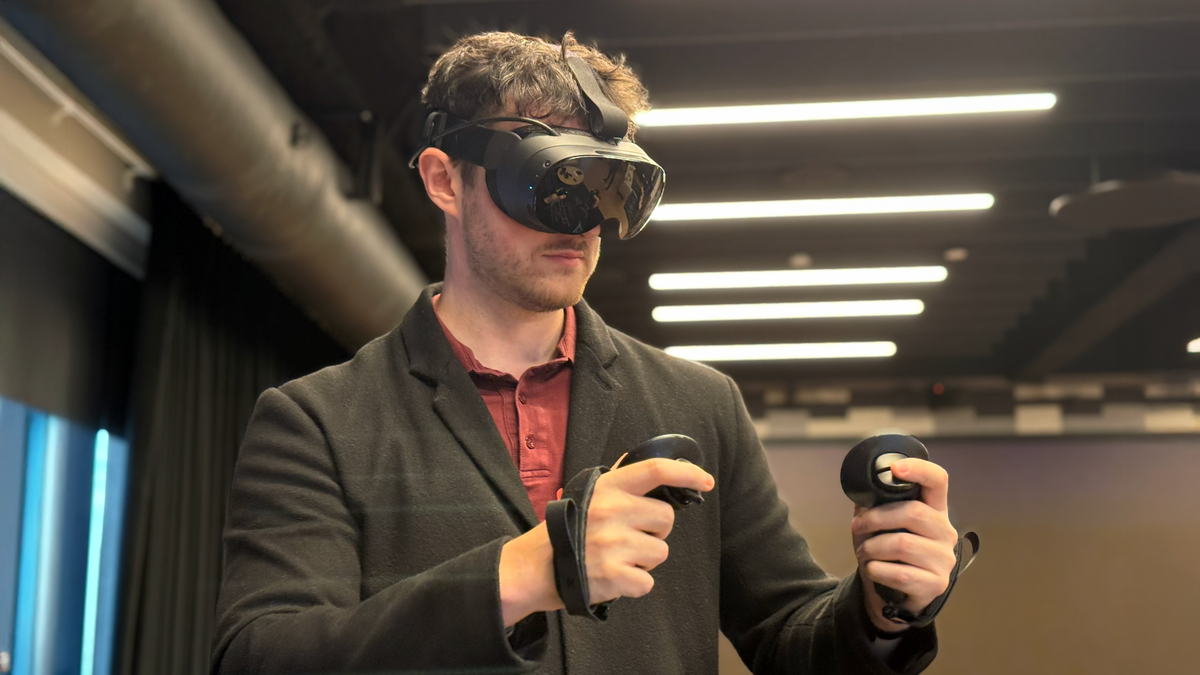
Steam Frame vs. Quest 3 Specs: Better Streaming, Power & Hackability: Quest 3 can do a lot, but can it go toe-to-toe with Steam Frame?

Steam Frame vs. Valve Index Specs: Wireless VR Gameplay That’s Generations Ahead : Valve Index used to be the go-to PC VR headset, but the times have changed.

The post Steam Frame’s Price Hasn’t Been Locked in, But Valve Expects it to be ‘cheaper than Index’ appeared first on Road to VR.

Valve Says No New First-party VR Game is in Development

Steam Frame has finally been revealed and promises to let players access most of their Steam library (be it VR or otherwise) right from the headset. Unfortunately, that won’t include any new VR content from Valve, the company has confirmed.

During a recent interview with Valve, the company confirmed that it has no first-party VR content in the works, for the headset’s launch or otherwise. When asked if the company had any VR content in development, a member of the Steam Frame team responded with a simple and definitive “no.”

The statement puts an end to rumors that had been swirling since at least 2020, which asserted that an asymmetric ‘PC vs. VR’ game in the Half-Life universe was in development. It’s unclear if the rumors were correct and the game has since been cancelled, or if no such project was in development in the first place.

Valve’s first full-fledged VR game, Half-Life: Alyx, launched within a year of the release of Index, the company’s first VR headset. And even though Alyx wasn’t launched at the same time as the headset, Valve had publicly confirmed that a “flagship VR game” was in development even before Index was shipped.

This time around, the company has been pretty clear that users should not expect any new VR content from Valve at the launch of Steam Frame or anytime soon after.

More Steam Frame Announcement Coverage

Valve Unveils Steam Frame VR headset to Make Your Entire Steam Library Portable: Valve shows off Steam Frame, the standalone headset that can stream and natively play your entire Steam library—with only a few caveats right now.

Hands-on: Steam Frame Reveals Valve’s Modern Vision for VR and Growing Hardware Ambitions: We go hands-on with Valve’s latest and greatest VR headset yet.

Steam Frame’s Price Hasn’t Been Locked in, But Valve Expects it to be ‘cheaper than Index’: No price or release date yet, but Valve implies Steam Frame will be cheaper than $1,000 for the full Index kit.

Valve is Open to Bringing SteamOS to Third-party VR Headsets: Steam Frame is the first VR headset to run SteamOS, but it may not be the last.

Valve Plans to Offer Steam Frame Dev Kits to VR Developers: Steam Frame isn’t here yet; Valve says it needs more time with developers first so they can optimize their PC VR games.

Valve Announces SteamOS Console and New Steam Controller, Designed with Steam Frame Headset in Mind: Find out why Valve’s new SteamOS-running Console and controller will work seamlessly with Steam Frame.
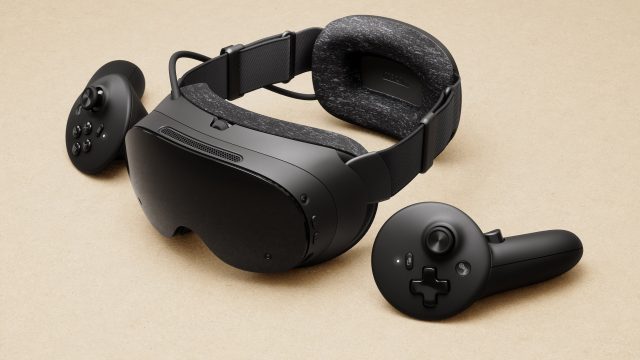
Steam Frame vs. Quest 3 Specs: Better Streaming, Power & Hackability: Quest 3 can do a lot, but can it go toe-to-toe with Steam Frame?

Steam Frame vs. Valve Index Specs: Wireless VR Gameplay That’s Generations Ahead : Valve Index used to be the go-to PC VR headset, but the times have changed.

The post Valve Says No New First-party VR Game is in Development appeared first on Road to VR.

Valve is Open to Bringing SteamOS to Third-party VR Headsets

Valve’s newly announced Steam Frame VR headset will be the first running SteamOS, the company’s Linux-based operating system. But it may not be the last.

In the same way that Valve is open to other companies building traditional devices that run SteamOS—handhelds like Lenovo Legion Go S—the company says it’s also open to other companies building VR headsets based on SteamOS.

A Valve spokesperson told Road to VR that they think “SteamOS would be great for other devices,” noting however that the company is currently focused on shipping Steam Frame at the moment.

But, in the future, Valve says it’s “happy to chat with other companies about shipping it on their VR headsets.”

This makes a good deal of sense, considering Valve’s bottom line largely depends on Steam software sales, and not hardware. Like Steam Deck, Valve’s hardware ambitions typically are ‘Big Picture’ bets on the future of gaming, which has consequently spawned a whole subgenre of gaming devices based on Deck’s lead.

Image courtesy Valve

While users can generally download and install SteamOS on unsupported hardware, possibly requiring some troubleshooting, it may be a significantly more tricky when it comes to VR headsets though.

A prime candidate for future tinkering could be Samsung Galaxy XR, which has a powerful Snapdragon XR2+ Gen 2 and a conveniently unlocked bootloader, which means you can technically install an alternative OS.

Pico 4 Ultra owners could also give it a go, which is similarly unlocked, but runs the older Snapdragon XR2 Gen 2. Then, in last place, is Quest 3/3S, which not only has the same SoC as Pico 4 Ultra, but features a notoriously locked bootloader.

Of course, this depends on a lot of factors, chief of which is whether Valve actually releases the Frame-specific ISO of SteamOS, which likely contains the necessary compatibility layers. That may only be done on a case-by-case basis with OEMs, since VR headsets are significantly more complicated than handhelds or PCs.

Whatever the case, we’re anxious to find out. Because at least from our hands-on with Frame, it’s apparent that Valve is swinging for the fences with its modernized vision for VR. The only question: will anyone else follow?

More Steam Frame Announcement Coverage

Valve Unveils Steam Frame VR headset to Make Your Entire Steam Library Portable: Valve shows off Steam Frame, the standalone headset that can stream and natively play your entire Steam library—with only a few caveats right now.

Hands-on: Steam Frame Reveals Valve’s Modern Vision for VR and Growing Hardware Ambitions: We go hands-on with Valve’s latest and greatest VR headset yet.

Steam Frame’s Price Hasn’t Been Locked in, But Valve Expects it to be ‘cheaper than Index’: No price or release date yet, but Valve implies Steam Frame will be cheaper than $1,000 for the full Index kit.

Valve Says No New First-party VR Game is in Development: Valve launched Half-Life: Alyx (2020) a few months after releasing Index, but no such luck for first-party content on Steam Frame.
Valve Plans to Offer Steam Frame Dev Kits to VR Developers: Steam Frame isn’t here yet; Valve says it needs more time with developers first so they can optimize their PC VR games.

Valve Announces SteamOS Console and New Steam Controller, Designed with Steam Frame Headset in Mind: Find out why Valve’s new SteamOS-running Console and controller will work seamlessly with Steam Frame.
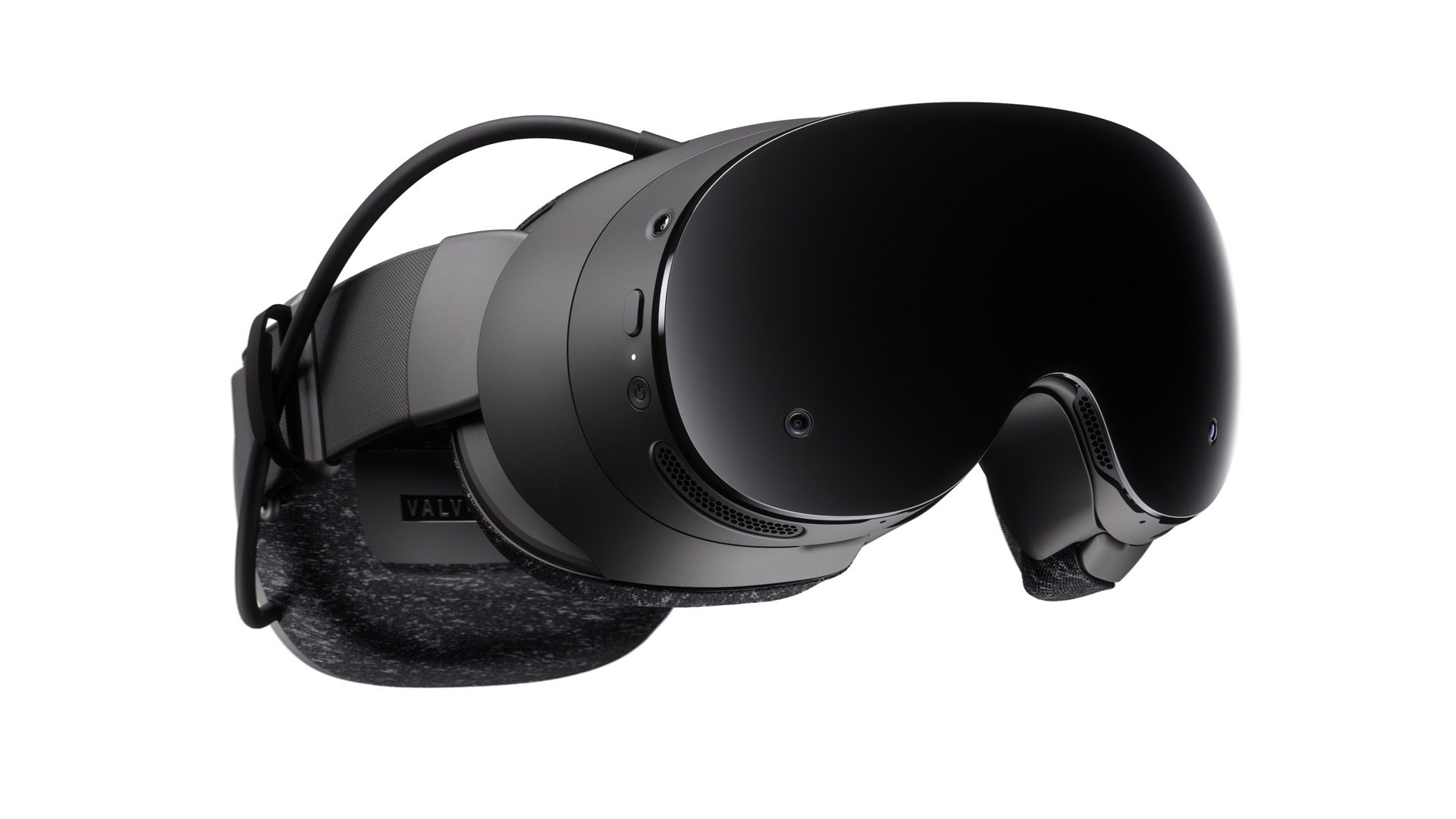
Steam Frame vs. Quest 3 Specs: Better Streaming, Power & Hackability: Quest 3 can do a lot, but can it go toe-to-toe with Steam Frame?
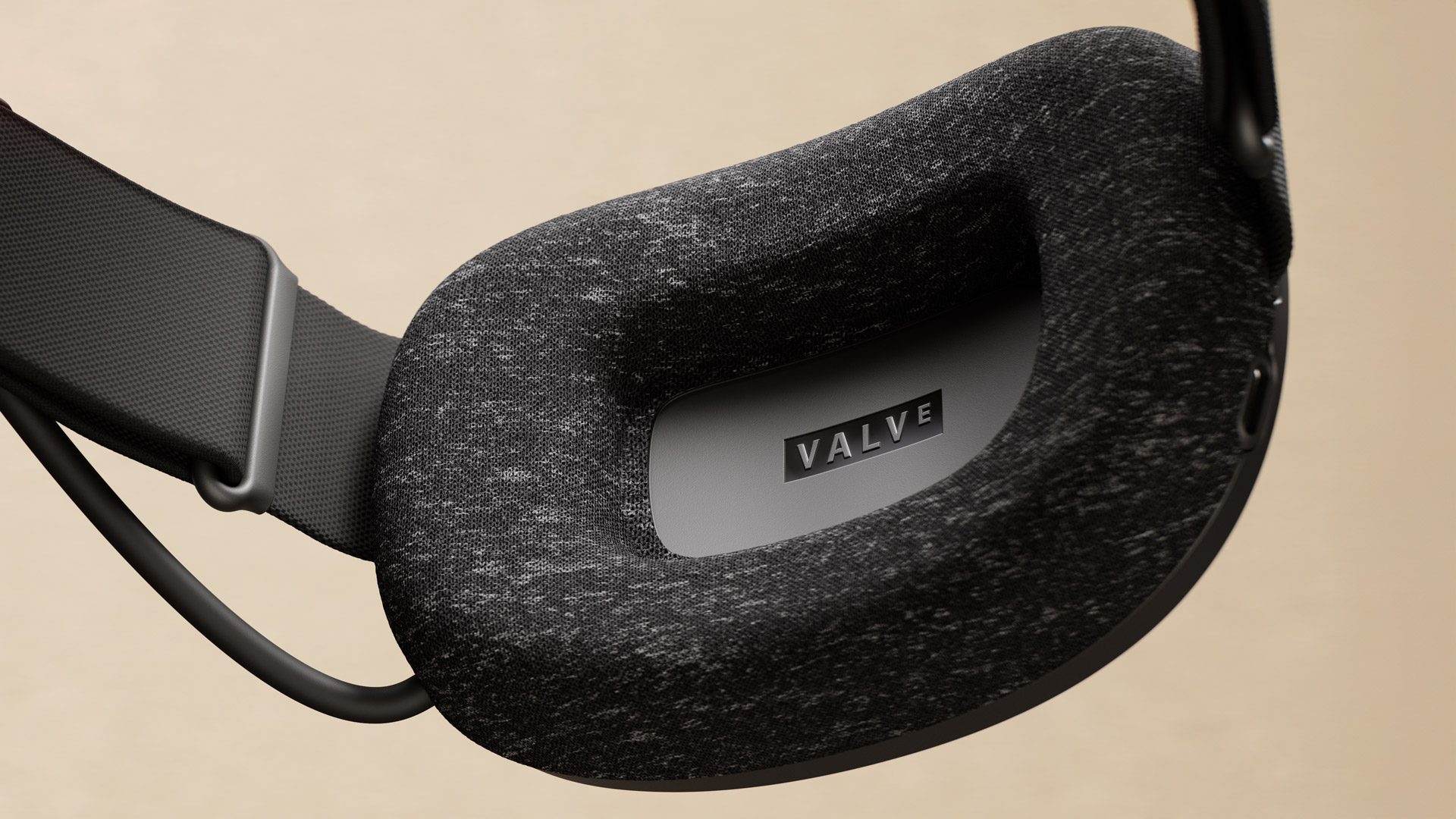
Steam Frame vs. Valve Index Specs: Wireless VR Gameplay That’s Generations Ahead : Valve Index used to be the go-to PC VR headset, but the times have changed.

The post Valve is Open to Bringing SteamOS to Third-party VR Headsets appeared first on Road to VR.

Valve Plans to Offer Steam Frame Dev Kits to VR Developers

It’s been multiple years coming, but Valve has finally unveiled Steam Frame, a standalone VR headset capable of streaming flatscreen and PC VR games wirelessly, and playing them natively thanks to its onboard Snadragon SoC. But before you pull out your wallets, Valve is shipping out developer kits first.

Steam Frame doesn’t have a price or release date yet, although Valve says we’ll learn more in “early 2026.” In the meantime, the company is shipping out developer kits to studios looking to optimize their games to work with the new device, which packs a Snapdragon Series 8 Gen 3 chipset capable of running Steam games natively.

The caveat: while you can technically download and play any x86 game (VR or otherwise), a lot of modern PC VR titles are resource intensive. Realistically, individual developers will still need to optimize their games so they can work comfortably on Frame. That, and the supplied controllers doesn’t offer your traditional VR button layout, instead putting it at input parity with Steam Deck and the new Steam Controller.

Image courtesy Valve

Valve hasn’t said as much, but this also could mean a ‘Frame Compatible’ badge is coming to Steam games soon that have been confirmed to work at some minimal threshold, similar to how it handles Steam Deck compatibility. In turn, this may force some developers to crunch down their PC VR games more into a compute envelope similar to Quest 3 games.

That said, Valve maintains Frame is primarily designed to stream games from a host PC, or the recently unveiled Steam Machine, which will serve up the highest quality experience thanks to an included Wi-Fi 6E dongle that comes along with the headset.

More Steam Frame Announcement Coverage

Valve Unveils Steam Frame VR headset to Make Your Entire Steam Library Portable: Valve shows off Steam Frame, the standalone headset that can stream and natively play your entire Steam library—with only a few caveats right now.

Hands-on: Steam Frame Reveals Valve’s Modern Vision for VR and Growing Hardware Ambitions: We go hands-on with Valve’s latest and greatest VR headset yet.

Steam Frame’s Price Hasn’t Been Locked in, But Valve Expects it to be ‘cheaper than Index’: No price or release date yet, but Valve implies Steam Frame will be cheaper than $1,000 for the full Index kit.

Valve Says No New First-party VR Game is in Development: Valve launched Half-Life: Alyx (2020) a few months after releasing Index, but no such luck for first-party content on Steam Frame.

Valve is Open to Bringing SteamOS to Third-party VR Headsets: Steam Frame is the first VR headset to run SteamOS, but it may not be the last.

Valve Announces SteamOS Console and New Steam Controller, Designed with Steam Frame Headset in Mind: Find out why Valve’s new SteamOS-running Console and controller will work seamlessly with Steam Frame.

Steam Frame vs. Quest 3 Specs: Better Streaming, Power & Hackability: Quest 3 can do a lot, but can it go toe-to-toe with Steam Frame?

Steam Frame vs. Valve Index Specs: Wireless VR Gameplay That’s Generations Ahead : Valve Index used to be the go-to PC VR headset, but the times have changed.

The post Valve Plans to Offer Steam Frame Dev Kits to VR Developers appeared first on Road to VR.

Valve Announces Steam Machine and New Steam Controller, Designed with Steam Frame Headset in Mind

Valve today unveiled Steam Frame alongside two other new bits of hardware: the SteamOS-running Steam Machine and a new Steam Controller—both of which aim to work seamlessly with Valve’s latest and greatest VR headset.

Note: Like Steam Frame, both the new Steam Machine and Steam Controller don’t have confirmed prices or release dates yet, which Valve says we’ll learn about in “early 2026.”

Steam Machine

Valve says Steam Machine makes a great streaming companion for Steam Frame, the company’s newly unveiled VR headset which can wirelessly stream games from PCs with the included Wi-Fi 6E dongle—in addition to playing flatscreen and PC VR games natively via its onboard Snapdragon Series 8 Gen 3 SoC.

Valve is set to offer two models of Steam Machine: a 512GB model and 2TB model, which will ship in a bundle with Steam Controller, but will also be available standalone.

Image courtesy Valve

It’s difficult to tell the size by the images, but it’s actually impressively compact: only about 6 inches tall (152 mm – 148 mm without feet), 6.5 inches deep (162.4 mm) and a little over 6 inches wide (156 mm), weighting in a little over 5.5 lbs (2.6 kg).

Here’s a quick rundown of Steam Machine:

Specs

  • CPU: AMD 6-core Zen 4 X86
  • GPU: Semi-Custom AMD RDNA3 28CU
    • Supports 4K gaming at 60 FPS with FSR
    • Ray tracing supported
    • Over 6x more powerful than Steam Deck
  • 16GB DDR5 + 8GB GDDR6 VRAM
  • 512 GB & 2 TB SSD models
    • micro SD card slot for extended storage/portable catalog
  • Internal power supply, AC power 110-240V
Image courtesy Valve

I/O

  • DisplayPort 1.4, HDMI 2.0
    • CEC support
  • Ethernet 1 Gbps
  • USB-C 10 Gbps, 3.2 Gen 2
  • 4x Type USB-A ports
    • 2x USB 3 in the front
    • 2x USB 2 in the rear
  • 2×2 Wi-Fi 6E, dedicated BT antenna
  • Integrated Steam Controller 2.4GHz radio
Image courtesy Valve

Other features

  • Works with other controllers, accessories, and PC peripherals
  • Wake with Steam Controller
  • Runs SteamOS
    • Familiar, gaming first user experience
    • Fast suspend / resume
    • Steam cloud saves, and all the other Steam features you’d expect
  • Customizable LED bar
    • Personalize with colors and animation
    • Reflect system status (e.g. downloads, booting, updating)

Steam Controller

Valve’s new Steam Controller is more than just a gamepad featuring full input parity with Steam Deck: it also has built-in IR LEDs so it can be tracked by Steam Frame.

While that probably doesn’t make it especially useful for playing VR games, users who want to use Frame like a Deck (but with a huge virtual screen) will be able to see the controller model in the virtual space so they can reference the buttons and get the extra features of Steam Controller. That’s handy, especially when you’re getting to grips with a new(ish) button layout.

Image courtesy Valve

The gamepad is also rated to work with any device that runs Steam, allowing you to connect up to four Steam Controllers to a single device using a low-latency connection puck, which uses a proprietary wireless connection that Valve says is more stable than Bluetooth.

Here’s a quick rundown of Steam Controller:

Works with any device that runs Steam

  • Windows / Mac / Linux PCs
  • PC handhelds
  • iOS / Android (with Steam Link)
  • Steam Deck
  • Steam Machine
  • Steam Frame
Image courtesy Valve

Three ways to connect

  • Steam Controller Puck
    • Pre-paired, plug and play
    • Proprietary wireless connection
    • Low-latency (~8ms full end-to-end)
      • 4ms polling rate
      • measured at 5m
    • More stable than Bluetooth
    • Up to 4 Steam Controllers per Puck
  • Bluetooth
  • USB tethered play

Li-ion rechargeable battery

  • 35hr+ play time
  • Charge with Steam Controller Puck or USB

Features

  • Magnetic thumbsticks (TMR): improved responsiveness and reliability
  • Capacitive touch
  • Grip sense: quick way to activate/deactivate gyro.
  • Assignable input
  • HD haptics: More advanced and powerful motors for high definition rumble
Image courtesy Valve

Full input list

  • ABXY, D-pad
  • L/R triggers, L/R bumpers
  • Magnetic thumbsticks (TMR)
  • View / Menu / Steam / QAM buttons
  • 4x assignable grip buttons
  • 2x trackpads with haptic feedback
    • Pressure sensitivity for configurable click strength
  • 6-axis IMU
  • Capacitive grip sense

More Steam Frame Announcement Coverage

Valve Unveils Steam Frame VR headset to Make Your Entire Steam Library Portable: Valve shows off Steam Frame, the standalone headset that can stream and natively play your entire Steam library—with only a few caveats right now.

Hands-on: Steam Frame Reveals Valve’s Modern Vision for VR and Growing Hardware Ambitions: We go hands-on with Valve’s latest and greatest VR headset yet.

Steam Frame’s Price Hasn’t Been Locked in, But Valve Expects it to be ‘cheaper than Index’: No price or release date yet, but Valve implies Steam Frame will be cheaper than $1,000 for the full Index kit.

Valve Says No New First-party VR Game is in Development: Valve launched Half-Life: Alyx (2020) a few months after releasing Index, but no such luck for first-party content on Steam Frame.

Valve is Open to Bringing SteamOS to Third-party VR Headsets: Steam Frame is the first VR headset to run SteamOS, but it may not be the last.

Valve Plans to Offer Steam Frame Dev Kits to VR Developers: Steam Frame isn’t here yet; Valve says it needs more time with developers first so they can optimize their PC VR games.

Steam Frame vs. Quest 3 Specs: Better Streaming, Power & Hackability: Quest 3 can do a lot, but can it go toe-to-toe with Steam Frame?

Steam Frame vs. Valve Index Specs: Wireless VR Gameplay That’s Generations Ahead : Valve Index used to be the go-to PC VR headset, but the times have changed.

The post Valve Announces Steam Machine and New Steam Controller, Designed with Steam Frame Headset in Mind appeared first on Road to VR.

Steam Frame vs. Quest 3 Specs: Better PC Streaming, Power & Hackability

Want to know how Valve’s newly announced Steam Frame standalone headset stacks up against the competition? Read on to find out.

Steam Frame is a lot like Steam Deck; it can play pretty much all of Steam’s game library out of the box, which includes flatscreen content based on x86 architecture—basically everything on Steam—and also now PC VR games. That means you can download modern flatscreen and VR titles and play on-the-go, no wires or PC needed. More on that below.

Primarily though, Valve says it’s designed to stream PC VR games wirelessly, which it does through a Wi-Fi 6E dongle you plug straight into your computer (or the newly announced Steam Machine). Our hands-on with Frame’s streaming quality was promising.

Quest 3 can stream PC VR games too, albeit in a roundabout way that requires you to stream through your home’s Wi-Fi router, which can cause some bottlenecks since the video stream needs to go from your PC, to the router, and then to the headset. Valve’s solution cuts out that middle man.

Meta Quest 3 | Image courtesy Meta

The big difference though is in power and game compatibility. While both Quest 3 and Frame feature ARM-based Qualcomm Snapdragon processors (Frame’s is more powerful), only Frame can natively play x86 Windows and Linux content thanks to its built-in compatibility layer.

Quest 3 can only natively play games compiled for ARM—albeit from a massive library, all of which are certified to work on the headset. The same can’t be said about Frame just yet.

Valve is distributing Frame dev kits ahead of Frame’s 2026 launch to make sure PC VR studios can optimize; we expect the company to also have some sort of badging system similar to Steam Deck too so users know what works great, okay, or not at all. That said, Valve isn’t stopping you from trying to download and play anything (x86) available on Steam.

Another big difference is the hackability of Frame. The headset natively run SteamOS, although you can technically install any OS on it you want (or realistically can), since it’s an open platform and gives you direct access to Linux for all of your hacking needs. That’s something you definitely can’t do with Quest’s Horizon OS due to its locked bootloader (i.e. no root access).

Image courtesy Valve

Valve is so confident in Frame’s SteamOS that the company tells Road to VR the operating system “would be great for other [VR] devices.”

What’s more, Frame also has a user accessible expansion gen4 PCIe port, which supports up to two 2.5 Gbps cameras… or anything you can think of. Additionally, Frame sports an microSD card slot for up to 2TB of additional storage—both of them clear wins for makers and gamers looking to expand Frame out of the box.

Steam Frame could also promise better comfort over Quest 3, although the jury is still out. The headset features a front ‘core’ component, including the displays and optics, which weighs in at only 190g, putting the bulk of the remaining 245g in the total 435g package to the headstrap, which features a rear-mounted battery (21.6 Wh lithium ion). The default config shipped in the box (above) notably lacks a top strap though, which Valve is selling as an optional add-on later to go along with Knuckles-style controller straps (below).

Photo by Road to VR

Where things even out somewhat (at least on paper) is the headsets’ displays. Quest 3 serves up a 2,064 × 2,208 per-eye LCD, while Frame has a 2,160 × 2,160 per-eye LCD. Both are clocked up to a refresh rate of 72-120Hz, although Frame is said to allow up to 144Hz in an experimental mode.

Still, Frame does let down in the passthrough department; it only has monochrome passthrough, harkening back to the Quest 2 days—an odd (and probably cost-saving) decision by the company. On the other hand, Quest 3 offers a full-color passthrough, which is undoubtedly the better way to not only checking on your surroundings occasionally while immersed in VR, but also play games on a giant screen in your living room.

It’s undoubtedly early days, but Frame could be a very compelling package over Quest 3. Besides the raw spec sheet (seen below), a big missing piece in the equation though is still price and release date. Valve says we’re sure to learn more on that front in “early 2026,” which they say could come somewhere below Valve Index, which is priced ‘all-in’ at $1,000.

In the meantime, you can read our deep dive review of Quest 3 and our hands-on with Steam Frame for more info.

Specs: Steam Frame vs. Quest 3

Steam Frame (top), Quest 3 (below) | Images courtesy Valve, Meta
Steam Frame Quest 3
Base Retail Price TBD (early 2026) $500 (released in 2023)
Weight 190g core, 435g (core, headstrap, incl. facial interface, audio, rear battery)
515g (with stock cloth headstrap)
Chipset Snapdragon Series 8 Gen 3 (SM8650), 8 core CPU ARM processor (4nm)
Snapdragon XR2 Gen 2, 6 core CPU ARM processor (4nm)
RAM 16GB Unified LPDDR5 RAM
8 GB Unified LPDDR5 RAM
Operating System SteamOS
Horizon OS (Android based)
Wi-Fi Wi-Fi 7, 2×2 – Dual 5Ghz/6Ghz streaming for simultaneous VR and Wi-Fi WiFi 6E
Storage 256GB / 1TB UFS storage options
528GB / 1TB storage options
Expanded Storage microSD card slot for extended storage N/A
Optics Pancake optics Pancake optics
Display 2,160 × 2,160 LCD (per eye), 72-120Hz refresh rate (144Hz experimental)
2,064 × 2,208 LCD (per eye), 72-120Hz refresh rate
FOV up to 110 degrees
110 degrees horizonal, 96 degrees vertical
Tracking 4x outward facing monochrome cameras for controller & headset tracking
4x outward facing monochrome cameras for controller & headset tracking (includes depth sensor)
Dark Environment Tracking Outward IR illuminator for dark environments N/A
Passthrough Monochrome camera passthrough (1,280 × 1,024)
Color camera passthrough (1,280 × 960)
Eye-tracking 2x interior cameras for eye tracking N/A
Rendering enhancements Foveated Streaming: eye-tracking drives video stream, sending highest resolution to where you’re looking Fixed Foveated Rendering: continuously renders highest resolution in center of display (no eye-tracking)
Other Wireless Adapter included, Wi-Fi 6E (6Ghz)
Wireless streaming via Link/Router chain
Audio Dual speaker drivers (per ear), integrated into headstrap
Dual speaker drivers (per ear), integrated into headstrap
Mic Dual microphone array
At least 3 microphones (unconfirmed)
Port USB-C USB-C
Expansion Port User accessible expansion port – ( 2x 2.5Gbps camera interface / gen4 PCIe ) N/A
Battery 21.6 Wh Li-On Battery
19.44 Wh Li-On Battery

More Steam Frame Announcement Coverage

Valve Unveils Steam Frame VR headset to Make Your Entire Steam Library Portable: Valve shows off Steam Frame, the standalone headset that can stream and natively play your entire Steam library—with only a few caveats right now.

Hands-on: Steam Frame Reveals Valve’s Modern Vision for VR and Growing Hardware Ambitions: We go hands-on with Valve’s latest and greatest VR headset yet.

Steam Frame’s Price Hasn’t Been Locked in, But Valve Expects it to be ‘cheaper than Index’: No price or release date yet, but Valve implies Steam Frame will be cheaper than $1,000 for the full Index kit.

Valve Says No New First-party VR Game is in Development: Valve launched Half-Life: Alyx (2020) a few months after releasing Index, but no such luck for first-party content on Steam Frame.

Valve is Open to Bringing SteamOS to Third-party VR Headsets: Steam Frame is the first VR headset to run SteamOS, but it may not be the last.

Valve Plans to Offer Steam Frame Dev Kits to VR Developers: Steam Frame isn’t here yet; Valve says it needs more time with developers first so they can optimize their PC VR games.

Valve Announces SteamOS Console and New Steam Controller, Designed with Steam Frame Headset in Mind: Find out why Valve’s new SteamOS-running Console and controller will work seamlessly with Steam Frame.

Steam Frame vs. Valve Index Specs: Wireless VR Gameplay That’s Generations Ahead : Valve Index used to be the go-to PC VR headset, but the times have changed.

The post Steam Frame vs. Quest 3 Specs: Better PC Streaming, Power & Hackability appeared first on Road to VR.

Steam Frame vs. Valve Index Specs: Wireless VR Gameplay That’s Generations Ahead

Valve announced Steam Frame today, but what’s the difference between the company’s first VR headset, Valve Index? Read on to find out.

Index is a tethered PC VR headset that uses the company’s SteamVR tracking standard, requiring laser-emitting basestations that the headset and Index controllers use to localize spatially for room-scale gameplay. You also need a VR-ready PC, since it’s not a standalone device.

When it was launched in 2019, there were a few VR headsets on the market that made use of optical tracking, sometimes called ‘inside-out’ tracking, like Rift S, Windows Mixed Reality, and the original Quest—which weren’t as precise as SteamVR’s decidedly more cumbersome tracking standard. If you were primarily a PC VR gamer looking for the best all-around headset at the time though, Index was a no-brainer.

Valve Index | Image courtesy Valve

But PC VR headsets are lighter now, and the ‘no-brainer’ award for users in the SteamVR tracking ecosystem has moved on to slim and light PC VR headsets—like Bigscreen Beyond 2, which supports the full gamut of SteamVR tracking devices, like Tundra trackers, Index controllers (aka ‘Knuckles’) and more.

Early next year though, there will be a new headset in town: Steam Frame. Like Index, Steam Frame can play PC VR games, although you can ditch the basestations and two-meter tether, because Valve’s latest and greatest uses optical tracking and comes packed with a Wi-Fi 6E dongle in the box, which plugs into your computer for directly streaming Steam games (VR or otherwise). That means you’ll be sacrificing those hard-earned SteamVR tracking accessories, but maybe going fully wireless will be worth it.

Since it’s a standalone sporting a Qualcomm Snapdragon Series 8 Gen 3 (released in 2023) running SteamOS, you can actually directly download flatscreen and PC VR games to play natively. No wires, PC, or anything else required. While not all PC VR games played natively are guaranteed to work well out of the box, Valve seems to have a plan.

Image courtesy Valve

Valve says flatscreen games should play on Frame just fine, although more demanding PC VR games will need to be optimized by developers first: exactly why the company is first releasing dev kits to studios. We also expect to see some sort of badging system on Steam in the future (à la Steam Deck) that lets you know when natively downloaded PC VR titles run great, okay, or not at all. Whatever the case, Valve isn’t stopping you from trying.

But because dev kits are only now just heading out the door, that means price and release info is still MIA, due to come in “early 2026,” Valve says. In the meantime though, you can have a look at just what Valve has cooked up for its long-awaited first standalone VR headset in our hands-on with Frame—which handily beats Index in nearly every measurable category.

Nearly. While Frame’s 2,160 × 2,160 per-eye LCDs and pancake lenses beat Index’s 1,440 × 1, 600 per-eye LCDs and Fresnel lenses by a long shot, Frame’s monochrome passthrough definitely feels last (last) gen over the full-color passthrough on Index.

Hackers may be able to remedy that by jacking into the gen 4 PCIe slot in the user-accessible port, which supports up to two 2.5Gbps camera sensors. Like Index’s ‘frunk’ USB port, Valve isn’t making anything first-party for the PCIe slot, which is a bummer. Whatever the case, gen 4 PCIe certainly has more bandwidth than the ol’ frunkster.

Steam Frame vs. Valve Index Specs

Steam Frame (top), Valve Index (below) | Images courtesy Valve
Steam Frame Valve Index
Base Retail Price Expected lower than Index (TBD early 2026)
$1,000 (headset, controllers, 2 SteamVR basestations) Gaming PC required.
Weight 190g core, 435g (with headstrap, incl. facial interface, audio, rear battery)
809g (with headstrap)
Chipset Snapdragon Series 8 Gen 3 (SM8650), 8 core CPU ARM processor (4nm) N/A
RAM 16GB Unified LPDDR5 RAM N/A
Operating System SteamOS
No native OS. Tethered connection to Windows or Linux PC
Wi-Fi Wi-Fi 7, 2×2 – Dual 5Ghz/6Ghz streaming for simultaneous VR and Wi-Fi N/A
Storage 256GB / 1TB UFS storage options N/A
Expanded Storage microSD card slot for extended storage N/A
Optics Pancake optics
Dual-element canted Fresnel lenses
Display 2,160 × 2,160 LCD (per eye), 72-120Hz refresh rate (144Hz experimental)
1,440 × 1, 600 LCD (per eye), 144Hz refresh rate
FOV up to 110 degrees
108 degrees horizontal, 104 degrees vertical
Tracking 4x outward facing monochrome cameras for controller & headset tracking
SteamVR 2.0 basestations for controller & headset tracking
Dark Environment Tracking Outward IR illuminator for dark environments
Basestations allow for tracking without ambient light
Passthrough Monochrome dual camera passthrough (1,280 × 1,024 resolution)
Color dual camera passthrough (960 × 960 resolution)
Eye-tracking 2x interior cameras for eye tracking N/A
Rendering enhancements Eye-tracking drives video stream, sending highest resolution to where you’re looking
Resolution scaling possible via SteamVR
Other Wireless Adapter included, Wi-Fi 6E (6Ghz)
Third-party devices available for wireless streaming
Audio Dual speaker drivers (per ear), integrated into headstrap
Dual speaker drivers (per ear), integrated into headstrap
Mic Dual microphone array
Dual microphone array
Port USB-C
DisplayPort 1.2, USB 3.0
Expansion Port User accessible expansion port – (2x 2.5Gbps camera interface / gen4 PCIe)
Faceplate ‘frunk’ expansion port: USB 3.0 Type-A
Battery 21.6 Wh Li-On Battery N/A

More Steam Frame Announcement Coverage

Valve Unveils Steam Frame VR headset to Make Your Entire Steam Library Portable: Valve shows off Steam Frame, the standalone headset that can stream and natively play your entire Steam library—with only a few caveats right now.

Hands-on: Steam Frame Reveals Valve’s Modern Vision for VR and Growing Hardware Ambitions: We go hands-on with Valve’s latest and greatest VR headset yet.

Steam Frame’s Price Hasn’t Been Locked in, But Valve Expects it to be ‘cheaper than Index’: No price or release date yet, but Valve implies Steam Frame will be cheaper than $1,000 for the full Index kit.

Valve Says No New First-party VR Game is in Development: Valve launched Half-Life: Alyx (2020) a few months after releasing Index, but no such luck for first-party content on Steam Frame.

Valve is Open to Bringing SteamOS to Third-party VR Headsets: Steam Frame is the first VR headset to run SteamOS, but it may not be the last.

Valve Plans to Offer Steam Frame Dev Kits to VR Developers: Steam Frame isn’t here yet; Valve says it needs more time with developers first so they can optimize their PC VR games.

Valve Announces SteamOS Console and New Steam Controller, Designed with Steam Frame Headset in Mind: Find out why Valve’s new SteamOS-running Console and controller will work seamlessly with Steam Frame.

Steam Frame vs. Quest 3 Specs: Better Streaming, Power & Hackability: Quest 3 can do a lot, but can it go toe-to-toe with Steam Frame?

The post Steam Frame vs. Valve Index Specs: Wireless VR Gameplay That’s Generations Ahead appeared first on Road to VR.

Apple introduces a new Digital ID feature to make boarding flights easier

Apple is rolling out a new feature that lets users store US passports in the official Wallet app. This will allow travelers to present this digital ID as a valid form of identification at TSA checkout lines at airports.

In other words, folks with a passport who have yet to upgrade a driver’s license to a Real ID will be able to board a plane without bringing a physical copy of that passport to the airport. This whole Real ID thing has been a source of frustration to many, so I appreciate any effort to make traveling a bit easier.

This ID will be visible on both iPhones and the Apple Watch and Apple says the service is being implemented at TSA checkpoints across more than 250 US-based airports. It’s only used for ID on domestic flights; if you’re planning to travel internationally you’ll still need a physical passport.

Also, not all TSA readers have been implemented with the technology to scan these digital IDs just yet, according to TechCrunch. You might want to bring along a paper passport for the time being to let the TSA and Apple get their ducks in a row.

The Wallet app.
Apple

The company has plans to expand this feature beyond air travel. Apple says businesses will eventually be able to accept these IDs for the purposes of age verification. This Digital ID feature was first announced as part of iOS 26 and also adds passports to the list of existing government IDs supported in Apple Wallet.

Adding a passport seems simple enough. Just head to the Wallet app and follow the prompts. Users will have to pose for a selfie and complete a series of facial and head movements for security.

The wallet platform also accepts driver’s licences and state IDs, but only in 12 states and Puerto Rico. These won’t be valid for flying, however, as neither is a Real ID or passport.

This article originally appeared on Engadget at https://www.engadget.com/apps/apple-introduces-a-new-digital-id-feature-to-make-boarding-flights-easier-175130213.html?src=rss

Corals survived past climate changes by retreating to the deeps

Scientists have found that the 2023 marine heat wave caused “functional extinction” of two Acropora reef-building coral species living in the Florida Reef, which stretches from the Dry Tortugas National Park to Miami.

“At this point, we do not think there’s much of a chance for natural recovery—their numbers are so low that successful reproduction is incredibly unlikely,” said Ross Cunning, a coral biologist at the John G. Shedd Aquarium.

This isn’t the first time corals have faced the borderline of extinction over the last 460 million years, and they have always managed to bounce back and recolonize habitats lost during severe climate changes. The problem is that we won’t live long enough to see them doing that again.

Read full article

Comments