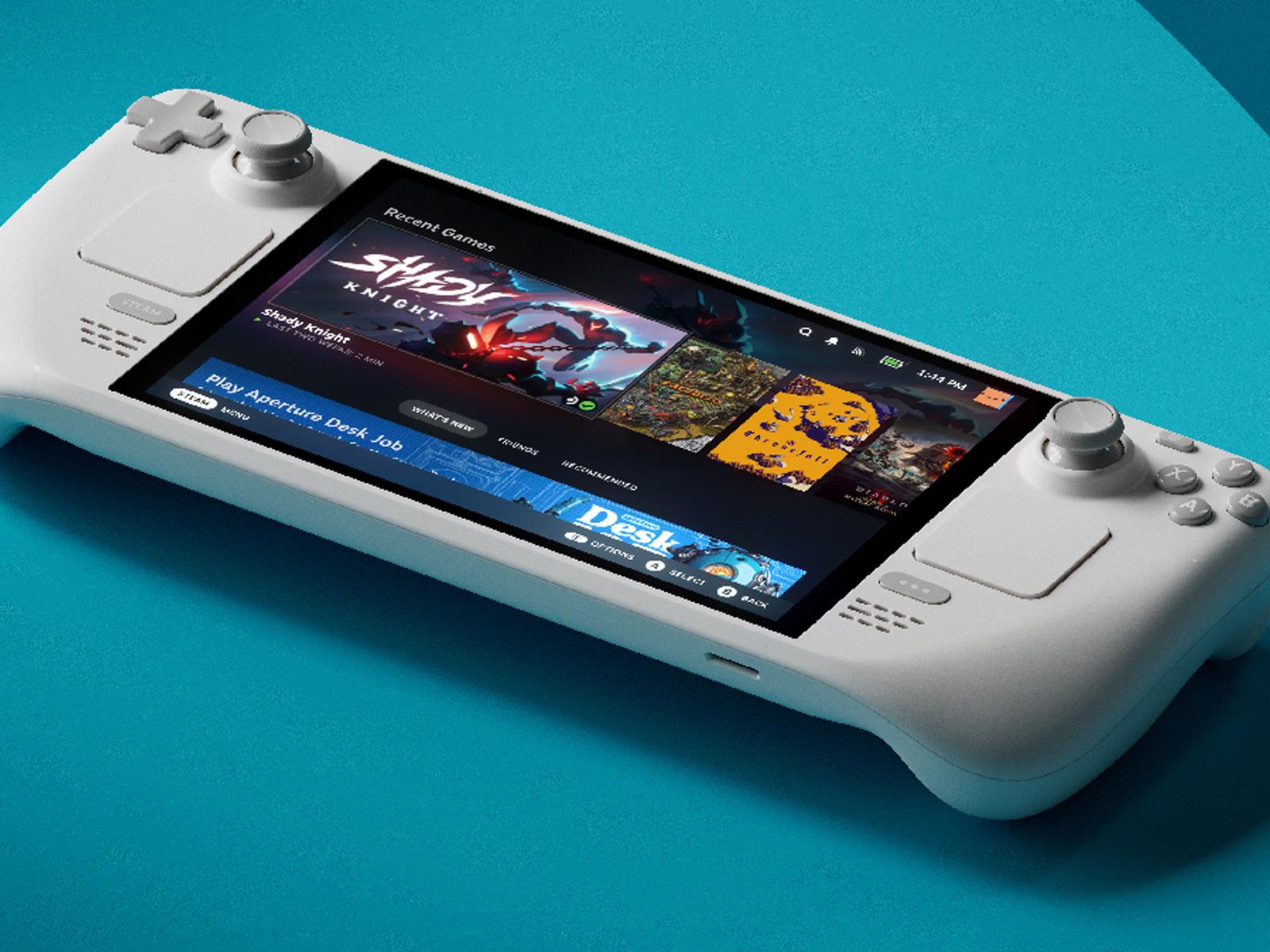
In case you missed it, Valve announced a load of new hardware this week, including a second stab at the Steam Machine, a Steam controller, and a long-rumored new VR headset called the Steam Frame. But in with the new often means out with the old, and perhaps inevitably, the company has confirmed that its previous headset, the Valve Index, is no more.
Valve’s Lawrence Yang told The Vergethat it’s “no longer manufacturing” the Index, which we called “the best desktop VR yet” when it launched in 2019. The Index arrived around the same time as the Oculus Quest and its promise of an affordable all-in-one future for VR. By contrast, the Valve Index was very much still a high-end tethered device for the hardcore enthusiasts, with a price tag that reflected that.
We don’t know how much the Steam Frame will cost yet, but it definitely sounds like Valve is making a play for the more casual VR crowd here too, as well as those who want to play demanding 3D titles. You can stream flatscreen and VR games from your PC or Steam Machine using a wireless adapter, but the Steam Frame is also a standalone device like the Meta Quest 3, backed by a built-in Snapdragon 8 Gen 3 chipset and 16GB of RAM. Valve is supporting Android games too, seemingly a move to entice VR developers to bring their Quest games over to Steam.
In order to track your movements in virtual space, the Valve Index relied on external lighthouse base stations, which meant you had to go through a more than a little laborious setup process to play roomscale VR games. Consumer VR has moved towards built-in sensors since then, and it sounds like Valve wants to leave its lighthouses in the past too, with the company confirming to The Verge that they won’t be supported on the Steam Frame. The new headset instead has four high-res monochrome cameras for inside-out tracking, as well as infrared LEDs on the outside that help with tracking in darker environments.
This article originally appeared on Engadget at https://www.engadget.com/ar-vr/valve-confirms-that-it-has-stopped-making-the-index-vr-headset-150324456.html?src=rss
It’s a solid drop for a TV that is also PCMag’s Editors’ Choice pick, praised in an “outstanding” review as “a bright, beautiful TV at a budget-friendly price.” That summary fits. The TV’s mini-LED backlight is the first thing that stands out. It gets bright (crossing the 1,000-nit mark), which you feel immediately when you watch something mastered for Dolby Vision or HDR10. Scenes with high contrast, like night shots filled with neon signs, look sharp and bold, though you’ll notice some light bloom in those high-contrast edges. Still, for a 65-inch model at this price, the picture feels more vibrant than last year’s Hisense U6N, which already had a solid reputation. If you’re looking for something bigger, the 75-inch and 85-inch versions are also priced under $1,000 at the moment.
The U65QF handles motion in a way that makes day-to-day viewing feel easy, whether you’re watching a late-night movie or catching a weekend match. The 144Hz refresh rate keeps fast scenes clean, so car chases, quick pans, and rapid game replays don’t break into blur. That same responsiveness carries into gaming. AMD FreeSync Premium Pro keeps the picture stable when frame rates dip, and the input lag—4.6ms at 1080p/120 and 13.1ms at 4K/60—helps the TV respond as soon as you do. The panel’s brightness also plays a big role. Highlights stay strong without washing out shadows, and the screen holds its color well even when you’re off to the side, giving it better viewing angles than you’d expect from a budget TV.
Hisense does shift direction on the software side, moving from Google TV to Amazon’s Fire TV, and that change shapes the experience noticeably. Fire TV is familiar, smooth, and supports every major streaming app, but the interface leans heavily on ads. The platform still covers the basics well, offering AirPlay for Apple devices, though the lack of Google Cast means Android users lose an easy streaming option they may be used to. Alexa remains part of the setup and handles voice commands without trouble, but the absence of hands-free microphones means you’ll still rely on the remote’s mic button each time. It’s a workable setup, just not as flexible as before.
Many distributions provide support out of the proverbial box for
Flatpak packages, but Fedora is unusual in that it also provides, and
defaults, to its own repository of Fedora-built Flatpaks. This has been
a source of confusion for Fedora users, who expect to get the Flatpak
built by the original developers and hosted on Flathub. It has also been a source
of conflict with upstream projects, because users complain of bugs in
Flatpak packages they are not responsible for. The situation has also frustrated some
Fedora developers, who would prefer to offer put Flathub’s offerings
first. A new complaint that Fedora has apparently used manifests
from Flathub to build the packages for Fedora—without giving credit to
the original authors—has spurred discussions about Fedora’s
Flatpaks once again. While no concrete changes are on the table, yet,
there may be some movement toward addressing persistent complaints.
Patches posted to the Linux kernel mailing list this week are seeking to remove SHA1 support for signing of kernel modules. This is part of the larger effort in the industry for moving away from SHA1 given its vulnerabilities to hash collisions and superior hashing algorithms being available…
I’m a former Android-Mac hybrid user. Laugh all you want—we exist.
I enjoy having a polished operating system on my computer and an endlessly hackable operating system on my phone, and the combination of Mac and Android gave me all of that. I only stopped using Android alongside my Mac a couple years ago, mostly because an iPhone SE was cheaper than most mid-range Android options at the time.
When I think about switching back, though, I realize how much I’ll miss the integrations. Using a Mac and an iPhone gives you access to all kinds of tricks. Among the ones I use the most are the shared notifications, the syncing clipboard, and the easy ways to sync files. There’s also the ability to control your iPhone from your Mac. Android users can’t do any of this on a Mac.
That’s where AirSync comes in. The open source application, built by Sri Lanka based developer Sameera Sandakelum, integrates Android devices with macOS in all kinds of ways. Android notifications show up on your Mac. You can sync your clipboard. It’s also easy to send files from Android to the Downloads folder on your Mac, or vice versa. And with a little bit of setup, you can even take control of your Android device from the comfort of your Mac.
Credit: Justin Pot
Getting started is straightforward. You need to download the app for Android and macOS and install them. You will be prompted on both devices to enable certain permissions, after which you can connect your devices to each other by scanning a QR code. (It’s worth noting that you can only connect devices that are on the same wifi network.)
After that, you should start seeing Android notifications on your Mac—they’ll show up in the native Mac notifications, or you can review existing ones in the app itself. You can even trigger buttons, allowing you to do things like respond to text messages from the notifications on your Mac. Items copied on your clipboard on one device will sync to the other. And you will see controls for the media currently playing on your Mac on the lock screen of your Android device.
It has lot of nice touches, and you can go a bit further by paying for AirSync+, which costs either $2.49/month or $50 one time. This paid version of the application lets you take control of your Android device, similar to iPhone Mirroring. I tried this feature out and enjoyed it, though you can set this up yourself using Scrcpy for free.
Credit: Justin Pot
Other features in the paid version include controlling your Android’s music from your Mac, opening websites open on one device from another, and custom app icons.
Even without these paid features, though, Airsync makes it a little bit easier to be a Mac/Android person. Not missing notifications, easier file sharing, and clipboard syncing are all big quality of life improvements, so check this app out if you’re tired of macOS and Android not playing nicely together.
OnePlus has launched its latest flagship smartphone, the OnePlus 15, today in a live event. It’s supposed to mark the availability of the phone outside of China, where it came out in October, but the US government shutdown apparently put a damper on the manufacturer’s plans. “As is the case with every smartphone manufacturer, the United States’ Federal Communications Commission certifies OnePlus devices before they are sold in the US,” said Spenser Blank, OnePlus North America’s Head of Marketing & Communications, in a statement. “As a result of the government shutdown, device certifications have been delayed.” That means the US release of the model has been postponed until the FCC approves its certifications.
The company explained that the OnePlus 15 has already gone through all the required tests from labs recognized by the government agency. It is also done submitting formal application for the certifications, and it’s just a matter of waiting for approvals at this point. “We are hopeful that approvals can be generated quickly and as a result, we can bring the OnePlus 15 to our customers in the US expeditiously,” Blank said.
OnePlus 15 is the first phone to ship with OxygenOS 16, the company’s take on Android 16. The OS combines Android’s new customization options with smoother animations and AI-enabled features. OnePlus 15 will be available in Canada today, as planned. Those in the US can visit the company’s page for US customers, where they can type in their contact details to be notified when they can purchase the device. The variant with 12GB of memory and 256GB of storage will set buyers in the US back $900, while the one with 16GB of memory and 512GB of storage will cost them $1,000.
This article originally appeared on Engadget at https://www.engadget.com/mobile/smartphones/the-us-government-shutdown-claims-an-unexpected-victim-oneplus-15-143000307.html?src=rss
If you’re reading this review, there’s a chance you’ve come to it with some confusion. Didn’t OnePlus already release a new flagship phone this year, and wasn’t it called the OnePlus 13? The answer is yes to both those questions. So, what gives? Well, over the last few years, OnePlus has been working to shorten the gap between when its phones debut in China and when they’re available in the rest of the world. This year, the OnePlus 15 arrives in North America just a few short weeks after its initial October 27 release. And like it did with the jump between the OP3 and OP5, OnePlus is skipping the OP14 because of the number four and its unlucky association in Chinese culture.
With that cleared up, you might think the OnePlus 15 suffers from following too soon after its predecessor. I’m happy to report it offers some clear upgrades over the OP13, including a faster processor and an absurdly big battery. What it doesn’t do, however, is change the OnePlus formula — for better and worse.
Pricing and availability
Due to the federal government shutdown, the OnePlus 15 does not have a US release date yet. The company had hoped to begin selling the phone starting today, November 13, but the phone has yet to obtain the necessary clearance.
“As is the case with every smartphone manufacturer, the United States’ Federal Communications Commission certifies OnePlus devices before they are sold in the US. As a result of the government shutdown, device certifications have been delayed,” Spenser Blank, OnePlus North America’s head of marketing and communications, told Engadget.
“Subsequently, US sales for the OnePlus 15 will be postponed until they have been secured. The OnePlus 15 has already finished all the required tests from the FCC’s recognized labs and the certification application has been formally submitted. We are hopeful that approvals can be generated quickly and as a result, we can bring the OnePlus 15 to our customers in the U.S. expeditiously.”
There’s also some uncertainty around pricing. On release, OnePlus plans to offer two versions of the OnePlus 15. The base model, with 12GB of RAM and 256GB of storage, will cost $900. The company will also sell a 16GB/512GB variant that will cost $1,000. However, OnePlus warns the price of both models is “subject to change due to current market conditions.”
Hardware and display
The OnePlus 15 offers a big, vibrant AMOLED display.
Igor Bonifacic for Engadget
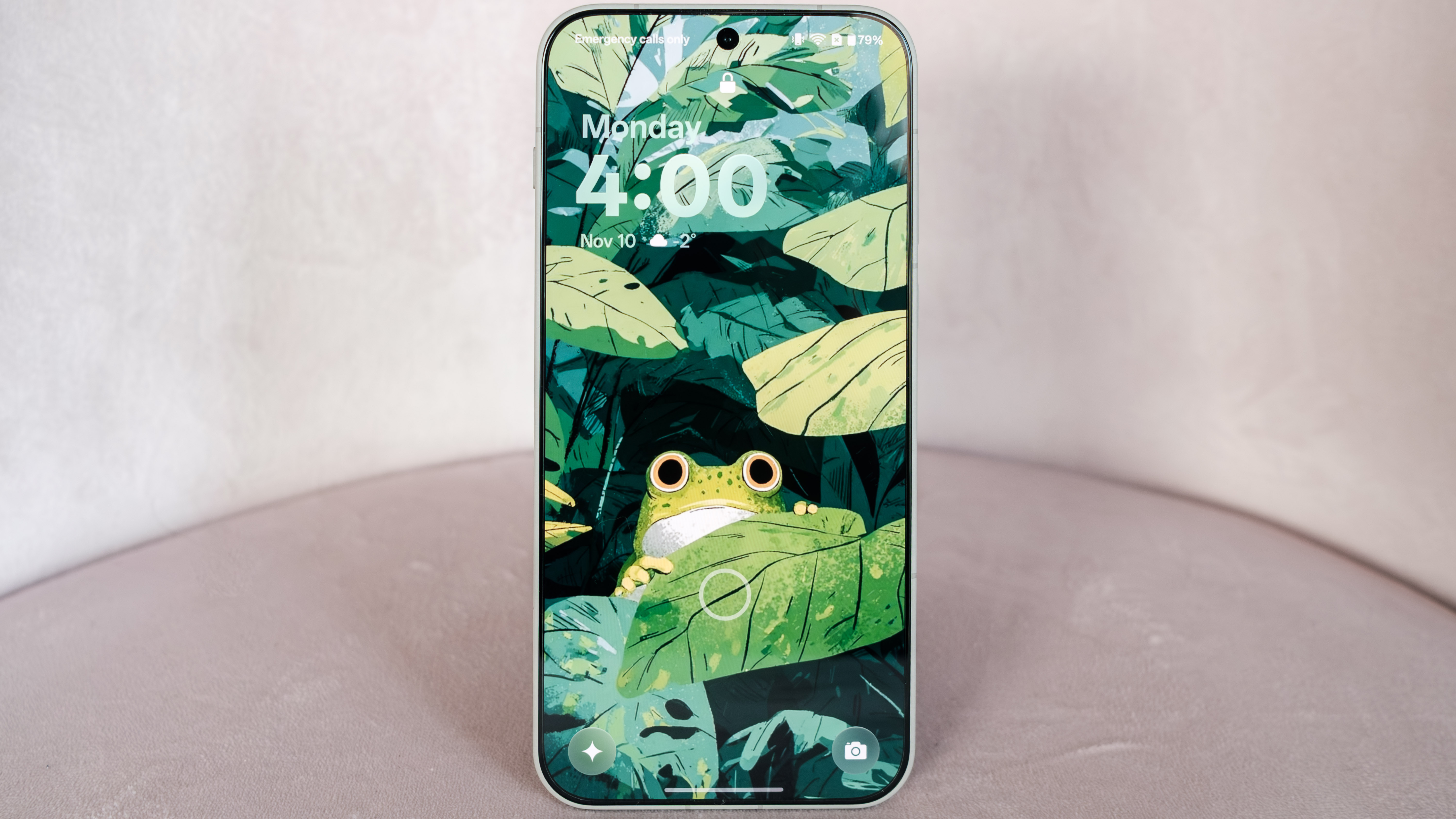
The OnePlus 15 is a great phone with a boring, derivative design. It borrows its visual identity from the OnePlus 13s and 13T, a pair of smaller, 6.32-inch phones OnePlus released in India and China this past spring. There’s no two ways about it, in making its new flagship look more like those devices, OnePlus has at the same time made it look more like last year’s iPhone 16 Pro.
It’s a shame. The design of the OnePlus 13 was one of the things my co-worker Sam Rutherford praised that phone for, and it’s something I liked about it too. The 15 just looks generic, even if there are a few nice touches. For example, the sand storm color has a nice, ceramic-like feel to it. One other impressive aspect of the design is how thin OnePlus has managed to keep the 15 while adding a massive 7,300mAh battery. At 0.31 inches thick, the sand storm variant is only slightly fatter than the 0.29-inch thick Galaxy S25 FE I recently reviewed, which has a more modest 4,900mAh battery (the two other OP15 colorways, infinite black and ultra violet, are listed as slightly thicker at 0.32 inches).
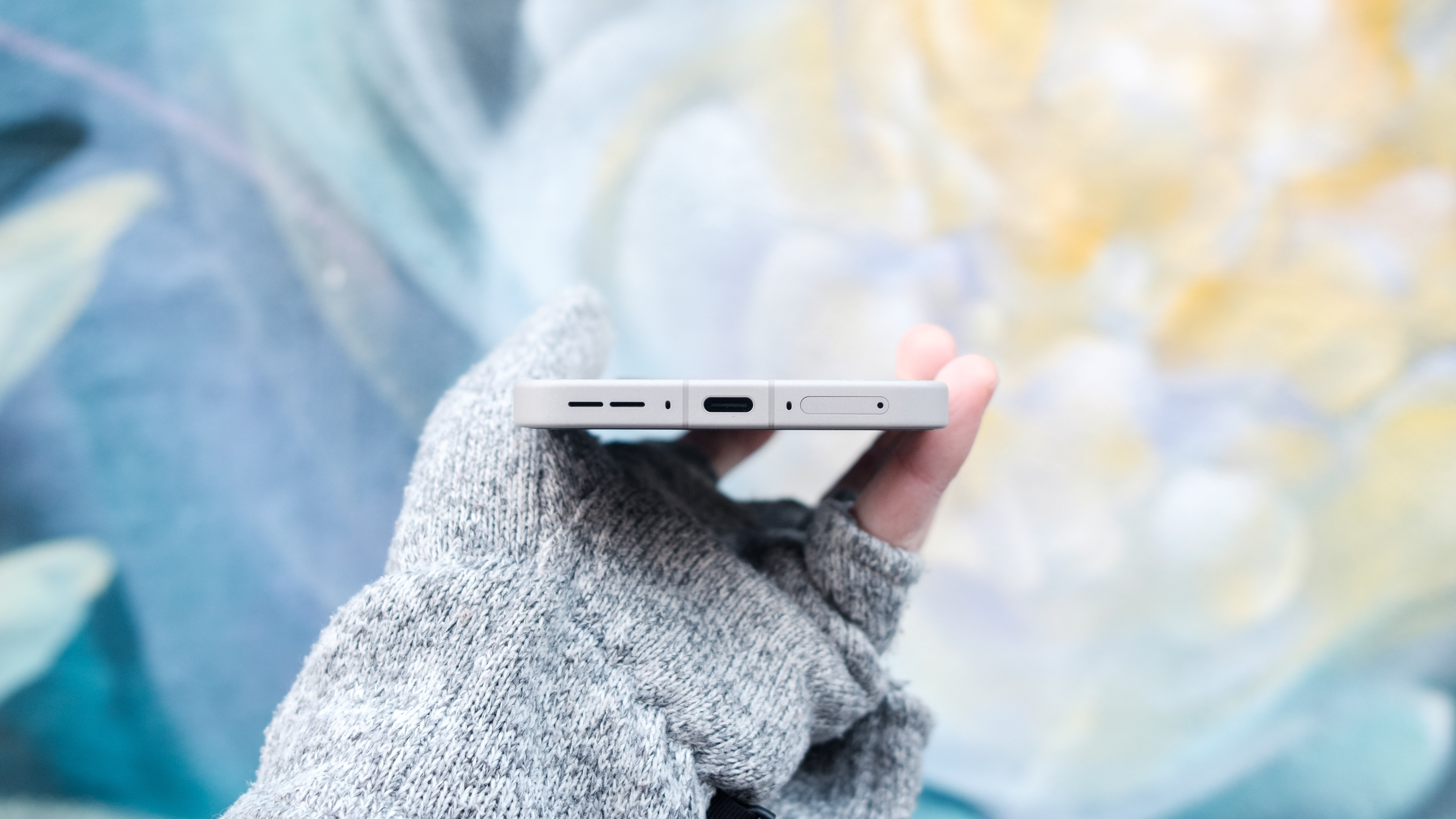
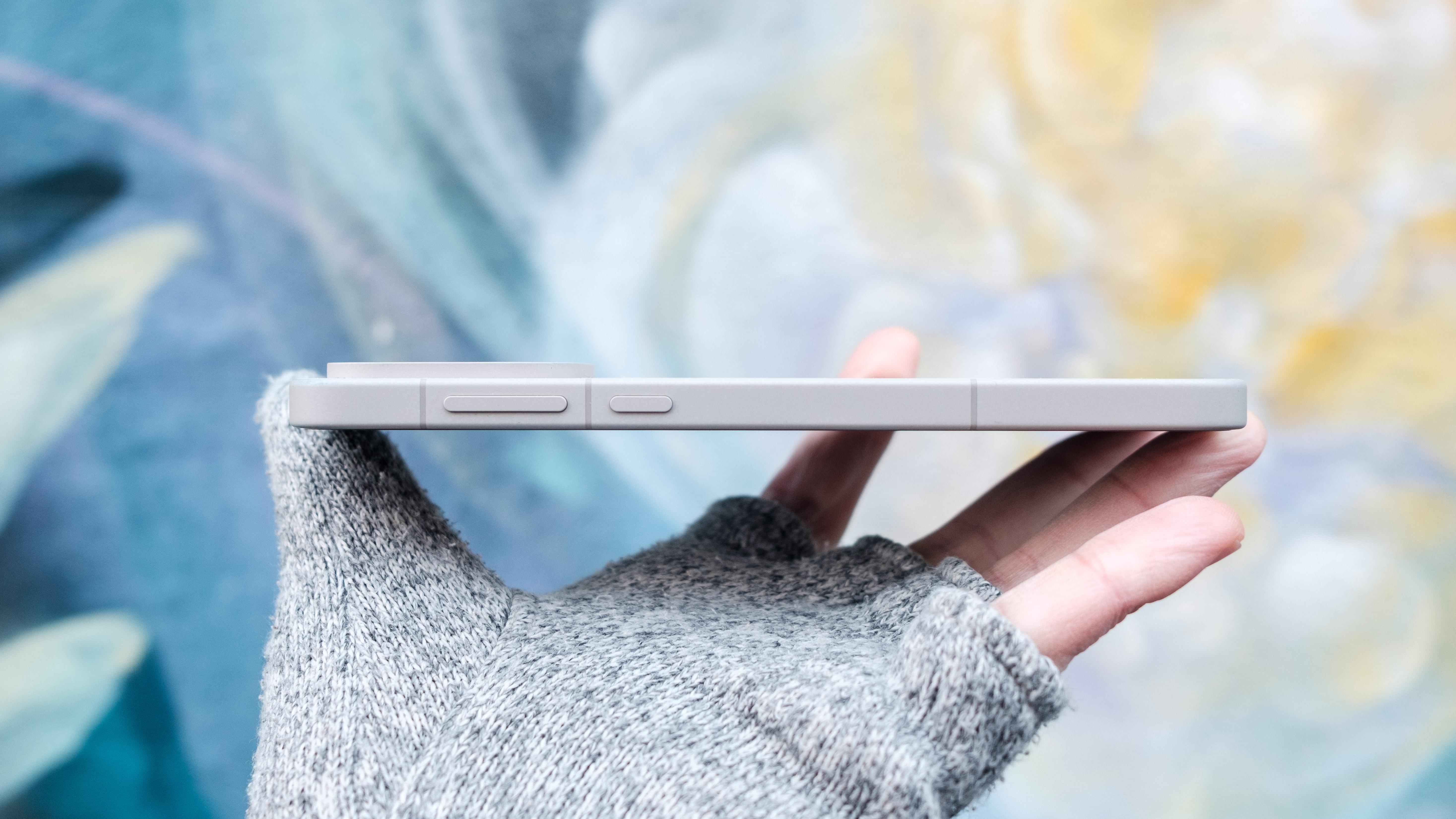
Now, if you’re a longtime OnePlus fan, I need to mention the 15 doesn’t have the signature Alert Slider found on the company’s previous phones. I know what you’re thinking, did OnePlus do away with a fan favorite feature to add an AI button? The answer is both yes and no. The first time you tap the Plus Key, OxygenOS will prompt you to make it a shortcut for one of eight functions. Naturally, the default option is to use the button in conjunction with the company’s newish Mind Space AI hub, but you also can bind other functions to the Plus Key, including the old Alert Slider functionality. Even if it’s another thing that’s derivative of the iPhone, I like the flexibility the Plus Key gives.
Separately, OnePlus has gone with a different screen this time around. The OP15 offers a 6.78-inch AMOLED display with a 1,272 x 2,772 resolution. The new screen is both smaller and less dense than the one found on the OnePlus 13, which was 6.82 inches big and had a 1,440 x 3,168 resolution. It’s also faster, offering a 165Hz refresh rate in select games, up from 120Hz on the earlier model. OnePlus told me it went with the lower resolution display because there’s no OLED manufacturer making QHD panels that fast yet. I’ll have more to say about the display in the performance section, but for now I’ll say the OP15’s screen is one of the best parts of using the phone. It’s dense enough to make text and images look sharp, and with up to 1,800 nits of brightness available, it’s easy to see and use even in harsh sunlight.
Cameras
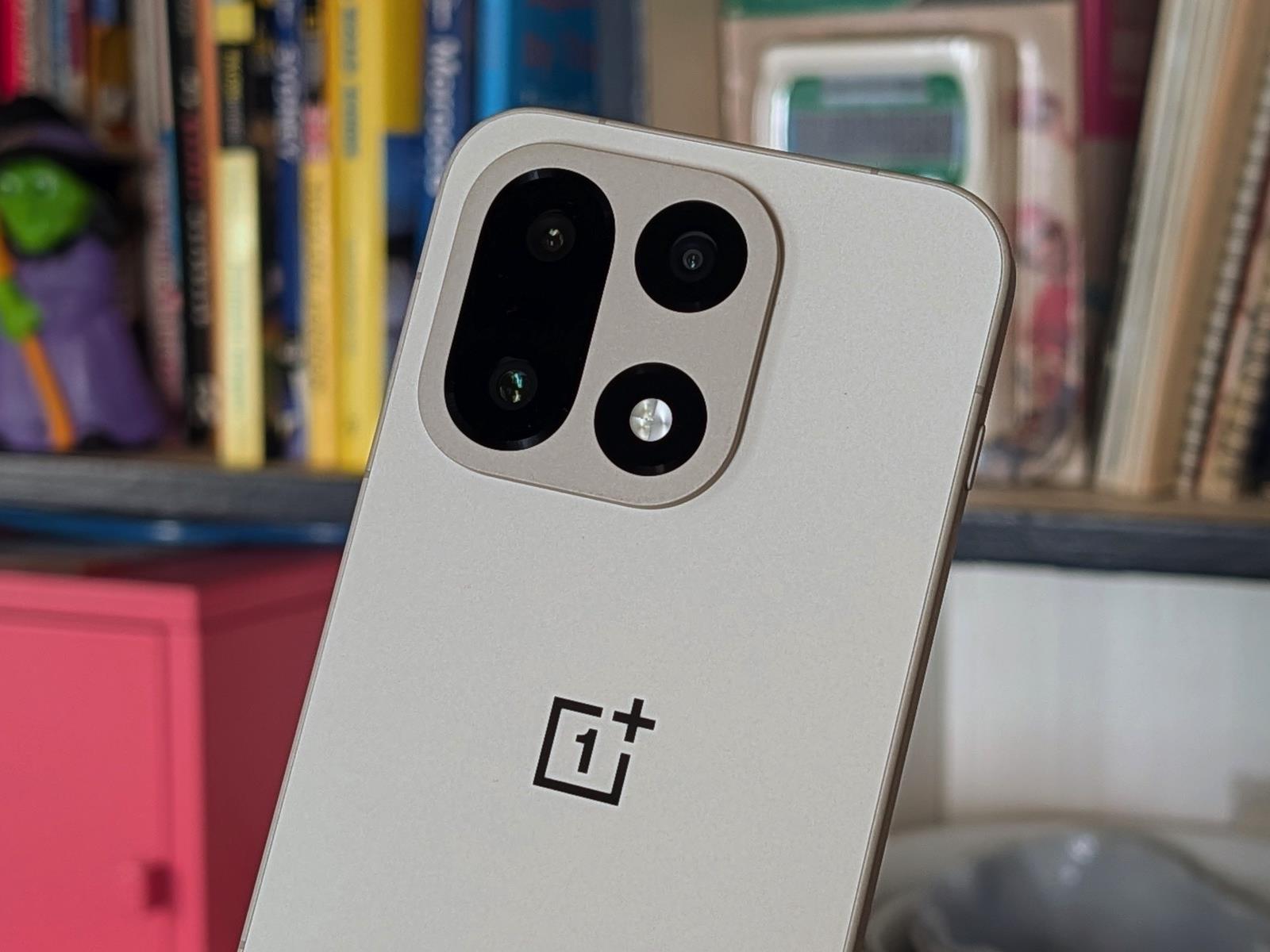
The OnePlus 15’s cameras are a half step behind the competition.
Igor Bonifacic for Engadget
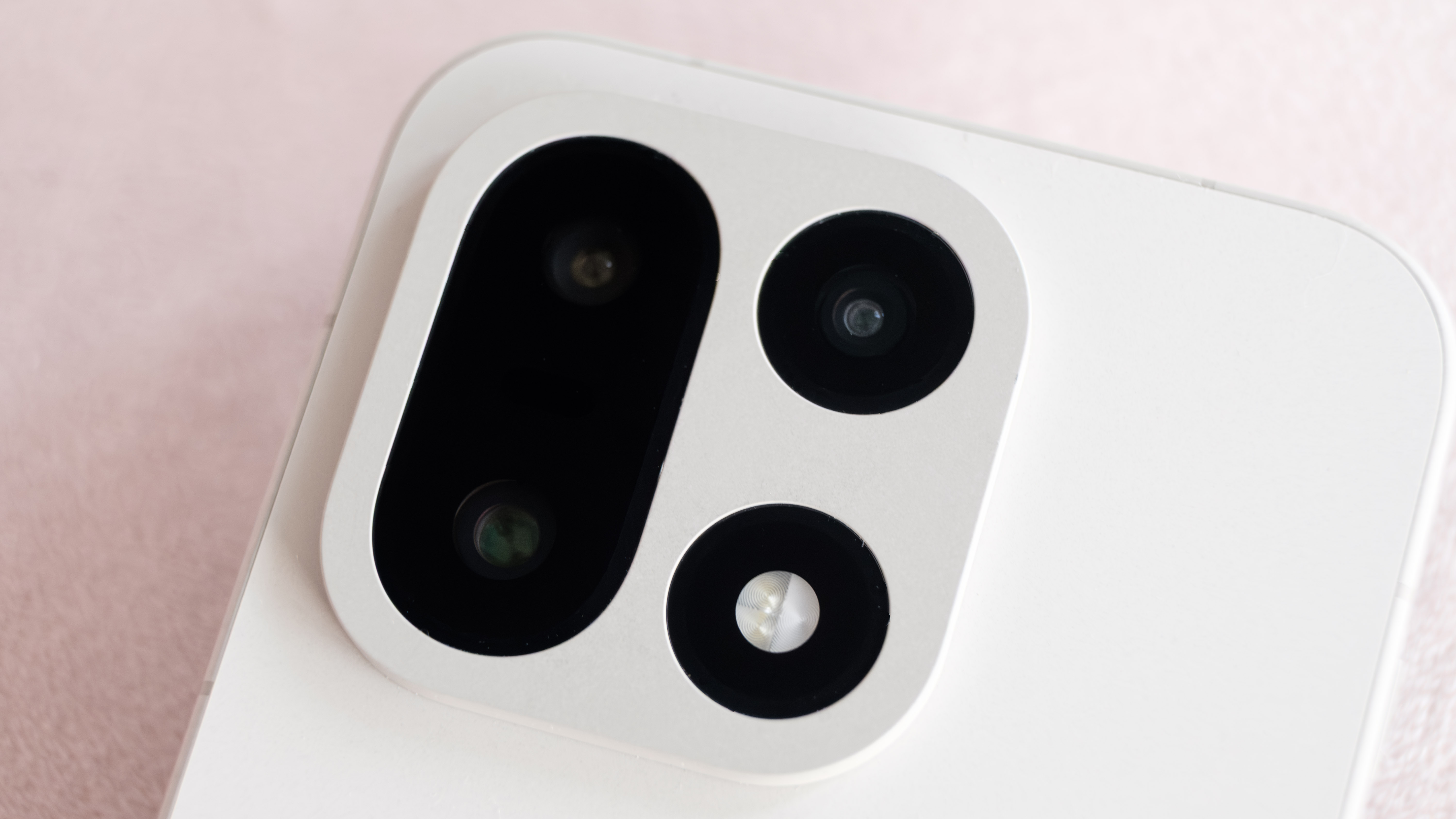
OnePlus and Hasselblad ended their partnership in September, and the OP15 marks the debut of the company’s new DetailMax imaging engine. I’ll get to the software in a moment. First, OnePlus has once again gone with a main camera system built around three 50-megapixel sensors. What’s different this time around are the lenses. Two of them are slightly slower than their counterparts on the OnePlus 13. The main camera now has an f/1.8 aperture lens, down from the f/1.6 glass found on last year’s model. At the same time, OnePlus has gone with an f/2.8 lens for the telephoto camera. For comparison, the OP13 had an f/2.6 lens for distant shots. The good news is both cameras still come with optical image stabilization (OIS).
Broadly, the OP15 suffers from the same problem its predecessor did. Most photos look good — sometimes great even — but they don’t come out as nice as what you might snap with the latest phones from Apple, Google or Samsung. The difference is most noticeable in nighttime and low-light photos where the OP15 can sometimes struggle to eke out shadow detail. It will also completely miss a shot because it used too slow of a shutter speed. I sometimes saw similar results in daytime photos in situations where the company’s high dynamic range algorithm would get tripped up by harsh lighting. Specifically, the shots had overly lifted shadows and unnatural highlights, resulting in photos that look flat with poor contrast.
I also wish the OP15 had a better telephoto camera. It’s not bad by any means, but after seeing what the Pixel 10 Pro can do with its 5x zoom, any phone with a 3x telephoto doesn’t feel special. The limitations of the OP15’s hardware is especially noticeable when you try to push the camera beyond its maximum optical zoom. OnePlus says the camera offers 7x lossless zoom, but in my testing, I found there was a subtle drop in picture quality above 6x. At 10x and beyond, there’s very noticeable pixel smearing.
There are two areas where the OP15’s cameras impress. Across both stills and video, it does a great job of measuring color temperature and ensuring images come out true to life. Even more impressive is the phone’s ability to capture a burst of photos at 10 fps, up from 6 fps on the OP13. If you’ve read one of my reviews before, you’ve probably noticed I enjoy photographing the cats in my neighborhood, and no phone has made that task as easy as the OP15.
As it’s already wintery in Toronto, I wasn’t able to test the OP15 new underwater camera mode. But if you live in a warmer climate, the feature is designed to make it easier to snap photos in the water by temporarily turning the OP15’s physical buttons into camera controls. This is also as good as any time to mention that OnePlus has shored up the OP15’s waterproofing. The phone is now rated IP68 against water and dust, and carries IP69 and IP69K protection against pressurized water at up to 176 degrees Fahrenheit.
Performance and battery life
In North America, the OP15’s SUPERVOOC adapter can charge the phone at 80W.
Igor Bonifacic for Engadget
The OP15 is the first phone in North America to ship with the Snapdragon 8 Elite Gen 5, and as you can probably guess, it’s a performance powerhouse. In Geekbench’s processor suite, the OP15 put up a single-core score of 3,696 and a multi-core mark of 11,187. That puts it in select company with the iPhone Air and its A19 Pro chipset, which in our testing had a slight edge in single-core performance but didn’t perform nearly as well in the multi-core suite (likely due to thermal limitations). In real-world use, I tried my best to find a game or application that could trip up the OP15, but between its new Snapdragon chipset and the 16GB of RAM that came in my unit, the phone handled everything with ease.
It’s hard to describe how smooth the OnePlus 15 feels relative to other phones I’ve used recently. Every swipe and scroll feels nearly instantaneous. I suspect that’s a byproduct of the OP15’s dedicated touch response chip, which samples the screen at 3,200Hz. Speaking of the display, that 165Hz refresh rate I mentioned at the top is more of a forward-looking feature right now. As things stand, there are only seven games that can render at 165 fps. One of those, PUBG, does so through frame interpolation. So unless you’re an avid Call of Duty Mobile or Clash of Clans player, you won’t notice that benefit of the OP15’s screen, yet. Things could change in time, especially as more OEMs bring 165Hz displays to their phones. For now, the OP15 is still a great gaming phone, but it has yet to live up to its true potential.
As much performance as the OnePlus 15 offers, what’s more impressive is its 7,300mAh battery. It’s the result of a new technology the company calls Silicon NanoStack. It allowed OnePlus to make a denser battery and one it claims will age more gracefully over time, thanks to a design that retains more than 80 percent of its health after four years. Obviously, I haven’t had the OP15 long enough to test that claim, but what I can say is that it offers tremendous battery life out of the box. On our local video rundown test, it posted a time of 38 hours and 30 minutes, which is eight hours longer than the OnePlus 13, the previous record holder.
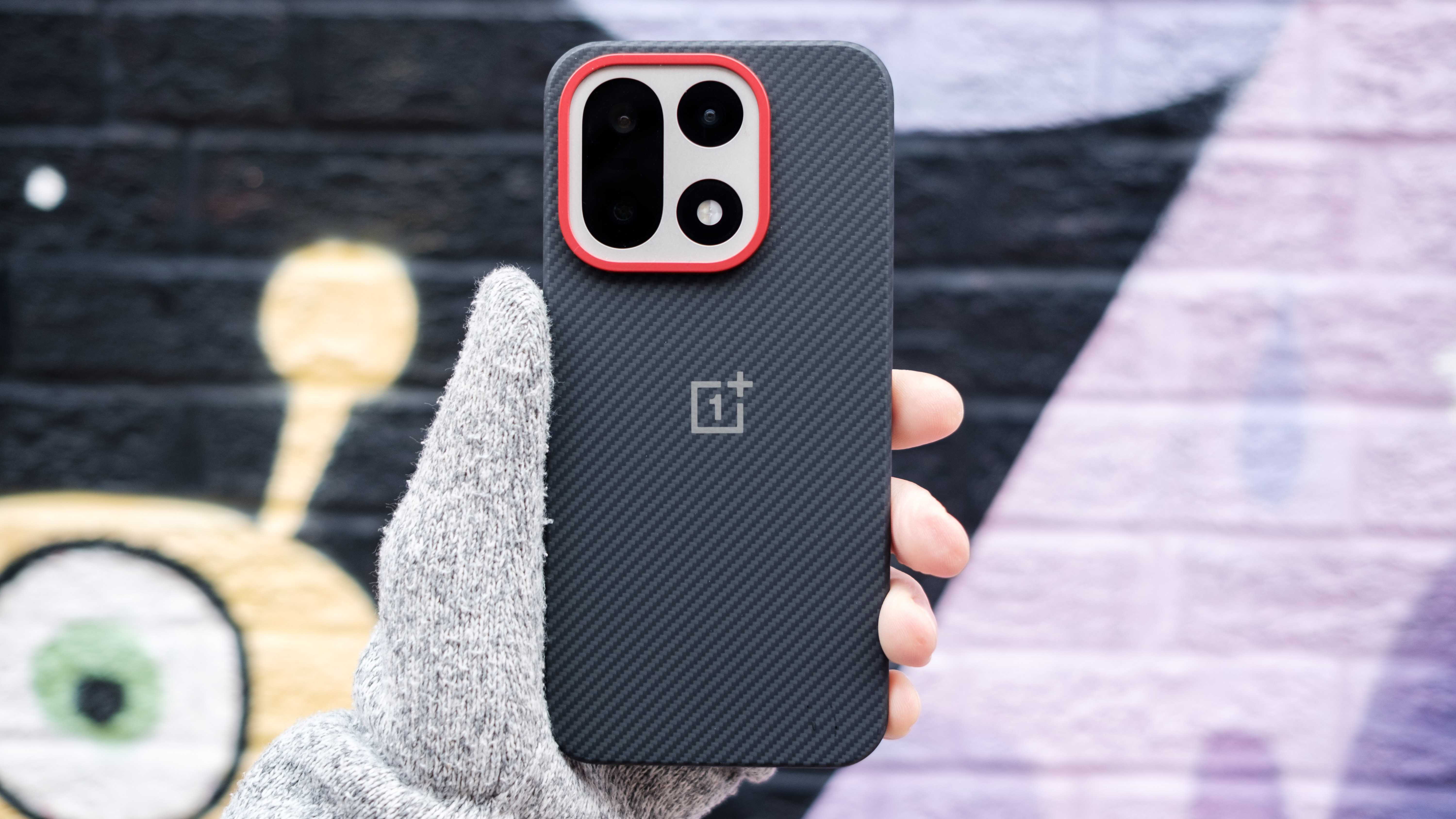
The Aramid case is one of three cases OnePlus offers alongside the OP15.
Igor Bonifacic for Engadget
Just as impressive is how quickly the OP15 can charge. With the included 80W SUPERVOOC adapter, the battery can go from dead to full in about 40 minutes. The one downside of how OnePlus has approached charging is that the phone doesn’t support the Qi2 standard. It can wirelessly charge at 50W, but you’ll need to buy the company’s proprietary AIRVOOC magnetic puck.
Software
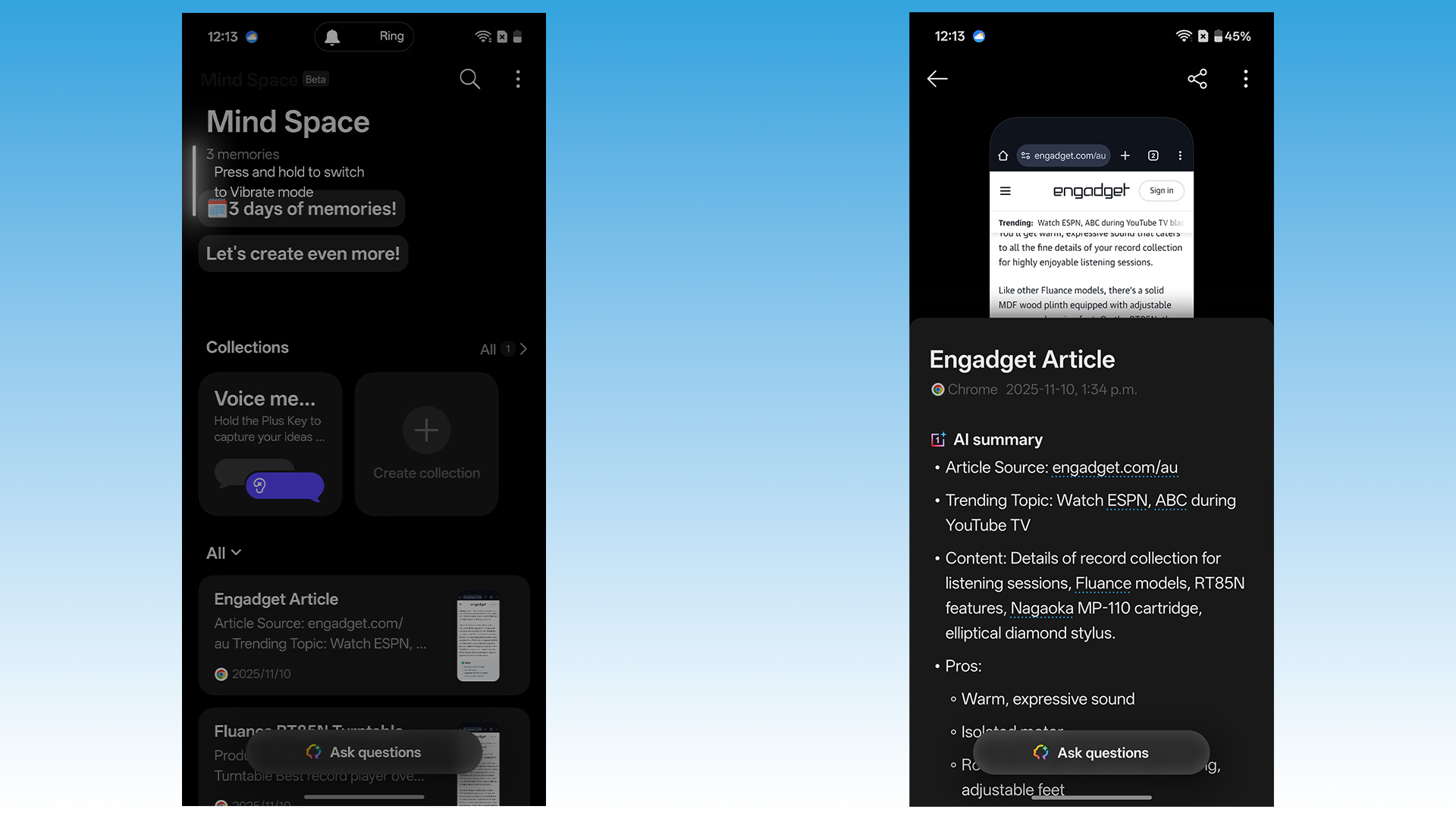
Two screenshots showing off the OnePlus Mind Space app.
Igor Bonifacic for Engadget
When he reviewed the OnePlus 13 in February, Engadget’s Sam Rutherford praised OnePlus for its restrained AI approach. Unfortunately, no company appears immune to the technology’s pull at this point, and in the months since, OnePlus has begun integrating more AI features into OxygenOS. Thankfully, many of those are either easy to ignore or situationally useful.
First, there’s Mind Space, which is functionally similar to Nothing’s Essential Space. You can either tap the Plus Key (if it’s configured for use with Mind Space) or swipe up on the touchscreen with three fingers to save a screenshot to the hub. From there, the OP15’s built-in LLM will summarize the image, and you can ask the model questions about it. It’s also possible to save voice memos to the hub, and OnePlus offers a few other AI tools there, including one for scanning documents. All of these work well, and like I said, if they’re not your thing, they’re easy to ignore.
The OnePlus 15’s volume rocker and power button are located on the right side of the phone.
Igor Bonifacic for Engadget
It’s been a few years since I’ve used OxygenOS, so it was a pleasant surprise to learn it remains one of the more attractive and tasteful Android skins on the market. A standout is some of the custom animations OnePlus has baked into the OS to accentuate the speed of the phone. I also find OnePlus has one of the best organized quick settings menus. There are just enough customization options there to make it feel powerful, but not enough to overwhelm.
One area where OnePlus could do better is software support. The company has pledged to provide the OP15 with four years of software updates and six years of security patches. That’s worse than both Google and Samsung, which have committed to supporting their latest phones for seven years.
Wrap-up
The OnePlus 15 sits on a set of icy concrete steps.
Igor Bonifacic for Engadget
In using the OnePlus 15, I was frequently reminded of the last OnePlus phone I reviewed, the OnePlus 7 Pro. At the time, it was the company’s most expensive device ever, coming in at the same $750 price as the iPhone XR and Galaxy S10e. The appeal of that phone was its speedy Snapdragon 855 processor and the fact it was one of the first smartphones with a 90Hz AMOLED screen. It was also the first OnePlus phone with a camera that was more than just serviceable.
All these years later, the appeal of the OP15 feels similar. It’s a phone for those who value speed over everything else. The tricky thing about this phone is judging its value when its price could change tomorrow. As I mentioned earlier, in the US the OP15 will start at $900, with OnePlus warning pricing for both models could “change due to current market conditions.” At $1,000, the 16GB model is a compelling alternative to the Pixel 10 Pro XL, offering a newer processor, more storage and a significantly bigger battery.
Here’s the thing: Google has already aggressively discounted the entire Pixel 10 lineup, and until Black Friday, you can get the Pro XL for $899 — $100 less than the 16GB OnePlus 15. For most people, I think that’s the play, given both the Pro and Pro XL have the better telephoto camera and Google has promised to support all of its latest phones for seven years. That said, if you’re okay with a worse camera overall, the OP15 has a lot going for it, and provided OnePlus can successfully navigate an uncertain tariff regime, it will end up not just one of the best phones of 2025 but much of 2026 too.
This article originally appeared on Engadget at https://www.engadget.com/mobile/smartphones/oneplus-15-review-a-great-phone-if-photography-isnt-a-priority-143000489.html?src=rss
OnePlus 15 – Starting At $899, Find It On OnePlus.com The OnePlus 15 makes some tradeoffs in display and imaging but continues to deliver great performance and killer battery life while still undercutting the competition. Premium design Gorgeous 165Hz display Solid cameras Excellent performance Spectacular battery life Fast wired and wireless…
An anonymous reader shares a report: The Chinese electric car has become a symbol of the country’s seemingly unstoppable rise on the world stage. Many observers point to their growing popularity as evidence that China is winning the race to dominate new technologies. But in China, these electric cars represent something entirely different: the profound threats that Beijing’s meddling in markets poses to both China and the world.
Bloated by excessive investment, distorted by government intervention, and plagued by heavy losses, China’s EV industry appears destined for a crash. EV companies are locked in a cutthroat struggle for survival. Wei Jianjun, the chairman of the Chinese automaker Great Wall Motor, warned in May that China’s car industry could tumble into a financial crisis; it “just hasn’t erupted yet.”
To bypass government censorship of bad economic news, market analysts have opted for a seemingly anodyne term to describe the Chinese car industry’s downward spiral: involution, which connotes falling in on oneself. What happens in China’s EV sector promises to influence the entire global automobile market. China’s emergence as the world’s largest manufacturer of EVs highlights the serious challenge the country poses to even the most advanced industries in the U.S., Europe, and other rich economies. Given the vital role the car industry plays in economies around the world, and the jobs, supply chains, and technologies involved, the stakes are high.
But the wobbles in China’s EV sector demonstrate the downside of China’s state-led economic model. China’s government threw ample resources at the EV industry in the hopes of leapfrogging foreign rivals in the transition to battery-powered vehicles. The Center for Strategic and International Studies estimates that the government provided more than $230 billion of financial assistance to the EV sector from 2009 to 2023. The strategy worked: China’s EV makers would likely never have grown as quickly as they have without this substantial state support. By comparison, the recent Republican-sponsored tax bill eliminated nearly all federal subsidies for EVs in the U.S.
The problem is that China’s program encouraged too much investment in the sector. Michael Dunne, the CEO of Dunne Insights, a California-based consulting firm focused on the EV industry, counts 46 domestic and international automakers producing EVs in China, far too many for even the world’s second-largest economy to sustain.
Valve is releasing a handful of new gaming hardware, including an updated Steam Controller, a standalone VR headset called Steam Frame, and the return of the Steam Machine, this time in a compact cube design that’s unofficially been dubbed the GabeCube (a play on words between Gabe Newell and Nintendo’s GameCube). The obvious question in light
Google says it will build a new “advanced flow” to allow experienced users to install Android apps from unverified developers, easing up on restrictions it proposed in late August. The company said earlier that Android would block such installations starting next year. The new flow will include clear warnings about security risks but will give users final control over the decision.
Google said it is designing the system to resist coercion and prevent users from being tricked into bypassing safety checks. The company is currently gathering early feedback on the feature’s design. Google also announced that developers who distribute apps exclusively outside the Play Store can now join an early access program for developer verification.
In recent months, Google has promised to inject generative AI into the online shopping experience, and now it’s following through. The previously announced shopping features of AI Mode search are rolling out, and Gemini will also worm its way into Google’s forgotten Duplex automated phone call tech. It’s all coming in time for the holidays to allegedly make your gifting more convenient and also conveniently ensure that Google gets a piece of the action.
At Google I/O in May, the company announced its intention to bring conversational shopping to AI Mode. According to Google, its enormous “Shopping Graph” or retailer data means its AI is uniquely positioned to deliver useful suggestions. In the coming weeks, users in the US will be able to ask AI Mode complex questions about what to buy, and it will deliver suggestions, guides, tables, and other generated content to help you decide. And since this is gen AI, it comes with the usual disclaimers about possible mistakes.
AI Mode shopping features.
You’re probably wondering if there will be sponsored shopping content in these experiences, and that’s a big yes. Google says some of the content that appears in AI Mode will be ads, just like if you look up shopping results in a traditional search. Shopping features are also coming to the Gemini app, but Google says it won’t have sponsored content in the results for the time being.
DoorDash is bringing its robot delivery service to Miami, following an initial rollout in Los Angeles and Chicago earlier this year with over 600 participating merchants. The company continues to work with Coco Robotics as part of its push towards a “muliti-modal system” that allows it to make human, robot and drone deliveries at scale.
As well as adding a third city to the initiative, DoorDash also now takes orders from DashMart, its delivery-only convenience store chain for groceries and household items. This means customers will receive robot deliveries from national grocers and retailers as well as restaurants.
DoorDash has a dedicated robotics and automation division called DoorDash Labs, which is focused on forging new partnerships that allow it to meet increased demand with more environmentally friendly methods of delivery. Earlier this year it began operating drone deliveries in Charlotte with Wing, and as well as using Coco’s self-driving robots, DoorDash recently introduced its own in-house developed delivery robot called Dot.
Decidedly cuter than its Coco colleague, Dot is designed for quick neighborhood trips and is able to navigate roads, as well as bike lanes and sidewalks. Dot is currently being piloted in Arizona, and when rolled out more widely is expected to fulfill cheaper deliveries, with DoorDash ensuring its human staff that the robot will complement, rather than replace them.
With fully autonomous technology still in its infancy, lower-risk hyper-local deliveries are being explored by a number of food delivery companies that have traditionally relied on gig workers to fulfill orders. At the beginning of this year, GrubHub partnered with the autonomous robot delivery company Avride to scale up the latter’s existing robot delivery offering on college campuses including the Ohio State University.
This article originally appeared on Engadget at https://www.engadget.com/transportation/doordash-customers-in-miami-can-now-receive-their-food-orders-from-robots-140017928.html?src=rss