The world’s leading authority on carbon accounting has proposed stricter disclosure rules that are set to make it more challenging for large power users such as Amazon and Meta to hit their climate targets.
The EU, California, and the International Financial Reporting Standards all draw on the voluntary Greenhouse Gas Protocol oversight body in their guidelines on how companies should disclose their carbon footprints.
This week, the Protocol proposed the first update in a decade to how it measures power-sector emissions, in a move that would upend the way many tech, industrial, and utilities groups account for clean energy investments.
Apple is back with the latest version of the iPad Pro, and like the iPad Air earlier this year the surface-level changes are minimal. Like that iPad Air, there’s a new chip on board here. It’s the M5, which was also added to the 14-inch MacBook Pro and Vision Pro. There are new Apple-designed networking chips: the N1 handles Wi-Fi 7, Bluetooth 6 and Thread, while the C1X handles 5G connectivity. Both of those chips debuted in the iPhone Air last month, so this is the first time they’re in an iPad. Finally, the iPad Pro supports fast charging for the first time; you can get to a 50 percent charge in about 30 minutes using a 60W power adaptor.
Compared to the redesign Apple introduced with the M4 iPad Pro in 2024, this is very much a minor spec bump. It makes sense for Apple to ensure the iPad Pro has its most performant chips as soon as they are released. If you’re charging customers upwards of $1,000 for an iPad Pro, it had better be on the bleeding edge. (The 13-inch iPad Pro I’m testing with 1TB of storage and 5G connectivity costs $2,099, plus the $349 Magic Keyboard.)
As such, the iPad Pro M5 is fairly easy to understand. Want a new iPad Pro? You’re now getting exactly what Apple offered a week ago, plus some impressive performance gains for specific tasks. Almost no one who bought an M4 iPad Pro should upgrade to this one, but anyone using an older model will find a ton to appreciate here.
And while the hardware hasn’t radically changed, iPadOS has. The recent iPadOS 26 release introduced an entirely new multitasking system, a significantly improved Files app and more support for background processes, to name just a few of the highlights. Those things are best appreciated on a powerful device with a large screen like the 13-inch iPad Pro M5 I’m reviewing here. For years, the question that has dogged the iPad Pro is when its software would match up to its undeniably impressive hardware. I think the combo of iPadOS 26 paired with this hardware is a winner, but as always the price is going to be a sticking point.
M5
As mentioned, the M5 chip is the big change for the iPad Pro, and if you’re coming from a device older than last year’s M4 model you can expect a big performance increase when you start pushing the envelope of what you can do.
Before getting into the nitty gritty, here’s a rundown of what’s different from last year. Probably the most significant change is that the M5’s GPU now includes a “neural accelerator” on each of its 10 cores, an architectural tweak that’ll unsurprisingly give the chip more muscle when using the GPU for AI-related tasks. Beyond the neural accelerators, the GPU is also up to 30 percent faster in graphics performance, and the third-generation ray-tracing engine here is up to 45 percent faster in apps using ray tracing.
Nathan Ingraham for Engadget
The standard CPU cores (four performance, six efficiency) are also faster than last year’s model, though less dramatically so. That’s not a surprise, as each successive M-series chip has gotten similar modest performance gains over the years. (Note that the iPad Pros with 256GB or 512GB of storage only get three performance cores. They also come with 12GB of RAM compared to the 16GB in configurations with more storage, but that’s more than the 8GB of RAM in the last generation’s equivalent options.) The Neural Engine has been upgraded, as well. Apple is also promising big gains in memory bandwidth, which now hits 153GB/s (nearly 30 percent higher than on the M4). Finally, read/write speeds to storage are up to two times faster than in last year’s model.
Doing some benchmarking with the Geekbench 6 and Geekbench AI apps show the expected major gains for GPU and AI performance. Single-core and multi-core CPU tests with Geekbench 6 come in at about 15 percent and 10 percent better than the iPad Pro M4, but GPU performance has increased more than 32 percent.
Things are more dramatic when you look specifically at the Geekbench AI results. The app offers three scores (single precision, half precision and quantized) and can be run on three different chip backends (CPU, GPU and Neural Engine). When running the CPU- and Neural Engine-based benchmarks, the M5 only bested the M4 by single-digit percentages. But when using the GPU, the M5’s single-precision score was 22.4 percent better than the M4. Half precision and quantized performance was even more impressive — the M5 scored 85 percent and 101 percent better than the M4, respectively.
The story this tells is that unless you’re hitting your GPU hard with AI tasks, the M5 isn’t massively better than the M4. Not a huge surprise, and most people who shelled out for an iPad Pro in the last 18 months should still be plenty happy with their purchases. But those GPU scores show off exactly where the M5 can stretch its wings compared to its predecessor.
As I’ve only had the iPad Pro M5 for less than a week, I’m still comparing the M4 to M5 iPad Pro on specific AI-focused tasks and in certain apps and will update this review with more details later this week.
The caveat with all of this is that while the M5 is incredibly powerful, it’s also overkill for most things that people are going to use an iPad for. An iPad Pro with the M2 chip from 2022 still feels plenty responsive for most standard tasks that don’t require exceptional speed or power. Yes, there are definitely people buying an iPad Pro and maxing out its impressive capabilities, and those who do so will appreciate the performance here. But for everyone else, the M5 alone isn’t going to change how you use the iPad Pro on a day-to-day basis.
Apple’s 13-inch iPad Pro M5 is on the left; the 11-inch iPad Pro M4 is on the right.
Nathan Ingraham for Engadget
Hardware and display are still stunning
Anyone upgrading from an iPad Pro older than last year’s M4 model is in for a treat far beyond sheer performance. The iPad Pro M5 is physically identical to the prior one, but that doesn’t matter because I think this is still the single most impressive device Apple makes. I went deep into the many changes Apple made last year in my review of the iPad Pro M4, and everything I said there still applies.
But to recap, the iPad Pro is extremely portable despite its performance chops. Apple made it about 20 percent thinner and about a quarter-pound lighter than the iPad Pro models Apple sold from 2018 through 2023. This radically improves the experience of using it. If you’re holding it like a tablet, the 13-inch model is now light and thin enough to be comfortable for extended use without having to put it down. Doing anything with the on-screen keyboard while holding it is still pretty awkward and the 11-inch option still feels like the best size for hand-held tasks. But the 13-inch iPad Pro I’m reviewing is noticeably easier to hold than the iPad Air because of its reduced weight and slimmer profile.
The only complaint I might have about that thinness is it prevents Apple from shoving a bigger battery in here. The iPad Pro M5 gets the same 10-hour battery life rating (for surfing the web or watching videos) that every iPad has gotten since the tablet was released in 2010. But in recent years, Apple has, to some degree, stopped focusing on making every device as thin as possible at the potential expense of things like performance or battery life. Clearly, performance isn’t an issue here. But the same people who value extended battery life in a thicker device when using things like the MacBook Pro might feel the same here.
Nathan Ingraham for Engadget
That’s a valid opinion, but a tablet is meant to be held in your hands and carried around with you even more so than a laptop, so I understand why Apple values portability over extending the iPad Pro’s battery life. Plus, the iPad Pro M5’s fast-charging capabilities make it pretty easy to extend its life. Using Apple’s new 40W Dynamic Charger that can automatically step up to 60W, I got from 23 percent to 70 percent in 35 minutes. That’s a tad slower than the 50 percent charge in 30 minutes Apple claims, but we’re well within the “close enough” range.
One thing I didn’t get to test last year with the iPad Pro M4 was its durability. The tablet’s extremely thin design reminded people of past Apple devices that had had some issues with flexing. After over a year with the previous iPad Pro, I’m not at all worried about this one. I’ve taken an iPad Pro M4 all around the US and internationally with no issues. Granted, it’s usually in its keyboard case, but I’ve also traveled with it in the basic Smart Folio Apple sells and have seen no evidence of bending. I also don’t remember seeing any reports about durability issues from owners over the last 18 months, so I wouldn’t worry about its long-term durability.
I don’t have a great read on how long the iPad Pro M5 lasts away from its charger just yet — in the first few days with a new device it’s often downloading a lot of data from backups and doing some optimizing, thus not giving you a great feel for how long it’ll usually last. But so far, performance seems similar to the iPad Air M3 and iPad Pro M4 I’ve reviewed recently. I was getting between seven and eight hours while using the Magic Keyboard, and I’m guessing that I’ll blow past the 10-hour estimate when watching locally-stored video. More details on that to come.
Nathan Ingraham for Engadget
Performance, check. Design, check. The third thing that continues to impress me about the iPad Pro is its screen. It quite simply has the nicest display I have ever seen on a portable device, be it a laptop, phone or tablet. Apple’s tandem OLED display (two OLED panels layered on top of each other) is the same in all respects as it was last year. That means the 13-inch screen has a 2,752 x 2,064 resolution (264 ppi) and standard brightness that can hit 1,000 nits, or up to 1,600 nits peak for HDR content. Aside from the OLED display, the only display improvements the iPad Pro has that the iPad Air doesn’t is ProMotion support for 120Hz refresh rates as well as a nano-texture glass option for the 1TB and 2TB models.
To be clear, though, the iPad Pro’s screen is in a completely different ballpark than the one on the iPad Air. Between the much faster refresh rate, high brightness levels, completely dark blacks and wonderful contrast, there’s no question this screen far surpasses what you’ll find on any other iPad. Professionals who do detailed work in video, photography, drawing with the Apple Pencil Pro or graphic design will appreciate all of these features. But it also makes something like kicking back on a plane to watch a movie more enjoyable.
Nathan Ingraham for Engadget
iPadOS 26
In last year’s iPad Pro M4 review, I wrote: “Apple has shown no indication it’s going to make iPadOS more like a Mac.” As such, I recommended people not buy an iPad Pro unless they were happy with the limitations that have been inherent to iPadOS for a long time. It took Apple until this summer, but its latest updates rendered my earlier words invalid. With iPadOS 26, Apple pretty much said “screw it” and addressed nearly every big software complaint users have had.
As a quick refresher: apps still open in full screen by default, but you can now grab the corner and resize it to any shape you see fit; you can then stack up as many windows as you want in that view. Apps are also much better at remembering their size and position on your screen than ever before. If you swipe up and dismiss all the apps you’re working with and then re-open one, it’s right in the same place you left it. If you want to throw something back in full-screen, the familiar “stoplight” controls from the Mac are available for easy window management.
You can swipe up and hold for a second from the bottom of the screen to enter Expose, which shows every open window in your view. Swiping right shows all the full-screen apps you have open. If you have an app in full screen, you can switch back to a windowed app that’ll just float on top of what you’re working in. There’s also a menu bar at the top of the screen that makes it easy to access advanced controls for whatever you’re using.
As I said when I first started testing out iPadOS 26 in the summer, the end result of all these changes is that your iPad (no matter which kind) will feel significantly more capable with this software update. And there are other features that power users will appreciate, like a significantly improved Files app. Since it’s easier to have multiple windows, moving things around or dragging and dropping things into apps is a lot simpler. And there are improved sorting options as well, while PDFs finally open in the new Preview app rather than within Files .
Background task capabilities have also been significantly expanded. For example, Final Cut Pro can now render video in the background, whereas before, switching to a different app would put the lengthy and intensive process on pause. And developers can tap into this API to use it for their own apps, too.
I can’t say for sure that this will answer all the complaints of various iPad Pro owners out there, but I think Apple has gotten about as close as it can without just putting macOS on the device and calling it a day. Even with the big updates to iPadOS, an iPad Pro isn’t for everyone. Plenty of people will still choose a traditional laptop. But the iPad has always offered a pretty unique blend of power and portability, and with better software it’s a more viable option than ever.
Nathan Ingraham for Engadget
Wrap-up
My viewpoint on the iPad Pro hasn’t changed since last year. I still find it a wildly impressive device that is unlike much else you can buy. Just like the last model, it has Apple’s newest chip, the best display Apple has made (aside from its $5,000 Pro XDR monitor) and a physical design that feels almost impossible given how much technology is crammed inside. It’s truly delightful, and it’s even more capable than before thanks to the combination of iPadOS 26 and the M5 chip.
However, I still can’t stomach that price. $1,299 for a 13-inch iPad with 256GB of storage, no 5G connectivity and no Magic Keyboard is a lot of money, even if it is as capable as a similarly-priced laptop. Given the incredible technology inside of the iPad Pro, I can understand why it’s so expensive. And it’s powerful enough that some buyers will be able to use it for three, four, even five years before they feel the need to update, which makes the up-front investment a little less burdensome. It’s not the kind of device you need to replace annually, that’s for sure. But unless you are going to use it as your main computer — all day, every day — and know exactly what benefits you’ll get from the iPad over a more traditional laptop, you’re probably better off buying an iPad Air and saving yourself a lot of money.
This article originally appeared on Engadget at https://www.engadget.com/mobile/tablets/ipad-pro-m5-review-speed-boost-130046249.html?src=rss
YouTube may have been the official partner at MIPCOM this year, but AI was the unofficial winner. I attended MIPCOM in Cannes, France this year for the first time, and as someone who doesn’t use generative AI in my daily life, let alone my writing or storytelling, the message to me was clear: Get on board or be left behind. AI is coming for television whether I like it or not.
MIPCOM, the long-running annual global trade show for television and digital media, celebrated its 40th year last week in partnership with YouTube, furthering the bridge between the creator economy and traditional TV shows. Many influencers have already made the jump to our living room TVs—MrBeast, Lilly Singh, and others have leveraged YouTube fame as a springboard to more mainstream TV shows—and it’s clear the industry sees them as light bearers for acquiring YouTube talent with built-in audiences. But AI feels different. While the gates are opening for content creators to reach wider audiences, AI can play a different kind of numbers game: Like a podcast company churning out 3,000 episodes of AI-generated content per week, most episodes can fail and it could still be a worthwhile return on the investment.
One talk I attended, titled “Infinite Creativity: Storytelling in the Imagination Age,” put it this way: Even if 99.99% of AI-generated videos are poorly received slop, the remaining .01% is still more content hours than Hollywood can produce each year. Other panels echoed the same sentiment, with session titles like “Monetizing Content in the Age of AI,” “Next in AI: Creative Innovation Showcase,” and “Nurturing Future Creative Leaders With AI.”
One company, LoglineAI, described as an “AI-led creative studio,” invited me in an email to “explore the future of storytelling.” Their value proposition is using AI to “deliver character consistency, multi-lingual dubbing with adaptive lip-sync, and emotion-aware visual storytelling, enabling faster, smarter, and scalable content production.” I would have considered it bunk had I not attended so many sessions highlighting the success of AI-generated content. Like me, you may not know that “slopcore” content could be so popular.
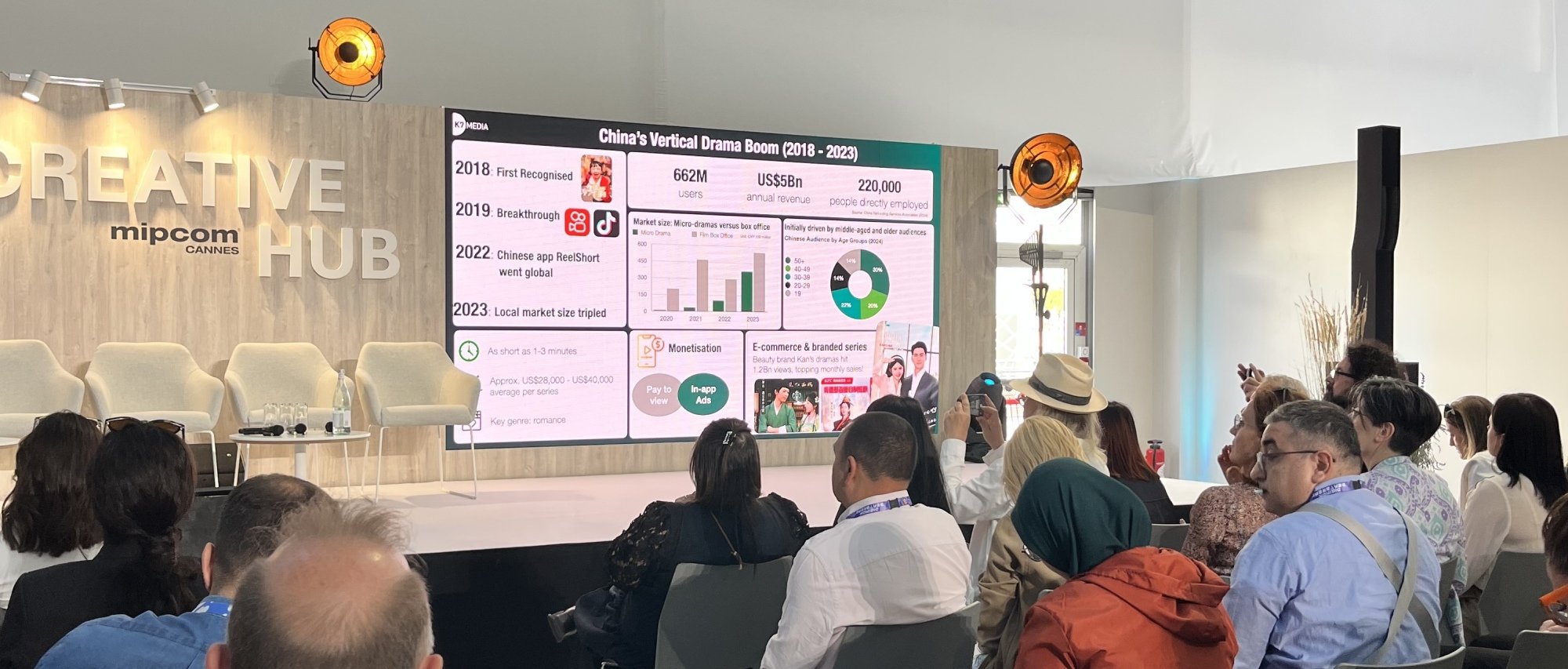
Vertical video—that is, anything meant to be viewed on a smartphone, like TikTok or Reels—is where AI-generated content has seen most of its success, and vertical micro dramas are already taking off in international markets. These short series typically run one to two minutes, with fast-paced drama often meant to be over-the-top and easy to digest. In one example, I saw a screening of a Turkish series called “Legacy of Blood,” a 300-style AI-generated micro drama that followed an obscenely ripped Spartan training his son to be a warrior. Another example, “Nine-Tailed Fox Demon Falls for Me“lives in the pre-mainstream gray area where it’s both unknown and extremely popular: I had never heard of it and would bet you haven’t either, but it’s racked up over 200 million views. The plot is incomprehensible, but its nonsense is part of the appeal. In other countries like Colombia, micro dramas have become the most-watched form of TV, beating out both traditional television and streaming services.
Whether AI-generated content will reserve its lane in vertical video or bleed into traditional TV is yet to be decided. You may remember Quibi as an example of micro dramas failing to gain traction, but numbers suggest that dismissing vertical videos would be a mistake. The trajectory of micro dramas in the Chinese market challenged many of my own assumptions: Vertical dramas bring five billion dollars in annual revenue, driven initially by middle-aged and older audiences before expanding in popularity on its way to catching up with the standard box office.
Credit: Jordan Calhoun / Lifehacker
So should we expect a fall TV lineup to one day feature an AI-generated Spartan falling in love with a nine-tailed fox? How soon until we see AI slop served on our HBO or Netflix homepages? While micro dramas and AI-generated content will increasingly flood our phones, what I expect for TV is more indirect. The TV industry is relying on content creators telling stories, and many content creators are increasingly relying on AI.
As TV networks continue to leverage online creator content as a sourcing pool for fresh programming, a growing number of creators are leveraging AI tools to keep up with the churn needed to be consistent and competitive. “Storytelling in the Imagination Age” means AI platforms are able to create videos of practically anything, and even if 99.99% of those videos are incomprehensible nonsense that fails, networks may rely on the remaining .01% that gains mainstream attention, like when Hollywood hoped to capitalize on Emojis or Angry Birds.
The difference is that AI-based storytelling may not be so obvious. The future of TV won’t be nonsensical AI slop, but it may be AI-inspired, and certainly AI aided. And I won’t be surprised when I see a trailer one day from something as silly as the nine-tailed fox falling in love, and you shouldn’t be either. Maybe the best we can do, then, is learn to recognize AI-written stories. Or learn to care less.
An anonymous reader quotes a report from The Register: Lloyds Banking Group claims employees save 46 minutes daily using Microsoft 365 Copilot, based on a survey of 1,000 users among nearly 30,000 deployed licenses. According to Lloyds Banking Group (LBG), the rollout is “helping teams summarize documents, prepare for meetings, and reduce administrative tasks.” Almost 5,000 engineers are also using GitHub Copilot. Vic Weigler, chief technology officer at the finance corp, said in a statement: “We converted 11,000 lines of code across 83 files in half the expected time.”
An insider at the bank, a self-professed fan of the technology, listed some of the ways it was being used in their business area. These ranged from the mundane — drafting and summarizing emails, transcribing meetings, and comparing documents to group standards — to the eyebrow-raising, such as drafting legal clauses, undertaking due diligence, and creating complex Excel formulas. They told us the next step is creating bots and agents to perform repetitive data-based tasks and rolling out the technology to customer-facing processes. That said, they also noted the AI tools occasionally make mistakes. The “golden rule,” is to “never use the output without checking it.”
Meta is launching new tools aimed at trying to protect Messenger and WhatsApp users from potential scams. The company says its teams have “detected and disrupted” nearly 8 million accounts associated with scam centers in Myanmar, Laos, Cambodia, the United Arab Emirates and the Philippines since the beginning of 2025. It has also taken action on over 21,000 Pages on Facebook pretending to be customer support services of legitimate companies. But much still needs to be done to squash scams, specifically those targeting the elderly who may not be as tech-savvy or may not be aware of the scammers’ latest schemes.
On WhatsApp, the company will start showing users warning notices if they attempt to share their screen with someone not on their contacts list during a video call. Scammers sometimes get their targets to share their screens in order to steal sensitive information. In the warning window pictured below, Meta tells users outright to only share their screens with people they trust, since they will be able to see anything displayed on their phones, including their banking info.
Meta
The company is also testing advanced scam detection tools in Messenger chats for mobile. When a user receives a potentially scammy message, a warning notice will pop up, telling them the message is suspicious and that they can forward it to Meta for an AI review. If Meta AI detects a potential scam, it will show the user a list of common scam signs, such as job offers in exchange for money, job offers promising fast cash and work from home offers for jobs that can’t possibly be done remotely. It also reminds users not to wire transfer money or send gift cards, which are very common methods scammers use to steal money from their victims. At the bottom of the page, users will have the option to report and block the account that sent them the message.
Meta didn’t say when the new Messenger warning tool will roll out widely. For now, it’s encouraging users to set up passkeys for quick identity verification and to run Security Checkup to review their security settings and get recommendations, including updating their passwords.
This article originally appeared on Engadget at https://www.engadget.com/social-media/meta-will-warn-whatsapp-and-messenger-users-against-scams-120048067.html?src=rss
If you’re not a big fan of the, well, glass in iOS 26’s Liquid Glass interface, Apple has apparently heard you. The latest iOS 26.1 Beta 4 has a new toggle that lets you apply a “tinted” setting to boost the opacity of elements and add contrast, making them stand out better against the background, MacRumors reported. “Choose your preferred look for Liquid Glass. Clear is more transparent, revealing the content beneath. Tinted increases opacity and adds more contrast,” the description states.
The new toggle (Settings > Display and Brightness on iPhone or iPad and System Settings > Appearance macOS) is a rare instance of Apple altering course on a design based on user input. The company said the setting was added as many beta users desired a more opaque option for Liquid Glass. That’s putting it mildly, as you may have noticed on social media or Reddit.
Apple
The setting is more noticeable on some areas of iOS than others. Toggling it from clear to tinted changes everything throughout iOS and affects apps and lock screen notifications as well. Other new changes in the latest beta include a Camera swipe toggle, a new slide-to-stop feature for alarms and timers, Settings updates, new Apple Intelligence languages and a new Apple TV app icon. If you’re in the beta program, you can download the latest version now.
This article originally appeared on Engadget at https://www.engadget.com/mobile/ios-261-beta-4-lets-you-make-liquid-glass-frosted-110021700.html?src=rss
The company has already fixed the DNS issue that caused the outage, but a failure like this, which knocks out so damn much of the internet, should serve as a reminder. After all, having so many critical systems in the same basket means that when something goes wrong, a lot of the internet stops working. All at once.
It’s teeth-grindingly frustrating that Meta seems to be the company that has worked out how to make a truly transformative pair of smart glasses. Karissa Bell has reviewed its new Ray-Ban Display and has plenty of praise for so much of what it can do. You should read her exhaustive review to learn more, but the biggest barriers to adoption are size and price. But you can bet your bottom dollar the second or third generation of these are going to be a smash hit. At least until Meta gets rocked by another scandal that prompts people to deactivate their accounts.
Apple has updated the Beats Fit Pro with more flexible wingtips, a smaller charging case and the added benefits of Apple’s H1 chip. Valentina Palladino has been testing them out and can tell you the good, the bad and the ugly about these updated earbuds. And, if I’m honest, there’s not much that’s bad or ugly about them. Maybe the battery life could be a bit longer.
In what can only be described as the least surprising sports rights streaming TV deal ever, Apple TV is the new home of F1 in the US. The five-year pact starts next year, with every practice, qualifying, sprint and race streaming live on Apple TV. Even better is that F1’s own excellent streaming platform, F1 TV Premium, will be a free perk for Apple TV subscribers.
Samsung follows each flagship phone launch with a Fan Edition, which trims the spec list to get the price down. Igor Bonifacic has reviewed the S25 FE and found a phone designed for an older paradigm, before cheaper rivals like the Nothing 3a Pro and Pixel 10 came along. His recommendation? Buy last year’s full-fat model during a sale and swerve the compromises.
AI is the star of Yelp’s fall product update. The review site has updated Yelp Assistant, its chatbot to answer users’ questions, rolling the tool out for all business categories. Its responses will draw on information from the business’ website as well as posts by other Yelp users. The chatbot will also remember past queries and preferences when it’s used for finding services. Saved information can be managed in the Yelp app under Yelp Assistant memory settings.
Yelp has been pushing more artificial intelligence into its platform, adding Review Insights in December and announcing calling features in April. The AI-powered calling is rolling out in the company’s fall update as Yelp Host and Yelp Receptionist. Yelp Host is specifically for table-service restaurants, and promises the ability to take reservations, change bookings and capture special requests. It is available now starting at $149 a month, or $99 a month for customers with a Yelp Guest Manager plan. Yelp Receptionist can manage calls for any “eligible local businesses.” Subscriptions to this AI-powered service start at $99 a month and will begin rolling out this week.
There are several other updates from Yelp, but one of the more interesting ones is Menu Vision. With this resource, pointing your camera at a restaurant’s menu will show photos of the dish in question along with reviews about that particular item. Menu Vision will arrive on the iOS and Android apps this week.
This article originally appeared on Engadget at https://www.engadget.com/ai/yelp-is-getting-more-ai-including-an-upgraded-chatbot-110051320.html?src=rss
The AMD Platform Management Framework “PMF” Linux driver is being extended to enable better integration with user-space tooling. AMD SystemDeck is the initial beneficiary of the integration improvements to this AMD platform Linux driver…
Whyte Bikes has announced it has been bought from Cairngorm Capital by Causeway Capital, an Irish private equity firm.
The deal sees 100 per cent ownership of Whyte Bikes transferred to Causeway Capital, with the brand saying the “move is a major step forwards for the future and international growth of Whyte”.
Whyte’s existing management team will remain in place, with Nikki Hawyes continuing to lead the company as CEO.
Whyte makes a wide variety of bikes, including an electric line-up. Russell Burton / Our Media
Whyte and Causeway Capital believe the partnership will strengthen the company’s ability to drive ongoing innovation, service Whyte’s dealer base and help it collaborate with key suppliers and partners. Further, with Causeway’s support, Whyte plans to ramp up efforts to extend its reach beyond the brand’s current strong foothold in the UK, with plans to expand further in continental Europe and worldwide.
Hawyes said: “This new partnership is an exciting step forward, building on our 25-year history of producing high-quality bikes. We will enhance our product offerings, expand our global footprint, and invest in our brand. This will allow us to create even better experiences for our partners and riders worldwide. I want to thank the team at Cairngorm Capital – their partnership and support have been invaluable in driving our transformation and bringing us to where we are today.”
Matt Scaife, partner at Causeway Capital, said: “Whyte is a category-leading British brand built on design, engineering and innovation. Wellness and outdoor recreation show strong long-term growth. The performance mountain bike market is accelerating, driven by technology innovation and increasing participation amongst younger riders. We are delighted to use the first investment from Causeway Capital Partners II LP to back Nikki and the Whyte team.”
The Linux 6.19 kernel coming out in early 2026 will add full support for the Logitech G13 gaming keypad, a device first launched back in 2009. Some functionality has worked in Linux over the past 17 years while full support is only coming to this next version of the Linux kernel…
While the Blender 5.0 3D modeling software is being released next month, there is already exciting changes to look forward to with Blender 5.1 in the new year. Beyond AMD HIP-RT ray-tracing by default in Blender 5.1, this follow-on Blender release is also planning on enabling Vulkan API support by default…
Alibaba Cloud claims its new Aegaeon GPU pooling system cuts Nvidia GPU use by 82%, letting 213 H20 accelerators handle workloads that previously required 1,192. The advancements have been detailed in a paper (PDF) at the 2025 ACM Symposium on Operating Systems (SOSP) in Seoul. Tom’s Hardware reports: Unlike training-time breakthroughs that chase model quality or speed, Aegaeon is an inference-time scheduler designed to maximize GPU utilization across many models with bursty or unpredictable demand. Instead of pinning one accelerator to one model, Aegaeon virtualizes GPU access at the token level, allowing it to schedule tiny slices of work across a shared pool. This means one H20 could serve several different models simultaneously, with system-wide “goodput” — a measure of effective output — rising by as much as nine times compared to older serverless systems.
The system was tested in production over several months, according to the paper, which lists authors from both Peking University and Alibaba’s infrastructure division, including CTO Jingren Zhou. During that window, the number of GPUs needed to support dozens of different LLMs — ranging in size up to 72 billion parameters — fell from 1,192 to just 213. While the paper does not break down which models contributed most to the savings, reporting by the South China Morning Post says the tests were conducted using Nvidia’s H20, one of the few accelerators still legally available to Chinese buyers under current U.S. export controls.
KDE Plasma 6.5 is out today as the newest major feature release for the Plasma 6 desktop. Plasma 6.5 brings many great improvements and continues further evolving this modern, Wayland-focused open-source desktop…
Ambition is a fickle beast. It can lead you to the heights of success or leave you ensnared by your dreams. In some cases, a bit of both; such is the fate of Memoreum. Now Patient 8 Games has already made a name for itself with a BioShock-themed mod for Half-Life: Alyx, and initial previews for Memoreum were quite promising.
The premise is simple but enticing: a doomed colony ship flees a dying Earth, only to meet an alien parasite on their new homeworld. Now this twisted parasite, Ichor, threatens to corrupt the last of humanity. Only one doctor, awoken hastily from cryo, can stand against the tide of mutants and a dogmatic military general. And maybe, just maybe, ensure that his child makes it out of the chaos alive. It’s great stuff on paper.
However, the final product is neither outstanding nor terrible. In a way, that thematically resonates with its themes of success by any compromise necessary. I just can’t help but imagine how much better this game could’ve been at a more modest scope.
The Facts
What is it?: A single-player VR sci-fi horror shooter with light survival and puzzle elements. Platforms: Quest, Steam, PS VR2 (reviewed on Quest 3) Release Date: Out now (Quest), 2025 (Steam), TBC (PS VR2) Developer: Patient 8 Games Publisher: 2080 Games Price: $29.99
For a first commercial release, Patient 8 certainly aimed high. Memoreum boasts roughly seven to ten hours of survival horror shooting, depending on how thorough you are about exploring. That’s before getting to its optional collectibles, various unlockable weapons, and multiple difficulties, with an additional difficulty mode and New Game Plus being added via patches. It sounds like the sort of game you’d expect for PS3 or Xbox 360 back in the day. That kind of experience is difficult to achieve with a hundred developers, let alone a brand-new, much smaller team.
There’s no getting around it – Memoreum is almost equal parts endearing and rough. The most consistently top-notch aspect is the art direction, and the recent patch makes it shine brilliantly on Quest 3. It’s an all-around success there, offering a unique blend of body horror and paranormal scares to make you jump. The animation work is solid as well, supported all the more by the sound design, perfectly selling the vibe. When a creepy little hallucination of a ghost girl is waving to you from around a bend, it’s enough to make your skin crawl as you brace for something worse. It’s when you get into everything else that you start to encounter issues.
Parker is your man in the chair, and carries a lot of the story on his shoulders.
Every other upside ends up having a usually comparable downside. Weapons feel fantastic, but the balancing leads you to rely solely on a handful. There’s a solid enemy variety, except their AI pathing sees them stumbling around far more than gnawing your bones. The voice acting is great! Everyone brings a solid-to-fantastic performance. Yet the story they’re performing ranges from rather average sci-fi horror to pulpy nonsense in dire need of another draft. Like a zombie trying to pass as a human, whenever it starts to find its rhythm, Memoreum almost immediately stumbles again.
Even the scares can vary wildly. A few subtle ones made me jump, while other in-your-face ones landed poorly. There are these weird red-filtered flashback dioramas you walk through that are the least effective; yet one of the best involves looking back and forth from a window. Despite the original intention of this being a mod adapting Dead Space directly to VR, I wouldn’t say Visceral Games’ series is the best point of comparison. If anything, there’s a lot more J-Horror going on.
Comfort
Memoreum is playable standing, roomscale, or sitting. Of the options, standing and roomscale are the most advisable, but it’s feasible to adjust the height and position of most of your equipment to play seated. The biggest pain with seated play is having to reach behind your chair to withdraw your virtual tablet, which is critical to be reminded of some door codes to progress.
Player movement is well implemented. There’s teleportation for those who’d prefer it, as well as smooth or snap turning. In general, I found the pace of movement to be just in that sweet spot of slow enough to not be overwhelming but fast enough to be responsive.
Weapons can be wielded by either hand, but you cannot swap your ammo dispenser from the left shoulder. You equip your primary weapon from the right shoulder, and reach around behind your left shoulder to withdraw your backpack with your inventory. This is also the only way to swap your primary and exotic weapons.
There is a limited range telekinetic grip functionality with lootable items. They will gain a faint yellow outline when they can be pulled towards the player. Certain key moments require mantling vertically and horizontally. Expect to be giving your middle fingers a workout. Weapon hitboxes are fairly generous, so precision accuracy isn’t paramount to successful play.
Overall, it’s a more involved experience, but not overwhelming. That said, there are very few visual options, so those who rely on screen-edge fading or other accessibility aids may want to approach with caution. Especially since some enemies can knock the player down rather suddenly, which can be rather jarring.
You can see bits of F.E.A.R., from the creepy little girl haunting you to the gunfights with soldiers in claustrophobic offices and residential areas. Yet far more can be traced back to The Evil Within. The campaign’s arc and pace, the escalation of combat from frightful to action-packed, collecting a mysterious gel to unlock upgrades for your Chimera gun, a story about a neglectful father and his troubled daughter – just a few parallels. It’s not that I can’t see the other inspirations, and the narrative goes in a unique direction, but it’s a better point of reference. If anything, I think diverging from expectations further would’ve been for the best.
This isn’t to say the campaign underwhelms, even if the story does. A brief zero-g catwalk section is visually arresting, the infectious Ichor’s toughest variants are some truly nasty monsters, and the range of industrial tools for puzzle solving is outstanding. There are some clever ambushes that’ll catch the player by surprise. The worm boss fight is one of the few moments evoking Dead Space, yet in a distinctly Memoreum way that keeps it fresh. However, some very predictable scenarios are thrown at you, and often not as well as they could be.
Yes, there are human enemies. Fortunately, two exotic shotgun rounds to the chest delete them from the equation.
An unkillable stalker enemy that looks goofy rather than threatening is a recurring pursuer. He’s so scripted that you have to be actively stumbling through the motions to get caught. Zombie children enemies are unsettling in their introduction but grow tiresome quickly. The residential level in particular is so superfluous and repetitive that its key elements would be better stitched into a different level.
These could be forgiven if the combat were as varied as the threats you face, but that’s where the design problems really become apparent. While Memoreum boasts a wide arsenal to choose from, only two options, a DMR with a drum magazine and the LMG, are worth using. Every shot from each also has limited recoil, so you can wield your Chimera one-handed while running around enemies. Collectible exotic weapons can be more interesting, though you spend so much of the game with the first one that it’s fair to forget that there are supposed to be several exotics. Then they start throwing them at you so fast you’re naturally hesitant to trade up.
Yet what both initially saves and then breaks combat is the recharging pistol, the Hikari. The Hikari is a great semi-auto energy weapon. The recharging animation and flick back up to ready it for firing prove deeply satisfying. And the second you figure out how to stun enemies with enough shots from it, the undead become helpless fools.
It’s no exaggeration to say that, with patience and relatively decent aim, you can clear rooms with just the Hikari. Most rooms only have one to two enemies at a time, so unless you try to run through several in a row, you can just clean up. The only downside is waiting for the recharge while behind cover or backing away from enemies. Then the game starts giving the Hikari free upgrades to boot. It’s fun, but it’s no Plasma Cutter, so it makes everything exceedingly one-note. And thanks to the constant feed of gel, ammo, and medkits, you can get one of the two best forms for the Chimera before you’re four hours in by just being frugal.
You can eventually unlock this nasty piece of work. It’s like something out of Ratchet & Clank! Sadly, most of the arsenal isn’t quite as unconventional.
This leads to combat becoming a monotonous drumbeat. I have no doubt that in previews, this feels great, because for a time, it does. Except when the solution to combat is almost always the same – with the Chimera thrown in when you’re in a hurry or fighting human enemies – it’s like hearing the same joke a hundred times. It doesn’t matter that enemies can mutate spider legs or Venus flytrap heads if you mow them down in short order with a pistol aimed generally in their direction. It actually takes more effort to dismember enemies than to just kill them with general shots to the torso.
As a result, the greatest combat hurdle is merely waiting for the option to toss the starter Chimera attachment, a pump-action shotgun, for anything else. To be fair, you can also unlock additional character perks at an open bar between chapters. However, the only truly useful perk there is a personal shield generator. Every other perk is just “50% more of X” from loot or “get 50% more health from a health injector” when said injectors already give you almost full health restored. Given how frequently you find new items, they’re all redundant. A shield is useful.
I’m playing primarily on Normal difficulty as well, running through several of the same chapters a good few times. Granted, upon comparing, there’s not a substantial difference between the Easy and Normal difficulties; enemies just take slightly less damage to kill, while the player can shrug off a few more hits. In some cases, the alterations are surprisingly negligible.
Yet the potential for a deeper experience is there, because the puzzle tools are remarkably fun. Sure, the electrical wiring scanner is useless, but everything else is great. Removing industrial bolts, cutting through locks, realigning frequencies = Patient 8 could make an outstanding sci-fi house remodeling game if it builds from these foundations. I mean that with complete sincerity. My favorite gameplay moments in this action survival horror game are what should be the most boring. I’m still processing the weapons-grade irony of that. Pun unintended.
I don’t want to spoil the story, but the tale of Dr. Otto Hudson’s journey to save his daughter certainly leaves me underwhelmed. There’s a late-game twist in particular that feels so contrived that all it does is unmoor me from any investment I have. There’s a promising setting here of a post-Earth society struggling to find a new home, though between how hopeless everything feels and how dystopian this future society has become, it starts to feel pointless.
So much of the real context required to understand things is found by taking out a virtual tablet and reading like you’re consulting a wiki. I don’t understand why this can’t be a hologram we summon in front of ourselves with a button press or something. Something this critical shouldn’t be easily forgotten. Audio logs strewn about aren’t nearly as important, typically conveying a bit of flavor about the crew or maybe a passcode to unlock an optional locker.
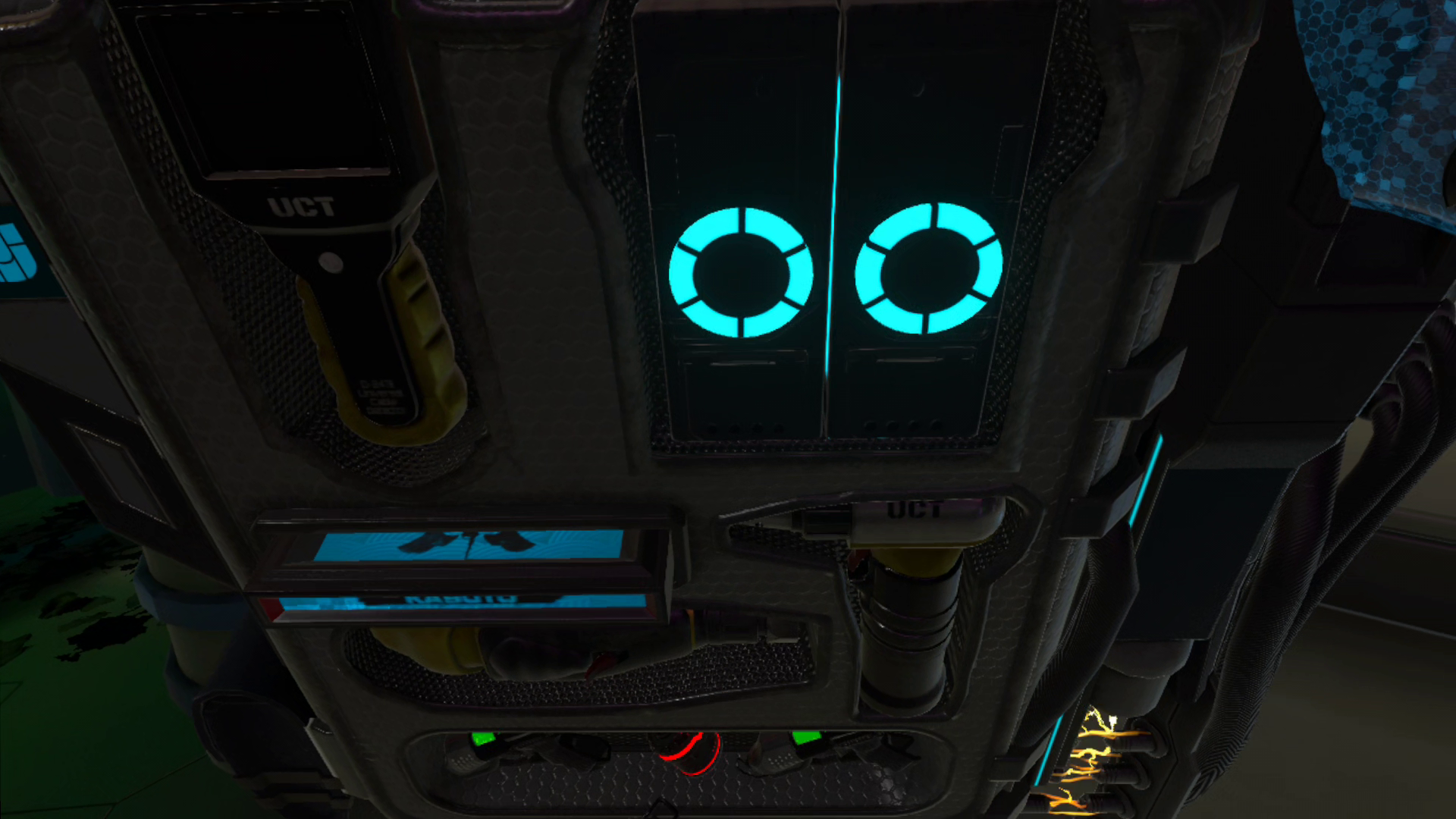
The tools of the trade.
None of these aspects are deal-breakers. Rather, the greatest hurdle Memoreum threw at me during this review was its bugs. On one hand, they’re actively being squashed, which is appreciated. Still, it makes me keenly aware of how the save system only lets you access your most recent checkpoint. A chapter select function, or manual saves, would be a very welcome addition in a future update, if possible. There’s also a smaller bug right now that resets the exotic weapon’s ammo upon every level transition. That Patient 8 is patching as quickly as they have been is admirable; it’s just a shame it launched with these kinds of issues.
Another thing worth addressing is some of the signposting. Whether it’s a key object being on the floor of an otherwise unremarkable stasis pod or a vent expecting me to just know to make a 180-degree turn in darkness, a few crucial moments are more opaque than necessary. I’m all for respecting a player’s intelligence, but players stumbling over something they aren’t expecting isn’t ideal.
Memoreum Review – Final Verdict
You can feel the passion behind Memoreum, but there’s a lack of cohesive precision needed to fully drive that in the right direction. For every artistic flourish or fun moment, there’s often a technical floundering or an odd design choice. It’s a persistent tug of war that, while an earnest effort, shows some growing pains of taking on such a sizable endeavor.
I hope that this doesn’t discourage Patient 8 – the studio has the right ideas and enthusiasm, but its debut game stumbles over itself at times as it shoulders those high hopes. Regardless, there’s going to be someone out there who will love Memoreum, even with its rough spots, and they’ll have a sizable experience to dig into.
UploadVR uses a 5-Star rating system for our game reviews – you can read a breakdown of each star rating in our review guidelines.
The UCI has published the list of women’s and men’s professional road teams that have submitted the essential registration documents for the 2026 season.
Candidates had until 15 October to submit their registration files, and the UCI is now assessing the applications.
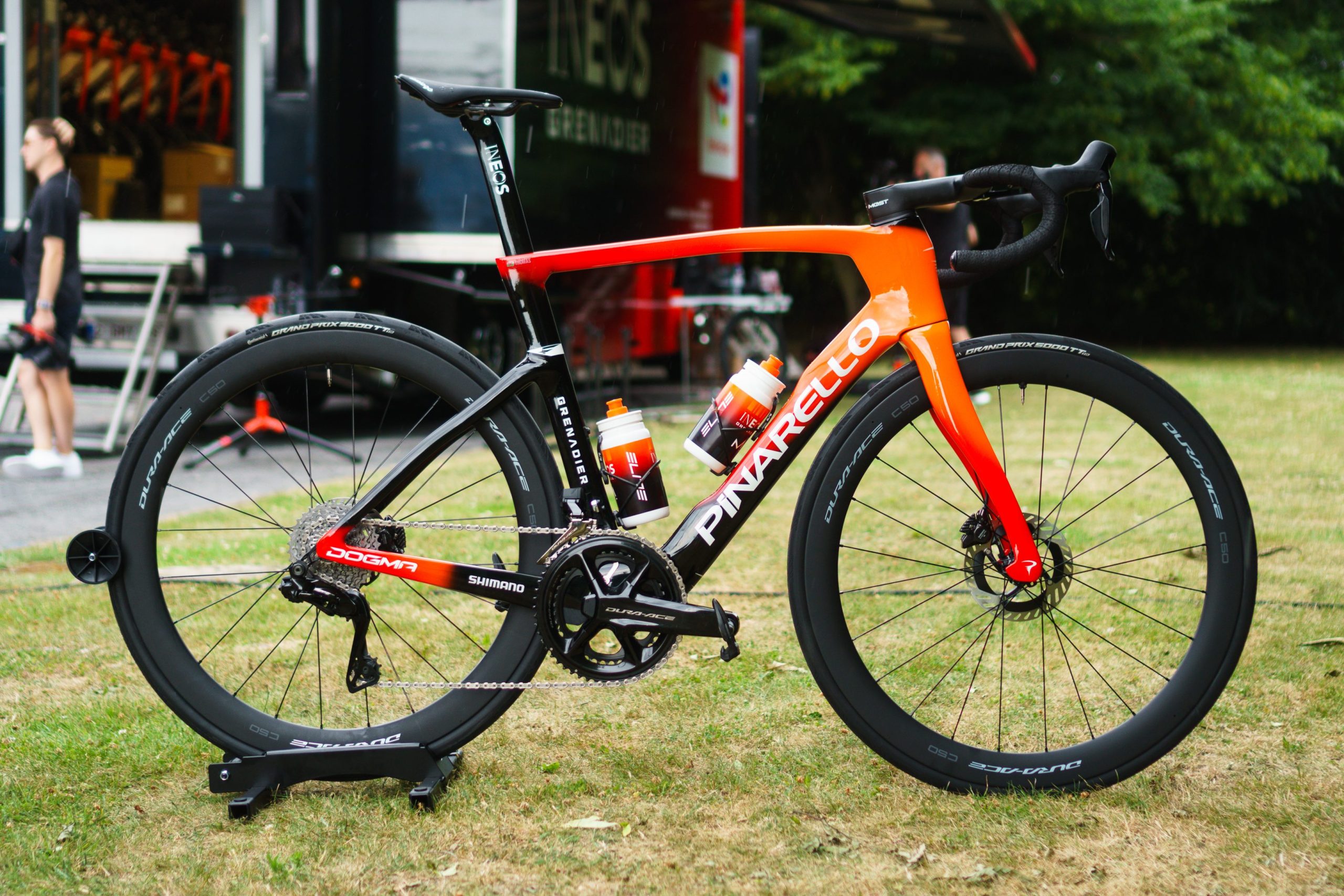
While many team names remain the same as the 2025 season, the UCI’s list reveals Tom Pidcock’s team will start using Pinarello bicycles.
Now called Pinarello-Q36.5 Pro Cycling Team, it was rumoured that Pidcock’s squad would be switching to Pinarello from Scott.
Since joining the team, Pidcock has ridden Scott bikes on the road but stuck to Pinarello for off-road racing, most recently riding a Pinarello Dogma GR at the Gravel World Championships.
However, Pinarello’s owner is Ivan Glasenberg, a mining billionaire who also has a controlling interest in the squad’s other sponsor Q36.5, the Italian cycling clothing company. So, Pinarello now sponsoring the team can be seen as Glasenberg aligning his interests.
Pinarello will now equip two teams with its bikes. Simon von Bromley / Our Media
Ineos Grenadiers confirmed last week that it will continue its partnership with Pinarello for another three years, following speculation earlier in the season that it may be forced to find a new supplier.
This also raises the question of whether Scott will provide another team with bikes. Scott hasn’t yet responded to our request for comment.
The list of team names will also attract attention, after Israel–Premier Tech revealed it would change the team’s name. Factor and Premier Tech threatened to withdraw their sponsorship of the squad, following continued protests at the Vuelta a España.
The UCI’s list reveals that Israel–Premier Tech is listed as Cycling Academy, but a spokesperson for the team told BikeRadar this won’t be the name. Instead, it is a placeholder for the UCI registration prior to announcing a new name.
The UCI, cycling’s international governing body, says the applications are broken down into:
16 women’s teams for registration as UCI Women’s WorldTeams
20 men’s teams for registration as UCI WorldTeams
6 women’s teams for registration as UCI Women’s ProTeams
14 men’s teams for registration as UCI ProTeams
Not all teams submitted the essential documents by the deadline last week, but the UCI has included them in the above count. “However, they still have the possibility to rectify their situation before the end of the registration process, which would enable them to be registered for the 2026 season,” the UCI said.
The final list of teams registered for the upcoming season will be published on 10 December.