There will definitely be another Xbox console and it’s going to deliver a “very premium” experience, according to remarks made by Xbox CEO Sarah Bond. During an interview with Mashable’s Timothy Bech Werth, Bond shared the first details about what to expect from Microsoft’s next-gen console, essentially confirming that there will be at least
More than 800 public figures including Steve Wozniak and Prince Harry, along with AI scientists, former military leaders and CEOs signed a statement demanding a ban on AI work that could lead to superintelligence, The Financial Times reported. “We call for a prohibition on the development of superintelligence, not lifted before there is broad scientific consensus that it will be done safely and controllably, and strong public buy-in,” it reads.
The signers include a wide mix of people across sectors and political spectrums, including AI researcher and Nobel prize winner Geoffrey Hinton, former Trump aide Steve Bannon, one time Joint Chiefs of Staff Chairman Mike Mullen and rapper Will.i.am. The statement comes from the Future of Life Institute, which said that AI developments are occurring faster than the public can comprehend.
“We’ve, at some level, had this path chosen for us by the AI companies and founders and the economic system that’s driving them, but no one’s really asked almost anybody else, ‘Is this what we want?'” the institute’s executive director, Anthony Aguirre, told NBC News.
Artificial general intelligence (AGI) refers to the ability of machines to reason and perform tasks as well as a human can, while superintelligence would enable AI to do things better than even human experts. That potential ability has been cited by critics (and the culture in general) as a grave risk to humanity. So far, though, AI has proven itself to be useful only for a narrow range of tasks and consistently fails to handle complex tasks like self-driving.
Despite the lack of recent breakthroughs, companies like OpenAI are pouring billions into new AI models and the data centers needed to run them. Meta CEO Mark Zuckerberg recently said that superintelligence was “in sight,” while X CEO Elon Musk said superintelligence “is happening in real time” (Musk has also famously warned about the potential dangers of AI). OpenAI CEO Sam Altman said he expects superintelligence to happen by 2030 at the latest. None of those leaders, nor anyone notable from their companies, signed the statement.
It’s far from the only call for a slowdown in AI developement. Last month, more than 200 researchers and public officials, including 10 Nobel Prize winners and multiple artificial intelligence experts, released an urgent call for a “red line” against the risks of AI. However, that letter referred not to superintelligence, but dangers already starting to materialize like mass unemployment, climate change and human rights abuses. Other critics are sounding alarms around a potential AI bubble that could eventually pop and take the economy down with it.
This article originally appeared on Engadget at https://www.engadget.com/ai/steve-wozniak-prince-harry-and-800-others-want-a-ban-on-ai-superintelligence-123040020.html?src=rss
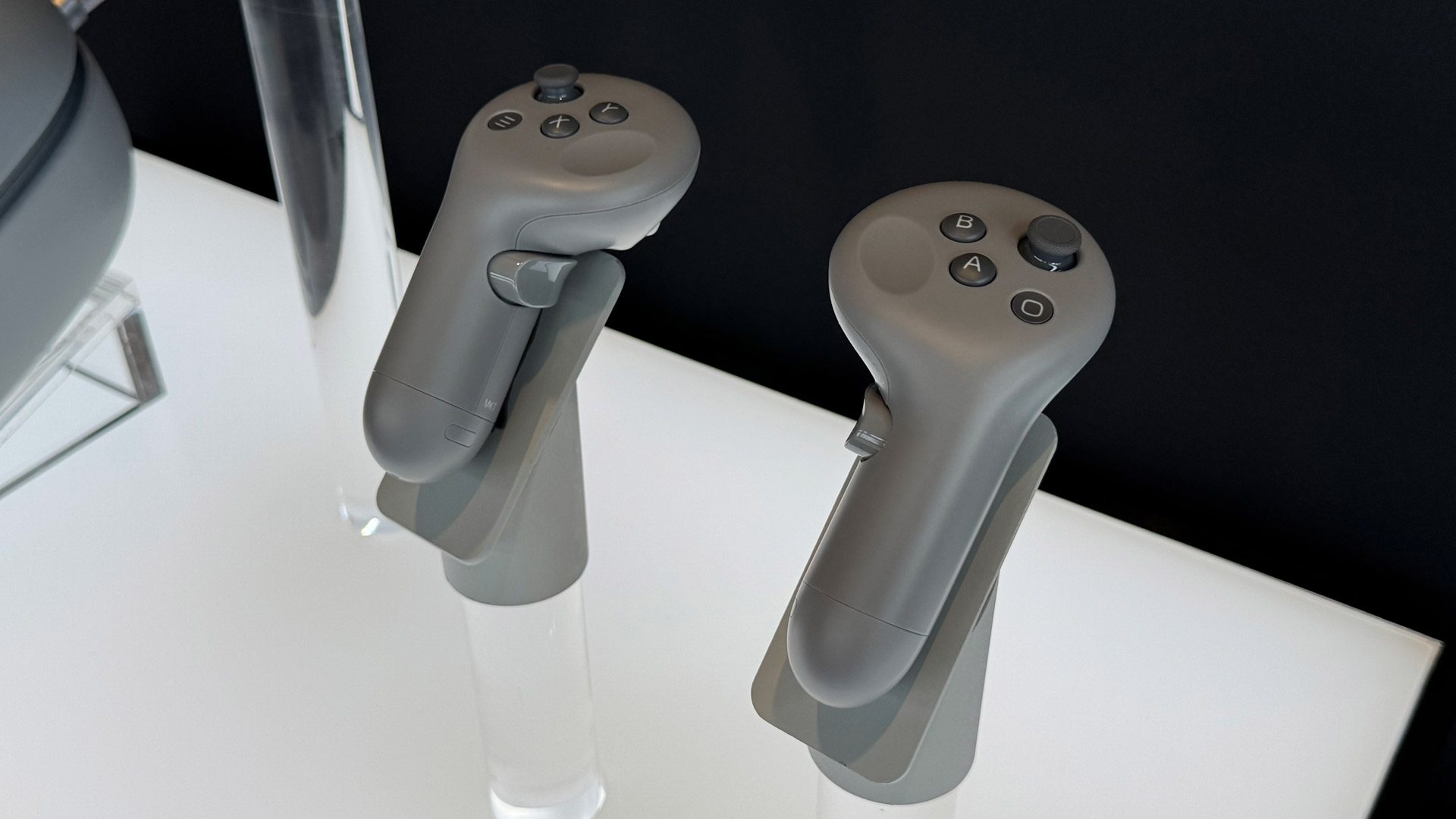
Samsung Galaxy XR’s optional tracked controllers are sold out already, meaning new buyers will have to wait to get them.
Galaxy XR launched just over two hours ago, in the US and South Korea only, priced at $1799. Its tracked controllers aren’t included in the box, though. They’re normally $250, and were briefly available with a 30% launch discount for $175.
I say “briefly” because already, the Galaxy XR Controllers have sold out. If you try to buy Galaxy XR, you’ll no longer see the option to add its controllers to your cart.
Given that controllers are required for some of the best VR games ported from Quest to Android XR, including Walkabout Mini Golf and Arizona Sunshine 2, that means these titles will be entirely unplayable by new Galaxy XR buyers until controllers become available again.
You also won’t be able to use the majority of PC VR games if you were planning to use Galaxy XR with Guy Godin’s Virtual Desktop.
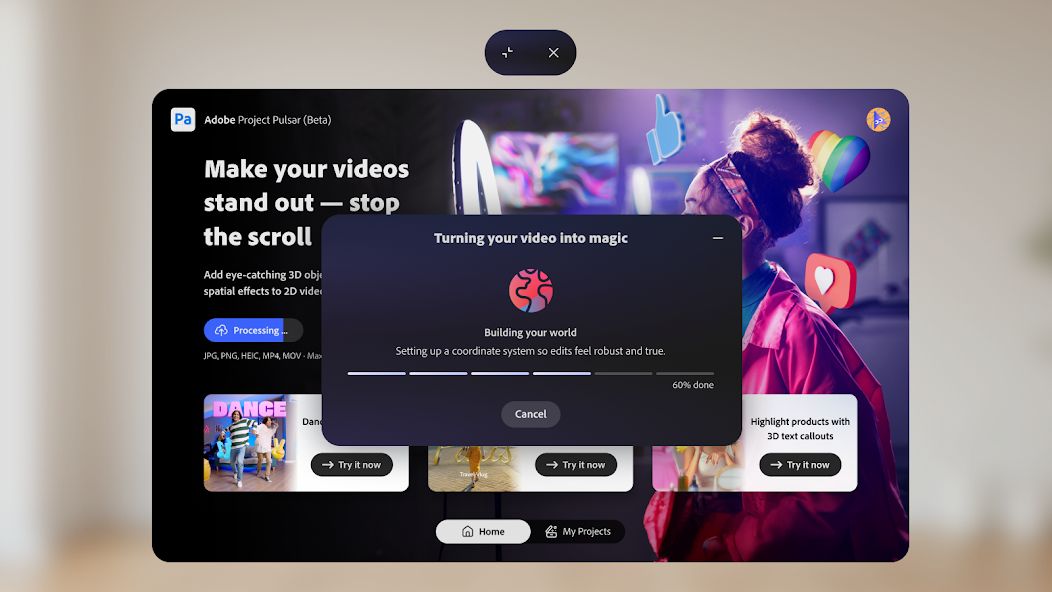
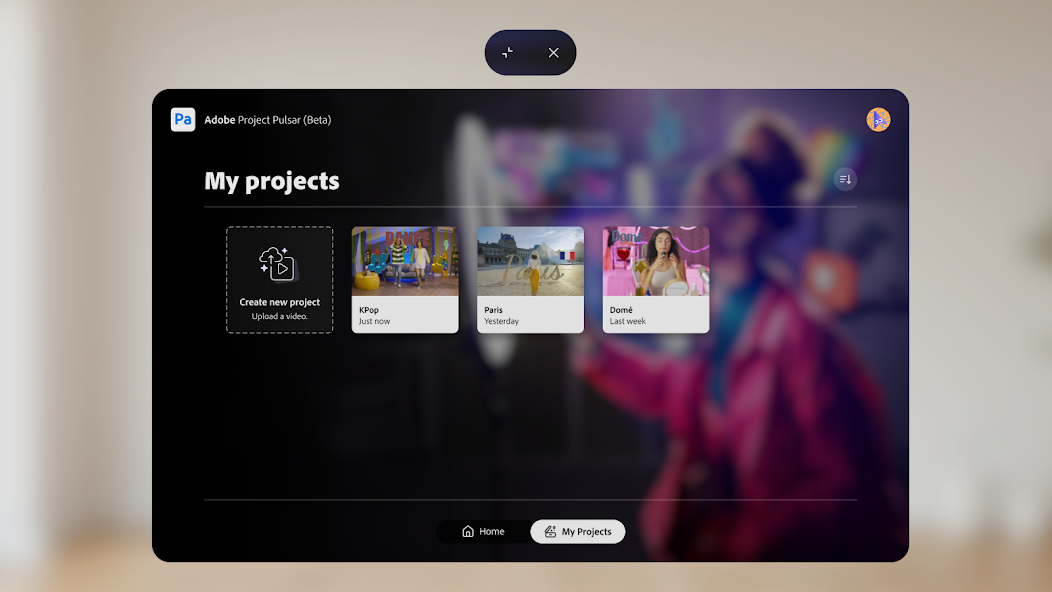
Project Pulsar from Adobe is available as a beta test on Samsung Galaxy XR for adding “spatial effects” to 3D videos.
The video editor enables 3D compositing of text and other effects into videos captured by your phone or the Samsung Galaxy XR headset. Here’s the official description for the app on the Google Play Store:
Project Pulsar (beta) from Adobe is a Spatial FX and 3D compositing app for social video content creators. It puts powerful tools at your fingertips, so you can stand out, stop the scroll, and captivate your audience. Create studio-quality 3D text, assets, and spatial effects in minutes—no VFX experience required
During a pre-launch briefing from Samsung for the Galaxy XR device, UploadVR watched as a representative captured video of attendees and then used the app to insert text into the scene. After several minutes of processing, during which the representative showed they could be doing other tasks, the finished video appeared with objects that seemed to float in front of the subjects of the video. It wasn’t perfect – the text seemed to cut into the environment during playback in some places.
The video editor appears to take cues from the content of the media itself to represent dynamic lighting and shadows cast by lights in the scene across the 3D text and objects added to the scene.
We’ve never tested this kind of on-the-fly video production with an Apple Vision Pro headset – Adobe Firefly’s AI image generation app was launched for the initial M2 device – but the just-released M5 edition might give developers additional resources to do similar “spatial computing” tasks in Apple headsets.
With Galaxy XR headsets, two generations of Apple Vision Pro and a Meta ecosystem all moving toward more powerful headsets based around hand tracking, we’ll be looking to extensively test how apps like Project Pulsar work in real world scenarios for “spatial computing” tasks like these.
Samsung is finally launching its long-anticipated Android XR headset, officially dubbed Galaxy XR. The headset clearly aims to deliver a Vision Pro experience (plus some of its own unique abilities) all at a much more affordable price.
Vision Pro is an incredible headset in many ways, but as I’ve opined previously, it’s too bulky and too expensive for the average person to justify its $3,500 price point.
Samsung’s Galaxy XR headset might not move the needle on size, but it’s offering a similar experience to Vision Pro at a huge discount. The launch price of $1,800 isn’t cheap by any means, but considering the similarities between Vision Pro’s specs & features, it’s far more affordable. For a full breakdown of the specs, check out our Galaxy XR announcement article here, and read on for my thoughts after trying the final version of the headset myself.
Mirror, Mirror
Photo by Road to VR
There’s little doubt that Galaxy XR is pulling a lot of inspiration from Vision Pro. The headsets are both in the same ergonomic class with Galaxy XR weighing in at 545g vs. Vision Pro (M2)’s 600g. Both headsets offload additional weight with a tethered battery.
From a display standpoint, both headsets are using micro-OLED displays, with Galaxy XR at 13.6MP (3,552 × 3,840) vs. Vision Pro at 11.7MP (3,660 × 3,200).
Photo by Road to VR
At its core, Android XR offers up many of the same capabilities as VisionOS.
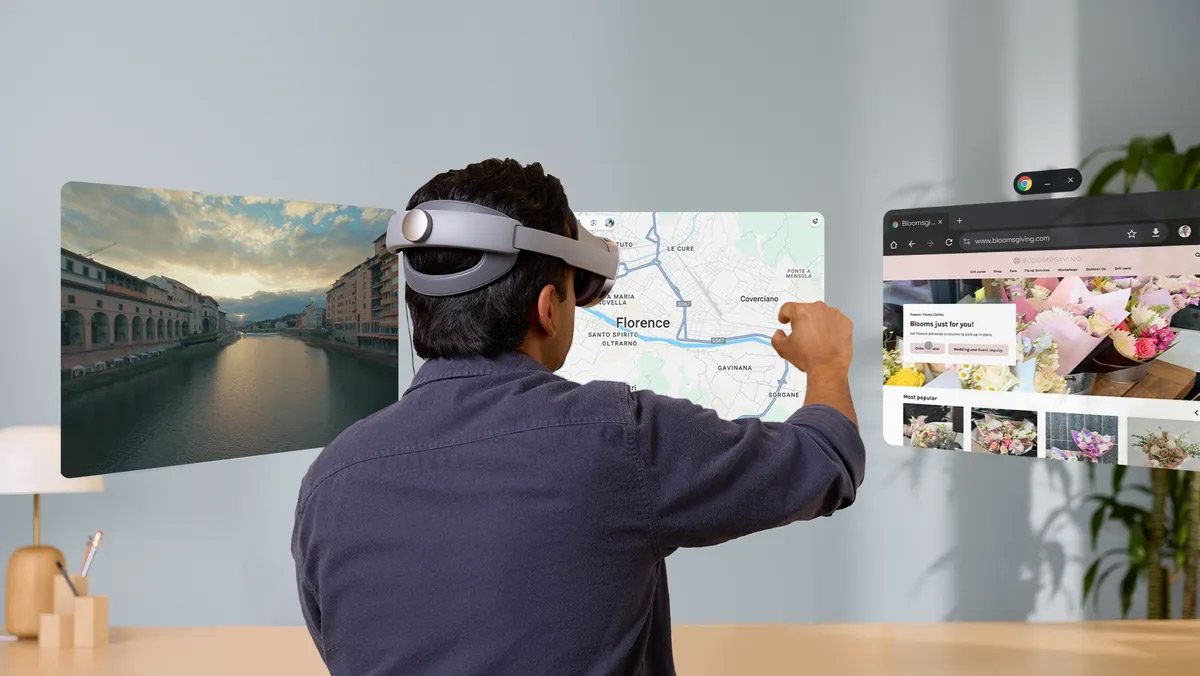
For instance, the OS is built around a multi-windowed interface where apps float in windows around you and can be freely repositioned using Vision Pro’s ‘look & pinch’ modality (with laser-pointer input as an additional option).
Image courtesy Google
And, like iPad apps on Vision Pro, Android XR can run practically any flat app from the Android store, even if the app hasn’t been customized to take advantage of Android XR.
If you launch Google Photos, you’ll see a version of the app that’s largely flat but has been customized to take advantage of the larger canvas of XR. And, wouldn’t you know it, you can easily make photos in your library 3D with the push of a button. But, unlike Photos on VisionOS, Google Photos can bring your photos to life by turning them into short videos.
Android XR is even getting its own version of photorealistic avatars to compete with Apple’s ‘Personas’. My understanding is that these are being called ‘Lifelike’ avatars, but it’s unclear at this point if they will be included on the headset on day one, or released with a future update.
Google says Galaxy XR will also be able to stream the desktop from your computer to work on a big virtual desktop screen. And, like Vision Pro, Galaxy XR supports optional controllers for more precise input while playing immersive games.
Photo by Road to VR
Unfortunately my brief hands-on with Galaxy XR didn’t include a look at virtual desktop streaming or the headset’s controllers.
Ecosystem Leverage
Feature for feature, Galaxy XR covers most of the basics that are available on Vision Pro. And while Apple has significant ecosystem leverage that makes Vision Pro effortless to use with other Apple devices and services, Google has its own ecosystem leverage that’s being applied to Galaxy XR.
Google has built out custom versions of some of its core apps for Android XR—apps which aren’t even available in their basic iPad form on Vision OS. Perhaps the most consequential of those is YouTube.
Google says the YouTube app supports the large existing library of 180, 360, and 3D content. Additionally, the company is currently working with select channels to automatically convert 2D videos into 3D for a more immersive viewing experience when watched in Galaxy XR. Eventually, the company could open this conversion feature up to any YouTube channel that wants to make their content available in 3D.
Then there’s Google Maps which offers an experience that’s quite similar to Google Earth VR. So instead of focusing on navigation, users can easily browse an immersive view of the globe to revisit favorite places or explore new ones.
Google is also touting revamped versions of the aforementioned Google Photos, along with Chrome, Search, Meet, and Google TV.
A Contextual Foundation
So we talked about how Galaxy XR has a strong overlap of features and capabilities. And we talked about how Google has its own kind of ecosystem leverage that’s being applied to Android XR. Beyond that, Android XR leverages Google’s Gemini AI assistant in a way that’s clearly superior to what Siri is capable of on Vision Pro.
It’s not just that Gemini is smarter and capable of answering a wider range of questions. In Android XR, Gemini has the ability to ‘see’ both the real-world and the virtual one, just as you see it. This added context amplifies much of what the headset already does.
Take YouTube, for instance. Let’s say you stumble upon a cool game trailer. You could easily ask “Gemini, is this game out yet?” And after an answer you could add a contextual follow-up question like “how much does it cost?”.
Or let’s say you’re swiping through shorts on TikTok and a video with a unique location catches your eye. “Gemini, where is this?” will get you the answer (within reason). And a quick follow-up with “take me there in Google Maps” will launch the app and show you the area so you can keep exploring.
You can also ask about what you see in the real-world, and use ‘circle to search’ by circling anything you see to get search results. Though frankly I’m struggling to come up with anything but niche examples where this would be useful. This capability is probably more useful on future devices that you might actually want to take outside of your own home, but Galaxy XR isn’t there yet.
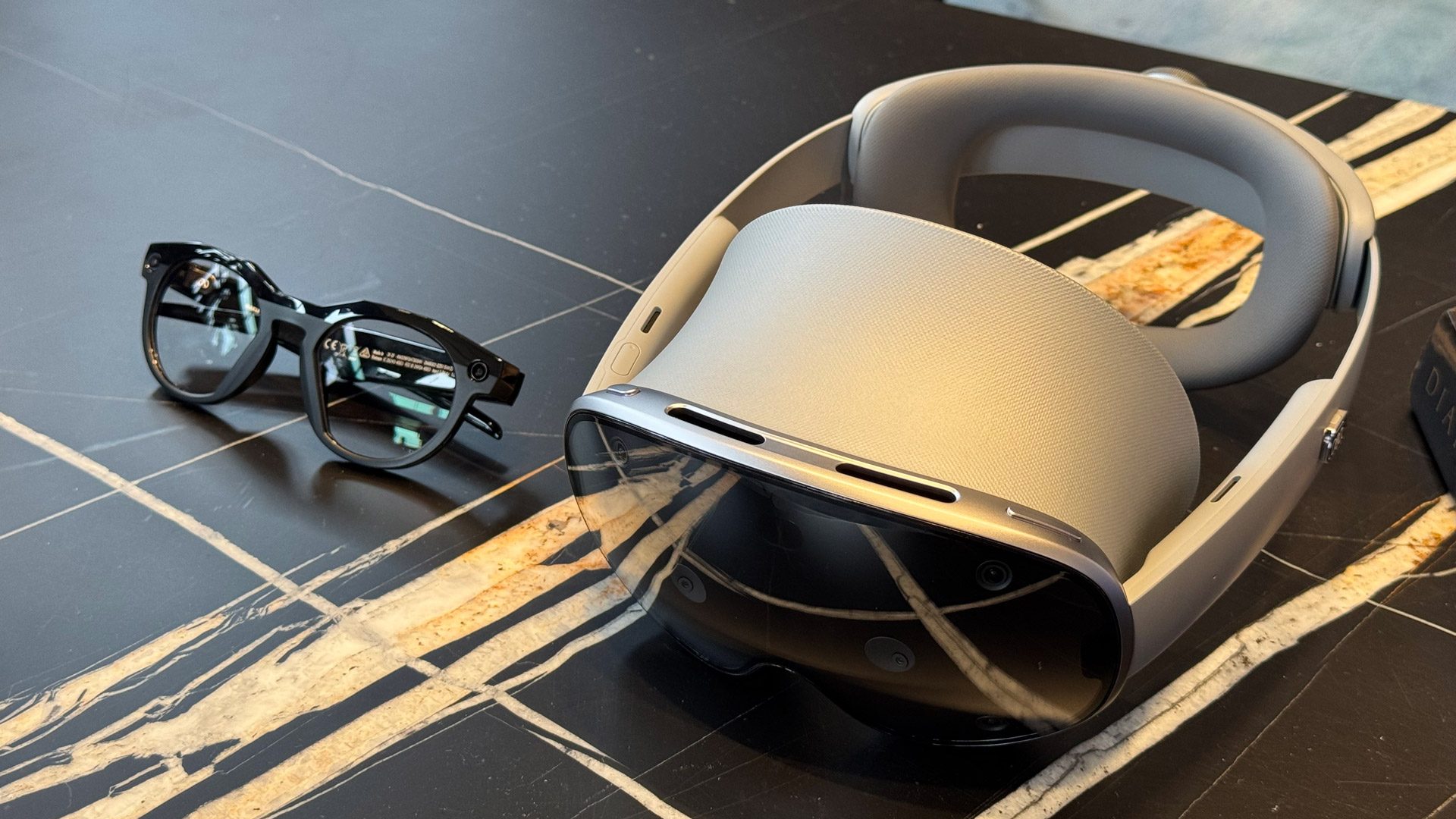
Galaxy XR next to Meta AI glasses | Photo by Road to VR
– – — – –
All-in, Galaxy XR and Android XR look like they’re shaping up to be pretty mature and fully featured. Part of that comes from copying what others have done, but there’s no doubt that there’s some unique aspects to the headset that you won’t find anywhere else, including a surprisingly deep integration with Gemini. Offering this hardware and software at a price that’s half of Vision Pro is a big step forward for the industry at large.
Photo by Road to VR
Even so, will Galaxy XR at ‘only’ $1,800 be worth it? I’ll have to wait for my full review to find out.
2003 puzzle game Enigmo has been remade for spatial 3D, and it’s out now as a timed exclusive for Samsung Galaxy XR.
Originally created by Pangea Software, Enigmo has a long history that’s seen it release on Mac, PC, iOS, PSP, and Android. Now revived as a 3D spatial experience by Fortell Games (Holotanks), you’re tasked with placing puzzle pieces across your room to direct lasers, plasma, and water, eventually getting each liquid to its final destination. Both hand tracking and controllers are supported.
Levels are cleared after filling each container, and there are nine different puzzle pieces used to manipulate the flow of each liquid. Different levels have different quantities of each piece, with other mechanics including laser beams, teleporters, gravity inverters, and more. The base game comes with 50 base levels and two packs, with plans to release further level packs later on.
Fortell Games also informed UploadVR that while Enigmo is a launch title for the Samsung Galaxy XR headset that’s initially exclusive, it’s also planning to bring the spatial puzzler to Quest headsets. However, a release window is currently unconfirmed.
Enigmo is out now on Galaxy XR, while the Meta Quest release will follow at a later date.
I came into this review thinking of Private Internet Access (PIA) as one of the better VPNs. It’s in the Kape Technologies portfolio, along with the top-tier ExpressVPN and the generally reliable CyberGhost. It’s one of the cheapest VPNs out there, its interfaces hold together and it boasts plenty of server locations.
Sadly, I was either misremembering PIA, or it used to be better until someone at Kape fell asleep at the switch. The more I tested this VPN, the more I came to terms with the fact that it’s much harder to recommend these days, especially compared to the entries in our best VPN guide. The biggest culprit is unmoored download speeds that swing wildly from acceptable to unusable, but I also encountered dropped connections, high latencies and dead ends in the UI.
I want to make it very clear that this PIA review is a snapshot of a moment in time. I don’t think this is an inherently bad service, but it needs to do a lot of work to right the ship. As I go through my usual 11-point testing plan, I’ll make a (hopefully) cogent case for why you should give PIA a miss as of now.
Editor’s note (10/20/25): We’ve overhauled our VPN coverage to provide more detailed, actionable buying advice. Going forward, we’ll continue to update both our best VPN list and individual reviews (like this one) as circumstances change. Most recently, we added official scores to all of our VPN reviews.Check out how we test VPNs to learn more about the new standards we’re using.
Here’s a quick overview of everything I learned from testing Private Internet Access. For details on the bullets, check out the relevant section.
Category
Notes
Installation and UI
Desktop apps work well but are limited to mobile proportions
Android app has some confusing design choices and often gets stuck on screens that prompt setting changes
iOS app is the best, but lacks dark mode
Browser extension has several unique features
Speed
Major swings in speed and latency, even on the same server minutes apart
Average download speed drop of 34 percent conceals a lot of outliers in both directions
Latency was the most inconsistent measure of all, swinging by over 1000 milliseconds
Security
OpenVPN and WireGuard, the two universally available protocols, are secure
IKEv2/IPSec only available on iOS
Passed all leak tests, including while switching locations
Encrypts all data packets
Pricing
$11.95 per month
Best plan costs $79 for 39 months, or $2.03 per month
Unlimited connections on any plan
Bundles
Antivirus and dedicated IP addresses available at checkout for an extra fee
Privacy policy
Free of loopholes, with no basis for logging user identities or activities
RAM-only servers make long-term logging impossible
Parent company Kape Technologies is bound to the same rules
Passed two audits by Deloitte, but reports are only available to subscribers
Virtual location change
Never blocked by Netflix
Canada and UK servers failed to change content three times each
Tests were successful in Australia, Japan and Italy, but speeds remained a problem
Server network
155 locations in 91 countries
59 percent of servers are virtual
Features
Two levels of kill switch — stronger setting prevents all internet access before you connect to the VPN
PIA MACE is good at blocking banner ads
Controlling maximum download unit size can improve speeds
App and IP-based split tunneling with normal and inverse options
Automation generally doesn’t work
Multi-hop uses ShadowSocks or SOCKS5 obfuscation
Port forwarding supported
Customer support
Written knowledgebase is not easy to use
Live chat is attentive but slow and not always expert
Support team answers email tickets quickly
Background check
Owned by Kape Technologies
No serious hacks or breaches
Former CTO came with some controversy, but no longer works there
Two court cases have confirmed PIA doesn’t store logs
Installing, configuring and using Private Internet Access
Private Internet Access downloads and installs with very little friction across all the platforms that support its apps. Since I have basically no complaints about the experience of setting it up, I’ll spend this section focusing on how it feels to use PIA on each platform.
Sam Chapman for Engadget
I have a number of issues with how PIA structures its apps on each OS, but I want to preface them by saying that this VPN generally works fine. It connects quickly, its settings are easy to toggle and it never puts active obstacles in the user’s path. Each app except iOS has a soothingly dark aesthetic that’s always readable. Keep that baseline in mind when I start describing what PIA could have done better.
Windows
There’s no good way to describe PIA on Windows or Mac except as a mobile app dragged kicking and screaming onto desktop. This VPN app never misses an opportunity to remind you that it would rather be on your phone. By default, it’s attached to your lower toolbar and cannot be moved or resized. You can change the settings to have it launch in a movable window instead, but you still can’t change its size.
The main window is cluttered, but once you figure it out, there’s a much higher degree of customization than most VPNs offer. Clicking the arrow at the bottom opens a long panel of additional widgets, including quick-connect links, usage stats, a snooze option and buttons for some of the settings you’ll use most commonly. You can drag these elements around to reorder them, or click the ribbon icon to move each to the default launch display. It’s quite cool — just not especially intuitive.
Sam Chapman for Engadget
The server list is another example of PIA’s mobile fixation. Despite having an entire screen to work with, PIA on Windows does not let you view the main display and the server list at the same time — you have to click the arrow by the name of the current server to swap in the list of locations. This list can be organized by country name or by live latency test, though the buttons to change this are not clearly marked as such.
Though the search bar works quickly, the streaming-optimized servers are not sorted out from the rest. You have to type “streaming optimized” into search to see if your chosen country has a streaming server.
You can click the three dots at top-right to go to the settings menu, which is a breath of fresh air after the clunky main UI. Settings are arranged in tabs, and each tab’s design makes it easy to tell what its feature does and how to control it. PIA’s launch window feels over-engineered to make a distinct first impression, but the settings menu is free from that hangup.
Mac
PIA’s Mac app also feels like it was designed for mobile and then ported to desktop. Like the Windows app, it’s attached to the toolbar until you change the settings to let it move independently. After that, it has the same problem of being crammed into a mobile-sized window, with the server list and the main UI not visible at the same time.
The Mac version also has the unique problem of not showing up in the system dock, instead working entirely from the toolbar. That said, right-clicking the toolbar does let you connect to the VPN and even choose a location, which is awesome and provides some justification for this design choice (though I’ll point out that this could also be done from a dock icon).
Sam Chapman for Engadget
The main window of the Mac app can be reordered or expanded through clicking and dragging just like the Windows UI. The settings panel is accessed the same way and is just as seamless to use. In fact, one big point in PIA’s favor is that its two desktop apps are almost identical — water in the desert after the wild swings of Norton VPN.
Android
Having already complained twice about PIA’s desktop interfaces feeling like mobile apps, I had high hopes for it on Android. While it functions just as smoothly here as everywhere else, it comes with a set of design decisions that are weird in a whole new way.
First of all, you can’t sort the server list alphabetically anymore; it’s arranged by current latency instead, which means the list is constantly shifting in real time. Customizing the main window is now done by clicking a button at the top-right of the screen. This flips the entire look in a way that’s likely to startle first-time users. It’s ultimately the same interface as on desktop — drag widgets around and toggle whether or not they’re seen — but it could be handled better.
Sam Chapman for Engadget
The preferences list is not nearly as user-friendly as on the two desktop apps. Most of the important features are buried two menus deep under the tab marked “Settings,” except for split tunneling, which is called “Per App Settings” for some reason (and barely explained).
The larger issue, though, is that PIA on Android is extremely dependent on making you change system settings outside the app — which would be fine, except that it hasn’t figured out a working interface for actually doing that. Almost every time I was prompted to change something in the settings, I got stuck on a prompt page with a useless button. Going into Settings and making the changes manually did nothing to unstick these pages.
iOS
Of all PIA’s VPN apps, iOS is the closest to a home run, save for the inexplicable decision to lock the interface in light mode. I gather PIA was just trying to keep its iOS and Android apps visually distinct, but throwing out one of its best aesthetic choices isn’t the way to do that.
Sam Chapman for Engadget
That gripe aside, everything else is nearly ideal, pointing to iPhone and iPad as PIA’s natural home. The option to toggle what appears on the main page is finally done right — you still have to tap a button that causes a bit of whiplash, but it’s much clearer what you’re meant to do in order to shift, add and remove widgets.
Browser extensions
PIA’s browser extensions are available for Chrome and Firefox. They look fairly similar to the desktop app, but with some distinct features for the web. The best is the ability to instantly add the website you’re currently on to the bypass list, which is incredibly handy if you’re doing something non-sensitive and the VPN is actively slowing it down.
Sam Chapman for Engadget
The extra features are organized into three categories: security, privacy and tracking. Security blocks WebRTC leaks and automatically connects unsecured websites through HTTPS. Privacy blocks websites from accessing your camera, microphone or real location and can prevent you from connecting to websites with known security concerns. Tracking, as you might guess, blocks various forms of activity trackers.
It’s both very thorough and surprisingly different from any of PIA’s other apps — there’s reason to use this extension even if you’re already using a PIA app on the same device. However, its explanations of each feature rely a bit too much on technical jargon, so casual users might not find many of them helpful.
Other platforms
Private Internet Access can also be installed on Linux and has native apps for Apple TV and Android TV. To protect any other internet-capable device, including game consoles, you can install PIA on your router, which automatically protects any device connecting through your home WiFi.
Private Internet Access speed test
I used Speedtest by Ookla to test how much Private Internet Access impacted my browsing speeds. Running a VPN inevitably reduces download speed (how fast web pages display), upload speed (for posting and torrenting) and latency (the gap in real-time communications, such as during games and live chats. The real question, then, is whether PIA can keep those reductions as minimal as possible — like my current speed champion, Surfshark.
Server location
Ping (ms)
Increase factor
Download speed (Mbps)
Percentage drop
Upload speed (Mbps)
Percentage drop
Portland, USA (unprotected)
13
—
57.92
—
5.64
—
Las Vegas, USA
105
8x
40.33
30.4
4.55
19.3
Montreal, Canada
512
39x
48.14
16.9
5.61
0.5
Chile
413
32x
44.63
22.9
5.60
0.7
Milan, Italy
672
52x
41.55
28.3
3.69
34.6
South Africa
1120
86x
26.88
53.6
4.36
22.7
Sydney, Australia
350
27x
28.08
51.5
5.26
6.7
Average
529
40.7x
38.26
33.9
4.85
10.9
This speed test was a marked disappointment. PIA had some of the most inconsistent readings I’ve seen on a VPN in some time — so bad I initially assumed there was something wrong with the speed tester. I ran more speed tests on more days than I usually do, just to make sure a fluke outlier didn’t permanently taint PIA’s score. Speeds were often good, but occasional sharp drops suppressed them.
This problem was especially pronounced with latency. In practically every test, the three pings swung wildly, sometimes ending up above 2000 milliseconds (or, as we call it in the business, two seconds). I can’t say what the problem is, but until PIA fixes it, I don’t suggest using this VPN for any split-second gaming.
Additionally, on my first day of testing, the server location PIA chose as the fastest gave me four-digit pings, download speeds below 2 Mbps and no upload speeds at all. Other servers worked, so the problem wasn’t on my end. This didn’t happen in every location by any means, nor on every test — but it repeated in Montreal, implying an issue with more than one PIA server.
Sam Chapman for Engadget
Due to several low outliers, PIA’s worldwide averages don’t look good at all compared to other VPNs. The best news in the table above is that upload speed only dropped by about 11 percent, and download speed by about 34 percent, retaining two-thirds of my unprotected speed. But the inconsistency is a serious problem; PIA might be quite fast at times, but it’s unpredictable. I’ve reached out to PIA for comment on its speeds and will update this when I receive a reply.
Private Internet Access security test
Since most websites today use HTTPS encryption, it’s very difficult for third parties to see precisely what you do online — but motivated people can still see your real location and the sites you visit. The purpose of a VPN is not to keep you completely anonymous or safe online, but to prevent your IP address and DNS requests from being visible to your internet service provider or anyone else.
I looked from three different angles to see whether Private Internet Access is actually capable of doing what its name promises. First, I checked to make sure it uses VPN protocols considered to be secure. I next used an IP address checker to see if any locations leaked my IP address, and finally ran a WireShark test to ensure all protocols applied encryption evenly.
VPN protocols
PIA uses three VPN protocols to mediate between your device and its servers — OpenVPN (over TCP or UDP), WireGuard and IKEv2/IPSec. OpenVPN has provided reliable VPN security for many years now; it’s open-source and constantly updated by volunteers to stay current. TCP is slower but more stable, while UDP is faster but more likely to drop connections. OpenVPN is available on all PIA apps.
WireGuard is a newer protocol that PIA contributed to the development of. It’s leaner and often faster than OpenVPN, and uses a stream cipher that’s harder to crack (though in practice, both WireGuard and OpenVPN use cryptography unbeatable by existing technology). WireGuard is available on all PIA apps.
Sam Chapman for Engadget
WireGuard’s one downside is that it stores user IP addresses to keep the tunnel open — but that’s no issue if a VPN is following its no-logging policy, which I believe PIA is. See “Close-reading PIA’s privacy policy” for more details.
IKEv2/IPSec is only present on PIA’s iOS app. Its ability to stay connected through rapid network changes makes it great for mobile, so it’s disappointing not to see it on Android as well. IKEv2 isn’t open-source like OpenVPN and WireGuard, but when paired with the IPSec suite, it’s just as secure.
Leak test
To run this test, I wrote down my IP address without VPN protection. Then I connected to several PIA servers and checked whether ipleak.net showed me a different IP address, ideally in a wholly different location. PIA passed the first round of tests easily, as you can see in the screenshot below — I never once saw my real location, which means neither DNS nor WebRTC was leaking it. PIA also blocks IPv6 on all apps to prevent it from leaking (this can’t be disabled).
Sam Chapman for Engadget
However, since reviewing Norton VPN, I’ve gotten paranoid about VPNs letting security drop during server switches. So I added another test in which I changed servers several times while watching the IP leak test. PIA passed this test as well, always jumping seamlessly from one VPN location to the next without ever revealing my real IP address.
Sam Chapman for Engadget
Encryption test
The last step in testing VPN security is to use a packet sniffer like WireShark to make sure the traffic you send is actually getting encrypted. It’s pretty rare for even the jankiest of VPNs to fail this part, but any VPN that doesfail gets an automatic blanket no. Luckily, PIA passed on all three protocols, as WireShark showed data packets with clear encryption.
How much does Private Internet Access cost?
Cost is one of the biggest reasons to pick Private Internet Access as your main VPN. At the monthly level, it costs $11.95 — not that much cheaper than its competitors and more expensive than some of the best, including Proton VPN.
The long-term plans change all of that. One year of PIA costs just under $40, or $3.33 per month. The three-year plan is an even heavier discount, costing just $79 and including three bonus months in the first period. That works out to $2.03 per month for the first three years and $2.19 per month after that.
A single PIA subscription can be used on an unlimited number of devices. This could potentially stretch your money further still, covering an entire family, friend group or small business. Having said that, as with Surfshark, you can still be restricted for using an excessive number of devices. PIA’s terms of service document states that it may contact users who appear to be abusing the privilege and can restrict access to the VPN if the abuse persists.
Private Internet Access side apps and bundles
Alongside the basic Private Internet Access VPN service, there are a couple of add-ons worth noting. You can select one or both of these on the checkout page after choosing your plan.
PIA Antivirus runs continuous malware scans and sends you alerts whenever any activity matches its database of known viruses. You can schedule system-wide scans to catch malware that might have made it through the net. There’s also a quarantine box for storing malicious files. The main thing you won’t get is the kind of actively learning antivirus system that can catch new threats based on their behavior — for that, I still recommend a dedicated AV app. Adding antivirus costs $4.50 per month, $24 for a year or $36 for three years.
A dedicated IP address ensures you’ll have the same IP address every time you connect to the VPN. A constantly fluctuating IP can trigger CAPTCHAs on some pages, so if you’re sick of having to identify crosswalks just to use Google, this extra fee might be worth it. You can also add your dedicated IP to allowlists for remote access services. A dedicated IP address through PIA costs $5 a month, $51 for a year or $90 for three years.
Close-reading Private Internet Access’s privacy policy
A VPN’s privacy policy is a legal document that lays out the terms of its relationship with its users. It’s easy to assume it’s all hollow words, but directly contradicting its own policy can get a provider in trouble. Looking closely at PIA’s privacy policy can tell us what its priorities are, what your rights are as a user and how much you can trust it not to exploit its access to your secrets.
PIA is a Kape Technologies property, like ExpressVPN and CyberGhost. I’ll get into that more in the background check, but for this section, my overriding question was whether any loopholes in the privacy policy might allow PIA to share user data with its parent company, and from there to its other properties.
Fortunately for me (and everyone who cares about this stuff and isn’t a lawyer), PIA has a very succinct and transparent privacy policy, mostly made up of bullet points. At the top, the policy states that PIA always handles customer data in accordance with the General Data Protection Regulation (GDPR), even outside of the EU. Further down, we get this key statement:
Sam Chapman for Engadget
That’s pretty definitive, leaving very little wiggle room. It doesn’t include device fingerprints, which can be used in place of IP addresses and activity logs, but lower down, the policy states that device identifiers can only be gathered from users who opt in — and thankfully, PIA’s apps do not send that information by default.
The next section discusses what PIA can do with the information it does collect. It’s permitted to share customer support data with Deskpro, which powers its live chat assistance. It also uses Stripe, PayPal, Amazon Pay and BitPay for payments, but sharing email addresses and payment methods with financial processors is standard even for the most private VPNs (Mullvad has this same carve-out, to name one).
PIA ends the privacy policy by addressing the question of its parent company, Kape Technologies, stating: “neither PIA nor anyone at Kape Technologies logs or stores any kind of substantiative [sic] Personal Data, user browsing data, or individual connection data other than what has been outlined here, nor do we share any personal or usage information with third parties for marketing purposes.”
Misspelling aside, I’m perfectly satisfied with the policy. Combined with PIA’s use of RAM-only servers without long-term information storage, this document all but eliminates the potential for abuse. A PIA representative confirmed for me that while some user data is handled by “cross-group employees,” none of it is sensitive or identifiable.
Independent privacy audits
Third-party audits are one more critical piece of evidence we can use to decide whether a VPN is trustworthy. PIA passed an audit of its systems by Deloitte Romania in April 2024, which found that it was adhering to its no-logs policy.
The report itself is only available to subscribers, which is a bit annoying, but at least not unique. After downloading it through my account portal, I was able to confirm that Deloitte’s investigation found nothing in PIA’s systems that went against its privacy statements.
Can Private Internet Access change your virtual location?
Chances are good that you found this review because you need a VPN to mask your virtual location, whether that’s to get around age verification or to see what’s streaming on your favorite platforms in other countries. This section’s test is designed to see if Private Internet Access is able to change your virtual location convincingly enough for Netflix.
I tried connecting three times in each in five different locations and recorded my results in the table. I used the streaming-optimized servers whenever possible, and the WireGuard protocol for the best speeds. “Unblocked Netflix” shows whether I got to Netflix without being caught using a VPN, and “Changed content” shows whether I actually saw a new library.
Server location
Unblocked Netflix?
Changed content?
Canada
3/3
0/3
United Kingdom
3/3
0/3
Japan
3/3
3/3
Australia
3/3
3/3
Italy
3/3
3/3
My findings continued the trend of PIA being just good enough that I’m frustrated by the ways it fails to be better. PIA never got caught, which indicates that it’s taking care to not use IP addresses Netflix has blocked. Three of the five locations — in Japan, Australia and Italy — managed to change the contest I saw.
Sam Chapman for Engadget
However, with all nine tests in each of those three virtual locations, PIA’s speeds dragged so much that I waited several minutes to see if it had actually worked. The other two server locations, Canada and the UK, didn’t change Netflix at all, no matter how many times I disconnected and reconnected.
The bigger problem, though, is that PIA’s fluctuating speeds meant Netflix took ages to load and often froze until I refreshed it. Shows stuttered and lagged even when I could watch them. Until it fixes whatever is going on with its speeds, PIA won’t be a good choice for streaming in any location.
Investigating Private Internet Access’s server network
Private Internet Access has 155 server locations in 91 countries. Confusingly, I counted that it also has 91 virtual server locations, though it’s not the same 91. Its network is heavily weighted toward Europe, which accounts for 44 countries, but there’s also decent representation in Asia. Traditionally underserved South America and Africa get nine and four locations respectively, though they’re all virtual.
Region
Countries with servers
Total server locations
Virtual server locations
North America
8
64
45
South America
9
9
9
Europe
44
48
14
Africa
4
4
4
Middle East
6
6
3
Asia
18
18
16
Oceania
2
6
0
Total
91
155
91 (59 percent)
Virtual server locations aren’t necessarily a bad thing, but when used to excess, they may indicate that a VPN is more concerned with making its server network look big than ensuring it works for every user. PIA’s server network is more than half virtual worldwide. Recently, it’s added locations in every US state — again, mostly virtual, which makes it come off as more of a stunt than a genuine improvement. Given the trouble I had using PIA for this review, I find that there’s something to the claim that it’s more interested in growing than in working.
PIA’s website has a helpful page that shows where virtual servers are physically located, though it’s out of date, having been updated last in July 2023. The list shows that PIA tries to put the real locations of virtual servers as close to their displayed locations as possible. There are a couple of weird choices, like the Buenos Aires server really being in Miami, but that’s mostly kept to a minimum.
Extra features of Private Internet Access
Private Internet Access doesn’t have the wealth of features you’ll see on the likes of Surfshark or NordVPN, but it’s not quite as bare-bones as ExpressVPN, either. Some of its most interesting extras are self-explanatory, while others are a little technical. I’ll explain the most important features here.
Kill switch
A kill switch is a must-have for a safe VPN. While active, the kill switch makes it impossible to connect outside the VPN tunnel, which keeps you from accidentally connecting to malicious fake servers. This also means that if PIA drops your connection for any reason, you won’t be able to get online at all — which can be annoying, but saves you from broadcasting any sensitive information without encryption.
Sam Chapman for Engadget
PIA comes with two levels of kill switch. The basic version watches for traffic outside the tunnel when the VPN is active. The stronger “advanced kill switch” works even when you aren’t connected to the VPN, so you cannot get online at all without being protected by PIA first.
PIA MACE
MACE is PIA’s ad blocker. It keeps a list of domains known to display ads, malware, scams or invasive trackers, and blocks them all from loading. This won’t stop all ads, since some of them come from domains considered legitimate — notably, MACE can’t do anything about YouTube video ads — but it works on most banner ads and definitely lightened the load on my browser.
MACE is available on all PIA’s apps except iOS. iPhone and iPad users instead get a content blocker that does much the same thing, but only on Safari. If you prefer to use Chrome or Firefox on your iOS device, you’re out of luck (unless of course you get another ad blocker).
Maximum transfer unit (MTU)
MTU is a somewhat technical feature. You may not need it, unless your connection is extremely sluggish and the traditional fixes don’t work. In short, MTU limits how much data can move through PIA’s servers at a time. Large packets complete loading faster, but may struggle on shaky connections. Small packets make for slower but more stable downloads overall.
I say you probably won’t need it because it’s almost always best to leave it on the auto setting and let PIA pick MTU on its own. I ran some speed tests with both the large and small MTU options and didn’t see a noticeable difference. That indicates that PIA is pretty good at picking the best MTU, so in most cases, just let it cook.
Automation
On the automation tab in PIA’s settings, you can set up rules to save you some trouble with the VPN. On Mac and iOS, automation can respond to three types of network: protected Wi-Fi, open Wi-Fi and wired. On each of these, you can set PIA to automatically connect or disconnect. That’s it — you can only have a maximum of three rules.
Android and Windows users get the option to make rules for specific networks, but only the network they’re currently connected to. On every platform, there’s no way to determine which server PIA auto-connects to. It always picks the fastest.
Sam Chapman for Engadget
The inch-deep options on their own would make for a disappointing feature, but there’s a bigger issue: it doesn’t work half the time. I spent at least an hour on four different platforms trying to make automation happen. On iOS and macOS, I could make the rules, but they never triggered. With Android, I got stuck at a prompt telling me to enable location services, which I had already done.
Windows was the only version where PIA’s automation worked the first time. On the plus side, it gave me the question I used to test PIA’s customer support.
Split tunneling
Split tunneling — which lets you decide which apps or websites go through the VPN tunnel and which stay outside — is a common feature, but PIA surprisingly has one of the best implementations of it. To start with, it can split tunnel by app or by IP address, which lets you protect specific websites or leave them unencrypted.
Sam Chapman for Engadget
In another layer of versatility, you can make your split tunnel rules in normal or inverse fashion. Either every app and website uses the VPN except the ones you designate, or only the ones you designate use the VPN. All these options give you a much finer level of control that you get over the automation feature.
Multi-Hop via Shadowsocks and SOCKS5
Double-hop or multi-hop is when a VPN runs your requests through two servers instead of one. PIA handles multi-hop a little differently than other VPNs, as the second server will always be a Shadowsocks or SOCKS5 proxy. These two protocols are designed to obfuscate VPN traffic so it looks like a regular connection, which gets you around certain firewalls.
Sam Chapman for Engadget
If you choose a SOCKS5 proxy, you’ll need to get a server address from an outside service and set it up yourself. If you pick Shadowsocks, which is the more secure option anyway, you can choose from a list of locations to use as the first node. It’s nice to have so many choices, but still a bit frustrating that you can’t get obfuscation without also using double VPN (which only works on the OpenVPN protocol).
Port forwarding
The final PIA feature worth noting is port forwarding, which keeps the VPN from getting in the way of any outward-facing services you might be using. This gives you a more stable connection on remote desktop protocols or torrenting clients — especially the latter, as that’s the sort of traffic you really want to keep encrypted.
Private Internet Access customer support options
When I set out to test the automation features of Private Internet Access, I found myself blocked on the Android app. A notification popped up telling me to enable background access to location services, but the button labeled “go to permissions settings” didn’t do anything. I took the long way around and made the changes myself, but the pop-up remained stubborn.
Sam Chapman for Engadget
This gave me a perfect opportunity to see how PIA helps users caught in predicaments like this one. First, I went to the website and clicked “support” in the top banner to reach the PIA helpdesk. Then the trouble started. I opened up the Android guide on my Mac laptop and waited several minutes for the file to load. When it didn’t, I tried my Android phone, which also didn’t work. I checked back on the laptop, where I finally saw the guide after reloading the page.
Sam Chapman for Engadget
After all that, the guide said nothing about my problem. Nor could I find it anywhere in the general FAQs, which kept splitting into smaller and smaller categories which never really explained what I’d find. However, after a few minutes of searching, I found the problem had resolved itself with no explanation.
Live support experience
I still had to test live chat, though, so I pivoted to a new problem: how to get the Android automation feature to recognize my home Wi-Fi network instead of calling it “unknown SSID.” I couldn’t be sure it was my own network and not a malicious duplicate. This may sound like paranoid nitpicking, but paranoid nitpicking is the bread and butter of cybersecurity.
I first had to find live chat, which confusingly can’t be accessed through the helpdesk — you have to go back to the main website. I managed to get past the AI gatekeeper fairly quickly, and sat to wait for a human agent.
In less than a minute, I was chatting with Carl, who requested screenshots and ran me through some tests. Carl was able to explain that the pop-up problem had resolved because I’d given PIA full access to location services (which is not something the window itself specified I would need to do), but the unknown SSID issue persisted.
Sam Chapman for Engadget
Carl was diligent, but slow. After well over 30 minutes of back-and-forth, during which I sent over two screenshots and a debug log, he told me we’d have to escalate the problem. I got an email from the support team about a day later that suggested I try connecting to other Wi-Fi networks and see if the problem persisted; this eventually led me to discover the culprit in my router settings, so I can’t blame PIA for this one.
Private Internet Access background check
The final step, as always, is to look into the history of Private Internet Access as a corporation and look for any red flags I may have missed. A VPN’s biography can reveal its attitudes about critical aspects of its job and show how it might behave in the future.
PIA was launched in 2010 by Andrew Lee in Denver, Colorado, where it’s still based today. In 2019, the brand was acquired by Kape Technologies, owners of ExpressVPN, CyberGhost and the now-defunct ZenMate. I won’t relitigate the full Kape controversy here; you can find a longer summary in my ExpressVPN review. Suffice to say that while it’s come under scrutiny in the past for tacitly allowing its products to become malware vectors, there’s no evidence the acquisition changed anything substantial about how PIA operated.
Most of the usual red flags aren’t factors here. PIA has never suffered a serious hack or breach. In its 15-year record, I only found two things worth pointing out: a controversial executive and its United States headquarters.
Former CTO Mark Karpeles
Mark Karpeles was the CEO of Mt. Gox, the market for Magic: The Gathering trading cards that became the world’s largest crypto exchange, only to lose it all in a massive hack that’s never been fully explained. Karpeles was arrested in Japan after the heist and found guilty of falsifying records, but was sentenced to time served and released in 2019.
While the Japan trial was ongoing, Karpeles joined PIA parent company London Trust Media as its chief technical officer. PIA founder Andrew Lee defended the hiring in a statement on the PIA blog, writing that “If we, as a society, do not give second chances to those who fall, then we as a society will cease to progress,” and comparing Karpeles’s arrest to Steve Jobs being forced out of Apple.
Neither man works at PIA anymore. According to his LinkedIn, Karpeles left London Trust Media after the Kape Acquisition in 2019. Lee left at the same time, and these days seems less interested in cybersecurity than in trying to become the Prince of Korea.
Bottom line: Although hiring an executive in the middle of his malfeasance trial may be terrible optics, the whole controversy isn’t relevant to the VPN’s operations today.
US headquarters and Five Eyes
The other potential sticking point with PIA is that it’s headquartered in the United States, which is a member of the Five Eyes intelligence sharing agreement. Now, I’m on the record as not thinking Five Eyes is a big deal for a VPN — either the VPN is following its privacy policy, in which case it’ll have nothing to share with intelligence agents, or it’s not, in which case its location is the least of its problems.
As I concluded in the Privacy section, whatever PIA’s flaws, it’s not mishandling user data or violating its own privacy policy. That’s not only confirmed by two audits, but also by two separatecourt cases in which PIA was unable to comply with requests for logs on its customers. If the VPN doesn’t save information, there’s nothing for Five Eyes to access.
Final verdict
There’s plenty that does work about PIA. Its privacy and security are unimpeachable — it uses vetted protocols with strong encryption and doesn’t leak. Its iOS app is a nearly perfect mobile VPN, and the ability to customize the home screen on every app is a great touch. Split tunneling is outstanding, MACE blocks ads efficiently and I even like the automation (though I wish it was deeper).
But PIA is aggravating to use in too many ways. While its servers are frequently fast, you can’t trust that download speeds will hold from one moment to the next. Basic quality assurance, like assuring pop-up buttons always do something when pressed, seems to have gone by the wayside in its Android app.
In spite of it all, I still recommend Private Internet Access as a budget VPN. Its three-year plan is the cheapest subscription on the market right now. At $2.00 per month, I’m prepared to forgive a lot, especially at a time when all our wallets are squeezed.
This article originally appeared on Engadget at https://www.engadget.com/cybersecurity/vpn/private-internet-access-vpn-review-both-more-and-less-than-a-budget-vpn-120033882.html?src=rss
Zwift’s big fondo events are a popular tradition where thousands of riders push themselves to finish long weekend rides. This season’s second set of fondo events happens this weekend, and finishers unlock the vintage February 2022 Fondo kit. Read on for details!
This month’s fondo is on Watopia’s Medio Fondo route, which takes riders up the Hilly KOM Reverse and Volcano KOM and finishes on the Epic KOM. In between, you’ll ride the Jungle Circuit Reverse and various roads around Watopia proper.
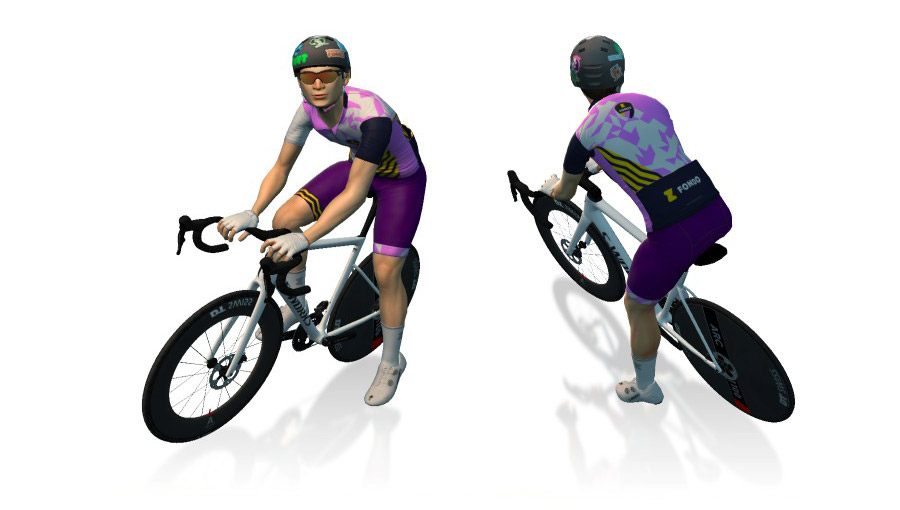
Instead of releasing another set of fondo kits this season, Zwift is awarding different legacy Zwift Fondo kits each month. October’s legacy kit was originally used for the ZFondo series in February 2022:
Is this a race?
Officially, no. But hundreds (possibly thousands) of riders will turn out for each of these popular “fun race” events, and the front of each event will certainly be filled with strong riders going all out.
With so many riders participating, everyone should be able to find a group that suits their desired pace. You do you!
Categorization and RoboPacers
You must choose a category when you sign up, but the category you choose is entirely up to you, and all categories start together and are visible to each other.
The idea is that you’ll choose a category at the approximate pace you plan to ride, making it easy to see and group up with other riders targeting a similar pace. Each category will include a RoboPacer with a beacon, and you can choose to ride with that RoboPacer group or not.
As the holiday season approaches, Sony is offering exceptional deals on two of its best full-frame mirrorless cameras. The A7R V, which offers exceptionally sharp photos thanks to the 61MP sensor, is on sale for $3,298 ($902 off), its lowest price ever. And the mainstream 33MP A7 IV, great for both video and photos, has also dropped to a new low of $1,998 or $702 off (28 percent).
Sony’s A7R V has one of our highest Engadget review scores ever thanks to its exceptional image quality, speed and versatility. With a 61-megapixel sensor, it shoots sharp and beautiful images at a very respectable speed for such a high-resolution model (10 fps). It has equally fast and reliable autofocus, the sharpest viewfinder on the market and in-body stabilization that’s much improved over the A7R IV. Video has even improved, with 8K and 10-bit options now on tap, albeit with significant rolling shutter. Even after a few years, it’s still one of the best high-resolution full-frame cameras on the market and is an exceptional steal at this price.
Steve Dent for Engadget
Though also released a few years ago, Sony’s A7 IV also received an excellent Engadget review score and is still one of the best mainstream cameras available. Resolution is up considerably from the 24-megapixel A7 III to 33 megapixels, with image quality much improved overall. Video is now up to par with rivals with 4K at up to 60p with 10 bit 4:2:2 quality. Autofocus is incredible for both video and stills, and the in-body stabilization does a good job. The biggest drawbacks are rolling shutter that limits the use of the electronic shutter, plus the relatively high price.
This article originally appeared on Engadget at https://www.engadget.com/cameras/sonys-61mp-a7r-v-mirrorless-camera-is-on-sale-at-its-lowest-price-ever-113045739.html?src=rss
KDE Plasma 6.5 desktop is out now, adds automatic light-dark theme switching, rounded window corners, pinned clipboard items with permanent access, and more.
With Galaxy XR, you can split screen between a game like Stardew Valley and a real-time video chat.
Samsung
After dropping hints for over two years, Samsung, in partnership with Google, finally revealed its first-ever Android extended reality headset Tuesday night. The new device, dubbed Galaxy XR, will run you $1,800 and you can actually buy it today.
Due to its collaboration with Google, it’s not a surprise that the headset comes fully equipped with Gemini AI built in. “Android XR is the first Android platform built entirely for the Gemini era, and we are incredibly excited to take a significant leap forward today with the launch of Galaxy XR,” Sameer Samat, President of Android Ecosystem at Google, said.
What are the features of the Galaxy XR headset, and how does it differ from its main competitor, the $3,499 Apple Vision Pro? Glad you asked!
What is the Galaxy XR?
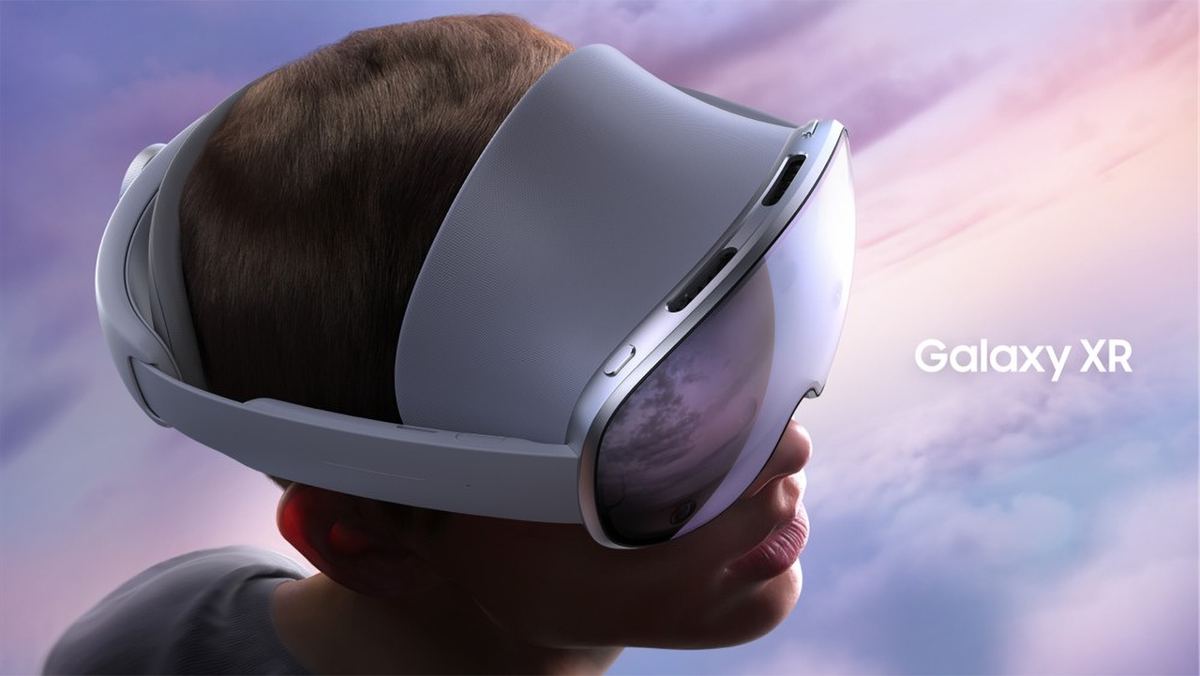
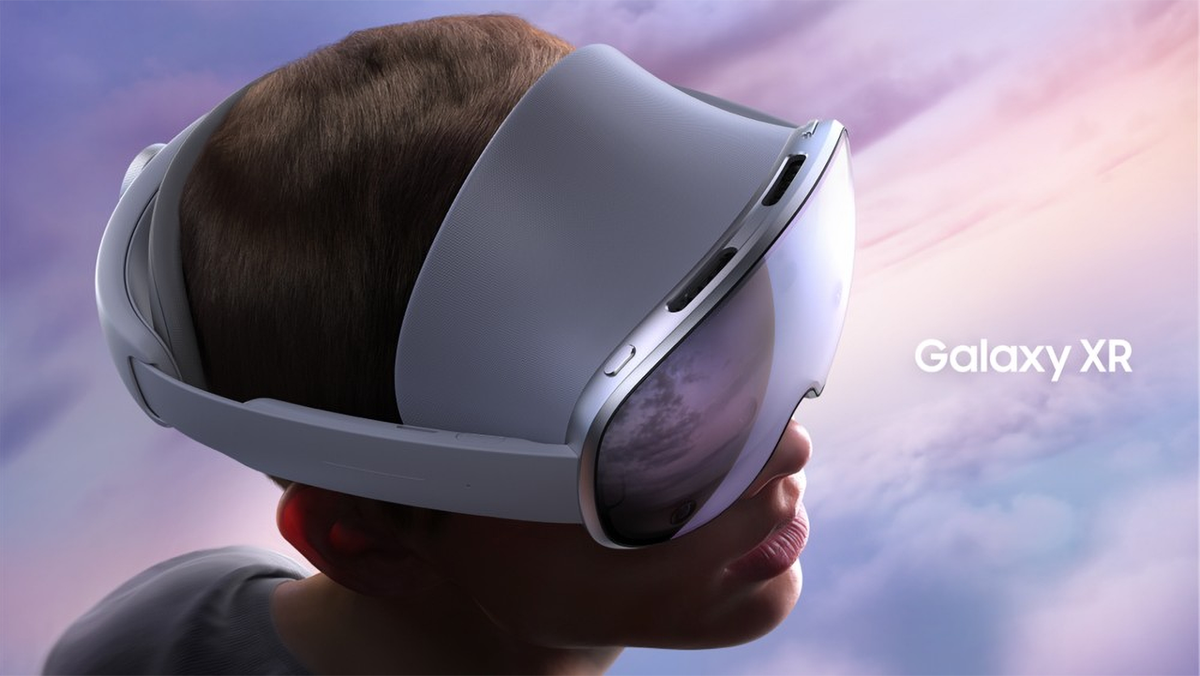
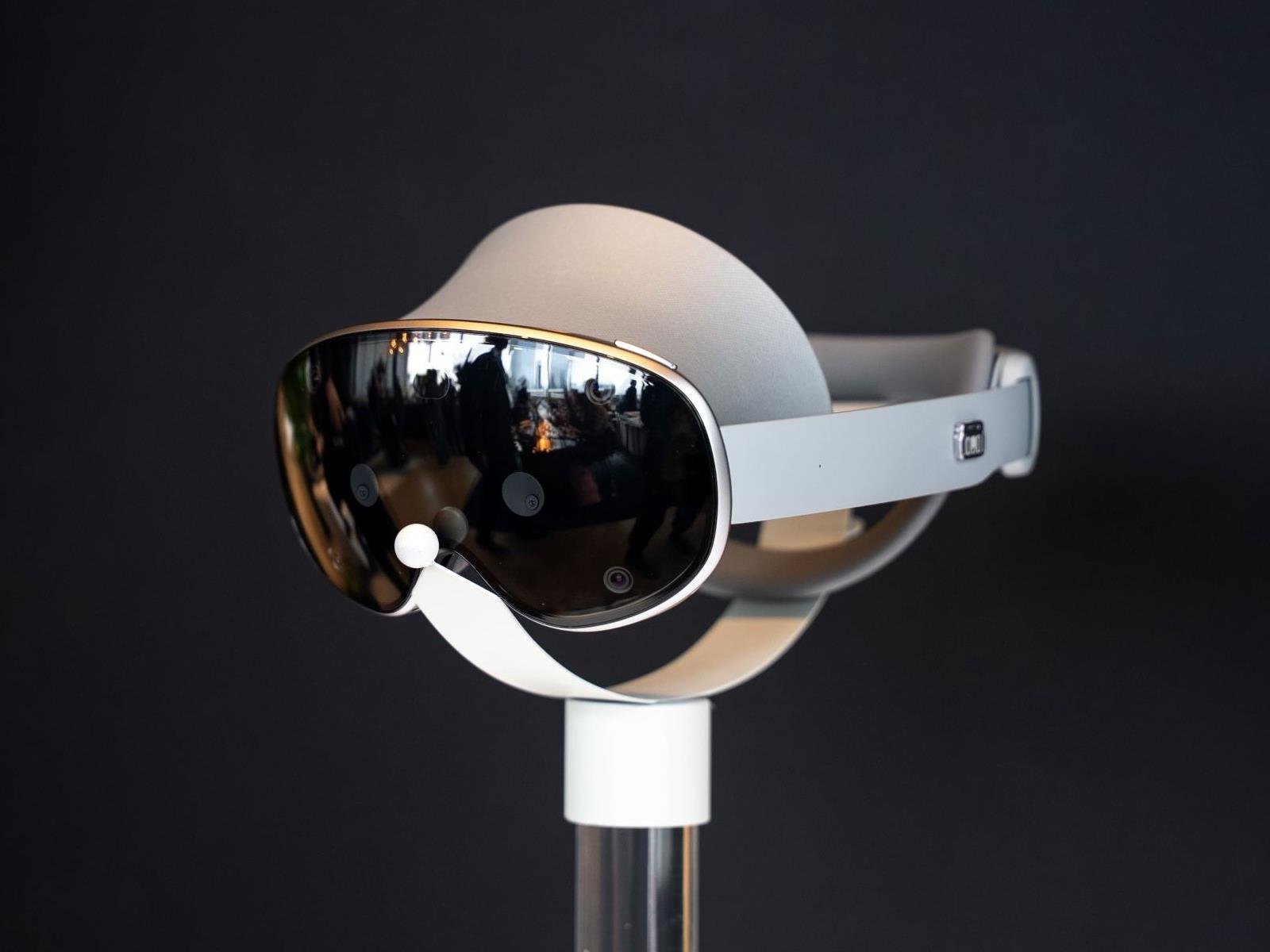
The Samsung Galaxy XR is the first-ever Android XR headset, created by Google and Samsung. If Apple’s Vision Pro is the “virtual reality iPhone,” the Samsung is basically its “virtual reality Galaxy S phone” alternative. The headset looks like a pair of snowboard goggles, but it comes with a whopping total of 12 cameras and six microphones. And because it’s 2025, AI is a big part of the Galaxy XR’s upsell: It has Google’s Gemini AI assistant built in, so while you’re wearing the headset, it can see and hear everything around you.
Google’s “XR” designation stands for “extended reality,” which is effectively an “all of the above” term encompassing augmented reality (AR), virtual reality (VR) and mixed reality. That means the Galaxy XR can put a virtual overlay on the real world (thanks to all those cameras), or it can completely shut out your space to immerse you in a totally virtual environment. In other words, you can customize your own workspace or turn your room into your own personal theater, or you can transport yourself to an international locale with a first-person “you are there” viewpoint.
What can you do with the Galaxy XR?
For watching videos on apps like YouTube, the headset offers a library of 180- and 360-degree VR content. You can also watch movies using Google TV on a large, resizable screen. Plus, if you have a question about whatever you’re watching, you can ask Gemini since it sees everything you see. And when you’re looking at your photos and videos, you can convert them to 3D so it feels like you’re back in the memory.
While using Google Maps, you can use Immersive View to go anywhere in the world (virtually, of course). Visiting somewhere historical? You can ask Gemini to tell you more information about the landmark. Spot a weird-looking plant or bug around your house? You can use Circle to Search to find out what it is while wearing the headset.
The Immersive View feature of Google Maps lets Galaxy XR users zoom across cityscapes.
Samsung
As for getting work done efficiently, you can arrange your most-needed apps all around your screen — for instance, your web browser, favorite music app, important documents and video conferencing app. And if things start to feel cluttered, you can ask Gemini to organize your windows. Even better, you can link your PC to your headset, as well as your keyboard and mouse.
The headset uses two passthrough cameras for real-time viewing, six world-facing tracking cameras and four eye-tracking cameras, as well as depth and flicker sensors. It also supports iris recognition so you can unlock the device and enter passwords within some apps.
What apps work on the Galaxy XR?
“Almost all” Google Play Store apps will be available on the Galaxy XR headset. That means hundreds of thousands of apps should be available on the headset on day one, including basic streaming apps (for watching things like Netflix, HBO Max or Peacock on that giant virtual display) as well as “new versions” of some of Google’s key first-party software, from Photos to Chrome and YouTube. And, of course, the aforementioned Google Maps is on board, too.
Using the Galaxy XR as a PC monitor, you can stream in a game — such as this “Assassin’s Creed” tile — from an external source.
Samsung
As you’d expect, Google is also focusing on gaming. In addition to the full panoply of Android games, the Galaxy XR’s PC Link also lets you use it as a monitor for PC-based games, too.
How does it feel to wear the Galaxy XR?
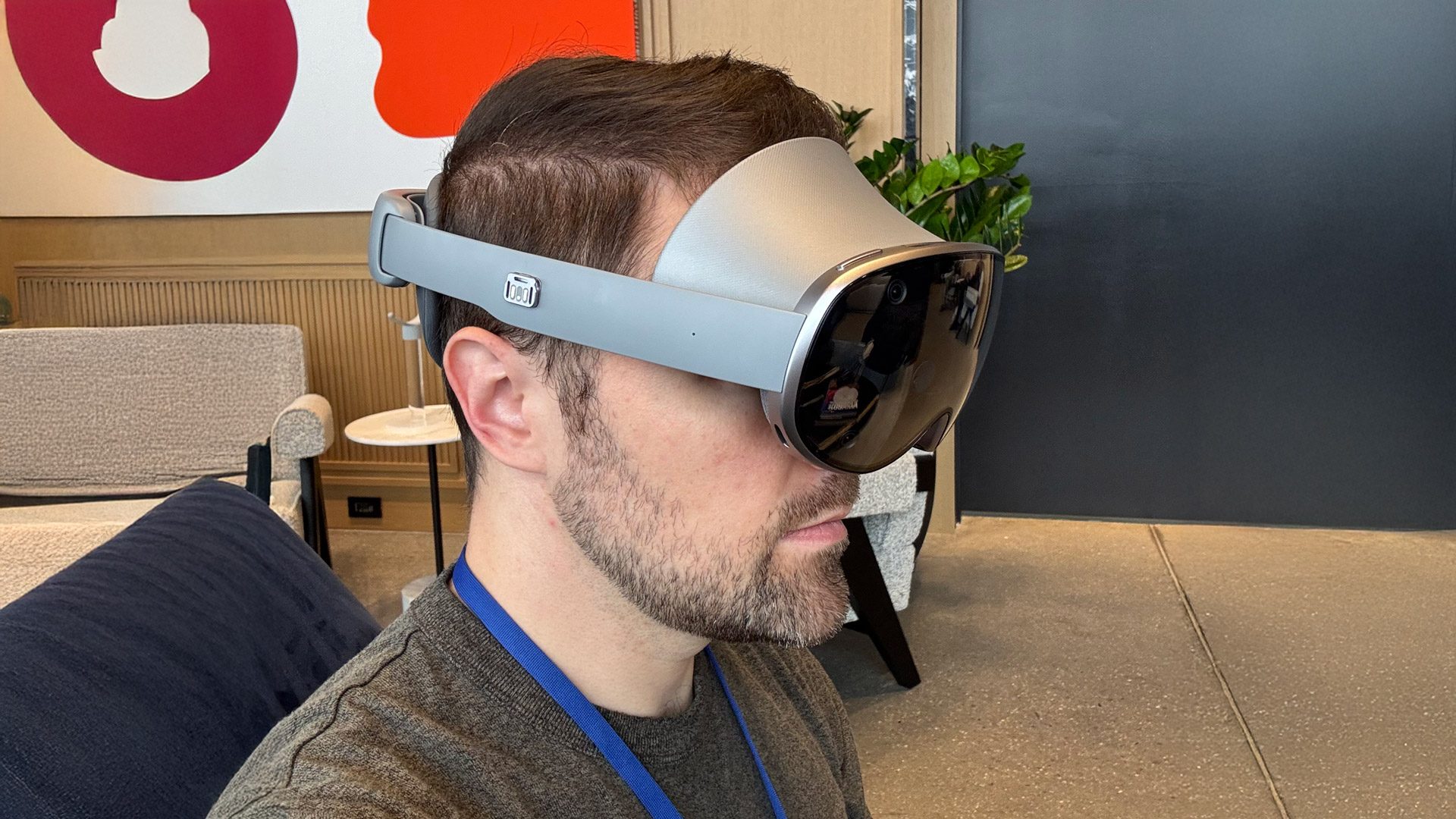
Engadget Senior Reporter Sam Rutherford wearing the Samsung Galaxy XR headset.
Sam Rutherford for Engadget
Engadget’s Sam Rutherford got some hands-on time with the Galaxy XR recently, and had some notable first impressions on its comfort and usability:
[I]t seems Samsung learned a lot from its rivals by including a much larger and thicker head cushion that helps distribute the weight of the headset more evenly. Granted, during a longer session, I still noticed a bit of pressure and felt relief after taking off the Galaxy XR, but it’s nothing like the Vision Pro, which in my experience gets uncomfortable almost immediately. Finally, around back, there’s a simple strap with a knob that you can twist to tighten or loosen the headband as necessary. So even without extra support running across the top of your head, getting in and out of the Galaxy XR is much easier and comfier than the Vision Pro.
How is the Galaxy XR different from the Apple Vision Pro?
While the headset may look pretty similar to the Apple Vision Pro, there are some bigger (and even better) differences.
For starters, the Galaxy’s micro-OLED display has 29 million pixels, compared to Apple’s 23 million pixels, and a resolution of 3,552 x 3,840, which offers a tad more detail than Apple’s model. Additionally, it has 96% of the DCI‑P3 color gamut, while the Vision Pro has 92%. However, Apple’s headset beats out the Samsung on refresh rate, going a full 120Hz versus the Galaxy XR’s 90Hz.
Since you’ll be wearing it on your head for an extended period, you’ll be relieved to know the Galaxy XR is a bit lighter than Apple’s XR headset by 205g (0.5lbs).
On the battery life front, Samsung is pledging up to two hours of “general use” and 2.5 hours of video playback, whereas the new M5 Vision Pro runs 30 minutes longer in both modes, per Apple.
Besides the obvious operating system differences, of course, the aforementioned price delta is perhaps the biggest advantage Samsung has over the Apple model: At $1,600, you can get almost two full Galaxy XR units for every $3,499 Apple Vision Pro.
How do I order the Samsung Galaxy XR?
Sam Rutherford for Engadget
You can order the Galaxy XR now via Samsung. While that $1,800 price tag is formidable, Samsung is offering financing options. And the headset’s price is actually less than that of Samsung’s flagship Galaxy Z Fold 7 foldable phone. Key accessories like the Travel Case and Galaxy XR Controller usually cost $250 each, though both can be bundled in for $175 apiece.
There are additional incentives, too. For anyone buying the Galaxy XR before the end of the year, Samsung is throwing in the “Explorer Pack” at no extra charge. That includes a year’s worth of Google AI Pro, YouTube Premium (including YouTube Music) and Google Play Pass; access to the new season of NBA League Pass; and access to the NFL Pro Era game, the Asteroid and Calm apps and Adobe’s Project Pulsar, a 3D compositing app.
This article originally appeared on Engadget at https://www.engadget.com/ar-vr/samsung-galaxy-xr-everything-you-need-to-know-111532664.html?src=rss
Samsung just officially unveiled the new Galaxy XR, to take the fight to Apple’s Vision Pro. For the uninitiated, the Galaxy XR is an extended reality (XR) headset that Samsung claims is the first true AI-native gadget of its kind. Launching at an aggressive price point of $1,799.99 (for the base 16GB / 256GB version), Samsung hopes the Galaxy
Researchers have concluded that the Tour de France may be an effective tool in stemming the rise of the far right in France.
France has had a problem with rural depopulation for decades, with the term diagonale du vide coined for the 42% of mainland France’s land area that houses only 6.5% of its population, and which stretches the length of the country from the north east to the south west. There are 13 départements out of 96 where more cows live than people.
Previous research pointed to the influence of factors such as economic stagnation, population decline and migration of younger people to urban areas, which result in ‘left-behind places’, where there’s a feeling of neglect and marginalisation. Automation, the decline of low-skilled jobs and immigration are also cited as factors.
This has been shown to result in voters turning away from mainstream political parties and a drift to the far right.
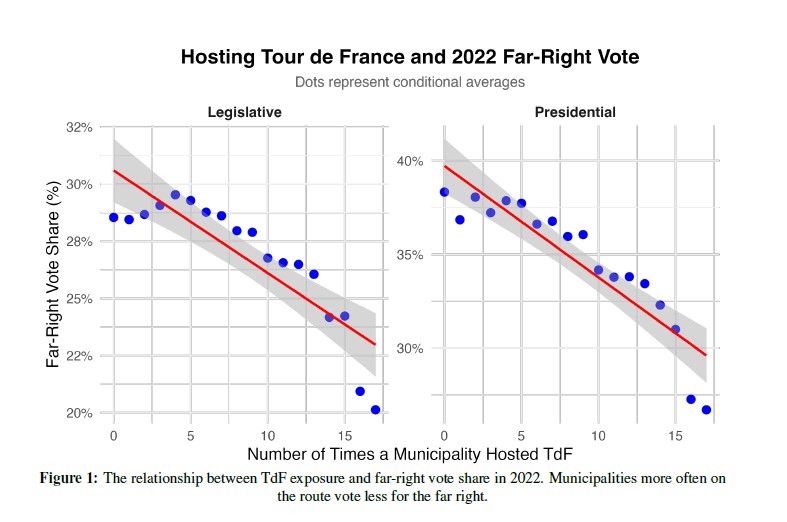
An increased number of Tour de France visits to a municipality correlated with a lower far-right share of the votes.
The researchers found a strong negative correlation between the number of times a municipality had hosted the Tour de France and the far-right share of the vote across both French legislative and presidential elections.
Hosting a grand départ is expensive; the 2021 grand départ from Brest in Brittany cost around €1.5m, but the region estimated the direct local gain from tourist income and increased economic activity at around €4.35m.
“When the Tour comes to town the whole place goes crazy. For the five days or so during which the race is arriving, setting up, conducting medical checks, presenting the riders and of course holding the opening prologue TT and the start of stage one, the town belongs to the Tour…” commented one of the organisers of the 1990 Futuroscope grand départ.
According to the newspaper Le Figaro, towns pay ASO, which organises the Tour de France, between €60,000 and €80,000 for a stage start and €100,000 to €120,000 for a stage finish.
But the researchers point out that the economic benefits spread through the wider area, with hotels booked for teams and spectators, and increased spending in local stores, restaurants and more, lifting local GDP per capita.
The far-right share of the vote is greater outside urban areas of France.
There’s also the effect of the 10,000-plus towns and villages on the route having their brief moment of televised fame, with the TV motorbikes and helicopters overhead showing off the locality. The researchers found this increases pride in the locality, although places through which a stage passes don’t pay ASO.
“Seeing the town highlighted on a national and international scale strengthens the sense of belonging, with decorated streets, media presence, and a festive atmosphere,” said one respondent to a survey carried out to support the research, while another commented that: “It looked like our town was actually important.”
The researchers’ analysis showed that even having the Tour pass through a municipality reduced the far right vote share marginally: by 0.33% in presidential and 0.44% in legislative elections. The effect was larger when a French cyclist won a stage.
They say their findings suggest that the ‘left-behind’ explanation of the increase in far-right voting fits better than the alternative theory that it’s driven by nationalism, ethnic prejudice and the perceived threat from immigration.
They conclude that even a brief spell in the Tour de France limelight can decrease the feeling of neglect and the tendency to vote for the far right, an effect that the study suggests lasts for several years at least.
Discover the latest features of Gnoppix KDE 25.10, built on the Debian Trixie base. Explore enhanced performance and user-friendly tools for your desktop.
In our previous articles, we’ve covered MySQL interview questions for beginners and intermediate users, and the response has been overwhelming. Today, we’re taking a different approach – focusing specifically on MySQL Database Interview Questions tailored for Linux users.
Now, some of you might be wondering why we’re separating Linux users from the rest. Well, the reason is simple. In most production environments, MySQL runs on Linux servers, and interviewers expect you to know more than just SQL queries.
They want to see if you understand how MySQL interacts with the Linux operating system, how to troubleshoot performance issues at the OS level, and how to manage databases through the command line.
We received several emails from our readers asking for questions that combine both MySQL and Linux knowledge. One reader specifically mentioned, “Your questions are good, but they don’t cover the system administration side of MySQL which is crucial for DBA roles.” Fair point. That’s exactly what we’re addressing today.
Earlier this month Intel Linux software engineers began posting patches for enabling Xe3P kernel graphics driver support with initial usage by Nova Lake processors and later the expected Celestial discrete GPUs. That initial Xe3P iGPU support is going into Linux 6.19 but expect more feature additions and optimizations in follow-on kernel cycles in 2026. Similarly the patches have now begun coming out for enabling the display engine capabilities for “Xe3P_LPD” for actually being able to drive displays (monitors) with Xe3P on Nova Lake…