Alienware 16 Area-51 review: A fully retooled gaming mothership

Alienware is at its best when it makes no-holds-barred gaming machines that are big on style and performance. By reviving an iconic nameplate and combining it with an all-new design packing some seriously intergalactic vibes, the Alienware 16 Area-51 laptop is just that. Sure, it’s so big and heavy that you won’t want to move it around very often. And battery life be damned, because if you aren’t plugged in, you probably aren’t pushing those pixels hard enough. But if you’re in the market for a classic desktop-replacement gaming notebook with flagship specs and an unmistakable aesthetic, this rig represents a beastly return to form. 

Design: A revamped spaceship

Alienware’s industrial design is so far out there that its systems have almost become a shorthand for gamer culture in movies and TV. But for this generation, I think the company has done a great job of creating something unique that’s also a bit more sophisticated than before. To start, there’s Alienware’s “Liquid Teal” paint job. It’s the only available color and in person, it looks more like the kind of deep emerald green you’d see on a car due to the way it shifts and shimmers depending on the light. As always, there’s Alienware’s classic logo in the middle of the lid, complete with customizable lighting. On the inside, there are nice touches like RGB-lit fans, punchy up-firing speakers and a clicky mechanical keyboard with deep travel that reminds you that if you aren’t using this system to frag some enemies every now and then, you’re probably doing it wrong. 
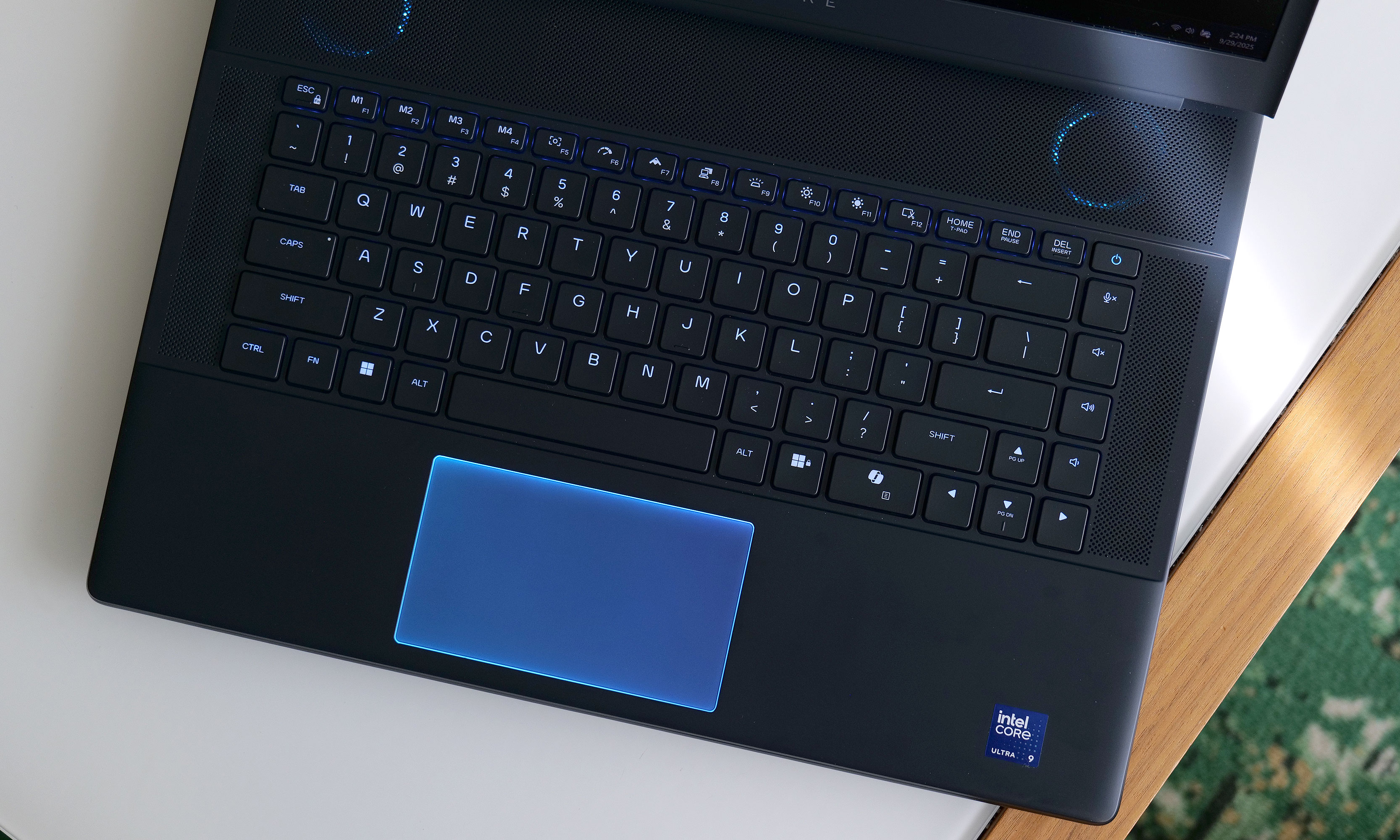
The Area-51 laptop features mechanical switches with lots of travel and customizable RGB lighting for both its keyboard and touchpad.
Sam Rutherford for Engadget

My favorite design element is the little window on the bottom of the laptop. At first, this seems like overkill, because just like men’s shoes, how often do you really look at the bottom of a PC? But if desktop PCs can have glass panels that show off the insides of the machines, why not laptops too? More importantly, Alienware’s raised Cryo Chamber (that’s its technical name) improves thermals thanks to increased airflow and a hidden exhaust that helps move heat away from critical components like the GPU. Even so, the vent’s placement means you’re still not going to want to use this on your lap for prolonged periods (especially while gaming). But as a feature that would normally be purely functional, Alienware’s solution is clever and stylish. 
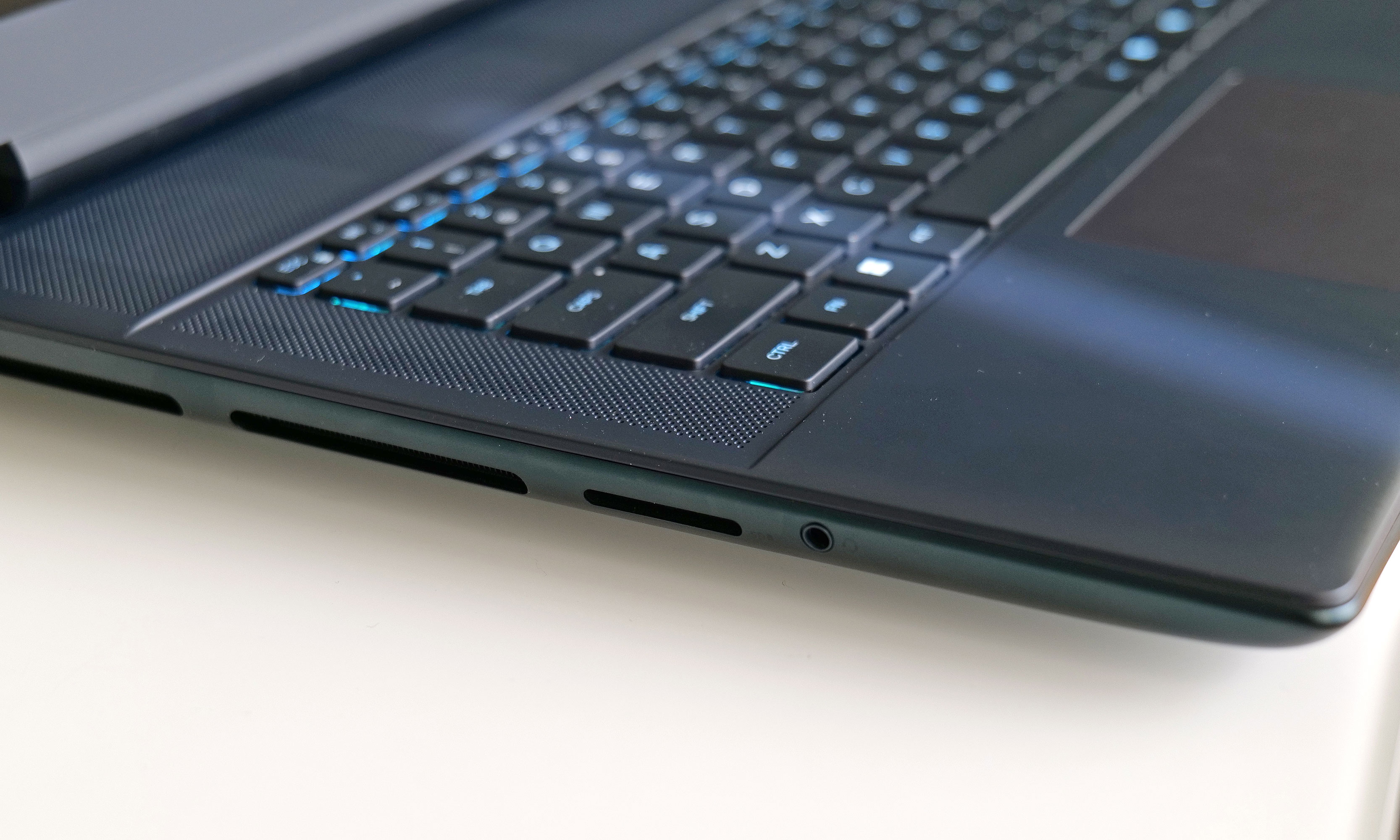
The Area-51 laptop's only two ports that aren't in the back are a microSD card reader and 3.5mm audio.
The Area-51 laptop’s only two ports that aren’t in the back are a microSD card reader and 3.5mm audio.
Sam Rutherford for Engadget

Of course, the downside to adding extra glass to an already hefty notebook is that it makes this thing even less travel-friendly. Weighing 7.5 pounds, the Alienware 16 Area-51 is actually closer to a typical 18-inch notebook like a Dell 18 Pro Max (7.2 pounds) than a similarly-sized non-gaming machine. On top of that, while the Area-51 offers a wealth of connectivity options (three USB-A, two USB-C and HDMI 2.1), most of its ports are in the back. That’s great for keeping cables tidy and out of the way, but they are a bit harder to reach, which reinforces the notion that you won’t be moving this PC around very much. I just wish Alienware had made room for a single USB-C port somewhere on either side. Having a full-size SD card reader and 3.5mm audio on the left is super handy for quickly transferring media or plugging in headphones, but it would have been nice to have one more spot for accessories like thumb drives so you could avoid fumbling around in the back. 

Display: Bright and fast, but more choice would be nice
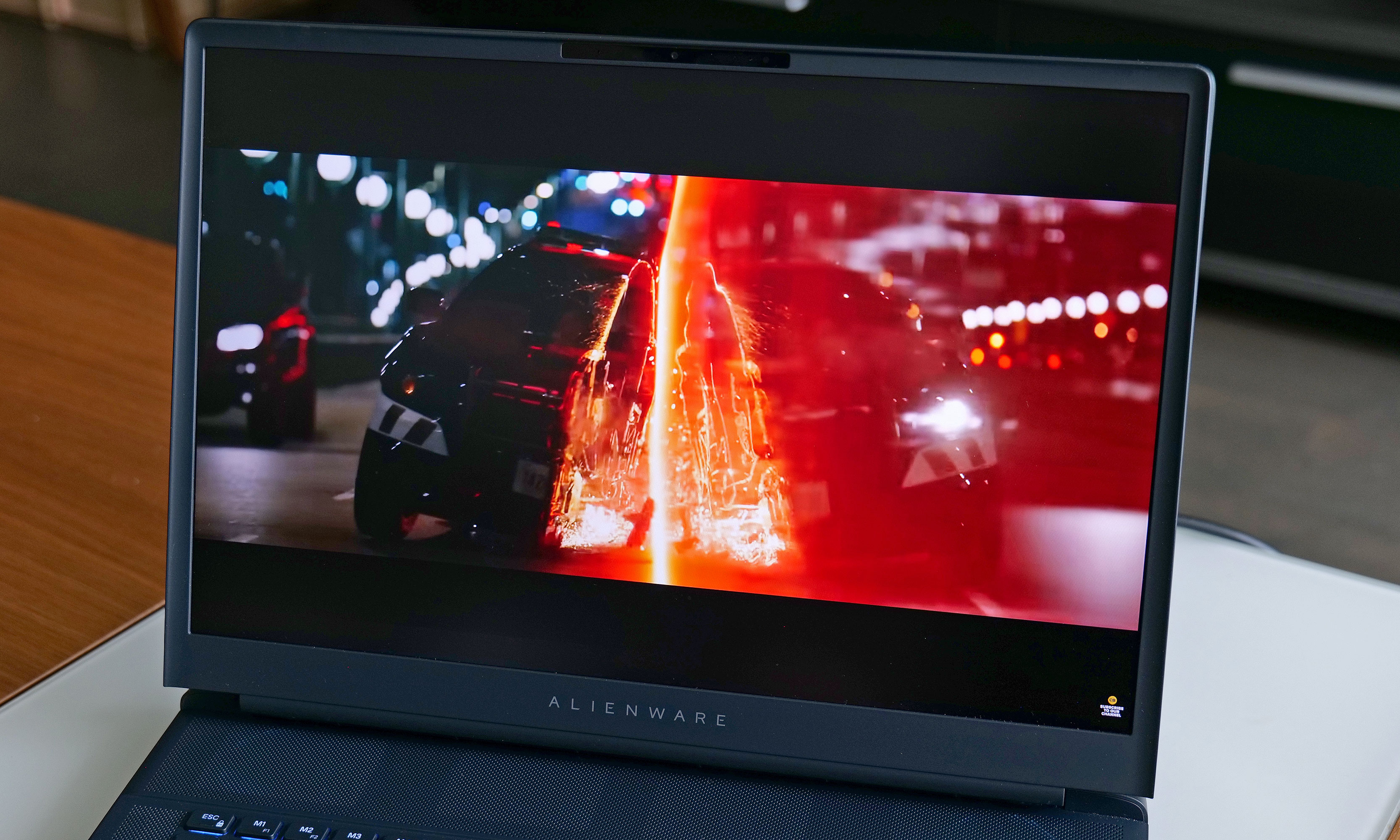
The Alienware 16 Area-51 laptop features a 16-inch 2,560 x 1,600 LCD display with 500 nits of brightness and a 240Hz refresh rate.
Sam Rutherford for Engadget

The Alienware 16 Area-51 packs a 2,560 x 1,600 display with a 240Hz refresh rate, G-Sync support and 500 nits of brightness. In a vacuum, it’s a really solid panel. It has a matte coating to reduce reflections while still producing vibrant colors that look good even in sunny rooms. My only gripe is that for a flagship system, I would have liked to see some other display options. 

For demanding gamers, or people planning to use the system for photo or video editing, a 4K screen upgrade (preferably an OLED one) would be a great option. Alternatively, with the Area-51 capable of accommodating up to an RTX 5090 GPU, a panel with a 300Hz or higher refresh rate could have been a nice choice for the hardcore competitive crowd. And sadly, even if you feel like upgrading to the 16-inch model’s bigger brother, there aren’t any additional display options available for that version either. 

Performance: More cooling, more speed
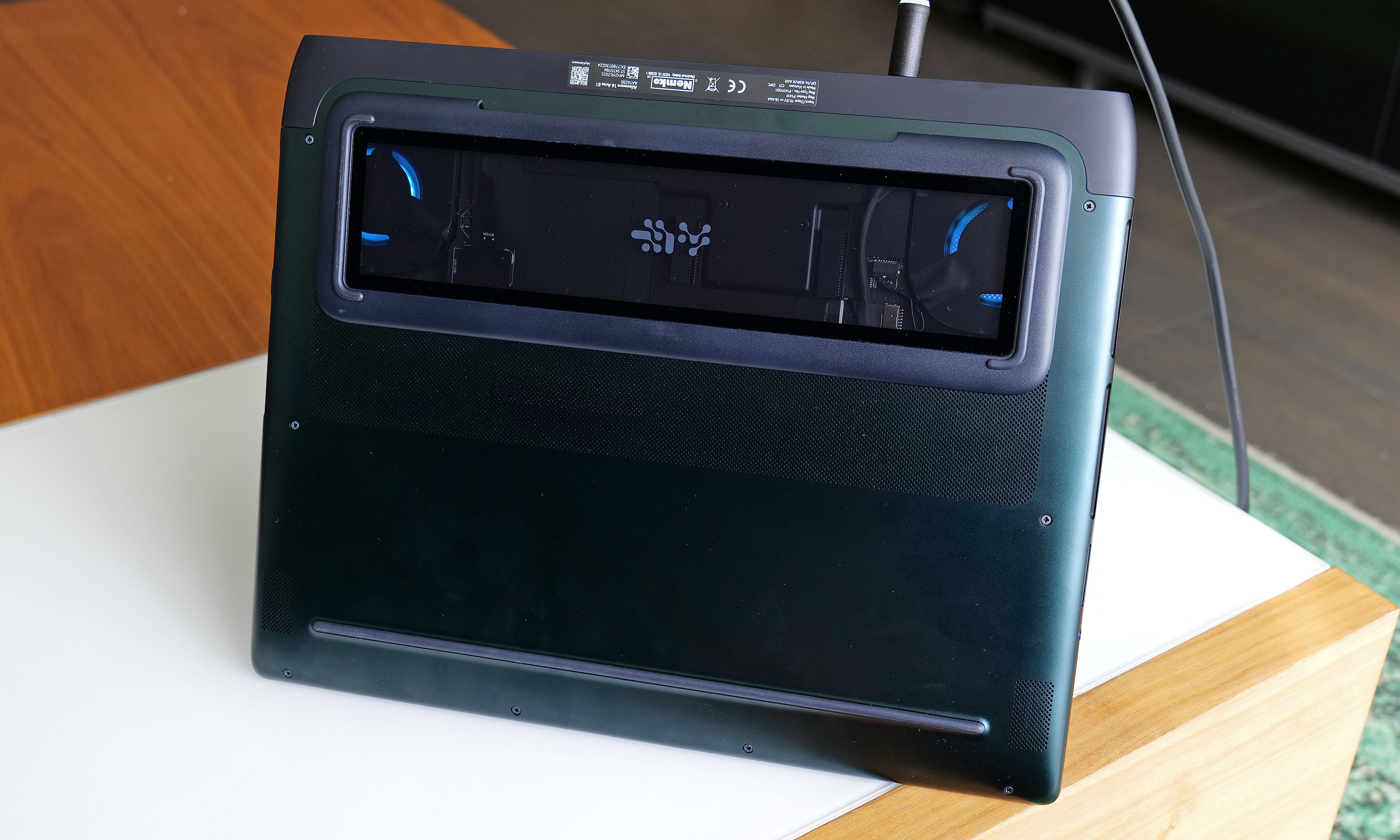
The bottom of the Area-51 laptop is both functional and stylish thanks to its Cryo Chamber, which provides a view at the components inside while also improving heat management.
Sam Rutherford for Engadget

Our $2,800 review unit features an Intel Core Ultra 9 275HX CPU with 24 cores, 32GB of RAM, 2TB of SSD storage and an NVIDIA RTX 5080 GPU. Unsurprisingly, a loaded system like this had no issues handling games like Cyberpunk 2077. Even when using Ultra graphics presets at 1080p with ray tracing turned on, the Area-51 still hit 90 fps. Meanwhile, in Control, the Alienware fared even better at the same resolution and Epic settings when it reached 154 fps.

Thankfully, if you don’t have nearly $3,000 to burn, the Area-51 is rather configurable. A base model starts at a more affordable $2,000 with an Intel Core Ultra 7 255HX chip, 16GB of RAM and an RTX 5060. On the other hand, if you want all-out performance, you can load this thing up with an RTX 5090, but doing so currently starts at $3,550.

Battery life: Don’t leave home without your power cord
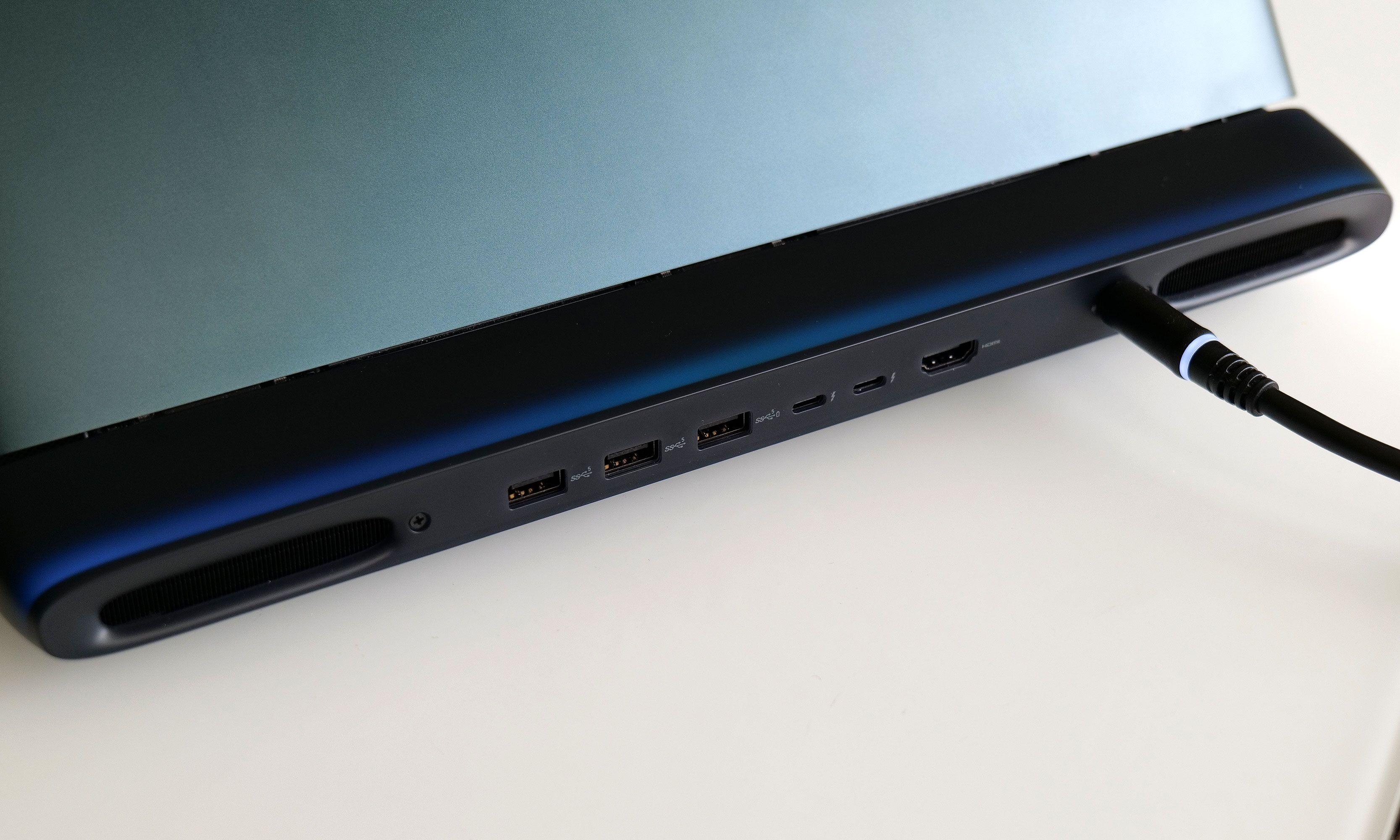
Most of the Area-51 laptops ports are in the back which is great for keeping cables out of the way, but it can be annoying if you want to quickly plug in USB accessories like a thumb drive.
Sam Rutherford for Engadget

Peter Parker’s beloved Uncle Ben once said “With great power comes great energy draw” (or something like that), and the Area-51 is a perfect example of that. On PCMark 10’s Modern Office battery rundown test, Alienware’s laptop only lasted four hours and thirteen minutes. That’s more than three hours less than what we got from its predecessor — the m16 R2 (7:51) — and five hours less than last year’s ASUS ROG Zephyrus G16 (9:17). When I retested the ASUS only using its GPU (instead of automatically switching to onboard graphics), its time of 3:08 was worse. So when it comes to power-hungry portable gaming machines like these, if you plan on using them away from an outlet on a regular basis, you’d better make sure you have a portable charging solution on hand. 

Wrap-up
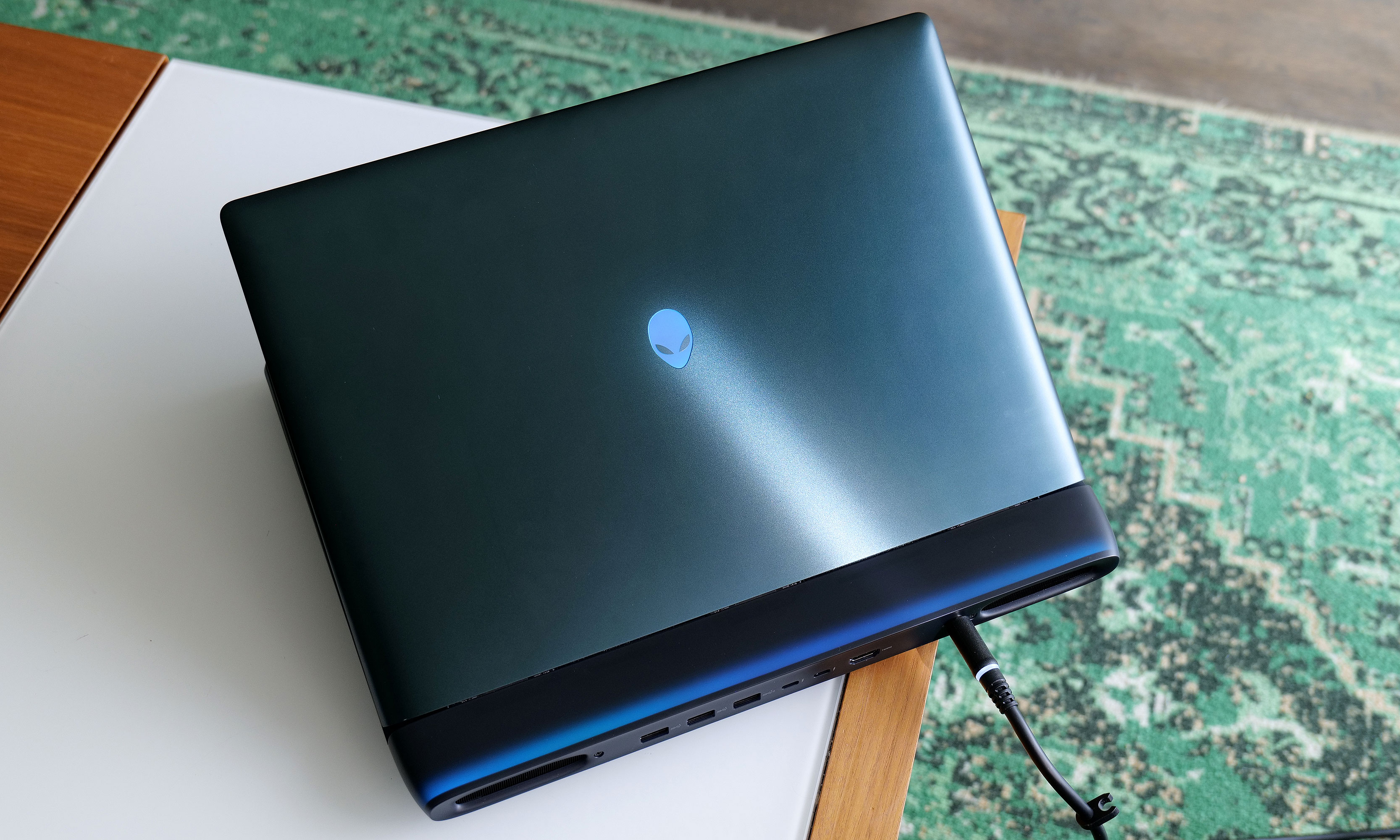
Depending on the light, Alienware's Liquid Teal paintjob can shift between emerald green, blue and several other colors.
Depending on the light, Alienware’s Liquid Teal paintjob can shift between emerald green, blue and several other colors.
Sam Rutherford for Engadget

Even though the Alienware 16 Area-51 might not be as portable as some of its rivals, it’s got a lot to offer. There’s a striking design, a nice screen (though more options would be nice), tons of ports and class-leading performance with plenty of configurability so you can dial in its specs exactly how you like. Granted, Alienware’s attention-grabbing space-age aesthetics might not be for folks who aren’t ready to be beamed up to the mothership. But aside from its short battery life and high price for well-equipped models, this system delivers pretty much everything you want from a flagship gaming laptop. 

This article originally appeared on Engadget at https://www.engadget.com/computing/laptops/alienware-16-area-51-review-a-fully-retooled-gaming-mothership-150000871.html?src=rss

Microsoft jacks the price of Game Pass Ultimate up to $30 a month

Microsoft has announced some major changes for Game Pass. It’s rebranding some of the tiers, which should make it a little easier to keep tabs on what games and features are available on each.

However, there are some painful price increases here. The high-end plan, Game Pass Ultimate now costs $30 per month. That’s a 50 percent price increase from the previous $20 per month, and there’s no annual or quarterly option available to make that sting less.

That means the price of a Game Pass Ultimate membership has nearly doubled in 15 months. Microsoft previously raised the price from $17 to $20 in July 2024. The latest change now means that, at $360 per year, Game Pass Ultimate is now more than twice as expensive as PlayStation Plus Premium, which is currently $160 on an annual plan.

Microsoft recently announced a price increase for its Xbox Series X/S consoles as well. The systems will be more expensive to buy in the US starting this Friday. Also, pre-orders for the ROG Xbox Ally handheld just went live, with Microsoft confirming that the higher-end model would cost $1,000. It’s getting really expensive to be an Xbox fan, folks.

This story is developing; refresh for updates.

This article originally appeared on Engadget at https://www.engadget.com/microsoft-jacks-the-price-of-game-pass-ultimate-up-to-30-a-month-142441307.html?src=rss

Spooked By AI, Bollywood Stars Drag Google Into Fight For ‘Personality Rights’

In India, Bollywood stars are asking judges to protect their voice and persona in the era of AI. From a report: One famous couple’s biggest target is Google’s YouTube. Abhishek Bachchan and his wife Aishwarya Rai Bachchan, known for her iconic Cannes Film Festival red carpet appearances, have asked a judge to remove and prohibit creation of AI videos infringing their intellectual property rights. But in a more far-reaching request, they also want Google ordered to have safeguards to ensure such YouTube videos uploaded anyway do not train other AI platforms, legal papers reviewed by Reuters show.

A handful of Bollywood celebrities have begun asserting their “personality rights” in Indian courts over the last few years, as the country has no explicit protection for those like in many U.S. states. But the Bachchans’ lawsuits are the most high-profile to date about the interplay of personality rights and the risk that misleading or deepfake YouTube videos could train other AI models. The actors argue that YouTube’s content and third-party training policy is concerning as it lets users consent to sharing of a video they created to train rival AI models, risking further proliferation of misleading content online, according to near-identical filings from Abhishek and Aishwarya dated September 6, which are not public.


Read more of this story at Slashdot.

Shark, iRobot & Roborock Robot Vacuum Deals On Amazon Are Up To 58% Off

Shark, iRobot & Roborock Robot Vacuum Deals On Amazon Are Up To 58% Off
Back in the day, The Jetsons set up expectations of one day owning flying cars for quick and easy travel, and robot maids to make housework a thing of the past. Fast forward to 2025 and we still don’t have flying cars or robot maids, but we do have robot vacuums, including models that tap into AI to intelligently sweep your living space. Ahead

Celebrate your bike’s scratches and turn them into art with this ancient Japanese craft

Bumps, scrapes, and scratches are an inevitability of bike ownership. Rather than mourn them, inspired by the Japanese practice of kintsugi, Velo Orange suggests they should be celebrated as a mark of a bike’s past through its newly distributed product, Goldfinger.

Goldfinger is a metallic paint-like compound originally manufactured for the art world by UK-based company Daler-Rowney. It’s designed to fill scrapes and scratches with a gold or silver finish, highlighting rather than concealing them.

The process is similar to kintsugi – or ‘golden joinery’ – the Japanese craft of repairing broken pottery with lacquer mixed with powdered gold, silver or platinum. It’s celebrated as a craft that highlights wear, rather than hiding it. 

Velo Orange co-owner Igor Shteynbuk explains the idea came through a friend of the brand, Shane Sellers – a ceramics professor and fellow dedicated bike nerd. 

Sellers is also an ambassador for the Philly Bike Expo and previously collaborated with Velo Orange on the amazing Yakimono Neutrino project.

Sellers uses Goldfinger in his restoration work, applying it to everything from lamps and picture frames to bike frames.

Shteynbuk says Goldfinger’s consistency is like “toothpaste mixed with grout”. Once applied, it cures and sets quickly, and in his experience, it stands up to the rigours of daily cycling: “I’ve had it on my bike for the whole season, through rain and everything, and I haven’t noticed any washing off.” 

The product can be applied by hand. Velo Orange

Even if it does fade eventually, reapplying takes “30 seconds” and keeps the finish looking fresh.

Shteynbuk says the Goldfinger reframes wear and tear on a bike: “Every scratch tells a story… embrace that history instead of hiding it.”

I’m all for this. While bikes, including paint and broken frames, are far more repairable than many realise, refinishing a whole bike is a specialist process. 

This is a fun way of providing practical protection to a bike, particularly corrosion-prone steel bikes, while making something truly your own.

[$] Fedora floats AI-assisted contributions policy

The Fedora
Council
began a process to create a policy on AI-assisted
contributions in 2024, starting with a survey to ask the community
its opinions about AI and using AI technologies in Fedora. On
September 25, Jason Brooks published
a draft policy for discussion; so far, in keeping with the spirit of
compromise, it has something to make everyone unhappy. For some it is
too AI-friendly, while others have complained that it holds Fedora
back from experimenting with AI tooling.

AI is Not Killing Jobs, Finds New US Study

The mass adoption of ChatGPT is yet to have a big disruptive impact on US jobs, contradicting claims by chief executives and tech bosses that AI is already upending labour markets. Financial Times: Research from economists at the Yale University Budget Lab and the Brookings Institution think-tank indicates that, since OpenAI launched its popular chatbot in November 2022, generative AI has not had a more dramatic effect on employment than earlier technological breakthroughs.

The research, based on an analysis of official data on the labour market and figures from the tech industry on usage and exposure to AI, also finds little evidence that the tools are putting people out of work. The study follows widespread concern that generative AI will spark job losses — and even the disappearance of certain types of work — amid a US labour market that has recently weakened.


Read more of this story at Slashdot.

Hands-on with Fallout 76’s next expansion: Yep, it has Walton Goggins

Like anybody, I have a few controversial gaming opinions and tastes. One of the most controversial is that Fallout 76 —the multiplayer take on Bethesda’s rethink of a beloved ’90s open-world computer roleplaying game—has been my favorite online multiplayer game since its launch.

As much as I like the game, though, I’ve been surprised that it has actually grown over the past seven years. I’m not saying it’s seen a full, No Man’s Sky-like redemption story, though. It’s still not for everyone, and in some ways, it has fallen behind the times since 2018.

Nevertheless, the success of the streaming TV show based on the game franchise has attracted new players and given the developers a chance to seize the moment and attempt to complete a partial redemption story. To help make that happen, the game’s developers will soon release an expansion fully capitalizing on that TV series for the first time, and I got to spend a few hours playing that update to see if it’s any fun.

Read full article

Comments

Unistellar’s smart binoculars can tell you which mountain you’re looking at

It’s not every day I get to try out an entirely new type of tech product. Telescope company Unistellar recently gave me the chance to do just that with Envision, the first smart binoculars that can identify mountains and stars. The only things like it on the market are Swarovski’s smart binoculars, but those are triple the price and strictly for birds and wildlife.

At an event near Marseilles, I tried an Envision prototype with the design and most of the functionality of the final product (like several other Unistellar products, the company marketed it on Kickstarter and raised $2.7 million). Some features were a bit rough and it took practice to use the binoculars smoothly. But it’s an interesting amalgam of analog and digital tech that’s bound to be a hit with astronomers and travelers.

The Envision initially came out of a conversation between Unistellar engineers wondering why there were no binoculars with an AR-like digital overlay. They soon found out: It was a huge engineering challenge. Combining all the data into an overlay and getting it to line up with the optical view was particularly vexing. Reducing latency was another problem, so that the digital display wouldn’t lag behind the optical view.

The company eventually came up with a solution it borrowed from AR tech. Envision combines premium lenses with an augmented reality projection system that beams contextual info into the optical path via a bright, high-contrast microdisplay. That overlay only appears in one eye, but your brain transforms it into a complete image.

The Envision binoculars take data from inertial sensors and a compass using custom software to “guarantee precise positioning and low-drift orientation” of the digital display. It then pulls in topographic and cartographic info from a large database and merges it onto an AR overlay based on your location and viewing direction. This information comes from your phone’s internet connection, but the binoculars can be used offline as well if you load specific regions in advance.

Unistellar’s smart binoculars can tell you which mountain you’re looking at
Steve Dent for Engadget

I tested a hand-built prototype that lacked the quality control that will happen in full manufacturing. However, the materials, optics and electronics were nearly complete. For daytime testing, I went to the Citadelle de Forcalcquier that offers a panoramic view of mountain ranges in the region. While it was a bit overcast and rainy, distant peaks up to 30 miles away were still visible.

Though a bit heavier than regular binoculars, the Envision was comfortable to hold and use over a period of an hour thanks to the rubberized coating and high-quality plastics. To use the Envision, you set them up as you would any pair of binoculars. They have a diopter adjustment for your specific vision and you can retract the eyecups for use with glasses. There’s a width adjustment to match your eyes and a focusing wheel to sharpen the view.

With all of that set, there’s a rocker control on the left side that enables the AR overlay, which consists of monochrome red graphics like an old-school arcade game. The previous/next buttons let you switch between targets, which you can then select by hitting the “validate” button.

The last button, “target lock,” does two things. Clicking it once does exactly that, locking onto the target. Then, if you pass the binoculars to someone else, they’ll be guided by arrows to the same object. And to correct any drift that inevitably occurs, you press and hold the target lock button and move the binoculars until both the overlay and optical view align. Lastly, release the button and everything is re-synced.

As regular binoculars, they gave me a clear view of distant objects. I switched on the AR and waited a few seconds for my eyes to adjust. When looking at a mountainous horizon, the Envisions overlaid a red outline matching the topography, with the names of peaks and ranges displayed at the bottom center of the screen, along with their elevations and distance from the viewer. It was a half-inch or so off the real-world view, so I used the target lock control to align them perfectly.

The latency wasn’t bad, but if I moved the binoculars too quickly it took a second or so for the overlay to catch up. After scanning across the horizon a few times, the overlay would drift out of sync again, so I needed to use the target lock to realign the views once more. Both the latency and misalignment should improve with the final production version, Unistellar told me.

For now, the Envision can only identify mountain peaks, valleys and ranges. In the production version and via future updates, however, it will identify things like water springs, shelters, hiking paths, rivers and lakes. A companion app will provide the updates, and the software also lets the user select points of interest, access the geographical database and receive guided tours. Sadly, none of those features were available in the prototype I used.

The next test was star spotting using Envision’s Night mode. Fortunately, I didn’t need to go far (the hotel pool) as the clouds covering the sky for most of the day serendipitously broke apart to give us a crystal-clear starscape.

For a stargazing experience, the Envisions were transformational. With the binocular optics set up as before, switching on the AR view instantly displays the names of individual stars, linked together in their constellations by lines. For example, it pointed out Lynx, a constellation that’s faint with the naked eye, along with its fourth brightest star Alsciaukat (31 Lyncis). The final version of the binoculars will also display nebulae, galaxies, planets, moons, comets, asteroids and even human-made points of interest like the International Space Station (ISS) and Apollo landing sites.

This could make the Envision an outstanding educational tool. You can lock onto a star, then give the binoculars to someone else and they can quickly locate the same body by following the arrows. They’ll also see whatever constellation it’s part of. It would only take a few nights of stargazing for someone to learn a lot about the night sky.

At the same time, it’s a great way for aspiring astronomers to survey interesting targets to study with a more powerful telescope. I did just that, using the Envision to home in on a star cluster. With the name clearly displayed, I punched it into Unistellar’s Odyssey Pro smart telescope and quickly saw it with a larger, clearer view. Conversely, you’ll be able to enter a star name into Unistellar’s app and be guided to it by Envision, in the final production version.

The Envision does have some issues. If you’re someone who already has trouble seeing through binoculars, these may not be for you. The AR display can be hard to read at times, and adjusting the brightness (especially for night viewing) can be a challenge. One missing feature is a built-in camera like the one on Swarovski’s binoculars. That was a bit disappointing, as you can’t easily share your experience on social media. The only way to do so is to snap images with your smartphone through the eyepiece. That effectively requires you to lock the binoculars onto a tripod which, well, defeats the purpose of binoculars.

With that being said, I think Unistellar’s first crack at smart binoculars was a success, even in their unfinished form. They add an informational element to a true optical view and finally bring binoculars, which have been around for hundreds of years, into the informational age.

Unistellar Envision smart binoculars
Steve Dent for Engadget

Like any early product (I’m thinking of Pebble’s smartwatch), it’s bound to improve significantly in future versions. Yes, there are smartphone apps that can identify stars and geographical features. But there’s something about looking through a lens and seeing a true image that can’t be beat. And with Envision, you’ll finally know exactly what you’re seeing.

Unistellar is opening pre-orders for its Envision smart binoculars starting today at $999, a fairly steep discount from the final $1,499 retail price, with deliveries set for October 2026. That’s a long way off, but if you’re willing to wait, Unistellar has a perfect track record with its smart telescope deliveries. Retail availability is even farther away, set for 2027.

This article originally appeared on Engadget at https://www.engadget.com/ar-vr/unistellars-smart-binoculars-can-tell-you-which-mountain-youre-looking-at-140007104.html?src=rss

A Lifetime Subscription to Babbel Is on Sale for a Huge Discount Right Now

We may earn a commission from links on this page. Deal pricing and availability subject to change after time of publication.

Practicing a new language can be fun, but premium language apps can be expensive. Babbel makes it easier with practical, bite-sized lessons designed for real-life use, focusing on conversations you’d actually have—ordering food, chatting with the locals, asking for directions (read PCMag’s in-depth review of Babbel to learn more)—and right now, its lifetime subscription is on sale for a huge discount: A lifetime subscription to Babbel is on sale for $159 with promo code LEARN. The sale ends October 2. It’s a one-time payment—no recurring fees, no monthly charges—for lifetime access to all 14 languages (including French, German, Italian, and Spanish), making it cheaper than Babbel’s regular one-year plan at $300.

Babbel’s lessons take just 10 to 15 minutes, so you can squeeze your practice into a commute or coffee break. And, unlike other language-learning apps that rely on repetitive vocabulary drills or random gamified exercises, Babbel follows a structured, linguist-designed curriculum that progressively increases in difficulty, so you don’t plateau after the basics (earning itself a place in PCMag’s “The Best Language Learning Apps for 2025” roundup). Plus, it’s not just passive learning—you get writing, speaking, and listening exercises with speech recognition technology to fine-tune your pronunciation, creating a far more immersive experience.

Of course, dedication is still key, and no app will make you fluent, but if you’re willing to put in the effort, this Babbel lifetime subscription gives you the tools to succeed without the burden of ongoing costs.

Crucial Unveils LPCAMM2 Memory At A Blistering 8533 MT/s For Next-Gen Laptops

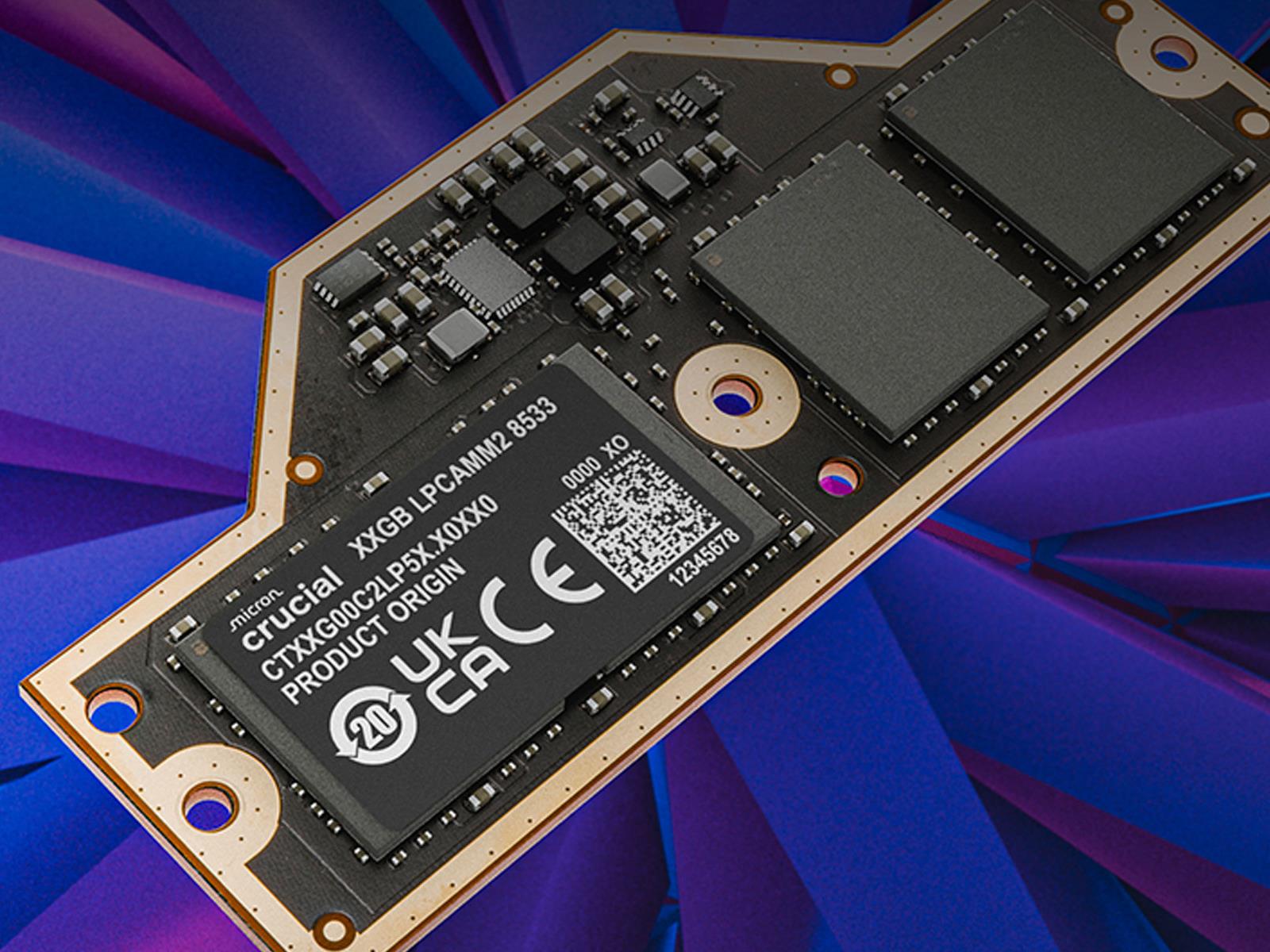
Crucial Unveils LPCAMM2 Memory At A Blistering 8533 MT/s For Next-Gen Laptops
Micron is taking its Crucial LPCAMM2 memory modules to new heights in terms of speed. Designed for thin, high performance laptops, LPCAMM2 (Low-Power Compression-Attached Memory Module 2) is a relatively new form factor in the realm of system RAM, and Micron’s Crucial-branded modules are now available in speeds up to 8,533 MT/s.

The faster

Birdwatching Simulator Birdseed VR Launches In Early Access

Birdseed VR is a cozy photography simulator that lets you go birdwatching on Quest.

Developed by Vancouver-based studio Buffalo Buffalo (Fresh Tracks), Birdseed VR is a cartoon birdwatching simulator grounded in real-life bird behaviors, and it’s available in Early Access on Quest now. In addition to emulating visual markers like plumage and color schemes, Birdseed VR also replicates each species’ unique call, along with its bespoke flight patterns and movements, too. You can check out gameplay in the previous announcement trailer below:

0:00

/0:35

Equipped with a trusty Polaroid camera, you’re tasked with spotting these visual prey before toggling the zoom button and snapping a timely picture before your target flies away. Once taken, the photo’s quality is rated using a points system, with progress tracked in a handy notebook.

As it’s in Early Access, this version of Birdseed VR is a work in progress that only supports single player and will be updated in the lead-up to launch. Upcoming features include a Field Guide to unlock new birds, a Scout’s Store to purchase decorative cameras, a multiplayer mode that allows for collaborative photo-snapping sessions, as well as sharing photos and scores between friends.

Birdseed VR is out now in Early Access on Quest, and it’s “coming soon” to Steam. While a PC VR demo was available during the VR Forever Festival last month, that’s since been removed, and we’ll update this article if we learn more.

Uber found not guilty in first of many sexual assault lawsuits

Uber was found not responsible by a California jury for an sexual assault that a woman said occurred during a 2016 ride, The New York Times reported. It’s the first of what could be thousands of similar lawsuits in the US from women who claim they were “kidnapped, sexually assaulted, sexually battered, raped, falsely imprisoned, stalked, harassed, or otherwise attacked” by Uber drivers, according to the original claim. The cases were consolidated, meaning they can be presented before the same judge with similar procedural processes, while still being tried individually. 

The woman in the first case, identified as Jessica C., said she was an 18-year-old college student when she ordered a ride to San Jose’s airport. Shortly after she got in, the driver deviated from his route and climbed on top of her, groped and kissed her and tried to remove her pants, according to her testimony. The victim told the driver “No, no, no” and tried to push him off. She feared for her life and later dropped out of school, while suffering from post-traumatic stress disorder due to the assault. 

Under California law, Uber would be responsible for the harm suffered by the woman if it failed to use adequate safety measures and that negligence was a “substantial factor” in causing the harm. Conversely, for Uber to not be responsible, the jury would need to find that Uber didn’t know and could not have expected that its driver would take advantage of the situation that it created. 

The jury ruled that while Uber was negligent, that negligence was not a substantial factor in causing harm to Jessica C. However, the plaintiff’s attorney said that the court allowed evidence into the trial that let Uber blame Jessica C. for the harm she faced, adding that the decision discourages victims of sexual assault to come forward. “[It’s a] sad day for victims of sexual abuse across the country,” said John Taylor of Taylor & Ring. 

Jessica C.’s lawyers accused Uber of covering up the scale of its sexual assault problem, revealing during discovery that 558,000+ trips had resulted in reports of sexual assault or misconduct from 2017 to 2024, far more than what was publicly reported. They also said that the company failed to put systems in place like mandatory video recording that could have protected passengers. 

Uber said that the driver in Jessica C.’s case had passed background checks and didn’t trigger any alarms over past complaints. The company said that despite deploying numerous safety measures, it couldn’t guarantee that driver transgressions would never occur, and that it wasn’t responsible for driver misconduct in any case. Uber’s safety head, Gus Fuldner, testified during the trial that passengers used the service at their own risk. 

Uber told the NYT that its work “to improve safety on our platform is never done. Uber has worked for years to raise the bar on safety, and we’ll continue to do so in the years ahead.” 

This article originally appeared on Engadget at https://www.engadget.com/transportation/uber-found-not-guilty-in-first-of-many-sexual-assault-lawsuits-133046712.html?src=rss