Drafting in Zwift: Power Savings, Tips, and More

Unless you plan to always ride alone, drafting is an essential skill for the cyclist – both indoors and out. Here’s everything you need to know about drafting in Zwift.

Why Draft?
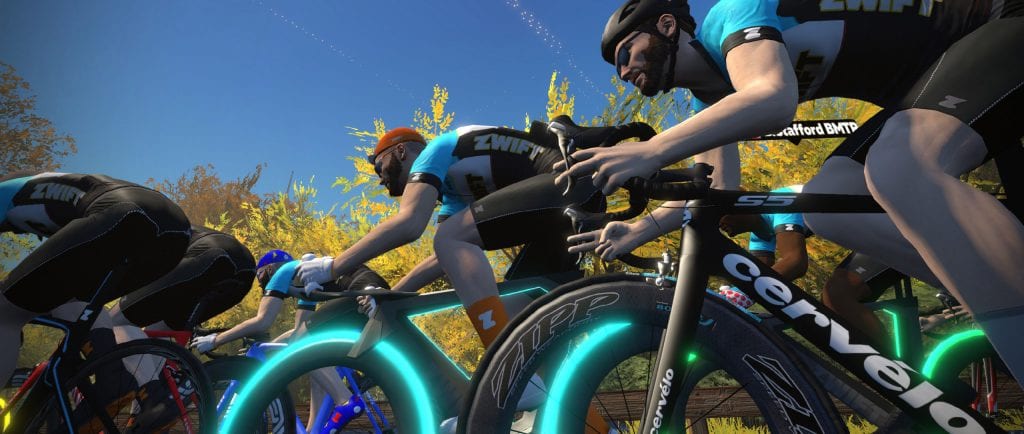
The goal of drafting in Zwift is to conserve energy, just as it is outdoors. The amount of energy saved by drafting is no “marginal gain” – it is literally the difference between winning and losing in every bike race.

Estimates vary, but the most common figure mentioned outdoors is a 30% power savings when drafting behind just one other rider. It’s just physics: air resistance is the number one force slowing you down when you’re moving at speed, so if a rider just ahead is in the wind and you’re on their wheel, you’ll be able to travel at the same speed with less effort.

Example: you could put out ~210 watts while drafting and maintain the same speed as the rider ahead of you who is putting out ~300 watts, assuming you’re both the same size, weight, CdA, etc.

Riding in a large pack will reduce wind resistance even more, resulting in greater power savings. Scientists studied the draft effect of a large peloton (121 riders) and found that wind resistance in the “sweet spot” of this large group was only 5-10% what a solo rider would experience. Incredible!

Drafting Power Savings in Zwift

Based on our tests, drafting in Zwift behind a single rider gets you a power savings of approximately 25%. Using power emulators on a closed course, we had one rider sustain 300 watts while another rider drafted behind. We found a rider could stay in this 300-watt draft at ~225 watts while on relatively flat ground.

Changes in pitch affect these numbers, as gravity comes increasingly into play. Using the above power numbers, the front rider will pull away on an incline. But when a decline hits, it will take even fewer watts to stay in the draft. For more on how gradient affects drafting, see Saving Watts In the Draft: Climbs vs Descents vs Flats.

The draft effect in Zwift is enhanced in larger groups, although it’s not as significant as we see outdoors. See our most recent tests of 4-rider drafting for more info.

The Challenges of Zwift Drafting

Zwift HQ has done a commendable job with their drafting algorithms to create something that works well in small and large packs for a variety of riders. That said, drafting in Zwift takes some getting used to, even if you are familiar with drafting in real life. Here are the differences:

  • No steering: outside, you can steer in and out of a draft, but on Zwift, many riders don’t have steering devices, which leaves their left-right positioning up to the game’s pack dynamics algorithm. This means sometimes the game doesn’t position you for maximum draft effect.
  • No brakes: when you ride outside, you can tap your brakes to maintain the proper distance off the back tire of the rider in front of you. Unless you have Zwift Play paired and braking enabled, you don’t have braking capability in Zwift, so your front-to-back position in the pack becomes a matter of putting down the right amount of power at the right time.
  • Limited and delayed sensory feedback: outside, you can feel when you’re in the draft: the air resistance decreases and you don’t have to work as hard to keep the pace. On Zwift, there are very limited cues as to when you are in the draft or not, and resistance does not decrease when drafting. Additionally, if you need to modify your power output to stay in the draft, the response (your avatar moving in response to your power change) is not as immediate as it would be in real life.

Drafting Cues
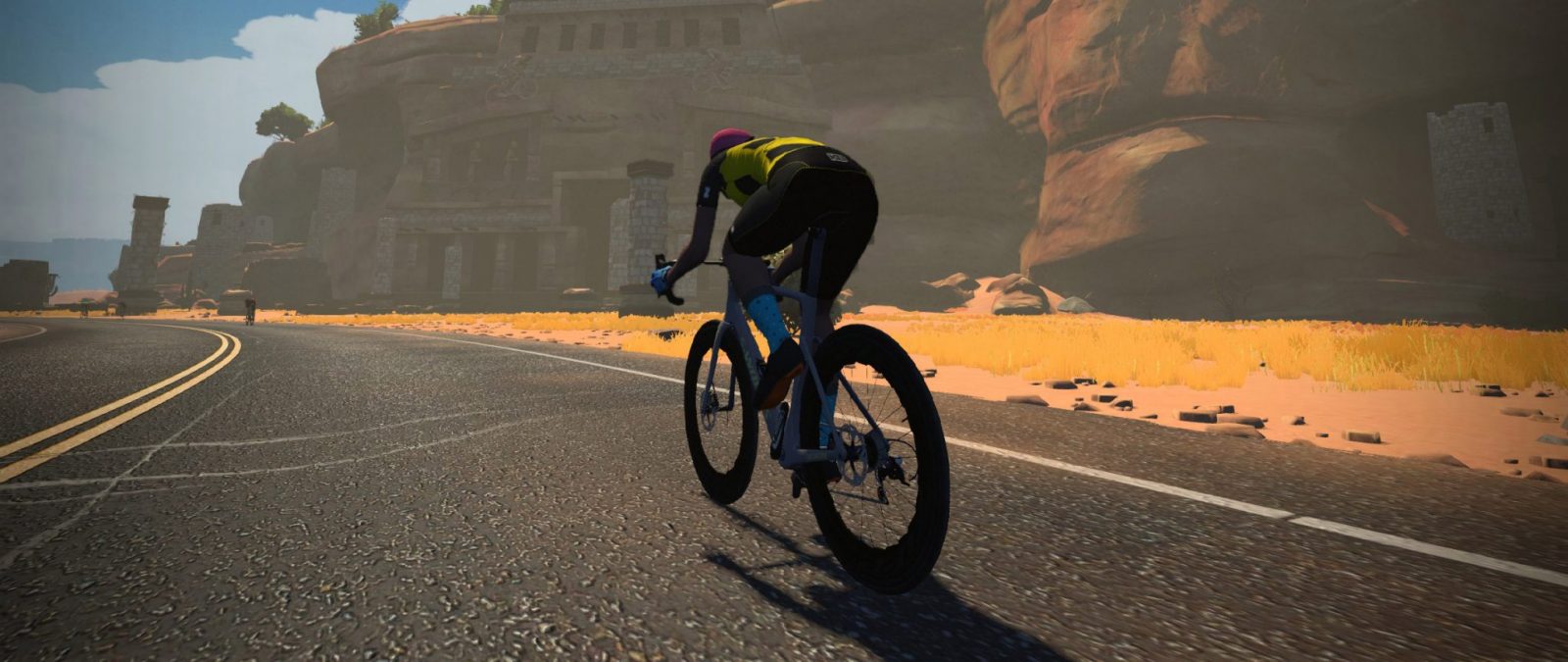
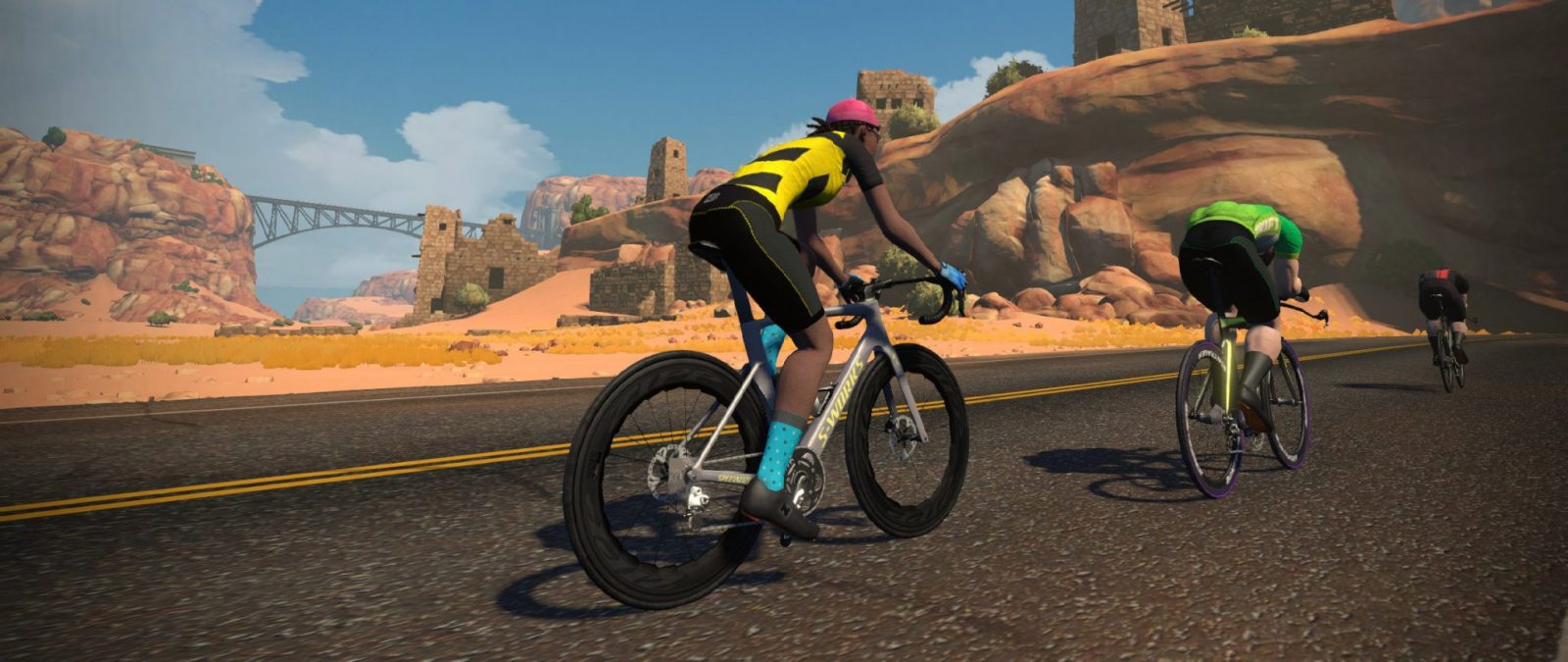
In the drops, not drafting
Sitting up in the draft
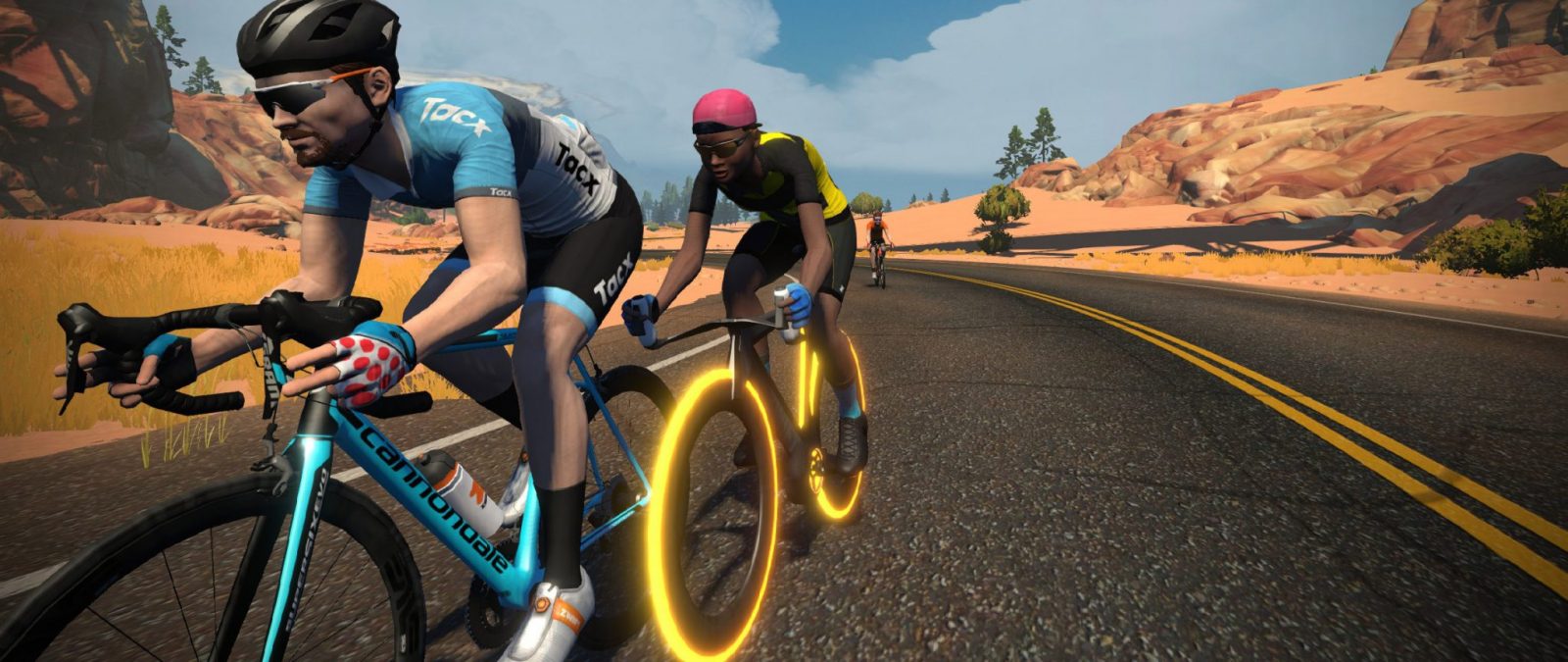
Riders on the Tron bike never sit up

Zwift uses the visual cue of sitting up (riding with your hands on the hoods instead of the drops) as an indicator that you are in the draft. It can be a little confusing though, since Zwift will also have your avatar sit up at slow solo speeds.

If you are moving at 33kph or more and your avatar is sitting up (on the hoods), you are in the draft.

Your avatar will begin riding on the hoods, but as you speed up to 32-33kph your avatar will move to the drops. If you are in the drops and begin to slow down, your avatar will move to the hoods as you hit 29-30kph.

A few more details: the Tron bike has no “sitting up” animation, so even though you are experiencing the draft effect, your avatar will never change position on the Tron. TT bikes have no “sitting up” animation either. And on mountain bikes, your avatar sits a bit higher when not drafting.

More Drafting Tips and Notes

Draft Boost (Van) Powerup

The draft boost powerup increases the strength of whatever draft you are experiencing for 40 seconds. It only works if you are in the draft, so use it in the pack to save some energy.

Dial It In

Because of how Zwift’s pack dynamics work, there is a “wattage window” within which you can hold a rider’s wheel. For example: you may be holding a wheel at 240W, but if you reduce your power to 220W you’ll may still be able to hold the wheel.

In a small group, it’s worth easing off the pedals to figure out just how much power you actually need to hold the wheel, so you aren’t putting out more power than necessary.

Steering Challenges

Since Zwift steers for you automatically, you may at times find yourself being steered out of the draft. If this happens while you’re attempting to stay in the draft, simply keep your power at a level that keeps you in a good position to get the draft, and Zwift will typically steer you into the draft soon enough.

Alternatively, if you have a steering device, you may find that manually steering will place you in a stronger draft position than the game’s automatic steering.

TT Bikes Do Not Draft

On Zwift, TT bike frames do not experience a draft effect unless you are in a special event (usually only team time trials) where TT drafting is enabled. You can draft behind a TT rider, but the TT rider will not get any benefit from riding behind anyone else.

Flick that Elbow!
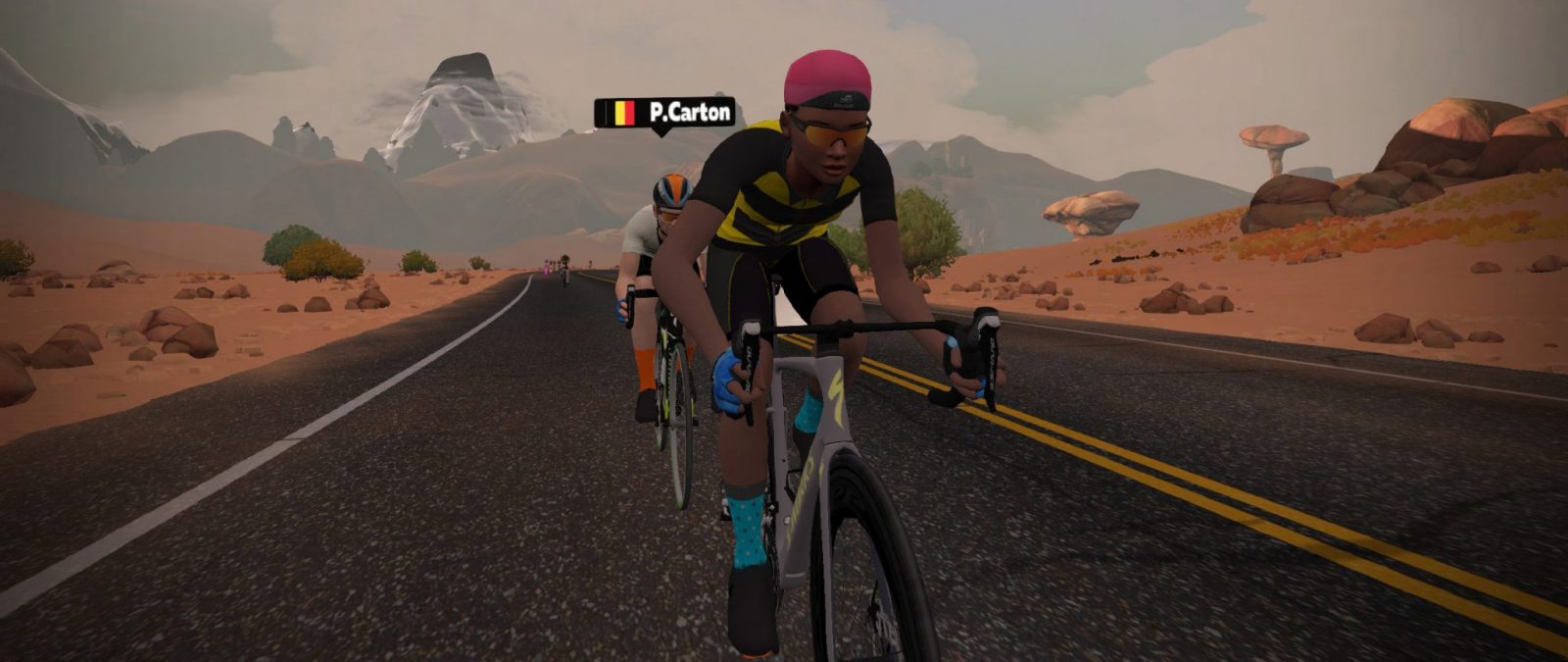
The elbow flick

Just like outdoors, you can use the elbow flick motion (F1 on your keyboard, or in your list of motions on the Companion app) to signal to other riders that it’s their turn to take a pull.

The Supertuck and Drafting

The supertuck may be outlawed by the UCI, but it’s legal on Zwift. There’s just one caveat: you have to be out of the draft in order to supertuck! That means in a race, only the rider on the front of the pack will be able to supertuck, assuming the other conditions are met (~36MPH/~58km/hr, -3% or more downhill, power below 11W). Read more about the supertuck here >

Breakaway Burrito Powerup

As the name lightly suggests, the Breakaway Burrito is the only powerup that affects those around you. When the Burrito powerup is activated, it turns off the draft benefit for riders in a cone shape behind you, for 20 seconds. Learn more about the Burrito here >

Get Saucy

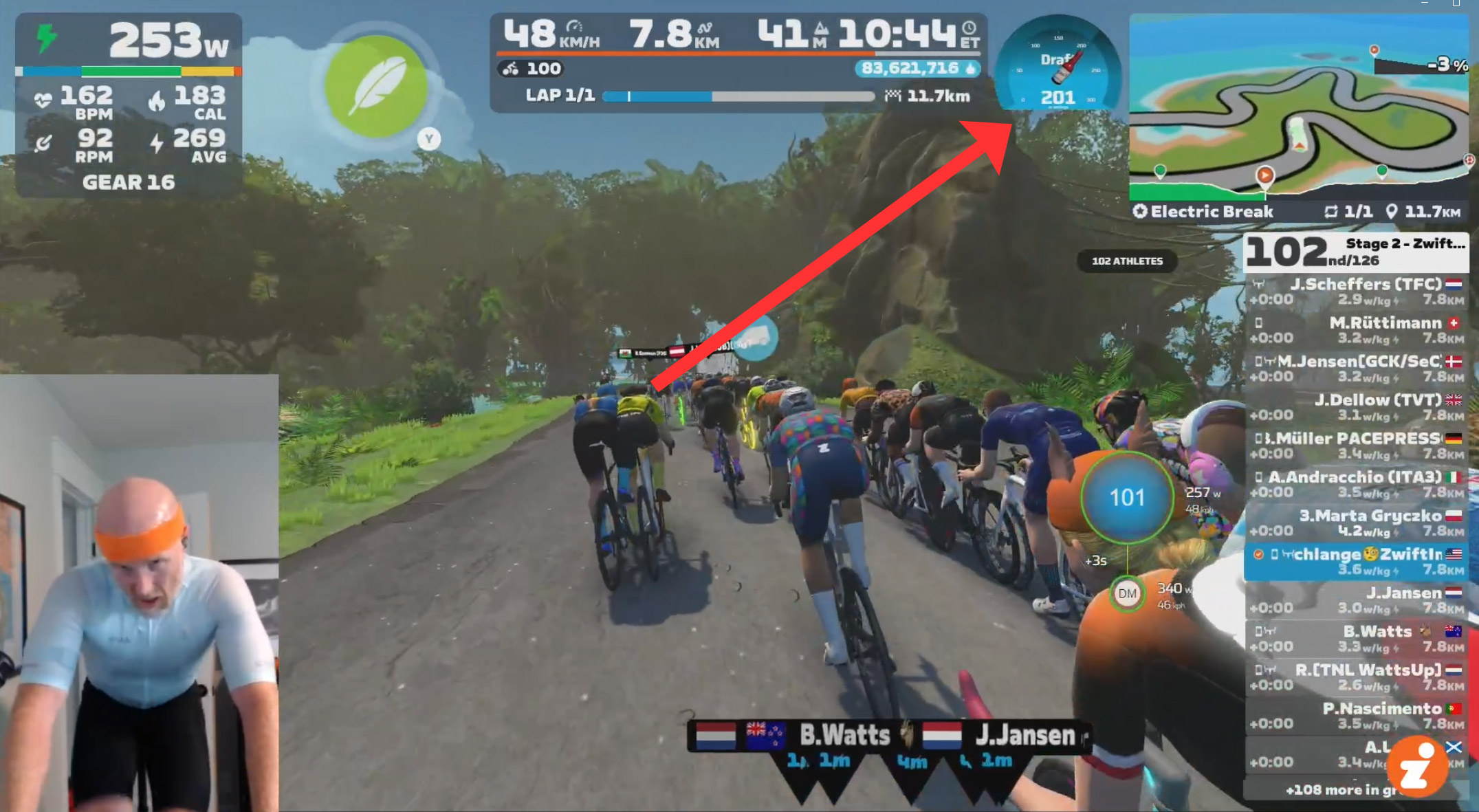
If you run Zwift on Windows or Mac, you might consider installing the Sauce for Zwift add-on, which includes a helpful draft gauge which supposedly displays how many watts you’re currently saving. (That’s up for debate, but in practice, the gauge is helpful because it shows how strong the current draft effect is, regardless of what it’s actually measuring.)

See it below from a video of a recent race. Read more about S4Z here >
Questions or Comments?

Got questions about drafting on Zwift? Share below!

Basic HDR Support For AMD Radeon Accelerated Video Processing On Linux

David Rosca at AMD continues leading the efforts for improving the open-source Radeon video acceleration support under Linux with the Mesa Gallium3D code. This is especially important now that AMD is encouraging customers to no longer use the AMD Multimedia Framework (AMF) on Linux but resort to using VA-API and the Mesa multimedia capabilities instead…

Man wheelies bike for 93 miles, destroying world record

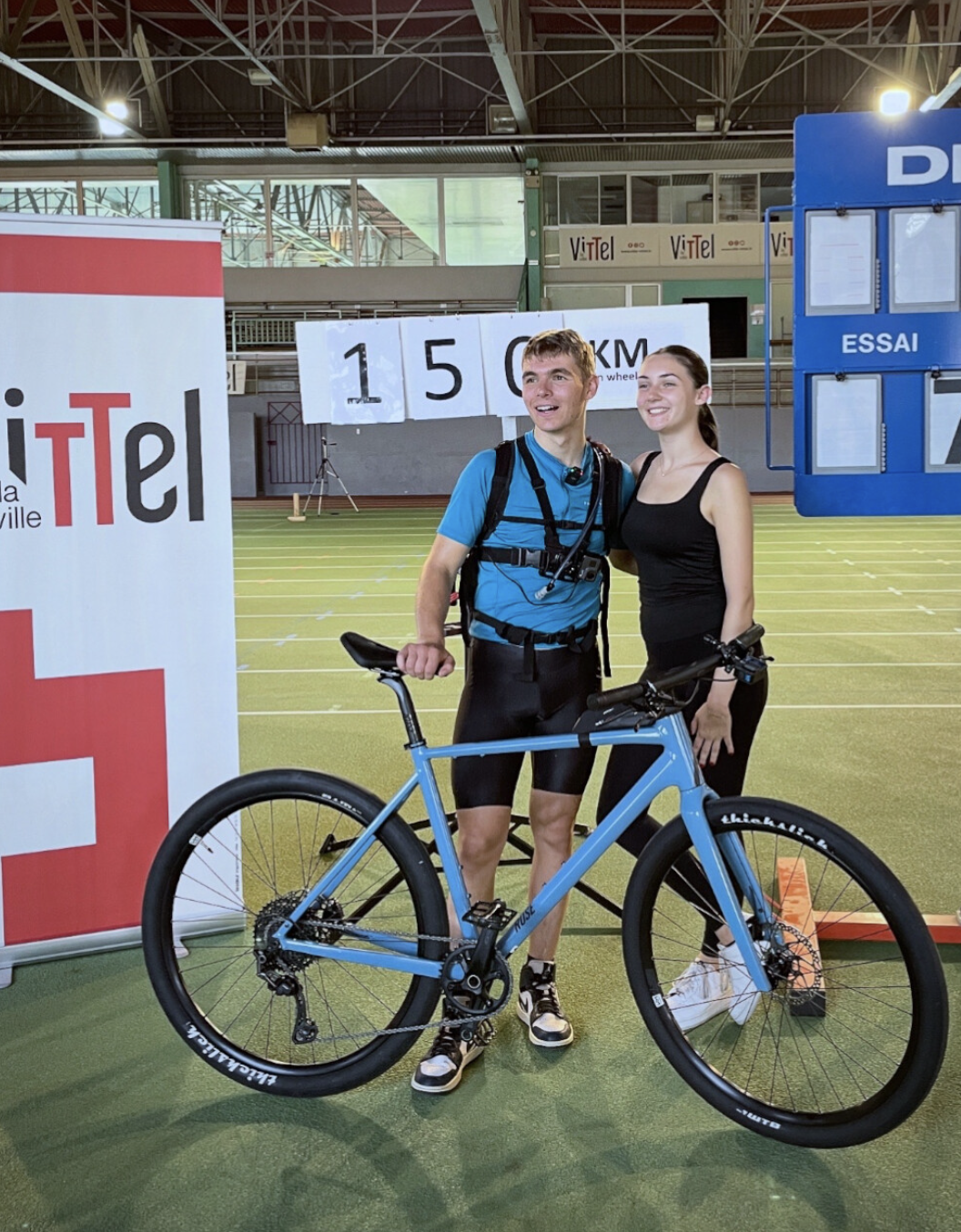
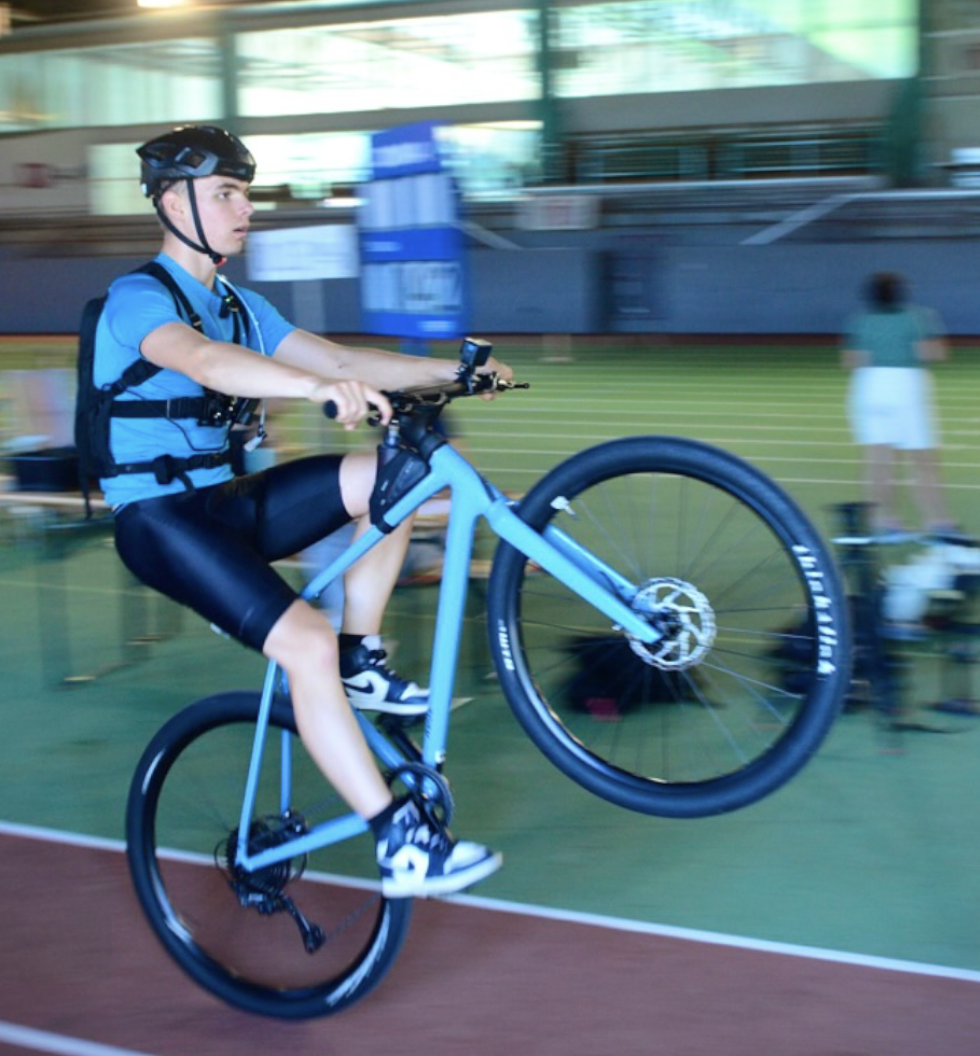
Oscar Delaite is the new world-record holder for the longest continuous wheelie, having nearly doubled the previous record of 81.59km with a new distance of 150.4km.

The Frenchman set his record at a running track in Vittel, France, keeping his front wheel in the air for 752 laps of a 200m indoor course.

It took Delaite 6 hours and 31 minutes to cover the 150.4km distance.

This isn’t Delaite’s first time in the record books, with the Frenchman also holding the Guinness World Record for the longest bicycle wheelie with no front wheel, at a distance of 100.5 km.

Delaite also holds the record for the longest-duration one-handed bicycle wheelie, clocking a time of 1 hour 46 minutes and 36 seconds.

Oscar Delaite after wheelie world record
Delaite’s target was 150km. @oscar.delaite

He completed the attempt on a rigid frame from Rose Bikes, fitted with Thickslick tyres from Wilderness Trail Bikes, both sponsors of the rider.

Oscar Delaite during wheelie world record
Delaite carried hydration and fuel for the 6 hour 31 minute attempt. @oscar.delaite

Apart from running the saddle slanted forward to offset the angle of the wheelie, the bike Delaite used for the record was standard.

As for the reason he chose to use a track, to be officially validated by Guinness World Records, the record attempt had to be made on an approved track. The indoor track also removed any variables, such as sudden gusts of wind, which could have ended Delaite’s attempt early.

The verification process for a Guinness World Record attempt takes a long time, so while the record is yet to be officially confirmed, we expect to see Delaite’s name in the book soon.

4 key things you need to know about this challenger brand’s bike computers

The bike computer market has never been more competitive, and each year a new manufacturer announces itself on the world stage as a challenger to the status quo.

iGPSPORT is the latest to offer an amazing suite of features at a competitive price, but this is no Kickstarter campaign that will never see the light of day.

The Chinese brand was established in 2012 and offers a full suite of cycling GPS devices, bike lights, smartwatches and heart rate monitors, and is trusted by two million users in 40 countries worldwide.

In fact, in 2024, four-time Tour de France winner Chris Froome joined the brand as an official global ambassador.

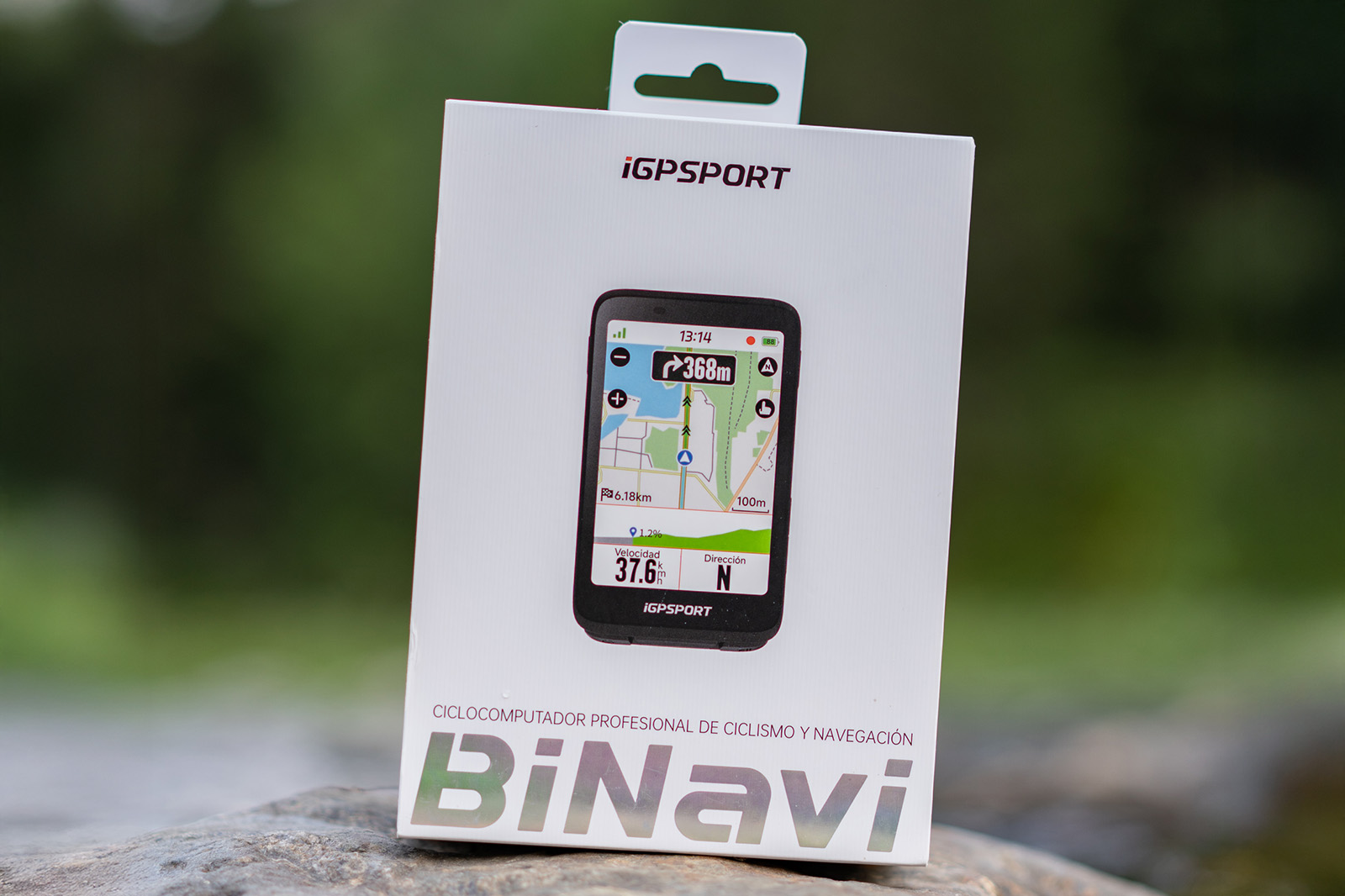
Its latest release – the BiNavi – boils down its best features into an affordable 3.5in touchscreen device that is said to be great for navigating local lanes and uncharted territory, while displaying, logging and analysing performance metrics. Here are some of its key characteristics:

Fast map analysis, pre- and mid-ride

iGPSPORT BiNavi cycle computer
The BiNavi is designed for adventures of any length. iGPSPORT

Whether you’re undertaking a 5,000km epic such as the Race Across America or have plotted a new loop on Strava or Komoot, the BiNavi can dissect and plan a route in three seconds or less.

iGPSPORT’s self-developed route navigation algorithm is responsible for this rapid analysis, and the user is left with a comprehensive turn-by-turn navigation experience, complete with accurate elevation gain calculations, more steering points that won’t leave you guessing when approaching a junction, and yaw planning that will automatically plot a new route if you veer off course.

The latter also benefits from BiNavi’s off-track replanning. If you miss a turning by mistake, the route will be replanned to get you back on course as quickly as possible.

But if it’s an intentional off-piste exploration, the path you’ve taken will remain on screen, enabling you to retrace your steps when you’re ready to resume.

And if you need to stop a route mid-ride and navigate quickly to a destination, you can generate the most convenient and fastest course with the connected iGPSPORT app’s one-key navigation.

Master multi-day routes, wherever you are in the world

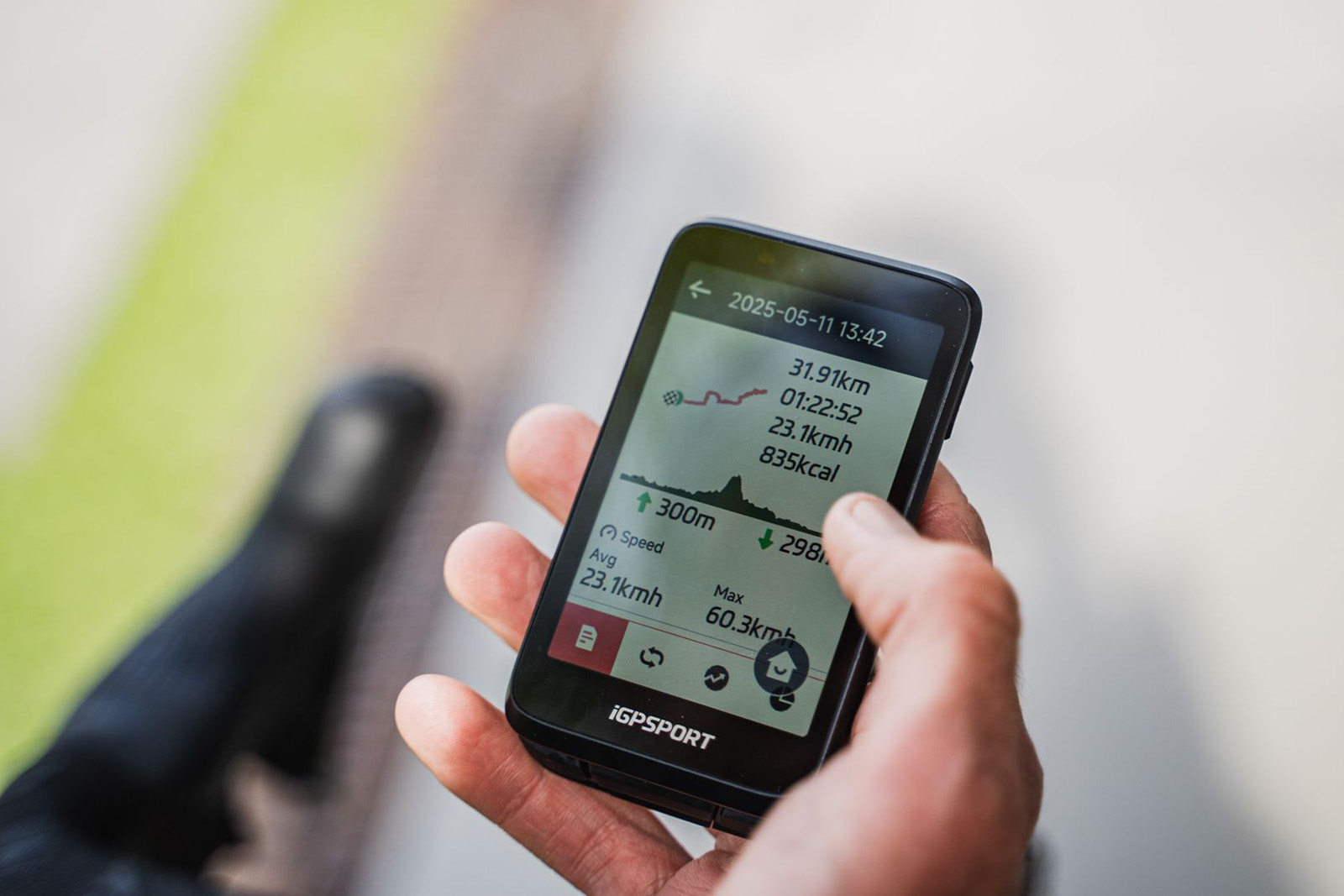
iGPSPORT BiNavi cycle computer
The Continue Later function enables you to pick up where you left off. iGPSPORT

Rather than breaking up a multi-day ride and having to plot a course for each day, the BiNavi’s ‘Continue Later’ function enables you to use one long route and resume your last ride, continuing your full course’s navigation from where you left off.

This has the added benefit of providing the complete data for your entire journey (and a satisfyingly long line on a Strava or Komoot activity) instead of having it split across each riding session.

Also, wherever you are in the world, the BiNavi has got your back. Its global map features are updated quarterly, and there’s no additional cost to access roads, trails and routes from outside your area.

Easily see what’s in store

iGPSPORT BiNavi cycle computer
The computer will prompt you before a turn. iGPSPORT

When riding in new locations, it can be disconcerting not to know where your route is taking you next.

The BiNavi’s turn prompts remove the guesswork from the equation, and provide guidance for every twist and turn on the road or trail – not only at intersections.

Users receive multiple prompts – both vocal and visual, with lights flashing on the screen – from 500m to 50m out, while at 100m the map will also zoom in to provide a clearer picture of what’s to come.

This increases safety and riding confidence on fast, technical descents and narrow lanes where blind bends are common.

This insight isn’t limited to turns in the road, either, and the BiNavi also provides a clear picture of what’s in store when going uphill.

Its climbing grades follow Grand Tour standards, and each section of tarmac or trail has real-time gradient prediction, enabling you to assess the difficulty of a full climb and pace yourself to its peak rather than blowing up on its lower slopes.

Control a whole ecosystem

The computer integrates with the rest of the brand’s accessories. iGPSPORT

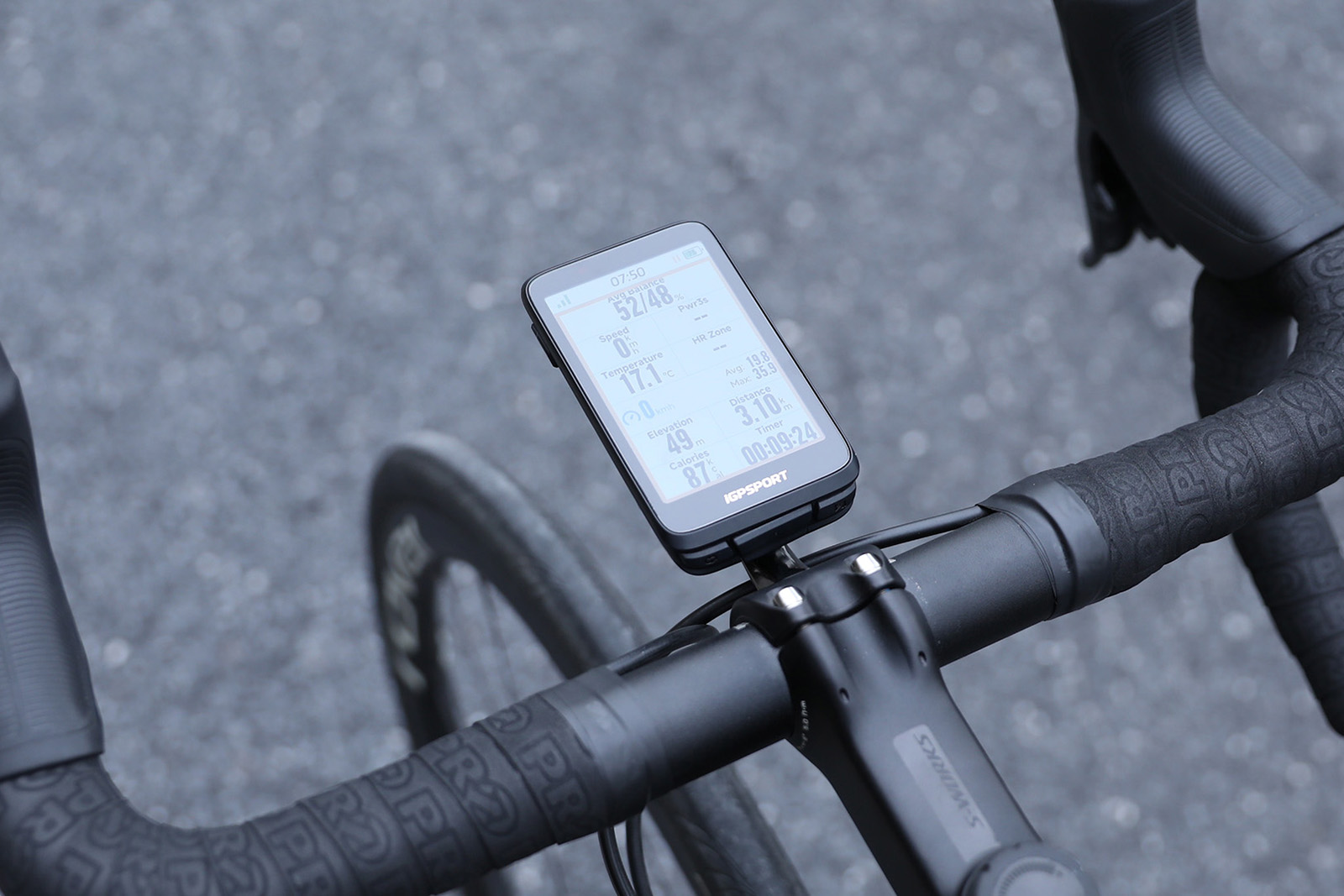
The BiNavi can connect to a whole suite of accessories via ANT+ and Bluetooth, and display more than 160 data metrics – from heart rate and power to ebike battery status.

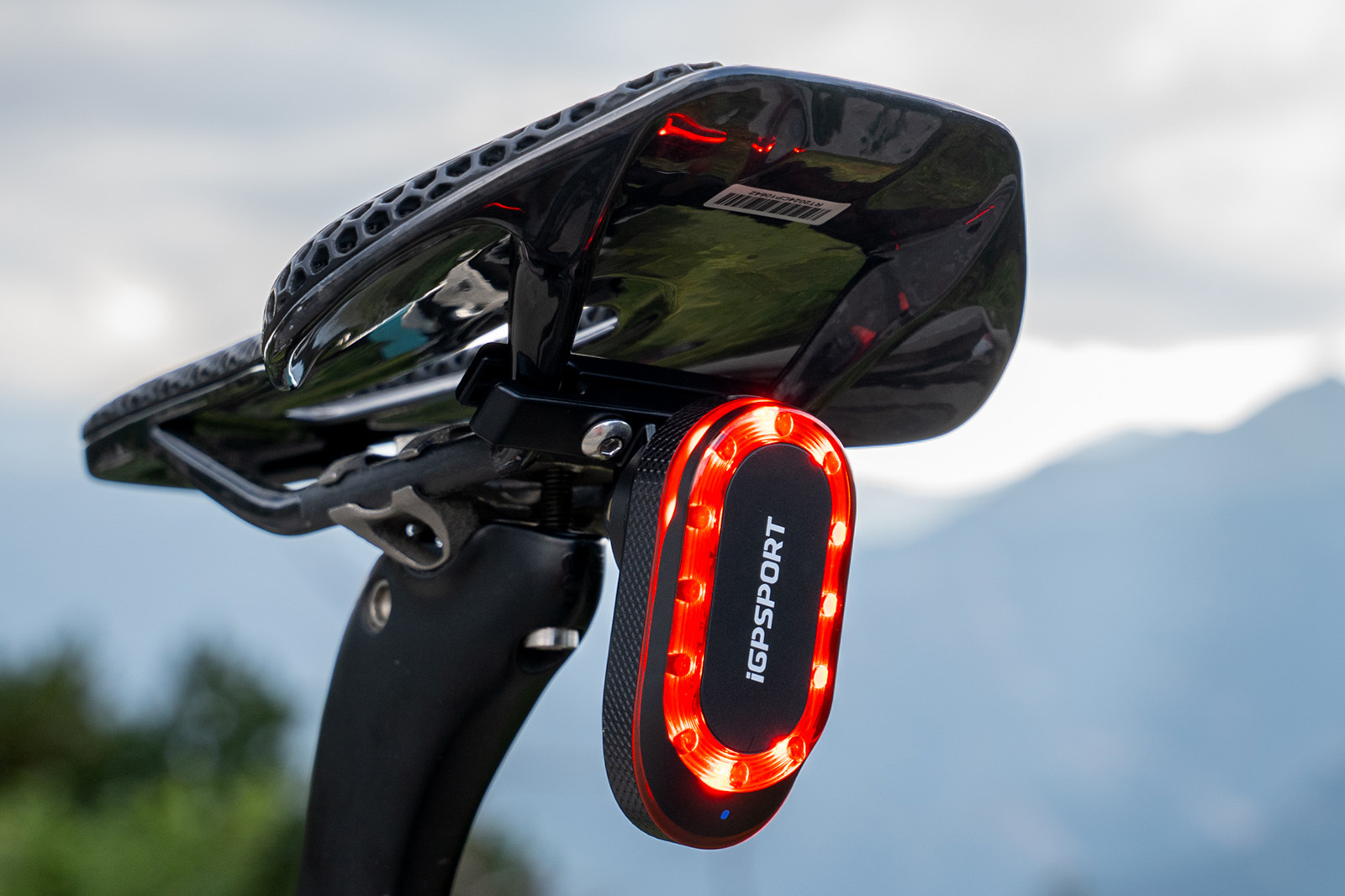
It comes into its own, though, when paired with iGPSPORT’s SR mini smart radar taillight.

When connected, users can control the light’s various modes using the BiNavi touchscreen, while receiving prompts on any vehicles approaching from behind.

How to Control Kernel Boot-Time Parameters in Linux

Linux booting is a complex process compared to other operating systems. The Linux Kernel accepts many parameters during boot, passed through the command line, which provide essential information to the kernel at system startup.

Think of these parameters as special instructions you give to the kernel before it even starts running the operating system.

With them, you can tell the kernel:

which disk contains your root filesystem?
how much memory to use?
whether to load certain hardware features.
or even how to handle errors during startup.
Without them, the kernel would not know how to properly initialize the system.

The post How to Control Kernel Boot-Time Parameters in Linux appeared first on Linux Today.

Common Yeast Can Survive Martian Conditions

A new study shows that common baker’s yeast (Saccharomyces cerevisiae) can survive Mars-like conditions, including meteorite shock waves and toxic perchlorate salts found in Martian soil. Phys.org reports: Published in PNAS Nexus, Purusharth I. Rajyaguru and colleagues subjected Saccharomyces cerevisiae, which is a widely used model yeast, to shock waves and perchlorates. The authors chose the yeast in part because it has already been studied in space. When stressed, yeast, humans, and many other organisms form ribonucleoprotein (RNP) condensates, structures made of RNA and proteins that protect RNA and affect the fates of mRNAs. When the stressor passes, the RNP condensates, which include subtypes known as stress granules and P-bodies, disassemble.

The authors simulated Martian shock waves at the High-Intensity Shock Tube for Astrochemistry (HISTA) housed in the Physical Research Laboratory in Ahmedabad, India. Yeast exposed to 5.6 Mach intensity shock waves survived with slowed growth, as did yeast subjected to 100 mM sodium salt of perchlorate (NaClO4) — a concentration similar to that in Martian soils. Yeast cells also survived exposure to the combined stress of shock waves and perchlorate stress. In both cases, the yeast assembled RNP condensates. Shock waves induced the assembly of stress granules and P-bodies; perchlorate caused yeast to make P-bodies but not stress granules. Mutants incapable of assembling RNP condensates were poor at surviving the Martian stress condition. Transcriptome analysis identified specific RNA transcripts perturbed by Mars-like conditions.


Read more of this story at Slashdot.

‘Save Our Signs’ Preservation Project Launches Archive of 10,000 National Park Signs

An anonymous reader quotes a report from 404 Media: On Monday, a publicly-sourced archive of more than 10,000 national park signs and monument placards went public as part of a massive volunteer project to save historical and educational placards from around the country that risk removal by the Trump administration. Visitors to national parks and other public monuments at more than 300 sites across the U.S. took photos of signs and submitted them to the archive to be saved in case they’re ever removed in the wake of the Trump administration’s rewriting of park history. The full archive is available here, with submissions from July to the end of September. The signs people have captured include historical photos from Alcatraz, stories from the African American Civil War Memorial, photos and accounts from the Brown v. Board of Education National History Park, and hundreds more sites. “I’m so excited to share this collaborative photo collection with the public. As librarians, our goal is to preserve the knowledge and stories told in these signs. We want to put the signs back in the people’s hands,” Jenny McBurney, Government Publications Librarian at the University of Minnesota and one of the co-founders of the Save Our Signs project, said in a press release. “We are so grateful for all the people who have contributed their time and energy to this project. The outpouring of support has been so heartening. We hope the launch of this archive is a way for people to see all their work come together.”


Read more of this story at Slashdot.

DOJ Seizes $15 Billion In Bitcoin From Massive ‘Pig Butchering’ Scam Based In Cambodia

The U.S. Department of Justice seized about $15 billion in bitcoin from wallets tied to Chen Zhi, founder of Cambodia’s Prince Holding Group, who is accused of running one of the world’s biggest “pig butchering” scams. Prosecutors say Zhi’s network trafficked people into forced-labor scam compounds that defrauded victims worldwide through fake crypto investment schemes. CNBC reports: The seizure is the largest forfeiture action by the DOJ in history. An indictment charging the alleged pig butcher, Chen Zhi, was unsealed Tuesday in federal court in Brooklyn, New York. Zhi, who is also known as “Vincent,” remains at large, according to the U.S. Attorney’s Office for the Eastern District of New York. He was identified in court filings as the founder and chairman of Prince Holding Group, a multinational business conglomerate based in Cambodia, which prosecutors said grew “in secret …. into one of Asia’s largest transnational criminal organizations. […]

The scams duped people contacted via social media and messaging applications online into transferring cryptocurrency into accounts controlled by the scheme with false promises that the crypto would be invested and produce profits, according to the office. “In reality, the funds were stolen from the victims and laundered for the benefit of the perpetrators,” the release said. “The scam perpetrators often built relationships with their victims over time, earning their trust before stealing their funds.”

Prosecutors said that hundreds of people were trafficked and forced to work in the scam compounds, “often under the threat of violence.” Zhi and a network of top executives in the Prince Group are accused of using political influence in multiple countries to protect their criminal enterprise and paid bribes to public officials to avoid actions by law enforcement authorities targeting the scheme, according to prosecutors.


Read more of this story at Slashdot.

Secure Boot Bypass Risk Threatens Nearly 200,000 Linux Framework Laptops

Roughly 200,000 Linux-based Framework laptops shipped with a signed UEFI shell command (mm) that can be abused to bypass Secure Boot protections — allowing attackers to load persistent bootkits like BlackLotus or HybridPetya. Framework has begun patching affected models, though some fixes and DBX updates are still pending. BleepingComputer reports: According to firmware security company Eclypsium, the problem stems from including a ‘memory modify’ (mm) command in legitimately signed UEFI shells that Framework shipped with its systems. The command provides direct read/write access to system memory and is intended for low-level diagnostics and firmware debugging. However, it can also be leveraged to break the Secure Boot trust chain by targeting the gSecurity2 variable, a critical component in the process of verifying the signatures of UEFI modules.

The mm command can be abused to overwrite gSecurity2 with NULL, effectively disabling signature verification. “This command writes zeros to the memory location containing the security handler pointer, effectively disabling signature verification for all subsequent module loads.” The researchers also note that the attack can be automated via startup scripts to persist across reboots.


Read more of this story at Slashdot.

NordVPN Embraces Open Source By Releasing Its Linux GUI On GitHub

BrianFagioli shares a report from NERDS.xyz: NordVPN has open sourced its Linux GUI on GitHub, giving the community full access to the code behind its graphical client. The move follows a 70 percent surge in daily active Linux users since the GUI’s debut earlier this year, showing clear demand for a user friendly VPN experience on the platform. Alongside the previously open sourced command line tool, the GUI codebase is now available for anyone to audit, modify, and contribute to. While NordVPN’s core backend infrastructure remains proprietary, the company says the open source release reflects its commitment to transparency and collaboration with the Linux community. The GUI can also now be installed with a single command using Snap, simplifying setup and ensuring automatic updates across distributions.


Read more of this story at Slashdot.